• Regeln für den Video-Bereich:

    In den Börsenbereich gehören nur Angebote die bereits den Allgemeinen Regeln entsprechen.

    Einteilung

    - Folgende Formate gehören in die angegeben Bereiche:
    - Filme: Encodierte Filme von BluRay, DVD, R5, TV, Screener sowie Telesyncs im Format DivX, XviD und x264.
    - DVD: Filme im Format DVD5, DVD9 und HD2DVD.
    - HD: Encodierte Filme mit der Auflösung 720p oder darüber von BluRay, DVD, R5, TV, Screener sowie Telesyncs im Format x264.
    - 3D: Encodierte Filme von BluRay, die in einem 3D Format vorliegen. Dies gilt auch für Dokus, Animation usw.
    - Serien: Cartoon/Zeichentrick, Anime, Tutorials, Dokumentationen, Konzerte/Musik, Sonstiges sind demnach in die entsprechenden Bereiche einzuordnen, auch wenn sie beispielsweise im High Definition-Format oder als DVD5/DVD9/HD2DVD vorliegen. Ausnahme 3D.
    - Bereich Englisch: Englische Releases gehören immer in diesen Bereich.
    - Bereich Talk: Der Bereich, in dem über die Releases diskutiert werden kann, darf, soll und erwünscht ist.


    Angebot/Beitrag erstellen

    - Ein Beitrag darf erst dann erstellt werden, wenn der Upload bei mindestens einem OCH komplett ist. Platzhalter sind untersagt.
    - Bei einem Scenerelease hat der Threadtitel ausschließlich aus dem originalen, unveränderten Releasenamen zu bestehen. Es dürfen keine Veränderungen wie z.B. Sterne, kleine Buchstaben o.ä. vorgenommen werden. Ausnahme Serienbörse:
    - Bei einem Sammelthread für eine Staffel entfällt aus dem Releasename natürlich der Name der Folge. Beispiel: Die Simpsons S21 German DVDRip XviD - ITG
    - Dementsprechend sind also u.a. verboten: Erweiterungen wie "Tipp", "empfehlenswert", "only", "reup", usw. / jegliche andere Zusatzinformation oder Ergänzung, welche nicht in obiger Beschreibung zu finden ist.

    Aufbau des Angebots und Threadtitel

    Der Titel nach folgendem Muster erstellt zu werden. <Name> [3D] [Staffel] [German] <Jahr> <Tonspur> [DL] [Auflösung] <Quelle> <Codec> - <Group>
    Beispiel: The Dark Knight German 2008 AC3 DVDRip XviD - iND
    Beispiel: The Dark Knight 2008 DTS DL BDRip x264 - iND
    Beispiel: The Dark Knight 2008 AC3 DL BDRip XviD - iND
    Beispiel: The Dark Knight German 2008 AC3 720p BluRay x264 iND
    Beispiel: The Dark Knight 2008 DTS DL 1080p BluRay x264 iND
    Beispiel: Die Simpsons S01 German AC3 DVDRip XviD iND
    Beispiel: Die Simpsons S20 German AC3 720p BluRay x264 iND
    Beispiel: Sword Art Online II Ger Sub 2014 AAC 1080p WEBRip x264 - peppermint
    Entsprechend sind also u.a. verboten: Sonderzeichen wie Klammern, Sterne, Ausrufezeichen, Unterstriche, Anführungszeichen / Erweiterungen wie "Tipp", "empfehlenswert", "only", "reup", usw. / jegliche andere Zusatzinformation oder Ergänzung, welche nicht in obiger Beschreibung zu finden ist
    Ausnahmen hiervon können in den Bereichen geregelt sein.

    Die Beiträge sollen wie folgt aufgebaut werden:
    Überschrift entspricht dem Threadtitel
    Cover
    kurze Inhaltsbeschreibung
    Format, Größe, Dauer sind gut lesbar für Downloader außerhalb des Spoilers zu vermerken
    Nfo sind immer Anzugeben und selbige immer im Spoiler in Textform.
    Sind keine Nfo vorhanden z.B. Eigenpublikationen, sind im Spoiler folgende Dateiinformationen zusätzlich anzugeben :
    Quelle
    Video (Auflösung und Bitrate)
    Ton (Sprache, Format und Bitrate der einzelnen Spuren)
    Untertitel (sofern vorhanden)
    Hosterangabe in Textform außerhalb eines Spoiler mit allen enthaltenen Hostern.
    Bei SD kann auf diese zusätzlichen Dateiinformationen verzichtet werden.

    Alle benötigten Passwörter sind, sofern vorhanden, in Textform im Angebot anzugeben.
    Spoiler im Spoiler mit Kommentaren :"Schon Bedankt?" sind unerwünscht.


    Releases

    - Sind Retail-Release verfügbar, sind alle anderen Variationen untersagt. Ausnahmen: Alle deutschen Retail-Release sind CUT, in diesem Fall sind dubbed UNCUT-Release zulässig.
    - Im Serien-Bereich gilt speziell: Wenn ein Retail vor Abschluss einer laufenden Staffel erscheint, darf diese Staffel noch zu Ende gebracht werden.62
    - Gleiche Releases sind unbedingt zusammenzufassen. Das bedeutet, es ist zwingend erforderlich, vor dem Erstellen eines Themas per Suchfunktion zu überprüfen, ob bereits ein Beitrag mit demselben Release besteht. Ist dies der Fall, ist der bereits vorhandene Beitrag zu verwenden.
    - P2P und Scene Releases dürfen nicht verändert oder gar unter einem iND Tag eingestellt werden.


    Support, Diskussionen und Suche

    - Supportanfragen sind entweder per PN oder im Bereich Talk zu stellen.
    - Diskussionen und Bewertungen sind im Talk Bereich zu führen. Fragen an die Uploader haben ausschließlich via PN zu erfolgen, und sind in den Angeboten untersagt.
    - Anfragen zu Upload-Wünschen sind nur im Bereich Suche Video erlaubt. Antworten dürfen nur auf Angebote von MyBoerse.bz verlinkt werden.


    Verbote

    - Untersagt sind mehrere Formate in einem einzigen Angebotsthread, wie beispielsweise das gleichzeitige Anbieten von DivX/XviD, 720p und 1080p in einem Thread. Pro Format, Release und Auflösung ist ein eigener Thread zu eröffnen.
    - Grundsätzlich ebenso verboten sind Dupes. Uploader haben sich an geeigneter Stelle darüber zu informieren, ob es sich bei einem Release um ein Dupe handelt.
    - Gefakte, nur teilweise lauffähige oder unvollständige Angebote sind untersagt. Dies gilt auch für eigene Publikationen, die augenscheinlich nicht selbst von z.B. einer DVD gerippt wurden. Laufende Serien, bei denen noch nicht alle Folgen verfügbar sind, dürfen erstellt und regelmäßig geupdatet werden.
    - Untersagt sind Angebote, welche nur und ausschließlich in einer anderen Sprache als deutsch oder englisch vorliegen. Ausnahmen sind VORHER mit den Moderatoren zu klären.


    Verstoß gegen die Regeln

    - Angebote oder Beiträge, die gegen die Forenregeln verstoßen, sind über den "Melden"-Button im Beitrag zu melden.
  • Bitte registriere dich zunächst um Beiträge zu verfassen und externe Links aufzurufen.

*** Bestes IPTV *** bester Preis *** gratis Test ***


Englische Tutorials

Certified Incident Handler (ECIH) v2

vjjwr.jpg


Certified Incident Handler (ECIH) v2
LinkedIn Learning Duration: 19h | .MP4 1280x720, 30 fps(r) | AAC, 48000 Hz, 2ch | 13.6 GB
Genre: eLearning | Language: English

This course from ITProTV takes an in-depth look at the skills and knowledge you need to become a successful incident handler and response team member, with an eye on taking and passing the EC-Council's Certified Incident Handler v2 (ECIH) exam. ITProTV instructors Daniel Lowrie and Adam Gordon discuss the basic skills needed to handle and respond to security events and address various underlying principles and techniques for detecting and responding to current and emerging computer security threats. The incident handling skills taught in E|CIH are useful for a wide array of cybersecurity jobs and tasks, like penetration testing, vulnerability assessment, risk assessment, network administrators, cyber forensic investigators, and more.
Note: This course was created by ITProTV. We are pleased to host this training in our library.

Homepage

certifiedincidenthandv7juv.jpg


Download from RapidGator


Download from NitroFlare



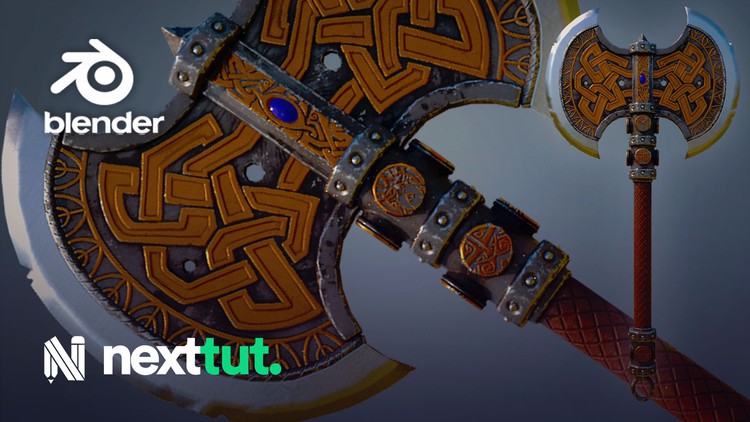
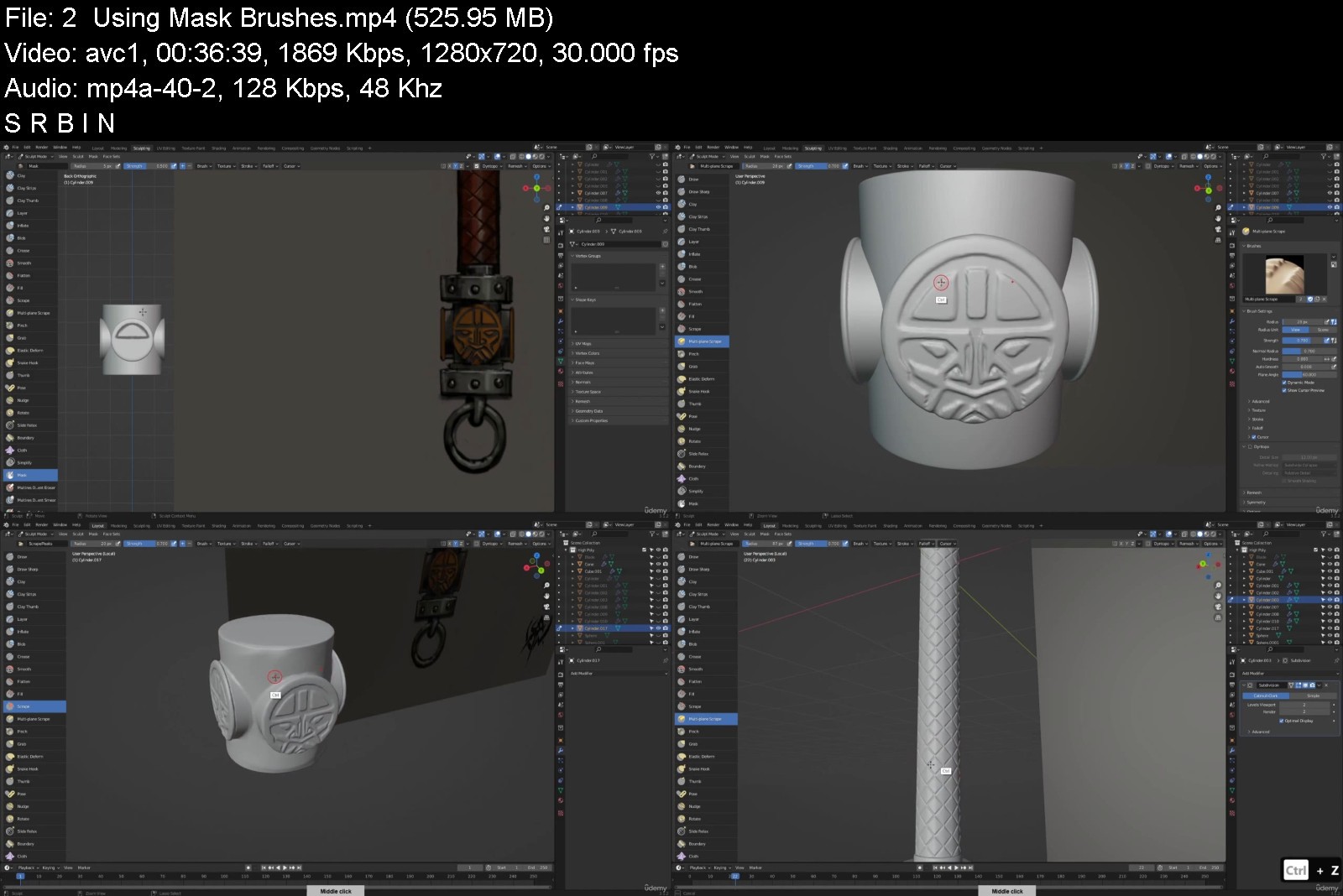
Making a Fantasy Axe in Blender

4636590e23624tjwm.jpg


Making a Fantasy Axe in Blender
Published 04/2022 MP4 | Video: h264, 1280x720 | Audio: AAC, 44.1 KHz, 2 Ch
Genre: eLearning | Language: English + srt | Duration: 21 lectures (8h) | Size: 6.9 GB


Learn to make Weapons for Games and Films. Model and texture a fantasy Axe in Blender & Substance painter


What you'll learn
Model a hero asset
Sculpt in high detail
Unwrapping UVs
Texture in substance painter
Requirements
Basic knowledge of Blender and Substance Painter
You need Blender 3.0 installed
Substance Painter Installed
Description
Do you like fantasy art and want to make weapons in 3D?
Then I welcome you to Nexttut Education's Making a Fantasy Axe in Blender course.
WHY SHOULD YOU LEARN FROM ME
My name is Alejandro Aguilar, and I have been working in 3D art for about 7 years. I have worked on numerous projects, from mobile games to video production. My area of work focuses on understanding 3D at a technical level, so that I can then teach you in an easy-to-understand way.
BENEFITS
By the end of this course you will know how to,
Model and sculpt the detail needed to create a game-ready hero asset.
Texture in Substance Painter with detail.
WHAT WILL I LEARN
Sculpting and modelling
Texturing for games
COURSE PROJECTS
We will start by blocking out a model of the prop, with using basic modelling tools to get an idea of how we want to make the axe look. We'll then take the axe into sculpting to make a high detailed mesh. From there, we will retopologize and unwrap a low poly mesh for texture baking. We'll use the texture we backed, and go into Substance Painter to texture the prop, and make a final render
IS THIS COURSE RIGHT FOR ME
I have designed this course for beginner to intermediate 3d modelling students, who want to model fantasy art for games but they struggle to get it because they don't find a tutorial which is step by step, no fast forward, no skip and coming from a production artist who has been doing this for years.
The course is also for artists who want to speed up their workflow in Blender and improve their skill in hard surface modelling.
WHO IS NOT THE IDEAL STUDENT
This course is not designed for absolute Blender beginners.
WHAT SHOULD I KNOW OR HAVE FOR THE COURSE
I expect you to have some sort of basic Blender experience.
You should have Blender 3.0 installed on your computer.
You should have the latest version of Substance Painter.
JOIN ME NOW
So if you want to model production ready weapons, then join me now, and take your skills to the next level. Hope to see you in the course.
Who this course is for
This course is for beginner and intermediate students in Blender


makingafantasyaxeinblbzjb7.jpg


Download from RapidGator


Download from NitroFlare



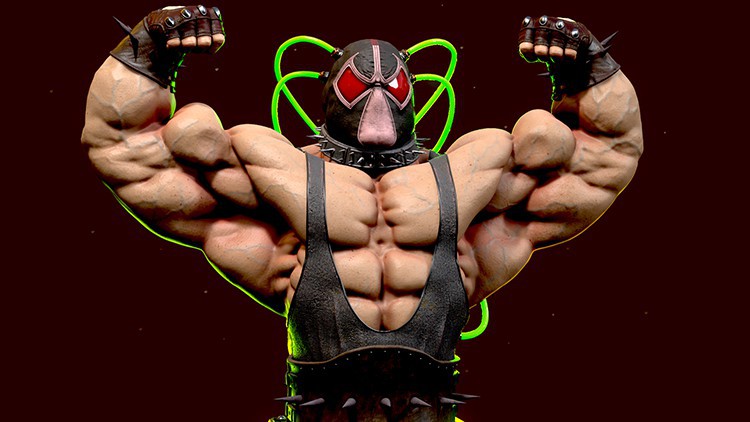
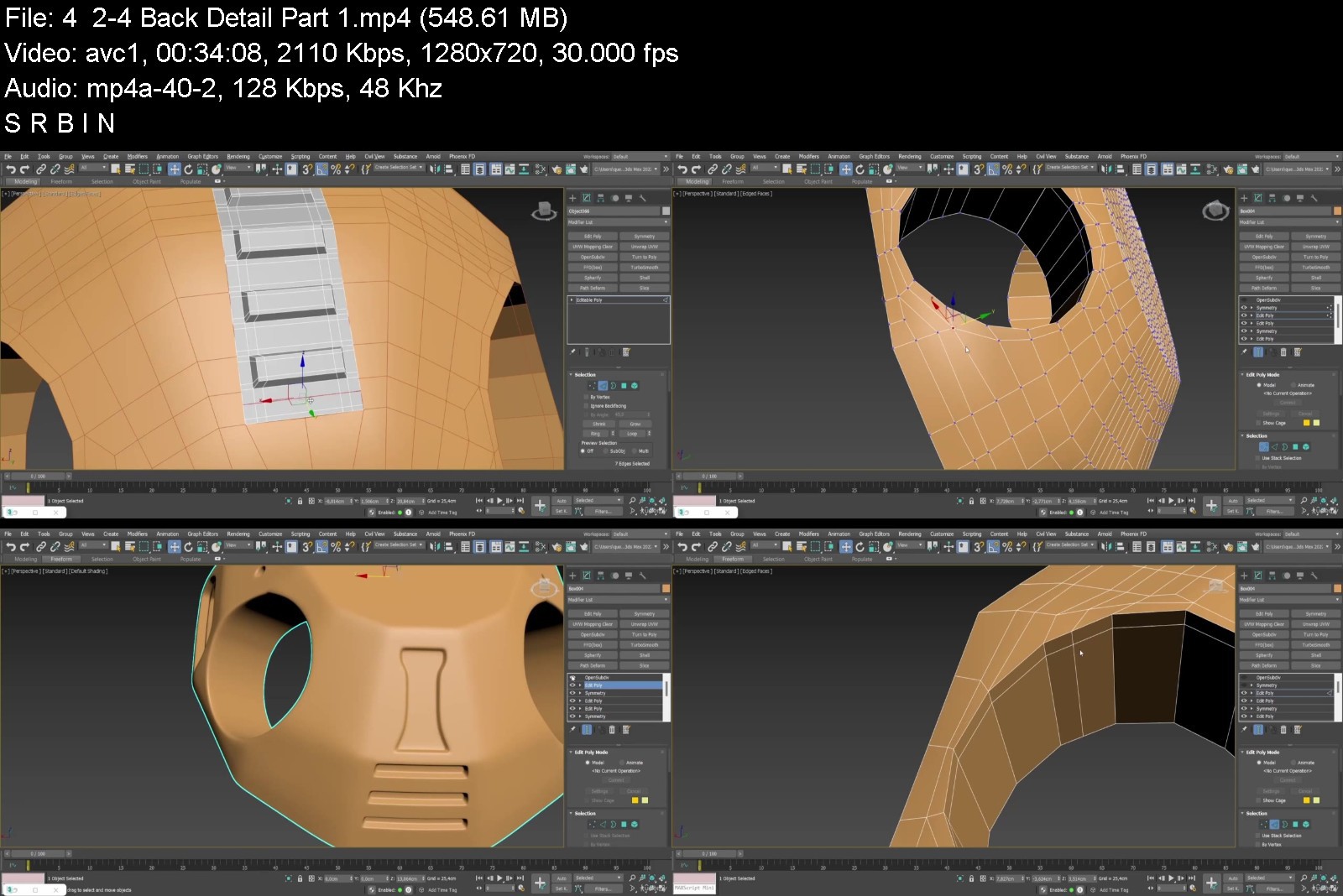
Zbrush, 3ds Max, Substance 3d Painter, Bane Creation Course

4609200e188455ks9.jpg


Zbrush, 3ds Max, Substance 3d Painter, Bane Creation Course
Publshed 04/2022 MP4 | Video: h264, 1280x720 | Audio: AAC, 44.1 KHz, 2 Ch
Genre: eLearning | Language: English + srt | Duration: 77 lectures (20h 40m) | Size: 20.4 GB


An in depth course on modeling and sculpting realistic Bane Bust


What you'll learn
Sculpting muscular body
Adding Skin details, veins and many more
Making Bane's cool props such as t-shirt, mask, gloves, belt
Making hard surface details with proper topology for clean subdivisions
Learning important technics for modeling different props
Making retopology from sculpted mesh
Cleaning topology after boolean's operations
Making UV's
Texturing all props for photorealistic looks
Make custome materials
Texturin skin material for body and hands
Learning different technics for adding cool details, scratches, grunge, dirts, peeling effect
Overview rendering process for Marmoset toolbag and Arnold for 3ds max
Overview materil configarations
Light properties and placement
Explaine how to properly setup rendering configurations
Denoising image in Arnold
Requirements
Zbrush, 3ds Max basic knowledge
Description
GOAL OF THE COURSE
Hi, my name is Oleg and I did this course in collaboration with my brother Bogdan. At the end of this course you will be able to model and sculpt the advanced Bane bust model, you will also be able to make realistic clothes and accessories in Zbrush and 3ds Max from start to finish. Also you will learn how to make a proper topology and UV's, achieve a photorealistic look for your textures in substance painer 3d and do a stunning renders in Marmoset Toolbag 4 and Arnold for 3ds Max.
IN THIS COURSE YOU WILL LEARN
Zbrush
- In this tutorial you will learn how to make organic model in ZBrush
- Initial anatomy sculpting and refining
- Adding Skin details, veins and many more
- Making Bane's cool props such as t-shirt, mask, gloves
- Making low poly model with zremesher
3ds max
- Making hard surface details with proper topology for clean subdivisions
- Learning important technics for modeling different props
- Making retopology from sculpted mesh
- Cleaning topology after boolean's operations
- Making UV's
Substance Painter
- Texturing all props for photorealistic looks
- Make custome materials
- Texturin skin material for body and hands
- Learning different technics for adding cool details, scratches, grunge, dirts, peeling effect
Rendering
- Overview rendering process for Marmoset toolbag and Arnold for 3ds max
- Overview materil configarations
- Light properties and placement
- Explaine how to properly setup rendering configurations
- Denoising image in Arnold
Who this course is for
Intermediate students and artists who has Zbrush and 3ds Max experience and who wants to improve their sculpting, poly modeling, texturing and rendering skills.


zbrush3dsmaxsubstance20km1.jpg


Download from RapidGator


Download from NitroFlare



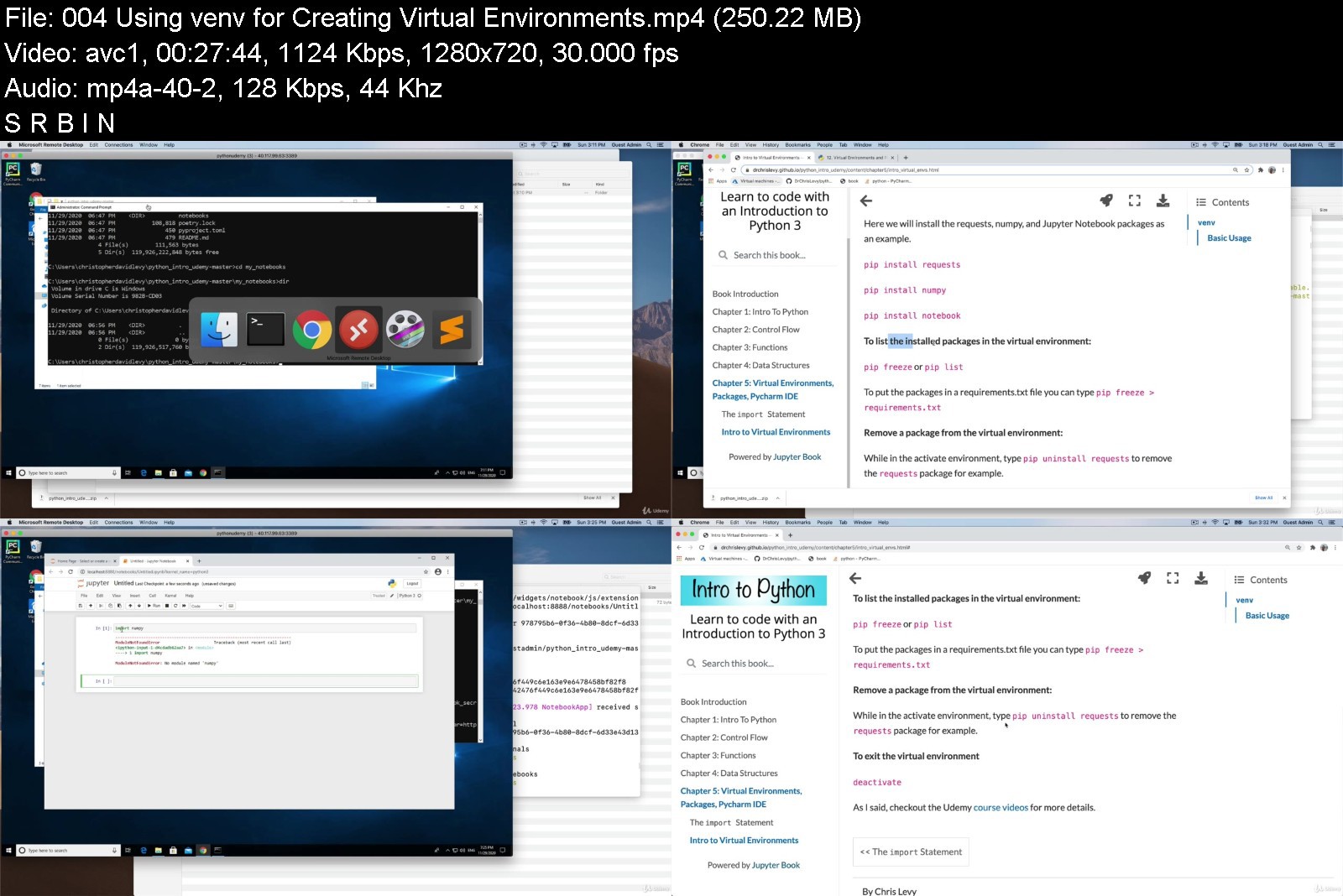
Learn to code with an Introduction to Python 3

7wnrnp3hjwahbduawt1bvg8k75.jpg


Learn to code with an Introduction to Python 3
MP4 | Video: h264, 1280x720 | Audio: AAC, 44.1 KHz
Language: English | Size: 8.87 GB | Duration: 21h 46m

An introduction to Python 3 and interactive programming with Jupyter Notebooks


What you'll learn
The basics of the python programming language.
How to code.
How to think critically and think like a programmer.
How to write code and markdown in Jupyter Notebooks.
Setting up Pycharm IDE and Virtual Environments
Control Flow in Python
Data Structures in Python
Functions in Python
Classes in Python
Requirements
Basic computer knowledge
Patience and willingness to learn.

Description
This course is for beginners who are interested in learning to code. This course begins with teaching Python 3 in an interactive style through the use of Jupyter Notebooks. You will also learn to write programs within the integrated development environment (IDE) Pycharm.
In the setup videos for the course you will be told how to access the Github Repo which has all the content for the course additional to the videos hosted on Udemy. This additional content contains all the Python code files, the practice questions and solutions, as well as all the material in a nicely formatted online book.
Chapter 1: Intro To Python
interactive Python
Jupyter Notebooks
print
strings
variables
numerical data types (integers and floats)
string formating with f-strings
indexing and slicing strings
getting input from a user
Chapter 2: Control Flow
boolean data type (True and False)
operators
comparison operators (==, !=, >, <, >=, <=)
logical operators (and, or, not)
membership operators (in, not in)
if, elif, and else statements
lists
indexing and slicing
getting length of a list with len()
appending to a list with append() and extend() methods
list concatenation with + operator
intro to mutable and immutable objects
for loops and while loops
range() function
break and continue and pass statements
more Python basic operators
% modulus
+=, -=, *=, /=
Chapter 3: Functions
What are functions and why do we use them?
Examples of functions that are built into Python.
Defining your own functions.
Function arguments
positional arguments
keyword arguments
default arguments
return statement
Local and global scope
Chapter 4: Data Structures
lists
more list methods
list comprehensions
tuples
dictionaries
keys and values
ways of iterating over dictionaries
sets
using *args and **kwargs in function definitions
Chapter 5: Virtual Environments, Packages, Pycharm IDE
importing libraries in your Python code with import statements
creating virtual environments for projects
installing packages/libraries into those projects with pip
creating your own modules for importing
Setting up an integrated development environment (IDE) with the use of the popular IDE, Pycharm
Chapter 6: Truthy and Falsy Values, None Value, Exception Handling, Reading and Writing Files
Truthy and Falsy values
The None value
About different Python errors and how to do exception handling with try and Except
How to read data from a file and write data back to a file
Chapter 7: Intro to Classes and Object Oriented Programming
defining and creating classes
instantiate an object from a class
instance methods and attributes
class methods and attributes
subclassing and inheritance
Who this course is for
Anyone looking for an introduction to coding.
Anyone looking for an introduction to python programming language.
Anyone looking for some foundations in Python so they can then look into more advanced topics after learning the basics.


learntocodewithanintr7nkxq.jpg


Download from RapidGator


Download from NitroFlare



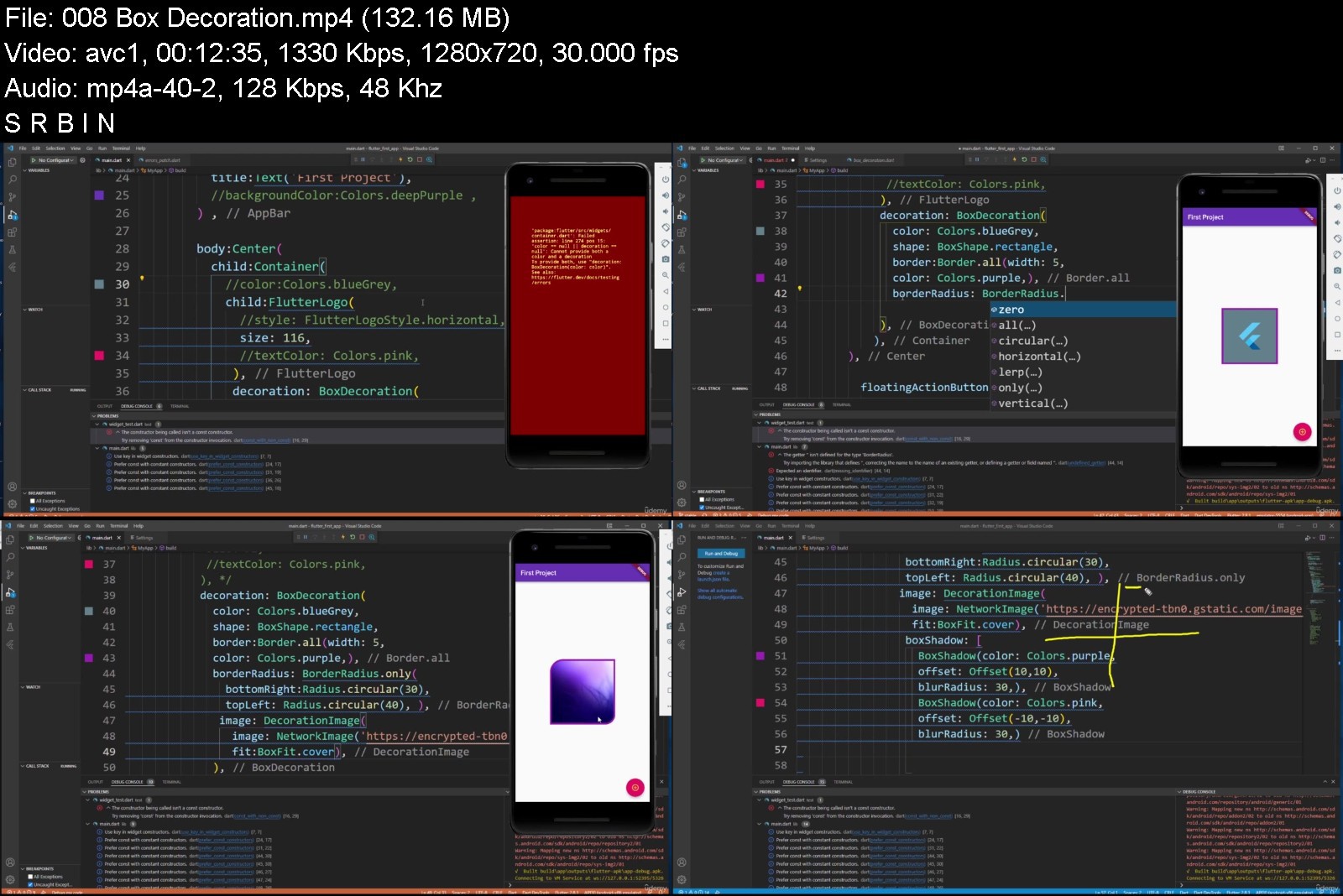
Flutter and Dart | Flutter Dart Programming from Scratch

xoye1dspaxakemrf2csrbn1juj.jpg


Flutter and Dart | Flutter Dart Programming from Scratch
MP4 | Video: h264, 1280x720 | Audio: AAC, 44.1 KHz
Language: English | Size: 7.03 GB | Duration: 15h 17m

Flutter Dart Complete Guide for building Android & IOS app with Flutter advanced projects on Dart programming language


What you'll learn
Flutter is a Google SDK for building native interfaces for iOS and Android using the Dart programming language.
Flutter has been a production-ready, stable product on iOS and Android since its official launch in December 2018.
Flutter is powered by Dart programming language optimized for fast apps on any platform.
Flutter an ideal choice for startups, agencies, and small businesses, and as a result, the job market for Flutter developers is also expanding rapidly.
Flutter can integrate with existing iOS and Android code bases. It's free and open-source.
Big companies such as eBay, BMW, Alibaba, and Toyota are using Flutter as the core framework for their mobile app development strategy.
Flutter transforms the app development process. Build, test, and deploy beautiful mobile, web, desktop, and embedded apps from a single codebase.
Flutter code compiles to ARM or Intel machine code as well as JavaScript, for fast performance on any device.
Flutter is supported and used by Google, trusted by well-known brands around the world, and maintained by a community of global developers.
Flutter is powered by Dart, a language optimized for fast apps on any platform
Dart is a client-optimized language for developing fast apps on any platform.
Dart is designed for a technical envelope that is particularly suited to client development, prioritizing both development and high-quality production.
Flutter and Dart with Flutter project
Dart Language and Flutter Basics
What is dart and Why is Dart ( Programming Language )
Control and Loop Structures and Operators in dart flutter
Functions in dart
Collection Structures
Dart Object Oriented Programming
Inheritance and Polymorphism
Interface and Abstract Class
Functional Programming in flutter and dart
Dart programming language with examples
Object-Oriented programming concepts
Functional programming concepts in Dart
Flutter Firebase
Flutter web
Flutter Dart
Dart Programming
Flutter Basics and Structers
Basic Widgets
List Types in Flutter
Functions
Navigation Operations
Input Widgets
Book List Application
Functional Programming
Student Grade Calculator(App)
Build beautiful, fast and native-quality apps with Flutter
Build a portfolio of beautiful Flutter apps to impress any recruiter
Understand all the fundamental concepts of Flutter development
Become proficient in one of the fastest growing technologies
Requirements
You do not need to have any programming background while doing these.
No prior dart or flutter
Desire to learn dart flutter
Computer with access to the internet.
Willingness and Motivation to successfully complete the course about Flutter
Desire to learn Flutter and Dart
Have 10GB of free space on your hard drive.
Watching the lecture videos completely, to the end and in order.
Nothing else! It's just you, your computer and your ambition for flutter dart to get started today

Description
Flutter, dart, flutter dart, flutter and dart, flutter firebase, dart programming, flutter advanced, flutter project, dart language, dart programing language
Hello there,
Welcome to the " Flutter and Dart | Flutter Dart Programming from Scratch " course.
Flutter Dart Complete Guide for building Android & IOS app with Flutter advanced projects on Dart programming language
Flutter is a Google SDK for building native interfaces for iOS and Android using the Dart programming language. Flutter can integrate with existing iOS and Android code bases. It's free and open-source.
Flutter is Google's UI toolkit for building beautiful, natively compiled applications for mobile, web, and desktop from a single codebase. Flutter dart was originally launched with support for iOS and Android. Flutter 2 was launched as a stable release in March 2021, with support for Windows, macOS, Linux, and web. Flutter runs with dart, a programming language developed by Google. Dart is a strongly-typed, object-oriented language with a familiar C-style syntax. Developers can compile Dart programs into fast native code that runs smoothly on all supported platforms. On the web, dart flutter is compiled to JavaScript code that can run on the browser. Flutter web is composed of three architectural layers: the Flutter framework, which is written in Dart and provides all the widgets that developers use to build their apps; the flutter firebase Engine, written in C++, which provides low-level rendering support.
Flutter is a Google SDK for building native interfaces for iOS and Android using the Dart programming language. Flutter can integrate with existing iOS and Android code bases. It's free and open-source.
Flutter is an open-source UI software development kit created by Google. It is used to develop cross platform applications for Android, iOS, Linux, macOS, Windows, Google Fuchsia, and the web from a single codebase
Dart is a client-optimized language for developing fast apps on any platform. Its goal is to offer the most productive programming language for multi-platform development, paired with a flexible execution runtime platform for app frameworks.
Languages are defined by their technical envelope - the choices made during development that shape the capabilities and strengths of a language. Dart is designed for a technical envelope that is particularly suited to client development, prioritizing both development (sub-second stateful hot reload) and high-quality production experiences across a wide variety of compilation targets (web, mobile, and desktop).
Dart also forms the foundation of Flutter. Dart provides the language and runtimes that power Flutter apps, but Dart also supports many core developer tasks like formatting, analyzing, and testing code.
The Dart language is type safe; it uses static type checking to ensure that a variable's value always matches the variable's static type. Sometimes, this is referred to as sound typing. Although types are mandatory, type annotations are optional because of type inference. The Dart typing system is also flexible, allowing the use of a dynamic type combined with runtime checks, which can be useful during experimentation or for code that needs to be especially dynamic.
What is Google Flutter?
Flutter is Google's UI toolkit for building beautiful, natively compiled applications for mobile, web, and desktop from a single codebase. Flutter was originally launched with support for iOS and Android. Flutter 2 was launched as a stable release in March 2021, with support for Windows, macOS, Linux, and web. Flutter runs with Dart, a programming language developed by Google. Dart is a strongly-typed, object-oriented language with a familiar C-style syntax. Developers can compile Dart programs into fast native code that runs smoothly on all supported platforms. On the web, Dart is compiled to JavaScript code that can run on the browser. Flutter is composed of three architectural layers: the Flutter framework, which is written in Dart and provides all the widgets that developers use to build their apps; the Flutter Engine, written in C++, which provides low-level rendering support with Google's Skia; and the platform-specific Embedder, which talks directly to the operating system.
Why did Google create Flutter?
Flutter, first known as "Sky", was announced in 2015 with Android support only. It was created to provide a better mobile experience for users and developers, taking the best parts of the web development experience, and bringing them to mobile. Its main goals were high-performance and portability across multiple platforms. While other cross-platform solutions such as React Native and Xamarin were already popular, they could not deliver the same fidelity and performance as apps built with the native iOS and Android SDKs. Flutter changed that by making it possible to create beautiful, performant apps across multiple platforms with a single codebase.
Is Flutter in demand?
Flutter has been a production-ready, stable product on iOS and Android since its official launch in December 2018. Big companies such as eBay, BMW, Alibaba, and Toyota are using Flutter as the core framework for their mobile app development strategy. Over a hundred thousand Flutter apps have already been published on the App Store and Play Store. After overtaking React Native in Google Search trends, Flutter is now the fastest growing software project on GitHub. By choosing Flutter, companies can deliver mobile apps in record-time as they no longer have to build separate apps to support iOS and Android. This makes Flutter an ideal choice for startups, agencies, and small businesses, and as a result, the job market for Flutter developers is also expanding rapidly.
Is Flutter a programming language?
Flutter is not a language, rather an SDK just like Android SDK. For android development Java/Kotlin are the programming languages, for cross-platform development using flutter, DART is the official programming language.
Is Flutter a frontend or backend?
Flutter is a popular frontend development framework from Google that enables developers to build beautiful frontends for any screen. Flutter is designed to streamline cross-platform app development while maintaining a consistent user experience.
Which language is used for Flutter?
Flutter apps are written in the Dart language and make use of many of the language's more advanced features. While writing and debugging an application, Flutter runs in the Dart virtual machine, which features a just-in-time execution engine.
Is Flutter a framework?
Flutter is an open source framework by Google for building beautiful, natively compiled, multi-platform applications from a single codebase.
What is Dart and why does Flutter use it?
Flutter uses Dart as Dart allows Flutter to avoid the need for a separate declarative layout language like JSX and XML. The layout of Dart is declarative and programmatic and it makes it easy for developers to read and visualize it very easily and effortlessly.
Is Flutter written in Dart?
Flutter apps are written in the Dart language and make use of many of the language's more advanced features. While writing and debugging an application, Flutter runs in the Dart virtual machine, which features a just-in-time execution engine.
Who uses Dart programming language?
Companies that use the Dart language include Google, Mews, Ag Flow, and Blossom to name a few. People generally find that Dart is one of the languages that are easier to grasp, as it is fairly similar to many other programming languages.
What applications use Flutter?
There are social networking apps for creating and sharing content, ******, and connecting people through events and real-life activities that use Flutter. Alibaba made a shopping app called Xianyu, which has more than 50MM downloads and more than 10MM active users every day. Nubank is the largest independent digital bank outside Asia, and its mobile apps are built with Flutter. Another shopping app is HuYu, which rewards users with gift cards and vouchers for sharing shopping receipts. You can also find music apps for recording and learning to read music. The Hamilton Musical and the famous Abby Road Studios created apps with Flutter. There are apps for sports, finance, fitness, education, animal adoption, mapped gas stations to compare prices, and a travel app. A Google Ads app helps mobile app customers track their ads. Users can view statistics, update bids and budgets, and get real-time notifications.
Google Flutter provides higher quality for multi-platform development.
Flutter apps use a single codebase, allowing faster time-to-market.
Flutter allows you to build beautiful apps easily.
Flutter widgets make it easy to build beautiful UIs.
The Dart programming language is very productive.
Flutter delivers an excellent developer experience with hot reload.
Flutter is open source.
Flutter comes with a mature ecosystem.
Flutter's unique advantages make it a very strong UI framework on mobile, web, and desktop.
This course will get you up and running quickly, and teach you the core knowledge you need to deeply understand and build dart flutter programming thus, we will have prepared a strong foundation for Flutter applications.
This course is for beginners. Before taking this course, You don't need to know any language. In our course, the basics of dart programming is dealt with in detail and students are provided to test what they have learned with code quizzes prepared for each subject.
During our course, you will be informed about the basics of Dart in detail and how to solve problems.
This course was crafted to benefit absolutely any level of developer. We will start flutter and dart from scratch and learn how to create a development environment for Flutter in mobile development.
During the course, I made sure to explain all the topics that may seem complicated to you as simple and detailed as possible. I have used some diagrams to help you understand better.
The powerful features and capabilities of fluter allow you to create complex, customizable, modern, responsive, and user-friendly web applications in mobile app marketing.
After taking this course you'll be able to fully take advantage of all features for Dart in Mobile Development.
In this course, Develop modern, complex, responsive and scalable web applications with Dart in Firebase
Our course based on learning by making practice.
Why would you want to take this course?
Our answer is simple: The quality of teaching.
OAK Academy based in London is an online education company. OAK Academy gives education in the field of IT, Software, Design, development in English, Portuguese, Spanish, Turkish and a lot of different language on Udemy platform where it has over 1000 hours of video education lessons. OAK Academy both increase its education series number by publishing new courses, and it makes students aware of all the innovations of already published courses by upgrading.
When you enroll, you will feel the OAK Academy`s seasoned developers expertise. Questions sent by students to our instructors are answered by our instructors within 48 hours at the latest.
Video and Audio Production Quality
All our videos are created/produced as high-quality video and audio to provide you the best learning experience.
You will be,
Seeing clearly
Hearing clearly
Moving through the course without distractions
You'll also get
Lifetime Access to The Course
Fast & Friendly Support in the Q&A section
Udemy Certificate of Completion Ready for Download
Dive in now into;
" Flutter and Dart | Flutter Dart Programming from Scratch
Flutter Dart Complete Guide for building Android & IOS app with Flutter advanced projects on Dart programming language " course
We offer full support, answering any questions.
My students says that: Recommended for those who start Flutter from zero like me. I'm a backend programmer, and I know nothing about the mobile realm. Now I can build my own mobile app. I'm really excited!
Flutter & Dart
See you in the course!
Who this course is for
Anyone who has never programmed before and want to learn Dart and build iOS and Android apps.
Anyone who know how to code, but are new to mobile development, then take this course to build apps with just one codebase.
Anyone who have tried Flutter before, but want to get a comprehensive curriculum that covers all the important aspects of Flutter development
Anyone who wants to deploy to multiple devices from a single codebase: mobile, web, desktop, and embedded devices.
It's perfect for complete beginners with zero experience for dart
If you want to building your application with Dart and Flutter application
Anyone who wants to use Flutter which is a Google SDK for building native interfaces for iOS and Android using the Dart programming language
Anyone who wants to build beautiful apps easily with Flutter
Anyone who wants to learn Dart programming language which is very productive.
Anyone who want to build native-quality iOS and Android apps with Flutter.


flutteranddartfluttersfk1v.jpg


Download from RapidGator


Download from NitroFlare



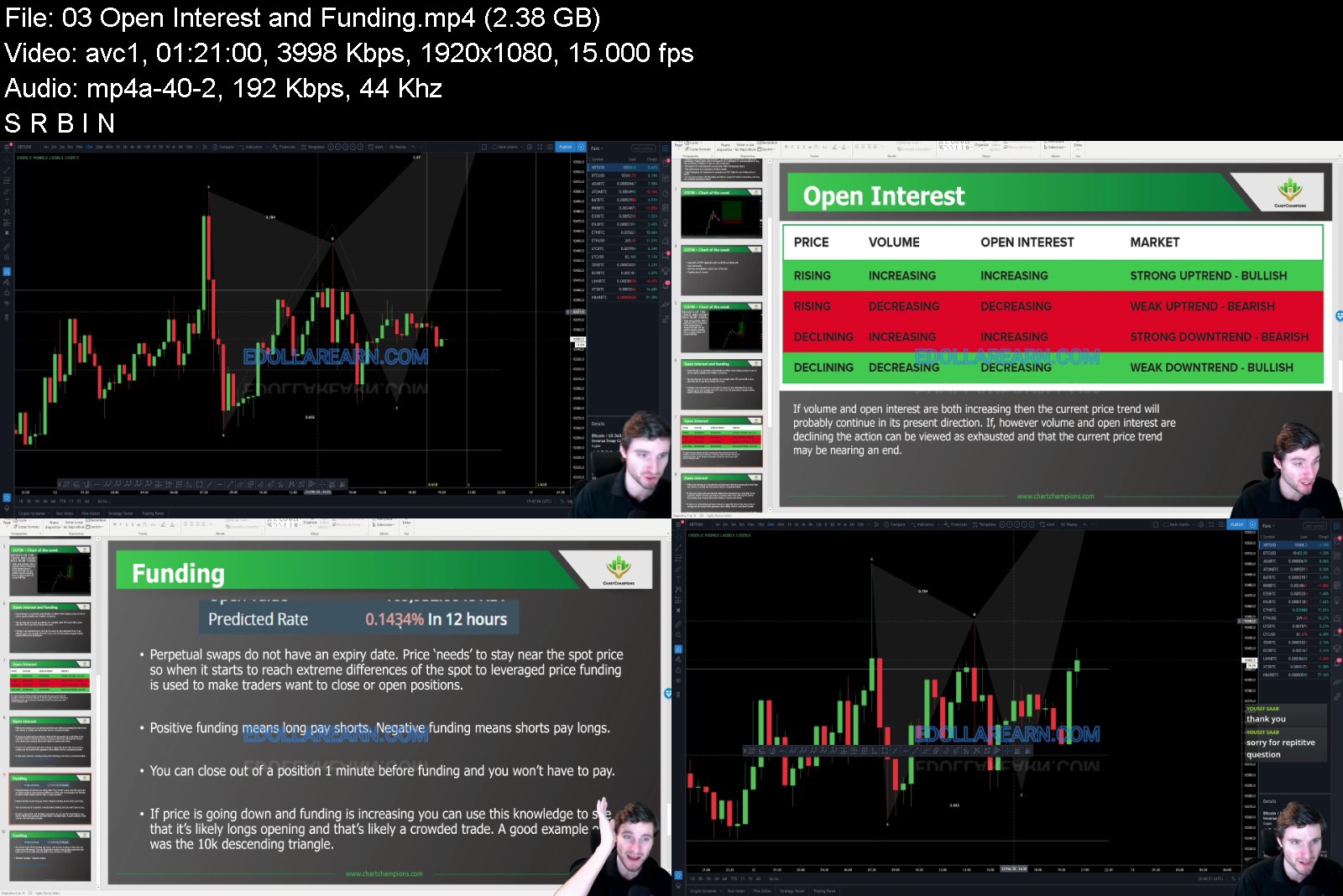
CHARTCHAMPIONS Course

2cq2vaqusou8qiajqr7yv64j2w.jpg


CHARTCHAMPIONS Course
MP4 | Video: h264, yuv420p, 1280x720 | Audio: aac, 48000 Hz | Duration: 93h 41m | 44 GB
Genre: eLearning | Language: English

It consists of pure educational content - Contenders live streams, practical content - Champions live streams and supportive community on Discord. There you can get all the help required, may it be educational, technical or psychological. We have experts from different fields to assure you as pleasant journey as possible. We strongly believe everyone can learn technical analysis and find their style of trading that contributes to their life. Our fast-growing thriving community of people from all around the world is a living proof there is a champion inside everyone.

Homepage

chartchampionsemktc.jpg


Download from RapidGator


Download from NitroFlare



Deep Learning in Practice I: Basics and Dataset Design

xtfgio7ag2sjaq7rppo9jk8j3c.jpg


Deep Learning in Practice I: Basics and Dataset Design
Genre: eLearning | MP4 | Video: h264, 1280x720 | Audio: aac, 48000 Hz Language: English | VTT | Size: 2.49 GB | Duration: 4.5 hours


What you'll learn
Develop complex deep learning projects
Efficiently organize and structure deep learning projects
Develop reusable libraries to reduce development time of deep learning projects
Understand how to perform efficient training of classification projects
Evaluate the performance of deep learning models
Load datasets in numpy array in different ways
Conduct training on local machine and Google Colab
Design a dataset from data collection to HDF5 partitioned dataset
Requirements
Understand the basic concepts of machine learning (recommended, but not required)
Be familiar with Python programming language and data structures (Numpy, Pandas)
Understand the basic concepts of neural networks (recommended, but not required)

Description
You want to start developing deep learning solutions, but you do not want to lose time in mathematics and theory?
You want to conduct deep learning projects, but do not like the hassle of tedious programming tasks?
Do you want an automated process for developing deep learning solutions?
This course is then designed for you! Welcome to Deep Learning in Practice, with NO PAIN!
This course is the first course on a series of Deep Learning in Practice Courses of Anis Koubaa, namely
Deep Learning in Practice I: Basics and Dataset Design (this course): the student will learn the basics of conducting a classification project using deep neural networks, then he learns about how to design a dataset for industrial-level professional deep learning projects.
Deep Learning in Practice II: Transfer Learning and Models Evaluation (to release on August 2020): the student will learn how to manage complex deep learning projects and develop models using transfer learning using several state-of-the-art CNN algorithms. He will learn how to develop reusable projects and how to compare the results of different deep learning models in an automated manner.
Deep Learning in Practice III: Deployment of Deep Learning Models (to release on September 2020): the student will learn how to deploy deep learning models in a production environment. We will present the deployment techniques used in industry such as Flask, Docker, Tensorflow Serving, Tensorflow JavaScript, and Tensorflow Lite, for deployment in a different environment. Despite important, this topic has little coverage in tutorials and documentations.
Deep Learning in Practice I: Basics and Dataset Design
There are plenty of courses and tutorials on deep learning. However, some practical skills are challenging to find in this massive bunch of deep learning resources, and that someone would spend a lot of time to get these practical skills.
This course fills this gap and provides a series of practical lectures with hands-on projects through which I introduce the best practices that deep learning practitioners have to know to conduct deep learning projects.
I have seen several people developing deep learning projects, but they fail to make their projects organized and reusable for other projects. This would lead to losing huge time when switching from one project to the others. In this course, I present several tips to efficiently structure deep learning projects that make you generate results in one simple click, instead of losing time into manual processing data collected from deep learning models.
The hands-on projects explain in detail the whole loop of deep learning projects starting from data collection, to data loading, pre-processing, training, and evaluation.
By the end of the course, you will be able to design deep learning projects in very little time with a comprehensive set of results and visualizations.

Who this course is for:
Someone who learned the concepts of deep learning, but want to master the practical aspects of deep learning projects
PhD and Master students doing thesis on deep learning
Any enthusiast about artificial intelligence and deep learning
Computer vision practitioners
Anyone who would like to learn about best practices in deep learning
Anyone who like to quickly start with deep learning without having a background in it


deeplearninginpracticx9jy6.jpg


Download from RapidGator


Download from NitroFlare

 
cea8374a-793d-427c-a709-601e6110c152.png

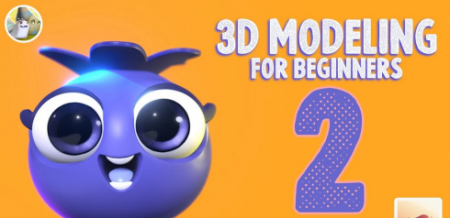
3D Modeling for Beginners 2 with Nomad Sculpt: Blueberry
Duration: 2h 9m | Video: .MP4, 1280x720, 30 fps | Audio: AAC, 48 kHz, 2ch | Size: 1.5 GB
Genre: eLearning | Language: English​

Welcome to 3D Modeling for Beginners 2! Make sure to take my original Nomad Sculpt 3D for Beginners course before this one so you'll be familiar with the setup and general tools! Ok - This time we'll go a little further into nomad and touch on some character work. You'd think a blueberry was "simple" but not a drugfreedave blueberry...*Let's bring this little guy to life!
Homepage
Screenshots


d253c0c0-1122-4c65-a555-f93a4618e739.png

Art Therapy - the short course
MP4 | Video: h264, 1280x720 | Audio: AAC, 44.1 KHz
Language: English | Size: 672 MB | Duration: 31m
Art Therapy - the condensed version. Analysis and exercises.
What you'll learn​

Personal experience of art therapy
How to use self reflection for self awareness and personal development
Self expression in a safe environment
Vastly improve self acceptance
Requirements
Nil
Description
This is a short course in Art Therapy. We look at Art Therapy itself and then go through some art therapy exercises.
That is just the warm up section.
Then comes a series of short lectures with each lecture centred round a particular exercise. You are asked to do the exercise and then to answer various reflective questions.
Ideally you'd share the exercise and the answers to the questions -0 but just the exercise itself will do! The key is to do the exercise and then discuss.
Process not so much the product.
There is also a Collaborative Section. Here we discuss
Books
Podcasts
Blogs
Youtube videos
Tweets etc
There is also an extended section on collages.
So - a lot here but not taking up too much of your time! Of course, as the course evolves it may become a lot longer - one of my courses started at 3 hours and is now 87!
It all depends...
1. Are the art therapy exercises being done?
2. Are they then discussed?
3. What about the workbooks?
4. How many active students are there?
5. Are people ENJOYING the course?
The more of the exercises and various processes are done, the more you will learn and the more you will enjoy the course. This is NOT a course where you just sit and watch some videos. Art Therapy is about 'doing' - you have been so advised!
Who this course is for
Anyone looking for insight
Everyone looking for inspiration
Those wanting to listen but also to be heard
All who want to develop self care and personal growth
Screenshots


e7b68f34-3558-4f03-93bf-fa0c90f252f2.png

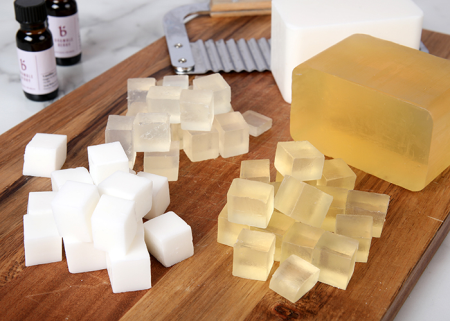
Basic Melt and Pour Soap Making - How to Make Soap using Melt and Pour
Duration: 1h 38m | Video: .MP4, 1280x720, 30 fps | Audio: AAC, 48 kHz, 2ch | Size: 1.01 GB
Genre: eLearning | Language: English​

A step-by-step course on how to make your own melt and pour base and how to get started into the world of soap making.
This course is aimed at everyone who has a desire to learn a new skill
Particularly those who would like to start a business from the comfort of their home and find soap making attractive.
Enthusiastic gift makers.
Students that would like to gain a second skill.
Anyone who would like a new hobby.
No experience is needed, the total tutorial length is 1 hour and 37 minutes, in which we will look at a range of different topics such as
Making your own Mould
Making your own Melt and Pour soap base
Different Melt and Pour Colourants
Fragrance vs Essential Oils
Packaging
Different ways we can use melt and pour
The course comes with an E-book which contains all the recipes used in the video, suppliers as well as highlighting the different subjects we come across.
Please take the course at your own pace with no rush, the videos are spread throughout to make it easy to stop and restart at any time.
I want you to feel that you are supported throughout the course and after. Please reach to me if you have any questions at any point.
Alex,
Homepage
Screenshots


ccf4f5f3-45fd-4543-b479-48cc550e059a.png

Beginners guide to OpenRoads - civil works desgin
Published 04/2022
MP4 | Video: h264, 1280x720 | Audio: AAC, 44.1 KHz, 2 Ch
Genre: eLearning | Language: English + srt | Duration: 45 lectures (2h 19m) | Size: 1.36 GB


Use Bentley Systems OpenRoads tool to Microstation civil design
What you'll learn
Open Roads dsign
Bentley Open Roads
Linear design
Land, surface terrain
Requirements
No recquirements
Description
GETTING STARTED
Lecture 1: Bentley Open Roads vs Autodesk Civil 3D
Lecture 2: Getting Started
Lecture 3: Keyboard Shortcuts
HORIZONTAL GEOMETRY
Lecture 4: Create Horizontal Geometry from Scratch
Lecture 5: Read existing Horizontal Geometry
Lecture 6: Edit existing Horizontal Geometry
Lecture 7: Modify existing Horizontal Geometry
Lecture 8: Annotate HorizontalGeometry
Lecture 9: Vertical Geometry View and Horizontal Geometry Report Generation
VERTICAL GEOMETRY
Lecture 10: Create Vertical Geometry
Lecture 11: Edit Vertical Geometry using Table Editor
Lecture 12: Edit Vertical Geometry using Dynamic Input (Right Click)
Lecture 13: Vertical Geometry Report Generation
SUPER ELEVATION
Lecture 14: Create Super elevation sections
Lecture 15: Create Super elevation by road template
Lecture 16: Super elevation rules and calculations
Lecture 17: Super elevation view and edit
Lecture 18: Super elevation report and CSV export
Lecture 19: Super elevation table editor
CORRIDORS
Lecture 20: Creating Corridor
Lecture 21: 3D View of Corridor
Lecture 22: Template Drop
Lecture 23: Cross Section View
Lecture 24: Assign super elevation to corridor
TERRAIN
Lecture 25: Read existing Terrain
Lecture 26: Terrain Features
Lecture 27: Editing Major and Minor Contours
Lecture 28: Reference Terrain to 2D File
Lecture 29: Editing Reference Terrain
Lecture 30: Use of Element Templates
Lecture 31: 2D vs 3D Terrain View
Lecture 32: Label Terrain Contours
Lecture 33: Label Terrain Spot
Lecture 34: Analyze Points
CIVIL CELLS
Lecture 35: Civil Cell Placement
Lecture 36: 3D View of Civil Cell
Lecture 37: Civil Cell Alternatives View
Lecture 38: Edit Civil Cell Style
Lecture 39: Edit Civil Cell Template
Lecture 40: Edit Civil Cell Parameters
Lecture 41: Edit Applied Surface Template
Lecture 42: Parametric Constraints
Lecture 43: Civil Cell Exercise
Lecture 44: A Quick Virtual Tour
Who this course is for
Civil engineers
Civil works designers
CAD designers
AutoCAD and Microstation users
Homepage


7ed70d9e-1076-4d33-b799-b34ff9b24fdb.png

British pronunciation & accent
Instructors: Jessica Parish
3 sections • 17 lectures • 1h 43m total length
Video: MP4 1280x720 44 KHz | English + Sub
Updated 4/2022 | Size: 1.1212 GB​

techniques and linking sounds
What you'll learn
British Pronunciation and intonation
Sentence stress and rhythm
Voice Placement of an accent
Linking sounds
Requirements
Intermediate to Advanced / Proficient English
Description
This is a course for intermediate to advanced learners of English who aim to develop pronunciation and listening skills to make your English more natural and fluent.
By using real examples of listening: interviews, music and excerpt of series such as Lucifer, we will break down how British English RP is used and this extends to all other dialects around the world.
Learn the intricacies of the fluent speech: all five types of liking sounds paired with intonation, stress, rhythm and even something very little spoken of: voice placement and how to develop your speaking by using shadowing and humming techniques. Take some of the extra activities and do them in your own time learning and picking up the details at your own pace and then check on the following lesson what the answers are to know you're on the right path.
Whether you're doing this for yourself for a trip of for work - I am sure you'll feel a huge different in your English from the beginning to the end. And I make sure I remind of that by setting challenges you can compare progress.
Make sure you then share that with me - I'll be following you along, just contact me if you need it and I'll be sure to give you a very specific and detailed feedback - after all, pronunciation is about communication.
I am happy to have you as my student!
Who this course is for:English as a second language learners
Homepage
Screenshots


Zurück
Oben Unten