• Regeln für den Video-Bereich:

    In den Börsenbereich gehören nur Angebote die bereits den Allgemeinen Regeln entsprechen.

    Einteilung

    - Folgende Formate gehören in die angegeben Bereiche:
    - Filme: Encodierte Filme von BluRay, DVD, R5, TV, Screener sowie Telesyncs im Format DivX, XviD und x264.
    - DVD: Filme im Format DVD5, DVD9 und HD2DVD.
    - HD: Encodierte Filme mit der Auflösung 720p oder darüber von BluRay, DVD, R5, TV, Screener sowie Telesyncs im Format x264.
    - 3D: Encodierte Filme von BluRay, die in einem 3D Format vorliegen. Dies gilt auch für Dokus, Animation usw.
    - Serien: Cartoon/Zeichentrick, Anime, Tutorials, Dokumentationen, Konzerte/Musik, Sonstiges sind demnach in die entsprechenden Bereiche einzuordnen, auch wenn sie beispielsweise im High Definition-Format oder als DVD5/DVD9/HD2DVD vorliegen. Ausnahme 3D.
    - Bereich Englisch: Englische Releases gehören immer in diesen Bereich.
    - Bereich Talk: Der Bereich, in dem über die Releases diskutiert werden kann, darf, soll und erwünscht ist.


    Angebot/Beitrag erstellen

    - Ein Beitrag darf erst dann erstellt werden, wenn der Upload bei mindestens einem OCH komplett ist. Platzhalter sind untersagt.
    - Bei einem Scenerelease hat der Threadtitel ausschließlich aus dem originalen, unveränderten Releasenamen zu bestehen. Es dürfen keine Veränderungen wie z.B. Sterne, kleine Buchstaben o.ä. vorgenommen werden. Ausnahme Serienbörse:
    - Bei einem Sammelthread für eine Staffel entfällt aus dem Releasename natürlich der Name der Folge. Beispiel: Die Simpsons S21 German DVDRip XviD - ITG
    - Dementsprechend sind also u.a. verboten: Erweiterungen wie "Tipp", "empfehlenswert", "only", "reup", usw. / jegliche andere Zusatzinformation oder Ergänzung, welche nicht in obiger Beschreibung zu finden ist.

    Aufbau des Angebots und Threadtitel

    Der Titel nach folgendem Muster erstellt zu werden. <Name> [3D] [Staffel] [German] <Jahr> <Tonspur> [DL] [Auflösung] <Quelle> <Codec> - <Group>
    Beispiel: The Dark Knight German 2008 AC3 DVDRip XviD - iND
    Beispiel: The Dark Knight 2008 DTS DL BDRip x264 - iND
    Beispiel: The Dark Knight 2008 AC3 DL BDRip XviD - iND
    Beispiel: The Dark Knight German 2008 AC3 720p BluRay x264 iND
    Beispiel: The Dark Knight 2008 DTS DL 1080p BluRay x264 iND
    Beispiel: Die Simpsons S01 German AC3 DVDRip XviD iND
    Beispiel: Die Simpsons S20 German AC3 720p BluRay x264 iND
    Beispiel: Sword Art Online II Ger Sub 2014 AAC 1080p WEBRip x264 - peppermint
    Entsprechend sind also u.a. verboten: Sonderzeichen wie Klammern, Sterne, Ausrufezeichen, Unterstriche, Anführungszeichen / Erweiterungen wie "Tipp", "empfehlenswert", "only", "reup", usw. / jegliche andere Zusatzinformation oder Ergänzung, welche nicht in obiger Beschreibung zu finden ist
    Ausnahmen hiervon können in den Bereichen geregelt sein.

    Die Beiträge sollen wie folgt aufgebaut werden:
    Überschrift entspricht dem Threadtitel
    Cover
    kurze Inhaltsbeschreibung
    Format, Größe, Dauer sind gut lesbar für Downloader außerhalb des Spoilers zu vermerken
    Nfo sind immer Anzugeben und selbige immer im Spoiler in Textform.
    Sind keine Nfo vorhanden z.B. Eigenpublikationen, sind im Spoiler folgende Dateiinformationen zusätzlich anzugeben :
    Quelle
    Video (Auflösung und Bitrate)
    Ton (Sprache, Format und Bitrate der einzelnen Spuren)
    Untertitel (sofern vorhanden)
    Hosterangabe in Textform außerhalb eines Spoiler mit allen enthaltenen Hostern.
    Bei SD kann auf diese zusätzlichen Dateiinformationen verzichtet werden.

    Alle benötigten Passwörter sind, sofern vorhanden, in Textform im Angebot anzugeben.
    Spoiler im Spoiler mit Kommentaren :"Schon Bedankt?" sind unerwünscht.


    Releases

    - Sind Retail-Release verfügbar, sind alle anderen Variationen untersagt. Ausnahmen: Alle deutschen Retail-Release sind CUT, in diesem Fall sind dubbed UNCUT-Release zulässig.
    - Im Serien-Bereich gilt speziell: Wenn ein Retail vor Abschluss einer laufenden Staffel erscheint, darf diese Staffel noch zu Ende gebracht werden.62
    - Gleiche Releases sind unbedingt zusammenzufassen. Das bedeutet, es ist zwingend erforderlich, vor dem Erstellen eines Themas per Suchfunktion zu überprüfen, ob bereits ein Beitrag mit demselben Release besteht. Ist dies der Fall, ist der bereits vorhandene Beitrag zu verwenden.
    - P2P und Scene Releases dürfen nicht verändert oder gar unter einem iND Tag eingestellt werden.


    Support, Diskussionen und Suche

    - Supportanfragen sind entweder per PN oder im Bereich Talk zu stellen.
    - Diskussionen und Bewertungen sind im Talk Bereich zu führen. Fragen an die Uploader haben ausschließlich via PN zu erfolgen, und sind in den Angeboten untersagt.
    - Anfragen zu Upload-Wünschen sind nur im Bereich Suche Video erlaubt. Antworten dürfen nur auf Angebote von MyBoerse.bz verlinkt werden.


    Verbote

    - Untersagt sind mehrere Formate in einem einzigen Angebotsthread, wie beispielsweise das gleichzeitige Anbieten von DivX/XviD, 720p und 1080p in einem Thread. Pro Format, Release und Auflösung ist ein eigener Thread zu eröffnen.
    - Grundsätzlich ebenso verboten sind Dupes. Uploader haben sich an geeigneter Stelle darüber zu informieren, ob es sich bei einem Release um ein Dupe handelt.
    - Gefakte, nur teilweise lauffähige oder unvollständige Angebote sind untersagt. Dies gilt auch für eigene Publikationen, die augenscheinlich nicht selbst von z.B. einer DVD gerippt wurden. Laufende Serien, bei denen noch nicht alle Folgen verfügbar sind, dürfen erstellt und regelmäßig geupdatet werden.
    - Untersagt sind Angebote, welche nur und ausschließlich in einer anderen Sprache als deutsch oder englisch vorliegen. Ausnahmen sind VORHER mit den Moderatoren zu klären.


    Verstoß gegen die Regeln

    - Angebote oder Beiträge, die gegen die Forenregeln verstoßen, sind über den "Melden"-Button im Beitrag zu melden.
  • Bitte registriere dich zunächst um Beiträge zu verfassen und externe Links aufzurufen.

*** Bestes IPTV *** bester Preis *** gratis Test ***


Englische Tutorials

b798bb29-71c8-4b01-82b6-cbf5dae23a8d.png

Build Chatbot Using Artificial Intelligence and Python
Published 04/2022
MP4 | Video: h264, 1280x720 | Audio: AAC, 44.1 KHz, 2 Ch
Genre: eLearning | Language: English + srt | Duration: 29 lectures (2h 31m) | Size: 1.21 GB


Build Chatbot Using Artificial Intelligence and Python From Scratch
What you'll learn
How to install Python
Create functions
How to create a simple chatbot
How to create QA chatbot
How to build a chatbot that can help your business/website
How to integrate chatbot in a web app (Flask)
How run web app
How to design your chatbot UI
Requirements
PC with Windows or Mac
Internet connection
Basic understanding of Python (Good to have)
Description
In this courses you will be taught how to build a chatbot using Artificial Intelligence and Python programming language. Python was described as the language that is capable of doing anything and everything. The good news about this course is that you don't need advanced knowledge in Python nor in any programming language. All you need is just simple knowledge of how to create simple Python functions/scripts.
Being able to create Python web applications on your own is so important if you want to take your Python skills to the next level. And this course gives you the opportunity to accomplish that by honing in on a Python's chatterbot module. It's is a super powerful module that is capable of creating awesome chatbots quickly and it's also an easy module with no complexity.
By the end of this course you will have built a chatbot web app using Python programming language that is capable of answering user's questions and sending appropriate responses.
Why should you take this course?
There are many reasons why this course is extremely important. First and most prominently is that you will learn one of the most amazing Python capabilities. As you know, Python is pretty much able to do anything! Secondly you will improve your python skills by creating a complete project. Third you can highlight this particular skill in your CV which would potentially make you stand out from the crowd.
What you will learn in this course?
1. How to install Python
2. Create functions.
3. How to create a simple chatbot.
4. How to create QA chatbot.
5. How to build a chatbot that can help your business/website.
6. How to integrate chatbot in a web app using Flask.
7. How run web app.
8. How to design your chatbot UI.
9. Much much more...
Note: The project that will be created throughout this course will be provided so that you can download it and use it for commercial and non-commercial purposes.
Who this course is for
Python developers (All levels)
Web developers
Homepage


 
fa943cba-5a4b-4dd5-a32f-f07e077e4d08.png

Build a drawing app with Android Jetpack Compose
Duration: 1h 31m | Video: .MP4, 1280x720, 30 fps | Audio: AAC, 48 kHz, 2ch | Size: 354 MB
Genre: eLearning | Language: English​

Hello Everyone,
Welcome to my new class on Jetpack Compose. In this class i will teach you how to built a drawing app using Jetpack compose. In this class you will learn how to build a draggable color picker, custom gradient background, brushed with variety of strokes and Canvas on which you can draw paintings. The app will give you the ability of choosing different color as well as number of brushes to select the thickness of brush.
You will also learn how to create Paths , on which you will draw paintings. You will learn how to incorporate multiple animated icons with Floating Button.
A big part of this class is dedicated to animations , so you will learn how to apply animations in android.
All of this functionality will be developed using modern Jetpack Compose UI and Kotlin.
Homepage
Screenshots


f45aef28-85d5-4c63-9f04-dd2251b916fb.png

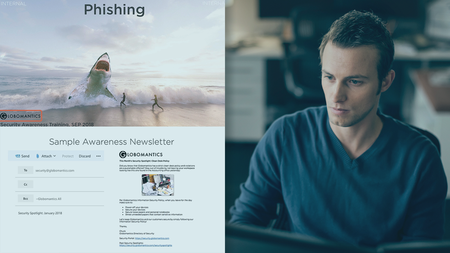
Building and Auditing a Cybersecurity Program
Released 04/2022
MP4 | Video: h264, 1280x720 | Audio: AAC, 44.1 KHz, 2 Ch
Skill Level: Intermediate | Genre: eLearning | Language: English + srt | Duration: 1h 47m | Size: 337 MB

If your company has any online presence at all, it should go without saying that you need to devote resources to cybersecurity, as cyber attacks increase and ransomware becomes more commercialized. The goal of this course is to provide a comprehensive methodology with which anyone can use to assess any organization's cybersecurity program, whether you're an IT or cybersecurity professional, executive, auditor, or a board of directors member. Join cybersecurity professional Michael Ratemo as he teaches you the key elements that make up a cybersecurity program, what to look for when reviewing the various elements, and how to evaluate the effectiveness of the program. Whether you need to build a cybersecurity program from scratch, or understand the state of your organization's current cybersecurity measures, this course provides valuable information to help you secure your data.
Homepage


048a046f-865f-44b4-bde8-475def99a06a.png

CSS ANIMATIONS FOR BEGGINERS - CSS 3 Button Particles Animation.
Duration: 28m | Video: .MP4, 1280x720, 30 fps | Audio: AAC, 48 kHz, 2ch | Size: 170 MB
Genre: eLearning | Language: English​

CSS ANIMATIONS FOR BEGGINERS - CSS3 Button Particles Animation.
Hello and Welcome to the Course CSS Animations For Beginners series, in this series you gonna learn CSS Animations, with Real-world Scenarios.so in this Course, you and I gonna create this Beautiful CSS Button Particles Animation effect from Scratch. in the modern world, every web design includes CSS animations. so learning CSS3 animation would be added advantage to your future
First will Write the HTML Markups, and will Learn how to add the Basic style to the button and the Particles, after that, will learn how to make this Beautiful Awesome Particle animation by taking the advantage of CSS 3 Animation Keyframe Property.
Not only that in this course you will gain the knowledge of how to use:-
nth-childTransformScaleBorderand Animation @ Keyframes*CSS Properties.
So without any further delay let's Dive into the Course. I cant wait to see you on board.
Homepage
Screenshots


b7b1ec9b-2c26-4236-b89b-032b7e6d8630.png

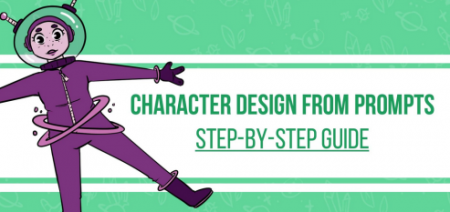
Character Design From Prompts: Turn Words Into Characters!
Duration: 35m | Video: .MP4, 1280x720, 30 fps | Audio: AAC, 48 kHz, 2ch | Size: 197 MB
Genre: eLearning | Language: English​

Are you unsure of what to draw? Do you want to turn simple words into a fully fleshed-out character?
Then this is the Course for you!
Hi, I'm Patricia Caldeira an Illustrator and Art Teacher. And I'm here to teach everyone the best and simplest ways to draw in very easy-to-follow courses.
In this course, we're going to be turning simple drawing prompts into lovable characters!
First, we're going to start by finding the best drawing prompts on something that interests you. I'll show you many different ways to do this, and even include a few personal drawing prompt lists that you can use!
Then we'll get to brainstorming.
We're going to be sketching our character right away and coming up with a few different options to use.
Once that's done, we're going to be cleaning everything up!
We'll add details and draw beautiful lineart on our sketched-out character.
And finally, we're going to color our character!
You'll find the best free resources to choose your colors, and I'll even show you a very simple and straightforward way to color your character!
All of this with short and engaging videos.
This is a highly practical course, so you'll not only be seeing me show you the entire process of turning a drawing prompt into a character, but you'll also be making your own!
So you'll have work to show for your time.
So what are you waiting for? Join the Course and I'll see you in the next video!
Homepage
Screenshots


36125c6c-5d65-432f-89a2-9a6862fca94a.png

Check Point Troubleshooting Course [for CCSE & CCTA] -2022
Updated 03/2022
MP4 | Video: h264, 1280x720 | Audio: AAC, 44.1 KHz, 2 Ch
Genre: eLearning | Language: English + srt | Duration: 22 lectures (4h 20m) | Size: 2 GB


CoreXL, SecureXL, ClusterXL - optimization & tuning, debugging | fw monitor / tcpdump / fw ctl zdebug | IPsec VPN
What you'll learn
Check Point Advanced Troubleshooting
CoreXL - Detailed explanation, Tuning & Optimization, Debugging
SecureXL - Detailed explanation, Tuning & Optimization, Debugging
ClusterXL - Detailed explanation, Debugging
Blade troubleshooting - General idea and tips
fw monitor (detailed explanation, practice)
tcpdump
fw ctl zdebug
IPsec VPN troubleshooting
Requirements
Check Point CCSA
General Networking Knowledge
Description
Check Point Troubleshooting course will prepare you for CCSE & CCTA certification, will expand your Check Point general knowledge and your ability to look for a problem in your environment. You will be able to understand important topics in great detail and use that knowledge. The course contains a lot of tools and ideas on how to find issues with specific blades, connections, VPN and much more.
The following course includes lectures on how Check Point features work and the walk-through of the configuration in the lab/production environment. From the very beginning following step-by-step approach you will be able to grasp advanced concepts and step on the next level.
What you will learn:
General Troubleshooting
>Analyzing /var/log/messages and more
>Troubleshooting interfaces
>Troubleshooting blades
>Upgrading in a cluster (Transparent)
Troubleshooting Network connections
>Detailed Explanation and Practical scenarios
>Includes fw monitor, tcpdump, zdebug drop
IPsec VPN
> Troubleshoot IPSec related connection issues by understanding EACH packet and how to run a debug following easy steps
SecureXL / CoreXL / ClusterXL
> Detailed Explanation, Tuning & Optimization, Debugging
Why this course
You are NOT learning disconnected skills
You learn how to stack your troubleshooting knowledge together in a SINGLE, UNIFIED WHOLE
Also contains real lab devices, thorough explanation of each topic and advanced troubleshooting
I have applied the streamlined, step-by-step method to excel as a Check Point professional in less time than you ever thought possible. I'm going to walk you through the main challenges, so you can step on the next level.
Who this course is for
Check Point CCSA
Network Engineers
Security Engineers
Homepage


54c18979-4d97-46e2-be15-666cac24c9e5.png

Complete Academic Course: Enterprise Application Development
Published 04/2022
MP4 | Video: h264, 1280x720 | Audio: AAC, 44.1 KHz, 2 Ch
Genre: eLearning | Language: English | Duration: 50 lectures (9h 41m) | Size: 4.76 GB


Design Patterns, Architectures (Client-Server, MVC, Component) , Web Application Security & more with Downloadable Notes
What you'll learn
Identify Functional Areas of an Enterprise
Propose Enterprise Architectural Solutions for Functional Areas
Apply Suitable Design Patterns in Enterprise Applications
Explain Enterprise Application Frameworks
Describe Software Development Methodologies
Apply Agile Scrum in Software Development
Requirements
Java Fundamental Understanding (Java is used for explaining Design Patterns)
Passion and Commitment
Description
Why should you consider enrolling on this Complete Academic Course on Enterprise Application Development?
The course instructor is a lecturer teaching Enterprise Application Development for 3+ years.
The course instructor is a former lead software engineer who developed enterprise applications for the Scandinavian region for 3+ years.
This course is designed in 2022 by International-level benchmarking of the lessons and hands-on activities, so it covers all the topics which are included in almost any university-level taught lecture module.
This course covers everything you need to master the subject without enrolling on other parts/courses related to the topic.
This course includes lecture notes/slides as downloadable materials.
You will be part of the 8000+ student community already in my courses.
I invite you to check the free provided videos and course outline. Then, if you are happy, enrol with this one and only Enterprise Application Development course.
Important: This is not a programming course module. The main objective of this course is to give an overall and complete understanding of Enterprise Software and Design Patterns. However, to explain design patterns, Java is used as the programming language of choice. But you can apply these concepts to any object-oriented programming language.
All-in-one Complete Academic Course: Enterprise Application Development Outline
Chapter 01: Introduction
1.1 Introduction to Enterprise Application Development
1.2 Examples for Functional Areas of Enterprise Application Development
1.3 Advantages and Disadvantages of Enterprise Software
1.4 Nature of Enterprise Software
1.5 Case Study Activity
Chapter 02: Enterprise Application Architecture
2.1 Introduction to Enterprise Application Architecture
2.2 Example Scenario - What can happen without an Architecture
2.3 Overview of the Enterprise Architecture
2.4 What can go wrong without an Enterprise Architecture
2.5 Layered Architecture - (Client-Server)
2.6 Client-Server Architecture Explained Further
2.7 Layered Architecture - (Multi-tier)
2.8 MVC Architecture
2.9 Sample MVC Code Explanation with Live Debugging
2.10 Component-based Architecture
2.11 Summary of Enterprise Architectures
Chapter 03: Introduction to Web Services
3.1 Introduction to Service Oriented Architecture (SOA)
3.2 Characteristics of Service-Oriented Architecture
3.3 Hands-on Session Web Services - Development Environment Setup
3.4 Hands-on Session - Introduction to Restful Web Services and JSON
3.5 Hands-on Session - Implementing a Restful GET API with Java Spring Boot
Chapter 04: Frameworks for Enterprise Application Development
4.1 Importance of Frameworks
4.2 Example for Frameworks - Bootstrap
4.3 What is a Framework
4.4 Importance and Characteristics of Frameworks
Chapter 05: Design Patterns
5.1 Introduction to Design Patterns
5.2 Design Patterns Types
5.3 Singleton Design Pattern
5.4 Singleton Design Pattern Hands-on Session
5.5 Factory Design Pattern
5.6 Factory Design Pattern Explained Further
5.7 Factory Design Pattern Hands-on Session
5.8 Decorator Design Pattern
5.9 Decorator Design Pattern Explained Further
Chapter 06: Software Development Lifecycle (SDLC)
6.1 Introduction to Software Development Methodologies
6.2 Agile Scrum Explained
6.3 Agile Scrum in IT Industry (short practical review)
6.4 Software Development Methodologies - Waterfall Method
6.5 Prototyping, Incremental Development, RAP, RUP and Value Centric Approach
Chapter 7: Conclusion
7.1 Web Application Security - Malware
7.2 Levels of Enterprise Application Security
7.3 Introduction to OWASP TOP 10
7.4 SQL Injection Practical Demonstration, XSS and Standards
Chapter 8: Conclusion
8.1 Summary
Who this course is for
Beginners in Enterprise Application Development
Bachelors in Computer Science/Information Technology Undergraduates
Postgraduates Students in Enterprise Application Development (MSc, Masters)
Academics in Enterprise Application Development Field
Students enrolled in Certificate/Diploma level courses related to Enterprise Application Development
Homepage


2936184-9267-2.jpg

Complete understanding of a GPS Tracking System, Soft & Hard
Updated 03/2022
MP4 | Video: h264, 1280x720 | Audio: AAC, 44.1 KHz, 2 Ch
Genre: eLearning | Language: English + srt | Duration: 20 lectures (33m) | Size: 176.1 MB


Learn how a GPS Tracking System is working and how to built your own system
What you'll learn
What is a GPS Tracking System
How a GPS Tracker Device works
Building a Tracking system architecture
Tips for a GPS Tracking Project
Great tools for a GPS Tracking system
Requirements
Have basic knowledge in network and software
Description
The GPS Tracking system is somethings that become more and more used by people, companies, and other entity.
And it's a quite complex system, as it's not only a software application or a hardware element. it's a combination of a lot of things
Your own software application (which is a combination of a lot of modules)
The GPS Tracker Device
The satellite
The vehicle
The ISP
Additional hardware
So to deal with all this, fix issues, and manage such a system, you should have a complete understanding of this system, the role of each thing, and how each element is working, and communicating with the other.
So this is what this course is about, explaining the whole process with details, and also the power of that system, what it can give us as benefits. how to solve problems, great tools to use.
All this, based on my 4 years experience, working intensively on that Systems, and dealing with multiple clients with large fleets of vehicle, and a lot of needs.
Who this course is for
Start a GPS Tracking system & Fleet management project
Curious about GPS Tracking
Homepage


6881ac23-2875-4887-85ed-829fe9b17478.png

Create 2D RPG Game In Unity & C# Part 1(Inventory&Craft)
Published 04/2022
MP4 | Video: h264, 1280x720 | Audio: AAC, 44.1 KHz, 2 Ch
Genre: eLearning | Language: English + srt | Duration: 41 lectures (9h 9m) | Size: 4.17 GB


Create 2D RPG Game In Unity & C# Part 1(Inventory&Craft)
What you'll learn
Have a PC or Mac
Beginners to advance
progarmming with C#
work with unity
Requirements
Have a PC or Mac
Description
Learn how to create and program your very own 3D Platformer game using Unity, an industry-standard game development program used by many large gaming studios and indie developers across the world.
In this course you won't just be learning programming concepts, but tying these concepts to real game development uses.
This course has been designed to be easily understandable to everyone, so whether you're a complete beginner, Or expand their game development range or a programmer interested in understanding game design, this course will help you gain a greater understanding of development.
At the end of this course you will have developed the ability to create such game elements as
Full 2D Character Movement
Full 2D Enemy Movement
Unity Installation and setup
physics
camera
Complete Health System
Player Attack system
Player diffrent Weapon
Enemy Attack system
Inventory
Craft System
Scripting,Scripting and Scripting
Creating basic 2D RPG game
and a tone more
Start learning today and let me help you become a game developer!
Who this course is for
Anyone who wants to make their own 2D games.
People who want to create and publish their own games.
Complete beginners with an interest in learning game development.
Developers who want to re-skill across to game development.
People interested in working in the game design industy.
Competent and confident with using a computer...
Who this course is for
Beginners to advance
Homepage


e2a1921c-e674-40d8-b837-69ce08d4f1e6.png

Davinci Resolve 17 Color Grading - Make your video pop
Duration: 10m | Video: .MP4, 1280x720, 30 fps | Audio: AAC, 48 kHz, 2ch | Size: 127 MB
Genre: eLearning | Language: English​

Hello everyone, in this class you will learn how to turn flat footage into a masterpiece in a few simple steps.
You will learn a simple process for making your video look great.
What you will Learn
How to Draw Attention to Subject
How to Make Video Stand Out
How to Brighten You Footage
Homepage
Screenshots


93647cc7-b8c9-41a7-b7fc-8aef43fc3efc.png

Egghead - Craft Scalable, Custom-Made Interfaces with Tailwind CSS
MP4 | Video: h264, 1280x720 | Audio: AAC, 44.1 KHz, 2 Ch
Genre: eLearning | Language: English | Duration: 21 Lessons (2h 34m) | Size: 1.08 GB

You'll learn the fundamentals of styling a modern web application using Tailwind CSS's utility classes, as well as some tips and tricks for integrating it with component-based frameworks like React and Vue.
Functional CSS has been growing in popularity, and for good reason: it allows developers to build truly custom user interfaces without using any messy tweaks or overrides that have plagued existing tools like Bootstrap for years.
Homepage


b2d4da7e-d77c-43cd-bb70-3caec88a6f7f.png

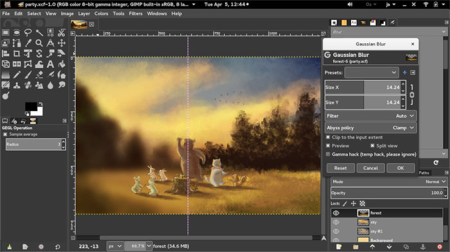
GIMP Photo Editing: Free Photo Editor, Photoshop Alternative
Published 04/2022
MP4 | Video: h264, 1280x720 | Audio: AAC, 44.1 KHz, 2 Ch
Genre: eLearning | Language: English + srt | Duration: 40 lectures (5h 7m) | Size: 4 GB


Ditch Photoshop + Lightroom & use GIMP for all your photo editing needs. Includes RAW files + 13 projects
What you'll learn
Make your photos look amazing with GIMP
Learn all the essential photo editing tools in GIMP
Retouch portraits in GIMP
Edit RAW photos with GIMP using the free Darktable app
Make selections, and edit just parts of your photos
Adjust the color & tone of your photos in GIMP
Fix the exposure in your photos
Export your photos for online sharing, print, or any other purpose
Give your photos style
Requirements
No photo editing experience, or experience with GIMP is required
To follow along with the course, it's best if you download the GIMP photo editing application. It's free and we'll show you how to in the class.
Description
Do you want a professional application to edit & retouch your photos? And do you want it for free?
GIMP is the perfect solution for you. GIMP is a free application for Windows, Mac or Linux users with most of the capabilities you would find in Adobe Photoshop, Affinity Photo and other expensive photo editing applications.
This course will help any photographer become confident using GIMP to edit their photos.
Start editing your photos professionally, completely free with GIMP.
What will you learn in this GIMP course?
Make your photos look amazing
Learn all the essential photo editing tools in GIMP
Retouch portraits in GIMP
Crop, rotate and resize photos in GIMP
Learn the difference between layers in GIMP vs Photoshop
Edit RAW photos with GIMP using the free Darktable app
Make selections, and edit just parts of your photos
Adjust the color & tone of your photos in GIMP
Fix the exposure in your photos
Export your photos for online sharing, print, or any other purpose
How to create out-of-this-world photo composites (photo manipulation)
You'll learn the complete image editing process in GIMP. This really is the best GIMP course for photographers wanting to learn how to edit their photos in GIMP.
Get instant access to
5+ hours of easy-to-watch tutorials
Downloadable practice files
Assignments & activities to help you learn
Premium instructor support if you ever get stuck
Lifetime access to course updates
Learn professional tools just like in Photoshop
Levels Tool
Curves Tool
Dodge & Burn Tool
Foreground Select Tool
Layer Masks
Sharpening
This course is project-based, using real-world & practical examples.
We've included downloadable practice photos for you to follow along with. And we've added 13 real-world editing projects showing you how to do everything from replacing skies to changing the color of clothing.
Who teaches this course?
This course is a partnership between Video School, one of the most popular and top-rated photography course creators on Udemy, and Chris Parker, a professional photographer and photo editor.
Watch a free preview of the course to get a sense of our teaching style and make sure this is the right course for you.
Start editing your photos like a pro today with this GIMP course!
Now is the time to learn GIMP, a free photo editing app that will help you become a better editor. Whether you're a professional photographer or just editing photos for fun, this is a great skill to have.
Enroll now and we'll see you inside!
Who this course is for
Photographers & Photo Editors
Anyone looking for a free Photoshop alternative
Anyone looking for a free Lightroom alternative
Anyone looking for a free Affinity Photo alternative
Homepage


Zurück
Oben Unten