• Regeln für den Video-Bereich:

    In den Börsenbereich gehören nur Angebote die bereits den Allgemeinen Regeln entsprechen.

    Einteilung

    - Folgende Formate gehören in die angegeben Bereiche:
    - Filme: Encodierte Filme von BluRay, DVD, R5, TV, Screener sowie Telesyncs im Format DivX, XviD und x264.
    - DVD: Filme im Format DVD5, DVD9 und HD2DVD.
    - HD: Encodierte Filme mit der Auflösung 720p oder darüber von BluRay, DVD, R5, TV, Screener sowie Telesyncs im Format x264.
    - 3D: Encodierte Filme von BluRay, die in einem 3D Format vorliegen. Dies gilt auch für Dokus, Animation usw.
    - Serien: Cartoon/Zeichentrick, Anime, Tutorials, Dokumentationen, Konzerte/Musik, Sonstiges sind demnach in die entsprechenden Bereiche einzuordnen, auch wenn sie beispielsweise im High Definition-Format oder als DVD5/DVD9/HD2DVD vorliegen. Ausnahme 3D.
    - Bereich Englisch: Englische Releases gehören immer in diesen Bereich.
    - Bereich Talk: Der Bereich, in dem über die Releases diskutiert werden kann, darf, soll und erwünscht ist.


    Angebot/Beitrag erstellen

    - Ein Beitrag darf erst dann erstellt werden, wenn der Upload bei mindestens einem OCH komplett ist. Platzhalter sind untersagt.
    - Bei einem Scenerelease hat der Threadtitel ausschließlich aus dem originalen, unveränderten Releasenamen zu bestehen. Es dürfen keine Veränderungen wie z.B. Sterne, kleine Buchstaben o.ä. vorgenommen werden. Ausnahme Serienbörse:
    - Bei einem Sammelthread für eine Staffel entfällt aus dem Releasename natürlich der Name der Folge. Beispiel: Die Simpsons S21 German DVDRip XviD - ITG
    - Dementsprechend sind also u.a. verboten: Erweiterungen wie "Tipp", "empfehlenswert", "only", "reup", usw. / jegliche andere Zusatzinformation oder Ergänzung, welche nicht in obiger Beschreibung zu finden ist.

    Aufbau des Angebots und Threadtitel

    Der Titel nach folgendem Muster erstellt zu werden. <Name> [3D] [Staffel] [German] <Jahr> <Tonspur> [DL] [Auflösung] <Quelle> <Codec> - <Group>
    Beispiel: The Dark Knight German 2008 AC3 DVDRip XviD - iND
    Beispiel: The Dark Knight 2008 DTS DL BDRip x264 - iND
    Beispiel: The Dark Knight 2008 AC3 DL BDRip XviD - iND
    Beispiel: The Dark Knight German 2008 AC3 720p BluRay x264 iND
    Beispiel: The Dark Knight 2008 DTS DL 1080p BluRay x264 iND
    Beispiel: Die Simpsons S01 German AC3 DVDRip XviD iND
    Beispiel: Die Simpsons S20 German AC3 720p BluRay x264 iND
    Beispiel: Sword Art Online II Ger Sub 2014 AAC 1080p WEBRip x264 - peppermint
    Entsprechend sind also u.a. verboten: Sonderzeichen wie Klammern, Sterne, Ausrufezeichen, Unterstriche, Anführungszeichen / Erweiterungen wie "Tipp", "empfehlenswert", "only", "reup", usw. / jegliche andere Zusatzinformation oder Ergänzung, welche nicht in obiger Beschreibung zu finden ist
    Ausnahmen hiervon können in den Bereichen geregelt sein.

    Die Beiträge sollen wie folgt aufgebaut werden:
    Überschrift entspricht dem Threadtitel
    Cover
    kurze Inhaltsbeschreibung
    Format, Größe, Dauer sind gut lesbar für Downloader außerhalb des Spoilers zu vermerken
    Nfo sind immer Anzugeben und selbige immer im Spoiler in Textform.
    Sind keine Nfo vorhanden z.B. Eigenpublikationen, sind im Spoiler folgende Dateiinformationen zusätzlich anzugeben :
    Quelle
    Video (Auflösung und Bitrate)
    Ton (Sprache, Format und Bitrate der einzelnen Spuren)
    Untertitel (sofern vorhanden)
    Hosterangabe in Textform außerhalb eines Spoiler mit allen enthaltenen Hostern.
    Bei SD kann auf diese zusätzlichen Dateiinformationen verzichtet werden.

    Alle benötigten Passwörter sind, sofern vorhanden, in Textform im Angebot anzugeben.
    Spoiler im Spoiler mit Kommentaren :"Schon Bedankt?" sind unerwünscht.


    Releases

    - Sind Retail-Release verfügbar, sind alle anderen Variationen untersagt. Ausnahmen: Alle deutschen Retail-Release sind CUT, in diesem Fall sind dubbed UNCUT-Release zulässig.
    - Im Serien-Bereich gilt speziell: Wenn ein Retail vor Abschluss einer laufenden Staffel erscheint, darf diese Staffel noch zu Ende gebracht werden.62
    - Gleiche Releases sind unbedingt zusammenzufassen. Das bedeutet, es ist zwingend erforderlich, vor dem Erstellen eines Themas per Suchfunktion zu überprüfen, ob bereits ein Beitrag mit demselben Release besteht. Ist dies der Fall, ist der bereits vorhandene Beitrag zu verwenden.
    - P2P und Scene Releases dürfen nicht verändert oder gar unter einem iND Tag eingestellt werden.


    Support, Diskussionen und Suche

    - Supportanfragen sind entweder per PN oder im Bereich Talk zu stellen.
    - Diskussionen und Bewertungen sind im Talk Bereich zu führen. Fragen an die Uploader haben ausschließlich via PN zu erfolgen, und sind in den Angeboten untersagt.
    - Anfragen zu Upload-Wünschen sind nur im Bereich Suche Video erlaubt. Antworten dürfen nur auf Angebote von MyBoerse.bz verlinkt werden.


    Verbote

    - Untersagt sind mehrere Formate in einem einzigen Angebotsthread, wie beispielsweise das gleichzeitige Anbieten von DivX/XviD, 720p und 1080p in einem Thread. Pro Format, Release und Auflösung ist ein eigener Thread zu eröffnen.
    - Grundsätzlich ebenso verboten sind Dupes. Uploader haben sich an geeigneter Stelle darüber zu informieren, ob es sich bei einem Release um ein Dupe handelt.
    - Gefakte, nur teilweise lauffähige oder unvollständige Angebote sind untersagt. Dies gilt auch für eigene Publikationen, die augenscheinlich nicht selbst von z.B. einer DVD gerippt wurden. Laufende Serien, bei denen noch nicht alle Folgen verfügbar sind, dürfen erstellt und regelmäßig geupdatet werden.
    - Untersagt sind Angebote, welche nur und ausschließlich in einer anderen Sprache als deutsch oder englisch vorliegen. Ausnahmen sind VORHER mit den Moderatoren zu klären.


    Verstoß gegen die Regeln

    - Angebote oder Beiträge, die gegen die Forenregeln verstoßen, sind über den "Melden"-Button im Beitrag zu melden.
  • Bitte registriere dich zunächst um Beiträge zu verfassen und externe Links aufzurufen.

*** Bestes IPTV *** bester Preis *** gratis Test ***


Englische Tutorials

06e8bced-ecd1-439f-a1a3-c7328a9ef60d.png

Video Editing With Adobe Premiere Pro - Beginner To YouTube
Video: .mp4, 1280x720 | Audio: AAC, 48 kHz, 2ch | Size: 1.17 GB
Genre: eLearning | Language: English | Duration: 1hr 38m​

In this class you will learn everything you need to get started with Adobe Premiere in a straight forward, to the point method. We will create (or use existing project footage) edit and export a short film that has graphics, text and is engaging.
We will work through getting familiar with Adobe Premiere and at the end of the class we will edit raw footage either filmed by you or using the class footage provided.
Screenshots


05e5d871-3f28-4b0d-aa04-421908c26688.png

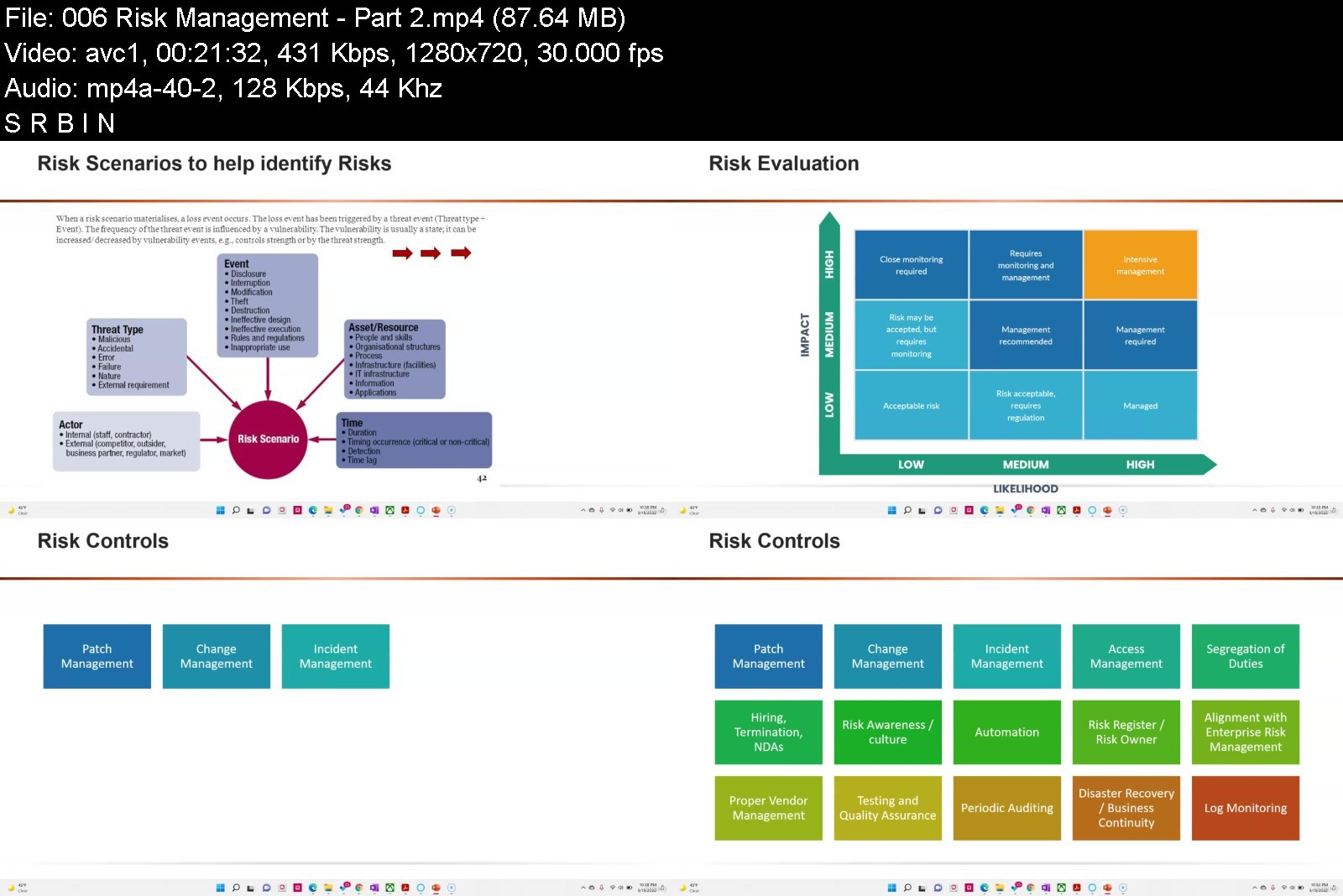
Workforce Management Fundamentals
Instructors: Juan Sebastian Garcia
6 sections • 6 lectures • 44m total length
Video: MP4 1280x720 44 KHz | English + Sub
Updated 4/2022 | Size: 377 MB​

Learn basic concepts of workforce management for your enterprise business
What you'll learn
Learn the basic components of Workforce Management
Understand how Workforce Management work for your Business
Learn the Workforce components for the Enterprise Operations
Understand how Workforce Management operates with your CRM and Business Intelligence Strategy
Requirements
Basic IT User Experience
Description
On this training you will learn the WFM. Workforce management (WFM) is an institutional process that maximizes performance levels and competency for an organization. The process includes all the activities needed to maintain a productive workforce, such as field service management, human resource management, performance and training management, data collection, recruiting, budgeting, forecasting, scheduling and analytics.
Workforce management provides a common set of performance-based tools and software to support corporate management, front-line supervisors, store managers and workers across manufacturing, distribution, transportation, and retail operations. It is sometimes referred to as HRM systems, or Workforce asset management, or part of ERP systems but also looking at the concepts of customer service and contact center architecture for WFM and web services.
As workforce management has developed from a traditional approach of staff scheduling to improve time management, it has become more integrated and demand-oriented to optimize the scheduling of staff. Besides the two core aspects of demand-orientation and optimization, workforce management may also incorporate
forecasting of workload and required staff
involvement of employees into the scheduling process
management of working times and accounts
analysis and monitoring of the entire process.
Homepage
Screenshots


4f9a6cdb-7b1d-470d-90e8-14fbe7107b54.png

iOS Foundations with UIKit
Video: .mp4, 1920x1080 | Audio: AAC, 48 kHz, 2ch | Size: 5.89 gb
Genre: eLearning | Language: English | Duration: 16hr 42m​


In this iOS Foundations course, you'll be acquiring the basic skills needed for iOS app development. You'll learn how to use Xcode (the program we build apps with), basics of the Swift programming language, how to build user interfaces and wire up simple logic. Each app I'll take you through will reveal new concepts and techniques for you. By the end of this course, you'll have completed 4 apps!
Screenshots


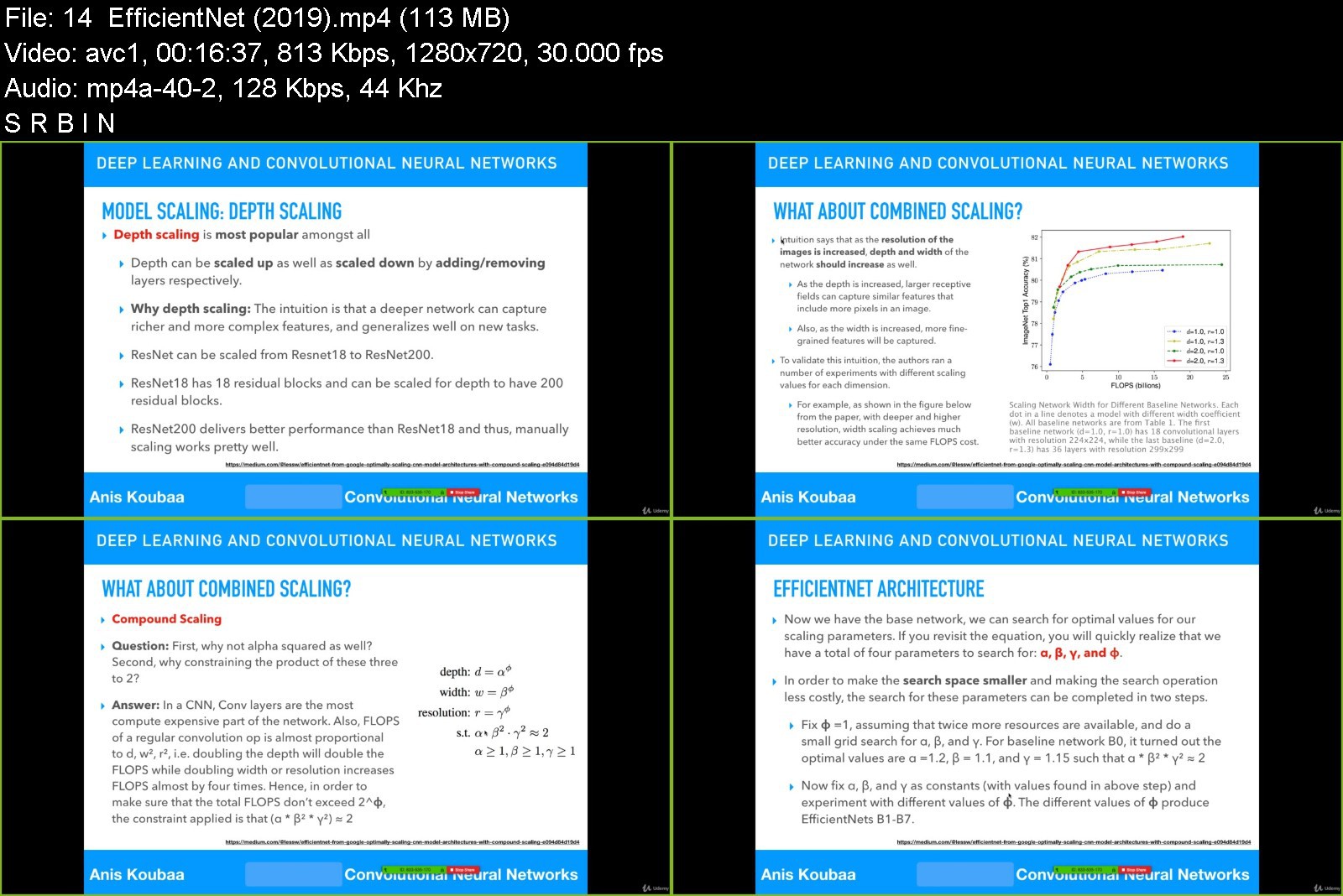
Deep Learning in Practice III: Face Recognition

3130676780c3c9k25.jpg


Deep Learning in Practice III: Face Recognition
MP4 | Video: h264, 1280x720 | Audio: AAC, 44.1 KHz, 2 Ch
Genre: eLearning | Language: English + srt | Duration: 37 lectures (1h 41m) | Size: 803.1 MB

Get started with face recognition using MTCNN and FaceNet with Tensorflow and Keras


What you'll learn
Recognize the fundamentals of face recognition systems
Extract a face using MTCNN in Python
Create the face embedding using FaceNet in Tensorflow and Keras
Identify the identity of a person from his face
Requirements
Be familiar with Python programming language.
Description
About the course
Welcome to the course on Deep Learning in Practice III on Face Recognition. I am Anis Koubaa, and I will be your instructor in this course.
This course is the third course in the series Deep Learning in Practice. It provides a fast and easy-to-follow introduction to face recognition with deep learning using MTCNN for face extraction and FaceNet for face recognition. My two previous courses deal with object classification and transfer learning with Tensorflow and Keras.
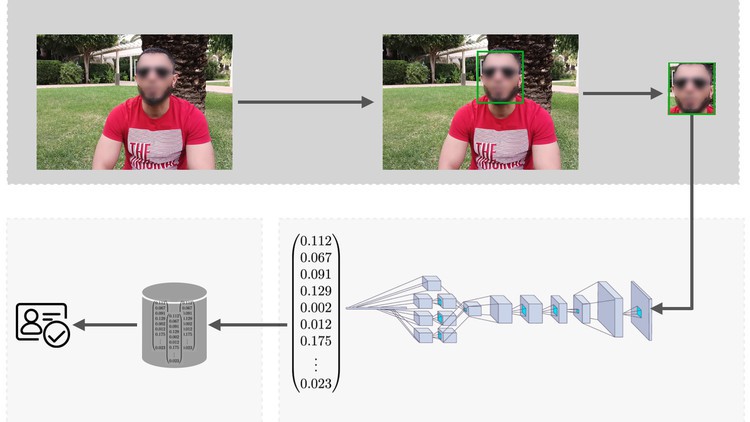
In this course, you will learn the whole loop of face recognition systems, which starts by extracting the face from an image and localize the face in an image by its bounding box, then we process the extracted face through a convolutional neural network, called FaceNet in our case, to create a fingerprint of the face, which we call face embedding. The face embedding can be stored in a database so that they are compared with other face embeddings to identify the person of interest.
In this course, you will have a step-by-step introduction to this whole loop and I will show you how you can develop a Python application that performs the aforementioned operations. Exciting, right?
Why the course is important?
This course is important due to the importance of face recognition systems in real-world applications. These systems are fast-growing and are used in several applications such as surveillance systems, face access systems, and biometric identification.
In this course, you will get introduced to face recognition systems both from a theoretical and practical perspective, which will allow you to develop your own projects using face recognition in Python.
The motivation behind the course is that there is a lack of resources to get quickly started with the topic. So taking this course, will save you tons of time looking for scattered references over the Internet and will get you much quicker into the field.
What's worth?
This course provides fast yet comprehensive coverage of face recognition systems that would let you go from Zero to Hero.
I first start with presenting the fundamental concepts of face recognition systems and how deep learning models for face embedding are trained and produced.
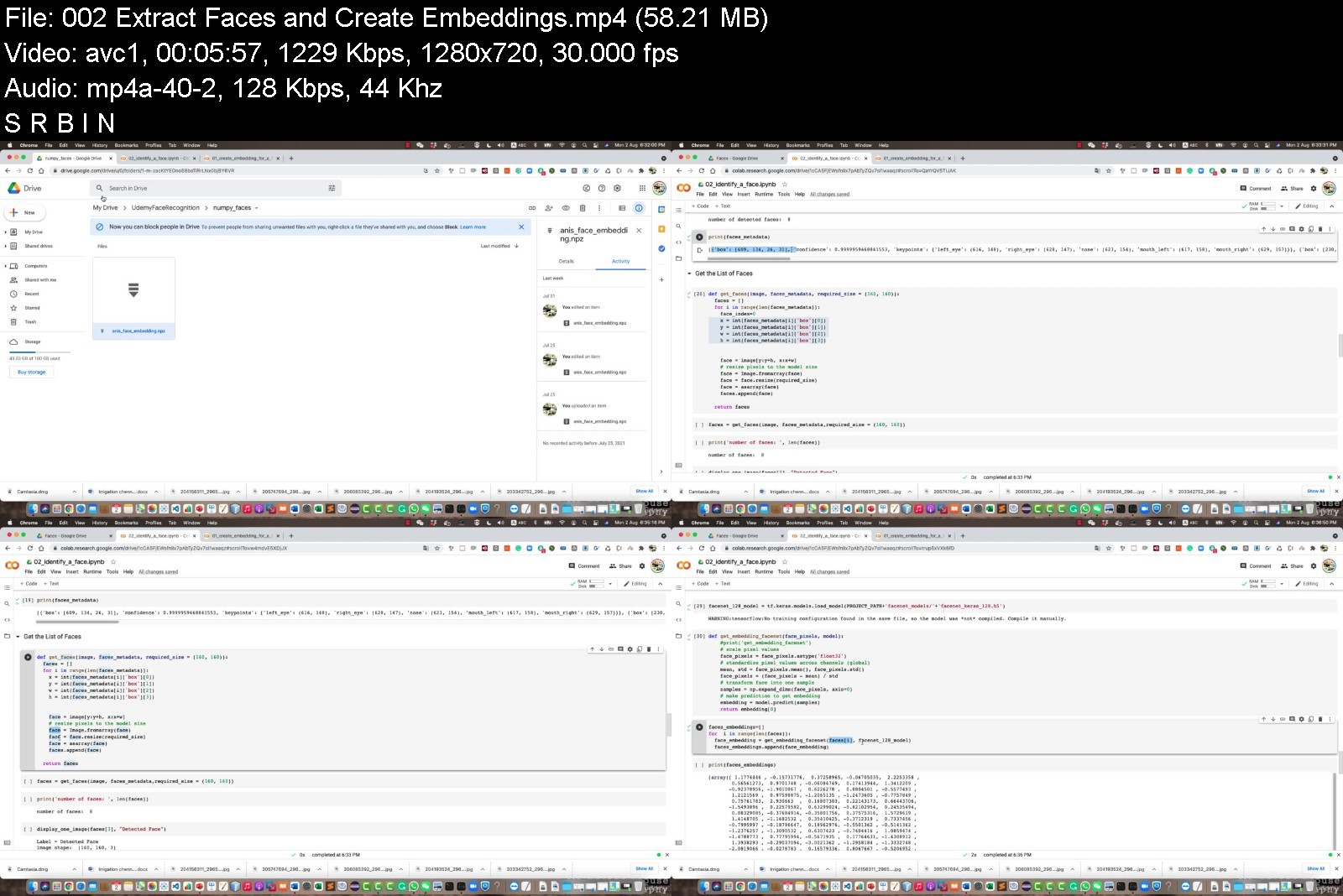
Then, I provide a hands-on introduction to face recognition using MTCCN for face extraction and FaceNet for face recognition all with Python programming language. Tensorflow and Keras APIs will be used to load the FaceNet model. I provide a Jupiter notebook that you will use as a guide in the lecture to follow and write the code so that you apply as you learn.
At the end of this course, I guarantee that you will understand the whole loop of face recognition systems and you will be able to develop your application and integrate it into your project.
Pre-requisites
To take the most benefit from this course, you just need to know about Python programming.
Having a basic understanding of deep learning and TensorFlow would be a plus, but it is not mandatory.
In any case, you may refer to my two courses: Deep Learning in Practice I and II for a basic practical introduction to deep learning.
Welcome to the course and I wish you a pleasant learning experience.
Let's get started.
About me
I am Anis Koubaa, and I am working as a Full Professor in Computer Science and Leader of Robotics and Internet-of-Things Lab at Prince Sultan University
I am the author of two best-seller courses on Deep Learning and also Robot Operating System (ROS),
and this course is the third course in the series Deep Learning in Practice, which deals with face recognition systems.
The series deep learning in practice intends to present advanced deep learning topics in a very easy manner to beginners users who would like to get started with hands-on projects in deep learning in a minimum amount of time.
The two previous courses were dealing with object classification and transfer learning projects.
Who this course is for
Beginner users who would like to get quickly started with face recognition systems.


deeplearninginpractic28kqr.jpg


Download from RapidGator


Download from NitroFlare

 
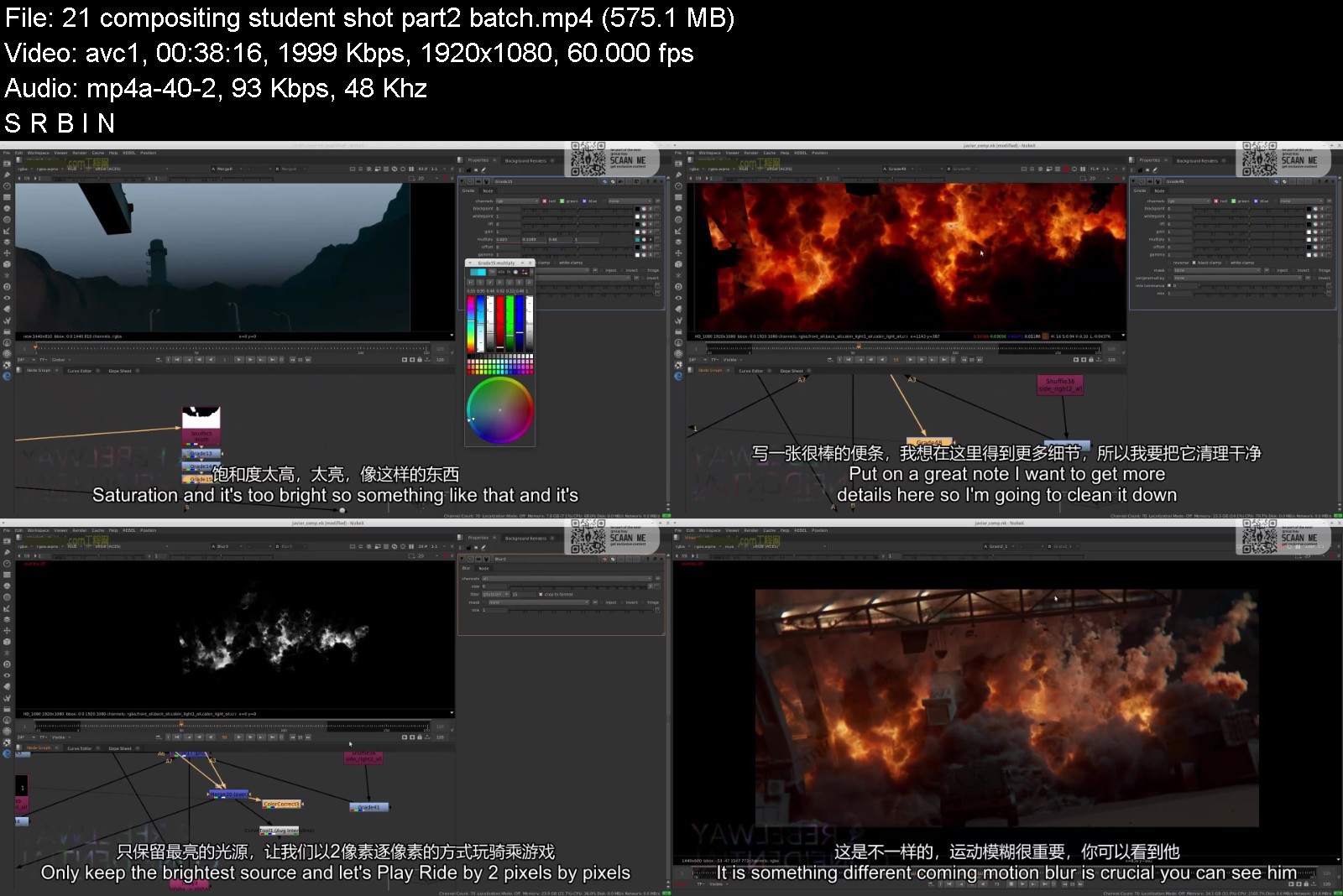
Rebelway - Houdini Advanced FX RISE (Week 1 - 8)

ezgif.comwebptojpgmukc4.jpg


Rebelway - Houdini Advanced FX RISE (Week 1 - 8)
Video: h264, yuv420p, 1920x1080, 4648 kb/s, 30.00 fps | Audio: aac, 48000 Hz, 2 channels, s16, 317 kb/s Genre: eLearning | Duration: Week 1 - 8 | Language: English | File size: 28 GB

Week 01
• Project overview, idea and concept.
• Visual story telling.
• Tasks, budgeting, hardware requirement.
• Overview of the assets, environment and how to create something different.
• Tools: what's available and what's not.
• Houdini 18 features and how to incorporate them into production.
Week 02
• Houdini 18 rbd workflow.
• Ways to create a ground collapse.
• Guided rbd simulation.
• Creating the initial ground collapse using rbd-bullet in sops.
• Overview of the assets, environment and how to create something different.
• Create a universal and flexible debris system.
Week 03
• Universal and simple render-time edge displacement with texture preservation.
• Creating a universal system to reapply the render-time edge displacement back in Houdini to get proper cracks for realistic collision and emission.
Week 04
Week 05
• Create the crack propagation FX and the various simulations that go with it.
• Flowing lava workflow.
Week 06
• Create an efficient system to post-simulate particles that match the smoke simulation without having to cache velocity field.
• Advance ember motion and simulation.
Week 07
• Large scale dust and smoke simulation using Houdini 18.
Week 08
• Workflow to efficiently render rigid body simulation.
• Thought process on how to break up the various passes that will give us the most flexibility in comp.
• Shading and lighting the ground collapse scene.
• Shading the embers, lightning propagation.
• Shading the fire and smoke.
• Atmospherics.


rebelwayhoudiniadvancvkjk4.jpg


Download from RapidGator


Download from NitroFlare



Introduction to Microsoft Power BI by ITU

4639744b0afxejyx.jpg


Introduction to Microsoft Power BI by ITU
Published 04/2022 MP4 | Video: h264, 1280x720 | Audio: AAC, 44.1 KHz, 2 Ch
Genre: eLearning | Language: English + srt | Duration: 65 lectures (10h 51m) | Size: 8.6 GB


Data Analysis and Reporting


What you'll learn
Learn the methods and best practices that are in line with business and technical requirements for modeling, visualizing, and analyzing data with Power BI.
Learn how to access and process data from a range of data sources including both relational and non-relational data.
Learn how to manage and deploy reports and dashboards for sharing and content distribution.
Understand the intersections between Power BI and Microsoft's enterprise-level data modeling and analysis platform, SQL Server Analysis Services.
Requirements
There are no requirements or prerequisites needed to take this course
Description
This course will discuss the various methods and best practices that are in line with business and technical requirements for modeling, visualizing, and analyzing data with Power BI. The course will also show how to access and process data from a range of data sources including both relational and non-relational data. This course will also explore how to implement proper security standards and policies across the Power BI spectrum including datasets and groups. The course will also discuss how to manage and deploy reports and dashboards for sharing and content distribution. This course will show how to build paginated reports within the Power BI service and publish them to a workspace for inclusion within Power BI. Power BI is a member of the Power Platform. Power Apps is another component that enables everyone to build and use apps that connect to business data. This course will show you how to use the Power Apps visual to pass context-aware data to a canvas app, which updates in real-time as you make changes to your report. This will allow your app users to derive business insights and take actions from right within their Power BI reports and dashboards. Finally, this course will explore the intersections between Power BI and Microsoft's enterprise-level data modeling and analysis platform, SQL Server Analysis Services.
Module 1 - Prepare Data
1.1 Course Introduction
1.2 Module 1 Introduction
1.3 Introduction to Power BI
1.4 Get data from various data sources
1.5 Preview source data
Module 2 - Clean, Transform, and Load Data
2.1 Module 2 Introduction
2.2 DimEmployee Example
2.3 DimEmployeeSalesTerritory Example
2.4 DimReseller Example
2.5 FactResellersSales Example
2.6 ResellerSalesTargets Example
2.7 Color Formats Example
Module 3 - Design a Data Model
3.1 Module 3 Introduction
3.2 Introduction to Data Modeling
3.3 Model Relationships
3.4 Table Configuration
3.5 Model interface
3.6 Quick Measures
3.7 Many-to-many relationships
3.8 Row-level security
Module 4 - Create Model Calculations using DAX
4.1 Module 4 Introduction
4.2 DAX context
4.3 Calculated Tables
4.4 Calculated Columns
4.5 Managing Date Tables
4.6 Measures
4.7 Filter Manipulation
4.8 Time Intelligence
Module 5 - Create Reports
5.1 Module 5 Introduction
5.2 Basic Report Creation
5.3 Example Page 1
5.4 Example Page 2
5.5 Example Page 3
5.6 Report Publishing
5.7 Enhancing Reports
5.8 Drill-Through Pages
5.9 Conditional Formatting
5.10 Buttons and Bookmarks
Module 6 - Create Dashboards
6.1 Module 6 Introduction
6.2 Dashboard Basics
6.3 Real Time Dashboards
6.4 Enhanced Dashboards
Module 7 - Create Paginated Reports
7.1 Module 7 Introduction
7.2 Introduction to Power BI Report Builder
7.3 Report Layouts
7.4 Report Data
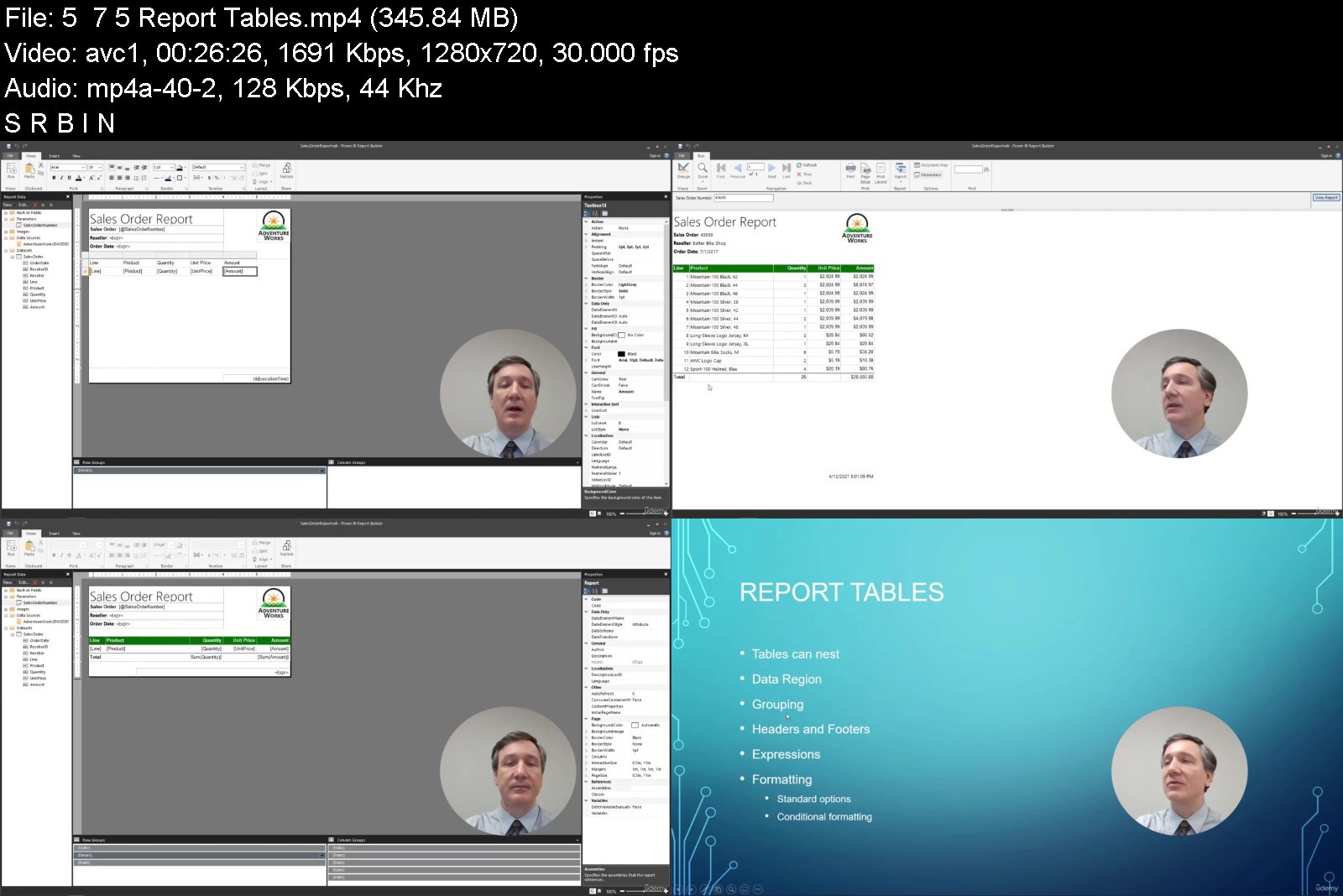
7.5 Report Tables
Module 8 - Perform Advanced Analytics
8.1 Module 8 Introduction
8.2 Introduction to Advanced Analytics
8.3 Scatter Chart
8.4 Forecast
8.5 Decomposition Tree
8.6 Key Influencers
Module 9 - Create and Manage Workspaces
9.1 Introduction to Workspaces
9.2 Working with Workspaces and the Portal
Module 10 - Create Power App Visuals
10.1 Module 10 Introduction
10.2 Introduction to Power Apps Visual
10.3 Creating the App
10.4 Basic Power Apps Concepts
10.5 Refreshing the Report
Module 11 - Analysis Services and Power BI
11.1 Module 11 Introduction
11.2 Introduction to Analysis Services
11.3 Connecting with Multidimensional Models
11.4 Premium Workspaces and Analysis Services
11.5 Course Wrap Up
Who this course is for
Students who want to learn data analysis and reporting.
Data analysts and business intelligence professionals who want to create data models before disseminating reports throughout the organization.


introductiontomicroso38j5k.jpg


Download from RapidGator


Download from NitroFlare



Rebelway - Advanced Explosion FX

websitemaino4khj.jpeg


Rebelway - Advanced Explosion FX
Video: h264, 1920x1080, 1573 kb/s, 30.00 fps | Audio: aac, 44100 Hz, 2 channels, 128 kb/s Genre: eLearning | Duration: Weeks 1 - 11 | Language: English | File size: 28.4 GB

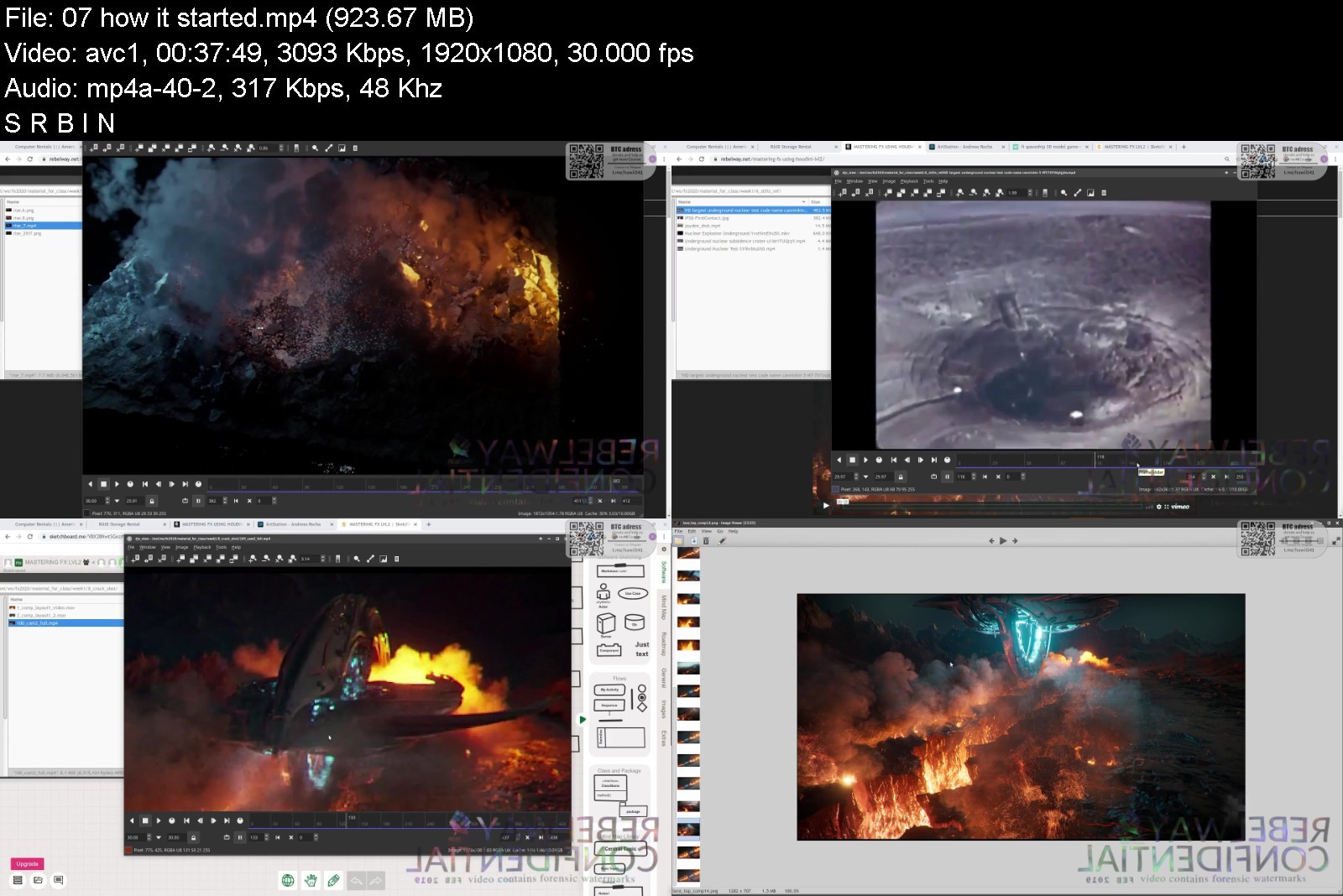
Houdini has become the go-to tool in the FX industry. Whoever wields its power is unstoppable. The only downside is Houdini can be difficult to learn and the learning curve is steep. In this VFX course, you will learn how to create a highly realistic nuclear explosion shot and various other explosion types from beginning to end.
Week 01 | SMOKE EVERYWHERE
Week 02 | MASTER THE BASICS
Week 03 | MICROSOLVERS
Week 04 | PUTTING IT ALL TOGETHER
Week 05 | RENDERING
Week 06 | NUCLEAR EXPLOSION
Week 07 | NUCLEAR EXPLOSION TWEAKS
Week 08 | RINGS AND ATMOSPHERICS
Week 09 | GROUND DESTRUCTION & SMOKE FX
Week 10 | LIGHTING, SHADING AND RENDERING
Week 11 | COMPOSITING


rebelwayadvancedexploq7j13.jpg


Download from RapidGator


Download from NitroFlare



Fast Track Your Career to Become an IT Leader and CIO

woopoamazygiyjrbg0eygwjk85.jpg


Fast Track Your Career to Become an IT Leader and CIO
Genre: eLearning | MP4 | Video: h264, 1280x720 | Audio: AAC, 44.1 KHz
Language: English | Size: 5.44 GB | Duration: 10h 40m


What you'll learn
You will learn how to accelerate your career journey to become a CIO from wherever you are
You will gain top-down view of IT Organization
You will gain the acumen and language of the leaders
You will start showing your improved value to your supervisor immediately

Description
Why target for less. Think big and improve skills and aim for the ultimate IT Leadership role. This course teaches you the required technical skills, business skills, and leadership skills needed to carve your path to becoming a CIO eventually. You can easily save 2 to 5 years from your career journey, depending on where you are.
I am an IT Executive with 25 years of experience in multiple progressive roles. Professional with Advanced Executive Program from MIT Sloan and MBA from Ross Business School UMich. I am certified in CISSP, TOGAF, CISM, COBIT, ITIL, PMP, SAFe SPC, CGEIT, CISA. I am very passionate about teaching as well as learning. I am committed to sharing my knowledge to help others climb their IT careers.
You will learn how to accelerate your career journey to become a CIO from wherever you are. You will gain the acumen and language of the leaders. You will gain top-down view of the IT Organization. You will start showing your improved value to your supervisor immediately.
You will start seeing from the lens of a business leader and improve your collaboration and communication skills. You will learn ways to improve your skills and readiness for career progression. You will start contributing value immediately and will make your work speak about yourself.
Who this course is for
Passionate IT Professionals who want to become an IT Leader and make a path to come a CIO


fasttrackyourcareertoqpjjl.jpg


Download from RapidGator


Download from NitroFlare



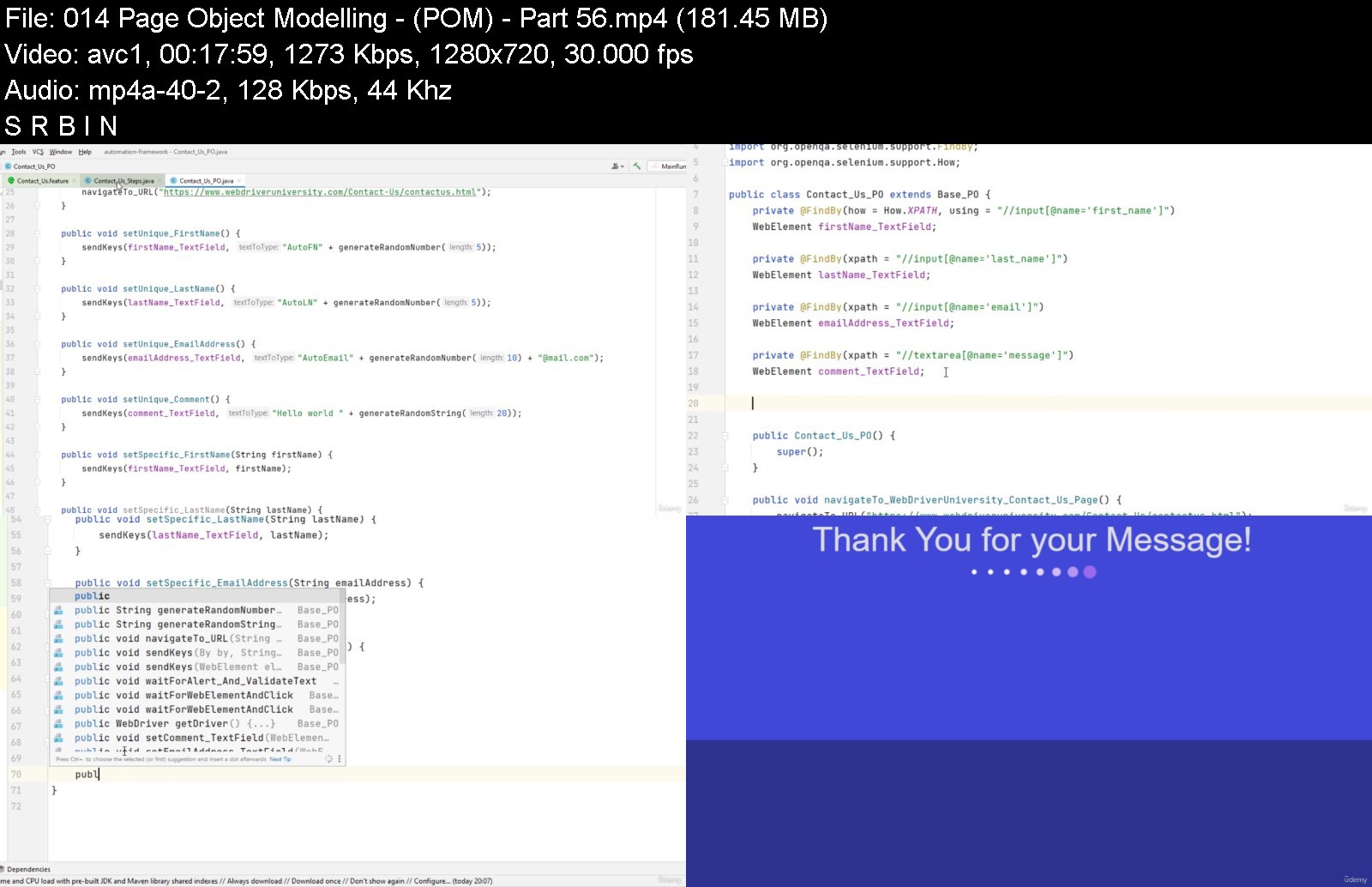
Selenium WebDriver 4, Cucumber BDD, Java & More! [NEW: 2022]

kxc2krlv8ez974quymai2wdjt7.jpg


Selenium WebDriver 4, Cucumber BDD, Java & More! [NEW: 2022]
MP4 | Video: h264, 1280x720 | Audio: AAC, 44.1 KHz
Language: English | Size: 7.51 GB | Duration: 21h 7m

Full Automation Testing Bootcamp! Learn automation testing using Selenium Webdriver 4, Java, Cucumber BDD, TestNG & More


What you'll learn
Students will learn Cucumber BDD from a beginner's level all the way to an advanced level using Java.
Ability to develop small robust to large complex Cucumber Frameworks.
Gain the knowledge to become an Automation Test Engineering / SDET.
Understand the importance of Design Patterns.
Gain the knowledge / ability to implement advanced concepts such as Page Object Modelling, Parallelization, Jenkins (CI)
Requirements
You should have some basic knowledge of Java.
Some basic selenium knowledge will be an advantage but not necessary.

Description
This course has helped students become automation test engineers (check our the course reviews).
This course will teach you automation testing using Selenium WebDriver 4, Java, Cucumber BDD (Latest Version: 'io.cucumber'), TestNG, Jenkins and Apache Maven to develop a real world, functioning framework for real world, enterprise environments. This is different to most courses, as we focus on frameworks that actually provide skills for the real world.
> Why Learn Automation Testing?
Automation testing has been steadily grown in popularity these past few years thanks to the time/ cost savings and efficiency that it offers. Companies throughout the world have or plan to use automation testing to rapidly speed up their test capabilities. Automation test engineers are in great demand and offer an average salary of £45,000+ (2021, 2022). Now is a great time to learn about automation test engineering and this course has been carefully developed to slowly introduce you from the basics, all the way to building advanced frameworks.
This course introduces you to some of the most in demand automation test tools currently being used by automation testers throughout the world. I teach you from the very beginning and slowly build up to demonstrate the advance capabilities they offer. All this is taught using practical examples that I explain and you can follow.
I have personally taught countless teams to learn about automation testing in the workplace. In fact this is part of my job. I know what works when it comes to teaching new people about automation testing and I have developed this course by keeping this in mind.
> So, why should you learn cucumber BDD?
Cucumber (BDD) simplifies the requirement capturing process. Requirements can be captured, broken down and simplified effortlessly; making the captured requirements readable to anyone within the organisation and in turn providing the required details and backbone to develop accurate test cases also known as 'Feature Files'.
Cucumber (BDD) simplifies the process of developing automation test scripts! Students enrolled within this course will see why!
Students will learn Cucumber BDD from a beginner's level all the way to obtaining the knowledge to develop advanced sophisticated Cucumber BDD framework(s) of their own.
Cucumber is one of the BDD frameworks which is in very high demand
Search online for many automation testing roles and you will likely see BDD, Cucumber as a mandatory requirement!
> Why choose this course?
I have also been responsible for teaching countless students/colleagues and have refined this course so that students get the very best from my teaching material.
By completing this course; I ensure you'll have all the knowledge you need to become an automation test engineer (and some students already have!)
Students that choose to enrol will get the following
A course that explains every step clearly and in detail.
Gain knowledge on some of the most popular and in-demand automation test tools that employers ask for in job descriptions.
A course that is structured in a way which will enable anyone with basic of knowledge of Java and Selenium WebDriver to create basic to advanced Cucumber tests and even develop sophisticated Cucumber framework(s) from scratch.
Gain knowledge to develop and schedule your tests using Jenkins (Continuous integration).
You will also create and run tests against real world websites.
Be given access to webdriveruniversity (a website that I developed) so you can practice you test automation skills using the knowledge gained form this course.
> What will I learn?
The following topics are covered in this course. These topics have been specifically tailored to demonstrate and teach you the most important areas of automation testing. This is taught to you using a practical approach and you will see tests (that you have written) testing websites using your very own browser.
Gain a greater understating of Selenium WebDriver 4 & Java.
Gradually learn and understand Cucumber (BDD) from a basic level all the way to an advanced level (Latest versions of Cucumber BDD).
Learn the latest and most effective way to develop basic to advanced Cucumber Frameworks.
Learn how to architecturally design and develop Cucumber Frameworks the correct way taking into consideration concepts such as DRY (Don't Repeat Yourself), maintainability etc.
Incorporate best practises when developing Cucumber Frameworks.
What is Gherkin and how can we use it?
Understand what exactly is a Feature File & how to create them.
Understand the purpose of Step Definition Classes & how to create them.
Explain the purpose of Runner Classes and explain how to optimize them using Options, Hooks & Tags.
Explain the advantages and purpose of reports and learn how to generate Advanced Reports.
Learn how to attach images to reports.
Understand the purpose of the Background keyword and why it's a good idea to use it.
Demonstration of Scenario Outlines & Examples (which is very important).
Explain the purpose of the Page Object Model (POM) & Page Factories.
I will show you how to Integrate Selenium and Java into your Cucumber projects.
I will teach you how to simulate a wide range of different test scenarios via planned automation test scripts.
I explain how to find elements on website(s).
I will explain the purpose and then master the ability to create Dynamic Locators.
Learn how to stabilize your tests.
Learn why a BasePage is so important and why it's vital to centralize your code.
I will explain how to create a customized Base Page including the creation of Bespoke Methods.
Learn how to Effectively handle Element Interaction (Wait for Element to be Visible, Clickable etc).
I'll explain to you the purpose and limitations of Thread.sleep and teach you the correct way to wait and interact with website elements.
I will show you how to Master Inheritance using Subpages etc.
I will show you DriverFactory creation and why a DriverFactory is very important!
I'll explain the importance of Modelling Pages of a website into Separate Containers (POM: Page Object Modelling).
We will go though the Java JDK and Apache Maven setup.
I will demonstrate to you IntelliJ IDE so that you become very familiar with it (including how to set it up).
I will demonstrate Maven and explain it's purpose and why this is a wonderful tool to use.
Explain the importance of the Maven POM File and why we use it (Including handling dependencies).
I will explain the M2 directory.
I will teach you how to simplify the update process (Dependencies) of your project.
We will go through some of the most popular Maven commands.
I will explain the Constant class (for centralisation) & learn how to create dynamic directories.
I'll teach you Continuous Integration using Jenkins and explain why this is very useful.
I will also show you some very important add-ons for Jenkins.
We will create some very visually appealing reports within Jenkins and attaching images to those reports.
How to handle Extensible Choice Parameters (Selection Dropdown lists) via Jenkins.
I have made sure to include course notes & code with each lecture(s) and module(s).
We will go through Chromedriver and Geckodriver and explain its purpose.
I will demonstrate how to use a specific Surefire plugin to our advantage.
I will teach you the purpose TestNG execution files and why these are used.
I will demonstrate how to effectively use TestNG Assertions.
I will demonstrate the Config / Properties file and explain the purpose of the config reader class.
Parallelization - I will demonstrate how you can execute your tests in Parallel, how to increase / decrease the numbers of tests running in parallel etc.
And much more!
> Bonus Material
When you enrol, you will also receive the following
FREE access to my Online Selenium WebDriver Automation Training Platform: WebdriverUniversity!
Learn and understand how to design / implement unique Design Patterns! and much more!
> 100% - MONEY BACK GUARANTEE
As always, if you are not 100% satisfied, all of my courses come with a 30 day money back guarantee, no questions asked.
Who this course is for
Anyone looking to Pursue a Career within Test Automation / SDET.
Anyone that has an interest in automation testing and wants to gain knowledge in this area.
Manual testers / QA engineers / QA analysts that are wanting to learn Automation Testing.
Automation test engineers looking to refresh/ learn about latest automation trends (+Advanced Concepts).
Anyone wanting to understand and learn the concepts of Cucumber BDD and Selenium WebDriver.
Anyone wanting to learn the skills required to develop Advanced Cucumber (BDD) frameworks.
Automaton Test Engineers / Software Development Engineers in Test.


seleniumwebdriver4cucrpkd4.jpg


Download from RapidGator


Download from NitroFlare



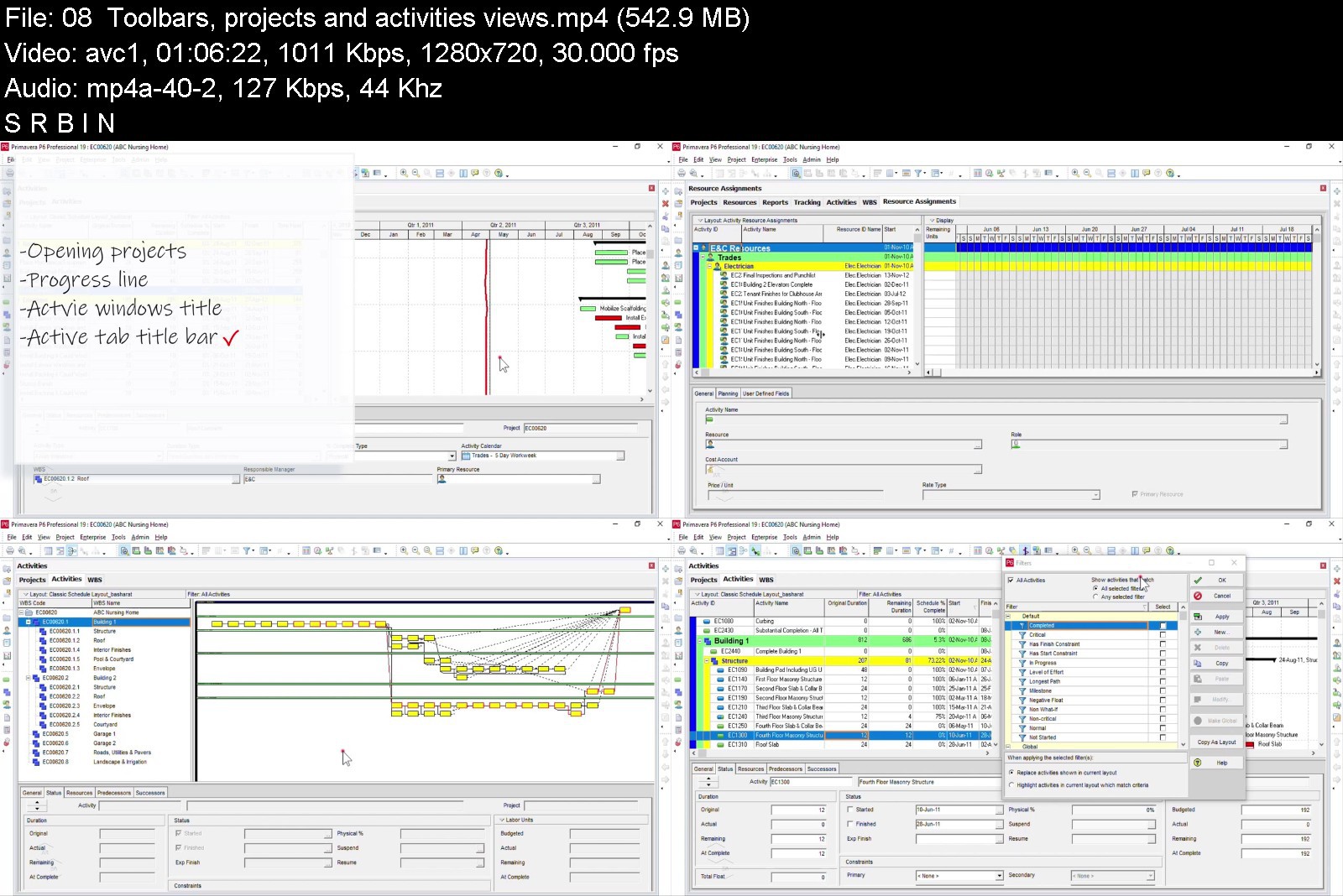
Primavera P6 Project Management Bootcamp

pxad3z5dlpubtka86jkzl8okgj.jpg


Primavera P6 Project Management Bootcamp
MP4 | Video: h264, 1280x720 | Audio: AAC, 44.1 KHz
Language: English | Size: 6.11 GB | Duration: 14h 7m

You want to learn how to use the Primavera P6 Professional Project Management Software, right?
Start using the Primavera P6 Professional to create, manage, control and monitor your project schedules likes a pro today!
Either you're completely brand new, or you've played around with the Primavera P6 but want to get more comfortable with Primavera P6 Project Management Software. Either way, this course will be great for you.
Primavera P6 is the world's #1 project schedule management software application and this full course is the best way to learn how to use it.
Create, and plan your project schedules the way you expect them!
Get Instant access to
14+ hours of easy-to-watch video lessons
Easy to follow project example to get along with the lessons
Lifetime updates to Primavera P6 Professional course updates
In this course, you'll gain access to premium video lessons that break down the core concepts behind the most popular project schedule management software. These lessons are designed for all type of learners, and they're comprehensive enough to leave you with a full understanding of each topic.
These lessons are detailed, which means you'll get a chance to practice everything you learn and build your concepts even as you're getting to grips with Primavera P6 Professional Project Management software.
Download and Install Primavera P6 Professional software. Within the course, you'll be presented with the instructions to download and install the Primavera P6 professional software (trial version) so that you can practice and learn as needed!
I'll be teaching the course using the latest Primavera P6 professional software version, but if you have a previous version, you can still learn to create your project schedules like a pro.
I want to make this the best course on how to use the Primavera P6 Professional project management software for your projects. So if there is any way I can improve this course, just let me know and I'll try to make it happen.
What is this Primavera P6 course all about?
In this complete training to the Primavera P6 project management software, you'll not only learn most of the tools available in Primavera P6, but also learn how to plan, schedule, monitor and control your projects, within your organization, industry or service sector you are currently working with.
This course will cover everything you need to know to start, including
Primavera P6 core concepts
Getting started with Primavera P6 Professional
Navigating and customizing the workspace
Understanding the Primavera P6 main menu
Carry out regular project planning and scheduling tasks faster
Learn to build a complete project schedule from scratch
Updating and maintaining schedule
Monitoring and controlling project schedules
Projects performance monitoring - printing reports, and much more .
Key course topics
This course may be designed for all levels but it's also designed to leave you equipped with pro-level techniques and the confidence to apply them while managing your projects. Throughout this course, you'll learn how to work with and master the following topics
Enterprise Project Structure (EPS)
Organization Break Down Structure (OBS)
Work Break Down Structure (WBS)
Activities and Relationships
Activity Codes
Calendars
Constraints
Roles and Resources
Cost
Baselines
Project status update
Earned Value Management (EVM)
Earned Value Analysis (EVA)
S Curves
Risk Management
Project Reports
By the end of this course, I am sure your confidence as a Primavera P6 Professional software user will soar. You'll have a thorough understanding of how to use the Primavera P6 Professional for your projects planning and scheduling, or as a career opportunity as well.
Master the most powerful and robust Primavera P6 Project Management software today!
Primavera P6 is a powerful project planning and scheduling tool that you can start mastering today with the help of this course. With lessons - you'll soon be on your way to creating incredible project schedules using the Primavera P6 Professional software.
So Go ahead and click the enroll button, and I'll see you in class, today!
Good luck,
Basharat


primaverap6projectmanq9kmu.jpg


Download from RapidGator


Download from NitroFlare



Deep Learning in Practice II: Transfer Learning Projects

uktqqnm7aplqlees3dfon3ijh2.jpg


Deep Learning in Practice II: Transfer Learning Projects
Genre: eLearning | MP4 | Video: h264, 1280x720 | Audio: aac, 44100 Hz Language: English | VTT | Size: 1.12 GB | Duration: 7 section | 63 lectures | (3h 10m)


What you'll learn
Develop complex deep learning projects using Transfer Learning
Efficiently organize and structure deep learning projects
Develop reusable libraries to reduce development time of deep learning projects
Understand how to perform efficient training of classification projects with Transfer Learning
Compare between deep learning models
Learn State of the Art Classification Models
Conduct training on local machine and Google Colab
Requirements
Understand the basic concepts of machine learning (recommended, but not required)
Be familiar with Python programming language and data structures (Numpy, Pandas)
Understand the basic concepts of neural networks (recommended)

Description
You want to start developing deep learning solutions, but you do not want to lose time in mathematics and theory?
You want to conduct deep learning projects, but do not like the hassle of tedious programming tasks?
Do you want an automated process for developing deep learning solutions?
This course is then designed for you! Welcome to Deep Learning in Practice, with NO PAIN!
This course is the second course on a series of Deep Learning in Practice Courses of Anis Koubaa, namely
Deep Learning in Practice I: Basics and Dataset Design: the student will learn the basics of conducting a classification project using deep neural networks, then he learns about how to design a dataset for industrial-level professional deep learning projects.
Deep Learning in Practice II: Transfer Learning and Models Evaluation: the student will learn how to manage complex deep learning projects and develop models using transfer learning using several state-of-the-art CNN algorithms. He will learn how to develop reusable projects and how to compare the results of different deep learning models in an automated manner.
Deep Learning in Practice III: Deployment of Deep Learning Models: the student will learn how to deploy deep learning models in a production environment. We will present the deployment techniques used in industry such as Flask, Docker, Tensorflow Serving, Tensorflow JavaScript, and Tensorflow Lite, for deployment in a different environment. Despite important, this topic has little coverage in tutorials and documentations.
Deep Learning in Practice II: Transfer Learning Projects
This course introduces you to transfer learning and demonstrate to you how to use transfer learning in real-world projects.
In this course, I demonstrate how to conduct training of a deep learning classification model using transfer learning.
Besides, you will learn how to evaluate the performance of a model with some pre-configured libraries that makes it easy to obtain the results and interpret them.
I also provide ready-to-use Google Colab Notebooks with all codes used in this course.
The same code can be easily adapted and reused for any classification project in an automated way.

Who this course is for:
Someone who learned the concepts of deep learning, but want to master the practical aspects of deep learning projects
PhD and Master students doing thesis on deep learning
Any enthusiast about artificial intelligence and deep learning
Computer vision practitioners
Anyone who would like to learn about best practices in deep learning
Anyone who like to quickly start with deep learning without having a background in it


deeplearninginpracticoqk32.jpg


Download from RapidGator


Download from NitroFlare

 
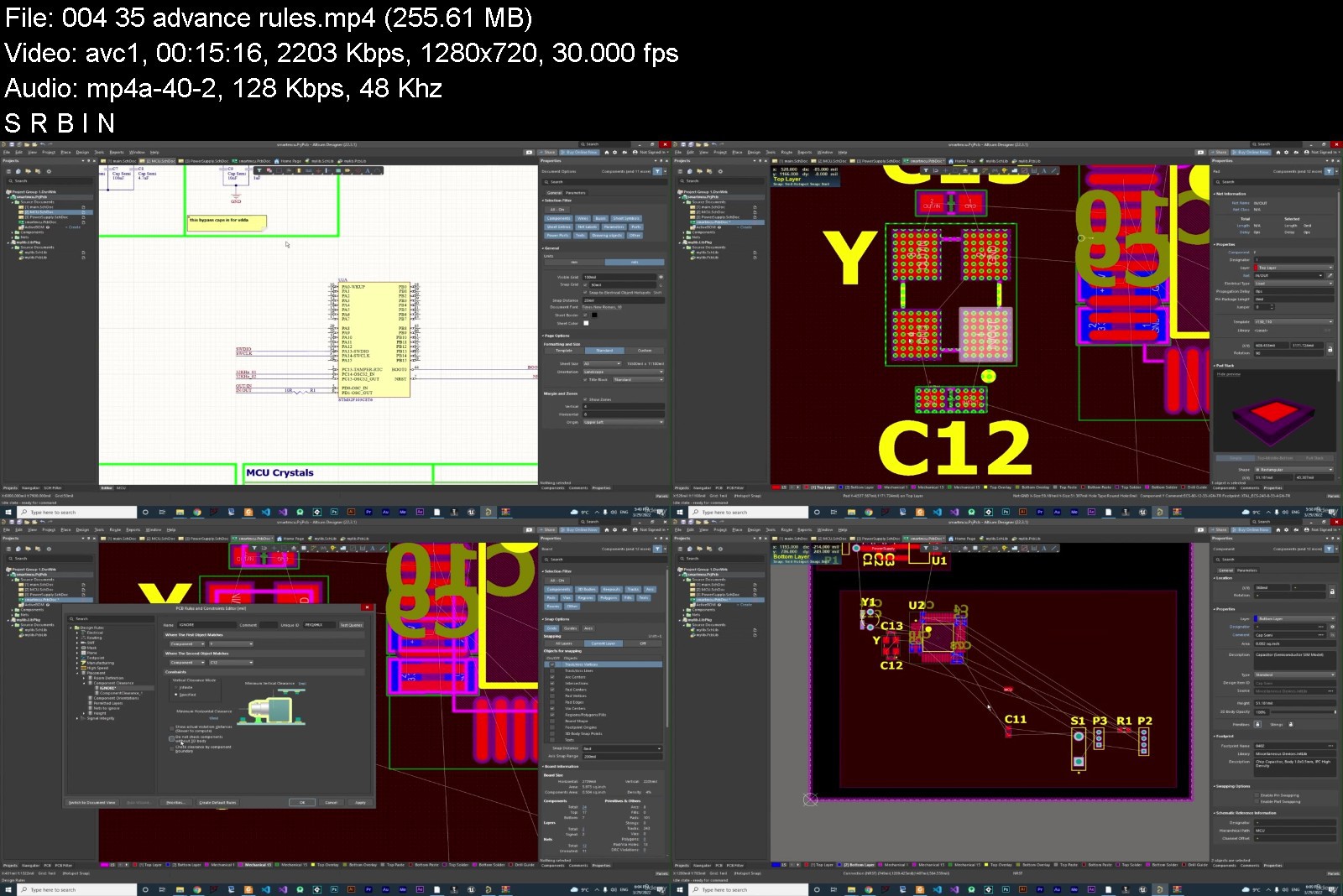
PCB design with Altium Designer 22 Latest version

i2knphvjcpysi5tunsyfm8djso.jpg


PCB design with Altium Designer 22 Latest version
Genre: eLearning | MP4 | Video: h264, 1280x720 | Audio: AAC, 48.0 KHz
Language: English | Size: 5.79 GB | Duration: 7h 38m


What you'll learn
Basic tool's of Altium Designer
Design professional PCB's
Design schematic like a pro
power supply
multi-sheet design
Placement and alignment
a lot more
Requirements
nothing

Description
Teaching PCB from beginner to advanced 2022.
Greetings to all dear students . You can go from beginner to advanced by watching this class and earn money this way . So join us and become a professional . Thank you for your support . Based on the courses I have taken and about 12 years of experience in this field , I decided to share this information with you .
4 board design from scratch
schematic design
PCB design
power supply distribution
datasheet reading together
esp8266 schematic design
microcontroller design
manufacturing step
best way of routing
best way to place components
from zero to manufacture
10 hour bonuses content
two version of this course is available in this course
slow and uncut version of course
edited version
AND A LOT MORE
my 12 years experience is here for you , if you have any question a lone the way please don't hesitate to ask
i will answer all question in no time , it will be my honor to serve you in your project
if you liked this course i will create another course for how to program it
there will be free update to this course in time so please make sure you check this course some times
all the files will be on one of the lectures like library and project files
but if you could not find it please tell me so i will send it to your email in no time
Who this course is for
exlectrical engineer
whoever want to learn pcb design


pcbdesignwithaltiumdetjj30.jpg


Download from RapidGator


Download from NitroFlare



Zurück
Oben Unten