• Regeln für den Video-Bereich:

    In den Börsenbereich gehören nur Angebote die bereits den Allgemeinen Regeln entsprechen.

    Einteilung

    - Folgende Formate gehören in die angegeben Bereiche:
    - Filme: Encodierte Filme von BluRay, DVD, R5, TV, Screener sowie Telesyncs im Format DivX, XviD und x264.
    - DVD: Filme im Format DVD5, DVD9 und HD2DVD.
    - HD: Encodierte Filme mit der Auflösung 720p oder darüber von BluRay, DVD, R5, TV, Screener sowie Telesyncs im Format x264.
    - 3D: Encodierte Filme von BluRay, die in einem 3D Format vorliegen. Dies gilt auch für Dokus, Animation usw.
    - Serien: Cartoon/Zeichentrick, Anime, Tutorials, Dokumentationen, Konzerte/Musik, Sonstiges sind demnach in die entsprechenden Bereiche einzuordnen, auch wenn sie beispielsweise im High Definition-Format oder als DVD5/DVD9/HD2DVD vorliegen. Ausnahme 3D.
    - Bereich Englisch: Englische Releases gehören immer in diesen Bereich.
    - Bereich Talk: Der Bereich, in dem über die Releases diskutiert werden kann, darf, soll und erwünscht ist.


    Angebot/Beitrag erstellen

    - Ein Beitrag darf erst dann erstellt werden, wenn der Upload bei mindestens einem OCH komplett ist. Platzhalter sind untersagt.
    - Bei einem Scenerelease hat der Threadtitel ausschließlich aus dem originalen, unveränderten Releasenamen zu bestehen. Es dürfen keine Veränderungen wie z.B. Sterne, kleine Buchstaben o.ä. vorgenommen werden. Ausnahme Serienbörse:
    - Bei einem Sammelthread für eine Staffel entfällt aus dem Releasename natürlich der Name der Folge. Beispiel: Die Simpsons S21 German DVDRip XviD - ITG
    - Dementsprechend sind also u.a. verboten: Erweiterungen wie "Tipp", "empfehlenswert", "only", "reup", usw. / jegliche andere Zusatzinformation oder Ergänzung, welche nicht in obiger Beschreibung zu finden ist.

    Aufbau des Angebots und Threadtitel

    Der Titel nach folgendem Muster erstellt zu werden. <Name> [3D] [Staffel] [German] <Jahr> <Tonspur> [DL] [Auflösung] <Quelle> <Codec> - <Group>
    Beispiel: The Dark Knight German 2008 AC3 DVDRip XviD - iND
    Beispiel: The Dark Knight 2008 DTS DL BDRip x264 - iND
    Beispiel: The Dark Knight 2008 AC3 DL BDRip XviD - iND
    Beispiel: The Dark Knight German 2008 AC3 720p BluRay x264 iND
    Beispiel: The Dark Knight 2008 DTS DL 1080p BluRay x264 iND
    Beispiel: Die Simpsons S01 German AC3 DVDRip XviD iND
    Beispiel: Die Simpsons S20 German AC3 720p BluRay x264 iND
    Beispiel: Sword Art Online II Ger Sub 2014 AAC 1080p WEBRip x264 - peppermint
    Entsprechend sind also u.a. verboten: Sonderzeichen wie Klammern, Sterne, Ausrufezeichen, Unterstriche, Anführungszeichen / Erweiterungen wie "Tipp", "empfehlenswert", "only", "reup", usw. / jegliche andere Zusatzinformation oder Ergänzung, welche nicht in obiger Beschreibung zu finden ist
    Ausnahmen hiervon können in den Bereichen geregelt sein.

    Die Beiträge sollen wie folgt aufgebaut werden:
    Überschrift entspricht dem Threadtitel
    Cover
    kurze Inhaltsbeschreibung
    Format, Größe, Dauer sind gut lesbar für Downloader außerhalb des Spoilers zu vermerken
    Nfo sind immer Anzugeben und selbige immer im Spoiler in Textform.
    Sind keine Nfo vorhanden z.B. Eigenpublikationen, sind im Spoiler folgende Dateiinformationen zusätzlich anzugeben :
    Quelle
    Video (Auflösung und Bitrate)
    Ton (Sprache, Format und Bitrate der einzelnen Spuren)
    Untertitel (sofern vorhanden)
    Hosterangabe in Textform außerhalb eines Spoiler mit allen enthaltenen Hostern.
    Bei SD kann auf diese zusätzlichen Dateiinformationen verzichtet werden.

    Alle benötigten Passwörter sind, sofern vorhanden, in Textform im Angebot anzugeben.
    Spoiler im Spoiler mit Kommentaren :"Schon Bedankt?" sind unerwünscht.


    Releases

    - Sind Retail-Release verfügbar, sind alle anderen Variationen untersagt. Ausnahmen: Alle deutschen Retail-Release sind CUT, in diesem Fall sind dubbed UNCUT-Release zulässig.
    - Im Serien-Bereich gilt speziell: Wenn ein Retail vor Abschluss einer laufenden Staffel erscheint, darf diese Staffel noch zu Ende gebracht werden.62
    - Gleiche Releases sind unbedingt zusammenzufassen. Das bedeutet, es ist zwingend erforderlich, vor dem Erstellen eines Themas per Suchfunktion zu überprüfen, ob bereits ein Beitrag mit demselben Release besteht. Ist dies der Fall, ist der bereits vorhandene Beitrag zu verwenden.
    - P2P und Scene Releases dürfen nicht verändert oder gar unter einem iND Tag eingestellt werden.


    Support, Diskussionen und Suche

    - Supportanfragen sind entweder per PN oder im Bereich Talk zu stellen.
    - Diskussionen und Bewertungen sind im Talk Bereich zu führen. Fragen an die Uploader haben ausschließlich via PN zu erfolgen, und sind in den Angeboten untersagt.
    - Anfragen zu Upload-Wünschen sind nur im Bereich Suche Video erlaubt. Antworten dürfen nur auf Angebote von MyBoerse.bz verlinkt werden.


    Verbote

    - Untersagt sind mehrere Formate in einem einzigen Angebotsthread, wie beispielsweise das gleichzeitige Anbieten von DivX/XviD, 720p und 1080p in einem Thread. Pro Format, Release und Auflösung ist ein eigener Thread zu eröffnen.
    - Grundsätzlich ebenso verboten sind Dupes. Uploader haben sich an geeigneter Stelle darüber zu informieren, ob es sich bei einem Release um ein Dupe handelt.
    - Gefakte, nur teilweise lauffähige oder unvollständige Angebote sind untersagt. Dies gilt auch für eigene Publikationen, die augenscheinlich nicht selbst von z.B. einer DVD gerippt wurden. Laufende Serien, bei denen noch nicht alle Folgen verfügbar sind, dürfen erstellt und regelmäßig geupdatet werden.
    - Untersagt sind Angebote, welche nur und ausschließlich in einer anderen Sprache als deutsch oder englisch vorliegen. Ausnahmen sind VORHER mit den Moderatoren zu klären.


    Verstoß gegen die Regeln

    - Angebote oder Beiträge, die gegen die Forenregeln verstoßen, sind über den "Melden"-Button im Beitrag zu melden.
  • Bitte registriere dich zunächst um Beiträge zu verfassen und externe Links aufzurufen.

*** Bestes IPTV *** bester Preis *** gratis Test ***


Englische Tutorials

1a98b1b6-5336-4eae-87ba-9a0c901cfd5b.png

High End Skin Retouching in Adobe Photoshop
Duration: 35m | Video: .MP4, 1280x720, 30 fps | Audio: AAC, 48 kHz, 2ch | Size: 415 MB
Genre: eLearning | Language: English​

In this class we are going to go over ways to achieve high end skin retouching. We begin with lighting and move on to adjusting blemishes, and follow with working with a low and high pass frequency. In conclusion we then bring out the eyes and add highlights and shadows to finalize the look.
Homepage
Screenshots


49bd2c65-719e-4463-902a-6454c7b3f521.png

How Leaders Drive Results and Resolve Conflict in a Hybrid Workplace
Released 04/2022
MP4 | Video: h264, 1280x720 | Audio: AAC, 44.1 KHz, 2 Ch
Skill Level: Intermediate | Genre: eLearning | Language: English + srt | Duration: 42m 14s | Size: 381.9 MB

Becoming an effective leader in a traditional work setting can be challenging enough. Being a leader in a hybrid workplace requires an altered skill set. These leaders play many roles: Project manager, coach, mediator, productivity guru, and more to drive results. Conflict in this environment can add another layer of stress and risk to performance. In this course, Marlene Chism teaches leaders how to expand their skills to support employees and overall performance in this dynamic work environment.
Homepage


87c88bd5-0abf-480b-b641-d9f5ff9ccc2d.png

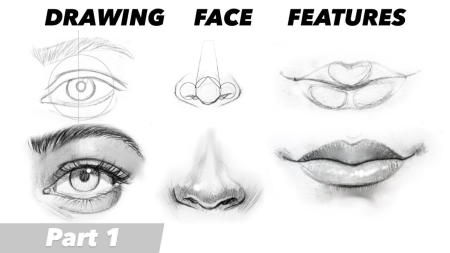
How to Draw realistic Eyes, Nose and Lips with simple easy to follow guidelines.
Duration: 28m | Video: .MP4, 1280x720, 30 fps | Audio: AAC, 48 kHz, 2ch | Size: 163 MB
Genre: eLearning | Language: English​

Is this how you draw eyes, nose,lips but you want to improve your drawings? Girl or boy, I got you. Hello guys, welcome or welcome back to my class! I don't know about you guys, but drawing facial proportions was one of my favourite things to do. I don't really know why but it was just so interesting and fascinating to draw. Eyes, Nose, Lips are just so pretty and fun to draw. Today, I decided I will show you some dos and don'ts "dos and don'ts" sounds really weird when it comes to drawing eyes, Nose, Lips so you can improve your drawings. There are tons of ways how you can draw these, this is just one of the ways. Who is the class for? There's something for everyone! Whether you're a newbie or a pro, you can level up your portrait sketching skills by learning face proportions and create AMAZING portraits with Jahnavi's sketching methods. This class will be part 1 and in part 2. I will show you how I will shade these eyes Nose, Lips to create a realistic look. So let's get started! Oh and don't forget to share your work in progress and final drawings in the project gallery for feedback :) Who is the class for? There's something for everyone! Whether you're a newbie or a pro, you can level up your portrait sketching skills by learning face proportions and create AMAZING portraits with Easy sketching methods After taking this class, you will gain technical knowledge and you will also know how to apply this knowledge into action! You will be presented with unique exercises that will help you to advance with your skills even further. It's fantastic class. This class will put the fun back in the process by teaching many alternative techniques. And many of you will not stop here, but use the ideas for a starting point for your own creativity. A great class should have you bubbling with excitement and I know this one will deliver just that! I promise you, you'll come out of this class armed with a whole new bunch of techniques and your very own portrait. ;) Are you excited? ;)
Homepage
Screenshots


852bc989-45cd-4a45-8c96-1e73f2f96713.png

Introduction To Procreate: Beginner Fundamentals
Duration: 1h 11m | Video: .MP4, 1280x720, 30 fps | Audio: AAC, 48 kHz, 2ch | Size: 830 MB
Genre: eLearning | Language: English​

If you want to sketch, paint, and illustrate on your iPad,*Procreate is the perfect app for you!
And, if you want to learn how to use Procreate for your own digital art,*this is the perfect*class for you!
This class*will teach you how to use powerful tools and features so that you can bring your imaginations to life. With easy-to-follow tutorials and real-world examples, you'll enjoy learning while taking action.
Homepage
Screenshots


20aba66e-ae43-4956-af8f-2c6f206b8581.png

Java/JEE Web Programming (Zero-to-Hero)
Instructors: Karim Mahmoud
9 sections • 82 lectures • 8h 10m
Video: MP4 1280x720 44 KHz | English + Sub
Updated 4/2022 | Size: 2.3 GB​

The Course will cover : Web Programming, Servlet, JSP, JSTL, MVC, HTML, CSS, JS, AngularJS, MVC, Maven and JDBC and more
What you'll learn
Introduction to JEE
Java Web Frameworks and Technologies
Understanding Web Development Concepts
Servlet Lifecycle
Servlet Session Tracking
Servlet Filters and Servlet Listener
JSP
JSP JSTL
Connecting to DB using JDBC
Maven
MySQL
MVC Design Pattern
JSP Actions
Web Technologies : HTML, CSS, JS and AngularJS
Show more
Show less
Requirements
JSEHTMLXML
Description
JEE applications are the Java programs that run on the Java-enabled web server or application server. They are used to handle the request obtained from the webserver, process the request, produce the response, then send a response back to the webserver
Today we all are aware of the need of creating dynamic web pages i.e the ones which have the capability to change the site contents according to the time or are able to generate the contents according to the request received by the client.
In this course we will learn following topics :;
Introduction to Web Development
1- Web Application, Web Components and Web Container
2-Technologies Used In Web Application Developments
3- Web Application Development and Deployment Steps
4-Web Application Archive (*.WAR)
5- HTTP URL
6- Configuring Web Application Archive (*.WAR)
Servlet Programming (Part 1):;
1- Agenda
2- Servlet in big picture of J2EE
3- Servlet Request & Response models
4- Servlet Life Cycle
5- Servlet Scope Objects
6- ServletContext
7- Servlet Session
8- HttpServletRequest
9- HttpServletResponse Status, Header, Body
10- Error Handling
Servlet Programming (Part 2):;
1- Including and forwarding Requests
2- Redirecting to other web resources
3- Servlet Filter
4- Servlet Listeners
5- Session Tracking
6- Servlet 3 and Servlet Histroy.
JSP Programming (Part 1):;
1- What is JSP.
2- JSP Elements.
3- JSP Static; Elements.
4- JSP Expressions Elements.
5- JSP Scriptlets Elements.
JSP Programming (Part 2):;
1- JSP Actions.
2- JSP Standard Actions.
3- JSP JSTL Actions.
Servlet JSP, JSTL, MySql, Maven and JDBC Example :;
1- Installing MySQL.
2- Install Application Database.
3- Install Maven.
4- Build a Bookstore Application.
What Next ?;
1- JSF.
2- Spring and Spring MVC.
Who this course is for:Java Web DeveloperJEE DeveloperWeb DeveloperWeb ProgrammingJava Programming
Homepage
Screenshots


9b1382e6-646a-4910-9e27-d2971ec50f24.png

Kelbyone - 10 Exercises to Spark Your Photographic Creativity
Published 04/2022
MP4 | Video: h264, 1920x1080 | Audio: AAC, 44.1 KHz, 2 Ch
Genre: eLearning | Language: English | Duration: 8 Lessons (38m 14s) | Size: 777.77 MB

Break out of a creative rut with a series of exercises to boost your creativity! Join Dave DeBaeremaeker as he shares, demonstrates, and illustrates 10 exercises to that will help you master your gear, gather ideas, and learn the benefits of limiting your choices. By the end of the class you'll be able to put these exercises into practice toward expanding your own creative efforts!
Homepage


083b3510-ba51-4a9f-9504-3fc1c4d03013.png

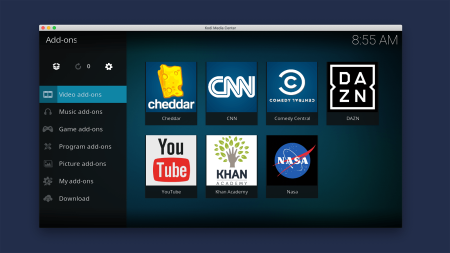
Kodi: The Beginner's Guide (2022)
Published 04/2022
MP4 | Video: h264, 1280x720 | Audio: AAC, 44.1 KHz, 2 Ch
Genre: eLearning | Language: English + srt | Duration: 17 lectures (1h 5m) | Size: 813.4 MB


Learn how to set up Kodi for streaming multimedia content and game emulation
What you'll learn
Learn how to setup Kodi as a digital media hub for streaming online and local digital media content
Install Kodi on a variety of popular operating systems
Understand how to setup Kodi and add media libraries
Control Kodi via a tablet or smartphone
Install software repositories and addons
Configure gamepads and controllers
Play games stored on the Internet Archive (via the Internet Archive Game Launcher)
Requirements
No programming knowledge or prior experience using Kodi is necessary.
A device to install Kodi on (ie. A computer with either the Windows, Mac or Linux operating system, a raspberry pi3/4 or an Android smartphone).
Experience writing disc images to micro-SD cards or USB storage will be helpful.
A smartphone or tablet (running either Android or IOS) is required for controlling Kodi remotely
A bluetooth or USB gamepad controller is required for playing emulated games in Kodi
Description
Learn how to set up Kodi for multimedia streaming and game emulation on a range of popular operating systems.
Build a strong understanding of Kodi and how to customise its functionality in this tutorial for beginners.
Install Kodi on Windows, Mac, Linux, Android and Raspberry Pi operating systems
Customise Kodi via official and third-party addons
Add local media libraries and online sources
Control Kodi remotely using Kore (on a tablet or smartphone)
Activate audio-visualisations
Configure gamepad controllers
Emulate consoles and load games using the Internet Archive Game Launcher
A powerful multimedia hub that can be customised to suit your needs
Learning the fundamentals of Kodi places a powerful and very useful tool at your fingertips. Kodi is a freely available open source application, easy to learn and with excellent documentation by a global community of developers and users.
Knowledge of how to set up and customise Kodi will allow you to transform it into a powerful digital media hub capable of accessing all kinds of content stored locally and online. Official and third-party addons can be installed to extend its functionality, streaming content from a range of popular platforms (including Netflix, Amazon Prime, HBO Max, Paramount+, Spotify, Tidal, etc) all through a single device.
Content and Overview
Suitable for people with no prior experience using Kodi, through this course of 17 lectures and 1 hour of content, you'll learn the fundamentals for installing Kodi, customising its appearance and setting it up for playing multimedia content on a range of popular operating systems. Each module focuses on separate components that culminate in a powerful digital media hub and emulation gaming system.
Starting with the installation of Kodi on Windows, Mac, Linux, Android and Raspberry Pi (LibreElec) operating systems, this course will take you through how to optimise Kodi's user interface, playback and settings for your chosen device. By setting up the Kore app, you will be able to use a tablet or smartphone to remotely control Kodi. You will also explore audio-visualisation in Kodi and understand how to activate a range of inbuilt audio-visualiser plugins.
With these basics mastered, the course will then take you through how Kodi's addon manager works. After installing official and third-party software addons, you will be able to extend the default functionality of this software to suit your needs and requirements.
In the final module for this course, you will learn how to configure gamepad controllers, install emulator cores and use the Internet Archive Game Launcher addon to play games via console emulation.
Students completing this course will have the knowledge required to install Kodi on a range of popular operating systems, set it up for viewing all types media content, customise its appearance and extend the default functionality as required.
Complete with screen-recordings walking you through each topic, you'll be able to work alongside the author as you attempt to set up your own Kodi installation, and you will receive a verifiable certificate of completion upon finishing the course.
Who this course is for
This course is designed to show you how to set up Kodi as a digital media entertainment hub. You will learn how to load content stored both locally and online. You will also learn how to install addons for streaming audio, video and digital media content from online sources.
If you're interested in new media technology, cord cutting, streaming or retro gaming, then this course is for you.
Cord cutters, content streamers and emulation gamers will find the content in this course useful.
Homepage





 
2fe62736-9025-48f5-9e64-1709416dab8f.png

Learn modern React by building a TODO web app with backend
Published 04/2022
MP4 | Video: h264, 1280x720 | Audio: AAC, 44.1 KHz, 2 Ch
Genre: eLearning | Language: English + srt | Duration: 34 lectures (8h 22m) | Size: 6.1 GB


And 8 part live taught course by a world renown software instructor
What you'll learn
Learn the fundamentals of the React library including useEffect, useState Hooks
Build a fully functional TODO web app with a React front-end
Integrate the React app with a back-end using Java, Spring and MySQL
Achieve a strong understanding of how React is used in modern web development
Requirements
Existing programming experience in an OOP language is recommended, Java is preferred.
Description
In this course you will learn all the most important aspects of creating web apps using React from this live 8 part lecture series.
In this course we will build a ToDo web application from scratch and learn how modern React can be used to make our lives easier on the front-end.
You will also be taught how to integrate a React app with a back-end (specifically a Java + Spring Boot stack) and how to pass data back and forth between to the layers.
The beauty of the React library is that there's actually not a lot that needs to be learned in terms of syntax and APIs, much of the usefulness that React provides can be learned within a few hours in this course. The rest of the functionality that will be needed can be included as part of dependencies that you add via the Node Package Manager.
To be most successful with this course
Prior Java knowledge is preferred but not required as most of the lectures will focus on the React library.
Prior vanilla JavaScript knowledge will be an asset.
If you are brand new to programming, I wouldn't recommend this particular just yet, as we do move fairly quickly.
Who this course is for
Students who already have an understanding of the back-end and wish to extend their knowledge into a popular front-end framework/library.
Homepage


48f3f5ba-5f13-4d90-9718-9d20eb40c4bf.png

Learn to draw complete Realistic Face - Draw, Shading, Sketching with graphite pencil- Step by Step.
Duration: 27m | Video: .MP4, 1280x720, 30 fps | Audio: AAC, 48 kHz, 2ch | Size: 251 MB
Genre: eLearning | Language: English​

Hi guys! A special portrait Tutorial needs a special introduction!
Welcome to my class where I post weekly tutorials art experiments for you toenjoy and improve your skills and in this class, I will draw and shade a girl's face using graphite pencils.
Drawing and art in general is the most beautiful thing in the world, whether you would just like to do it as a hobby or you are aiming towards a career in art.
The steps are very easy so you would be able to follow it along at your own pace.
What You'll Learn
Materials: You will learn soe very basic things about graphite pencils, how to use them, erasers and how to use them, blending materials, papers, etc.
Sketching: You will learn how to sketch face features- lips, eyes, noses, hair, eyebrows, eyelashes, and face proportion.
Shading: You will learn how to shade face features.
Sketching the reference: You will learn how to transfer your reference onto the paper.
Shading the reference: You will learn how to shade your reference by using all the tips you previously learned in this class.
Finishig touches: You will learn how to finish your drawing by adding some finishing touches such as highlights, flyaway hairs, contrast, etc.
When it comes to art, the possibilites are endless, there are no right or wrong way or direction in art but there are certain steps that you need to go through in order to be able to choose one or a couple of directions in which you want to go when it comes to your skills, style, etc.
That is why I wanted to create this class for you, hoping that it will help you out when it comes to your artistic growth and progress.
So guys what are you waiting for let's dive into the class. If you have any questions I will answer everyone in the discussion as long as I can keep up, so go ahead and support the class by leaving your question or just posting your projects!
So yeah see you in the class.
Homepage
Screenshots


e2080cc4-a547-4ce8-83f0-2b0dae14d4c8.png

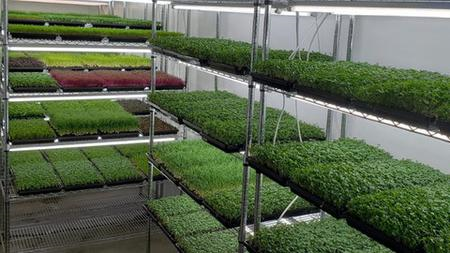
Microgreens Blueprint
Published 04/2022
MP4 | Video: h264, 1280x720 | Audio: AAC, 44.1 KHz, 2 Ch
Genre: eLearning | Language: English + srt | Duration: 76 lectures (7h 54m) | Size: 4.34 GB


From Zero to Hero
What you'll learn
The Secret To Getting Repeat Customers on Autopilot
How To Market & Sell Your Greens Without Experience
The 4 Easiest Varieties To Grow & How To Grow Them
How To Get Started Using Just The Space In Your Kitchen
How To Do It All By Working Only A Few Hours/Week
How To Keep Your Startup Costs LOW
Requirements
No business or growing experience needed
Description
Congratulations! You've found the most complete, most up-to-date resource online for learning how to start and run a successful microgreens business.
In this microgreens course you will get a proprietary "crop cheat sheet" worth $100 that I use on my farming operation every single day. You will also get my equipment and seed suppliers "source list" also worth $100 as well as the proprietary "spreadsheet tool". That's not all, in this course you will learn the following
Why starting with pea and radish is best for beginners
6 things I recommend you buy right away (they're low cost)
Why it's important to grow your crops in a room with hard floors
The surprisingly easy way to know if your grow room is at the right temperature and humidity
Which seeds need soaking and which ones don't
How to properly pack your flats with soil
How to sprinkle pea seed vs how to sprinkle radish seed
Why stacking more than 6 flats on top of each other is a bad idea
How the "germination" process works for microgreens
The secret to preventing your flats from drying out (it has to do with lighting)
What it means when your radish grows "little hairs" (don't worry, it's not mold!)
Why you shouldn't harvest your microgreens if they are wet
How to harvest without cutting your fingers
And more.
Who this course is for
Beginner entrepreneurs
Homepage


81a449ca-ef94-4a42-af82-1012096b0a75.png

Microsoft Power BI Bootcamp Level 1
Published 04/2022
MP4 | Video: h264, 1280x720 | Audio: AAC, 44.1 KHz, 2 Ch
Genre: eLearning | Language: English + srt | Duration: 57 lectures (2h 21m) | Size: 1 GB


Master the Basics of Power BI
What you'll learn
How to Create Basic Charts.
How to Draw Maps.
How to Create a Table and Matrix.
How to Create Cards and Filters.
How to Create Other Type of Charts.
How to Create Slicers.
Requirements
You must know English, You must have a PC or laptop, You must have Microsoft Power BI installed on your PC or laptop.
Description
"BI is about providing the right data at the right time to the right people so that they can take the right decisions" - Nic Smith with Microsoft BI Solutions Marketing.
Power BI is one of the most powerful tools to deal with data; it helps you to format and visualize data.
If you're looking for a comprehensive, hands-on guide to learning Microsoft Power BI Desktop, you've come to the right place !
In this course, you will learn the basics of Power BI along with practical examples to help you master the tool of Microsoft Power BI.
Join today and get immediate, lifetime access to the following
Full Power BI Project.
+50 videos to watch.
30-day money-back guarantee.
Who this course is for
Anyone looking for a hands-on, project-based introduction to Microsoft Power BI Desktop.
Data analysts and Excel users hoping to improve their skills in Power BI and create beautiful visualizations.
Aspiring data professionals looking to master the #1 business intelligence tool on the market.
Anyone looking to pursue a career in data analysis or business intelligence.
For those looking for a ready made project to test their Power BI skills, I've also included a full Power BI project ready for you to check.
Who this course is for
This course is for data analysts , data scientists, business analysts and statisticians.
Homepage


7ca3559e-768b-42d8-b245-2d83fd88c426.png

Morph Video in PowerPoint - Animated Explainer about Education
Duration: 35m | Video: .MP4, 1280x720, 30 fps | Audio: AAC, 48 kHz, 2ch | Size: 230 MB
Genre: eLearning | Language: English​

In this PowerPoint class, I want to focus on making an explainer video with help of the Morph transition. We will design everything using a high-quality illustration, then for the animation part, we mostly utilize the morph feature. I will show you interesting tricks like using "!!" to make sure shapes stay connected and teach you other theoretical aspects of the morph feature.
The resource for the class is provided. Feel free to enroll and start working!
Homepage
Screenshots


Zurück
Oben Unten