• Regeln für den Video-Bereich:

    In den Börsenbereich gehören nur Angebote die bereits den Allgemeinen Regeln entsprechen.

    Einteilung

    - Folgende Formate gehören in die angegeben Bereiche:
    - Filme: Encodierte Filme von BluRay, DVD, R5, TV, Screener sowie Telesyncs im Format DivX, XviD und x264.
    - DVD: Filme im Format DVD5, DVD9 und HD2DVD.
    - HD: Encodierte Filme mit der Auflösung 720p oder darüber von BluRay, DVD, R5, TV, Screener sowie Telesyncs im Format x264.
    - 3D: Encodierte Filme von BluRay, die in einem 3D Format vorliegen. Dies gilt auch für Dokus, Animation usw.
    - Serien: Cartoon/Zeichentrick, Anime, Tutorials, Dokumentationen, Konzerte/Musik, Sonstiges sind demnach in die entsprechenden Bereiche einzuordnen, auch wenn sie beispielsweise im High Definition-Format oder als DVD5/DVD9/HD2DVD vorliegen. Ausnahme 3D.
    - Bereich Englisch: Englische Releases gehören immer in diesen Bereich.
    - Bereich Talk: Der Bereich, in dem über die Releases diskutiert werden kann, darf, soll und erwünscht ist.


    Angebot/Beitrag erstellen

    - Ein Beitrag darf erst dann erstellt werden, wenn der Upload bei mindestens einem OCH komplett ist. Platzhalter sind untersagt.
    - Bei einem Scenerelease hat der Threadtitel ausschließlich aus dem originalen, unveränderten Releasenamen zu bestehen. Es dürfen keine Veränderungen wie z.B. Sterne, kleine Buchstaben o.ä. vorgenommen werden. Ausnahme Serienbörse:
    - Bei einem Sammelthread für eine Staffel entfällt aus dem Releasename natürlich der Name der Folge. Beispiel: Die Simpsons S21 German DVDRip XviD - ITG
    - Dementsprechend sind also u.a. verboten: Erweiterungen wie "Tipp", "empfehlenswert", "only", "reup", usw. / jegliche andere Zusatzinformation oder Ergänzung, welche nicht in obiger Beschreibung zu finden ist.

    Aufbau des Angebots und Threadtitel

    Der Titel nach folgendem Muster erstellt zu werden. <Name> [3D] [Staffel] [German] <Jahr> <Tonspur> [DL] [Auflösung] <Quelle> <Codec> - <Group>
    Beispiel: The Dark Knight German 2008 AC3 DVDRip XviD - iND
    Beispiel: The Dark Knight 2008 DTS DL BDRip x264 - iND
    Beispiel: The Dark Knight 2008 AC3 DL BDRip XviD - iND
    Beispiel: The Dark Knight German 2008 AC3 720p BluRay x264 iND
    Beispiel: The Dark Knight 2008 DTS DL 1080p BluRay x264 iND
    Beispiel: Die Simpsons S01 German AC3 DVDRip XviD iND
    Beispiel: Die Simpsons S20 German AC3 720p BluRay x264 iND
    Beispiel: Sword Art Online II Ger Sub 2014 AAC 1080p WEBRip x264 - peppermint
    Entsprechend sind also u.a. verboten: Sonderzeichen wie Klammern, Sterne, Ausrufezeichen, Unterstriche, Anführungszeichen / Erweiterungen wie "Tipp", "empfehlenswert", "only", "reup", usw. / jegliche andere Zusatzinformation oder Ergänzung, welche nicht in obiger Beschreibung zu finden ist
    Ausnahmen hiervon können in den Bereichen geregelt sein.

    Die Beiträge sollen wie folgt aufgebaut werden:
    Überschrift entspricht dem Threadtitel
    Cover
    kurze Inhaltsbeschreibung
    Format, Größe, Dauer sind gut lesbar für Downloader außerhalb des Spoilers zu vermerken
    Nfo sind immer Anzugeben und selbige immer im Spoiler in Textform.
    Sind keine Nfo vorhanden z.B. Eigenpublikationen, sind im Spoiler folgende Dateiinformationen zusätzlich anzugeben :
    Quelle
    Video (Auflösung und Bitrate)
    Ton (Sprache, Format und Bitrate der einzelnen Spuren)
    Untertitel (sofern vorhanden)
    Hosterangabe in Textform außerhalb eines Spoiler mit allen enthaltenen Hostern.
    Bei SD kann auf diese zusätzlichen Dateiinformationen verzichtet werden.

    Alle benötigten Passwörter sind, sofern vorhanden, in Textform im Angebot anzugeben.
    Spoiler im Spoiler mit Kommentaren :"Schon Bedankt?" sind unerwünscht.


    Releases

    - Sind Retail-Release verfügbar, sind alle anderen Variationen untersagt. Ausnahmen: Alle deutschen Retail-Release sind CUT, in diesem Fall sind dubbed UNCUT-Release zulässig.
    - Im Serien-Bereich gilt speziell: Wenn ein Retail vor Abschluss einer laufenden Staffel erscheint, darf diese Staffel noch zu Ende gebracht werden.62
    - Gleiche Releases sind unbedingt zusammenzufassen. Das bedeutet, es ist zwingend erforderlich, vor dem Erstellen eines Themas per Suchfunktion zu überprüfen, ob bereits ein Beitrag mit demselben Release besteht. Ist dies der Fall, ist der bereits vorhandene Beitrag zu verwenden.
    - P2P und Scene Releases dürfen nicht verändert oder gar unter einem iND Tag eingestellt werden.


    Support, Diskussionen und Suche

    - Supportanfragen sind entweder per PN oder im Bereich Talk zu stellen.
    - Diskussionen und Bewertungen sind im Talk Bereich zu führen. Fragen an die Uploader haben ausschließlich via PN zu erfolgen, und sind in den Angeboten untersagt.
    - Anfragen zu Upload-Wünschen sind nur im Bereich Suche Video erlaubt. Antworten dürfen nur auf Angebote von MyBoerse.bz verlinkt werden.


    Verbote

    - Untersagt sind mehrere Formate in einem einzigen Angebotsthread, wie beispielsweise das gleichzeitige Anbieten von DivX/XviD, 720p und 1080p in einem Thread. Pro Format, Release und Auflösung ist ein eigener Thread zu eröffnen.
    - Grundsätzlich ebenso verboten sind Dupes. Uploader haben sich an geeigneter Stelle darüber zu informieren, ob es sich bei einem Release um ein Dupe handelt.
    - Gefakte, nur teilweise lauffähige oder unvollständige Angebote sind untersagt. Dies gilt auch für eigene Publikationen, die augenscheinlich nicht selbst von z.B. einer DVD gerippt wurden. Laufende Serien, bei denen noch nicht alle Folgen verfügbar sind, dürfen erstellt und regelmäßig geupdatet werden.
    - Untersagt sind Angebote, welche nur und ausschließlich in einer anderen Sprache als deutsch oder englisch vorliegen. Ausnahmen sind VORHER mit den Moderatoren zu klären.


    Verstoß gegen die Regeln

    - Angebote oder Beiträge, die gegen die Forenregeln verstoßen, sind über den "Melden"-Button im Beitrag zu melden.
  • Bitte registriere dich zunächst um Beiträge zu verfassen und externe Links aufzurufen.

*** Bestes IPTV *** bester Preis *** gratis Test ***


Englische Tutorials

CgCPfq7ZR71Ksv5ftCFy8fBVF9ZyDpub.jpg

Construction Project Case Study: RA-222 Flyover Bridge
Genre: eLearning | MP4 | Video: h264, 1280x720 | Audio: AAC, 44.1 KHz
Language: English | Size: 596 MB | Duration: 1h 10m
A case study course for a flyover bridge construction project that took place in Salmiya, Kuwait.

What you'll learn
Bridge Construction Life cycle
Tendering and contracting environment
Infrastructure Experience
Micro-tunnelling technique
Traffic management
Utility structures
Water pipeline management
Road works
Types of meetings
Payment processing
Requirements
Interest in the construction and contracting industries
Description
A case study course for a flyover bridge construction project that took place in Salmiya, Kuwait through the years of 2017 to 2019. the bridge was built over a roundabout near the seaside (where the 5th ring road meets AlBlajat street and AlTawan street) to solve the traffic jam in the area.
This course will guide you over the steps that were taken in order to complete the flyover bridge construction and achieve project objectives that meet the requirements of the authorities, the public and associated stakeholders.
The course aims to bring awareness to activities within the construction industry and the contracting environment.
Items that will be covered in this course include
Business case and reasons for public projects inception.
The tendering process for bridge design and construction.
Project mobilization.
The surveying works associated with the beginning of the project.
Traffic management and detours.
Bridge construction.
Utility gallery.
Sanitary micro-tunnelling.
Stormwater lines (including manhole, gully and culvert connections).
Water pipeline works.
Road works (which include compaction and slope elevation).
Other direct works in the project.
Health and safety executive.
Quality control.
Payment processing.
Subletting process.
Different types of meetings.
Project handover and closeout.
A must-take course for anyone that would like to set their foot in the construction and/or contracting industry.
We hope that you join us in our case study of this eventful project.
Who this course is for
Civil Engineer students
Graduate Civil Engineers
Civil Contractors
Screenshots


XQWxiPfBkVrS2ozlCMOhlwPKaKgZZiG7.jpg

Dapp Development Bootcamp
Genre: eLearning | MP4 | Video: h264, 1280x720 | Audio: AAC, 44.1 KHz
Language: English | Size: 617 MB | Duration: 1h 14m
Dapp Development , Smart Contract Frameworks , Hands on development Session with Hard Hat and Truffle , Build and Deploy

What you'll learn
Dapp Development Framworks such as Truffle and Redhat
Blockchain Frameworks Such as Ethereum and Cardano
Introduction to various Smart Contract Frameworks
Building and Designing Dapps
Requirements
Prior Programming Knowledge will Complement the learning Process
React
Npm
Yarn
JavaScript
Description
Although traditional DApps are typically open-source, DApps that are fully closed-source and partially closed-source have emerged as the cryptocurrency industry develops. As of 2019, only 15.7% of DApps are fully open-source compared to 25% of DApps being completely closed source, that is there are a smaller proportion of DApps with the code of the application and its smart contracts all completely available compared to the proportion of DApps without any disclosure of their code. DApps that are open-source, with the code of their smart contracts publicly available, generally have higher transaction volumes, indicating greater popularity in open-source DApps over closed-source DApps.
Proof-of-work utilises computational power to establish consensus through the process of mining.Bitcoin uses the proof-of-work mechanism. Proof-of-stake is a consensus mechanism that supports DApps through validators that secure the network by having a stake and percent ownership over the application.
A Bitcoin mining rig composed of dozens of graphics processing units
DApps distribute their tokens through three main mechanisms: mining, fund-raising and development. In mining, tokens are distributed as per a predetermined algorithm as rewards to miners that secure the network through transaction verification.Tokens can also be distributed through fundraising, whereby tokens are distributed in exchange for funding in the initial development phase of the DApp, as in an initial coin offering. Lastly, the development mechanism distributes tokens that are set aside for the purpose of developing the DApp through a pre-determined schedule.
Who this course is for
Learners and Developers
Screenshots


34d7260164bbfeaf1c7adb97327b6d2a.png

Gumroad - Calop's Photoshop Tutorial
Video: h264, 1920x1200, 7726 kb/s, 29.97 fps | Audio: aac, 48000 Hz, 2 channels, 89 kb/s
Genre: eLearning | Duration: 82 Mins | Language: English | File size: 4.7 GB​

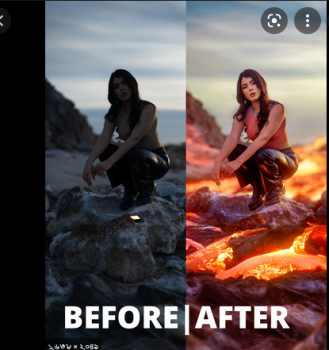
This tutorial is focused on how to elevate and take your photos to the next level creatively using Photoshop compositing. Using this image, I explain the methods I apply to the majority of my composite work. In these 80 minutes, I explain my entire workflow, start to finish!
Screenshots


ulBQaO8xi5mKMeA056L7lj0rh46SAPQv.jpg

How To Hack The Box To Your OSCP (Part 3)
Genre: eLearning | MP4 | Video: h264, 1280x720 | Audio: AAC, 44.1 KHz
Language: English | Size: 3.31 GB | Duration: 5h 20m
Master over 50 tactics, techniques and procedures, used by Red Teams and bad actors, all mapped to MITRE ATT&CK.

What you'll learn
How modern adversaries breach public facing webservers
How to weoponize benign applications with exploits
How to evade AV and EDR with advanced shellcode loaders
How attackers move laterally, create reverse tunnels and expand influence on the victim network
How to think in terms of MITRE ATT&CK and understand the vernacular.
How to test and validate SQLi, XSS, SSTI and more
Requirements
Hack The Box VIP Account
Description
Are you ready to level up your game?
Ready for the hardest boxes to hack?
Want a challenge without feeling overwhelmed or confused?
I finally did it. I finally decided to create the last series in my three part collection on pwning Hack The Box machines.
There are tons of free write-ups and Youtube videos on-line that will show you how to breach a box but almost none of them break down the process step by step.
And almost none of them include all the commands as a tidy reference.
And even fewer map all attacks to the MITRE ATT&CK Matrix.
What I've done is taken you on a journey into my mind as I help you understand how an expert hacker thinks. You will get the behind-the-curtain view into my thought process as I think through difficult scenarios and carefully step through each obstacle until the box is pwned.
In addition, after we pop the box, we'll take a step back and understand what vulnerabilities led to the initial intrusion vector by exploring host logs, vulnerable application source code and event logs.
I've prepared everything you need for learning success in one convenient package.
So, I'm going to ask again - are you ready to level up your game?
You are about to learn the following tools and techniques from an offensive perspective
MITRE ATT&CK Enterprise Framework TTPs
ping
nmap
rpcdump
rpcclient
smbmap
smbclient
crackmapexec
whatweb
Wappalyzer
curl
openssl
gowitness
Burp Proxy
Burp Embedded Chromium Browser
feroxbuster
wfuzz
Web Application Attacks: SQLi
Web Application Attacks: Reflected XSS
Web Application Attacks: SSTI
Polyglot Payloads
Web Application Attacks: Command Injection
Reverse Shells: Powershell
Reverse Shells: Powershell Upgrade
Reverse Shells: Netcat
Reverse Shells: Meterpeter
Reverse Shells: PSExec
Reverse Shells: NoPAC
Base64 Encoded Powershell Payloads
rlwrap
PEASS-ng
Blue Team: wmic
Blue Team: tasklist
Blue Team: Get-WmiObject
CSRs
Chisel
ProxyChains
FoxyProxy SOCKS Proxies
tshark
responder
hashcat
Lateral Movement
Resource Development: Commando VM!
Resource Development: Exploit Testing and Maldoc creation
Defense Evasion: charlotte
Defense Evasion: Meterpreter
certutil
SharpCollection
PowerView
Rubeus
Certify
date (sounds lame but we actually use it in a way you've never seen before)
Detection Engineering: Log Review
Secure Coding Principles: Source Code Review
If this doesn't excite you, you are not the right person for this course.
But if you're ready to freggin' have a blast and take your learning and skills to beast mode click Buy Now and let's begin!
Who this course is for
Intermediate to Advanced Red Team Operators
Intermediate to Advanced Penetration Testers
Security Conscious Software Developers
Blue Team SOC Analysts
Blue Team Threat Hunters
Cybersecurity Managers (wanting to understand initial intrusions and mitigations)
Screenshots


VsHy7ardBK8wfKWB7tw424i8BBOo4k7c.jpg

Learn Talend using Talend Open Studio for Big Data
Genre: eLearning | MP4 | Video: h264, 1280x720 | Audio: AAC, 44.1 KHz
Language: English | Size: 1.71 GB | Duration: 3h 17m
Learn Talend Architecture, ETL Components, Logging and Error, Databases, Flat files, Streaming, AWS Cloud and Kafka

What you'll learn
Talend
ETL Using Talend
Talend Open Studio for Big Data
Talend General and Big Data Components
Requirements
No experience required. Basics of Sql and Java is an added advantage
Description
The course is about Talend ETL processing.
Talend enables us to deliver complete, clean, and uncompromised data to make every decision count. It collects the right data from diverse sources at the speed your business demands. It shares trusted data across departments and platforms, safely and securely. It also delivers trusted data to the people who need it, when they need it and improve your control of data to make better decisions and build high-impact digital experiences.
Talend is the leading open source solution for data integration. Its capabilities include,
Connectors topackaged applications (ERP, CRM, etc.), databases, mainframes, files, Web Services, and so on to address the growing disparity of sources.
Writingto data warehouses, data marts, OLAP applications - for analysis, reporting, dashboarding, scorecarding, and more.
Built-in advanced components for ETL, including string manipulations, Slowly Changing Dimensions, automated lookup handling, bulk loads support, etc
In this course you will learn about
Talend Architecture
ETL Components
System Components
Logging and Error
Interacting with Databases
Interacting with Flat files
Streaming process
AWS Cloud
Kafka
This Course is for,
ETL Developers
Data Architects
ETL Engineers
Data Engineers
ETL Architects
Database developers
BI Developers
You would learn all the below components,
tAggregatorRow tFileCopy tFilterColumns tRunJob tWarn tAssert tFileDelete tFlowMeter tSampleRow tChronometer tFileExist tJoin tSetEnv tConvertType tFileInputDelimited tLogCatcher tSortRow tCreateTemporaryFile tFileList tLogRow tSplitRow tDenormalize tFileOutputDelimited tMap tSSH tDie tFileProperties tNormalize tStatCatcher tExtractDelimitedFields tFileTouch tReplace tSystem tFileArchive tFileunarchive tReplicate tUniqueRow tFileCompare tFilter tRowGenerator tUnite
Who this course is for
ETL Developers
Data Integration Engineers
Data Architects
ETL Architects
Database Developers
Data Analysts
BI Developers
Screenshots


ntZWyNVhy1Dg0hkaI461JHGjqVNAhNkJ.jpg

Microsoft SQL Server 2019 - Big Data
Genre: eLearning | MP4 | Video: h264, 1280x720 | Audio: AAC, 44.1 KHz
Language: English | Size: 5.08 GB | Duration: 7h 5m
Explore the Power of Big Data Clusters

What you'll learn
Learn about data virtualization and data lakes
Learn how to use Big Data Clusters to combine large volumes of streaming data for analysis along with data stored in a traditional database.
Learn about the architectural foundations that are made up from Kubernetes, Spark, HDFS, and SQL Server on Linux
Learn how to configure and deploy Big Data Clusters.
Requirements
There are no requirements or prerequisites for this course but the student should be knowledgeable in data analysis
Description
This course focuses on one of SQL Server 2019's most impactful features-Big Data Clusters. You will learn about data virtualization and data lakes for this complete artificial intelligence (AI) and machine learning (ML) platform within the SQL Server database engine. You will be shown how to use Big Data Clusters to combine large volumes of streaming data for analysis along with data stored in a traditional database. For instance, you can stream large volumes of data from Apache Spark in real-time while executing Transact-SQL queries to bring in relevant additional data from your corporate, SQL Server database. This course provides everything necessary to get started working with Big Data Clusters in SQL Server 2019. You will learn about the architectural foundations that are made up from Kubernetes, Spark, HDFS, and SQL Server on Linux. You will be shown how to configure and deploy Big Data Clusters. You will be ready to use and unveil the full potential of SQL Server 2019: combining different types of data spread across widely disparate sources into a single view that is useful for business intelligence and machine learning analysis.
What a Big Data Cluster is
How to deploy BDC
How to analyze large volumes of data directly from SQL Server
How to analyze large volumes of data via Apache Spark
How to manage data stored in HDFS from SQL Server as if it were relational data
How to implement advanced analytics solutions through machine learning
How to expose different data sources as a single logical source using data virtualization
This course is intended for data engineers, data scientists, data architects, and database administrators who want to employ data virtualization and big data analytics in their environments.
Who this course is for
This course is intended for data engineers, data scientists, data architects, and database administrators who want to employ data virtualization and big data analytics in their environments.
Screenshots


eqvgo6IOhmU8uSwUlua8Xz7jy8BJtnC1.jpg

Pass That Challenge and Get Funded! (FTMO, MyForexFunds)
Genre: eLearning | MP4 | Video: h264, 1280x720 | Audio: AAC, 44.1 KHz
Language: English | Size: 3.08 GB | Duration: 2h 53m
Step by Step Guide to becoming a Funded Forex Trader. Change the way you view Prop Firm Challenges!

What you'll learn
Easy Plug and Play Proven indicator Strategies
Master Risk Management
Develop and Fortify a Funded Trader Mindset
Learn and Develop Price Action Trading Skills
Merge indicator Strategies with Price Action
Get familiar with Prop Firm Accounts
Requirements
Basic Understanding of Forex Trading
If you've opened a trade up to now, this course is for you!
Description
What do you use to understand Financial Markets? Are you adding indicators over indicators and you end up more confused than before?
What if I told you that you can analyze the markets with only a few indicators and market structure?
What if I told you that you can turn one of the most common indicators into a powerful and easy-to-use tool in order to make consistent profits by trading Financial Markets?
This course is tailored for any Forex Trader out there that aspires to leverage his/her capital with the use of Prop Firms.
Welcome to Pass That Challenge and Get Funded!
My ultimate goal for this course is not to teach you another indicator that you can have on your chart. My goal is to provide you with a logical strategy that combines Price Action with Indicators that you can apply to trade the markets with confidence.
To achieve this goal, I will dedicate 5 entire Sections where you will understand any single component required in order to understand your edge in the markets. This course will Fortify your Mindset and teach you how to timely spot different market scenarios, finding the best opportunities to trade and make money trading the Forex Market.
If you had the chance to see my Youtube Channel, you know that I like to keep things real. A strategy that helps only to analyze the market, without having a deep focus on Stop Loss and Take Profit, is not a complete strategy for me. So, my promise is to give you a complete strategy, in order for you to understand how to open and manage your trades.
All the examples provided in the course are about Forex Trading, but I am confident that you will find the material very useful for other Financial Markets, like Stock Trading, Cryptocurrency Trading and many others.
What else in this course?
This is the Strategy that got me funded with FTMO
You will learn from my 3+ years of experience.
I have refined my trading skills based on the prop firms requirements, therefore, if you want to pass a Challenge as FTMO or My Forex Funds, this is the best and safest way to achieve this goal
You have unlimited lifetime access at no extra costs.
You will have unlimited access to directly contact me via Telegram, where I will be available to answer all your questions related to this course. This is a huge opportunity to accelerate your learning curve!
New lectures will be added to the course constantly at no extra cost to you!
30-day money back guarantee no questions asked.
If you are reading this, it means that you are a proactive person, who desires trading skills improvement, and I am sure that all your efforts will pay off. Enroll in the course and let me welcome you to your journey of becoming a consistent profitable trader!
It's your time to be a consistent profitable trader!
Who this course is for
Aspiring Traders that don't have their own capital to trade with yet
Anyone who wants step by step guidance to start trading in the Forex Market
Forex and Financial Traders who want to earn consistent profits from the market
Screenshots


zaHsAsHP8QaGeCDDTAnaVf8AUm2sXiRH.jpg

Programming TypeScript from Beginners to Experts 2022
Genre: eLearning | MP4 | Video: h264, 1280x720 | Audio: AAC, 44.1 KHz
Language: English | Size: 2.98 GB | Duration: 7h 20m
TypeScript programming basics to advanced with elegant coding concepts

What you'll learn
TypeScript is a super set of JavaScript means it contains all what is in JavaScript and enhances on that for more.
More better application architecture with more robust programming features which are not present in JavaScript
Type Safety with Static Types
More Object Orientation and better application architectures
Requirements
To go through this course knowledge can be a very good factor but it is not mandatory. Also if you are a beginner and have some basic knowledge of programming you can easily go along with this course and get expertise in TypeScript
Description
Welcome to the TypeScript Programming course
If you are a new to programming or an experienced programmer looking to enhance your knowledge of TypeScript or to learn TypeScript from scratch, you've come to the right place. This course is your one-stop-shop for all things related to TypeScript. Here's what we'll cover
How to set up a development environment for TypeScript.
Type System of TypeScript.
Conditionals and Control flow of the programs in TypeScript.
More advanced types specific to TypeScript.
Functions in TypeScript.
Object oriented programming in TypeScript
And all the related coding examples and notes.
Generics in TypeScript
Additionally, think of this course as the jumping-off point for your exploration into TypeScript. The coding examples used in this course are improved based on the concepts module by module in each module making it more related and easy to understand the need of the enhanced and the feature.
There are six sections in the course in total.
The first section which is a starter will be helping to understand the need and benefits of TypeScript and also it will help to get hands on with setting up the development environment for the TypeScript projects.
Second section describes in detail the powerful type system of the TypeScript in which we learn to use different data types in TypeScript.
Third section introduces you to the fundamental conditional controls and flow of controls including if else, switch statement, looping etc.
Fourth section explains us some more advanced data types that are specific to TypeScript and enhances the power of programming and we are able to write more robust applications.
Fifth section explains more fun part the different types of functions and different related features to that concepts.
Sixth part gives more advanced knowledge of Object orientation, interfacing, patterns, generics etc.
All these sections contains related code examples and notes etc.
Who this course is for
This course is for both JavaScript programmer who wants to enhance and upgrade their code to TypeScript. And also for fresh learner who wants to learn TypeScript.
Screenshots


2iTc0U9WqHgd9xMlPYCHombkddHeiarD.jpg

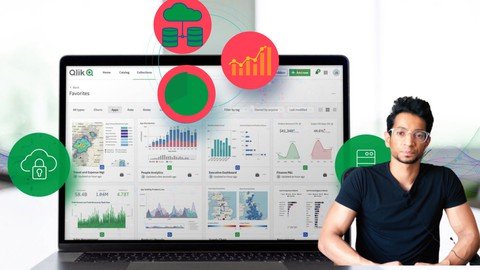
Qlik Sense Masterclass: Master Qlik Sense app development
Genre: eLearning | MP4 | Video: h264, 1280x720 | Audio: AAC, 48.0 KHz
Language: English | Size: 4.0 GB | Duration: 11h 4m
Master Qlik Sense app development by solving Real-Life Analytics Problems. Learn Visualisation & scripting by doing!

What you'll learn
How to use create a data model using the Qlik associative engine
How to use different charts and build a beautiful dashboard
How to create master dimensions & measures
How to start scripting and use the script editor to transform your data.
How to perform Analytics and Data Mining in Qlik Sense
How to create drill-down maps
How to write set expressions and leverage the power of set analysis.
How to make interactive charts using variables.
How to take your dashboard to the next level by making your dashboard dynamic.
How to create a master calendar.
How to create a canonical calendar.
How to do Pareto analysis or 80/20 analysis charts.
And much, much more!
Requirements
Sign up and get access to the Qlik Sense business trial account or any other Qlik Sense environment to practice
Keen to learn new concepts and develop your skills further
Basic understanding of data concepts
Keen to learn new concepts and develop your skills further
Description
Master Qlik Sense app development by solving Real-Life Analytics Problems. Learn Visualisation, Data modeling, and scripting by doing step by step!
If you're a beginner or an intermediate user, ready to take your Qlik Sense skills to the next level?
Want to create unique dashboards and blow the minds of your boss, your team & clients at work?
This course is for you!
Hours of professional Qlik Sense Video training, unique datasets designed to take you from the basics to advanced concepts. Engaging exercises that are both fun, practical and also give you a taste for Real-life scenarios, projects, and Analytics of the REAL WORLD.
In this course you will learn
How to use create a data model using the Qlik associative engine
How to use different charts and build a beautiful dashboard
How to create master dimensions & measures
How to start scripting and use the script editor to transform your data.
How to perform Analytics and Data Mining in Qlik Sense
How to create drill-down maps
How to write set expressions and leverage the power of set analysis.
How to make interactive charts using variables.
How to take your dashboard to the next level by making your dashboard dynamic.
How to create a master calendar.
How to create a canonical calendar.
How to do Pareto analysis or 80/20 analysis charts.
Each module builds on the other and you go from being a complete beginner to an advanced user who can get their hands dirty in the script editor. We build on concepts step by step and learn how to write complex Set expressions by breaking them down into small bits and building them up. Learning is easy when it's taught the right way. The more you learn the better you will get. However, you can stop at any time you will still have a strong set of skills to take with you.
Each module is based on practical real-life data sets, where you will need to apply Qlik Sense concepts in a practical way and learn the theory by doing. Practice makes perfect! Let's go!
What you'll learn
Data modeling and manipulation using the Qlik Sense associative engine
Creating master dimensions & measures
Create and use different charts
Create and use KPI's
Create cool maps with drill-down features
Start scripting and adding data using the script editor
How to solve data modeling issues such as Synthetic keys & circular references
Perform transformations on the data in the script editor
How to discretize and segment data in the script editor
Learn how to use different script functions
Conditional load and functions in the script editor
Basics of set analysis and how to write set expressions
Create flags in the data set to be called in KPI's
Create a focused dashboard
Create Year on Year growth percentage chart
Create a customized pivot table
Understand Resident loads and Group By's
How to use Mapping, mapping substring class functions
How to write advanced set expressions Year to Date & Year on Year
Create advanced calculations using Aggregate function along with Rank, Rangesum
Create advanced calculations using elemental functions P&E
Create Advanced Maps using set expressions
Create 80/20 Pareto analysis with next-level analytics
Create a canonical calendar
Create variables and use variables in advanced calculations
Create set expressions with variables
Create a dynamic next level what-if analysis chart using variables
Create side by side comparison charts using alternate states
Automizing your dashboard using the magic of buttons
Create dynamic responsive & playful dashboards using variable inputs.
Create a mind-blowing dashboard using sliders and buttons.
Testimonials
I have been teaching for some time now on YouTube and these are what my students have to say
"I think it is an excellent video; you explain it really well, in a calm and clear way. I recently did a Qlik video from Udemy and it has no comparison with the incredible work you do. You are a great teacher!"
-gonzalofuste
"This is a great video I wonder why there are just 143 likes. Awesome video, you are a good teacher"
- Harshawardhan Dabir
"Superb Bro. The way of explaining is really amazing. Need more videos like this, which will be useful for us. Thanks"
- KARTIK SEMWAL
"Thank you for your hard work! I love your videos, it is so easy to understand it. I only recently started to watch your tutorials, but it answered a lot of questions what I wanted to know."
- Gaukhar Slamova
Are there any course requirements or prerequisites?
Sign up and get access to the Qlik Sense business trial account or any other Qlik Sense environment to practice
Keen to learn new concepts and develop your skills further
Basic understanding of data concepts
Keen to learn new concepts and develop your skills further
And much, much more
Who this course is for
You should take this course if want to learn Qlik Sense completely from scratch
You should take this course if you know some Qlik SenseI skills but want to get better
You should take this course if you are good with Qlik Sense and want to take your skills to the next level and truly leverage the full potential of Qlik Sense
Who this course is for
You should take this course if want to learn Qlik Sense completely from scratch
You should take this course if you know some Qlik Sense skills but want to get better.
You should take this course if you are good with Qlik Sense and want to take your skills to the next level and truly leverage the full potential of Qlik Sense
Screenshots












 
VE2P6t9JjmbKvHmbVM6PKIjOiVJqiwrY.jpg

React Leaflet (with hooks)
Genre: eLearning | MP4 | Video: h264, 1280x720 | Audio: AAC, 48.0 KHz
Language: English | Size: 2.07 GB | Duration: 4h 0m
Learn how to build a map viewer application using React-Leaflet, an open-source library for creating interactive maps

What you'll learn
Learn and understand React Leaflet
Have a working React Leaflet application that is open for extension for personal/professional projects
Have knowledge of useful tools for a geospatial web application development
Be equipped with the confidence and knowledge to use online documentation to take your map app building skills to the next level
Requirements
JavaScript + HTML + CSS fundamentals.
A basic knowledge of React
No prior Leaflet or geospatial experience is required!
Description
React Leaflet Version 3, the one that has been rewritten to use hooks, is used for this course. It is based on two widely used open-source Javascript libraries - React and Leaflet. Let's set the scene with a brief introduction
React - is the most popular JavaScript library you can learn to build modern, reactive user interfaces for the web. It has become so popular because it can be implemented on an individual component basis rather than having to update an entire web-application. This is a big advantage when it comes to modernizing entire web applications. Furthermore, React.js is built with performance as its core objective. Put simply, it stores Javascript objects in memory (without the heavy rendering step!) in a "Virtual DOM". When the Virtual DOM is updated, a diffing algorithm identifies the most efficient way to update (i.e. re-render) the components to the actual visible DOM. React is developed and maintained by Meta (Facebook) and is here to stay.
Leaflet - due to its simplicity, being open-source and designed with the specific intention of being easy to use, it is a very popular Javascript library for building mobile friendly interactive maps. Leaflet is trusted by Github, Facebook, Esty and Pintereset among others, and again, it is also here to stay!
As the name may indicate, React Leaflet is an integration these two well established libraries by providing bindings between them. It leverages the power of the Leaflet library, abstracting Leaflet layers as React components. By doing so
Leaflet can be integrated seamlessly into React applications;
React third party Javascript libraries can be utilized within Leaflet components (see course contents below);
Similar to Leaflet, this course is 'built around simplicity'!!! We won't get bogged down with configuring web servers, or middlewares. Instead the course aims to provide exposure into all facets of the React Leaflet library while also teaching you how to access the necessary resources to deepen your knowledge and develop your own React Leaflet web applications. The completed application from each code along video is provided as a downloadable resource. This makes it possible for you to jump in just at the place you'd like to and also possible to get a working version of the code if you get stuck.
The course starts with introducing concepts for beginners and gradually progresses to some advanced topics. Each section will build on the last and by the end you'll have a functional React Leaflet web application.
What's in this course?
Creating a React application with create-react-app
Setting up React Leaflet with create-react-app
Initialising a React Leaflet map
Configuring tile layers
Where to find sample spatial data and tile servers
Tools to generate your own sample spatial data for development purposes
What is GeoJSON?
React Leaflet hooks
Filtering points within a radius
Filtering point by clicking on a polygon
How Leaflet looks in the DOM
Adding markers
Implementation of third party layers from plugins
Marker clustering
Centering the map to a clicked position
Adding custom Icons (how to implement font-awesome icons on React Leaflet)
Adding and customising popups
Adding and customising tooltips
How to customise React Leaflet popups with any React UI library
Adding Polygon layers
What is a layer in React Leaflet terms
How to filter points based on Polygon clicks (using Turf.js)
Adding a layer control
Building your own custom controls
Showing Geospatial information from a different Coordinate Reference System on React Leaflet map
Asynchronous calls and updating React Leaflet components
Who this course is for
You are interested in map-based applications for professional or personal reasons
Have a background in React and would like to learn how mapping applications work
You are somewhat familiar with Leaflet and are considering a move to React Leaflet
Screenshots


wNp0cFecjBih15lDNKtp9mB84J4A7wAK.jpg

Rotating Equipment Masterclass Pumps & Compressors
Genre: eLearning | MP4 | Video: h264, 1280x720 | Audio: AAC, 44.1 KHz
Language: English | Size: 6.59 GB | Duration: 20h 17m
A compelete understanding of pumps & compressors used in process industries for a successful operation of your facility

What you'll learn
Understand rotating equipment working principles for successful operation of your plant and piping systems
Understand the various rotating equipment construction details
Lear how to read and interpret pump and compressor curves
Learn how to determine and interpret your piping system curve
Optimize the operation efficiency of your pumping and/or compression systems
Perform various calculations to size and assess rotating equipment performance (head, discharge temp, inlet capacity, volumetric efficiency.)
Understand what affects the selection and design of rotating equipment (process conditions, fluid characteristics, interstaging, foundation needs...)
Understand the concept of pulsation, how it can affect your compressor performance and how to control it according to the API 618 standard
Know how to size suction and discharge volume bottles to control reciprocating compressor pulsation
Analyze the problems in operation related to packing, mechanical seals, bearings and flow control
Apply the best practices and guidelines for maintenance, problem solving and troubleshooting of rotating equipment
Be an active and efficient communicator during meetings with rotating equipment vendors
Test your knowledge with 500+ question quiz
Get access to useful charts and diagrams to solve daily rotating equipment problems
Download our valuable Compressor Performance Excel Workbook
And much more...
Requirements
Some engineering or field knowledge is preferable but not mandatory. All the concepts are explained in depth using an easy to understand language to allow students to build their knowledge from the ground up
Having attended our "Flow of Fluid Through Piping systems" online course is a plus but not mandatory
Description
Rotating equipment of various designs and applications are encountered nowadays throughout refining, petrochemical and process industries as well as in power generation and environmental engineering.
This 20H masterclass is designed to provide you with a complete understanding of construction details and functioning of
Pumps
Centrifugal compressors
Reciprocating compressors
This understanding is a prerequisite for a successful and flawless operation of your plant and piping system.
This 20H masterclass includes extensive graphics, 3D animations and cross-sectional views to give you a virtual practical exposure on rotating equipment.
The objective of this masterclass is threefold
1. Break down for you all the pumps, centrifugal compressor and reciprocating compressors operating principles into easily digestible concepts like
Cavitation
Performance curves
Fluid Head
Net Positive Suction Head, NPSH
System resistance
Surge and Stonewall
Capacity control
Pulsation control
Lubrication
Cooling
...
2. Illustrate through 3D animations and cross-sectional views the main rotating equipment mechanical components, state their function and operating limits, like
Impellers
Bearings
Mechanical seals
Packing
Crossheads
Pistons
Compressor valves
...
3. Provide guidelines and best practices for operation, maintenance and troubleshooting of rotating equipment in accordance with the latest API Standards
Also included in this masterclass 2 valuable Excel Workbook
Centrifugal Compressor Performance Excel Workbook
Pump Calculations Excel Workbook
These workbooks provide qualitative and quick comparisons and application notes for centrifugal compressors and pumps. They describe calculations and procedures to predict performance characteristics, especially head, discharge pressure and power.
So with no further ado, check out the free preview videos and the curriculum of the course and we look forward to seeing you in the first section.
Hope to see you there
WR Training
Spread the wings of your knowledge
NOTE : These Excel workbooks include Visual Basic for Application function subroutines. Macros must be enabled for them to work
-------------------------------------------------------------------
INSTRUCTION TO DOWNLOAD THE EXCEL WORKBOOKS
1. Upon enrolling in, expand the last section "DOWNLOADABLE RESOURCES"
2. Under the lecture "Download me", click on the folder "Resources" => A list of downloadable files will appear
3. Click on any of the Excel Workbook files
4. A download window will pop-up. Select the location where you want to save the Excel file
5. Once downloaded and saved on your computer, you can start using these valuable Workbooks
DISCLAIMER
These Excel Workbooks are provided by WR Training "as is" and any express or implied warranties, including, but not limited to, the implied warranties of merchantability and fitness for a particular purpose are disclaimed. In no event shall the Copyright owner or contributors be liable for any direct, indirect, incidental, special, exemplary, or consequential damages (including, but not limited to, procurement of substitute goods or services, loss of use, data, or profits, or business interruption) however caused and on any theory of liability, whether in contract, strict liability, or tort (including negligence or otherwise) arising in any way out of the use of these Excel Workbooks, even if advised of the possibility of such damage.
Who this course is for
Chemical, Process and Mechanical Engineers
Product Engineers and Technologists
Operation, technical service and maintenance professionals
Engineers, Consultants and Sales professionals
Technical professionals responsible for piping system inspection
Technical professionals responsible for interdisciplinary energy projects
Screenshots


9VQXHfBcjPhqEiHRDdxlDEFPZS396V62.jpg

SAP OOPS ABAP
Genre: eLearning | MP4 | Video: h264, 1280x720 | Audio: AAC, 44.1 KHz
Language: English | Size: 4.33 GB | Duration: 10h 50m
SAP OOPS ABAP

What you'll learn
Features of OOPS ABAP , Encapsulation Data Abstraction, Inheritance, Polymorphism
Classes, methods , attributes, constructors, inheritance, abstract classes, interfaces
Persistence Services, RTTS,
ALV Reporting using classes
ALV reporting using SALV classes, Interactive report
Requirements
Should have fair knowledge in ABAP coding
Description
Object Oriented ABAP is a mandatory skill for every ABAPer, for every latest technology like ABAP On HANA, ODATA, Webdynpro , Workflow etc OOPS ABAP is a main prerequisite. Sustaining without OOPS knowledge is difficult for any ABAPer. Now a days all clients/companies are preferring to develop their projects in object oriented approach. Object orientation simplifies software design to make it easier to understand, maintain, and reuse. Object Oriented Programming (OOP) represents a different way of thinking in writing software. The beauty of OOP lies in its simplicity.
Provide properties like data hiding(encapsulation) & code reusability(inheritance) with more data security. Better performance with less consumption of time. Helps in future orientation. Simple and it much easier to maintain as compare to procedural ABAP programming. OOPS language allows to break the program into the bit-sized problems that can be solved easily (one object at a time). The new technology promises greater programmer productivity, better quality of software and lesser maintenance cost. OOPS systems can be easily upgraded from small to large systems.
Advantages of OOPS Concept in ABAP
In OOABAP, programs are divided into objects leading to better and powerful data management.
Provide properties like data hiding(encapsulation) & code reusability(inheritance) with more data security.
Better performance with less consumption of time.
Helps in future orientation.
Simple and it much easier to maintain as compare to procedural ABAP programming.
Relatively flexible & adaptable to changing business needs.
Object Oriented programming languages include features such as "Class", "Instance", "Inheritance" and "Polymorphism" that increase the power and flexibility of an object.
Who this course is for
For any ABAPer , and anyone who want to learn OOPS ABAP
Screenshots


Zurück
Oben Unten