• Regeln für den Video-Bereich:

    In den Börsenbereich gehören nur Angebote die bereits den Allgemeinen Regeln entsprechen.

    Einteilung

    - Folgende Formate gehören in die angegeben Bereiche:
    - Filme: Encodierte Filme von BluRay, DVD, R5, TV, Screener sowie Telesyncs im Format DivX, XviD und x264.
    - DVD: Filme im Format DVD5, DVD9 und HD2DVD.
    - HD: Encodierte Filme mit der Auflösung 720p oder darüber von BluRay, DVD, R5, TV, Screener sowie Telesyncs im Format x264.
    - 3D: Encodierte Filme von BluRay, die in einem 3D Format vorliegen. Dies gilt auch für Dokus, Animation usw.
    - Serien: Cartoon/Zeichentrick, Anime, Tutorials, Dokumentationen, Konzerte/Musik, Sonstiges sind demnach in die entsprechenden Bereiche einzuordnen, auch wenn sie beispielsweise im High Definition-Format oder als DVD5/DVD9/HD2DVD vorliegen. Ausnahme 3D.
    - Bereich Englisch: Englische Releases gehören immer in diesen Bereich.
    - Bereich Talk: Der Bereich, in dem über die Releases diskutiert werden kann, darf, soll und erwünscht ist.


    Angebot/Beitrag erstellen

    - Ein Beitrag darf erst dann erstellt werden, wenn der Upload bei mindestens einem OCH komplett ist. Platzhalter sind untersagt.
    - Bei einem Scenerelease hat der Threadtitel ausschließlich aus dem originalen, unveränderten Releasenamen zu bestehen. Es dürfen keine Veränderungen wie z.B. Sterne, kleine Buchstaben o.ä. vorgenommen werden. Ausnahme Serienbörse:
    - Bei einem Sammelthread für eine Staffel entfällt aus dem Releasename natürlich der Name der Folge. Beispiel: Die Simpsons S21 German DVDRip XviD - ITG
    - Dementsprechend sind also u.a. verboten: Erweiterungen wie "Tipp", "empfehlenswert", "only", "reup", usw. / jegliche andere Zusatzinformation oder Ergänzung, welche nicht in obiger Beschreibung zu finden ist.

    Aufbau des Angebots und Threadtitel

    Der Titel nach folgendem Muster erstellt zu werden. <Name> [3D] [Staffel] [German] <Jahr> <Tonspur> [DL] [Auflösung] <Quelle> <Codec> - <Group>
    Beispiel: The Dark Knight German 2008 AC3 DVDRip XviD - iND
    Beispiel: The Dark Knight 2008 DTS DL BDRip x264 - iND
    Beispiel: The Dark Knight 2008 AC3 DL BDRip XviD - iND
    Beispiel: The Dark Knight German 2008 AC3 720p BluRay x264 iND
    Beispiel: The Dark Knight 2008 DTS DL 1080p BluRay x264 iND
    Beispiel: Die Simpsons S01 German AC3 DVDRip XviD iND
    Beispiel: Die Simpsons S20 German AC3 720p BluRay x264 iND
    Beispiel: Sword Art Online II Ger Sub 2014 AAC 1080p WEBRip x264 - peppermint
    Entsprechend sind also u.a. verboten: Sonderzeichen wie Klammern, Sterne, Ausrufezeichen, Unterstriche, Anführungszeichen / Erweiterungen wie "Tipp", "empfehlenswert", "only", "reup", usw. / jegliche andere Zusatzinformation oder Ergänzung, welche nicht in obiger Beschreibung zu finden ist
    Ausnahmen hiervon können in den Bereichen geregelt sein.

    Die Beiträge sollen wie folgt aufgebaut werden:
    Überschrift entspricht dem Threadtitel
    Cover
    kurze Inhaltsbeschreibung
    Format, Größe, Dauer sind gut lesbar für Downloader außerhalb des Spoilers zu vermerken
    Nfo sind immer Anzugeben und selbige immer im Spoiler in Textform.
    Sind keine Nfo vorhanden z.B. Eigenpublikationen, sind im Spoiler folgende Dateiinformationen zusätzlich anzugeben :
    Quelle
    Video (Auflösung und Bitrate)
    Ton (Sprache, Format und Bitrate der einzelnen Spuren)
    Untertitel (sofern vorhanden)
    Hosterangabe in Textform außerhalb eines Spoiler mit allen enthaltenen Hostern.
    Bei SD kann auf diese zusätzlichen Dateiinformationen verzichtet werden.

    Alle benötigten Passwörter sind, sofern vorhanden, in Textform im Angebot anzugeben.
    Spoiler im Spoiler mit Kommentaren :"Schon Bedankt?" sind unerwünscht.


    Releases

    - Sind Retail-Release verfügbar, sind alle anderen Variationen untersagt. Ausnahmen: Alle deutschen Retail-Release sind CUT, in diesem Fall sind dubbed UNCUT-Release zulässig.
    - Im Serien-Bereich gilt speziell: Wenn ein Retail vor Abschluss einer laufenden Staffel erscheint, darf diese Staffel noch zu Ende gebracht werden.62
    - Gleiche Releases sind unbedingt zusammenzufassen. Das bedeutet, es ist zwingend erforderlich, vor dem Erstellen eines Themas per Suchfunktion zu überprüfen, ob bereits ein Beitrag mit demselben Release besteht. Ist dies der Fall, ist der bereits vorhandene Beitrag zu verwenden.
    - P2P und Scene Releases dürfen nicht verändert oder gar unter einem iND Tag eingestellt werden.


    Support, Diskussionen und Suche

    - Supportanfragen sind entweder per PN oder im Bereich Talk zu stellen.
    - Diskussionen und Bewertungen sind im Talk Bereich zu führen. Fragen an die Uploader haben ausschließlich via PN zu erfolgen, und sind in den Angeboten untersagt.
    - Anfragen zu Upload-Wünschen sind nur im Bereich Suche Video erlaubt. Antworten dürfen nur auf Angebote von MyBoerse.bz verlinkt werden.


    Verbote

    - Untersagt sind mehrere Formate in einem einzigen Angebotsthread, wie beispielsweise das gleichzeitige Anbieten von DivX/XviD, 720p und 1080p in einem Thread. Pro Format, Release und Auflösung ist ein eigener Thread zu eröffnen.
    - Grundsätzlich ebenso verboten sind Dupes. Uploader haben sich an geeigneter Stelle darüber zu informieren, ob es sich bei einem Release um ein Dupe handelt.
    - Gefakte, nur teilweise lauffähige oder unvollständige Angebote sind untersagt. Dies gilt auch für eigene Publikationen, die augenscheinlich nicht selbst von z.B. einer DVD gerippt wurden. Laufende Serien, bei denen noch nicht alle Folgen verfügbar sind, dürfen erstellt und regelmäßig geupdatet werden.
    - Untersagt sind Angebote, welche nur und ausschließlich in einer anderen Sprache als deutsch oder englisch vorliegen. Ausnahmen sind VORHER mit den Moderatoren zu klären.


    Verstoß gegen die Regeln

    - Angebote oder Beiträge, die gegen die Forenregeln verstoßen, sind über den "Melden"-Button im Beitrag zu melden.
  • Bitte registriere dich zunächst um Beiträge zu verfassen und externe Links aufzurufen.


Englische Tutorials


1856c03170438341c3ceba1bcea378be.jpg

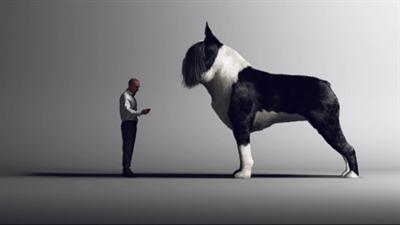
Cineversity - Boston Terrier Illustration
Duration: 1hr 11m | Video: h264, yuv420p, 1280x720 30fps | Audio: aac, 44100 Hz, 2 ch | 1.17 GB
Genre: eLearning | Language: English | Project files Included​


In this series we are going to go through the process of creating an illustration of a Boston Terrier from start to finish.

In this series we are going to go through the process of creating an illustration of a Boston Terrier from start to finish.

This includes creating the base polygon model for the dog using various modeling tools, Using BodyPaint 3D to make a UV Map, Creating an environment and setting up the lighting and camera exposure, creating the Fur and styling with the Hair Tools, as well as setting up the Hair Material, painting a custom texture in BodyPaint and using the custom texture to blend between two hair styles, and finally rendering the final image and saving with a filter applied.

Recommend Download Link Hight Speed | Please Say Thanks Keep Topic Live ​
 

4c7804fe419792c8259ca0006f5dea53.jpg

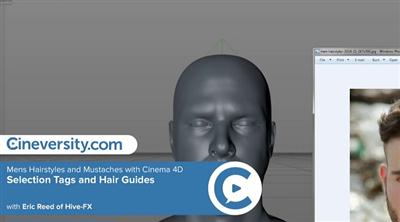
Cineversity - Mens Hairstyles and Mustaches with Cinema 4D
MP4 | Video: h264, yuv420p, 1280x720 30fps | Audio: aac, 44100 Hz, 2 ch | 448 MB
Genre: eLearning | Language: English | Project Files Included​


In this tutorial, restrict hair growth to a specific part of your character's head with a Polygon Selection Tag. You'll also add hair guides to better direct the growth of your hair in specific regions.

Recommend Download Link Hight Speed | Please Say Thanks Keep Topic Live ​
 

5745d22301a006ac58a4a4c384d7206d.jpg

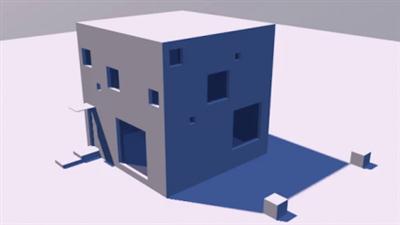
Cineversity - Sketchup to Cinema 4D
Duration: 1hr 21m | Video: h264, yuv420p, 1280x720 30fps | Audio: aac, 44100 Hz, 2 ch | 532 MB
Genre: eLearning | Language: English | Project files Included​


The Sketchup file import function added to Cinema 4D R17 allows for easy integration of your Sketchup model into Cinema 4D. It's as simple as opening your Sketchup 2015 file in Cinema 4D R17. This series will cover groups, layers, cameras, materials, shadows and geolocation, how to update Cinema 4D files with modified content from Sketchup, faceted objects, text objects, and scaling objects. After watching this series, you should have a good understanding of how to optimize your workflow between Sketchup and Cinema 4D.

Recommend Download Link Hight Speed | Please Say Thanks Keep Topic Live ​
 

a52d84045d2b9a38baf7814d2cb55104.jpg

Cineversity - Sports Motion Graphic Template in Cinema 4D
Duration: 1hr 57m | Video: h264, yuv420p, 1280x720 30fps | Audio: aac, 44100 Hz, 2 ch | 1.3 GB
Genre: eLearning | Language: English​


In this series, we will use Cinema 4D and After Effects to create a hybrid sports motion graphics template. We will use Cinema 4D to model, animate and render. Then in After Effects, we will composite the sequences together and build custom controls to change the overall color scheme of the template.

Recommend Download Link Hight Speed | Please Say Thanks Keep Topic Live ​
 

a54d1baeb2ee0e8d3ffb08f7ed86de73.jpg

Clean PHP URLs on Apache Server
MP4 | Video: AVC 1280x720 | Audio: AAC 48KHz 2ch | Duration: 1H 35M | 236 MB
Genre: eLearning | Language: English​


Clean URLs are great. They're elegant, easier to remember, and more user friendly than dynamic URLs. But the primary reason to use clean URLs is for SEO: to make it easier for search engines to index your site. This translates to better search results and increased page visits. Find out how to reap the benefits of clean URLs in your PHP code, in this course with PHP expert David Powers.

Rather than checking URLs individually, David shows how to evaluate and update them sitewide with the Apache mod_rewrite module. Watch these tutorials to learn how to enable mod_rewrite on your server, understand the structure of mod_rewrite rules, remove unnecessary file extensions, convert query strings into readable numbers and text, and use rewrite maps to look up complex values without regular expressions. Plus, learn how to enhance search results and provide searchers with links to specific parts of a webpage.

Recommend Download Link Hight Speed | Please Say Thanks Keep Topic Live ​
 

b083170b501738f61ac44516f5f05a1b.jpg

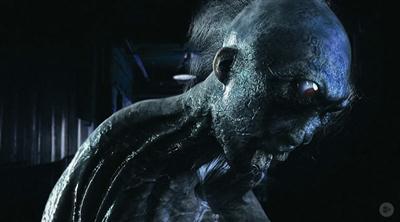
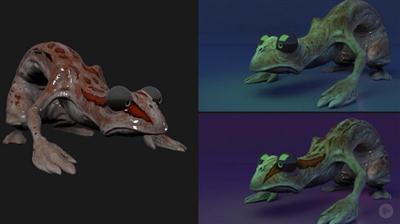
Conceptualizing 3D Horror Models in ZBrush
Duration: 4hr 37m | Video: h264, yuv420p, 1280x720 30fps | Audio: aac, 44100 Hz, 2 ch | 2.09 GB
Genre: eLearning | Language: English | Project Files Included​


Required software: ZBrush, Photoshop, Keyshot, Alien Skin Exposure X.

Knowing how to create scary creatures is a must in the film/game industry. You'll learn how to come up with creature ideas, sculpt/texture them, and finally shade and light them.
Horror is one of the most popular genres in the film/game industry. If you want to learn how to create models perfect for horror movies or games, this is the course for you! This course, Conceptualizing 3D Horror Models in ZBrush, will take you from the inspiration stage to the creation of the model using Zbrush, Keyshot, Photoshop and Alien Skin Exposure X. You will learn how to take inspiration from Lovecraft, Japanese horror, and other sources to create horror models.

First, you'll see some references that will help you create a concept that deserves the 'horror' label. Next, you'll get into the actual business of sculpting, texturing, and coloring your concept character. Finally, you'll give life to the concept by utilizing lighting and shading techniques in Keyshot that will give you a fantastic render. By the end of this course, you'll be more experienced with the knowledge and tools you need to create horrifying creatures for your own projects. Required software: ZBrush, Photoshop, Keyshot, Alien Skin Exposure X.

Recommend Download Link Hight Speed | Please Say Thanks Keep Topic Live ​
 

d0ad9f79bbb6d0fac1f38f3477034c0c.jpg

Creating a 3D Soda Can in Blender
Duration: 2 Hours | Video: h264, yuv420p, 1280x720 30fps | Audio: aac, 44100 Hz, 2 ch | 1.7 GB
Genre: eLearning | Language: English​


This course is project based, so it's not filled with meaningless modeling practices, but will teach you real-world examples and walk you step-by-step on how to create a usable 3D asset from start to finish.

What to Expect - This course is designed to not only allow a complete beginner to follow along, but even if you're a more experienced Blender user or 3D Artist you'll still be able to gain a wealth of knowledge from this course. Never get lost, as everything is step-by-step and recorded in real-time with easy to understand instructions the entire way.
You can use the model you create in this course in your LinkedIn profile, or an added kick to your portfolio and help you land that job at your dream studio. Even use the model you create in your own video game or short film.
Mark Masters not only has several years experience teaching various 3D subjects at Digital-Tutors, but he's also a 3D Animator/Generalist working in the industry. This means you get the most relevant information on how to create industry quality 3D assets.

Recommend Download Link Hight Speed | Please Say Thanks Keep Topic Live ​
 

16ce813fc415368990e0d4e7b90801d1.jpg

Lynda - Customer Service over the Phone
Size: 455 MB | Duration: 0h 52m | Video: AVC (.mp4) 1280x720 30fps | Audio: AAC 48KHz 2ch
Genre: eLearning | Level: Appropriate for all | Language: English​


Customer service expert Jeff Toister helps customer service specialists develop the specific skills needed to help customers over the phone. Learn how to break the ice and develop rapport with the people you serve, even when you're pressed for time. Tune out distractions and develop listening skills that are critically important to phone service. Last, learn how to express empathy, de-escalate angry callers, and stay focused throughout the day.

Topics include:
* Developing the perfect phone greeting
* Filling dead air
* Managing holds and transfers
* Listening
* Expressing empathy
* De-escalating angry callers

Recommend Download Link Hight Speed | Please Say Thanks Keep Topic Live ​
 

10316bf7a388751a78908c33edf028f2.jpg

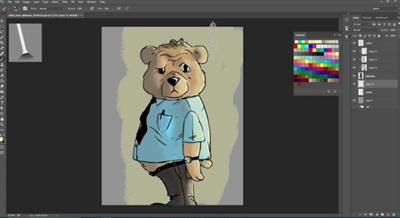
Digital Illustration Basics: How to Color a Drawing in Photoshop
Duration: 20m | Video: h264, yuv420p, 1280x720 30fps | Audio: aac, 44100 Hz, 2 ch | 242 MB
Genre: eLearning | Language: English​


Work side-by-side with illustrator Adams Eberwein as you learn a simple, flexible, and effective process for adding color to your favorite linework.

To begin, all you need is a basic black and white doodle, a digital paint program, and a drawing tablet. By the time you graduate from this brief class, you'll have a fully-colored illustration with a palette of your own design.

Recommend Download Link Hight Speed | Please Say Thanks Keep Topic Live ​
 

49d504fa14705585bba4b5295c0feaf1.jpg

Digital Tutors - Modo for Maya Artists
Duration: 1hr 38m | Video: h264, yuv420p, 1280x720 30fps | Audio: aac, 44100 Hz, 2 ch | 819 MB
Genre: eLearning | Language: English | Project Files Included​


Maya artists can enhance their work by integrating MODO into their pipeline, but while there are many similarities between the two programs, there are also significant differences. This course, MODO for Maya Artists, will help you understand how they can work together. We'll start by discussing the interface and learning how the different areas correspond to the familiar Maya interface, continuing on to learn how to navigate the 3D view, use some common hotkeys, and change MODO's navigation to match the Maya navigation.

Next, you'll learn about how MODO deals with objects, how you can move geometry around within those items, as well as how to use the many tools in MODO to affect models and add materials and textures to your renders. You'll finish up by learning the basics of animation and talk about moving files between Maya and MODO. By the end of this MODO training, you'll have a much better idea of the differences and similarities between Maya and MODO and will be able to start using the strengths of MODO as you integrate it into your Maya pipeline.

Recommend Download Link Hight Speed | Please Say Thanks Keep Topic Live ​
 

5ee54d742c0905a2bd686c34c0c1bc30.jpg

Fundamentals of Photoshop: Getting Started with the Interface, Tools, and Layers Photoshop I (HD)
Duration: 1hr 16m | Video: h264, yuv420p, 1280x720 30fps | Audio: aac, 44100 Hz, 2 ch | 451 MB
Genre: eLearning | Language: English​


Welcome to the first lesson in this five-part series of Photoshop classes. Throughout this series we'll cover everything you need to know to become a Photoshop pro. Knowing how to use Photoshop is an incredibly useful skill and is commonly used by anyone from photographers to graphic designers and illustrators. It is such a robust program that can be extremely overwhelming. I'll do my best to make you feel comfortable while I teach you the ins and outs.

What You'll Learn
In this class (Photoshop I) you'll learn the fundamentals of Photoshop's interface. I'll help to show you exactly what you're dealing with when you first launch Photoshop. Topics in this class include:
Resolution. We'll learn what resolution is and what it means. Together, we'll take a look at various compositions and devices and learn the standard resolution size for those formats. I'll give a special emphasis on resolution sizes for web and mobile, as those dimensions are always very specific.
Photoshop Workspaces. We'll open Photoshop together and take a peek around to see what's going on under the Photoshop hood. I'll show you exactly what you're looking at so that you feel comfortable as we move forward.
Tools and the Photoshop Toolbar. I'll briefly show you the handiest of tools and give you a few toolbar tips and tricks along the way. We'll study tool options and bonus surprises that each tool has.
Photoshop Windows. There are so many Photohop windows that it's hard to know which ones you'll need. I'll show you around the default windows, which are generally the most important, and tell you how they work. We'll specifically learn about the color window, the type windows, the layers window, and a few others.
Layers. Layers are such an important part of Photoshop. I'll show you everything you need to know about layers to become a Photoshop pro. We'll create layers, duplicate layers, and get them all organized into groups! It may boring, but if you're an organization fiend like I am...you'll love it.
Saving Files and File Types. There are a lot of ways to save your Photoshop files. I'll do my best to show you the most important ways to do so. We'll learn what exactly a PSD file is. How to save PDFs in Photoshop and the various image types that you can save to.
Adjusting your Canvas Size. Your Photoshop canvas is like a window into the soul of your project. And it can be quite frustrating when the size of your canvas is holding you back. I'll show you how to adjust your canvas size most effectively and let you know when the right time to adjust the size of your canvas is.
The Zoom Tool. I'll show you the quick n' dirty tips and tricks of the zoom tool and how to zoom most effectively.
Best File Naming Practices. Knowing how to name your files is incredibly important if you want to keep them organized. It's easy to haphazardly name your files and not be able to find them again. I'll show you my favorite methods for naming my files and organizing them into folders.

Recommend Download Link Hight Speed | Please Say Thanks Keep Topic Live ​

 

b2d77d9aaead6153e4e49a5a77c49a98.jpg

Girl & Car by Ivan Gorokhov - Photography Tutorial
Duration: 50m | Video: h264, yuv420p, 1920x1080 30fps | Audio: aac, 44100 Hz, 2 ch | 2.03 GB
Genre: eLearning | Language: English | Raw file Included​


FULL PHOTO TUTORIAL SET IN IVAN GOROKHOV STYLE, RETOUCH OF THE SKIN AND DIFFERENT TYPES OF COLOR CORRECTION.

IT WILL BE VERY EASY FOR U TO MAKE A REAL GOOD
WITHOUT SPENDING TO MUCH TIME ON PROCESSING PICTURES !
YOUR PHOTO WILL BE VERY ATMOSPHERE!
YOU WILL SAVE YOUR TIME FOR PROCESSING
PROCESSING WILL ACTUALLY BE AN AUTOMATICAL THING FOR YOU!

Recommend Download Link Hight Speed | Please Say Thanks Keep Topic Live ​

 
Zurück
Oben Unten