• Regeln für den Video-Bereich:

    In den Börsenbereich gehören nur Angebote die bereits den Allgemeinen Regeln entsprechen.

    Einteilung

    - Folgende Formate gehören in die angegeben Bereiche:
    - Filme: Encodierte Filme von BluRay, DVD, R5, TV, Screener sowie Telesyncs im Format DivX, XviD und x264.
    - DVD: Filme im Format DVD5, DVD9 und HD2DVD.
    - HD: Encodierte Filme mit der Auflösung 720p oder darüber von BluRay, DVD, R5, TV, Screener sowie Telesyncs im Format x264.
    - 3D: Encodierte Filme von BluRay, die in einem 3D Format vorliegen. Dies gilt auch für Dokus, Animation usw.
    - Serien: Cartoon/Zeichentrick, Anime, Tutorials, Dokumentationen, Konzerte/Musik, Sonstiges sind demnach in die entsprechenden Bereiche einzuordnen, auch wenn sie beispielsweise im High Definition-Format oder als DVD5/DVD9/HD2DVD vorliegen. Ausnahme 3D.
    - Bereich Englisch: Englische Releases gehören immer in diesen Bereich.
    - Bereich Talk: Der Bereich, in dem über die Releases diskutiert werden kann, darf, soll und erwünscht ist.


    Angebot/Beitrag erstellen

    - Ein Beitrag darf erst dann erstellt werden, wenn der Upload bei mindestens einem OCH komplett ist. Platzhalter sind untersagt.
    - Bei einem Scenerelease hat der Threadtitel ausschließlich aus dem originalen, unveränderten Releasenamen zu bestehen. Es dürfen keine Veränderungen wie z.B. Sterne, kleine Buchstaben o.ä. vorgenommen werden. Ausnahme Serienbörse:
    - Bei einem Sammelthread für eine Staffel entfällt aus dem Releasename natürlich der Name der Folge. Beispiel: Die Simpsons S21 German DVDRip XviD - ITG
    - Dementsprechend sind also u.a. verboten: Erweiterungen wie "Tipp", "empfehlenswert", "only", "reup", usw. / jegliche andere Zusatzinformation oder Ergänzung, welche nicht in obiger Beschreibung zu finden ist.

    Aufbau des Angebots und Threadtitel

    Der Titel nach folgendem Muster erstellt zu werden. <Name> [3D] [Staffel] [German] <Jahr> <Tonspur> [DL] [Auflösung] <Quelle> <Codec> - <Group>
    Beispiel: The Dark Knight German 2008 AC3 DVDRip XviD - iND
    Beispiel: The Dark Knight 2008 DTS DL BDRip x264 - iND
    Beispiel: The Dark Knight 2008 AC3 DL BDRip XviD - iND
    Beispiel: The Dark Knight German 2008 AC3 720p BluRay x264 iND
    Beispiel: The Dark Knight 2008 DTS DL 1080p BluRay x264 iND
    Beispiel: Die Simpsons S01 German AC3 DVDRip XviD iND
    Beispiel: Die Simpsons S20 German AC3 720p BluRay x264 iND
    Beispiel: Sword Art Online II Ger Sub 2014 AAC 1080p WEBRip x264 - peppermint
    Entsprechend sind also u.a. verboten: Sonderzeichen wie Klammern, Sterne, Ausrufezeichen, Unterstriche, Anführungszeichen / Erweiterungen wie "Tipp", "empfehlenswert", "only", "reup", usw. / jegliche andere Zusatzinformation oder Ergänzung, welche nicht in obiger Beschreibung zu finden ist
    Ausnahmen hiervon können in den Bereichen geregelt sein.

    Die Beiträge sollen wie folgt aufgebaut werden:
    Überschrift entspricht dem Threadtitel
    Cover
    kurze Inhaltsbeschreibung
    Format, Größe, Dauer sind gut lesbar für Downloader außerhalb des Spoilers zu vermerken
    Nfo sind immer Anzugeben und selbige immer im Spoiler in Textform.
    Sind keine Nfo vorhanden z.B. Eigenpublikationen, sind im Spoiler folgende Dateiinformationen zusätzlich anzugeben :
    Quelle
    Video (Auflösung und Bitrate)
    Ton (Sprache, Format und Bitrate der einzelnen Spuren)
    Untertitel (sofern vorhanden)
    Hosterangabe in Textform außerhalb eines Spoiler mit allen enthaltenen Hostern.
    Bei SD kann auf diese zusätzlichen Dateiinformationen verzichtet werden.

    Alle benötigten Passwörter sind, sofern vorhanden, in Textform im Angebot anzugeben.
    Spoiler im Spoiler mit Kommentaren :"Schon Bedankt?" sind unerwünscht.


    Releases

    - Sind Retail-Release verfügbar, sind alle anderen Variationen untersagt. Ausnahmen: Alle deutschen Retail-Release sind CUT, in diesem Fall sind dubbed UNCUT-Release zulässig.
    - Im Serien-Bereich gilt speziell: Wenn ein Retail vor Abschluss einer laufenden Staffel erscheint, darf diese Staffel noch zu Ende gebracht werden.62
    - Gleiche Releases sind unbedingt zusammenzufassen. Das bedeutet, es ist zwingend erforderlich, vor dem Erstellen eines Themas per Suchfunktion zu überprüfen, ob bereits ein Beitrag mit demselben Release besteht. Ist dies der Fall, ist der bereits vorhandene Beitrag zu verwenden.
    - P2P und Scene Releases dürfen nicht verändert oder gar unter einem iND Tag eingestellt werden.


    Support, Diskussionen und Suche

    - Supportanfragen sind entweder per PN oder im Bereich Talk zu stellen.
    - Diskussionen und Bewertungen sind im Talk Bereich zu führen. Fragen an die Uploader haben ausschließlich via PN zu erfolgen, und sind in den Angeboten untersagt.
    - Anfragen zu Upload-Wünschen sind nur im Bereich Suche Video erlaubt. Antworten dürfen nur auf Angebote von MyBoerse.bz verlinkt werden.


    Verbote

    - Untersagt sind mehrere Formate in einem einzigen Angebotsthread, wie beispielsweise das gleichzeitige Anbieten von DivX/XviD, 720p und 1080p in einem Thread. Pro Format, Release und Auflösung ist ein eigener Thread zu eröffnen.
    - Grundsätzlich ebenso verboten sind Dupes. Uploader haben sich an geeigneter Stelle darüber zu informieren, ob es sich bei einem Release um ein Dupe handelt.
    - Gefakte, nur teilweise lauffähige oder unvollständige Angebote sind untersagt. Dies gilt auch für eigene Publikationen, die augenscheinlich nicht selbst von z.B. einer DVD gerippt wurden. Laufende Serien, bei denen noch nicht alle Folgen verfügbar sind, dürfen erstellt und regelmäßig geupdatet werden.
    - Untersagt sind Angebote, welche nur und ausschließlich in einer anderen Sprache als deutsch oder englisch vorliegen. Ausnahmen sind VORHER mit den Moderatoren zu klären.


    Verstoß gegen die Regeln

    - Angebote oder Beiträge, die gegen die Forenregeln verstoßen, sind über den "Melden"-Button im Beitrag zu melden.
  • Bitte registriere dich zunächst um Beiträge zu verfassen und externe Links aufzurufen.


Englische Tutorials


93561c1bd6de91d35d01cdafe52e8915.jpg

Groove3 - EDM Digital Mixing with Analog Results (2016)
01:47:57 | MP4 | 1920 x 1080 | AVC 774 kbps | 59.992 fps | AAC | 153 Kbps | 44.1 KHz | 2 ch | 685 MB
Genre: Video Tutorial / Sound Processing​


Star mixer Koen Heldens has worked on tracks for Beyonce, Lil Wayne, Rhianna, Missy Elliot, and scores more. Koen is in high demand because when he mixes "in the box" it sounds like he's behind a mega-console with a ton of analog outboard gear. See how Koen does it as he shares some of his juiciest EDM mixing secrets!

Koen approaches mixing in a very organized way, and he starts out on how to process the kick drum in order to get that punchy EDM kick sound.

He then demonstrates how you can craft the perfect snare and clap sounds with punch and presence, and then explores how to process toms, overheads and the drum group, finishing up drum processing duties.
Moving to the rest of the instruments, Koen demonstrates how to process the bass group using both sidechain and parallel processing, followed by how to create wide, cinematic club keyboard sounds, and how to carve out space for effects.

How to use groups and group parallel processing to give vocals a lift is next, and Koen concludes his series with a video on mix bus processing to give everything that final, radio-ready sheen.
Whether you've just started mixing EDM music, or you're an experienced mixer looking for some pro tips from one of the best, watch "EDM Digital Mixing with Analog Results" today!

Content:

5:13 Tutorial 1 Kick Drum Processing
6:43 Tutorial 2 Kick Low Parallel Processing
6:31 Tutorial 3 Kick Top Parallel Processing
5:23 Tutorial 4 Clap Processing
4:52 Tutorial 5 Snare Processing
4:50 Tutorial 6 Clap & Snare Parallel Midrange Processing
3:47 Tutorial 7 Clap & Snare Parallel Top Processing
3:35 Tutorial 8 Toms Processing
5:22 Tutorial 9 Toms Low Parallel Processing
5:46 Tutorial 10 Toms Top Parallel Processing
5:49 Tutorial 11 OH Processing
7:13 Tutorial 12 Drum Group Processing
4:11 Tutorial 13 Drum Group Transient Designer Processing
6:05 Tutorial 14 Bass Group Processing
4:17 Tutorial 15 Bass Group Parallel Processing
2:58 Tutorial 16 Bass Group Sidechain Processing
6:18 Tutorial 17 Keyboard Group Processing
3:56 Tutorial 18 Keyboard Group Sidechain Processing
2:30 Tutorial 19 EFX Group Processing
7:00 Tutorial 20 Vocal Group Processing
5:28 Tutorial 21 Mix Buss Processing

Recommend Download Link Hight Speed | Please Say Thanks Keep Topic Live ​

 

885f361ec3b13e7b5c5fdacf904f1853.jpg

Lynda - Learn Modular Synthesis
Size: 1.85 GB | Duration: 3h 51m | Video: AVC (.mp4) 1280x720 24fps | Audio: AAC 48KHz 2ch
Genre: eLearning | Level: Intermediate | Language: English​


One of the most exciting areas of modern music creation is modular synthesis, where you get to assemble your own flexible and customizable instruments using components (aka modules) from a variety of manufacturers. In this course, music industry veteran and synth designer Chris Meyer guides you through putting together a modular system and interconnecting it with the rest of your studio. He reviews typical module arrangements, explains how the modules talk to each other, and covers details such as the differences between waveforms, filter modes, envelope types, and more. This course will be based around the widely available Roland SYSTEM-500 Eurorack-standard synthesizer modules, complemented with modules from several other manufacturers. As most modules, synthesizer keyboards, and plugins are designed around the same principles, this course lets you dig deeper into synthesis and programming your sounds regardless of the equipment you own.

Topics include:
* Putting a system together
* Getting sound in and out
* Patching a typical synthesizer "voice"
* Tuning voltage-controlled oscillators (VCOs)
* Working with waveforms
* Using filter
* Exploring frequency modulation, waveshaping, oscillator sync, effects, and more

Recommend Download Link Hight Speed | Please Say Thanks Keep Topic Live ​

 

dc53645f68045e7669bcb055c95c2dff.jpg

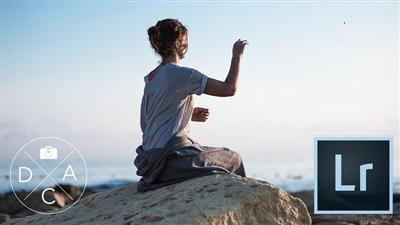
Lightroom CC Crash Course
Duration: 2hr 30m | Video: h264, yuv420p, 1280x720 30fps | Audio: aac, 44100 Hz, 2 ch | 1.3 GB
Genre: eLearning | Language: English | Raw files Included​


Learn Adobe Lightroom CC - manage, organize and edit your photos effectively

I have created this course to help you get started with Adobe Lightroom CC. I have noticed that very often students are put off by complexities of Lightroom managing system and that way they are missing out on fantastic editing features available in Lightroom.

I will in a simple to understand way explain how Lightroom works, I cover in detail how to effectively organize your photos with Lightroom and how to backup your work, so you could fully enjoy the creative modules of the application.

Lightroom is a very powerful tool and it is definitely a great idea to at least try it out. Many photographers I know, including myself were working mostly with Photoshop, but once they were introduced properly to LR they shifted their workflow and never looked back!

I will explain in an easy to understand way:
how to import and organize your images,
how to adjust and retouch your photos,
and finally how to share your images.
I will talk in detail about Lightroom Presets, I will explain how to work with the Histogram Tool, how to perform color adjustments with the HSL panel and how to create a panorama with new LR feature Photo Merge.

Recommend Download Link Hight Speed | Please Say Thanks Keep Topic Live ​

 

6f11a4afd1bd40fdb081e9221484903a.jpg

Lynda - Linux Kernel Fundamentals
Size: 441 MB | Duration: 2h 47m | Video: AVC (.mp4) 1280x720 15&30fps | Audio: AAC 48KHz 2ch
Genre: eLearning | Level: Advanced | Language: English​


What lies at the heart of the Linux operating system? The Linux kernel. Every Linux professional-including those in system administration, operations, and software development-needs to be familiar with the functionality of the Linux kernel as well as the mechanics of configuring and troubleshooting it. Master the fundamentals in this training course with Dr. Kevin Dankwardt. We survey the Linux kernel specification, boot process, and loadable kernel modules. You will practice techniques such as ing and searching Linux kernel source code and configuring a Linux kernel from scratch. Challenge and solution videos at the end of almost every chapter allow you to test your new Linux skills along the way.

Topics include:
* What is the Linux kernel?
* Controlling hardware
* Reading Linux kernel messages
* Reading and writing files from the proc and sysfs filesystems
* Configuring GRUB
* Using kernel command-line parameters
* Configuring run levels
* Debugging
* Working with loadable kernel modules (LKMs)
* Searching the kernel source code
* Building and installing a Linux kernel

Recommend Download Link Hight Speed | Please Say Thanks Keep Topic Live ​
 

27b465d1368c23d0e24e5b92a513ff66.jpg

Making Your First Zine: From Idea to Illustration
Duration: 46m | Video: h264, yuv420p, 1280x720 30fps | Audio: aac, 44100 Hz, 2 ch | 870 MB
Genre: eLearning | Language: English​


Get ready to go zine crazy! Join the delightful designer and illustrator Kate Bingaman-Burt to learn how to make your first zine. This 45-minute class is full of history, ideas, and illustration tips to free your imagination and help you create an awesome, empowering little piece of print.

Zines are a cheap form of printed expression. They're DIY, easy to reproduce, and you don't need anyone's permission to get started. The whole point is sharing something YOU care about and YOU want people to know.
This class is chock-full of creative prompts - a zine about tiny office plants! your cell phone history! your first crush! - and a able template to help you fold/cut in just the right places.
Illustrators, designers, and all creators welcome. Everyone should take this class! All you need is a sheet of paper, your brain, and some writing/drawing utensils. Don't overthink it! Grab a pen, an idea, and let's go.

Recommend Download Link Hight Speed | Please Say Thanks Keep Topic Live ​

 

edcfda84564bf14fc652d3e5a13f373c.jpg

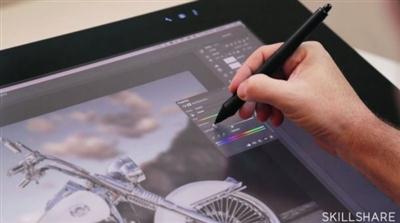
Photoshop Compositing Made Simple: The L.E.N.S. System
Duration: 1hr 14m | Video: h264, yuv420p, 1280x720 30fps | Audio: aac, 44100 Hz, 2 ch | 1.36 GB
Genre: eLearning | Language: English​


Ever wonder how to seamlessly merge and collage images in Photoshop - so seamlessly that the final photo looks real? Learn how to Photoshop like a boss (or, if you feel so inclined, even Photoshop your boss) with photographer/illustrator Pete Collins and Wacom.

In this one-hour walkthrough loaded with tips, tricks and keyboard shortcuts, Pete shares his signature L.E.N.S. system for compositing (merging different images in a realistic way), and how to fine-tune the four key components of an effective composite:
Lighting
Elevation
Noise
Sharpness
Be forewarned - you may get addicted to Pete's class assignment, embellishing your loved one's likeness into a fantastical figure.
Whether you're a beginner or Photoshop pro, this class will inspire you to look at images differently, make your own, and have a lot of fun in the process.

Recommend Download Link Hight Speed | Please Say Thanks Keep Topic Live ​

 

27ee27febf656c77f09b54948b5f27f4.jpg

Python Network Programming: Build 5 Python Apps
13.5 hours | .MP4, AVC, 1000 kbps, 1280x720 | English, AAC, 64 kbps, 2 Ch | 1.37 GB
Genre: eLearning | Language: English​


Learn Python From Scratch! Go from zero programming to building great network apps with Python! Full Python Apps Inside!

Do you want to become a Python Developer without having to spend a lot of money on books and boring theoretical courses?
Are you a network professional who wants to start automating network tasks using Python?
Or maybe you're seeking a raise or even a career change?

During this course you will learn Python concepts which are relevant to your networking job and build some amazing network tools using Python:

Python App#1: Subnet calculator.
Python App#2: Configuring multiple network devices concurrently via SSH or Telnet.
Python App#3: DHCP client simulator for testing a DHCP server in the local network.
Python App#4: Collecting information from routers and storing it in a MySQL database.
Python App#5: OSPF network discovery via SNMP. Building the OSPF topology.

What will I learn?

Master all the Python key concepts starting from scratch.
Use Python for connecting via Telnet to any network device.
Use Python for connecting via SSH to any network device.
Use Python for querying SNMP objects on any network device.
Use Python for querying, populating and updating a MySQL database.
Use Python for capturing, decoding and analyzing network packets.
Use Python for building customized network packets and send them to a network device.
Apply Python skills to build various tools for network interaction.
Create Python apps to automate daily networking tasks like configuring devices, collecting information about the network, network discovery or testing by client simulations.
Get the full code of 7 great Python network applications and customize them according to your needs.
Regular course updates: new lectures, applications and documents.
Ask for a raise or apply for a better job using the skills gained from this course.
Learn how to easily convert Python 2.x code to Python 3.x in Windows and Linux.

Recommend Download Link Hight Speed | Please Say Thanks Keep Topic Live ​
 

77182701ca1bead3a831937f407f0efc.jpg

Rigging Human IK Characters for Mocap in Maya and Motion Builder 2016
Duration: 1hr 30m | Video: h264, yuv420p, 1280x720 30fps | Audio: aac, 44100 Hz, 2 ch | 509 MB
Genre: eLearning | Language: English | Project Files Included​


Software required: Maya 2016, MotionBuilder2016.

Autodesk's HumanIK control makes rigging characters for motion capture easier. This course will teach you how to set up a character, put it through a range of motion, and refine polygon deformations.
Setting up characters is complex and subjective, and often unique to the particular character. Character rigging is one of the least understood areas of animation, even for expert Maya artists. Getting good character rigging results takes practice and commitment. In this course, Rigging Human IK Characters for Mocap in Maya and Motion Builder 2016, you will be using both Maya and MotionBuilder 2016 to rig a human character using HumanIK controls. After discovering how to complete the initial rigging, you will learn how to apply motion capture data, and you'll also learn how to begin testing and refining the character's rigging and weight mapping. After viewing this course, you will have a solid understanding of rigging using Autodesk HumanIK controls, and you will be able to apply motion capture data easily to your own rigged characters. Software required: Maya 2016, MotionBuilder2016.

Recommend Download Link Hight Speed | Please Say Thanks Keep Topic Live ​
 

1147c0a0e52458dbd38825e2e24b9ec8.jpg

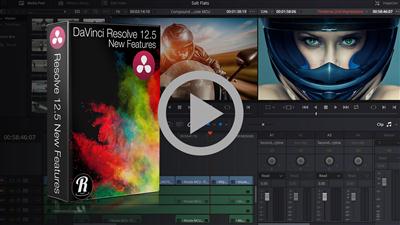
Ripple Training - DaVinci Resolve 12.5 - New Features
Duration 4h 35m | Video: h264, 1920x1080 | Audio: aac, 48000 Hz, 1 ch | 2.46GB
Genre: eLearning | Language: English | Project files Included​


DaVinci Resolve 12.5 - New Features
The recently announced DaVinci Resolve 12.5 is more powerful than ever, with 250 new features and UI enhancements. DaVinci Resolve 12.5 - New Features is a new training title from noted author and colorist Alexis Van Hurkman.

In this training you'll work with Blackmagic's Fusion compositing software to create a visual effect, send it to Resolve, then bring it back again. You'll learn how media management just became easier with Power Bins for sharing your sound effects, titles and clips among all projects you create.

When it comes to editing, you'll discover helpful enhancement such as new clip color-coding, an improved 'new tracks' dialog for inserting multiple tracks anywhere in your timeline, and expanded multi-clip swap edits that make it a snap to rearrange segments and scenes in your timeline.

And there are many improvements to grading, too. There's new support for high-dynamic-range color, with updated scopes, an HDR Grading Mode in the node editor, and improved dual-setting Resolve Color Management. You'll learn how the new Temperature and Tint controls make it easy to add small color tweaks, while improved Log and Contrast controls make grading in Resolve even smoother.

You'll learn how to select multiple control points when editing Power Windows, how to apply the vastly improved Temporal noise reduction controls to fix problem clips, how to edit node trees faster than ever before, and how to use the new Reference Sizing controls and clickable Split Screen Views to compare clips and grades even more easily.

Finally, you'll get an overview of the new ResolveFX filters with an introduction to the Glow, Light Rays, Lens Blur, Film Grain, Lens Flare effects and more, and you'll see how to use the new FX Tracker to make your effects follow along with the motion of a shot.

Among the hundreds of new features Alexis covers, you'll find innumerable ways to edit, grade, and finish faster and smoother than ever.

Who this Tutorial is for:
This tutorial is for editors, colorists and content creators who need an immersive guide to the new features in DaVinci Resolve 12.5 This tutorial was designed for users who are already familiar with previous versions of DaVinci Resolve. Users who need to get up to speed quickly should purchase our DaVinci Resolve 12 QuickStart.

Recommend Download Link Hight Speed | Please Say Thanks Keep Topic Live ​
 

0c1bd69390d827442449c4e4e2b052a4.jpg

SimplyMaya - Burt The Cartoon Dinosaur Vol2 Texturing
MP4 | Video: h264, yuv420p, 1920x1080 | Audio: aac, 48000 Hz, 1 ch | 1.5GB
Genre: eLearning | Language: English | Project files Included​


This tutorial starts with the creation of the UV map using new techniques in Maya 2016. Using this UV workflow it's possible to UV a character like this in around 15 minutes. We also take a look at UV tiling to maximize texture space as well as making our job of painting in Mari easier.

We then move on to photoshop where we'll look at hand painting the eye and the base skin texture. Next we enter Mari where we work on the texture. We'll cover all the tools necessary to create the texture and the creation of a bump and spec map within Mari.

After our final texture is complete we'll go into maya and set up a lighting scheme and start designing the material for Burt. We'll look at the Mila material and how to set up a sub surface scattering network.

Step by step scene files are included. This tutorial has been created in Maya 2016, Photoshop and Mari 2.6v5.

Recommend Download Link Hight Speed | Please Say Thanks Keep Topic Live ​
 

fc727ab79a90deacea6552d71f71831e.jpg

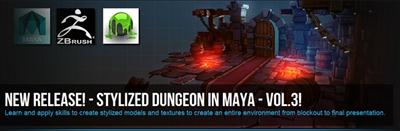
3DMotive - Stylized Dungeon In Maya Volume 3
10 Lessons | Video: h264, yuv420p, 1280x720 30fps | Audio: aac, 44100 Hz, 2 ch | 1.4GB
Genre: eLearning | Language: English | Project Files Included​


In this course we will be going through the process of creating a small stylized dungeon environment from the blockout stage to the final presentation. I will be guiding you through the process of modeling the low poly assets and show you different techniques of uving. We will then take our assets to zbrush where I will be showing how to define all the materials that you will find in this environment. We will use some of the zbrush sculpts to render tiling texture flats that we can composite in Photoshop. I will be guiding you through the process of painting the textures for a few assets so you can reproduce this process for the remaining models. Finally we are going to set up a scene in marmoset for the final presentation. At the end of this course you will be able to create and understand the workflow that I use to create stylized environments like this one.

Recommend Download Link Hight Speed | Please Say Thanks Keep Topic Live ​

 

2564b56e5eb00c5856fcdc7632d200df.jpg

Visual Design for the Web (2016)
4h 01nm | 1280 x 726 | AVC ~609 kbps | 15 fps | AAC 44.1 KHz | 1 channel | 1.42 GB
Genre: eLearning | Language: English | Project files Included​


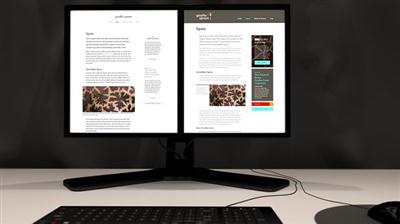
Viewers can expect to learn how to apply the basic principles of HTML and CSS (as ideas, not actual code), accessibility, responsive design, and usability, to their typography, use of color, layout, and design aesthetic. The creative exercise built into the format of the course (we will use the same content to create two visually different interior pages, both desktop and mobile) will help demonstrate the power of visual design in crafting distinctive user interfaces tailored to different brand design and esthetics.
Though the literal "deliverable" of the course will be two fairly simple interior website pages, the real purpose of this course is to bring together the abstract, gestalt principles of graphic design into the working, machine parts of frontend code and interface design. Lessons will cover what skills, knowledge, and tools designers or developers might need to know in order to make their user interfaces well designed, build-ready for proper semantics, and intuitive for users.

Recommend Download Link Hight Speed | Please Say Thanks Keep Topic Live ​
 
Zurück
Oben Unten