• Regeln für den Video-Bereich:

    In den Börsenbereich gehören nur Angebote die bereits den Allgemeinen Regeln entsprechen.

    Einteilung

    - Folgende Formate gehören in die angegeben Bereiche:
    - Filme: Encodierte Filme von BluRay, DVD, R5, TV, Screener sowie Telesyncs im Format DivX, XviD und x264.
    - DVD: Filme im Format DVD5, DVD9 und HD2DVD.
    - HD: Encodierte Filme mit der Auflösung 720p oder darüber von BluRay, DVD, R5, TV, Screener sowie Telesyncs im Format x264.
    - 3D: Encodierte Filme von BluRay, die in einem 3D Format vorliegen. Dies gilt auch für Dokus, Animation usw.
    - Serien: Cartoon/Zeichentrick, Anime, Tutorials, Dokumentationen, Konzerte/Musik, Sonstiges sind demnach in die entsprechenden Bereiche einzuordnen, auch wenn sie beispielsweise im High Definition-Format oder als DVD5/DVD9/HD2DVD vorliegen. Ausnahme 3D.
    - Bereich Englisch: Englische Releases gehören immer in diesen Bereich.
    - Bereich Talk: Der Bereich, in dem über die Releases diskutiert werden kann, darf, soll und erwünscht ist.


    Angebot/Beitrag erstellen

    - Ein Beitrag darf erst dann erstellt werden, wenn der Upload bei mindestens einem OCH komplett ist. Platzhalter sind untersagt.
    - Bei einem Scenerelease hat der Threadtitel ausschließlich aus dem originalen, unveränderten Releasenamen zu bestehen. Es dürfen keine Veränderungen wie z.B. Sterne, kleine Buchstaben o.ä. vorgenommen werden. Ausnahme Serienbörse:
    - Bei einem Sammelthread für eine Staffel entfällt aus dem Releasename natürlich der Name der Folge. Beispiel: Die Simpsons S21 German DVDRip XviD - ITG
    - Dementsprechend sind also u.a. verboten: Erweiterungen wie "Tipp", "empfehlenswert", "only", "reup", usw. / jegliche andere Zusatzinformation oder Ergänzung, welche nicht in obiger Beschreibung zu finden ist.

    Aufbau des Angebots und Threadtitel

    Der Titel nach folgendem Muster erstellt zu werden. <Name> [3D] [Staffel] [German] <Jahr> <Tonspur> [DL] [Auflösung] <Quelle> <Codec> - <Group>
    Beispiel: The Dark Knight German 2008 AC3 DVDRip XviD - iND
    Beispiel: The Dark Knight 2008 DTS DL BDRip x264 - iND
    Beispiel: The Dark Knight 2008 AC3 DL BDRip XviD - iND
    Beispiel: The Dark Knight German 2008 AC3 720p BluRay x264 iND
    Beispiel: The Dark Knight 2008 DTS DL 1080p BluRay x264 iND
    Beispiel: Die Simpsons S01 German AC3 DVDRip XviD iND
    Beispiel: Die Simpsons S20 German AC3 720p BluRay x264 iND
    Beispiel: Sword Art Online II Ger Sub 2014 AAC 1080p WEBRip x264 - peppermint
    Entsprechend sind also u.a. verboten: Sonderzeichen wie Klammern, Sterne, Ausrufezeichen, Unterstriche, Anführungszeichen / Erweiterungen wie "Tipp", "empfehlenswert", "only", "reup", usw. / jegliche andere Zusatzinformation oder Ergänzung, welche nicht in obiger Beschreibung zu finden ist
    Ausnahmen hiervon können in den Bereichen geregelt sein.

    Die Beiträge sollen wie folgt aufgebaut werden:
    Überschrift entspricht dem Threadtitel
    Cover
    kurze Inhaltsbeschreibung
    Format, Größe, Dauer sind gut lesbar für Downloader außerhalb des Spoilers zu vermerken
    Nfo sind immer Anzugeben und selbige immer im Spoiler in Textform.
    Sind keine Nfo vorhanden z.B. Eigenpublikationen, sind im Spoiler folgende Dateiinformationen zusätzlich anzugeben :
    Quelle
    Video (Auflösung und Bitrate)
    Ton (Sprache, Format und Bitrate der einzelnen Spuren)
    Untertitel (sofern vorhanden)
    Hosterangabe in Textform außerhalb eines Spoiler mit allen enthaltenen Hostern.
    Bei SD kann auf diese zusätzlichen Dateiinformationen verzichtet werden.

    Alle benötigten Passwörter sind, sofern vorhanden, in Textform im Angebot anzugeben.
    Spoiler im Spoiler mit Kommentaren :"Schon Bedankt?" sind unerwünscht.


    Releases

    - Sind Retail-Release verfügbar, sind alle anderen Variationen untersagt. Ausnahmen: Alle deutschen Retail-Release sind CUT, in diesem Fall sind dubbed UNCUT-Release zulässig.
    - Im Serien-Bereich gilt speziell: Wenn ein Retail vor Abschluss einer laufenden Staffel erscheint, darf diese Staffel noch zu Ende gebracht werden.62
    - Gleiche Releases sind unbedingt zusammenzufassen. Das bedeutet, es ist zwingend erforderlich, vor dem Erstellen eines Themas per Suchfunktion zu überprüfen, ob bereits ein Beitrag mit demselben Release besteht. Ist dies der Fall, ist der bereits vorhandene Beitrag zu verwenden.
    - P2P und Scene Releases dürfen nicht verändert oder gar unter einem iND Tag eingestellt werden.


    Support, Diskussionen und Suche

    - Supportanfragen sind entweder per PN oder im Bereich Talk zu stellen.
    - Diskussionen und Bewertungen sind im Talk Bereich zu führen. Fragen an die Uploader haben ausschließlich via PN zu erfolgen, und sind in den Angeboten untersagt.
    - Anfragen zu Upload-Wünschen sind nur im Bereich Suche Video erlaubt. Antworten dürfen nur auf Angebote von MyBoerse.bz verlinkt werden.


    Verbote

    - Untersagt sind mehrere Formate in einem einzigen Angebotsthread, wie beispielsweise das gleichzeitige Anbieten von DivX/XviD, 720p und 1080p in einem Thread. Pro Format, Release und Auflösung ist ein eigener Thread zu eröffnen.
    - Grundsätzlich ebenso verboten sind Dupes. Uploader haben sich an geeigneter Stelle darüber zu informieren, ob es sich bei einem Release um ein Dupe handelt.
    - Gefakte, nur teilweise lauffähige oder unvollständige Angebote sind untersagt. Dies gilt auch für eigene Publikationen, die augenscheinlich nicht selbst von z.B. einer DVD gerippt wurden. Laufende Serien, bei denen noch nicht alle Folgen verfügbar sind, dürfen erstellt und regelmäßig geupdatet werden.
    - Untersagt sind Angebote, welche nur und ausschließlich in einer anderen Sprache als deutsch oder englisch vorliegen. Ausnahmen sind VORHER mit den Moderatoren zu klären.


    Verstoß gegen die Regeln

    - Angebote oder Beiträge, die gegen die Forenregeln verstoßen, sind über den "Melden"-Button im Beitrag zu melden.
  • Bitte registriere dich zunächst um Beiträge zu verfassen und externe Links aufzurufen.


Englische Tutorials


a799d71bb75ea4d54a87499a16e07311.jpg

CodeSchool - Soup to Bits: Try Ember
WEBRip | English | MP4 + Project files | 1280 x 720 | AVC ~1500 kbps | 24 fps
AAC | 105 Kbps | 48.0 KHz | 2 channels | 1h 41mn | 1.21 GB​

Genre: Video Tutorial / Development, Programming
In this Soup to Bits episode, we are going to take what we learned from Try Ember and build an application step by step. Nathaniel Bibler and Gregg Pollack will walk you through building a Wilderness Safety Quiz app, which is the quizzing/polling system seen in the Try Ember course.

Nathaniel Bibler
Nate is a software developer who likes to focus on large, multi-part systems and APIs. He can often be found at his lab station drooling over documentation, reconfiguring a web server, or trying to shave 3 more bytes off a graphic.

Gregg Pollack
Gregg is passionate about taking complex topics and teaching them efficiently. He's helped build Envy Labs, Starter Studio, and Code School. He also furthers education through BarCamp in Orlando, the Orlando Ruby Users Group, and the Orlando Tech Events newsletter.

Recommend Download Link Hight Speed | Please Say Thanks Keep Topic Live ​
 

e46b5d100e23c44474c17d6f2f5f7f86.jpg

Coursera - A Life of Happiness and Fulfillment
WEBRip | English | MP4 | 960 x 540 | AVC ~236 kbps | 29.970 fps
AAC | 128 Kbps | 44.1 KHz | 2 channels | ~9 hours | 2.39 GB​

Genre: eLearning Video / Positive Psychology, Mindset, Achievement, Business
This course, based on the award-winning class offered both at the Indian School of Business and at the McCombs School of Business at The University of Texas at Austin, developed by Prof. Raj Raghunathan (aka "Dr. Happy-smarts") draws content from a variety of fields, including psychology, neuroscience, and behavioral decision theory to offer a tested and practical recipe for leading a life of happiness and fulfillment.

Syllabus

Week 1
Module 1: Course intro and happiness measurement

Module 2: The 1st sin, habit, and exercise

Introduction to the course
How a business-school professor got to teach happiness!
Happiness measurement
Overview of course content
The 1st deadly happiness sin: devaluing happiness
The 1st habit of the highly happy: Prioritizing-but not pursuing-happiness
The 1st happiness exercise: Defining and incorporating happiness
Summary of Week 1
Assignment: The 1st Happiness Exercise: Defining and incorporating happiness
Week 2
Module 3: The 2nd sin, habit, and exercise

The 2nd deadly happiness sin: Chasing superiority
The 2nd habit of the highly happy: Pursuing flow
Strategies for mitigating the need for superiority
The 2nd happiness exercise: Expressing gratitude
Summary of Week 2
Quiz: Self-grading for assignment #2 (The 2nd happiness exercise-expressing gratitude)
Quiz: Quiz 1
Week 3
Module 4: The 3rd sin, habit and exercise

The 3rd deadly happiness sin: The need to be loved-or its opposite: The need to go it alone
The 3rd habit of the highly happy: The need to love (and give)
The 3rd happiness exercise: Creative altruism
Summary of Week 3
(Optional) Interview with Nipun Mehta (this video won't count for course grade)
The 2nd (mid-course) happiness measurement
Assignment: The 3rd Happiness Exercise: Creative Altruism
Week 4
Module 5: The 4th sin, habit and exercise

The 4th Deadly Happiness Sin: Being Overly Controlling
The 4th Habit of the Highly Happy: Taking Personal Responsibility For Your Happiness
The 4th Happiness Exercise: Leading A Healthy Lifestyle
Summary of Week 4
Quiz: Self-grading for assignment #4 (The 4th happiness exercise: leading a healthy lifestyle)
Quiz: Quiz 2
Week 5
Module 6: The 5th sin, habit and exercise

Module 7: The 6th sin, habit, and exercise

The 5th deadly happiness sin: Distrusting others
The 5th habit of the highly happy and the 5th happiness exercise: Exercising "smart trust" and Forgiveness
The 6th deadly happiness sin: Distrusting life
The 6th habit: The dispassionate pursuit of passion
The 6th exercise: Three good things (with a twist)
Summary of Week 5
Assignment: The 6th Happiness Exercise: 3 good things (with a twist!)
Week 6
Module 8: The 7th sin, habit, and exercise

Module 9: Summary and concluding Remarks

Lesson: The 7th deadly happiness sin: Ignoring the course within
Lesson: The 7th habit of the highly happy: Mindfulness
Lesson: The 7th happiness exercise: Presence practice
Lesson: Summary of the module
Lesson: Summary of the course
Lesson: The road ahead
Lesson: Six week virtual mindfulness camp
Lesson: Goodbye (for now)
Quiz: Self-grading for assignment #7: Presence practice
Quiz: Self-grading: Watching course video lectures
Quiz: Final exam (Part 1)
Assignment: Final Exam (Part 2)
How to Pass the Course
Pass all graded assignments to complete the course.
Related Courses

Positive Psychology
The University of North Carolina at Chapel Hill

Recommend Download Link Hight Speed | Please Say Thanks Keep Topic Live ​

 

7091e22d62ded5ddda71fd8b7e88ed6b.jpg

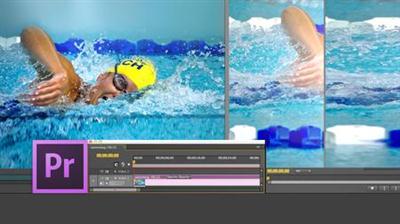
CreativeLive - Adobe Premiere with Larry Jordan
WEBRip | English | FLV | 854 x 480 | AVC ~938 kbps | AAC ~64 Kbps | 44.1 KHz | 1 channel | 16:58:11 | 7.33 GB
Genre: eLearning Video / Adobe Photoshop, Photographing​

In this three-day live class, you'll learn the basics of editing video using Adobe Premiere Pro CC. Instructor Larry Jordan starts by explaining how to configure and optimize your system, then uses a professional workflow for editing video to showcase key features; from ingest to editing to effects and export. And the best part is: learning from Larry. There's no better teacher in the industry.

Larry Jordan is an internationally-renowned consultant, digital media analyst, and trainer with over 35 years experience as a television producer, director and editor with national broadcast and corporate credits. He is recognized as the foremost trainer in both Apple Final Cut Pro and Adobe Premiere Pro where his informative and entertaining teaching style provides video editors around the world with unique resources to increase productivity and enhance their skills. Jordan is on the faculty at both USC and Video Symphony, and the host of the DigitalProductionBuzz.com weekly podcast.

Session 1 July 29, 2013
Day 1 Pre-Show
9:00 am - Introduction
9:15 am - Post-Production Workflow
9:30 am - Troubleshooting
10:00 am - Setting Up Hardware
11:00 am - Create A Rough Cut in Prelude
11:30 am - Introduction to the Premiere Interface
1:00 pm - Configure Preference Settings
1:30 pm - The Media Browser
1:45 pm - Capture and Import Media
2:30 pm - Reviewing a Clip
3:00 pm - Create an Edit
3:30 pm - General Q&A
Day 1 Wrap-Up

Session 2 July 30, 2013
Day 2 Pre-Show
9:00 am - Editing Review
9:15 am - Editing in the Timeline
10:00 am - Trimming
11:00 am - Organizing the Timeline
11:30 am - Labels and Markers
11:45 am - Transitions
1:00 pm - Introduction to Audio
1:30 pm - Audio Editing
2:45 pm - Mixing in Audition
3:15 pm - Audio Effects
Day 2 Wrap-Up

Session 3 July 31, 2013
Day 3 Pre-Show
9:00 am - Normalizing and Syncing Audio
9:30 am - Text Effects
10:15 am - Blend Modes
11:00 am - Motion Effects
11:45 am - Filter Effects
1:00 pm - Chroma-Key and Lumetri Looks
1:30 pm - Color Correction
Thanks + Credits
2:45 pm - Editing a Mini-Doc
3:15 pm - General Q&A
Day 3 Wrap-Up

Recommend Download Link Hight Speed | Please Say Thanks Keep Topic Live ​

 

3fc73b96dbde160e383ca795ac0f6ac7.jpg

From Watercolor & Pencil Graphics to Logo Design & Abstract Painting
Duration: 26m | Video: h264, yuv420p, 1280x720 30fps | Audio: aac, 44100 Hz, 2 ch | 512 MB
Genre: eLearning | Language: English​


Would you like to get some inspiration or just need a creative boost? Welcome to the second class of an artist Karina Eibatova. Karina has been fortunate enough to make her living solely from her artworks and now she would like to share her creative process and reveal some of her favorite tips. Finally, you will be able to see how she makes her remarkable minerals so crisp and shiny and her pencil drawings so detailed and precise!

What You'll Learn:
Basic watercolor techniques.
Detailed pencil graphics.
Post-production in photoshop.

Recommend Download Link Hight Speed | Please Say Thanks Keep Topic Live ​

 

11df6daef7e5761ae6dbf72be3b9ee66.jpg

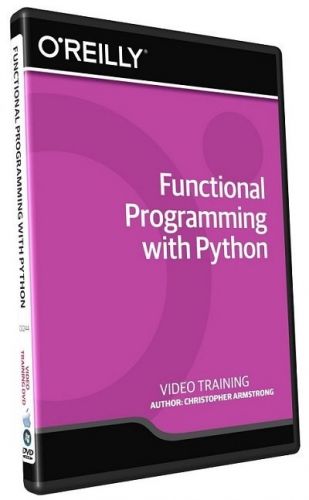
Functional Programming with Python Training Video
SKU: 02244 | .MP4, AVC, 1000 kbps, 1280x720 | English, AAC, 64 kbps, 2 Ch | 3 hours | 605 MB
Instructor: Christopher Armstrong​


In this Functional Programming with Python training course, expert author Chris Armstrong will teach you functional programming techniques for making maintainable, modular, and testable code. This course is designed for users that already have experience with Python.

You will start by learning about functional programming, including first class functions, recursion, and modifying data structures. From there, Chris will teach you about many functional programming libraries available in the Python ecosystem. This video tutorial will then teach you how to implement a text adventure game using these techniques and libraries. You will also learn how to write unit tests for functional code, use imperative libraries in a functional way, and use first-class effects. Finally, you will create a web UI for the game, and learn how to isolate an imperative web framework so that all of the application logic remains purely functional.

Once you have completed this computer based training course, you will have learned how to apply these functional programming techniques to create maintainable, modular, and testable Python code.

Recommend Download Link Hight Speed | Please Say Thanks Keep Topic Live ​

 

f968e0a6cf94f1f7bb476315b4ae68d5.jpg

Gumroad - Character Design - Horror Genre
Duration: 3 Hours | Video: h264, yuv420p, 1280x720 30fps | Audio: aac, 44100 Hz, 2 ch | 1.98 GB
Genre: eLearning | Language: Englis​


This will cover the various things you can do to achieve creepy, and scary concepts that can be used for Horror games. With each video being release the products price will go up $5 and cap out at $20. So if you purchase sooner, than you don't have to pay any more than what you paid initially.

Video 1
Concept thumbs, along with sketching

Video 2
Painting a monster portrait, techniques,and brush work

Video 3
Coloring a monster portrait, strategy and clever layer usage

Video 4
Painting from scratch using texture brushes.
Video 5
Coloring and finalizing a monster design.

Recommend Download Link Hight Speed | Please Say Thanks Keep Topic Live ​

 

3dbf416ed41c0d74e7189780dc0aff3f.jpg

How to Present: Share Ideas That Inspire Action
Duration: 33m | Video: h264, yuv420p, 1280x720 30fps | Audio: aac, 44100 Hz, 2 ch | 630 MB
Genre: eLearning | Language: English​


Learn presentation skills from the thought leader whose TED talks have 20+ million views. In this 30-minute class, best-selling author Simon Sinek shares his secrets for giving a presentation that audiences love, remember, and repeat. You'll learn how to identify your passions, speak with conviction, transform nerves into natural energy, and articulate what you really want to say.

From the importance of stories to nailing your onstage presence, Simon backs up every insight with examples you'll never forget. The class is perfect for creatives, professionals, conference speakers, and everyone looking to make lasting connections.

Recommend Download Link Hight Speed | Please Say Thanks Keep Topic Live ​

 

c49c2d7d887f41eff5881669cc268d5d.jpg

Mastering Color Correction in Photoshop
Duration: 2h 36m | Video: AVC (.mp4) 1280x720 15fps | Audio: AAC 48KHz 2ch | 926 MB
Genre: eLearning | Level: Intermediate | Language: English​


Getting color right is both an art and a science, and in this course Tim Grey shares his knowledge of color correction in Adobe Photoshop. After exploring some of the basic concepts related to system configuration and color in general, Tim delves into basic techniques for color adjustments, then looks at focused color corrections. See how to shift the balance for a specific range of colors, tone down problem colors, create neutral highlight and shadow values, improve color in skin tones, and more. Plus, learn techniques for evaluating color and for matching specific color values in your images.

Topics include:
* Configuration considerations
* Evaluating color
* Basic color for raw images
* Essentials of color balance
* Vibrance vs. saturation
* Adjusting temperature in Lab mode
* Strong color cast removal
* Focused color corrections
* Color matching

Recommend Download Link Hight Speed | Please Say Thanks Keep Topic Live ​

 

17a2b1489b4ae72ccdeac557e00f3a48.jpg

Mindfulness with John Ullmen
WEBRip | English | MP4 + Project files | 1280 x 720 | AVC ~596 kbps |29.970 fps
AAC | 160 Kbps | 48.0 KHz | 2 channels | 1h 16m | 502.9 MB​

Genre: eLearning Video / Business, Sales, Marketing
Scientific studies confirm that mindfulness leads to performance, health, and well-being. That's why leading companies like Google and Deutsche Bank implement mindfulness programs for their people.

UCLA professor and executive coach John Ullmen, PhD, explains the fundamentals of mindfulness and provides step-by-step methods that anyone can use. Every technique is confirmed by research and validated in practice to give you results for dealing with stress, anxiety, fear, worry, and self-doubt, and for increasing confidence, peak performance, and connection with others.

Topics include:
The fundamentals of mindfulness and practicing mindful meditation
Dealing with unwelcome experiences, such as stress, fear, and self-doubt
Strengthening your connection with others
Mindfulness for peak performance
Practicing mindful leadership

release date: Mar 21, 2016

Recommend Download Link Hight Speed | Please Say Thanks Keep Topic Live ​

 

df6097f2b6e8bd197571b85ef20990b8.jpg

Modern Watercolor Techniques: Beginner's Level
Duration: 2hr 20m | Video: h264, yuv420p, 1280x720 30fps | Audio: aac, 44100 Hz, 2 ch | 2.5 GB
Genre: eLearning | Language: English​


Welcome to Modern Watercolor Techniques for Beginners with Ana Victoria! Here you will learn both basic watercolor techniques and fun new ways to use your paints mixed with other mediums and house hold supplies, such as salt and bleach. I will give you an in depth look into my favorite art supplies and how to use them properly. Watercolor can be intimidading, but I promise I will make it easy and fun with these tips and tricks. You will be amazed with the results you can obtain with my simple direction!

Recommend Download Link Hight Speed | Please Say Thanks Keep Topic Live ​
 

b076b42d5b77414fb6971ad04e652255.jpg

Photography - These Companies Want Your Photos - Make Money
Duration: 1hr 11m | Video: h264, yuv420p, 1280x720 30fps | Audio: aac, 44100 Hz, 2 ch | 1.06 GB
Genre: eLearning | Language: English​


Anyone can do this! Take photos, sell your photos, travel locally or around the world for free with your camera ... this course tells all!

In this course, with a combination of video lectures and many pages of extensive notes, world renowned photographer Alun Hill reveals all the inside secrets to making money form your photographs.
Taking a simple step-by-step approach with extensive "before and after" sample photos, he shows you how to easily and quickly choose the prefect pictures to get started - and how to take your future pictures for the largest pay checks.

Recommend Download Link Hight Speed | Please Say Thanks Keep Topic Live ​

 

b7784618cb4d430e439dca9bded3a6d8.jpg

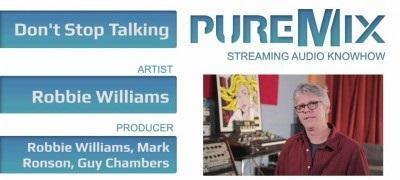
pureMix - John Paterno Mixing
WEBRip | English | FLV | 1024 x 576 | AVC ~1200 kbps | 23.976 fps
AAC | 128 Kbps | 44.1 KHz | 2 channels | 01:32:18 | 571.7 MB​

Genre: Video Tutorial / Sound Processing
Sit next to Grammy winner John Paterno while he explains to you, step-by-step, how he mixed Robbie Williams' hit song: "Don't Stop Talking". Through this amazing 3 hour journey John starts from the foundation of the rhythm section and offers priceless insights on how he recorded the sessions and then he walks you through his choices of plug-ins and analog hardware to process over 60+ tracks.

After careful mixing of the lead vocals working with EQ, compression and effects to make it sit and float in the mix, John then covers his 2-bus processing chain that glue the tracks together perfectly. He then mixes acoustic and electric guitars, background vocals and all of keyboard tracks which are an integral part of the production.
No matter your skill level in sound engineering and music production, John Paterno's way of explaining his thought process makes it easy for everyone to absorb his techniques and methods to apply them on any mixing session.

Learn how to achieve a professional sounding pop record:
Background vocals effects to create that tight pocket around the singer during choruses
Electric guitar tricks to keep the wall of sound wide and smooth
Drum processing to maintain impact and drive the groove
Low frequency saturation to give bass that body and energy that never stops pumping the beat.
This is your best chance to learn how a hit record is made - from its raw tracks and production choices to a compelling final vision for the record.

Recommend Download Link Hight Speed | Please Say Thanks Keep Topic Live ​
 
Zurück
Oben Unten