
• Regeln für den Video-Bereich:

    In den Börsenbereich gehören nur Angebote die bereits den Allgemeinen Regeln entsprechen.

    Einteilung

    - Folgende Formate gehören in die angegeben Bereiche:
    - Filme: Encodierte Filme von BluRay, DVD, R5, TV, Screener sowie Telesyncs im Format DivX, XviD und x264.
    - DVD: Filme im Format DVD5, DVD9 und HD2DVD.
    - HD: Encodierte Filme mit der Auflösung 720p oder darüber von BluRay, DVD, R5, TV, Screener sowie Telesyncs im Format x264.
    - 3D: Encodierte Filme von BluRay, die in einem 3D Format vorliegen. Dies gilt auch für Dokus, Animation usw.
    - Serien: Cartoon/Zeichentrick, Anime, Tutorials, Dokumentationen, Konzerte/Musik, Sonstiges sind demnach in die entsprechenden Bereiche einzuordnen, auch wenn sie beispielsweise im High Definition-Format oder als DVD5/DVD9/HD2DVD vorliegen. Ausnahme 3D.
    - Bereich Englisch: Englische Releases gehören immer in diesen Bereich.
    - Bereich Talk: Der Bereich, in dem über die Releases diskutiert werden kann, darf, soll und erwünscht ist.


    Angebot/Beitrag erstellen

    - Ein Beitrag darf erst dann erstellt werden, wenn der Upload bei mindestens einem OCH komplett ist. Platzhalter sind untersagt.
    - Bei einem Scenerelease hat der Threadtitel ausschließlich aus dem originalen, unveränderten Releasenamen zu bestehen. Es dürfen keine Veränderungen wie z.B. Sterne, kleine Buchstaben o.ä. vorgenommen werden. Ausnahme Serienbörse:
    - Bei einem Sammelthread für eine Staffel entfällt aus dem Releasename natürlich der Name der Folge. Beispiel: Die Simpsons S21 German DVDRip XviD - ITG
    - Dementsprechend sind also u.a. verboten: Erweiterungen wie "Tipp", "empfehlenswert", "only", "reup", usw. / jegliche andere Zusatzinformation oder Ergänzung, welche nicht in obiger Beschreibung zu finden ist.

    Aufbau des Angebots und Threadtitel

    Der Titel nach folgendem Muster erstellt zu werden. <Name> [3D] [Staffel] [German] <Jahr> <Tonspur> [DL] [Auflösung] <Quelle> <Codec> - <Group>
    Beispiel: The Dark Knight German 2008 AC3 DVDRip XviD - iND
    Beispiel: The Dark Knight 2008 DTS DL BDRip x264 - iND
    Beispiel: The Dark Knight 2008 AC3 DL BDRip XviD - iND
    Beispiel: The Dark Knight German 2008 AC3 720p BluRay x264 iND
    Beispiel: The Dark Knight 2008 DTS DL 1080p BluRay x264 iND
    Beispiel: Die Simpsons S01 German AC3 DVDRip XviD iND
    Beispiel: Die Simpsons S20 German AC3 720p BluRay x264 iND
    Beispiel: Sword Art Online II Ger Sub 2014 AAC 1080p WEBRip x264 - peppermint
    Entsprechend sind also u.a. verboten: Sonderzeichen wie Klammern, Sterne, Ausrufezeichen, Unterstriche, Anführungszeichen / Erweiterungen wie "Tipp", "empfehlenswert", "only", "reup", usw. / jegliche andere Zusatzinformation oder Ergänzung, welche nicht in obiger Beschreibung zu finden ist
    Ausnahmen hiervon können in den Bereichen geregelt sein.

    Die Beiträge sollen wie folgt aufgebaut werden:
    Überschrift entspricht dem Threadtitel
    Cover
    kurze Inhaltsbeschreibung
    Format, Größe, Dauer sind gut lesbar für Downloader außerhalb des Spoilers zu vermerken
    Nfo sind immer Anzugeben und selbige immer im Spoiler in Textform.
    Sind keine Nfo vorhanden z.B. Eigenpublikationen, sind im Spoiler folgende Dateiinformationen zusätzlich anzugeben :
    Quelle
    Video (Auflösung und Bitrate)
    Ton (Sprache, Format und Bitrate der einzelnen Spuren)
    Untertitel (sofern vorhanden)
    Hosterangabe in Textform außerhalb eines Spoiler mit allen enthaltenen Hostern.
    Bei SD kann auf diese zusätzlichen Dateiinformationen verzichtet werden.

    Alle benötigten Passwörter sind, sofern vorhanden, in Textform im Angebot anzugeben.
    Spoiler im Spoiler mit Kommentaren :"Schon Bedankt?" sind unerwünscht.


    Releases

    - Sind Retail-Release verfügbar, sind alle anderen Variationen untersagt. Ausnahmen: Alle deutschen Retail-Release sind CUT, in diesem Fall sind dubbed UNCUT-Release zulässig.
    - Im Serien-Bereich gilt speziell: Wenn ein Retail vor Abschluss einer laufenden Staffel erscheint, darf diese Staffel noch zu Ende gebracht werden.62
    - Gleiche Releases sind unbedingt zusammenzufassen. Das bedeutet, es ist zwingend erforderlich, vor dem Erstellen eines Themas per Suchfunktion zu überprüfen, ob bereits ein Beitrag mit demselben Release besteht. Ist dies der Fall, ist der bereits vorhandene Beitrag zu verwenden.
    - P2P und Scene Releases dürfen nicht verändert oder gar unter einem iND Tag eingestellt werden.


    Support, Diskussionen und Suche

    - Supportanfragen sind entweder per PN oder im Bereich Talk zu stellen.
    - Diskussionen und Bewertungen sind im Talk Bereich zu führen. Fragen an die Uploader haben ausschließlich via PN zu erfolgen, und sind in den Angeboten untersagt.
    - Anfragen zu Upload-Wünschen sind nur im Bereich Suche Video erlaubt. Antworten dürfen nur auf Angebote von MyBoerse.bz verlinkt werden.


    Verbote

    - Untersagt sind mehrere Formate in einem einzigen Angebotsthread, wie beispielsweise das gleichzeitige Anbieten von DivX/XviD, 720p und 1080p in einem Thread. Pro Format, Release und Auflösung ist ein eigener Thread zu eröffnen.
    - Grundsätzlich ebenso verboten sind Dupes. Uploader haben sich an geeigneter Stelle darüber zu informieren, ob es sich bei einem Release um ein Dupe handelt.
    - Gefakte, nur teilweise lauffähige oder unvollständige Angebote sind untersagt. Dies gilt auch für eigene Publikationen, die augenscheinlich nicht selbst von z.B. einer DVD gerippt wurden. Laufende Serien, bei denen noch nicht alle Folgen verfügbar sind, dürfen erstellt und regelmäßig geupdatet werden.
    - Untersagt sind Angebote, welche nur und ausschließlich in einer anderen Sprache als deutsch oder englisch vorliegen. Ausnahmen sind VORHER mit den Moderatoren zu klären.


    Verstoß gegen die Regeln

    - Angebote oder Beiträge, die gegen die Forenregeln verstoßen, sind über den "Melden"-Button im Beitrag zu melden.
  • Bitte registriere dich zunächst um Beiträge zu verfassen und externe Links aufzurufen.


Englische Tutorials


c95ff15b05d9206967ac245011b5e548.jpg

The Gnomon Workshop - Adobe Photoshop for Digital Production
Duration: 7hr 33m | Video: h264, yuv420p, 1280x720 30fps | Audio: aac, 44100 Hz, 2 ch | 3.77 GB
Genre: eLearning | Language: English​


Adobe Photoshop is the preferred, industry-standard software for photo manipulation and graphics creation, but using it effectively for projects in production is key. With the release of CS5, Photoshop now offers a variety of new tools and functionality enhancing any workflow, and in this DVD, you will learn the professional methods for compositing, digital painting, photo retouching, design and more.

Almost eight hours of exclusive content covering industry tips and techniques such as selection, color-correction, HDR and video are included. Dave begins with in-depth overviews of the most commonly used tools in production, and then applies them to real-world projects. This content is suited to both the novice and expert Photoshop user and will teach you the necessary skills for today's "generalist" or 2D/3D production artist. Instructor for this title: Dave Pasciuto

Recommend Download Link Hight Speed | Please Say Thanks Keep Topic Live ​

 

c9f9bc369f1eb85dd4f1b80d03e8982a.jpg

The Mechanics of Film Projector
2xDVD5 | VIDEO_TS | English | 720 x 576 | MPEG2 ~9000 kbps | 25 fps
AC-3 | 192 Kbps | 48.0 KHz | 2 channels | ~35 mins | 2.17 GB​

Genre: eLearning Video / Video Processing, Viewing, Editing

Film used to be everything, and the optical illusion of movement by projecting frames of film via light is monumentally important to the advancement of visual entertainment. In this video Bill, engineerguy, tears apart a film projector to reveal the amazing mechanisms used in the pre-digital age to trick the mind into seeing a moving image.

He uses high speed photography and animations to show how the projector moves the film intermittently, how a shutter strategically blocks light as the film moves, and how the photo sensor reads the sound. If you ever wondered exactly how all the individual pieces work together and sync up, then this is for you. Heck, even if you're just a fan of "How It's Made," you'll love this.

Recommend Download Link Hight Speed | Please Say Thanks Keep Topic Live ​

 

f16fafce1365fe620c40c7f385882459.jpg

The Platforms Biggest & Most Popular Photoshop Course
27.5 hours | MP4, AVC, 1000 kbps, 1280x720 | English, AAC, 64 kbps, 2 Ch | 8.69 GB
Genre: eLearning | Language: English​


My Biggest Photoshop Course - Become an expert in Photoshop with no experience or prior knowledge - Anyone can do it

THE BIGGEST & MOST POPULAR PHOTOSHOP COURSE ON UDEMY

I will teach you how to get into photoshop, so don't worry if you don't have prior experience with photoshop or other plugins. Follow my lead and I'll teach you to be good at it! "Seriously"

All my photoshop instructions form part of a comprehensive guide that can help you to accomplish your goals by applying these skills. During the lesson you get to eavesdrop as I work, giving you some insight as to how I work and what I do. You will also be able to all my work files and work along with the exact same files.

The idea is to make photoshop fun and easy! "Anyone can do this"

Whether you have previous experience with photoshop or not, it doesn't matter. Apply your knowledge for half an hour a day and you could be making huge improvements or even extra cash, just like me.

What will I learn?

You will be a Photoshop Expert "Guaranteed"
Your Retouching Skills will improve dramatically
You will now how to do more then 50 different photoshop effects!
You will understand all photoshop basics
You will be beyond intermediate photoshop level
You will know how to work with layers & complex masks
You will know how to work with color corrections & grades
You will know how to do skin retouching
You will know how to do dodge & burn techniques
You will know how to work with photoshop plugins
and much, much more!
You photography skills will improve
This course offers offers over 40 beginer tutorials
This course offers over 50 advanced tutorials
This course offers offers over 40 pro tutorials
... and much, much more!

Recommend Download Link Hight Speed | Please Say Thanks Keep Topic Live ​
 

651f77e3eb6c95dd28f871b3fe36a4d6.jpg

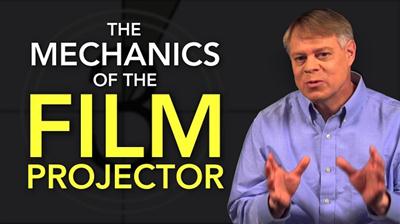
TrueFire - Scale Creativity Guidebook with Richard Hallebeek
(.mp4) in an interactive shell | English | MP4 + MP3 jam tracks | 864 x 486 | AVC ~968 kbps | 29.970 fps
AAC 128 Kbps 48.0 KHz | 2 channels | 51 minutes | 495 MB​

Genre: eLearning Video / Guitar lesson
Hi, I'm Richard Hallebeek and welcome to Scale Creativity Guidebook! From the past 35 years of teaching, I feel the most valuable lesson I could give to students is how to learn and practice their scales and how to be creative with it. Most people practice their scales up and down, and that's how they end up sounding when they improvise: like they're running scales up and down. In order to improvise well, in any style of music, you need to know your scale material and be able to be creative with it.

In this course, I'll hand you tools to organize your scales so you can free up your mind to just play music. You'll learn how to connect scales, play more interesting intervals, and find new melodies in the scales.

In the first section of this course, I'll take you through organizing the most usable scales for jazz rock and rock players so it will be clearly laid out in your mind. Then, I'll show you how to break up these scales using what I call 1-2-4 and 1-3-4 scales to connect them together and play wider intervals. You'll learn to play across the whole neck from the lowest to highest available notes and learn how to find melodies in these scales. I'll show you how to play three note per string pentatonics with musical examples that will feel comfortable to any player who is used to playing two note per string box shapes. We'll talk about the diminished scale, a subject that lots of players find hard to understand, but I guarantee that you'll finally get a deeper understanding of it and use it like never before. But that's not all...there's also arpeggios, intervals, and chord examples for all the tracks that are shown.

In the technique section, we'll focus on developing your hybrid picking to the highest possible level. Every example is clearly written in standard notation and tab so you can see the left hand fingering AND the right hand hybrid picking movements. I'll musically guide you through these concepts to show you how to be less mathematical and more musical.

All backing tracks are provided from the original CD's with the guitar omitted, so you can join in and find your own lines. It's finally time to get musical and creative with your scales, so grab your guitar and join me on Scale Creativity Guidebook!

Recommend Download Link Hight Speed | Please Say Thanks Keep Topic Live ​

 

c289d5e37ff5cf484be6c59ecb31892c.jpg

TutsPlus - Choose a Ruby Template Engine: ERB vs. Haml
.MP4, AVC, 1000 kbps, 1280x720 | English, AAC, 64 kbps, 2 Ch | 10 mins | 86 MB
Genre: eLearning​


The default templating language in Ruby on Rails is ERB. ERB has a simple syntax for mixing HTML and Ruby commands, but it can be somewhat verbose. Haml is a very popular alternative which has a condensed syntax for expressing HTML.

In this Coffee Break Course, Envato Tuts+ instructor Mota will compare Haml and ERB. You'll learn about the strengths and weaknesses of each, in order to help you choose between them. You'll also learn about an online tool that you can use to translate from Haml to plain ERB.

Recommend Download Link Hight Speed | Please Say Thanks Keep Topic Live ​
 

fa14539e43f206736f6baec39e4a2cf3.jpg

TutsPlus - Create Content in WordPress With Posts and Pages
.MP4, AVC, 1000 kbps, 1280x800 | English, AAC, 64 kbps, 2 Ch | 42 mins | 465 MB
Instructor: Rachel McCollin​


WordPress is a powerful and easy-to-use tool for creating websites. It's simple enough to build a personal blog or small business landing page with no coding, but powerful enough to be used for the websites of major brands. But all that power and flexibility mean it can be a little hard to know where to get started. What's the best way to fit your content into the WordPress content management system?

In this course, Envato Tuts+ instructor Rachel McCollin will teach you how to create content for your site in WordPress. You'll learn about posts and pages, the basic building blocks of WordPress content management. You'll learn how to structure your posts and pages as well as how to add text, media, and links. You'll also see how to organize WordPress content with categories, tags, and menus. Along the way, Rachel will show you some inspiring examples of how posts and pages are used on other WordPress pages.

Recommend Download Link Hight Speed | Please Say Thanks Keep Topic Live ​
 

acb9ef788ad0c3f426932cc32cf0c135.jpg

TutsPlus - Use Crosswalk With Ionic
.MP4, AVC, 1000 kbps, 1280x720 | English, AAC, 64 kbps, 2 Ch | 10 mins | 163 MB
Instructor: Reginald Dawson​


Ionic is a cross-platform mobile framework that allows you to develop for Android and iOS using just HTML and JavaScript. Since Ionic apps run in an HTML WebView, we are limited to using the native features that are offered in the built-in browser that Ionic uses. Fortunately, we can use Crosswalk as an alternate WebView that supports features such as WebRTC and WebGL.

In this Coffee Break Course, designed to teach a new skill or concept in a single sitting, Envato Tuts+ instructor Reggie Dawson will show you how to build a small WebRTC app for Ionic. The features of this app are not supported by the default WebView, but Crosswalk will give this app WebRTC support.

Recommend Download Link Hight Speed | Please Say Thanks Keep Topic Live ​

 

88b08da45d8c2c5669df320600eb2b2d.jpg

Understanding PowerShell 5.0
Size: 207 MB | Duration: 1h 14m | Video: AVC (.mp4) 1280x720 15&30fps | Audio: AAC 48KHz 2ch
Genre: eLearning | Level: Beginner | Language: English​


What is PowerShell? PowerShell is a powerful language used for scripting and automation for your IT Infrastructure. In this short course, author Matt Hester provides an overview of the most current release, PowerShell 5. 0, including how to read the PowerShell language and scripts, get help, and use cmdlets. Matt then dives into PowerShell's functions and What If statements, working with output, and coding in the Integrated Scripting Environment (ISE). The course wraps up with some tips on using PowerShell for both on-premises and cloud deployments involving Office 365 and Azure.

Recommend Download Link Hight Speed | Please Say Thanks Keep Topic Live ​

 

a92253c6d1d50f480c01afc7828beabd.jpg

Word 2013, Part 4: Formatting Pages
HDRips | MKV/AVC, ~568 kb/s | 1024x768 | Duration: 01:01:00 | English: AAC, 512 kb/s (1 ch) | 215 MB
Genre: eLearning | Language: English​


In this 6 part learning series you'll see why Word is the most popular application in the Microsoft Office suite. Word 2013 is loaded with exciting new features to dress up your documents for any occasion. Now, you can learn the ins and outs of Word 2013 - from setting up a basic document to sharing them on the web - with Microsoft Word 2013 Essentials. Get the inside scoop on the latest features in Word 2013 and find your way around the interface. Format your documents, work with text, insert symbols, and adjust margins and spacing Prepare your documents for printing, mailing, or posting online. Add some flair to your documents with images, graphics, tables, charts, and more.

Recommend Download Link Hight Speed | Please Say Thanks Keep Topic Live ​
 

7d47d12816e77812ab699c4fe39cf09c.jpg

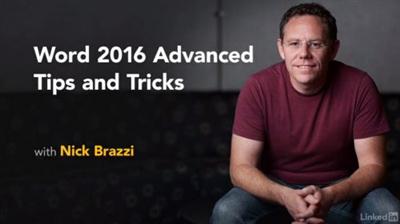
Word 2016 Advanced Tips and Tricks
MP4 | Video: AVC 1280x720 | Audio: AAC 48KHz 2ch | Duration: 1h 41m | 279 MB
Genre: eLearning | Language: English​


Improve your productivity and efficiency in Microsoft Word with these useful tips on some of the most overlooked features in Word 2016. See how to use Word Online, set defaults for new documents, and stay up to date with the frequent changes to Word. Author Nick Brazzi also delves into specialized text formatting and provides other helpful tips for working with nonprinting characters, revealing formatting, customizing the spell-check dictionary, password-protecting documents, and more.

Recommend Download Link Hight Speed | Please Say Thanks Keep Topic Live ​

 

903f24fa3c2766e0435660fc7a3c63fe.jpg

Writing Ad Copy (updated May 23, 2016)
Size: 302 MB | Duration: 1h 8m | Video: AVC (.mp4) 1280x720 15&30fps | Audio: AAC 48KHz 2ch
Genre: eLearning | Level: Beginner | Language: English​


Learn how to write ad copy that effectively conveys your brand and converts clicks into sales, traffic, and signups. Conversion and growth strategist Michael Duquet walks you through the rules for writing ads for different platforms. He goes over ways to hit your advertising goals (macro and micro and acquisition and retention), and shows how to craft copy for specific media types, including websites, email, direct mail, and social media. Because different audiences are receptive to different kinds of ads, Michael shows how to change your message and tone based on your target audience and customer persona. In the final chapters, he walks you through some common dos and don'ts and explains what the future of advertising holds for copywriters and creative strategists.

Recommend Download Link Hight Speed | Please Say Thanks Keep Topic Live ​
 

82fb9282abb030e09701cd37eef9eee9.jpg

Basic Portrait Retouching by Julia Kuzmenko McKim
Duration: 1hr 30m | Video: h264, yuv420p, 1280x720 30fps | Audio: aac, 44100 Hz, 2 ch | 1.1 GB
Genre: eLearning | Language: English​


Every photograph is unique and there's no one retouching rule that will work for all photographs you encounter.

In Basic Portrait Retouching, Julia Kuzmenko McKim will discuss how to develop a solid retouching workflow that will have you quickly and efficiently achieving the kind of results that keep clients happy. You'll learn how to retouch skin while preserving its texture, fix makeup and hair, and finalize your portraits without spending countless hours doing it.

Recommend Download Link Hight Speed | Please Say Thanks Keep Topic Live ​

 
Zurück
Oben Unten