• Regeln für den Video-Bereich:

    In den Börsenbereich gehören nur Angebote die bereits den Allgemeinen Regeln entsprechen.

    Einteilung

    - Folgende Formate gehören in die angegeben Bereiche:
    - Filme: Encodierte Filme von BluRay, DVD, R5, TV, Screener sowie Telesyncs im Format DivX, XviD und x264.
    - DVD: Filme im Format DVD5, DVD9 und HD2DVD.
    - HD: Encodierte Filme mit der Auflösung 720p oder darüber von BluRay, DVD, R5, TV, Screener sowie Telesyncs im Format x264.
    - 3D: Encodierte Filme von BluRay, die in einem 3D Format vorliegen. Dies gilt auch für Dokus, Animation usw.
    - Serien: Cartoon/Zeichentrick, Anime, Tutorials, Dokumentationen, Konzerte/Musik, Sonstiges sind demnach in die entsprechenden Bereiche einzuordnen, auch wenn sie beispielsweise im High Definition-Format oder als DVD5/DVD9/HD2DVD vorliegen. Ausnahme 3D.
    - Bereich Englisch: Englische Releases gehören immer in diesen Bereich.
    - Bereich Talk: Der Bereich, in dem über die Releases diskutiert werden kann, darf, soll und erwünscht ist.


    Angebot/Beitrag erstellen

    - Ein Beitrag darf erst dann erstellt werden, wenn der Upload bei mindestens einem OCH komplett ist. Platzhalter sind untersagt.
    - Bei einem Scenerelease hat der Threadtitel ausschließlich aus dem originalen, unveränderten Releasenamen zu bestehen. Es dürfen keine Veränderungen wie z.B. Sterne, kleine Buchstaben o.ä. vorgenommen werden. Ausnahme Serienbörse:
    - Bei einem Sammelthread für eine Staffel entfällt aus dem Releasename natürlich der Name der Folge. Beispiel: Die Simpsons S21 German DVDRip XviD - ITG
    - Dementsprechend sind also u.a. verboten: Erweiterungen wie "Tipp", "empfehlenswert", "only", "reup", usw. / jegliche andere Zusatzinformation oder Ergänzung, welche nicht in obiger Beschreibung zu finden ist.

    Aufbau des Angebots und Threadtitel

    Der Titel nach folgendem Muster erstellt zu werden. <Name> [3D] [Staffel] [German] <Jahr> <Tonspur> [DL] [Auflösung] <Quelle> <Codec> - <Group>
    Beispiel: The Dark Knight German 2008 AC3 DVDRip XviD - iND
    Beispiel: The Dark Knight 2008 DTS DL BDRip x264 - iND
    Beispiel: The Dark Knight 2008 AC3 DL BDRip XviD - iND
    Beispiel: The Dark Knight German 2008 AC3 720p BluRay x264 iND
    Beispiel: The Dark Knight 2008 DTS DL 1080p BluRay x264 iND
    Beispiel: Die Simpsons S01 German AC3 DVDRip XviD iND
    Beispiel: Die Simpsons S20 German AC3 720p BluRay x264 iND
    Beispiel: Sword Art Online II Ger Sub 2014 AAC 1080p WEBRip x264 - peppermint
    Entsprechend sind also u.a. verboten: Sonderzeichen wie Klammern, Sterne, Ausrufezeichen, Unterstriche, Anführungszeichen / Erweiterungen wie "Tipp", "empfehlenswert", "only", "reup", usw. / jegliche andere Zusatzinformation oder Ergänzung, welche nicht in obiger Beschreibung zu finden ist
    Ausnahmen hiervon können in den Bereichen geregelt sein.

    Die Beiträge sollen wie folgt aufgebaut werden:
    Überschrift entspricht dem Threadtitel
    Cover
    kurze Inhaltsbeschreibung
    Format, Größe, Dauer sind gut lesbar für Downloader außerhalb des Spoilers zu vermerken
    Nfo sind immer Anzugeben und selbige immer im Spoiler in Textform.
    Sind keine Nfo vorhanden z.B. Eigenpublikationen, sind im Spoiler folgende Dateiinformationen zusätzlich anzugeben :
    Quelle
    Video (Auflösung und Bitrate)
    Ton (Sprache, Format und Bitrate der einzelnen Spuren)
    Untertitel (sofern vorhanden)
    Hosterangabe in Textform außerhalb eines Spoiler mit allen enthaltenen Hostern.
    Bei SD kann auf diese zusätzlichen Dateiinformationen verzichtet werden.

    Alle benötigten Passwörter sind, sofern vorhanden, in Textform im Angebot anzugeben.
    Spoiler im Spoiler mit Kommentaren :"Schon Bedankt?" sind unerwünscht.


    Releases

    - Sind Retail-Release verfügbar, sind alle anderen Variationen untersagt. Ausnahmen: Alle deutschen Retail-Release sind CUT, in diesem Fall sind dubbed UNCUT-Release zulässig.
    - Im Serien-Bereich gilt speziell: Wenn ein Retail vor Abschluss einer laufenden Staffel erscheint, darf diese Staffel noch zu Ende gebracht werden.62
    - Gleiche Releases sind unbedingt zusammenzufassen. Das bedeutet, es ist zwingend erforderlich, vor dem Erstellen eines Themas per Suchfunktion zu überprüfen, ob bereits ein Beitrag mit demselben Release besteht. Ist dies der Fall, ist der bereits vorhandene Beitrag zu verwenden.
    - P2P und Scene Releases dürfen nicht verändert oder gar unter einem iND Tag eingestellt werden.


    Support, Diskussionen und Suche

    - Supportanfragen sind entweder per PN oder im Bereich Talk zu stellen.
    - Diskussionen und Bewertungen sind im Talk Bereich zu führen. Fragen an die Uploader haben ausschließlich via PN zu erfolgen, und sind in den Angeboten untersagt.
    - Anfragen zu Upload-Wünschen sind nur im Bereich Suche Video erlaubt. Antworten dürfen nur auf Angebote von MyBoerse.bz verlinkt werden.


    Verbote

    - Untersagt sind mehrere Formate in einem einzigen Angebotsthread, wie beispielsweise das gleichzeitige Anbieten von DivX/XviD, 720p und 1080p in einem Thread. Pro Format, Release und Auflösung ist ein eigener Thread zu eröffnen.
    - Grundsätzlich ebenso verboten sind Dupes. Uploader haben sich an geeigneter Stelle darüber zu informieren, ob es sich bei einem Release um ein Dupe handelt.
    - Gefakte, nur teilweise lauffähige oder unvollständige Angebote sind untersagt. Dies gilt auch für eigene Publikationen, die augenscheinlich nicht selbst von z.B. einer DVD gerippt wurden. Laufende Serien, bei denen noch nicht alle Folgen verfügbar sind, dürfen erstellt und regelmäßig geupdatet werden.
    - Untersagt sind Angebote, welche nur und ausschließlich in einer anderen Sprache als deutsch oder englisch vorliegen. Ausnahmen sind VORHER mit den Moderatoren zu klären.


    Verstoß gegen die Regeln

    - Angebote oder Beiträge, die gegen die Forenregeln verstoßen, sind über den "Melden"-Button im Beitrag zu melden.
  • Bitte registriere dich zunächst um Beiträge zu verfassen und externe Links aufzurufen.


Englische Tutorials


98df5281f24f7fb85a0a47ad53711420.jpg

Groove3 - Melodyne 4 Explained
WEBRip | English | MP4 | 1600 x 900 | AVC ~516 kbps | 30 fps
AAC | 156 Kbps | 44.1 KHz | 2 channels | 1h 42mn | 502.1 MB​

Genre: Video Tutorial / Sound Processing
In this in-depth video tutorial series computer music guru Eli Krantzberg shows you how Celemony Melodyne 4 gives you complete control over the pitch and timing of every track in your project. You'll see how you can use Melodyne both surgically and creatively, on individual tracks and even entire songs!

Content:
4:11 Introduction
5:30 Transferring Audio into Melodyne
4:48 Basic Pitch Editing
4:10 Pitch Drift & Pitch Modulation
5:00 Getting Around the GUI
4:56 Working with the Timing Tool
4:14 Time Handle & Attack Speed Tools
7:02 Note Separation, Formant, Amplitude, & Timing Tool in Action
5:13 The Correct Pitch Macro
4:41 The Quantize Time Macro
3:26 Selection Techniques
5:11 Getting Started with Note Detection Mode
5:32 Note Detection & Note Separations
5:02 Working with the Algorithm Inspector
3:54 Polyphonic Note Editing
7:30 Copy & Paste
5:44 Getting to Know the Pitch Grid & Scale Functions
5:10 Master Tuning & The Scale Window
6:16 Working with Drums
5:28 Audio to MIDI in Action

Recommend Download Link Hight Speed | Please Say Thanks Keep Topic Live ​
 

d99c03e850f0284528147080cf933a4f.jpg

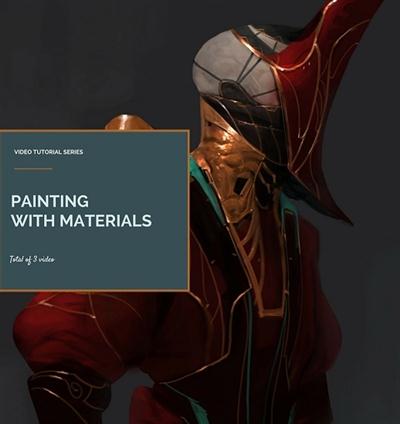
Gumroad - Painting with materials by Anthony Jones
Duration: 1hr 30m | Video: h264, yuv420p, 1920x1080 30fps | Audio: aac, 44100 Hz, 2 ch | 1.6 GB
Genre: eLearning | Language: English​


Painting with Materials. This 3 part video series will explain how to think about materials while painting, and how to go about painting in a demo. Total time is around 90 minutes.

Video 1 topics include:
3 principles to live by REFRACT, REFLECT, ABSORB
Understanding it like a 3d artist helps.
Gloss/Metalness. or Rough/Metalness.

Video 2 topics include:
Decide the value including the read and the lighting.
Determine how shiny it is.
Be patient with your materials.
Video 3 is the final touches to the painting. There is a sped up version if you'd prefer that instead.

Recommend Download Link Hight Speed | Please Say Thanks Keep Topic Live ​
 

aadbbceba5c55f2c0b82db0d4711554d.jpg

How to Manage Your Sales Territory
MP4 | Video: AVC 1280x720 | Audio: AAC 48KHz 2ch | Duration: 32M | 252 MB
Genre: eLearning | Language: English​


Territory management helps salespeople ensure they are spending their time wisely: doing the right activities with the best customers. But as time goes on, even the most exciting territories can seem small or stale. This course focuses on how to get the most out of your territory to achieve maximum prospecting results and maintain proper coverage. Jeff Bloomfield helps you organize your territory by company size or geography, identify the right areas to prospect, and grow your territory via networking. Last, he addresses the importance of ongoing records management: keeping an updated record of who has moved into your territory, who has left, and more. These sales tips will help you keep a positive attitude, stay organized, and breathe new life into well-trod territories.

Recommend Download Link Hight Speed | Please Say Thanks Keep Topic Live ​
 

e4f6c42d7564f9aec2b16fa357140f02.jpg

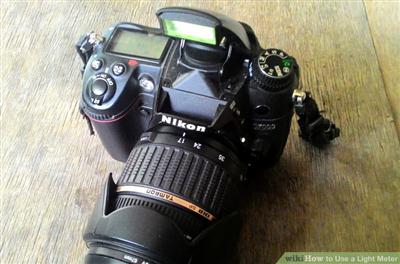
How To Use a Light Meter
Duration: 11m | Video: h264, yuv420p, 1280x720 30fps | Audio: aac, 44100 Hz, 2 ch | 205 MB
Genre: eLearning | Language: English​


This class shows Andre's method of working with a light meter to properly expose scenes while still working fast to capture fleeting moments in the streets. You'll learn how to meter scenes correctly so that your images will have great tonality and shadow detail.

Recommend Download Link Hight Speed | Please Say Thanks Keep Topic Live ​
 

bf3057bb5d89bd233094c3d81ebd397a.jpg

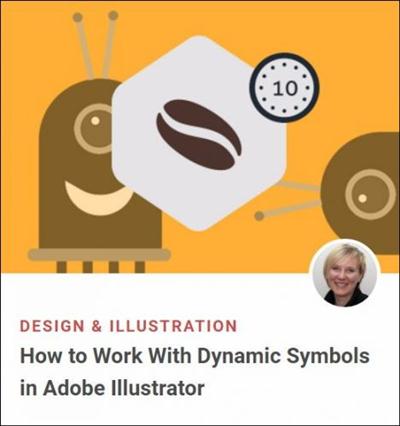
TutsPlus - How to Work With Dynamic Symbols in Adobe Illustrator
.MP4, AVC, 1000 kbps, 1280x720 | English, AAC, 64 kbps, 2 Ch | 11 mins | 137 MB
Instructor: Simona Pfreundner​


In this Coffee Break Course, illustrator Simona Pfreundner will show you how to work with dynamic symbols within Adobe Illustrator CC. Dynamic symbols let you create multiple instances of a master symbol that retain their link to the master symbol even when their shape and visual attributes are altered. This is a really handy new feature and will certainly help to streamline your workflow.

Recommend Download Link Hight Speed | Please Say Thanks Keep Topic Live ​
 

420a9f933334b519d4a623376f3cf5a8.jpg

iOS 9 Handoff In Depth
Size: 44 MB | Duration: 0h 20m | Video: AVC (.mp4) 1280x720 15&30fps | Audio: AAC 48KHz 2ch
Genre: eLearning | Level: Intermediate | Language: English​


Handoff is one of many new toolkits introduced in iOS 8 and built into the iOS 9 SDK. Handoff allows Apple's first-party apps and third-party developers to send app data seamlessly between devices so you can "pick up where you left off," whether you resume an activity on a Mac, iPhone, or iPad. This short course will help iOS developers understand how to use Handoff to resume an activity on another device. Tammy Coron covers the most common activity types, and reviews the process of defining, creating, updating, and continuing with an activity. The scenarios covered include sharing data between document-based apps and between native apps and web browsers. Tammy also shows how to troubleshoot Handoff interactions. These tutorials include everything you need to use the Handoff toolkit and make your data truly mobile.

Recommend Download Link Hight Speed | Please Say Thanks Keep Topic Live ​
 

d91f0418688a492958673cf2257c5fe6.jpg

Justin Brooke - Agency Sales Mastery
WEBRip | English | MP4 + PDF Guides | 640 x 476 | AVC ~74.8 kbps | 29.970 fps
AAC | 103 Kbps | 48.0 KHz | 2 channels | ~2 hours | 208 MB​

Genre: eLearning Video / Business, Sales, Marketing
Agency Sales Mastery: For Marketing Service Providers Do you wish you could charge higher prices and clients actually pay them? If you answered yes, then let me tell you a secret that has helped me build a 7 figure marketing agency

...The secret to landing fat-wallet clients, is making THEM chase you. You have to learn how to become the hunted instead of the hunter. They can smell a desperate newbie a mile away. In this course you'll learn how to position yourself so that clients are literally waiting in line to hire you, how to raise your prices the ethical way, and the stealth sales secret for closing more customers without needing to be "salesy."
The Secret To Charging $5,000+

If you're like me you're thinking you're "too new" to charge $5,000+. Or maybe you don't think you've built up enough credibility?

Let me explain why you MUST charge these kinds of prices...

Hi, I'm Justin Brooke. I went from begging clients for $189 per website to making as much as $14,000 PER MONTH from my clients. Not all my clients paid that much, but it was common for them to pay me $3,750 - $6,000 per month.

Some of my clients...
- Snuggie
- Trump University
- Russell Brunson
- Ryan Deiss
- Ed Okeefe (MarineD3.com)
- Allen Baler (Power4Patriots/Food4Patriots.com)
- Kent Clothier
- StansberryResearch/Agora Financial
- Dr. Al Sears (AlSearsMD.com)

Ok here's the secret...

Clients with deep pockets are literally scared of service providers who charge low prices. If you think about it from their shoes, typically the deeper their pockets the longer they've been around the industry.

Since they've been around for awhile they've worked with many service providers and even been ripped off by a few. One of the filters they have developed is how to spot rookies/frauds. They know that the most experienced providers DON'T charge low prices.

You're thinking if you charge low prices you'll look more attractive to them. WRONG! You instantly shoot yourself in the foot. Instead you're making yourself attractive to the pain in the ass clients who don't have a lot of money.

Obviously, you can't ONLY raise your prices. You have to increase the value you deliver to match the price you charge. That's exactly what I teach you inside my Agency Sales Mastery course.

Inside this course you'll learn everything from prospecting the right clients (who have deep pockets), how to close them, how to increase your value, how to mark your turf, and how to make sure each client gets a uniform great experience.
What Is Agency Sales Mastery?

This is a 3 hour digital training for marketing service providers. Designed for people who are not good at or hate selling, but works amazing for sales pros also.

It teaches a complete system for getting more clients and charging premium prices. And doing it WITHOUT high pressure sales tactics.

This is a course for ethical service providers who just need a good system for getting more clients. Armed with the methods in this course you will finally be able to compete with the shady unethical guys, but doing so in an honest ethical way.

The methods taught in this course are the same strategies that Fortune 500 companies use to improve their employees abilities to systematically grow their sales and revenue.

You will gain the tools, processes, and systems needed to attract better prospects and close larger clients. And I guarantee it or your money back.

It's a beginning to end sales system for selling marketing related services at $5,000+ even $10,000+ per client. Including everything you need to know for generating more leads, closing more sales, and raising your prices.
What's Inside The Course?

Video 1: The Foundation of Every Successful Agency

Discover how to claim your "turf" and start attracting exactly the type of clients you want
able worksheet with questions that help you flush out your ideal client
The #1 mistake marketing service sellers make that causes them to attract bad cheap clients
Laying the foundation to becoming the hunted instead of the hunter

Video 2: Mastering The Marketing Agency Funnel

The secret to filtering out tire kickers who can't afford high prices (and are a general pain in the ass!)
Why normal list building like IM gurus use WON'T be good for your marketing agency
Create a funnel that automates the process of getting clients calling you
What things you should have on your website and what things you never should have
How to warm up cold prospects so that they are ready-to-buy when they call you

Video 3: Mastering The Sales Pipeline

How to have less leads, but more sales (even if you hate "sales" or "selling")
Remove the revenue roller coaster of high revenue months and low revenue months
Create a systematic process for keeping a steady stream of new clients coming onboard
Learn how to track your sales process so that you know how long it takes from prospect to new client
The 4 most important metrics YOU MUST TRACK if you want to have a thriving marketing agency
Discover a tool used by top sales companies in the world for improving your close rate
What to do if your closing ratio is low and how to fix it
What to do if you're starting with zero leads and zero prospects
How to decipher the difference between a prospect, lead, and sales qualified lead and why you NEVER want to get on the phone with a "prospect."
Use the tools and systems in this lesson to start growing your own sales team with a plug-and-play set of tools that keep your whole team in sync and meeting their sales goals

Video 4: Mastering The Prospecting Phase

How to start from zero and build a list of a minimum 100 prospects that you can start selling to
Discover a method for automating part of your prospecting process so that they are coming to you
The 1 strategy that helped me build my agency to 7 figures the most
What tools you can use to learn more about your prospects so you can rank them by opportunity size
The worst tactic you could ever use when prospecting and why you should avoid it at all cost
How to use social networks to prospect new potential clients
The stealth secret to making prospects you find on Twitter/Facebook/LinkedIn feel like they are hunting YOU
A low cost direct mail trick I used to get some of my first big clients
Tools and resources you can use to find lots of prospects and their contact information
What "bulky mail" means and why it's possibly the greatest prospecting tactic ever used
Why you should NEVER sell your services to prospects and what you should do first
How to do cold email the right aka legal way so that you're not spamming people
The biggest mistake I see everyone making with cold email
How to automate your prospecting if you don't have time for it yourself
What to do if you have zero budget for prospecting
What if no one replies to any of your prospecting messages and how to remedy that
What if your prospects don't buy anything and the steps to fix that

Video 5: Mastering The First Call

Discover what a 2-step sales process means and why it's best for non-salesy people and high ticket sales
Why having a 2-step sales process actually helps you close more customers
Why you shouldn't "sell" on the first call and what you should do (word for word) instead
How to remove the sales pressure on the first call so you can have an open casual conversation
The secret to setting up the second call for an easy no pressure close
Why fortune 500 companies rely on this method the most
The 5 step process you should use during the first call and exactly what you should say
How to make it sound like you're not following a script and taking notes
a sample call so you can hear what a good first call actually sounds like
The sneaky questions you should ask and answers you should listen for that will help you close the customer on the 2nd call
The audit trick and how it helps you increase your fee while adding more value
The #1 question you should ask that gets the customer to tell you exactly what to sell them
How to identify unqualified prospects quickly so you don't even waste time trying to close them
How to end the call with a take away so that your second call is an easy lay down sale
5 steps you should take immediately after the first call to increase your close rate

Video 6: Mastering The Pitch & Close

Turn your pitch into a systemized presentation so that anyone can become your closer
Eliminate conversion killing mistakes while delivering the best possible pitch every time
Turn the conversation away from buying services to buying results
How to deliver a good pitch and why you should always use powerpoint slides when pitching - EVEN if you're a pro, but especially if you're not "salesy"
Showing the other person on the line how much value you will be delivering so that your BIGGER price looks like a great deal
The secret to making your client feel confident that they will get the results they want by hiring you
How to pitch larger prices without stuttering or sounding like YOU think your price is expensive
How to get the clients to commit to a minimum of 3 months instead of begging them to try you out for 1 month
The stealth close that doesn't sound like a close, but clients can't help but agree too (exact wording provided)
The "Do I Have The Goal Correct" setup which makes it nearly impossible for the client to not hire you
Backup closing phrases just in case the first close doesn't work and how to keep the conversation going
How to end the call with a commitment lock so that they don't change their mind after they hang up
a sample call so you can hear how a good pitch and close sounds

Video 7: Mastering The Proposal

Our 2-page proposal that has brought in over $1 million dollars in revenue and closed several 6 figure accounts
our proposal in word format so you can simply edit it and send it
Discover why our proposal works so well in a 15 minute detailed explanation of every line
The "small print" you MUST include or open yourself to legal risk and kill "feature creep" dead in it's tracks
The cancellation and pausing terms that ensure YOU keep getting paid every month instead of off and on clients
Confidentiality agreement that keeps clients from sharing your trade secrets
The tool we use to make delivering, signing, and paying for services easy and safe
What to do when you send a proposal and a client doesn't sign or pay

BONUS: Mastering Client Onboarding

What onboarding is and why it's the most critical phase of a client's relationship with you
Ensure each new client gets the same uniform experience no matter how big or small your agency is
Automate the email ping pong that happens with new clients after they sign on
The project template we use explained so you can make sure your team or assistant knows exactly what to do for each new client
Our checklist of tasks that need to be completed each time a new client comes on board so they feel like you are a professional and taking good care of them
All of our onboarding emails explained so you can structure your onboarding email series correctly
Setting and re-setting the clients expectations so that you don't have an anxious client emailing you daily
our onboarding emails so you can quickly re-write them for yourself
Detailed video tutorial on the tool we use to automate our client onboarding process

Recommend Download Link Hight Speed | Please Say Thanks Keep Topic Live ​

 

79a2849eb36963f185869f348ab87635.jpg

Laracasts - Design Patterns in PHP
WEBRip | English | MP4 | 1728 x 1080 | AVC ~300 kbps | 29.970 fps
AAC | 235 Kbps | 48.0 KHz | 2 channels | 01:44:26 | 337.4 MB​

Genre: Video Tutorial / Development, Programming
A design pattern is a common solution to a common problem. Nothing more, nothing less. And, while some of these approaches might seem foreign or overwhelming to you, the important thing to remember is that, as a developer, you are in charge. That means you decide when a pattern is appropriate, and when it's completely unnecessary. That's the key.

Content:
The Decorator Pattern 10:53
Gettin' Jiggy With Adapters 11:13
The Template Method Pattern 13:27
Pick a Strategy 10:07
The Chain of Responsibility 11:53
The Specification Pattern in PHP 19:13
The Specification Pattern in PHP: Part 2 10:27
Observe This, Fool 17:10

Recommend Download Link Hight Speed | Please Say Thanks Keep Topic Live ​

 

1e14f753c504f87ded2b70c8e66a2a5e.jpg

Learn Melodyne 4: The Basics
Size: 587 MB | Duration: 2h 8m | Video: AVC (.mp4) 1280x720 15&30fps | Audio: AAC 48KHz 2ch
Genre: eLearning | Level: Beginner | Language: English​


Melodyne is a leading pitch correction application used in all sorts of music productions. It's compatible with Mac and Windows and can run also as a plugin in most DAWs. Join Skye Lewin as he explains all the main features of Melodyne 4, the newest version of the software, starting with the installation process, the software interface, and the essential preference settings for most production workflows. Skye then demonstrates how to import or record audio in Melodyne and how to arrange that audio once it's in a project. He utilizes the powerful Melodyne tools to edit audio and adjust pitch, timing, meter, and tempo, and more. Finally he shows how to fine-tune or correct detection of audio content, edit multiple vocal tracks simultaneously, get a working mix in Melodyne, and export your freshly "Melodyned" audio files.

Recommend Download Link Hight Speed | Please Say Thanks Keep Topic Live ​

 

136fa31d77749c19e8b2e554c2d577ca.jpg

Learn to Animate a Quadruped Run Cycle in Maya
Duration: 2hr 30m | Video: h264, yuv420p, 1280x720 30fps | Audio: aac, 44100 Hz, 2 ch | 1.2 GB
Genre: eLearning | Language: English​


Understand how to effectively setup and animate a 4-legged animal!

Learn to Animate a Quadruped Run Cycle in Maya

HI-SPEED
Free 300 GB with Full DSL-Broadband Speed!

In this course, we will be animating a quadruped run cycle for a video game from scratch. We will start by setting up the reference plane for the in-game speed, followed by blocking all the main poses with appealing shapes that can be read from any angle of view. From there, we will start to work with the timing to make those poses fit on the correct frames, and progressive. We will then add in-betweens as we continue to adjust the timing.

It is going to be a progressive refining process, and we will be moving around a lot between the animation controllers as we refine the motion. We will also work with some variation in speed, dynamic arcs, follow through, and how to correct address the feeling of weight for the character. During this final polish stages, we will begin working on the core of the body, and edit that as we begin to edit and tweak the motion of the secondary elements. To wrap things up, we will be covering a quick trick to make the animation look more organic by using animation layers on certain parts of the character.

What will I learn?

Setup references for your animation
Blockin and frame poses
Edit animation curves
Build and polish animations
Understand animation timing

Recommend Download Link Hight Speed | Please Say Thanks Keep Topic Live ​

 

36dc6f13bed56af64b22ee1582b3a78d.jpg

Lifestyle Photography: Visual Storytelling
Duration: 21m | Video: h264, yuv420p, 1280x720 30fps | Audio: aac, 44100 Hz, 2 ch | 860 MB
Genre: eLearning | Language: English​


Join Norwegian photographer Marte Marie Forsberg for a short introduction class on telling a visual story, and planning a small shoot.

You'll travel with Marte Marie to her English countryside cottage, pick up a few items at the market, and make your way to a friend's garden allotment to photograph the story of a rustic, everyday feast.
Throughout the lessons, Marte Marie touches on planning a shoot, styling, and photographing - with special consideration to telling a visual story, with emphasis on color, overview images, detail images, and curating a group of images together.
Beautifully shot, full of inspiration, and brimming with insights, this class is perfect for beginning and pro photographers alike. Whether you're shooting a food story for your blog, a magazine pitch, or for a client, you'll leave this class full of inspiration, and with a better understanding fo how to tell visual stories and setting up a small shoot.

Recommend Download Link Hight Speed | Please Say Thanks Keep Topic Live ​

 

d2260ebc1393fcd2dff9bb6e2b5c2f3d.jpg

Lynda - UX Design Tools: Principle
Size: 377 MB | Duration: 2h 5m | Video: AVC (.mp4) 1280x720 15&30fps | Audio: AAC 48KHz 2ch
Genre: eLearning | Level: Appropriate for all | Language: English​


Principle for Mac is a Macintosh-based UX prototyping tool designed to bring your design ideas to life. Join Tom Green in this course, as he shows how to create interactive prototypes for smartphones, tablets, and desktop computers with Principle. The techniques go beyond static wireframes or blueprints; with Principle, your prototypes become more dynamic, with motion, interactivity, and even transitions between screens. Along the way, you'll learn how to import assets, crop and mask layers, and use Principle's timeline and drivers. The final chapter of the course includes five examples of real-world prototyping projects: a weather app, a card animation, a ripple effect, a button press, and an Apple Watch alert.

Recommend Download Link Hight Speed | Please Say Thanks Keep Topic Live ​

 
Zurück
Oben Unten