• Regeln für den Video-Bereich:

    In den Börsenbereich gehören nur Angebote die bereits den Allgemeinen Regeln entsprechen.

    Einteilung

    - Folgende Formate gehören in die angegeben Bereiche:
    - Filme: Encodierte Filme von BluRay, DVD, R5, TV, Screener sowie Telesyncs im Format DivX, XviD und x264.
    - DVD: Filme im Format DVD5, DVD9 und HD2DVD.
    - HD: Encodierte Filme mit der Auflösung 720p oder darüber von BluRay, DVD, R5, TV, Screener sowie Telesyncs im Format x264.
    - 3D: Encodierte Filme von BluRay, die in einem 3D Format vorliegen. Dies gilt auch für Dokus, Animation usw.
    - Serien: Cartoon/Zeichentrick, Anime, Tutorials, Dokumentationen, Konzerte/Musik, Sonstiges sind demnach in die entsprechenden Bereiche einzuordnen, auch wenn sie beispielsweise im High Definition-Format oder als DVD5/DVD9/HD2DVD vorliegen. Ausnahme 3D.
    - Bereich Englisch: Englische Releases gehören immer in diesen Bereich.
    - Bereich Talk: Der Bereich, in dem über die Releases diskutiert werden kann, darf, soll und erwünscht ist.


    Angebot/Beitrag erstellen

    - Ein Beitrag darf erst dann erstellt werden, wenn der Upload bei mindestens einem OCH komplett ist. Platzhalter sind untersagt.
    - Bei einem Scenerelease hat der Threadtitel ausschließlich aus dem originalen, unveränderten Releasenamen zu bestehen. Es dürfen keine Veränderungen wie z.B. Sterne, kleine Buchstaben o.ä. vorgenommen werden. Ausnahme Serienbörse:
    - Bei einem Sammelthread für eine Staffel entfällt aus dem Releasename natürlich der Name der Folge. Beispiel: Die Simpsons S21 German DVDRip XviD - ITG
    - Dementsprechend sind also u.a. verboten: Erweiterungen wie "Tipp", "empfehlenswert", "only", "reup", usw. / jegliche andere Zusatzinformation oder Ergänzung, welche nicht in obiger Beschreibung zu finden ist.

    Aufbau des Angebots und Threadtitel

    Der Titel nach folgendem Muster erstellt zu werden. <Name> [3D] [Staffel] [German] <Jahr> <Tonspur> [DL] [Auflösung] <Quelle> <Codec> - <Group>
    Beispiel: The Dark Knight German 2008 AC3 DVDRip XviD - iND
    Beispiel: The Dark Knight 2008 DTS DL BDRip x264 - iND
    Beispiel: The Dark Knight 2008 AC3 DL BDRip XviD - iND
    Beispiel: The Dark Knight German 2008 AC3 720p BluRay x264 iND
    Beispiel: The Dark Knight 2008 DTS DL 1080p BluRay x264 iND
    Beispiel: Die Simpsons S01 German AC3 DVDRip XviD iND
    Beispiel: Die Simpsons S20 German AC3 720p BluRay x264 iND
    Beispiel: Sword Art Online II Ger Sub 2014 AAC 1080p WEBRip x264 - peppermint
    Entsprechend sind also u.a. verboten: Sonderzeichen wie Klammern, Sterne, Ausrufezeichen, Unterstriche, Anführungszeichen / Erweiterungen wie "Tipp", "empfehlenswert", "only", "reup", usw. / jegliche andere Zusatzinformation oder Ergänzung, welche nicht in obiger Beschreibung zu finden ist
    Ausnahmen hiervon können in den Bereichen geregelt sein.

    Die Beiträge sollen wie folgt aufgebaut werden:
    Überschrift entspricht dem Threadtitel
    Cover
    kurze Inhaltsbeschreibung
    Format, Größe, Dauer sind gut lesbar für Downloader außerhalb des Spoilers zu vermerken
    Nfo sind immer Anzugeben und selbige immer im Spoiler in Textform.
    Sind keine Nfo vorhanden z.B. Eigenpublikationen, sind im Spoiler folgende Dateiinformationen zusätzlich anzugeben :
    Quelle
    Video (Auflösung und Bitrate)
    Ton (Sprache, Format und Bitrate der einzelnen Spuren)
    Untertitel (sofern vorhanden)
    Hosterangabe in Textform außerhalb eines Spoiler mit allen enthaltenen Hostern.
    Bei SD kann auf diese zusätzlichen Dateiinformationen verzichtet werden.

    Alle benötigten Passwörter sind, sofern vorhanden, in Textform im Angebot anzugeben.
    Spoiler im Spoiler mit Kommentaren :"Schon Bedankt?" sind unerwünscht.


    Releases

    - Sind Retail-Release verfügbar, sind alle anderen Variationen untersagt. Ausnahmen: Alle deutschen Retail-Release sind CUT, in diesem Fall sind dubbed UNCUT-Release zulässig.
    - Im Serien-Bereich gilt speziell: Wenn ein Retail vor Abschluss einer laufenden Staffel erscheint, darf diese Staffel noch zu Ende gebracht werden.62
    - Gleiche Releases sind unbedingt zusammenzufassen. Das bedeutet, es ist zwingend erforderlich, vor dem Erstellen eines Themas per Suchfunktion zu überprüfen, ob bereits ein Beitrag mit demselben Release besteht. Ist dies der Fall, ist der bereits vorhandene Beitrag zu verwenden.
    - P2P und Scene Releases dürfen nicht verändert oder gar unter einem iND Tag eingestellt werden.


    Support, Diskussionen und Suche

    - Supportanfragen sind entweder per PN oder im Bereich Talk zu stellen.
    - Diskussionen und Bewertungen sind im Talk Bereich zu führen. Fragen an die Uploader haben ausschließlich via PN zu erfolgen, und sind in den Angeboten untersagt.
    - Anfragen zu Upload-Wünschen sind nur im Bereich Suche Video erlaubt. Antworten dürfen nur auf Angebote von MyBoerse.bz verlinkt werden.


    Verbote

    - Untersagt sind mehrere Formate in einem einzigen Angebotsthread, wie beispielsweise das gleichzeitige Anbieten von DivX/XviD, 720p und 1080p in einem Thread. Pro Format, Release und Auflösung ist ein eigener Thread zu eröffnen.
    - Grundsätzlich ebenso verboten sind Dupes. Uploader haben sich an geeigneter Stelle darüber zu informieren, ob es sich bei einem Release um ein Dupe handelt.
    - Gefakte, nur teilweise lauffähige oder unvollständige Angebote sind untersagt. Dies gilt auch für eigene Publikationen, die augenscheinlich nicht selbst von z.B. einer DVD gerippt wurden. Laufende Serien, bei denen noch nicht alle Folgen verfügbar sind, dürfen erstellt und regelmäßig geupdatet werden.
    - Untersagt sind Angebote, welche nur und ausschließlich in einer anderen Sprache als deutsch oder englisch vorliegen. Ausnahmen sind VORHER mit den Moderatoren zu klären.


    Verstoß gegen die Regeln

    - Angebote oder Beiträge, die gegen die Forenregeln verstoßen, sind über den "Melden"-Button im Beitrag zu melden.
  • Bitte registriere dich zunächst um Beiträge zu verfassen und externe Links aufzurufen.

*** Bestes IPTV *** bester Preis *** gratis Test ***


Englische Tutorials

eacbea3a92bbc41e8724ebb544a73ebc.jpg


Adobe Photoshop CC - Complete Course From Zero To Hero
Published 6/2023
Created by Waleed Morgan
MP4 | Video: h264, 1280x720 | Audio: AAC, 44.1 KHz, 2 Ch
Genre: eLearning | Language: English | Duration: 279 Lectures ( 50h 1m ) | Size: 32 GB


You Will learn Adobe Photoshop CC Graphic Design - Photo Editing - Learn it all With This Step By Step Course .


What you'll learn
How To Use Photoshop and Adobe services
How To Use Photoshop On The I Pad
How To Create And Open And Export Cloud Documents
How To Use Photoshop Workspace
How To Use Web Screen And Application Design
How To Use Image And Color Basics
How To Create And Manage Layers
How To Use Selections
How To Use Image Adjustments
How To Use Image Repair And Restoration
How To Use Image Transformations
How To Use Drawing And Painting In Photoshop
How To Create And Edit Text
How To Use Video And Animation
How To Use Filter And Effects
How To Save And Export File Formats
How To Print From Photoshop
How To Create Actions And Automation
How To Use 3D And Technical Imaging
How To Use And Understanding Color Management

Requirements
No previous knowledge of Photoshop required
A desire to learn!
A positive attitude!

Description
Learn Photo Editing With Photoshop!Design like a pro!Have you ever wanted to edit your own images? In the digital age, we re surrounded by thousands of images daily, from personal photos, to digital art. Maybe you want to enhance a photo and show it off on social media, or perhaps you want to fix the imperfections in an otherwise perfect snapshot of your life. Perhaps you want to illustrate or design art and logos for personal or commercial use. The possibilities are infinite - when you know what you re doing. And that s exactly what we re here to teach you.In this course, you re going to learn everything about editing and design in Adobe Photoshop, from creating a new file to exporting the final product. We ll show you around the workspace and show you the tools, panels and styles that are there to transform your imagination into digital reality. You ll learn everything from blending, to adjusting colors and focus, to retouching photographs. Finally, you ll learn how to use Adobe Photoshop for design and illustration.We ve even included dozens of examples edited on-screen for you to study. That s why this is the only Photoshop course you ll ever need to create impeccable digital art and edit photos like a pro!Start editing today!

Who this course is for
Anyone who wants to learn to edit - no experience needed!
Editors/designers who want to learn new styles
Anyone with specialised needs (logo designers, digital artists, photographers, animators)


442090083_adobe_photoshop_cc_-_complete_course_from_zero_to_hero.jpg


712bc1ce877bd6f8a1f59411710ffdf9.jpeg


Ultimate AWS Certification Course by Shiva
Published 5/2023
Created by Shiva Krishna
MP4 | Video: h264, 1280x720 | Audio: AAC, 44.1 KHz, 2 Ch
Genre: eLearning | Language: English | Duration: 45 Lectures ( 47h 47m ) | Size: 20.1 GB


Learn Cloud Computing Concepts and AWS Basics | Master AWS Fundamentals and Hands-on Skills on Amazon Web Services (AWS)


What you'll learn
This course can be applied to multiple Specializations or Professional Certificates programs. Completing this course will count towards your learning
Describe terminology and concepts related to AWS services
Articulate key concepts of AWS security measures and AWS Identity and Access Management (IAM)
Understand AWS database and storage offerings, including Amazon Relational Database Service (Amazon RDS), Amazon DynamoDB, and Amazon S3.
You will learn to distinguish among several AWS compute services, including Amazon EC2, AWS Lambda, and Amazon ECS.

Requirements
Anyone wanting to acquire the knowledge to pass the AWS Certified Certification
Developers who want to get up to speed with best practices on Serverless and AWS Cloud

Description
This beginner-friendly Ultimate AWSCertification Course by Shiva course takes you from the AWS basics to becoming a competent AWS cloud practitioner. With expert instruction and engaging content, you'll learn general cloud computing concepts and AWS from fundamentals right through to advanced concepts. You'll also build hands-on skills using many of the core Amazon Web Services (AWS) services. Ideal for beginners - absolutely no cloud computing experience is required!We use a highly visual and effective method of teaching cloud computing and AWS concepts using diagrams and animations (no bullet-point slides). There are lots of hands-on exercises using an Amazon Web Services (AWS) free tier account to help you gain practical experience.If you're interested in moving into a high-paying career working with cloud computing services - this is the best way to get started. You'll build knowledge from beginner level to advanced concepts, with plenty of opportunities to practice what you're learning.This course is an excellent way to get started with cloud computing and also serves as a great starting point for those planning to earn their AWS Certified Cloud Practitioner or AWS Certified Solutions Architect certifications (you will need additional courses aimed at those AWS certifications).KEY SKILLS YOU WILL DEVELOPLearn fundamental concepts of cloud computing and including storage, database, networking, virtualization, containers, and cloud architectureCreate an AWS Free Tier account and launch your first virtual servers (Amazon EC2 instances) on the AWS CloudConfigure elasticity, high availability and fault tolerance using Amazon EC2 Auto Scaling and Amazon Elastic Load BalancingCreate and configure storage services and upload files and objects using Amazon EBS, Amazon EFS and Amazon S3Launch a relational database on Amazon RDS and a NoSQL database using Amazon DynamoDBAutomatically deploy infrastructure using code through AWS CloudFormationCreate a Platform as a Service (PaaS) application on AWS Elastic BeanstalkLearn how to use DevOps tools on AWS to automate a continuous integration and continuous delivery (CI/CD) pipelineImplement serverless computing and Docker containers on AWS using AWS Lambda and Amazon ECSCreate serverless event-driven architectures on LambdaCreate loosely coupled services with Amazon SQS and Amazon SNSCORE TOPICS WE WILL COVER IN THIS COURSEIT FundamentalsGain an understanding of fundamental IT concepts, including:Client / server computingStorage concepts: block, file, and objectIP addressing and subnetting basicsNetworking: routers and switchesServer virtualization and Docker containersApplication programming interfaces (APIs)Cloud Computing ConceptsLearn about the key cloud computing concepts:Legacy / traditional IT vs cloud computingThe advantages of cloud computing servicesCloud computing examplesCloud computing service models (IaaS, PaaS, SaaS)Cloud computing deployment models (private cloud, public cloud, hybrid cloud, multicloud)Scaling up vs scaling outLoad balancingHigh availability and Fault toleranceMonolithic vs microservices architecturesAWS Access Control and NetworkingIn this section you'll learn the basics of Amazon AWS and the AWS IAM and Amazon VPC:AWS Identity and Access Management (IAM)Creating AWS IAM users and groupsCloud networking - Amazon Virtual Private Cloud (VPC)Creating custom Amazon VPCsCloud computing security - security groups and network ACLsCreating security groups and NACLsAmazon EC2, Auto Scaling, and Load BalancingLearn how to use Amazon AWS's IaaS platform and launch virtual servers on Amazon EC2:Launching Amazon EC2 instancesCreate a website on Amazon EC2Using IAM Roles with EC2Scaling with Amazon EC2 Auto ScalingAdd high availability with Amazon Elastic Load BalancingAWS Storage ServicesUse block, file, and object storage on AWS:Amazon Elastic Block Store (EBS) and Instance StoresAmazon EBS snapshots and AMIsAmazon Elastic File System (EFS)Amazon Simple Storage Service (S3)AWS DatabasesUse managed database services in the AWS Cloud:Amazon Relational Database Service (RDS)Create Amazon RDS DB with a Read ReplicaAmazon DynamoDBCreate a DynamoDB tableAutomation and DevOps on AWSLearn how to automate deployment and management on AWS and use the AWS Developer Tools:Deploy infrastructure as code using AWS CloudFormationDeploy a Platform as a Service (PaaS) application using AWS Elastic BeanstalkContinuous Integration and Continuous Delivery (CI/CD)AWS CodeCommit, CodePipeline, and CodeDeployCreate an AWS CodePipeline with AWS Elastic BeanstalkDNS, Caching, and Performance OptimizationUse Amazon Route 53 for DNS resolution and domain registrationUse the Amazon CloudFront content delivery network (CDN)AWS Global AcceleratorContainers and Serverless ComputingYou'll learn about Docker containers and serverless computing:Docker Containers on Amazon ECSServerless computing with AWS Lambda functionsApplication integration services and loose couplingAmazon EventBridgeWHAT DO OTHER STUDENTS SAY?If you're new to cloud computing, this beginner-friendly course is the perfect place to get started. But don't just take our word for it check out the excellent course reviews from thousands of happy students:"Great experience, clearly presented and lots of hands on practice demos""Awesome, the flow of the session is very good; the trainer started from basics and then gradually moved to advanced topics. Highly recommended""I am a second-year CS student at one of the best unis in the UK. This lecturer explained my whole network module in literally 20 mins and I understood more than in my uni lectures. lol"MEET YOUR INSTRUCTORHi, I'm Shiva K, and I'm delighted to be your instructor for this AWS Developer course. As the founder of Digital Cloud Training, I'm deeply committed to providing top-quality AWS certification training resources. I created this beginner's course to help you understand core cloud computing concepts & the basics of AWS. With over 20 years of hands-on experience in the Cloud space, I'm excited to share my expertise with you on Udemy

Who this course is for
Developers who want to upskill themselves and understand how to leverage the AWS Cloud for their applications


442068969_ultimate_aws_certification_course_by_shiva.jpg


c45cf5c962ddb584c0fbb649ad231d37.jpg


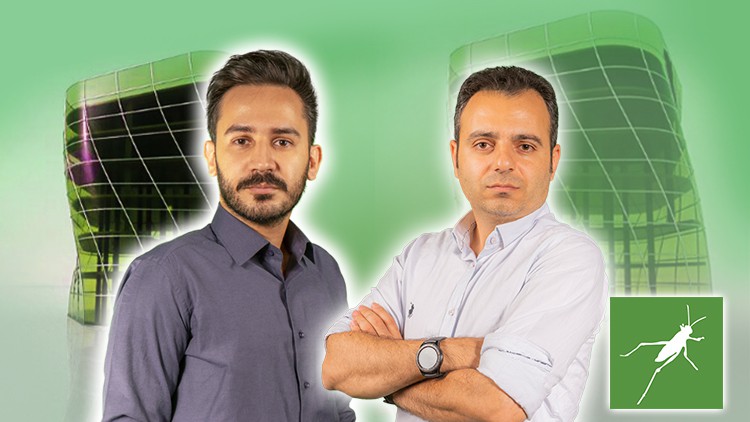
Grasshopper- Parametric Design- From Beginner to Advanced
Published 12/2023
Created by Amir Karami
MP4 | Video: h264, 1280x720 | Audio: AAC, 44.1 KHz, 2 Ch
Genre: eLearning | Language: English | Duration: 102 Lectures ( 31h 51m ) | Size: 25.5 GB


Parametric Design in Rhino: Advanced 3D Modeling, Patterns, Optimization and Analysis for Architectural Innovation


What you'll learn
Parametric Patterns
Practical Plugins
Advanced Modeling Training
Create Algorithmic Solutions
Parametric Design
Understand the Parametric Concepts
Manage Data Structures
Physical Modeling
Unique Parametric Designs
Digital Fabrication Process

Requirements
A Laptop and Rhinoceros

Description
Note: This is a project-based Course where all the topics covered have been examined on real-world projects.Are you familiar with Grasshopper's parametric design system?Have you ever wondered how intricate designs are created using parametric modeling?Do you want to explore the unique advantages that Grasshopper offers compared to other design software?Grasshopper, a powerful visual programming language plugin for Rhinoceros 3D, has become a go-to tool for designers, architects, and artists. It revolutionizes the design process by enabling the creation of complex and dynamic forms through algorithmic modeling.Grasshopper's strength lies in its ability to generate parametric designs using a node-based system. Originally developed as a parametric extension for Rhino, Grasshopper has evolved into a versatile platform used across various design disciplines. The course is designed to demystify Grasshopper and guide you through its functionalities, providing a solid foundation for mastering this innovative tool. Headlines:parametric PatternsPractical PluginsAdvanced Modeling Training Create Algorithmic SolutionsParametric DesignUnderstand the Parametric ConceptsManage Data StructuresPhysical ModelingUnique Parametric DesignsDigital Fabrication ProcessPlease watch this course and feel free to ask me any questions you have while watching it. Additionally, during the learning Grasshopper, ask me questions so that I can guide you. Enroll now for being professional in Grasshopper and parametric design.

Who this course is for
Architects
Rhino Users
CG Artists
Interior Designers
Architecture/Design Students
Engineers
Industrial Designers
BIM Modelers


441566276_grasshopper-_parametric_design-_from_beginner_to_advanced.jpg


7f334159b23110172bc15bc05f5eb496.jpg


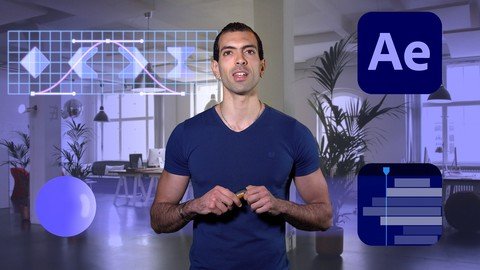
After Effects For Beginners Learn By Doing
Published 12/2023
MP4 | Video: h264, 1920x1080 | Audio: AAC, 44.1 KHz
Language: English | Size: 25.34 GB | Duration: 15h 26m

Learn all the Fundamentals of Adobe After Effects CC


What you'll learn
How to Navigate in After Effects
Motion and the diffrent types of Keyframes
Text and Shape Animation
How to apply Visual Effects to videos

Requirements
After Effects CC

Description
A complete Adobe After Effects CC course for beginners that will teach you all the Fundamentals of After Effects by practicing and doing exercises.All you need to start this course is the Adobe After Effects software and nothing else, you don't need to have any prerequisite knowledge.Learn by DoingThis is not a course where you can just sit down, watch and absorb information. You don't really learn anything that way, instead, I want you to learn by doing.We will get started by exploring the After Effects app, navigating, moving around and knowing some basic tools then we will go straight to doing exercises.With every new exercise, we will discover a new Tool or a new Technique in After Effects.This course is structured in 2 Chapters :Motion GraphicsVFX Visual EffectsWe will start by simple and easy exercises and as we advance, things will gradually become more and more challenging.But it's very important that you do the exercises and I can't stress this enough.If you are planning to just watch the course the same way you watch Netflix, then you probably shouldn't waste your time.My Promise to You :If you are dedicated and do all the exercises along with me, at the end of the course, I guarantee you will know all the basics and will be able to use After Effects with ease.With more practice and advanced learning you can become a master Motion Designer and VFX Artist.

Overview
Section 1: Introduction

Lecture 1 Introduction

Section 2: Getting Started

Lecture 2 Exercise Files

Lecture 3 Create New Composition

Lecture 4 Layers

Lecture 5 Navigating

Lecture 6 Layer Properties

Lecture 7 Keyframes

Lecture 8 Keyframes

Lecture 9 Export

Lecture 10 Export Transparent Video

Section 3: Motion Graphics

Lecture 11 Exercise 1

Lecture 12 Exercise 2

Lecture 13 Exercise 3

Lecture 14 Exercise 4

Lecture 15 Exercise 5

Lecture 16 Exercise 6

Lecture 17 Exercise 7

Lecture 18 Exercise 8

Lecture 19 Exercise 9

Lecture 20 Exercise 10

Lecture 21 Keyframe Easing

Lecture 22 Exercise 11

Lecture 23 Exercise 12

Lecture 24 Exercise 13

Lecture 25 Exercise 14

Lecture 26 Exercise 15

Lecture 27 Exercise 16

Lecture 28 Exercise 17

Lecture 29 Exercise 18

Lecture 30 Exercise 19

Lecture 31 Exercise 20

Lecture 32 Exercise 21

Lecture 33 Exercise 22

Lecture 34 Exercise 23

Lecture 35 Exercise 24

Lecture 36 Exercise 25

Lecture 37 Exercise 26

Lecture 38 Exercise 27

Lecture 39 Exercise 28

Lecture 40 Exercise 29

Lecture 41 Exercise 30

Lecture 42 Exercise 31

Lecture 43 Exercise 32

Lecture 44 Exercise 33

Lecture 45 Exercise 34

Lecture 46 Exercise 35

Lecture 47 Exercise 36

Lecture 48 Exercise 37

Lecture 49 Exercise 38

Lecture 50 Exercise 39

Lecture 51 Exercise 40

Lecture 52 Exercise 41

Lecture 53 Exercise 42

Lecture 54 Exercise 43

Lecture 55 Exercise 44

Lecture 56 Exercise 45

Lecture 57 Exercise 46

Lecture 58 Exercise 47

Lecture 59 Exercise 48

Lecture 60 Exercise 49

Section 4: Visual Effects VFX

Lecture 61 Exercise 1

Lecture 62 Exercise 2

Lecture 63 Exercise 3

Lecture 64 Exercise 4

Lecture 65 Exercise 5

Lecture 66 Exercise 6

Lecture 67 Exercise 7

Lecture 68 Exercise 8

Lecture 69 Exercise 9

Lecture 70 Exercise 10

Lecture 71 Exercise 11

Lecture 72 Exercise 12

Lecture 73 Exercise 13

Lecture 74 Exercise 14

Lecture 75 Exercise 15

Lecture 76 Exercise 16

Lecture 77 Exercise 17

Lecture 78 Exercise 18

Lecture 79 Exercise 19

Lecture 80 Exercise 20

Section 5: Conclusion

Lecture 81 Conclusion

Beginners who are serious about learning After Effects


441753499_after_effects_for_beginners_learn_by_doing.jpg


ad8def9f41d9b5a81e96e000ede2ae68.jpg


Fast C# by Windows Forms to Create Pro Windows Apps
Last updated 7/2023
Created by Mega Learning
MP4 | Video: h264, 1280x720 | Audio: AAC, 44.1 KHz, 2 Ch
Genre: eLearning | Language: English + srt | Duration: 705 Lectures ( 85h 36m ) | Size: 25 GB


Easily and deeply learn the C# by Creating Apps for Windows - Beginners to advance topics


What you'll learn
10 Courses in One + 80 Hours - Learn with Projects , Beginners, Interm and Advance
Build 3 pro apps: Calculator , Phone Book and Diary application
Easily learn the basics of C# to advance topics by Windows form method
Learn: Variables,Controls, Debug, Events
Using Files, Folders and text files
Working with resources and settings
Windows clipboard - RTF files
Date and time - Calendar

Requirements
Windows operating system

Description
Hi There!With my 20 years programming skills I'm with you to share my knowledge with you.SoIf you try you will learn using C# to create C# Apps for windows!If you are beginners or student looking for a tutorial to create Windows App in C# in simplest way!I started from beginning and show you how to :3 Courses in One + 30 Hours + 3 live ProjectsCreate Windows Apps by C# Basics of C# like: variablesfor loop structureIf statementControls and eventsResources in C#Working with files and foldersUsing text file to save dataDebugging the codesCreate calculator applicationDesign Phone Book applicationBuild Diary application for windowsCreating MDI and ADI projectsControls like : Button, TextBox, CheckBox, ComboBox and ListBoxCreate digital clockWorking with date and timeCreate a calendarWorking with RTF filesSave and load data in RTF formatAdvance using of comboboxWorking with imagesDialogs in C#:Working with logical operatorsCreating method and class in C#Using Clipboard of Windows to save and load dataand...Don't hesitate to start learning C#!Every thing will be discussed with sample project and you will have lot of fun within my course.Let's go !!!

Who this course is for
Any one who wanna learn C# Deeply and quickly


442097269_fast_c-_by_windows_forms_to_create_pro_windows_apps.jpg


aa1713017aefd4a8a855af4b2bf74c4b.jpg


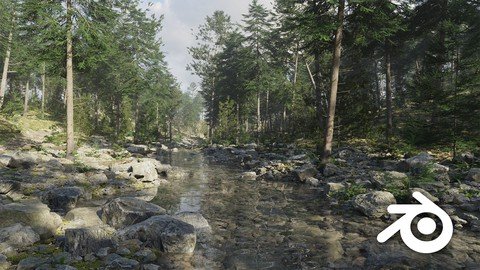
Creating A Fir And Pine Forest In Blender
Published 6/2023
MP4 | Video: h264, 1280x720 | Audio: AAC, 44.1 KHz
Language: English | Size: 21.93 GB | Duration: 19h 2m

Master the Art of Creating Stunning Fir and Pine Forest Scenes in Blender


What you'll learn
How to create stunning fir and pine forest environments using Blender.
Procedural path and river creation using curves to add dynamic elements to your scenes.
Creating animated photoscanned fir and pine trees
Advanced scene optimization ensure smooth performance and efficient rendering.

Requirements
Prior knowledge of Blender is required to enroll in this course.

Description
Welcome to the ultimate guide to creating a fir and pine forest in Blender! In this course, you'll not only learn everything you need to know to create a stunning forest environment, but you'll also be taken on an immersive experience to real-life forests. With six in-depth chapters, you'll be guided step-by-step through the forest design process, from initial conception to final product.Fir and pine forests are truly enchanting environments. With their towering trees, dappled sunlight, and rich undergrowth, they're full of detail and wonder. Every element of the forest contributes to its overall beauty and harmony, from the way the twigs rustle in the breeze to the sound of the birds singing overhead. Capturing this magic in a virtual environment can be a challenge, but in this course, we'll guide you step by step through the process of creating your own stunning forest scene. You'll learn how to carefully craft each detail to bring the forest to life, from the texture of the bark to the way the light filters through the leaves. By the end of the course, you'll have a masterpiece that captures the essence of a real fir and pine forest, ready to be explored and enjoyed. So what is this course all about ?The course is organized into six chapters, each designed to guide you through the process of creating a breathtaking fir and pine forest environment. In each chapter, you'll learn step-by-step how to design and optimize each element of the forest, from the initial layout and terrain shaping to the final touches that bring the scene to life. With each chapter, you'll gain new skills and insights that build upon what you learned in the previous one, giving you the knowledge and confidence you need to create a truly remarkable forest environment.Course overviewChapter 1: Introduction In this introductory chapter, we'll give you an overview of the course and its objectives. You'll learn about the basic concepts of 3D forest design, and get a sense of what to expect from the course. We'll also discuss the tools and resources you'll need to get started, and give you an overview of the forest design process.Chapter 2: Creating the Forest Cover In this chapter, we'll start building the foundation of your forest by creating the initial cover. You'll learn how to create the ground, add foliage and grass, and create a sense of depth and texture. We'll also cover how to create the lighting and mood of the environment, setting the stage for the rest of the course.Chapter 3: Enlarging the Surface and Optimizing the Scene In this chapter, we'll dive deeper into the technical aspects of your forest environment. You'll learn how to enlarge the surface of your scene, optimize it for performance, and use various techniques to create a more realistic and immersive experience. We'll cover topics like LOD (level of detail), fog, and more.Chapter 4: Creating a Procedural Forest Path and River In this chapter, we'll create a procedural forest path and river. You'll learn how to use Blender's powerful tools to create these features, and we'll show you how to customize and animate them. We'll also cover how to add natural-looking rocks and other features to your scene.Chapter 5: Creating the Fir and Pine Trees In this chapter, we'll focus on creating the iconic fir and pine trees that define your forest. Using scanned mo of real-life trees, we'll show you how to create lifelike and convincing trees. You'll also learn how to animate the trees, including the twigs, to bring them to life.Chapter 6: In the final chapter, Chapter 6, we'll bring everything you've learned together to create a cohesive and breathtaking forest environment. We'll work on three different scenes, showing you how to use the skills you've learned throughout the course to experiment with different lighting and textures. And to help you find inspiration and explore new ideas, we'll introduce you to mid-journey - a powerful tool for finding and sharing creative inspirationBlender skill level: Mid-levelThis course is designed for intermediate Blender users who are comfortable with the basics and have a good understanding of the Blender interface. However, even if you are relatively new to Blender, you can still follow along and learn a lot from the course. If you're willing to put in the time and effort to practice the techniques, you'll be able to create stunning 3D artwork with the help of this course.All of the content used in this course, including 8K textures, photo scans, and other natural objects, is available for free on the Polyhaven platform ( June 2023). This means you can use the same high-quality resources to create your own stunning coniferous forest in Blender!Don't wait, and join nowBy the end of this course, you'll not only have the skills and knowledge to create a stunning forest environment in Blender, but you'll also have a newfound appreciation and understanding of real-life forests. You'll be able to customize and personalize your creation, making it truly unique and personal. So why wait? Enroll now and let's embark on a journey to the heart of the forest!

Overview
Section 1: Introduction

Lecture 1 Introduction

Lecture 2 Lecture 1: A forest is not just trees

Lecture 3 Lecture 2: Location visit

Lecture 4 Lecture 3: Workflow and organization

Lecture 5 Lecture 4: Using AI in your work

Lecture 6 Lecture 5: scheduling your work

Section 2: Chapter 2 Building the forest floor

Lecture 7 Introduction video

Lecture 8 Lecture 1: starting and preparing Blender

Lecture 9 Lecture 2: preparing the forest floor

Lecture 10 Lecture 3: Adding terrain/texture displacement

Lecture 11 Lecture 4: Adding scene displacement

Lecture 12 Lecture 5: Making ground cover

Lecture 13 Lecture 6: scatter ground cover with Geometry nodes

Lecture 14 Lecture 7: Importing rocks and branches

Lecture 15 Lecture 8: Scatter the rock and branches

Lecture 16 Lecture 9: Modeling moss

Lecture 17 Lecture 10 : Building a moss patch

Lecture 18 Lecture 11: Scatter moss patches on the terrain

Lecture 19 Lecture 12: Making model proxy s

Lecture 20 Lecture 13: Balance the scene

Lecture 21 Lecture 14: Add fern and make a scene render

Section 3: Chapter 3 Scale and optimize the forest template

Lecture 22 Introduction video

Lecture 23 Lecture 1: Scale template and lower scene assets count

Lecture 24 Lecture 2: Add prop culling

Lecture 25 Lecture 3: Add LOD on your models

Lecture 26 Lecture 4: Add more LOD detail

Lecture 27 Lecture 5: Balance the culling and LOD

Lecture 28 Lecture 6: Make tree root proxy models

Lecture 29 Lecture 7: Make a scene render

Lecture 30 Lecture 8: Add pine tree roots

Lecture 31 Lecture 9: Optimize nodes by making groups

Lecture 32 Lecture 10 : Adding a dead tree model

Lecture 33 Lecture 11: Make a scene render

Section 4: Chapter 4 Adding a procedural path and river

Lecture 34 Introduction video

Lecture 35 Lecture 1: Using AI images for path and river inspiration

Lecture 36 Lecture 2: Drawing a path with curves

Lecture 37 Lecture 3: exclude models on the path

Lecture 38 Lecture 4: Adding a path texture

Lecture 39 Lecture 5: Scatter the path

Lecture 40 Lecture 6: Adding grass on path sides

Lecture 41 Lecture 7: Drawing a river curve on the terrain

Lecture 42 Lecture 8: Add a river material

Lecture 43 Lecture 9: Build a river with curves

Lecture 44 Lecture 10: Extracting X and Y coordinates from curve

Lecture 45 Lecture 11: Add river displacement and flow the river

Lecture 46 Lecture 12: using reference video to improve river looks

Lecture 47 Lecture 13: Lower river flow intensity on sides

Lecture 48 Lecture 14: Add river material

Lecture 49 Lecture 15 : Make river foam

Lecture 50 Lecture 16: Blend the river foam

Lecture 51 Lecture 17: Append river on terrain curve

Lecture 52 Lecture 18: Add river rocks

Lecture 53 Lecture 19: Add river scattering

Lecture 54 Lecture 20: Add more river rocks

Lecture 55 Lecture 21: Make a scene render

Section 5: Chapter 5 Building fir and pine trees

Lecture 56 Introduction video

Lecture 57 Lecture 1: Looking at fir and pine reference photos

Lecture 58 Lecture 2: Making a fir twig branch

Lecture 59 Lecture 3: Modeling a fir twig needle

Lecture 60 Lecture 4: Adding fir needles on branch

Lecture 61 Lecture 5: Adding needles on left and right side branch

Lecture 62 Lecture 6: Adding needles on the tips of the branch

Lecture 63 Lecture 7: Make fir twig variation

Lecture 64 Lecture 8: Introduction to the Blender sapling tool

Lecture 65 Lecture 9: Building and animating the fir tree

Lecture 66 Lecture 10: Adding twigs in geometry nodes

Lecture 67 Lecture 11: Merge a scanned fir root

Lecture 68 Lecture 12: Blend root and branch materials

Lecture 69 Lecture 13: Animate tree root

Lecture 70 Lecture 14: optimizing fir twigs

Lecture 71 Lecture 15: add more detail on fir twig

Lecture 72 Lecture 16: Add dead branches on the tree root

Lecture 73 Lecture 17: Build a tree template to display your trees

Lecture 74 Lecture 18: make a second fir tree

Lecture 75 Lecture 19: Merge tree root and blend materials

Lecture 76 Lecture 20: Animate the tree root

Lecture 77 Lecture 21: Make a third fir tree

Lecture 78 Lecture 22: Animate tree root

Lecture 79 Lecture 23 : replace dead branches on the root with a smaller type

Lecture 80 Lecture 24: Add all fir trees on template and make a render

Lecture 81 Lecture 25: Make a medium fir tree

Lecture 82 Lecture 26: make medium fir variations

Lecture 83 Lecture 27: Make a fir sapling tree

Lecture 84 Lecture 28: Blend all trees on the tree template

Lecture 85 Lecture 29: Model a pine needle

Lecture 86 Lecture 30: Make needle variations and add a material

Lecture 87 Lecture 31: Model a pine twig and add needles

Lecture 88 Lecture 32: Adjust needles and face the right direction

Lecture 89 Lecture 33: Make pine twig variations

Lecture 90 Lecture 34: Build the pine tree and add the wigs

Lecture 91 Lecture 35: Merge the pine root and blend materials

Lecture 92 Lecture 36: Animate tree root

Lecture 93 Lecture 37: Add dead branches on pine tree

Lecture 94 Lecture 38: Model a medium pine tree

Lecture 95 Lecture 39: Model a pine sapling and blend all trees on tree template

Section 6: Chapter 6 making scene renders

Lecture 96 Introduction video

Lecture 97 Lecture 1: reviewing all tree assets

Lecture 98 Lecture 2: make fir tree proxy models and import in new scene file

Lecture 99 Lecture 3: Import medium and sapling trees and balance the size

Lecture 100 Lecture 4: change the light and atmosphere of the scene

Lecture 101 Lecture 5: Import pine trees in scene file

Lecture 102 Lecture 6 : balance tree models to bring more light in the scene

Lecture 103 Lecture 7: Improve the river looks

Lecture 104 Lecture 8: Using Mid Journey to find scene inspiration

Lecture 105 Lecture 9: work out the first scene

Lecture 106 Lecture 10: Replace grass with a mixt nature assets

Lecture 107 Lecture 11: Adding path roots

Lecture 108 Lecture 12: Balance the path roots

Lecture 109 Lecture 13: Match the root color with path material

Lecture 110 Lecture 14: Draw a new path and river for new scene setup

Lecture 111 Lecture 15: make scene renders and balance the scene

Lecture 112 Lecture 16: change the atmosphere and make a final scene render

Lecture 113 Lecture 17: Change the scene template and draw a new river curve

Lecture 114 Lecture 18: Change scene light and make new renders

Lecture 115 Lecture 19: Change the scene template for a new scene render

Lecture 116 Lecture 20: Draw a new river curve

Lecture 117 Lecture 21: Create volume foggy clouds

Lecture 118 Lecture 22: Blend the foggy clouds with scene template

Lecture 119 Lecture 23: final scene notes

This course is designed for aspiring 3D artists and Blender enthusiasts looking to enhance their skills in creating realistic fir and pine forest scenes.




442422658_creating_a_fir_and_pine_forest_in_blender.jpg


185150d3d56eb1744a7654a6f5ce2ac5.jpg


Dart & Flutter - Zero to Mastery [2023] + Clean Architecture (German Version)
Last updated 6/2023
Created by Maximilian Berktold
MP4 | Video: h264, 1280x720 | Audio: AAC, 44.1 KHz, 2 Ch
Genre: eLearning | Language: German + srt | Duration: 141 Lectures ( 40h 35m ) | Size: 20.6 GB


Vollumfassender Flutter Kurs um schnell und effektiv in die professionelle App-Entwicklung zu starten. Und vieles mehr!


What you'll learn
Einrichten der Entwicklungsumgebung - Windows + MacOS
Die Grundlagen der Programmiersprache Dart lernen und anwenden k nnen.
Grundlagen der UI-Erstellung mit Flutter um in die App-Entwicklung zu starten.
Saubere Softwarearchitektur umgesetzt in einer App, die dir jederzeit wieder als Template dient.
Flutter Web Serie - responsive Design & Navigation
Den Umgang mit Visual Studio Code und Tipps und Tricks + Extensions um effektiver zu Programmieren.
Du wirst lernen mit Dart dein erstes Konsolen-Programm zu schreiben bis hin zur ersten professionellen Mobile App mit Flutter.
Methoden, objektorientierte & asynchrone Programmierung in Dart, Widgets - Stateful & Stateless, State-Management, Navigation, Animationen, Theming ...
State Management mit BLoC
Dependency Injection - Unit Testing
Test Driven Development (TDD)
Widget testing
Integration testing
Kurs wird immer AKTUELL gehalten und ausgebaut!
Extra: Discord Community !

Requirements
Dieser Kurs eignet sich f r Programmieranf nger und f r Leute die von einer anderen Sprache kommen und in die App-Entwicklung mit Flutter einsteigen wollen.

Description
Entwickler erhalten mit diesem Kurs das n tige R stzeug, um professionelle Projekte umzusetzen und werden Teil einer gro artigen Community.Lerne App-Entwicklung mit Flutter und profitiere von professionellem Know-how aus langj hriger Freelancer-Erfahrung, die ber Grundlagen hinausgeht.Wir fokussieren uns auf essenzielle Projektaspekte wie wartbare, skalierbare und effiziente Softwarearchitektur Kenntnisse, die dich deine gesamte Karriere begleiten.Der Kurs ist f r alle geeignet: von erfahrenen Entwicklern bis hin zu Neulingen. Wir behandeln Themen wie Clean Architecture und Testing, und f hren dich von deiner ersten kleinen Flutter App bis hin zu professionellen Softwarearchitekturen.Das junge Flutter Framework bietet zahlreiche M glichkeiten. Mit der steigenden Anzahl an Flutter-basierten Apps w chst auch die Nachfrage nach kompetenten Entwicklern.Erlebe die Freude am Entwickeln mit Flutter und Dart!Tritt unserer gr ten aktiven deutschen Flutter Community auf Discord bei, um dich mit anderen Entwicklern auszutauschen und gegenseitig zu unterst tzen.Der Kurs wird aus Leidenschaft f r Flutter und das Ziel, die deutsche Community zu unterst tzen, angeboten. Werde Teil unserer Gemeinschaft und genie e echten Wert zu einem fairen Preis.-&gt; IMMER AKTUELL: Kurs und Projekte werden gerade aktualisiert.-&gt; Kompatibel mit Flutter Version 2.5+ -&gt; Regelm ige Updates bei gr eren nderungen.Kursinhalte:-&gt; Dart-Grundlagen: Lerne Programmierung in Dart, einrichten der Entwicklungsumgebung und Verwendung von VS-Code. Von Variablen bis hin zu objektorientierter und asynchroner Programmierung.-&gt; Flutter-Grundlagen: Erlange Verst ndnis f r UI-Erstellung, wichtige Komponenten, Themes, Animationen, Navigation und mehr.-&gt; Professionelle App-Entwicklung - Clean Code Architecture: Entwickle eine einfache App mit einer robusten Clean-Code-Architektur, BLoC Pattern, Dependency Injection, Functional Programming und Testing.-&gt; Professionelle App-Entwicklung - Firebase: Tauche tiefer in die App-Entwicklung ein und lerne Firebase-Funktionen durch die Entwicklung einer weiteren App.-&gt; Flutter Responsive Website: Erfahre die Grundlagen von Flutter Web, responsive Design und Navigation im Web-Umfeld.Hinweis: Dieser Kurs konzentriert sich darauf, dir schnell und effektiv das notwendige Wissen f r die App-Entwicklung mit Flutter zu vermitteln. Komplexe Hintergrundprozesse aus Studieng ngen werden nicht behandelt. Qualit t und Spa stehen im Vordergrund.Kursinhalte:Grundlagenkurs Dart - Grundlagen der ProgrammierungGrundlagenkurs Flutter - Grundlagen der UI Erstellung mit FlutterNative Design - Platform adaptive AppAdvicerApp - Clean Architecture Architekturdarstellung (Separation of Layers)AdvicerApp - State Management - State Management mit dem BLoC Pattern (Application & Presentation Layer)AdvicerApp - REST API Anbindung HTTP - Standard REST Anbindung (Domain & Infrastructure Layer)AdvicerApp - Dependency Injection - Service Locator erstellenAdvicerApp - Unit-Testing - Programm testenAdvicerApp - Test-Driven Development TDD - Feature um lokal Daten zu verwalten, Umsetzung mit der TDD MethodeAdvicerApp - Widget testing - einzelne Widgets unserer App testen & dependency's mockenAdvicerApp - Integration testing - integration tests f r unsere flutter app schreiben & dependency's mockenTodoApp - Firebase Authentication - User authentication in Clean ArchitectureTodoApp - Firebase Backend - real time database - Eigenes Backend erstellen und erste Daten laden (Daten observieren)TodoApp - Create Update Delete - mit einer App Daten im Backend erstellen, aktualisieren und l schenTodoApp - Redesign UI - unsere UI etwas sch ner gestalten und neue Widgets kennen lernenApp Finalisierung und Rollout - Custom App IconApp Finalisierung und Rollout - Custom Splash ScreenApp Finalisierung und Rollout - Signing und Release im StoreFlutter-Web Serie - eine Website mit Flutter Web programmierenFlutter-Web Serie - Responsive Design (Mobile, Tablet, Desktop )Flutter-Web Serie - Navigation - URL SyncRoadmapInternationalisierung einer AppState Management Systeme (MVVM, Bloc, Provider, Riverpod, Hooks...)Build for MacOS & WindowsPush NotificationsNavigator 2.0 (Web & Mobile)-&gt; Mein Hauptfokus ist jedoch die Qualit t und Aktualit t der Inhalte.

Who this course is for
Hier profitiert jeder der schnell und effektiv in die Mobile App Entwicklung eintauchen m chte. Ich selbst habe mir Flutter beigebracht und durfte einige Projekte erfolgreich umsetzen - Ich m chte hier mein Wissen und meine Erfahrungen der letzten Jahre mit dir teilen.
Wir entwickeln zusammen mehrere Apps, lernen saubere Softwarearchitektur in Flutter kennen und testen unsere Apps auf Herz und Nieren. Dabei nehme ich dich bei der Hand und zeige dir alles von Grund auf.


442430036_dart__flutter_-_zero_to_mastery_2023_-_clean_architecture.jpg


a3c848e6b9e96a205a0f909089ae7465.jpg


Learn Squared - Creative Illustration
MP4 | Video: h264, yuv420p, 1920x1080 | Audio: aac, 44100 Hz | Duration: 13 GB
Genre: eLearning | Language: English

Create eye-popping illustrations and dynamic compositions with clear shapes, decisive lines, and big poses. Learn from renowned artist Amin Faramarzian, whose high-contrast, high-energy pieces might look like Saturday morning cartoons on the surface, but often hide deeper and powerful themes underneath.


Homepage

442431292_learn_squared_-_creative_illustration.jpg


5e0b775278a03e94004b8c737e8a8d1f.jpg


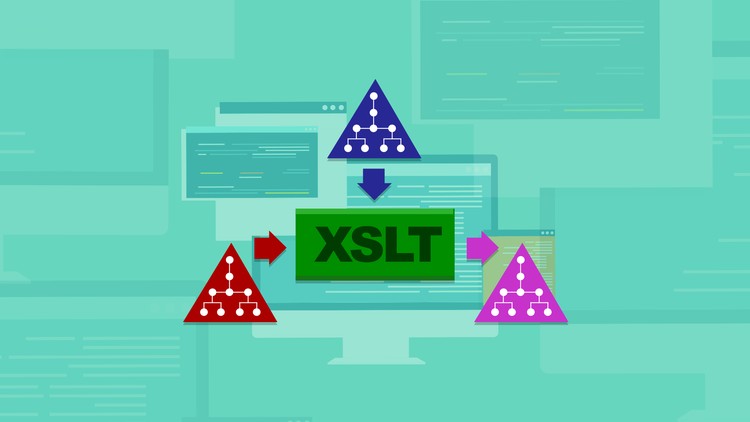
Practical Transformation Using XSLT and XPath (5-hour free preview; 24 hours total)
Last updated 5/2020
Created by G. Ken Holman
MP4 | Video: h264, 1280x720 | Audio: AAC, 44.1 KHz, 2 Ch
Genre: eLearning | Language: English + srt | Duration: 71 Lectures ( 24h 0m ) | Size: 23.5 GB


5-day class for transforming XML covers every element, every attribute and every function of W3C XSLT/XPath 1.0 and 2.0.


What you'll learn
XSLT
XPath
XML

Requirements
Understand basic XML

Description
"Practical Transformation Using XSLT and XPath" is over 24 hours of instructor lecture, with hands-on exercises and solutions, of an intensive five-day training class. The introduction/overview is free, the first two modules are free, the introduction of every other module is free, one additional lecture is free and the annexes are free: a total of 311 minutes of free preview content!

This class overviews the entire scope of the Extensible Stylesheet Language Transformations (XSLT) 1.0 , XSLT 2.0 , the XML Path Language (XPath) 1.0 and XPath 2.0 W3C Recommendations, used for transforming structured information (e.g. XML to XML, XML to HTML, XML to XSL-FO, XML to text, etc.). The objectives of the course are to understand the role and utility of the Recommendations, to overview all the constructs of the Recommendations (this five-day delivery covers every element, every attribute, and every function), to design and develop XSLT scripts, and to efficiently navigate the available documentation and resources. The relationship of XSLT to XSL is explained, though details of XSL Formatting Object semantics are not included.

Who this course is for
Beginner XML user
Intermediate XML user
Advanced XML user


442683041_practical_transformation_using_xslt_and_xpath_5-hour_free_preview-_24_hours_tota.jpg


0997c424e3da803aa53267a15a6690d0.jpg


The Web Developer Bootcamp 2023
Last updated 11/2023
MP4 | Video: h264, 1280x720 | Audio: AAC, 44.1 KHz, 2 Ch Language: English | Duration: 74h 4m | Size: 57.7 GB

10 Hours of React just added. Become a Developer With ONE course - HTML, CSS, JavaScript, React, Node, MongoDB and More!


What you'll learn
The ins and outs of HTML5, CSS3, and Modern JavaScript for 2021
Make REAL web applications using cutting-edge technologies
Create responsive, accessible, and beautiful layouts
Recognize and prevent common security exploits like SQL-Injection & XSS
Continue to learn and grow as a developer, long after the course ends
Create a blog application from scratch using Node, Express, and MongoDB.
Create a complicated yelp-like application from scratch
Deploy your applications and work with cloud databases
Create static HTML and CSS portfolio sites and landing pages
Think like a developer. Become an expert at Googling code questions!
Create complex HTML forms with validations
Implement full authentication from scratch!
Use CSS Frameworks including Bootstrap 5, Semantic UI, and Bulma
Implement responsive navbars on websites
Use JavaScript variables, conditionals, loops, functions, arrays, and objects
Write Javascript functions, and understand scope and higher order functions
Master the "weird" parts of JavaScript
Create full-stack web applications from scratch
Manipulate the DOM with vanilla JS
Write JavaScript based browser games
Use Postman to monitor and test APIs
Use NodeJS to write server-side JavaScript
Write complex web apps with multiple models and data associations
Write a REAL application using everything in the course
Use Express and MongoDB to create full-stack JS applications
Use common JS data structures like Arrays and Objects
Master the command line interface
Use NPM to install all sorts of useful packages
Understand the ins and outs of HTTP requests
Create your own Node modules
Make a beautiful, responsive photographer's portfolio page
Create a beautiful, responsive landing page for a startup
Implement user authentication
Create a beautiful animated todo list application
Create single page applications with AJAX


Requirements
Have a computer with Internet
Be ready to learn an insane amount of awesome stuff
Prepare to build real web apps!
Brace yourself for stupid jokes about my dog Rusty


Description
Now with over 10 hours of React content. Just updated on May 15th, 2023.

Massive new React "expansion pack" covers: React basics, JSX, props, state, Vite, MaterialUI, hooks, useEffect, React design patterns, and more.

Hi! Welcome to the brand new version of The Web Developer Bootcamp, Udemy's most popular web development course. This course was just completely overhauled to prepare students for the 2023 job market, with over 60 hours of brand new content. This is the only course you need to learn web development. There are a lot of options for online developer training, but this course is without a doubt the most comprehensive and effective on the market. Here's why

This is the only Udemy course taught by a professional bootcamp instructor with a track record of success.

92% of my in-person bootcamp students go on to get full-time developer jobs. Most of them are complete beginners when I start working with them.

The previous 2 bootcamp programs that I taught cost $14,000 and $21,000. This course is just as comprehensive but with brand new content for a fraction of the price.

Everything I cover is up-to-date and relevant to 2022's developer job market. This course does not cut any corners. I just spent 8 months redoing this behemoth of a course!

We build 13+ projects, including a gigantic production application called YelpCamp. No other course walks you through the creation of such a substantial application.

The course is constantly updated with new content, projects, and modules. Think of it as a subscription to a never-ending supply of developer training.

You get to meet my cats and chickens!

When you're learning to program you often have to sacrifice learning the exciting and current technologies in favor of the "beginner friendly" classes. With this course, you get the best of both worlds. This is a course designed for the complete beginner, yet it covers some of the most exciting and relevant topics in the industry.

Throughout the brand new version of the course we cover tons of tools and technologies including

HTML5

CSS3

Flexbox

Responsive Design

JavaScript (all 2022 modern syntax, ES6, ES2018, etc.)

Asynchronous JavaScript - Promises, async/await, etc.

AJAX and single page apps

Bootstrap 4 and 5

ReactJS

SemanticUI

Bulma CSS Framework

DOM Manipulation

Unix(Command Line) Commands

NodeJS

NPM

ExpressJS

Templating

REST

SQL vs. NoSQL databases

MongoDB

Database Associations

Schema Design

Mongoose

Authentication From Scratch

Cookies & Sessions

Authorization

Common Security Issues - SQL Injection, XSS, etc.

Developer Best Practices

Deploying Apps

Cloud Databases

Image Upload and Storage

Maps and Geocoding

This course is also unique in the way that it is structured and presented. Many online courses are just a long series of "watch as I code" videos. This course is different. I've incorporated everything I learned in my years of teaching to make this course not only more effective but more engaging. The course includes

Lectures

Code-Alongs

Projects

Exercises

Research Assignments

Slides

Downloads

Readings

Too many pictures of my dog Rusty

If you have any questions, please don't hesitate to contact me. I got into this industry because I love working with people and helping students learn. Sign up today and see how fun, exciting, and rewarding web development can be!

Who this course is for
This course is for anyone who wants to learn about web development, regardless of previous experience
It's perfect for complete beginners with zero experience
It's also great for anyone who does have some experience in a few of the technologies(like HTML and CSS) but not all
If you want to take ONE COURSE to learn everything you need to know about web development, take this course


Homepage

442432577_the_web_developer_bootcamp_2023.jpg


6cd5ae598939f6746365bbff83bdb3ef.jpg


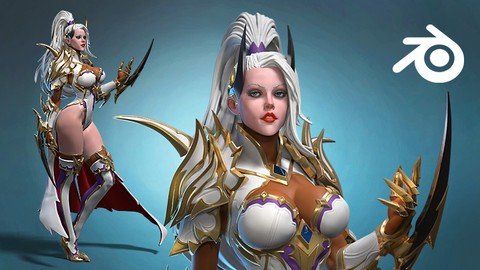
3D Female Armored Assassin In Blender Course
Published 6/2023
MP4 | Video: h264, 1280x720 | Audio: AAC, 44.1 KHz
Language: English | Size: 32.01 GB | Duration: 28h 41m

Complex character creation in Blender for 3D print, render or game


What you'll learn
Modelling an armored female 3D character in Blender
Sculpting, modelling
Female body anatomy
Armor and stylized hair making

Requirements
Intermediate Blender knowledge and Blender

Description
This is probably the most complicated character i have done in Blender. And i have recorded and narrated every step in real time to make this course!There is so much talking in this course that you will get sick of hearing my amazing English accent!But let me tell you a bit about me.I am Niko and i am 3D character artist and teacher with more than 20000 students in my courses of Zbrush, Blender, Anatomy and 3D character sculpting. I also have two youtube channels - Speedchar and Speedchar live, where i upload 3D character related content...mostly :)In this course we will make this 3D Female Armored Assassin from zero, only in Blender. The main purpose of this character is to be 3D printed or rendered, but the same techniques can be used to create 3D characters for games.We will start by making the head, as always, a basic hair and then the body, with me giving some anatomical tips while sculpting.Following will be the arms, hands and legs where we will also talk about forms, shapes and anatomy. Next we will do something extraordinary by making all the armors from single meshes, which i call 3D cketching, so we can better understand and translate the 2D forms from the concept to 3D. When we finish all 3D sketches of the armors, we will start making the real armor meshes, by retopologizing the 3D sketches. It will be long and painful process, but at the end it will be worth the effort!After every gold stripe and armor piece is ready, we can get to making the pose, we will do that by posing only the body, and then we will add and adjust all the armors and stripes after we are happy with the pose. When that super relaxing and fun process is over, we can finish the hair with the curves, and do lights setup and materials to render our model.This course is for intermediate Blender users, but beginners who are feeling very lucky and like to feel pain, can try it too :). Of course you can always start with one of my two Absolute beginners courses for Blender first, then some of my Anatomy courses, and then get back to this one :).I am warning you that in this course there will be stories, drama, action, memories and lots of advices from this wise bearded man with one eyebrow! Even some songs here and there... sorry about that. And now, go, buy the course and start making this nice lady in 3D :)!

Overview
Section 1: Introduction

Lecture 1 Introduction

Lecture 2 Setup Blender and starting the head

Lecture 3 More head modelling and anatomy

Lecture 4 Adding basic hair and eyelashes

Lecture 5 Making a base torso

Lecture 6 Arms and legs base modelling

Lecture 7 Modelling the hand and fingers

Lecture 8 Refining the arms, hands and legs

Lecture 9 Fixing things here and there

Lecture 10 Starting the 3D sketch and making the shoulder

Lecture 11 3D sketching the forearm weapon armor

Lecture 12 Making a breast and knee armor 3D sketch

Lecture 13 Adding some details and start modelling the shoe

Lecture 14 Finishing the shoe

Lecture 15 Making the hair curves

Lecture 16 Making the horns and start refining the forearm armor

Lecture 17 Developing the forearmor weapon

Lecture 18 Fighting with the forearmor

Lecture 19 Finishing the forearmor

Lecture 20 Start the retopo of the shoulder

Lecture 21 More retopo and refining the shoulder armor

Lecture 22 Finishing the shoulder armor

Lecture 23 Making the chest armor

Lecture 24 Neck armor modelling

Lecture 25 Making of the crown

Lecture 26 Making the knee and finger armors

Lecture 27 Refining some parts

Lecture 28 Making gold stripes on the legs

Lecture 29 Adding a body and golden borders

Lecture 30 Adding more golden borders

Lecture 31 Starting the cape

Lecture 32 Starting the pose

Lecture 33 Starting to adjust the armors and clothes

Lecture 34 More adjusting of armors and clothes

Lecture 35 Finishing the legs

Lecture 36 Finishing touches on forearmor weapons and body

Lecture 37 Fixing, detailing and life thoughts

Lecture 38 Working more on the hair and more life lessons

Lecture 39 Long video about modelling the cape

Lecture 40 Finishing the hair

Lecture 41 Making a lights setup and adding gold material

Lecture 42 Making turntable and shadow plane

Lecture 43 Goodbye

All intermediate Blender users who want to advance their 3D character art


442422648_3d_female_armored_assassin_in_blender_course.jpg


632e7aac62c2476bef197595a8259ba5.jpg


Laravel 10 - Build News Portal and Magazine Website (2023)
Last updated 7/2023
Created by Web Solution US
MP4 | Video: h264, 1280x720 | Audio: AAC, 44.1 KHz, 2 Ch
Genre: eLearning | Language: English + srt | Duration: 264 Lectures ( 69h 47m ) | Size: 33.8 GB


Laravel 10 - Create a Dynamic News Portal / News Paper and Magazine Website with Modern Features and Advanced Techniques


What you'll learn
Fundamental of Laravel 10
News Management
Creating a News Portal Project with Laravel 10
Implementing a multi-language system
Implementing Laravel 10 authentication with multi guards
Managing user roles and permissions
Implementing dynamic website theme color system
Dynamic image uploads
Working with microsoft translator API
Mastering CRUD functionality
Configuring website settings
Managing news advertisements
Adding Toaster functionality to the project
Implementing a change password option
Implementing email sending feature
Managing forgot password and password reset functionality
Updating user profiles
Optimizing site SEO
And more

Requirements
You have to know basic PHP
Basic HTML, CSS, Bootstrap and jQuery
Local Server : XAMPP/WAMP/MAMP/Laragon
Text Editor/IDE: Notepad++ / Sublime Text / Visual Studio Code / PhpStrom

Description
Laravel 10 - Build News Portal and Magazine Website (2023)Are you looking to master Laravel and build a comprehensive News Portal website? Look no further! Introducing "Laravel 10 - Build News Portal and Magazine Website (2023)" a cutting-edge course designed to take you from a beginner to an advanced Laravel developer. This course is not just theoretical; it's a hands-on project-based learning experience that will transform you into a professional developer.Why We Should Learn Laravel?Laravel, an open-source PHP framework, is renowned for its simplicity and powerful features. By following the model-view-controller design pattern, Laravel enables you to create highly structured and pragmatic web applications with ease. Its extensive community support and abundant resources make it an excellent choice for web development.So why should you invest your time in learning Laravel?Laravel significantly reduces development time and effort, thanks to its development life cycle and code efficiency.It's easy to learn, making it accessible even for beginners.Laravel enhances web application performance and simplifies configuration, error handling, and exception handling.It offers automation testing capabilities and streamlined URL routing configuration and task scheduling.Laravel has a huge community and provides unlimited resources.Most importantly, having Laravel skills makes it very easy to land a job in the field.What is your benefits ?With "Laravel 10 - Build News Portal and Magazine Website (2023)" you'll reap numerous benefits. Not only will you gain proficiency in Laravel from basic fundamentals to advanced concepts, but you'll also have the opportunity to build a complete, state-of-the-art Online News Portal. Throughout the course, you'll tackle real-life project challenges, learn to debug and troubleshoot, and grasp the core MVC structures. This comprehensive project will not only expand your skill set but also boost your employability. You'll be equipped to undertake client work, bolster your portfolio, and excel in university assignments.The course's highlights include:Learning Laravel basicsCreating a News Portal Project with Laravel 10.Implementing a multi-language system.Implementing Laravel 10 authentication.Managing user roles and permissions.Incorporating professional themes for both the frontend and backend.Facilitating image uploads.Mastering CRUD functionality.Configuring website settings.Managing news advertisements.Adding Toaster functionality to the project.Implementing a change password option.Implementing email verification in Laravel.Managing forgot password and password reset functionality.Updating user profiles.Optimizing site SEO.And more.But the best part? You won't merely learn these concepts; you'll apply them directly to a live project under my guidance. Furthermore, you'll receive prompt support within 24 hours if you encounter any issues. By completing "Laravel 10 - Build News Portal and Magazine Website (2023)" you'll position yourself as a proficient Laravel developer, ready to seize job opportunities, impress clients, and advance your career.

Who this course is for
This course is best suited for beginners
It is highly recommended for individuals seeking web programming jobs
Students who want to take their PHP skills to the next level should enroll
The course caters to beginners as well as advanced Laravel developers looking to enhance their skills
University students working on Laravel-related project assignments will find this course beneficial
It is ideal for individuals aspiring to become professional Laravel developers


442683147_laravel_10_-_build_news_portal_and_magazine_website_2023.jpg


Zurück
Oben Unten