• Regeln für den Video-Bereich:

    In den Börsenbereich gehören nur Angebote die bereits den Allgemeinen Regeln entsprechen.

    Einteilung

    - Folgende Formate gehören in die angegeben Bereiche:
    - Filme: Encodierte Filme von BluRay, DVD, R5, TV, Screener sowie Telesyncs im Format DivX, XviD und x264.
    - DVD: Filme im Format DVD5, DVD9 und HD2DVD.
    - HD: Encodierte Filme mit der Auflösung 720p oder darüber von BluRay, DVD, R5, TV, Screener sowie Telesyncs im Format x264.
    - 3D: Encodierte Filme von BluRay, die in einem 3D Format vorliegen. Dies gilt auch für Dokus, Animation usw.
    - Serien: Cartoon/Zeichentrick, Anime, Tutorials, Dokumentationen, Konzerte/Musik, Sonstiges sind demnach in die entsprechenden Bereiche einzuordnen, auch wenn sie beispielsweise im High Definition-Format oder als DVD5/DVD9/HD2DVD vorliegen. Ausnahme 3D.
    - Bereich Englisch: Englische Releases gehören immer in diesen Bereich.
    - Bereich Talk: Der Bereich, in dem über die Releases diskutiert werden kann, darf, soll und erwünscht ist.


    Angebot/Beitrag erstellen

    - Ein Beitrag darf erst dann erstellt werden, wenn der Upload bei mindestens einem OCH komplett ist. Platzhalter sind untersagt.
    - Bei einem Scenerelease hat der Threadtitel ausschließlich aus dem originalen, unveränderten Releasenamen zu bestehen. Es dürfen keine Veränderungen wie z.B. Sterne, kleine Buchstaben o.ä. vorgenommen werden. Ausnahme Serienbörse:
    - Bei einem Sammelthread für eine Staffel entfällt aus dem Releasename natürlich der Name der Folge. Beispiel: Die Simpsons S21 German DVDRip XviD - ITG
    - Dementsprechend sind also u.a. verboten: Erweiterungen wie "Tipp", "empfehlenswert", "only", "reup", usw. / jegliche andere Zusatzinformation oder Ergänzung, welche nicht in obiger Beschreibung zu finden ist.

    Aufbau des Angebots und Threadtitel

    Der Titel nach folgendem Muster erstellt zu werden. <Name> [3D] [Staffel] [German] <Jahr> <Tonspur> [DL] [Auflösung] <Quelle> <Codec> - <Group>
    Beispiel: The Dark Knight German 2008 AC3 DVDRip XviD - iND
    Beispiel: The Dark Knight 2008 DTS DL BDRip x264 - iND
    Beispiel: The Dark Knight 2008 AC3 DL BDRip XviD - iND
    Beispiel: The Dark Knight German 2008 AC3 720p BluRay x264 iND
    Beispiel: The Dark Knight 2008 DTS DL 1080p BluRay x264 iND
    Beispiel: Die Simpsons S01 German AC3 DVDRip XviD iND
    Beispiel: Die Simpsons S20 German AC3 720p BluRay x264 iND
    Beispiel: Sword Art Online II Ger Sub 2014 AAC 1080p WEBRip x264 - peppermint
    Entsprechend sind also u.a. verboten: Sonderzeichen wie Klammern, Sterne, Ausrufezeichen, Unterstriche, Anführungszeichen / Erweiterungen wie "Tipp", "empfehlenswert", "only", "reup", usw. / jegliche andere Zusatzinformation oder Ergänzung, welche nicht in obiger Beschreibung zu finden ist
    Ausnahmen hiervon können in den Bereichen geregelt sein.

    Die Beiträge sollen wie folgt aufgebaut werden:
    Überschrift entspricht dem Threadtitel
    Cover
    kurze Inhaltsbeschreibung
    Format, Größe, Dauer sind gut lesbar für Downloader außerhalb des Spoilers zu vermerken
    Nfo sind immer Anzugeben und selbige immer im Spoiler in Textform.
    Sind keine Nfo vorhanden z.B. Eigenpublikationen, sind im Spoiler folgende Dateiinformationen zusätzlich anzugeben :
    Quelle
    Video (Auflösung und Bitrate)
    Ton (Sprache, Format und Bitrate der einzelnen Spuren)
    Untertitel (sofern vorhanden)
    Hosterangabe in Textform außerhalb eines Spoiler mit allen enthaltenen Hostern.
    Bei SD kann auf diese zusätzlichen Dateiinformationen verzichtet werden.

    Alle benötigten Passwörter sind, sofern vorhanden, in Textform im Angebot anzugeben.
    Spoiler im Spoiler mit Kommentaren :"Schon Bedankt?" sind unerwünscht.


    Releases

    - Sind Retail-Release verfügbar, sind alle anderen Variationen untersagt. Ausnahmen: Alle deutschen Retail-Release sind CUT, in diesem Fall sind dubbed UNCUT-Release zulässig.
    - Im Serien-Bereich gilt speziell: Wenn ein Retail vor Abschluss einer laufenden Staffel erscheint, darf diese Staffel noch zu Ende gebracht werden.62
    - Gleiche Releases sind unbedingt zusammenzufassen. Das bedeutet, es ist zwingend erforderlich, vor dem Erstellen eines Themas per Suchfunktion zu überprüfen, ob bereits ein Beitrag mit demselben Release besteht. Ist dies der Fall, ist der bereits vorhandene Beitrag zu verwenden.
    - P2P und Scene Releases dürfen nicht verändert oder gar unter einem iND Tag eingestellt werden.


    Support, Diskussionen und Suche

    - Supportanfragen sind entweder per PN oder im Bereich Talk zu stellen.
    - Diskussionen und Bewertungen sind im Talk Bereich zu führen. Fragen an die Uploader haben ausschließlich via PN zu erfolgen, und sind in den Angeboten untersagt.
    - Anfragen zu Upload-Wünschen sind nur im Bereich Suche Video erlaubt. Antworten dürfen nur auf Angebote von MyBoerse.bz verlinkt werden.


    Verbote

    - Untersagt sind mehrere Formate in einem einzigen Angebotsthread, wie beispielsweise das gleichzeitige Anbieten von DivX/XviD, 720p und 1080p in einem Thread. Pro Format, Release und Auflösung ist ein eigener Thread zu eröffnen.
    - Grundsätzlich ebenso verboten sind Dupes. Uploader haben sich an geeigneter Stelle darüber zu informieren, ob es sich bei einem Release um ein Dupe handelt.
    - Gefakte, nur teilweise lauffähige oder unvollständige Angebote sind untersagt. Dies gilt auch für eigene Publikationen, die augenscheinlich nicht selbst von z.B. einer DVD gerippt wurden. Laufende Serien, bei denen noch nicht alle Folgen verfügbar sind, dürfen erstellt und regelmäßig geupdatet werden.
    - Untersagt sind Angebote, welche nur und ausschließlich in einer anderen Sprache als deutsch oder englisch vorliegen. Ausnahmen sind VORHER mit den Moderatoren zu klären.


    Verstoß gegen die Regeln

    - Angebote oder Beiträge, die gegen die Forenregeln verstoßen, sind über den "Melden"-Button im Beitrag zu melden.
  • Bitte registriere dich zunächst um Beiträge zu verfassen und externe Links aufzurufen.

*** Bestes IPTV *** bester Preis *** gratis Test ***


Englische Tutorials

CompTIA Linux+ (XK0-005)

cbf84cb683a84d16b29e02pcdq.png


ITProTV - CompTIA Linux+ (XK0-005)
Released 06/2022
MP4 | Video: h264, 1920x1080 | Audio: AAC, 44.1 KHz, 2 Ch
Genre: eLearning | Language: English | Duration: 52 Lessons (17h 39m) | Size: 13.8 GB

Tools and skills for Linux systems administrators

Linux + introduces learners to Linux, an open-source operating system which is available to anyone seeking an alternative to mainstream operating systems. This course will cover Linux fundamentals such as; installing and configuring Linux, securing Linux, managing files and directories, configuring storage, scripting, containers, automating tasks, networking, and troubleshooting Linux. These topics are presented in a distribution agnostic manner which is suitable for all distributions of Linux. This course will prepare learners to pass the CompTIA, Linux + certification exam and prepare them to support Linux in the workplace.

Homepage


comptialinuxxk0005vodoo.jpg


CBTNuggets - Fundamental Server Security Best Practices for Administrators

knoxhutchinson21024x5jpdhs.jpg


CBTNuggets - Fundamental Server Security Best Practices for Administrators
Released 02/06/2022
MP4 | Video: h264, 1920x1080 | Audio: AAC, 44.1 KHz, 2 Ch
Genre: eLearning | Language: English | Duration: 52 Lessons (6h 43m) | Size: 8.45 GB


This entry-level Fundamental Server Security Best Practices for Administrators training prepares learners to do the simple tasks and operations that keep your servers secure as you perform your normal administrator job duties

Just like your own house, there are all sorts of things you can do to keep a server safe and secure, but knowing about them isn't as important as knowing how to do them. Locking your front door when you're not home and turning on the alarm system isn't easy if you don't know where the keys are or what the alarm code is. Locking down your server is similar - there are steps to follow and knowledge you need to have about upgrades, user permissions, certificates, software and hardware. This administrator fundamentals course provides you with the knowledge and the practice you need to keep servers secure.

Once you're done with this CompTIA skills training, you'll know how to do the simple tasks and operations that keep your servers secure as you perform your normal administrator job duties.

For managers with CompTIA products, this CompTIA training can be used to onboard new network administrators, curated into individual or team training plans, or as a CompTIA reference resource.

Fundamental Server Security Best Practices for Administrators: What You Need to Know
This Fundamental Server Security Best Practices for Administrators training covers networking topics including

Maintaining a basic level of security over your servers
Keeping data safe from intruders
Making sure users get network access to the resources they need
Updating and maintaining software and hardware

Who Should Take Fundamental Server Security Best Practices for Administrators Training?
This Fundamental Server Security Best Practices for Administrators training is considered foundational-level CompTIA training, which means it was designed for network administrators. This networking skills course is valuable for new IT professionals with at least a year of experience with server security best practices and experienced network administrators looking to validate their CompTIA skills.

New or aspiring network administrators. A "best practice" is the term used to describe the way to do something for a job that experts agree is the way a professional does it. For new network administrators, taking this course and learning fundamental security best practices will help you show to your employers and co-workers that you can be trusted as a reliable and professional administrator.

Experienced network administrators. If you've been working as a network administrator for several years already, you'll recognize many of the best practices for maintaining server security that get covered in this course. But you should take it if you're transitioning to a job that will have more security-forward responsibilities and you've been working in technical or specialized positions up to now.


fundamentalserversecuyeckb.jpg


ITProTV - Intro to AWS Pentesting

nug4nqeqqjitrfzv781aib8fo9.png


ITProTV - Intro to AWS Pentesting
Released 06/2022
MP4 | Video: h264, 1920x1080 | Audio: AAC, 44.1 KHz, 2 Ch
Genre: eLearning | Language: English | Duration: 25 Lessons (8h 47m) | Size: 6.73 GB

In this episode, we will discuss the intended audience, purpose, scope, and structure of this 'Intro to AWS Pentesting' series.


introtoawspentestingpuch5.jpg


Most Complete Teaching of Network Switching by Arash Deljoo

ornkbepojwfioi1jp3rjsuoizu.jpg


Most Complete Teaching Of Network Switching By Arash Deljoo
Last updated 10/2022
MP4 | Video: h264, 1280x720 | Audio: AAC, 44.1 KHz
Language: English | Size: 21.85 GB | Duration: 52h 30m

Ethernet Switching


What you'll learn
Switching - Ethernet LANs Fundamentals - Physical
Switching - Ethernet LANs Fundamentals - Physical and DataLink
Switching - Ethernet LANs Fundamentals - DataLink
Switching - Ethernet Lan Media
Switching - Power Over Ethernet ( POE )
Switching - Wake On LAN ( WOL )
Switching - Switch Introduction and Console Connection
Switching - Command Line Interface [CLI] Fundamentals
Switching - Basic Switch Management
Switching - Switch Interfaces
Switching - Ethernet LAN Switching
Switching - Switch Miscellaneous Topics
Switching - Virtual LAN [ VLAN ]
Switching - Access and Trunk Interface
Switching - Allowed VLANs and DTP
Switching - VTP and Voice VLAN
Switching - Inter VLAN Routing - ROAS
Switching - Multi Layser Switching [MLS]
Switching - Spanning-Tree Protocol
Switching - STP Uplinkfast
Switching - STP Backbone Fast
Switching - Rapid Spanning-Tree Protocol [RSTP]
Switching - Multiple Spanning Tree Protocol [MST]
Switching - EtherChannel
Switching - Etherchannel Bundle or Aggregation Advanced Features
Switching - Switch Port Security
Switching - Dynamic Host Configuration Protocol [DHCP]
Switching - DHCP Snooping
Switching - Dynamic ARP Inspection [DAI]
Switching - LAN Architecture
Switching - Hierarchical LAN Design Model
Switching - Campus LAN Design and Best Practices
Switching - Enterprise Network Architecture Options
Switching - Hot Standby Router Protocol [HSRP]
Switching - Virtual Router Redundancy Protocol [VRRP]
Switching - Gateway Load Balancing Protocol [GLBP]
Switching - High Availability Network Services
Switching - Port ACL [PACL]
Switching - VLAN ACL [VACL]

Requirements
CCNA

Description
I congratulate you on entering the most complete training course on Switching topics. In this course, all the materials related to switching communications in educational networks are given.This course has been produced to teach Ethernet Switching Concept and Configuration in CCNA/CCNP/CCIE level topics.In this training course, in addition to presenting the basic concepts of switching, intermediate and advanced topics are also fully taught.In this training course, the materials are taught from basic to advanced levels. All contents are explained in detail both in concepts and in configuration. Many scenarios have been implemented in this training course, which help a lot to understand the contents deeper and more fully. All scenarios will be provided to you with this class.In this lesson, I have used simulators and emulators to present the content and implement the scenarios, which you can easily build these labs at home and implement all the scenarios yourself. It is possible to update the contents of this training course in the future. In fact, this course is a repository of switching topics that will be more complete over time.After learning the topics of this training course, you can easily answer all questions related to switching topics in job interviews or exams.

Overview
Section 1: Network Switching - Ethernet LANs Fundamentals

Lecture 1 Network Switching - Ethernet LANs Fundamentals - Physical [A]

Lecture 2 Network Switching - Ethernet LANs Fundamentals - Physical

Lecture 3 Network Switching - Ethernet LANs Fundamentals - DataLink

Lecture 4 Network Switching - Ethernet LANs Fundamentals - Physical and DataLink

Lecture 5 Network Switching - Ethernet LAN Media

Section 2: Network Switching - Ethernet Switch

Lecture 6 Network Switching - Switch Introduction and Console Connection

Lecture 7 Network Switching - Command Line Interface [CLI] Fundamentals

Lecture 8 Network Switching - Basic Switch Management -P1/10

Lecture 9 Network Switching - Switch Interfaces

Lecture 10 Network Switching - Ethernet LAN Switching

Lecture 11 Network Switching - Switch Miscellaneous Topics

Lecture 12 Network Switching - Power Over Ethernet ( POE )

Lecture 13 Network Switching - Wake On LAN ( WOL )

Section 3: Network Switching - Virtual LAN [ VLAN ]

Lecture 14 Network Switching - Virtual LAN [ VLAN ]

Lecture 15 Network Switching - Access and Trunk Interface

Lecture 16 Network Switching - Allowed VLANs and DTP

Lecture 17 Network Switching - VTP and Voice VLAN

Section 4: Network Switching - Inter VLAN Routing - ROAS

Lecture 18 Network Switching - Inter VLAN Routing - ROAS

Lecture 19 Network Switching - Multi Layer Switching [MLS]

Section 5: Network Switching - Spanning-Tree Protocol (STP)

Lecture 20 Network Switching - Spanning-Tree Protocol [A]

Lecture 21 Network Switching - Spanning-Tree Protocol

Lecture 22 Network Switching - Spanning-Tree Protocol [C]

Lecture 23 Network Switching - Spanning-Tree Protocol [D]

Lecture 24 Network Switching - Spanning-Tree Protocol [E]

Lecture 25 Network Switching - STP Uplinkfast

Lecture 26 Network Switching - STP Backbone Fast

Lecture 27 Network Switching - Rapid Spanning-Tree Protocol [RSTP]

Lecture 28 Network Switching - Multiple Spanning Tree Protocol [MST]

Section 6: Network Switching - EtherChannel

Lecture 29 Network Switching - EtherChannel

Lecture 30 Network Switching - Etherchannel Bundle or Aggregation Advanced Features

Section 7: Network Switching - Dynamic Host Configuration Protocol [DHCP]

Lecture 31 Network Switching - Dynamic Host Configuration Protocol [DHCP]

Section 8: Network Switching - Switch Security Features

Lecture 32 Network Switching - Switch Port Security

Lecture 33 Network Switching - DHCP Snooping

Lecture 34 Network Switching - Dynamic ARP Inspection [DAI]

Lecture 35 Network Switching - Port ACL [PACL]

Lecture 36 Network Switching - VLAN ACL [VACL]

Section 9: Network Switching - Architecture

Lecture 37 Network Switching - LAN Architecture

Lecture 38 Network Switching - Hierarchical LAN Design Model

Lecture 39 Network Switching - Campus LAN Design and Best Practices

Lecture 40 Network Switching - Enterprise Network Architecture Options

Section 10: Network Switching - High Availability

Lecture 41 Network Switching - Hot Standby Router Protocol [HSRP]

Lecture 42 Network Switching - Virtual Router Redundancy Protocol [VRRP]

Lecture 43 Network Switching - Gateway Load Balancing Protocol [GLBP]

Lecture 44 Network Switching - High Availability Network Services

Section 11: Network Switching - NX-OS Switching

Lecture 45 Network Switching - PortChannel - Static Method (NX-OS)

Lecture 46 Network Switching - PortChannel - LACP Method (NX-OS)

Network Engineers


mostcompleteteachingoroejr.jpg


Oracle Fusion Cloud SCM Inventory R13 Implementation (Latest)

47416284739y0fro.jpg


Oracle Fusion Cloud SCM Inventory R13 Implementation(Latest)
Last updated 10/2022
Created by Chandramohan Reddy
MP4 | Video: h264, 1280x720 | Audio: AAC, 44.1 KHz, 2 Ch
Genre: eLearning | Language: English + srt | Duration: 50 Lectures ( 17h 30m ) | Size: 7.1 GB


Oracle Fusion Cloud SCM Inventory R13 Implementation(Latest)


What you'll learn
Oracle Fusion SCM Cloud Consultant Implementation
Oracle Fusion SCM Cloud Inventory Implementation Consultant can implement Individually to the client
Oracle Fusion SCM Cloud Inventory Implementation Specialist End to End setups and Testing with Documentation
Oracle Fusion SCM Cloud Inventory Module setups

Requirements
No Programming Experience is required , NO Fusion Cloud Experience required.

Description
Oracle Fusion SCM Cloud Inventory Module Implementation R13 (Latest Version ) Setups and Transactions. This Course Designed by the expert Mr . Chandra (Oracle Cloud Solution Architect) having 22 Years in Oracle ERP Technologies and 10 Years in Oracle Cloud Finance , SCM and HCM Domains.Fusion SCM Inventory INV Setups:=Oracle Fusion Inventory1.INV Setups Location Creation Manage Facility Shifts Manage Facility Workday Patterns Manage Facility Schedules Master Org Creation Item org creation Life Cycle Phase Item class - Function Security and Data Security Template Creation Item Creation & Assignment UOM And UOM Class Creation Item Catalogs Item Categories Asset Item and Expense Item Asset and Expense Sub Inventories Sub Inventory features like nettable, Depreciable, Quantity tracked Item Defining Attributes Status Attributes Attribute groups Status codes Item Types Item Relationships2. Inventory Material Transfers Miscellaneous Receipt Miscellaneous Issue Review completed Transactions Review OHQ Transaction Source Creation Transaction Types Creation Account alias Transfer Sub Inventory Transfers Picking Rules Movement Requests Item Transaction Defaults Inter Org Transfers - direct Inter Org Transfers - In transit3. Inventory Controls Serial Control Lot Control Org Controlled and Master Controlled attributes Revision Control Locator Control Material Status Control Locator Restriction Sub Inventory Restriction4. Inventory Replenishments: Min Max Setup for Org Level sourcing Min Max Planning for Supplier Sourcing Min max Planning for sub Inventory sourcing Transfer Order27. Inventory Accuracy Methods ABC Analysis Cyclic Counting Physical inventory

Who this course is for
Freshers , Oracle EBS Consultant , Oracle Apps Technical consultants , Oracle SCM Functional Consultant , Oracle Fusion SCM Consultants , Oracle Fusion Technical Consultants, Oracle Fusion Integration Consultants
Oracle Consultants


oraclefusioncloudscmisceh0.jpg


DevOps Complete Course

coverimagelargep6ipn.jpg


DevOps Complete Course
Released 09/2022
MP4 | Video: h264, 1920x1080 | Audio: AAC, 44.1 KHz, 2 Ch
Genre: eLearning | Language: English | Duration: 140 Lessons (58h 6m) | Size: 11 GB


Master how to create DevOps CI/CD pipelines using Git, Jenkins, Ansible, Docker, SonarQube, and Kubernetes on AWS. Work on real-world projects to understand the steps and tools involved in the DevOps lifecycle

About This Video

Comprehensive and hands-on course on creating DevOps CI/CD pipelines with lab exercises
Deep dive into the architecture view for each AWS service and complete understanding of DevOps workflow
Setup of DevOps CI/CD pipeline to build and deploy a real-time project

In Detail

Learn about the DevOps tools involved in each stage of the DevOps lifecycle right from continuous development, continuous integration, continuous deployment, and continuous testing to continuous monitoring in a process-centric workflow. Explore the various DevOps tools. Setting up a complete CI/CD pipeline using various DevOps tools requires a good amount of diverse knowledge and understanding of a logical workflow of a DevOps project, this course comes bundled with all the answers in process-driven labs/activities.

In this course, we will create a complete CI/CD pipeline to run a java application. You learn to create a simple DevOps project using Git as the local version control system, GitHub as the distributor version control system, Jenkins as the continuous integration tool, Maven as a build tool, SonarQube as a code analysis tool, JFrog Artifactory as an artifact repository, Ansible as configuration management and deployment tool, Docker for containerization, Kubernetes as a container management tool, Prometheus as a monitoring and alerting tool, Grafana as an interactive visualization web application and all this environment is set up on AWS.

By the end of this course, you will have learned the industry's favorite DevOps tools stack. You will also be able to setup production-ready DevOps CI/CD pipelines.

Audience

Any IT professional who wants to start their career in DevOps, DevOps beginners, and individuals who want to do a complete DevOps real-world project on their own can take this course. This course is designed for individuals who want to shift from other technologies and are desperate to move onto DevOps culture. People who are from non-IT backgrounds should refrain from taking this course

You need the DevOps setup configured on AWS, create your own AWS account, and possess some basic knowledge of Linux. This is not a certification course and teaching programming skills is included.


devopscompletecourselqioj.jpg


Acloud Guru - Certified Information Systems Security Professional (CISSP)

1595987778192course259jiw6.png


Acloud Guru - Certified Information Systems Security Professional (CISSP)
Released 07/2022
MP4 | Video: h264, 1920x1080 | Audio: AAC, 44.1 KHz, 2 Ch
Genre: eLearning | Language: English + srt | Duration: 74 Lessons (7h 58m) | Size: 7.44 GB

Becoming a Certified Information Systems Security Professional (CISSP) will take your cyber security career to the next level. Learn to run a successful information security program

Thank you for your interest in this course. Unfortunately, this content is no longer being supported, and some of it may be out of date. Search for Certified Information Systems Security Professional (CISSP) by Chris Jackson to find the most up-to-date content for your learning journey.

Welcome to the Certified Information Systems Security Professional (CISSP) certification course. To obtain the CISSP certification, candidates need to pass an exam that consists of mostly multiple-choice questions. The purpose of this course is to prepare you for the certification exam by introducing you to the concepts and terminology you need to know to pass.

This course is designed to provide you with extensive knowledge, learning strategies, and instructor support along the way. In addition to the exam, you must meet a few other requirements in order to become a Certified Information Systems Security Professional. You must demonstrate that you follow the CISSP Code of Ethics, have a minimum of five years full-time paid work experience in the systems security field, and hold an IS or IT degree. With that in mind, before enrolling in this course, be sure that this is the right course for you.

This course is designed for people who want to become certified security professionals and are looking for jobs that require the CISSP certification. The prerequisites for this course are basic knowledge in networking and some knowledge of systems operations. Throughout this course, you will learn about the basics of asset security, cryptography, security and risk management, and various threats and attacks. This is a theoretical course - not a practical one - and we will cover many regulations, laws, policies, standards, and encryption protocols. With the flashcards, interactive diagrams, video lessons, and instructor support included with this course, you are equipped with everything you need to successfully pass the exam and earn your CISSP certification.

Homepage


certifiedinformationsnpclb.jpg


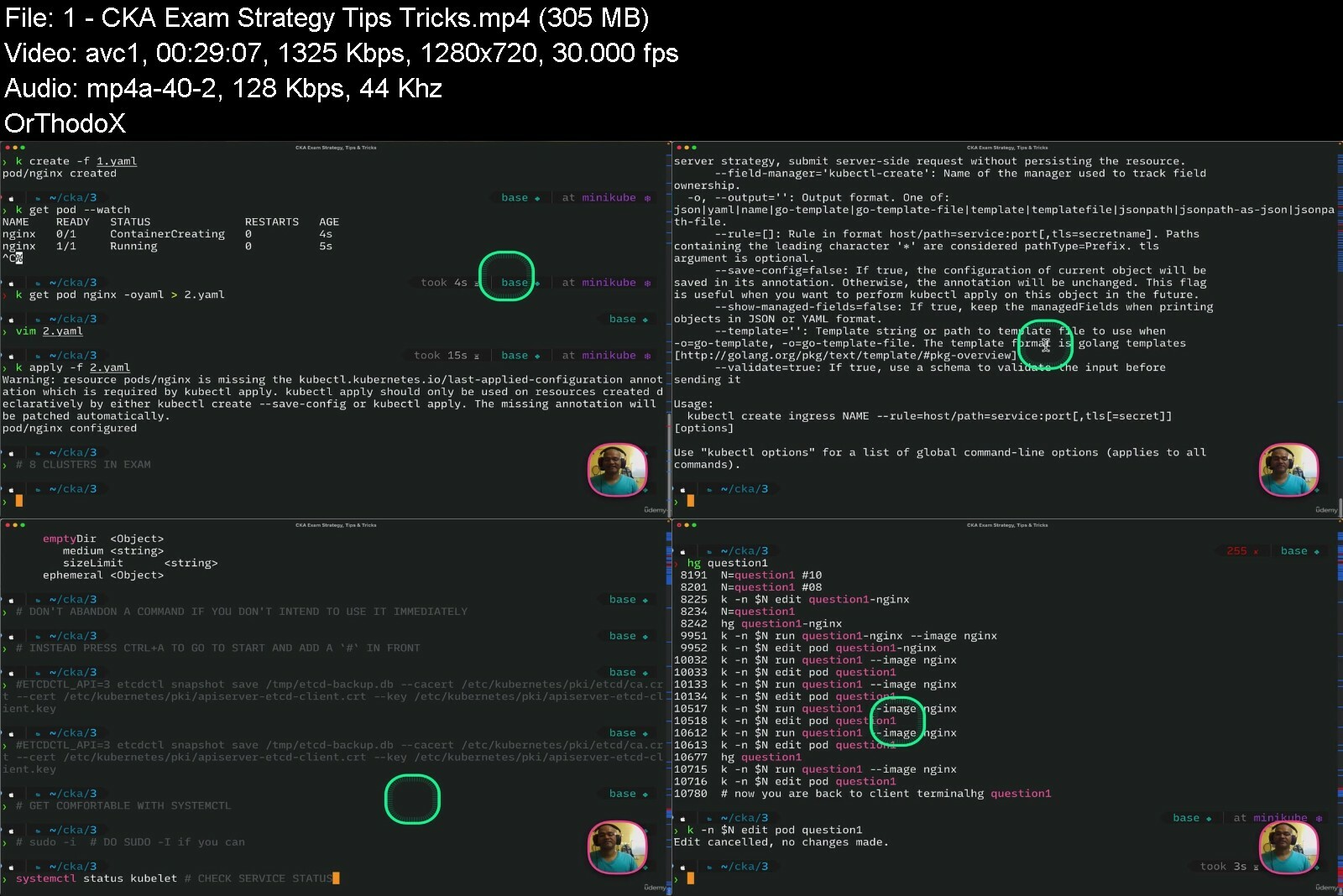
3 Kubernetes Certifications - Cka, Ckad & Cks Crash Course

t7qlju2izq2csblv85gxycfd85.jpg


3 Kubernetes Certifications - Cka, Ckad & Cks Crash Course
Last updated 1/2023
MP4 | Video: h264, 1280x720 | Audio: AAC, 44.1 KHz
Language: English | Size: 5.31 GB | Duration: 10h 30m

Certified Kubernetes Administrator/Application Developer/Security Specialist Exam | Hands-on | Scenario Based Questions


What you'll learn
Exam Strategy to Pass the Certified Kubernetes Administrator
Exam Strategy to Pass the Certified Kubernetes Application Developer Exam
Exam Strategy to Pass the Certified Kubernetes Security Specialist
VIM Tips, Shell Tips, Lookup Help and Documentation
Tips and Tricks to solve each question
Time Management, Organisation and Planning for Exam
Scenario Based Questions

Requirements
Some Level of Knowledge and Hands-on with Kubernetes

Description
This course will cover everything that you need in order to pass the Certified Kubernetes Administrator Exam.This course will cover everything that you need in order to pass the Certified Kubernetes Application Developer Exam.This course will cover everything that you need in order to pass the Certified Kubernetes Security Specialist Exam.Save Time, Save MoneyIt is specifically created to supplement your existing knowledge of Kubernetes and to deal with passing the exam.This is not a beginner's course and expect you to know about basics of Kubernetes and have some existing hands-on experience with Kubernetes.Contains Tips, Tricks and Exam StrategyLast Minute Preparation GuideHow to setup your local environment and Exam setup on the exam dayTime Management, Planning and Navigation through the questionsHacks, Quick Lookups on the Questions being askedAll the important topics covered when appearing for these examsTopic by Topic Demo of the important potential questionsStraight to the pointEfficient and effective use of your timeDocumentation WalkthroughAdvice on passing the exam on the second attempt if not pass on the first attemptSince both the exam overlap with each other on some topics and exam pattern so better use of your time in learning that through a single courseMost of the exercises can be performed via minikube on local machine Only the Installation, Upgrade and ETCD backup requires you to create some infrastructure onto the cloudExplanation on how to tackle every question one by oneGoing to the exam with the right mindset

Overview
Section 1: Certified Kubernetes Administrator

Lecture 1 CKA Exam Strategy, Tips & Tricks

Lecture 2 kubernetes Install

Lecture 3 Kubernetes Upgrade

Lecture 4 Digital Ocean - Automated Kubernetes Setup

Lecture 5 Question - Upgrade Master Node

Lecture 6 Kubernetes Backup

Lecture 7 Question - ETCD Backup and Restore

Lecture 8 Scenario Based Question - ETCD Backup and Restore V2

Lecture 9 Kubernetes StorageClass PersistentVolume PersistentVolumeClaim and Deployment

Lecture 10 Expand PersistentVolumeClaim

Lecture 11 Question - Create PersistentVolume

Lecture 12 Kubernetes Ingress

Lecture 13 Create Ingress Object

Lecture 14 Question - RBAC

Lecture 15 Kubernetes Network Policies

Lecture 16 Question - Create Network Policy

Lecture 17 Kubernetes DNS Service Lookup

Lecture 18 nslookup

Lecture 19 Kubernetes Static Pods

Lecture 20 Pod Scheduling Using Node Name and Node Selector

Lecture 21 Using Named Port in Deployment and Service

Lecture 22 Question - Troubleshoot Broken Node

Lecture 23 Safely Drain a Node

Lecture 24 Find Pod with the Highest CPU Usage

Lecture 25 Calculate Number of Nodes where Pods can be Scheduled

Lecture 26 3 Practice Questions - Logs, Scale and Drain

Lecture 27 CKA - Search Like a Pro

Section 2: Certified Kubernetes Application Developer

Lecture 28 Introduction

Lecture 29 Minikube Installation

Lecture 30 How to do Blue Green Deployment in Kubernetes

Lecture 31 How To Do Canary Deployment in Kubernetes

Lecture 32 Kubernetes Secrets

Lecture 33 Scenario Based Question - Consume Secret

Lecture 34 Kubernetes ConfigMap

Lecture 35 Scenario Based Question - Consume ConfigMap

Lecture 36 Kubernetes Memory CPU Resource Limits

Lecture 37 Readiness Probe

Lecture 38 Liveness Probe

Lecture 39 Scenario Based Question - Fix Liveness Probe

Lecture 40 Kubernetes Probes

Lecture 41 Kubernetes CronJobs Jobs

Lecture 42 Scenario Based Question - Schedule CronJob

Lecture 43 Kubernetes ServiceAccount SecurityContext

Lecture 44 Kubernetes Role Based Access Control

Lecture 45 Kubernetes Deployments

Lecture 46 Scenario Based Question - Fix Failing Deployment

Lecture 47 Scenario Based Question - Fix Deprecated Deployment

Lecture 48 Scenario Based Question - Update Deployment with SecurityContext

Lecture 49 Scenario Based Question - Canary Deployment

Lecture 50 Kubernetes LimitRange

Lecture 51 Just Enough Docker to pass CKAD Exam

Lecture 52 Just Enough Helm to pass CKAD Exam

Lecture 53 11 ABSOLUTE ESSENTIAL VIM TIPS FOR CKA, CKAD & CKS EXAM

Lecture 54 KUBECTL GET EVENTS

Lecture 55 CKAD - Search Like a Pro

Lecture 56 Logging Sidecar Pattern

Lecture 57 Scenario Based Question - Multi Container Logging

Lecture 58 Ambassador Pattern

Lecture 59 Rolling Update Strategy - Max Surge, Max Unavailable

Lecture 60 Scenario Based Question - Use Specific Service Account

Lecture 61 Scenario Based Question - Create Pod as Per Specific Requirements

Lecture 62 Scenario Based Question - HostPath, StorageClass, PV, PVC

Lecture 63 Scenario Based Question - Allow Network Communication using existing N/W Policy

Section 3: Certified Kubernetes Security Specialist (Extra Bonus - In Progress)

Lecture 64 CKS Exam Strategy, Tips & Tricks

Lecture 65 Trivy Introduction

Lecture 66 Trivy - Scan Pods

Lecture 67 Extract Secrets & Save to a File

Lecture 68 gVisor Demo

Lecture 69 CIS Benchmarks for Hardening a Kubernetes Cluster

Lecture 70 Fix Dockerfile and Deployment.yaml for any security vulnerabilities

Lecture 71 Enable Auditing

Lecture 72 Falco

Lecture 73 AppArmor

Lecture 74 Gatekeeper or Open Policy Agent

Lecture 75 PodSecurityPolicy

Lecture 76 Fix Incorrectly Specified ServiceAccount in a Pod, Create Role, Rolebinding etc.

Lecture 77 Fix Overly Permissive Permissions for Pod's SA & Create SA, Role, Rolebindings

Lecture 78 Scenario Based Question - Admission Controller - Image Scanner

Lecture 79 Scenario Based Question - Network Policies - 1

Lecture 80 Scenario Based Question - Network Policies - 2

Lecture 81 Scenario Based Question - Verify Platform Binaries

Lecture 82 Read Kubernetes Secrets from ETCD

Lecture 83 Create & Secure an Ingress

You need some knowledge and hands-on experience on Kubernetes. This is not a Beginner level course. This is the right course if you are already have knowledge, concepts and Hands-on with Kubernetes and now you wish to get certified.


3kubernetescertificatsee0l.jpg


Probability / Statistics - The Foundations of Machine Learning [Updated June 2022]

ulcceuw3pshk9dnfsydf1tli0e.jpg


Probability / Statistics - The Foundations of Machine Learning [Updated June 2022]
.MP4, AVC, 1920x1080, 30 fps | English, AAC, 2 Ch | 6h 35m | 7.9 GB
Instructor: Dr. Mohammad Nauman

The objective of this course is to give you a solid foundation needed to excel in all areas of computer science-specifically data science and machine learning. The issue is that most of the probability and statistics courses are too theory-oriented.

They get tangled in the math without discussing the importance of applications. Applications are always given secondary importance.

In this course, we take a code-oriented approach. We apply all concepts through code. In fact, we skip over all the useless theory that isn't relevant to computer science. Instead, we focus on the concepts that are more useful for data science, machine learning, and other areas of computer science. For instance, many probability courses skip over Bayesian inference. We will get to this immensely important concept rather quickly and give it due attention as it is widely thought of as the future of analysis!

This way, you get to learn the most important concepts in this subject in the shortest amount of time possible without having to deal with the details of the less relevant topics. Once you have developed an intuition of the important stuff, you can then learn the latest and greatest models even on your own!

All the resources for this course are available at:

Homepage

00023casestudysleepanr2f2b.jpg


Formation Complète Robot Structural Analysis

l04wrh5og9wwj16j8yeaywrft0.jpg


Formation Complète Robot Structural Analysis
Dernière mise à jour : 1/2022
MP4 | Video: h264, 1280x720 | Audio: AAC, 44.1 KHz
Language: Français | Size: 8.77 GB | Duration: 14h 7m

Guide + Dimensionnement des structures en béton et des structures en acier selon les Eurocodes et le code Américain


What you'll learn
Maitriser les fonctionalités de Robot Structural Analysis
Modéliser une structure en béton
Modéliser une structure en acier
Dimensionner les éléments de structures selon plusieurs codes

Requirements
Installer le logiciel sur vos ordinateurs

Description
Cette formation englobe l'apprentissage de Robot Structural Analysis accompagnée d'exercices et démonstrations. Ce cours comporte des parties réservées à l'apprentissage de :1- Guide pratique, présentant l'apprentrissage de toute les fonctionalités offertes par Robot Structural Analysis2- Application sur une structure en acier selon les Eurocodes3- Application sur une structure en béton selon le code Américain ACI 318 (Etude sismique UBC 97)Le plan du cours comprendra plusieurs parties :partie 1: Guide pratiqueCette partie sera divisée comme suit :1- Introduction des modules2- Explication de la barre de menu3- Matériaux4- Preferences de la tache5- Noeuds6- Definition des barres7- Translation8- Poutres9- Etages10- Angle gamma11- Caractéristiques12- Manipulation de la vue de notre modèle13- Modélisation des panneaux et vues isolées14- Dalle orthotrope15- Modélisation d'un radier16- Orientation du ferraillage de la dalle17- Critère ELS dans le ferraillage de la dalle18- Coefficient de fluage19- Options de ferraillage des dalles20- Modélisation des murs et refends21- Visualisation du modèle 3D22- Supprimer les poteaux et poutres des refends23- Modelisation des ouvertures24- Changement des propriétés des panneaux25- Selection professionnelle26- Appuis27- Application des charges28- Application des charges surfaciques29- Charge linéaire sur panneau30- Charges de vent31- Calcul manuel des charges de vent32- Application manuelle des charges de vent sur robot33- Introduction à l'analyse modaleEt bien d'autres sous-chapitres que vous pouvez consultez à travers les vidéos offertes dans ce coursPartie 2 : Modélisation et dimensionnement d'une structure en béton selon le code Americain ACI (et UBC 97 pour l'étude sismique)Partie 3 : Modélisation et dimensionnement d'une structure en acier selon les EurocodesLes parties du cours seront accompagnées de ressources et exercices, qui vous seront très utiles pour vos applications.

Overview

Section 1: Guide pratique

Lecture 1 Introduction des modules

Lecture 2 Introduction des modules (suite)

Lecture 3 Explication de la barre du menu

Lecture 4 Préférences de la tache

Lecture 5 Option matériaux

Lecture 6 Préférences de la tache_catalogues

Lecture 7 Noeuds

Lecture 8 Définition des barres

Lecture 9 Définition des barres (suite)

Lecture 10 Translation

Lecture 11 Poutres

Lecture 12 Etages_attributs

Lecture 13 Prolongement_angle gamma

Lecture 14 Layout caractéristiques

Lecture 15 Manipulation de la vue de notre modèle

Lecture 16 Modélisation des panneaux et vues isolées

Lecture 17 3eme méthode de modélisation des panneaux + caractéristiques

Lecture 18 Dalle orthotrope

Lecture 19 Modélisation d'un radier

Lecture 20 Orientation du ferraillage de la dalle

Lecture 21 Critère ELS dans le ferraillage de la dalle

Lecture 22 Coefficient du fluage

Lecture 23 Options de ferraillage des dalles

Lecture 24 Modélisation des murs et refends

Lecture 25 Visualisation du modele 3D

Lecture 26 Supprimer les poteaux et poutres des refends

Lecture 27 Modélisation des ouvertures

Lecture 28 Changement des propriétés des panneaux

Lecture 29 Séléction professionnelle

Lecture 30 Appuis

Lecture 31 Application des charges

Lecture 32 Application des charges surfaciques

Lecture 33 Charge linéaire sur panneau

Lecture 34 Charges de vent

Lecture 35 Calcul manuel des charges de vent

Lecture 36 Application manuelle des charges de vent sur robot

Lecture 37 Introduction à l'analyse modale

Lecture 38 Matrice des masses

Lecture 39 Conversion des cas de charges en masse

Lecture 40 Explication de l'analyse sismique

Lecture 41 Paramètres sismiques

Lecture 42 Combinaisons manuelles

Lecture 43 Combinaisons automatiques

Lecture 44 Maillage

Section 2: Projet structure métallique selon les Eurocodes

Lecture 45 Préférences_axes_sections

Lecture 46 Poteaux et groupes de poteaux

Lecture 47 Poutres

Lecture 48 Selections

Lecture 49 Groupe de poutres

Lecture 50 Poutres secondaires

Lecture 51 Dalles

Lecture 52 Cas de charges

Lecture 53 Definition du chargement

Lecture 54 Génération automatique des charges de vent

Lecture 55 Relachements

Lecture 56 Lancement du calcul

Lecture 57 Visualisation des résultats

Lecture 58 Combinaisons

Lecture 59 Dimensionnement des poutres secondaires

Lecture 60 Dimensionnement des poutres principales selon Y

Lecture 61 Dimensionnement des poutres principales selon X

Lecture 62 Dimensionnement des poteaux

Lecture 63 Définition de l'effort tranchant sismique à la base d'une structure

Lecture 64 Paramètres sismiques

Lecture 65 Controle de la valeur de l'effort tranchant sismique

Lecture 66 Resultats batiments et barres

Lecture 67 Controle du drift entre étages

Lecture 68 Addition d'un contreventement

Lecture 69 Controle de l'effort tranchant sismique

Lecture 70 Génération des combinaisons

Lecture 71 Dimensionnement des éléments

Lecture 72 Controle de l'espacement entre étages

Lecture 73 Dimensionnement d'une fondation

Lecture 74 Dimensionnement des fondations (suite)

Lecture 75 Dimensionnement de l'assemblage poteau-fondation

Lecture 76 Dimensionnement de l'assemblage poutre-poteau

Section 3: Projet structure en béton (selon le ACI)

Lecture 77 Définition des axes

Lecture 78 Préférences de la tache

Lecture 79 Matériaux

Lecture 80 Profilés et épaisseurs des murs et planchers

Lecture 81 Modélisation des voiles

Lecture 82 Copie des voiles

Lecture 83 Noms des murs

Lecture 84 Poteaux

Lecture 85 Poutres

Lecture 86 Dalles

Lecture 87 Attributs

Lecture 88 Selection

Lecture 89 Ouvertures

Lecture 90 Maillage et appuis

Lecture 91 Cas de charges

Lecture 92 Résultats

Lecture 93 Combinaisons manuelles et automatiques

Lecture 94 Ferraillage théorique des poteaux

Lecture 95 Ferraillage réel des poteaux

Lecture 96 Ferraillage réel des poteaux (suite)

Lecture 97 Ferraillage théorique des poutres

Lecture 98 Ferrailage réel des poutres

Lecture 99 Ferraillage théorique et réel des dalles

Lecture 100 Radier

Lecture 101 Etude sismique

Lecture 102 Analyse modale

Lecture 103 Analyse sismique

Lecture 104 Changement des inerties des elements

Lecture 105 Résultats sismiques

Lecture 106 Combinaisons automatiques

Lecture 107 Dimensionnement d'un poteau

Lecture 108 Exercice: Modelisation d'un batiment

Lecture 109 Dimensionnement des poteaux et des poutres

Lecture 110 Fondation isolée

Lecture 111 Semelle combinée

Ingénieurs,Etudiants

Homepage


16modelisationdespann5ncau.jpg


Wireless Network Fundamentals by Arash Deljoo

4799936f8b66bij8.jpg


Wireless Network Fundamentals by Arash Deljoo
Published 09/2022
MP4 | Video: h264, 1280x720 | Audio: AAC, 44.1 KHz, 2 Ch
Genre: eLearning | Language: English | Duration: 209 lectures (22h 12m) | Size: 8 GB

Wireless LAN (WLAN)


What you'll learn
Comparing Wired and Wireless Networks
Understanding Basic Wireless Theory
Carrying Data Over an RF Signal
Regulatory Bodies
IEEE Standards Body
IEEE 802.11 Channel Use
IEEE 802.11 Standards
Wi-Fi Alliance
Interference
Free Space Path Loss
Effects of Physical Objects
Antenna Characteristics
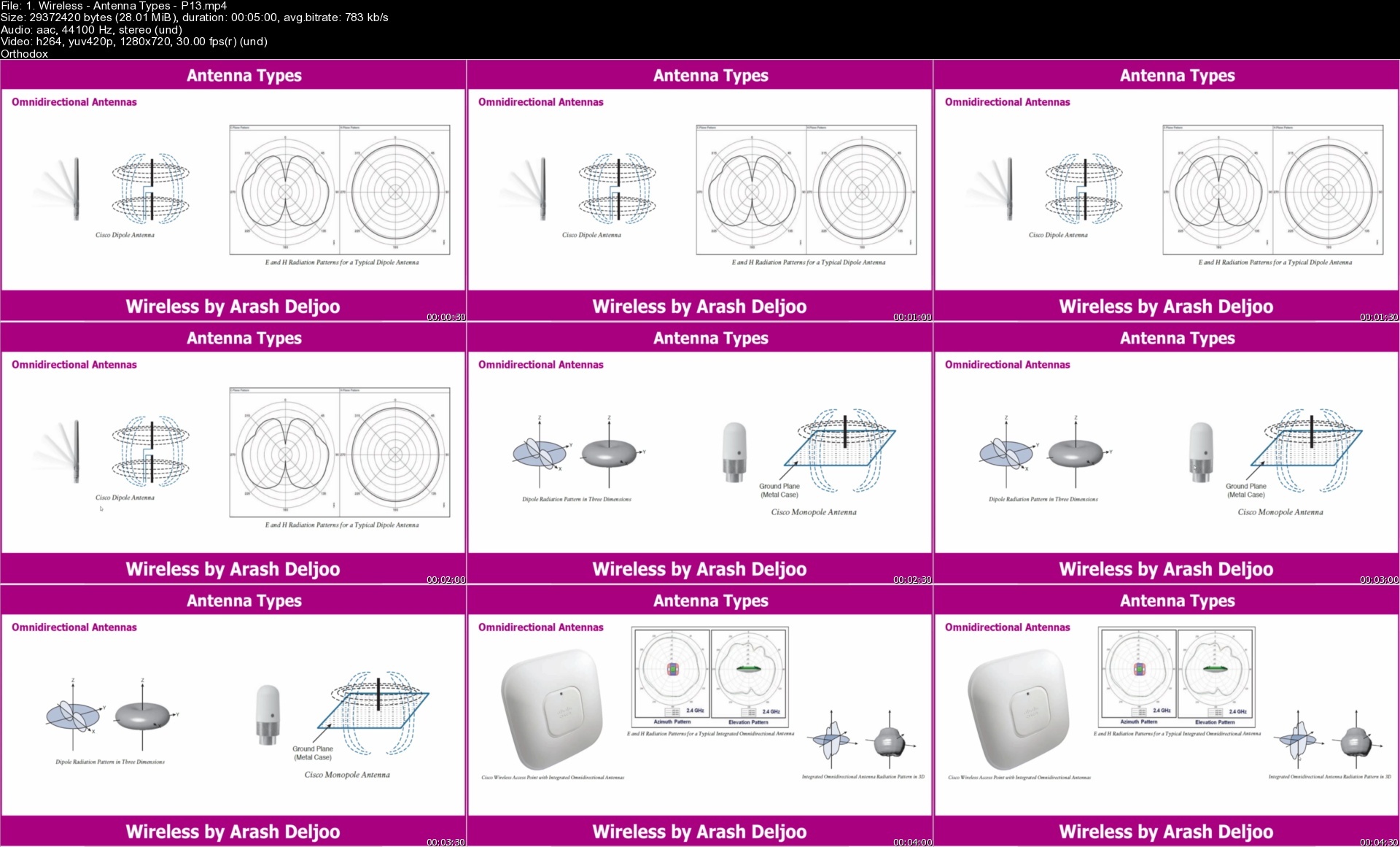
Antenna Types
Antenna Accessories
Types of Wireless Networks
Wireless LAN Topologies
Other Wireless Topologies
IEEE 802.11 Frame Types and Addressing
Accessing the Wireless Medium
IEEE 802.11 Frame Types
Client Housekeeping
AP Cell Size
Adding APs to an ESS
Designing and Validating Coverage with Site Surveys
Cisco Wireless Architectures
Cisco Wireless Network Building Blocks
Implementing Autonomous AP
Implementing Cloud-Based AP
Connecting a Centralized Controller
Understanding Controller Discovery
Designing High Availability
Roaming Overview
Roaming Between Centralized Controllers
Roaming Between Converged Controllers
Anatomy of a Secure Connection
Wireless Client Authentication Methods
Wireless Privacy and Integrity Methods
WPA and WPA2
Securing Management Frames with MFP
Locating Devices in a Wireless Network
Troubleshooting Client Connectivity
Troubleshooting AP Connectivity
Checking the RF Environment


Requirements
CCNA


Description
A wireless LAN (WLAN) is a wireless computer network that links two or more devices using wireless communication to form a local area network (LAN) within a limited area such as a home, school, computer laboratory, campus, or office building. This gives users the ability to move around within the area and remain connected to the network. Through a gateway, a WLAN can also provide a connection to the wider Internet.

Wireless LANs based on the IEEE 802.11 standards are the most widely used computer networks in the world. These are commonly called Wi-Fi, which is a trademark belonging to the Wi-Fi Alliance. They are used for home and small office networks that link together laptop computers, printers, smartphones, Web TVs and gaming devices with a wireless router, which links them to the internet. Hotspots provided by routers at restaurants, coffee shops, hotels, libraries, and airports allow consumers to access the internet with portable wireless devices.

The IEEE 802.11 has two basic modes of operation: infrastructure and ad hoc mode. In ad hoc mode, mobile units communicate directly peer-to-peer. In infrastructure mode, mobile units communicate through a wireless access point (WAP) that also serves as a bridge to other networks such as a local area network or the Internet.

Since wireless communication uses a more open medium for communication in comparison to wired LANs, the 802.11 designers also included encryption mechanisms: Wired Equivalent Privacy (WEP), no longer considered secure, Wi-Fi Protected Access (WPA, WPA2, WPA3), to secure wireless computer networks. Many access points will also offer Wi-Fi Protected Setup, a quick, but no longer considered secure, method of joining a new device to an encrypted network.

Who this course is for

Network Engineers , Wireless Engineers

Homepage


1.wirelessantennatypep0c2x.jpg


Comptia Pentest+ Pt0-002 (Ethical Hacking) Complete Course

frccwlwx5q7rlqyz9y3i9qpioy.jpg


Comptia Pentest+ Pt0-002 (Ethical Hacking) Complete Course
Last updated 11/2022
MP4 | Video: h264, 1280x720 | Audio: AAC, 44.1 KHz
Language: English | Size: 12.30 GB | Duration: 28h 7m

CompTIA Pentest+ certification course boosts your ethical hacking & pentesting skills to be certified ethical hacker


What you'll learn
CompTIA PenTest+ is for cybersecurity professionals tasked with penetration testing (pentesting) and vulnerability management.
CompTIA PenTest+ is the most comprehensive exam covering all penetration testing stages.
Unlike other penetration testing exams, PenTest+ uses both performance-based and knowledge
PenTest+ is the most current penetration testing exam covering the latest techniques against expanded attack surfaces.
CompTIA PenTest+ is an intermediate-skills level cybersecurity certification that focuses on offensive skills through pen testing and vulnerability assessment.
The CompTIA PenTest+ certification is a vendor-neutral, internationally targeted validation of intermediate-level penetration testing (or pentesting) knowledge
What is the CompTIA Pentest+ exam?
Why is the CompTIA Pentest+ course important?
All information on CompTIA Pentest+ exam topics.
What are Attacks, Threats and Vulnerabilities?
What are network topologies and network attacks?
What Are Social Engineering Attacks?
What is the threat, what are the types of threats, and how is the threat analysis done?
What are the programs used for the attack?
What should be the architecture and design under CompTIA Pentest+?
What is Vulnerability scanning?
What is Nmap and how can we use it?
What is IoT & Mobile?
What is Metasploit Framework?
What is enumeration?
You will learn to troubleshoot hardware, network and software
You will learn about Wi-Fi hacking
You will learn Top 10 Web Application Security Risks - 2021
You will learn Web Application Pentesting
You will learn Authentication and Authorization Testing
You will learn Post exploitation
You will learn What is scripting and how can we analyze a script
You will learn writing a pentest report


Requirements
Desire to get CompTIA Pentest+ certification
Desire to learn about pentest+, pentesting, ethical hacking
Desire to be certified ethical hacker
Watching the lecture videos completely, to the end and in order.
Internet Connection
Any device you can watch the course, such as a mobile phone, computer or tablet.
Determination and patience to learn.
Any device that can be built a lab


Description
Hello there,Welcome to "CompTIA Pentest+ PT0-002 (Ethical Hacking) Complete Course" course.CompTIA Pentest+ certification course boosts your ethical hacking & pentesting skills to be certified ethical hackerCompTIA PenTest+ is for cybersecurity professionals tasked with penetration testing (pentesting) and vulnerability management. CompTIA PenTest+ is the most comprehensive exam covering all penetration testing stages. Unlike other penetration testing exams that only cover a portion of stages with essay questions and hands-on, PenTest+ uses both performance-based and knowledge-based questions to ensure all stages are addressed. Pentest, pentest+, ethical hacking, comptia pentest, hacking, pentesting, comptia pentest+, comptia, certified ethical hackerPenTest+ is the only exam on the market to include all aspects of vulnerability management. It not only covers hands-on vulnerability assessment, scanning, and analysis, but also includes planning, scoping, and managing weaknesses, not just exploiting them.PenTest+ is the most current penetration testing exam covering the latest techniques against expanded attack surfaces. It is a unique exam that requires a candidate to demonstrate the most relevant pen testing skills for the cloud, hybrid environments, web applications, Internet of Things (IoT), and traditional on-premises.CompTIA PenTest+ is an intermediate-skills level cybersecurity certification that focuses on offensive skills through pen testing and vulnerability assessment. Cybersecurity professionals with CompTIA PenTest+ know how plan, scope, and manage weaknesses, not just exploit them.IT certifications show employers that candidates have the knowledge and skills they need to do the job, and they help IT pros advance in their careers. As cybersecurity has become a critical function, cybersecurity certifications are among the most popular IT certifications globally.The CompTIA PenTest+ certification is a vendor-neutral, internationally targeted validation of intermediate-level penetration testing (or pen testing) knowledge and skills. It focuses on the latest pen testing techniques, attack surfaces, vulnerability management, post-delivery and compliance tasks.This course walks you through all the things you need to pass the CompTIA Pentest+ PT0-001 & PT0-002 exam, step by step.You can pass the CompTIA Pentest+ exam by studying the topics covered throughout the course.By the way, you don't need to know anything for this course.We will tell you all the things you need to pass the CompTIA Pentest+ PT0-001 & PT0-002 exam.Our course points too much topics.However, in order to better understand the topics, these basic topics are divided into parts and explained in 21 small chapters.Each of the sections is important on its own. It also relates to other departments.As you follow the course, you will hear the same terms in different lessons. This is because many terms in the field of Security can be used in relation to each other in different subjects.For example, the subject of encryption is mentioned in many places.Although the basic meaning is the same, usage types can gain different meanings on different platforms.The narration of the topics is brief and for the exam.We will make sample applications for some of the topics covered in our course.We will create a virtual Lab for the application.If you wish, you can improve yourself by using the topics covered in the lessons.Because at the end of the course, you will see all the topics used in the field of Security.All you have to do is search the subject on the internet and continue learning.This course is for CompTIA Pentest+ PT0-002PenTest+ assesses the most up-to-date penetration testing, and vulnerability assessment and management skills necessary to determine the resiliency of the network against attacks. The CompTIA PenTest+ certification exam will verify successful candidates have the knowledge and skills required to:plan and scope a penetration testing engagementUnderstand legal and compliance requirementsPerform vulnerability scanning and penetration testing using appropriate tools and techniques, and then analyze the resultsProduce a written report containing proposed remediation techniques, effectively communicate results to the management team, and provide practical recommendationsQuestions are asked from the fields. Throughout the course, topics related to these areas are explained.In this course you will learn;Passing the CompTIA Pentest+ certification exam with confidenceUnderstand computer security, its functions, and its componentsPerforming penetration testsNetwork topologies and Network attacksThreat analysisScript analyzingWriting a pentest reportUsing Metasploit FrameworkFrequently asked questionsWhat Is CompTIA PenTest+ Certification?CompTIA PenTest+ is a certification for cybersecurity professionals tasked with penetration testing and vulnerability assessment and management. CompTIA PenTest+ is an intermediate-skills level cybersecurity certification that focuses on offensive skills through pen testing and vulnerability assessment.What Job Roles Should Take the Exam?CompTIA PenTest+ is for IT cybersecurity professionals with three to four years of hands-on information security or related experience, or equivalent training, looking to start or advance a career in pen testing. CompTIA PenTest+ prepares candidates for the following job roles:penetration testerVulnerability testerSecurity analyst (II)Vulnerability assessment analystNetwork security operationsApplication security vulnerabilityWhat Is on the CompTIA PenTest+ Exam?CompTIA PenTest+ is an intermediate-skills level cybersecurity certification that focuses on offensive skills through pen testing and vulnerability assessment.Successful candidates will have the following skills to:plan and scope penetration testsConduct passive reconnaissancePerform non-technical tests to gather informationConduct active reconnaissanceAnalyze vulnerabilitiesPenetrate networksExploit host-based vulnerabilitiesTest applicationsComplete post-exploit tasksAnalyze and report penetration test resultsThe CompTIA PenTest+ exam covers the following domains and topics:planning and Scoping: Explain the importance of planning for an engagementInformation Gathering and Vulnerability Identification: Conduct information gathering using appropriate techniques and perform and analyze a vulnerability scanAttacks and Exploits: Compare and contrast social engineering attacksPenetration Testing Tools: Use NMAP to conduct information gathering exercisesReporting and Communication: Recommend mitigation strategies for discovered vulnerabilitiesWho Is CompTIA?CompTIA (the Computing Technology Industry Association) is the leading provider of vendor-neutral IT certifications in the world. With more than 2 million IT certifications issued worldwide, CompTIA is dedicated to helping IT professionals lead the charge in our digitally connected world.For more than 20 years, CompTIA has developed training and certification exams for computing support, networking, security, open-source (Linux) development, cloud and mobility. Our regular review and updates of exams ensure that CompTIA certifications continue to address the needs of today's technology challenges.What is penetration testing?Penetration testing, or pen testing, is the process of attacking an enterprise's network to find any vulnerabilities that could be present to be patched. Ethical hackers and security experts carry out these tests to find any weak spots in a system's security before hackers with malicious intent find them and exploit them. Someone who has no previous knowledge of the system's security usually performs these tests, making it easier to find vulnerabilities that the development team may have overlooked. You can perform penetration testing using manual or automated technologies to compromise servers, web applications, wireless networks, network devices, mobile devices, and other exposure points.What are the different types of penetration testing?There are many types of penetration testing. Internal penetration testing tests an enterprise's internal network. This test can determine how much damage can be caused by an employee. An external penetration test targets a company's externally facing technology like their website or their network. Companies use these tests to determine how an anonymous hacker can attack a system. In a covert penetration test, also known as a double-blind penetration test, few people in the company will know that a pen test is occurring, including any security professional. This type of test will test not only systems but a company's response to an active attack. With a closed-box penetration test, a hacker may know nothing about the enterprise under attack other than its name. In an open-box test, the hacker will receive some information about a company's security to aid them in the attack.What are the different stages of penetration testing?Penetration tests have five different stages. The first stage defines the goals and scope of the test and the testing methods that will be used. Security experts will also gather intelligence on the company's system to better understand the target. The second stage of a pen test is scanning the target application or network to determine how they will respond to an attack. You can do this through a static analysis of application code and dynamic scans of running applications and networks. The third stage is the attack phase, when possible vulnerabilities discovered in the last stage are attacked with various hacking methods. In the fourth stage of a penetration test, the tester attempts to maintain access to the system to steal any sensitive data or damaging systems. The fifth and final stage of a pen test is the reporting phase, when testers compile the test results.What is Ethical Hacking and what is it used for?Ethical hacking involves a hacker agreeing with an organization or individual who authorizes the hacker to levy cyber attacks on a system or network to expose potential vulnerabilities. An ethical hacker is also sometimes referred to as a white hat hacker. Many depend on ethical hackers to identify weaknesses in their networks, endpoints, devices, or applications. The hacker informs their client as to when they will be attacking the system, as well as the scope of the attack. An ethical hacker operates within the confines of their agreement with their client. They cannot work to discover vulnerabilities and then demand payment to fix them. This is what gray hat hackers do. Ethical hackers are also different from black hat hackers, who hack to harm others or benefit themselves without permission.No prior knowledge is needed!Why would you want to take this course?Our answer is simple: The quality of teaching.When you enroll, you will feel our seasoned instructors' expertise.Video and Audio Production QualityAll our videos are created/produced as high-quality video and audio to provide you the best learning experience.You will be,Seeing clearlyHearing clearlyMoving through the course without distractionsYou'll also get:Lifetime Access to The CourseFast & Friendly Support in the Q&A sectionUdemy Certificate of Completion Ready for DownloadDive in now "CompTIA Pentest+ PT0-002 (Ethical Hacking) Complete Course" courseCompTIA Pentest+ certification course boosts your ethical hacking & pentesting skills to be certified ethical hackerWe offer full support, answering any questions.See you in the course!

Overview
Section 1: Setting Up Virtual Lab Environment for CompTIA Pentest+ PT0-002- Ethical Hacking

Lecture 1 Requirements and Overview of Lab

Lecture 2 Installing VMware Workstation Player

Lecture 3 FAQ about CompTIA Pentest+ PT0-002 (Ethical Hacking), Pentesting

Lecture 4 Virtualbox Download and Install

Lecture 5 Installing Kali using the ISO file for VMware - Step 1

Lecture 6 Installing Kali using the ISO file for VMware - Step 2

Lecture 7 Installing Kali using the ISO file for VMware - Step 3

Lecture 8 Installing Kali on VirtualBox using the OVA file - Step 1

Lecture 9 Installing Kali on VirtualBox using the OVA file - Step 2

Lecture 10 Installing Kali on VirtualBox using the OVA file - Step 3

Lecture 11 Installing Metasploitable 2

Lecture 12 Installing Metasploitable 3: VM Creation with Vagrant

Lecture 13 Downloading and Installing Free Windows 7 and Windows 10

Lecture 14 Installing Vulnerable Virtual Machine: BeeBox

Lecture 15 Nat Network Create and Settings

Lecture 16 Connection Test

Section 2: Introduction to Penetration Testing (Pentest+)

Lecture 17 Content of the Penetration Testing

Lecture 18 Definition of "Penetration Test"

Lecture 19 Penetration Test Types

Lecture 20 Security Audits

Lecture 21 Vulnerability Scan

Lecture 22 Terms: Asset, Threat, Vulnerability, Risk, Exploit

Lecture 23 Penetration Test Approaches

Lecture 24 Planning a Penetration Test

Lecture 25 Penetration Test Phases

Lecture 26 Legal Issues & Testing Standards

Section 3: Basic Networking

Lecture 27 What is "Protocol"

Lecture 28 Reference Models

Lecture 29 OSI Reference Model

Lecture 30 OSI vs TCP/IP

Lecture 31 Demonstration using Wireshark

Lecture 32 Standards & Protocols

Lecture 33 Ethernet: Principles, Frame & Headers

Lecture 34 ARP ( Address Resolution Protocol ) : Mechanism, ARP Tables, ARP Packets

Lecture 35 ARP Hand-On Practices

Lecture 36 VLANs - Virtual Local Area Networks

Lecture 37 WLANs - Wireless Local Area Networks

Lecture 38 Introduction to Network Layer

Lecture 39 Internet Protocol - IP

Lecture 40 IPv4 Adressing System

Lecture 41 IPv4 Packet Header

Lecture 42 IPv4 Subnetting: Classful Networks

Lecture 43 IPv4 Subnetting: Subnet Mask

Lecture 44 IPv4 Subnetting: Understanding

Lecture 45 IPv4 Shortage

Lecture 46 Private Networks

Lecture 47 Private Networks - Demonstration

Lecture 48 NAT - Network Address Translation

Lecture 49 IPv6, Packet Header & Addressing

Lecture 50 DHCP - How the Mechanism Works

Lecture 51 ICMP - Internet Control Message Protocol

Lecture 52 Traceroute

Lecture 53 Introduction to Transport Layer

Lecture 54 TCP - Transmission Control Protocol

Lecture 55 TCP Header

Lecture 56 UDP - User Datagram Protocol

Lecture 57 Introduction to Application Layer

Lecture 58 DNS - Domain Name System

Lecture 59 HTTP ( Hyper Text Transfer Protocol )

Lecture 60 HTTPS

Section 4: Information Gathering

Lecture 61 Intro to Reconnaissance

Lecture 62 Extract Domain Registration Information: Whois

Lecture 63 Identifying Hosts or Subdomains Using DNS: Fierce & Theharvester

Lecture 64 Detect Applications on The Same Service

Lecture 65 Ports and Services on The Web Server

Lecture 66 Review Technology/Architecture Information

Lecture 67 Extracting Directory Structure: Crawling

Lecture 68 Minimum Information Principle

Lecture 69 Using Search Engines: Google Hacking

Lecture 70 Shodan

Lecture 71 Web Archives

Lecture 72 FOCA - Fingerprinting Organisations with Collected Archives

Lecture 73 Maltego - Visual Link Analysis Tool

Section 5: Vulnerability Scan and Introduction to Nessus

Lecture 74 Introduction to Vulnerability Scan

Lecture 75 Introduction to Nessus

Lecture 76 Nessus: Download

Lecture 77 Nessus: Install & Setup

Lecture 78 Nessus: Creating a Custom Policy

Lecture 79 Nessus: First Scan

Lecture 80 An Aggressive Scan

Lecture 81 Results of an Aggressive Scan

Lecture 82 Results of an Aggressive Scan with Windows Systems

Lecture 83 Nessus: Report Function

Section 6: Network Scan & Network Attacks

Lecture 84 Passive Scan - Definition

Lecture 85 Passive Scan - ARP Tables

Lecture 86 Passive Scan - Wireshark

Lecture 87 Wireshark: Following Stream

Lecture 88 Wireshark: Summarise Network

Lecture 89 Active Scan

Lecture 90 MitM: Listening to the traffic

Lecture 91 Sniffing

Lecture 92 TCPDump

Lecture 93 Router, Switch, Hub

Lecture 94 How to Expand Sniffing Space?

Lecture 95 MAC Flood: Switching

Lecture 96 MAC Flood: Using Macof Tool

Lecture 97 MacFlood - Countermeasures

Lecture 98 ARP Spoof

Lecture 99 ARP Cache Poisoning using Ettercap

Lecture 100 DHCP Starvation & DHCP Spoofing

Lecture 101 DHCP Mechanism

Section 7: Network Scan & Network Attacks

Lecture 102 DHCP Starvation - Scenario

Lecture 103 DHCP Starvation Demonstration with Yersinia

Lecture 104 VLAN Hopping

Lecture 105 VLAN Hopping: Switch Spoofing

Lecture 106 VLAN Hopping: Double Tagging

Section 8: Nmap

Lecture 107 What is Nmap?

Lecture 108 Nmap First Scan

Lecture 109 Interpretation of Nmap Results

Lecture 110 Scanning Specific IPs or Specific Targets With Nmap

Lecture 111 Nmap IP List Creation

Lecture 112 Nmap Random Scan and Exclude Ips

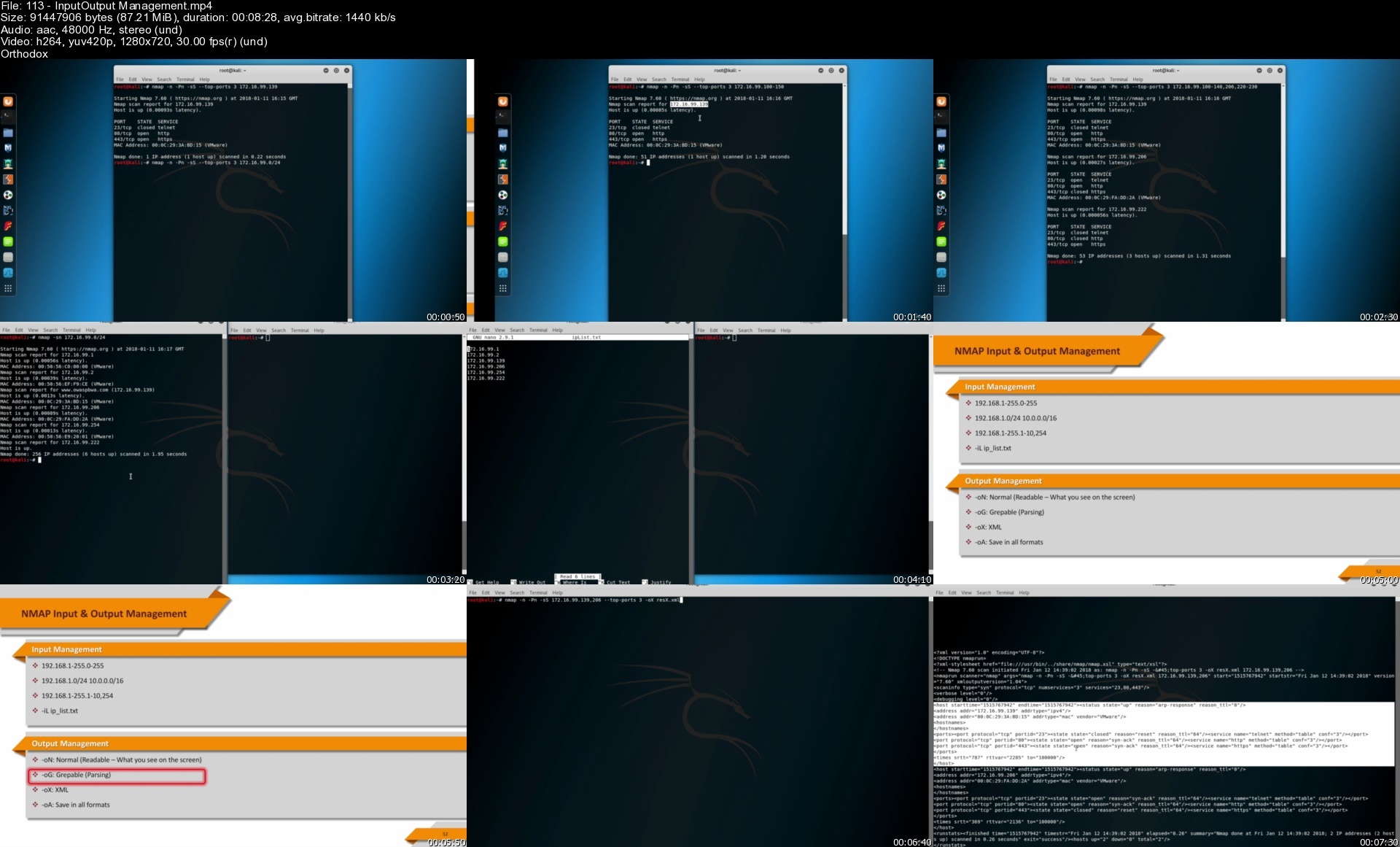
Lecture 113 Input-Output Management

Lecture 114 What is Port? Nmap Port Scan

Lecture 115 Scanning Top 20, Top 100 Ports With Nmap

Lecture 116 Scanning Specific Ports With Nmap

Lecture 117 Nmap Syn Scannig

Lecture 118 Nmap TCP Scan

Lecture 119 Nmap UDP Scan

Lecture 120 Nmap FiN, Xmas, Null and ACK Scan in Ethical Hacking

Lecture 121 Discovering hosts with ARP ping scans

Lecture 122 Discovering hosts with ICMP ping scans

Lecture 123 Nmap Fast Scan

Lecture 124 Nmap Open Ports Scan

Lecture 125 Nmap No PORT Scan

Lecture 126 Nmap PING and noPING Scan

Lecture 127 Nmap Verbose Command

Lecture 128 Nmap Version Detection

Lecture 129 Nmap Operating System Detection

Lecture 130 Nmap Script Engine (NSE)

Lecture 131 Nmap Script Engine Example - 1

Lecture 132 Nmap Script Engine Example - 2

Lecture 133 NMAP Brute Force Attacks

Lecture 134 Nmap Timing Templates

Lecture 135 Bypass of IPS & IDS Systems With Nmap

Section 9: Using Metasploit Framework

Lecture 136 Why Metasploit Framework? AKA: MSF

Lecture 137 Importance of Penetration Testing (Pentesting)

Lecture 138 Penetration Testing Execution Standard

Lecture 139 Requirements ( Like Storage. Processor )

Lecture 140 Lab Connectivity and Taking Snapshots

Lecture 141 Evolution of Metasploit

Lecture 142 Metasploit Filesystem and Libraries

Lecture 143 The Architecture of MSF

Lecture 144 Auxiliary Modules

Lecture 145 Payload Modules

Lecture 146 Exploit Modules

Lecture 147 Encoder Modules

Lecture 148 Post Modules

Lecture 149 Metasploit Editions

Lecture 150 Metasploit Community

Lecture 151 Metasploit Interfaces

Lecture 152 Armitage

Lecture 153 MSFconsole

Lecture 154 MSFConsole Basic Commands 1

Lecture 155 MSFConsole Basic Commands 2

Lecture 156 MSFConsole Basic Commands 3

Lecture 157 Using Databases in MSF 1

Lecture 158 Using Databases in MSF 2

Lecture 159 More on Exploits in MSF

Section 10: Enumeration

Lecture 160 What is Enumeration?

Lecture 161 SMB and Samba Enumeration

Lecture 162 MySQL Enumeration

Lecture 163 FTP Enumeration

Lecture 164 SSH Enumeration

Lecture 165 HTTP Enumeration

Lecture 166 SNMP Enumeration

Lecture 167 SMTP Enumeration

Lecture 168 NMAP DNS Enumeration

Lecture 169 NMAP HTTP Enumeration

Lecture 170 NMAP MySQL Enumeration

Lecture 171 NMAP SMB Enumeration

Lecture 172 NMAP SNMP Enumeration

Section 11: Social Engineering

Lecture 173 Terminologies Part 1

Lecture 174 Terminologies Part 2

Lecture 175 Creating Malware and Terminologies

Lecture 176 MSFvenom Part 1

Lecture 177 MSFvenom Part 2

Lecture 178 Veil Installation

Lecture 179 Veil in Action

Lecture 180 TheFatRat Installation

Lecture 181 TheFatRat in Action

Lecture 182 TheFatRat: Overcoming a Problem

Lecture 183 Embedding Malware in PDF

Lecture 184 Embedding Malware in WORD

Lecture 185 Embedding Malware in Firefox Add-on

Lecture 186 Empire Installation

Lecture 187 Empire in Action Part 1

Lecture 188 Empire in Action Part 2

Lecture 189 Exploiting Java Vulnerabilities

Lecture 190 Social Engineering Toolkit

Lecture 191 Sending Fake Emails - Phishing

Lecture 192 Vishing - Voice Phishing

Section 12: Wi-Fİ Hacking And Tools

Lecture 193 Hardware and Software Requiments

Lecture 194 Wi-Fi Adapter Settings

Lecture 195 IEE-802.11

Lecture 196 Basic Terminologies and Concepts

Lecture 197 Wireless Operating Modes

Lecture 198 MAC Frame Structure

Lecture 199 Wireless Packet Types

Lecture 200 Wireshark: Analysing Packet Types

Lecture 201 Wi-Fi Network Interaction

Lecture 202 Wireless Encryption Protocols: WEP vs. WPA

Lecture 203 WPA 4-Way Handshake

Lecture 204 WPA2 Personal and Enterprise

Lecture 205 Wireshark: WEP and WPA

Lecture 206 Wi-Fi Protected Setup (WPS)

Lecture 207 Wireless Recon with Bettercap

Lecture 208 Wardriving with Kismet: Configuration

Lecture 209 Wardriving with Kismet: Mapping

Lecture 210 Airbase-ng

Lecture 211 Evil Twin Attack

Lecture 212 Wifi ****kin 3

Lecture 213 Fluxion: Installation

Lecture 214 Fluxion: Handshake Snooper Attack

Lecture 215 Fluxion: Captive Portal Attack

Lecture 216 WEP Cracking - Preparing Attacks

Lecture 217 WEP Cracking - Fake Authentication Attack

Lecture 218 WEP Cracking - Deauthentication Attack

Lecture 219 WEP Cracking - Deauthentication Attack with Bettercap

Lecture 220 WEP Cracking - ARP Request Replay Attack

Lecture 221 WEP Cracking - Fragmentation Attack

Lecture 222 WEP Cracking - ChopChop Attack

Lecture 223 WPA/WPA2 Cracking - Introduction

Lecture 224 WPA/WPA2 Cracking - Aircrack-ng

Lecture 225 WPA/WPA2 Cracking - John The Ripper

Lecture 226 WPA/WPA2 Cracking - CoWPAtty

Lecture 227 WPA/WPA2 Cracking - Wifite 2

Lecture 228 WPA/WPA2 Cracking with GPUs : Hashcat

Lecture 229 WPA/WPA2 Cracking - Key Reinstallation Attack (KRACK)

Lecture 230 WPS Cracking - Wifite 2: PIN Attack

Section 13: Web Application Pentesting

Lecture 231 Reflected Cross-Site Scripting Attacks

Lecture 232 Reflected Cross-Site Scripting over JSON

Lecture 233 Stored Cross-Site Scripting Attacks

Lecture 234 DOM Based Cross-Site Scripting Attacks

Lecture 235 Inband SQL Injection over a Search Form

Lecture 236 Inband SQL Injection over a Select Form

Lecture 237 Error-Based SQL Injection over a Login Form

Lecture 238 SQL Injection over Insert Statement

Lecture 239 Boolean Based Blind SQL Injection

Lecture 240 Time Based Blind SQL Injection

Lecture 241 Detecting and Exploiting SQL Injection with SQLmap

Lecture 242 Detecting and Exploiting Error Based SQL Injection with SQLmap

Lecture 243 Detecting and Exploiting Boolean and Time Based Blind SQL Injection with SQLmap

Lecture 244 Command Injection Introduction

Lecture 245 Automate Command Injection Attacks: Commix

Lecture 246 XML/XPATH Injection

Lecture 247 SMTP Mail Header Injection

Lecture 248 PHP Code Injection

Lecture 249 Zed Attack Proxy (ZAP): A Web App Vulnerability Scanner

Lecture 250 Introduction to Burp: Downloading, Installing and Running

Lecture 251 Intercepting HTTP Traffic with Burp Suite

Lecture 252 Intercepting HTTPS Traffic with Burp Suite

Section 14: Authentication and Authorization Testing

Lecture 253 Definition

Lecture 254 Creating a Password List: Crunch

Lecture 255 Differece Between HTTP and HTTPS Traffic: Wireshark

Lecture 256 Attacking Insecure Login Mechanisms

Lecture 257 Attacking Insecure Logout Mechanisms

Lecture 258 Attacking Improper Password Recovery Mechanisms

Lecture 259 Attacking Insecure CAPTCHA Implementations

Lecture 260 Path Traversal: Directory

Lecture 261 Path Traversal: File

Lecture 262 Introduction to File Inclusion Vulnerabilities

Lecture 263 Local File Inclusion Vulnerabilities

Lecture 264 Remote File Inclusion Vulnerabilities

Section 15: Post Exploitation

Lecture 265 Post-Exploitation

Lecture 266 What is "Persistence"

Lecture 267 Meterpreter's Persistence module

Lecture 268 Removing the Backdoor

Section 16: IoT & Mobile

Lecture 269 What is IoT

Lecture 270 Where does IoT Exist in Our Lives

Lecture 271 How does IoT work

Lecture 272 Connection Standarts

Lecture 273 IoT Security

Lecture 274 Mobile Security Threats

Section 17: Scripting Basics

Lecture 275 Bash Scripting 101

Section 18: Python Scripting

Lecture 276 Installing Anaconda Distribution For Windows in Python

Lecture 277 Installing Python 3.9.7 and PyCharm For Windows in Python

Lecture 278 Variables in python

Lecture 279 Numbers in Python

Lecture 280 String Operations and Useful String Methods in python examples

Lecture 281 Data Type Conversion in Python

Lecture 282 Exercise : Company Email Generator in python

Lecture 283 Conditionals in python

Lecture 284 bool() Function in Python

Lecture 285 Comparison and Logical Operators in Python

Lecture 286 If Statements in Python

Lecture 287 Exercise: Calculator

Lecture 288 Loops in Python

Lecture 289 While Loops in Python

Lecture 290 For Loops in python

Lecture 291 Range Function in Python

Lecture 292 Control Statements in python

Lecture 293 Functions in Python Programming

Lecture 294 Create A New Function and Function Calls in Python programming

Lecture 295 Return Statement in python

Lecture 296 Lambda Functions in Python

Lecture 297 Lists and List Operations in Python Programming

Lecture 298 List Methods in Python Programming

Lecture 299 Dictionaries in Python Hands-on

Lecture 300 Dictionary Comprehensions in Python Hands-on

Lecture 301 Logic of OOP in Object Oriented Programming (OOP)

Lecture 302 Constructor in Object Oriented Programming (OOP)

Lecture 303 Methods in Object Oriented Programming (OOP)

Lecture 304 Inheritance in Object Oriented Programming (OOP)

Lecture 305 Overriding and Overloading in Object Oriented Programming (OOP)

Section 19: Ruby Scripting

Lecture 306 Ruby Set Up - Installing Ruby on Windows

Lecture 307 Ruby Development Editor

Lecture 308 First Program

Lecture 309 Debugging

Lecture 310 Comments

Lecture 311 What is a variable?

Lecture 312 Data Types

Lecture 313 Arithmetic Operators

Lecture 314 Assignment Operator

Lecture 315 Parallel Assignment

Lecture 316 Comparison Operators

Lecture 317 Logical Operators

Lecture 318 Special Operators

Lecture 319 Operation Ordering

Lecture 320 String Operations

Lecture 321 String Methods

Lecture 322 If Statements

Lecture 323 Unless Statements

Lecture 324 Case Statements

Lecture 325 Loops

Lecture 326 For Loops and Iterators

Lecture 327 Do / While Loops

Lecture 328 Break and Next Keywords

Lecture 329 Method Calls

Lecture 330 Create A New Method

Lecture 331 Blocks

Lecture 332 Method Arguments

Lecture 333 Lambda Functions

Lecture 334 Global and Local Variables

Lecture 335 Recursive Functions

Lecture 336 Modules

Lecture 337 Arrays

Lecture 338 Traverse an Array

Lecture 339 Array Operations

Lecture 340 Array Methods

Lecture 341 Hashes

Lecture 342 Traverse a Hash

Lecture 343 Hash Operations

Lecture 344 Hash Methods

Lecture 345 Files and Directories

Lecture 346 File Operations

Lecture 347 Exceptions

Lecture 348 Throw-Catch Statements

Section 20: Extra

Lecture 349 CompTIA Pentest+ PT0-002 (Ethical Hacking) Complete Course

Those who want to get CompTIA Pentest+ certificate.,Anyone interested in security,Those who have a career goal in the field of security.,Those who have a basic knowledge of security and want to take it to higher levels.,Those who want to learn about pentest+, pentesting, ethical hacking, comptia pentest+ pt0-002,Those who want to be certified ethical hacker,Those who want to step into the world of security,Junior Security elements.,Those who want to step into the Penetration Testing.

Homepage


113inputoutputmanagemvidpz.jpg


Zurück
Oben Unten