• Regeln für den Video-Bereich:

    In den Börsenbereich gehören nur Angebote die bereits den Allgemeinen Regeln entsprechen.

    Einteilung

    - Folgende Formate gehören in die angegeben Bereiche:
    - Filme: Encodierte Filme von BluRay, DVD, R5, TV, Screener sowie Telesyncs im Format DivX, XviD und x264.
    - DVD: Filme im Format DVD5, DVD9 und HD2DVD.
    - HD: Encodierte Filme mit der Auflösung 720p oder darüber von BluRay, DVD, R5, TV, Screener sowie Telesyncs im Format x264.
    - 3D: Encodierte Filme von BluRay, die in einem 3D Format vorliegen. Dies gilt auch für Dokus, Animation usw.
    - Serien: Cartoon/Zeichentrick, Anime, Tutorials, Dokumentationen, Konzerte/Musik, Sonstiges sind demnach in die entsprechenden Bereiche einzuordnen, auch wenn sie beispielsweise im High Definition-Format oder als DVD5/DVD9/HD2DVD vorliegen. Ausnahme 3D.
    - Bereich Englisch: Englische Releases gehören immer in diesen Bereich.
    - Bereich Talk: Der Bereich, in dem über die Releases diskutiert werden kann, darf, soll und erwünscht ist.


    Angebot/Beitrag erstellen

    - Ein Beitrag darf erst dann erstellt werden, wenn der Upload bei mindestens einem OCH komplett ist. Platzhalter sind untersagt.
    - Bei einem Scenerelease hat der Threadtitel ausschließlich aus dem originalen, unveränderten Releasenamen zu bestehen. Es dürfen keine Veränderungen wie z.B. Sterne, kleine Buchstaben o.ä. vorgenommen werden. Ausnahme Serienbörse:
    - Bei einem Sammelthread für eine Staffel entfällt aus dem Releasename natürlich der Name der Folge. Beispiel: Die Simpsons S21 German DVDRip XviD - ITG
    - Dementsprechend sind also u.a. verboten: Erweiterungen wie "Tipp", "empfehlenswert", "only", "reup", usw. / jegliche andere Zusatzinformation oder Ergänzung, welche nicht in obiger Beschreibung zu finden ist.

    Aufbau des Angebots und Threadtitel

    Der Titel nach folgendem Muster erstellt zu werden. <Name> [3D] [Staffel] [German] <Jahr> <Tonspur> [DL] [Auflösung] <Quelle> <Codec> - <Group>
    Beispiel: The Dark Knight German 2008 AC3 DVDRip XviD - iND
    Beispiel: The Dark Knight 2008 DTS DL BDRip x264 - iND
    Beispiel: The Dark Knight 2008 AC3 DL BDRip XviD - iND
    Beispiel: The Dark Knight German 2008 AC3 720p BluRay x264 iND
    Beispiel: The Dark Knight 2008 DTS DL 1080p BluRay x264 iND
    Beispiel: Die Simpsons S01 German AC3 DVDRip XviD iND
    Beispiel: Die Simpsons S20 German AC3 720p BluRay x264 iND
    Beispiel: Sword Art Online II Ger Sub 2014 AAC 1080p WEBRip x264 - peppermint
    Entsprechend sind also u.a. verboten: Sonderzeichen wie Klammern, Sterne, Ausrufezeichen, Unterstriche, Anführungszeichen / Erweiterungen wie "Tipp", "empfehlenswert", "only", "reup", usw. / jegliche andere Zusatzinformation oder Ergänzung, welche nicht in obiger Beschreibung zu finden ist
    Ausnahmen hiervon können in den Bereichen geregelt sein.

    Die Beiträge sollen wie folgt aufgebaut werden:
    Überschrift entspricht dem Threadtitel
    Cover
    kurze Inhaltsbeschreibung
    Format, Größe, Dauer sind gut lesbar für Downloader außerhalb des Spoilers zu vermerken
    Nfo sind immer Anzugeben und selbige immer im Spoiler in Textform.
    Sind keine Nfo vorhanden z.B. Eigenpublikationen, sind im Spoiler folgende Dateiinformationen zusätzlich anzugeben :
    Quelle
    Video (Auflösung und Bitrate)
    Ton (Sprache, Format und Bitrate der einzelnen Spuren)
    Untertitel (sofern vorhanden)
    Hosterangabe in Textform außerhalb eines Spoiler mit allen enthaltenen Hostern.
    Bei SD kann auf diese zusätzlichen Dateiinformationen verzichtet werden.

    Alle benötigten Passwörter sind, sofern vorhanden, in Textform im Angebot anzugeben.
    Spoiler im Spoiler mit Kommentaren :"Schon Bedankt?" sind unerwünscht.


    Releases

    - Sind Retail-Release verfügbar, sind alle anderen Variationen untersagt. Ausnahmen: Alle deutschen Retail-Release sind CUT, in diesem Fall sind dubbed UNCUT-Release zulässig.
    - Im Serien-Bereich gilt speziell: Wenn ein Retail vor Abschluss einer laufenden Staffel erscheint, darf diese Staffel noch zu Ende gebracht werden.62
    - Gleiche Releases sind unbedingt zusammenzufassen. Das bedeutet, es ist zwingend erforderlich, vor dem Erstellen eines Themas per Suchfunktion zu überprüfen, ob bereits ein Beitrag mit demselben Release besteht. Ist dies der Fall, ist der bereits vorhandene Beitrag zu verwenden.
    - P2P und Scene Releases dürfen nicht verändert oder gar unter einem iND Tag eingestellt werden.


    Support, Diskussionen und Suche

    - Supportanfragen sind entweder per PN oder im Bereich Talk zu stellen.
    - Diskussionen und Bewertungen sind im Talk Bereich zu führen. Fragen an die Uploader haben ausschließlich via PN zu erfolgen, und sind in den Angeboten untersagt.
    - Anfragen zu Upload-Wünschen sind nur im Bereich Suche Video erlaubt. Antworten dürfen nur auf Angebote von MyBoerse.bz verlinkt werden.


    Verbote

    - Untersagt sind mehrere Formate in einem einzigen Angebotsthread, wie beispielsweise das gleichzeitige Anbieten von DivX/XviD, 720p und 1080p in einem Thread. Pro Format, Release und Auflösung ist ein eigener Thread zu eröffnen.
    - Grundsätzlich ebenso verboten sind Dupes. Uploader haben sich an geeigneter Stelle darüber zu informieren, ob es sich bei einem Release um ein Dupe handelt.
    - Gefakte, nur teilweise lauffähige oder unvollständige Angebote sind untersagt. Dies gilt auch für eigene Publikationen, die augenscheinlich nicht selbst von z.B. einer DVD gerippt wurden. Laufende Serien, bei denen noch nicht alle Folgen verfügbar sind, dürfen erstellt und regelmäßig geupdatet werden.
    - Untersagt sind Angebote, welche nur und ausschließlich in einer anderen Sprache als deutsch oder englisch vorliegen. Ausnahmen sind VORHER mit den Moderatoren zu klären.


    Verstoß gegen die Regeln

    - Angebote oder Beiträge, die gegen die Forenregeln verstoßen, sind über den "Melden"-Button im Beitrag zu melden.
  • Bitte registriere dich zunächst um Beiträge zu verfassen und externe Links aufzurufen.

*** Bestes IPTV *** bester Preis *** gratis Test ***


Englische Tutorials

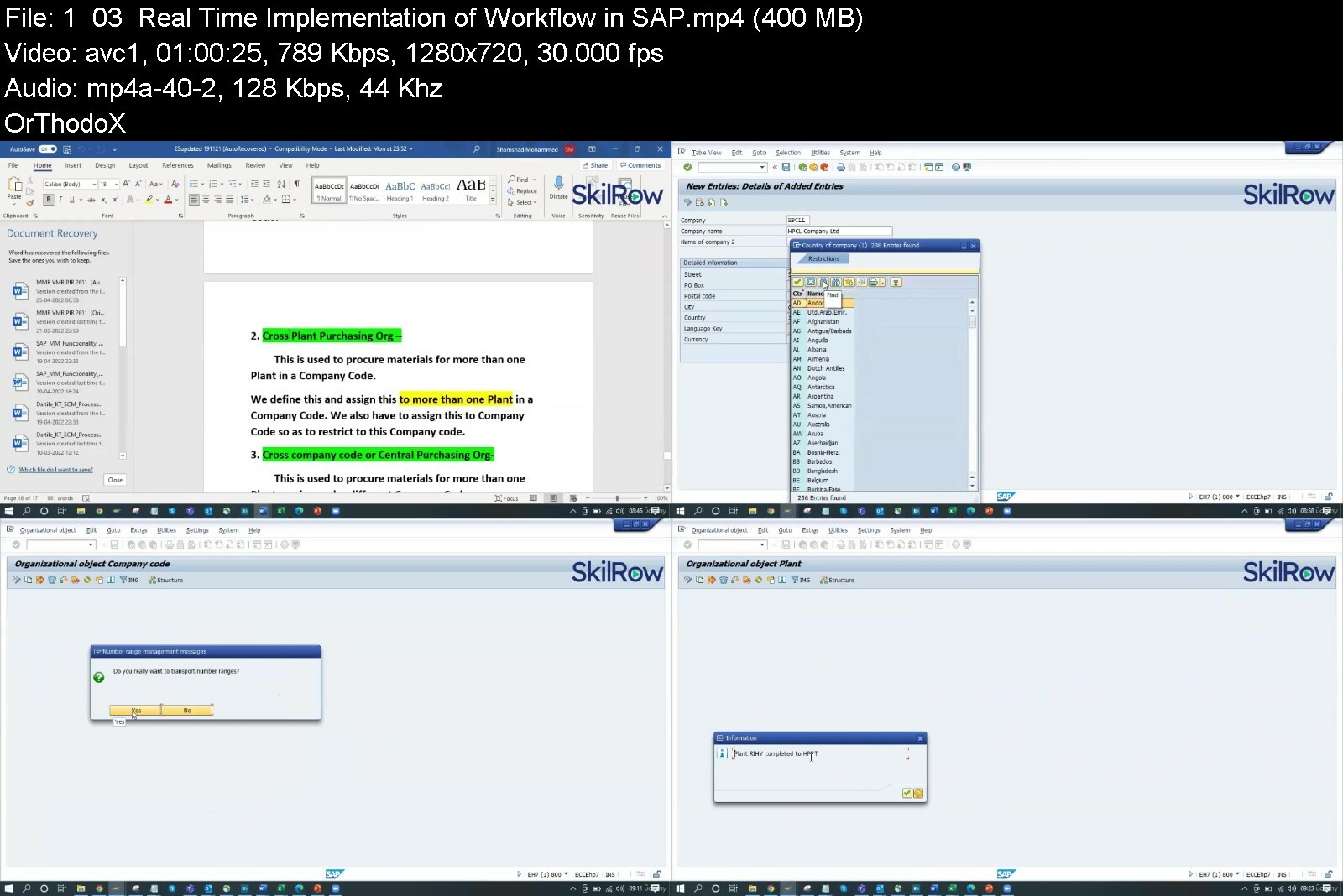
SAP Material Management(MM)- Basic to Advance

4881886669a363d9i.jpg


SAP Material Management(MM)- Basic to Advance
Published 09/2022
MP4 | Video: h264, 1280x720 | Audio: AAC, 44.1 KHz, 2 Ch
Genre: eLearning | Language: English | Duration: 29 lectures (20h 57m) | Size: 7.52 GB


Certification course designed to cover SAP MM configurations,Master data and End User Activities


What you'll learn
Introduction to SAP S/4 Hana Material Management
Enterprise structure and Needful Configurations
Creation Material Master Data and extending material
Real time Business Scenario and Implementation

Requirements
No prior experience or skillset needed for learning this course. This course explains from very basics and gradually increases the level.

Description
1. Introduction to ERP
· ERP Definition
· Characteristics of ERP
· Products of ERP
· Benefits of using ERP

2. Introduction to SAP
· SAP History
· SAP Product line
· New Products of SAP
· Relation of New SAP Products with the core product
· Industry specific Products
· Type of SAP Projects
· Type of SAP Roles
· Architecture of SAP
· System Landscape
· Types of data used in the SAP system

3. Initial Screens
· How to login to the SAP system
· SAP Client / GUI
· SAP Session - What it is
· How to open a new Session
· Create new Sessions
· Navigation between Sessions
· Transactions and Activities
· Shortcuts or Transaction Codes
· SAP Easy Access screen
· SAP IMG screen
· Difference between Easy Access and IMG screens

4. Enterprise Structure

· What is Enterprise Structure
· The different types of Enterprise Structure
· Company structure in real time
· Company structure for each process
· MM Structure against other process structure
· Enterprise Structure terms in real time against those used in the SAP system
· Definitions of the elements of enterprise structure
· Creation of Enterprise Structure elements in the SAP system
a) Group
b) Company
c) Plant
d) Store
e) Purchasing Department
f) Valuation Area
g) Controlling Area
h) Assignment of the Enterprise Structure elements in the SAP system
o Assign Company to Group
o Assign Plant to Company
o Assign Store to Plant
o Assign Purchasing Departments
o Assign Controlling Area

5. Master Data
· Basics of Master Data
· Significance of Master Data
· Usage of Master Data
· Material Master
· What is Material Master

· Screen Reference
· Field Reference
· Material Type
· Material Number formatting
· Material Groups
· Purchasing Group
· Purchase Value Key
· Shipping Instruction
· Vendor Master
· General Data
· Company Code Data
· Purchasing Data
· Vendor Classification
· Types of Vendor
· Prerequisites for creating Vendor Master Record
· Vendor Account Group and its significance
· Creation of Vendor Master Record

· Changing the Vendor Master Record
· Other End user activities of Vendor Master
· Configuration of Vendor Master
· Vendor Field Selection
· Assignment of Number Ranges
· Screen selection for Vendor Master records
· Vendor Industries
· Terms of Payment
· Purchasing Info Record
· Source List
· Configuration
· Quota Arrangement
· Configuration

6. Purchasing
· Basics of Purchasing
· What is Purchasing
· Difference Between Purchasing and Procurement
· Purchasing Cycle
· Purchasing Documents
· Different types of Purchasing documents used
· Division of Purchasing Document in the SAP system
· Type of data maintained in each division of the purchase document
· Purchase Requisition
· Request for Quotation (RFQ)
· Quotation
· Comparison
· Purchase Order
· Release Procedure
· Optimisation` of Purchasing
· Outline Agreements
· Quantity Contract
· Value Contract
· Creation of a Contract
· Other End User activities of Contract
· Scheduling Agreements
· Creation of Delivery Schedule
· Configuration of Purchasing
· Document Types configuration
· Assigning Number Ranges to Document Types
· Screen Selection for the Document Types
· Text Types and Copying Rules
· Tolerances for Archiving documents

7. Inventory Management
· Basics of Inventory Management
· Stock Types
· Movement Types
· Process of Goods Receipt
· Process of Goods Issue

· Stock Transfers
· What is Stock Transfer
· Types of Stock Transfer
· Transfer between Plants
· Transfer between Storage Locations
· Transfer between Stock types
· Transfer using Stock Transport Order
· Return to vendor
· Conditions under material returned to vendor
· Prerequisites for return to vendor
· Cancellation
· Initial Stock
· Reservations
· Physical Inventory
· Configuration
· Plant Parameters
· Number Range assignment
· Screen Selection
· Movement Types and its attributes
· Individual transaction configuration

8. Special Procurement Process / Special Stocks
· Basics of Special Procurement Process / Special Stocks
· Subcontracting
· Consignment
· Pipeline

9. External Services Management
· Basics of External Services Management
· Service Master
· Service Conditions
· Service Purchase Order
· Service Entry Sheet
· Configuration of External Services Management

10. Valuation and Account Determination

11. Logistics Invoice Verification

12. Pricing Procedure

13. Batch Management

14. Output Determination

Who this course is for
Designed for the person who wants make career in SAP MM
Beginners who wants to start their career in SAP ERP
SAP Consultants looking to expand their skillset in Material Management
Intermediaries who want to learn specific part of SAP Material Management
Material Management industrialist who want gain knowledge of SAP ERP


sapmaterialmanagementf6f4l.jpg


Microsoft 365 Ultimate Guide 2022

285316250883t5cfj.jpg


Microsoft 365 Ultimate Guide 2022
Instructors: Learn Tech Plus
39 sections • 506 lectures • 22h 25m
Video: MP4 1280x720 44 KHz | English + Sub
Updated 7/2022 | Size: 9.7 GB

Everything you need to know about Microsoft 365 for 2022


What you'll learn
Setup Microsoft 365 Account
Learn Microsoft 365
Learn Microsoft 365 Menu and Interface
Home
Users
Groups
Billing
Setup
Reports
Health
Security
Compliance
Azure Active Directory
Dark Mode
User Management
Show more
Show less


Requirements
Willingness to Have Fun and Learn!Setup Microsoft 365 AccountHave Access to Microsoft 365 Account


Description
Have you always wanted to learn Microsoft 365 but don't know where to start?
Would you like to manager accounts and bring your ideas to life?
Then Microsoft 365 2021 Ultimate Course is for you!
Hi, I'm your instructor Josh Werner and I'll be leading you through this course.
Microsoft 365 is an in-demand skill in 2021.
The course begins with the basics.;
I'll take you through everything you need to know to start adding accounts like an expert with Microsoft 365.
You'll learn all the fundamentals of Microsoft 365.
This is great for students starting or for IT Personal that need a refresher course on Microsoft 365.
There are no requirements necessary to enroll I only ask that you come open minded and ready to learn
Feel Free to look through the course description and checkout some of my preview videos
The course is packed with over 22 hours of hands-on tutorials
Here's What You'll Learn:
01. Introduction
; 001. Overview
02. Products - For Home
; 002. Overview
; 003. Plans and Pricing
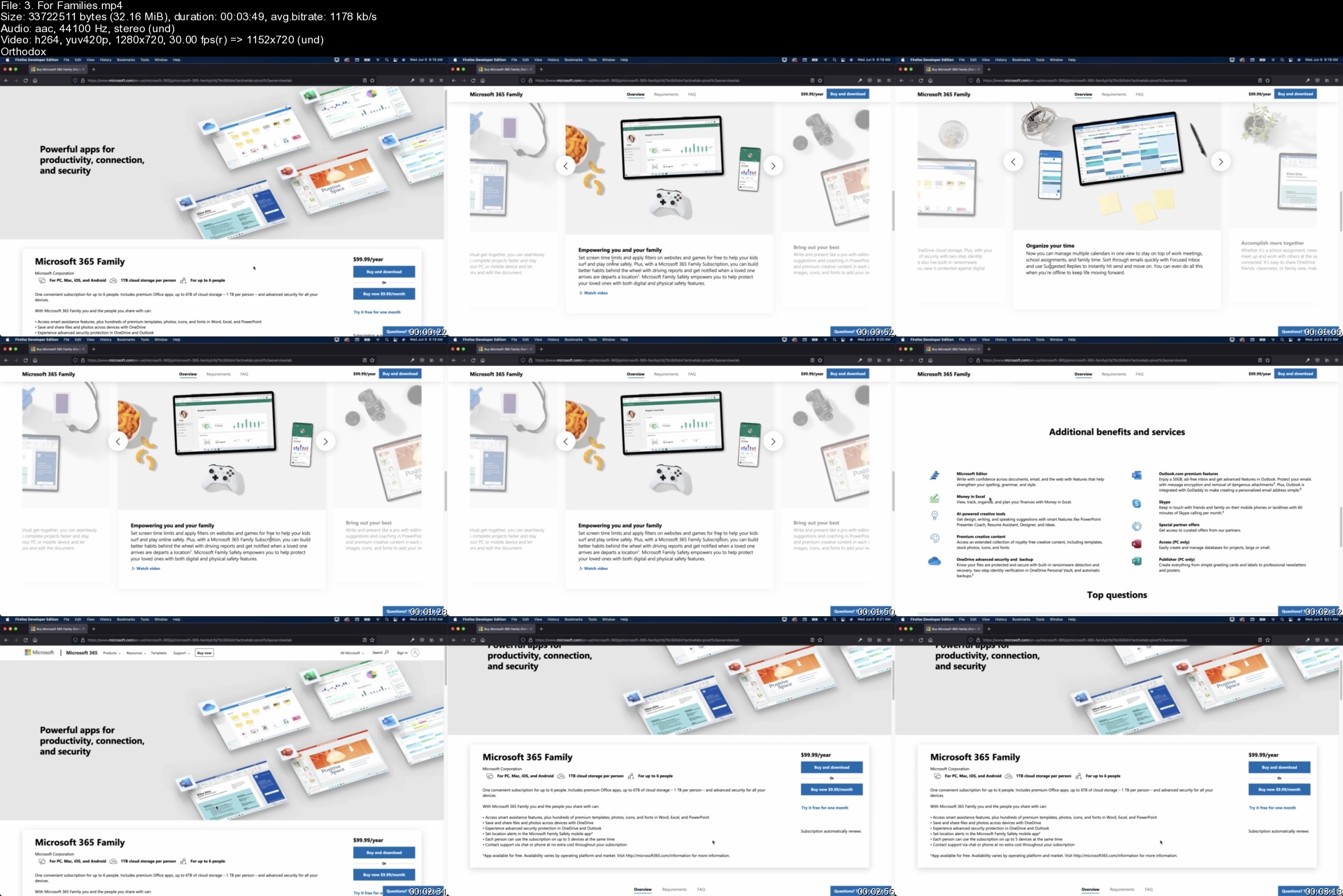
; 004. For Families
; 005. For Individuals
; 006. For Students
; 007. Summary
03. Products - For Business
; 008. Overview
; 009. Plans and Pricing
; 010. Small Business
; 011. Summary
04. Products - Enterprise
; 012. Overview
; 013. Plans and Pricing
; 014. Enterprise Features
; 015. Summary
05. Business Premium Account
; 016. Overview
; 017. Setup Account
; 018. Summary
06. Admin Center - Main Menu
; 019. Overview
; 020. Home
; 021. Users
; 022. Devices
; 023. Groups
; 024. Roles
; 025. Resources
; 026. Billing
; 027. Support
; 028. Settings
; 029. Setup
; 030. Reports
; 031. Health
; 032. Security
; 033. Compliance
; 034. Endpoint Manager
; 035. Azure Active Directory
; 036. Exchange
; 037. SharePoint
; 038. Teams
; 039. Summary
07. Outlook - Web App
; 040. Overview
; 041. Launch Outlook Web App
; 042. Inbox
; 043. Sent Items
; 044. Drafts
; 045. Add Favorite
; 046. Deleted Items
; 047. Junk Email
; 048. Archive
; 049. Notes
; 050. New Folder
; 051. New Group
; 052. Discover Groups
; 053. Manage Groups
; 054. Calendar
; 055. People
; 056. Files
; 057. To-Do
; 058. Launch Word Web App
; 059. Launch Excel Web App
; 060. Launch PowerPoint Web App
; 061. Launch OneNote Web App
; 062. Summary
08. OneDrive - Web App
; 063. Overview
; 064. Launch OneDrive Web App
; 065. My Files
; 066. Recent
; 067. Shared
; 068. Recycle Bin
; 069. Get The OneDrive App
; 070. Return To Classic OneDrive
; 071. Summary
09. Word - Web App
; 072. Overview
; 073. Launch Word App
; 074. New Blank Document
; 075. Save File
; 076. Home
; 077. Insert
; 078. Layout
; 079. References
; 080. Review
; 081. View
; 082. Help
; 083. Editing
; 084. Share
; 085. Comments
; 086. Catch Up
; 087. Home
; 088. New
; 089. Open
; 090. Info
; 091. Save As
; 092. Export
; 093. Print
; 094. Share
; 095. About
; 096. Summary
10. Excel - Web App
; 097. Overview
; 098. Launch Excel Web App
; 099. New Blank Workbook
; 100. Save File
; 101. Home
; 102. Insert
; 103. Draw
; 104. Page Layout
; 105. Formulas
; 106. Data
; 107. Review
; 108. View
; 109. Automate
; 110. Help
; 111. Editing
; 112. Share
; 113. Comments
; 114. Home;
; 115. New
; 116. Open
; 117. Info
; 118. Save As
; 119. Print
; 120. Share
; 121. Options
; 122. About
; 123. Summary
11. PowerPoint - Web App
; 124. Overview
; 125. Launch PowerPoint Web App
; 126. New Blank Presentation
; 127. Save File
; 128. Home
; 129. Insert
; 130. Draw
; 131. Design
; 132. Transitions
; 133. Animations
; 134. Slide Show
; 135. Review
; 136. View
; 137. Help
; 138. Editing
; 139. Share
; 140. Comments
; 141. Present
; 142. File
; 143. Project - Download Files
; 144. Project - Overview
; 145. Project - Layout Slides
; 146. Project - Content for Slides
; 147. Project - Check Slides
; 148. Project - Add Transitions
; 149. Project - Add Animations
; 150. Project - Rehearsal
; 151. Project - Present
; 152. Project - Summary
; 153. Summary
12. OneNote - Web App
; 154. Overview
; 155. Launch OneNote Web App
; 156. New Notebook
; 157. Home
; 158. Insert
; 159. Draw
; 160. View
; 161. Help
; 162. Open in Desktop App
; 163. Share
; 164. File Menu
; 165. Summary
13. Teams - Web App
; 166. Overview
; 167. Launch Teams Web App
; 168. Activity
; 169. Chat
; 170. Teams
; 171. Calendar
; 172. Files
; 173. Apps
; 174. Help
; 175. Download Desktop App
; 176. Settings
; 177. Summary
14. Power Automate - Web App
; 178. Overview
; 179. Launch Power Automate Web App
; 180. Home
; 181. Action Items
; 182. My Flows
; 183. Create
; 184. Templates
; 185. Connectors
; 186. Data
; 187. Monitor
; 188. AI Builder
; 189. Process Advisor
; 190. Solutions
; 191. Learn
; 192. Summary
15. Planner - Web App
; 193. Overview
; 194. Launch Planner Web App
; 195. New Plan
; 196. Planner Hub
; 197. My Tasks
; 198. Get The Planner App
; 199. Create A Plan
; 200. Board
; 201. Charts
; 202. Schedule
; 203. Conversation
; 204. Members
; 205. Files
; 206. Notebook
; 207. Sites
; 208. Add to Favorites
; 209. Copy Plan
; 210. Export Plan to Excel
; 211. Copy Link to Plan
; 212. Plan Settings
; 213. Add Plan to Outlook Calendar
; 214. Summary
16. Power Apps - Web App
; 215. Overview;
; 216. Launch PowerApps Web App
; 217. Home
; 218. Learn
; 219. Apps
; 220. Create
; 221. Data
; 222. Flows
; 223. Chatbots
; 224. AI Builder
; 225. Solutions
; 226. Summary
17. Visio - Web App
; 227. Overview;
; 228. Launch Visio Web App
; 229. New Blank Drawing
; 230. Flowchart Template
; 231. Basic Diagram Template
; 232. Process Steps Template
; 233. Block Diagram Template
; 234. Business Matrix Diagram
; 235. More Templates
; 236. Popular Templates
; 237. Basic Network Diagram Project
; 238. Home
; 239. Insert
; 240. Design
; 241. Review
; 242. View
; 243. Share
; 244. Comments
; 245. File Menu
; 246. Summary
18. Conclusion
; 247. Summary

So what are you waiting for? I look forward to going through course with you I'll see you inside!

Who this course is for:Beginner to Advanced Students wanting to Learn Microsoft 365

Homepage

3.forfamiliessgiipb.jpg


Diversity And Inclusion Certification2 Management Coaching

qsdelslmsvxik53t3xrd30pccu.jpg


Diversity And Inclusion Certification2 Management Coaching
Last updated 7/2022
MP4 | Video: h264, 1280x720 | Audio: AAC, 44.1 KHz
Language: English | Size: 6.79 GB | Duration: 11h 1m

Diversity and Inclusion Management Coaching Graduates Prepared Professionals in Hybrid Workplace Diversity and Inclusion


What you'll learn
July 2022 Updated + Level 2 Certification Bonus $1791 We Cover (Read Description) Work as a Management Coach in Level 2 Coaching Practicums.
Diversity and Inclusion Management 11 hours Interactive Video Training, 167+ PDFs, 10 Ready-to-Use Sessions + Skills Training to Master Management Coaching.
Diversity and Inclusion Training using Get Results Diversity and Inclusion Coaching System Empowers You to Confidently Coach Any Team Starting Today.
Priceless Diversity and Inclusion Management Coaching Mentoring to Move You Past the Blocks and Obstacles to Developing Your Management Career.

Requirements
Before buying, click on PREVIEW THIS COURSE found on this page. Watch the Certification + FAQ video to discover our world-class approach to training and certifying Diversity and Inclusion Management Coaching Professionals plus the cost-saving bonuses Get Results Coach Academy gives you.
Diversity and Inclusion Certification Management Coaching Training offers its own verifiable certificate of completion plus it is Certification #2 in the 10 Course Master Management Coaching Certification Program offered by Get Results Coach Academy on Udemy. Read the Udemy Instructor Profile to learn more.

Description
Diversity and Inclusion Management in the new normal workplace requires a new approach! Be prepared to meet those needs by becoming a Certified Get Results Diversity and Inclusion Management Coach. With 11 hours of step-by-step video training, 167+ downloadable and ready to use resources, you become skilled in using a proprietary 10 Session Get Results Management Coaching Program that has been done-for-you so that you can begin Diversity and Inclusion Management Coaching Sessions with your online, in-person or hybrid teams or corporate clients starting TODAY.Diversity and Inclusion Management Coaching Training Prepares You to Get ResultsYou don't have to waste time trying to figure out what works and what doesn't. The hard work, research and carefully crafted Diversity and Inclusion Management Coaching Session guides give you the exact timings, coaching questions, activities, and resources so you can start coaching work teams or clients immediately. With 2 Levels of Certification, your skill and professionalism as a trained Get Results Diversity and Inclusion Management Coach is of the highest priority.Diversity and Inclusion Management Coaching Training for the New NormalIn your company, Diversity and Inclusion has suffered since the crisis. Imagine that you've been selected to implement a company-wide New Normal Diversity and Inclusion Program. Your challenge is to coach a global team of highly skilled diverse employees to adapt a more inclusive strategy that gets results. This is the opportunity you've been waiting for! The problem is, they want you to start tomorrow.Are you prepared for the challenge? Do you have the technology and mindset know-how to coach a hybrid remote/in-office team? Do you understand the top 10 unconscious bias that negatively impact Diversity and Inclusion in the workplace? Do you have a proven Diversity and Inclusion Group Coaching Program with the exact questions and interactive online resources to GET BETTER RESULTS in the new normal?The New Normal Get Results Inclusion Approach Shows You How to Manage Diversity in the WorkplaceOpportunities like this can change your career! As Curriculum Developer and Lead Instructor for Get Results Coach Academy, I designed Diversity and Inclusion Certification Management Coaching Training to give you everything you need to confidently manage diversity in the workplace and coach a team toward inclusion success starting today. Whether you lead a remote team, an in-office team or a combination of both, you are guided step-by-step with the exact how to manage diversity in the workplace plan through mastery of the Diversity and Inclusion Management Coaching for getting results in the new normal.Build your confidence, even if you have never organized a virtual workspace or ran a virtual meeting, through Level 1 behind-the-scenes video training, hands-on practicums and my step-by-step guidance.Maximize your impact using my done-for-you action focused Diversity and Inclusion Get Results Coaching Model to engage a remote team, in-office team or a combination of both.Advance your people skills with 10 unconscious bias re-enactments that take the guesswork out of understanding your teams' underlying challenges.Increase your aptitude in using the latest technology for delivering virtual meetings and managing virtual workspaces.Accelerate your Diversity and Inclusion Management Coach Career or Business/Practice with free but optional Level 2 coaching practicums and Diversity and Inclusion Management Coach Directory Listing.Management Coaching Specializing in Diversity and Inclusion to Get Results in the New NormalThe Covid-19 crisis changed the way many companies work. Remote work and teams divided are the new normal. According to a white paper called COVID-19 Impact on Diversity & Inclusion published by Boston College, the crisis has created more division. The findings, which identified the impact of this crisis on Diversity and Inclusion within organizations, state that "one of the greatest challenges is understanding the needs and circumstances of employees who themselves are diverse in all of the traditional measures, but also are affected by widely varying life, work, family and mental health conditions." The white paper sums up by concluding that during crises, the presence of diversity and the practice of inclusion is essential. Now more than ever, you need a targeted program that mitigates any further negative impact. You need a Diversity and Inclusion Program that Gets New Results.Diversity and Inclusion Certification Management Coaching Content OverviewWith 11 hours of video tutorials, 167+ downloadable resources ready to use, hands-on practice assignments, interactive learning and Q & A, this continually updated course keeps you relevant and indispensable as a Leader. Let's break it down for you:I developed my GET RESULTS Management Coaching Program to provide you with the professionalism yet agility that is required in today's fast-paced ever-changing workplace. In each section of the course, you receive specific Diversity and Inclusion insight that is relevant for this new workplace normal.Through case-study re-enactments, you look closely at the complexity of the human psyche impacted by unconscious bias that is sometimes slow to change and how this ultimately alters the company culture if left unchecked. You assess your own bias and with what you discover, adjust as needed before coaching your team.You learn how to set up a Slack Workspace for delivering the Diversity and Inclusion GET RESULTS Program. Even if you have used Slack before, you will learn how to develop an engaged, diverse and inclusive virtual workplace that gets results.You are given step-by-step instruction designed to improve your proficiency using the latest technology to deliver the remote meetings as well as the how-to insight for delivering the professional program.Even if there is no money for Diversity and Inclusion initiatives, the strategically selected interactive online resources are free to use. The research, coaching questions and the usable PDF documents have been developed for your use saving you time and money.2 LEVELS OF CERTIFICATION: Students and Graduates of Get Results Coach Academy on Udemy benefit from the G.R.C.A 2 Levels of Certification at no extra cost. Here are the details of the 2 Levels + the benefits of joining:LEVEL 1 CERTIFICATIONIncluded with your one-time low-cost enrollment fee on Udemy is life-time access to the course content and features on Udemy; including a verifiable Udemy generated certificate of completion.GET RESULTS COACH ACADEMY COVERS THE $995 U.S.D. RIGHT OF USE FEE: When you join this course on Udemy and stay enrolled (no refund), you have permission to use my Proprietary Accredited Management Coaching Session Guides with your work team or to coach clients.PLEASE NOTE: A "right-of-use fee" is not a licensing fee. I own the copyright to the accredited session guides including the processes and material which means that you do not have permission to re-sell it or develop training, workshops, speaking or books based on my proprietary program.1) Watch 100% of the coursework lectures as fast or as slow as you want.2) Download all of the accredited resources including the session guides.3) Download your Udemy generated certificate of completion when you have completed 100% of the coursework.LEVEL 2 CERTIFICATIONIn addition to the cost-saving benefits and features of Level One, when you remain enrolled in the program past 35 days, you have access to LEVEL 2 benefits; a total of $1791 U.S.D in fees that we cover when you join this one course on Udemy and graduate Level 2.GET RESULTS COACH ACADEMY COVERS THE $995 U.S.D. RIGHT OF USE FEE: When you join this course on Udemy and stay enrolled (no refund), you have permission to use my Proprietary Accredited Management Coaching Session Guides to coach work teams or clients.GET RESULTS COACH ACADEMY COVERS THE $199 U.S.D. ACCREDITATION FEE: Level 2 requires that you complete a mandatory Management Coaching Practicum which assesses your competency using my accredited proprietary session guides with real work teams or clients. This is referred to as hands-on coaching fieldwork. This is step-by-step easy to complete but submission is mandatory for Level 2 Graduation. This is what differentiates this program and the Get Results Coach Academy Management Coaching Graduates above the rest. While a quickie diploma or certification from having just simply watched videos is appealing and what some coaching courses on Udemy use as a marketing tool to get you to buy, this is not the solution to long-term success. If that is your goal and expectation, this professional coaching program is not for you.GET RESULTS COACH ACADEMY COVERS THE $99 U.S.D. CERTIFICATION FEE: This is a one-time fee to create one individualized certificate of completion from Get Results Coach Academy that displays your certification designation verifying your completion of accreditation.GET RESULTS COACH ACADEMY COVERS THE $199 U.S.D. COACH DIRECTORY LISTING FEE: This is a one-time listing one-time fee to add your first and last name to this niche specific management coaching directory on Get Results Coach Academy.GET RESULTS COACH ACADEMY COVERS THE $299 U.S.D ASSOCIATION FEE: This is a one-time membership fee to keep your certification current and valid.GET RESULTS COACH ACADEMY COVERS $1791 U.S.D IN FEES WHEN YOU JOIN ON UDEMY AND GRADUATE LEVEL 2Now you might be thinking "this sounds too good to be true; what's the catch?" or you might be saying "Management Coaching Training like this should cost 5 thousand or more; why would such a valuable program be available on Udemy for such a low price?" There is no catch just a vision, a purpose and a mission to empower diversity and inclusion among hybrid work teams to achieve success in the new normal.Diversity and Inclusion Management Coaching Students Share Their Experience"Extremely practical information and step by step processes appeal to the busy professional""Louise A. Maurice always gives great information for our life long study for our coaching businesses. Love, Love, the courses""I've been in working Diversity groups before, and this is looking at it from a different angle at the moment particularly in a closer team setting than an overall company picture catering for different groups""I am just in part 3 of the program, but loving every minute. The presenter is organized and easy to understand, and the supplemental materials have already come in handy at work"Excel as a Leader in the New Normal with Diversity and Inclusion Management CoachingLet me show you how to manage diversity and inclusion for success in the new normal! If you have never met me before my name is Louise Anne Maurice. The thousands and thousands of people I have either coached, trained, consulted or taught over the past 30+ years have benefited from my Empowered Coaching Approach™. I teamed up with the Udemy E-Learning Platform to make my proprietary Diversity and Inclusion Management Coaching Certification Training Course easily accessible to a global audience at an affordable price. This comprehensive and streamlined curriculum shortens the learning curve for you to become a Professional World-Class Diversity and Inclusion Management Coach.I invite you to join with me as well as the other students starting today! Simply click on the "Buy now" button to enroll in this course or click on the "Add to cart" button to enroll in all 10 courses of the Master Management Coaching Certification Training Program.I will see you in the first lecture.LouiseYour Coach Louise Anne Maurice© Intellectual Copyright of all details in this description (except for student reviews) and training material in this Diversity and Inclusion Management Coaching Certification Training Course are owned by Louise Anne Maurice of Get Results Coach Academy

Overview

Section 1: Diversity and Inclusion Management Coaching

Lecture 1 Diversity and Inclusion Welcome to Management Coaching

Lecture 2 Diversity and Inclusion Analysis

Lecture 3 Diversity and Inclusion Statistics for Management Coaching

Lecture 4 Diversity and Inclusion A-Q Remote Prep Management Coaching

Lecture 5 Diversity and Inclusion R-T Remote Prep Management Coaching

Lecture 6 Diversity and Inclusion 1 Session Intro Management Coaching

Lecture 7 Diversity and Inclusion 1 Session UX Prep Management Coaching

Lecture 8 Diversity and Inclusion 1 Session YZ Prep Management Coaching

Lecture 9 Diversity and Inclusion 1 Session Step 1 Management Coaching

Lecture 10 Diversity and Inclusion 1 Session Step 2 Management Coaching

Lecture 11 Diversity and Inclusion 1 Session Step 3 Management Coaching

Lecture 12 Diversity and Inclusion 1 Session Step 4 Management Coaching

Lecture 13 Diversity and Inclusion 1 Session Step 5 Management Coaching

Lecture 14 Diversity and Inclusion 1 Session End Management Coaching

Lecture 15 Diversity and Inclusion 1 Session Practicum Management Coaching

Lecture 16 Certification + FAQ Diversity and Inclusion Management Coaching

Section 2: Diversity and Inclusion Session 2 Management Coaching

Lecture 17 Diversity and Inclusion 2 Session Intro Management Coaching

Lecture 18 Diversity and Inclusion 2 Session Prep Management Coaching

Lecture 19 Diversity and Inclusion 2 Session Step 1 Management Coaching

Lecture 20 Diversity and Inclusion 2 Session Step 2 Management Coaching

Lecture 21 Diversity and Inclusion 2 Session Step 3 Management Coaching

Lecture 22 Diversity and Inclusion 2 Session Step 4 Management Coaching

Lecture 23 Diversity and Inclusion 2 Session Step 5 Management Coaching

Lecture 24 Diversity and Inclusion 2 Session End Management Coaching

Lecture 25 Diversity and Inclusion 2 Session Practicum Management Coaching

Section 3: Diversity and Inclusion Session 3 Management Coaching

Lecture 26 Diversity and Inclusion 3 Session Intro Management Coaching

Lecture 27 Diversity and Inclusion 3 Session Prep Management Coaching

Lecture 28 Diversity and Inclusion 3 Session Step 1 Management Coaching

Lecture 29 Diversity and Inclusion 3 Session Step 2 Management Coaching

Lecture 30 Diversity and Inclusion 3 Session Step 3 Management Coaching

Lecture 31 Diversity and Inclusion 3 Session Step 4 Management Coaching

Lecture 32 Diversity and Inclusion 3 Session Step 5 Management Coaching

Lecture 33 Diversity and Inclusion 3 Session End Management Coaching

Lecture 34 Diversity and Inclusion 3 Session Practicum Management Coaching

Section 4: Diversity and Inclusion Session 4 Management Coaching

Lecture 35 Diversity and Inclusion 4 Session Intro Management Coaching

Lecture 36 Diversity and Inclusion 4 Session UX Prep Management Coaching

Lecture 37 Diversity and Inclusion 4 Session YZ Prep Management Coaching

Lecture 38 Diversity and Inclusion 4 Session Step 1 Management Coaching

Lecture 39 Diversity and Inclusion 4 Session Step 2 Management Coaching

Lecture 40 Diversity and Inclusion 4 Session Step 3 Management Coaching

Lecture 41 Diversity and Inclusion 4 Session Step 4 Management Coaching

Lecture 42 Diversity and Inclusion 4 Session Step 5 Management Coaching

Lecture 43 Diversity and Inclusion 4 Session End Management Coaching

Lecture 44 Diversity and Inclusion 4 Session Practicum Management Coaching

Section 5: Diversity and Inclusion Session 5 Management Coaching

Lecture 45 Diversity and Inclusion 5 Session Intro Management Coaching

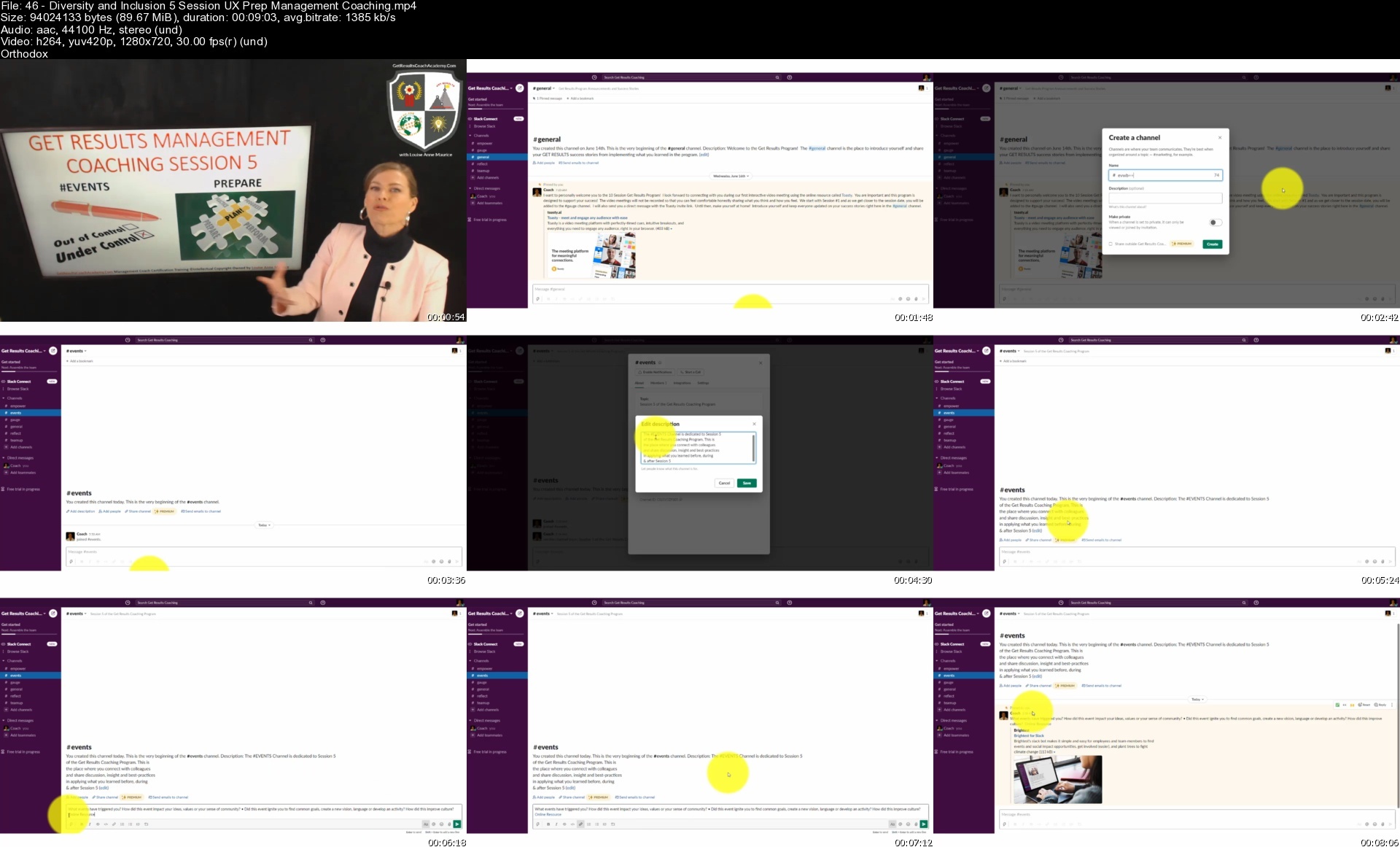
Lecture 46 Diversity and Inclusion 5 Session UX Prep Management Coaching

Lecture 47 Diversity and Inclusion 5 Session YZ Prep Management Coaching

Lecture 48 Diversity and Inclusion 5 Session Step 1 Management Coaching

Lecture 49 Diversity and Inclusion 5 Session Step 2 Management Coaching

Lecture 50 Diversity and Inclusion 5 Session Step 3 Management Coaching

Lecture 51 Diversity and Inclusion 5 Session Step 4 Management Coaching

Lecture 52 Diversity and Inclusion 5 Session Step 5 Management Coaching

Lecture 53 Diversity and Inclusion 5 Session End Management Coaching

Lecture 54 Diversity and Inclusion 5 Session Practicum Management Coaching

Section 6: Diversity and Inclusion Session 6 Management Coaching

Lecture 55 Diversity and Inclusion 6 Session Intro Management Coaching

Lecture 56 Diversity and Inclusion 6 Session UX Prep Management Coaching

Lecture 57 Diversity and Inclusion 6 Session YZ Prep Management Coaching

Lecture 58 Diversity and Inclusion 6 Session Step 1 Management Coaching

Lecture 59 Diversity and Inclusion 6 Session Step 2 Management Coaching

Lecture 60 Diversity and Inclusion 6 Session Step 3 Management Coaching

Lecture 61 Diversity and Inclusion 6 Session Step 4 Management Coaching

Lecture 62 Diversity and Inclusion 6 Session Step 5 Management Coaching

Lecture 63 Diversity and Inclusion 6 Session End Management Coaching

Lecture 64 Diversity and Inclusion 6 Session Practicum Management Coaching

Section 7: Diversity and Inclusion Session 7 Management Coaching

Lecture 65 Diversity and Inclusion 7 Session Intro Management Coaching

Lecture 66 Diversity and Inclusion 7 Session UX Prep Management Coaching

Lecture 67 Diversity and Inclusion 7 Session YZ Prep Management Coaching

Lecture 68 Diversity and Inclusion 7 Session Step 1 Management Coaching

Lecture 69 Diversity and Inclusion 7 Session Step 2 Management Coaching

Lecture 70 Diversity and Inclusion 7 Session Step 3 Management Coaching

Lecture 71 Diversity and Inclusion 7 Session Step 4 Management Coaching

Lecture 72 Diversity and Inclusion 7 Session Step 5 Management Coaching

Lecture 73 Diversity and Inclusion 7 Session End Management Coaching

Lecture 74 Diversity and Inclusion 7 Session Practicum Management Coaching

Section 8: Diversity and Inclusion Session 8 Management Coaching

Lecture 75 Diversity and Inclusion 8 Session Intro Management Coaching

Lecture 76 Diversity and Inclusion 8 Session Prep Management Coaching

Lecture 77 Diversity and Inclusion 8 Session Step 1 Management Coaching

Lecture 78 Diversity and Inclusion 8 Session Step 2 Management Coaching

Lecture 79 Diversity and Inclusion 8 Session Step 3 Management Coaching

Lecture 80 Diversity and Inclusion 8 Session Step 4 Management Coaching

Lecture 81 Diversity and Inclusion 8 Session Step 5 Management Coaching

Lecture 82 Diversity and Inclusion 8 Session End Management Coaching

Lecture 83 Diversity and Inclusion 8 Session Practicum Management Coaching

Section 9: Diversity and Inclusion Session 9 Management Coaching

Lecture 84 Diversity and Inclusion 9 Session Intro Management Coaching

Lecture 85 Diversity and Inclusion 9 Session Prep Management Coaching

Lecture 86 Diversity and Inclusion 9 Session Step 1 Management Coaching

Lecture 87 Diversity and Inclusion 9 Session Step 2 Management Coaching

Lecture 88 Diversity and Inclusion 9 Session Step 3 Management Coaching

Lecture 89 Diversity and Inclusion 9 Session Step 4 Management Coaching

Lecture 90 Diversity and Inclusion 9 Session Step 5 Management Coaching

Lecture 91 Diversity and Inclusion 9 Session End Management Coaching

Lecture 92 Diversity and Inclusion 9 Session Practicum Management Coaching

Section 10: Diversity and Inclusion Session 10 Management Coaching

Lecture 93 Diversity and Inclusion 10 Session Intro Management Coaching

Lecture 94 Diversity and Inclusion 10 Session UX Prep Management Coaching

Lecture 95 Diversity and Inclusion 10 Session YZ Prep Management Coaching

Lecture 96 Diversity and Inclusion 10 Session Step 1 Management Coaching

Lecture 97 Diversity and Inclusion 10 Session Step 2 Management Coaching

Lecture 98 Diversity and Inclusion 10 Session Step 3 Management Coaching

Lecture 99 Diversity and Inclusion 10 Session Step 4 Management Coaching

Lecture 100 Diversity and Inclusion 10 Session Step 5 Management Coaching

Lecture 101 Diversity and Inclusion 10 Session End Management Coaching

Lecture 102 Diversity and Inclusion 10 Session Practicum Management Coaching

Lecture 103 Diversity and Inclusion 10 Session Wrap Management Coaching

Section 11: Diversity and Inclusion Next Steps for Management Coaching

Lecture 104 Diversity & Inclusion Management Coaching Program Review

Lecture 105 Level 2 Self-Assessment

Lecture 106 Level 2 Fieldwork Instructions

Lecture 107 Level 2 Fieldwork Templates

Lecture 108 Ongoing Personal and Professional Development

Lecture 109 Level 1 Graduates

Lecture 110 Level 2 Graduates

If you are in a leadership position working with teams, then the Diversity and Inclusion Management Coaching will give you the inside track on the skills necessary to lead in the new normal.,If you have lost your job or want to be indispensable in your current career, then Diversity and Inclusion Certification in Get Results Management Coaching is your solution.,If you want to start a new business or private practice as a Management Coach in a highly sought-after niche area, then Diversity and Inclusion Management Coaching Certification Training will give you a head start.,If you are fresh out of school and you have been told that your resume/CV needs more professional experience, enrol in Diversity and Inclusion Management Coaching Training and participate in the hands-on coaching practicum so that your resume stands-out.

Homepage


46diversityandinclusio0dwd.jpg


Learn Microsoft Excel Fast - The Advanced Excel Course

tgwrvfthy17ebm7bqxlcursdkr.jpg


Learn Microsoft Excel Fast - The Advanced Excel Course
Last updated 4/2022
MP4 | Video: h264, 1280x720 | Audio: AAC, 44.1 KHz
Language: English | Size: 13.05 GB | Duration: 11h 33m

Microsoft Certified Master Instructor - Financial Functions - NPV - IRR - Amortization - Pivot Tables - Data Analysis


What you'll learn
Learn how to more effectively manage finances.
Learn all about financial functions in Microsoft Excel.
Learn how to calculate the future value of cash flows.
Learn how to calculate the present value of cash flows.
Learn how to calculate a loan payment.
Learn how to create a loan amortization schedule.
Learn how to calculate an annuity payment.
Learn how to calculate payment and interest.
Learn all about NPV (net present value) and learn how to calculate it.
Learn all about IRR (internal rate of return) and learn how to calculate it.
Learn how to create pivot tables and how to work with pivot tables.
Learn how to group data in pivot tables.
Learn how to use slicers and timelines in pivot tables.
Learn how to work with the data model power pivot.
Learn how to use "get and transform" to work with data.
Learn how to transform data
Learn how to split by delimiter, pivot, unpivot, replace, extract, and format data
Learn how to work with "append and merge"
Learn all about merges and joins include outer joins and inner joins
Learn how to work with data visualization in Microsoft Excel
Learn how to create a 3-D map
Learn how to use Microsoft Excel collaboration tools
Learn how to automate Microsoft Excel with macros
Learn how to use Object linking & embedding (OLE)

Requirements
All versions of Microsoft Excel work for this course. The instructor will be using Microsoft Excel 2016.

Description
Master Excel with a Microsoft Certified Master Instructor.You can master Microsoft Excel easily and quickly if it is taught correctly.Developed by a Microsoft Certified Master Instructor, this course will help you master Microsoft Excel. Taught by a university professor with over twenty years of experience teaching individuals of all ability levels how to use Microsoft Excel, Todd McLeod has designed and refined this course to make it easy for you to master Microsoft Excel.Providing a comprehensive curriculum of 140 video lectures, including 51 hands-on exercises with solutions, you will learn all of the following about Microsoft Excel: Learn fundamentals of financeLearn about the time value of money.Learn how to work with financial functionsLearn how to calculate present value and future value.Learn how to calculate loan payments, loan amortization, and annuity payments.Learn about Net Present Value (NPV) and learn how to calculate it.Learn about Internal Rate of Rate (IRR) and learn how to calculate it.Learn to use pivot tables and master the art of data visualization.Learn to use the "data model" power pivot tool to advance your data analysis.Learn to use "Get and Transform" power query.Learn to transform data with split by delimiter.Learn to replace, extract, and format data.Learn to append and merge data.Learn to work with merge and joins.Learn to create inner joins and outer joins.Learn to use data visualization.Learn to create 3-D Maps.Learn to collaborate more effectively in Excel.Learn to automate Excel with macros.Learn to integrate Excel with other software.Learn about Object Linking and Embedding (OLE).Receive 51 "hands-on exercises" Receive solutions to all of the "hands-on exercises" download all of the Excel project files that are used in the videos.This class is guaranteed to help you master Microsoft Excel. Once enrolled, you will have access to this Excel course for the rest of your life. Described as "fun" and "amazing" and "life changing," Todd McLeod's Excel training will forever transform the way you work with Excel. Try this course for yourself and see how quickly and easily you too can master Microsoft Excel.

Overview

Section 1: Introduction

Lecture 1 Welcome

Lecture 2 Course resources

Lecture 3 Course files

Lecture 4 Versions

Section 2: Financial functions I

Lecture 5 Financial health

Lecture 6 Time is money

Lecture 7 Future value I

Lecture 8 Future value II

Lecture 9 Future value III

Lecture 10 Future value IV

Lecture 11 Present value

Lecture 12 Present value II

Section 3: Exercises - Ninja Level 19

Lecture 13 Hands-on exercise #1

Lecture 14 Hands-on exercise #2

Lecture 15 Hands-on exercise #3

Lecture 16 Hands-on exercise #4

Lecture 17 Hands-on exercise #5

Lecture 18 Hands-on exercise #6

Lecture 19 Hands-on exercise #7

Section 4: Financial functions II

Lecture 20 Loan payment

Lecture 21 Loan amortization

Lecture 22 Annuity payment

Lecture 23 Payment & interest

Lecture 24 NPV

Lecture 25 IRR

Section 5: Exercises - Ninja Level 20

Lecture 26 Hands-on exercise #1

Lecture 27 Hands-on exercise #2

Lecture 28 Hands-on exercise #3

Lecture 29 Hands-on exercise #4

Lecture 30 Hands-on exercise #5

Section 6: Pivot tables

Lecture 31 Introduction

Lecture 32 Pivoting your data

Lecture 33 Data into information

Lecture 34 Adding information to a table

Lecture 35 Refreshing pivot tables

Lecture 36 Nesting with pivot tables

Lecture 37 Grouping in pivot tables

Lecture 38 Using slicers in pivot tables

Lecture 39 Using timelines in pivot tables

Lecture 40 Creating pivot charts

Lecture 41 Recommended pivot tables

Section 7: Exercises - Ninja Level 21

Lecture 42 Hands-on exercise #1

Lecture 43 Hands-on exercise #2

Lecture 44 Hands-on exercise #3

Lecture 45 Hands-on exercise #4

Lecture 46 Hands-on exercise #5

Lecture 47 Hands-on exercise #6

Lecture 48 Hands-on exercise #7

Section 8: Data model (power pivot)

Lecture 49 Introduction

Lecture 50 Add to data model

Lecture 51 Creating relationships

Lecture 52 Calculated columns

Lecture 53 Writing a measure

Lecture 54 Pivot your data

Section 9: Exercises - Ninja Level 22

Lecture 55 Hands-on exercise #1

Lecture 56 Hands-on exercise #2

Section 10: Get & transform (power query)

Lecture 57 Orientation

Lecture 58 1,048,576+ records

Lecture 59 Excel broke

Lecture 60 1,048,576+ records II

Lecture 61 Get csv files

Lecture 62 Adding data

Lecture 63 Get txt files

Lecture 64 Get xlsx files, single sheets

Lecture 65 Get xlsx files, many sheets

Lecture 66 Data preparation

Lecture 67 Get txt, csv, accd, xlsx

Lecture 68 Get web

Lecture 69 Get JSON

Section 11: Exercises - Ninja Level 23

Lecture 70 Hands-on exercise #1

Lecture 71 Hands-on exercise #2

Lecture 72 Hands-on exercise #3

Lecture 73 Hands-on exercise #4

Lecture 74 Hands-on exercise #5

Section 12: Transforming data

Lecture 75 Overview

Lecture 76 Split by delimiter

Lecture 77 Pivot

Lecture 78 Unpivot

Lecture 79 Replace

Lecture 80 Extract

Lecture 81 Format

Section 13: Exercises - Ninja Level 24

Lecture 82 Hands-on exercise #1

Lecture 83 Hands-on exercise #2

Lecture 84 Hands-on exercise #3

Lecture 85 Hands-on exercise #4

Lecture 86 Hands-on exercise #5

Lecture 87 Hands-on exercise #6

Lecture 88 Hands-on exercise #7

Section 14: Append & merge

Lecture 89 Append

Lecture 90 Append updating

Lecture 91 Merge & joins

Lecture 92 Left outer join

Lecture 93 Right outer join

Lecture 94 Full outer join

Lecture 95 Inner join

Lecture 96 Left anti join

Lecture 97 Right anti join

Section 15: Exercises - Ninja Level 25

Lecture 98 Hands-on exercise #1

Lecture 99 Hands-on exercise #2

Lecture 100 Hands-on exercise #3

Lecture 101 Hands-on exercise #4

Lecture 102 Hands-on exercise #5

Lecture 103 Hands-on exercise #6

Lecture 104 Hands-on exercise #7

Lecture 105 Hands-on exercise #8

Section 16: Data visualization

Lecture 106 Overview

Lecture 107 3-D map

Lecture 108 3-D map II

Lecture 109 3-D map III

Lecture 110 3-D map IV

Lecture 111 3-D map animation

Lecture 112 Themes

Lecture 113 Defined names

Lecture 114 Defined names & tables

Lecture 115 Defined names management

Lecture 116 Formula auditing

Lecture 117 Error checking

Lecture 118 Evaluate formula

Lecture 119 Watch window

Lecture 120 Calculation

Section 17: Exercises - Ninja Level 26

Lecture 121 Hands-on exercise #1

Lecture 122 Hands-on exercise #2

Lecture 123 Hands-on exercise #3

Lecture 124 Hands-on exercise #4

Lecture 125 Hands-on exercise #5

Lecture 126 Hands-on exercise #6

Section 18: Collaborating

Lecture 127 Signature line

Lecture 128 Comments

Lecture 129 Protect (lock)

Section 19: Exercises - Ninja Level 27

Lecture 130 Hands-on exercise #1

Section 20: Automation

Lecture 131 Understanding macros

Lecture 132 Relative reference macros

Section 21: Exercises - Ninja Level 28

Lecture 133 Hands-on exercise #1

Section 22: Excel & Word integration (OLE)

Lecture 134 Object linking & embedding (OLE)

Section 23: Exercises - Ninja Level 29

Lecture 135 Hands-on exercise #1

Section 24: Farewell

Lecture 136 Congratulations

Lecture 137 Bonus lecture

This course is for individuals who already have a good understanding of Microsoft Excel.

Homepage


45handsonexercise4s8pf4f.jpg


Office 2021/365 Essentials Bundle

x2idfex0wxnza9a613roclviez.jpg


Office 2021/365 Essentials Bundle
Published 8/2022
MP4 | Video: h264, 1280x720 | Audio: AAC, 44.1 KHz
Language: English | Size: 21.09 GB | Duration: 41h 19m

Learn the essentials of Microsoft Office in this 4-course bundle for Office 365 or Office 2021 users.


What you'll learn
What's new in Excel 2021
Navigating the Excel 2021 interface
Analyzing data using PivotTables and representing data visually with charts and PivotCharts
Adding interactions to PivotTables and PivotCharts
Creating an interactive dashboard to present high-level metrics
Auditing formulas and troubleshooting common Excel errors
How to use Excel tables to structure data and make it easy to update

Requirements
Microsoft Office 2021 desktop version for Windows installed and ready to use on your computer.

Description
**This course includes downloadable course instructor files and exercise files to work with and follow along.**Learn Excel (beginner and intermediate), PowerPoint, and Word 2021 with this tremendous value four-course bundle from Office experts Simon Sez IT.Microsoft Office remains the go-to tool for the modern worker, yet so many users fall short of using its full potential.We're here to make sure you aren't one of those people.In this Microsoft Office bundle, we make the three essential MS Office programs (Excel, PowerPoint, and Word) simple to understand. The bundle includes four full-length courses to help you achieve your goals: Excel 2021 for Beginners, Excel 2021 Intermediate, PowerPoint 2021 for Beginners, and Word 2021 for Beginners.Each course goes into depth on how to get the most from each program and will help you become a more skillful user.What's included?Excel 2021 for BeginnersBecome familiar with what's new in Excel 2021Navigate the Excel 2021 interfaceUtilize useful keyboard shortcuts to increase productivityCreate your first Excel spreadsheetUse basic and intermediate Excel formulas and functionsEffectively apply formatting to cells and use conditional formattingUse Excel lists and master sorting and filteringWork efficiently by using the cut, copy, and paste optionsLink to other worksheets and workbooksAnalyze data using chartsInsert pictures in a spreadsheetWork with views, zooms, and freezing panesSet page layout and print optionsProtect and share workbooksSave your workbook in different file formatsExcel 2021 IntermediateDesign better spreadsheets and control user inputUse logical functions to make better business decisionsConstruct functional and flexible lookup formulasUse Excel tables to structure data and make it easy to updateExtract unique values from a listSort and filter data using advanced features and new Excel formulasWork with date and time functionsExtract data using text functionsImport data and clean it up before analysisAnalyze data using PivotTablesRepresent data visually with PivotChartsAdd interactions to PivotTables and PivotChartsCreate an interactive dashboard to present high-level metricsAudit formulas and troubleshoot common Excel errorsControl user input with data validationUse WhatIf analysis tools to see how changing inputs affect outcomesPowerPoint 2021 for BeginnersCreate visually stunning presentations that meet best practice guidelinesFind free, high-quality resources like images, icons, fonts, and videosImprove efficiency with keyboard shortcuts and the Quick Access ToolbarOpen, close, and save presentationsWork with PowerPoint templatesApply slide layouts to new or existing slidesDuplicate, arrange, copy, and paste slides and objectsWork with images, icons, video, text, shapes, and audio filesCorrectly select, align, and group objects on a slideWork with animations, transitions, and motion pathsCreate summary pages using slide and summary zoomInsert and edit charts, diagrams, and tablesInsert hyperlinks to other slides, external websites, and mail addressesCreate motion video backgroundsInsert screenshots and record and narrate presentationsWork with the Slide Master to make universal changesIncorporate third-party add-ins into PowerPointPrepare a presentation for delivery by adding speaker notes, header and footer, and commentsSet up a custom slide show and rehearsing timingsUse Presenter View to deliver a presentationExport, share, and print a presentationWord 2021 for BeginnersNavigate the Word 2021 interfaceCustomize the quick access toolbarAccess and modify Word optionsCreate new documents from scratch and from a templateOpen and save existing documentsSwitch between different document viewsEnter, select, and apply formatting to textUse cut, copy, paste, and different paste optionsFind and replace text in a documentFormat paragraphsAlign paragraphs using indents and tab stopsInsert bulleted and numbered listsApply a theme to control the look and feel of the documentApply and modify Word stylesInsert content like shapes, icons, text boxes, 3D images, SmartArt, and chartsAnnotate a documentOrganize information using tablesAdjust the margins and orientationInsert section and page breaksApply headers and footersInsert blank pages and cover pagesLink to websites, other documents, and other sections using hyperlinks and bookmarksCreate re-usable content with Quick PartsCreate and format a table of contentsAdd footnotes and end notes to a documentCreate citations and inserting a bibliographyCreate an indexAdd captions to pictures and create a table of figuresCreate multiple letters, envelopes, and labels using mail mergeCheck spelling and set up auto-correct optionsTrack changes from multiple authorsCompare and combine documentsAdjust document propertiesCheck a document for accessibility and compatibility issuesProtect a document to prevent changesShare a document with othersCollaborate on a document with others in real timePrint a documentThis bundle includes:40+ hours of video tutorials350+ individual video lecturesCourse and exercise files to follow alongCertificate of completion

Overview

Section 1: Excel 2021 Beginner: Introduction

Lecture 1 Course Introduction

Lecture 2 WATCH ME: Essential Information for a Successful Training Experience

Lecture 3 DOWNLOAD ME: Course Exercise Files

Lecture 4 DOWNLOAD ME: Course Instructor Files

Lecture 5 Excel 2021 vs Excel for Microsoft 365

Section 2: Excel 2021 Beginner: Getting Started in Excel 2021

Lecture 6 Launching Excel

Lecture 7 The Start Screen

Lecture 8 Exploring the Interface

Lecture 9 Understanding Ribbons, Tabs and Menus

Lecture 10 The Backstage Area

Lecture 11 Customizing the Quick Access Toolbar

Lecture 12 Useful Keyboard Shortcuts

Lecture 13 Getting Help

Lecture 14 Exercise 01

Section 3: Excel 2021 Beginner: Creating You First Excel Spreadsheet

Lecture 15 Working with Excel Templates

Lecture 16 Working with Workbooks and Worksheets

Lecture 17 Saving Workbooks and Worksheets

Lecture 18 Entering and Editing Data

Lecture 19 Navigating and Selecting Cells, Rows and Columns

Lecture 20 Exercise 02

Section 4: Excel 2021 Beginner: Introduction to Excel Formulas and Functions

Lecture 21 Formulas and Functions Explained

Lecture 22 Performing Calculations with the SUM Function

Lecture 23 Counting Values and Blanks

Lecture 24 Finding the Average with the AVERAGE Function

Lecture 25 Working with the MIN and MAX Functions

Lecture 26 Handling Errors in Formulas

Lecture 27 Absolute vs Relative Referencing

Lecture 28 Autosum and AutoFill

Lecture 29 Flash Fill

Lecture 30 Exercise 03

Section 5: Excel 2021 Beginner: Using Named Ranges

Lecture 31 What are Named Ranges?

Lecture 32 Creating Named Ranges

Lecture 33 Managing Named Ranges

Lecture 34 Using Named Ranges in Calculations

Lecture 35 Exercise 04

Section 6: Excel 2021 Beginner: Formatting Numbers and Cells

Lecture 36 Applying Number Formats

Lecture 37 Applying Date and Time Formats

Lecture 38 Formatting Cells, Rows and Columns

Lecture 39 Using Format Painter

Lecture 40 Exercise 05

Section 7: Excel 2021 Beginner: Formatting Worksheets

Lecture 41 Working with Rows and Columns

Lecture 42 Deleting and Clearing Cells

Lecture 43 Aligning Text and Numbers

Lecture 44 Applying Themes and Styles

Lecture 45 Exercise 06

Section 8: Excel 2021 Beginner: Working with Excel Lists

Lecture 46 How to Structure a List

Lecture 47 Sorting a List (Single-Level Sort)

Lecture 48 Sorting a List (Multi-Level Sort)

Lecture 49 Sorting Using a Custom List (Custom Sort)

Lecture 50 Using Autofilter to Filter a List

Lecture 51 Format as a Table

Lecture 52 Creating Subtotals in a List

Lecture 53 Exercise 07

Section 9: Excel 2021 Beginner: Moving and Linking to Data

Lecture 54 Using Cut and Copy

Lecture 55 Paste Options

Lecture 56 Pasting from the Clipboard

Lecture 57 Linking to Other Worksheets and Workbooks

Lecture 58 3D Referencing

Lecture 59 Inserting Hyperlinks to Worksheets

Lecture 60 Exercise 08

Section 10: Excel 2021 Beginner: An Introduction to Intermediate Formulas

Lecture 61 Looking up Information with VLOOKUP

Lecture 62 VLOOKUP Approximate Match

Lecture 63 Error Handling Functions

Lecture 64 Basic Logical Functions (IF, AND, OR)

Lecture 65 Making Decisions with IF Statements

Lecture 66 Cleaning Data using Text Functions

Lecture 67 Working with Time and Date Functions

Lecture 68 Exercise 09

Section 11: Excel 2021 Beginner: Analyzing Data with Charts

Lecture 69 Choosing the Correct Chart Type

Lecture 70 Presenting Data with Charts

Lecture 71 Formatting Charts

Lecture 72 Exercise 10

Section 12: Excel 2021 Beginner: Conditional Formatting

Lecture 73 Highlighting Cell Values

Lecture 74 Data Bars

Lecture 75 Color Scales

Lecture 76 Icon Sets

Lecture 77 Exercise 11

Section 13: Excel 2021 Beginner: Inserting Items into a Spreadsheet

Lecture 78 Inserting Pictures

Lecture 79 Inserting Shapes and Text Boxes

Lecture 80 Inserting Icons and 3D Models

Lecture 81 Creating Diagrams using SmartArt

Lecture 82 Inserting Screenshots

Lecture 83 Inserting Comments

Lecture 84 Exercise 12

Section 14: Excel 2021 Beginner: Working with Views and Zoom

Lecture 85 Workbook Views

Lecture 86 Using Zoom in a Worksheet

Lecture 87 Arranging Workbooks and Worksheets

Lecture 88 Freezing Panes

Lecture 89 Exercise 13

Section 15: Excel 2021 Beginner: Page Layout and Print Options

Lecture 90 Setting Margins and Orientation

Lecture 91 Setting and Clearing the Print Area

Lecture 92 Inserting Page Breaks

Lecture 93 Setting Print Titles and a Background

Lecture 94 Inserting Headers and Footers

Lecture 95 Printing a Workbook

Lecture 96 Exercise 14

Section 16: Excel 2021 Beginner: Finalizing the Spreadsheet

Lecture 97 Protecting Workbooks and Worksheets

Lecture 98 Spell Checking

Lecture 99 Inspecting the Workbook

Lecture 100 Saving the Workbook in Different Formats

Lecture 101 Sharing a Workbook

Lecture 102 Exercise 15

Section 17: Excel 2021 Beginner: Course Close

Lecture 103 Course Close

Section 18: Excel 2021 Intermediate: Introduction

Lecture 104 Course Introduction

Lecture 105 DOWNLOAD ME: Course Exercise Files

Lecture 106 DOWNLOAD ME: Course Instructor Files

Section 19: Excel 2021 Intermediate: Designing Better Spreadsheets

Lecture 107 The Golden Rules of Spreadsheet Design

Lecture 108 Improving Readability with Cell Styles

Lecture 109 Controlling Data Input

Lecture 110 Adding Navigation Buttons

Section 20: Excel 2021 Intermediate: Making Decisions with Logical Functions

Lecture 111 Logical Functions (AND, OR, IF)

Lecture 112 The IF Function

Lecture 113 Nested IFs

Lecture 114 The IFS Function

Lecture 115 Conditional IFs (SUMIF, COUNTIF, AVERAGEIF)

Lecture 116 Multiple Criteria (SUMIFS, COUNTIFS, AVERAGEIFS)

Lecture 117 Error Handling with IFERROR and IFNA

Lecture 118 Exercise 01

Section 21: Excel 2021 Intermediate: Looking Up Information

Lecture 119 Looking Up Information using VLOOKUP (Exact Match)

Lecture 120 Looking Up Information using VLOOKUP (Approx Match)

Lecture 121 Looking Up Information Horizontally Using HLOOKUP

Lecture 122 Performing Flexible Lookups With INDEX And MATCH

Lecture 123 Using XLOOKUP and XMATCH

Lecture 124 The OFFSET Function

Lecture 125 The INDIRECT Function

Lecture 126 Exercise 02

Section 22: Excel 2021 Intermediate: Advanced Sorting and Filtering

Lecture 127 Performing Sorts on Multiple Columns

Lecture 128 Sorting Using a Custom List

Lecture 129 The SORT and SORTBY Functions

Lecture 130 Using the Advanced Filter

Lecture 131 Extracting Unique Values - The UNIQUE Function

Lecture 132 The FILTER Function

Lecture 133 Exercise 03

Section 23: Excel 2021 Intermediate: Working with Date and Time

Lecture 134 Understanding How Dates are Stored in Excel

Lecture 135 Applying Custom Date Formats

Lecture 136 Using Date and Time Functions

Lecture 137 Using the WORKDAY and WORKDAY.INT Functions

Lecture 138 Using the NETWORKDAYS and NETWORKDAYS.INT Function

Lecture 139 Tabulate Date Differences with the DATEDIF Function

Lecture 140 Calculate Dates with EDATE and EOMONTH

Lecture 141 Exercise 04

Section 24: Excel 2021 Intermediate: Preparing Data for Analysis

Lecture 142 Importing Data into Excel

Lecture 143 Removing Blank Rows, Cells and Duplicates

Lecture 144 Changing Case and Removing Spaces

Lecture 145 Splitting Data using Text to Columns

Lecture 146 Splitting Data using Text Functions

Lecture 147 Splitting or Combining Cell Data Using Flash fill

Lecture 148 Joining Data using CONCAT

Lecture 149 Formatting Data as a Table

Lecture 150 Exercise 05

Section 25: Excel 2021 Intermediate: PivotTables

Lecture 151 PivotTables Explained

Lecture 152 Creating a PivotTable from Scratch

Lecture 153 Pivoting the PivotTable Fields

Lecture 154 Applying Subtotals and Grand Totals

Lecture 155 Applying Number Formatting to PivotTable Data

Lecture 156 Show Values As and Summarize Values By

Lecture 157 Grouping PivotTable Data

Lecture 158 Formatting Error Values and Empty Cells

Lecture 159 Choosing a Report Layout

Lecture 160 Applying PivotTable Styles

Lecture 161 Exercise 06

Section 26: Excel 2021 Intermediate: Pivot Charts

Lecture 162 Creating a Pivot Chart

Lecture 163 Formatting a Pivot Chart - Part 1

Lecture 164 Formatting a Pivot Chart - Part 2

Lecture 165 Using Map Charts

Lecture 166 Exercise 07

Section 27: Excel 2021 Intermediate: Adding Interaction to PivotTables and Charts

Lecture 167 Inserting and Formatting Slicers

Lecture 168 Inserting Timeline Slicers

Lecture 169 Connecting Slicers to Pivot Charts

Lecture 170 Updating PivotTable Data

Lecture 171 Exercise 08

Section 28: Excel 2021 Intermediate: Interactive Dashboards

Lecture 172 What is a Dashboard?

Lecture 173 Assembling a Dashboard - Part 1

Lecture 174 Assembling a Dashboard - Part 2

Lecture 175 Assembling a Dashboard - Part 3

Lecture 176 Exercise 09

Section 29: Excel 2021 Intermediate: Formula Auditing

Lecture 177 Troubleshooting Common Errors

Lecture 178 Tracing Precedents and Formula Auditing

Lecture 179 Exercise 10

Section 30: Excel 2021 Intermediate: Data Validation

Lecture 180 Creating Dynamic Drop-down Lists

Lecture 181 Other Types of Data Validation

Lecture 182 Custom Data Validation

Lecture 183 Exercise 11

Section 31: Excel 2021 Intermediate: WhatIf Analysis Tools

Lecture 184 Goal Seek and the PMT Function

Lecture 185 Using Scenario Manager

Lecture 186 Data Tables: One Variable

Lecture 187 Data Tables: Two Variables

Lecture 188 Exercise 12

Section 32: Excel 2021 Intermediate: Course Close

Lecture 189 Course Close

Section 33: PowerPoint 2021: Introduction

Lecture 190 Introduction to PowerPoint 2021

Lecture 191 DOWNLOAD ME: Course Exercise Files

Lecture 192 DOWNLOAD ME: Course Instructor Files

Lecture 193 Creating Visually Stunning Presentations

Lecture 194 Presentation Tips and Best Practice

Lecture 195 Free PowerPoint Resources

Lecture 196 Exercise 01

Section 34: PowerPoint 2021: Getting Started in PowerPoint 2021

Lecture 197 The PowerPoint 2021 Interface

Lecture 198 Customizing the Quick Access Toolbar

Lecture 199 Opening, Closing, and Saving Presentations

Lecture 200 Using PowerPoint Templates

Lecture 201 Setting PowerPoint Options

Lecture 202 Exercise 02

Section 35: PowerPoint 2021: Slides and Layouts

Lecture 203 Slide Layouts

Lecture 204 Adding, Arranging, and Duplicating Slides

Lecture 205 Reusing Slides from Other Presentations

Lecture 206 Creating Slides from an Outline

Lecture 207 Slide Themes and Backgrounds

Lecture 208 Exercise 03

Section 36: Slide Workshop: Title Slide

Lecture 209 Resizing a Background Image: Crop and Fill

Lecture 210 Transparent Shape Overlays

Lecture 211 Drawing and Formatting Shapes

Lecture 212 Locking Shapes and Setting a Default Shape

Lecture 213 Merging Shapes

Lecture 214 Inserting a Logo: Filling Shapes with Pictures

Lecture 215 Adding a Title and Subtitle: Inserting Text Boxes

Lecture 216 Using the Eyedropper Tool

Lecture 217 Exercise 04

Section 37: PowerPoint 2021: Selection, Alignment and Grouping

Lecture 218 Selecting Objects

Lecture 219 Arranging, Renaming, and Changing the Z-Order

Lecture 220 Aligning and Grouping Objects

Lecture 221 Exercise 05

Section 38: Slide Workshop: Meet The Team

Lecture 222 Duplicating and Reformatting Slides

Lecture 223 Filling Shapes with Images

Lecture 224 Copying Formatting: Format Painter

Lecture 225 Bullets, Numbered Lists, and Paragraph Text

Lecture 226 The Morph Transition

Lecture 227 Exercise 06

Section 39: Slide Workshop: Divider Slides

Lecture 228 Merging Images Across Shapes

Lecture 229 Inserting and Formatting Icons

Lecture 230 Compressing Pictures

Lecture 231 Animating Objects: Entrance, Emphasis, and Exit Effects

Lecture 232 Applying Multiple Animations

Lecture 233 Triggering Animations

Lecture 234 Organising Slides: Slide Sorter View

Lecture 235 Exercise 07

Section 40: Slide Workshop: Our Destinations

Lecture 236 Adding Half-Page Image Slides

Lecture 237 Actions: Linking to Slides

Lecture 238 Using Slide Zoom

Lecture 239 Inserting Hyperlinks to Slides, Websites, Documents, and Email

Lecture 240 Exercise 08

Section 41: Slide Workshop: Tables, Charts and Diagrams

Lecture 241 Adding and Formatting Tables

Lecture 242 Creating a Process Flow Diagram with SmartArt

Lecture 243 Creating a Custom Process Flow Diagram with Shapes and Connectors

Lecture 244 Creating an Organization Diagram with SmartArt

Lecture 245 Inserting Charts: Line Chart

Lecture 246 Formatting Charts

Lecture 247 Exercise 09

Section 42: PowerPoint 2021: More Graphics

Lecture 248 Inserting Stickers, Cut Out People, Illustrations, and Cartoon Images

Lecture 249 Removing an Image Background

Lecture 250 Exercise 10

Section 43: PowerPoint 2021: Video, Audio and Screenshots

Lecture 251 Inserting and Editing Videos

Lecture 252 Creating a Motion Video Background

Lecture 253 Adding Audio Files

Lecture 254 Inserting Screenshots

Lecture 255 Recording the Screen

Lecture 256 Exercise 11

Section 44: Slide Workshop: Transitions, Zoom and Motion Paths

Lecture 257 Adding and Modifying Slide Transitions

Lecture 258 Advanced Morph

Lecture 259 Summary Zoom

Lecture 260 Pan and Zoom

Lecture 261 Animating Objects with Motion Paths

Lecture 262 Exercise 12

Section 45: PowerPoint 2021: Master Slides

Lecture 263 What are Master Slides?

Lecture 264 Modifying Master Slides

Lecture 265 Exercise 13

Section 46: PowerPoint 2021: Extending PowerPoint with Add-ins

Lecture 266 PowerPoint Add-ins

Lecture 267 Countdown Timer Add-in

Lecture 268 QR Code Add-in

Lecture 269 Pro Word Cloud

Lecture 270 Exercise 14

Section 47: PowerPoint 2021: Preparing Slides for Delivery

Lecture 271 Adding a Header and Footer

Lecture 272 Adding and Formatting Speaker Notes to a Presentation

Lecture 273 Using the Notes Master

Lecture 274 Hiding and Unhiding Slides

Lecture 275 Rehearse Timings

Lecture 276 Setting Up and Running a Custom Slide Show

Lecture 277 Adding and Replying to Comments

Lecture 278 Exercise 15

Section 48: PowerPoint 2021: Delivering a Presentation

Lecture 279 Using Presenter View

Lecture 280 On-screen Presentation Options

Lecture 281 Record and Narrate a Presentation

Lecture 282 Exercise 16

Section 49: PowerPoint 2021: Exporting, Sharing and Printing

Lecture 283 Sharing a Presentation

Lecture 284 Exporting a Presentation

Lecture 285 The Info Tab

Lecture 286 Protecting a Presentation

Lecture 287 Printing a Presentation

Lecture 288 Exercise 17

Section 50: PowerPoint 2021: Course Close

Lecture 289 Course Close

Section 51: Word 2021: Introduction

Lecture 290 Welcome and Overview

Lecture 291 DOWNLOAD ME: Course Exercise Files

Lecture 292 DOWNLOAD ME: Course Instructor Files

Lecture 293 Exercise 01

Section 52: Word 2021: The Basics

Lecture 294 The Start Screen

Lecture 295 Explore the Word Interface

Lecture 296 Work with the Ruler and Zoom

Lecture 297 Check Spelling as you Type

Lecture 298 Customize the Quick Access Toolbar

Lecture 299 Keyboard Shortcuts

Lecture 300 Screentips, Contextual Menus and Ribbons

Lecture 301 Get Help

Lecture 302 Exercise 02

Section 53: Word 2021: Get Started - Work with Documents

Lecture 303 Create and Save a Document

Lecture 304 Open and Edit an Existing Document

Lecture 305 Create a Document from a Template

Lecture 306 Navigate Around a Document

Lecture 307 Find Tools in Word

Lecture 308 Exercise 03

Section 54: Word 2021: View Documents

Lecture 309 Switch Document Views

Lecture 310 Use the Immersive Reader and Focus

Lecture 311 Dark Mode

Lecture 312 Exercise 04

Section 55: Word 2021: Work with Text

Lecture 313 Enter Text and Apply Basic Formatting

Lecture 314 Make Selections

Lecture 315 Advanced Text Formatting

Lecture 316 Move Text with Cut, Copy and Paste

Lecture 317 Copy Formatting Using Format Painter

Lecture 318 Paste Options

Lecture 319 Find and Replace

Lecture 320 Exercise 05

Section 56: Word 2021: Work with Paragraphs

Lecture 321 Format Paragraphs and Alignment

Lecture 322 Line Spacing Options

Lecture 323 Work with Non-Printing Characters

Lecture 324 Bullets and Numbered Lists

Lecture 325 Indent Paragraphs

Lecture 326 Align Text with Tabs

Lecture 327 Exercise 06

Section 57: Word 2021: Themes

Lecture 328 Apply a Theme

Lecture 329 Create a Custom Theme

Lecture 330 Exercise 07

Section 58: Word 2021: Word Styles

Lecture 331 Why Styles Are Useful?

Lecture 332 Apply Styles to Paragraphs

Lecture 333 Modify Styles in the Styles Pane

Lecture 334 Create a Custom Style

Lecture 335 Exercise 08

Section 59: Word 2021: Insert Pictures, Tables and Other Objects

Lecture 336 Insert and Format Pictures

Lecture 337 Insert Stock and Online Pictures

Lecture 338 Text Wrapping

Lecture 339 Insert and Format Text Boxes

Lecture 340 Insert and Format Shapes

Lecture 341 Use the Selection Pane

Lecture 342 Insert Other Graphics

Lecture 343 Insert SmartArt, Charts and Screenshots

Lecture 344 Draw with Touch

Lecture 345 Organize Information in a Table

Lecture 346 Exercise 09

Section 60: Word 2021: Format Pages

Lecture 347 Page Size and Margins

Lecture 348 Work with Section and Page Breaks

Lecture 349 Inserting Additional Pages (Cover page and blanks)

Lecture 350 Apply Columns

Lecture 351 Add Headers, Footers and Page Numbers

Lecture 352 Insert Hyperlinks

Lecture 353 Insert Bookmarks

Lecture 354 Use Quick Parts

Lecture 355 Exercise 10

Section 61: Word 2021: References

Lecture 356 Modify and Update a Table of Contents

Lecture 357 Use Footnotes and Endnotes

Lecture 358 Build a Bibliography

Lecture 359 Insert Captions and a Table of Figures

Lecture 360 Create an Index

Lecture 361 Insert a Table of Authorities

Lecture 362 Insert Cross References

Lecture 363 Exercise 11

Section 62: Word 2021: Mail Merge

Lecture 364 Use the Mail Merge Wizard to Create Letters

Lecture 365 Create Envelopes with Merge Fields

Lecture 366 Create Labels Using Merge Fields

Lecture 367 Exercise 12

Section 63: Word 2021: Spelling and Grammar

Lecture 368 Check Spelling and Grammar

Lecture 369 Use Auto-correct to Fix Mistakes

Lecture 370 Exercise 13

Section 64: Word 2021: Track Changes and Comments

Lecture 371 Use Track Changes

Lecture 372 Accept and Reject Changes

Lecture 373 Track Change Settings

Lecture 374 Add Comments

Lecture 375 Document Comparison

Lecture 376 Exercise 14

Section 65: Word 2021: Finalize a Document

Lecture 377 Print Documents

Lecture 378 Document Properties

Lecture 379 Check a Document for Issues

Lecture 380 Protect a Document

Lecture 381 Share a File with Others

Lecture 382 Co-author Documents Online

Lecture 383 Exercise 15

Section 66: Word 2021: Course Close

Lecture 384 Course Close

Users of Microsoft 2021 and those upgrading from previous software versions,Users who have Microsoft Office foundation and seeking to advance their Excel knowledge.

Homepage


294thestartscreens7yfyh.jpg


How To Connect With Your Customers

jfhazcciwof62axt6yzrnrhfkm.jpg


How To Connect With Your Customers
Published 8/2022
MP4 | Video: h264, 1280x720 | Audio: AAC, 44.1 KHz
Language: English | Size: 131.83 GB | Duration: 100h 27m

Learn to connect, talk to and super satisfy your customers


What you'll learn
How to connect with your customers
How to talk to your customers
How to sell to your customers on a long term basis
How to create and maintain a relationship with your customers
How to stay in touch with your customers
How to get customers to follow you on social media
How to keep the customers you have
How to gain the trust of your customers

Requirements
No prerequisites, anyone can start

Description
Hi. Welcome to "How to connect with your customers". In this course we're dividing into the topic of connecting with your customers. When you connect with your customers, sales and relationships are more easy and more effective. You make long term relationships where customers become regulars. Talking to customers becomes easy and more enjoyable. Customers generally feel a sense of having a great shopping experience. I cover talking to your customers, connecting with your customers, selling to your customers and staying in touch with your customers. I also cover how to super satisfy your customers to increase the chances of that customer buying from you regularly. You want to start with chatting up your customers to get to know them and have them get to know you. When you get to know each other, you know more of what to say and you give your customer a sense of trust. Then you need to ask the right questions in order to suggest the perfect product of their dreams. When the product is perfect, the sale is easier and more relevant. Now that you have their perfect product, you give them the best deal and close the sale. That is a brief summary of how this sales technique works. You must also connect with your customers on social media in order to stay in touch, sell to them long term, and get them to share your posts, coupons and offers with their friends. Check out this course because it all starts with connecting with your customers and staying connected with your customers. The better your connection, the better your relationships and the more you know about your customers, the better your long term sales and success of your business. Take this course and improve your connections, relationships, sales, enjoyment and effectiveness with your customers.

Overview

Section 1: Introduction

Lecture 1 Introduction

Section 2: Overview

Lecture 2 Why connect with your customers

Lecture 3 How to connect with your customers

Lecture 4 Relevance

Lecture 5 Selling in stages

Lecture 6 Consultation

Lecture 7 Connecting in conversation

Lecture 8 Caring about the customer

Lecture 9 Social media

Lecture 10 Persuasion and harmony

Lecture 11 When to sell

Lecture 12 Communicate what the customer gets from your product

Lecture 13 Conversation

Lecture 14 Salesperson traits

Lecture 15 Giving free stuff

Lecture 16 Engagement

Lecture 17 Connection and goals

Lecture 18 Goals

Lecture 19 High pressure sales

Section 3: Conversation

Lecture 20 Having a conversation

Lecture 21 Staying positive

Lecture 22 Starting a conversation

Lecture 23 Things you have in common with your customer

Lecture 24 Complements

Lecture 25 Breaking the ice

Lecture 26 The purpose of the conversation

Lecture 27 Maintaining a conversation

Lecture 28 Get the customer engaged in conversation

Lecture 29 Transitioning conversational stages

Lecture 30 How to have a good conversation

Lecture 31 Communicate good feelings

Lecture 32 Communicating product knowledge

Lecture 33 Communicating product buy ability

Lecture 34 Communicate high value

Lecture 35 Ending the social conversation

Lecture 36 Conversational goals

Section 4: Consultation

Lecture 37 Connecting to your customer with consultation

Lecture 38 Giving value through consultation

Lecture 39 How to consult with a customer

Lecture 40 Asking questions to improve results

Lecture 41 What questions to ask

Lecture 42 Demonstration and consultation

Lecture 43 Value influences customers

Lecture 44 Prospecting and consultation

Section 5: Sales

Lecture 45 Sales and up sales

Lecture 46 Maintaining a connection through sales

Lecture 47 Focus on the customer

Lecture 48 Confidence

Lecture 49 Honesty

Lecture 50 Sales logistics

Lecture 51 Persuasion

Lecture 52 How to persuade

Lecture 53 What persuades people

Lecture 54 Things that get people to buy

Lecture 55 Deals

Lecture 56 Competition

Lecture 57 Relevance

Lecture 58 Relationship

Lecture 59 Building the sale

Lecture 60 Stages of selling

Lecture 61 Having enough information about the customer

Lecture 62 Trying the product

Lecture 63 Replying to customer comments

Lecture 64 What gets the customer to make the purchase

Lecture 65 Showing the best product

Lecture 66 Goals of the sale

Lecture 67 Making regular sales to your customer

Section 6: Social media

Lecture 68 How social media works for customers

Lecture 69 Selling through social media

Lecture 70 Growing an audience

Lecture 71 Goals of connecting on social media

Lecture 72 How to get social media information

Lecture 73 YouTube

Lecture 74 Facebook

Lecture 75 Get people to follow you and stay subscribed

Section 7: Connection

Lecture 76 What is connection

Lecture 77 What is the best connection

Lecture 78 Find commonalities

Lecture 79 Authenticity

Lecture 80 Get the customer to connect with you

Lecture 81 Relating in the conversation

Lecture 82 Interest and connection

Lecture 83 Recommend a better product

Lecture 84 Maintain positivity

Lecture 85 Have positive intentions

Lecture 86 Treating customers really well

Lecture 87 Maintain a connection

Lecture 88 Business connection

Lecture 89 How the customer wants to connect

Lecture 90 Give free stuff

Lecture 91 Confidence

Lecture 92 Hospitality

Lecture 93 Honesty

Lecture 94 Persuasion

Section 8: What customers like

Lecture 95 The shoppers high

Lecture 96 What customers generally like

Lecture 97 Being all engaged with the customer

Lecture 98 The experience

Lecture 99 Knowing what the specific customer likes

Lecture 100 Know what your customers like

Lecture 101 More hits, less misses

Lecture 102 Know before making recommendations

Lecture 103 The entire package

Lecture 104 Caring about your customers

Lecture 105 People and equality

Lecture 106 Browsing

Section 9: Shopping experience

Lecture 107 Delighting your customer

Lecture 108 Convenience

Lecture 109 Intentions

Lecture 110 Mutual enjoyment

Lecture 111 Get into a good mood

Lecture 112 Give free stuff

Lecture 113 Give in ways you don't directly profit from

Lecture 114 Great first impressions

Lecture 115 Relationship experience

Lecture 116 Play music for your customers

Section 10: Satisfying customers

Lecture 117 Satisfying customers is the goal

Lecture 118 Good communication

Lecture 119 Communicate your goal to satisfy your customers

Lecture 120 How to satisfy your customers

Lecture 121 Attention to detail

Lecture 122 Get regular customer feedback

Section 11: Relationship

Lecture 123 Why form a relationship

Lecture 124 How to start a relationship

Lecture 125 Why customers want relationships with salespeople

Lecture 126 Relationship dynamics

Lecture 127 Building relationships

Lecture 128 What relationships do customers want

Lecture 129 How to build a relationship

Lecture 130 Relationships keep existing customers

Lecture 131 Approaching your customers mindset

Lecture 132 How to get your customer to want a relationship with you

Section 12: Approach

Lecture 133 A better approach

Lecture 134 How to approach

Lecture 135 Give good impressions

Lecture 136 What to say during the approach

Lecture 137 Demonstrate high value

Lecture 138 How to communicate high value

Lecture 139 Warming up

Lecture 140 Purpose of the approach

Lecture 141 Approach your way

Lecture 142 Responses of the approach

Section 13: Customer responses

Lecture 143 Customer responses

Lecture 144 Get a good response

Lecture 145 Giving responses to customers

Lecture 146 Spontaneity

Lecture 147 Negative responses

Section 14: Customers

Lecture 148 Customers use money

Lecture 149 Treating customers well

Lecture 150 Relating to customers

Lecture 151 Sharing the same goal

Lecture 152 Treating customers properly

Lecture 153 Getting customers and keeping customers

Section 15: Deals

Lecture 154 Find the right product first

Lecture 155 Prices

Lecture 156 Competition

Lecture 157 Bargaining

Lecture 158 Talking about deals to your customer

Lecture 159 Deals attract customers

Lecture 160 Deals and sales

Section 16: Making regular customers

Lecture 161 Creating regular customers

Lecture 162 Relationships

Lecture 163 Staying in touch with your customers

Lecture 164 Giving free stuff

Lecture 165 Know your customer

Lecture 166 Shopping experience

Lecture 167 Making your customers feel welcome

Lecture 168 Satisfied customers

Lecture 169 Treating regular customers

Lecture 170 Create content people like to consume

Section 17: Goals

Lecture 171 The various goals of the customer interaction

Lecture 172 Covering all of your goals

Lecture 173 Goals to start with

Lecture 174 Enjoying your goals

Lecture 175 Social media shoutouts

Lecture 176 Shopping experience

Lecture 177 Human connection

Lecture 178 Achieving your goals

Section 18: How to treat your customers

Lecture 179 Treating your customers well

Lecture 180 How to treat your customers well

Lecture 181 What customers see as being treated well

Lecture 182 How customers want to be treated

Section 19: How to get customers to buy from you

Lecture 183 Getting customers to buy from you

Lecture 184 How to get customers to buy from you

Lecture 185 What makes customers shop where they shop

Lecture 186 How companies get people to buy from them

Lecture 187 Get the customer to feel like buying

Lecture 188 Things that matter to customers

Lecture 189 Details and more important things

Lecture 190 Knowing your customer

Lecture 191 Mutual admiration

Lecture 192 Set the goal to get the customer to buy from you

Section 20: Delight your customers

Lecture 193 How companies delight their customers

Lecture 194 What delights customers

Lecture 195 Know what delights your customer

Lecture 196 What matters

Lecture 197 What to give your customers

Lecture 198 Complements

Section 21: Internet connection

Lecture 199 Creating a following

Lecture 200 Creating content

Lecture 201 Responding to comments

Lecture 202 What content gets attention

Lecture 203 Selling on the internet

Lecture 204 Grow an audience

Lecture 205 Interest your followers

Section 22: Appealing to customers

Lecture 206 Fan talk

Lecture 207 Talk about what your customer loves

Lecture 208 Find similarities

Lecture 209 How to appeal to customers

Lecture 210 Talk about what's interesting

Lecture 211 One customer represents your relationship to more customers

Lecture 212 What appeals to customers

Lecture 213 Do what appeals to your customers

Lecture 214 Selling

Lecture 215 How to know what appeals to your customers

Section 23: Approaches to sales

Lecture 216 Appealing to different customers

Lecture 217 Forming a personal connection first

Lecture 218 Enthusiasm

Lecture 219 Authenticity

Lecture 220 Honesty

Lecture 221 Selling speed

Lecture 222 Responses from the customer

Lecture 223 Spontaneous conversation

Lecture 224 Guiding the customer

Lecture 225 Customizing the sale

Section 24: What customers say

Lecture 226 Bargaining

Lecture 227 I'll think about it

Lecture 228 I'll shop around

Lecture 229 Asks for something cheap

Lecture 230 How to influence what customers say

Lecture 231 Controlling the conversation

Lecture 232 Solving problems

Lecture 233 What's wrong with the product

Lecture 234 Asks for something specific

Lecture 235 When the customer is not talking

Section 25: Interaction

Lecture 236 Enjoying the interaction

Lecture 237 How to have an enjoyable interaction

Lecture 238 Interacting with the customer

Lecture 239 Getting people to interact

Lecture 240 Interacting in a positive way

Lecture 241 Do things for the customer

Section 26: Positive conversation

Lecture 242 Positive conversation

Lecture 243 Communicating positivity

Lecture 244 Communicate negativity positively

Lecture 245 Positive guidance

Lecture 246 Creating positivity

Lecture 247 How to create positivity

Lecture 248 Influencing the conversation

Lecture 249 Positive selling

Lecture 250 Focus on the positive

Lecture 251 Win through positivity

Section 27: Understanding your customers

Lecture 252 Understanding your customers

Lecture 253 Learning about your customers

Lecture 254 What your customers talk about

Lecture 255 Make the customer feel understood

Lecture 256 Knowing your customer

Lecture 257 Asking questions

Lecture 258 Connect in the conversation

Lecture 259 How to ask good questions

Section 28: Communication

Lecture 260 Creating good communication

Lecture 261 How to create good communication

Lecture 262 Good communication builds relationships

Lecture 263 Good communication makes better connection

Lecture 264 Asking questions about what your customers are saying

Lecture 265 Honestly communicating

Section 29: Transitioning sales stages

Lecture 266 Transitioning in the sales stages

Lecture 267 Conversation and social media

Lecture 268 Conversation to consultation

Lecture 269 Transitioning to consultation

Lecture 270 Getting to the sale

Lecture 271 How to transition into the sale

Lecture 272 Reasons for the transitions

Lecture 273 Keeping the customer engaged

Lecture 274 Keeping the connection during the transition

Lecture 275 Keeping the connection after the sale

Section 30: Creating regular customers

Lecture 276 Building trust and expertise

Lecture 277 Getting customers to a decision

Lecture 278 Getting the customer interested

Lecture 279 Knowing what customers are interested in

Lecture 280 Giving more than the perfect product

Lecture 281 The sales timeline

Lecture 282 Connecting with second time customers

Lecture 283 Reconnecting to customers you remember

Lecture 284 Improving the product the customer buys

Lecture 285 Connecting to regular customers

Section 31: Different customers

Lecture 286 How customers are different

Lecture 287 Connecting to different people

Lecture 288 Being interested in different people

Lecture 289 Talking to different people

Lecture 290 Selling to different people

Lecture 291 Finding a connection

Lecture 292 Finding interest

Lecture 293 Different things that are important to customers

Section 32: Relating to customers

Lecture 294 How to relate with customers

Lecture 295 Relating in conversation

Lecture 296 Authentic relations

Lecture 297 Being authentic

Lecture 298 Acknowledging similarity

Lecture 299 Ways to relate

Lecture 300 Building honest relations

Lecture 301 Telling your customer that you relate with them

Lecture 302 Relating to the customer's needs

Lecture 303 Get the customer to relate with you

Section 33: How to connect

Lecture 304 Sales and connection

Lecture 305 Selling and connecting

Lecture 306 Connections lead to sales

Lecture 307 How connection leads to business

Lecture 308 Conversation leads to connection

Lecture 309 Connecting on multiple levels

Lecture 310 Connecting in consultation

Lecture 311 How to connect in stages

Lecture 312 Sales and recommending products

Lecture 313 Logistics

Section 34: Important factors

Lecture 314 Connecting on multiple levels

Lecture 315 Satisfying customers is the best connection

Lecture 316 Social media connection

Lecture 317 Getting customers to share your social media

Lecture 318 Connecting on a practical level

Lecture 319 The customer will talk about their experience

Lecture 320 Handling irate customers

Lecture 321 Talking to irate customers

Lecture 322 If customers don't want to buy

Lecture 323 Showing people the right product

Lecture 324 Positivity in your connections

Lecture 325 Create positive connections

Lecture 326 What holds customers back from buying

Lecture 327 When the customer can't decide

Lecture 328 When to be persuasive

Lecture 329 Convincing the customer to buy

Section 35: Things to know

Lecture 330 Getting the customer to respond positively

Lecture 331 Avoid a negative response

Lecture 332 Customers want honesty

Lecture 333 Talking about product negatives

Lecture 334 Playing the long game

Lecture 335 How not to lose a connection

Lecture 336 How finding similarities works

Lecture 337 How positivity works

Lecture 338 What influences sales

Lecture 339 Improving your product

Lecture 340 Working with the right companies

Lecture 341 Enjoying yourself

Lecture 342 Leading the sale or following

Lecture 343 Build trust with expert recommendations

Lecture 344 When customers ask for products you don't have

Lecture 345 Showing high quality products

Lecture 346 Get the customer to buy from you

Lecture 347 Have enough information

Lecture 348 How to ask customers for information

Lecture 349 How to ask for social media information

Lecture 350 What is most persuasive to the customer

Lecture 351 Relevance and honesty

Section 36: Types of connections

Lecture 352 Authentic connections

Lecture 353 Admiration

Lecture 354 Relatability

Lecture 355 Compassion

Lecture 356 Practice

Lecture 357 Try to sell to every customer

Lecture 358 Mindset

Lecture 359 Connecting on a mindset level

Lecture 360 Finding connections

Lecture 361 Connecting to customers who are different

Lecture 362 Business level connections

Lecture 363 Connecting on multiple levels

Lecture 364 Talking about travel

Lecture 365 Talk about where your customer is from

Lecture 366 Consultation and connection

Lecture 367 Using expertise to connect with customers

Lecture 368 Tell stories

Lecture 369 Strengths of connections

Lecture 370 How to find connections

Lecture 371 Internet connection

Lecture 372 Social media connections

Lecture 373 How to connect on social media

Lecture 374 Talking about price

Lecture 375 Connecting on a sales level

Lecture 376 Timing your connections

Lecture 377 Purpose of timing your connections

Lecture 378 Give free stuff

Lecture 379 Play your customer's favorite music

Lecture 380 Helping the customer

Lecture 381 Social media profiles

Section 37: Summary

Lecture 382 Achieving certain goals

Lecture 383 Have satisfying products

Lecture 384 Logistics

Lecture 385 Connecting to different people

Lecture 386 Structure of the sale

Lecture 387 How to relate with your customers

Lecture 388 Building the sale

Lecture 389 How to make the sale

Lecture 390 Showing customers the right product

Lecture 391 Connecting on social media

Lecture 392 Persuasion

Lecture 393 Relationship and sales

Lecture 394 What holds people back from buying

Lecture 395 Customer experience

Lecture 396 Troubleshooting

Lecture 397 Customer feedback

Lecture 398 When and when not to sell

Lecture 399 Levels of importance

Lecture 400 Being agreeable

Lecture 401 Getting to know the customer

Lecture 402 Talking about relevant topics

Lecture 403 Being genuine

Lecture 404 Persuade for the benefit of the customer

Lecture 405 Customers buy revolutionary products

Lecture 406 Spontaneity

Lecture 407 Expertise

Lecture 408 Giving to your customers

Lecture 409 Having a great shopping experience

Lecture 410 Create events

Lecture 411 Impressing your customers

Lecture 412 It's all practice

Lecture 413 Deal makers and breakers

Lecture 414 What customers want

Lecture 415 How to sell

Lecture 416 Being yourself

Lecture 417 How customers want to connect with you

Lecture 418 Ask questions

Lecture 419 Positive mindset

Section 38: Success

Lecture 420 Elevate your customer's mood

Lecture 421 Taking chances

Lecture 422 Caring about your customers

Lecture 423 Staying in touch with your customers

Lecture 424 Creating content to get a following

Lecture 425 Giving the most value

Lecture 426 Connections and selling

Lecture 427 Knowing your customer through connection

Lecture 428 Relate with your customer

Lecture 429 Selling and building a relationship

Lecture 430 Enjoy what you do

Lecture 431 Sell the thing that makes the most positive impact on your customer

Lecture 432 The deal matters

Lecture 433 Don't worry about the word "no"

Lecture 434 Customer expectations

Lecture 435 More about social media

Lecture 436 Internet content builds a following

Lecture 437 Connecting with social media

Lecture 438 Getting the customer to trust you

Lecture 439 How to get into a positive mood

Lecture 440 How to get your customers into a positive mood

Lecture 441 How to create a positive environment

Lecture 442 Customer feedback

Lecture 443 Keep the customer engaged

Lecture 444 Stay relevant

Lecture 445 Learn what your customers like

Lecture 446 Talking about technical things

Lecture 447 Making a product sound great

Lecture 448 How to build trust

Lecture 449 Being honest and effective

Lecture 450 How to communicate that you understand your customer

Lecture 451 How to get to know your customer's personality

Lecture 452 How to get the customer in the mood to buy

Lecture 453 Actions are more important than words

Lecture 454 Show and demonstrate the product

Lecture 455 Radiate a positive mood

Lecture 456 Do more for your customer

Lecture 457 How to know what's valuable to the customer

Lecture 458 How to approach a new customer

Lecture 459 Finding a good price

Lecture 460 Trying out new things

Section 39: Bonus

Lecture 461 How to implement sales techniques

Lecture 462 Gauge your customer's interest

Lecture 463 How you feel about the customer matters

Lecture 464 Assume there is trust between you and your customer

Lecture 465 Being patient with your customers

Lecture 466 Promising a fulfilling product

Lecture 467 Selling happiness

Lecture 468 Find what value the customer needs

Lecture 469 Selling with confidence

Lecture 470 Being in the moment

Lecture 471 Price products to move

Section 40: Conclusion

Lecture 472 Conclusion

Salespeople,Business people,People selling anything,People who have customers

Homepage


134howtoapproachsyhiaq.jpg


Excel Bootcamp A-Z | The Hands-On Excel Training

13rz65uqawmppox8gn4ieeoc6e.jpg


Excel Bootcamp A-Z | The Hands-On Excel Training
Published 8/2022
MP4 | Video: h264, 1280x720 | Audio: AAC, 44.1 KHz
Language: English | Size: 6.13 GB | Duration: 5h 51m

Learn how to get the most out of excel


What you'll learn
You will master Excel and boost your work productivity
You will be able to create interactive dashboards using pivot tables and charts
You will be able to create impactful charts and get the most out of Excel's visualization features such as conditional formatting and sparklines
You will be able to leverage formulas and functions for your data analysis to get more insights more quickly
You will learn from hands-on exercises that make sure you are able to implement everything straight away and to ensure you will remember all new information
You will learn the most useful tips and tricks - no time is spent on trivial functionalities or examples
You will have lifetime access to the ultimate excel training, which successfully helped thousands of students master excel
You will have access to a trainer with 10+ years of training who is well-known within the analytics community

Requirements
No prior experience is needed
Any windows excel version (Excel 2007, 2010, 2013, 2016, 2019, Office 365)

Description
You want to get up and running quickly in Excel or you already know a bit and want to learn how to get the most out of this wonderful tool. Then this training is for you. With a lot of practical examples and exercises you will learn about the most important topics you need to know. From working with formulas and functions to building dashboards with pivot tables and charts.This training is what you need if you are starting with Excel, struggling with Excel or want to deepen the Excel knowledge you already have. It is a complete Excel course that will help you build one of the most crucial skills in business- Excel proficiency.But be aware! It is not another boring copy/paste training where you learn irrelevant shortcuts or explore functionalities that do not provide much value in practice. You will learn tips and tricks that make you more efficient than ever in your everyday work. With a good grasp of key features and how they can be combined you'll be able to tackle common business challenges more effectively. Topics include: Building dashboards with Pivot Tables & Charts, visualization tools such as conditional formatting and sparklines, and of course everything you need to know about formulas and functions from conditional logic with IF functions to lookup functions like XLOOKUP and INDEX MATCH.After this training you will be able to gain insights from data quicker, visualize data correctly and automate some common manual tasks. Let's go!

Overview

Section 1: Let's Get the Training Files First

Lecture 1 Download Course Files

Section 2: Getting Started with Excel | Excel Bootcamp Part 1

Lecture 2 Shortcuts for selecting data and moving around the workbook

Lecture 3 What you need to know about text, values, and dates

Lecture 4 So what options do we have for sheets, rows & columns, and cells

Lecture 5 Copy pasting data - clipboard tasks

Lecture 6 Making everything pretty with formatting

Lecture 7 Getting everything ready for printing

Section 3: Fun with Formulas & Functions | Excel Bootcamp part 2

Lecture 8 Creating a simple formula

Lecture 9 Formulas for logical comparisons

Lecture 10 Cell references: what's up with the dollar signs $

Lecture 11 Exercise: where to put the $ signs?

Lecture 12 Aggregation functions: get more done more quickly with functions

Lecture 13 Logical functions: how to handle more complex logical conditions

Lecture 14 IF function + nesting functions: if within an if, within another if

Lecture 15 Some more practice with the IF function

Lecture 16 IFS function: maybe easier?

Lecture 17 Exercise: cell references, IF function, and returning blanks

Lecture 18 Conditional calculations: COUNTIF(S)

Lecture 19 Conditional calculations: SUMIF(S), AVERAGEIF(S)

Section 4: Lookup Functions | Excel Bootcamp Part 3

Lecture 20 VLOOKUP | The basics

Lecture 21 HLOOKUP | Same logic, just the other way around

Lecture 22 XLOOKUP | New and improved version

Lecture 23 Matching data with lookup functions

Lecture 24 Approximate vs exact match

Lecture 25 Wildcards for more flexibility

Lecture 26 INDEX MATCH | How it works

Lecture 27 Row and column lookup

Lecture 28 Multiple colum lookup

Section 5: Charts and Data Visualization | Excel Bootcamp Part 4

Lecture 29 Creating charts - where it all starts

Lecture 30 Dealing with missing data and filters

Lecture 31 How to customize any chart in any way you like

Lecture 32 Best practices: making charts pretty and easier to read

Lecture 33 Saving time with chart templates

Section 6: Pivot Tables & Charts | Excel Bootcamp Part 5

Lecture 34 Why pivot tables?

Lecture 35 Preparing the data

Lecture 36 Pivot tables 101

Lecture 37 Customizing pivot tables

Lecture 38 Grouping sorting and filtering

Lecture 39 Custom calculations

Lecture 40 Pivot charts

Lecture 41 Creating a dashboard

Anyone that wants a hands-on and fun excel training that focuses on the most impactful features,Excel users that want to deepen their knowledge and see if there are more efficient ways of doing this as well as explore new functionalities,Absolute beginners that want a structured learning path to master excel within a day

Homepage


32bestpracticesmakingifew3.jpg


Design Thinking + Entrepreneurship: My 8-Step Launch Program

zf6pgdqlnzd7pxpnpcmsnabi54.jpg


Design Thinking + Entrepreneurship: My 8-Step Launch Program
Last updated 10/2021
MP4 | Video: h264, 1280x720 | Audio: AAC, 44.1 KHz
Language: English | Size: 5.91 GB | Duration: 7h 8m

Learn market research, service design, prototyping, branding, sales, & startup fundraising with Eazl!


What you'll learn
Learn to find specific audiences for your ideas.
Develop human-centered design skills that enable you to create great products and services.
Learn how to reduce the risks associated with entrepreneurship by validating your ideas before launching.
Build a great brand for your new business.
Learn how to raise a seed funding round no matter where you are in the world.

Requirements
Bring some idea of what you're going to build... because you're about to bring your idea into the world!

Description
-- Nat's Review: "This is the best course on entrepreneurship that I've seen."8 Steps to Becoming a Successful Business OwnerThere's a lot of fluff and theory about startups, entrepreneurship, and business modeling. You won't find any of that stuff here. That 8-step journey that we've built for you has been crafted through our founding team's real startup journey and with research from institutions like MIT, Y Combinator, and Stanford. This experience is about lowering your risk, accelerating your journey forward, and inviting you to join a thriving community of like-minded people.See Real World Examples as You Launch Your BusinessYour launch will be supported by real world examples of the business launch tools in this course in action. You'll have access to multiple target market interview recordings, downloadable support resources, and an inside look at data tracking Eazl's growth from a concept to a six-figure business in its first year. You'll also get to choose from three specialization tracks:Services and Live ExperiencesPhysical ProductsWeb Applications and Digital TechnologiesUnmatched Video Learning Experience QualityAnyone who has the willpower to do what it takes to become the boss will love this course. Leveraging our experience as the leading provider of entrepreneurial business education to a community of over 50,000 learners worldwide, we've created an unparalleled video-based learning experience for you. This experience is about real stuff involved in entrepreneurship, the power of visual learning, and the thrill of building something awesome. Starting with the first phase of the course, you'll learn how to select a launch market, collect the research you need to create an offering that people will pay for, and move down the human-centric design path. Then you'll move to phase two where you'll design a minimum viable product (MVP)--a very early version of your concept--that you can use to validate your idea before taking it to the public. In phase three you'll build your first operational version of the business, craft the first iteration of your brand and business story, get your first paying customers, and set yourself up to receive growth capital using a practical method that doesn't require you to deal with venture capitalists or lawyers. Come rock it with us!This course features music by Audionautix, Kevin MacLoed, and Chris ZabriskieTeam Eazl would like to thank the following people who underwrote the development of this learning experience:platinum Circle Funders: Dundee and Ian Butcher, Bieke and Brian Burwell, and Michele ChaboudyGold Circle Funder: Landry Jones Silver Circle Funders: Christos Angelidakis, Eric Jacobson, Ricardo Pan Neves, David Valentine, Joselyn Quintero, and Mike Steely-----------Content Upgrade Journal• Version 1.1 (November 2021): In this upgrade, we've added new content related to finding business ideas that work well online, how to perform market research using the Internet and other tech-enabled researching methods, more prototyping tools, and more content on how to get your business' first customers. Enjoy the update!• Version 1.2 (January 2022): In this upgrade, we've added professionally-developed English-language subtitles. This will be a great addition for our ESL learners!
Overview

Section 1: Welcome to the 8 Step Business Launch Program

Lecture 1 What's Coming Up: a Short Introduction to the Course

Lecture 2 Access All Course Templates, Guides, and Special Resources

Section 2: Startup Step 1: Clarify Your Business Concept and Match it with Target Markets

Lecture 3 The First Drop: How to Clarify Your Business Concept

Lecture 4 How to Access to Eazl's Concept to Market Tool

Lecture 5 Share Your Business Concept Sentence

Lecture 6 Target Market Selection: Visualizing Markets, Segments, and Niches

Lecture 7 Audience Ideation: How to Use Constraints and Segments

Lecture 8 Are You Building a Two-sided Business? If So, This is for You.

Lecture 9 Introducing the CAM System for Prioritizing Audiences

Lecture 10 What MIT Found Out about Focus in Entrepreneurship

Lecture 11[Extra Help] Identifying Chen and Samir's Possible Audiences (Digital Technology

Lecture 12[Extra Help] Identifying Kym's Concept and Test Audiences (Retail and Products)

Lecture 13[Extra Help] How to Use the CAM Market Filtration Tool

Section 3: Startup Step 2: Perform Target Market Research for Your New Business

Lecture 14 Why 45% of New Companies Fail (or Why Product/Market Fit is Mission #1)

Lecture 15 Case Study: Visualizing Chen and Samir's Launch in Two Scenarios

Lecture 16 Access to Eazl's Primary Market Research Tool

Lecture 17 The Fundamentals of Human-centered Design

Lecture 18 Risk Reduction with Three Areas of Primary Research

Lecture 19 Interviews are Like Sailboats: Just Steer in the Right Direction

Lecture 20 Watch Customers Reveal Strategic Information in Real Interviews

Lecture 21 Access to Eazl's Primary Market Research Toolkit

Lecture 22[Extra Help] LinkedIn® Power Game for Primary Market Research (Rebroadcast)

Lecture 23[Optional] Watch a Live, Unedited Customer Interview

Section 4: Startup Step 3: Use Your Target Market Research to Design a Better Business

Lecture 24 Three Types of Customer Needs (or "Pain Points")

Lecture 25[Optional] Let's Convert Real Market Research into a Needs Map Together

Lecture 26 How to Find Customers' Attitudes Regarding Your Business Arena

Lecture 27 Visualizing Customer Motivation through Your Purchasing Funnel

Lecture 28[Selling Complex or Expensive Offerings] Selling to the Buying Center

Lecture 29[Extra Help] Let's Extract Design & Marketing Needs from Real Audience Research

Section 5: Startup Step 4: Estimate the Value of this Opportunity and Focus on a Tribe

Lecture 30 Athlete or Megatron and the Impact on Your Customer Group (or "Tribe")

Lecture 31 Audience Validation: Three Characteristics of Every Good Target Market

Lecture 32[Optional] The Meg Media Case Study (an "Athlete" Startup)

Lecture 33[Optional] The Tanium Case Study (a "Megatron" Startup)

Lecture 34 The Peersight Tool: How We Remind Ourselves to Design Human-Centric Products

Lecture 35 How to Create Your Customer Persona

Lecture 36[Extra Help] Let's Use Real Customer Research to Create a Persona Together

Section 6: Startup Step 5: Build and Test a Prototype of Your Business Concept

Lecture 37 Prototype Concepting with the ORB System

Lecture 38[Optional] Prototype Concepting: The Hire Hero Case Study

Lecture 39 Let's Start Building! (or Getting around the Competition and Capital Roadblocks)

Lecture 40[Prototyping for Services and Experiences] Your MVP as a Service Design

Lecture 41[Prototyping for Physical Products] 3D Printing and CAD Fundamentals with Henry

Lecture 42[Prototyping for Digital Products] Designing Your MVP as a Walking Skeleton

Lecture 43 Testing Your Prototype: The Three Big Questions

Lecture 44 How to Test Your Prototype as an MVP (or "Minimum Viable Product")

Lecture 45[Optional] Here are Some of My Favorite MVP Testing Tools

Lecture 46 When Your Know Your Prototype is Ready for It's Big Debut

Section 7: Startup Step 6: Build the Brand, Set a Price, & Engineer the Customer Experience

Lecture 47 The Real Deal with Branding: What I Wish I'd Have Known

Lecture 48 The Four Core Parts of Your Business' New Identity

Lecture 49 How to Write a Compelling Business Description

Lecture 50[Optional] Case Study: a Tour of Artisan Access' New Identity

Lecture 51 Pricing Strategies for Your New Business

Lecture 52 Branding and Customer Loyalty through Experience Design

Section 8: Startup Step 7: Get Your First and Second Groups of Customers

Lecture 53 The Two Startup Sales Strategies (and the One that Usually Won't Work)

Lecture 54 Visualizing a How a Startup's Marketing and Sales Activities Work

Lecture 55[Optional] a Quick Intro to Startup Customer Relationship Management (or "CRM")

Lecture 56 How to Approach Your First Group of Customers

Lecture 57 The Launch Marketing Suite: Your New Business' First Selling Tool

Lecture 58[Optional] Case Study: a Tour of Artisan Access' Launch Marketing Suite

Lecture 59 How to Approach Influencers as Your Second Customer Group

Lecture 60[Extra Help] Troubleshooting when You're Having a Hard Time Attracting Customers

Section 9: Startup Step 8: Recruit a Lead Advisor and Raise a Seed Round of Funding

Lecture 61 How We Suggest Most Startups Raise a Seed Round

Lecture 62 How to Recruit a Lead Advisor to Help Guide Founder(s)

Lecture 63[Optional] Case Study: How Meg Media Recruited Their Lead Advisor

Lecture 64 #BeyondBusinessPlans: What Startups Really Need

Lecture 65[Optional] Practical Research Methods for Your Business Case

Lecture 66[Optional] Let's Draft Your First Financial Forecast Together

Lecture 67 How to Design a Seed Round that Really Works[Contract Template Here]

Section 10: Bonus Section: Extra Lean Branding and Launch-Phase Marketing Tutorials

Lecture 68 Lean Branding I: Crafting Kym's Business Name

Lecture 69 Lean Branding II: Developing the Artisan Access Color Palette

Lecture 70 Lean Branding III: Creating a Typography Package for Free

Lecture 71 Lean Branding IV: Designing a Cool, Inexpensive Logo

Lecture 72 Lean Branding V: Writing Artisan Access' Public-facing Business Description

Lecture 73 Let's Create the Artisan Access Launch Marketing Suite (Extended Tutorial)

Section 11: Selected Features and Specs of this Course + Content Upgrade Journal

Lecture 74[Optional] Selected Features and Specs of this Learning Experience

Section 12: Discount Codes + Information about VIP Support

Lecture 75 Access to Discount Codes and Eazl's VIP Support Team

This course is perfect for both first-time entrepreneurs who want a clear pathway through launch and for entrepreneurs and freelancers who are already in the game and want a full set of resources to use as you develop your lasting entrepreneurial skills.

Homepage


13extrahelphowtousethhgiig.jpg


Complete day trading with Key level and Smart Money concept

4852056f848hpc3c.jpg


Complete day trading with Key level and Smart Money concept
Last updated 12/2022
Created by Jayce PHAM | Funded Trading Group
MP4 | Video: h264, 1280x720 | Audio: AAC, 44.1 KHz, 2 Ch
Genre: eLearning | Language: English + srt | Duration: 51 Lectures ( 7h 37m ) | Size: 6.43 GB

Level 4. Apply Key level strategy and Smart Money concepts to day trade FTMO on Forex, Cryptocurrency ,Stocks perfectly


What you'll learn
Step by step how to scalp Forex, Crypto, Stock on the small timeframe and take profit within a day
How to analyze market structure exactly (removed noise) with multiple timeframe.
Fake break out/ range pullback in advanced
Standard to define real-pullback / break out one by one candles.
How many pairs you should manage for Scalping
Which session is the best for scalping
How to empty your mind when trading Especially scalping
Which wave you should analyze on big timeframe.
How to connect big TF - Mid TF - Small TF to understand total picture to scalp.
When you should trade on M1 or M5 based on bigger TF
5. Entry with confluence | un-confluence strategy | SMC
6. How to control risk management
The right mindset trading
The trading edge must know
How many money you can earn
Exit losing streak status
How to practice and be profitable after several months.
What is expected results must have in trading history?
- Which prop firms you should choose.


Requirements
You already had basic knowledge about Forex
You already had basic knowledge about Supply Demand
You already had basic knowledge about Market Structure
You already had basic knowledge about Multiple timeframe analyzation
You had enough perseverance to backtest it from 1 - 3 months before real trading


Description
Day trading or Scalping can be the big dream with any traders even newbie or experience on finance market. It brings you headache, stressful even you pay attention to learn a lot about trading strategies on the internet or different traders. Problem is :You didn't have the right trading mindset before tradingYou didn't have the right trading strategy for scalping or day trading. You didn't know how to control risk management You didn't know how to practice, just hard working is not the core to be successful in this career. All above problem will be explained detail on this courses based on my 7 - 8 years experience on trading with different assets and only use Key level strategy combine with Smart Money concepts to achieve TOP 10 / 3000 traders of trading competition by England funds - CTI . Btw, I also created a Discord channel for students to discuss together. In this channel, we will share the knowledge, tips to learn and analyzation every week on any assets. I also created a Competition that will help learn facing with yourself to improve your psychology, risk management on high pressure environment like real trading. The pressure comes from your competitors' results, big money capital ...All of above activities would help you to come profitable and consistency traders in near future. You can join discord channel to refer about it anytime.You will learn all the things on table content below : How to analyze market structure exactly (removed noise) with multiple timeframe.Standard to define real-pullback / break out one by one candles.Fake break out/ range pullback in advancedHow many pairs you should manage for ScalpingWhich session is the best for scalpingHow to empty your mind when trading Especially scalpingWhich wave you should analyze on big timeframe.How to connect big TF - Mid TF - Small TF to understandDefine valid structure -> trendWhen you should trade on M1 or M5 based on bigger TFEntry with confluence | un-confluence strategy | SMCHow to control risk management and be professional within several months. Recommendation : * Back test from 1 - 3 months before real trading. You can choose USDJPY to practice firsts.** Using headphone will help you learn more focused and better receptive*** Learning from examples to theory will help you easier to understand.------------------------------------------------------------------------------------------Updated history :1.Aug 26th 2022 - New release.Don't just take my word for it, check out what existing students have to say about my courses:" Amazing course ! Depth explanation. These knowledge helped me a lot - I passed challenge and verification last week. If possible, I hope to see you sharing combine SMC and Key level together "" All of Jaycee's course are very very good. There isn't a lot of other teachers who understand volume, price action, and smart money like him. He is a brilliant trader and I strongly recommend his courses. I would also like to address some of the negative comments I have seen about Jayce's English. In my opinion his English is fine. But if you have issues understanding anything the closed captions are 100% accurate. I have taken over 40 Udemy courses about trading and almost all have been by non English native speakers. You will miss out on a lot of good information if you don't try and understand. "" Amazing theory. Your courses were built like a learning school. Very detail and easy to absorb. Do you have any Discord / FB group or anything like that to learn more from you? Thanks "" What a nice course about SMC ! I enrolled both your 2 courses - That is very detail about SMC and Key level Strategy. Full of documents and Exam to absorb the lessons. Love it! "" 3 hours valuable course - Direct to problem. Not hide any aspects. Quiz and Exam test really useful and full of hard questions. I though I understood all about it before I take the test and realize some problem forgot. Combine with other your course really nice to trade "" Nice course with full downloadable contents and Quiz, Practice test with key questions. Useful and easier to absorb new thing. At the first time, I saw this course quite short but, every thing inside of course over my expectation "REMEMBER. I'm so confident that you'll love this course that we're offering a FULL money-back guarantee for 30 days! So it's a complete no-brainer, sign up today with ZERO risk and EVERYTHING to gain.So what are you waiting for? Click the buy now button and join the world's valuable trading course.

Who this course is for
People who have traded for a long time but they still don't have profit
People who want to trade seriously
People who want to change from officer to freedom trader
People who want to trade like professional traders or trade for Forex funds.

Homepage


1.definemarketstructuybiqf.jpg


Powerpoint 365 2-Course Bundle (Introduction & Advanced)

ipcb3b9st1amiqqtnnyrl37fjd.jpg


Powerpoint 365 2-Course Bundle (Introduction & Advanced)
Last updated 11/2019
MP4 | Video: h264, 1280x720 | Audio: AAC, 44.1 KHz
Language: English | Size: 7.44 GB | Duration: 7h 38m

Get familiar with the basic and advanced workings of PowerPoint 365.


What you'll learn
Getting Started with PowerPoint
Creating and Editing a Presentation
Formatting Slide Text
Working with Graphics
Adding Tables and Charts
Preparing and Delivering a Presentation
Reusing slides and creating slide.
Creating slides from Word and working with Excel.
Learn to create Slide Masters, create custom themes, and design custom templates.
Create exciting presentations by animating text and objects and adding slide transitions.
Use advanced graphic features including SmartArt, and audio and video.
Present using advanced presentation features including annotations, hyperlinks and action buttons, timings.
Create recordings and videos.
Review additional advanced slideshow options.

Requirements
Basic Computer Skills
PowerPoint 365 Beginner or equivalent experience

Description
Save 20% on our PowerPoint 365 courses by purchasing this bundle!This bundle includes:powerPoint 365 BeginnerPowerPoint 365 AdvancedIn the beginner portion of this course, students will get started with PowerPoint 365 and become familiar with the Ribbon, interface, and navigation options. Additionally, students will create a presentation and work with various features and commands to make it easier to work in PowerPoint. Students will also review presentation editing options, text formatting options, various graphic options and insertion methods, how to add, edit, and format tables and charts in a presentation, and various presentation preparation and delivery options.In the advanced portion of this course, students will learn the various collaboration tools in Microsoft PowerPoint 365 such as reusing slides, creating slides from Word, and working with Excel. Students will learn to utilize the power of Slide Masters, create custom themes, and design custom templates. In addition, students will learn to create exciting presentations by animating text and objects, add slide transitions, and use advanced graphic features including SmartArt, and audio and video. Finally, students will present like a pro by using advanced presentation features including annotations, hyperlinks and action buttons, timings, recordings, and creating videos, and review additional advanced slideshow options.

Overview

Section 1: PowerPoint 365 Beginner

Lecture 1 Introduction

Lecture 2 What is PowerPoint?

Lecture 3 Opening PowerPoint

Lecture 4 Touring the Interface

Lecture 5 Using the Ribbon

Lecture 6 Navigating PowerPoint Views

Lecture 7 Creating a New Presentation

Lecture 8 Adding Text and Slides

Lecture 9 Working with Bulleted Lists

Lecture 10 Applying a Theme

Lecture 11 Using Transitions

Lecture 12 Saving a Presentation

Lecture 13 Using AutoSave and AutoRecover

Lecture 14 Working with File Properties

Lecture 15 Moving and Copying Slides

Lecture 16 Using Outline View

Lecture 17 Cutting and Copying Slide Content

Lecture 18 Using Character Formatting

Lecture 19 Working with Paragraph Formatting

Lecture 20 Using Format Painter

Lecture 21 Working with the Slide Master

Lecture 22 Customizing a Bulleted List

Lecture 23 Working with Numbered Lists

Lecture 24 Inserting a Text Box

Lecture 25 Inserting Pictures

Lecture 26 Resizing and Arranging Pictures

Lecture 27 Working with Picture Effects and Styles

Lecture 28 Removing a Picture's Background

Lecture 29 Adding and Working with Shapes

Lecture 30 Aligning and Arranging Shapes

Lecture 31 Formatting Shapes

Lecture 32 Working with 3D Models

Lecture 33 Using WordArt

Lecture 34 Adding a Table

Lecture 35 Working with Rows and Columns

Lecture 36 Customizing the Table Design

Lecture 37 Splitting and Merging Cells

Lecture 38 Creating a Chart

Lecture 39 Formatting Chart Elements

Lecture 40 Customizing the Chart Design

Lecture 41 Proofing a Presentation

Lecture 42 Using Autocorrect and Find and Replace

Lecture 43 Creating and Using a Zoom

Lecture 44 Working with Speaker Notes and Handouts

Lecture 45 Printing a Presentation

Lecture 46 Converting a Presentation to PDF

Lecture 47 Delivering a Presentation

Lecture 48 Using Presenter View

Lecture 49 Course Recap

Section 2: PowerPoint 365 Advanced

Lecture 50 Introduction

Lecture 51 Reusing Slides from an Existing Presentation

Lecture 52 Creating Slides from a Word Outline

Lecture 53 Using Excel Data in PowerPoint

Lecture 54 Co-Authoring with PowerPoint

Lecture 55 Using Comments

Lecture 56 Comparing and Merging Presentations

Lecture 57 Understanding the Slide Master

Lecture 58 Making Global Changes with the Master

Lecture 59 Creating and Editing Layout Masters

Lecture 60 Adding an Image to the Master

Lecture 61 Adding Footers to Slides

Lecture 62 Customizing and Saving a Theme

Lecture 63 Creating a Template

Lecture 64 Modifying Notes and Handout Masters

Lecture 65 Working with Multiple Slide Masters

Lecture 66 Adding Animation

Lecture 67 Customizing Animation Effect Options

Lecture 68 Creating a Motion Path

Lecture 69 Configuring Animation Timing and Start Options

Lecture 70 Reordering and Copying Animation

Lecture 71 Using Animation Painter

Lecture 72 Animating Bulleted Lists, Charts, and SmartArt

Lecture 73 Adding Slide Transitions

Lecture 74 Customizing Slide Transitions

Lecture 75 Creating SmartArt

Lecture 76 Working with SmartArt, Text, and Bullets

Lecture 77 Customizing SmartArt

Lecture 78 Inserting Audio

Lecture 79 Configuring Audio Playback Options

Lecture 80 Inserting Video

Lecture 81 Configuring Video Playback Options

Lecture 82 Customizing Video Style Options

Lecture 83 Insert a Screen Recording

Lecture 84 Adding Hyperlinks

Lecture 85 Using Action Buttons in PowerPoint

Lecture 86 Creating a Custom Slide Show

Lecture 87 Creating and Working with Sections

Lecture 88 Adding Annotations to Slides

Lecture 89 Working with Hidden Slides

Lecture 90 Recording Slide Timings

Lecture 91 Configuring a Self-Running Presentation

Lecture 92 Drawing and Writing in Digital Ink

Lecture 93 Creating a Video From a Presentation

Lecture 94 Packaging a Presentation

Lecture 95 Course Recap

Students wishing to get started with PowerPoint 365.,Those wishing to learn advanced PowerPoint skills in the MS Office 365 suite.

Homepage


5usingtheribbonsk7fyb.jpg


Das Große Notizen-Paket - 3 Notizenapps In Einem Kurs!

yqxchdnvcqcfxcpck4snlqwcmn.jpg


Das Große Notizen-Paket - 3 Notizenapps In Einem Kurs!
MP4 | Video: h264, 1280x720 | Audio: AAC, 48 KHz
Language: German | Size: 5.39 GB | Duration: 13h 36m

Perfektionieren Sie jetzt Ihren Erfolg mit Microsoft OneNote, Google Notizen und Notezilla mit diesem Kurspaket!


What you'll learn
Im Bereich OneNote lernen Sie z.B.
Die Installation und Benutzeroberfläche ganz genau kennen!
Notizen per E-Mail und WEB-Clipper erstellen!
Alle Arten von Notizen anlegen, z.B. Text, Bilder, Grafiken oder Online-Videos!
Im Bereich Google Notizen erlernen Sie z.B.
Erinnerungen und Ortserinnerungen hinzufügen!
Texte aus Bildern übernehmen und nach Google Dokumente übertragen!
Erinnerungen aus Notizen im Google Kalender sehen!
Im Bereich Notezilla lernen Sie z.B.
Den Zugriff auf Notezilla und die Preisgestaltung!
Wie Sie bestimmte Haftnotizen per Passwort vor Zugriffen schützen!
Wie Sie Haftnotizen mit Erinnerungsalarm in Windows mit Notezilla anlegen!
Wie Sie Ihre Haftnotizen über alle Geräte hinweg nutzen können!

Requirements
Einen PC mit Windows 10 oder 11!
Die Berechtigung Programme auf dem PC zu installieren!
Ein (auch kostenloses) Microsoft-Konto!
Ein (auch kostenloses) Google-Konto!
Für einige Lektion ein mobiles Gerät zur Nachvollziehung!

Description
Das große Notizen-Paket - Microsoft OneNote, Google Notizen und Notezilla in einem Kurs zu einem Preis!Das Kurspaket besteht aus 3 kompletten Kursen. Sie erhalten 13 Stunden 33 Minuten hochwertiges Lernmaterial, aufgeteilt in 106 leicht verständlichen Video-Lektionen.Nach dem Kurs werden Sie als gut ausgebildete und im Umfeld wergen des neuen Wissens bewunderte Person entscheiden, welcher Kurs oder welche Kombination aus Kurs Ihr Leben einfacher und produktiver macht!Kurs 1: Lernen Sie alles in OneNote zu organisieren und zu verwalten!Bringen Sie Ihr Wissen über Microsoft OneNote auf das nächste Level - ganz unterhaltsam und ohne weitere Kosten!Bringen Sie Ihr Wissen über Microsoft OneNote auf das nächste Level - ganz unterhaltsam und ohne weitere Kosten!Diese App wird auch unter Windows 11 mit dem gleichen Namen im Microsoft Store zur Verfügung gestellt.Mit dem von Microsoft kostenlos zur Verfügung gestellten modernen Programm OneNote für Windows 10 sammeln, verwalten, finden und nutzen Sie Ihre Notizen und/oder interessanten Internet-Seiten ganz zentral.Sie können Text-, Foto-, Online-Video-, Audio- und Hyperlink-Notizen anlegen und Termine aus Microsoft Office Online übernehmen. Die Notizen lassen sich problemlos bearbeiten!Ganz einfach können Sie auch die Diktierfunktion nutzen und Ihre Notizen in und aus anderen Sprachen übersetzen.Da alle Notizen von OneNote zentral auf Microsoft Onedrive gespeichert werden, stehen Sie Ihnen auf allen Geräten mit Internet-Zugang immer zur Verfügung.Der Kurs gibt Ihnen auch einen Vergleich zwischen Microsoft OneNote und Evernote als Orientierungshilfe.Die 6 Stunden 32 Minuten Videomaterial innerhalb von 48 Lektionen sind themenbezogen in folgenden Kapiteln organisiert:EinleitungInstallation und Benutzeroberfläche!Mit Notizbüchern, Abschnitten und Seiten arbeiten!Die Menüleiste und die Einstellungen!Notizen anlegen!Notizen per E-Mail und WEB-Clipper erstellen!Weitere OneNote für Windows 10-Tipps!Besonders die detaillierte Vorstellung des Microsoft OneNote-WEB-Clippers wird Sie begeistern und macht die Sammlung von Informationen im Internet kinderleicht!Dieser Kurs hilft Ihnen auch, wenn Sie eine der weiteren Varianten von OneNote, z.B. auf mobilen Geräten, nutzen möchten. Alle Varianten arbeiten nicht identisch, aber vergleichbar.Kurs 2: Google Notizen - schnell erlernt, einfach zu handhaben!Google Notizen ist eine App für Notizen, die direkt mit Google Drive verbunden ist. Im Gegensatz zum Großteil von Google Drive können Sie jedoch nicht wie bei Google Dokumente, Tabellen oder Präsentationen über die Google Drive-App auf die Notizen zugreifen- aber im Kurs erlernen Sie wie Sie zugreifen werden!. Die App belegt Google Drive-Speicherplatz, aber die Notizen sind in der Regel so klein, dass Sie die Auswirkungen auf Ihr Drive-Speicherplatzkontingent wahrscheinlich nicht bemerken werden.Die App bietet eine einfache Benutzeroberfläche, viele einfache Anpassungsfunktionen und Unterstützung für Googles Wear OS. Sie können auch einige verschiedene Arten von Notizen aufnehmen. Durch ihre geringe Komplexität ist sie schneller als komplexere Lösungen wie Evernote oder OneNote für die Erstellung von Notizen. Außerdem bietet sie eine der besten plattformübergreifenden Unterstützungen unter den mobilen Notizen-Apps. Und schließlich ist sie völlig kostenlos, ohne In-App-Käufe, Abonnements oder Premium-Versionen.Im Kurs "Google Notizen - schnell erlernt, einfach zu handhaben!" erlernen Sie das gesamte Wissen, das Sie benötigen, um dieses Programm perfekt zu beherrschen und zu nutzen - auf allen Ihren Geräten.Kurs 3: Notezilla - Ihre kreativen digitalen "gelben Zettel"!Notezilla ist eine Haftnotizen-App für Windows & Phones, die dafür entwickelt wurde, dass Sie immer gut ausgerüstet und organisiert sind. Es ermöglicht Ihnen, schnelle Notizen auf Haftnotizen (die wie 3M Post-It® Notes aussehen) direkt auf Ihrem Windows-Desktop zu machen und bietet Ihnen das beste Haftnotizen-Erlebnis.Mit der optionalen Cloud-Synchronisierungsfunktion können Sie Haftnotizen (ganz oder teilweise) sicher zwischen Computern synchronisieren, mit den kostenlosen Apps für iPhone/iPad, Android usw. von jedem Smartphone aus darauf zugreifen oder Haftnotizen an beliebige Kontakte in der ganzen Welt senden.In diesem Kurs erlenen Sie unter anderem:Den Zugriff auf Notezilla und die Preisgestaltung!Wie Sie Haftnotizen mit Erinnerungsalarm in Windows mit Notezilla anlegen!Wie Sie Haftnotizen mit Tags und Sternen in Notezilla gruppieren und organisieren!Wie Sie Haftnotizen mit sensiblen Daten sicher offline speichern!Wie Sie Ihre Haftnotizen über alle Geräte hinweg nutzen können!Den Weg zur Nutzung von Haftnotizen zur internen Kommunikation!Wie Sie bestimmte Haftnotizen per Passwort vor Zugriffen schützen!Die 39 Lektionen des Kurses bieten Ihnen fast 5 Stunden hochwertige Lerninhalte.Sie werden zum absoluten Experten/zur absoluten Expertin in der Nutzung, Organisation und Verwaltung von digitalen "gelben Zetteln"!Sehen Sie sich bitte jetzt die kostenlosen Schnupperlektionen an!Schreiben Sie sich dann schnell und risikolos in den Kurs ein - Sie haben eine 30-Tage-Geld-zurück-Garantie!Vielen Dank für Ihr Interesse und Ihre Aufmerksamkeit.

Who this course is for
Schüler, Studenten und Absolventen von Hochschulen und Universitäten. Berufstätige und Angestellte, die ihre Produktivität steigern möchten!,Alle Personen, die in ihrer täglichen Arbeit mit Notiz-Tools zu tun haben!,Alle Personen, die sich für neue Möglichkeiten und Organisation interessieren!,Besondere Vorkenntnisse sind nicht erforderlich!

Homepage


60erinnerungenundortsgbii9.jpg


Devenir Assistant Virtuel En Freelance - Travail À Domicile

hfhcqrpuivajnhm4h9gwlfte1m.jpg


Devenir Assistant Virtuel En Freelance - Travail À Domicile
MP4 | Video: h264, 1280x720 | Audio: AAC, 48 KHz
Language: Français | Size: 11.14 GB | Duration: 24h 12m

Formation de 24 Heures pour devenir Assistant Virtuel - Devenez un vrai e-collaborateur


What you'll learn
Comment devenir un assistant virtuel sans aucune expérience ?
Mettre en route un plan d'action
Utiliser tous les outils mis à disposition
Gérer le service client,
Effectuer des recherches sur Internet,
Gérer un agenda,
Gérer le courrier électronique,
Gérer la présence sur les réseaux sociaux,
S'occuper du support technique,
Planifier des évènements,
Trouver vos premiers clients
Travailler votre offre et votre cible
Email Marketing
Déterminez quels services vous allez offrir
Créez une présence sur le web pour promouvoir votre activité
Organiser son temps et son travail entre la gestion de ses clients et de son entreprise,
Bien communiquer par mail et téléphone (avec ses clients ou en leur nom),
Se spécialiser pour se distinguer des concurrents,
Calculer ses tarifs et savoir les justifier auprès des clients,
Appréhender les principaux outils pour créer des visuels professionnels sans connaissances techniques,

Requirements
AUCUNE CONNAISSANCE PRÉALABLE N'EST REQUISE

Description
Vous vous intéressez au métier d'assistant web et vous cherchez une formation pour devenir assistante virtuelle ? Vous êtes au bon endroit.Vous découvrirez tout au long des 17 modules de cette formation e-learning que l'assistant virtuel n'est plus cantonné à l'exécution de tâches simples de secrétariat à distance. Depuis l'avènement du web 2.0, de plus en plus de missions sont confiées à ce partenaire en ligne et vont bien au-delà des tâches administratives rébarbatives : nouvelles missions liées par exemple aux réseaux sociaux ou au webmarketing...Enfin, dans le but de vous proposer la formation la plus complète possible sur Udemy je m'engage à :Répondre à vos questions rapidement (Merci de m'envoyer un message sur la rubrique Q&R de Udemy)Ajouter des cas pratiques à la demande (Merci de m'envoyer un message sur la rubrique Q&R de Udemy si vous avez une proposition)Accompagner les participants avec des cas pratiques et autres sources utiles à leur réalisation.Ces ajouts de vidéos seront, bien entendu, gratuits si vous avez acquis la formation.Je reste disponible dans la rubrique Question/Réponses d'Udemy pour répondre à vos questions.À la fin de ce cours, si vous le suivez en entier et réussissez l'ensemble des quizz : Obtenez votre certification électronique à insérer dans votre CV et profil LinkedIn.Il ne me reste que plus qu'à vous souhaiter une bonne formation !

Who this course is for
Assistant virtuel en informatique,,Assistant virtuel comptable,,Secrétaire virtuel administratif,,Assistant virtuel en communication,,Freelanceur

Homepage


64montableaudebordcaniuiki.jpg


Zurück
Oben Unten