• Regeln für den Video-Bereich:

    In den Börsenbereich gehören nur Angebote die bereits den Allgemeinen Regeln entsprechen.

    Einteilung

    - Folgende Formate gehören in die angegeben Bereiche:
    - Filme: Encodierte Filme von BluRay, DVD, R5, TV, Screener sowie Telesyncs im Format DivX, XviD und x264.
    - DVD: Filme im Format DVD5, DVD9 und HD2DVD.
    - HD: Encodierte Filme mit der Auflösung 720p oder darüber von BluRay, DVD, R5, TV, Screener sowie Telesyncs im Format x264.
    - 3D: Encodierte Filme von BluRay, die in einem 3D Format vorliegen. Dies gilt auch für Dokus, Animation usw.
    - Serien: Cartoon/Zeichentrick, Anime, Tutorials, Dokumentationen, Konzerte/Musik, Sonstiges sind demnach in die entsprechenden Bereiche einzuordnen, auch wenn sie beispielsweise im High Definition-Format oder als DVD5/DVD9/HD2DVD vorliegen. Ausnahme 3D.
    - Bereich Englisch: Englische Releases gehören immer in diesen Bereich.
    - Bereich Talk: Der Bereich, in dem über die Releases diskutiert werden kann, darf, soll und erwünscht ist.


    Angebot/Beitrag erstellen

    - Ein Beitrag darf erst dann erstellt werden, wenn der Upload bei mindestens einem OCH komplett ist. Platzhalter sind untersagt.
    - Bei einem Scenerelease hat der Threadtitel ausschließlich aus dem originalen, unveränderten Releasenamen zu bestehen. Es dürfen keine Veränderungen wie z.B. Sterne, kleine Buchstaben o.ä. vorgenommen werden. Ausnahme Serienbörse:
    - Bei einem Sammelthread für eine Staffel entfällt aus dem Releasename natürlich der Name der Folge. Beispiel: Die Simpsons S21 German DVDRip XviD - ITG
    - Dementsprechend sind also u.a. verboten: Erweiterungen wie "Tipp", "empfehlenswert", "only", "reup", usw. / jegliche andere Zusatzinformation oder Ergänzung, welche nicht in obiger Beschreibung zu finden ist.

    Aufbau des Angebots und Threadtitel

    Der Titel nach folgendem Muster erstellt zu werden. <Name> [3D] [Staffel] [German] <Jahr> <Tonspur> [DL] [Auflösung] <Quelle> <Codec> - <Group>
    Beispiel: The Dark Knight German 2008 AC3 DVDRip XviD - iND
    Beispiel: The Dark Knight 2008 DTS DL BDRip x264 - iND
    Beispiel: The Dark Knight 2008 AC3 DL BDRip XviD - iND
    Beispiel: The Dark Knight German 2008 AC3 720p BluRay x264 iND
    Beispiel: The Dark Knight 2008 DTS DL 1080p BluRay x264 iND
    Beispiel: Die Simpsons S01 German AC3 DVDRip XviD iND
    Beispiel: Die Simpsons S20 German AC3 720p BluRay x264 iND
    Beispiel: Sword Art Online II Ger Sub 2014 AAC 1080p WEBRip x264 - peppermint
    Entsprechend sind also u.a. verboten: Sonderzeichen wie Klammern, Sterne, Ausrufezeichen, Unterstriche, Anführungszeichen / Erweiterungen wie "Tipp", "empfehlenswert", "only", "reup", usw. / jegliche andere Zusatzinformation oder Ergänzung, welche nicht in obiger Beschreibung zu finden ist
    Ausnahmen hiervon können in den Bereichen geregelt sein.

    Die Beiträge sollen wie folgt aufgebaut werden:
    Überschrift entspricht dem Threadtitel
    Cover
    kurze Inhaltsbeschreibung
    Format, Größe, Dauer sind gut lesbar für Downloader außerhalb des Spoilers zu vermerken
    Nfo sind immer Anzugeben und selbige immer im Spoiler in Textform.
    Sind keine Nfo vorhanden z.B. Eigenpublikationen, sind im Spoiler folgende Dateiinformationen zusätzlich anzugeben :
    Quelle
    Video (Auflösung und Bitrate)
    Ton (Sprache, Format und Bitrate der einzelnen Spuren)
    Untertitel (sofern vorhanden)
    Hosterangabe in Textform außerhalb eines Spoiler mit allen enthaltenen Hostern.
    Bei SD kann auf diese zusätzlichen Dateiinformationen verzichtet werden.

    Alle benötigten Passwörter sind, sofern vorhanden, in Textform im Angebot anzugeben.
    Spoiler im Spoiler mit Kommentaren :"Schon Bedankt?" sind unerwünscht.


    Releases

    - Sind Retail-Release verfügbar, sind alle anderen Variationen untersagt. Ausnahmen: Alle deutschen Retail-Release sind CUT, in diesem Fall sind dubbed UNCUT-Release zulässig.
    - Im Serien-Bereich gilt speziell: Wenn ein Retail vor Abschluss einer laufenden Staffel erscheint, darf diese Staffel noch zu Ende gebracht werden.62
    - Gleiche Releases sind unbedingt zusammenzufassen. Das bedeutet, es ist zwingend erforderlich, vor dem Erstellen eines Themas per Suchfunktion zu überprüfen, ob bereits ein Beitrag mit demselben Release besteht. Ist dies der Fall, ist der bereits vorhandene Beitrag zu verwenden.
    - P2P und Scene Releases dürfen nicht verändert oder gar unter einem iND Tag eingestellt werden.


    Support, Diskussionen und Suche

    - Supportanfragen sind entweder per PN oder im Bereich Talk zu stellen.
    - Diskussionen und Bewertungen sind im Talk Bereich zu führen. Fragen an die Uploader haben ausschließlich via PN zu erfolgen, und sind in den Angeboten untersagt.
    - Anfragen zu Upload-Wünschen sind nur im Bereich Suche Video erlaubt. Antworten dürfen nur auf Angebote von MyBoerse.bz verlinkt werden.


    Verbote

    - Untersagt sind mehrere Formate in einem einzigen Angebotsthread, wie beispielsweise das gleichzeitige Anbieten von DivX/XviD, 720p und 1080p in einem Thread. Pro Format, Release und Auflösung ist ein eigener Thread zu eröffnen.
    - Grundsätzlich ebenso verboten sind Dupes. Uploader haben sich an geeigneter Stelle darüber zu informieren, ob es sich bei einem Release um ein Dupe handelt.
    - Gefakte, nur teilweise lauffähige oder unvollständige Angebote sind untersagt. Dies gilt auch für eigene Publikationen, die augenscheinlich nicht selbst von z.B. einer DVD gerippt wurden. Laufende Serien, bei denen noch nicht alle Folgen verfügbar sind, dürfen erstellt und regelmäßig geupdatet werden.
    - Untersagt sind Angebote, welche nur und ausschließlich in einer anderen Sprache als deutsch oder englisch vorliegen. Ausnahmen sind VORHER mit den Moderatoren zu klären.


    Verstoß gegen die Regeln

    - Angebote oder Beiträge, die gegen die Forenregeln verstoßen, sind über den "Melden"-Button im Beitrag zu melden.
  • Bitte registriere dich zunächst um Beiträge zu verfassen und externe Links aufzurufen.

*** Bestes IPTV *** bester Preis *** gratis Test ***


Englische Tutorials

Universidad Deep Web Y ********

6wkjj0rma8gxp8hkpy79jftjxp.jpg


Universidad Deep Web Y ********
Última actualización: 6/2022
MP4 | Video: h264, 1280x720 | Audio: AAC, 44.1 KHz
Language: Español | Size: 16.74 GB | Duration: 17h 42m

¡Conviértase en un experto en Deep Web! DOXEAR en la DEEP WEB, Comprar Criptomonedas, y CONTENIDOS PROHIBIDOS


What you'll learn
CONTENIDOS PROHIBIDOS de la DEEP WEB
NAVEGAR en la DEEP WEB
HACKING en la DEEP WEB
BITCOIN en la DEEP WEB
Requirements
TENER DISPOSITIVO DE PC O MOVIL
GANAS DE APRENDER
SENTIDO COMUN
RESPONSABILIDAD

Description
En este curso podrás adquirir, asimilar y aplicar en forma práctica las formas necesarias para el acceso y navegación en la Deep web & Dart web. Aprenderás a identificar las diferencias así como a visualizar la internet profunda como una herramienta para la obtención en desarrollo de investigaciones criminales y de delincuencia informática.Además, te permitirá asimilar los potenciales riesgos en el acceso inseguro a la Deep Web & Drake y te iniciará en el uso de la red Tor, la más utilizada dentro de las redes de anonimato. Conocerás los sitios más populares para visitar en la Deep Web, terminología y acrónimos utilizados en la internet profunda, prácticas de seguridad y mucho más.Se conoce como Deep Web o internet profunda al contenido de internet que los buscadores de uso general como Google no pueden, debido a limitaciones o deliberadamente, indexar o agregar a sus índices de páginas web. Por su parte, la forma parte de la internet profunda, y es el contenido de internet que existe, redes anónimas que se superponen a la internet pública y requieren de software específico, configuraciones o autorización para acceder.El contenido que puede encontrarse dentro de la internet profunda es muy amplio y abarca, desde datos que se generan en tiempo real, como valores de Bolsa, información del tiempo, horarios de trenes... hasta bases de datos de agencias de inteligencia, empresas o ciudadanos particulares.
Overview
Section 1: Introducción
Lecture 1 Introducción
Section 2: DATO IMPORTANTE
Lecture 2 Informacion importante
Section 3: DEFINICIONES DE LA DEEP WEB
Lecture 3 INTROS DE LA DARK
Section 4: LOS MITOS Y VERDADES DE LA DEEP WEB
Lecture 4 COMENTANDO LA DEEP WEB
Section 5: Instalaciones de lugar
Lecture 5 HERRAMIENTAS
Lecture 6 VPN Y PROXIS EN TOR
Section 6: DESCUBRIMIENTO EN LA ********
Lecture 7 ******** 1
Lecture 8 ******** 2
Lecture 9 ******** 3
Section 7: CONTENIDOS COSAS CENSURADAS
Lecture 10 ******** TERRIBLE
Lecture 11 SERVICIOS PROHIBIDOS Y SECRETOS DE TODO, EDUCATIVO
Section 8: HACKING EN LA ********
Lecture 12 HACKING SERVICES ++
Lecture 13 CONTENIDO HACKING
Section 9: BITCOIN EN LA ********
Lecture 14 Compra y Vende BTC en la ********
Section 10: OSINT HACK ********
Lecture 15 HERRAMIENTAS OSINT PARA ********
Section 11: SECRETOS OCULTOS EN LA ********
Lecture 16 SECRETOS PROFUNDOS
Lecture 17 SECRETOS PARTE OSCURA
Section 12: FIN DEL CURSO
Lecture 18 mensaje final
Section 13: LA RED ROOM ES REAL Y OCULTA
Lecture 19 RED ROOM SECRETA
Section 14: CONCLUCION DE LA DEEP WEB
Lecture 20 FASE FINAL
Section 15: CONTENIDO EXTRA
Lecture 21 EXTRA DEEP WEB
Lecture 22 ++EXTRAS
Section 16: ACTUALIZACION DE DEEP WEB OCULTAS
Lecture 23 OCULTO
Section 17: ABRIL ACTUALIZACION ********
Lecture 24 DEEP WEB ACTUALIZADO
Section 18: ******** SECRETA
Lecture 25 contenido
Section 19: ******** VIAKE DEEP
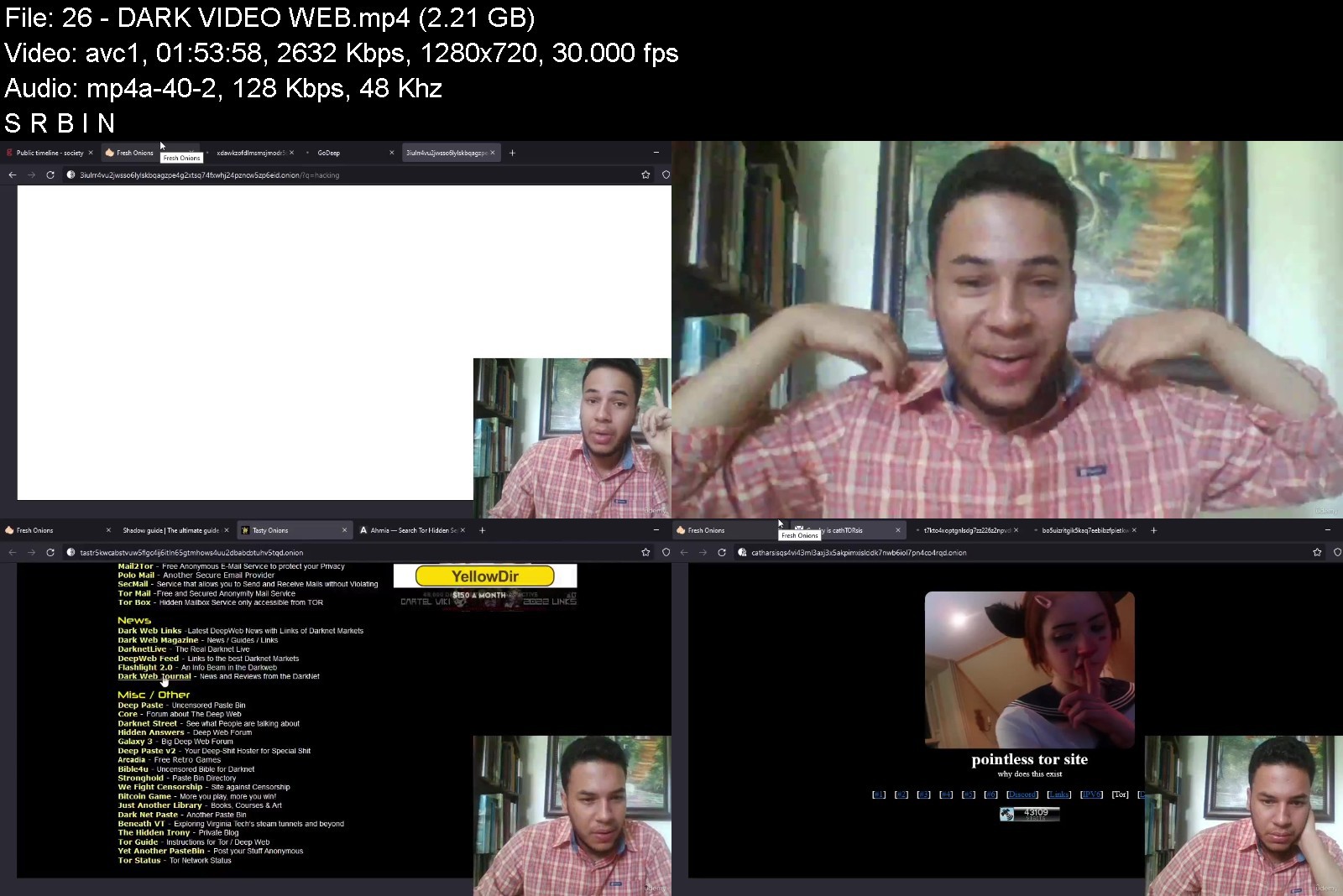
Lecture 26 DARK VIDEO WEB
Section 20: ******** mayo Actualización
Lecture 27 ******** Senior
Section 21: Censura Deep Web master
Lecture 28 contenido secreto
para hackers,novato,personas comunes


universidaddeepwebydantj9i.jpg


Download from RapidGator


Download from Keep2Share


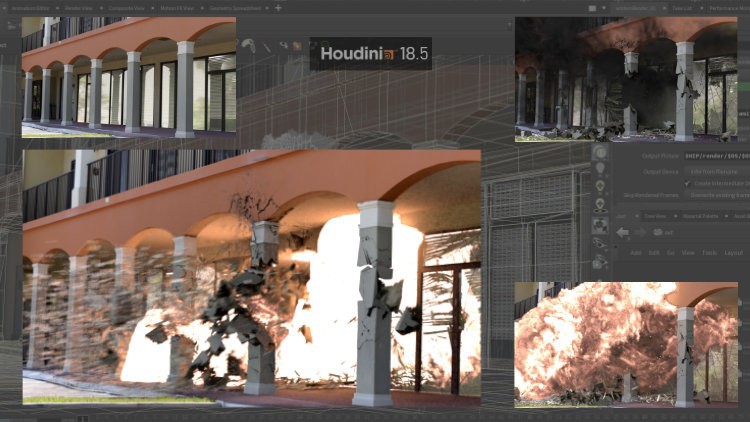
Houdini Fx - How To Add Visual Effects In Real Videos

zq36wivvdzlgtmhiekal87ikbk.jpg


Houdini Fx - How To Add Visual Effects In Real Videos
Last updated 11/2021
MP4 | Video: h264, 1280x720 | Audio: AAC, 44.1 KHz
Language: English | Size: 5.43 GB | Duration: 3h 36m

Learn how to add and compositing special effects and simulations with live footage


What you'll learn
How to add simulations and visual effects in real videos
Camera tracking
Simulations in Houdini: fire, smoke and water
Rendering in Mantra
Compositing in After Effects
Requirements
No special requirements, only a basic knowledge of Houdini interface.

Description
The goal of this course is to teach how to create simulations in Houdini for the compositing with real footage.
The workflow involves recording the video, then the match moving process in order to extract the virtual camera movement, the creation of the simulation in Houdini and the final compositing.This is an important technique behind video production with visual effects or virtual backgrounds.In this way you'll learn how to create simulations specifically designed to be inserted in a real video.This is a course for beginners that only requires some basic knowledge of Houdini, such as interface navigation and basic nodes manipulation.If you are an absolute beginner, I suggest to first take a look at my previous course, "Houdini FX step to step - Visual Effects made easy", that explains the basics of the software.However, each step is exposed in great details so that you can follow every exercise in an easy way from start to end.For each lesson, you also have access to the related resources that include the final project and also a starting project, with the basic setup of camera tracking and background, so that you can focus on building the simulations.
Overview
Section 1: General workflow and explosion simulation
Lecture 1 General notes and course project files
Lecture 2 How to shoot a video to add visual FX
Lecture 3 The tracking process in After Effects
Lecture 4 How to import the tracking data in Houdini
Lecture 5 The meteor and the collision with the ground - part 1
Lecture 6 The meteor and the collision with the ground - part 2
Lecture 7 The fire and explosion
Lecture 8 Debris, materials and rendering
Lecture 9 Final adjustments and compositing
Section 2: An overview of some useful techniques
Lecture 10 Introduction
Lecture 11 How to customize the grains simulation - part 1
Lecture 12 How to customize the grains simulation - part 2
Lecture 13 How to customize the grains simulation - part 3
Lecture 14 The benefits of manual simulations setup
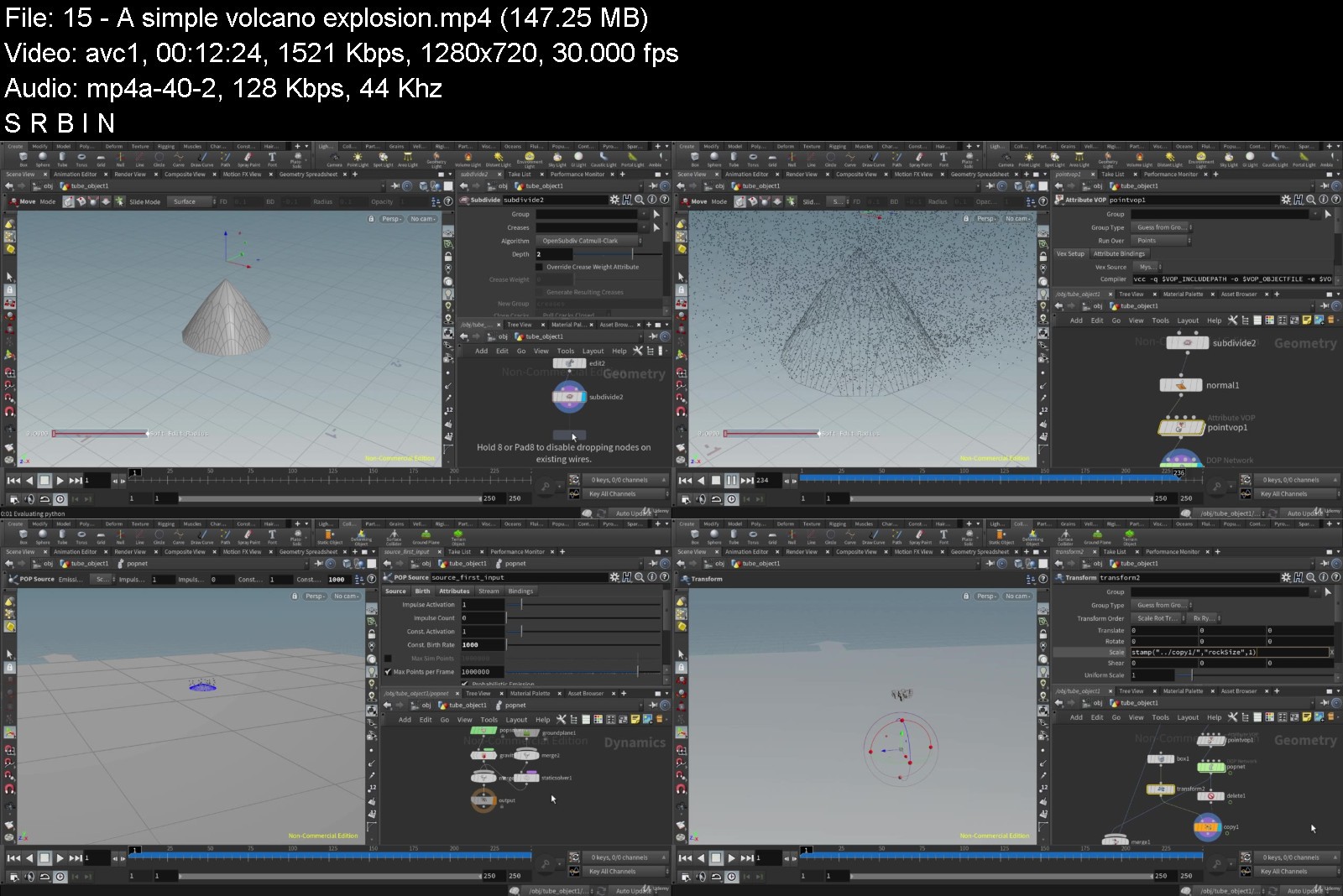
Lecture 15 A simple volcano explosion
Lecture 16 A custom emission surface for particles - part 1
Lecture 17 A custom emission surface for particles - part 2
Section 3: Rolling robots: a simple Rigid Body simulation workflow
Lecture 18 Course material
Lecture 19 Camera tracking of the real video
Lecture 20 Camera tracking: data export
Lecture 21 Import motion tracking in Houdini
Lecture 22 Robots objects
Lecture 23 Refine the scene, materials and light
Lecture 24 Simulation setup
Lecture 25 Rendering
Section 4: Liquid simulations
Lecture 26 Cream: exercise files
Lecture 27 Cream over cake - part 1
Lecture 28 Cream over cake - part 2
Lecture 29 Cream over cake - part 3
Lecture 30 Cream over cake - part 4
Lecture 31 Fountain: exercise files
Lecture 32 Fountain - part 1
Lecture 33 Fountain - part 2
Lecture 34 Fountain - part 3
Lecture 35 Fountain - part 4
Lecture 36 Tank simulation - part 1
Lecture 37 Tank simulation - part 2
Section 5: Oceans
Lecture 38 Ocean in a town square - 1
Lecture 39 Ocean in a town square - 2
Lecture 40 Ocean in a town square - 3
Houdini students interested in simulations and visual effects


houdinifxhowtoaddvisu0ckqw.jpg


Download from RapidGator


Download from Keep2Share

 
Etsy Print on Demand Masterclass

iakzzlzjaviefjysqvej3wpki8.jpg


Etsy Print On Demand Masterclass
Last updated 7/2022
MP4 | Video: h264, 1280x720 | Audio: AAC, 44.1 KHz
Language: English | Size: 7.60 GB | Duration: 9h 39m

Master The World Of Etsy: Grow Your Print On Demand Business By Opening An Etsy*Shop That Reaches A Global Customer Base


What you'll learn
This course shows you everything you need to start, streamline, & scale.
I'll also show you how to automate the biggest pain points of selling on Etsy!
Master the art of converting visitors into customers on Etsy
Create beautiful print on demand product listings including mockups & SEO-optimized sales copy
Requirements
Nope! I'll teach you everything you need to know in the course.

Description
MODULE 1: INTRODUCTIONWelcome to Ryan's Method: Etsy Print on Demand!In this module you will be introduced to the Etsy ecosystem from the seller perspective.We'll get your Etsy seller account opened, & get your Etsy shop opened. We will also create your first product listing, which is required to sell on Etsy.MODULE 2: BUILD YOUR SHOPNext we'll focus on building out your Etsy shop. This means customizing it to look AMAZING so that when customers see it, it has the look & feel of a professional, top-tier shop.We will set up your shop policies for things like shipping, returns, & exchange policies.MODULE 3: PRINT ON DEMAND PRODUCTION PARTNERIt's now time to be introduced to our production partners.These are the companies that integrate with our Etsy seller account so that we can list print on demand products for sale (without owning them ourselves).What's great about them is that using them is FREE! So in this module I'll walk you through how we can integrate them together with our Etsy account so that we can push new products & have our sales automatically detected & fulfilled.This allows us to focus on scaling our business, and gives us the ability to offer a wide variety of products in our shops.MODULE 4: ETSY SEARCH ENGINE OPTIMIZATION (SEO)SEO, or search engine optimization is critical to the success of our Etsy business.In this module we focus on learning the "do's & dont's" of Etsy SEO and then we apply it to our product listings moving forward.This is how we communicate to Etsy's search algorithm what relevant keywords to associate our products with, when customers perform a keyword search on Etsy (with the hopes that we increase our organic visibility as much as possible).This means optimizing our Title, Tags, Description, & taking advantage of things like Etsy's free shipping guarantee.MODULE 5: INCREASE SALES w/ OPTIMIZATIONSI consider this module to be the "bread and butter" of my Etsy print on demand course.In this module you'll learn all of the optimizations that will truly set you apart from your competition on Etsy, & make you stand out as a true top-tier Etsy seller.Most people that sell on Etsy aren't even aware of half of the things you'll learn here, and if you take advantage of them & apply them to your Etsy listings, you will be very successful selling on the platform.I took a lot of pride in compiling each and every one of the strategies you'll learn here, and even if you're already selling on Etsy, this section makes enrolling in the course worth it.MODULE 6: ADVERTISINGNow we'll take a look at both Etsy Ads & Etsy Offsite Ads.You'll learn how they work, along with my recommended approach for handling both on-site & off-site ads.I'll also share a story of when Etsy spent hundreds of dollars to advertise my listing at no cost to me! It's a pretty crazy story where tons of sales were made in a short span of time.MODULE 7: SHOP MANAGERShop Manager is the back-end of your Etsy shop.This module will show you around & have you feeling comfortable in each section:Dashboard / Orders / Messages / Stats / Analytics / FinancesIt also includes tutorials for making managing your listings easier, including how to make bulk edits to them as well as how to organize them into sections, which can help potential customers locate what they're looking for on your shop's front end.MODULE 8: ETSY SELLER TOOLSIn this module I share my favorite Etsy seller tools.Paid tools are not required to be successful, but the ones listing here can certainly help. You'll see exactly how I use them to increase my Etsy sales.MODULE 9: ETSY SHOP REVIEWSThis module includes organic reviews of 30 Etsy print on demand shops.We take a look at the good, the bad, and the ugly! And of course, focus on what changes can be made to increase sales moving forward.
Overview
Section 1: INTRODUCTION
Lecture 1 Welcome to Ryan's Method: Etsy Print on Demand
Lecture 2 Getting Started
Lecture 3 Open Your Etsy Seller Account
Lecture 4 Create Your First Etsy Listing
Lecture 5 Account Closed? It Happens! (HOW TO REOPEN)
Lecture 6 Multiple Etsy Shops? (YES, it's OK ?)
Section 2: BUILD YOUR SHOP
Lecture 7 Customize Your Etsy Shop
Lecture 8 Your Shop's Returns & Exchange Policy
Section 3: PRINT ON DEMAND PRODUCTION PARTNER
Lecture 9 PRINTFUL: Introduction
Lecture 10 PRINTFUL: Etsy Integration
Lecture 11 PRINTFUL: Create Your First Etsy Listing
Lecture 12 PRINTFUL: What to do After Your First Order
Lecture 13 PRINTFUL: Custom Packing Slip
Section 4: MODULE 4: ETSY SEARCH ENGINE OPTIMIZATION (SEO)
Lecture 14 SEO: What Etsy's Algorithm Prioritizes
Lecture 15 TITLE: How to Structure Your Title
Lecture 16 TITLE: How to Find Keywords & Phrases
Lecture 17 TAGS: How to Increase Visibility & Sales w/ Tags
Lecture 18 DESCRIPTION: Product Listing Description
Lecture 19 SHIPPING: Free Shipping Guarantee
Section 5: INCREASE SALES w/ OPTIMIZATIONS
Lecture 20 REVIEWS: Get Your First Etsy Review
Lecture 21 Thumbnails
Lecture 22 Run a Sale
Lecture 23 Loss Leader
Lecture 24 Coupons
Lecture 25 Special Offers
Lecture 26 Additional Listing Optimizations
Lecture 27 PERSONALIZATION: Sell Customizable Products
Lecture 28 DIGITAL DOWNLOADS: An Emerging Trend on Etsy
Section 6: ADVERTISING
Lecture 29 Etsy Ads
Lecture 30 Offsite Ads
Lecture 31 STORY: When Etsy Advertised My Listing For FREE
Section 7: SHOP MANAGER
Lecture 32 SHOP MANAGER: Dashboard
Lecture 33 SHOP MANAGER: Orders
Lecture 34 SHOP MANAGER: Messages
Lecture 35 SHOP MANAGER: Stats
Lecture 36 SHOP MANAGER: Analytics
Lecture 37 SHOP MANAGER: Finances
Lecture 38 SHOP MANAGER: Sections
Lecture 39 SHOP MANAGER: Bulk Edit Pricing
Lecture 40 SHOP MANAGER: Shipping Profiles
Lecture 41 (HOW TO) Offer Free Shipping
Section 8: MODULE 8: ETSY SELLER TOOLS
Lecture 42 TOOL: Alura (Research, Keywords, Profit Calculator, + More)
Lecture 43 TOOL: Social Media Automation (Using Zapier)
Lecture 44 TOOL: AWeber (Email List)
Section 9: ETSY SHOP REVIEWS
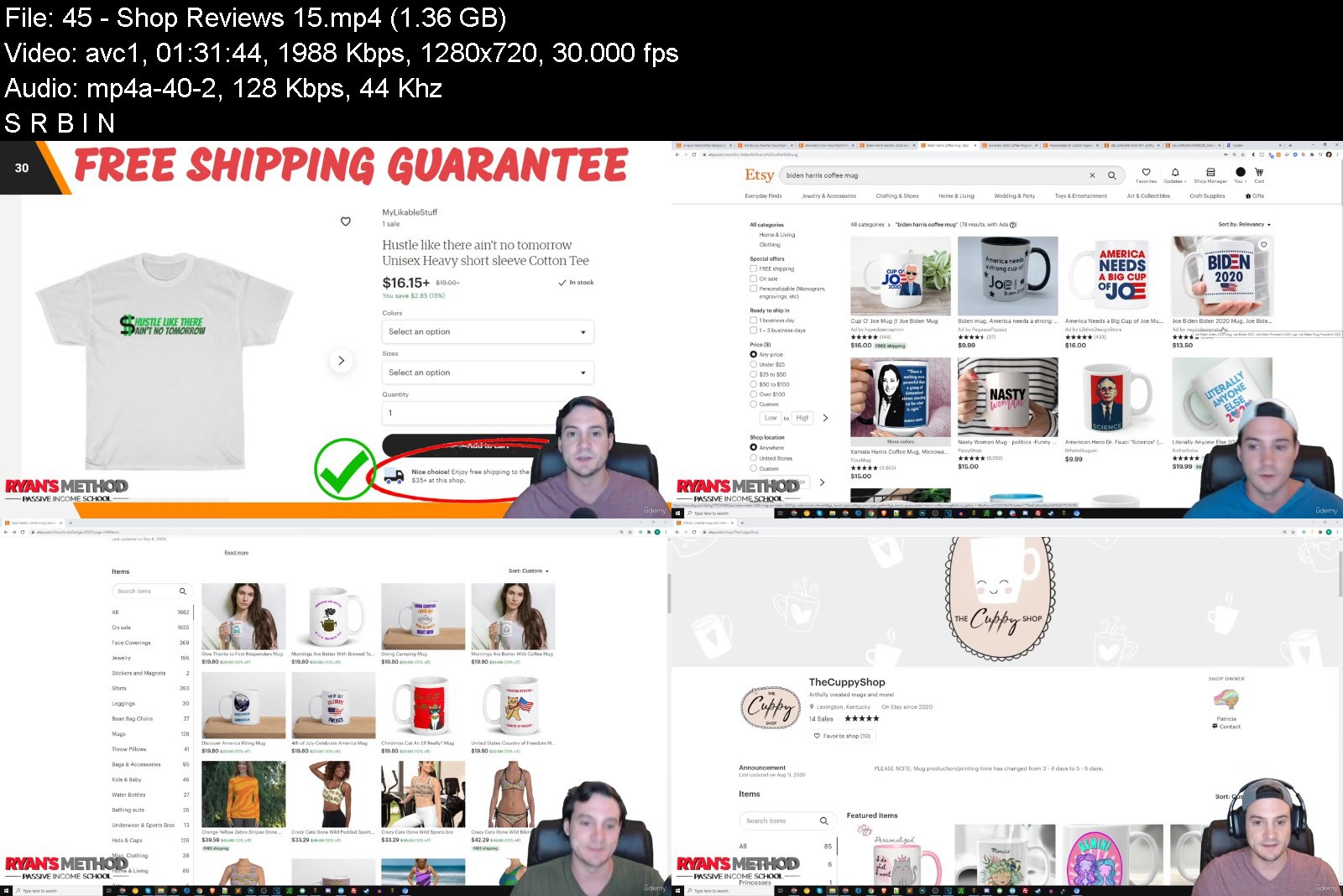
Lecture 45 Shop Reviews 1-5
Lecture 46 Shop Reviews 6-10
Lecture 47 Shop Reviews 11-15
Lecture 48 Shop Reviews 16-20
Lecture 49 Shop Reviews 21-25
Lecture 50 Shop Reviews 26-30
Anyone interesting in beginning a e-commerce business selling print on demand products on one of the most popular online marketplaces that also boasts a low barrier to entry.


etsyprintondemandmastgfj9b.jpg


Download from RapidGator


Download from Keep2Share


Writing Your Masterpiece (Fiction, Memoir And Novel Writing)

w7c86afjprdf8sxkww9nlp2kpo.jpg


Writing Your Masterpiece (Fiction, Memoir And Novel Writing)
Last updated 7/2022
MP4 | Video: h264, 1280x720 | Audio: AAC, 44.1 KHz
Language: English | Size: 5.52 GB | Duration: 8h 43m

The complete guide to writing a book! Professional creative writing, novel writing, fiction writing & memoir techniques.


What you'll learn
A clear mission statement for your book, so that you align your creative vision with your ideal readers
The pro-level habits, strategies, and mindset you need to stay on top of your game
A powerful system for storing and developing your project
A story concept that inspires
A hero readers root for
A powerhouse cast of supporting characters
A page-turning plot
A voice that feels effortless to write and engaging to read
Pitch materials for gaining entry into the publishing world
A story-building process you can use for every story you tell
Conceptual understanding and mastery of craft to serve you for the whole of your writing career
Requirements
NA

Description
Do you have a BOOK inside you? Do you dream of holding YOUR BOOK in your hands? If so, it's time to birth your book!Whether you want to tell YOUR story or there is a character whose story is waiting to be told through you, this course will walk you through the process of writing your book, from start to finish.Hi, I'm Julie Tyler. I'm a storyteller, author, and a book coach and I'm your guide along the journey of finally writing your book! Join me and together we can get those stories out of your head, onto paper, and delivered to the world. No more fear, no more procrastination, no more confusion; let's bring your story to life.This course is a comprehensive, step-by-step experience, and gives you all of the tools, all of the steps, all of the strategies you need to go on this journey. I will share with you my signature system that I use for myself and with the writers I coach, for turning ideas into 300-page masterpieces worthy of traditional publishing.You will master the craft of storytelling and use pro-level habits, strategies, and mindset tools to bring your project to completion.The course is structured into six units, each one packed with videos and exercises designed to take you deep into craft:Unit 1 is core training to help you get started, to help you get words on paper, and help you start your mission with power and purpose.Unit 2 is on crafting characters readers never forgetUnit 3 is on plotting your story like a professionalUnit 4 is on unleashing your signature voiceUnit 5 is on building, assembling, and revising your bookUnit 6 is on getting your story into the hands of readersMy goal is for you to feel confident stepping into your role as a storyteller, because you just know your book will entertain, enlighten, and inspire readers. And you cannot wait for the day when you can hold all 300 pages in your hand. You want to say, "Yes, I wrote this. And yes, I was born to create this."I look forward to guiding you through this journey. You are not alone anymore!MEET*THE*INSTRUCTOR:This course is brought to you by Transformation Academy and instructors Joeel & Natalie, who are life coach trainers with over 700,000 students at the time of this recording. They are excited to have collaborated with instructor Julie Tyler to bring you this Writing Your Masterpiece course.Julie Tyler, Ph.D., is a passionate storyteller and committed to helping the global community of writers. After completing a doctorate in literature and succeeding as an author, Julie founded her company, StoryBold, to empower writers from all backgrounds and at every skill level to find their voice, write their stories, and share them with the world.Copyright © Transformation Services, Inc. | All Rights Reserved
Overview
Section 1: Welcome to the Journey of Writing Your Book
Lecture 1 Introduction
Lecture 2 Welcome and Meet the Instructor
Section 2: CORE TRAINING: Create the Optimum Conditions to Write Your Book
Lecture 3 Adopt These Five Habits to Succeed as a Writer
Lecture 4 Discover the Entire Writing Process, Start to Finish
Lecture 5 Set Up a Google Drive Folder to House Your Book Project
Lecture 6 Ask for and Apply Feedback to Your Book Project
Lecture 7 Reframe Negative Thoughts and Boost Confidence and Enthusiasm for Writing
Lecture 8 Keep a Journal Specifically for Your Writing Life
Section 3: CORE TRAINING: Banish Writer's Block and Get Words on Paper
Lecture 9 Get Words on Paper, Part 1
Lecture 10 Get Words on Paper, Part 2
Lecture 11 Get Words on Paper, Part 3
Lecture 12 Get Words on Paper, Part 4
Lecture 13 Get Words on Paper, Part 5
Lecture 14 Get Words on Paper, Part 6
Section 4: CORE TRAINING: Start Your Book with Power and Purpose
Lecture 15 Begin Your Mission
Lecture 16 Tap into Your Story's Value
Lecture 17 Using Your Own Life to Tell a Story? Watch This
Lecture 18 Get Clear on Fiction vs. Memoir
Section 5: CRAFTING UNFORGETTABLE CHARACTERS: Six Jobs Your Character Must Perform
Lecture 19 What are Stories and Characters?
Lecture 20 Embark on a Mission or Journey
Lecture 21 Confront Challenges and Suffer in Pursuit of the Goal
Lecture 22 Fail Over and Over to Achieve the Goal
Lecture 23 Continue Efforts in the Face of Repeated Failure
Lecture 24 Transform in Some Way by the End of the Story
Lecture 25 Make an Emotional and Intellectual Impact on Readers
Section 6: CRAFTING UNFORGETTABLE CHARACTERS: Build Your Character Inside-Out and Top-Down
Lecture 26 Intro to the "Foundational Character Profile"
Lecture 27 Character's Greatest Desires
Lecture 28 Character's Guiding Philosophy
Lecture 29 Character's Life Before the Story Starts
Lecture 30 Character's Circumstances During the Story
Lecture 31 Character's Personality
Lecture 32 Character's Appearance
Lecture 33 BONUS STRATEGIES: Foundational Profile
Section 7: CRAFTING UNFORGETTABLE CHARACTERS: Dive Deeper into Your Story's Characters
Lecture 34 Design Secondary Characters with the Hero in Mind
Lecture 35 Compose a Character-Driven Scene
Lecture 36 Discover Your Character's "Shadow Self"
Lecture 37 Build Better Characters with 20 High-Impact Questions
Section 8: PLOT YOUR STORY LIKE A PRO: Plot Overview
Lecture 38 The Ingredients of a Page-Turning Plot
Lecture 39 Build Plot in Four Rounds
Lecture 40 Align Plot with Character, Theme, and Message
Lecture 41 Plan a Scene and Recap of Plot Overview
Lecture 42 BONUS Plot-Building Strategy
Section 9: PLOT YOUR STORY LIKE A PRO: Diving Deeper into Plot Techniques
Lecture 43 Write Riveting Scenes by Harnessing a Scene's "Anatomy"
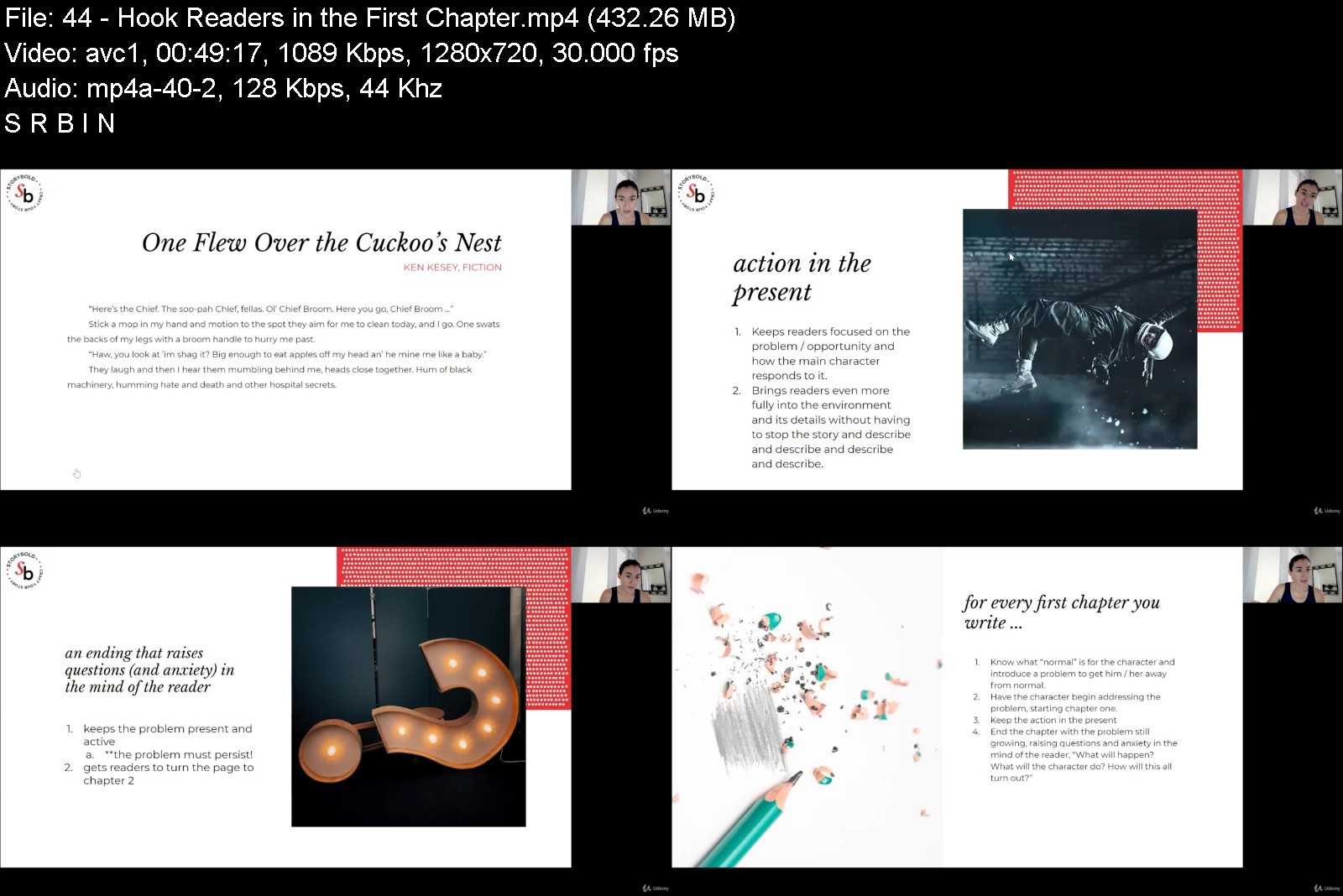
Lecture 44 Hook Readers in the First Chapter
Lecture 45 Pace Your Story with Confidence
Lecture 46 Write About What Hurts with Grace and Confidence
Lecture 47 BONUS: Turn Real Life into Fiction
Section 10: UNLEASH YOUR STORY'S VOICE: Overview
Lecture 48 What Voice is, Why It's Important, and the Ingredients of a Stand-Out Voice
Lecture 49 Three Exercises to Push Past Fear and Silence, so That You Can Write OUT-LOUD
Lecture 50 Tailor the Ingredients to Your Own Story
Lecture 51 Compose a Voice-Driven Scene and Recap of the Overview
Section 11: UNLEASH YOUR STORY'S VOICE: Diving Deeper into Voice
Lecture 52 Choose a Narrator for Your Story
Lecture 53 Show (Don't Tell)
Section 12: BUILD, ASSEMBLE, AND REVISE YOUR BOOK
Lecture 54 Build Your Whole Book, Using Character + Plot + Voice Techniques
Lecture 55 Number Your Scenes in Google Drive
Lecture 56 Assemble Your Book in One Master File
Lecture 57 Revise Your Book (Don't Edit It)
Section 13: GET YOUR STORY IN THE HANDS OF READERS
Lecture 58 Get Clear on Traditional Publishing vs. Self-Publishing
Lecture 59 Meet Your "Dream" Readers
Lecture 60 Find Comparison Titles
Lecture 61 Meet Your "Dream" Literary Agents
Lecture 62 Compose Your Query Letter (Using Examples)
Lecture 63 Compose a Logline, Synopsis, and Author Bio
Section 14: Wrap-Up
Lecture 64 Wrap-Up and What's Next?
Lecture 65 BONUS Content You Don't Want to Miss!
You have always loved to read and value the experience of a good book.,You know a book is inside you and you can't stop thinking about what it will feel like to hold the finished product in your hands.,You know this book will tell a story, rather than teach someone "how to" do something.,You want the to feel very personal, very "you," whether it's the story of your life or a work of fiction.,You want this book to be your best work, the clearest and most authentic expression of yourself.,This book will "say something" important, so that readers feel enlightened, inspired, and entertained,You want a clear strategy to get started, often the biggest hurdle, and then keep you moving, and carry you to the finish line.,You want to publish with a traditional publisher that will promote, distribute, and sell your book and keep in "on the shelf" for generations to come.


writingyourmasterpiecmpj60.jpg


Download from RapidGator


Download from Keep2Share


Virtual Assistant Training, A Complete Guide: Work From Home

ce1aygb8rnwhicsfd2euuurkjv.jpg


Virtual Assistant Training, A Complete Guide: Work From Home
Last updated 7/2022
MP4 | Video: h264, 1280x720 | Audio: AAC, 44.1 KHz
Language: English | Size: 6.01 GB | Duration: 4h 39m

Rock Star Virtual Assistant Training: Create an online business + become a freelancing virtual professional in any field


What you'll learn
Skills and tools you need to be a successful professional virtual assistant
How to set your price and market yourself to your ideal clients/employers (find the best jobs)
Email, chat, phone support and social media management tools and skills
Organizational, management, productivity and time management best practices
How to ace your interviews and get the best jobs
How to manage your workload working from home and be your own boss
Virtual assistant self care and work-life balance
Requirements
Curiosity and drive to create a thriving virtual assistant business!

Description
Students who complete this course will have the option to receive 10 CPD/CEU credits. This course is accredited by internationally recognized Continuing Professional Development Standards Agency (Provider No: 50134).+++++++++++++++++++++++++++++++++++++++++++++++Transformation Academy is a top Udemy instructor in the personal development category. Our courses have been taken by over 700,000+ happy students from 200 countries.We have a thriving community in the course and we are actively involved and answer questions within 24h.+++++++++++++++++++++++++++++++++++++++++++++++Live life on your terms as a Virtual AssistantDo you want to make a living while being in the comfort of your own home?Do you want to create multiple streams of income?Do you want to land a high paying and quality virtual assistant position but not sure where to start?Have you ever dreamed of being your own boss or being able to work from anywhere in the world?Being a virtual assistant or virtual worker means earning money on your own terms. Working virtually or remotely gives you more freedom and control over your schedule, plus more free time as you no longer have to commute! You're also not limited only to positions that are close to home, as you can work for companies anywhere in the world. Depending on your skill set, you can earn more without having to move for a new position or increasing your work hours.The best news is that virtual assistants aren't only general assistants. You can work remotely in any number of niches, including:Web developerGraphic designerBookkeeperProject manager and more!The virtual assistance and freelance business today is not only huge, but immensely thriving. You may have the skillset, tools and knowledge, but if you don't know when, where, and how to market yourself as a virtual assistant, your options are limited.In this course, you will learn how to start your Virtual Assistance business tailored and customized for YOU, depending on what your ideal client or employer is and what your niche or specialty is.In this virtual assistant training you will learn how to find the right clients and get hired, how to avoid scams, and how to set your price.In this virtual assistant training I will also provide a series of knowledgebase for every Virtual Assistant Skill you need to master to be a successful virtual assistant.Virtual Assistant Training Complete Guide is suitable for both beginner to advanced VA's, as here we discuss the principles and foundations of being a virtual assistant, as well as continuing to develop your virtual assistant career.In this virtual assistant training you'll also learn how to:Manage your workloadHave successful interviewsUpgrade your skillsSelf-care needed for a virtual assistantIn this virtual assistant training you'll also receive:ToolsSample documentsDownloadable forms and worksheets that you can use with your clientsPlus everything instructor Gladies Flores has learned in 11 years as a virtual worker! She has gone through all the nitty-gritty of the virtual assistance business, its difficulties and twists and turns, and paved the easy way for you. She wants to help you transform your life by teaching you how to start and be successful working at home (or literally anywhere), get the most out of your time, and be with your loved ones while earning money.. . . . . . . . . .This course is brought to you by Transformation Academy which has over 700,000 students from 200 countries and territories. They are excited to have collaborated with instructor Gladies Flores to bring you this complete guide to becoming a rockstar virtual assistant.Gladies is a highly skilled virtual professional with over a decade of experience and bachelor's degree in Mass Communication, with a major in Broadcast. She's a passionate mompreneur and health and fitness coach, as well as a rockstar project manager for Transformation Academy.
Overview
Section 1: INTRODUCTION TO BEING A VIRTUAL ASSISTANT
Lecture 1 Welcome to Virtual Assistant Training a Complete Guide
Lecture 2 Greetings from the Instructor
Lecture 3 What is a Virtual Assistant?
Lecture 4 Common Questions on Being a Virtual Assistant
Lecture 5 13 Common Misconceptions of Having an Online Job
Lecture 6 The Awesome Benefits of Being a Virtual Assistant
Lecture 7 How to Start your Career as a Virtual Assistant
Section 2: ABOUT YOU: YOUR VIRTUAL ASSISTANT ROAD MAP
Lecture 8 What are your Goals as a virtual assistant
Lecture 9 Identifying your Skills as a virtual assistant
Lecture 10 Choosing your Virtual Assistance Niche
Lecture 11 Finding Your Virtual Assistance Niche
Section 3: BASIC TOOLS OF A VIRTUAL ASSISTANT
Lecture 12 Must Haves for Virtual Assistants
Section 4: DOCUMENTS FOR VIRTUAL ASSISTANTS
Lecture 13 Your Resume/Profile
Lecture 14 Contracts
Lecture 15 Invoices
Section 5: VIRTUAL ASSISTANT KNOWLEDGEBASE (GENERAL VIRTUAL ASSISTANT)
Lecture 16 Organization
Lecture 17 Management
Lecture 18 Time Management
Lecture 19 Communication Management
Lecture 20 Password Management
Lecture 21 File Management
Lecture 22 Prioritization
Lecture 23 Microsoft Office
Section 6: VIRTUAL ASSISTANT KNOWLEDGEBASE (SUPPORT)
Lecture 24 Chat Support
Lecture 25 Phone Support
Lecture 26 Email Support
Section 7: VIRTUAL ASSISTANT KNOWLEDGEBASE (EMAIL MARKETING)
Lecture 27 Types of Email Marketing
Lecture 28 Basic Steps on Email Marketing
Section 8: KNOWLEDGEBASE (GRAPHIC DESIGN/AESTHETICS)
Lecture 29 Creating Simple Graphics
Section 9: KNOWLEDGEBASE (SOCIAL MEDIA)
Lecture 30 Social Media Management
Section 10: SETTING YOUR PRICE AS A VIRTUAL ASSISTANT
Lecture 31 How to Price Your Skill or Service?
Lecture 32 Monthly, Hourly, or Project-Based Rate
Lecture 33 Factors that Affect Price
Lecture 34 Negotiating Rates
Section 11: MARKET YOUR PROFILE > FIND CLIENTS > GET HIRED
Lecture 35 What is your IDEAL Client?
Lecture 36 Preferred Hours of Work
Lecture 37 How to Avoid Scams
Lecture 38 Marketing Outlets to Set Up
Lecture 39 Show them What You've Got
Section 12: ACING INTERVIEWS
Lecture 40 The Client Information Sheet
Lecture 41 Common Questions During Interviews and How to Answer Them
Lecture 42 The Meeting
Section 13: MANAGING YOUR WORKLOAD AS A VIRTUAL ASSISTANT
Lecture 43 Workload Management
Lecture 44 Your Routine
Lecture 45 SMART Goals
Section 14: UPGRADING
Lecture 46 Upgrading by Self-Evaluation
Lecture 47 Research Current, Relevant, and In-Demand Skills
Lecture 48 How to Master a New Skill
Lecture 49 Getting Feedback from Your Clients
Section 15: GETTING PAID AS A VIRTUAL ASSISTANT
Lecture 50 Payment Channels
Section 16: VIRTUAL ASSISTANT SELF-CARE
Lecture 51 Set your Work Hours
Lecture 52 Invest in your Workspace and in your Work Throne
Lecture 53 Change it Up!
Lecture 54 Move Once in a While
Lecture 55 Hydrate Often
Lecture 56 Play Dress Up
Lecture 57 Play that Funky Music
Lecture 58 Tribe Time
Lecture 59 Take a Break and Unplug
Section 17: WHAT'S NEXT?
Lecture 60 Congratulations and Wrap-up!
Lecture 61 Requesting Your Certificate of Completion
Lecture 62 BONUS Content You Don't Want to Miss!
Current virtual assistants, virtual workers, or freelancers who want to improve their skills and grow their business,Anyone with a skill they can provide virtually,Anyone who wants to work from home and be their own boss,Anyone who wants to be able to work from anywhere,Anyone who wants to be their own boss but still have a steady paycheck,Anyone who wants to go beyond freelancing and get long-term, high-paying virtual jobs


virtualassistanttrainrkkmc.jpg


Download from RapidGator


Download from Keep2Share


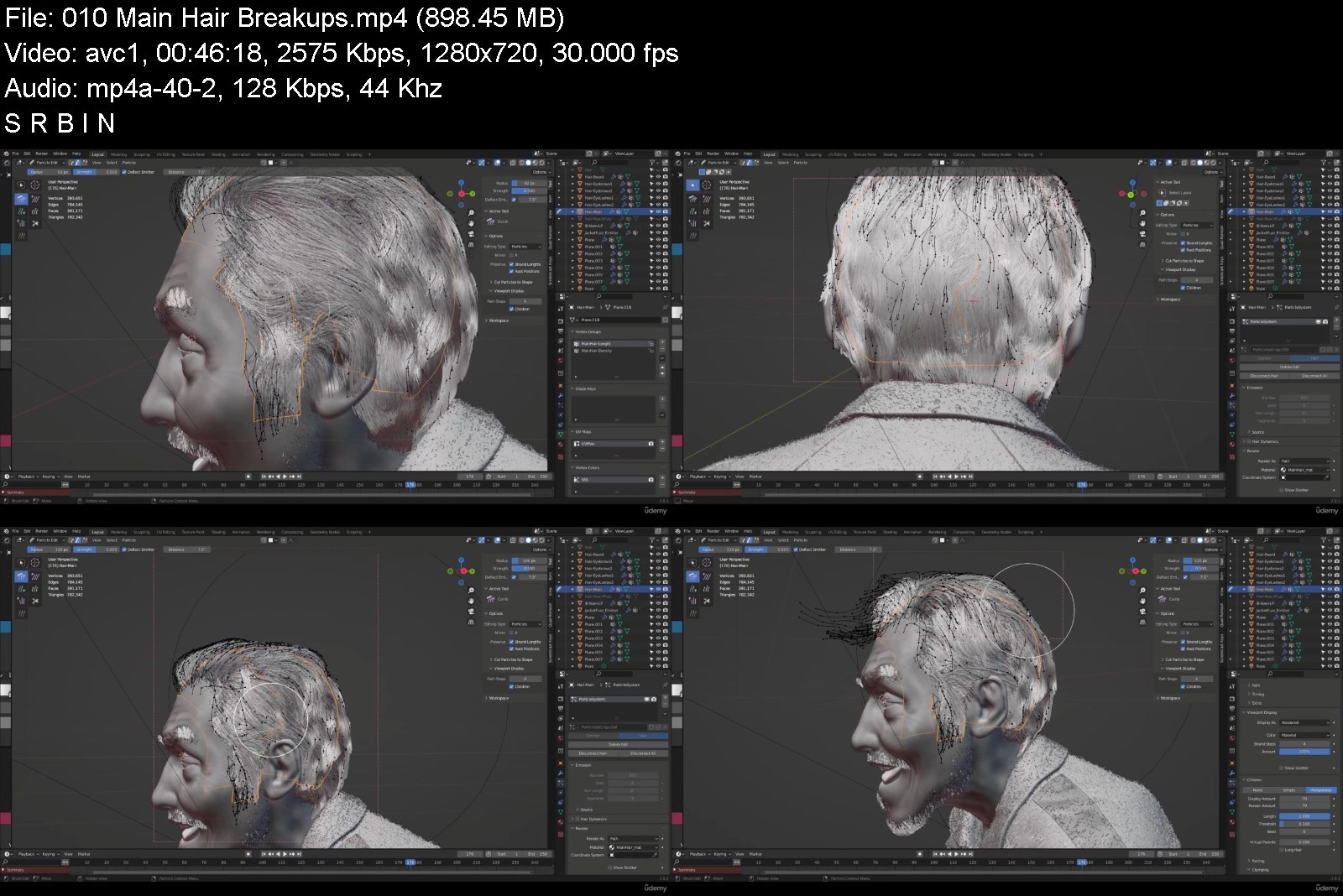
Facial Anatomy & Character Portrait for Blender Artists

icxd2pk19wyhuyw7im6lhpljaa.jpg


Facial Anatomy & Character Portrait for Blender Artists
Published 07/2022
Genre: eLearning | MP4 | Video: h264, 1280x720 | Audio: AAC, 44.1 KHz
Language: English | Size: 37.1 GB | Duration: 111 lectures • 40h 16m


What you'll learn
Learn the underlying structure of the human face including, skull, fat, and muscles
Gain exceptional observational skills to identify every bump and forms on human face
Sculpt a realistic human face
Create custom skin textures
Make complex nodes for believable skin shader
Use vertex group and weight painting to control particle hair system
Understand cloth simulation to create realistic folds
Render cinematic film shot
Requirements
Blender and Photoshop(you can also use any free 2d software programs out there)

Description
Have you tried sculpting and texturing a realistic face and no matter how much effort you put into it, it doesn't turn out the way you want it? Are you just fed up of not getting anywhere with your skillset? Then welcome to the Facial Anatomy and Portrait Course for Blender Artists. My name is Corazon Bryant, professional 3D artist and educator. I will be your instructor here.
In this course, we will take the time to truly understand the underlying structure of the human face. We will dive in deep and study the facial anatomy the correct way by dissecting each important parts of the skull, fat, and muscles. You will gain exceptional observational skills that will allow you to identify every little bump and forms that show on the surface of the human face.
After you obtain the foundation of the facial anatomy, you will apply what you have learned by creating a realistic portrait. We will sculpt and make connections between our references and our anatomy knowledge. I will show you have to retopologize, unwrap, bake and texture. We will create custom skin stamps that we can utilize as high resolution textures for skin pores and wrinkles. Another huge part of creating believable skin is understanding the nodes of Blender and how to construct a network of them to achieve lifelike results.
We will make realistic eyes, eyebrows, lashes, facial fuzz, and hair. Vertex group and weight painting are significant methods we will use to control our particle hair system.
To create our realistic cloth, we will use Blender's cloth simulation. I will show you how to create fabric and how to project a photo on the mesh to add an extra texture on our jacket.
Once everything is done, you will learn how to generate a cinematic film shot of your character that you can use for future job opportunities.
If you have the patience, time, and self-motivation, then this course will do extreme wonders for you. If you feel that your character creation skill is not improving, then it is time for you to learn the anatomy. Come and join this course at Victory3D.
Who this course is for
For those who want to know the secrets to creating accurate and realistic human face


facialanatomycharactetakye.jpg


Download from RapidGator


Download from Keep2Share


Communication Skills - 7 Communication Courses In 1

tojrgygn1tktacwghs9g3w0j5t.jpg


Communication Skills - 7 Communication Courses In 1
Published 7/2022
MP4 | Video: h264, 1280x720 | Audio: AAC, 44.1 KHz
Language: English | Size: 11.61 GB | Duration: 9h 6m

Master Communication Skills: Learn Persuasion, Negotiation, Body Language, Emotional Intelligence & More!


What you'll learn
Communication Skills
Persuasion Skills
Influence Skills
Social Skills
Negotiation
Body Language
Emotional Intelligence
Public Speaking
Virtual Communication
Requirements
A Desire To Learn & Succeed

Description
WARNING: THIS COURSE IS TAUGHT BY THE WORLD'S TOP EXPERTS AND IS COMPRISED OF 7 HIGHLY SUCCESSFUL ONINE COURSES COMBINED INTO 1!Here's a list of the 7 independent courses being offered:The Psychology Of Persuasion & Influence (With Phil Hesketh)Negotiation Skills: Become A Master Of Negotiation (With Gavin Presman)Body Language & Lie Detection (With Darren Stanton)Emotional Intelligence (With Jane Sparrow)Public Speaking (With Alan Stevens)Difficult Conversation (With Alan Stevens)Virtual Communication (With Gavin Presman)AMONG A LONG LIST OF THINGS, HERE IS WHAT YOU ARE GOING TO LEARN:How to successfully persuade & influence peopleCommunicate effectively in any situationImprove your relationships Professional negotiation skills that make you a smart, confident & effective negotiatorHow to keep your thoughts & emotions in check Understand types of personalitiesBoost your confidenceRead body language & detect liesMake a good first impressionChallenge your limiting beliefsBecome emotionally intelligentBetter understand your emotions and the emotions of othersManage emotions in yourself and othersTake back control of your life and become the best version of yourselfDeal with difficult people, situations & circumstances effectivelyDeliver a great speechFeel 100% confident & deliver great presentationsEnsure your presentation has the right impact on your audienceHandle difficult conversationsHandle challenges whilst remaining calm*Connect, communicate & sell successfully using online virtual platformsCreate deep connectionsBring your online meetings to lifeMEET YOUR EXPERTS:1) Phil Hesketh:philip Hesketh is a motivational speaker specialising in persuasion and influence. His keynote talks have inspired thousands of professionals to engage in better relationships with their clients and customers and increase sales.Philip's whole career history is steeped in Business Development. From Procter & Gamble and Tyne Tees Television, to his own advertising agency; his track record of getting new clients is, to use a client's expression, 'World Class'.He has learned what clients want and what they don't. He has learned what works and what doesn't. In building a business from zero to £48m he made many, many mistakes. And he claims to have learned more from the mistakes than from the many successful pitches to blue chip companies. His in-house programmes usually form a trilogy over three half days with the focus very much on how to develop relationships and become more persuasive and influential through understanding the whole psychology of why we do what we do.*2) Gavin PresmanGavin Presman is one of the world's most effective sales and communication trainers, having inspired thousands to commercial success across the globe. He is a best-selling author on Sales and Negotiation and is regularly called upon by many of the world's leading companies such as Microsoft and Twitter to train their sales leaders and teams.In the UK Gavin is the recipient of 2 highly prized National Training Awards for his work with The Guardian (2005) and Global Media (2010). In 2016 he won Microsoft's coveted "Highest Rated Global Trainer" award. He is the Lead Global Commercial facilitator for The How To Academy, and a fellow of the Global Faculty for Microsoft and Partners In Leadership (PiL).Gavin's professional mission is to inspire and empower sales leaders and teams to make a difference, in their businesses, their communities and their lives. His partnership with The Expert Academy has produced 3 top-rated Udemy Sales Programmes, and participants value the energy, enthusiasm and experience he brings to the role of virtual training.Gavin is a Master Trainer and Practitioner of NLP, a graduate of the acclaimed One Thought Academy (Three Principles) as well as a Master Trainer and Partner for Lumina Learnings innovative development tools, which he launched in the UK in 2010. As one of the first cohort of Global VILT (Virtual Instructor-Led Training) instructors for Microsoft in 2016, he has developed a deep understanding of virtual and online learning, which he brings to his role as developer and instructor on The Expert Academy Business programmes. Gavin is also a Founder of Cultivate - the Virtual Pitch, Presentation and Communication Academy.3) Darren Stanton:Darren left behind a career as a front line British Police Officer to become a renowned expert on Body Language, Deception Detection, Influence and Persuasion. The media simply call him "The Human Lie Detector".Darren has made his mark in the public eye assessing some of the world's biggest names in showbiz and politics. These include political heavyweights such as Hilary Clinton, David Cameron, Donald Trump & Tony Blair, whilst his eclectic list of celebrities stretches from the likes of Johnny Depp & Taylor Swift to Katy Perry & Tom Hiddlestone to name just a few.He is also an accomplished journalist having written articles for the worlds press assessing public figures on their body language.Darren regularly appears on television, for example BBC's The One Show & ITV's This Morning in the UK . He frequently appears on news channels as diverse as Sky News and Russia Today.He is widely recognised as a world authority on the subject of body language.4) Jane Sparrow:Jane has spent her career working with organisations across the globe to create sustainable high-performance cultures.She began her career at IBM before holding a variety of senior positions in organisations such as Sony Europe, The Energy Project and MCA (now part of the WPP Group). Founder of the business consultancy The Culture Builders, specialising in transformational change, engagement and sustainable high performance cultures, Jane is passionate about enabling others to perform at their best to achieve organisational and personal goals. Her approach is grounded in the belief that by moving people beyond being simply 'savers' in an organisation and working with them to become 'investors' - people who will put far more in, organisations can unlock their performance potential.Jane's work enables people to sustain high performance by creating nurturing organisational cultures and engaging people. She delivers high-impact keynotes and workshops, works with leadership teams to shape strategy, coaches board members, and runs high-performance programmes.Jane is an expert facilitator, consultant, performance coach and impactful speaker that regularly provides her opinions and insight to the global media. Jane's work has also been incorporated into multiple university and business school curriculums, including MBA programmes. She is also one of a number of selected business and policy leaders, academics and influential thinkers who work with business leaders to respond strategically to sustainability challenges, through Cambridge University's Prince of Wales Business and Sustainability programme.With an interactive, dynamic and inclusive style, always supported by real life examples and practical advice, Jane's keynotes leave audiences feeling both inspired and empowered to act in their own organisations.5) Alan Stevens:Alan is a reputation expert who was Past President of the Global Speakers Federation and is the director of MediaCoach. He is also an author and journalist, and both a TV presenter and expert interviewee. He has been speaking remotely since 1998, and created a Facebook group for fellow professionals who wish to speak remotely. It's called, unsurprisingly, Remote Speaking. His clients include politicians, TV presenters and sports stars as well as companies including Virgin, Google, The Beverly Hills Hotel, BMW and Mumm Champagne. The Independent newspaper listed him as "one of the top 10 media experts in the UK".
Overview
Section 1: 7 COMMUNICATION COURSES IN 1
Lecture 1 Course #1: The Psychology Of Persuasion & Influence
Lecture 2 Course #2: Negotiation Skills: Become A Master Of Negotiation
Lecture 3 Course #3: Body Language & Lie Detection
Lecture 4 Course #4: Emotional Intelligence
Lecture 5 Course #5: Public Speaking
Lecture 6 Course #6: Difficult Conversations
Lecture 7 Course #7: Virtual Communication
Section 2: COURSE #1: THE PSYCHOLOGY OF PERSUASION & INFLUENCE
Lecture 8 What You Will Learn This Course
Lecture 9 Who Is Phil Hesketh?
Section 3: OUR 7 FUNDAMENTAL PSYCHOLOGICAL DRIVERS
Lecture 10 Psychological Drivers: 1 - Love, 2 - Importance & 3 - Belonging
Lecture 11 Psychological Drivers: 4 - Belief
Lecture 12 Psychological Drivers: 5 - Certainty & Uncertainty
Lecture 13 Psychological Drivers: 6 - Need For Growth
Lecture 14 Psychological Drivers: 7 - Need For A Place
Section 4: WHY WE DO WHAT WE DO AND HOW WE FORM OPINIONS
Lecture 15 First Impressions ~ How They're Formed And How To Form A Good One
Lecture 16 The 'Facts, Feelings And After Effects' Of Every Conversation
Lecture 17 How To Get People To Jump Through​ Hoops Like A Dolphin
Lecture 18 The Psychological Difference Between Persuasion And Influence
Lecture 19 The Importance Of Understanding How People Have Beliefs And How Placebos Work
Section 5: BODY LANGUAGE: READING & INTERPRETING IT
Lecture 20 How To Read Body Language And the 'Tells'
Lecture 21 The Difference Between 'Intent' And 'Impact'
Lecture 22 How To Work Out What People Really Mean When They Say Certain Things
Lecture 23 The Big Difference That Little Words Can Make
Lecture 24 How To Tell When People Are Lying And What To Do About It
Section 6: HOW TO HANDLE DIFFICULT PEOPLE WITH A SMILE
Lecture 25 How To Put Things Right When You've Put Things Wrong
Lecture 26 The Principles Of Objection Handling
Lecture 27 The Importance Of Being Part Of The Solution
Lecture 28 Constructive Criticism
Lecture 29 How To Handle Difficult Situations During And After The Event
Section 7: HOW TO KEEP IMPROVING RELATIONSHIPS
Lecture 30 How The Roman Empire, The Beatles, And The Titanic Really Failed
Lecture 31 How And Why All Relationships & Companies Follow The Same Course
Lecture 32 How To Keep Improving Even The Best Relationships
Section 8: HOW RELATIONSHIPS DEVELOP & HOW TO RELATE TO PEOPLE
Lecture 33 How To Develop Trust And How To Measure It
Lecture 34 How To Get On With Everyone Better
Lecture 35 How To Understand People Better And The Role Of Linear Probing
Lecture 36 How To Improve All Your Relationships In The Long Term
Section 9: CONCLUSION
Lecture 37 What We've Covered So Far
Lecture 38 Next Steps
Section 10: COURSE #2: NEGOTIATION SKILLS: BECOME A MASTER OF NEGOTIATION
Lecture 39 Welcome & Course Overview
Section 11: THE PRINCIPLES OF COLLABORATIVE NEGOTIATION
Lecture 40 Why Good Negotiation Practice Leads To Better Relationships
Lecture 41 Shameless Book Plug
Lecture 42 Millie's Cookies Story
Lecture 43 Exercise 1: Intentions / Objectives For This Programme
Section 12: GIVING STRUCTURE TO YOUR NEGOTIATION STRATEGY
Lecture 44 Negotiation Is Not...
Lecture 45 Distinguishing Negotiation From "Haggling"
Lecture 46 The 7 Steps to Negotiation Success
Lecture 47 Exercise 2: Giving Structure To Your Negotiations
Section 13: STEP ONE - PREPARING YOURSELF FOR COLLABORATIVE NEGOTIATION
Lecture 48 Preparing Yourself And Your WIN Outcomes
Lecture 49 Exercise 3: Securing Commitment To Negotiate
Lecture 50 The 4 P's
Lecture 51 The Importance Of Personality
Lecture 52 We, Then Me
Lecture 53 Exercise 4: The 4 P's
Section 14: STEP TWO - PREPARATION - UNDERSTANDING THE POWER OF VARIABLES
Lecture 54 Introduction To Variables
Lecture 55 Examples Of Excellent Creativity In Variables
Lecture 56 Exercise 5: Understanding The Power Of Variables
Lecture 57 Using The WIN Matrix
Lecture 58 Exercise 6: Write Your Win Matrix
Section 15: STEP THREE - UNDERSTANDING YOUR PARTNER'S POINT OF VIEW
Lecture 59 Introduction
Lecture 60 Example Story: Maps of the World - Dyl's Den
Lecture 61 Exercise 7: Stepping Into Your Partner's Shoes
Section 16: STEP FOUR - DISCUSSING
Lecture 62 Introduction: Stating Intentions
Lecture 63 Co-Active Listening: Are You Really Listening?
Lecture 64 The Power Of Pause
Lecture 65 Exercise 8: Using Open Questions
Lecture 66 Exercise 9: Going Above And Beyond Their Wildest Dreams
Lecture 67 Exercise 10: Socratic Questioning
Lecture 68 Exercise 11: Creating A Discussion Agreement Statement
Section 17: STEP FIVE - PROPOSING
Lecture 69 Introduction To The Propose Stage
Lecture 70 Exercise 12: Putting Your Proposal Into Writing
Section 18: STEP SIX - BARGAINING
Lecture 71 Introduction
Lecture 72 Exercise 13: Creating A Bargaining Agreement Statement
Lecture 73 The Power Of Silence
Lecture 74 Exercise 14: Developing Your Time-Out Strategy
Section 19: STEP SEVEN - AGREEING
Lecture 75 Introduction
Lecture 76 The Written Columbo
Lecture 77 Exercise 15: Drafting An "Agreement In Principle"
Section 20: GETTING YOURSELF OUT OF THE WAY - THE HUMAN OPERATING SYSTEM
Lecture 78 Introduction - The Missing Link
Lecture 79 Exercise 16: Noticing Your Thinking
Lecture 80 What Does This Mean In Your Negotiations?
Section 21: UNDERSTANDING PERSONALITY
Lecture 81 Why Personality?
Lecture 82 Introducing The Four Colours
Lecture 83 Introducing The 8 Aspects
Lecture 84 Inspiration v Discipline Driven
Lecture 85 Exercise 17: Teddy Bear
Lecture 86 Big Picture v Down To Earth
Lecture 87 Exercise 18: Football Club Trip
Lecture 88 People Focused v Outcome Focused
Lecture 89 Splash App
Lecture 90 Exercise 19: Completing Your Own Assessment
Lecture 91 Negotiation With Different "Personality-Types"
Section 22: USING THE SEVEN STEPS AT HOME
Lecture 92 Using The Seven Steps At Home
Section 23: AVOIDING COMMON GAMBITS SOME NEGOTIATORS USE
Lecture 93 Nibbling - The Columbo
Lecture 94 The Flinch
Lecture 95 The Red Herring
Lecture 96 Higher Authority
Lecture 97 The Reluctant Buyer / Seller
Lecture 98 The Best Of A Bad Choice
Section 24: CONCLUSION - CAN YOU REALLY GET MORE BY GIVING MORE?
Lecture 99 Conclusion & Thank You
Section 25: COURSE #3: BODY LANGUAGE & LIE DETECTION
Lecture 100 Introduction
Lecture 101 Why Is Body Language Important?
Lecture 102 Who is this course for?
Lecture 103 What Will I Learn?
Section 26: UNDERSTANDING THE MIND / BODY LINK
Lecture 104 Leakage
Lecture 105 Dispelling The Myths
Lecture 106 State Management
Lecture 107 Introduction To Sensory Acuity And Matching / Mirroring
Lecture 108 Pace And Lead
Section 27: THE BASICS OF BODY LANGUAGE
Lecture 109 Posture
Lecture 110 Voice And Language
Lecture 111 Handshake
Lecture 112 Eye Contact
Lecture 113 Feet position
Lecture 114 Representational Systems
Lecture 115 Reading Body Language Over The Phone
Lecture 116 Body Language On A Date
Lecture 117 Anchoring
Lecture 118 Micro-Expressions
Section 28: DECEPTION DETECTION
Lecture 119 Introduction
Lecture 120 Types Of Lying
Lecture 121 Telltale Signs Of Deception
Lecture 122 A Famous Example Of Deception
Lecture 123 Top Tips For Detecting Deception
Section 29: BOOSTING CONFIDENCE & QUESTIONING BELIEFS
Lecture 124 Visual Motor Rehearsal
Lecture 125 The Framework of Beliefs
Section 30: CONCLUSION
Lecture 126 Conclusion
Section 31: COURSE #4: EMOTIONAL INTELLIGENCE
Lecture 127 Introduction
Section 32: WHY EMOTIONS MATTER
Lecture 128 Introduction
Lecture 129 Using The Feelings Wheel & The Science Of Emotions
Section 33: YOUR EMOTIONAL BANK STATEMENT
Lecture 130 Your Emotional Bank Statement
Section 34: EXPERIENCING EMOTIONS
Lecture 131 Experiencing Your Emotions
Section 35: THE EMOTIONAL SCALE
Lecture 132 The Emotional Scale: Practically Mapping Emotions
Section 36: YOUR 14 DAY CHALLENGE
Lecture 133 Your 14 Day Challenge
Section 37: EMOTIONS IN EXTREME CIRCUMSTANCES
Lecture 134 Managing Emotions In Tough Times
Lecture 135 The Emotional Scales During Tough Times
Section 38: COURSE #5: PUBLIC SPEAKING
Lecture 136 Introduction
Section 39: DESIGNING YOUR SPEECH
Lecture 137 Assessing Your Audience
Lecture 138 Objectives
Lecture 139 What Do They Want To Hear?
Lecture 140 Deciding Your Outcomes
Lecture 141 Starting Your Speech
Lecture 142 The Key Opening Statement
Lecture 143 Core Message Exercise
Lecture 144 The Close
Lecture 145 Closing Professionally
Lecture 146 Keeping Them Interested
Lecture 147 Using Notes
Lecture 148 Rehearsing
Section 40: PREPARATION
Lecture 149 Preparing to Speak
Lecture 150 Controlling Your Nerves
Lecture 151 The Day Before
Lecture 152 On the Day
Lecture 153 Failsafe Measures
Lecture 154 Handling Questions
Section 41: PRESENTATION AIDS
Lecture 155 Presentation Aids
Lecture 156 Handouts: What Will They Add?
Lecture 157 How Much Information?
Lecture 158 Using Graphics
Section 42: HOW TO PRESENT LIKE A PROFESSIONAL
Lecture 159 Speaking like a Professional
Lecture 160 Perfect Performing
Lecture 161 Keeping to the Point
Lecture 162 WIIFM?
Section 43: CONCLUSION
Lecture 163 Summary
Lecture 164 Next Steps / Resources
Section 44: COURSE #6: DIFFICULT CONVERSATIONS
Lecture 165 Introduction
Lecture 166 Why Are Some Conversations Difficult?
Lecture 167 Preparation
Lecture 168 Set-Up and Room Layout
Lecture 169 How to Start the Conversation
Lecture 170 Active Listening and Responding
Lecture 171 Ask Open and Supportive Questions
Lecture 172 Focus on Facts, Not Personalities
Lecture 173 Use of Tone and Body Language
Lecture 174 Exploring Alternative Solutions
Lecture 175 Handling Challenge
Lecture 176 How to Close a Difficult Conversation
Lecture 177 Summary - What We've Covered
Lecture 178 Thank You and Next Steps
Section 45: COURSE #7: VIRTUAL COMMUNICATION
Lecture 179 Introduction
Lecture 180 Actionable Insight
Section 46: CONNECTING VIRTUALLY
Lecture 181 Using Virtual Tools To Connect
Lecture 182 The Virtual Difference
Lecture 183 Engaging Questions
Section 47: UNDERSTANDING PERSONALITY
Lecture 184 Understanding Personality
Lecture 185 Adapting To Different Styles
Section 48: INTERACTIVE MEETING DESIGN
Lecture 186 Interactive Meeting Design
Lecture 187 Three Steps To Success
Lecture 188 Mastering Your Technology
Section 49: ENGAGING YOUR AUDIENCE
Lecture 189 Engaging Your Audience Through Storytelling
Lecture 190 The Say Say Say Structure
Lecture 191 Clarity
Lecture 192 Using Your Voice
Section 50: VIRTUAL PITCHING
Lecture 193 How To Use Virtual Presentation Skills To Sell
Lecture 194 The Agreement Staircase
Lecture 195 Handling Questions
Lecture 196 Tips From The World Of Improv
Section 51: CONCLUSION
Lecture 197 Conclusion
Entrepreneurs,Experts,Marketers,Copywriters,SalesPeople,Freelancers,Parents,Teachers,Students,People In All Occupations,People Seeking Employment,Anyone Who Wants To Develop Strong Communication Skills


communicationskills7clckyp.jpg


Download from RapidGator


Download from Keep2Share


Self-Publishing: Veröffentliche E-Bücher & Taschenbücher

dfr50bqtnjrcjsh6skl08kjjnv.jpg


Self-Publishing: Veröffentliche E-Bücher & Taschenbücher
MP4 | Video: h264, 1280x720 | Audio: AAC, 48 KHz
Language: Deutsch | Size: 7.82 GB | Duration: 12h 56m

Schreibe dein Buch, verkaufe es über Amazon Kindle (KDP) & Distributoren weltweit und verdiene Geld mit deinen Ebooks


What you'll learn
Plane, schreibe und veröffentliche dein erstes Buch als Self-Publisher
Finde profitable Nischen für dein erstes Buchprojekt
Verkaufe deine Bücher über Amazon Kindle, PublishDrive und andere Plattformen
Melde dein Gewerbe an, lerne die steuerlichen Grundlagen und lerne mehr zum Thema Buchhaltung
Sammle Bewertungen für deine Bücher und baue eine Lesergemeinschaft auf
Biete Bücher im E-Buch-Format, als Taschenbuch oder als Hardcover an
Skaliere deine Einnahmen mit Distributoren und geeigneten Marketingstrategien
Verkaufe Low Content Bücher über Amazon und baue dir ein passives Einkommen auf
Erstelle dein eigenes KDP Interior für ein Low Content Buch
Lerne eine Vielzahl rechtlicher Fallstricke kennen und lerne sie zu umgehen
Biete deine Bücher über deine eigene Webseite an und arbeite mit Resellern und Dritthostern
Lerne alternative Wege kennen Geld mit deinen Büchern zu verdienen
Requirements
Du brauchst KEIN Buch bisher geschrieben haben
Du brauchst eine Internetverbindung
Bitte mache dir Notizen während des Kurses

Description
Würdest du gerne dein erstes Buch schreiben und suchst nach Wegen es über das Internet gewinnbringend zu verkaufen? Dann ist dieser Self-Publishing Meisterkurs genau das richtige für dich.In diesem Kurs würde ich dir gerne zeigen, wie du dein erstes Buch planst, schreibst und verlegst. Wir beschäftigen uns mit Distributionsmöglichkeiten wie Amazon Kindle, IngramSpark und PublishDrive. Du lernst, wie du deine Bücher vermarkest, Bewertungen sammelst, deine eigene Infrastruktur aufbaust, ISBNs beantragst, ein Lektorat findest und vieles mehr. Was wirst du jedoch im Detail in diesem Kurs lernen? Gewerbeanmeldung: Welche Gewerbeform wird benötigt um ein Self-Publishing Business starten zu können? In diesem Kapitel lernen wir mehr über das Einzelunternehmen, den Freiberufler Status, die UG und viele andere Gewerbeformen.Nischenanalyse: Wie findet man eine profitable Buchnische? In diesem Abschnitt verrate ich meinen kompletten Prozess von Anfang bis Ende. Zudem gehen wir gemeinsam über mehrere Case Studies und finden deine erste profitable Buchnische. Buch planen und schreiben: Wir planen nun gemeinsam ein Buch. Viele Buchautoren scheitern daran Bücher zu planen, zu schreiben und abzuschließen. Dieses Problem schaffen wir aus dem Weg durch individualisierte Arbeitspläne und effiziente Arbeitsmethoden. Du wirst lernen wie man ein Inhaltsverzeichnis erstellt, Kapitelideen entwickelt und Themen aufbereitet. Kindle Publishing: Lohnt sich Amazon KDP? Solltest du über KDP Select publizieren und exklusive Rechte an Amazon abgeben oder lohnt sich eine Self-Hosting Variante? Wir werden in diesem Abschnitt lernen wie man E-Bücher, Taschenbücher und Hardcover Bücher auf Amazon hochlädt. Outsourcing: Du musst nicht deine Bücher selbst schreiben um mit Amazon KDP Geld verdienen zu können. Ich zeige dir in diesem Abschnitt wie du kompetente Ghostwriter findest, wie du Verträge abschließt und rechtliche Probleme minimierst. Marketing: Dein Kindle Buch muss sich verkaufen, wenn du langfristig Geld verdienen möchtest. Wir besprechen alle mir bekannten Marketingstrategien für Amazon Kindle Bücher, du erfährst wie ich meine Bücher vermarkte und lernst wie du Bewertungen AGB-konform sammelst. Amazon KDP Low Content: Du kannst nicht nur Content Bücher auf Amazon hochladen, sondern auch Notizbücher. In diesem Abschnitt erfährst du, wie du dir ein passives Einkommen mit Notizbüchern auf Amazon aufbauen kannst. Du lernst mehr über KDP Interiors, automatisierte Übersetzungen und Formatierungsoptionen. Steuern, Rechtliches & Versicherungen: Wir müssen unsere Einnahmen aus unserem Self-Publishing Business versteuern. Wie man eine Rechnung an Amazon stellt und Auszahlungsbelege verbucht schauen wir uns in diesem Kapitel an. Wir beschäftigen uns zudem mit einigen rechtlichen Fettnäpfchen, in die du nicht treten solltest. In diesem Abschnitt verrate ich dir zudem, wie du dich gegen rechtliche Probleme schützen kannst. Alternative Publikationsmöglichkeiten: Amazon KDP ist nur eine Plattform, auf der du deine Bücher publizieren kannst. In diesem Abschnitt erfährst du, wie du deine Bücher automatisiert über mehr als 40.000 Online Shops publizieren kannst. Nachdem die du diesen Kurs abgeschlossen hast, wirst du folgende Fähigkeiten haben: Plane, schreibe und veröffentliche dein erstes Buch als Self-PublisherFinde profitable Nischen für dein erstes BuchprojektVerkaufe deine Bücher über Amazon Kindle, PublishDrive und andere PlattformenMelde dein Gewerbe an, lerne die steuerlichen Grundlagen und lerne mehr zum Thema BuchhaltungSammle Bewertungen für deine Bücher und baue eine Lesergemeinschaft aufBiete Bücher im E-Buch-Format, als Taschenbuch oder als Hardcover anSkaliere deine Einnahmen mit Distributoren und geeigneten MarketingstrategienVerkaufe Low Content Bücher über Amazon und baue dir ein passives Einkommen aufErstelle dein eigenes KDP Interior für ein Low Content BuchLerne eine Vielzahl rechtlicher Fallstricke kennen und lerne sie zu umgehenBiete deine Bücher über deine eigene Webseite an und arbeite mit Resellern und DritthosternLerne alternative Wege kennen Geld mit deinen Büchern zu verdienenWorauf wartest Du also noch? Schreibe Dich noch heute in diesen Kurs ein und wir beide sehen uns dann gleich im ersten Video. Ich freue mich auf Dich. Beste Grüße,Leon Chaudhari Akademie - dein Dozent -

Who this course is for
Jede Person, die Geld im Internet mit E-Books und Taschenbüchern verdienen möchte,Self-Publisher, die mehr Bücher publizieren möchten und mehr Geld pro Buch verdienen wollen,Autoren, die nach einem Weg suchen ohne einen Verlag ihre Bücher zu verkaufen

Homepage


59pinterestmarketingfb8jcp.jpg


TOTAL: CompTIA PenTest+ (Ethical Hacking)

tb8wjknys8lxjjet95ubk2ukv7.jpg


TOTAL: CompTIA PenTest+ (Ethical Hacking)
Updated 06/2022
Genre: eLearning | MP4 | Video: h264, 1280x720 | Audio: AAC, 48.0 KHz
Language: English | Size: 9.72 GB | Duration: 121 lectures • 14h 43m

From Total Seminars: Michael Solomon on ethical hacking & high-level penetration testing. Hack like a pro.


What you'll learn
Includes 2 Bonus Practice Exams. We have added a CompTIA PenTest+ Practice Test and a Certified Ethical Hacker CEH Practice Test.
How to plan and scope a penetration test as a contracted pen tester for a client (as an ethical hacker, you'll be the good guy and get paid to hack networks!)
How to work within a virtual environment to practice your pen testing skills, including using Oracle VM manager, Kali Linux, Metasploitable, and DVWA
Where to find vulnerabilities and how to penetrate a network in order to run exploits, then how to report those vulnerabilities to the client for remediation
How to gather intel on a network by scanning and enumerating (finding) targets, then searching out the weak points on those targets
Understand social engineering attacks, exploit network-based vulnerabilities, and intercept traffic via on-path (man-in-the-middle) attacks
How to use pen testing tools like Nmap, Nessus, Nslookup, John the Ripper, Immunity Debugger, Aircrack-NG, Wireshark, and many more
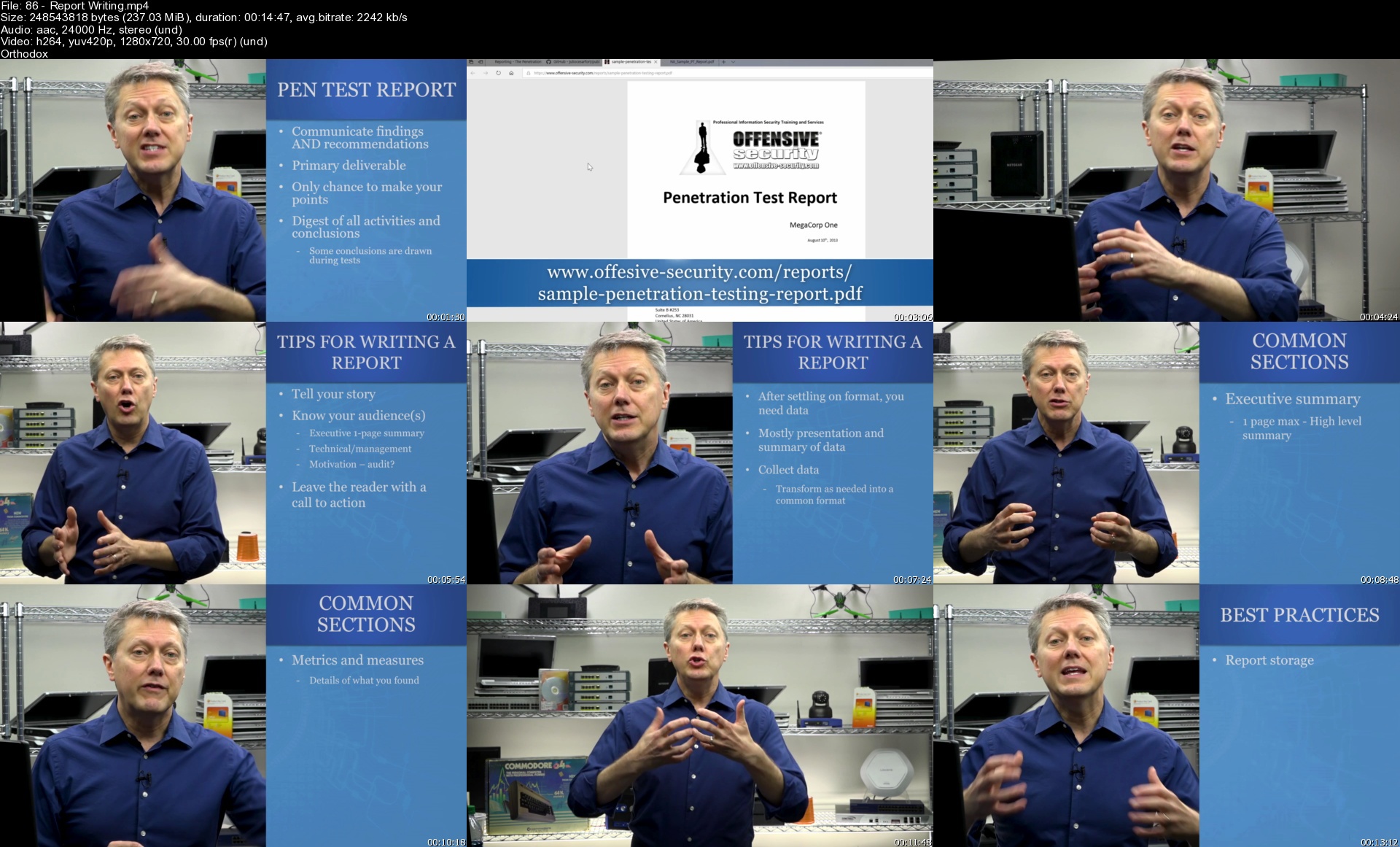
How to write reports, explain post-delivery activities, and recommend remediation strategies to your client

Requirements
There are no requirements to take this course, nor are there any requirements to sit for the CompTIA PenTest+ exam, however, basic familiarity with networks and network security is suggested
It's recommended to be familiar with the information in the CompTIA Network+ and Security+ exams
Although this course is a CompTIA PenTest+ exam prep, it's also designed for a broader audience, so those without much network security knowledge can still gain valuable information on pen testing and ethical hacking

Description
Mike Meyers and the Total Seminars Team, your source for best-selling cybersecurity courses, brings you this ethical hacking and penetration testing course with your instructor Michael Solomon, Ph.D., CISSP, PMP, CISM. Prepare for the CompTIA PenTest+ PT0-002 exam.

This is NOT a boring voice over PowerPoint course. Michael speaks to you and presents the material in an engaging interactive style that will keep you interested and make it easier to understand. Check out the free sample lectures and you will see the difference.

We've added 2 bonus Practice Tests. One practice test covers the EC-Council Certified Ethical Hacker CEH certification exam. The other practice test covers the CompTIA PenTest+ certification exam. Test your readiness to pass either of these industry ethical hacking certification exams.

With 30+ years of experience in security, privacy, blockchain, and data science, and an energetic presentation style, Michael takes his proficiency in network penetration testing and consolidates it into this informative and engaging course.

WHY SHOULD I TAKE THIS COURSE?

Did you know penetration testers' average salary is $71,929?* And this career is in one of the fastest-growing job markets.

Whether you're looking to pass the CompTIA PenTest+ certification exam, take your next step in the CompTIA Cybersecurity Pathway, or you're just looking to learn some awesome ethical hacking skills, you're in the right place.

Keep in mind there's much more to being an ethical hacker than what's covered here, including how to secure a network, however this course focuses on how to be a pen tester. A pen tester plans and scopes a pen test engagement with a client, finds vulnerabilities, exploits them to get into a network, then reports on those findings to the client.

This course shows you how to

Use the tools you'll need to scan networks, crack passwords, analyze and intercept traffic, discover code vulnerabilities, and compromise resources

Recognize vulnerabilities within a system, run exploits, and suggest solutions to a client to remediate the weak points

Work within a virtual environment to practice your pen testing skills, including using Oracle VM manager, Kali Linux, Metasploitable, and DVWA

Scope, plan, and execute a pen test engagement from start to finish

WHAT'S COVERED?

PenTest+ Exam Domain - Percentage of Exam

1.0 Planning and Scoping - 14%

Compare and contrast governance, risk, and compliance concepts

Explain the importance of scoping and organizational/customer requirements

Given a scenario, demonstrate an ethical hacking mindset by maintaining professionalism and integrity

2.0 Information Gathering and Vulnerability Scannings 22%

Given a scenario, perform passive reconnaissance

Given a scenario, perform active reconnaissance

Given a scenario, analyze the results of a reconnaissance exercise

Given a scenario, perform vulnerability scanning

3.0 Attacks and Exploits - 30%

Given a scenario, research attack vectors and perform network attacks

Given a scenario, research attack vectors and perform wireless attacks

Given a scenario, research attack vectors and perform application-based attacks

Given a scenario, research attack vectors and perform attacks on cloud technologies

Explain common attacks and vulnerabilities against specialized systems

Given a scenario, perform a social engineering or physical attack

Given a scenario, perform post-exploitation techniques

4.0 Reporting and Communications 18%

Compare and contrast important components of written reports

Given a scenario, analyze the findings and recommend the appropriate remediation within a report

Explain the importance of communication during the penetration testing process

Explain post-report delivery activities

5.0 Tools and Code Analysis 16%

Explain the basic concepts of scripting and software development

Given a scenario, analyze a script or code sample for use in a penetration test

Explain use cases of the following tools during the phases of a penetration test

EXAM INFO

Exam code: PT0-002

Max. 85 questions (performance-based and multiple choice)

Length of exam: 165 minutes

Passing score: 750 (on a scale of 100-900)

Exam voucher cost: $381

Recommended experience: Network+, Security+ or equivalent knowledge. Minimum of 3-4 years of hands-on information security or related experience. While there is no required prerequisite, PenTest+ is intended to follow CompTIA Security+ or equivalent experience and has a technical, hands-on focus.

HOW DO I TAKE THE COMPTIA PENTEST+ EXAM?

Buy an exam voucher (get your discount voucher at Total Seminars' website), schedule your exam on the Pearson VUE website, then take the exam at a qualifying Pearson VUE testing center.

WHAT'S THE BIG DEAL ABOUT THE COMPTIA PENTEST+, ANYWAY?

CompTIA's PenTest+ is the only penetration testing exam taken at a Pearson VUE testing center or online, with both hands-on, performance-based questions and multiple-choice, to ensure each candidate possesses the skills, knowledge, and ability to perform tasks on systems.

Penetration testing and information security is one of the fastest-growing job categories according to the U.S. Bureau of Labor Statistics. It predicts that roles requiring these skills will see 28 percent overall growth by 2026.

COMPTIA PENTEST+ VS. EC-COUNCIL CEH CERTIFICATIONS

The CompTIA PenTest+ is your quickest and most cost-effective route to a pen testing certification

The PenTest+ includes the latest mobile and cloud penetration testing skills, including IoT, as well as traditional desktop & server systems (CEH covers only traditional desktop & server systems)

The PenTest+ better matches employer needs by covering not just technical topics, but also business processes, project flow, best practices, and professionalism in pen testing (CEH is strictly technical)

The PenTest+ exam voucher costs $349 (compared to the CEH $1150 non-member plus application fee)

Take a look at these student reviews

***** "This is an excellent course!! Even in earlier chapters, the instructor gets you going on sample exercises to chop up the theoretical content a little, which always helps. With a course like this, hands-on is everything. I also appreciate that the theoretical parts are NOT TOO LONG AT ONCE!! Total Seminars did a fantastic job of breaking the content up in just the right places. LOVE this course!" - Chris N

***** "Amazing. Well Explained. Detail description for all the fundamental terms." - Nisarg T

***** "Instruction was excellent. Including notes as resources was a big help! I reviewed the notes while watching the videos and I think that is really going to help me with information retention. The instructor used real-world examples to demonstrate points. Overall, I feel confident I can pass the test after studying the materials and doing the exercises the instructor emphasizes. The instructor also highlighted several key points to study for the exam for maximum preparation." - Tim W

***** "This is what I was hoping for and it's much more upbeat than most of the lulling video series' I've seen before." - John G

***** "This course covers everything in the approved CompTIA PenTest+ certification test. The presenter knows his stuff, has done real work pentests and does a good job of showing off the tools you'll be quizzed on and how to manipulate and analyze the results. Highly recommend this for anyone with Security+ that is looking to specialize as a pentester. Great place to start!" - Casey D

***** "Very well thought out course. The instructor is very knowledgeable, and the course is laid out in a great way! A lot of time was put into this and it shows!" - Luke P

Who this course is for
Anyone interested in ethical hacking, pen testing, vulnerability testing, and network security
Anyone looking to prepare for the CompTIA PenTest+ (PT0-002) exam
Security Analysts, Network Security Ops, Application Security Vulnerability Analysts

Homepage


86reportwritingszajxv.jpg


Houdini FX : Creating a Building Explosion

433395810812zcjz8.jpg


Houdini FX : Creating a Building Explosion
Last Updated 11/2021
MP4 | Video: h264, 1280x720 | Audio: AAC, 44.1 KHz, 2 Ch
Genre: eLearning | Language: English + srt | Duration: 46 lectures (10h 57m) | Size: 9.1 GB

Learn all the steps needed to blow up a building in Houdini from a real world photograph and create a VFX composition


What you'll learn
This course will show you all the steps involved in blowing up a real world building from a photographic image.
I will show you how to fracture the building geometry and create custom "chunks" to use as rbd objects.
We will see how to create different types of RBD objects representing concrete, glass, and window blinds.
We will use Vellum sims to create bending geometry that deforms from the explosion.
We will use the more modern sparse solving method to create an exploding fireball.
We will create all renders necessary to create a final comp.
I will show you how to use the explosion as a light source to illuminate the scene.
We will create a final comp using Natron.

Requirements
A working knowledge of Houdini is strongly recommended before starting this course.
A recent release of Houdini(18+) with Sparse solving tools.
A computer with enough power to run Houdini and a decent internet connection for HD streaming.
This course will be using Houdini 18.5.499 on a windows 10 based system throughout the videos.


Description
Hello potential students.! This course is going to cover everything you need to know in order to destroy and blow up a building from a real photograph.

There are over 10.5 hours of lecture videos going over the process of destroying a building.

You should have working knowledge of Houdini before enrolling in this course. If you have done my previous Houdini course "Master Houdini FX", you will have no problem following this course since I build on a lot of the initial principles of rig creation that were presented in the first course.

This is a "Fast paced" course, meaning I will not be explaining every function of every node I use. I will explain where necessary, but basic nodes will not be explained in detail, this is to try keeping this total course time to a minimum, and another reason you should have basic Houdini knowledge prior to enrolling into this mid level course.

All lectures will have Houdini hip files for you to download and any other necessary assets. If you have any questions, please feel free to ask. I encourage you to watch the intro video and watch some of the "free" videos so you can get a sense of what the course is like.

The basic breakdown of the course goes like this

We will start with an overview of how and why I chose the building I did to use as our subject.

I will include the model file and briefly go over what I did to model the building, but will not be showing the creation process step by step. It took around 4.5 hours of Boolean modelling to finish and would be unnecessarily boring to make you watch the model process.!

We will then start selectively fracturing the building model section by section until we have all geometry fractured.

We then start doing RBD sims and even throw a little vellum into the mix to make our sim more interesting.

Once we have our RBD's and vellum finished, we go into simulating our fireball explosion using the more modern "Sparse" simulation tools.

We will then create an embers pass to give our sim a little something extra.

We will be creating and assigning any and all shaders that are needed as we go.

We will then go into rendering and I will show how to create all the renders necessary for a full comp.

This course will be using Mantra as our render engine to keep things "off the shelf Houdini" and not rely on plugins.

Once all the renders are done, we will assemble a full comp including camera shake to add some more realism to the end result.

This course will teach you everything you need to know to be able to go out and photograph your own building and create all the custom destruction you wish. Once you finish this course using the included image and building geometry, you will be ready to find your own building in your own town to photograph and recreate this setup on a building of your choice. I will be presenting a very straight forward and "easy" method to creating an FX shot like this.

If you have been using Houdini for a little while, you should have no problems following this course. If you need a refresher or are just starting to use Houdini, I recommend doing my first Houdini course "Master Houdini FX" as a primer to this course.

Who this course is for
Anyone that is interested in seeing the steps involved to blow up and destroy any type of building inside Houdini from an FX artist with 20+ years experience in post production.
Aspiring FX artists and working professionals looking to learn new skills or see one method in creating building destruction FX.

Homepage


5.renderingthefirebal5ykkk.jpg


Complete Accounting & Taxation Course 2022

mvaefxnawewl3i28tpu2b3rj03.jpg


Complete Accounting & Taxation Course 2022
Last updated 6/2022
MP4 | Video: h264, 1280x720 | Audio: AAC, 44.1 KHz
Language: English | Size: 24.53 GB | Duration: 31h 55m

A Compulsion Course for Accounting, Financial, MIS, Data Analysis, Tax Professional, Auditors & Bsns Management Sectors


What you'll learn
TallyPrime
GST & GST Portal Concepts
Income Tax & TDS
Double Entry Accounting Systems I Elements I Steps I Structure Explained
Tally - Introduction, History, Advantages
Golden Rules of Accounts
Requirements
a desire to learn new skills

Description
Course Covers Accounting, Inventory and Taxation ManagementTallyPrime+GST+IncomeTax+TDS+TCSCourse HighlightsFaculty : A Person who trains the trainersTally Authorised Institute Facutlywell known as TallyGuru & Office ExpertGSTN Recognized Tax PractitionerAll topics covered Course(Like-nothing left in tally)Classes on Licensed Version TallyCase-Studies ExplainedQuiz for Each Individual Chapter100% Satisfactory results/ReviewsReference Questions/Soft copy Material availableafter these course Student can handle All Book of Accounts & GSTAll GST Classes Based on Real-Time DataAssignmentsQuizzesPractices TestsCommerce BasicsAccounting Fundamentals Tally.ERP9 All LevelsTallyPrime Full CourseGST Concepts & GST Portal conceptsIncome Tax Slabs ITR1 FilingITR4 FilingTDS IntroductionTDS SlabsTDS Forms TDS Returns TDS FilingExcel - Basics to Pro All LevelsCourse HighlightsFaculty : A Person who trains the trainersTally Authorised Institute Facutlywell known as TallyGuru & Office ExpertGSTN Recognized Tax PractitionerAll topics covered Course(Like-nothing left in tally)Classes on Licensed Version TallyCase-Studies ExplainedQuiz for Each Individual Chapter100% Satisfactory results/ReviewsReference Questions/Soft copy Material availableafter these course Student can handle All Book of Accounts & GSTAll GST Classes Based on Real-Time DataAssignmentsQuizzesPractices TestsCourse HighlightsFaculty : A Person who trains the trainersTally Authorised Institute Facutlywell known as TallyGuru & Office ExpertGSTN Recognized Tax PractitionerAll topics covered Course(Like-nothing left in tally)Classes on Licensed Version TallyCase-Studies ExplainedQuiz for Each Individual Chapter100% Satisfactory results/ReviewsReference Questions/Soft copy Material availableafter these course Student can handle All Book of Accounts & GSTAll GST Classes Based on Real-Time DataAssignmentsQuizzesPractices Tests

Overview

Section 1: Free Sample Videos

Lecture 1 How to Create a Group Company in TallyPrime

Lecture 2 What is Tax Audit?

Lecture 3 What is GST, A short Introduction to GST

Lecture 4 GST Registration - Live Case Study

Section 2: Basics of Accounting

Lecture 5 1. What is Commerce I Introduction I Accounting Systems I Accounting I

Lecture 6 2. Double Entry Accounting Systems I Elements I Steps I Structure Explained

Lecture 7 11 Golden Rules of Accounts

Lecture 8 Fundamentals of Accounting

Section 3: Download Course Material Here

Lecture 9 Download Course Material Here

Section 4: Tally Prime Full Course

Lecture 10 1. TallyPrime-Downloading & Installation

Lecture 11 2. TallyPrime-Launching, Working in Education Mode, Licensing

Lecture 12 3. How to Get Familiar with your TallyPrime

Lecture 13 4. TallyPrime-Company Creation, Alteration and Deletion

Lecture 14 5. TallyPrime-Group Company-Creation, Alteration and Deletion

Lecture 15 6. TallyPrime-Data Entry Steps - Ledgers, Items and Vouchers

Lecture 16 7. TallyPrime-Predefined Vouchers Introduction

Lecture 17 8. Understanding Pre-Defined Vouchers-Explained

Lecture 18 9. Tally Prime I Ledger Creation I Alteration I Deletion I Traditional Method

Lecture 19 10. Tally Prime Stock Item Creation I Groups I Units I Creation I Alteration I D

Lecture 20 11. How to update Opening Balances & Opening Stock in TallyPrime

Lecture 21 12. Stock Group - Introduction, Creation and Alteration

Lecture 22 13. Creation and Alteration of Stock Category

Lecture 23 14. Creation of Unit of Measurement & FAQ

Lecture 24 15. Creation and Alteration of Stock Item

Lecture 25 16. Recording Purchases & Sales

Lecture 26 17. Recording Contra, Receipt and Payment Vouchers

Lecture 27 18. Golden Rules of Accounts

Lecture 28 19. Recording Journals in TallyPrime

Lecture 29 20. Basic Illustration to Understand TallyPrime Vouchers

Lecture 30 21. Bill-wise Accounts - An Introduction

Lecture 31 22. Bills wise details for Purchases

Lecture 32 23. Bill-wise Details for Sales - Bills Receivable

Lecture 33 23. Z. How to View and Analyse Bills Outstanding Reports in TallyPrime

Lecture 34 24. Bill-wise Accounts Supply Against Advances

Lecture 35 25. Bill-wise Accounts-Tracking Overdue Supplies

Lecture 36 26. Cheque Book Configuration in TallyPrime

Lecture 37 27. Cheque Printing in TallyPrime

Lecture 38 28. Enabling All-Banking Transaction Types

Lecture 39 29. An Introduction to Post Dated Cheques Management

Lecture 40 30.Post Dated Cheques Management in TallyPrime

Lecture 41 31. Applying for TallyPrime License

Lecture 42 32. Introduction to Bank Reconciliation Process in TallyPrime

Lecture 43 33. Bank Reconciliation in TallyPrime

Lecture 44 34. How to Do Auto Bank Reconciliation

Lecture 45 What is GST-a short Introduction to GST

Lecture 46 9. GST Classifications and Place of Supply

Lecture 47 10. Creating New Company and Enabling GST

Lecture 48 11. Recording GST Transactions-Single Slab

Lecture 49 12. Recording GST Transactions - Multiple Tax Slabs

Lecture 50 13. GST Configuration in Group Level

Lecture 51 14. Enabling Auto-Billing in TallyPrime

Lecture 52 15. Recording GST Services

Lecture 53 16. Recording GST Expenses

Lecture 54 17. Recording Assets

Lecture 55 18. Update Invoice or Voucher Numbering in TallyPrime

Lecture 56 19. Setup Logo Printing in TallyPrime

Lecture 57 20. How to Print Additional Description of Stock Items

Lecture 58 21. Enabling Rate Inclusive of GST Coloumn

Lecture 59 22. Printing Preferences-Cust Seal and Signature, Jurisdiction, Bank Details, In

Lecture 60 23. Optimize Printing Paper Size

Lecture 61 24. What is GST Returns, Types of GST Returns

Lecture 62 25. GST Tax Computation and Adjustments

Lecture 63 26. Learn GSTR-1 Tables

Lecture 64 27. File GSTR1 using TallyPrime

Lecture 65 28. GSTR-1 Filing Nill

Lecture 66 29. GSTR2 & 2A Reconciliation

Lecture 67 30. GSTR-3B Filing I Online and Offline methods

Lecture 68 31. E-Way Bill-Resgitration

Lecture 69 32. E-WAYBILL Generation, Cancellation, Update and more

Lecture 70 54. Course Introduction - Inventory Management

Lecture 71 55. Inventory Management - Introduction, Importance, Advantages

Lecture 72 56. Activation of Batches for Stock Item

Lecture 73 57. Allocation of Batch Details in Purchase Invoice

Lecture 74 58. Selling of Stock Items from Batch and Identifying of Expired Batch in Sales

Lecture 75 59. Returning of Expired Batch Stock Item

Lecture 76 60. Activating Price Levels

Lecture 77 61. Defining Price Levels, Creating Price List, Usage of Price List in Sale Vouc

Lecture 78 62. Revise Price List

Lecture 79 63. Different Types of Inventory Valuations

Lecture 80 64. Activation of Purchase Order and Sales Order.mp4

Lecture 81 65. Activation of Delivery & Receipt Notes.mp4

Lecture 82 66. Activation of Debit & Credit Note.mp4

Lecture 83 67. Purchases Management - Purchase Order, Receipt Note, Purchase, Purchase Retu

Lecture 84 68. Sales Management - Sales Order, Delivery Note, Sales, Sales Return.mp4

Lecture 85 68.Z. How to Manage Sales & Purchase Order Processing in TallyPrime

Lecture 86 69. Creation of Godown

Lecture 87 70. How to Create and Manage Multiple Godowns in TallyPrime

Lecture 88 71. How to Record Inter Godown Stock Transfer in TallyPrime

Lecture 89 How to Backup Data in TallyPrime

Lecture 90 How To Migrate Your Data in Tally Prime

Lecture 91 How to Move to the New Financial Year in TallyPrime

Lecture 92 How to Record Manufacturing of Finished Goods in TallyPrime

Lecture 93 How to Restore Data in TallyPrime

Lecture 94 How to Use the Right Buttons in TallyPrime to Work Faster

Lecture 95 How to View and Analyse Accounting Reports in TallyPrime

Lecture 96 How to View and Analyse Balance Sheet in TallyPrime

Lecture 97 How to View and Analyse Inventory in TallyPrime

Lecture 98 How to View and Analyse Profit and Loss Account in TallyPrime

Lecture 99 Steps to Enable TCS in TallyPrime

Lecture 100 Setting up TCS Masters in TallyPrime

Lecture 101 Basic TCS Transactions in TallyPrime

Lecture 102 Advanced TCS Transactions in TallyPrime

Lecture 103 TCS Reports and Returns in TallyPrime

Section 5: GST & GST Portal Concepts

Lecture 104 1. GST Overview Introduction

Lecture 105 2. GST CLASSIFICATIONS

Lecture 106 3. GST Revenue Sharing Rations between Centre & State Govt's

Lecture 107 4. Key Points about GST Council

Lecture 108 5 Know Your PAN CARD STATUS

Lecture 109 6. GST Registration - Live (Case Study 1)

Lecture 110 7. GST Registration - Filing Clarifications

Lecture 111 8. GST Registration - Tracking Submitted Applications

Lecture 112 9. Viewing Submitted Applications - GST Registration

Lecture 113 10. GST Download Registration Certificate in a Minute

Lecture 114 11. GST Registration - Core Filed Amendments

Lecture 115 12. GST Registration - Non-Core Filed Amendments

Lecture 116 13. GST Registration -CANCELLATION

Lecture 117 14. Opting Withdrawal of Composition Levy in GST Portal

Lecture 118 15. GST Tax Practitioner Registration

Lecture 119 16. Introduction to GST Returns

Lecture 120 16.z.GST Returns - An Introduction Video

Lecture 121 17. a. GSTR-1 Tables I Understanding GSTR-1 Basic & Amendments Tables-new new

Lecture 122 17. GSTR-1 Filing ( GST-Regular) Offline Online Methods Explained with Live Dat

Lecture 123 18.A. GSTR-1 Filing using TallyPrime

Lecture 124 18.Z. Nil GSTR-1 filing I No Sales

Lecture 125 19. How to Reconcile GSTR-2 in TallyPrime

Lecture 126 20. GST Tax Computation & Tax Adjustments.mp4

Lecture 127 20. Z.GSTR - 3B Filing

Lecture 128 21. GSTR-3B Filing I Online and Offline methods.mp4

Lecture 129 22. Generate E-Way Bills Creation, Alter & Cancellation Online Offline methods

Lecture 130 23. E-Way Bill Registration, Generation, Update Vehicle Number, Cancellation and

Lecture 131 24.GST Application for Refund

Section 6: Taxation ( TDS + Income Tax Non Audit)

Lecture 132 1_what_is_tax,_when_taxes_introduced_in_india (1080p)

Lecture 133 2_direct_taxes_vs_indirect_taxes (1080p)

Lecture 134 3_income_tax_basics,_ways_of_collecting_income_tax (1080p)

Lecture 135 4_when_to_file_itrs-english (1080p)

Lecture 136 5_what_is_itr,_applicability_of_itrs (1080p)

Lecture 137 6_what_is_tax_audit,_when_to_tax_audit,_objectives,_forms,_due_dates,_penalties

Lecture 138 7_income_tax_computation_format_-_all_type_of_tax_payers (1080p)

Lecture 139 8_income_tax_computation_-_individual_-_english (1080p)

Lecture 140 9_how_to_register_pan_in_income_tax_portal (1080p)

Lecture 141 10_what_is_form_26as_and_how_to_view_it (1080p)

Lecture 142 11_itr-1_filing-english (1080p)

Lecture 143 12_itr-4_filing-business_and_profession (1080p)

Lecture 144 13_filing_itr-4_for_partnership_firm (1080p)

Lecture 145 14_what_is_tds,_tds_basics (1080p)

Lecture 146 15_tds_process_overview (1080p)

Lecture 147 16_who_can_deduct_tds (1080p)

Lecture 148 17_how_to_apply_for_tan_-_new_1_new (1080p)

Lecture 149 18_tds_payment (1080p)

Lecture 150 19_tds_returns (1080p)

Lecture 151 20_recording_tds_transactions_in_tallyprime (1080p)

Lecture 152 21_tds_on_salary (1080p)

Lecture 153 22_tds_payments (1080p)

Lecture 154 23_maintaining_tds_challan_information (1080p)

Lecture 155 24_download_and_install_tds_rpu-java-win_rar (1080p)

Lecture 156 25_download_csi_file_-_challan_status_inquiry_files_to__import_in_tds_returns_pr

Lecture 157 26_tds_return_preparation_form_26q (1080p)

Lecture 158 27_tds_return_preparation_form_24q-new (1080p)

Lecture 159 28_pan_and_tan_registration (1080p)

Lecture 160 29_submitting_tds_files-new (1080p)

Lecture 161 30_how_to_view_submitted_tds_and_collect_token_rrr_number (1080p)

Lecture 162 31_what_is_tds_certificate_and_types (1080p)

Lecture 163 32_registration_tan_on_tds_traces_portal (1080p)

Lecture 164 33_tds_return_status (1080p)

Lecture 165 34_how_to_download_tds_certificates_form_16part_a_or_b (1080p)

Lecture 166 35_download_tds_certificates-complete_process (1080p)

Section 7: MS Excel - Beginner to Advanced (Full Course)

Lecture 167 1. MS Excel - Launching - Basics of Excel Main Dashboard, Interface

Lecture 168 2. MS Excel - Cells, Rows, Columns and Sheets Basics

Lecture 169 3. MS EXCEL - Home Tab Basics - Editing and Formatting

Lecture 170 4. Copy Paste Functions - All Types

Lecture 171 5. Home Tab - Customisation of Tabs

Lecture 172 6. MS Excel - Speak Cells

Lecture 173 7. Text to Columns - MS Excel Split Tool

Lecture 174 8. Characteristics of a Cell and Cell References

Lecture 175 13. MS Excel - Comments - add, edit, delete & Show all

Lecture 176 14. MS Excel - Fill Series - with formatting, without formatting & more

Lecture 177 15. Fill Series - Advance Fill - Numbers, Months, Days, Custom List Edit & Add,

Lecture 178 16. Fill Series - Flash Fill

Lecture 179 17. MS Excel - How to Hide and Unhide Rows, Columns, Sheets

Lecture 180 18. Freeze Panes - Top Row, Columns & Multiple Rows & Columns

Lecture 181 19. MS Excel - Filters - Learn How to Use Filter to analysis a Big Data

Lecture 182 20. MS Excel - Split Sheet Window

Lecture 183 21. MS Excel - How to Insert & Delete Cells, Rows, Columns

Lecture 184 22. MS Excel - Working with Sheets

Lecture 185 23. MS Excel - View Sheets Side by Side from One Excel File

Lecture 186 24. MS Excel - Workbook Protection - Learn how to setup a Password to open Excel

Lecture 187 25. MS Excel - Sheet & Cells Protection

Lecture 188 26. MS Excel - Create & Remove Drop Down List

Lecture 189 27. Concatenate - Join Multiple Text Strings into ONE

Lecture 190 28. MS Excel - Trim Functions - Remove unnecessary Elements from strings

Lecture 191 29. MS Excel - Print Formulas Left, Right, Middle

Lecture 192 30. MS Excel - Date Related Formulas

Lecture 193 31. MS Excel - Hyper Links - Cell to Sheet, Website, Existing File, Create New D

Lecture 194 32. MS Excel - Print, Page Setup, Margins, Size, Excel to PDF

Lecture 195 33. MS Excel - Page Header & Footer I Add Page Numbers, Logo, Report Name, Date,

Lecture 196 34. MS Excel - Conditional Formatting

Lecture 197 35. Introduction to Data Validation - Time limitation

Lecture 198 35. Data Validation - Restrict Cells, Input & Error Message, Drop Down List, Da

Lecture 199 36. Data Validation - Part2 - Circle Invalid data, Error, Stop, Warning, Info Me

Lecture 200 37. MS Excel - Data Validation - Dependent - Multiple Drop Down Lists

Lecture 201 38. MS Excel - Import Data from Web

Lecture 202 39. MS Excel - Import Data from Text Document - with Auto Refresh

Lecture 203 40. MS Excel - Import - Text, Word, PPT, Jpeg, Video, PDF & More Objects

Lecture 204 41. MS Excel - Format Multiple Sheets at a time

Lecture 205 42. MS Excel - 3d Sum

Lecture 206 43. MS Excel - Consolidate ( 3d Sum extension)

Lecture 207 44. MS Excel - Age Calculator in Multiple Ways - Exclusive formula

Lecture 208 45. MS Excel - Bar Code I Install Bar code font I Generate Bar Codes

Lecture 209 46. MS Excel - Charts - Pie Charts - Create & Customize

Lecture 210 47. MS Excel - Charts - Columnar Charts

Lecture 211 48. Logical Functions - Logical Test I Boolean Expression I TRUE or FALSE I Comp

Lecture 212 49. Logical Test - IF Function

Lecture 213 50. Logical Functions - Nested IF - Learn How to work with Nested if Formula

Lecture 214 51. Logical Functions - AND function

Lecture 215 52. Logical Function - Not & IFERROR

Lecture 216 53. Show Formula, Trace Dependents, Trace Precedents, Evaluate Formula, FormulaT

Lecture 217 54. Statistical Formulas - Sum, Sumif, Sumifs, Count, Countif, Countifs, Avg, Av

Lecture 218 55. Formulas - sumproduct, mround, floor, ceiling

Lecture 219 56. Student Mark Sheet Calculation - Sum, Average, Rank, Grade, Pass-Fail, Statu

Lecture 220 57. Vlookup - Formula, Functionality, Rules, Approximate & Exact Match & more

Lecture 221 58. Hlookup - Formula, Functionality, Rules, Approximate & Exact Match & more

Lecture 222 59. Download, Add & use X Lookup New Formula in MS Excel

Lecture 223 60. X Lookup - Introduction

Lecture 224 60. X Lookup New Formula in MS Excel

Lecture 225 61. Index Formula - Find a Position of the Value, and Call cells references

Lecture 226 62. Match Formula - Find Position of the Value

Lecture 227 63. Pivot Table Introduction & Basics of Pivot Table

Lecture 228 64. Create a PivotChart from Table & Pivot Table

Lecture 229 65. Pivot Table - Use slicers to filter data

Lecture 230 66. Pivot Table, Charts, Progress Dashboard

Lecture 231 67. MS Excel Calculate EMI I Prepare Loan Statement I Principal I Interest

Lecture 232 68. Working with Tables

Lecture 233 69. Create & Maintain Registers - Using Group Sheets, Drop Down Lists, Data Lavi

Lecture 234 70. Share a workbook with Co Authors, Employees or with Anyone

Lecture 235 71. MS Excel - Copy Cells, Move Cells

Lecture 236 72. Commission Calculation in MS Excel

Lecture 237 73. Attendance Sheet Preparation in MS Excel

Lecture 238 74. Attendance Sheet Extension - Salary Calculation with CA, DA, Commission, Adv

Lecture 239 75. Creating Professional Invoice in Excel

Lecture 240 76. Excel to SMS Free (1)

Lecture 241 77. VBA & Macro Introduction

Lecture 242 78. MS Excel - Enabling Developer Tab

Lecture 243 81. Basics of Macros - Record & Run1

Lecture 244 82. Saving Macros

Lecture 245 83. MS Excel - VBA Coding - Disply Message BOX

Course designed for all categories

Homepage


4912recordinggsttransuuknk.jpg


Attiny Mikrocontroller Entwicklung Für Arduino Programmierer

31txru1is3htxo4mksatz7jjhn.jpg


Attiny Mikrocontroller Entwicklung Für Arduino Programmierer
Veröffentlicht am 7/2022
MP4 | Video: h264, 1280x720 | Audio: AAC, 44.1 KHz
Language: Deutsch | Size: 5.66 GB | Duration: 6h 25m

Eine praxisorientierte Anleitung für die Entwicklung mit den Mikrocontrollern ATtiny 24/44/84 und 25/45/85.


What you'll learn
Was ist ein ATtiny und welche Varianten gibt es
Technische Daten und Pinout Besprechung
Auswirkung von CPU Taktfrequenz und Stromversorgung
Stromsparmodus Deepsleep und Interrupts
Brown-out Detection und CPU Takt mit Fuses setzen
Hardwareeinstellungen mit Arduino IDE und PlatformIO (Fuses) übernehmen
Source Code Erstellung mit C++
Visual Studio Code mit PlatformIO und Arduino IDE konfigurieren und einrichten
Verschiedene ATtiny Cores und Bezugsquellen kennenlernen
Arduino ISP DIY Shield zum flashen erstellen
USB ISP Flasher verwenden
Verwendung diverser Upload Methoden mit unterschiedlichen IDEs
LED Steuerung mit PWM
Verwendung von WS2812b und FastLED mit ATtiny
RTC Modul und Schieberegister Verwendung mit ATtiny
Auswertung von Feuchtigkeitssensor und Deepsleep
Requirements
Erste Erfahrungen in der Arduino Entwicklung (millis, pinMode, Datentypen) von Vorteil
Grundlagen C++ im Arduino-Umfeld
Mit den Online-Simulatoren kann viel nachgestellt werden, jedoch hat man einen größeren Lernerfolg, wenn man die Praxisbeispiele mit den Hardwarekomponenten nachbaut
Alles zum Thema ATtiny wird in diesem Kurs vermittelt

Description
ATtinys sind kostengünstige Mikrocontroller, die durch ihre kleine Bauform und ihren geringen Stromverbrauch (~4-8µA während DeepSleep) überzeugen.Die ATtinys lassen sich im gewohnten Arduino Umfeld (IDE und C++) einfach und schnell programmieren, sodass man eine günstige Alternative zu den Arduinos und ESPs hat. Die ATtinys können mit einer Knopfzellen-Batterien CR2032 betrieben werden und haben für gewöhnliche DIY Projekte ausreichend Speicher zur Verfügung.Der gesamte Kurs ist mit ATtinys 25/24, 44/45 und 84 wie auch den Digispark ATtiny85 umgesetzt.Wenn du diesen Kurs absolviert hast, dann kannst du..eigene Praxisprojekte mit dem Mikrocontroller ATtiny erstellen.Source-Code vom Arduino für kostengünstige und stromsparende ATtiny schnell adaptieren.stromsparende Schaltungen für die Verwendung mit CR2032 Knopfbatterien entwickeln. verschiedene Upload-Methoden (Arduino as ISP, USB-Flasher) mit Arduino IDE und PlatformIO anwenden. Grundeinstellungen wie Brown-out Detection, CPU-Taktfrequenz mit ATtiny vornehmen.Grundkonzept der Programmierung für Mikrocontroller verstehenWas wir im Kurs durchmachen:Grundlagen der Mikrocontroller von Atmel ATtinyKennenlernen von verschiedenen Komponenten wie Transistoren, OLED Displays, Schieberegister und vieles mehr.Kennenlernen verschiedener Upload Varianten zum Flashen der ATtinysVerwendung von Visual Studio Code mit PlatformIO bzw. Arduino IDEHardwarekonfigurationen setzen wie CPU Taktfrequenz, Brown-out Detection etc.Verwendung von Digitalen- Analogen GPIOs und PWM AnsteuerungenPraxisbeispiel: Digitaler Würfel mit Zufallszahl und LEDsPraxisbeispiel: Digitaler Würfel mit WS2812b und FastLEDPraxisbeispiel: Binäruhr mit RTC Modul und SchieberegisterPraxisbeispiel: Pflanzenüberwachung und Deepsleep mit CR2032 BatteriePraxisbeispiel: Pflanzenüberwachung mit 0,91" Display und Deepsleep und InterruptPraxisbeispiel: Platinenanhänger mit Tones (eigene Melodie) und LEDsPraxisbeispiel: Transistorschaltung mit Reedswitch und Klatsch-DetectorPraxisbeispiel: Miniwetterstation mit dem Digispark ATtiny85 und DHT11 und OLED 0,96"Praxisbeispiel: DIY Rubber Ducky mit Digispark ATtiny85Meine Herangehensweise im Kurs:Keine (ok, nur ganz wenige) Slides/Powerpoint sondern mehr Projekte. Wir starten in den Grundlagen sofort mit einem praktischen Beispiel. Auch die Theorie kann man sofort mit den ATtinys ausprobieren/mitmachen und dadurch gleich besser verstehen.Die Praxisprojekte werden in Schritt-für-Schritt-Anleitungen zusammen entwickelt.Zusammen bedeutet in diesem Zusammenhang, dass ich den Code, je nach Aufgabe, vormache und du die Ausführungen mitverfolgen bzw. nachbauen kannst.Alle Codes sind zum Herunterladen auf der Plattform verfügbar, damit du frustfrei zum Ergebnis kommst.Keine ausschweifende Erläuterungen oder Theorie-Monologe, wir starten im Grundlagen Kapitel gleich durch.Profitiere von meiner jahrelangen Erfahrung und hole dir die Schlüsselkompetenz in der Entwicklung von Mikrocontrollern.Hol dir jetzt gleich diesen Kurs und es kann direkt losgehen.Wir sehen uns im KursMarkus Edenhauser

Overview

Section 1: Einführung

Lecture 1 Einführung zu diesem Kurs

Lecture 2 About me

Lecture 3 Codeschnipsel zum Downloaden

Lecture 4 Voraussetzungen zu diesem Kurs

Lecture 5 Kursaufbau

Lecture 6 Das geht sicher auch anders

Lecture 7 Haftungsausschluss

Section 2: ATtiny Grundlagen

Lecture 8 Was ist ein ATtiny?

Lecture 9 Welche Programmiersprache?

Lecture 10 Wie wird der ATtiny geflashed?

Lecture 11 ATtiny Varianten 25/45/85 und 24/44/84

Lecture 12 Technische Daten am Bsp ATTiny 44/45

Lecture 13 Digispark ATtiny85 mit USB

Lecture 14 Pinout ATtiny 25/45/85 und 24/44/84

Lecture 15 CPU Taktfrequenz

Lecture 16 Stromverbrauch

Lecture 17 Brown-out Detection

Lecture 18 Hardwarekonfiguration setzen

Section 3: IDE und Upload Devices einrichten

Lecture 19 Einführung

Lecture 20 ATtiny Cores für Arduino IDE 1.8

Lecture 21 VSCode und PlatformIO einrichten

Lecture 22 Verdrahtung Arduino UNO als ISP

Lecture 23 DIY Shield zum flashen

Lecture 24 Verwendung eines USB-ISP

Lecture 25 Microchip Studio

Lecture 26 VS Code in Arduino IDE öffnen

Lecture 27 Online Simulator für ATtinys

Section 4: Erster Sketch mit unterschiedlichen Upload Varianten

Lecture 28 Einleitung

Lecture 29 Verdrahtung

Lecture 30 Upload mit Arduino IDE 1.8.x und Arduino Uno

Lecture 31 Upload mit Arduino IDE 1.8.x und USB-ISP

Lecture 32 Upload mit VS Code PlatformIO und UBS-ISP

Lecture 33 Upload mit VS Code PlatformIO und Arduino Uno

Lecture 34 Upload Arduino IDE 1.8.x auf Digispark ATtiny85

Section 5: PWM mit 3 LEDs

Lecture 35 Projektvorstellung

Lecture 36 Verdrahtung und PWM

Lecture 37 Projekt erstellen und analogWrite

Lecture 38 Quellcode RGB LED

Lecture 39 3D Design und Druck

Lecture 40 Learnings

Section 6: Digitaler Würfel mit Zufallszahl und LEDs

Lecture 41 Projektidee

Lecture 42 VerdrahtungEinstellungen mit Startsequenz und FastLED

Lecture 43 Ist eine Zufallszahl ist immer zufällig?

Lecture 44 Platformio.ini und setup()

Lecture 45 Startsequenz

Lecture 46 Button entprellen

Lecture 47 Würfeln

Lecture 48 3D Konstruktion Pocketwürfel

Lecture 49 Learnings

Section 7: Digitaler Würfel mit WS2812b und FastLED

Lecture 50 Projektidee FastLED

Lecture 51 Verdrahtung

Lecture 52 Einstellungen mit Startsequenz und FastLED

Lecture 53 Button entprellen und Flags setzen

Lecture 54 FastLED ansteuern

Lecture 55 3D Design

Lecture 56 Learnings

Section 8: Binäruhr mit RTC Modul und Schieberegister

Lecture 57 Projektidee Binäruhr als Schlüsselanhänger

Lecture 58 Verdrahtung

Lecture 59 RTC SD1307 mit Arduino Uno setzen und auslesen

Lecture 60 Schieberegister 74HC595N Pinout und Verdrahtung

Lecture 61 Projekteinstellungen und globale Variablen setzen

Lecture 62 Schieberegister Test und alle LEDs ansteuern

Lecture 63 Dezimal zu Binärcode umwandeln

Lecture 64 Minutenanzeigen mit RTC und Schieberegister

Lecture 65 Uhrzeit auslesen und Stunden mit Mintuen anzeigen

Lecture 66 3D Konstruktion

Section 9: Pflanzenüberwachung und Deepsleep mit CR2032 Batterie

Lecture 67 Projektidee

Lecture 68 Verdrahtung

Lecture 69 Feuchtigkeitssensor mit Arduino Uno kalibrieren

Lecture 70 Projekt start und Buzzer ansteuern

Lecture 71 Globale Variablen

Lecture 72 Photowiderstand und LED

Lecture 73 Funktion für den Feuchtigkeitssensor

Lecture 74 Gesamte Logik implementieren

Lecture 75 Attiny Snore bzw. Deepsleep mit Strommessung

Lecture 76 3D Design

Lecture 77 Learnings Feuchtigkeitsindikator mit Deepsleep

Section 10: Pflanzenüberwachung mit 0,91" Display und Deepsleep und Interrupt

Lecture 78 Projektidee

Lecture 79 Verdrahtung

Lecture 80 Ablaufdiagramm und Projekt Setup

Lecture 81 Text auf OLED Display ausgeben

Lecture 82 Sensordaten am OLED ausgeben

Lecture 83 Grafik für OLED Display erstellen

Lecture 84 Batteriespannung auslesen und anzeigen

Lecture 85 Deepsleep und Interrupt

Lecture 86 Learnings

Section 11: Transistorschaltung mit Reedswitch und Klatsch-Detector

Lecture 87 Projektidee

Lecture 88 Verdrahtung

Lecture 89 Ansteuerung Transistorschaltung

Lecture 90 2x Klatschen detektieren

Lecture 91 Reedswitch implementieren

Lecture 92 3D Konstruktion

Lecture 93 Learnings

Section 12: Platinenanhänger mit Tones und LEDs

Lecture 94 Projektvorstellung

Lecture 95 Verdrahtung Happy Birthday

Lecture 96 Projekt Setup

Lecture 97 Melodie hinterlegen und ausgeben

Lecture 98 Verdrahtung mit Touch Sensor

Lecture 99 Source Code mit Touch Sensor

Lecture 100 Verdrahtung RGB LED

Lecture 101 Source Code RGB LED

Lecture 102 Learnings

Section 13: Miniwetterstation mit OLED 0,96 auf Digispark ATtiny85

Lecture 103 Projektidee

Lecture 104 Verdrahtung

Lecture 105 Treiber und IDE vorbereiten

Lecture 106 Miniwetterstation erstellen

Section 14: DIY Rubber Ducky für Windows mit Digitspark ATtiny85

Lecture 107 Source Code

Section 15: Conclusio

Lecture 108 Conclusio & Verabschiedung

Alle, die ihre Kenntnisse über stromsparende Mikrocontroller in kleiner Bauform vertiefen möchten.,Entwickler/innen die Interesse daran haben, kostengünstige Mikrocontroller für ihre Projekte zu verwenden.,Alle, die Praxisprojekte mit Mikrocontroller verstehen, anwenden und selber schreiben wollen,Alle jene, die mehr über Mikrocontroller mit limitierten Hardware Ressourcen lernen wollen

Homepage


393ddesignunddrucksimkuk.jpg


Zurück
Oben Unten