• Regeln für den Video-Bereich:

    In den Börsenbereich gehören nur Angebote die bereits den Allgemeinen Regeln entsprechen.

    Einteilung

    - Folgende Formate gehören in die angegeben Bereiche:
    - Filme: Encodierte Filme von BluRay, DVD, R5, TV, Screener sowie Telesyncs im Format DivX, XviD und x264.
    - DVD: Filme im Format DVD5, DVD9 und HD2DVD.
    - HD: Encodierte Filme mit der Auflösung 720p oder darüber von BluRay, DVD, R5, TV, Screener sowie Telesyncs im Format x264.
    - 3D: Encodierte Filme von BluRay, die in einem 3D Format vorliegen. Dies gilt auch für Dokus, Animation usw.
    - Serien: Cartoon/Zeichentrick, Anime, Tutorials, Dokumentationen, Konzerte/Musik, Sonstiges sind demnach in die entsprechenden Bereiche einzuordnen, auch wenn sie beispielsweise im High Definition-Format oder als DVD5/DVD9/HD2DVD vorliegen. Ausnahme 3D.
    - Bereich Englisch: Englische Releases gehören immer in diesen Bereich.
    - Bereich Talk: Der Bereich, in dem über die Releases diskutiert werden kann, darf, soll und erwünscht ist.


    Angebot/Beitrag erstellen

    - Ein Beitrag darf erst dann erstellt werden, wenn der Upload bei mindestens einem OCH komplett ist. Platzhalter sind untersagt.
    - Bei einem Scenerelease hat der Threadtitel ausschließlich aus dem originalen, unveränderten Releasenamen zu bestehen. Es dürfen keine Veränderungen wie z.B. Sterne, kleine Buchstaben o.ä. vorgenommen werden. Ausnahme Serienbörse:
    - Bei einem Sammelthread für eine Staffel entfällt aus dem Releasename natürlich der Name der Folge. Beispiel: Die Simpsons S21 German DVDRip XviD - ITG
    - Dementsprechend sind also u.a. verboten: Erweiterungen wie "Tipp", "empfehlenswert", "only", "reup", usw. / jegliche andere Zusatzinformation oder Ergänzung, welche nicht in obiger Beschreibung zu finden ist.

    Aufbau des Angebots und Threadtitel

    Der Titel nach folgendem Muster erstellt zu werden. <Name> [3D] [Staffel] [German] <Jahr> <Tonspur> [DL] [Auflösung] <Quelle> <Codec> - <Group>
    Beispiel: The Dark Knight German 2008 AC3 DVDRip XviD - iND
    Beispiel: The Dark Knight 2008 DTS DL BDRip x264 - iND
    Beispiel: The Dark Knight 2008 AC3 DL BDRip XviD - iND
    Beispiel: The Dark Knight German 2008 AC3 720p BluRay x264 iND
    Beispiel: The Dark Knight 2008 DTS DL 1080p BluRay x264 iND
    Beispiel: Die Simpsons S01 German AC3 DVDRip XviD iND
    Beispiel: Die Simpsons S20 German AC3 720p BluRay x264 iND
    Beispiel: Sword Art Online II Ger Sub 2014 AAC 1080p WEBRip x264 - peppermint
    Entsprechend sind also u.a. verboten: Sonderzeichen wie Klammern, Sterne, Ausrufezeichen, Unterstriche, Anführungszeichen / Erweiterungen wie "Tipp", "empfehlenswert", "only", "reup", usw. / jegliche andere Zusatzinformation oder Ergänzung, welche nicht in obiger Beschreibung zu finden ist
    Ausnahmen hiervon können in den Bereichen geregelt sein.

    Die Beiträge sollen wie folgt aufgebaut werden:
    Überschrift entspricht dem Threadtitel
    Cover
    kurze Inhaltsbeschreibung
    Format, Größe, Dauer sind gut lesbar für Downloader außerhalb des Spoilers zu vermerken
    Nfo sind immer Anzugeben und selbige immer im Spoiler in Textform.
    Sind keine Nfo vorhanden z.B. Eigenpublikationen, sind im Spoiler folgende Dateiinformationen zusätzlich anzugeben :
    Quelle
    Video (Auflösung und Bitrate)
    Ton (Sprache, Format und Bitrate der einzelnen Spuren)
    Untertitel (sofern vorhanden)
    Hosterangabe in Textform außerhalb eines Spoiler mit allen enthaltenen Hostern.
    Bei SD kann auf diese zusätzlichen Dateiinformationen verzichtet werden.

    Alle benötigten Passwörter sind, sofern vorhanden, in Textform im Angebot anzugeben.
    Spoiler im Spoiler mit Kommentaren :"Schon Bedankt?" sind unerwünscht.


    Releases

    - Sind Retail-Release verfügbar, sind alle anderen Variationen untersagt. Ausnahmen: Alle deutschen Retail-Release sind CUT, in diesem Fall sind dubbed UNCUT-Release zulässig.
    - Im Serien-Bereich gilt speziell: Wenn ein Retail vor Abschluss einer laufenden Staffel erscheint, darf diese Staffel noch zu Ende gebracht werden.62
    - Gleiche Releases sind unbedingt zusammenzufassen. Das bedeutet, es ist zwingend erforderlich, vor dem Erstellen eines Themas per Suchfunktion zu überprüfen, ob bereits ein Beitrag mit demselben Release besteht. Ist dies der Fall, ist der bereits vorhandene Beitrag zu verwenden.
    - P2P und Scene Releases dürfen nicht verändert oder gar unter einem iND Tag eingestellt werden.


    Support, Diskussionen und Suche

    - Supportanfragen sind entweder per PN oder im Bereich Talk zu stellen.
    - Diskussionen und Bewertungen sind im Talk Bereich zu führen. Fragen an die Uploader haben ausschließlich via PN zu erfolgen, und sind in den Angeboten untersagt.
    - Anfragen zu Upload-Wünschen sind nur im Bereich Suche Video erlaubt. Antworten dürfen nur auf Angebote von MyBoerse.bz verlinkt werden.


    Verbote

    - Untersagt sind mehrere Formate in einem einzigen Angebotsthread, wie beispielsweise das gleichzeitige Anbieten von DivX/XviD, 720p und 1080p in einem Thread. Pro Format, Release und Auflösung ist ein eigener Thread zu eröffnen.
    - Grundsätzlich ebenso verboten sind Dupes. Uploader haben sich an geeigneter Stelle darüber zu informieren, ob es sich bei einem Release um ein Dupe handelt.
    - Gefakte, nur teilweise lauffähige oder unvollständige Angebote sind untersagt. Dies gilt auch für eigene Publikationen, die augenscheinlich nicht selbst von z.B. einer DVD gerippt wurden. Laufende Serien, bei denen noch nicht alle Folgen verfügbar sind, dürfen erstellt und regelmäßig geupdatet werden.
    - Untersagt sind Angebote, welche nur und ausschließlich in einer anderen Sprache als deutsch oder englisch vorliegen. Ausnahmen sind VORHER mit den Moderatoren zu klären.


    Verstoß gegen die Regeln

    - Angebote oder Beiträge, die gegen die Forenregeln verstoßen, sind über den "Melden"-Button im Beitrag zu melden.
  • Bitte registriere dich zunächst um Beiträge zu verfassen und externe Links aufzurufen.

*** Bestes IPTV *** bester Preis *** gratis Test ***


Englische Tutorials

qhAu9V0bEF61HhXHKPwaw0qXVfGJZDs5.jpg

The Complete Dropshipping Course (Shopify, AliExpress)
Video: .mp4 (1280x720, 30 fps(r)) | Audio: aac, 44100 Hz, 2ch | Size: 3.74 GB
Genre: eLearning Video | Duration: 76 lectures (8 hour, 10 mins) | Language: English


In 2020, Learn the EXACT Strategies We Used to Make ​Millions in a Month using Shopify & Google on Autopilot!
What you'll learn
Setting up your online store and designed for a TOTAL beginner
Installing our high converting, proven to sell theme
Creating a logo and customizing your theme without any designer experience
How to find suppliers who have the products for a cheap price
The exact apps to ensure your online store is a success
SUPER Cheap $20 per day Google Ads is all it takes to make this work
In 2020, our exact blueprint to turn tiny stores into 7 figure businesses
How to leverage Google Shopping data with search campaigns
Requirements
You need a laptop, internet connection, and dedication. No previous experience or knowledge is required.
No prior technical skills are necessary - If you can use a browser you can do this course.
Description
THE ECOM PROFIT ACADEMY
The Ecom Profit Academy is online video training and direct mentorship program that teaches you every single step needed to create and grow a massively profitable Shopify ecommerce business.
On top of world class training videos, Masterclass Members Get Direct Access to Us as Mentors & Coaches!. This combination of coaching and training videos has resulted in over 100+ student success stories and makes the Ecom Profit Academy the most unique, fully featured Shopify training program on the market today.
Step 1: Shopify Setup
- Setting up your online store and designed for a TOTAL beginner
- How to set up the back end of your online store step by step without any coding involved whatsoever
- Getting a domain and setting up email forwarding
- How to set up your legal pages without any lawyers involved
- Installing our high converting, proven to sell theme
- Creating a logo and customizing your theme without any designer experience
Step 2: Zero-Risk Products
- How to use the research tools I use to find winning products that will sell and make us money
- How to offer hundreds of different products WITHOUT ever spending a dollar on inventory
- How to find suppliers who have the products for a cheap price
- How to import these products into your store with just one click
- Editing product titles, description templates, and images to look extremely legit
Step 3: Apps & Order Fulfillment
- The exact apps to ensure your online store is a success
- Setting up simple, yet very effective apps that will 2-4x sales and make your life much easier
- How to place orders with your supplier with just one click
- How to send tracking information to your customers with just one click
Step 4: Google Setup
- Step by step Google AdWords and Merchant Center account setup
- Getting familiar with the AdWords platform
- How to easily set up conversion tracking so that you know your ROI
Step 5: Google Ads Setup & Optimization
- Never made a Google ad before. no problem, we build them step by step in front of you
- SUPER Cheap $20 per day Google Ads is all it takes to make this work
- How to setup your first Google Shopping campaign to test products automatically
- Our exact blueprint to turn tiny stores into 7 figure businesses
Step 6: Search & International Expansion
- How to set up the most profitable search campaign ever. that will get you conversions for $1
- How to leverage Google Shopping data with search campaigns
- How to scale your business internationally with Google Shopping made easy
Who this course is for
Beginner students who are looking for a fully comprehensive program on Shopify dropshipping!
Advanced students who would like additional strategies to 10x their revenue!
Motivated students who want to achieve financial freedom!
Screenshots


or


or



HMwNvmpmkxVljw3HkneU0P7QQ7JTl4zf.jpg

Udemy: Machine Learning Basics to Advanced
Video: .mp4 (1280x720, 30 fps(r)) | Audio: aac, 44100 Hz, 2ch | Size: 2.77 GB
Genre: eLearning Video | Duration: 32 lectures (7 hour, 18 mins) | Language: English


Build Machine Learning concepts to ace in the field of Data Science
What you'll learn
Machine Learning Concepts in Detail
Linear Regression
Supervised Learning
Unsupervised Learning
Clustering
Classification
Neural Networks
Naive Bayes Classifiers
Course content
7 sections • 32 lectures • 7h 18m total length
Requirements
Good Knowledge of Linear Algebra, Functions and Probability is recommended but not compulsory.
Description
Machine Learning is the most demanding skill in not only IT companies but also in Medical and other fields too.
Understanding basics are very important to build this skill. This course will help you build your concepts with easy to follow up tutorials.
I will keep updating this course by introducing more and more content and projects too!!
Future Upload Plans
Unsupervised Learning (ADDED)
Neural Networks (ADDED)
Naive Bayes Classifiers (ADDED)
Face Detection in Python Project
Twitter Sentiment Analysis Project
Who this course is for
Students who want to establish career in Machine Learning and Data Science
Screenshots


MoXigjdPQxeeGQMEclvlCVcUOLBWFHKM.jpg

Ultimate MATLAB-Simulink for Electrical Engineerining
Genre: eLearning | MP4 | Video: h264, 1280x720 | Audio: AAC, 44.1 KHz
Language: English | Size: 10.2 GB | Duration: 124 lectures • 27h 19m
Simulations of Power electronics, Power systems, Electrical machines, Electric circuits, Solar, and Wind in 1 COURSE !

What you'll learn
Learn MATLAB simulations related to electrical enegineering topics
Complete MATLAB simulations of power electronics
Simulations of 1-phase rectifiers (controlled, uncontrolled, HWR and FWR)
How to simulate 3-phase rectifiers in MATLAB-Simulink
Complete Simulations of AC voltage controllers ( 1-ph & 3-ph)
How to apply closed loop control of AC voltage controllers in MATLAB-Simulink
Complete MATLAB simulations of DC-DC converters
How to apply PID controller to DC-DC converters in MATLAB/Simulink
How to apply Hystereysis controller to DC-DC converters in MATLAB/Simulink
How to design different DC Regulators in MATLAB/Simulink
How to simulate 1-ph inverter circuits (half bridge and full bridge)
How to apply pulse width modulation (PWM) techniques in MATLAB/Simulink
How to simulate 3-ph inverter circuits
Simulations of R-L , R-C , R-L-C circuits in MATLAB/Simulink
Applying forced and free response in transient circuits in Simulink
How to simulate the electric resonance in MATLAB/Simulink
Complete MATLAB Simulations of DC motors (shunt, series and separately excited)
How to apply speed control of DC motors in MATLAB/Simulink
How to start DC motors using starters in MATLAB/Simulink
Complete simulations of Induction motors
Learn speed control and starting of induction motors in MATLAB/Simulink
Apply VFD with induction motors in MATLAB/Simulink
Perform different induction motor tests in MATLAB/Simulink
Complete simulations of Induction generators
Complete MATLAB simulations of synchronous machines
How to apply voltage and frequency control of synchronous generator in Simulink
How to simulate synchronous generator connected with grid
Simulation of permanent magnet synchronous motors (PMSM)
How to simulate transformers (1-ph & 3-ph) in MATLAB/Simulink
How to obtain efficiency, losses and voltage regulation of transformer in Simulink
Perform open circuit and short circuit tests of transformers in MATLAB/Simulink
Power systems simulations in MATLAB/Simulink
How to model transmission lines in MATLAB/Simulink
How to perform load flow analysis MATLAB/Simulink
Symmetrical and unsymmetrical fault analysis in MATLAB/Simulink
How to apply overcurrent protection against faults in MATLAB/Simulink
Complete MATLAB simulations of solar energy
Step by step modelling and design of solar panels in Simulink
How to obtain I-V and P-V characteristics of solar panel in MATLAB
How to simulate solar panel using MATLAB Simscape library
Step by step Wind turbine modelling and design in MATLAB/Simulink
How to design 5KW wind turbine in MATLAB/Simulink
Learn effect of wind turbine parameters on turbine power in MATLAB/Simulink
Requirements
MATLAB software to learn and simulate
Passion to learn MATLAB simulations for all electrical engineering branches
Description
Hi my friend !
This course is deigned to provide a complete step by step MATLAB simulations for various electrical engineering disciplines in ONE course so that it will be a comprehensive guide for you to build and design your own models.
In this course, you are going to learn MATLAB/Simulink for
<<<< Power Electronics Simulations >>>>
Simulations of 1-phase rectifiers (controlled, uncontrolled, HWR and FWR)
Simulations of 3-phase rectifiers
Complete Simulations of AC voltage controllers ( 1-ph & 3-ph)
How to apply closed loop control of AC voltage controllers in MATLABl/Simulink
Complete MATLAB simulations of DC-DC converters
Apply PID controller to DC-DC converters in MATLAB/Simulink
Apply Hysteresis controller to DC-DC converters in MATLAB/Simulink
Design different DC Regulators in MATLAB/Simulink
Simulations of 1-ph inverter circuits (half bridge and full bridge)
Apply pulse width modulation (PWM) techniques in MATLAB/Simulink
Simulations of 3-ph inverter circuits
<<<< Electrical Circuits Simulations >>>>
Simulations of DC transient circuits
Simulations of R-L , R-C , R-L-C circuits
Applying forced and free response in transient circuits in Simulink
Simulations of the Electric Resonance in MATLAB/Simulink
<<<< Electrical Machines Simulations >>>>
Complete MATLAB Simulations of DC motors (shunt, series and separately excited)
Speed control of DC motors in MATLAB/Simulink
Starting of DC motors using starters in MATLAB/Simulink
Simulations of DC generators
Complete simulations of Induction motors
Speed control and starting of induction motors in MATLAB/Simulink
Apply VFD with induction motors in MATLAB/Simulink
Perform different induction motor tests in MATLAB/Simulink
Complete simulations of Induction generators
Complete MATLAB simulations of synchronous machines
Apply voltage and frequency control of synchronous generator in Simulink
Simulations of synchronous generator connected with grid
Simulation of permanent magnet synchronous motors (PMSM)
Simulations of transformers (1-ph & 3-ph) in MATLAB/Simulink
Efficiency, losses and voltage regulation of transformer in Simulink
Open circuit and short circuit tests of transformers in MATLAB/Simulink
<<<< Power Systems Simulations >>>>
Modelling and design of transmission lines in MATLAB/Simulink
load flow analysis in MATLAB/Simulink
Symmetrical and unsymmetrical fault analysis in MATLAB/Simulink
Logic design of overcurrent relay in MATLAB/Simulink
Apply overcurrent protection against power system faults in MATLAB/Simulink
<<<< Solar Energy Simulations >>>>
Step by step modelling and design of solar panels in Simulink
Obtain I-V and P-V characteristics of solar panel in MATLAB
Effect of irradiation and temperature on PV cell characteristics in MATLAB
How to simulate solar panel using MATLAB Simscape library
<<<< Wind Energy Simulations >>>>
Step by step Wind turbine modelling and design in MATLAB/Simulink
Design of 5KW wind turbine in MATLAB/Simulink
Effect of wind turbine parameters on turbine power in MATLAB/Simulink
By the end of this course, you will be specialized in dealing with MATLAB/Simulink related to various
electrical engineering branches.
I thank you very much for taking the time to check the course content.
See you in the course !
Who this course is for
Electrical Engineering Students
Researchers and practicing engineers
Anyone who wants to learn electrical engineering simulations
Anybody with an interest in learning about MATLAB/Simulink
Screenshots


or


or


d1yVW6wdKjCs0LlGglW5k7VrPKv2PtZH.jpg

Ultimate Worship Electric & Acoustic Guitar Lessons
Video: .mp4 (1280x720, 30 fps(r)) | Audio: aac, 48000 Hz, 2ch | Size: 4.09 GB
Genre: eLearning Video | Duration: 27 lectures (2 hour, 18 mins) | Language: English


Dave Cleveland: Worship Electric Guitar, Acoustic Guitar, Guitar Effects, Music Charts, Music Theory, Guitar Lessons
What you'll learn
Worship Guitar
Beginner Guitar
Intermediate Guitar
Playing in a band
Music Theory
Nashville Number System
Guitar Effects
Reading Charts
Requirements
Guitar
Willingness to learn
Love of music
Description
Guitar playing in church has changed dramatically over the last 50 years. The electric guitar was looked down upon for many years. But today, the electric guitar, amps, effects and modern sounds are all a welcome staple in the modern worship scene. This course will help you become a better guitarist. You will learn how to use guitars, amps, modeling or profiling amps, effects and techniques to achieve the goal of becoming a better modern worship guitarist. For some, the use of guitar effects and amps can be confusing. We will help clarify a lot of that for you. We will explore the Nashville Number System and basics to reading charts. Learning to read and write your own charts is essential for today's modern worship guitarist. We will learn about how to use capos and different tuned guitars and other stringed instruments in a worship setting. Using a capo or different tuned guitarist will open sonic possibilities that you normally only hear on big recordings. You will elevate the sound of your worship team just by following some of these important concepts. We will talk about getting prepared and all the things it takes for you to be ready for "downbeat". Through this course, you will be given the tools to take your guitar playing to the next level and gain the confidence you need to freely worship the Lord with all your heart, soul, mind and strength.
Who this course is for
Beginner or intermediate guitar players or guitarist who are interested how to play guitar in a worship band.
Screenshots


or


mc8MkDw8RCqARauXyhgYhcB2OwHXSB3B.jpg

Unity ® Virtual Reality (VR) Development No Coding Approach
Genre: eLearning | MP4 | Video: h264, 1280x720 | Audio: AAC, 44.1 KHz
Language: English | Size: 10.2 GB | Duration: 78 lectures • 14h 29m
Develop Immersive VR Experiences, Games, Apps & VR Frameworks using Unity 3D & VRTK, without the need for C# programming

What you'll learn
Develop Immersive VR Experiences.
Build an entire VR Framework, from scratch, with Zero coding.
Build Once, and deploy to both Steam VR, as well as Oculus, 6 DOF devices.
Build a VR Simulator, to test your project without the need for VR hardware, using a XBox Controller, or keyboard and mouse input.
Create core VR Mechanics, such as Interactions as well as, Teleporting, and Sliding forms of locomotion.
Create advanced forms of VR Locomotion, which include Climbing, Arm swinging movement, Teleport Zones, Teleport Regions, and Locomotion using Unity's Nav mesh.
Create Distance Grab Mechanics
Create advanced realistic VR Hands, that allow you use Physics, to push objects about in the VR World.
Build advanced VR Mechanics that involve creating Player holsters, and Inventory Snap Zones.
Setup both linear, and angular joint drives, to create sliding drawers, doors, levers, push buttons and even a steering wheel.
Create advanced Spatial UI, that you can interact with physically, using your hands, as well as using a pointer.
Create 2D UI, that you can interact with using a pointer.
Learn to generate Haptic feedback, upon grabbing objects.
Learn to Outline Objects, using a Shader material, when an object is touched.
Create Spatial Tooltips that can follow any object about.
Create a Mini VR game, without writing a single line of code.
Requirements
An Oculus Rift, or HTC Vive headset or an Oculus Quest with a link cable.
A computer that supports your VR headset, in terms of hardware required.
Comfortable with using the Unity editor for basic scene editing.
Some basic knowledge about Unity's Prefabs. No coding knowledge required.
Basic knowledge of how Events work. You don't need to know, how to write event code.
Know how to setup your VR device for development.
Description
Welcome to Udemy's first, No Coding Required, VR development course, using VRTK 4. Build once and deploy to both Oculus and Steam VR devices.
This course, teaches you everything you need to know to build your very own VR apps and games using the world class Unity Engine.
I am also the author of the book 'Unity® Virtual Reality Development with VRTK4: A No-Coding Approach to Developing Immersive VR Experiences, Games, & Apps' published by Apress and available world wide on the Amazon and Springer stores.
The entire completed advanced VR Framework, is available for download, within Section 13 of the course, once you enroll.
Unity is the top rated game engine, when it comes to developing VR apps and games. VRTK on the other hand is a battle-tested VR solution for Unity. Several block buster games have been made using Unity and VRTK 3.x.
VRTK 4 in conjunction with Unity, has changed the dynamics of VR development. No other game engine comes even close, to providing you with such advanced functionality for VR development, as does VRTK 4 with Unity.
From a toolkit standpoint, there are several free, as well as paid toolkits out there, for VR development, including Unity's very own XR interaction toolkit. However, none of these toolkits, provide you with the advanced functionality that VRTK 4 provides, out of the box. There is currently no toolkit out there, that would allow you to create such advanced VR mechanics, without the need to write a single line of code.
The 2 most prominent VR Toolkits on the Unity Asset Store cost approximately $60 and you don't get the Arm swinging mechanic, different gliding locomotion styles, a rotatable teleport arrow head pointer, a 3D spatial hand interactable UI, a spatial simulator that works with a X Box Controller and a no coding approach.
For one of these toolkits, for the climbing mechanic alone, you have to shell out an extra $60, resulting in a whopping amount of $120, for a VR toolkit. Over and above this, the learning curve is not easy, as tutorials do not exist or are scarce, and the manuals are poorly written, calling on you to rely on forums and community members, to help you out.
Try to rebuild the mini game in this course, without writing a single line of code, using any other VR framework or toolkit currently available on the Asset store, even Unity's very own XR Interaction toolkit. It wont be possible.
In this course, you will not be called upon to launch Visual Studio, even once. No programming skills are required!
There's a popular English saying, "Give a person a fish and you feed him/her for a day. Teach a person to fish and you feed him/her for a lifetime." In this course I give you the lifetime lesson.
Using Unity and VRTK 4, you will build a complete framework from scratch, that can be used as the foundation, for building any VR game or experience. Towards the end of this course, you will utilize the framework you have built, to create your very own mini game.
This course makes understanding VRTK 4, super easy, and the framework you develop, will be one massive cohesive, lean, mean machine.
At the end of this course, you will have an advanced VR framework, that you could even publish!
You can even, enhance the mini game further, using the ideas provided within this course, and publish your game to both Oculus, and Steam.
This course is aimed at beginner to intermediate Unity users who need to know their way about the Unity editor, for basic scene editing. A basic knowledge on how Unity Prefabs function and a basic understanding of how events work in general, would be helpful. You don't need to know how to write any event code.
This course will take you through everything, step by step and give you plenty of practice.
You will need to have access to a 6 DOF (degrees of freedom) headset for Steam VR, or Oculus only. This course cannot be taken using a 3 DOF headset, as you need to be able to move around within your world.
You could use a Steam VR headset like the HTC Vive, or an Oculus Rift, or an Oculus Quest (both 1 and 2 will work fine), which are some of the more popular, 6 DOF headsets available, and the ones this course has been tested against.
If using the Oculus Quest, it would be advisable to have a link cable, as deploying a build to the headset, each time you test is not very practical, and would be time consuming.
Please use Udemy's Q & A, for any explanations you seek from my end, related to this course.
This course will continue to be updated, as VRTK evolves.
Become a VR pioneer now, and create the future!
- Chris Coutinho
Who this course is for
Beginning to Intermediate Unity developers looking for a non coding, fun way to enhance their skills.
Advanced Unity Developers wanting to understand the unique challenges of VR within Unity.
Oculus Quest, Rift or HTC Vive owners wanting to create their own VR experiences.
A VR Hobbyist, wanting to get into VR game development.
Screenshots


rThvEtbykwD9fISe9dn3q1euO6ctWBu0.jpg

Web Development Essentials - HTML5, CSS, Javascript
Video: .mp4 (1280x720, 30 fps(r)) | Audio: aac, 44100 Hz, 2ch | Size: 1.36 GB
Genre: eLearning Video | Duration: 59 lectures (4 hour, 23 mins) | Language: English


Learn the basic tools that are needed in every web application development.
What you'll learn
Write valid and neat HTML code.
Use and understand CSS styling.
Write functional JS code
Build full, working web application.
Course content
10 sections • 59 lectures • 4h 23m total length
Requirements
A working computer and basic knowledge in opening and saving files.
For the JS part - a basic knowledge in programming.
Description
TL;DR - Learn HTML, CSS, JS, they are the tools of the past, present and future.
Web development is a big thing nowadays, and probably would be in the next coming years. Web development is the field of writing applications that would run and accessed via the web browser. The web development field had gone (and is going every day!) through tremendous changes. From the very first days of the internet and to our present days, the web technology advances in huge steps, making state of the art technologies obsolete, creating new technologies almost on monthly basis, and attracting more and more developers, companies and industries to the web development area.
What is a web development really?
In web development we build web applications. A web application is an application that is rendered on the browser, and accessed by the user through the browser. Simply put - when you order tickets to movie in your home town theatre, when you check your bank account balance, when you write a post on Facebook or update your resume on LinkedIn, all of these and more are examples to web applications. You open a web browser, go to a specific URL, and get a full working application. Today you can even find sophisticated applications on the web, like sound and video editing applications, drawing, recording, gaming, word processing, you name it. They're all on the web, and all are accessed via the browser.
So, how do I build one?
Like any other field, web development has its own jargon and tools. Since the technology becomes more able and strong, new platforms, languages and tools arise every day. But over the years that passed and probably for the years to come, there are three essentials tools and skills that stand in the base of every web application - those are html, css and javascript.
What is HTML?
HTML (stands for HyperText Markup Language) was invented by Tim Berners-Lee in the late 1980's. It's a standard that contains data to be rendered on the browser, and directions of how to render it. The browser reads HTML document that tells it what to show and how to show it. For example, we can tell the browser to show the sentence "Hello World", and if we want the browser to make it bold, we'll add HTML directions (called "markups") that would direct the browser how to render the text. In this manner, html contains the data (What to be shown) and the meta-data (how it would be shown).
What is CSS?
HTML comes with very narrow set of abilities to style the page. For real styling we use CSS (stands for Cascading StyleSheet). CSS contain rules that control the page styling and actually can do anything - we can change font family, size, decoration, we can change background colours, images, shadows, gradients, every type of styling is possible with CSS, and more features are added all the time.
What is Javascript?
Javascript (abbreviated to JS) is a programming language that was invented in the mid 1990's and its main and primary goal was to enable simple functionality to the HTML. For example, if we built a HTML form in which the user should fill his/her name, we could use JS code to validate the input. Over the years, and really in the last decade, JS had became from a modest, inefficient and kind of "toy" language, to a monstrous creature that controls every last aspect of the web. Everything in the web development world is done with JS, and its popularity increases by every known matrices.
But hey, people really build web apps using those three tools?
The answer is yes and no. HTML is too complicated, css is a mess and JS code tends to be unmaintainable very quickly, so you can't really write a web app that is more than trivial and keep your sanity.
Over the last decade tons of tools were invented to overcome those three friends' disadvantages, and modern web applications are written in variety of modern, new and shiny tools. You probably heard some buzzwords like Angular, React, Vue, Meteor, Bootstrap, Node and so on. To be a web developer you will probably have to learn one (and usually much more than one) of those tools.
But here is the trick - every platform, every modern tool, with no exception at all, works on the same basic tools - HTML, CSS, JS. No Exceptions, and I mean it. That means that you just can't start learning how to develop web application without them. If you try to start learning Angular for example, without any knowledge in the three basic tools, you'll get nowhere. So the conclusion is that you have to learn the basic tools and to use them as a jumpstart to other newer tools.
Another advantage for learning the basic triad
Even if you somehow manage to learn reasonably enough one platform without the triad, you are not safe! As mentioned earlier - the web development world is crazy and moving fast. I mean very fast. New platforms are invented on day to day basis. New libraries, new tools. AngularJS had started in 2010, but now it is version 6 and the Angular paradigm had changed drastically during this time. Vue.js was presented in 2017, and as to the time I'm writing those lines, there is some trend to migrate to Vue.js from other platforms. And it's not the end. One just can't keep track of all the new ideas and innovations with this influx of ideas. What I'm saying is that if you don't know the basics, you'd be irrelevant the minute a new technology appears. If you knew only AngularJS, what would you do when version 3 came along, and it's different from the one you know? But since the basic triad - html, css and js - stands on the basis of every platform, when you know it you can migrate to any other new and shiny platform.
In the bottom line - learn html, css and js if you want to be a web developer. They are not going anywhere anytime soon.
Who this course is for
Developers who want to enter the web development field.
Everyone who is interested in web and web applications.
Graphic designers who want to expand their skills.
Screenshots


d525d8ad-14bc-40be-ab9f-719e791a5687.png

ASP.NET Core in .NET 6: Dependency Injection
Released 04/2022
MP4 | Video: h264, 1280x720 | Audio: AAC, 44.1 KHz, 2 Ch
Skill Level: Intermediate | Genre: eLearning | Language: English + srt | Duration: 47m 38s | Size: 131.4 MB

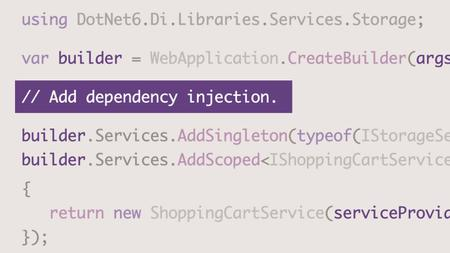
If you're a .NET developer or looking to enter the field, it's essential to have a working understanding of dependency injection, a software development design pattern that allows for having objects that are not dependent on each other. In this course, .NET C# programmer David Grace provides an introduction to dependency injection, from configuration to implementation. He also talks through the advantages of DI and why you should use it. David shows how to implement dependency injection into a real-life example using an ASP.NET Core app, and details the use methods within it. He also looks at the common errors when using dependency injection and how to resolve them.
Homepage


4623384-4146.jpg

Applied Mathematics-Linear Inequalities & Linear Programming
Published 04/2022
MP4 | Video: h264, 1280x720 | Audio: AAC, 44.1 KHz, 2 Ch
Genre: eLearning | Language: English + srt | Duration: 16 lectures (2h 53m) | Size: 2.1 GB


IIT-JEE Main & Advanced | BITSAT | SAT | MSAT | MCAT | State Board | CBSE | ICSE | IGCSE
What you'll learn
Introduction
Inequalities
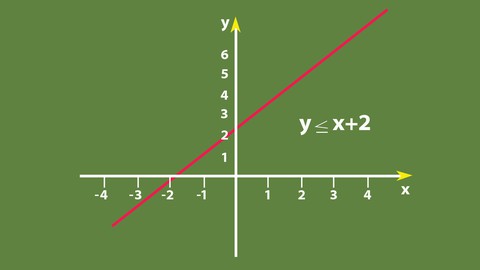
Algebraic Solutions of Linear Inequalities in One Variable and their Graphical Representation
Graphical Solution of Linear Inequalities in Two Variables
Solution of System of Linear Inequalities in Two Variables
Linear Programming Problem and its Mathematical Formulation
Mathematical formulation of the problem
Different Types of Linear Programming Problems
Requirements
Basic knowledge of mathematics of 9th and 10th std Mathematics
Description
Linear Inequalities
Linear inequalities
Algebraic solutions of linear inequalities in one variable and their representation on the number line
Graphical solution of linear inequalities in two variables
Graphical solution of system of linear inequalities in two variables
Linear Programming
Introduction
Related terminology such as −
Constraints
Objective function
Optimization
Different types of linear programming (L.P.) Problems
Mathematical formulation of L.P. Problems
Graphical method of solution for problems in two variables
Feasible and infeasible regions (bounded and unbounded)
Feasible and infeasible solutions
Optimal feasible solutions (up to three non-trivial constraints)
SUMMARY FOR LINEAR INEQUALITIES
1. Two real numbers or two algebraic expressions related by the symbols <, >, ≤ or ≥ form an inequality.
2. Equal numbers may be added to (or subtracted from ) both sides of an inequality.
3. Both sides of an inequality can be multiplied (or divided ) by the same positive number. But when both sides are multiplied (or divided) by a negative number, then the inequality is reversed.
4. The values of x, which make an inequality a true statement, are called solutions of the inequality.
5. To represent x < a (or x > a) on a number line, put a circle on the number a and dark line to the left (or right) of the number a.
6. To represent x ≤ a (or x ≥ a) on a number line, put a dark circle on the number a and dark the line to the left (or right) of the number x.
7. If an inequality is having ≤ or ≥ symbol, then the points on the line are also included in the solutions of the inequality and the graph of the inequality lies left (below) or right (above) of the graph of the equality represented by dark line that satisfies an arbitrary point in that part.
8. If an inequality is having < or > symbol, then the points on the line are not included in the solutions of the inequality and the graph of the inequality lies to the left (below) or right (above) of the graph of the corresponding equality represented by dotted line that satisfies an arbitrary point in that part.
9. The solution region of a system of inequalities is the region which satisfies all the given inequalities in the system simultaneously.
SUMMARY FOR LINEAR PROGRAMMING
1. A linear programming problem is one that is concerned with finding the optimal value (maximum or minimum) of a linear function of several variables (called objective function) subject to the conditions that the variables are non-negative and satisfy a set of linear inequalities (called linear constraints). Variables are sometimes called decision variables and are non-negative. 
2. A few important linear programming problems are: (i) Diet problems (ii) Manufacturing problems (iii) Transportation problems.
3. The common region determined by all the constraints including the non-negative constraints x ≥ 0, y ≥ 0 of a linear programming problem is called the feasible region (or solution region) for the problem.
4. Points within and on the boundary of the feasible region represent feasible solutions of the constraints. Any point outside the feasible region is an infeasible solution.
5. Any point in the feasible region that gives the optimal value (maximum or minimum) of the objective function is called an optimal solution.
6. The following Theorems are fundamental in solving linear programming problems
Theorem 1 Let R be the feasible region (convex polygon) for a linear programming problem and let Z = ax + by be the objective function. When Z has an optimal value (maximum or minimum), where the variables x and y are subject to constraints described by linear inequalities, this optimal value must occur at a corner point (vertex) of the feasible region.
Theorem 2 Let R be the feasible region for a linear programming problem, and let Z = ax + by be the objective function. If R is bounded, then the objective function Z has both a maximum and a minimum value on R and each of these occurs at a corner point (vertex) of R.
7. If the feasible region is unbounded, then a maximum or a minimum may not exist. However, if it exists, it must occur at a corner point of R.
8. Corner point method for solving a linear programming problem. The method comprises of the following steps
(i) Find the feasible region of the linear programming problem and determine its corner points (vertices).
(ii) Evaluate the objective function Z = ax + by at each corner point. Let M and m respectively be the largest and smallest values at these points.
(iii) If the feasible region is bounded, M and m respectively are the maximum and minimum values of the objective function.
If the feasible region is unbounded, then
(i) M is the maximum value of the objective function, if the open half plane determined by ax + by > M has no point in common with the feasible region. Otherwise, the objective function has no maximum value.
(ii) m is the minimum value of the objective function, if the open half plane determined by ax + by < m has no point in common with the feasible region. Otherwise, the objective function has no minimum value.
9. If two corner points of the feasible region are both optimal solutions of the same type, i.e., both produce the same maximum or minimum, then any point on the line segment joining these two points is also an optimal solution of the same type.
Who this course is for
Complete Mathematics for Engineering Entrance Exam Preparation. ( IIT-JEE Main | Advanced | BITSAT | SAT | etc.)
State Board | CBSE | ICSE | IGCSE | Course for High School & College
Courses are suitable for students from over 160 countries from Europe, America, Middle East, Asia, Africa and APAC. Notably England, Germany, France, Sweden, Ireland, Scotland, USA, Canada, UAE, Saudi, Qatar, Kuwait, Malaysia, Indonesia, Myanmar, Newzealand, Australia, South Africa, South Korea, Nigeria, Nepal, Sri Lanka, etc
Homepage


m3nZuzyd77qd7J9gufy3hKf9csRR1XmO.jpg

Audio Editing with WavePad FREE Audio Editing Software
Video: .mp4 (1280x720, 30 fps(r)) | Audio: aac, 48000 Hz, 2ch | Size: 1.8 GB
Genre: eLearning Video | Duration: 23 lectures (2 hour, 31 mins) | Language: English


A Step-By-Step Easy to Follow Audio Editing Course Using FREE Audio Editing Software to Edit Music, Voice and More...
What you'll learn
3 Simple Steps to Record, Edit and Share Music, Voice and Other Audio Recordings
Discover Wavepad's powerful voice enhancing and voice changing features, useful for voice acting, cartoon work and fiction audiobook narration.
Sound editing tools include cut, copy, paste, delete, insert, silence, auto-trim, compression, pitch shifting and more...
Audio effects include amplify, normalize, equalizer, envelope, reverb, echo, reverse and many more...
Batch processing allows you to apply effects and/or convert thousands of files as a single function!
How to use advanced tools include spectral analysis (FFT), speech synthesis (text-to-speech), and voice changer.
Requirements
You need a willingness to open your mind and learn - and use the course to make the initial steep learning curve far easier.
You need either the basic free NCH Wavepad program or ideally the affordable Masters Edition that offers all the features taught in the comprehensive course.
A compatible Windows or Mac computer, screen and speakers.
Description
Are you having problems trying to record and edit music, voice and other audio recordings efficiently?
Looking for a subscription-free audio editing software program that offers a massive amount of features to help your audio work go smoothly?
With WavePad You Can Enhance the Quality of Your Sound File in 3 Easy Steps!
1. Open the File: Load your audio file in two clicks, from WavePad's large list of supported file formats
2. Edit Audio: Edit your audio file quickly and easily, with their powerful suite of effects and tools.
3. Save & Share: Export your project in the audio format of your choice and share your finished work.
NCH Wavepad is a superb audio recording and editing program aimed at voiceovers, narrators, musicians and hobby audio people, but even NCH's own training videos are short, vague and in some cases, out of date that's why we created this course for you!
It has Tons of Great Features!
Amazing Effects
- Echo
- Reverb
- Normalize
- and more
Fast Editing
- Cut, Copy, & Paste
- Auto-trim
- Compression
- and more
Powerful Tools
- Batch Processing
- Scrub & Search Audio
- Spectral Analysis
- and more
This course will take you, step-by-step, through every stage of setting up, basic editing and enhancing your audio using the latest version of Wavepad. You'll also be shown how to export to a wide variety of audio formats and understand the different types.
Install your own copy of WavePad and simply follow along, step-by-step and learn fast. Download the course reference guide to efficiency shortcuts and download links.
Even if you consider yourself a "technophobe", the training will take your hand and show you with clear video screen shots of what to click, in what order, to get the exact results you wish.
If you want to create attention-grabbing audio that sounds professional, this is the course for you to invest in, and it's presented by leading Udemy trainer Peter Baker who has been a professional audio producer and voiceover for over 40 years with many of those as a staffer with the BBC. What he doesn't know, isn't worth knowing.
Without training, Wavepad can come across as a confusing and annoying program with a steep learning curve. This course has you covered, and will help you to use Wavepad and all it's extremely useful features fast.
You'll soon be creating professional audio for your voiceover and narration work, audiobooks, worship materials and much more!
BY THE END OF THIS COURSE YOU WILL..
Be fully up to speed with Wavepad, so you'll be able to confidently set up, record, edit, enhance and export your audio to very high standards. You'll save not just time but money as you'll be using a software program that doesn't come with expensive monthly subscription payments. You'll be able to return to the software time and time again and have the confidence to be able to know what specific features to use for your projects. You'll also be able to plug in third-party software programs via the VST capabilities.
IF YOU EVER HAVE QUESTIONS.
I'll be here for you every step of the way. If you have any questions about the course content or anything related to this topic, you can always post a question in the course or send me a direct message.
You can contact me 24 hours a day, 7 days a week, all year round, even during public holidays and I will get back to you quickly as soon as I can to help you with what you need.
I want to make this the best course on NCH Wavepad. So, if there is any way I can improve this course, just tell me and I'll make it happen.
GUARANTEE
You also receive an Unconditional 100% Money Back Guarantee on this course!
So, are you ready to get started? Then start this voice acting course now and I'll see you on the inside...
Who this course is for
Voiceover artists or podcast producers starting out, setting up their own studios and needing guidance how to do it cheaply and most effectively.
Audiobook narrators who need a reliable audio recording and editing system that also offers effects and voice changing capability for character work.
Anyone who records videos or events, choirs or worship events and needs a simple and reliable audio software system.
Musicians who need a straight-forward audio recording and editing system and don't need full multitrack capability.
Screenshots


0675666b-5602-4fa0-8f39-13ea85b93313.png

Building the Next Generation of Cybersecurity Professionals
Released 04/2022
MP4 | Video: h264, 1280x720 | Audio: AAC, 44.1 KHz, 2 Ch
Skill Level: Beginner | Genre: eLearning | Language: English + srt | Duration: 40m 53s | Size: 797.4 MB

Are you fighting a losing battle in the war against cybercrime? Do you have trouble finding the right personnel? In this course, Naomi Buckwalter gives cybersecurity hiring managers and leaders practical guidance on how to build high-performing, resilient, and multi-faceted cybersecurity teams. Topics include: Discovering hidden potential, dispelling common myths in cybersecurity job applicants, writing foolproof cybersecurity job descriptions, rethinking technical interviews, dealing with unconscious bias, and onboarding new hires for future success. She advises on how to find, hire, and retain first-class cybersecurity talent in a highly competitive market.
Homepage


626bed7b-e608-414f-8c38-9a5532589986.png

Business English for ESL students : writing business reports
Published 04/2022
MP4 | Video: h264, 1280x720 | Audio: AAC, 44.1 KHz, 2 Ch
Genre: eLearning | Language: English | Duration: 22 lectures (1h 31m) | Size: 634.1 MB


Well written reports reflect well on the writer!
What you'll learn
You will be able to impress your managers by writing business reports which show your ability to think clearly and write logically.
You will be able to impress your co-workers with your ability to use simple, clear English to explain complex ideas.
You will be confident in your ability to write a full range of reports because you will understand the basics behind all reports.
You will learn how to write reports that others will admire.
You will be much, much confident about writing business reports at work.
Requirements
To start this course, you should be able to read English at pre-intermediate level. If you can understand the following description of the course, you will have enough English to take the course.
Description
Do you need to write business reports in English? Is this a problem for you because English is not your first language? You don't feel confident about writing business reports, but it's part of your job.
As you know, writing a good report says a lot about you as an employee.
Do it well and you are telling everyone that you are intelligent. That you can think logically. That you can arrange facts into an argument. That your thinking can be trusted. That you can be trusted.
Do it badly, and you are telling everyone that you are confused. That you don't understand what you are doing. That you are not capable of doing the job properly. That you can't be trusted.
This course makes a difference. The course takes you slowly through all the stages of writing a business report with lots of examples.
The course is for people with English as a second language. People who are working in business or who hope to be working in business soon. The language in the course is simple and straightforward. If you can understand this course description, you can understand the course.
By the end of this course you will be confident in your ability to write business reports. They will no longer be a problem for you.
Who this course is for
Young professionals working in international or multinational companies who are not native speakers of English.
English as a second language (ESL) students who may be taking TOEIC, TOEFL or IELTS and want to do more business English.
University students learning English for their future careers in business.
Anyone who needs to write business reports at work.
Homepage


5389ca7d-3de5-4e47-b2b5-67c583e2d11b.png

CreativeLive - Color Correction in DaVinci Resolve
MP4 | Video: h264, 1280x720 | Audio: AAC, 44.1 KHz, 2 Ch
Genre: eLearning | Language: English | Duration: 16 Lessons (1h 40m) | Size: 889.9 MB


Learn How To Color Grade In DaVinci Resolve
AFTER THIS CLASS YOU'LL BE ABLE TO
Apply basic color grading in DaVinci Resolve 17.
Gain a deeper understanding of color grading and color management.
Make intentional, well-informed adjustments to color in video.
Apply creative looks to video by manipulating color.
ABOUT CASEY'S CLASS
In film and video, color is a powerful tool. Color grading is something every editor, from novice to expert, needs to have as part of their skillset. While it may feel intimidating, even for those familiar with the editing process, learning to color grade is not complicated. You just need a guide.
Let Pro-YouTuber Casey Faris show you the ins and outs of color grading using the powerful, professional-grade tools built into DaVinci Resolve 17. He'll show you how to add an extra layer of refinement to your videos or convey a certain mood to your audience - all with color grading.
In this class, Casey will teach you
What color grading is.
Why color grading is important.
How to make basic adjustments and creative looks.
What secondary color grading is, and why it's important.
How to render your project for the best results.
Whether you're looking to take your first step into color grading or expand your knowledge of color grading, this class will help get you there.
WHO THIS CLASS IS FOR
Video creators familiar with editing.
Creatives who know the DaVinci Resolve interface.
Video editors interested in learning how to color grade.


Zurück
Oben Unten