• Regeln für den Video-Bereich:

    In den Börsenbereich gehören nur Angebote die bereits den Allgemeinen Regeln entsprechen.

    Einteilung

    - Folgende Formate gehören in die angegeben Bereiche:
    - Filme: Encodierte Filme von BluRay, DVD, R5, TV, Screener sowie Telesyncs im Format DivX, XviD und x264.
    - DVD: Filme im Format DVD5, DVD9 und HD2DVD.
    - HD: Encodierte Filme mit der Auflösung 720p oder darüber von BluRay, DVD, R5, TV, Screener sowie Telesyncs im Format x264.
    - 3D: Encodierte Filme von BluRay, die in einem 3D Format vorliegen. Dies gilt auch für Dokus, Animation usw.
    - Serien: Cartoon/Zeichentrick, Anime, Tutorials, Dokumentationen, Konzerte/Musik, Sonstiges sind demnach in die entsprechenden Bereiche einzuordnen, auch wenn sie beispielsweise im High Definition-Format oder als DVD5/DVD9/HD2DVD vorliegen. Ausnahme 3D.
    - Bereich Englisch: Englische Releases gehören immer in diesen Bereich.
    - Bereich Talk: Der Bereich, in dem über die Releases diskutiert werden kann, darf, soll und erwünscht ist.


    Angebot/Beitrag erstellen

    - Ein Beitrag darf erst dann erstellt werden, wenn der Upload bei mindestens einem OCH komplett ist. Platzhalter sind untersagt.
    - Bei einem Scenerelease hat der Threadtitel ausschließlich aus dem originalen, unveränderten Releasenamen zu bestehen. Es dürfen keine Veränderungen wie z.B. Sterne, kleine Buchstaben o.ä. vorgenommen werden. Ausnahme Serienbörse:
    - Bei einem Sammelthread für eine Staffel entfällt aus dem Releasename natürlich der Name der Folge. Beispiel: Die Simpsons S21 German DVDRip XviD - ITG
    - Dementsprechend sind also u.a. verboten: Erweiterungen wie "Tipp", "empfehlenswert", "only", "reup", usw. / jegliche andere Zusatzinformation oder Ergänzung, welche nicht in obiger Beschreibung zu finden ist.

    Aufbau des Angebots und Threadtitel

    Der Titel nach folgendem Muster erstellt zu werden. <Name> [3D] [Staffel] [German] <Jahr> <Tonspur> [DL] [Auflösung] <Quelle> <Codec> - <Group>
    Beispiel: The Dark Knight German 2008 AC3 DVDRip XviD - iND
    Beispiel: The Dark Knight 2008 DTS DL BDRip x264 - iND
    Beispiel: The Dark Knight 2008 AC3 DL BDRip XviD - iND
    Beispiel: The Dark Knight German 2008 AC3 720p BluRay x264 iND
    Beispiel: The Dark Knight 2008 DTS DL 1080p BluRay x264 iND
    Beispiel: Die Simpsons S01 German AC3 DVDRip XviD iND
    Beispiel: Die Simpsons S20 German AC3 720p BluRay x264 iND
    Beispiel: Sword Art Online II Ger Sub 2014 AAC 1080p WEBRip x264 - peppermint
    Entsprechend sind also u.a. verboten: Sonderzeichen wie Klammern, Sterne, Ausrufezeichen, Unterstriche, Anführungszeichen / Erweiterungen wie "Tipp", "empfehlenswert", "only", "reup", usw. / jegliche andere Zusatzinformation oder Ergänzung, welche nicht in obiger Beschreibung zu finden ist
    Ausnahmen hiervon können in den Bereichen geregelt sein.

    Die Beiträge sollen wie folgt aufgebaut werden:
    Überschrift entspricht dem Threadtitel
    Cover
    kurze Inhaltsbeschreibung
    Format, Größe, Dauer sind gut lesbar für Downloader außerhalb des Spoilers zu vermerken
    Nfo sind immer Anzugeben und selbige immer im Spoiler in Textform.
    Sind keine Nfo vorhanden z.B. Eigenpublikationen, sind im Spoiler folgende Dateiinformationen zusätzlich anzugeben :
    Quelle
    Video (Auflösung und Bitrate)
    Ton (Sprache, Format und Bitrate der einzelnen Spuren)
    Untertitel (sofern vorhanden)
    Hosterangabe in Textform außerhalb eines Spoiler mit allen enthaltenen Hostern.
    Bei SD kann auf diese zusätzlichen Dateiinformationen verzichtet werden.

    Alle benötigten Passwörter sind, sofern vorhanden, in Textform im Angebot anzugeben.
    Spoiler im Spoiler mit Kommentaren :"Schon Bedankt?" sind unerwünscht.


    Releases

    - Sind Retail-Release verfügbar, sind alle anderen Variationen untersagt. Ausnahmen: Alle deutschen Retail-Release sind CUT, in diesem Fall sind dubbed UNCUT-Release zulässig.
    - Im Serien-Bereich gilt speziell: Wenn ein Retail vor Abschluss einer laufenden Staffel erscheint, darf diese Staffel noch zu Ende gebracht werden.62
    - Gleiche Releases sind unbedingt zusammenzufassen. Das bedeutet, es ist zwingend erforderlich, vor dem Erstellen eines Themas per Suchfunktion zu überprüfen, ob bereits ein Beitrag mit demselben Release besteht. Ist dies der Fall, ist der bereits vorhandene Beitrag zu verwenden.
    - P2P und Scene Releases dürfen nicht verändert oder gar unter einem iND Tag eingestellt werden.


    Support, Diskussionen und Suche

    - Supportanfragen sind entweder per PN oder im Bereich Talk zu stellen.
    - Diskussionen und Bewertungen sind im Talk Bereich zu führen. Fragen an die Uploader haben ausschließlich via PN zu erfolgen, und sind in den Angeboten untersagt.
    - Anfragen zu Upload-Wünschen sind nur im Bereich Suche Video erlaubt. Antworten dürfen nur auf Angebote von MyBoerse.bz verlinkt werden.


    Verbote

    - Untersagt sind mehrere Formate in einem einzigen Angebotsthread, wie beispielsweise das gleichzeitige Anbieten von DivX/XviD, 720p und 1080p in einem Thread. Pro Format, Release und Auflösung ist ein eigener Thread zu eröffnen.
    - Grundsätzlich ebenso verboten sind Dupes. Uploader haben sich an geeigneter Stelle darüber zu informieren, ob es sich bei einem Release um ein Dupe handelt.
    - Gefakte, nur teilweise lauffähige oder unvollständige Angebote sind untersagt. Dies gilt auch für eigene Publikationen, die augenscheinlich nicht selbst von z.B. einer DVD gerippt wurden. Laufende Serien, bei denen noch nicht alle Folgen verfügbar sind, dürfen erstellt und regelmäßig geupdatet werden.
    - Untersagt sind Angebote, welche nur und ausschließlich in einer anderen Sprache als deutsch oder englisch vorliegen. Ausnahmen sind VORHER mit den Moderatoren zu klären.


    Verstoß gegen die Regeln

    - Angebote oder Beiträge, die gegen die Forenregeln verstoßen, sind über den "Melden"-Button im Beitrag zu melden.
  • Bitte registriere dich zunächst um Beiträge zu verfassen und externe Links aufzurufen.

*** Bestes IPTV *** bester Preis *** gratis Test ***


Englische Tutorials

0JrE51AZ1MVkVscCnXPxbnED4d5k5gBn.jpg

Python for beginners - Learn all the basics of python 2022
Genre: eLearning | MP4 | Video: h264, 1280x720 | Audio: AAC, 44.1 KHz
Language: English | Size: 1.80 GB | Duration: 5h 7m
Python Learning

What you'll learn
Basics of Python
Skill development
Find and fix errors
Basic programming knowledge
Requirements
No programming experience required.
Description
Hello guys, I made this course for people with very little knowledge or no knowledge at all in programming languages. Anyone with an internet connection and a basic computer knowledge can learn and master this course. This course includes everything from the very start to the intermediate level of python programming. You can learn a lot of things in this course including real life application using python. The course teaches you how to install python and set up on your PC according to your operating system. Which is windows or macos. We provide you 24x7 creator support. You can contact me anytime you want. Any doubts will be cleared. You can email me and I will answer as soon as possible. This course is really cheap compared to others and this course is also cheaper than any other creator in other platforms. Here, I fully appreciate your time and passion to learn programming language from me. I really dedicate everything I have to teach all of you. I hope all of you will learn everything I taught and I hope it helps in your basic knowledge. Do leave feedback and let me know if I did anything wrong. Thank you so much
Who this course is for
Anyone with will to enter the word of developers
Screenshots


b8Dlvvi2HbtbFV2u7aQ4stEIuVD9JPSa.jpg

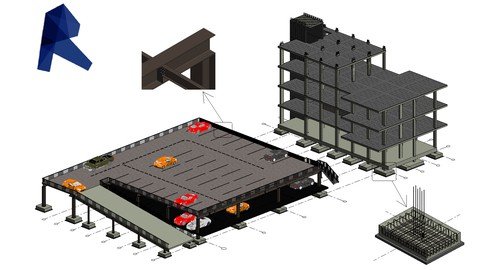
Revit Structure Beginners to Advanced (Contractor Services)
Genre: eLearning | MP4 | Video: h264, 1280x720 | Audio: AAC, 44.1 KHz
Language: English | Size: 9.44 GB | Duration: 13h 15m
Structure Modeling by using Revit 2019 and later versions up to Revit 2022

What you'll learn
1) 3D Model Creation
2) Coordination
3) Shop Drawings Extraction
4) Schedules and material take off extraction
5) Progress Monitoring
6) Connect the Time Schedule and Cost With the Model (4D&5D Simulation) by Navisworks
Requirements
Be able to read Structural drawings
Need to install Autodesk Revit 2019 or later versions
Need to install Navisworks Manage 2019 or later versions
Description
In this course students will be familiar with the BIM services needed for the contractor to execute the Structural works on site with less time and less cost by providing the construction site with the coordinated shop drawings and exact material take off reports. So first we will learn the Revit basics of how to start a new project, setting up templates, and the designed drawings into our live model and creating views and levels, then we will learn how to create 3D models and all the tips, tricks and shortcuts needed to perform the work faster. then we will extract the shop drawings from the coordinated model and we will learn how to create schedules for the structural categories, then we will reflect the site progress on the structural model then we will extract progress monitoring report for all structural elements. then we will use Navisworks to connect the activities schedule and cost with the structural model to have the 4D and 5D simulation. This course is aimed at complete beginners who have never used Revit before and want to increase their career options by learning Revit Structure. The ideal students for this course are the mechanical engineers, electrical engineers, BIM engineers, BIM drafters. thank you very much
Who this course is for
Structural Engineer
Construction Engineer
Structural Draftsmen
Screenshots


IZFeDCfmcIt7XhqzighLRpeSSQc6C1fy.jpg

Solana Blockchain Developer Foundation
Genre: eLearning | MP4 | Video: h264, 1280x720 | Audio: AAC, 48.0 KHz
Language: English | Size: 524 MB | Duration: 1h 21m
Develop the foundations to become a Solana Developer

What you'll learn
Solana Developer Core Concepts
Connect Phantom Wallet with React
Connecting Wallet and Sending SOL from Web Browser with Code
Create a Solana SPL Tokens
Send Solana SPL tokens(USDC, Orca, or your own) programmatically with NodeJS
Requirements
Very basic programming experience.
Description
Learn the Solana Blockchain foundations.
Learn how to interact with code
Solana Programs (Smart Contracts). Token Program.
Solana Accounts.
JSON RPC API of Solana sending requests to the blockchain using Postman and virtually any programming language.
Using web3.js for sending solana transactions using Javascript.
System Program Library Token, how to interact with Solana Token Program
Create a Solana Token and be able to send tokens with backend code.
Check if a wallet owns an NFT.
Interact with wallets send transactions.
Send SOL with a wallet by signing a transaction.
Intro to Phantom Waller and Wallet Adapter.
Smart Contracts - Solana Programs
This course intention is to give the foundations for all people that want to create their DAO, startup using Solana.
A DAO a Decentralized Autonomous Organization the new generation of startups, require that the new entrepreneurs learn web3 skills, DAOs share revenue with no middlemen & can be achieved close to realtime.
NFT holders can be validated in the blockchain with code and the send of value can be triggered via smart contracts and backend code communicating with the solana blockchain.
We want to created the foundations so you can rise and succeed in your journey for mastering web3, solana development an environmentally friendly blockchain with ultra-low transaction fees.
Who this course is for
Beginner Programmers wanting to become Blockchain Developers.
Screenshots


wg34KL7KzJX3CAVJOyAKs8LUbBE2pnwQ.jpg

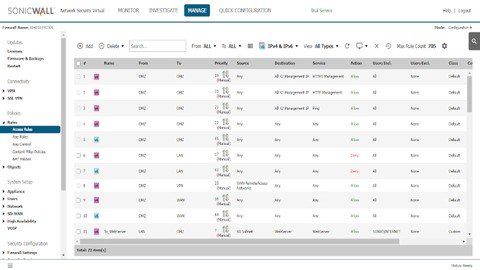
SonicWall Firewall Administration Course
Genre: eLearning | MP4 | Video: h264, 1280x720 | Audio: AAC, 44.1 KHz
Language: English | Size: 2.03 GB | Duration: 4h 38m
You will Learn How to Administrate your SonicWall Firewal from Zero to SonicHero

What you'll learn
Configure and Manage SonicWall Firewall.
IPSEC and SSL VPN
Access Rules
Authentication using LDAP and SSO
Configuration Backup & Restore
Firmware Upgrade
Requirements
Basic TCP/IP and security knowledge.
Knowledge on basic notions of switching and routing .
Description
SonicWall Firewall Administration Course is a course that will teach you how to Administrate your SonicWall Firewall , from zero.
Because every lecture of this course is a LAB you will learn how to install, configure, manage and troubleshoot your SonicWall firewall, that's mean that it's a practical course more than theoretical, so i want you to complete each lab and put your hands on configuration as soon as you can for better understanding, because one of the best ways to learn is by doing.
We will use Vmware workstation to install our virtual sonicwall NSV200 i will show you how to get the firewall image and license it, for the course content we will see all the things that you as an Administrator will need to deal with like
- Basic setup.
- interfaces configuration including vlans.
-Zones.
- Configuration Backup and Restore.
- Email Two Factor Authentication .
- Port Forwarding.
- Access Rules to control traffic.
- Authentication.
- SSO Authentication.
- LDAP integration.
- IPSEC and SSL VPN.
- High Availability.
- Wan Failover.
- SD-WAN.
- Security Services.
- Geo Ip Filter.
AND Much More ...
So without wasting your time i will let you start your journey with SonicWall Firewall, if you have any question please don't hesitate to ask me and good luck.
Note: This course is still under construction there are some lectures that are not uploaded yet I will upload them as soon as i finish.
Who this course is for
Beginners to network security.
Professionals who have experience with any other firewalls.
Any one who want to learn how to configure and administrate SonicWall Firewall.
Screenshots


E5dkRrxDi6Vc4dRm2BnRw3Ipl4hFhTwF.jpg

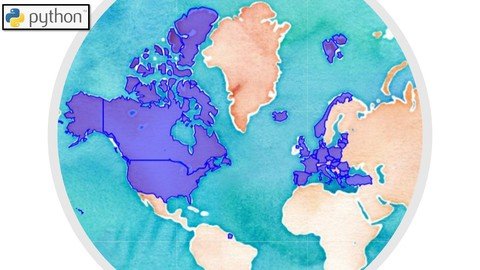
The Geopolitics of Energy using Data Science
Genre: eLearning | MP4 | Video: h264, 1280x720 | Audio: AAC, 44.1 KHz
Language: English | Size: 2.98 GB | Duration: 6h 48m
Use Python/ Data Science for Geopolitical Analysis with a focus on Energy/ Elect

What you'll learn
Use this PROMO code at Checkout and buy the course at the smallest possible price and not at the price Udemy asks you: 01C38FEBC4AA11D798A2
Geopolitics is the study of global trends, using as much data as possible. We use Python and Data Analytics to gain a deeper geopolitical perspective
We learn how to use maps on Python, and draw conclusions ranging from energy investments to military expenditure
This is the ONLY course that teaches you how Python and Data Analysis is used for the study of Global trends and statistics
Energy Trends on a global scale, Geolocation and mapping
Requirements
You can take this course without knowing Python or Data Analysis because every piece of code is explained in depth, using examples. All theory is accompanied by in-depth detailed examples and demonstration so you feel confidence that you REALLY learn what is taught.
Description
This course presents the Geopolitics of Energy using Data Science;
Geopolitics is the study of the effects of Earth's geography (human and physical) on politics and international relations.
Above, you can find the link that will get you to the course on a discounted price, so that you don't pay the price that Udemy asks for. The link expires so use it while it is available!
We learn the necessary Python code that enables us to conduct country-wise analyses, to draw oil/gas pipelines on maps, to draw electricity interconnectors (electricity transmission lines transferring electricity from one country to another), to visualize the NATO alliance, to learn how to do Geolocation, etc - all using the programming language Python.
These skills are used by banks to conduct Macro-economic and geopolitical analyses, by energy companies, by militaries (e.g. DARPA), by intelligence agencies (e.g. CIA , which according to rumours has been using Python for conducting big-data analyses on maps! exactly what we are learning in this course) - all to conduct country-wise analyses and gain insights.
We start from scratch - You do not even need to have Python installed; you don't even need to know Python. We go through each and every line of code. You also get access to the code so that you can experiment yourself.
This is the Only such course online!
Who this course is for
Investment Banking professionals
Finance Analysts interested in global macro and geopolitical events
Economists mainly interested in Macroeconomics
Data Analysts who want to expand their knowledge of Data Science beyond the fundamentals
Entrepreneurs with a wider societal point of view
Screenshots


6AuEWnE2la0Ay1e8sWY2jhAievOT4zTM.jpg

Unreal Engine Octahedral Impostors and How to make LODs
Genre: eLearning | MP4 | Video: h264, 1280x720 | Audio: AAC, 48.0 KHz
Language: English | Size: 5.86 GB | Duration: 5h 59m
Optimize assets in UE4 to generate LODs and create great LODs! Increase FPS of Unreal Engine with impostors LOD

What you'll learn
How to create better LODs in UE4
How to create Octahedron Impostors for Unreal Engine
Optimize assets to gain more FPS in Unreal
Step by step guide about how to create LODs for your assets in Unreal Engine
Good habits and practices for creating and finishing a LOD with Impostor
Description
In this course, I will teach you how to optimize your StaticMesh from LOD0 to your last LOD in UNREAL ENGINE and stay as close to the original as possible without any strange transition. In the end I will show you how to generate Octahedral Impostors in UE4 and put in your last LOD, optimizing your assets as much as possible and gaining a lot of FPS performance in your Unreal Engine game.
The ImpostorBaker plugin created by Ryan Brucks will be used in a version of mine modified to accept Unreal Engine 4.22, 4.23, 4.24, 4.25+. An exclusive version is present in this course along with a new map to create our Impostors more easily and accurately.
We will practice to the maximum the creation of our Octahedral Impostors and show some important configurations and tips to make it as equal as possible.
The course is divided into several sections
We will create the impostors for various assets of the Kite Demo, Brushify, Michael Gerard assets course, Koolala Snow Scene, Modular Cliff.
We will learn how to optimize LODs by creating from scratch, using only the tools of the Unreal Engine, tips on how to facilitate our work by reusing LODs settings for other assets, and comparing our lod with the old lod.
We will create our final impostor after several training sessions, and we will create it after creating our LODs and using our last lod to have a smooth transition between all the LODs from the densest mesh to the impostor.
Who this course is for
Unreal Engine users, Game Developers, Students
Screenshots


9a9deae8-fa1d-42e5-98be-dd1c6dab16c0.png

A little more than the basics - Data Visualization in Python
MP4 | Video: h264, 1280x720 | Audio: AAC, 44.1 KHz, 2 Ch
Genre: eLearning | Language: English + srt | Duration: 7 lectures (37m) | Size: 309.2 MB

Learn to visualize data using Pyplot and master the Python Programming Language!
What you'll learn
Have an intermediate skill level of Python Programming.
Better understanding and decision making through graphical representation.
Create any type of charts like Bar chart, scatter chart and pie chart.
Work with PyPlot Methods.
Requirements
You need to have the basic knowledge of Python Programming
You need to have device (laptop/desktop)
You need to have fun!
Description
Do you want to master one of the most popular programming language that is Python?! If you want to learn plotting with PyPlot, this course is for you!
Technology is nowadays the most crucial aspect of everyday life. Mankind is evolving and something like programming is really useful in this era. Average earning of a Python developer is $100,000-120,000 per annum! If you are work hard and smart, you can earn even more!
My first course covers every basics a beginner needs to learn. If you are a beginner, go through that course first, it's completely FREE!
It received tons of positive comments and helped many students to level up their skills!
Here's some of the reviews -
"Every tutorial is straight to the point and clear explanation."
- Garalapati Bharadwaja
"Explanation is too good and it is understandable, Thank you so much for improving our knowledge"
- T.Swathi Reddy
"it was very nice. As a beginner i learnt very much. Thanking you maam."
- Kinshuk Ghosh
This course will cover the following topics
Concept of Data Visualization
Using Pyplot of Matplotlib LIbrary
Creating different types of charts. For example. Pie Charts and Scatter Charts
And more!
What is Python Programming language used for?
Data Science
Building applications
Machine Learning
Web Development
Financial Analytics
Who this course is for
Beginner Python developers that want to learn Data Visualization
Python developers that want to master programming
Develop their programming skills
Homepage


bdc56a2e-0b41-4475-a3bb-a2082aac3d14.png

Always Drawing: 7 Creative Exercises to Jumpstart Your Sketchbook
Duration: 40m | Video: .MP4, 1280x720, 30 fps | Audio: AAC, 48 kHz, 2ch | Size: 494 MB
Genre: eLearning | Language: English​

Have you ever wanted to keep a daily sketchbook but didn't know what to draw?
In this class author, illustrator and avid sketchbook-keeper, Mike Lowery will walk you through one full week of fun and creative drawing exercises that you can do in your sketchbook. These assignments can be repeated any time you're feeling that dreaded sketchbook block.
The prompts for the class include
Colorful blob monsters
Personal tattoos
A group of icons
Things that fly
Creative*treehouses
Weird animals*from*Google
Something hairy, or a Bug Party
In each lesson, Mike introduces you to these topics then dives right into sketching so you can see how easy it is to get started.
Mike Lowery is on a mission to get everyone drawing in their sketchbooks for 30 minutes a day. Always Drawing is a series of classes to help do just that. This is Part 2 of the series - if you'd like to check out Part 1, hop on over to the first installment, Always Drawing: How to Start and Keep a Daily Sketchbook.
Homepage
Screenshots


7441b1e0-273a-40ec-a627-db9f4fda87ad.png

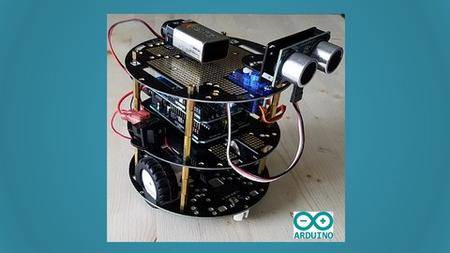
Arduino UNO Based Obstacle Avoiding Robot Car & RC-Control
MP4 | Video: h264, 1280x720 | Audio: AAC, 44.1 KHz, 2 Ch
Genre: eLearning | Language: English + srt | Duration: 13 lectures (1h 22m) | Size: 941.5 MB

Learn To Create Arduino UNO Based Obstacle Avoiding Robot Car & RC-Control
What you'll learn
Learn basics of Arduino UNO
Build 10+ projects using Arduino UNO
Create Obstacle Avoiding Robot Car
Build Arduino UNO Based Obstacle Avoiding Robot Car
Requirements
No programming experience is needed. You will learn everything you need to know from the basics
Description
In this course, you will Learn To Create Arduino UNO Based Obstacle Avoiding Robot Car & RC-Control Using Arduino UNO Microcontroller.
What you will be learning in the course?
What is Arduino UNO Microcontroller?
Basics of Arduino
Installing Arduino IDE
Blinking Built-in LED on Arduino
Blink LED
Multiple LED'S Blinking In Series
User Input Control LED
LED Brightness Control
LED Brightness Control With Potentiometer
LED Push Button Control
Ultrasonic Sensor Measure Distance
Ultrasonic Distance LED
Motor Movement in all Directions
Obstacle Avoiding Robot Car
RC-Control Robot Car.
All the above Features and List Goes On...
What is Obstacle Avoiding Robot?
Now day's many industries are using robots due to their high level of performance and reliability and which is a great help for human beings. Obstacle avoidance robotics is used for detecting obstacles and avoiding collisions. This is an autonomous robot. The design of the obstacle avoidance robot requires the integration of many sensors according to their task.
Obstacle detection is the primary requirement of this autonomous robot. The robot gets the information from the surrounding area through mounted sensors on the robot. Some sensing devices used for obstacle detection like bump sensors, infrared sensors, ultrasonic sensors, etc. The ultrasonic sensor is most suitable for obstacle detection and it is of low cost and has a high ranking capability.
What is RC-Control Robot?
Radio-controlled cars (or RC cars for short) are miniature model cars or trucks that can be controlled from a distance using a specialized transmitter or remote.
So what are you waiting for?
Enroll now.
Who this course is for
Beginner in Ardunio and Robotics
Beginner interested in building Projects
Beginner in Robotics looking for hands-on experience
Homepage


f61d8362-b9b2-4f6c-801c-d7d8219990a9.png

Blender 3d Mars Rover Remodel
MP4 | Video: h264, 1280x720 | Audio: AAC, 44.1 KHz, 2 Ch
Genre: eLearning | Language: English + srt | Duration: 87 lectures (12h 19m) | Size: 11.8 GB

This course will help newbies for a 3d modeling, career by redesigning the Mars Rover from a triangulated mesh
What you'll learn
Learn to clean-up a triangulated mesh.
Learn how redesign/remodel new parts.
Learn how to manage the OUTLINER.
Learn how to manage a semi-large project.
Requirements
Have basic knowledge of Blender's flexible UI.
Have basic knowledge of Blender's viewport navigation. (MMB)
If student isn't Windows user, perhaps ask a Windows user for a favor.
Description
The first step is acquiring our base mesh.
This involves a special program on Windows 10; by default, it ships with Windows 10.
However, if you're using Windows 11 you need to download the special program from the Microsoft Store...it should be free.
On the other hand, if you're using a MAC, perhaps you can ask a Windows user for a favor.
Next, we'll convert the file into .obj, something Blender can see.
After those steps are complete, we begin cleaning up the heavily triangulated model.
The third step consists of about 98% of the course.
All we're going to do is make new parts and fit them in place. Remember, remodeling every part will increase the course's length 3x's!
If you're fascinated by the modeling process, it will be a bit tedious, but good practice for beginners/intermediate Blender users.
Keeping our outliner tidy will be the second focus in this course.
Finally, we'll add some materials and render!
Yes, we will run into some conundrums. Moreover, learning the modeling process and obtaining the final render result is what matters.
So, kick back, have fun as Blender Way of Life takes you on a more detailed modeling expedition. Keep in mind, the type of tediousness experienced in this course...this is the tip of the iceberg.
NOTE: Instructor uses 27x keymap. Students may change the keymap to follow along. After the course, students can reset the keymap.
How to find Blender's keymap? Go to EDIT tab above the header. Scroll down until you find PREFERENCES. Select.
In Preferences, look for KEYMAP, screen-left. Have at it.
Who this course is for
Blender beginners looking to expand their modeling skills.
Homepage


b2d3a792-77f2-4412-a616-950bab01ca62.png

Create and Scale Powerful Facebook Ads For Your Business
MP4 | Video: h264, 1280x720 | Audio: AAC, 44.1 KHz, 2 Ch
Genre: eLearning | Language: English + srt | Duration: 14 lectures (2h 35m) | Size: 1.05 GB

Facebook Ads for Beginners : The easiest way to create Facebook ads for your Online Business
What you'll learn
You'll learn to create powerful Facebook ads for your business
You'll learn how to create content for your Facebook Ads
You'll learn how to target your ads and see how to deliver an ad end-to-end using Facebook's Ad Manager tool to serve ads.
You'll learn about online advertising: from identifying and targeting your audience, writing copy and finding the right images for your ads.
You'll learn planning your campaign, how to set up reporting and how to optimize your ads.
Requirements
No requirements. This course is designed for the beginner level.
Description
Hello everyone, Welcome to the course! I am thrilled to have you on board. You're going to be a valuable asset, and I can't wait to see all that you accomplish.
The most successful Facebook Ads strategies are often based on just one true measure of success: human connection. And with this in mind, we'll be looking at how you can use Facebook Ads to develop better relationships with your audience and get them to engage with your content so that once you ask them to buy from you - they'll be ready to say "HECK YES!"
With tips from this course, you will be able to confidently find areas for improvement in your existing marketing strategy. These tips can help you reduce your cost per lead, increase your sales conversion rates, reduce refunds and so much more!
In this course, I have included all of my most valuable tips, tricks, and tools in the world of Facebook Ads and by the end, you will know how to
Work backward from your ultimate business and sales goals.
Analyze and select your best-performing content to use in paid ads to connect with potential target markets.
Make adjustments to strategy through split testing - based on analysis of best-performing ad creative and copy, different audiences, and placements.
Set up custom reporting of the correct key metrics to monitor in order to ensure your campaigns are performing well and when to make adjustments.
Understand how and when to scale the success of your ads
Integrate your Facebook Ads strategy into wider company marketing efforts with platforms like Google, LinkedIn, etc.
...and much much more!
I'll be taking you through the whole process step by step so that by the end of the class - you'll walk away feeling confident and ready to nail it with your next Facebook Ad campaign!
This class is perfect for you if you have a good basic knowledge of the Facebook Ads Manager. Maybe you've run a few campaigns in the past and they haven't performed as well as you'd hoped. Or maybe you've learned the basics but you're not feeling super confident yet in creating powerful, successful ad sequences yet. Or maybe you're absolutely killing it with your existing Facebook Ads but want to learn a bit more!
Here you will learn step by step how to easily create an optimized Facebook Ad that will help you to reach thousands of new clients for your business.
This class is for beginners, so you don't need any previous knowledge in order to succeed.
By the end of this course, you will have Facebook Ads working for you and attracting new clients to your business 24 hours a day!
No matter what your situation is - there's a place for you in this course. All I ask for is to send me your reviews and ratings and let me know how did my course help you outstand and outshine. That always makes my day.
Alright ! so Let's dive in !! Happy Learning
Who this course is for
For Beginners, who want to have hands-on creating a set of Facebook ads for business by planning the copy, content and campaign to become Successful.
Homepage






 
ecd20de2-ad26-4221-994e-742d29853c24.png

Get started with C Programming language (step by step)
MP4 | Video: h264, 1280x720 | Audio: AAC, 44.1 KHz, 2 Ch
Genre: eLearning | Language: English + srt | Duration: 24 lectures (2h 28m) | Size: 811.4 MB

C language: Learn one of the very popular and oldest programming language
What you'll learn
Learn basic syntax of C programming language
Create and run C programs
Learn C functions and how to access functions from other libraries
Learn decision making using C language
Requirements
No programming experience is required.
Description
In this course you will learn everything you need to get started to build amazing, fast and robust applications and technologies using C programming language. This course is geared towards beginners ,so it will taught as with assumption that you don't have any programming experience.
Dennis Ritchie whilst at the Bell Laboratories in 1972 created the C programming language which through years it has shown itself to be a language worth learning despite many new other new and modern programming languages popping out every day in every direction. There few basically reasons why it is worth to learn C language are
It is one of the widely used programming language in the world at different industries from giant tech companies to healthcare technology companies to electronics industries and you can bet some C code is on space station or to the rover in Mass.
C is a good starter programming language in such a way that if you know how to use C, you will have no hard time to learn other popular programming languages such as Java, Python, C++, C#, etc, as the syntax is closely related.
Some applications high performance is very critical, when comes to choosing programming language to meet those performance goals, C is a great choice as it is very fast,when you compare it to other programming languages, like Java ,C# and Python.
C is very versatile; it can be used in both applications(software) and technologies(embedded).
Who this course is for
Beginner developers, scientists and engineers who want to learn C.
Homepage


Zurück
Oben Unten