• Regeln für den Video-Bereich:

    In den Börsenbereich gehören nur Angebote die bereits den Allgemeinen Regeln entsprechen.

    Einteilung

    - Folgende Formate gehören in die angegeben Bereiche:
    - Filme: Encodierte Filme von BluRay, DVD, R5, TV, Screener sowie Telesyncs im Format DivX, XviD und x264.
    - DVD: Filme im Format DVD5, DVD9 und HD2DVD.
    - HD: Encodierte Filme mit der Auflösung 720p oder darüber von BluRay, DVD, R5, TV, Screener sowie Telesyncs im Format x264.
    - 3D: Encodierte Filme von BluRay, die in einem 3D Format vorliegen. Dies gilt auch für Dokus, Animation usw.
    - Serien: Cartoon/Zeichentrick, Anime, Tutorials, Dokumentationen, Konzerte/Musik, Sonstiges sind demnach in die entsprechenden Bereiche einzuordnen, auch wenn sie beispielsweise im High Definition-Format oder als DVD5/DVD9/HD2DVD vorliegen. Ausnahme 3D.
    - Bereich Englisch: Englische Releases gehören immer in diesen Bereich.
    - Bereich Talk: Der Bereich, in dem über die Releases diskutiert werden kann, darf, soll und erwünscht ist.


    Angebot/Beitrag erstellen

    - Ein Beitrag darf erst dann erstellt werden, wenn der Upload bei mindestens einem OCH komplett ist. Platzhalter sind untersagt.
    - Bei einem Scenerelease hat der Threadtitel ausschließlich aus dem originalen, unveränderten Releasenamen zu bestehen. Es dürfen keine Veränderungen wie z.B. Sterne, kleine Buchstaben o.ä. vorgenommen werden. Ausnahme Serienbörse:
    - Bei einem Sammelthread für eine Staffel entfällt aus dem Releasename natürlich der Name der Folge. Beispiel: Die Simpsons S21 German DVDRip XviD - ITG
    - Dementsprechend sind also u.a. verboten: Erweiterungen wie "Tipp", "empfehlenswert", "only", "reup", usw. / jegliche andere Zusatzinformation oder Ergänzung, welche nicht in obiger Beschreibung zu finden ist.

    Aufbau des Angebots und Threadtitel

    Der Titel nach folgendem Muster erstellt zu werden. <Name> [3D] [Staffel] [German] <Jahr> <Tonspur> [DL] [Auflösung] <Quelle> <Codec> - <Group>
    Beispiel: The Dark Knight German 2008 AC3 DVDRip XviD - iND
    Beispiel: The Dark Knight 2008 DTS DL BDRip x264 - iND
    Beispiel: The Dark Knight 2008 AC3 DL BDRip XviD - iND
    Beispiel: The Dark Knight German 2008 AC3 720p BluRay x264 iND
    Beispiel: The Dark Knight 2008 DTS DL 1080p BluRay x264 iND
    Beispiel: Die Simpsons S01 German AC3 DVDRip XviD iND
    Beispiel: Die Simpsons S20 German AC3 720p BluRay x264 iND
    Beispiel: Sword Art Online II Ger Sub 2014 AAC 1080p WEBRip x264 - peppermint
    Entsprechend sind also u.a. verboten: Sonderzeichen wie Klammern, Sterne, Ausrufezeichen, Unterstriche, Anführungszeichen / Erweiterungen wie "Tipp", "empfehlenswert", "only", "reup", usw. / jegliche andere Zusatzinformation oder Ergänzung, welche nicht in obiger Beschreibung zu finden ist
    Ausnahmen hiervon können in den Bereichen geregelt sein.

    Die Beiträge sollen wie folgt aufgebaut werden:
    Überschrift entspricht dem Threadtitel
    Cover
    kurze Inhaltsbeschreibung
    Format, Größe, Dauer sind gut lesbar für Downloader außerhalb des Spoilers zu vermerken
    Nfo sind immer Anzugeben und selbige immer im Spoiler in Textform.
    Sind keine Nfo vorhanden z.B. Eigenpublikationen, sind im Spoiler folgende Dateiinformationen zusätzlich anzugeben :
    Quelle
    Video (Auflösung und Bitrate)
    Ton (Sprache, Format und Bitrate der einzelnen Spuren)
    Untertitel (sofern vorhanden)
    Hosterangabe in Textform außerhalb eines Spoiler mit allen enthaltenen Hostern.
    Bei SD kann auf diese zusätzlichen Dateiinformationen verzichtet werden.

    Alle benötigten Passwörter sind, sofern vorhanden, in Textform im Angebot anzugeben.
    Spoiler im Spoiler mit Kommentaren :"Schon Bedankt?" sind unerwünscht.


    Releases

    - Sind Retail-Release verfügbar, sind alle anderen Variationen untersagt. Ausnahmen: Alle deutschen Retail-Release sind CUT, in diesem Fall sind dubbed UNCUT-Release zulässig.
    - Im Serien-Bereich gilt speziell: Wenn ein Retail vor Abschluss einer laufenden Staffel erscheint, darf diese Staffel noch zu Ende gebracht werden.62
    - Gleiche Releases sind unbedingt zusammenzufassen. Das bedeutet, es ist zwingend erforderlich, vor dem Erstellen eines Themas per Suchfunktion zu überprüfen, ob bereits ein Beitrag mit demselben Release besteht. Ist dies der Fall, ist der bereits vorhandene Beitrag zu verwenden.
    - P2P und Scene Releases dürfen nicht verändert oder gar unter einem iND Tag eingestellt werden.


    Support, Diskussionen und Suche

    - Supportanfragen sind entweder per PN oder im Bereich Talk zu stellen.
    - Diskussionen und Bewertungen sind im Talk Bereich zu führen. Fragen an die Uploader haben ausschließlich via PN zu erfolgen, und sind in den Angeboten untersagt.
    - Anfragen zu Upload-Wünschen sind nur im Bereich Suche Video erlaubt. Antworten dürfen nur auf Angebote von MyBoerse.bz verlinkt werden.


    Verbote

    - Untersagt sind mehrere Formate in einem einzigen Angebotsthread, wie beispielsweise das gleichzeitige Anbieten von DivX/XviD, 720p und 1080p in einem Thread. Pro Format, Release und Auflösung ist ein eigener Thread zu eröffnen.
    - Grundsätzlich ebenso verboten sind Dupes. Uploader haben sich an geeigneter Stelle darüber zu informieren, ob es sich bei einem Release um ein Dupe handelt.
    - Gefakte, nur teilweise lauffähige oder unvollständige Angebote sind untersagt. Dies gilt auch für eigene Publikationen, die augenscheinlich nicht selbst von z.B. einer DVD gerippt wurden. Laufende Serien, bei denen noch nicht alle Folgen verfügbar sind, dürfen erstellt und regelmäßig geupdatet werden.
    - Untersagt sind Angebote, welche nur und ausschließlich in einer anderen Sprache als deutsch oder englisch vorliegen. Ausnahmen sind VORHER mit den Moderatoren zu klären.


    Verstoß gegen die Regeln

    - Angebote oder Beiträge, die gegen die Forenregeln verstoßen, sind über den "Melden"-Button im Beitrag zu melden.
  • Bitte registriere dich zunächst um Beiträge zu verfassen und externe Links aufzurufen.

*** Bestes IPTV *** bester Preis *** gratis Test ***


Englische Tutorials

b576e859-e8c6-4f01-8f25-0d7bd846f7fd.png

The Ultimate Self-Care Playbook: Discover & Nurture Your Centered Self
Duration: 1h 21m | Video: .MP4, 1280x720, 30 fps | Audio: AAC, 48 kHz, 2ch | Size: 1.1 GB
Genre: eLearning | Language: English​

How do you want to show up in the world? Unlock your most centered and powerful self with self-care superstar Jonathan Van Ness as your guide!
As a TV and podcast host, best-selling author, aspiring figure skater, hairstylist, pet parent, and more, JVN has a lot on his plate. And yet the most important part of his day, every day, is tuning into his relationship with himself. "Throughout my life, when my relationship with myself has been stronger and more connected, I see a calmer, clearer, more compassionate and courageous Jonathan."
Now, Jonathan is sharing his self-care secrets to help you tap into the power of self-care! In this actionable, inspiring class, you'll create your own*personal development playbook: a set of simple, practical tools to tune into your needs, release your fears, and show up as the very best version of you.
Together with Jonathan, you'll learn to
Reimagine self-care as a practice that fits you and your life
Excavate your true desires through mindfulness and mantras
Unlock creativity and joy by developing a self-care planner
Build a sustainable and crave-worthy routine (self-care shouldn't feel like a chore!)
Each lesson is packed with stories, examples, and hands-on demos. Plus, see inside JVN's personal self-care rituals with lessons in yoga, meditation, crafts, journaling, and of course, skincare!
Whether you're a self-care pro or a new initiate who's feeling overwhelmed, this class will give you concrete tools to strengthen the most important relationship in your life-your relationship with yourself. By the end, you'll have a fun, flexible framework to build on for years to come, and the power to navigate life's challenges feeling more joyful, more curious, and more connected.
----------
Self-care is for everyone and so is this class. Download JVN's self-care workbook*to follow along, or simply use a pen and paper. Since you know yourself best, we invite you to adapt every practice and exercise to work for you and your personal development journey.
Homepage
Screenshots


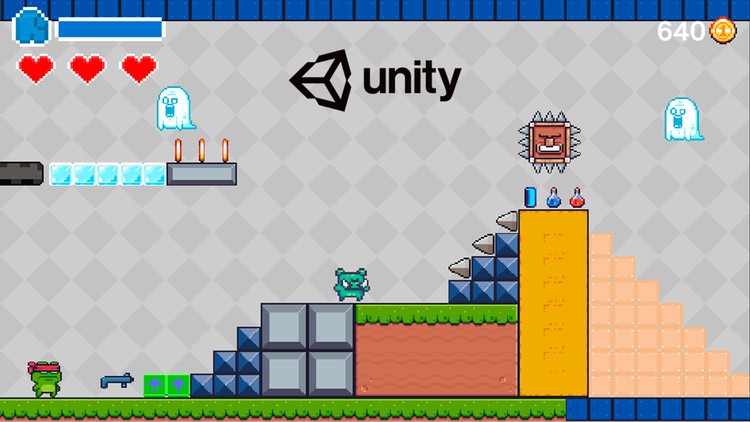
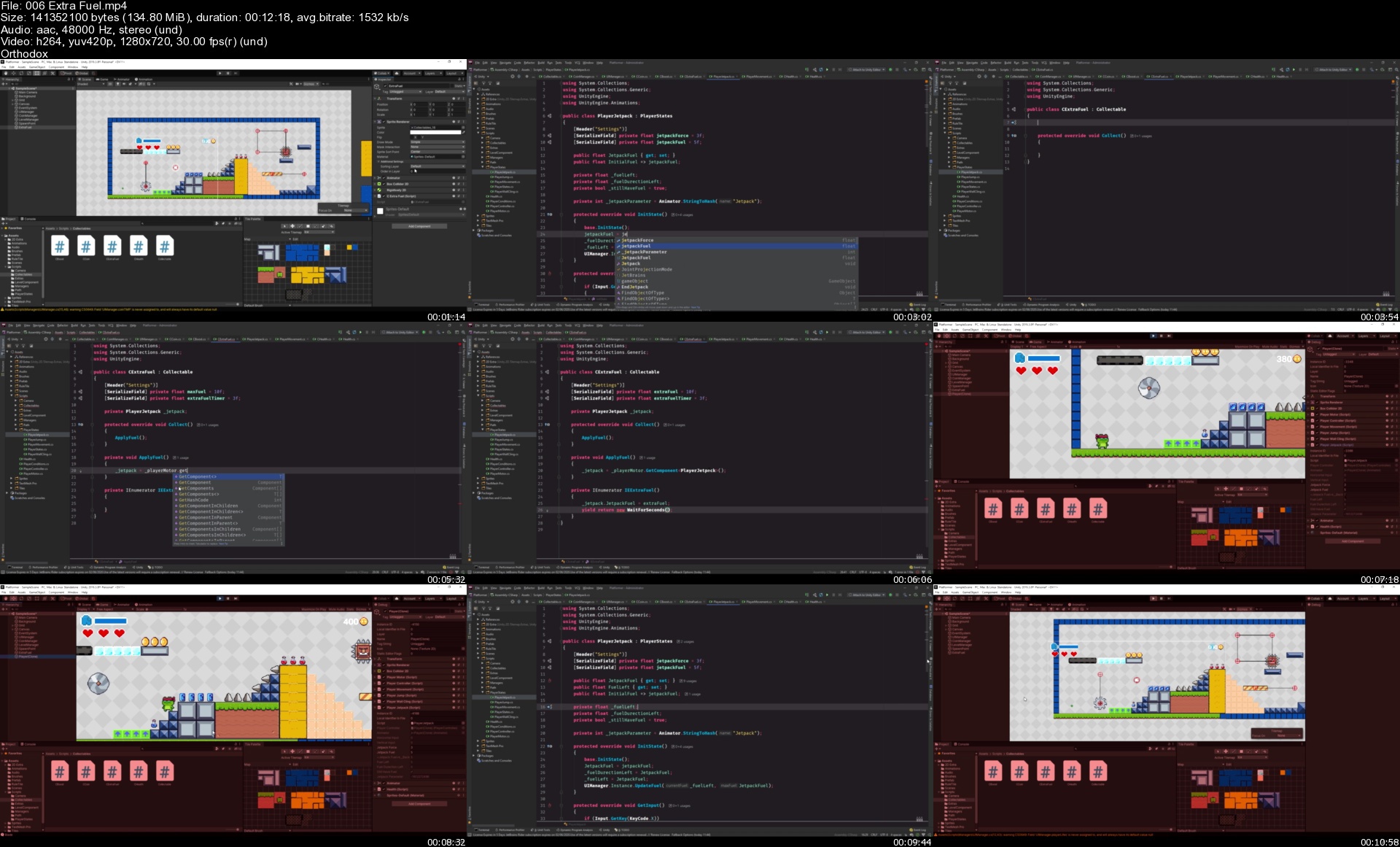
 
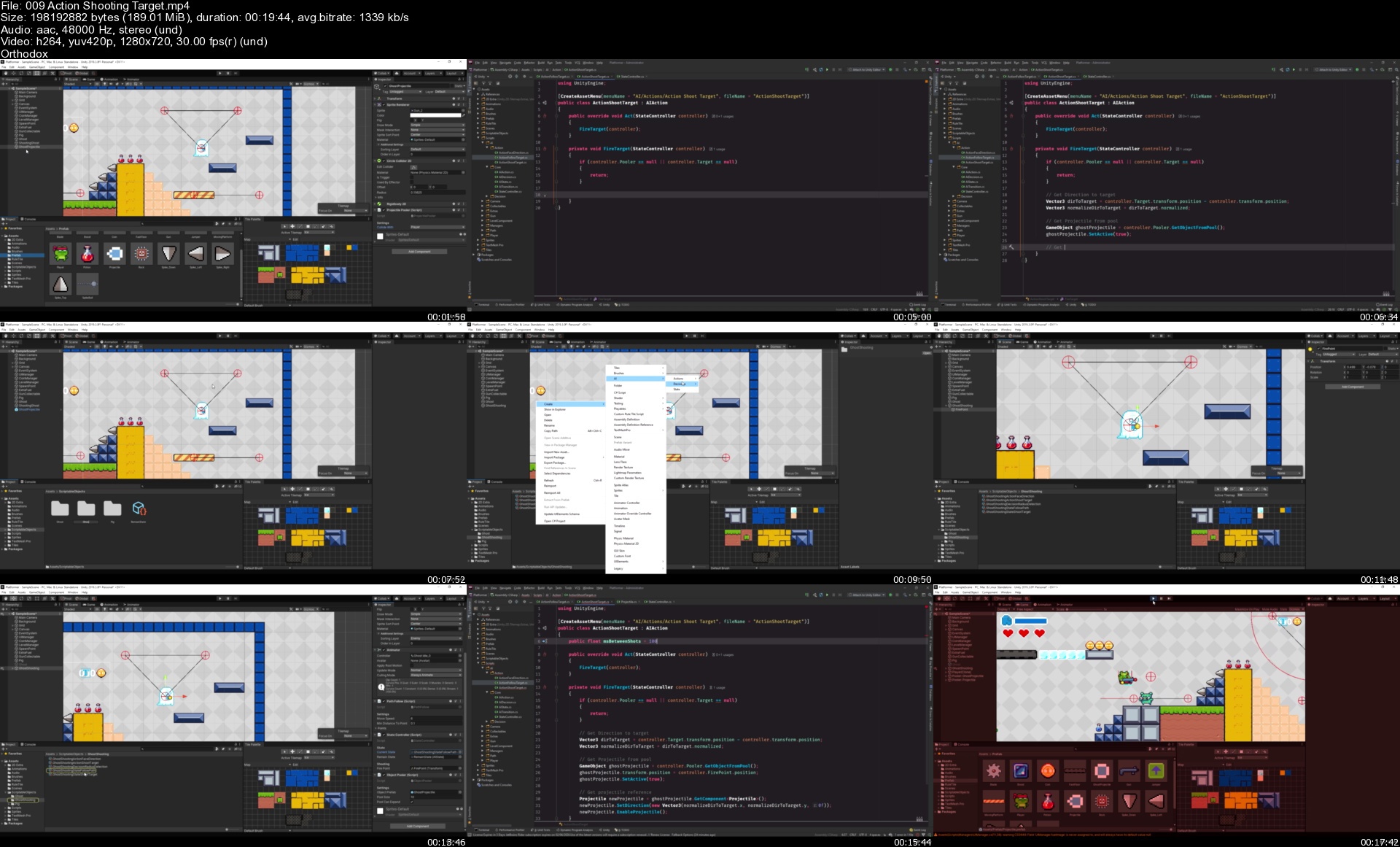
Learn to create a 2D Platformer Game with Unity 2021

3193878a8cbkgk31.jpg


Learn to create a 2D Platformer Game with Unity 2021
MP4 | Video: h264, 1280x720 | Audio: AAC, 44.1 KHz, 2 Ch
Genre: eLearning | Language: English + srt | Duration: 74 lectures (12h 59m) | Size: 5.55 GB

Learn how to create your first 2D Platformer Game in Unity using C#


What you'll learn
Create 2D Games using Unity
Use Scriptable Objects and Singleton Pattern
Use good programming practices
Create Weapons and Projectile
Create Strong and versatile AI using Scriptable Objects and Delegate Pattern
Create Characters with multiply abilites
Create Level components

Requirements
Unity 2019.3
Desire to learn and create awesome games!
Basic understanding of the C# language and Unity Workflow


Description
Learn how to create your first 2D Platformer game in Unity implementing popular features!

In this course we will learn how to create a platform game, using the best-known techniques to create a character controller, Artificial Intelligence, Level components, and awesome Collectables to add juice to your Game!

This course is designed for anyone, all sections are explained in detail to know what is being done and why it is done that way. We will talk about many 2D development topics for platform games. We will also implement one of the most popular character controllers in the industry, which uses raycasting to determine collisions with the environment.

In this course, you will also learn

- Singleton Pattern.

- Object Pooler.

- Create a Health System.

- Create Projectiles and Gun System.

- Create a 2D Camera with awesome add-ons!

- Understand how to use TileMaps and Rule Tiles.

- Create Items.

- Create Level Components.

- Create Pickable Objects.

- Create a Pluggable AI using the Delegate Pattern.

- Create a SoundManager.

Who this course is for
Previous experience with Unity and C#
Anyone who wants to crate a cool 2D game.
Beginner and Intermediate users who want to learn to create a 2D Platformer game.
People to want to know how to create a very customazible AI using Scriptable Objects

Homepage


006extrafuelszkkzy.jpg


Certificate Course on Adobe Photoshop CC

4525118c3b210dej00.jpg


Certificate Course on Adobe Photoshop CC
MP4 | Video: h264, 1280x720 | Audio: AAC, 44.1 KHz, 2 Ch
Genre: eLearning | Language: English + srt | Duration: 137 lectures (17h 18m) | Size: 9.8 GB

Complete Course which covers all the essential lessons about Adobe Photoshop CC


What you'll learn
Tour on Photoshop UI
Introduction to Transformation
Project management
Introduction to Layer Palette
Basic Layer Attributes
Blending Modes
Indispensable Layer Effects
Drop Shadow, Inner Glow & Outer Glow
Color Overlay and Gradient Overlay
Oil Painting Effect
Selection Techniques, What are Selection Tools?
Masking Techniques
Need of Quick Mask

Requirements
Computer or Laptop
Adobe Photoshop
Internet Connection if possible
Interest to Learn


Description
Welcome to the course 'Learn Image Editing Scratch to Master: Adobe Photoshop CC'. In this class, You will learn, Many Image Editing Techniques which are highly helpful for beginners and learners of Photoshop, Adobe Photoshop is one of the best software for creating Graphic Design and web design Works.

Adobe Photoshop is a powerful raster graphics software that allows you to create image manipulation artworks. You have a lot of basic features like canvas, layers, brush tool, color palette, color picker, eyedropper tool, and brush palette settings. This course will give you basic knowledge about a digital image color conversion created from beginning to end with step-by-step video lessons. Each video lesson has detailed information about how to use tools and how to construct your digital image color conversion work.

Through this class, you will learn the following lessons

1. Introduction to Photoshop
2. Tour on Photoshop UI
3. Photoshop Preferences
4. Introduction to Transformation
5. Project management
6. Handle various Images
7. New Document in Photoshop
8. Why Layers?
9. Introduction to Layer Palette
10. Foreground and Background Colors
11. Apply Color Gradient
12. Basic Layer Attributes
13. Layer Movements
14. Organize Layers
15. Blending Modes
16. Merge Layers
17. Indispensable Layer Effects
18. Stroke
19. Inner Glow & Outer Glow
20. Inner Shadow
21. Drop Shadow
22. Bevel and Emboss
23. Color Overlay and Gradient Overlay
24. Pattern Overlay
25. Oil Painting Effect
26. What are selection tools?
27. Rectangular Marquee Tool
28. Elliptical Marquee Tool
29. Single Row and Single Column Marquee Tool
30. Lasso Tool
31. Polygonal Lasso Tool
32. Magnetic Lasso Tool
33. Magic Wand Tool
34. Quick Selection Tool
35. Object Selection Tool
36. Special Selection Methods

updates are on the way...

Who this course is for
People who want to learn Adobe Photoshop
People who want to learn Manipulation
Photographer
Graphic Designer
Freelance Artist
Any interested learner

Homepage


009actionshootingtarg8skqh.jpg


tdsZ41n2IN8I9llgl0gCPcn3kgeYkdvG.jpg

Automate repetitive tasks with Excel Macros
Genre: eLearning | MP4 | Video: h264, 1280x720 | Audio: AAC, 44.1 KHz
Language: English | Size: 869 MB | Duration: 1h 46m
Save time by automating repetitive tasks with Excel

What you'll learn
Automate task with macros
Create macros
Edit and delete macros
Sort data with macros
Filtering data with macros
Create buttons to execute macros
Debug Macros
Requirements
Basic knowledge of excel advised.
Description
Microsoft Excel is the go-to tool for working with data. There are probably a handful of people who haven't used Excel, given its immense popularity. Excel is a widely used software application in industries today, built to generate reports and business insights. Excel supports several in-built applications that make it easier to use.
To automate a repetitive task, you can record a macro with the Macro Recorder in Microsoft Excel. Imagine you have dates in random formats and you want to apply a single format to all of them. A macro can do that for you. You can record a macro applying the format you want, and then replay the macro whenever needed.
When you record a macro, the macro recorder records all the steps in Visual Basic for Applications (VBA) code. These steps can include typing text or numbers, clicking cells or commands on the ribbon or on menus, formatting cells, rows, or columns, or even importing data from an external source, say, Microsoft Access. Visual Basic Application (VBA) is a subset of the powerful Visual Basic programming language, and is included with most Office applications. Although VBA gives you the ability to automate processes within and between Office applications, it is not necessary to know VBA code or computer programming if the Macro Recorder does what you want.
It is important to know that you when you record a macro, the Macro Recorder captures almost every move you make. So if you make a mistake in your sequence, for example, clicking a button that you did not intend to click, the Macro Recorder will record it. The resolution is to re-record the entire sequence, or modify the VBA code itself. This is why whenever you record something, it's best to record a process with which you're highly familiar. The more smoothly you record a sequence, the more efficiently the macro will run when you play it back.
Who this course is for
Data Analyst
Data Scientist
Anyone who wants to automate excel tasks with macros
Screenshots


GgQKIiOW9887hwm6YT0iPu6KZ6KDY130.jpg

Complete E-Commerce App in SwiftUI 3, iOS 15 and Apple Pay
Genre: eLearning | MP4 | Video: h264, 1280x720 | Audio: AAC, 48.0 KHz
Language: English | Size: 1.08 GB | Duration: 2h 35m
Build complete app from scratch using SwiftUI 3 and fully integrated Apple Pay with payment processor

What you'll learn
Apple Pay Setup With Merchant Account
SwiftUI App Development
Complete E Commerce App with Payment Processing
Apple Pay for Item Purchase
Requirements
Knowledge of Swift
Knowledge of SwiftUI
Knowledge of iOS Development
Apple Developer Program Account
Description
Welcome to another course from DevTechie. In this video course we will build complete app from scratch. We will build this app in SwiftUI 3 and iOS 15. This will be an e-commerce app where we will sell shoes to our customers. You will learn to not only build apps in SwiftUI with this course but you will also learn how to integrate Apple Pay for goods purchase.
We will start by building out interface for our app, where user can list all the products, see details about the product and add them to the cart. Cart manager will be responsible to manage cart at the app level and will make it possible to add items to cart from any where in the app. We will also build Cart manager in such a way where it can handle duplicate products and combine them together to build cart with quantity.
You will learn to create merchant ids for Apple Pay so your users can purchase products from your app without you having to build pipeline for payment processing. Apple Pay provides way to directly integrate payment processing engine in the form of PassKit framework and you will learn to use that so you can use user's wallet data to payment processing without owning or saving any information inside you app.
There is a lot that needs to be done to build an e-commerce app and Apple Pay makes it easy with just few simple steps and those are the steps we will learn in this video course. So join me in this course and build this awesome app together.
Who this course is for
Students who wants to learn to create complete e-commerce app from start to finish with Apple Pay for Payment Processing
Screenshots


MOXcUBZDMY9kW7vDavX9rNVcMHz0LglR.jpg

Data Integration & ETL with Talend Open Studio Zero to Hero
Genre: eLearning | MP4 | Video: h264, 1280x720 | Audio: AAC, 48.0 KHz
Language: English | Size: 2.78 GB | Duration: 7h 46m
Add value to your data - with Talend Open Studio for Data Integration, ETL, Data Warehousing, Data Migration, BI

What you'll learn
connect your data sources, such as files, databases, XML, web services, Google Drive and more formats
build your own integration processes using practical examples and comprehensive scenarios
master the most important transformations like mappings, joins, aggregations and sorting
orchestrate processes into larger units by using preJobs, postJobs, variable and hierachies
Requirements
Interest in data and in bringing it together
Computer/Laptop with 4+GB RAM and current Java Runtime
Description
Data. Everywhere. All well-behaved in their own environment. But who actually lets them talk to each other? You do. With data integration. Become a data savant and add value with ETL and your new knowledge!
Talend Open Studio is an open, flexible data integration solution. You build your processes with a graphical editor and over 600 components provide flexibility.
Each section has a practical example and you will receive this complete material at the beginning of the course. So you can not only view each section, but also compare it to your own solution. There are also extensive practical scenarios included. So you'll be well equipped for practice!
What are the biggest topics you can expect?
Installation on different operating systems (Windows, Linux, Mac)
understanding and using important data types
reading and writing from databases
process different file formats, like Excel, XML, JSON, delimited, positional
create and use metadata
build schemas
use helpful keyboard shortcuts
retrieve data from WebServices
connect to GoogleDrive and fetch data
using iteration and loops
convert data flows into iterations
build and understand job hierarchies
All major transformations: Map, join, normalize, pivot, and aggregate data
create and extract XML and JSON
use regular expressions
Orchestrate components in processes
Check and improve data quality
Use fuzzy matching and interval matching
Use variables for different environments
Perform schema validation
Handle reject data separately
Find and fix errors quickly
Write meaningful logs
Include and react to warnings and aborts
Build job hierarchies and pass data between different levels
implement and test your own assumptions
configure your project for logging, versioning and context loading
learn best practices and establish your own
document items and have documentation generated
What are you waiting for? See you in the course!
Who this course is for
you want to bring together different data sets quickly and easily
you have challenges to let your data talk to each other
you are interested in a career in data space
future ETL developers
Screenshots


GTKEys5CwdobVbEGLKqlxqDLjQMxUCUJ.jpg

Google Looker Masterclass Looker & LookML A-Z 2022
Genre: eLearning | MP4 | Video: h264, 1280x720 | Audio: AAC, 44.1 KHz
Language: English | Size: 2.78 GB | Duration: 7h 22m
Complete course on Looker (includes LookML) | Looker for both business users as well as developers

What you'll learn
Learn why businesses should use Looker to explore their data
How to setup Looker for learning
How to explore enterprise data using Looker as a business user
How to visualize data using popular chart types in Looker
Filter and sort data to find the right answer for your business questions
How to create a dashboard using looks in Looker
Learn about Folders and boards to make content easily accessible
How to share and schedule charts and dashboards with team mates
Learn LookML - the language that powers Looker (For Looker developers)
Requirements
You just need a PC with good internet connection
Description
5 Reasons why you should choose this Google Looker course
Carefully designed course, teaching you not only frontend of Looker but also the LookML part
Concise - you can complete this Google Looker course within one weekend
Business-related examples and case studies
Downloadable resources for learning Google Looker
Your queries will be responded by the Instructor himself
Start using Google Looker to its full potential to become proficient at Google Looker and LookML today!
Either you're new to Data Visualization or Google Looker, or you've made some charts and graphs using some data visualization software such as MS Excel or Tableau. Either way, this course will be great for you.
A Verifiable Certificate of Completion is presented to all students who undertake this Google Data Studio course.
Why should you choose this course?
This is a complete and concise tutorial on Google Looker which can be completed within 6 hours. We know that your time is important and hence we have created this fast paced course without wasting time on irrelevant operations.
What makes us qualified to teach you?
The course is taught by Abhishek and Pukhraj. Instructors of the course have been teaching Data Science and Machine Learning for over a decade. We have in-depth understanding on and practical exposure to Google Looker and Data Visualization.
We are also the creators of some of the most popular online courses - with over 600,000 enrollments and thousands of 5-star reviews like these ones
I had an awesome moment taking this course. It broaden my knowledge more on the power use of Excel as an analytical tools. Kudos to the instructor! - Sikiru
Very insightful, learning very nifty tricks and enough detail to make it stick in your mind. - Armand
Our Promise
Teaching our students is our job and we are committed to it. If you have any questions about the course content, Google Looker, Data Visualization, practice sheet or anything related to any topic, you can always post a question in the course or send us a direct message.
And so much more!
By the end of this course, your confidence in using Google Looker for data visualization will soar. You'll have a thorough understanding of how to use Google Looker for creating insightful dashboards and beautiful reports.
Go ahead and click the enroll button, and I'll see you in lesson 1 of this Google Data Studio course!
Cheers
Start-Tech Academy
Who this course is for
This course is for both: Business users as well as developers
Anyone who wants to learn about Looker and LookML from the very beginning
Screenshots


8Nb8e2aCORJwkyn9Y5om6Mwfd74FaIk5.jpg

How to Stake and Yield Farm Osmosis Crypto for Daily Gains
Genre: eLearning | MP4 | Video: h264, 1280x720 | Audio: AAC, 48.0 KHz
Language: English | Size: 2.65 GB | Duration: 2h 18m
The definitive how-to guide for crypto yield farming at 15-120% APR gains in Cosmos crypto

What you'll learn
How to get started in Osmosis crypto
Compound daily rewards to yield farm and grow your investment
How liquidity pool providing works and how to maximize your investment
How Osmosis staking works and how to grow your rewards daily
How Cosmos airdrops work and how to find them
Strategies for growing your Osmosis investments
How to set up the Keplr wallet and move your first funds into Osmosis
Risks to Osmosis yield farming that you must know
Requirements
No crypto experience necessary, this course will show you how to get started from the beginning
Description
Osmosis is a decentralized cryptocurrency exchange designed for the Cosmos ecosystem allowing investors to grow their crypto investments through a powerful yield farming strategy. Osmosis supports the Cosmos cryptocurrency ecosystem, one of the fastest growing and top 20 largest cryptocurrencies on the market. Unfortunately, yield farming is not well explained and can be a difficult challenge for new investors coming into the market. This definitive guide will show every step in the yield farming process, including
What Osmosis is and how to get started
Why Osmosis is part of the Cosmos blockchain ecosystem
How to create a Keplr wallet
How to stake and grow your OSMO yields
What validators are and how to select a good validator for staking growth
How to yield farm through the use of liquidity pools
How to farm daily rewards for fast growth
How investors can find growth opportunities for 12-150% APR
Extra content including Cosmos airdrops, how to keep your wallet secure, and how to estimate investment growth over time
All content is explained step by step by Wes Spencer, an award winning entrepreneur and cryptocurrency expert. Students need to have a basic understanding of computers, able to install software, and have the ability to set up an account with a centralized cryptocurrency exchange like Coinbase, Binance, Gemini, or Voyager.
Who this course is for
Anyone interested in cryptocurrency, investing, yield farming, or finance
Screenshots


8kxijXwaz2RRZB9xbIrJ8iKhadpO1jvd.jpg

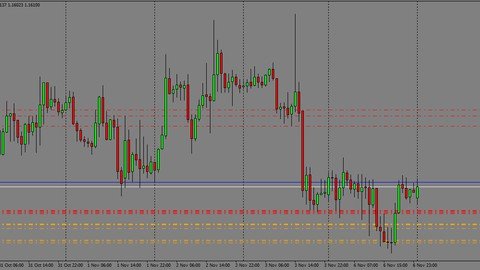
Introduction to Forex Trading for beginners
Genre: eLearning | MP4 | Video: h264, 1280x720 | Audio: AAC, 48.0 KHz
Language: English | Size: 350 MB | Duration: 1h 25m
This is a course to give you the basic of Forex trading

What you'll learn
Basics of FOREX trading
What is FOREX trading
How can I make money with FOREX trading
How to be smart in the market
How to to improve your results with risk management strategy
How to keep risk low and profits high
How to have a better system of trading
How to understand the market pattern and how they repeat
How to master your psychology around FOREX
How to know when to close
How to use the indicators to identify the movement of the market
How to identify a reversal in the market
Requirements
Computer literate
Open minded people willing to learn
Description
You will be learning from Orapeleng Olifant, and I will be teaching you the basic rules of how to trade Forex if you're a beginner.
You will know how to analyze the Currency you are trading by learning Technical Analysis and Fundamental Analysis. You will learn how to avoid or play fundamental events that can impact wildly Currency prices.
By the end of this course you will understand the History of Money and understand the Structure of the FOREX Market. You will know all FOREX terminology like: Bid, Ask, Spread, Pips, Points, Lots, Short Selling, Leverage and many more!!!
This is what you'll be learning in this course
WHAT IS FOREX?
WHY DO YOU NEED TO TRADE FOREX?
CHAT IN WINDOWS EXPLAINED - BASE CURRENCY
CHAT IN WINDOWS EXPLAINED - CURRENCY
CHAT IN WINDOWS EXPLAINED - PIP
CHAT EXPLAINED - BID PRICE
CHAT EXPLAINED - ASK PRICE
TYPE OF CHARTS
SUPPORT AND RESISTANCE, TREND LINES AND CHANNELS
PLOTTING SUPPORT AND RESISTANCE LEVEL
TREND LINE
HOW DO YOU DRAW TREND LINE
THE 5-3 WAVE PATTERN
MONEY MANAGEMENT
DRAWDOWN AND MAXIMUM DRAWDOWN
RISK REWARD RATIO
Who this course is for
Beginners who want to decrease their learning curve by learning from Orapeleng Olifant.
Traders who are starting out and Intermediary level Traders who are not yet consistently profitable.
Anyone who wants to Day-Trade or Swing-Trade the FOREX Market.
Anyone who wants to learn the most important concepts that are needed to become successful in trading.
Who this course is for
People who are inquisitive and ready to make money without working 9 to 5
The beginners of Forex
Students who don't know where to start in forex
People who want to advance in trading Forex
People who want easy way and smart way of making money
People who make more loses than profits
People who want to professionalize Forex
People who want to be successful in trading Forex
Screenshots


BWkwIPmGwjDdvinu6bFhNy2UVUDVpD4h.jpg

Optimization with Matlab By Dr. Academic Educator
Genre: eLearning | MP4 | Video: h264, 1280x720 | Audio: AAC, 44.1 KHz
Language: English | Size: 827 MB | Duration: 2h 2m
Optimization using MAtlab

What you'll learn
Optimization using matlab will be tought
Requirements
Matlab programming
Description
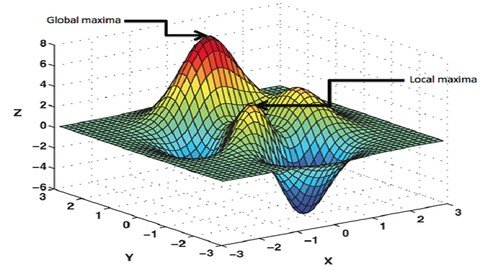
In this course, optimization of the objective functions with matlab will be explained via examples. We will not give theoretical information about the optimization subject. Rather, we will provide information about the practical use of the matlab functions for the optimization of some objective functions. Unconstrained and constrained optimization will be explained via practical examples.
Who this course is for
Everyone interested in optimization
Screenshots


9a9deae8-fa1d-42e5-98be-dd1c6dab16c0.png

Painting Fruits & Florals in Watercolor with a Modern Twist
Duration: 2h 44m | Video: .MP4, 1280x720, 30 fps | Audio: AAC, 48 kHz, 2ch | Size: xxx MB
Genre: eLearning | Language: English​

Learn to paint watercolor fruits & florals with a modern twist! In this class, you'll create four distinct watercolor paintings. During each project, you'll learn specific skills to help you fine-tune your painting skills and learn what makes watercolor such a unique medium.
By the end of the class, you'll have a stack of botanical fruit paintings that you created yourself!
As we paint, you'll learn
Supply recommendations
Simple sketching tips
Freehand painting
Brush control techniques
Whitespace application
Color mixing
Wet-on-dry painting
Layering watercolor
This class is for all levels
Beginners: with step-by-step instructions, you'll be able to follow along with each painting
Advanced artists: you'll learn techniques to infuse modern practices into your paintings
Who I am
Hello! My name is Cat Coquillette and I'm a professional artist, surface designer, and Skillshare Top Teacher. My watercolor art prints are sold in stores like Target, Urban Outfitters, Home Goods and more. My designs have been sold throughout the world on over a million products and counting.
My painting style is modern and on-trend, which is a big part of why my work sells so well. I distill complicated motifs into simple shapes with a whimsical touch and plenty of intricate whitespace line-work. I blend a few non-traditional techniques within the watercolor medium for a unique and contemporary aesthetic.
Homepage
Screenshots


Zurück
Oben Unten