• Regeln für den Video-Bereich:

    In den Börsenbereich gehören nur Angebote die bereits den Allgemeinen Regeln entsprechen.

    Einteilung

    - Folgende Formate gehören in die angegeben Bereiche:
    - Filme: Encodierte Filme von BluRay, DVD, R5, TV, Screener sowie Telesyncs im Format DivX, XviD und x264.
    - DVD: Filme im Format DVD5, DVD9 und HD2DVD.
    - HD: Encodierte Filme mit der Auflösung 720p oder darüber von BluRay, DVD, R5, TV, Screener sowie Telesyncs im Format x264.
    - 3D: Encodierte Filme von BluRay, die in einem 3D Format vorliegen. Dies gilt auch für Dokus, Animation usw.
    - Serien: Cartoon/Zeichentrick, Anime, Tutorials, Dokumentationen, Konzerte/Musik, Sonstiges sind demnach in die entsprechenden Bereiche einzuordnen, auch wenn sie beispielsweise im High Definition-Format oder als DVD5/DVD9/HD2DVD vorliegen. Ausnahme 3D.
    - Bereich Englisch: Englische Releases gehören immer in diesen Bereich.
    - Bereich Talk: Der Bereich, in dem über die Releases diskutiert werden kann, darf, soll und erwünscht ist.


    Angebot/Beitrag erstellen

    - Ein Beitrag darf erst dann erstellt werden, wenn der Upload bei mindestens einem OCH komplett ist. Platzhalter sind untersagt.
    - Bei einem Scenerelease hat der Threadtitel ausschließlich aus dem originalen, unveränderten Releasenamen zu bestehen. Es dürfen keine Veränderungen wie z.B. Sterne, kleine Buchstaben o.ä. vorgenommen werden. Ausnahme Serienbörse:
    - Bei einem Sammelthread für eine Staffel entfällt aus dem Releasename natürlich der Name der Folge. Beispiel: Die Simpsons S21 German DVDRip XviD - ITG
    - Dementsprechend sind also u.a. verboten: Erweiterungen wie "Tipp", "empfehlenswert", "only", "reup", usw. / jegliche andere Zusatzinformation oder Ergänzung, welche nicht in obiger Beschreibung zu finden ist.

    Aufbau des Angebots und Threadtitel

    Der Titel nach folgendem Muster erstellt zu werden. <Name> [3D] [Staffel] [German] <Jahr> <Tonspur> [DL] [Auflösung] <Quelle> <Codec> - <Group>
    Beispiel: The Dark Knight German 2008 AC3 DVDRip XviD - iND
    Beispiel: The Dark Knight 2008 DTS DL BDRip x264 - iND
    Beispiel: The Dark Knight 2008 AC3 DL BDRip XviD - iND
    Beispiel: The Dark Knight German 2008 AC3 720p BluRay x264 iND
    Beispiel: The Dark Knight 2008 DTS DL 1080p BluRay x264 iND
    Beispiel: Die Simpsons S01 German AC3 DVDRip XviD iND
    Beispiel: Die Simpsons S20 German AC3 720p BluRay x264 iND
    Beispiel: Sword Art Online II Ger Sub 2014 AAC 1080p WEBRip x264 - peppermint
    Entsprechend sind also u.a. verboten: Sonderzeichen wie Klammern, Sterne, Ausrufezeichen, Unterstriche, Anführungszeichen / Erweiterungen wie "Tipp", "empfehlenswert", "only", "reup", usw. / jegliche andere Zusatzinformation oder Ergänzung, welche nicht in obiger Beschreibung zu finden ist
    Ausnahmen hiervon können in den Bereichen geregelt sein.

    Die Beiträge sollen wie folgt aufgebaut werden:
    Überschrift entspricht dem Threadtitel
    Cover
    kurze Inhaltsbeschreibung
    Format, Größe, Dauer sind gut lesbar für Downloader außerhalb des Spoilers zu vermerken
    Nfo sind immer Anzugeben und selbige immer im Spoiler in Textform.
    Sind keine Nfo vorhanden z.B. Eigenpublikationen, sind im Spoiler folgende Dateiinformationen zusätzlich anzugeben :
    Quelle
    Video (Auflösung und Bitrate)
    Ton (Sprache, Format und Bitrate der einzelnen Spuren)
    Untertitel (sofern vorhanden)
    Hosterangabe in Textform außerhalb eines Spoiler mit allen enthaltenen Hostern.
    Bei SD kann auf diese zusätzlichen Dateiinformationen verzichtet werden.

    Alle benötigten Passwörter sind, sofern vorhanden, in Textform im Angebot anzugeben.
    Spoiler im Spoiler mit Kommentaren :"Schon Bedankt?" sind unerwünscht.


    Releases

    - Sind Retail-Release verfügbar, sind alle anderen Variationen untersagt. Ausnahmen: Alle deutschen Retail-Release sind CUT, in diesem Fall sind dubbed UNCUT-Release zulässig.
    - Im Serien-Bereich gilt speziell: Wenn ein Retail vor Abschluss einer laufenden Staffel erscheint, darf diese Staffel noch zu Ende gebracht werden.62
    - Gleiche Releases sind unbedingt zusammenzufassen. Das bedeutet, es ist zwingend erforderlich, vor dem Erstellen eines Themas per Suchfunktion zu überprüfen, ob bereits ein Beitrag mit demselben Release besteht. Ist dies der Fall, ist der bereits vorhandene Beitrag zu verwenden.
    - P2P und Scene Releases dürfen nicht verändert oder gar unter einem iND Tag eingestellt werden.


    Support, Diskussionen und Suche

    - Supportanfragen sind entweder per PN oder im Bereich Talk zu stellen.
    - Diskussionen und Bewertungen sind im Talk Bereich zu führen. Fragen an die Uploader haben ausschließlich via PN zu erfolgen, und sind in den Angeboten untersagt.
    - Anfragen zu Upload-Wünschen sind nur im Bereich Suche Video erlaubt. Antworten dürfen nur auf Angebote von MyBoerse.bz verlinkt werden.


    Verbote

    - Untersagt sind mehrere Formate in einem einzigen Angebotsthread, wie beispielsweise das gleichzeitige Anbieten von DivX/XviD, 720p und 1080p in einem Thread. Pro Format, Release und Auflösung ist ein eigener Thread zu eröffnen.
    - Grundsätzlich ebenso verboten sind Dupes. Uploader haben sich an geeigneter Stelle darüber zu informieren, ob es sich bei einem Release um ein Dupe handelt.
    - Gefakte, nur teilweise lauffähige oder unvollständige Angebote sind untersagt. Dies gilt auch für eigene Publikationen, die augenscheinlich nicht selbst von z.B. einer DVD gerippt wurden. Laufende Serien, bei denen noch nicht alle Folgen verfügbar sind, dürfen erstellt und regelmäßig geupdatet werden.
    - Untersagt sind Angebote, welche nur und ausschließlich in einer anderen Sprache als deutsch oder englisch vorliegen. Ausnahmen sind VORHER mit den Moderatoren zu klären.


    Verstoß gegen die Regeln

    - Angebote oder Beiträge, die gegen die Forenregeln verstoßen, sind über den "Melden"-Button im Beitrag zu melden.
  • Bitte registriere dich zunächst um Beiträge zu verfassen und externe Links aufzurufen.

++ Premium IPTV ++ 7000 Live Sender ++ UHD Qualität ++ Mediathek mit 18.000 Inhalten ++


VenneTV


Englische Tutorials

Build Instagram Clone App in Swift (iOS + Firebase) - 2021
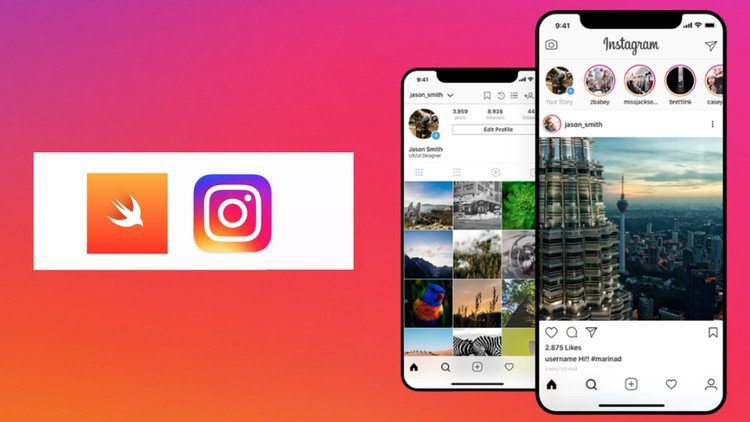
ptvcelgovpqfgom28hbtq7ikq0.jpg


Build Instagram Clone App in Swift (iOS + Firebase) - 2021
MP4 | Video: h264, 1280x720 | Audio: AAC, 44.1 KHz, 2 Ch
Genre: eLearning | Language: English + srt | Duration: 52 lectures (16h 39m) | Size: 10.8 GB

Create Instagram clone from scratch with full backend & all features

What you'll learn:
Build Instagram App in Swift from Scratch
Understand MVVM Architecture
Build Authentication / Sign In / Sign Up
Create Custom Camera
Add Filters & Format Images
Complex CollectionViews & Layouts
Delegate & Datasource Pattern
Search Interface Creation
Create Back End & Database with Firebase
Like and Unlike Posts
Full Comment Creation & Support
Build Follower / Following System
Build Instagram Notifications
Understand Fundamentals of Large Scale App
Upload Posts & See Realtime Feed
Support Dark Mode for Beautiful UX
Create Full Profile
Ability to Share Posts
Understand Haptic Feedback & Vibrations

Requirements
Xcode 12 (Free from mac App Store)
mac OS Big Sur (Free from Apple)


Description
Welcome to Building Instagram Clone App In Swift from Scratch (UIKit)

In this course, we will learn to build the Instagram app from scratch, programmatically (no storyboard), with UIKit and Firebase. We will build everything from scratch and talk about every single component/step along the way. In addition to lectures, you'll get all the project code for the finished app! The course covers all major features, including:

Authentication: Allow for Sign In/Sign Up/Sign Out with real users and backend

Posting: Capture Posts, Add Captions, & Upload Content

Home Feed: Build beautiful sorted feed from those you follow

Dynamic Explore Page: Create Explore page with dynamic content

Custom Camera: Create custom camera from scratch to capture posts

Liking: Learn to like posts and persist state

Commenting: Allow users to comment on each others posts

Search: Search for other users to give them a follow

Follow System: Follow & Unfollow others with the stateful Follow Button

Profile: Create reusable Profile component for your own, and others', profiles

Firebase Backend: Create Storage containers, database, and authentication in the backend

Haptic Feedback: Bring your app to life

MVVM Architecture: Create app like a pro!

Who Is This Course For?

This course is geared to a wide audience of Swift/iOS Developers. A special emphasis was also put on making this beginner friendly. A basis understanding of Swift & iOS is very helpful though. We will learn every piece of the app step by step together!

Course Outline

Introduction

Getting Started

Setting Up Firebase

Setting Up Managers

App Icon & Launch Image

Sign In & Sign Up

Sign In UI

Sign Up UI

Email Password Sign Up

Signing Out

Email Password Sign In

Home Feed

Create CollectionView

Creating Home ViewModels

Customizing Home Cells

Wrap Up Home Cells

Home Cell Interaction

Camera

Create Custom Camera

Taking Photos

Filters

Adding Caption

Uploading Post

Post Fetch Clean Up

Explore & Search

Searching for Users

Explore CollectionView

ViewModels & Explore Data

Notifications

Creating TableView

Adding Custom Cells

Make Cells Interactive

Set Up Notification Manager

Cell Dates

Cell Delegates

Profile

Creating CollectionView

Profile Header

Header Data, Edit Profile

Photo Cells

Change Profile Picture

Follow System

Follow Button

Follower Lists

Integration

Post from Photo Library

Query for Feed

Sorting Feed

Update UI on Post

Sharing Posts

Create Settings

Single Post View

Comment Support

Finish Comments

Support Liking Posts

Stories UI

Optimization

Unit Tests

Haptic Feedback

Set Up Analytics

App Rating Prompt

Wrapping Up

Thank You

Who this course is for
Beginner Swift Developers
Beginner iOS App Developers

Homepage
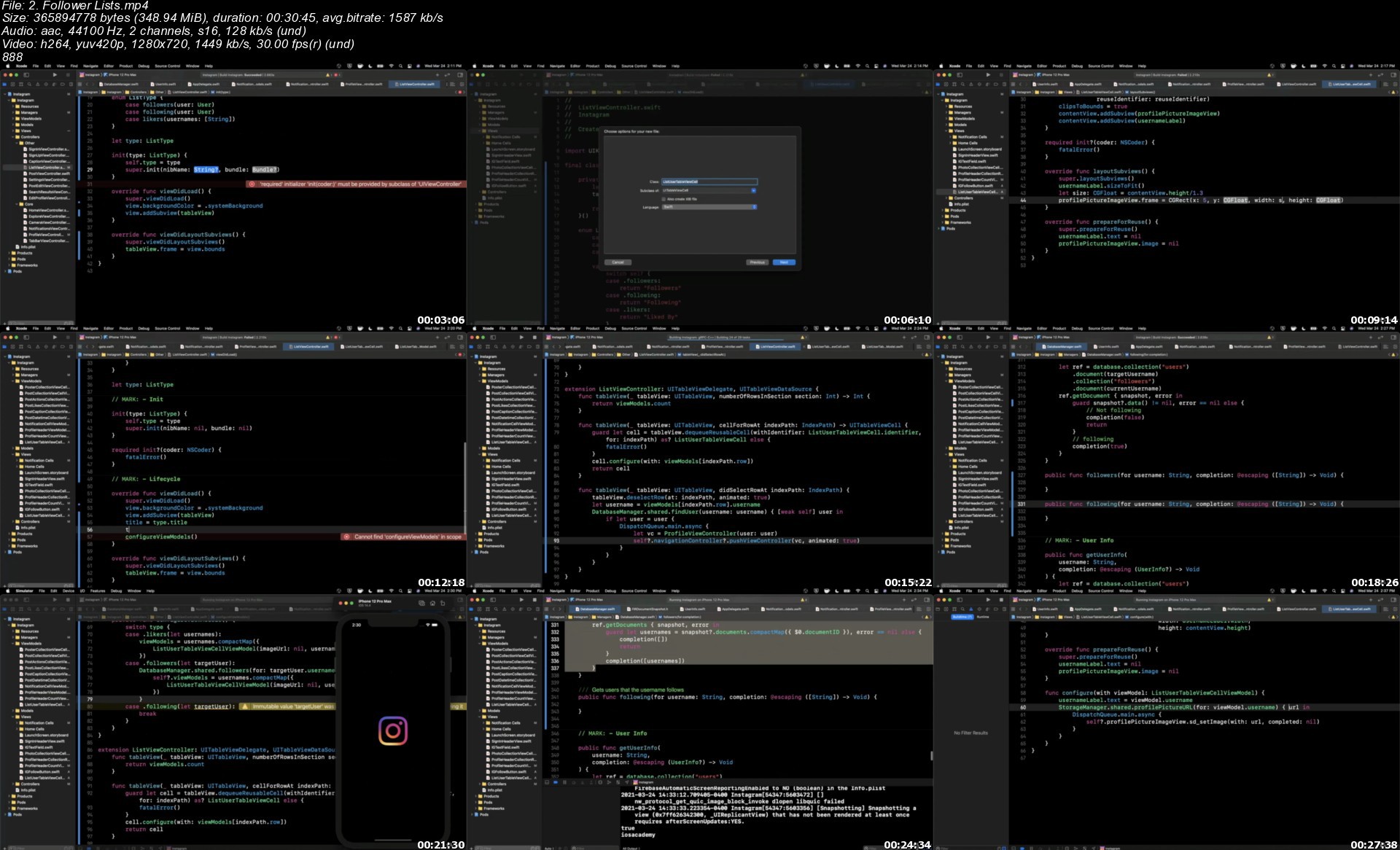
2.followerlists0mjp2.jpeg


Linkedin Learning VMware vSphere 7 Professional 10 Advanced Topics and Kubernetes-XQZT

213451054_02-01-vcenter_7_multihoming_c.jpg


Linkedin Learning VMware vSphere 7 Professional 10 Advanced Topics and Kubernetes-XQZT | MKV | 131.09 MiB

50.9 kb/s 1280x720 | AAC 2 CH eng


NFO:
File List:

File: linkedin.learning.vmware.vsphere.7.professional.10.advanced.topics.and.kubernetes-xqzt-sample.mkv
Size: 458752 bytes (448.00 KiB), duration: 00:01:12, avg.bitrate: 51 kb/s
Audio: aac, 48000 Hz, stereo (eng)
Video: h264, yuv420p, 1280x720, 30.00 fps(r) (eng)
Subtitles: eng


Download ( Size: 131.09 MiB ):
Filehosts: Nitroflare, Rapidgator, ddownload.com


oHeopzn.png

1 Link/s
6A6D7A8EA1.png


5hSo1Ay.png

1 Link/s
72B7370F84.png


Download from ddownload:
1 Link/s
6586C310A2.png


The Complete Mathematics Software Developer Course for 2021

lpurkhegmseai4wbo7hfo2jjg4.jpg


The Complete Mathematics Software Developer Course for 2021
MP4 | Video: h264, 1280x720 | Audio: AAC, 44100 Hz
Language: English | Size: 5.08 GB | Duration: 6h 33m


What you'll learn
Proof Techniques. Mathematical Induction and Recursion Theory.
Mathematical Logic. Propositional and First Order Calculus. Godel Theorem.
Programs verifications and Model Checking
Linear Algebra. Matrix Theory in Computer Science.
Boolean Algebra and its applications in Digital Electronics.
Lambda Calculus as a Foundation of Functional Programming
Number Theory and Encryption.
Modern Statistics and Probabilistic Methods in Computer Science.
Functional Analysis and the efficiency of computer algorithms Decision Theory
Requirements
Desire to Learn Mathematics for Programming
Interested in Computer Science Field
Basic High School Mathematics

Description
This course covers all Mathematics needed to become Software Developer. Here we will discuss Linear Algebra, Modern Analysis, Mathematical Logic, Number Theory and Discrete Mathematics. By the end of this course you will be able to analyze and describe computer science concepts and methods. This course is a great opportunity for you to gain deep understanding of all processes a executed in the computer system when programming. The specific objectives of the course are the following:

Learn how to apply proof techniques to your computer program.

Learn encrypting and decrypting messages with Number Theory.

Learn how the software development is related to Discrete Mathematics and Digital Electronics.

Understand how to use mathematical tools to properly analyze any computer algorithm.

Learn how to apply Calculus, Probability Theory and Linear Algebra while computing.

Understand how to apply Lambda Calculus to Functional Programming.


Who this course is for:
Beginner Java Developers
Beginner Python Developers
Beginner C & C++ Developers
Computer Science Students
Engineering Students
Employees in Programming Companies

Homepage

1.setsrelationss3bjxk.jpg


Procreate: Sketch, Draw, and Paint a Shirt Design 2021

odk81y8ymfzxunzmlj2u9nbkjo.jpg


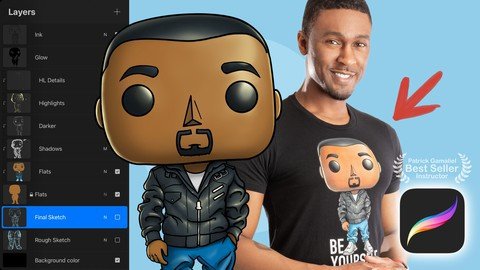
Procreate: Sketch, Draw, and Paint a Shirt Design 2021
MP4 | Video: h264, 1280x720 | Audio: AAC, 44100 Hz
Language: English | Size: 6.18 GB | Duration: 6h 19m


What you'll learn
How to efficiently navigate Procreate to create your first drawing
How to properly export your art to sell on shirts and other merchandise
How to import photos and other art to trace for accuracy
An advanced blending technique to achieve more complex shadows
The basics of sketching, inking, and coloring in Procreate
How to create a moodboard to hold all of your inspiration
Requirements
A device such as an iPad with Procreate installed to participate
No other requirements or prerequisites besides having a positive mindset

Description
UPDATES & NEW CONTENT ADDED FREQUENTLY!

April 2021 - Update - Course audio improved

Are you ready to take your creativity with you wherever you go? Do you want to learn how to sketch, ink, and paint in Procreate, the best digital illustration app out there? Do you want to know how to place your original illustrations on t-shirts, mugs, posters, pillow covers, and much much more? If you've answered yes to any of these questions, this is the perfect course for you.

For as long as I can remember, I've loved drawing. Since I was a kid, I could always be seen with a notebook of sketching paper and a handful of graphite pencils. Before the introduction of the iPad and Procreate, I could only create awesome digital art on my desktop computer with a Wacom tablet.

I've been using Procreate for over 7 years now and I can't imagine life without it. In this course, I will show you in-depth, step by step, how I create art in Procreate. I go even further by showing you how to export and place your art on print-on-demand products for yourself or to sell.

Take this course to learn how to use Procreate but come back to learn how to grow your new skill.

Here are a few things you may take away from this course:

How to navigate Procreate efficiently.

How to pick the right tools in Procreate for sketching, inking line art, painting, and more demonstrated in real-time.

How to apply the skills you learn to any project in Procreate whether a cartoon or a detailed comic book illustration.

How to import my custom color palette to speed up your portrait drawing workflow.

How to color, adjust colors, and add convincing shadows and highlights.

How to use tools like selection and move to streamline your creation process.

I have also completed a workbook that I will be updating from time to time as I add additional content. Please use the workbook as your cheat sheet and artwork blueprint.

What is NOT covered in the course:

My goal with this course is just to get you started. You could stop after taking this course, but I recommend diving deeper into some of the topics I cover. Here are some things I may touch on but won't dive deep into.

Every single menu option in Procreate

Animation in Procreate

Photorealistic painting

Advanced lighting techniques

Setting up an online store to sell your art or products although I do show you how to get your art printed on products.

But please feel free to ask me questions about these topics and I'll do my best to answer.

I look forward to teaching you all that I know!


Who this course is for:
Artists new to creating art in Procreate
Artists interested in creating shirt and merchandise art in Procreate
Artists who want to create Print on Demand merchandise with their art in Procreate


Homepage

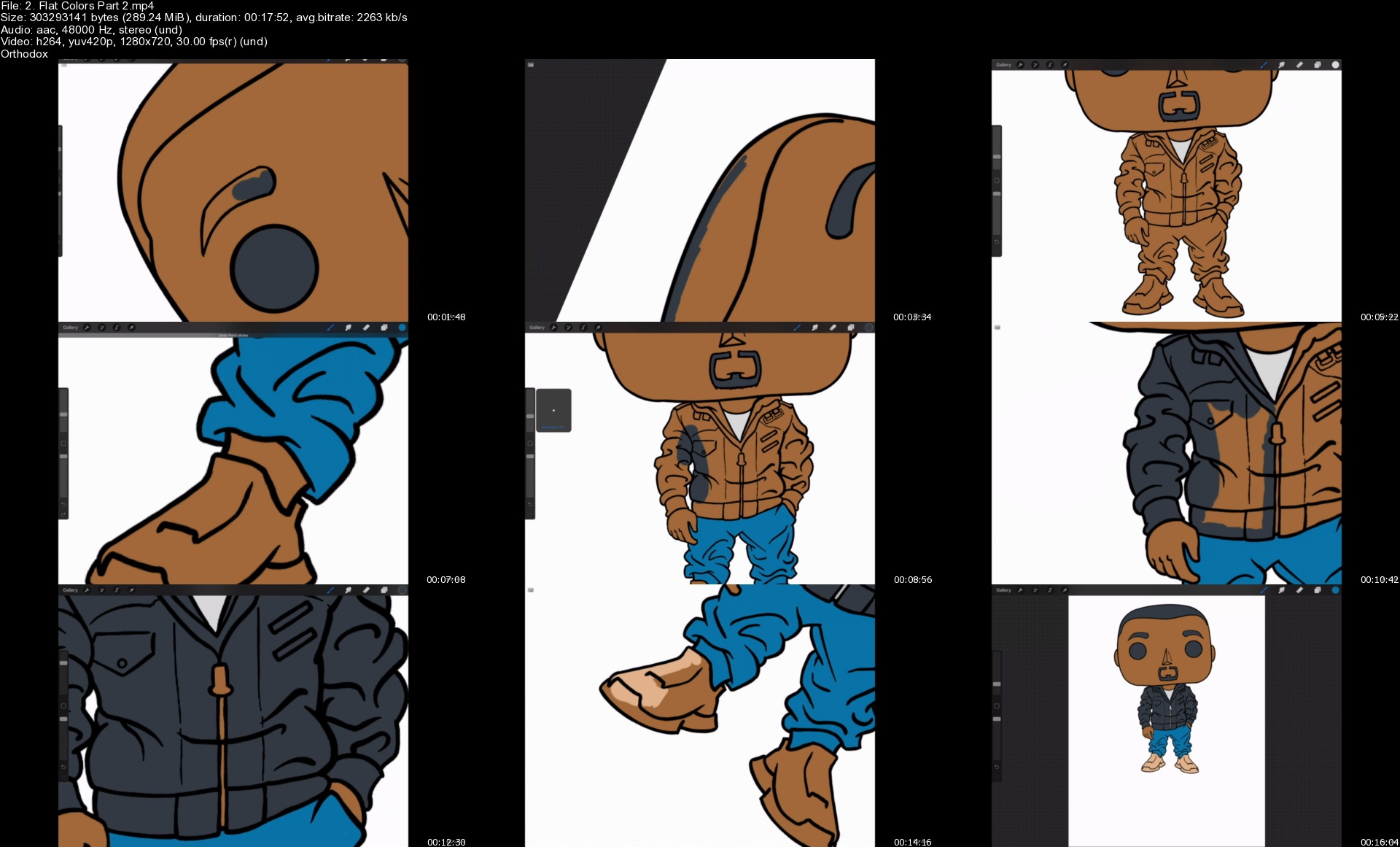
2.flatcolorspart2s1xk0m.jpg


Netacad CCNAv7 Introduction to Networks Semester 1 (200-301)

eit4gqdqgwmczbcm05kupxhjl3.jpg


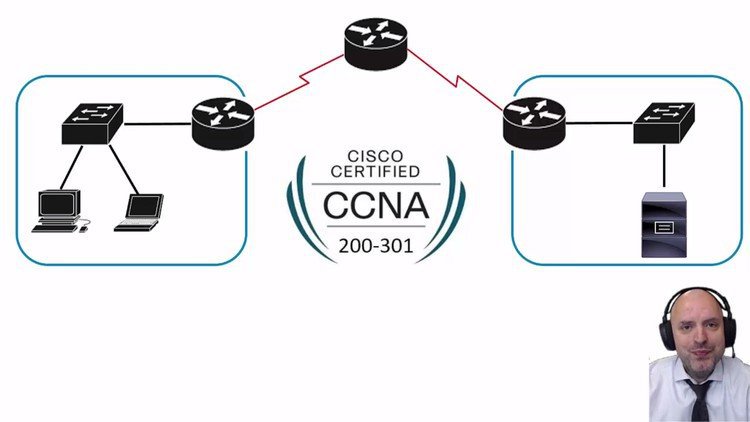
Netacad CCNAv7 Introduction to Networks Semester 1 (200-301)
MP4 | Video: h264, 1280x720 | Audio: AAC, 44.1 KHz, 2 Ch
Genre: eLearning | Language: English + srt | Duration: 87 lectures (19h 25m) | Size: 9.72 GB

In-depth topic explanation of CCNA 1: Introduction to Networks - Semester 1 of 3 (200-301 exam)

What you'll learn:
You, as my Udemy students, will learn exactly the same CCNA course content that I teach to my university students.
I work as a Cisco qualified instructor at London Metropolitan University and 5E London College.
The content that I create is based on Cisco Network Academy materials.
I will cover all the topics necessary for you to pass your Cisco CCNA exam with extensive detail.
Check out course content, previews and duration.

Requirements
Students must have a basic knowledge of computers, how to use internet browser and also be able to send emails.
This is a great course for anyone wanting to start or change their career into networking because I go into detail in Introduction to Networks which is useful for any networking not just for Cisco based systems.


Description
This is part one of three semesters for CCNA course. In this course you won't just learn how to pass Cisco CCNA 200-301 exam, but you will also learn skills needed to succeed as a network engineer in the real world.

Im Certified Cisco CCNA/CCNP and Palo Alto Certified Instructor, delivering courses since 2008. I have delivered Microsoft and Juniper courses, but my passion is Cisco (now Palo Alto as well).

After purchasing this course you will be my student, and for the rest of your networking career you can collaborate with me on any networking topic.

This is not my fulltime position, I do teach because I have a passion for networking and sharing my knowledge, that's why my course is delivered with care and personal touch, which is different from big money grabbing business.

My full time job is as a lecturer in London Metropolitan University and London 5E College, I teach exactly same topics with same style at University and College where you would pay thousands to join.

By the end of the course, students will be able to:

• Configure switches and end devices to provide access to local and remote network resources.

• Explain how physical and data link layer protocols support the operation of Ethernet in a switched network.

• Configure routers to enable end-to-end connectivity between remote devices.

• Create IPv4 and IPv6 addressing schemes and verify network connectivity between devices.

• Explain how the upper layers of the OSI model support network applications.

• Use security best practices to configure a small network.

• Troubleshoot connectivity in a small network.

Who this course is for
This course is designed for anyone looking to pass the Cisco CCNA 200-301 exam and start or change their career into networks and networking.
It is targeted for people looking to gain worldwide recognised professional certification in networking.
Students will gain career-ready skills for associate-level roles in networking and prepares them for Cisco Certified Network Associate (CCNA) professional examination.

Homepage

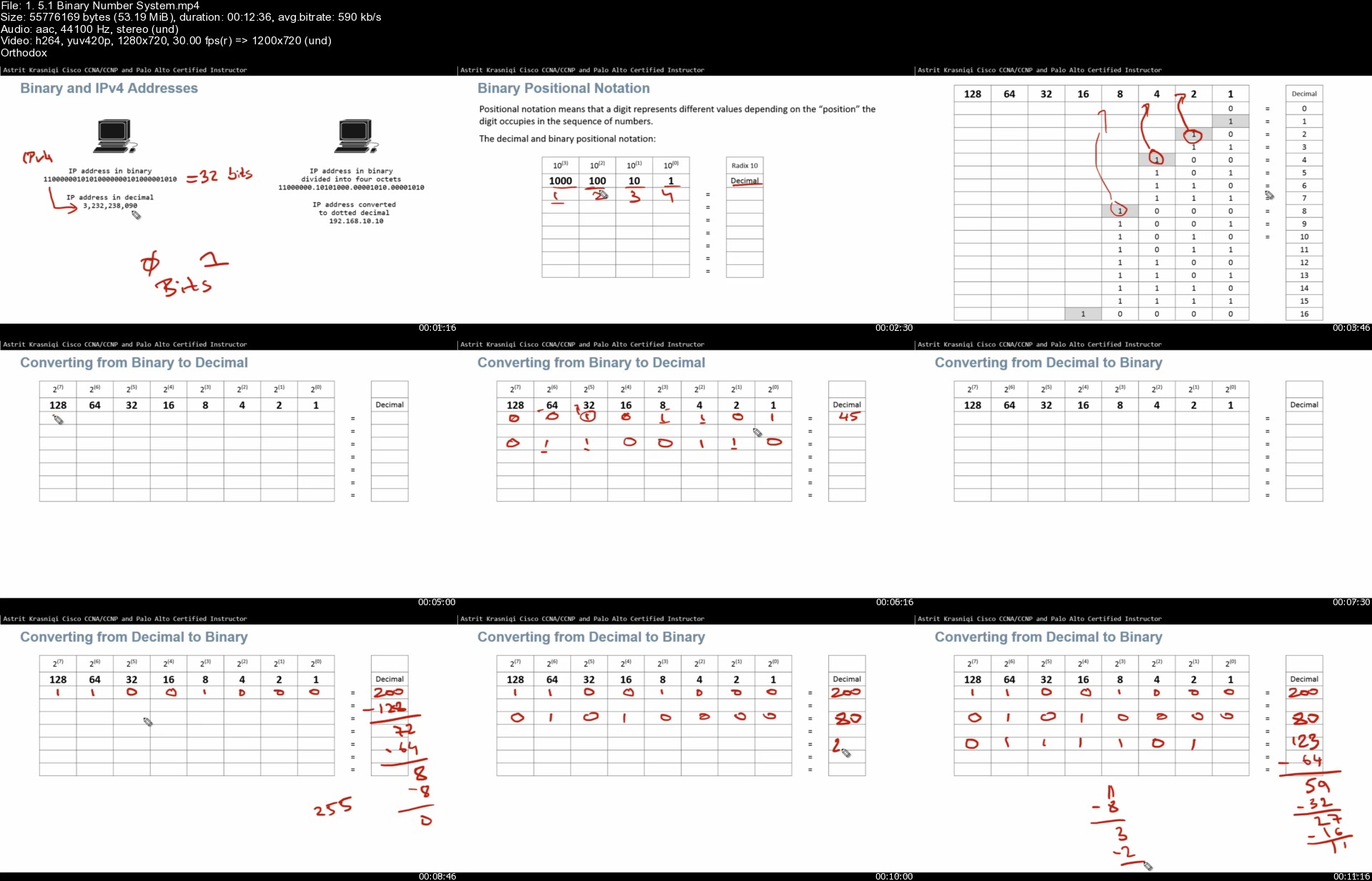
1.5.1binarynumbersystlgj1r.jpg


Master Hardware | Ensamble de Computadores

f7ofoels9o2ja1tzamo9xezjux.jpg


Master Hardware | Ensamble de Computadores
MP4 | Video: h264, 1280x720 | Audio: AAC, 44100 Hz
Language: Spanish | Size: 6.64 GB | Duration: 7h 12m


What you'll learn
Armar desde cero y sin conocimientos el PC perfecto para tus juegos, programas y software preferidos.
Reemplazar sin problemas cualquier componente defectuoso del PC y ahorrar dinero al evitar tener que llevarlo al servicio técnico que es costoso.
Utilizar el conocimiento aprendido en el curso para que empieces tu negocio de ensamblaje de PC´s de mesa.
Conocerás a fondo el funcionamiento, tipos y características de cada componente de un PC.

Requirements
Tener en mente la compra de un PC.
Muchas disposición para aprender.

Description
¿Te gustaría ensamblar tu Pc y No sabes por donde empezar?

¿Manejas Programas Pesados, Videojuegos y tu PC se pone lenta?

¿Quieres aprender armar Torres para Gamers, Diseñadores o Arquitectos Y crear tu propio Negocio?

¡Pues este curso es para ti!

Programa completo en alta calidad de vídeo y audio en FULL HD donde descubrirás todo lo necesario para armar un PC de Mesa ajustado a tu necesidad y a tu presupuesto, para no regalar tu dinero a los técnicos informáticos y los almacenes de cadena que venden PC´s a un alto precio para lo que de verdad ofrecen, todo esto lo podrás lograr gracias a un contenido teórico-práctico moderno y muy gráfico que harán que tu proceso de aprendizaje sea más fácil, amigable y divertido.

Todo esto lo vas a lorgrar gracias a 3 módulos super poderosos:

Módulo 1: Conceptos Básicos

¿Qué es un computador?

¿Cuál es la diferencia entre una laptop y un Pc de mesa?

¿Qué es un PC de mesa (Sistema completo con periféricos) y qué es una TORRE?

Pc prefabricado vs Torre armada

Presentación rápida de componentes básicos de un PC de mesa

Módulo 2: Qué es, cómo funciona, tipos, tamaños, marcas, consejos y mucho más de cada uno de estos componentes:

Procesador (CPU)

Placa Madre (Motherboard)

Memoria RAM

Tarjeta de Video (GPU)

Unidad de almacenamiento (HDD, SSD standard, SSD M.2 Sata y SSD M.2 Nvme)

Fuente de poder (PSU)

Sistema de refrigeración

Gabinete (Case)

Módulo 3: Paso a paso del ensamblaje del PC donde se muestra:

Herramientas para utilizar en el ensamblaje

Desempaquetado rápido de algunos componentes

Tornillería utilizada en el proceso

Identificación de los diferentes puertos y conexiones

Montaje completo de procesador y disipador térmico

Instalación correcta de Módulos de memoria RAM, tarjeta de video y HDD o SSD

Instalación correcta de los fans o ventiladores del gabinete

Gestión de cables y mucho más


Who this course is for:
Profesionales, editores, arquitectos, gamers, diseñadores, ilustradores, productores musicales, tanto principiantes como experimentados.
Personas que actualmente están en busqueda de un nuevo PC para su trabajo o entretenimiento.
Cualquiera que quiera renovar su flujo de trabajo con un PC más actual y ajustado a su necesidad y presupuesto.
ersonas que les agrade el tema de Hardware de computadores y tecnología y quieran comenzar su propio negocio en esta industria.
Cualquier persona que desee aprender.


Homepage

7.sistemaderefrigeracofjjd.jpg


Learn React JS with Redux

hjblavom7knuw6kllfafk33kja.png


Learn React JS with Redux
9h 36mins | mkv , 1280x720 , 60 fps | aac, 48000 Hz, stereo, s16 | 5.29 GB
Genre: eLearning | Language: English

React was released by Facebook's web development team in 2013 as a view library. React is one of the best choices for building modern web applications. React has a robust and evolving ecosystem and a great community. In this course, we will be learning React from scratch by creating various projects. If you are new to React js or if you have difficulty learning React JS this course is for you.

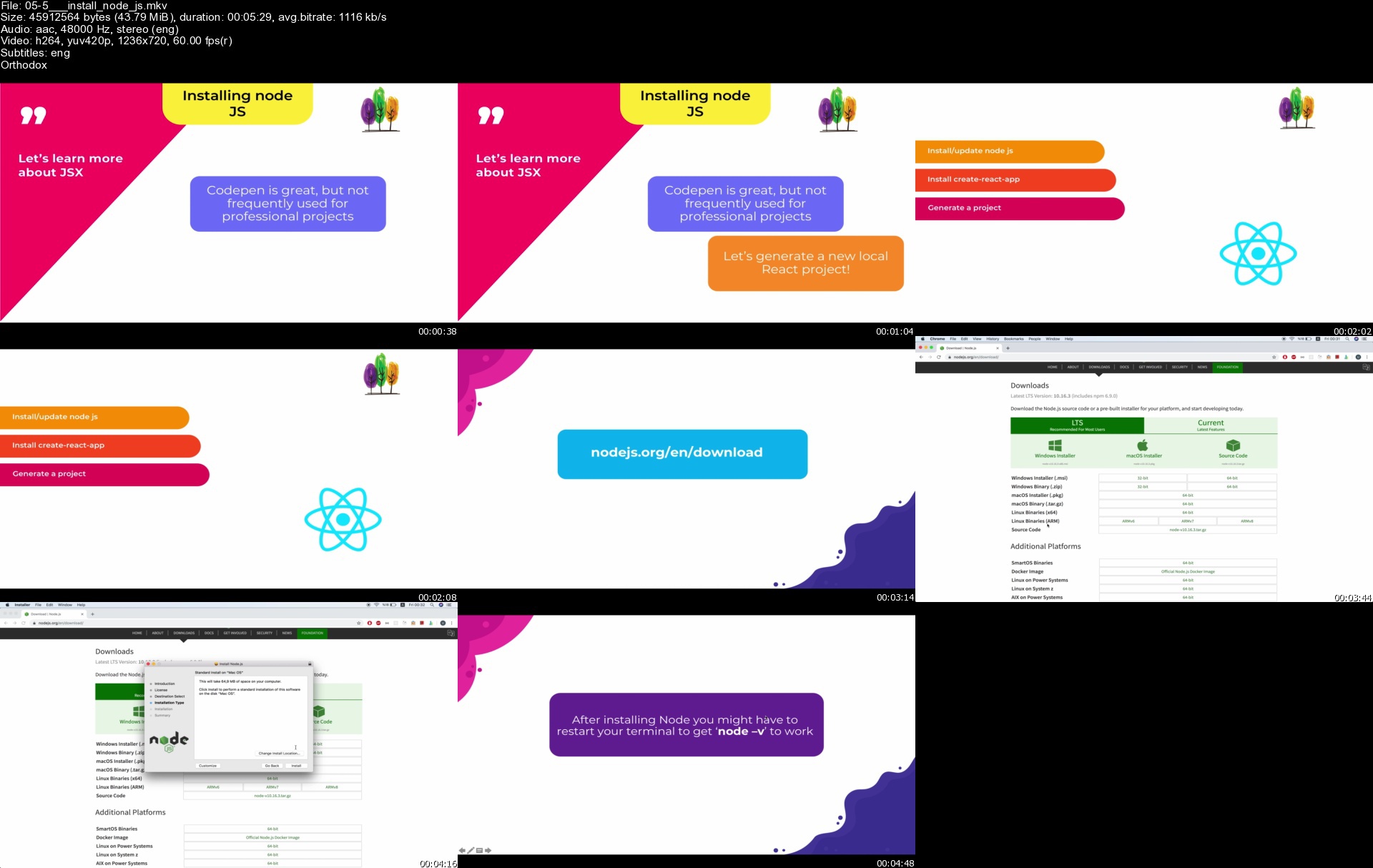
055installnodejssxukhw.jpg


How To RENDER Comics

pktlhet6vwlo1oxa0vrmynhji7.jpg


How To RENDER Comics
MP4 | Video: h264, 1280x720 | Audio: AAC, 44100 Hz
Language: English | Size: 5.93 GB | Duration: 7h 3m

In this course, I and my fellow instructors help you bring form to your drawings. Rendering, whether it's shading, inking, or coloring, gives shade and three dimensionality to your drawings. Without it, everything will seem 2D. Flat. We've collected some awesome instructors and professionals for this course for you on SkillShare!! At 7+ hours, this course covers all that you'd need!

Ed Foychuk starts us off with units that help explain Lighting. Going over lighting is important before you start rendering because before you learn HOW to render, you should learn the WHERE and WHY. Ed explains it all in a variety of units ranging from simple to complex.

Mike Van Orden takes us through pencil techniques. Explaining how to use the pencil in various was so as to take in the knowledge from the lighting units, and give our drawings for with pencil.

Chris Graves walks us through his rendering process - showing us how pencils can bring a character to life!!

Walden Wong, our master inker, explains how you approach rending with inks. Whether digitally or traditionally, these techniques and approaches hold true. So strap in and enjoy these lessons from a professional!

Tim Goernert goes through tons of approaches to inking various subjects. It's worth the watch and he explains his reasoning for each step and pen stroke.

Deth Phimmasone explains the ins and outs of rendering with markers. He gives some explanation as to the supplies suggested, and then delves into different techniques that'll help you bring your drawings to life.

By the end of this course we promise you that you will be far more confident, not only in your rendering skills, but your understanding of the 'where' and 'why' that so often eludes beginning artists.

So join us in this awesome adventure, and let's bring your drawings to life!!


Homepage

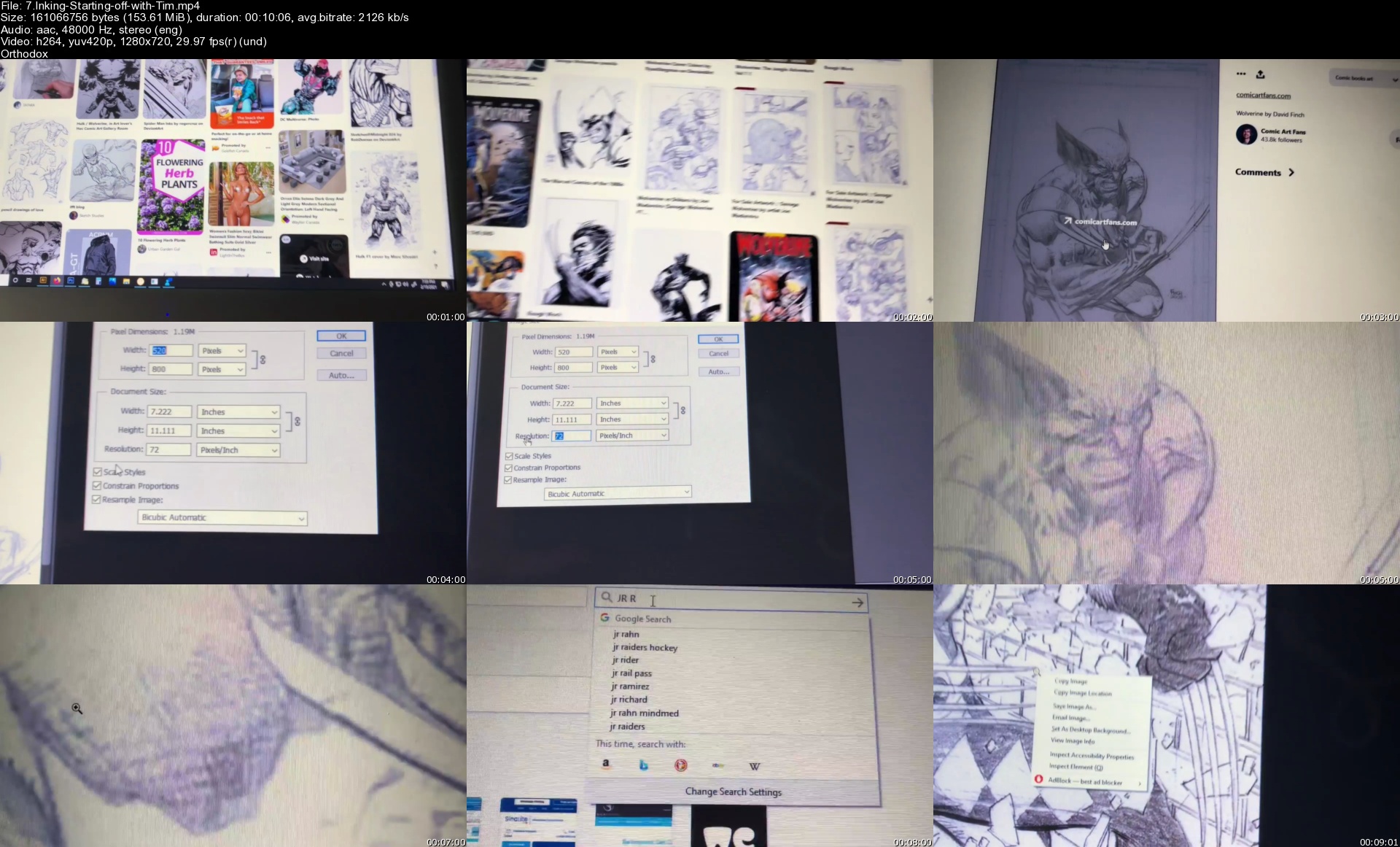
7.inkingstartingoffwi50jb9.jpg


Igor Kheifets - Elite Traffic Pro 2.0

vrtvbcozhncpdgzhuaycunej6s.jpg


Igor Kheifets - Elite Traffic Pro 2.0
6.42 GiB | 18h 43mn | Video: .MP4 1280x720 | Audio: AAC, 44100 Hz, 2 channels, 128 Kbps
Genre: eLearning | Language: English

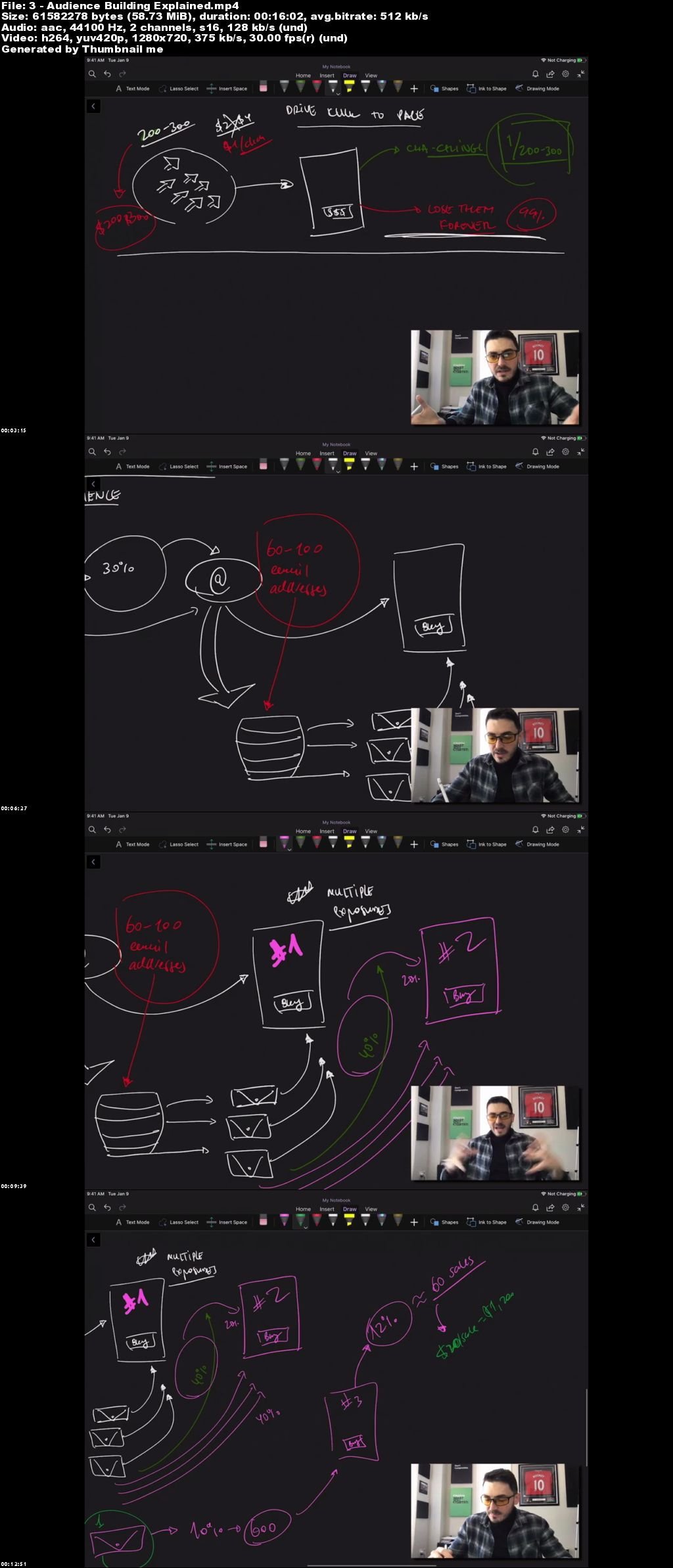
What Problems Does Elite Traffic Pro 2.0 Solve For Affiliate Marketers?
FACEBOOK ADS ALTERNATIVE

If you're tired of unresponsive Facebook traffic or if you're having one ad account shut down after another, ETP 2.0 offers an alternative you will only need to set up once and enjoy steady traffic for years.

TRAFFIC THAT DOESN'T TAKE FOREVER

Most traffic sources take a long time to kick in and are very hard to scale. Lead Banks are quick to set up, quick to test and quick to scale, even for a complete beginner.

SCALABLE TRAFFIC ON A BUDGET

Working with a small budget and can't afford mistakes? ETP 2.0 shows how to minimize losses and maximize your ROI with an affordable new traffic source.

START SLOW, SCALE FAST WITH YOUR PROFITS

If you can't spend a lot of money upfront on traffic, ETP 2.0 offers an opportunity to start with less than $300 ad budget and scale using your profits with lead banks. Quality meets affordability in what many experts are calling the next big thing in traffic generation.

WHAT LANDING PAGE TO USE?

Getting traffic is only part of the process. You also need to know what pages to use to convert? Do you need a lead magnet? What landing page should you use? All these questions answered. Plus, hands-on over-the-shoulder training on how to set everything up for beginners.

HOW TO START IF YOU'RE A BEGINNER?

You've been learning about traffic sources, but not sure where to start? ETP 2.0 offers a clear step-by-step road map from start to profits with a new traffic source.

BECOME A LEAD GENERATION EXPERT

Traffic is the lifeblood of any online business. ETP 2.0 shows a universal lead generation method you can use in any venture. Whether you want to drive traffic for yourself or offer this service to others, we've got the step-by-step blueprint showing you how.

FLIP LEADS FOR PROFIT

Want to make a living out of being a lead reseller? Have other people pay you a "middle-man fee" for channeling leads their way. This is a great way to build seed money to fund your dream business.

BUILD A LARGE RESPONSIVE EMAIL LIST QUICKLY

Imagine quality leads being placed on your email list for a set fee. ETP 2.0 shows a predictable automatic way to build a large email list with a set budget. No surprises. No testing. No guesswork.

GET TRAFFIC MENTORING FROM EXPERTS WHO WALK THE TALK

Challenges will come up along the way. They always do. That's why having a team of experts on standby to help you is so crucial to guarantee your success. Enroll now to qualify for 6 months of free coaching with your ETP 2.0 membership.

WHAT DO YOU EXACTLY GET:
Elite Traffic Pro 2.0 System
60-Second Lead Pages
Ultimate Lead Page Swipe File
Done-For-You Lead Pages
Pre-flight Lead Page Checklist
Value Bribe Checklist
Bootstrap Production Toolkit
Scaling Checklist

osdu6iam3eginlzlhzmzgrk4e.jpeg


Advanced HTML and CSS

cn8kmxjra5zbehrrx5bfw5ekix.jpg


Advanced HTML and CSS
MP4 | Video: h264, 1280x720 | Audio: AAC, 44.1 KHz, 2 Ch
Genre: eLearning | Language: English + srt | Duration: 100 lectures (12h 8m) | Size: 9.4 GB

The easiest way to learn modern web design, HTML5 and CSS3 step-by-step from scratch. Create Mini and Major Projects.

What you'll learn:
Real-world skills to build real-world websites: professional, beautiful and truly responsive websites
The proven 7 real-world steps from complete scratch to a fully functional and optimized website
Learn how to build Responsive Web Designs for all Devices
Projects that will teach you everything you need to know to get started with HTML5 and CSS3
Search Engine Optimization Techniques
Simple-to-use web design guidelines and tips to make your website stand out from the crowd
2D and 3D Animations
Advanced HTML and CSS as well

Requirements
No coding or design experience necessary
Any computer will do - Windows, OSX or Linux
You don't need to buy any software - we will use the best free web development editor in the world


Description
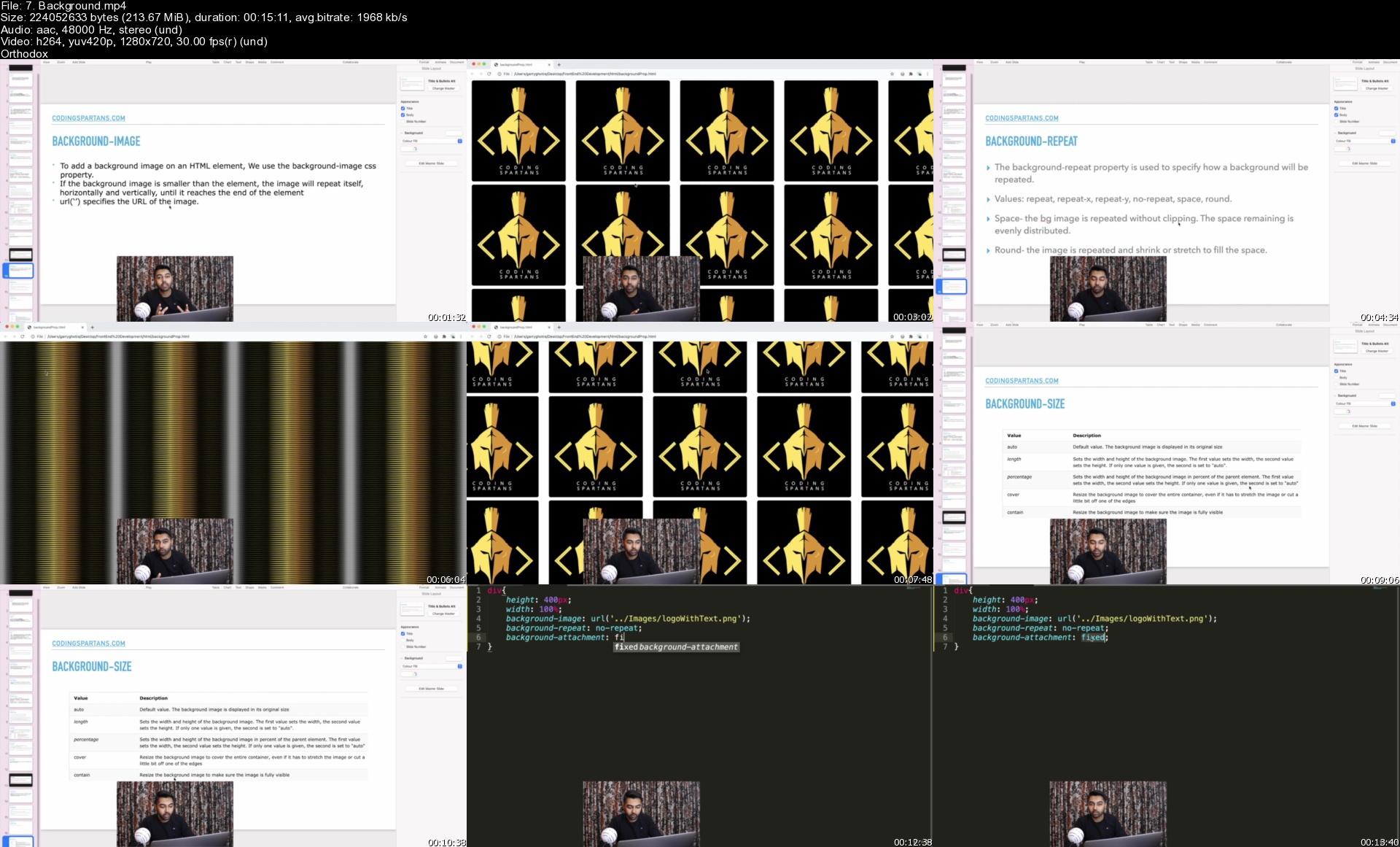
In this course, you learn Basics and Advanced part of HTML and CSS in a practical manner to make you industry ready. The course contains 12 hours of dedicated content We start with basics of HTML, learn about tags, elements and how the course is structured. Then we learn how to create forms, tables and a lot more. We then build a blog page using HTML. It is important for our webpages to be good with SEO, so you will learn how you can use meta data in your webpages to boost search results. After HTML, we move to CSS and build a blog page using HTML and CSS, we still have major projects coming up. You will learn a lot of CSS styles and properties, transitions, animations, transformations, gradients, 3d animations and A LOT more. Now to sum up all your learnings we will have 2 major projects, one will be the Resume Project and one will be Real Estate Webpage Project. The Resume Project will have a clear structuring of sections from header to footer. We will add icons, images, internal links, transitions, gradients, forms and a lot more css properties to make it look elegant. The Real Estate Project will also sum up all the learnings of this course and provide you a clear picture on how to write code and create things on the webpages. The Course is not only about learning to create, you will also learn how to think of a design that looks elegant and the code. Trust us, by the end you will be confident enough to create beautiful looking webpages. Please watch the welcome video to get in-depth clarity on how the course is structured.

Who this course is for
Web Developers Enthusiasts
You are a complete beginner with no idea on how to build a website.
You already know some HTML and CSS from some tutorials or videos, but struggle to put together a good-looking, complete website.
You are a designer and want to expand your skills into HTML5 and CSS3, because all your designer colleagues are learning how to code (they are smart).

Homepage

7.backgroundsijkw9.jpg


Linkedin Learning Node js Testing and Code Quality-XQZT

213469715_03-02-adding_editorconfig_to_a_project_and_ide_c.jpg


Linkedin Learning Node js Testing and Code Quality-XQZT | MKV | 1.03 GiB

305 kb/s 1280x720 | AAC 2 CH eng


NFO:
File List:

File: linkedin.learning.node.js.testing.and.code.quality-xqzt-sample.mkv
Size: 2675783 bytes (2.55 MiB), duration: 00:01:10, avg.bitrate: 306 kb/s
Audio: aac, 48000 Hz, stereo (eng)
Video: h264, yuv420p, 1280x720, 30.00 fps(r) (eng)
Subtitles: eng


Download ( Size: 1.03 GiB ):
Filehosts: Nitroflare, Rapidgator, ddownload.com


oHeopzn.png

2 Link/s
A66EB10411.png


5hSo1Ay.png

2 Link/s
EB0429996E.png


Download from ddownload:
2 Link/s
835E005EB8.png


Learn How To Trade Crypto - Krypton

ca575504990cee06618fd79f2c1168e2.jpg

Learn How To Trade Crypto - Krypton | 6.7 GB​
How To Make 20% - 200% Returns Per Trade On AltCoins With The Krypton System
16 Year Veteran Stock Trader Cameron Fous Now Implementing his Strategies into Cryptocurrencies and is Crushing the Game with 20% - 200% Calls With This Strategy!

What Will You Learn?
- How To Identify Trade opportunities Before anyone else
- Learn the 4 Krypton Patterns That Bank 20% - 200%
- Exactly When you should Buy And Sell For Maximum $$?
- Kryptonite Risk Management To Protect Your Profits

The System
After 16 years of trading, I have found out exactly what works and what does not. Traders lose because of emotions. When you systemize your strategy your win rate dramatically increases and the profits roll in!
Mindset Shift
What most people don't realize is that successful trading is mostly about mastering your mind and discipline. I've seen so many traders fail because they get emotionally attached to a trade and lose it all. I will teach you to be ice cold!

Homepage:

Screenshots
80b981f2e7990d90868d20ba7f6f6982.jpg


Link Download
​
Extract files with WinRar 5 or Latest !
 
Zurück
Oben Unten