• Regeln für den Video-Bereich:

    In den Börsenbereich gehören nur Angebote die bereits den Allgemeinen Regeln entsprechen.

    Einteilung

    - Folgende Formate gehören in die angegeben Bereiche:
    - Filme: Encodierte Filme von BluRay, DVD, R5, TV, Screener sowie Telesyncs im Format DivX, XviD und x264.
    - DVD: Filme im Format DVD5, DVD9 und HD2DVD.
    - HD: Encodierte Filme mit der Auflösung 720p oder darüber von BluRay, DVD, R5, TV, Screener sowie Telesyncs im Format x264.
    - 3D: Encodierte Filme von BluRay, die in einem 3D Format vorliegen. Dies gilt auch für Dokus, Animation usw.
    - Serien: Cartoon/Zeichentrick, Anime, Tutorials, Dokumentationen, Konzerte/Musik, Sonstiges sind demnach in die entsprechenden Bereiche einzuordnen, auch wenn sie beispielsweise im High Definition-Format oder als DVD5/DVD9/HD2DVD vorliegen. Ausnahme 3D.
    - Bereich Englisch: Englische Releases gehören immer in diesen Bereich.
    - Bereich Talk: Der Bereich, in dem über die Releases diskutiert werden kann, darf, soll und erwünscht ist.


    Angebot/Beitrag erstellen

    - Ein Beitrag darf erst dann erstellt werden, wenn der Upload bei mindestens einem OCH komplett ist. Platzhalter sind untersagt.
    - Bei einem Scenerelease hat der Threadtitel ausschließlich aus dem originalen, unveränderten Releasenamen zu bestehen. Es dürfen keine Veränderungen wie z.B. Sterne, kleine Buchstaben o.ä. vorgenommen werden. Ausnahme Serienbörse:
    - Bei einem Sammelthread für eine Staffel entfällt aus dem Releasename natürlich der Name der Folge. Beispiel: Die Simpsons S21 German DVDRip XviD - ITG
    - Dementsprechend sind also u.a. verboten: Erweiterungen wie "Tipp", "empfehlenswert", "only", "reup", usw. / jegliche andere Zusatzinformation oder Ergänzung, welche nicht in obiger Beschreibung zu finden ist.

    Aufbau des Angebots und Threadtitel

    Der Titel nach folgendem Muster erstellt zu werden. <Name> [3D] [Staffel] [German] <Jahr> <Tonspur> [DL] [Auflösung] <Quelle> <Codec> - <Group>
    Beispiel: The Dark Knight German 2008 AC3 DVDRip XviD - iND
    Beispiel: The Dark Knight 2008 DTS DL BDRip x264 - iND
    Beispiel: The Dark Knight 2008 AC3 DL BDRip XviD - iND
    Beispiel: The Dark Knight German 2008 AC3 720p BluRay x264 iND
    Beispiel: The Dark Knight 2008 DTS DL 1080p BluRay x264 iND
    Beispiel: Die Simpsons S01 German AC3 DVDRip XviD iND
    Beispiel: Die Simpsons S20 German AC3 720p BluRay x264 iND
    Beispiel: Sword Art Online II Ger Sub 2014 AAC 1080p WEBRip x264 - peppermint
    Entsprechend sind also u.a. verboten: Sonderzeichen wie Klammern, Sterne, Ausrufezeichen, Unterstriche, Anführungszeichen / Erweiterungen wie "Tipp", "empfehlenswert", "only", "reup", usw. / jegliche andere Zusatzinformation oder Ergänzung, welche nicht in obiger Beschreibung zu finden ist
    Ausnahmen hiervon können in den Bereichen geregelt sein.

    Die Beiträge sollen wie folgt aufgebaut werden:
    Überschrift entspricht dem Threadtitel
    Cover
    kurze Inhaltsbeschreibung
    Format, Größe, Dauer sind gut lesbar für Downloader außerhalb des Spoilers zu vermerken
    Nfo sind immer Anzugeben und selbige immer im Spoiler in Textform.
    Sind keine Nfo vorhanden z.B. Eigenpublikationen, sind im Spoiler folgende Dateiinformationen zusätzlich anzugeben :
    Quelle
    Video (Auflösung und Bitrate)
    Ton (Sprache, Format und Bitrate der einzelnen Spuren)
    Untertitel (sofern vorhanden)
    Hosterangabe in Textform außerhalb eines Spoiler mit allen enthaltenen Hostern.
    Bei SD kann auf diese zusätzlichen Dateiinformationen verzichtet werden.

    Alle benötigten Passwörter sind, sofern vorhanden, in Textform im Angebot anzugeben.
    Spoiler im Spoiler mit Kommentaren :"Schon Bedankt?" sind unerwünscht.


    Releases

    - Sind Retail-Release verfügbar, sind alle anderen Variationen untersagt. Ausnahmen: Alle deutschen Retail-Release sind CUT, in diesem Fall sind dubbed UNCUT-Release zulässig.
    - Im Serien-Bereich gilt speziell: Wenn ein Retail vor Abschluss einer laufenden Staffel erscheint, darf diese Staffel noch zu Ende gebracht werden.62
    - Gleiche Releases sind unbedingt zusammenzufassen. Das bedeutet, es ist zwingend erforderlich, vor dem Erstellen eines Themas per Suchfunktion zu überprüfen, ob bereits ein Beitrag mit demselben Release besteht. Ist dies der Fall, ist der bereits vorhandene Beitrag zu verwenden.
    - P2P und Scene Releases dürfen nicht verändert oder gar unter einem iND Tag eingestellt werden.


    Support, Diskussionen und Suche

    - Supportanfragen sind entweder per PN oder im Bereich Talk zu stellen.
    - Diskussionen und Bewertungen sind im Talk Bereich zu führen. Fragen an die Uploader haben ausschließlich via PN zu erfolgen, und sind in den Angeboten untersagt.
    - Anfragen zu Upload-Wünschen sind nur im Bereich Suche Video erlaubt. Antworten dürfen nur auf Angebote von MyBoerse.bz verlinkt werden.


    Verbote

    - Untersagt sind mehrere Formate in einem einzigen Angebotsthread, wie beispielsweise das gleichzeitige Anbieten von DivX/XviD, 720p und 1080p in einem Thread. Pro Format, Release und Auflösung ist ein eigener Thread zu eröffnen.
    - Grundsätzlich ebenso verboten sind Dupes. Uploader haben sich an geeigneter Stelle darüber zu informieren, ob es sich bei einem Release um ein Dupe handelt.
    - Gefakte, nur teilweise lauffähige oder unvollständige Angebote sind untersagt. Dies gilt auch für eigene Publikationen, die augenscheinlich nicht selbst von z.B. einer DVD gerippt wurden. Laufende Serien, bei denen noch nicht alle Folgen verfügbar sind, dürfen erstellt und regelmäßig geupdatet werden.
    - Untersagt sind Angebote, welche nur und ausschließlich in einer anderen Sprache als deutsch oder englisch vorliegen. Ausnahmen sind VORHER mit den Moderatoren zu klären.


    Verstoß gegen die Regeln

    - Angebote oder Beiträge, die gegen die Forenregeln verstoßen, sind über den "Melden"-Button im Beitrag zu melden.
  • Bitte registriere dich zunächst um Beiträge zu verfassen und externe Links aufzurufen.

++ Premium IPTV ++ 7000 Live Sender ++ UHD Qualität ++ Mediathek mit 18.000 Inhalten ++


VenneTV


Englische Tutorials

Noremac Newell Trading Video Series Guide

e142ee9e6e065b76ac6cd337b3680254.jpg

Noremac Newell Trading - Stock Trading Video Series Guide | 9 GB​
Over 20 Hours of Educational Day-Trading Content.
For Beginner, Intermediate and Advanced Traders.

Includes Cam's Story, How to Make a Watchlist, Swing Trading, Momentum Trading, Trading Strategies, Live Trading and Specific Questions.

Screenshots
4594823cf0ae93c2936ff3965aaf41f2.jpg

Homepage:

Link Download
​
Extract files with WinRar 5 or Latest !
 
Mindvalley - Immunity Blueprint by Eric Edmeades

142e1f9aeb4eac371ab2bde73ad1d16f.jpg

Mindvalley - Immunity Blueprint by Eric Edmeades | 4.1 GB​
The Immunity Blueprint is a 29-day high-immunity lifestyle protocol that rewards you with greater protection from illness, accelerated healing, and permanently improved health and wellbeing.

You'll join Eric Edmeades for just 20 minutes a day in easy-to-follow video lessons that empower you with simple practices and tools you need to gain and sustain a strengthened immune system through optimal nutrition, movement, sleep, breath work, and more.

By the end of your journey, you'll walk away with an effortless daily routine of immunity-boosting habits that fit seamlessly into your normal life - and stick with you for a lifetime.

What You'll Gain With The Immunity Blueprint
- A Stronger Immune System:
- Through a consistent and sustainable behavioral change protocol, Eric will rewire you with a high-immunity lifestyle that lasts a lifetime and shields you from frequently falling sick.
- Improved Overall Health:
- The lifestyle shifts you make will not only strengthen your immune system - but also upgrade your overall health, vitality, and energy levels. You'll also likely notice an improvement in the symptoms of certain health conditions you may have.
- Faster Recovery:
- From work and exercise fatigue to general tiredness - you'll find yourself recovering and returning to peak condition far more quickly thanks to your high-immunity lifestyle.
- Faster Healing From Illness:
- Having a strong immune system doesn't mean you'll never get sick - but you will notice yourself falling sick far less often, experiencing less severe symptoms, and healing faster when you do.
- Peace Of Mind:
- Even when others are falling sick around you, or when there's a bug or virus going around, you'll have far more confidence to live your life with minimal fear or anxiety.
- Improved Sleep Quality:
- The lifestyle and habit changes you make will also greatly impact your quality of sleep. You'll enjoy deeper, more restful, more uninterrupted sleep every night - and may even experience relief from certain sleep disorders.
- Extend Your Lifespan:
- Your strengthened immune system will not only help shield you from many life-threatening illnesses - but also lead you to better overall health and quality of life, which can result in years added to your life.
- Feel & Look Younger:
- Stronger immunity will also help turn back the clock on premature aging. You'll likely see noticeable changes in your skin, hair, flexibility, and energy and motivation to live to the fullest - no matter your current age.

Homepage:

Screenshots
113099b5af0fba813839d4e1c3ae2842.jpg

HOmepage:

Link Download
​
Extract files with WinRar 5 or Latest !
 
Skills Program and Nutrition Guide by Caliathletics

0c918e4e492b3cf435e2128959b3bcd9.jpg

Caliathletics - Skills Program and Nutrition Guide | 2.2 GB​
Caliathletics program is a complete and comprehensive guide that should help everyone regardless of their aims. That being said, if you want to learn these impressive calisthenics skills you can do so by accessing our lessons in section Static & strength skills and Dynamic skills. If you want to focus only on basic strength and physique you can let it go.

How do you implement skills workouts into main workout program?
There are two ways to get it:
- Include additional skills workouts on rest days.By choosing this method we would recommend you reading more about Grease the groove method that is extremely effective in terms of skills training. You can read how to use it here.
- Implement skills progressions exercises in the beginning of your workouts.This method is recommended in intermediate and advanced program. The ultimate goal of it is to implement calisthenics skills progressions and strengthening exercises just before basic exercises for 30 up to 90 minutes.

Ok, but how exactly should I train skills?
It all depends on the skills and your current strength level. There is no simple answer to that but we will try to make it clear for you. To achieve chosen skill you should combine strengthening exercises and progressions. When you start your workout you have to pick up the most challenging progression at the beginning and perform it a few times. For example, if you are training for a front lever and can hold a straddle for 5 seconds you should do a few sets of straddle max hold. The most important aspect here is the quality of movement, once you feel you are not able to perform chosen progression in proper form then go back to easier one. In that case that would be some sets of straddle max hold and then some sets of advanced tuck max hold.
How many repetitions?
Depends on the skill and progression. When working on skills there are two main factors that affect your progress:
- Frequency
- Quality over quantity

Training skills often will get you faster adaptations, we should always approach to it with fresh mind and body since the most important is quality of movement. With that being said, we would recommend keeping repetitions relatively low with long rest time between sets. When you aim for maximum holds you want to perform only 1 rep and a few sets until you feel too fatigued. Pick up a few progressions and perform a few sets of these then move to next skill. We would recommend working on 1 up to 4 skills per one workout session.
Make sure that by implementing skills training to workout program the total workout volume is not too high, if it is your progress might decrease and eventually you will overreach. Since we are all different you have to learn how to listen to your body and once it says I'm not able to regenerate properly (or is just too fatigued) then decrease skills training.

HOmepage:

Screenshots
db68f143b3d1579511e56c3e69bf7f4f.jpg


Link Download
​
Extract files with WinRar 5 or Latest !
 
T2 University FX Pro Course by Jason Stapleton

1f04380b664fc5281503b53728c0795a.jpg

Jason Stapleton - T2 University FX Pro Course | 3.69 GB​
What are we working toward?
Simply put, what we do here is build consistently profitable traders. That should be
the ultimate goal of any trader. If you can make a dollar a day, you can make ten
thousand dollars a day. It is simply a matter of account and position size.

We use a crawl, walk, run philosophy to develop a trader from the ground up. Most
traders bring a host of bad habits and misconceptions about what trading is, and
what is necessary in order for you to achieve "success". For that very reason we're
going to start from the beginning, learning about basic structure and basic chart
reading BEFORE moving on to more complex and technical aspects of trading.
No matter where you're at in your trading journey expect to have you belief system
challenged. Choose, rather than being defensive, to truly question weather what
you believe is based in fact, historical study and conclusive evidence or perhaps
from what you've heard in a chat form or an emotional reaction to past experience.

Everyone at Triple Threat Trading understands that our goal and responsibility is to
see YOU succeed. This course has grown into
what it is today because of the feedback we've received from our clients.

HOmepage:

Screenshots
ff0842539a67d941d43c805ff66e0b15.jpg


Link Download
​
Extract files with WinRar 5 or Latest !
 
Linkedin Learning PostgreSQL Client Applications-XQZT

213659735_05-01-input_queries_from_the_command_line_c.jpg


Linkedin Learning PostgreSQL Client Applications-XQZT | MKV | 344.65 MiB

527 kb/s 1280x720 | AAC 160 kb/s 2 CH eng


NFO:
File List:

File: 01.01-work_with_postgresql_on_the_command_line.mkv
Size: 4339021 bytes (4.14 MiB), duration: 00:01:05, avg.bitrate: 534 kb/s
Audio: aac, 48000 Hz, stereo (eng)
Video: h264, yuv420p, 1280x720, 30.00 fps(r) (eng)
Subtitles: eng


Download ( Size: 344.65 MiB ):
Filehosts: Nitroflare, Rapidgator, ddownload.com


oHeopzn.png

1 Link/s
28604F588D.png


5hSo1Ay.png

1 Link/s
CE2FC7144C.png


Download from ddownload:
1 Link/s
6F0586E55D.png


Linkedin Learning AWS Cost and Performance Optimization-XQZT

213670034_08-01-next_steps_c.jpg


Linkedin Learning AWS Cost and Performance Optimization-XQZT | MKV | 325.74 MiB

435 kb/s 1280x720 | AAC 2 CH eng


NFO:
File List:

File: linkedin.learning.aws.cost.and.performance.optimization-xqzt-sample.mkv
Size: 3702746 bytes (3.53 MiB), duration: 00:01:08, avg.bitrate: 436 kb/s
Audio: aac, 48000 Hz, stereo (eng)
Video: h264, yuv420p, 1280x720, 30.00 fps(r) (eng)
Subtitles: eng


Download ( Size: 325.74 MiB ):
Filehosts: Nitroflare, Rapidgator, ddownload.com


oHeopzn.png

1 Link/s
3556889D1C.png


5hSo1Ay.png

1 Link/s
78F8EB599A.png


Download from ddownload:
1 Link/s
AFE89C4130.png


Linkedin Learning Getting Started as a Full-Stack Web Developer-XQZT

213682865_04-02-images_and_other_non-text_files_c.jpg


Linkedin Learning Getting Started as a Full-Stack Web Developer-XQZT | MKV | 799.46 MiB

261 kb/s 1280x800 | AAC 2 CH eng


NFO:
File List:

File: linkedin.learning.getting.started.as.a.full-stack.web.developer-xqzt-sample.mkv
Size: 2251392 bytes (2.15 MiB), duration: 00:01:09, avg.bitrate: 261 kb/s
Audio: aac, 48000 Hz, stereo (eng)
Video: h264, yuv420p, 1280x800, 30.00 fps(r) (eng)
Subtitles: eng


Download ( Size: 799.46 MiB ):
Filehosts: Nitroflare, Rapidgator, ddownload.com


oHeopzn.png

1 Link/s
3C261F203D.png


5hSo1Ay.png

1 Link/s
F923A840B4.png


Download from ddownload:
1 Link/s
0D69D3B356.png


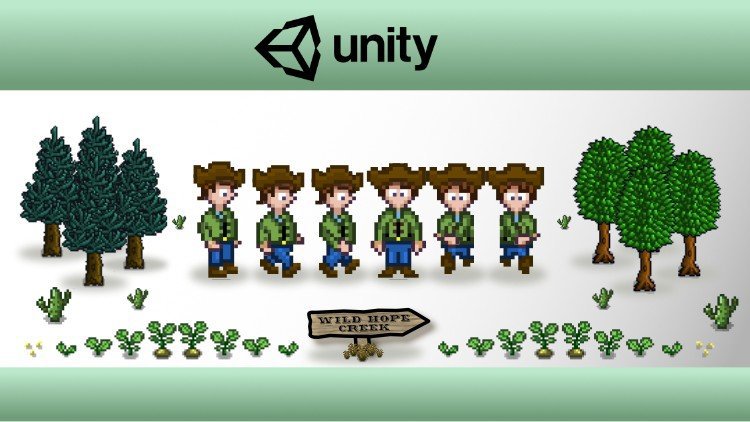
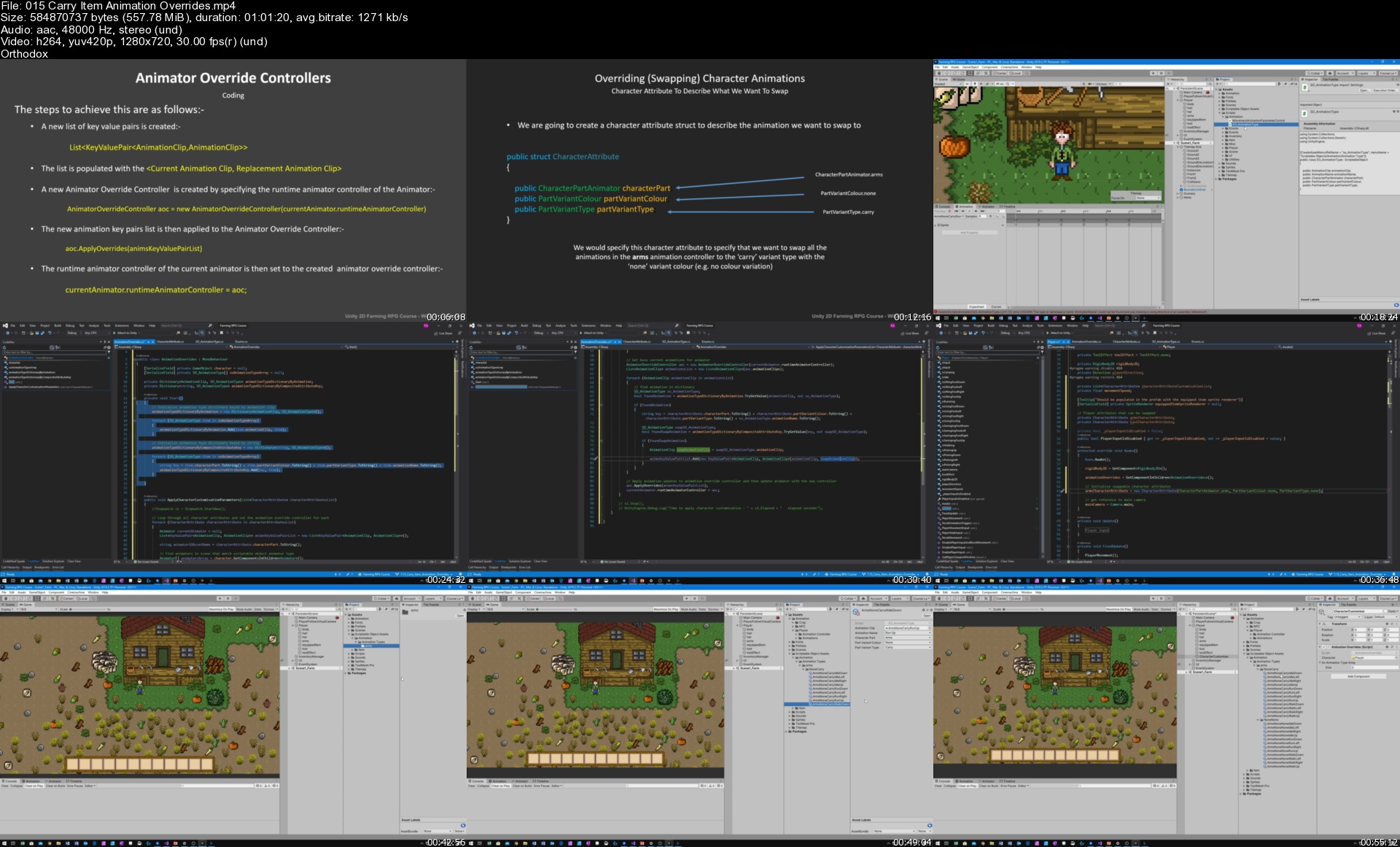
Unity 2D Game Developer Course Farming RPG

bm6mwn1giyqexchrn275a06jbb.jpg


Unity 2D Game Developer Course Farming RPG
MP4 | Video: h264, 1280x720 | Audio: AAC, 44.1 KHz, 2 Ch
Genre: eLearning | Language: English + srt | Duration: 98 lectures (43h 3m) | Size: 22 GB

Build the core systems for a 2D Farming RPG game using the Unity game engine and C# in this intermediate Unity course

What you'll learn:
Unity 2D Game Development For A Farming RPG to create the core systems for a Stardew Valley type game.
Intermediate level course will show you how to build a sophisticated game by creating complex Unity components using C# scripting.
43 Hours of in depth tutorials and includes the full completed project with save points after every lecture.
Set-up the Player game object in a multi-level hierarchy, and implement movement and animations using events.
Use multiple tilemap layers to build game scenes which give a sense of depth.
Use Cinemachine to create a camera to follow the player and remain within the scene bounds.
Build comprehensive item and inventory systems using scriptable objects and prefabs.
Build an inventory bar UI that allows the player to pickup, drop and re-arrange items.
Implement a game time system and UI that generates time related events.
Create a scene manager that loads and unloads scenes as the player moves between them.
Use C# Interfaces to define the properties and methods gameobjects should implement to save their game state as the player moves between scenes.
Use hidden tilemaps to store grid properties, such as, where the player can drop items or dig.
Implement a variety of tools that the player can use, such as a hoe to dig ground and an axe to chop down trees.
Build an object pool to re-use objects.
Create a VFX Manager and build particle effects.
Implement a configurable and flexible crop system covering the planting, growing and harvesting of crops.
Create a Pause Menu that provides a full inventory management screen, save game and quit options.
Build sophisticated save and load game functionality that uses C# interfaces and binary serialisation.
Implement functionality to fully customise your game characters appearance.
Create sophisticated AStar pathfinding for the game NPCs and time based movement schedules.
Implement player sounds, ambient sounds, and game music.

Requirements
Intermediate Unity Development Skills - you should have built a few Unity prototypes or games before. Please note that this is not a beginner course.
Good knowledge of the Unity editor, and how to use it's main features.
Good knowledge of C# scripting and the fundamentals of object oriented programming.
Knowledge and understanding of some of the main Unity API classes and C# system classes.
The willingness to look up anything you are not familiar with in the Unity scripting manual or C# resources online.
Install the free Unity 3D game engine software and Visual Studio Community Edition.
Install the free SourceTree git client to help follow along with the provided completed Unity project and the branches that correspond to completed lectures.


Description
Have you ever wanted to create your own Farming RPG? Games like Stardew Valley and Harvest Moon have been incredibly successful, and you too can develop your own game with the help of this course. We'll explain how to develop many of the core systems and game functionality. We'll start with a blank project and then develop the game lecture by lecture, covering all the code and Unity configuration you will need. This course is massive with over 40 hours of lecture videos, 98 lectures, a starter assets pack, and a complete Unity project that you can download to follow along. We even provide another Unity project to demonstrate AStar pathfinding! So while it took the creator of Stardew Valley over 4 years to create his game, you can get a head start by using this course, potentially saving many months or even years of development time !

Who this course is for
Intermediate Unity Developers who want to extend their skills and knowledge using a full project based course.
Existing Unity developers who are fans of Stardew Valley or Harvest Moon and want to build their own Farming RPG.
A Unity developer who has previously built some prototypes or games and wants a challenging project course to level up their skills.

Homepage

015carryitemanimationwmjd0.jpg


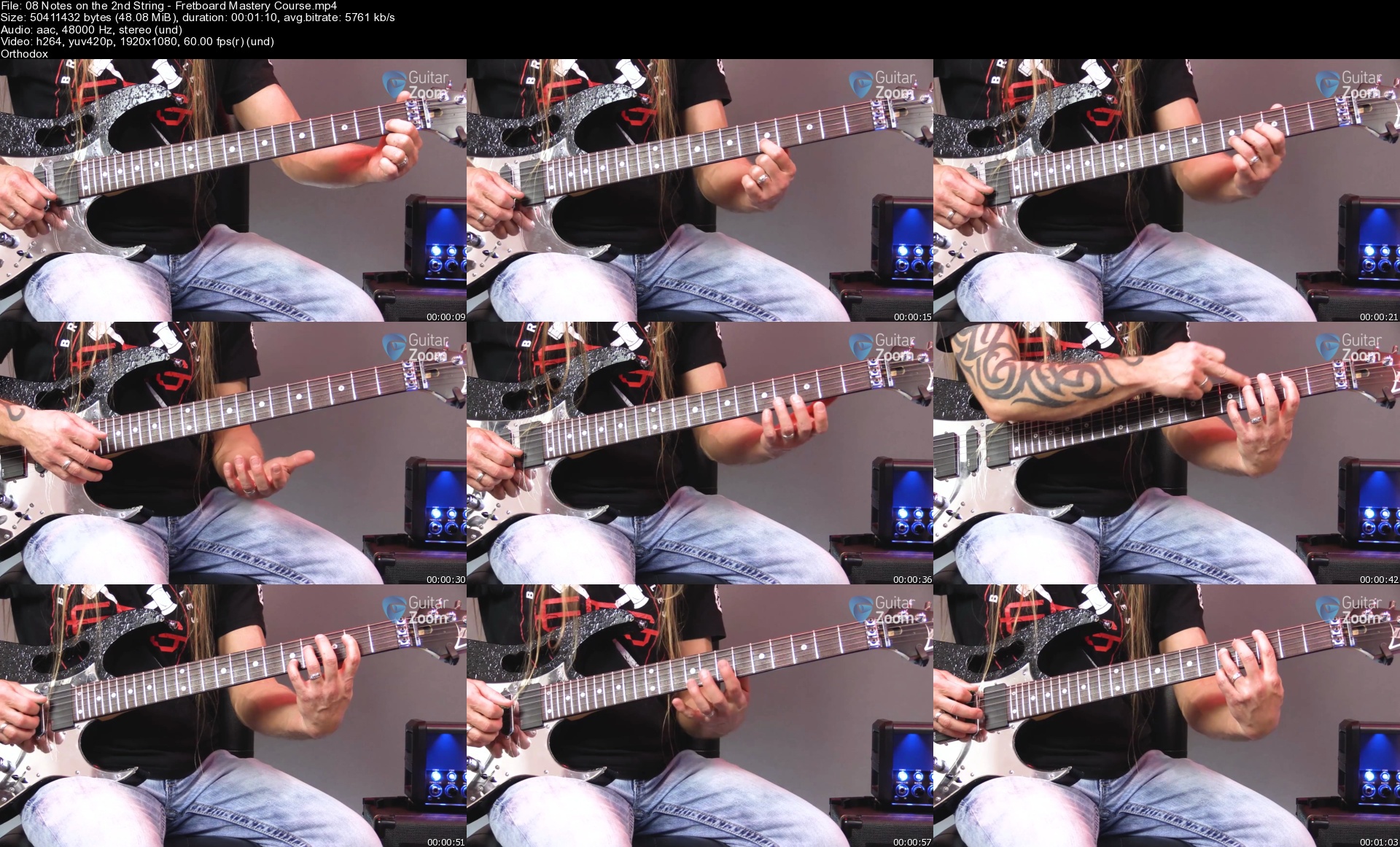
GuitarZoom Masterclass Fretboard

putvfbez2o5nibqwkacbjhwj7z.jpg


GuitarZoom Masterclass Fretboard
MP4 | Video: h264, yuv420p, 1920x1080 | Audio: aac, 48000 Hz | Duration: 2h 58min | File Size: 7.05 GB
Genre: eLearning | Language: English

LESSON PLAN
01 Scales
How to connect the most important scales to play amazing solos over any style of music. 02 Scale/Chord Relationships
How to build major and minor chords so you can play your favorite songs.

03 Notes on Fretboard
Shortcut to instantly know where you can play each note up and down the guitar neck.

04 All 7 Positions
All 7 positions of the major and minor scales, how to visualize them, how to connect them, and how to practice them effectively.

05 The CAGED System
How to use the 5 chords of the CAGED system to play solos over any song.

06 Choose the Right Mode
A quick-and-easy way to choose the right mode for your solos so you can "wow" an audience into listening to every note you play.

Homepage

08notesonthe2ndstringnfk3x.jpg


Git Mastery: Beginner to Expert with GitHub & GitLab

lcmwc8ctcuns8jdkpxdig4ckfn.jpg


Git Mastery: Beginner to Expert with GitHub & GitLab
MP4 | Video: h264, 1280x720 | Audio: AAC, 44.1 KHz, 2 Ch
Genre: eLearning | Language: English + srt | Duration: 179 lectures (30h 14m) | Size: 11 GB

Become a professional Git user along with expertise in GitHub, GitLab & Azure DevOps. Step-by-Step no assumptions made

What you'll learn:
Master key Git concepts
Perform basic operations such as branching/merging/rebasing/cherry-picking
Learn how to solve Merge-Conflicts like a pro using various tools
Learn how to perform Pull-Requests (GitHub) & Merge-Requests (GitLab)
Use advanced operations such as Submodules / Subtrees / Hooks and more
Contribute to public repositories with works and creating pull requests of a forked repository
How to revert commits through various ways
Learn how to setup a protected branches with permissions in a repostiory on GitHub + GitLab + Azure DevOps + BitBucket
Work the right way with proven Workflows

Requirements
Basic computer skills
Internet Connection needed for certain Chapters
A Mac, Windows or Linux/Unix computer


Description
This course is all about Git and GitHub/GitLab/Azure Devops.

This course comprehensively covers not only Git but also possible Git hosting providers such as GitHub/GitLab or Azure DevOps, which means no prior knowledge or experience is required.

Starting from the very basics we will move to more intermediate topics (Branching, Merging, Rebasing, ...) and finally progress onto advanced topics such as Submodules, Subtrees and more.

If those terms are new to you - jump in and you will learn all that and more using multiple practice examples and animated slides.

Become a Git expert with proficiency in Repository/Team Management in GitHub/GitLab/Azure DevOps.

This is the most complete and comprehensive Git and GitHub/GitLab/Azure DevOps course, with tons of practical activities enchanted with animated slides for better understanding as well as a 30-page Cheat-Sheet. By the end of this course you will be the person to ask about Git! Everything will be taught from scratch, from the very basics to the advanced topics. If you truly want to master Git and GitHub/GitLab/Azure Devops this course is for you.

For those who are interested which commands will be covered in this course here is a list (without additional options that will be explored in the course):

git add · git bisect · git blame · git branch · git checkout · git cherry-pick · git clean · git clone · git commit · git config · git diff · git grep · git fetch · git gc · git gui · git init · git log · git ls-files · git merge · git merge-base · git merge-file · git mergetool · git mv · git pull · git push · git rebase · git reflog · git remote · git reset · git restore · git rev-list · git revert · git rm · git shortlog · git show · git stage · git status · git submodule · git subtree · git switch · git tag

_______________________________________________________________________________________________________

This course is divided into 10 chapters, which will explore and go into detail on several core topics surrounding git. Below is a small summary for each chapter:

Chapter 1 focuses on clarifying the difference between Git and hosting services such as GitHub & GitLab.

Chapter 2 is a quick dive into Git and its most used commands. After this you will be comfortable with basic Git operations such as git add · git commit · git push · git pull · git status · git log · git cherry-pick · git checkout · and more. You will also know how to setup a .gitignore file and be able to create Branches and merge them. And finally we will cover Authentication methods such as (HTTPS vs SSH).

Chapter 3 focuses purely on Git! This is the longest chapter in the course for a good reason. Having finished this chapter you will be able to perform pretty much all actions there are to Git, such as Commits · Undoing Commits · Branches · Merging · Stashing · Remote Repositories · Merge-Conflicts · Rebasing · Tags · Commit References · Git Interna and more...

Chapter 4 will probably be most peoples' favourite as we won't be making changes to a Repository ourselves, but retrieve information of an already existing Repository. This will include extensive use of the following commands with various options of git log · git tag · git reflog · git show · git diff · git grep · git blame · git bisect · git shortlog. You will also learn how to visualize a Repository using Gitstats & gitk & GitKraken.

Chapter 5 is all about GitHub, the most known and used Git Hosting Service. After completing this chapter you will be able to manage and set up Personal Repositories as well as Organisations/Teams with ease. This includes managing Pull-Requests and also setting up recommended permissions and protecting branches. Furthermore you will also practice on how to link Issues and Pull-Requests together and also create and use Labels. For managing purposes we will set up automated Issue/Project Boards. Last but not least we will make use of GitHub Actions and create a GitHub Wiki + GitHub Pages and finally set up some security with Dependabot and CodeQL.

Chapter 6 is all about GitLab, probably the second most used Git Hosting Service. This Chapter covers the same topics as chapter 5 (GitHub) but for GitLab. This will include Merge Requests & Permissions (Personal + Groups) · Issues & Labels · Member permissions & roles · Forking · Project Boards & Milestones · Wiki & Code Snippets · CI/CD Pipeline Basics · GitLab Pages · Web IDE.

Chapter 7 focuses on two other known Git Hosting Services: Azure DevOps & Bitbucket. The topics in this chapter will be similar to what you've learned for GitHub & GitLab.

Chapter 8 covers Workflows. After this chapter you will be able to setup a necessary Workflow and decide which Workflow is suitable for your Repository/Project. The following Workflows are covered: Solo-Development · Feature Branches · Gitflow - Long Running Branches · Trunk-based Development.

Chapter 9 will handle advanced topics with various exercises. We will set up different Hooks (pre-commit, post-commit, commit-msg, pre-push) to enchant our Development and Workflow-Guidelines. Afterwards we will have a deep dive on how to properly write commit-messages, such as splitting it up into a subject + body and linking it with Issues & Merge/Pull-requests from GitHub & GitLab. Furthermore we will learn and practice Git Submodules & Subtrees, two very advanced Git topics. At the end we will make our lives easier by adding some Git Aliases and setup 2FA for GitHub.

Chapter 10 covers topics that are unknown to most Git users like how to manage your /etc directory with Git and how to setup a Dotfiles Repository. As some Repositories use binary files, we're going to practice and setup Git LFS (Large File Storage). At the end we will use Visual Studio Code and install the well known GitLens extension.

Chapter 11 contains the downloadable Cheat-Sheet.

Chapter 12 will contain lessons that will be added to the course from time to time to keep it up-to-date. Currently there's lessons about signed commits for GitHub.

You will not just use the terminal to perform Git operations. In parallel you will also learn to use GUI applications for various use cases:

GitHub Desktop

gitk

Visual Studio Code (+ GitLens)

GitKraken

TortoiseGit

Meld (For Merge-Conflicts)

Gitstats

Git GUI

Join now and you will get lifetime-long access to 30 hours of content packed with tons of practical exercises and a 30-page Cheat Sheet! After finishing this course you will be the person to ask about Git in your company and you will be able to perform advanced tasks with ease!

Who this course is for
Anyone interested in truly mastering and understanding Git
Software Developers, DevOps Engineers, any programmer that are new to Git (+GitHub/GitLab/Azure DevOps/...)
IT Managers who manage Repositories hosted on GitHub / GitLab & more
Intermediate Git Users wanting to expand their knowledge

Homepage

006visualstudiocodegi9ykkr.jpg


Front End Web Development Ultimate Course 2021

00849e80fgkyg.jpg


Front End Web Development Ultimate Course 2021
Duration: 98h 36m | Video: .MP4 1280x720, 30 fps(r) | Audio: AAC, 44100 Hz, 2ch | Size: 37.9 GB
Genre: eLearning | Language: English

You'll learn all the fundamentals of Front-End Web Development and how you can Use them to start creating websites!


What you'll learn
HTML5 Basics
Advanced HTML5
CSS3 Basics
Advanced CSS3
JavaScript Basics
Advanced JavaScript
jQuery Basics
Advanced jQuery
Bootstrap 4 Basics
Advanced Bootstrap 4
SVG Basics
Advanced SVG
Sublime Text 3 (Text Editor)
Atom (Text Editor)
Visual Studio Code (Text Editor)
Brackets (Text Editor)
Google Chrome (Web Browser)
Firefox Developer Edition (Web Browser)
Firefox (Web Browser)
Opera (Web Browser)
Microsoft Edge (Web Browser)

Requirements
Willingness to learn
Atom (Text Editor) Free
Firefox Developer Edition (Web Browser) Free
Learn Front End Web Development from Scratch


Description
Hi and Welcome to Front End Web Development Ultimate Course 2021

I'm you instructor Josh Werner and I'll be leading you through this course

Have you always wanted to learn how to code but don't know where to start?

Would you like to make amazing websites and bring your ideas to life?

Then Front End Web Development Ultimate Course 2021 is for you!v

Programming is the most in-demand skill in 2021.

The course begins with the basics.

I'll take you through everything you need to know to start building websites like an expert.

We'll Cover HTML5, CSS3, JavaScript, jQuery, Bootstrap 4 and SVG from scratch.

You'll learn all the fundamentals of Front-End Web Development and how you can

Use them to start creating you own websites.

The course is packed with over 98 hours of hands-on tutorials

So what are you waiting for?

I look forward to Going through course with you I'll see you inside!

Hi, My name is Josh Werner with Learn Tech Plus and I have taken all of the guess work out for you as a student trying to learn Front End Web Development I have been where you are right now trying to learn on your own to master a new skill. Let me walk you through step by step to become a Front Web Developer Master.

How would you like to Master Front Web Development by learning everything you need to know from A to Z. Then Front End Web Development Master Course for 2021 is for you!

Here is what you will learn

Introduction

Firefox Developer Edition (Web Browser)

Atom (Free Text Editor!)

GitHub Basics (Cloud Base Storage for your Code!)

HTML5 Basics

HTML5 Basics Project

HTML5 Advanced

HTML5 Advanced Project

CSS3 Basics

CSS3 Basics Project

CSS3 Advanced

CSS3 Advanced Project

JavaScript Basics

JavaScript Basics Project

JavaScript Advanced

JavaScript Advanced Project

jQuery Basics

jQuery Basics Project

jQuery Advanced

jQuery Advanced Project

SVG Basics

SVG Basics Project

SVG Advanced

SVG Advanced Project

Learn Front End Web Development

Student reviews:

"Great Course"

-Rich Helton

"This is great training for beginners and aspiring front end web developers this is simple yet very very informative"

-Leynard Caballero Villagracia

"I think it is a great course for the beginning level."

-Hoang Cong

"Great course and perfect explanation specially for beginners."

-Kenan Dedoviq

"Easy to understand for beginners."

-Hiren Bechra

"Yeah, it's been a good match for me definitely. The content and the way of teaching by the mentors is very effective and efficient. Any one can begin with building web pages, taking up this certain course"

-Abhinav Anand

======

Not sure yet? Just scroll down and watch the free preview lectures!

Enroll with confidence! Your enrollment is backed by Udemy's 30-day, no-questions-asked, money-back guarantee!

What are the requirements?

· All information and resources are included in this course.

What am I going to get from this course?

· Learn how to hand code HTML and CSS

· Work with Bootstrap 4

· Build 2 great projects to get you started on your Front End Web Development education

What is the target audience?

· Anyone who wants to dramatically increase their Front End Web Development Skills!


Who this course is for:
Beginner to Advanced Students wanting to Learn Front End Web Development

Homepage
2.scriptsjjjnq.jpg


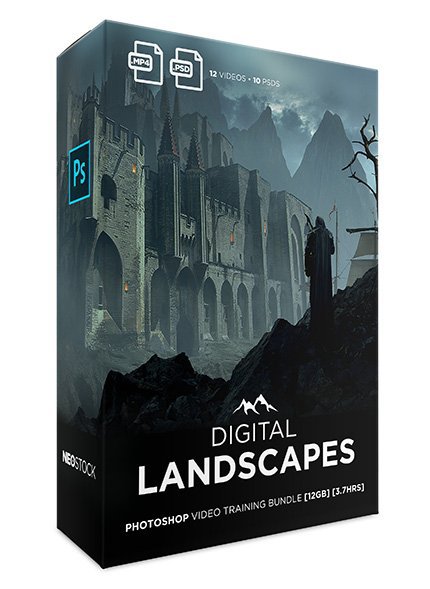
Digital Landscapes Photoshop Video Training

jqs6ov0tdskxe1uv6fkcgh1k4p.jpg


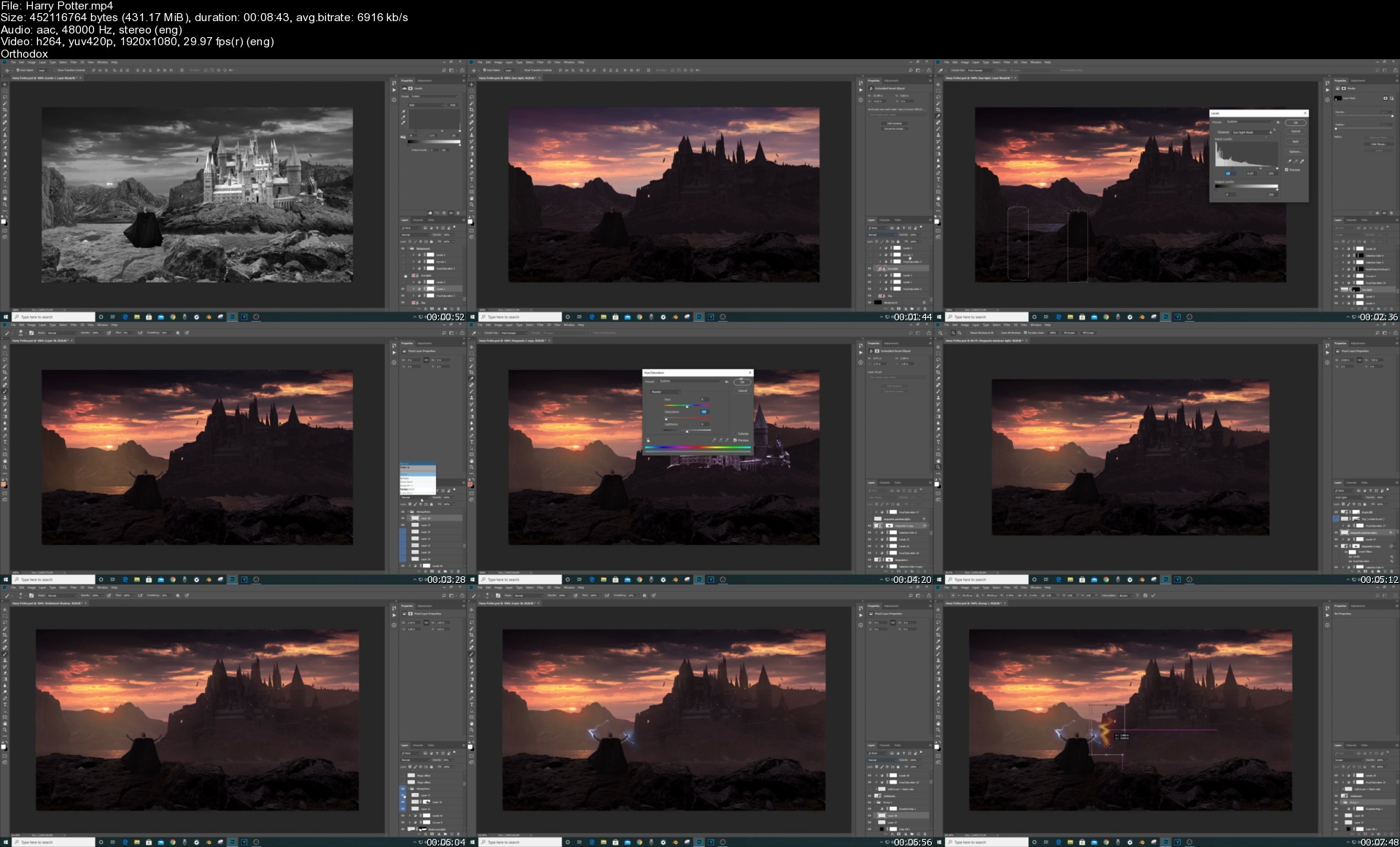
Digital Landscapes Photoshop Video Training
MP4 | Video: h264, yuv420p, 1920x1080 | Audio: aac, 48000 Hz | Duration: 3h 59 min | File Size: 12.2 GB
Genre: eLearning | Language: English

Redoaune Naouri presents: Digital Landscapes - an A-to-Z guide where you will learn how to create epic fantasy environments in Photoshop... In this course you'll discover the advanced compositing / processing techniques for creating sweeping landscapes, depth of field, atmospheric effects, and beautiful colours.

Homepage

harrypottersmmklc.jpg


Zurück
Oben Unten