• Regeln für den Video-Bereich:

    In den Börsenbereich gehören nur Angebote die bereits den Allgemeinen Regeln entsprechen.

    Einteilung

    - Folgende Formate gehören in die angegeben Bereiche:
    - Filme: Encodierte Filme von BluRay, DVD, R5, TV, Screener sowie Telesyncs im Format DivX, XviD und x264.
    - DVD: Filme im Format DVD5, DVD9 und HD2DVD.
    - HD: Encodierte Filme mit der Auflösung 720p oder darüber von BluRay, DVD, R5, TV, Screener sowie Telesyncs im Format x264.
    - 3D: Encodierte Filme von BluRay, die in einem 3D Format vorliegen. Dies gilt auch für Dokus, Animation usw.
    - Serien: Cartoon/Zeichentrick, Anime, Tutorials, Dokumentationen, Konzerte/Musik, Sonstiges sind demnach in die entsprechenden Bereiche einzuordnen, auch wenn sie beispielsweise im High Definition-Format oder als DVD5/DVD9/HD2DVD vorliegen. Ausnahme 3D.
    - Bereich Englisch: Englische Releases gehören immer in diesen Bereich.
    - Bereich Talk: Der Bereich, in dem über die Releases diskutiert werden kann, darf, soll und erwünscht ist.


    Angebot/Beitrag erstellen

    - Ein Beitrag darf erst dann erstellt werden, wenn der Upload bei mindestens einem OCH komplett ist. Platzhalter sind untersagt.
    - Bei einem Scenerelease hat der Threadtitel ausschließlich aus dem originalen, unveränderten Releasenamen zu bestehen. Es dürfen keine Veränderungen wie z.B. Sterne, kleine Buchstaben o.ä. vorgenommen werden. Ausnahme Serienbörse:
    - Bei einem Sammelthread für eine Staffel entfällt aus dem Releasename natürlich der Name der Folge. Beispiel: Die Simpsons S21 German DVDRip XviD - ITG
    - Dementsprechend sind also u.a. verboten: Erweiterungen wie "Tipp", "empfehlenswert", "only", "reup", usw. / jegliche andere Zusatzinformation oder Ergänzung, welche nicht in obiger Beschreibung zu finden ist.

    Aufbau des Angebots und Threadtitel

    Der Titel nach folgendem Muster erstellt zu werden. <Name> [3D] [Staffel] [German] <Jahr> <Tonspur> [DL] [Auflösung] <Quelle> <Codec> - <Group>
    Beispiel: The Dark Knight German 2008 AC3 DVDRip XviD - iND
    Beispiel: The Dark Knight 2008 DTS DL BDRip x264 - iND
    Beispiel: The Dark Knight 2008 AC3 DL BDRip XviD - iND
    Beispiel: The Dark Knight German 2008 AC3 720p BluRay x264 iND
    Beispiel: The Dark Knight 2008 DTS DL 1080p BluRay x264 iND
    Beispiel: Die Simpsons S01 German AC3 DVDRip XviD iND
    Beispiel: Die Simpsons S20 German AC3 720p BluRay x264 iND
    Beispiel: Sword Art Online II Ger Sub 2014 AAC 1080p WEBRip x264 - peppermint
    Entsprechend sind also u.a. verboten: Sonderzeichen wie Klammern, Sterne, Ausrufezeichen, Unterstriche, Anführungszeichen / Erweiterungen wie "Tipp", "empfehlenswert", "only", "reup", usw. / jegliche andere Zusatzinformation oder Ergänzung, welche nicht in obiger Beschreibung zu finden ist
    Ausnahmen hiervon können in den Bereichen geregelt sein.

    Die Beiträge sollen wie folgt aufgebaut werden:
    Überschrift entspricht dem Threadtitel
    Cover
    kurze Inhaltsbeschreibung
    Format, Größe, Dauer sind gut lesbar für Downloader außerhalb des Spoilers zu vermerken
    Nfo sind immer Anzugeben und selbige immer im Spoiler in Textform.
    Sind keine Nfo vorhanden z.B. Eigenpublikationen, sind im Spoiler folgende Dateiinformationen zusätzlich anzugeben :
    Quelle
    Video (Auflösung und Bitrate)
    Ton (Sprache, Format und Bitrate der einzelnen Spuren)
    Untertitel (sofern vorhanden)
    Hosterangabe in Textform außerhalb eines Spoiler mit allen enthaltenen Hostern.
    Bei SD kann auf diese zusätzlichen Dateiinformationen verzichtet werden.

    Alle benötigten Passwörter sind, sofern vorhanden, in Textform im Angebot anzugeben.
    Spoiler im Spoiler mit Kommentaren :"Schon Bedankt?" sind unerwünscht.


    Releases

    - Sind Retail-Release verfügbar, sind alle anderen Variationen untersagt. Ausnahmen: Alle deutschen Retail-Release sind CUT, in diesem Fall sind dubbed UNCUT-Release zulässig.
    - Im Serien-Bereich gilt speziell: Wenn ein Retail vor Abschluss einer laufenden Staffel erscheint, darf diese Staffel noch zu Ende gebracht werden.62
    - Gleiche Releases sind unbedingt zusammenzufassen. Das bedeutet, es ist zwingend erforderlich, vor dem Erstellen eines Themas per Suchfunktion zu überprüfen, ob bereits ein Beitrag mit demselben Release besteht. Ist dies der Fall, ist der bereits vorhandene Beitrag zu verwenden.
    - P2P und Scene Releases dürfen nicht verändert oder gar unter einem iND Tag eingestellt werden.


    Support, Diskussionen und Suche

    - Supportanfragen sind entweder per PN oder im Bereich Talk zu stellen.
    - Diskussionen und Bewertungen sind im Talk Bereich zu führen. Fragen an die Uploader haben ausschließlich via PN zu erfolgen, und sind in den Angeboten untersagt.
    - Anfragen zu Upload-Wünschen sind nur im Bereich Suche Video erlaubt. Antworten dürfen nur auf Angebote von MyBoerse.bz verlinkt werden.


    Verbote

    - Untersagt sind mehrere Formate in einem einzigen Angebotsthread, wie beispielsweise das gleichzeitige Anbieten von DivX/XviD, 720p und 1080p in einem Thread. Pro Format, Release und Auflösung ist ein eigener Thread zu eröffnen.
    - Grundsätzlich ebenso verboten sind Dupes. Uploader haben sich an geeigneter Stelle darüber zu informieren, ob es sich bei einem Release um ein Dupe handelt.
    - Gefakte, nur teilweise lauffähige oder unvollständige Angebote sind untersagt. Dies gilt auch für eigene Publikationen, die augenscheinlich nicht selbst von z.B. einer DVD gerippt wurden. Laufende Serien, bei denen noch nicht alle Folgen verfügbar sind, dürfen erstellt und regelmäßig geupdatet werden.
    - Untersagt sind Angebote, welche nur und ausschließlich in einer anderen Sprache als deutsch oder englisch vorliegen. Ausnahmen sind VORHER mit den Moderatoren zu klären.


    Verstoß gegen die Regeln

    - Angebote oder Beiträge, die gegen die Forenregeln verstoßen, sind über den "Melden"-Button im Beitrag zu melden.
  • Bitte registriere dich zunächst um Beiträge zu verfassen und externe Links aufzurufen.

++ Premium IPTV ++ 7000 Live Sender ++ UHD Qualität ++ Mediathek mit 18.000 Inhalten ++


VenneTV


Englische Tutorials

Blender 3D Architecture Designing Course Beginner to Pro

msd4jfjjqhpvvkd0owif833kuf.jpg


Blender 3D Architecture Designing Course Beginner to Pro
Genre: eLearning | MP4 | Video: h264, 1280x720 | Audio: aac, 48000 Hz
Language: English | Size: 6.22 GB | Duration: 6h 6m


What you'll learn
Learn 3D Architecture Designing in Blender from Beginner to Professional level
Easily migrate from other 3D Software to Blender for 3D Architectural Visualization
Learn How to do Modelling, Texturing, Lighting and Rendering in Blender and Create Stunning Day and Night view Architecture Renders
Learn how to create grass and apply grass particles in blender
Requirements
Should Know the Basics of Blender 2.8 or above
Should Know the basic standard measurements and terms used in architecture designing
Should be able to understand the cad drawings

Description
Learn how to start using blender and use it for professional level 3D Architecture Designing

Learn How to do the following

Import Cad Drawings into Blender using correct units

Create stunning models in Blender using the Cad drawing and give materials matching the requirements

Light up the scene in daylight and night lighting settings and render professional looking 3D Architectural render outputs that can impress your clients


Who this course is for:
People who are interested in learning 3D architectural designing using Blender 2.8 series
People who want to learn blender from beginner to advanced level Modeling, Texturing, Lighting and Rendering
People who want to migrate from other 3D architectural designing software like 3ds max or Sketchup
People who are looking for free alternatives software for 3D architectural designing


Homepage

001whatcanyouexpectoua8km4.jpg


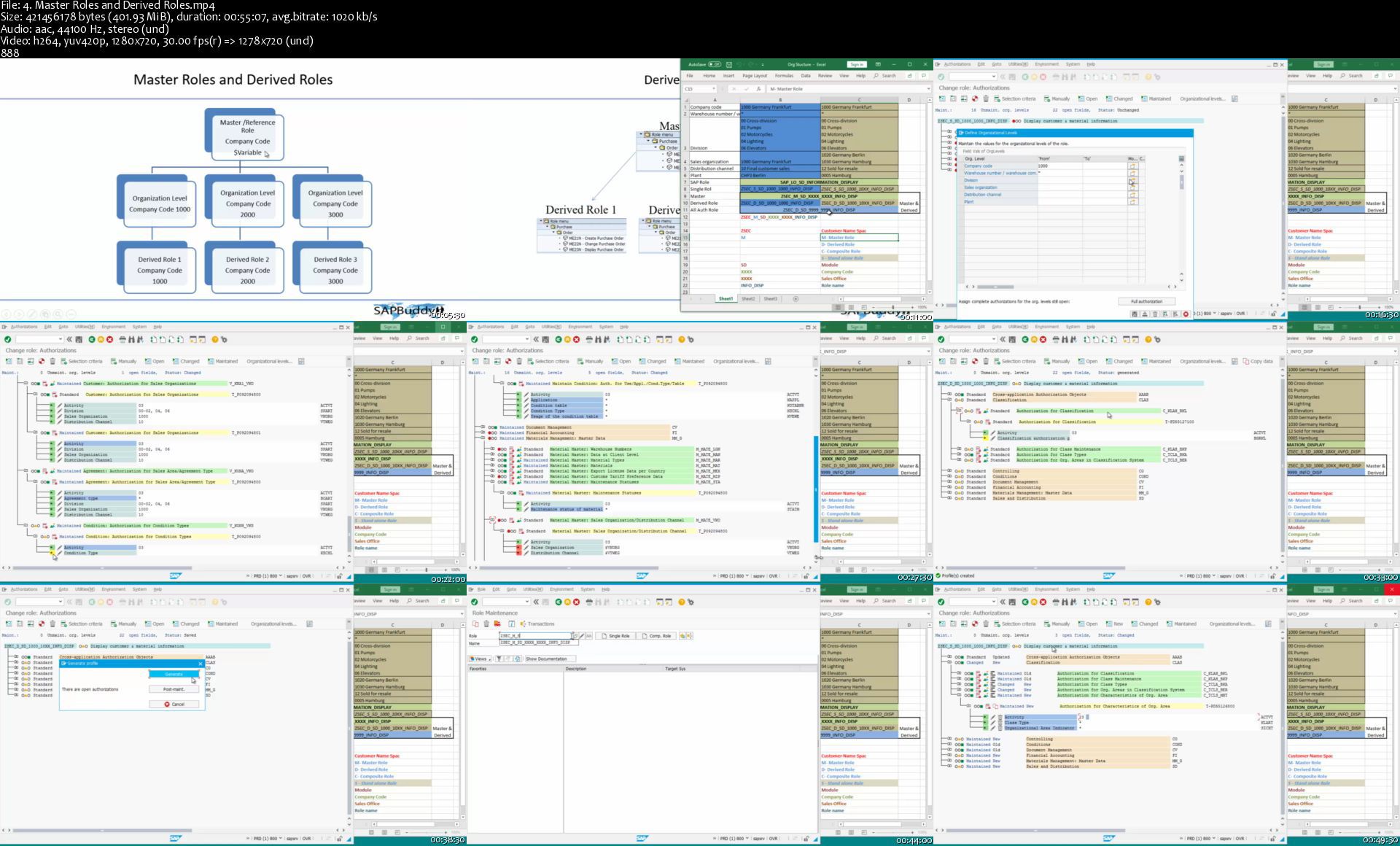
SAP Security Administration

t8xjyqgretvaythm5axdhr9jpr.jpg


SAP Security Administration
MP4 | Video: h264, 1280x720 | Audio: AAC, 44.1 KHz, 2 Ch
Genre: eLearning | Language: English | Duration: 39 lectures (26h 58m) | Size: 7.61 GB

SAP Security and Auditing

What you'll learn:
SAP Security Consultant
SAP Basis Consultant
SAP Auditor
SAP User Administrator

Requirements
SAP NetWeaver Fundamentals


Description
This course provides in-depth knowledge about SAP Security. Any one willing to learn and understand SAP Security or like to become SAP Security Consultant can follow this course. Course covers all aspect of SAP authorization, SAP Security and Auditing topics.

Course is very helpful for SAP Basis consultant or SAP Technical architect to understand and support any type of security requirement. How to handle new SAP implementation and existing system maintenance are explained in detail.

Who this course is for
Any level want to learn SAP Security

Homepage

4.masterrolesandderivosjhn.jpg


Ptc Creo Parametric - Advance Course Modules - 2021

beqbgho5snzbir1du8uleplk4e.jpg


Ptc Creo Parametric - Advance Course Modules - 2021
Genre: eLearning | MP4 | Video: h264, 1280x720 | Audio: aac, 48000 Hz
Language: English | VTT | Size: 11.9 GB | Duration: 21h 24m


What you'll learn
Learn the Design process i.e., Modelling, Assembling and Drafting
Learn all the significant technical tools in Sheet-Metal Modelling
Learn to prepare Assembly of the Industrial components,
Learn to Prepare Technical Drawing of the Modelled geometries
Learn to create your own Drawing Sheet Format and Template
Requirements
A computer/Laptop for working along with the Instructor.
No technical requirements.

Description
The objective of this course is to enhance your product designing skills.

The curriculum is especially oriented to make you understand the concepts with ease, and reduce your fear to work with the complicated tools of product designing.

The course offers you hours and hours of HD content that can be accessed from your mobile/laptop/desktop.

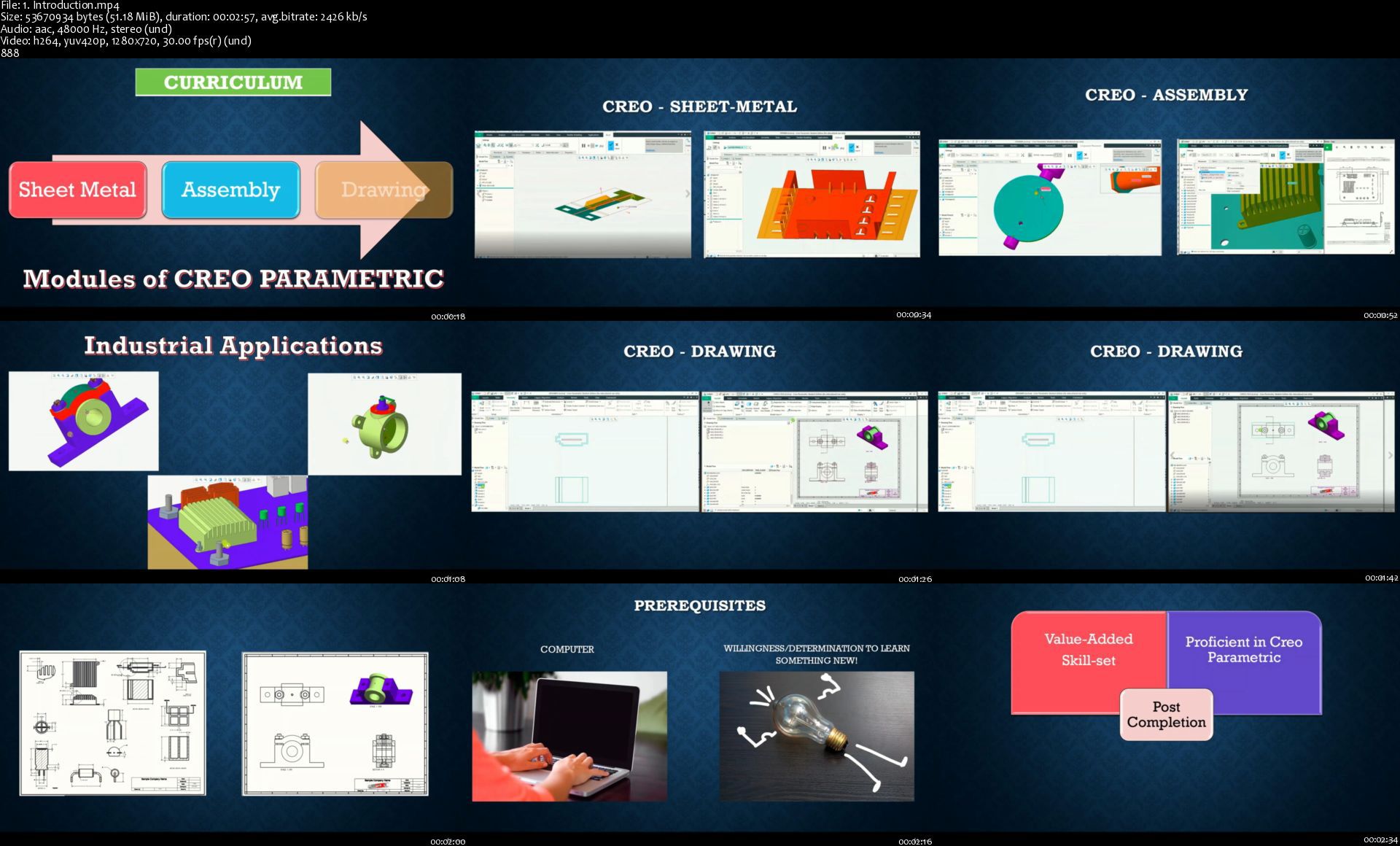
Sign up now, and access the world's best course on Sheet-Metal, Assembly and Drafting using CREO PARAMETRIC.

Through the course, you will be familiarized will the following significant tools:

Sheet Metal

· Introduction to various Sheet-metal concepts

· Creating Primary and Secondary Walls using different tool such as Planar, Flat, Flange, Extrude.

· Types of Walls

· Reliefs, Its necessity, & types.

· Corner reliefs, Corner Treatment, Mitre-cuts.

· Bending Sheet metal in Creo

· Tools used to bend sheet metal.

· Types of bend

· Edge & Planar Bend

· Unbending Sheet metal in Creo

· Different types of unbending options

· Cut-outs in Sheet-metal

· Forms, and its types - Punch, Die, Sketch and Quilt

· Rips, and its types - Edge, Sketch, Surface, and Rip Connect

Assembly

· Bottom-up and Top-Down Approach

· Different constraints in Assembly (Coincident, Distance, Normal, Parallel, Angle offset etc.,)

· Global Interference

· Repeat components

· Create Exploded View in Assembly.

· Add Sub-Assembly in Assembly.

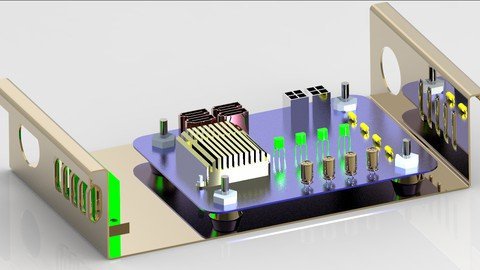
· Detailed design process, i.e., from Part Modelling to Assembly of industrial components namely, "Butterfly Valve, Pedestal bearing and Electrical Cabinet Assembly)

Creo Drawing

· Elements of a Drawing Sheet

· Creation of a Drawing Format (User defined)

· Adding parameters to drawing sheets.

· Create user-defined parameters in title block

· Basic dimensioning

· Lines and line styles used in Dimensioning

· Create Detailed view in drawing sheet

· Visible Area View

· Create Auxiliary View

· Create Revolved View

· Create cross-sectional view of a part model in drawing sheet

· Create cross-sectional view of an assembly in drawing sheet

· Create Local View

· Create Offset View

· Create Exploded view in Drawing sheet

· Creating our own Detailed File.

· Adjusting dimensions using different tools

· Adding tolerances to the dimensions

· Adding Notes in the drawing sheets

· Adding Ordinate Dimensions.

· Adding Surface Finish Symbols

· Preparing Report Table: Bill of Materials (BOM)

· Creating Balloons on the Exploded view

· Create a user-defined template in Creo

The course doesn't not require you to have any prerequisites.

By understanding the conceptual parameters, you can work on your own to explore and prepare your imagination into a virtual 3-D model.

I am looking forward to Teaching you all About the PTC CREO PARAMETRIC


Who this course is for:
Students pursuing Mechanical , Aerospace, Ship, Automobile and other technical courses such as designing/production/manufactoring etc
Any Student who like to enhance their technical skills of conventional part modelling to advanced level geometrical modelling, assembly, and drafting
Students who learnt Creo Parametric Part modelling and wish to extend their knowledge on other modules of Creo
Graduates who like to add a skill in their resume
Working professionals who wish to enlighten their knowledge of Sheetmetal, Assembly and Drafting


Homepage

1.introductionsnmkzn.jpg


Photoshop 2021 One-on-One: Fundamentals

007fb9e840k61.jpg


Photoshop 2021 One-on-One: Fundamentals
Duration: 13h 9m | .MP4 1280x720, 30 fps(r) | AAC, 48000 Hz, 2ch | 6.7 GB
Genre: eLearning | Language: English

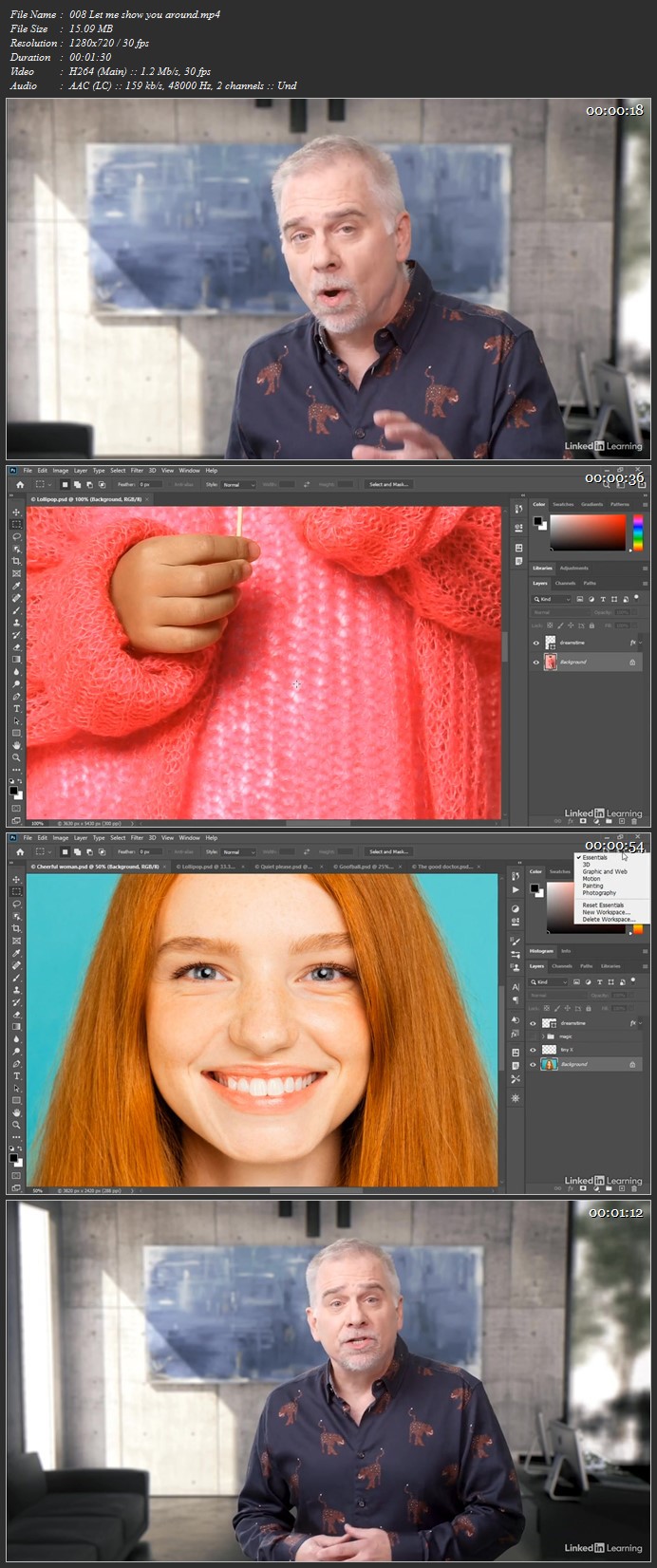
Go one-on-one with world-renowned Photoshop expert Deke McClelland in this comprehensive course. Part one of a three-part series, this is your chance to learn everything you need to know about Photoshop, in the order you need to know it, complete with real-world examples and practical advice. Deke begins by explaining the many ways to open files in Photoshop. He steps you through working with layers and masks. Photoshop has almost as many ways of saving files as it has of opening them, and Deke covers all of them. He walks you through luminance, brightness, contrast, and color balance. He shows you how to develop photographic images in Camera Raw. He discusses the ability in Photoshop to edit an entire image at once or adjust a specific, selected region-and he walks you through every selection tool in the software. There's so much more, including an entire chapter on retouching! To conclude this part, Deke explains how to save images for use on the web and mobile devices.

More Info

007fb9e7fxjne.jpg


Advanced Windows Privilege Escalation with Hack The Box (updated 1/2021)

007fc436fhjue.jpg


Advanced Windows Privilege Escalation with Hack The Box (updated 1/2021)
.MP4, AVC, 1280x720, 30 fps | English, AAC, 2 Ch | 9h 57m | 6.16 GB
Instructor: Vonnie Hudson

How to find and exploit modern Windows Privilege Escalation vulnerabilities without relying on Metasploit.


What you'll learn

How to use multiple methods to escalate privleges on modern versions of Windows 10
How to escalate privleges in CTFs such as HackTheBox, TryHackMe and more
How to succeed in CTF style exams such as the OSCP, eCPPT and CEH
How to level up your ethical hacking, penetration testing and red teaming skills to earn more money in your career

Requirements

A HackTheBox VIP Subscription is Required
Basic knowledge of virtual machines


Description

New Launch for Spring 2021!

This is a 100% hands on course as you will be using the same tradecraft and techniques Red Teamer's and advanced adversaries use to escalate privileges on Windows endpoints after they have gained initial access and established a foothold. This course is not "death by PowerPoint", in fact there is not a single Powerpoint slide in the course. This course is aimed for intermediate to advanced users who are hungry to know how to discover and exploit novel escalation paths on patched fully patched Windows 10 endpoints. Everything is carefully, explained - step-by-step.

Additionally, although Metasploit is used in some attacks, we will be using less Metasploit and more manual walk-throughs because I wanted to take the time to carefully explain WHY each method works and detail how common misconfigurations happen in enterprise environments.

Where Metasploit is used, everything is carefully explained and deconstructed so you can understand why and how it works. Exploits start easy and escalate in difficulty as you progress through the course.

The Techniques

You will quickly learn and execute the following escalation of privilege techniques across 5 vulnerable machines

Windows Kernel Exploits
Weak Registry Permissions
Token Manipulation
CVE Exploits
DPAPI Abuse (Three New Lectures Just Added January 2021!)

The Tools

You will use msfvenom, BC Security PowerShell Empire, CrackMapExec, netcat, smbserver, wfuzz, gobuster, dirsearch, sqlmap, Mimikatz, Burp Suite (advanced features), Python 3, Powershell 7 on Linux and more. You will learn IIS 10 Server Administration, how to threat hunt for SQLi attacks in web logs and much much more.

My dream for you

By the end of this course you should be able to use these techniques in:

Your day to day work
OSCP preparation
CTF hacking

About the lab

There are 10 vulnerable machines.

No lab setup is required as the entire environment is already established in HackTheBox VIP labs

I wanted to make this course as realistic as possible while removing as many barriers to entry as possible so I've partnered with HackTheBox VIP labs to make it as easy as possible to get started.

Yes, HackTheBox is an additional charge but it offers hundreds of pre-configured vulnerable machines in a lab which is accessible via a VPN connection. This means you can get started right away and don't have to waste time fumbling with VirtualBox and VMWare settings on your local system. Most of the systems are also licensed which provides the best environment for realistic exploitation.

Tip:

I made these videos so all commands are zoomed in close so you can watch on a mobile phone if desired. I hate watching videos on my smartphone and squinting at the command prompt or terminal. Never again will that happen.


Who this course is for:

Students interested in how attackers escalate privileges on modern Windows endpoints
Beginning and Intermediate cyber security students.
Students looking for OCSP practice

More Info

014tokenmanipulationcrwj8b.jpg


AE Academy Volume 2: Intermediate Techniques

uuj4dvx0qsqookwwwuwoej7jtd.gif


AE Academy Volume 2: Intermediate Techniques
Motion Science
Duration: 6h | Project Files Included | Video: 1920x1080, 48kHz | 18.8 GB
Genre: eLearning | Language: English | Skill Level: Intermediate

In this 6+ hour training course, you will learn how to expertly utilize the graph editor, implement expressions, stylize color, operate keylight, remove elements with the rotobrush, motion track and stabilize footage with both 2D & 3D tracking systems, render using advanced methods in both After Effects and Media Encoder, and much more.

Once you have a basic understanding of After Effects, the next step is unleashing the full power of this program.

In this 6+ hour training course, you will learn how to expertly utilize the graph editor, implement expressions, stylize color, operate keylight, remove elements with the rotobrush, motion track and stabilize footage with both 2D & 3D tracking systems, render using advanced methods in both After Effects and Media Encoder, and much more.

This course is designed for editors, videographers, graphic artists, and animators with fundamental-level Adobe After Effects experience.

Upon completion of this course, you will have an intermediate understanding of After Effects and be able to perform work with a high level of efficiency.

Homepage

05uibuildstjjol.jpg


SAP Successfactors Compound Employee API - Demystified

a9tcrqhmigcra9i1st7i533j6j.jpg


SAP Successfactors Compound Employee API - Demystified
Genre: eLearning | MP4 | Video: h264, 1280x720 | Audio: aac, 48000 Hz
Language: English | SRT | Size: 13.4 GB | Duration: 27h 37m


What you'll learn
Students would be able to execute varied use cases concerned with SAP Successfactors Compound Employee API.
Students will be able to demarcate how and when to use various capabilities exhibited by Compound Employee API - delta, periodDelta, snapshot, full modes
Disclaimer: This course is in no way created in affiliation with SAP. This is sole work of the individual research and technical information gathered while years of working with Successfactors APIs.
Requirements
Understanding of the English Language.
PC/laptop with internet.
In order to practice the use cases and demo sessions provided during the course, students would require access to the Successfactors instance.
NO need to have any integration tool to run the use cases and/or API calls demonstrated and discussed in this course.

Description
This is a complete HANDS-ON !!! course that details about the various aspects of the SAP Successfactors Compound Employee API. It discusses in depth all the parameters and the various facets of the SAP Successfactors Compound Employee.

SAP Compound Employee API has been one of the classic and exemplary demonstration of the capabilities an API can provide and foster the inter-operability of an application (in this case Successfactors) with a plethora of different systems.

This is an exclusive and focused course on SAP Successfactors Compound Employee , which is committed to bring out all the capabilities and nitty gritty details out from the API. Following are the details that this course covers:

Section 1: Introduction

1. Introduction

Section 2: Compound Employee - Response Structure is not constant

2. Compound Employee - Response Structure not constant - I

3. Compound Employee - Response Structure not constant - II

Section 3: Compound Employee API - Exploring Metadata

4. Compound Employee - Metadata - What is Metadata?

5. Compound Employee - Metadata - II

Section 4: Compound Employee API - Structure

6. Compound Employee - Request Structure

7. Compound Employee - Select Clause

8. Compound Employee - Select Clause - Excel file with (non/) selectable segments

9. Compound Employee - Select Clause - Practical

Section 5: CE - Output - How to Iterate to get all the results

10. CE - Output : Iterate though the results

Section 6: Compound Employee Structure - Where Clause

11. Compound Employee - Where Clause

12. Compound Employee Structure - order by

13. Compound Employee - Where Clause - isContingentWorker parameter

14. CE - Where Clause - person_id and per_person_uuid

15. CE - Where Clause - company and company_territory_code

16. CE - Where Clause - employee_class and department

17. CE - Where Clause - division and compensation_pay_group

18. CE - Where Clause - business_unit and location

19. CE - Where Clause - job_code

Section 7: Compound Employee Structure - Where Clause - Special consideration select params

20. CE - Where Clause - selectFromDate and selectToDate-I

21. CE - Where Clause - selectFromDate and selectToDate-II

22. CE - Where Clause - snapshot_date - I

23. CE - Where Clause - snapshot_date - II

24. CE - Where Clause - Effective_End_Date

25. CE - Where Clause - Last_Modified_On - I

26. CE - Where Clause - Last_Modified_On - II

27. CE - Where Clause - start_date - I

28. CE - Where Clause - start_date - II

29. CE - Where Clause - Start_Date - III

30. Comparative study: Start_Date, Effective_End_Date and Last_Modified_on - I

31. Comparative study: Start_Date, Effective_End_Date and Last_Modified_on - II

32. Comparative Study - various select parameters

Section 8: Query or Processing Parameters or URN parameters

33. Query or Processing Parameters or URN parameters - Overview

34. Query Parameters - maxRows

35. Query Parameters - startingRow

36. Query Parameters - externalKeyMapping

37. Query Parameters - resultOptions - I

38. Query Parameters - resultOptions - II

39. Query Parameters - resultOptions - III

40. Query Parameters - segmentsForEnhancedEffectiveEndDateFilter - I

41. Query Parameters - segmentsForEnhancedEffectiveEndDateFilter - II

42. Query Parameters - segmentsForCompleteness

Section 9: Some Assistive Logistics

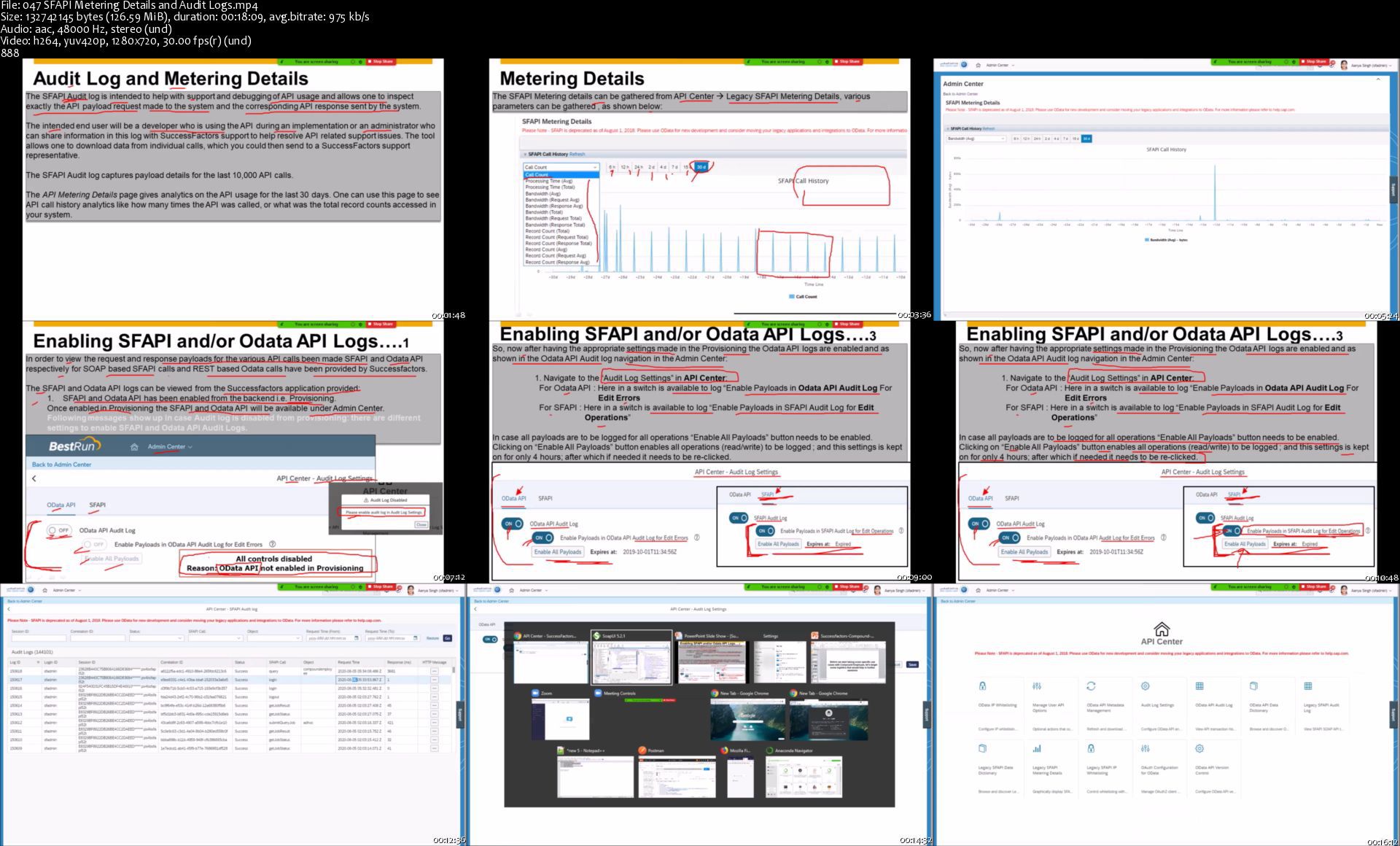
43. SFAPI Metering Details and Audit Logs

Section 10: Compound Employee - Delta Transmission

44. Compound Employee - Delta Transmission - Intro and rationale

45. Delta Transmission - Query Parameters

Section 11: Delta Transmission - Query Parameter - queryMode

46. Delta Transmission - queryMode - Introduction - partI

47. Delta Transmission - queryMode - Session I

48. Delta Transmission - queryMode - Session II

49. Delta Transmission - queryMode - session III

50. Delta Transmission - resultOptions - all supported values

51. Delta Transmission - queryMode - session IV

Section 12: Delta Transmission queryMode delta - Type of segments

52. queryMode - delta - Segment Types

Section 13: queryMode - delta - Segment Type - Events

53. queryMode - delta - Segment Type - Events - Intro

54. queryMode-delta-SegmentType-Events-I

55. queryMode-delta-SegmentType-Events-II

56. queryMode-delta-SegmentType-Events-III

57. queryMode-delta-SegmentType-Events-IV

58. queryMode-delta-SegmentType-Events-V

59. queryMode-delta-SegmentType-Events-VI

Section 14: Introduction - Segment Type - Effective Dated without Semantic Keys

60. Segment Type - Effective Dated without Semantic Keys - Intro

Section 15: Insertion Scenarios - SegmentType - Effective Dated Without Semantic Keys

61. queryMode - delta - Segment Type - Effective Dated without Semantic Keys - I

62. queryMode - delta - Segment Type - Effective Dated without Semantic Keys - II

63. queryMode - delta - Segment Type - Effective Dated without Semantic Keys - III

64. queryMode - delta - Segment Type - Effective Dated without Semantic Keys - IV

65. queryMode - delta - Segment Type - Effective Dated without Semantic Keys - V

Section 16: Deletion Scenarios - SegmentType - Effective Dated Without Semantic Keys

66. queryMode - delta - Segment Type - EffDated Wout Semantic Keys -Deletion - Intro

67. queryMode - delta - Segment Type - EffDated WoutSemantic Keys - Deletion - I

68. queryMode - delta - Segment Type - EffDated WoutSemantic Keys - Deletion - II

69. queryMode - delta - Segment Type - EffDated WoutSemantic Keys-Delete- Conclusion

Section 17: Move of Start Date Scenarios - delta - SegmentType - EffDated Wout Semantic Keys

70. queryMode - delta - SegType - EffDated WoutSemantic Keys - Move of Start Date-I

71. queryMode - delta - SegType - EffDated WoutSemantic Keys - Move of Start Date-II

72. queryMode - delta - SegType - EffDated WoutSemantic Keys -Move of Start Date-III

Section 18: Introduction - Segment Type - Effective Dated WITH Semantic Keys

73. Segment Type - Effective Dated WITH Semantic Keys - Intro

Section 19: queryMode - delta - Segment Type - Eff Dated With Semantic Keys

74. queryMode - delta - Segment Type - Eff. Dated WithSemantic Keys - Initial

75. queryMode - delta - Segment Type - Eff. Dated WithSemantic Keys - I

76. queryMode - delta - Segment Type - Eff. Dated WithSemantic Keys - II

77. queryMode - delta - Segment Type - Eff. Dated WithSemantic Keys - Conclusion

Section 20: queryMode - delta - Segment Type - Non Eff Dated With Semantic Keys

78. queryMode - delta - Segment Type - Non Eff Dated With Semantic Keys

Section 21: Compound Employee - Period Based Delta Transmission

79. Period Based Delta - Introduction

80. Period Based Delta - Scenario I

81. Period Based Delta - Scenario II-Part1

82. Period Based Delta - Scenario II-Part2

83. Period Based Delta - Scenario III

84. Period Based Delta - Scenario IV

85. Period Based Delta - Scenario V

86. Period Based Delta - Scenario VI


Who this course is for:
Anyone interested in how SAP Successfactors Compound Employee API works.
A must have knowledge bundle for SAP Successfactors consultants and solution architects who need to design solutions/execute or maintain integrations with Successfactors involving Compound Employee API.


Homepage

047sfapimeteringdetai06j1y.jpg


Revit Architecture - An Ultimate Guide

garkmmxxtwnjz5wkzcueci0k7n.jpg


Revit Architecture - An Ultimate Guide
Language: English | Size: 12.7 GB | Duration: 22h 8m


What you'll learn
How to model, document and manage a building project within Autodesk Revit 2021
The course will be regularly updated with new topics
Requirements
Computer with Autodesk Revit / Revit LT (including trial version) installed (2018/2019/2020/2021)
Familiarity with the concepts of working in a 3D modelling environment is beneficial but not essential

Description
Learn how to model a building from scratch using Autodesk® Revit® 2021. If you are a complete beginner to an experienced user, this course will help you develop your skills and knowledge in creating and managing Revit models.

Starting out with the basic concepts of working within the 3D environment of Revit, we will start with setting out the building constraints, before working through the different modelling, annotation and documentation tools available within Revit.

This course will be updated to introduce new, more advanced topics, continuously improving your skillset to ensure you make full use of all the available tools, workflows and tips.

This course is taught using Revit 2021, however previous versions contain the majority of the same tools, allowing you to follow along with the course no matter which version is available to you.

This course is independent of Autodesk, Inc., and is not authorized by, endorsed by, sponsored by, affiliated with, or otherwise approved by Autodesk, Inc.

Autodesk, the Autodesk logo, Autodesk Revit are registered trademarks or trademarks of Autodesk, Inc., and/or its subsidiaries and/or affiliates in the USA and/or other countries. All other brand names, product names, or trademarks belong to their respective holders. Autodesk reserves the right to alter product and services offerings, and specifications and pricing at any time without notice, and is not responsible for typographical or graphical errors that may appear in this document. © 2021 Autodesk, Inc. All rights reserved.


Who this course is for:
Beginner Revit users looking to transition from either 2D or alternative 3D software
Advanced users looking to increase their skills in modelling and managing Revit models


Homepage

2.materialappearancesxck8b.jpg


Python 3 Plus: Python desde Cero + Data Analysis y Matplot

007fa52cjaj43.jpg


Python 3 Plus: Python desde Cero + Data Analysis y Matplot
Duration: 14h 43m | .MP4 1280x720, 30 fps(r) | AAC, 44100 Hz, 2ch | 6.36 GB
Genre: eLearning | Language: Spanish

El curso que te da más valor 2021: Aprende Python 3 desde cero hasta experto en Data Analysis.


What you'll learn
Aprenderás a programar en Python 3 desde cero.
Aprenderás a instalar los programas necesarios para codificar en Python 3.
Sabras utilizar todos los Tipos de Datos que hay en Python 3.
Crearás código utilizando todas las Estructuras de Control de Python 3.
Aprenderás a definir funciones.
Aprenderás a extraer y manipular información desde archivos de texto.
Aprenderás Programación Orientada a Objetos de una manera sencilla y amigable.
Análisis de datos con Python
Aprenderás a analizar grandes volúmenes de datos rápidamente con Pandas.
Aprenderás a encontrar relaciones entre las variables de tus datos.
Aprenderás como hacer gráficas atractivas para los datos.
Aprenderás a generar representaciones gráficas de la información para tener un mejor entendimiento de ella.
Aprenderás a exportar los datos tratados a Excel.
Aprenderás a importar datos desde un CSV o desde un Excel para analizarlos.
Aprenderás como crear una Base de Datos con Python para leer y escribir datos en ella.

Requirements
No se necesitan requisitos previos, el curso esta diseñado para aprender desde cero.
Muchas ganas de aprender.
Computadora Windows/Mac


Description
¡El curso con mas valor: Python desde cero + Data Analysis + Visualizaciones en Matplot!

Python es un lenguaje de programación de código abierto, orientado a objetos, muy simple y fácil de entender. Tiene una sintaxis sencilla que cuenta con una vasta biblioteca de herramientas, que hacen de Python un lenguaje de programación único.

Saber programar en Python es una habilidad solicitada por las empresas de todo el mundo. Un programador Jr. en Python gana $77,000 USD al año en promedio.

¿Qué esperas? Te llevaremos de la mano en cada uno de los temas para que te conviertas en un experto de Python y del Data Analysis.

El objetivo de la primera sección del curso es que sin conocimientos previos aprendas con ejercicios prácticos a:

Identificar los tipos de datos.

Definir funciones.

Crear clases y objetos con la POO.

Herencia y multiherencia en las clases.

Leer y manipular datos desde archivos de texto.

Controlar el flujo del programa.

Manejar errores y excepciones.

En la segunda sección del curso aprenderemos:

Como crear una Base de Datos con Python para leer y escribir datos en ella.

A usar Numpy para trabajar con arrays y para generar muestras aleatorias.

A importar datos desde un CSV o desde un Excel para analizarlos.

A trabajar con fechas y variables de diferentes formatos.

A exportar los datos tratados a Excel.

A generar representaciones gráficas de la información para tener un mejor entendimiento de ella.

Tambien abordamos varios ejercicios donde ponemos en practica lo aprendido durante las lecciones.

¿Qué esperas? Con este curso añadirás valor a tu CV y habilidades que te harán destacar en tu trabajo. Desbloquea tu potencial con el análisis de datos, desarrollarás habilidades profesionales y estarás listo para aplicarlas en cualquier trabajo. Recuerda que la habilidad de analizar datos es de las más demandadas hoy en día.

Después de tomar este curso serás capaz de generar códigos potentes en Python para proyectos personales o para el entorno profesional, todo esto basado en la programación orientada a objetos que es la mejor practica en el mundo del desarrollo. Tambien serás capaz de analizar grandes volúmenes de datos en Python para proyectos personales o para el entorno profesional.

Con este curso añadirás valor a tu CV y habilidades que te harán destacar en tu trabajo.


Who this course is for:
Profesionistas que quieran aprender a programar en Python para facilitar sus tareas del día a día.
Desarrolladores que quieran aprender Python de una manera ágil, completa y sencilla.
Profesionistas que requieran trabajar con una gran cantidad de datos.
Profesionistas que necesiten analizar grandes volúmenes de datos.

More Info

007fa52dbnj2o.jpg


Prepare for Your Salesforce Administrator Credential - Trail

rgekipenun8gedsgglasx29kqv.jpg


Prepare for Your Salesforce Administrator Credential - Trail
Genre: eLearning | MP4 | Video: h264, 1280x720 | Audio: aac, 44100 Hz
Language: English | SRT | Size: 7.10 GB | Duration: 16h 40m


What you'll learn
User Authentication
Prepare Your Salesforce Org for Users
User Management
Customize an Org to Support a New Business Unit
Superbadge: Security Specialist
Project: Customize a Salesforce Object
Accounts & Contacts for Lightning Experience
Leads & Opportunities for Lightning Experience
Products, Quotes, & Contracts
Campaign Basics
Project: Customize a Sales Path for Your Team
Service Cloud for Lightning Experience
Project: Build a Community with Knowledge and Chat
Service Cloud Efficiency
Superbadge: Lightning Experience Reports & Dashboards Specialist
Superbadge: Business Administration Specialist
Superbadge: Process Automation Specialist
Requirements
Salesforce Trailhead 2020 - Admin Beginner - Starting Point
Salesforce Trailhead 2020 - Admin Intermediate
Salesforce Trailhead 2020 - Admin Advanced

Description
You've been busting yourself through the Admin Beginner, Admin Intermediate, and Admin Advanced trailhead. It's time to get to the next level! This trailmix will help you prepare for your Salesforce Certified Administrator exam.

There are four Superbadges on this trailmix geared to train you to solve real world problems on the Salesforce ecosystem.

Going through the wide range of problem solving scenarios will bring you a strong mindset on how to use the wide arrange of tools Salesforce has to offer to bring in efficient solutions to organizations of all types.

Let's go! Badabing Badaboooooooom!


Who this course is for:
Students who has completed the 3 prerequisite courses above


Homepage

037configurequotetemp8fjix.jpg


Photoshop Instant expert

c8pb8emxp5htl8g5qo16mjgj8u.jpg


Photoshop Instant expert
MP4 | Video: h264, 1280x720 | Audio: AAC, 44.1 KHz, 2 Ch
Genre: eLearning | Language: English + .srt | Duration: 33 lectures (6h 31m) | Size: 5.35 GB

All about photoshop world

What you'll learn:
mastering photoshop

Requirements
no requirements needed


Description
Master Photoshop in 3 Hours? (on a Saturday Afternoon...) Enhance Your Boring Old Websites, Logos, Banners, & Anything Else With Eye-Popping Images That Really STAND OUT!

Humans love to see beautiful things and if you are an internet surfer, you tend to appreciate beautiful images inside a website.

And if you are a, internet marketer, a webmaster or a blogger, learning how to use Photoshop effectively is a bonus and saves you a lot of money to hire graphic designers.

You maybe admire this people on their image editing skills and think that you can be like them one day well, it's not impossible anymore.

Inside this video series, you are about to master the effects and functions of this popular image editing software called Adobe Photoshop.

you going to learn:

-Document settings

- tools panel

workplaces

-color modes

-document editing

-image adjustements

-transform tools

filter gallery

-understanding layers

type warp

add substract selector

and so much more...trust me...

Who this course is for
all level

Homepage

25.psbrushess7pkjs.jpg


Learning Management System - Build LMS Quickly Using PHP

8ukkwspiv6rqh43m5siamk8ktl.jpg


Learning Management System - Build LMS Quickly Using PHP
MP4 | Video: h264, 1280x720 | Audio: AAC, 44.1 KHz, 2 Ch
Genre: eLearning | Language: English + .srt | Duration: 154 lectures (19h 28m) | Size: 9.34 GB

Do you intend to learn or want to run online learning management platform business, then this is the best course for you

What you'll learn:
Be able to build any web app you want using codeigniter
Be able to build complete Udemi clone web application
Build fully-fledged web apps for your startup or business
Work as a freelance PHP developer
Craft a portfolio of web apps to apply for seniour developer jobs
Learn to use PHP Framework
Have a new PHP Skill that would increase income
Learn best way to use AJAX
Understands how youtube, vimeo API works
Build a Multi-linqual Web Application
How to run online course business
Build complete email verrification system with ease
Learn how to automatically calculate video lenght with API's
Create a simple quiz management system to evaluate your students
Real time ajax chat without refreshing your page
Standard and mature internal messaging system.
Learn how to add products to cart using PHP Framework

Requirements
Little knowledge of PHP, though not neccessary becase I'll teach you everything you need to know
Little knowledge of CSS will be an advantage
Zeal to learn PHP Framework
Computer System - Windows/Mac
I'll walk you through, step-by-step how to setup PHP CodeIgniter


Description
Please READ all the points before proceeding

Please watch the preview video and ensure you are satisfy with my accent and my English before enrolling for the course.

Please do not take the course if you are not ready to learn how to build complete learning management system like this platform.

Please note that The objective of this course is learn PHP CodeIgniter framework by building your own complete learning system through learning by practical.

Also, note that there is going to be assignments, quizzes, and evaluations.

Please read the Pre-requisites before joining the course.

If you are still with me lets continue

Building dynamic websites is not an easy challenge and requires time and effort dedicated to coding every bit and piece of the website, which is why anytime there is a new tool that promises to ease the woes of coding, developers always jump at the chance to try it.

PHP Framework (CodeIgniter) is a simple open-source framework that makes it the coding tasks easier by providing a faster way to set up a PHP website from the ground-up. This tool with a small framework ensures that developers can design websites that are light, fast and dynamic.

So, for any developer that wants to become a server-side master, this is a tool that they should definitely have in their toolkit. But, it's not always easy to find a course that is clear and concise and targets exactly what you are looking for!

This is why we have designed this course with an aim teach you everything you need know about PHP Framework (CodeIgniter) with real world project (Building Standard and Most School Management System) using a no-fluff and clear approach at the topic at hand, this tutorial will breakdown CodeIgniter into simple and easy to learn videos so as to be able to build any real world application on PHP Framework (CodeIgniter).

At the end of this course, you will have not only learnt the PHP Framework (CodeIgniter), but you will actually be able to start building your own projects from scratch. In addition to knowledge, this course will also give you the practical hands-on experience and the confidence to start coding your own websites by building school system.

The course will start at the very beginning with a detailed introduction into the PHP Framework (CodeIgniter) from there moving on to installing the framework. From there you will become familiar with the framework, and start building your own LMS.

Join us today as we learn PHP Framework (CodeIgniter) together by building real world software and be free from some authors who claim to teach you a particular programming language but only teach you basis and some copy and paste projects which at the end cannot take you to anywhere.

Learning management system

A learning management system (LMS) is a software application for the administration, documentation, tracking, reporting, automation and delivery of educational courses, training programs, or learning and development programs. The learning management system concept emerged directly from e-Learning

Benefits of Learning Management System

1. Organizes eLearning content in one location.
Instead of having your eLearning content spread out over different hard drives and devices, you can store all of your eLearning materials in one location. This reduces the risk of losing important data and makes it easier to create your eLearning course. Every member of your eLearning team can also access the information if you're using a cloud-based Learning Management System, thanks to the fact that it's all stored on the remote server. This makes Learning Management Systems a natural fit for online collaboration.

2. Provides unlimited access to eLearning materials.
Once you upload your eLearning course materials onto the LMS and publish them, your audience has unlimited access to the information they need. Even those who are on the go can login to the eLearning platform via their smartphones and tablets, so that they don't have to wait until their next online training session to develop skills and perfect work-related tasks. This is one of the main reasons why a LMS is essential for global audiences in different time zones.

3. Easily tracks learner progress and performance.
The best Learning Management System gives you the ability to keep track of learner progress and ensure that they are meeting their performance milestones.

4. Reduces Learning and Development costs.
A Learning Management System gives you the power to completely do away with instructor travel costs, online training site rentals, and printed eLearning materials. Your online learners can carry out all of their training online, which means that you can save a sizable sum on your Learning and Development budget. For example, you won't have to worry about printing out 500 manuals and booking a hotel room for your instructor, because all the information your online learners require is right in the LMS.

5. Reduces Learning and Development time.
A Learning Management System can even reduce online training times, thanks to the fact that it gives online learners only the information they need in a direct and organized manner. Instead of having to sit through a lengthy half-hour online training course, online learners can simply click on the online modules they need and absorb the knowledge in a fraction of the time. They can also assess their understanding by taking online exams or quizzes, participate in interactive scenarios and simulations, and watch eLearning videos that highlight complex processes or tasks.

6. Quickly and conveniently expands eLearning courses.
If you want to add additional online modules to your eLearning course in order to update information based on new trends or scientific evidence, you can simply login to the Learning Management System and make the necessary modifications without redoing your entire eLearning course. All of the content is in one location, which allows you to change only the master eLearning course and then deploy it to all of your online learners. This is in stark contrast to a traditional course, where you would have to send every member of your audience an updated manual or updated handouts.

From Beginner to Expert PHP Framework (CodeIgniter) Developer

We know that you're here because you value your time. If you wanted to watch someone program for hours and hours without explaining what they're doing, you'd be on YouTube.

By getting this course, you can be rest assured that the course is carefully thought out and edited. There are beautiful animations that explain all the difficult concepts and we're always on hand to answer student questions.

So by the end of the course, you'll completely understand:

PHP Framework (CodeIgniter) to level of building your own software especially LMS.

Learn how work with API's (Youtube, Vimeo and many others)

Learn how to create add-on to your existing projects

How to use Ajax, jQuery effectively

Build complete LMS

How to create secure email verification system

Software Design: How to organise and format code for readability and how to implement the Model *View* Controller (MVC) design pattern.

Control Structures: Using If/*Else clauses, Switch statements and logic to control the flow of execution.

Concepts of Object Oriented Programming (OOP): The type system, variables, functions and methods, inheritance, classes and protocols.

Don't waste your time

Don't waste another minute of your precious life on poor quality videos on YouTube or instructors who you can't understand or teachers who have no real world in-person teaching experience. Your time is precious. Take this course and find out why everybody is raving about it and why many students rated my courses 5 stars!

Don't waste your money

Inside this course, you're getting exactly the same course materials and curriculum as our 16 weeks in-person programming bootcamp. Save loads of money by getting this course and do it at your own pace!

Those that will benefit from this course :

If you have never programmed before, then take this course to learn

If you know how to code, but are new to programming, then take this course to build web Apps.

If you are a developer, then take this course to see how much time you can save building real world software - Complete Udemy Clone

If you've tried PHP Framework (CodeIgniter) before, then take this course to get a comprehensive curriculum that covers all the important aspects of PHP Framework (CodeIgniter) development

Entrepreneurs Who Want to Build Web Apps with Single Codebase

Managers and Program Managers Who Want to Learn How to Build Complete Hospital Management System.

Anyone wanting to learn to code in a practical way

Anyone who wants to kick start a career or hobby developing apps

This is the only course on this platform where students can drop their desired features and both the students and the instructor will develop it together. This is also a course where more features will be added by the instructor and each section will be released everyday.

Join us NOW as we build this awesome software together using one of the best PHP Framework (CodeIgniter) !

Who this course is for
Beginner developer want to learn more about PHP Framework
Professional who want to add more to their knowledge
Those who want to know how to build udemi clone
Developers who want to be PHP Framework expert.
Beginner Codeigniter developers curious about how to build school system
Business men/women who want to go into onine course business
Those who want to increase their daily revenue
Freelance who want to increase thier skills
Developers who want to write code like a professional

Homepage

1.showingwhatwearebuipoj7k.jpg


Zurück
Oben Unten