




• Regeln für den Video-Bereich:

    In den Börsenbereich gehören nur Angebote die bereits den Allgemeinen Regeln entsprechen.

    Einteilung

    - Folgende Formate gehören in die angegeben Bereiche:
    - Filme: Encodierte Filme von BluRay, DVD, R5, TV, Screener sowie Telesyncs im Format DivX, XviD und x264.
    - DVD: Filme im Format DVD5, DVD9 und HD2DVD.
    - HD: Encodierte Filme mit der Auflösung 720p oder darüber von BluRay, DVD, R5, TV, Screener sowie Telesyncs im Format x264.
    - 3D: Encodierte Filme von BluRay, die in einem 3D Format vorliegen. Dies gilt auch für Dokus, Animation usw.
    - Serien: Cartoon/Zeichentrick, Anime, Tutorials, Dokumentationen, Konzerte/Musik, Sonstiges sind demnach in die entsprechenden Bereiche einzuordnen, auch wenn sie beispielsweise im High Definition-Format oder als DVD5/DVD9/HD2DVD vorliegen. Ausnahme 3D.
    - Bereich Englisch: Englische Releases gehören immer in diesen Bereich.
    - Bereich Talk: Der Bereich, in dem über die Releases diskutiert werden kann, darf, soll und erwünscht ist.


    Angebot/Beitrag erstellen

    - Ein Beitrag darf erst dann erstellt werden, wenn der Upload bei mindestens einem OCH komplett ist. Platzhalter sind untersagt.
    - Bei einem Scenerelease hat der Threadtitel ausschließlich aus dem originalen, unveränderten Releasenamen zu bestehen. Es dürfen keine Veränderungen wie z.B. Sterne, kleine Buchstaben o.ä. vorgenommen werden. Ausnahme Serienbörse:
    - Bei einem Sammelthread für eine Staffel entfällt aus dem Releasename natürlich der Name der Folge. Beispiel: Die Simpsons S21 German DVDRip XviD - ITG
    - Dementsprechend sind also u.a. verboten: Erweiterungen wie "Tipp", "empfehlenswert", "only", "reup", usw. / jegliche andere Zusatzinformation oder Ergänzung, welche nicht in obiger Beschreibung zu finden ist.

    Aufbau des Angebots und Threadtitel

    Der Titel nach folgendem Muster erstellt zu werden. <Name> [3D] [Staffel] [German] <Jahr> <Tonspur> [DL] [Auflösung] <Quelle> <Codec> - <Group>
    Beispiel: The Dark Knight German 2008 AC3 DVDRip XviD - iND
    Beispiel: The Dark Knight 2008 DTS DL BDRip x264 - iND
    Beispiel: The Dark Knight 2008 AC3 DL BDRip XviD - iND
    Beispiel: The Dark Knight German 2008 AC3 720p BluRay x264 iND
    Beispiel: The Dark Knight 2008 DTS DL 1080p BluRay x264 iND
    Beispiel: Die Simpsons S01 German AC3 DVDRip XviD iND
    Beispiel: Die Simpsons S20 German AC3 720p BluRay x264 iND
    Beispiel: Sword Art Online II Ger Sub 2014 AAC 1080p WEBRip x264 - peppermint
    Entsprechend sind also u.a. verboten: Sonderzeichen wie Klammern, Sterne, Ausrufezeichen, Unterstriche, Anführungszeichen / Erweiterungen wie "Tipp", "empfehlenswert", "only", "reup", usw. / jegliche andere Zusatzinformation oder Ergänzung, welche nicht in obiger Beschreibung zu finden ist
    Ausnahmen hiervon können in den Bereichen geregelt sein.

    Die Beiträge sollen wie folgt aufgebaut werden:
    Überschrift entspricht dem Threadtitel
    Cover
    kurze Inhaltsbeschreibung
    Format, Größe, Dauer sind gut lesbar für Downloader außerhalb des Spoilers zu vermerken
    Nfo sind immer Anzugeben und selbige immer im Spoiler in Textform.
    Sind keine Nfo vorhanden z.B. Eigenpublikationen, sind im Spoiler folgende Dateiinformationen zusätzlich anzugeben :
    Quelle
    Video (Auflösung und Bitrate)
    Ton (Sprache, Format und Bitrate der einzelnen Spuren)
    Untertitel (sofern vorhanden)
    Hosterangabe in Textform außerhalb eines Spoiler mit allen enthaltenen Hostern.
    Bei SD kann auf diese zusätzlichen Dateiinformationen verzichtet werden.

    Alle benötigten Passwörter sind, sofern vorhanden, in Textform im Angebot anzugeben.
    Spoiler im Spoiler mit Kommentaren :"Schon Bedankt?" sind unerwünscht.


    Releases

    - Sind Retail-Release verfügbar, sind alle anderen Variationen untersagt. Ausnahmen: Alle deutschen Retail-Release sind CUT, in diesem Fall sind dubbed UNCUT-Release zulässig.
    - Im Serien-Bereich gilt speziell: Wenn ein Retail vor Abschluss einer laufenden Staffel erscheint, darf diese Staffel noch zu Ende gebracht werden.62
    - Gleiche Releases sind unbedingt zusammenzufassen. Das bedeutet, es ist zwingend erforderlich, vor dem Erstellen eines Themas per Suchfunktion zu überprüfen, ob bereits ein Beitrag mit demselben Release besteht. Ist dies der Fall, ist der bereits vorhandene Beitrag zu verwenden.
    - P2P und Scene Releases dürfen nicht verändert oder gar unter einem iND Tag eingestellt werden.


    Support, Diskussionen und Suche

    - Supportanfragen sind entweder per PN oder im Bereich Talk zu stellen.
    - Diskussionen und Bewertungen sind im Talk Bereich zu führen. Fragen an die Uploader haben ausschließlich via PN zu erfolgen, und sind in den Angeboten untersagt.
    - Anfragen zu Upload-Wünschen sind nur im Bereich Suche Video erlaubt. Antworten dürfen nur auf Angebote von MyBoerse.bz verlinkt werden.


    Verbote

    - Untersagt sind mehrere Formate in einem einzigen Angebotsthread, wie beispielsweise das gleichzeitige Anbieten von DivX/XviD, 720p und 1080p in einem Thread. Pro Format, Release und Auflösung ist ein eigener Thread zu eröffnen.
    - Grundsätzlich ebenso verboten sind Dupes. Uploader haben sich an geeigneter Stelle darüber zu informieren, ob es sich bei einem Release um ein Dupe handelt.
    - Gefakte, nur teilweise lauffähige oder unvollständige Angebote sind untersagt. Dies gilt auch für eigene Publikationen, die augenscheinlich nicht selbst von z.B. einer DVD gerippt wurden. Laufende Serien, bei denen noch nicht alle Folgen verfügbar sind, dürfen erstellt und regelmäßig geupdatet werden.
    - Untersagt sind Angebote, welche nur und ausschließlich in einer anderen Sprache als deutsch oder englisch vorliegen. Ausnahmen sind VORHER mit den Moderatoren zu klären.


    Verstoß gegen die Regeln

    - Angebote oder Beiträge, die gegen die Forenregeln verstoßen, sind über den "Melden"-Button im Beitrag zu melden.
  • Bitte registriere dich zunächst um Beiträge zu verfassen und externe Links aufzurufen.


Englische Tutorials


253865d94ae8d4196a5f2e988dbdccdb.jpg

Introduction to SAN and NAS Storage
MP4 | Video: AVC 1280x720 | Audio: AAC 44KHz 2ch | Duration: 1.5 Hours | Lec: 14 | 278 MB
Genre: eLearning | Language: English​

Understand the basics plus more of Storage Area Networks SAN and Network Attached Storage NAS

Today's data center and cloud environments have converged infrastructures and management tools, and with the advent of virtualization technologies like VMware and Microsoft Hyper-V, external SAN and NAS storage is becoming a standard. It's no longer possible to get by as an IT professional by knowing only servers, networking or storage, you need an understanding of all three for your career to thrive.

This course will give you the knowledge you need to understand SAN and NAS storage. You'll learn the theory of the CIFS (SMB), NFS, Fibre Channel, iSCSI and FCoE protocols, and see how to configure the storage system and connect from the client with hands-on lab demonstrations.

The lessons are vendor agnostic so they're suitable no matter who the manufacturer of your storage system is. I've used NetApp as the storage system in the live demos but the information is relevant to all vendors.

A verifiable course certificate stating you have completed this training will be provided at the end of the course. This will prove to potential future employers that you have the basic storage knowledge necessary to be an effective member of their IT team, and the motivation to complete further training and be a real asset to their company.

As a student in this course, you will get an answer to every question you ask in the Ask Question section. I love interaction with my students- anything you want to know, please ask.

Thank you for taking the time to read about the course. I hope you now have enough motivation to get into the learning right away. If so, click the blue button at the top of the page to enroll and get started!

Recommend Download Link Hight Speed | Please Say Thanks Keep Topic Live ​

 

91f420baa4a9dd2275454b0b16cf9d74.jpg

Inventor Essentials - Visual Styles, Visualization, and Graphics
September 2016 | MP4 | Video: AVC 1280x720 | Audio: AAC 44KHz 2ch | Duration: 2.5 Hours | 1 GB
Genre: eLearning | Language: English​

Whether you're interested in better understanding the graphical capabilities of Inventor or just need to make your model look appealing for a client, this course will guide you through graphics in Autodesk Inventor. Software required: Inventor 2017.

With Adobe Inventor, you can make your designs look appealing on screen and easily manipulate different visual styles to assist with the design process. This course, Inventor Essentials - Visual Styles, Visualization, and Graphics, will guide you through the numerous visual styles and appearance settings available to you in Autodesk Inventor. It will start by going over the relevant Inventor application options, helping you to understand the settings that dictate the visuals. You'll then move onto visual styles and display states that alter how your 3D models are presented on screen as you're working on them. You'll also go over aesthetics such as lighting styles, ambient environments, and shadow control before finishing it up with an overview of the ray tracing module. By the end of this course, you'll be ready to start making graphics in Autodesk Inventor that will help sell your designs.

Recommend Download Link Hight Speed | Please Say Thanks Keep Topic Live ​

 

8b663789686eddf60eb5d0b13318a4bc.jpg

Inventor Essentials - Visual Styles, Visualization, and Graphics
Duration: 2h 31m | Video: h264, yuv420p, 1280x720 30fps | Audio: aac, 44100 Hz, 2ch | 990 MB
Genre: eLearning | Language: English | Project Files​

With Adobe Inventor, you can make your designs look appealing on screen and easily manipulate different visual styles to assist with the design process. This course, Inventor Essentials - Visual Styles, Visualization, and Graphics, will guide you through the numerous visual styles and appearance settings available to you in Autodesk Inventor. It will start by going over the relevant Inventor application options, helping you to understand the settings that dictate the visuals. You'll then move onto visual styles and display states that alter how your 3D models are presented on screen as you're working on them. You'll also go over aesthetics such as lighting styles, ambient environments, and shadow control before finishing it up with an overview of the ray tracing module. By the end of this course, you'll be ready to start making graphics in Autodesk Inventor that will help sell your designs.

Recommend Download Link Hight Speed | Please Say Thanks Keep Topic Live ​

 

6256547eefb75d2a20aa75a20734c618.jpg

Lynda - iOS 10 App Development Essentials 2: Design a User Interface
Duration: 1h 8m | Video: AVC (.mp4) 1280x720 15&30fps | Audio: AAC 48KHz 2ch | 152 MB
Genre: eLearning | Level: Beginner | Language: English​

Learn to create a simple user interface for iOS 10-the latest operating system for the iPhone and iPad. This focused course is part 2 of our iOS 10 App Development Essentials series, designed for developers who are new to iOS and want to transition their existing programming skills to Xcode, Swift, and the iOS SDK. Todd Perkins covers the basics of iOS interface design with Auto Layout, as well as preview mode, constraints, picker controls, popups, progress bars, and views.

Topics include:
* Navigating storyboards
* Working with views and view controllers
* Using Auto Layout
* Adding constraints
* Creating UI elements with code
* Adding sliders and progress bars
* Using image and web views

Recommend Download Link Hight Speed | Please Say Thanks Keep Topic Live ​

 

0c7847dac2ff8dca0fa9910f6d6d8e76.jpg

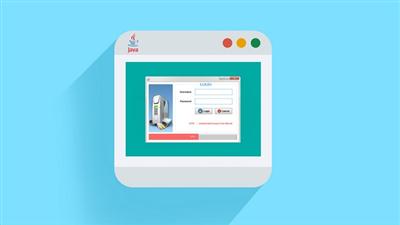
Java Swing Desktop App with CRUD Operations Using MySql
MP4 | Video: AVC 1280x720 | Audio: AAC 44KHz 2ch | Duration: 6 Hours | Lec: 63 | 1.34 GB
Genre: eLearning | Language: English​

Learn To Create a Java Swing Desktop Application - THAT CAN SALES

Learn how to create a basic Login System in java swing with Mysql Database using Wamp Server.If you want to learn basic java GUI Application (Desktop Application ) so that you are at the right place. In this course you will learn all the basic concept of java Swing With Netbeans IDE. After taking this course you will get complete knowledge of all the basic concepts in Java Swing Login System & CRUD Operations (Create, Read,Update,Delete) and you will be able to create Real World Desktop Applications in java.

What are the requirements?

Some Basics Knowledge of java & MySql (Wamp Server OR Xamp Server). But an absolute beginer also take this course who want to learn java.

Below are some of the main features of this Application:

Login System
Login jFrame with jProgressBar Which load automatically after login.
Admin jFrame Or Window.
Menus on Admin jframe.
EmployeeInfo System .
New , Save , Update , Delete ,Clear Operation In EmployeeInfo Jframe Form.
Upload Passport size images on JDesktopPane & Save in Database.
Working with jTable .
& I will Cover Lots of functionality in next video's.

Recommend Download Link Hight Speed | Please Say Thanks Keep Topic Live ​

 

0cd00d2cf3f29ef85b0a4c6d32b952af.jpg

JavaScript the Basics for Beginners - Section 7: Algorithms
MP4 | Video: AVC 1280x720 | Audio: AAC 44KHz 2ch | Duration: 1 Hours | 428 MB
Genre: eLearning | Language: English​

Course 7 - JavaScript Algorithms

In this course you will cover:

Indentify Unique Strings
Identify Longest Word in a String
Permutation of Two Strings
Sum of Range
Remove Elements From Head
Palindrome
Through our whole JavaScript the Basics for Beginners course series you will find this is your one stop necessary to enter into the language of JavaScript. We are going to start from scratch and build up our understanding of the world's most popular programming language together.

View JavaScript in action with whiteboard videos optimized for viewing on your smartphone. This is truly a course that you can engage with no matter where you are. Take your JavaScript eduction on the go! With whiteboard videos you get to visualize what JavaScript does under the hood.

You can practice JavaScript in your web browser! Take advantage of Google Chrome developer tools to put the JavaScript you have learned during our whiteboard lesson into practice with further examples and challenges. This is our JavaScript playground.

Learning JavaScript is like learning a language. This course won't make a false promise of saying you will master JavaScript overnight. However, this course will immerse you into the world's most popular programming language.

Each course will introduce you to something new in JavaScript :

JavaScript Syntax
JavaScript Building Blocks
JavaScript Best Practices
JavaScript Objects
JavaScript Arrays
JavaScript Regular Expressions
JavaScript Functional Programming
JavaScript Algorithms
JavaScript Data Structures
JavaScript ES6 Syntax
You'll finish this course with an understanding of JavaScript that will let you take a deeper dive into the language and possibly launch you into a new career as a JavaScript web developer.

Learning a new language can be difficult and even feel intimidating. JavaScript the Basics makes the the learning process feel accessible and welcoming!

Recommend Download Link Hight Speed | Please Say Thanks Keep Topic Live ​
 

a57fd500dbec4dd65543b000519b9592.jpg

JavaScript the Basics for Beginners- Section 8: ES6
MP4 | Video: AVC 1280x720 | Audio: AAC 44KHz 2ch | Duration: 1 Hours | 436 MB
Genre: eLearning | Language: English​

ES6 JavaScript

In this course you will cover:

let
const
template literals
arrow functions
spread operator
Through our whole JavaScript the Basics for Beginners course series you will find this is your one stop necessary to enter into the language of JavaScript. We are going to start from scratch and build up our understanding of the world's most popular programming language together.

View JavaScript in action with whiteboard videos optimized for viewing on your smartphone. This is truly a course that you can engage with no matter where you are. Take your JavaScript eduction on the go! With whiteboard videos you get to visualize what JavaScript does under the hood.

You can practice JavaScript in your web browser! Take advantage of Google Chrome developer tools to put the JavaScript you have learned during our whiteboard lesson into practice with further examples and challenges. This is our JavaScript playground.

Learning JavaScript is like learning a language. This course won't make a false promise of saying you will master JavaScript overnight. However, this course will immerse you into the world's most popular programming language.

Each course will introduce you to something new in JavaScript :

JavaScript Syntax
JavaScript Building Blocks
JavaScript Best Practices
JavaScript Objects
JavaScript Arrays
JavaScript Regular Expressions
JavaScript Functional Programming
JavaScript Algorithms
JavaScript Data Structures
JavaScript ES6 Syntax
You'll finish this course with an understanding of JavaScript that will let you take a deeper dive into the language and possibly launch you into a new career as a JavaScript web developer.

Learning a new language can be difficult and even feel intimidating. JavaScript the Basics makes the the learning process feel accessible and welcoming!

Recommend Download Link Hight Speed | Please Say Thanks Keep Topic Live ​

 

99f9017fd50ea56abb28e2d91525685a.jpg

Joomla Create a Joomla Website This Weekend With NO CODING
MP4 | Video: AVC 1280x720 | Audio: AAC 44KHz 2ch | Duration: 2 Hours | Lec: 30 | 476 MB
Genre: eLearning | Language: English​

Joomla: Learn how to build a website today with absolutely no experience and no coding. Get started online by tomorrow!

Starting today you can create your own website using Joomla with absolutely no experience whatsoever.

In this course I "take you by the hand" and "behind the scenes" to show you exactly how everything in Joomla works. No fancy terminology or complex methods used here. Just exactly what you need to know to set-up a fully functioning website.

This course does not teach you any code and we don't even look at any code because it is not needed to create a fully functional website with all the features you are looking for.

IMPORTANT #1:

This course does NOT teach you any code and we don't even look at any code because it is not needed to create a fully functional website with all the features you are looking for.

IMPORTANT #2:

I am confident you will be able to create a website using Joomla without any experience or any coding. I promise you can succeed with this if you follow each of the lessons I have created for you.

I make myself available so you will have access to me if you have questions or need feedback along the way. You're not in this alone!

WHAT YOU'LL GAIN FROM TAKING THIS COURSE:

Keep thousands of $$ in your pocket by setting up your own site
Save time by learning everything you need to know about Joomla without having to spend countless hours learning how to code.
Learn how to add new functionality to your website and forget paying someone else to do it for you.
Save time by managing updates yourself and not having to wait on a developer to do it for you.
Start earning money tomorrow by creating Joomla websites for clients.
Contact with the instructor who is always around for questions and feedback.
DON'T LOSE ANY MORE TIME OR MONEY...ENROLL NOW

Every moment you delay is costing you in time and money. Get your website online today and be ready for business tomorrow!

Recommend Download Link Hight Speed | Please Say Thanks Keep Topic Live ​
 

e49465f641079b6e0487fe8c395746d5.jpg

JQuery DOM and Ajax Concept Explained for Beginners
MP4 | Video: AVC 1280x720 | Audio: AAC 44KHz 2ch | Duration: 37M | Lec: 7 | 261 MB
Genre: eLearning | Language: English​

Learn Fundamental jQuery as per the Current Industry Demands.

Overview

JQuery is a popular JavaScript library that is used extensively in modern websites. This library facilitates common JavaScript tasks for example event management, cartoons, manipulating HTML content, and communication with outside servers.

What you'll learn

This includes removing and adding whole HTML elements, in addition to changing text and other HTML attributes. We'll also learn about the best way to navigate the tree-like structure of an HTML doc using the theory of parent-child, and child-components.

Finally, we will end the course by looking. AJAX allows programmers to interact with external servers. To function as our example, we will read airport data from a public web service. We will learn the best way to manage errors, and just how to request info, how to handle the response.

Recommend Download Link Hight Speed | Please Say Thanks Keep Topic Live ​

 

6d4c7375554824450247155be821e55e.jpg

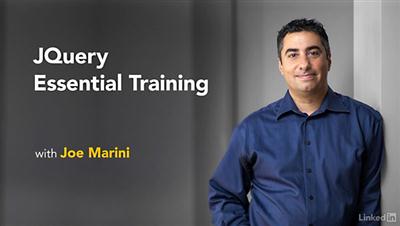
Lynda - jQuery Essential Training (2016)
Duration: 3h 37m | Video: AVC (.mp4) 1280x720 15&30fps | Audio: AAC 48KHz 2ch | 762 MB
Genre: eLearning | Level: Beginner | Language: English​

Looking to add dynamic content, third-party data, or animation to your websites and apps? Look no further. In this course, Joe Marini introduces jQuery, an open-source JavaScript library that simplifies the process of adding advanced functionality to web projects. First, learn how to use jQuery to extract and manipulate page content, using CSS rules you already know. Next, learn to build new, dynamic page content on the fly, and use jQuery events to respond to user actions. Finally, discover how to add animation and effects from jQuery's built-in library, and access remote data via AJAX. Want to practice what you learn along the way? Make sure to watch the challenge and solution videos, where Joe shows how to solve real-world design problems with jQuery

Topics include:
* What is jQuery?
* Using selectors and filters to extract information
* Creating, inserting, and animating page content
* Handling events
* Understanding jQuery statement chaining
* Working with CSS
* Building event handlers
* Animating with jQuery: showing, hiding, and fading page elements
* Working with AJAX

Recommend Download Link Hight Speed | Please Say Thanks Keep Topic Live ​
 

ee6fe5f3ef6186c123872363de489129.jpg

Lynda - Learn Autodesk Subassembly Composer
Duration: 1h 48m | Video: AVC (.mp4) 1280x720 15&30fps | Audio: AAC 48KHz 2ch | 277 MB
Genre: eLearning | Level: Intermediate | Language: English​

Subassemblies are the building blocks of corridor design, crucial for the development of roads, highways, and railways. AutoCAD Civil 3D users can compose complex subassemblies visually, using a powerful yet easy-to-use Subassembly Composer, which installs directly with Civil 3D. Learn how to use the Subassembly Composer to create subassemblies that meet your specific design requirements, in this course with Christopher Roberts, PE. Follow along as Christopher shows how to define a custom subassembly and add parameters, points, links, and shapes. See a preview of the subassembly geometry, and test how the subassembly behaves with different target values and conditions. Then find out how to make your subassemblies even more powerful with Visual Basic code. Christopher provides a "cookbook" of recipes for adding decision making, enumerations, switches, and variables to subassemblies, for more complex logic and automation. Last but not least, get some additional resources for working with the built-in PKT files, style guides, and the geometric looping function new in 2016.

Topics include:
* Creating a plan of attack
* Defining subassembly properties
* Adding input parameters, points, links, and shapes
* Testing subassemblies
* Adding targets
* Using Visual Basic code in subassembly development

Recommend Download Link Hight Speed | Please Say Thanks Keep Topic Live ​
 

d1ebf0cedac5a6fff171f258cf39cbb6.jpg

Learn C++ From Scratch : Complete C++ Programming Course Part-3 All About Functions In C++
MP4 | Video: AVC 1280x720 | Audio: AAC 44KHz 2ch | Duration: 42M | 237 MB
Genre: eLearning | Language: English​

In this class we will learn all about functions in C++ and how functions can be used to make our code much better to read and maintain.

Recommend Download Link Hight Speed | Please Say Thanks Keep Topic Live ​
 
Zurück
Oben Unten