
• Regeln für den Video-Bereich:

    In den Börsenbereich gehören nur Angebote die bereits den Allgemeinen Regeln entsprechen.

    Einteilung

    - Folgende Formate gehören in die angegeben Bereiche:
    - Filme: Encodierte Filme von BluRay, DVD, R5, TV, Screener sowie Telesyncs im Format DivX, XviD und x264.
    - DVD: Filme im Format DVD5, DVD9 und HD2DVD.
    - HD: Encodierte Filme mit der Auflösung 720p oder darüber von BluRay, DVD, R5, TV, Screener sowie Telesyncs im Format x264.
    - 3D: Encodierte Filme von BluRay, die in einem 3D Format vorliegen. Dies gilt auch für Dokus, Animation usw.
    - Serien: Cartoon/Zeichentrick, Anime, Tutorials, Dokumentationen, Konzerte/Musik, Sonstiges sind demnach in die entsprechenden Bereiche einzuordnen, auch wenn sie beispielsweise im High Definition-Format oder als DVD5/DVD9/HD2DVD vorliegen. Ausnahme 3D.
    - Bereich Englisch: Englische Releases gehören immer in diesen Bereich.
    - Bereich Talk: Der Bereich, in dem über die Releases diskutiert werden kann, darf, soll und erwünscht ist.


    Angebot/Beitrag erstellen

    - Ein Beitrag darf erst dann erstellt werden, wenn der Upload bei mindestens einem OCH komplett ist. Platzhalter sind untersagt.
    - Bei einem Scenerelease hat der Threadtitel ausschließlich aus dem originalen, unveränderten Releasenamen zu bestehen. Es dürfen keine Veränderungen wie z.B. Sterne, kleine Buchstaben o.ä. vorgenommen werden. Ausnahme Serienbörse:
    - Bei einem Sammelthread für eine Staffel entfällt aus dem Releasename natürlich der Name der Folge. Beispiel: Die Simpsons S21 German DVDRip XviD - ITG
    - Dementsprechend sind also u.a. verboten: Erweiterungen wie "Tipp", "empfehlenswert", "only", "reup", usw. / jegliche andere Zusatzinformation oder Ergänzung, welche nicht in obiger Beschreibung zu finden ist.

    Aufbau des Angebots und Threadtitel

    Der Titel nach folgendem Muster erstellt zu werden. <Name> [3D] [Staffel] [German] <Jahr> <Tonspur> [DL] [Auflösung] <Quelle> <Codec> - <Group>
    Beispiel: The Dark Knight German 2008 AC3 DVDRip XviD - iND
    Beispiel: The Dark Knight 2008 DTS DL BDRip x264 - iND
    Beispiel: The Dark Knight 2008 AC3 DL BDRip XviD - iND
    Beispiel: The Dark Knight German 2008 AC3 720p BluRay x264 iND
    Beispiel: The Dark Knight 2008 DTS DL 1080p BluRay x264 iND
    Beispiel: Die Simpsons S01 German AC3 DVDRip XviD iND
    Beispiel: Die Simpsons S20 German AC3 720p BluRay x264 iND
    Beispiel: Sword Art Online II Ger Sub 2014 AAC 1080p WEBRip x264 - peppermint
    Entsprechend sind also u.a. verboten: Sonderzeichen wie Klammern, Sterne, Ausrufezeichen, Unterstriche, Anführungszeichen / Erweiterungen wie "Tipp", "empfehlenswert", "only", "reup", usw. / jegliche andere Zusatzinformation oder Ergänzung, welche nicht in obiger Beschreibung zu finden ist
    Ausnahmen hiervon können in den Bereichen geregelt sein.

    Die Beiträge sollen wie folgt aufgebaut werden:
    Überschrift entspricht dem Threadtitel
    Cover
    kurze Inhaltsbeschreibung
    Format, Größe, Dauer sind gut lesbar für Downloader außerhalb des Spoilers zu vermerken
    Nfo sind immer Anzugeben und selbige immer im Spoiler in Textform.
    Sind keine Nfo vorhanden z.B. Eigenpublikationen, sind im Spoiler folgende Dateiinformationen zusätzlich anzugeben :
    Quelle
    Video (Auflösung und Bitrate)
    Ton (Sprache, Format und Bitrate der einzelnen Spuren)
    Untertitel (sofern vorhanden)
    Hosterangabe in Textform außerhalb eines Spoiler mit allen enthaltenen Hostern.
    Bei SD kann auf diese zusätzlichen Dateiinformationen verzichtet werden.

    Alle benötigten Passwörter sind, sofern vorhanden, in Textform im Angebot anzugeben.
    Spoiler im Spoiler mit Kommentaren :"Schon Bedankt?" sind unerwünscht.


    Releases

    - Sind Retail-Release verfügbar, sind alle anderen Variationen untersagt. Ausnahmen: Alle deutschen Retail-Release sind CUT, in diesem Fall sind dubbed UNCUT-Release zulässig.
    - Im Serien-Bereich gilt speziell: Wenn ein Retail vor Abschluss einer laufenden Staffel erscheint, darf diese Staffel noch zu Ende gebracht werden.62
    - Gleiche Releases sind unbedingt zusammenzufassen. Das bedeutet, es ist zwingend erforderlich, vor dem Erstellen eines Themas per Suchfunktion zu überprüfen, ob bereits ein Beitrag mit demselben Release besteht. Ist dies der Fall, ist der bereits vorhandene Beitrag zu verwenden.
    - P2P und Scene Releases dürfen nicht verändert oder gar unter einem iND Tag eingestellt werden.


    Support, Diskussionen und Suche

    - Supportanfragen sind entweder per PN oder im Bereich Talk zu stellen.
    - Diskussionen und Bewertungen sind im Talk Bereich zu führen. Fragen an die Uploader haben ausschließlich via PN zu erfolgen, und sind in den Angeboten untersagt.
    - Anfragen zu Upload-Wünschen sind nur im Bereich Suche Video erlaubt. Antworten dürfen nur auf Angebote von MyBoerse.bz verlinkt werden.


    Verbote

    - Untersagt sind mehrere Formate in einem einzigen Angebotsthread, wie beispielsweise das gleichzeitige Anbieten von DivX/XviD, 720p und 1080p in einem Thread. Pro Format, Release und Auflösung ist ein eigener Thread zu eröffnen.
    - Grundsätzlich ebenso verboten sind Dupes. Uploader haben sich an geeigneter Stelle darüber zu informieren, ob es sich bei einem Release um ein Dupe handelt.
    - Gefakte, nur teilweise lauffähige oder unvollständige Angebote sind untersagt. Dies gilt auch für eigene Publikationen, die augenscheinlich nicht selbst von z.B. einer DVD gerippt wurden. Laufende Serien, bei denen noch nicht alle Folgen verfügbar sind, dürfen erstellt und regelmäßig geupdatet werden.
    - Untersagt sind Angebote, welche nur und ausschließlich in einer anderen Sprache als deutsch oder englisch vorliegen. Ausnahmen sind VORHER mit den Moderatoren zu klären.


    Verstoß gegen die Regeln

    - Angebote oder Beiträge, die gegen die Forenregeln verstoßen, sind über den "Melden"-Button im Beitrag zu melden.
  • Bitte registriere dich zunächst um Beiträge zu verfassen und externe Links aufzurufen.


Englische Tutorials


e61f7ac1f127d6bddf7b9dce98128db4.jpg

Hypnosis - Boost Your Immune System Using Self Hypnosis
.MP4, AVC, 1000 kbps, 1280x720 | English, AAC, 64 kbps, 2 Ch | 0.7 hours | 1.14 GB
Instructor: Pradeep Aggarwal​

A healthy immune system is the product of a healthy mind and a healthy body. A strong immune system means a healthy body, quick recovery from illness, and strong resistance to infections and diseases. By strengthening your mind and improving your mind body connection, you strengthen your immune system and improve your overall health.

Practicing self hypnosis, visualization and positive affirmations every day will help you to develop positive and healthy thoughts that will have a deep impact on your subconscious mind, improve the performance of your body, and boost the functioning of your immune system.

By the end of the course you will overcome all the psychological barriers to your weak immune system and have strong immunity by changing your negative state of mind and feel more confident and happy about your immune system.

It is ideal for people who have a weak immune system and are prone to lot of general health issues and weakness.

It is also very helpful for people who want to get over depression , anxiety , insomnia , negativity and stress.

This course contains a lot of exercises and more than 30 minutes of live video content designed over 7 lectures in English including a bonus E-book on affirmations.

What am I going to get from this course?

Over 8 lectures and 38 mins of content!
By the end of the course you will learn how to boost your immune system using powerful self hypnosis, affirmations & visualizations
You will feel relaxed and positive after using the visualization techniques in the course and boost your immune system
You will be able to relax instantly using self hypnosis techniques
You will be able to reduce stress, depression , insomnia and negativity caused using powerful self hypnosis and affirmations

Recommend Download Link Hight Speed | Please Say Thanks Keep Topic Live ​

 

5597fe56e3a8e26b750d612ec9958eec.jpg

Illustrator Mask : Masking In Illustrator Made Easy. Finally!
Duration: 27m | Video: h264, yuv420p, 1280x720 30fps | Audio: aac, 44100 Hz, 2 ch | 136 MB
Genre: eLearning | Language: English​

In this quick little class you will learn how to easily and efficiently use masks inside Illustrator. You will learn only what's practical and ready to apply about both clipping and opacity masks.

In just a few minutes we will go from the total fundamentals of masks in Illustrator to practical benefits of using them.
I believe that After this class you will feel more confident in using masks inside Illustrator.
So if you've been struggling with masking before, this class will help you understand masks and start using them efficiently and independently.

Recommend Download Link Hight Speed | Please Say Thanks Keep Topic Live ​

 

f9c731f1ea18811c9b34ebf4847136b2.jpg

Increase your Trading Success Using Japanese Candlesticks
.MP4, AVC, 1000 kbps, 1280x720 | English, AAC, 64 kbps, 2 Ch | 2.5 hours | 401 MB
Instructor: Luca Moschini​

Introduction to the stock market and market psychology using a time tested trading method known as Japanese candlesticks

90% of traders fail in their first year of trading. Why?

They lack the necessary patience and knowledge needed to trade effectively and successfully.

Increase your Trading Success using Japanese Candlesticks is an introductory course designed to show the visual power of Japanese candlesticks when trading the stock market.

Whether you are trading stocks, forex, commodities, options, ETFs... this course will give you a glimpse of the competitive edge that Japanese candlesticks and technical analysis avails you!

We look at different trading charts and specific stocks to understand the advantage that the visual illustrations of candlestick charts has over more popular trading tools such as bar charts.

This course offers an overview on both the driving force of the market (supply and demand) as well as the effects of market psychology on stocks price action.

New lectures will be added to the course constantly - at no extra cost to you! This is a course that will continue to grow.

Take this course now and learn from my 5+ years of experience. Avoid the most common pitfalls that catch 90% of traders!

Too often beginner traders enter the market without the necessary knowledge and practice needed. As a result they take excessive, expensive and unnecessary risks hoping for higher returns. This course will teach you a very effective way to trade in the market successfully and with confidence.

This course is for all levels: beginners, intermediate and advanced traders! All you need is an open mind and a passion to be successful!

What am I going to get from this course?

Over 45 lectures and 2.5 hours of content!
understand the driving force of the market
recognize and use different types of trading charts
understand the effects of emotions when trading
learn the origin and benefits of Japanese candlesticks
learn to read Japanese candlesticks
learn the basics of bull market strategies
learn the basics of bear market strategies
learn how emotions can positively or negatively affect your trading plan

Recommend Download Link Hight Speed | Please Say Thanks Keep Topic Live ​
 

8a2fcd304c30440f5b1a4180091feaba.jpg

InDesign: Create a Trifold Flyer
Duration: 33m | Video: h264, yuv420p, 1280x720 30fps | Audio: aac, 44100 Hz, 2 ch | 531 MB
Genre: eLearning | Language: English​

In this 16 part class you will design a tri fold flyer running through everything you need from project setup to print.

You will cover the following:
Project Setup
Working with layers
Adding background images
Add color effects to backgrounds
Custom graphic backgrounds
Add & work with type
Creating paragraph styles for text & titles
Adding images
Text wraps
Custom shaped image frames
Create reverses for your type design
Paragraph rules to customise title backgrounds
Exporting for print with guides and bleeds
As you work through each section you will receive tips and tricks for creating great looking flyer designs in Adobe InDesign.
The skills covered are transferable to any InDesign project and this class is suitable for users at all levels.

Recommend Download Link Hight Speed | Please Say Thanks Keep Topic Live ​

 

ff09101ac7f9e222ebf001406d700768.jpg

Integrating Lightroom with Photoshop Training Video
2016-09-13 | SKU: 02413 | .MP4, AVC, 1000 kbps, 1280x720 | English, AAC, 128 kbps, 2 Ch | 1.57 hours | 858 MB
Instructor: Andy Anderson​

Can two applications be better than one? Yes, says design expert Andy Anderson. In this class, he'll show you how to combine the toolsets of Adobe Photoshop and Adobe Lightroom into a single, super efficient image editing workflow. You'll understand why you should always work with Lightroom first before working in Photoshop, and how to move between the two in efficient and creative ways.

Learners should have current versions of Lightroom and Photoshop; know how to open the programs and perform basic editing; and, if they intend to do image editing in conjunction with mobile apps, a smart device with the ability to connect to the Internet.

* Learn how to combine Photoshop & Lightroom into a cohesive image editing workflow
* Master the ability to create the best images possible in the least amount of time
* Understand how to sync the two applications, organize images, and edit images
* Discover how to efficiently and successfully use Photoshop & Lightroom with mobile apps
* Gain speed in the editing process by learning the strengths of Photoshop and Lightroom

Recommend Download Link Hight Speed | Please Say Thanks Keep Topic Live ​

 

020c44519b30ae2405d83c36dabc65b2.jpg

Integrating Parse into an Android Chat app template
MP4 | Video: AVC 1280x720 | Audio: AAC 44KHz 2ch | Duration: 1 Hours | Lec: 7 | 255 MB
Genre: eLearning | Language: English​

Our complete guide to setting up a Parse backend and integrating it into an Android Chat app template.

Welcome to the MyAppTemplates complete guide to setting up a Parse backend and integrating it into an Android Chat app template, similar to What's App or Viber.

This is a short 7 lesson overview course, for beginner-intermediate developers with some experience with Java programming and Eclipse IDE.

Each lesson is between 5-15 minutes long, starting with an overview of Parse and the existing code on the Android Chat template provided. It's not a 'start-from-scratch' course, it is for people who have an app template already (we provide a free one!) and who would like to add a simple backend API to it.

In the course we'll be setting up a free Parse account, creating the backend classes for our Chat app in Parse, and then integrating the Parse API into our Android Eclipse app template.

It's 7 short lessons, and at the end you should have a simple Android Chat app up and running.

Recommend Download Link Hight Speed | Please Say Thanks Keep Topic Live ​
 

231620fff81cbdb620e92e1a952e61f5.jpg

Interior Design: Plan The Room Of Your Dreams in Photoshop
Duration: 34m | Video: h264, yuv420p, 1280x720 30fps | Audio: aac, 44100 Hz, 2 ch | 447 MB
Genre: eLearning | Language: English​

In this class, you'll learn how to build and design a room from the ground up-literally. Using Photoshop, we'll cover e-design basics like creating walls and floors, to adding crown molding. This class is great for anyone, whether you're a homeowner looking to freshen up a space or an interior design looking to practice your skills. By the end of this class, you'll have a realistic rendering for the room of your dreams.

Recommend Download Link Hight Speed | Please Say Thanks Keep Topic Live ​

 

d21f927e70cbdefe7fdb12093b487d6a.jpg

Intro to InDesign: DIY Photo Announcement Postcard
Duration: 55m | Video: h264, yuv420p, 1280x720 30fps | Audio: aac, 44100 Hz, 2 ch | 525 MB
Genre: eLearning | Language: English | Project Files​

In this class you will learn to use InDesign to create a photo announcement postcard. This class is great for anyone who wants to make magazine, newspaper, or newsletter layouts, cards, reports, etc., for their professional life, or just for some fun.

This class is aimed at beginners who have little to no knowledge in InDesign, but could also be a good refresher for someone who hasn't used it in a while. You might learn something new!
This class will cover placing photos and text, using margins, columns, and bleed, and exporting for print.

Recommend Download Link Hight Speed | Please Say Thanks Keep Topic Live ​

 

08d58cf726e6b94c89448b6e3b6a51f0.jpg

Introduction to ANSYS Training Video
Duration: 2h 27m | Video: h264, yuv420p, 1280x720 30fps | Audio: aac, 44100 Hz, 2ch | 615 MB
Genre: eLearning | Language: English | Project Files​

Finite element analysis means simulating nature, therefore giving you insight into the world you live in and enriching your life. This course, Introduction to ANSYS, is an introduction to using ANSYS finite element software. First, you will start by modeling a lifting lug component and solve your first 3D finite element model. Then, you will explore the user interface, creating your first 3D model, and setting up the loads and boundary conditions. Finally, you'll view the results and ensure the safety of the component under the given loads. After watching this course, you'll know the basics of how to navigate through the ANYSYS interface and be equipped with the tools to develop and analyze your own models. Software required: ANSYS v17.0.

Recommend Download Link Hight Speed | Please Say Thanks Keep Topic Live ​

 

26321c6b96771b9179c575f6c24bd705.jpg

Introduction to Apache Phoenix Training Video
2016-09-15 | SKU: 02414 | .MP4, AVC, 600 kbps, 1280x720 | English, AAC, 128 kbps, 2 Ch | 2 hours | 851 MB
Instructor: Tom Hanlon​

This is a beginner level class for data analysts with RDBMS backgrounds looking to learn more about Big Data NoSQL solutions and the available SQL layers for Big Data. The course begins with a review of the performance characteristics of SQL systems vs. NoSQL systems, so you'll know how to structure data to get maximum performance from NoSQL solutions. It then moves into a detailed tutorial on how to use Apache Phoenix, the easy-to-use SQL "skin" layer for NoSQL HBase.

* Understand the performance characteristics of relational SQL systems vs. NoSQL systems
* Explore the use of Apache Phoenix, the SQL "skin" layer for working with NoSQL HBase
* Learn the fundamentals of HBase, and how to obtain and configure Apache Phoenix
* Discover why Phoenix interacts with HBase much easier than native HBase tools
* Learn to create Phoenix tables, load data, and execute queries against that data
* See how to retrieve data from Phoenix by using a JDBC connection
* Understand how to structure data to get maximum performance from NoSQL solutions

Recommend Download Link Hight Speed | Please Say Thanks Keep Topic Live ​
 

834aef5d2443210b0da47ef6c2327437.jpg

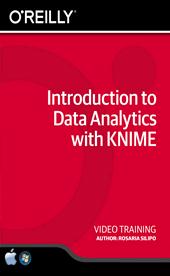
Introduction to Data Analytics with KNIME Training Video
Duration: 3h 1m | Video: h264, yuv420p, 1280x720 30fps | Audio: aac, 44100 Hz, 2ch | 1.03 GB
Genre: eLearning | Language: English | Project Files​

This is a hands-on basic course about data analytics and KNIME, and is designed for learners with little experience in data analytics or in programming. Taught by 24 year data analytics veteran Dr. Rosaria Silipo, it covers everything a beginning data analyst needs to know. You'll learn about importing data from common data sources and how to investigate data using visual exploration, ETL, data blending, and some machine learning algorithms.

You'll explore prediction models, clustering models, recommendation models, PMML models, and how to build a report in BIRT and the KNIME WebPortal. By course end, you'll possess a basic understanding of the methods of data analytics as well as practical skills in using the KNIME platform for your own purposes.

Learn the basics of data analytics and how to apply them in real life scenarios using KNIME
Understand what the KNIME data analytics platform is and what it can do
See how beginners without programming skills can use KNIME for data analytics
Gain experience installing and working with the KNIME platform
Enjoy access to sample data analytics workflows and exercises

Recommend Download Link Hight Speed | Please Say Thanks Keep Topic Live ​
 

1decdf695156acbb34a39039b5e48240.jpg

Introduction to Revit for Structural Engineers (2016)
Duration: 3.5 Hours | Video: h264, yuv420p, 1280x720 30fps | Audio: aac, 44100 Hz, 2ch | 1 GB
Genre: eLearning | Language: English | Project Files​

Autodesk Revit is becoming the tool of choice in the building industry. This course will not only show you why, but will show you what you need to take advantage of this powerful software for yourself. Software required: Autodesk Revit (2017 prefe...

Have you heard of Revit but never had the time or resources to learn how to use it? This course, Introduction to Revit for Structural Engineers, will bring you up to speed and help you to create better buildings. First, you will learn how to model simple structural elements and more real-life complex examples. Next, you will discover how to use Revit as a Building Information Modeling tool. Finally, you will learn about design options and you will learn to present clear, clean, crisp drawing sets that you can be proud of. When you're finished with this course, you'll not only have modeled a sports stadium, but you will also have the skills to model real-life projects in your office. Software required: Autodesk Revit (2017 preferred).

Recommend Download Link Hight Speed | Please Say Thanks Keep Topic Live ​
 
Zurück
Oben Unten