• Regeln für den Video-Bereich:

    In den Börsenbereich gehören nur Angebote die bereits den Allgemeinen Regeln entsprechen.

    Einteilung

    - Folgende Formate gehören in die angegeben Bereiche:
    - Filme: Encodierte Filme von BluRay, DVD, R5, TV, Screener sowie Telesyncs im Format DivX, XviD und x264.
    - DVD: Filme im Format DVD5, DVD9 und HD2DVD.
    - HD: Encodierte Filme mit der Auflösung 720p oder darüber von BluRay, DVD, R5, TV, Screener sowie Telesyncs im Format x264.
    - 3D: Encodierte Filme von BluRay, die in einem 3D Format vorliegen. Dies gilt auch für Dokus, Animation usw.
    - Serien: Cartoon/Zeichentrick, Anime, Tutorials, Dokumentationen, Konzerte/Musik, Sonstiges sind demnach in die entsprechenden Bereiche einzuordnen, auch wenn sie beispielsweise im High Definition-Format oder als DVD5/DVD9/HD2DVD vorliegen. Ausnahme 3D.
    - Bereich Englisch: Englische Releases gehören immer in diesen Bereich.
    - Bereich Talk: Der Bereich, in dem über die Releases diskutiert werden kann, darf, soll und erwünscht ist.


    Angebot/Beitrag erstellen

    - Ein Beitrag darf erst dann erstellt werden, wenn der Upload bei mindestens einem OCH komplett ist. Platzhalter sind untersagt.
    - Bei einem Scenerelease hat der Threadtitel ausschließlich aus dem originalen, unveränderten Releasenamen zu bestehen. Es dürfen keine Veränderungen wie z.B. Sterne, kleine Buchstaben o.ä. vorgenommen werden. Ausnahme Serienbörse:
    - Bei einem Sammelthread für eine Staffel entfällt aus dem Releasename natürlich der Name der Folge. Beispiel: Die Simpsons S21 German DVDRip XviD - ITG
    - Dementsprechend sind also u.a. verboten: Erweiterungen wie "Tipp", "empfehlenswert", "only", "reup", usw. / jegliche andere Zusatzinformation oder Ergänzung, welche nicht in obiger Beschreibung zu finden ist.

    Aufbau des Angebots und Threadtitel

    Der Titel nach folgendem Muster erstellt zu werden. <Name> [3D] [Staffel] [German] <Jahr> <Tonspur> [DL] [Auflösung] <Quelle> <Codec> - <Group>
    Beispiel: The Dark Knight German 2008 AC3 DVDRip XviD - iND
    Beispiel: The Dark Knight 2008 DTS DL BDRip x264 - iND
    Beispiel: The Dark Knight 2008 AC3 DL BDRip XviD - iND
    Beispiel: The Dark Knight German 2008 AC3 720p BluRay x264 iND
    Beispiel: The Dark Knight 2008 DTS DL 1080p BluRay x264 iND
    Beispiel: Die Simpsons S01 German AC3 DVDRip XviD iND
    Beispiel: Die Simpsons S20 German AC3 720p BluRay x264 iND
    Beispiel: Sword Art Online II Ger Sub 2014 AAC 1080p WEBRip x264 - peppermint
    Entsprechend sind also u.a. verboten: Sonderzeichen wie Klammern, Sterne, Ausrufezeichen, Unterstriche, Anführungszeichen / Erweiterungen wie "Tipp", "empfehlenswert", "only", "reup", usw. / jegliche andere Zusatzinformation oder Ergänzung, welche nicht in obiger Beschreibung zu finden ist
    Ausnahmen hiervon können in den Bereichen geregelt sein.

    Die Beiträge sollen wie folgt aufgebaut werden:
    Überschrift entspricht dem Threadtitel
    Cover
    kurze Inhaltsbeschreibung
    Format, Größe, Dauer sind gut lesbar für Downloader außerhalb des Spoilers zu vermerken
    Nfo sind immer Anzugeben und selbige immer im Spoiler in Textform.
    Sind keine Nfo vorhanden z.B. Eigenpublikationen, sind im Spoiler folgende Dateiinformationen zusätzlich anzugeben :
    Quelle
    Video (Auflösung und Bitrate)
    Ton (Sprache, Format und Bitrate der einzelnen Spuren)
    Untertitel (sofern vorhanden)
    Hosterangabe in Textform außerhalb eines Spoiler mit allen enthaltenen Hostern.
    Bei SD kann auf diese zusätzlichen Dateiinformationen verzichtet werden.

    Alle benötigten Passwörter sind, sofern vorhanden, in Textform im Angebot anzugeben.
    Spoiler im Spoiler mit Kommentaren :"Schon Bedankt?" sind unerwünscht.


    Releases

    - Sind Retail-Release verfügbar, sind alle anderen Variationen untersagt. Ausnahmen: Alle deutschen Retail-Release sind CUT, in diesem Fall sind dubbed UNCUT-Release zulässig.
    - Im Serien-Bereich gilt speziell: Wenn ein Retail vor Abschluss einer laufenden Staffel erscheint, darf diese Staffel noch zu Ende gebracht werden.62
    - Gleiche Releases sind unbedingt zusammenzufassen. Das bedeutet, es ist zwingend erforderlich, vor dem Erstellen eines Themas per Suchfunktion zu überprüfen, ob bereits ein Beitrag mit demselben Release besteht. Ist dies der Fall, ist der bereits vorhandene Beitrag zu verwenden.
    - P2P und Scene Releases dürfen nicht verändert oder gar unter einem iND Tag eingestellt werden.


    Support, Diskussionen und Suche

    - Supportanfragen sind entweder per PN oder im Bereich Talk zu stellen.
    - Diskussionen und Bewertungen sind im Talk Bereich zu führen. Fragen an die Uploader haben ausschließlich via PN zu erfolgen, und sind in den Angeboten untersagt.
    - Anfragen zu Upload-Wünschen sind nur im Bereich Suche Video erlaubt. Antworten dürfen nur auf Angebote von MyBoerse.bz verlinkt werden.


    Verbote

    - Untersagt sind mehrere Formate in einem einzigen Angebotsthread, wie beispielsweise das gleichzeitige Anbieten von DivX/XviD, 720p und 1080p in einem Thread. Pro Format, Release und Auflösung ist ein eigener Thread zu eröffnen.
    - Grundsätzlich ebenso verboten sind Dupes. Uploader haben sich an geeigneter Stelle darüber zu informieren, ob es sich bei einem Release um ein Dupe handelt.
    - Gefakte, nur teilweise lauffähige oder unvollständige Angebote sind untersagt. Dies gilt auch für eigene Publikationen, die augenscheinlich nicht selbst von z.B. einer DVD gerippt wurden. Laufende Serien, bei denen noch nicht alle Folgen verfügbar sind, dürfen erstellt und regelmäßig geupdatet werden.
    - Untersagt sind Angebote, welche nur und ausschließlich in einer anderen Sprache als deutsch oder englisch vorliegen. Ausnahmen sind VORHER mit den Moderatoren zu klären.


    Verstoß gegen die Regeln

    - Angebote oder Beiträge, die gegen die Forenregeln verstoßen, sind über den "Melden"-Button im Beitrag zu melden.
  • Bitte registriere dich zunächst um Beiträge zu verfassen und externe Links aufzurufen.


Englische Tutorials


501dbc490633bac11d99f65c1f57b2d0.jpg

Learn C++ From Scratch : Complete C++ Programming Course Part-4 Classes, Objects & Constructors
MP4 | Video: AVC 1280x720 | Audio: AAC 44KHz 2ch | Duration: 43M | 258 MB
Genre: eLearning | Language: English​

In this class we will learn what are classes, what are objects and what are constructors.

Recommend Download Link Hight Speed | Please Say Thanks Keep Topic Live ​
 

c45fe16fef991361ba15df3d9fc50554.jpg

Learn How To Build E-Commerce Site With BigCommerce
MP4 | Video: AVC 1280x720 | Audio: AAC 44KHz 2ch | Duration: 1 Hours | 173 MB
Genre: eLearning | Language: English​

In This Course Through Bigcommerce, you will be able to start Building your E Commerce website in a couple of hours. we will cover at this course, all of main topics for E-commerce store from A to Z to allows you to get the professionla knowledge in Bigcommerce Platform.

We will discuss and explain how to create Categories and Menu`s at Bigcommerce Store, how to add and edit Products through Bigcommerce Store, how to choose a great looking for your store by adding Themes also you will learn how to customize your Theme, how to set up Domain Name of your Store, how to set up Shipping and Tax rates, also we will discuss how to set up Payments with all of Payment Options at Bigcommerce.

Recommend Download Link Hight Speed | Please Say Thanks Keep Topic Live ​
 

e6af3dba1478b6995fcb1edfe57f656e.jpg

Learn Project Management Techniques for Work and Home (2016)
MP4 | Video: AVC 1280x720 | Audio: AAC 44KHz 2ch | Duration: 3 Hours | Lec: 24 | 1.69 GB
Genre: eLearning | Language: English​

Learn how to advance your career or improve your business by understanding and applying sound management techniques.

Project Management Techniques for Work and Home provides students, small business owners, and others an understand of how the project management process works, how to apply the processes to work and how to incorporate them into their personal projects. The course also provides individuals with insight into how a Project Manager thinks which will help advance your career. The lectures take the student through the Project Management Process with an emphasis on how the process can be used to manage efficiently home projects and help individuals perform well in project meetings. First an understanding of the importance of Project Management and overall process are presented. This is followed by details of each part of the process. Each section concludes with a summary of what was presented along with insights into what Project Mangers expect. The course ends with examples of work and home applications of the techniques.

Recommend Download Link Hight Speed | Please Say Thanks Keep Topic Live ​
 

11846b8ffe6c46f9de60008ba5c00227.jpg

Learning Linux with Ubuntu and CentOS: The Easy Way
MP4 | Video: AVC 1280x720 | Audio: AAC 44KHz 2ch | Duration: 2.5 Hours | Lec: 12 | 511 MB
Genre: eLearning | Language: English​

Why not give Linux a try, its Free, Fun, Highly Stable and Free Of Viruses

In 2001, when I started my career as Telecom Professional, I could barely manage MS Windows. All I knew was how to Power it on and do basic tasks like making Presentation, Word Document and take print outs. Oh Yea! I could also make my way into putting on Video CDs and playing occasional games (NFS, FIFA). Since then, a lot has changed in the world of Operating Systems and in turn for me as well. After my first interaction with Linux in 2002, I've continued on this path and every day, my passion for Linux just gets deeper.

If you are also searching for an alternate Operating System with decades of developments, a system that does not do funny things (read annoying), where ending a process really mean killing it, which is extremely fast to boot and shutdown, which does not invite world of malwares, viruses and Trojans, a system that has got a highly thriving and vibrant community, and which is Free to use and distribute, then my friends Welcome! to the World of Linux.

In this course, I will show you two major flavors (distributions) of Linux, Ubuntu and CentOS. You will be able to:

1. Install and Manage Ubuntu

2. Install and Manage CentOS

3. How to update your system

4. Use everyday / common applications

5. Become a NIX user in just couple of hours

6. Just have fun with your new OS

((First step towards LPIC-1 certification training course that I've uploaded here on Udemy ))

This course is general purpose and is suitable for anyone and everyone. Whether you are a student, a techie or a businessman with little to nil knowledge of Operating Systems, I will take your hand and help you in your journey to the Awesome World of Linux that operates œFrom wristwatches to supercomputers,. So, without further delay, click on take this course and join the ride.

Recommend Download Link Hight Speed | Please Say Thanks Keep Topic Live ​

 

7c5b515b441a5e8a2fd18f733e6c6bf0.jpg

Lifestyle Photography: Everyday Storytelling in Photo & Print
MP4 | Video: AVC 1280x720 | Audio: AAC 44KHz 2ch | Duration: 26M | 488 MB
Genre: eLearning | Language: English​

Have a million photos on your phone, and wondering what's next? Join photographer and designer Dan Rubin as he shows how to transform everyday photos from an NYC afternoon into stories to share both in print and online.

Over the course of 25 minutes, Dan shares insightful ways to visually capture an experience or place, including:

Prepping for exploration
Shooting tips
Selecting the best photos for telling your story in print and online

This class will empower photographers and enthusiasts alike to transform a simple afternoon exploration into tangible prints! Your friends are sure to be impressed by the artwork on your walls.

Recommend Download Link Hight Speed | Please Say Thanks Keep Topic Live ​

 

db1c8b61f31696f75ead3e86e2750072.jpg

Lightroom for Lunch - Frame Photos on Export - Presets, Identity Plate, Print Module
Duration: 12m | Video: h264, yuv420p, 1280x720 30fps | Audio: aac, 44100 Hz, 2 ch | 61 MB
Genre: eLearning | Language: English​

Lightroom for Lunch™ is a series of short video courses you can study in bite size pieces such as at lunchtime. In this course you'll learn to frame photos automatically as you export them from Lightroom. You will learn to make an Identity Plate to use and how to set up a print collection to print from. Once complete you can drag and drop any image into your collection ready to print it - at any time.

Recommend Download Link Hight Speed | Please Say Thanks Keep Topic Live ​

 

1f673797fb4672335ca660e788a86af6.jpg

Low Poly Art: Create an Abstract Tree in Cinema 4D and Photoshop
Duration: 46m | Video: h264, yuv420p, 1280x720 30fps | Audio: aac, 44100 Hz, 2 ch | 793 MB
Genre: eLearning | Language: English​

This lesson will take you through the basics of how to create a Low Poly abstract tree using Cinema 4D and Photoshop. In this class you'll learn the step-by-step process for creating basic 3D shapes and turning them into parts for your abstract tree. This class is perfect for designers, illustrators and anyone else who would like to learn a bit of 3D modelling to add to their designs. The class is for beginners - intermediate. Topics will include some basic 3D modelling techniques and how to use lighting to improve the overall look of the illustration.

Recommend Download Link Hight Speed | Please Say Thanks Keep Topic Live ​

 

b0c9cddf9a2c357355ce5a3c11e4ab2e.jpg

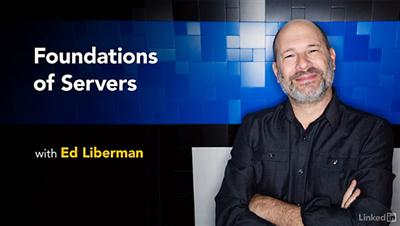
Lynda - Foundations of Servers
Duration: 2h 41m | Video: AVC (.mp4) 1280x720 15&30fps | Audio: AAC 48KHz 2ch | 294 MB
Genre: eLearning | Level: Beginner | Language: English​

Servers are the heavy lifters of IT. They power the Internet, email, enterprise-level applications, databases, local networks, and more. While most users have a superficial understanding of servers, system administrators and IT pros must know them intimately. You must be prepared to configure, deploy, and maintain a variety of servers-with high availability and scalability. This course covers the fundamentals of servers, including popular server operating systems such as Windows Server and Linux. It's designed for the entry-level IT student who needs a basic understanding of server architecture, user administration, virtualization, storage, security, networking, and disaster recovery. Author Ed Liberman, an IT consultant and trainer for over 20 years, also reviews troubleshooting theory and tools, so you can understand common problems that can arise with servers and how to solve them.

Topics include:
* Server components and server architecture
* Basic configuration
* Server roles
* Asset management
* Virtualization
* Server storage
* Server security
* Networking
* Backup and recovery
* Troubleshooting

Recommend Download Link Hight Speed | Please Say Thanks Keep Topic Live ​
 

f7d8ab584c745475ee75c99ecf43d6dd.jpg

Lynda - Learning Flask
Size: 223 MB | Duration: 1h 38m | Video: AVC (.mp4) 1280x720 15&25fps | Audio: AAC 48KHz 2ch
Genre: eLearning | Level: Beginner | Language: English]​

The need for talented developers is greater than ever before. A basic grounding in a framework as simple, powerful, and easy-to-learn as Flask-a Python microframework-can help launch your programming career. Get a basic grounding in the fundamental concepts of web development, as well as the hands-on experience required to successfully build web apps with Flask, in this course with Packt trainer Lalith Polepeddi. It starts with turning your computer into a modern development machine. Then learn everything you need to know about Flask: models, views, controllers, web templates, forms, validation, and API interactions. Lalith shows how to apply these concepts and develop a powerful database-backed Flask app, including a full authentication system. Finally, Lalith shows how to extend the app's functionality by integrating it with third-party APIs. When you finish this course, you will be fully equipped to build your very own custom web apps with Flash. Note: This course was created by Packt Publishing. We are pleased to offer this training in our library.

Topics include:
* Setting up your development environment
* Creating a homepage
* Building templates
* Routing with Flask
* Deploying to Heroku
* Storing data
* Creating and rendering forms
* Validating form data
* Creating a user authentication system for login and logout
* Implementing location-based app features

Recommend Download Link Hight Speed | Please Say Thanks Keep Topic Live ​

 

3d73c5830fc930805d33a35212473093.jpg

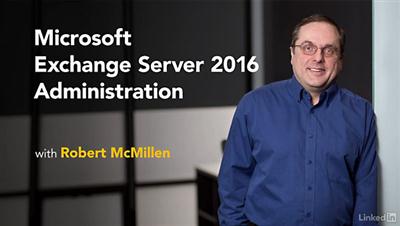
Lynda - Microsoft Exchange Server 2016 Administration
Duration: 3h 41m | Video: AVC (.mp4) 1280x720 15&30fps | Audio: AAC 48KHz 2ch | 444 MB
Genre: eLearning | Level: Intermediate | Language: English​

Businesses run on email-and 80% of on-premise email runs on Microsoft Exchange. Despite the popularity of cloud-based solutions, email server administration is still a critical skill for any system admin. Learn how to maintain, monitor, and troubleshoot an Exchange Server 2016 environment in this course with networking consultant Robert McMillen. Robert concentrates on core skills and day-to-day activities, such as configuring mailboxes, delegates, and distribution lists; setting permissions; managing and troubleshooting transport (aka mail flow); designing a service-level agreement for downtime, RPO/RTO, and delivery; and backing up and recovering mailbox databases and roles. Plus, learn how to use clustering and database availability groups (DAGs) to promote high availability and troubleshoot common Exchange issues. Need to set up Exchange Server for the first time? Check out Robert's previous course, Deploying Exchange Server 2016. Note: This course maps to the certification exam for Exchange Server 2016. Review the course and exam blueprint for the Exchange Server 13 exam here and here.

Topics include:
* Reviewing the Exchange Control Panel
* Managing the Mailbox role
* Configuring permissions and delegates
* Managing and troubleshooting mail transport
* Troubleshooting SMTP mail flow and domain security
* Designing an Exchange SLA
* Backup and recovery
* Planning high availability
* Troubleshooting connectivity

Recommend Download Link Hight Speed | Please Say Thanks Keep Topic Live ​

 

88e2d87fd1c681f60444598a6a8a7927.jpg

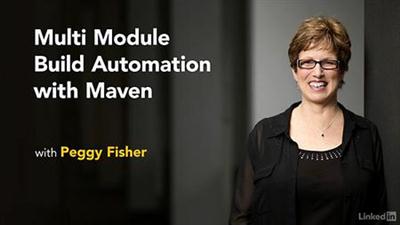
Lynda - Multi Module Build Automation with Maven
Duration: 1h 0m | Video: AVC (.mp4) 1280x720 15&30fps | Audio: AAC 48KHz 2ch | 164 MB
Genre: eLearning | Level: Intermediate | Language: English​

Apache Maven is more than a build tool. It offers end-to-end project management for all sorts of Java applications. In particular, Maven excels at managing large-scale projects with submodules: projects using inheritance or multi-module architecture. In this course, Peggy Fisher covers both scenarios. She shows how to create submodules and define parent-child relationships, and build an aggregated multi-module project. She also shows how to integrate Maven with some of the most popular Java IDEs, including NetBeans, Eclipse, and IntelliJ.[/

Topics include:
* Creating parent project
* Creating submodules
* Building a multi-module project
* Working with different IDEs
* Understanding Maven build lifecycles and build profiles
* Writing plugins

Recommend Download Link Hight Speed | Please Say Thanks Keep Topic Live ​

 

1e9cf4296e21fce1a2c755fdf4408db9.jpg

Lynda - UX Design Techniques: Creating Personas
Duration: 0h 25m | Video: AVC (.mp4) 1280x720 30fps | Audio: AAC 48KHz 2ch | 100 MB
Genre: eLearning | Level: Intermediate | Language: English​

Who are you developing for? How will they use your design? Building user personas can answer these important questions. In this course, Chris Nodder shows you howtocreate personas using information about the users most relevant to your business. He shows you how to gather and use datafrom interactions and site visitsto define groups that represent a picture of your user types. These personas can help drive development and make sure your team is designing your product, application, or website with the same customer in mind, resulting in coherent, focused goals and an optimal user experience.

Recommend Download Link Hight Speed | Please Say Thanks Keep Topic Live ​
 
Zurück
Oben Unten