• Regeln für den Video-Bereich:

    In den Börsenbereich gehören nur Angebote die bereits den Allgemeinen Regeln entsprechen.

    Einteilung

    - Folgende Formate gehören in die angegeben Bereiche:
    - Filme: Encodierte Filme von BluRay, DVD, R5, TV, Screener sowie Telesyncs im Format DivX, XviD und x264.
    - DVD: Filme im Format DVD5, DVD9 und HD2DVD.
    - HD: Encodierte Filme mit der Auflösung 720p oder darüber von BluRay, DVD, R5, TV, Screener sowie Telesyncs im Format x264.
    - 3D: Encodierte Filme von BluRay, die in einem 3D Format vorliegen. Dies gilt auch für Dokus, Animation usw.
    - Serien: Cartoon/Zeichentrick, Anime, Tutorials, Dokumentationen, Konzerte/Musik, Sonstiges sind demnach in die entsprechenden Bereiche einzuordnen, auch wenn sie beispielsweise im High Definition-Format oder als DVD5/DVD9/HD2DVD vorliegen. Ausnahme 3D.
    - Bereich Englisch: Englische Releases gehören immer in diesen Bereich.
    - Bereich Talk: Der Bereich, in dem über die Releases diskutiert werden kann, darf, soll und erwünscht ist.


    Angebot/Beitrag erstellen

    - Ein Beitrag darf erst dann erstellt werden, wenn der Upload bei mindestens einem OCH komplett ist. Platzhalter sind untersagt.
    - Bei einem Scenerelease hat der Threadtitel ausschließlich aus dem originalen, unveränderten Releasenamen zu bestehen. Es dürfen keine Veränderungen wie z.B. Sterne, kleine Buchstaben o.ä. vorgenommen werden. Ausnahme Serienbörse:
    - Bei einem Sammelthread für eine Staffel entfällt aus dem Releasename natürlich der Name der Folge. Beispiel: Die Simpsons S21 German DVDRip XviD - ITG
    - Dementsprechend sind also u.a. verboten: Erweiterungen wie "Tipp", "empfehlenswert", "only", "reup", usw. / jegliche andere Zusatzinformation oder Ergänzung, welche nicht in obiger Beschreibung zu finden ist.

    Aufbau des Angebots und Threadtitel

    Der Titel nach folgendem Muster erstellt zu werden. <Name> [3D] [Staffel] [German] <Jahr> <Tonspur> [DL] [Auflösung] <Quelle> <Codec> - <Group>
    Beispiel: The Dark Knight German 2008 AC3 DVDRip XviD - iND
    Beispiel: The Dark Knight 2008 DTS DL BDRip x264 - iND
    Beispiel: The Dark Knight 2008 AC3 DL BDRip XviD - iND
    Beispiel: The Dark Knight German 2008 AC3 720p BluRay x264 iND
    Beispiel: The Dark Knight 2008 DTS DL 1080p BluRay x264 iND
    Beispiel: Die Simpsons S01 German AC3 DVDRip XviD iND
    Beispiel: Die Simpsons S20 German AC3 720p BluRay x264 iND
    Beispiel: Sword Art Online II Ger Sub 2014 AAC 1080p WEBRip x264 - peppermint
    Entsprechend sind also u.a. verboten: Sonderzeichen wie Klammern, Sterne, Ausrufezeichen, Unterstriche, Anführungszeichen / Erweiterungen wie "Tipp", "empfehlenswert", "only", "reup", usw. / jegliche andere Zusatzinformation oder Ergänzung, welche nicht in obiger Beschreibung zu finden ist
    Ausnahmen hiervon können in den Bereichen geregelt sein.

    Die Beiträge sollen wie folgt aufgebaut werden:
    Überschrift entspricht dem Threadtitel
    Cover
    kurze Inhaltsbeschreibung
    Format, Größe, Dauer sind gut lesbar für Downloader außerhalb des Spoilers zu vermerken
    Nfo sind immer Anzugeben und selbige immer im Spoiler in Textform.
    Sind keine Nfo vorhanden z.B. Eigenpublikationen, sind im Spoiler folgende Dateiinformationen zusätzlich anzugeben :
    Quelle
    Video (Auflösung und Bitrate)
    Ton (Sprache, Format und Bitrate der einzelnen Spuren)
    Untertitel (sofern vorhanden)
    Hosterangabe in Textform außerhalb eines Spoiler mit allen enthaltenen Hostern.
    Bei SD kann auf diese zusätzlichen Dateiinformationen verzichtet werden.

    Alle benötigten Passwörter sind, sofern vorhanden, in Textform im Angebot anzugeben.
    Spoiler im Spoiler mit Kommentaren :"Schon Bedankt?" sind unerwünscht.


    Releases

    - Sind Retail-Release verfügbar, sind alle anderen Variationen untersagt. Ausnahmen: Alle deutschen Retail-Release sind CUT, in diesem Fall sind dubbed UNCUT-Release zulässig.
    - Im Serien-Bereich gilt speziell: Wenn ein Retail vor Abschluss einer laufenden Staffel erscheint, darf diese Staffel noch zu Ende gebracht werden.62
    - Gleiche Releases sind unbedingt zusammenzufassen. Das bedeutet, es ist zwingend erforderlich, vor dem Erstellen eines Themas per Suchfunktion zu überprüfen, ob bereits ein Beitrag mit demselben Release besteht. Ist dies der Fall, ist der bereits vorhandene Beitrag zu verwenden.
    - P2P und Scene Releases dürfen nicht verändert oder gar unter einem iND Tag eingestellt werden.


    Support, Diskussionen und Suche

    - Supportanfragen sind entweder per PN oder im Bereich Talk zu stellen.
    - Diskussionen und Bewertungen sind im Talk Bereich zu führen. Fragen an die Uploader haben ausschließlich via PN zu erfolgen, und sind in den Angeboten untersagt.
    - Anfragen zu Upload-Wünschen sind nur im Bereich Suche Video erlaubt. Antworten dürfen nur auf Angebote von MyBoerse.bz verlinkt werden.


    Verbote

    - Untersagt sind mehrere Formate in einem einzigen Angebotsthread, wie beispielsweise das gleichzeitige Anbieten von DivX/XviD, 720p und 1080p in einem Thread. Pro Format, Release und Auflösung ist ein eigener Thread zu eröffnen.
    - Grundsätzlich ebenso verboten sind Dupes. Uploader haben sich an geeigneter Stelle darüber zu informieren, ob es sich bei einem Release um ein Dupe handelt.
    - Gefakte, nur teilweise lauffähige oder unvollständige Angebote sind untersagt. Dies gilt auch für eigene Publikationen, die augenscheinlich nicht selbst von z.B. einer DVD gerippt wurden. Laufende Serien, bei denen noch nicht alle Folgen verfügbar sind, dürfen erstellt und regelmäßig geupdatet werden.
    - Untersagt sind Angebote, welche nur und ausschließlich in einer anderen Sprache als deutsch oder englisch vorliegen. Ausnahmen sind VORHER mit den Moderatoren zu klären.


    Verstoß gegen die Regeln

    - Angebote oder Beiträge, die gegen die Forenregeln verstoßen, sind über den "Melden"-Button im Beitrag zu melden.
  • Bitte registriere dich zunächst um Beiträge zu verfassen und externe Links aufzurufen.


Englische Tutorials


f17052a7c5a207ec30d6519e16675bf6.jpg

Tactics and Tools for Troubleshooting Front-end Web Development
September 2016 | MP4 | Video: AVC 1280x720 | Audio: AAC 44KHz 2ch | Duration: 1 Hours 37M | 346 MB
Genre: eLearning | Language: English​

This course introduces front-end web developers to the most popular professional tools available to help them troubleshoot issues in HTML, CSS, and JavaScript and make their websites cross-browser compatible.

At the core of any fully responsive website is a thorough knowledge of how to troubleshoot HTML, CSS, and JavaScript. This course, Tactics and Tools for Troubleshooting Front-end Web Development, will show you how to troubleshoot HTML, CSS, and JavaScript using the Chrome DevTools, Firebug, Firefox Developer Edition, and IE Developer Tools. You will learn how to view and test CSS for any HTML element, log JavaScript errors to the console, and step through JavaScript code using the debugger. Then, you will build on this knowledge and use these tools in BrowserStack's live testing environments for any OS, Browser, and Device combination. When you're finished with this course, you will have the knowledge to troubleshoot any front-end issue on your website, which will help you as you move forward to building a completely responsive website that displays properly across all browsers and devices.

Recommend Download Link Hight Speed | Please Say Thanks Keep Topic Live ​

 

6ef6ba83e9ef655dacdbe13d46599de6.jpg

Text Mining & Natural Language Understanding at Scale Training Video
2016-07-27 | SKU: 02392 | .MP4, AVC, 1000 kbps, 1280x720 | English, AAC, 128 kbps, 2 Ch | 2.25 hours | 871 MB
Instructors: David Talby, Claudiu Branzan​

A text mining system must go way beyond indexing and search to appear truly intelligent. First, it should understand language beyond keyword matching. For example, it should be able to distinguish the critical difference between "Jane has the flu" and "Jane had the flu when she was 9". Second, it should be capable of making likely inferences even if they're not explicitly written.For example, inferring that Jane may have the flu if she has had a fever, headache, fatigue, and runny nose for three days. And third, it should do its work as part of a robust, scalable, efficient and easy to extend system. This course teaches software engineers and data scientists how to build intelligent natural language understanding (NLU) based text mining systems at scale using Java, Scala and Spark for distributed processing.

* Learn the meaning of natural language understanding (NLU) and its use in text mining

* Discover how to build a natural language processing (NLP) pipeline within a big data framework

* Recognize the differences between NLP pipelines and other approaches to semantic text mining

* Learn about standard UIMA annotators, custom annotators, and machine learned annotators

* Discover how different types of annotators are composed into a text processing pipeline

* Use machine learning to generate annotators and apply them within a data pipeline

* See pipeline architectures that incorporate Kafka, Spark, SparkSQL, Cassandra, and ElasticSearch

Recommend Download Link Hight Speed | Please Say Thanks Keep Topic Live ​

 

2cae5417be150d9b09a43719d2ac8c2a.jpg

The Complete Web Developer Master Class Part 4: JavaScript
MP4 | Video: AVC 1280x720 | Audio: AAC 44KHz 2ch | Duration: 3 Hours 40M | 0.99 GB
Genre: eLearning | Language: English​

Welcome To The Complete Web Development Masterclass: Beginner To Advanced!

__________________________________________________________________________

Here Is Everything You Will Learn In Our Complete Course:

This course is our most current, in-depth and exciting web development course to date.

This course is designed for you no matter where you are in your web development journey! We put you in the fast lane and get you working with real world examples from scratch!

We’ve left no stone unturned in our Masterclass course!

I guarantee, this is the biggest, most thorough, and up-to-date coding course available anywhere - or you can get your money back - no questions asked!

Whether you’re an expert developer or novice coder - here you’ll find everything you need to get up and creating beautiful interactive websitesâ€"fast.

This course is one perfectly-packaged, super-convenient online solution.

Here are all of the Frameworks you will learn in all of our Master Class Courses!

HTML & CSS
HTML5 and CSS3
Bootstrap, Bootstrap3, and Bootstrap4
JavaScript
jQuery
PHP & MySQL
Wordpress
AJAX
NodeJS
AngularJS
EMMET
HTML5 Canvas
And So Much More!
__________________________________________________________________________

What else makes our course different?

We'll take you from beginner to professional developer in only 55 hours!
You can ask any question you would like directly in our course dashboard!
This is the biggest course on web development anywhere online!
You may also take this course at your own pace! Whatever suits you!
Don’t be the one getting left behind.

This offer wont last forever!

It's Time To Take Action!

Recommend Download Link Hight Speed | Please Say Thanks Keep Topic Live ​
 

47b21a25a7d21f6164b18463d5fe59e1.jpg

The Complete Web Developer Master Class Part 5: jQuery From Beginner To Advanced
MP4 | Video: AVC 1280x720 | Audio: AAC 44KHz 2ch | Duration: 5 Hours | 1.52 GB
Genre: eLearning | Language: English​

Here Is Everything You Will Learn In Our Complete Course:

This course is our most current, in-depth and exciting web development course to date.

This course is designed for you no matter where you are in your web development journey! We put you in the fast lane and get you working with real world examples from scratch!

Weve left no stone unturned in our Masterclass course!

I guarantee, this is the biggest, most thorough, and up-to-date coding course available anywhere - or you can get your money back - no questions asked!

Whether youre an expert developer or novice coder - here youll find everything you need to get up and creating beautiful interactive websites"fast.

This course is one perfectly-packaged, super-convenient online solution.

Here are all of the Frameworks you will learn in all of our Master Class Courses!

HTML & CSS
HTML5 and CSS3
Bootstrap, Bootstrap3, and Bootstrap4
JavaScript
jQuery
PHP & MySQL
Wordpress
AJAX
NodeJS
AngularJS
EMMET
HTML5 Canvas
And So Much More!
__________________________________________________________________________

What else makes our course different?

We'll take you from beginner to professional developer in only 55 hours!
You can ask any question you would like directly in our course dashboard!
This is the biggest course on web development anywhere online!
You may also take this course at your own pace! Whatever suits you!

Recommend Download Link Hight Speed | Please Say Thanks Keep Topic Live ​

 

bfdcb0b7adc797b27050f36fb688a6bb.jpg

The Ultimate Secret to Add watermark or Logo & Optimizing Images Professionally in photoshop
Duration: 11m | Video: h264, yuv420p, 1280x720 30fps | Audio: aac, 44100 Hz, 2 ch | 96 MB
Genre: eLearning | Language: English​

In this Class you will Learn:-
How to Place Water Mark or ?
How to Place Your Logo on Images Professionally in Photoshop?
How to Optimise your Images for the Web to share in Adobe Photoshop?
And, All this wth Just 1 Click or 1 Shortcut Keyboard Command
Beside this, You will also Learn How to Create Action in Adobe Photoshop?

Recommend Download Link Hight Speed | Please Say Thanks Keep Topic Live ​

 

94d25870a38434f57d1aea6b0a97944f.jpg

Typographic Badges: Building with Type, Shape and Balance
Duration: 21m | Video: h264, yuv420p, 1280x720 30fps | Audio: aac, 44100 Hz, 2 ch | 253 MB
Genre: eLearning | Language: English​

Design a type vector badge using the type and shape tools in illustrator. I show you the process on how to design a cool badge logos that can use for your creative projects.

What you'll Learn:
Adobe Illustrator Tips and tricks
How to manipulate Type
Working with shape, hierarchy and balance
How to create a badge from scratch

Recommend Download Link Hight Speed | Please Say Thanks Keep Topic Live ​
 

92543f275ad28a91cff82a7388b6e577.jpg

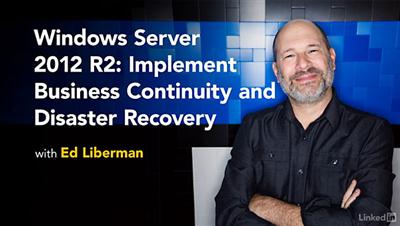
Lynda - Windows Server 2012 R2: Implement Business Continuity and Disaster Recovery
Duration: 2h 16m | Video: AVC (.mp4) 1280x720 15&30fps | Audio: AAC 48KHz 2ch | 283 MB
Genre: eLearning | Level: Intermediate | Language: English​

Business, like life, doesn't always go as planned. When disaster strikes, it's important to have a plan to get operations back online and start salvaging systems and data. Windows administrators are a key part of the recovery. This course shows you how to plan and implement a business continuity and disaster recovery strategy, which includes data protection and failover, using Windows Server 2012 R2. Ed Liberman teaches how to implement Windows Server 2012 R2 backup and recovery, configure network load balancing (NLB) for high availability of TCP/IP services, maintain a failover cluster, and implement Hyper-V failover clustering for virtual machines. Note: This course also maps to the Implement Business Continuity and Disaster Recovery domain for MCSA Exam 70-412 Configuring Advanced Windows Server 2012 Services.

Topics include:
* Understanding data protection
* Configuring NLB
* Configuring failover clustering
* Configuring Cluster-Aware Updating (CAU)
* Failover clustering with Hyper-V

Recommend Download Link Hight Speed | Please Say Thanks Keep Topic Live ​

 

a0019d5aba3e21d9d9ef38f90c0b8c77.jpg

WordPress: Developing Secure Sites
Duration: 2h 39m | Video: AVC (.mp4) 1280x720 30fps | Audio: AAC 48KHz 2ch | 427 MB
Genre: eLearning | Level: Intermediate | Language: English​

Leaving your WordPress site unsecured leaves you, your users, and your data vulnerable to attack. Luckily, with some basic site configuration, code updates, and free plugins, you can make an existing or brand-new WordPress site much more secure. Beginning with the basics (your backup/restore and password settings), author Jeff Starr explains how to harden WordPress by setting up user roles, configuring authentication keys, and setting proper file permissions. Plus, discover advanced WordPress security techniques to monitor user activity, implement a firewall, prevent spam, and block bots, and learn best practices for reporting vulnerabilities to WordPress and auditing your site.

Topics include:
* Backing up and restoring your site
* Setting up strong passwords
* Understanding users and roles
* Choosing trusted plugins and themes
* Changing and recovering passwords
* Configuring authentication keys
* Securing the login page
* Fighting spam in the comments
* Blocking access and detecting hacks
* Building a firewall for WordPress
* Detecting and blocking bots
* Auditing your WordPress security

Recommend Download Link Hight Speed | Please Say Thanks Keep Topic Live ​
 

e8405e49af18c8dfde9680db8985b46e.jpg


Schedule Network Diagram and Critical Path Method
MP4 | Video: AVC 1280x720 | Audio: AAC 44KHz 2ch | Duration: 43M | Lec: 5 | 130 MB
Genre: eLearning | Language: English​

One of the tools and techniques for the Develop Project Schedule process

This is a short training course about the Project Schedule Network Diagram and the Critical Path Method (CPM).

In this training course, you will learn the following topics:

What Project Schedule Network Diagram
How to create a Project Schedule Network Diagram
How to determine the Critical Paths and calculate their length
How to determine the Near Critical Paths and calculate their lengths
What the Critical Path Method (CPM) is
How to apply the Critical Path Method (CPM)
How to perform a Forward Pass and Backward Pass on the network diagram
How to calculate the Early Start (ES) for activities
How to calculate the Early Finish (EF) for activities
How to calculate the Late Start (LS) for activities
How to calculate the Late Finish (LF) for activities
How to calculate the Float for activities
This training course consists of 5 videos with total duration of more than 40 minutes . The method used in this training course is narrated PowerPoint slides and step-by-step explanation.

Recommend Download Link Hight Speed | Please Say Thanks Keep Topic Live ​

 

0e8f025a14cfb27f36144cd14fd584b6.jpg

Creative Writing Novel Workshop - Success with Characters (2016)
MP4 | Video: AVC 1280x720 | Audio: AAC 44KHz 2ch | Duration: 2 Hours | Lec: 24 | 227 MB
Genre: eLearning | Language: English​

Learn how to create compelling characters that go from being merely protagonists to being heroes.

Never write a weak character again! Using short, easy to digest lectures, this course will go over:The common misconceptions of character development, and why they are wrong.
The differences between a normal protagonist and an actual hero.
What your characters need to grab reader interest, hold it, and actually mean something to him.
Clear steps to develop your own characters.
If you're a new writer just getting into characters, or an experienced author looking for a better understanding of what makes a character work, this course is for you. After this course, you will never again wonder why your characters turned out the way they did, and better still, you'll be able to fix them.Take this course, and with it take control of your character development, and gain a clear understanding of the inner workings of all characters.

Recommend Download Link Hight Speed | Please Say Thanks Keep Topic Live ​

 

1e4bb4230e1905c858eb4f3200babf8b.jpg

Designing/Deploying Exchange 2016 (70-345): Transport
Duration: 3h | Video: h264, yuv420p, 1280x720 30fps | Audio: aac, 44100 Hz, 2ch | 419 MB
Genre: eLearning | Language: English | Project Files​

This course, Designing/Deploying Exchange 2016 (70-345): Transport, is designed to help you prepare for your Exchange Server 2016 certificate exam, and it focuses on the objectives for the "Plan, Deploy, Manage, Troubleshoot and Transport" portion of the exam. First you'll learn how to design and deploy internal and external mail flow and deploy the Edge Transport server role. Next, you'll learn how to protect Exchange from spam and how to troubleshoot mail flow problems. Finally, you'll see how to configure advanced mail flow scenarios. By the end of this course, you'll be on your way to being prepared to take your Exchange 2016 certification exam.

Recommend Download Link Hight Speed | Please Say Thanks Keep Topic Live ​

 

6f6352fb60ca02d32b8216109142fca7.jpg

Earn More as a Designer - Learn Motion Graphics in 3 hours
Duration: 5hr 8m | Video: h264, yuv420p, 1280x720 30fps | Audio: aac, 44100 Hz, 2 ch | 5.8 GB
Genre: eLearning | Language: English​

?In this course you'll learn how to create motion graphics in Adobe After Effects. This motion graphics course is everything you need to start creating beautiful animation & infographics.

As part of this course you'll get downloadable exercise files so you can work along exactly with the trainer. You'll also get completed files with every video so you can download and check your files against the trainers.

In this course you'll learn:
Create beautiful motion graphics
Animate compelling infographics
Choose the correct video settings.
You'll learn how to exporting your video easily.
You'll be able to create slick type animations.
Rendering your video for Youtube & Vimeo.
Create titles for interviews.
Add music to your motion graphics.
Trim & editing video.
Add watermarking your video.
Fixing shaky footage.
Color correct & fix any bad footage.
Add a vignette to your video.
Learn how to use your skills from Illustrator & Photoshop
How to use green screen footage
How to mask like a pro.
How to animate infographics like bar graphs, line graphs & pie charts.
How to use camera to make 3D type.
Animating static images using parallax
Plus basic character animation.
+ More...

Recommend Download Link Hight Speed | Please Say Thanks Keep Topic Live ​

 
Zurück
Oben Unten