• Regeln für den Video-Bereich:

    In den Börsenbereich gehören nur Angebote die bereits den Allgemeinen Regeln entsprechen.

    Einteilung

    - Folgende Formate gehören in die angegeben Bereiche:
    - Filme: Encodierte Filme von BluRay, DVD, R5, TV, Screener sowie Telesyncs im Format DivX, XviD und x264.
    - DVD: Filme im Format DVD5, DVD9 und HD2DVD.
    - HD: Encodierte Filme mit der Auflösung 720p oder darüber von BluRay, DVD, R5, TV, Screener sowie Telesyncs im Format x264.
    - 3D: Encodierte Filme von BluRay, die in einem 3D Format vorliegen. Dies gilt auch für Dokus, Animation usw.
    - Serien: Cartoon/Zeichentrick, Anime, Tutorials, Dokumentationen, Konzerte/Musik, Sonstiges sind demnach in die entsprechenden Bereiche einzuordnen, auch wenn sie beispielsweise im High Definition-Format oder als DVD5/DVD9/HD2DVD vorliegen. Ausnahme 3D.
    - Bereich Englisch: Englische Releases gehören immer in diesen Bereich.
    - Bereich Talk: Der Bereich, in dem über die Releases diskutiert werden kann, darf, soll und erwünscht ist.


    Angebot/Beitrag erstellen

    - Ein Beitrag darf erst dann erstellt werden, wenn der Upload bei mindestens einem OCH komplett ist. Platzhalter sind untersagt.
    - Bei einem Scenerelease hat der Threadtitel ausschließlich aus dem originalen, unveränderten Releasenamen zu bestehen. Es dürfen keine Veränderungen wie z.B. Sterne, kleine Buchstaben o.ä. vorgenommen werden. Ausnahme Serienbörse:
    - Bei einem Sammelthread für eine Staffel entfällt aus dem Releasename natürlich der Name der Folge. Beispiel: Die Simpsons S21 German DVDRip XviD - ITG
    - Dementsprechend sind also u.a. verboten: Erweiterungen wie "Tipp", "empfehlenswert", "only", "reup", usw. / jegliche andere Zusatzinformation oder Ergänzung, welche nicht in obiger Beschreibung zu finden ist.

    Aufbau des Angebots und Threadtitel

    Der Titel nach folgendem Muster erstellt zu werden. <Name> [3D] [Staffel] [German] <Jahr> <Tonspur> [DL] [Auflösung] <Quelle> <Codec> - <Group>
    Beispiel: The Dark Knight German 2008 AC3 DVDRip XviD - iND
    Beispiel: The Dark Knight 2008 DTS DL BDRip x264 - iND
    Beispiel: The Dark Knight 2008 AC3 DL BDRip XviD - iND
    Beispiel: The Dark Knight German 2008 AC3 720p BluRay x264 iND
    Beispiel: The Dark Knight 2008 DTS DL 1080p BluRay x264 iND
    Beispiel: Die Simpsons S01 German AC3 DVDRip XviD iND
    Beispiel: Die Simpsons S20 German AC3 720p BluRay x264 iND
    Beispiel: Sword Art Online II Ger Sub 2014 AAC 1080p WEBRip x264 - peppermint
    Entsprechend sind also u.a. verboten: Sonderzeichen wie Klammern, Sterne, Ausrufezeichen, Unterstriche, Anführungszeichen / Erweiterungen wie "Tipp", "empfehlenswert", "only", "reup", usw. / jegliche andere Zusatzinformation oder Ergänzung, welche nicht in obiger Beschreibung zu finden ist
    Ausnahmen hiervon können in den Bereichen geregelt sein.

    Die Beiträge sollen wie folgt aufgebaut werden:
    Überschrift entspricht dem Threadtitel
    Cover
    kurze Inhaltsbeschreibung
    Format, Größe, Dauer sind gut lesbar für Downloader außerhalb des Spoilers zu vermerken
    Nfo sind immer Anzugeben und selbige immer im Spoiler in Textform.
    Sind keine Nfo vorhanden z.B. Eigenpublikationen, sind im Spoiler folgende Dateiinformationen zusätzlich anzugeben :
    Quelle
    Video (Auflösung und Bitrate)
    Ton (Sprache, Format und Bitrate der einzelnen Spuren)
    Untertitel (sofern vorhanden)
    Hosterangabe in Textform außerhalb eines Spoiler mit allen enthaltenen Hostern.
    Bei SD kann auf diese zusätzlichen Dateiinformationen verzichtet werden.

    Alle benötigten Passwörter sind, sofern vorhanden, in Textform im Angebot anzugeben.
    Spoiler im Spoiler mit Kommentaren :"Schon Bedankt?" sind unerwünscht.


    Releases

    - Sind Retail-Release verfügbar, sind alle anderen Variationen untersagt. Ausnahmen: Alle deutschen Retail-Release sind CUT, in diesem Fall sind dubbed UNCUT-Release zulässig.
    - Im Serien-Bereich gilt speziell: Wenn ein Retail vor Abschluss einer laufenden Staffel erscheint, darf diese Staffel noch zu Ende gebracht werden.62
    - Gleiche Releases sind unbedingt zusammenzufassen. Das bedeutet, es ist zwingend erforderlich, vor dem Erstellen eines Themas per Suchfunktion zu überprüfen, ob bereits ein Beitrag mit demselben Release besteht. Ist dies der Fall, ist der bereits vorhandene Beitrag zu verwenden.
    - P2P und Scene Releases dürfen nicht verändert oder gar unter einem iND Tag eingestellt werden.


    Support, Diskussionen und Suche

    - Supportanfragen sind entweder per PN oder im Bereich Talk zu stellen.
    - Diskussionen und Bewertungen sind im Talk Bereich zu führen. Fragen an die Uploader haben ausschließlich via PN zu erfolgen, und sind in den Angeboten untersagt.
    - Anfragen zu Upload-Wünschen sind nur im Bereich Suche Video erlaubt. Antworten dürfen nur auf Angebote von MyBoerse.bz verlinkt werden.


    Verbote

    - Untersagt sind mehrere Formate in einem einzigen Angebotsthread, wie beispielsweise das gleichzeitige Anbieten von DivX/XviD, 720p und 1080p in einem Thread. Pro Format, Release und Auflösung ist ein eigener Thread zu eröffnen.
    - Grundsätzlich ebenso verboten sind Dupes. Uploader haben sich an geeigneter Stelle darüber zu informieren, ob es sich bei einem Release um ein Dupe handelt.
    - Gefakte, nur teilweise lauffähige oder unvollständige Angebote sind untersagt. Dies gilt auch für eigene Publikationen, die augenscheinlich nicht selbst von z.B. einer DVD gerippt wurden. Laufende Serien, bei denen noch nicht alle Folgen verfügbar sind, dürfen erstellt und regelmäßig geupdatet werden.
    - Untersagt sind Angebote, welche nur und ausschließlich in einer anderen Sprache als deutsch oder englisch vorliegen. Ausnahmen sind VORHER mit den Moderatoren zu klären.


    Verstoß gegen die Regeln

    - Angebote oder Beiträge, die gegen die Forenregeln verstoßen, sind über den "Melden"-Button im Beitrag zu melden.
  • Bitte registriere dich zunächst um Beiträge zu verfassen und externe Links aufzurufen.


Englische Tutorials


31579b18ed5937c32c95cf04935ff017.jpg

Lynda - Linux: Bash Shell and Scripts
Size: 305 MB | Duration: 2h 46m | Video: AVC (.mp4) 1280x720 15&30fps | Audio: AAC 48KHz 2ch
Genre: eLearning | Level: Intermediate | Language: English​

Bash scripting can help you automate routine tasks and save valuable time, whether you're a Linux user, sys admin, or software developer. Kevin Dankwardt has written thousands of bash scripts, short and long. Here he teaches you how to read and write scripts, and provides a series of scripting challenges to help you test your new skills. Learn about the bash environment, local variables, functions, loops, case statements, string operations, and coprocesses. Plus, learn how to use the text processing utilities sed and AWK to read and edit data in text files. The topics covered in this course are vital for Linux administration, and required for many Linux certifications.

Recommend Download Link Hight Speed | Please Say Thanks Keep Topic Live ​
 

a59d5b5753509c6d9fb1dbe2c8fddfff.jpg

Make a low poly scene in Blender and Unity in 30 minutes
MP4 | Video: AVC 1280x720 | Audio: AAC 44KHz 2ch | Duration: 37M | Lec: 10 | 340 MB
Genre: eLearning | Language: English​

Learn something new in just 30 minutes! Learn how to make low poly art in blender!

Learn how to make simple low poly art in Blender and then import it to Unity3D.

One of the best features is that you can watch the courses at any speed you want. This means you can speed up the or slow down the video if you want to.

This course is project based so you will not be learning a bunch of useless coding practices. At the end of this course you will have real world apps to use in your portfolio. We feel that project based training content is the best way to get from A to B. Taking this course means that you learn practical, employableskills immediately.

You can use the projects you build in this course to add to your LinkedIn profile. Give your portfolio fuel to take your career to the next level.

Learning how to code is a great way to jump in a new career or enhance your current career. Coding is the new math and learning how to code will propel you forward for any situation. Learn it today and get a head start for tomorrow. People who can master technology will rule the future.

You will get full lifetime access to this course for a single one off fee. John Bura has created many games, apps and training courses so he is extremely qualified to teach you how to master technology. This is an instructor that does not only teach, he produces apps. This means you get the most relevant information on how to code. Most courses do not show you practical skills and real world examples.

What makes you a good teacher?

I have released over 40 games and apps that have done very well in the app store.
I run a company called Mammoth Interactive so I am actively in the field building apps and making money
I have been teaching since 2002
I personally love learning online and my life is much better because I have learned online rather than a classroom
I am one of the top 10 highest grossing Udemy teachers
I have been a Udemy instructor since 2011.
I make sure people learn how to make money from their creations.
I have over 150k students worldwide
Who is this class for?

People who want to improve their technical skills
Complete beginners
People who want to make money. I show people the tools on how to make money through various methods of passive income
People who want to get ahead of the pack by learning online.
How you will make money by learning new skills

Learn practical skills
Learn about how leverage your new skills to greater wealth
Learn through practical examples
Why should you learn online?

There is an online education revolution taking place. You may have heard about it in the news or heard it from a friend. Either-way, education is going to be changed forever. In this short course I talk about how Online Education has

Motivated me
Helped my career
Helped me as a teacher
Impacted several lives around the planet
I promise that this course will be better and more effective than reading books. I show how to master technology through the use of video. This course will give you everything you need to thrive in our technological society.

Recommend Download Link Hight Speed | Please Say Thanks Keep Topic Live ​

 

5c4c45abc1918b34bd038340a3a6a2e0.jpg

Mastering Events and Delegates in C# Training Video
2016-06-30 | SKU: 02377 | .MP4, AVC, 1000 kbps, 1280x720 | English, AAC, 128 kbps, 2 Ch | 2.5 hours | 588 MB
Instructor: Rod Stephens​

Simple event handlers that do things like make buttons and menu items perform actions, are commonly used by even novice C# programmers. The concept of delegates can seem more complicated and is often avoided by beginners for that reason. However, delegates are working behind the scenes and you are using them without realizing it every time you use events. A better understanding and more control of event handlers will come with a better understanding of delegates.

In this course, C# wizard Rod Stephens reveals the relationship between delegates and events. He shows you how delegates function, and once that is clear he takes you on a tour of the advanced ways in which you can now work with events. Prerequisites for the course include some C# experience and a computer running Visual Studio 2015.

* Become a better C# programmer by understanding the relationship between delegates and events
* Learn to use delegate types pre-defined by the .NET framework, and define your own delegates
* Discover how to create delegate variables that let you manipulate methods as if they were data
* Learn how to use event handlers in Windows forms and WPF applications
* Understand how to define and raise events, and how to create and use routed events
* Explore tunneling, bubbling, and custom routed events

Recommend Download Link Hight Speed | Please Say Thanks Keep Topic Live ​

 

8eedf70a5db83bdcdb58a3559c20b869.jpg

Packt Publishing - Mastering Selenium Testing Tools
Length With s MP4
Duration: 3h 21m | Video: h264, yuv420p, 1280x720 30fps | Audio: aac, 44100 Hz, 2ch | 530MB​

Genre: eLearning | Language: English | Project File

We all have felt the need to test whether our applications are performing well across different web browsers, but the sheer tedium involved in learning test scripting languages might have stopped us from doing so. What if Selenium gave us the power to control web browsers and use them to automate web application testing? As an open source test automation toolset, Selenium makes it easier for testers to evaluate web applications without putting in any extra time and effort.

Mastering Selenium Testing Tools is all about demystifying the Selenium toolset for testing websites. Testing professionals rely on a variety of test automation tools to test web applications effectively. But these tools often fail to test applications when frequent changes and enhancements are made to the code.

A viewer with a reasonable knowledge and understanding of the core elements of Selenium will learn to verify web applications, control browsers with code, and scale up the testing environment by distributing the execution of web applications on different browsers running on different operating systems.

The course starts with Selenium IDE, a Firefox plugin that performs a simple record-and-playback of interactions with the browser. A tester aiming for professional output can use WebDriver, an advanced scripting tool that will teach you to locate the elements you need to interact with using their name, id, xPath, or CSS. Testing is all about understanding what behavior is expected. If you don't understand how it should work, how can you verify that it actually works as desired? You will learn to express the desired behavior using an executable specification and a language that your end users can read and validate. This will be done using a well-known framework for Behavior Driven Development (BDD) called Cucumber for Java.

Selenium is not just a single tool but a suite of software, each catering to the different testing needs of an organization. This course will give you a flying start towards implementing test automation using this free testing tool suite.

Style and Approach
This video course is a step-by-step guide that lays the foundation for building maintainable systems and educates testers through using executable examples.

Recommend Download Link Hight Speed | Please Say Thanks Keep Topic Live ​

 

d5234efd1f3c8bb894c2e07951452cf0.jpg

Microservices AntiPatterns and Pitfalls Training Video
Duration: 4 hours | Video: h264, yuv420p, 1280x720 30fps | Audio: aac, 44100 Hz, 2ch | | 1.27 GB
Genre: eLearning | Language: English | Project Files​

Microservices is an increasingly popular architecture style that promotes scalability and ease of testing and deployment through small, highly distributed service components. It may sound like the correct architecture for your situation, but if you're new to microservices, how do you really know? Understanding microservices' pitfalls (practices that are never a good idea) and anti-patterns (practices that seem like a good idea, but aren't) is a good place to start.In this video, 20+ year software architecture veteran Mark Richards (IBM, CSC, etc.) doesn't just identify the pitfalls and anti-patterns of microservices, he shows you how to avoid them. You'll learn about service granularity estimation, database migration, microservices reporting, distributed transaction management, remote access latency, contract versioning, distributed logging, and much more.

* Understand how to recognize and avoid costly microservices development mistakes
* Survey each of the 10 most common pitfalls associated with microservices
* Get wise to the 6 hidden anti-patterns that can ruin a microservices effort
* Master the knowledge required to stay clear of these pitfalls and anti-patterns
* Tap into an assessment tool that tells you if you truly understand microservices development
* Learn to determine if microservices is the right architecture style for your situation

Recommend Download Link Hight Speed | Please Say Thanks Keep Topic Live ​

 

36f33190f016c4770c4adfb9fd170108.jpg

Patterns By Hand: Sketch a Geometric Design
Duration: 16m | Video: h264, yuv420p, 1280x720 30fps | Audio: aac, 44100 Hz, 2 ch | 311 MB
Genre: eLearning | Language: English​

Design your own tile to create a repeat pattern - no drawing skills needed! You'll rotate shapes, lines, and classic styles to create an attractive, simple pattern.

This 16-minute class with artist and designer Amelie Mancini gives you a foundation for understanding what makes great patterns work. Working by hand with grid paper, simple designs, and a Xerox machine, she breaks down how to create unexpected patterns you can use in countless ways.
Whether you're an artist, crafter, or DIY enthusiast, you'll discover new pattern possibilities and create a design that excites you.

Recommend Download Link Hight Speed | Please Say Thanks Keep Topic Live ​
 

473307626f2e224d9f3213b5a71c37fc.jpg

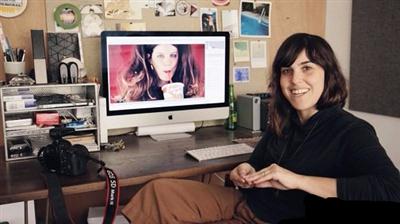
Photo Processing in Adobe Camera Raw: Getting the Cinematic Look
Duration: 60m | Video: h264, yuv420p, 1280x720 30fps | Audio: aac, 44100 Hz, 2 ch | 1.10 GB
Genre: eLearning | Language: English​

This insightful one-hour class with celebrity portrait photographer Elizabeth Weinberg will walk you through exactly what goes on behind those Instagram filters and editing programs, so you can understand the fundamentals of light, color, grain, saturation, and - in essence - make your digital photos not suck.

Elizabeth walks through the 4 telltale signs of ugly digital photos:
No grain
Terrible skin tones and highlights
Chromatic aberration
Oversaturation

...and how to fix these issues quickly and easily.
This class is perfect for photographers of all levels - whether you're just starting out, or if you've been shooting for years and want to hone your processing style.
Join Elizabeth in her digital darkroom (Adobe Camera Raw) for a crash course in photo editing, and leave with the skills and confidence to add a signature cinematic style to your own portraits.

Recommend Download Link Hight Speed | Please Say Thanks Keep Topic Live ​

 

f4cc48e840a6b500d04e57108f784211.jpg

Photography - Advanced Creative Photography Skills
Duration: 1hr 30m | Video: h264, yuv420p, 1280x720 30fps | Audio: aac, 44100 Hz, 2 ch | 984 MB
Genre: eLearning | Language: English​

Become a better photographer fast by learning the composition skills of the master photographers!

Learn How To Become A Better Photographer
Do you want to learn how to be a better photographer?
Do you want to learn the compositional techniques that the great masters like Henri Cartier Bresson and Ansel Adams used in their everyday art photography?
Do you want to learn the simple principles that are used in commercial photography and street photography?
Do you want to learn these techniques and principles quickly and easily?

Learn To Observe Light And Compose An Image
Very few photographers ever learn how to observe light and use it. Even less learn how the principles of composition actually work and how you can apply them.

This course is for anyone that is starting out in photography and who wants to take their photography to an artistic level.
It is suitable for students from the age of 8 to 108 and all the content is child friendly.
This makes a great gift, or an additional gift to go along with a new camera that you have purchased for a friend or loved one.

Recommend Download Link Hight Speed | Please Say Thanks Keep Topic Live ​

 

bd783ea2160e0b10d5281fa8621055eb.jpg

Photoshop: Anime - Cartoon effect
Duration: 44m | Video: h264, yuv420p, 1280x720 30fps | Audio: aac, 44100 Hz, 2 ch | 139 MB
Genre: eLearning | Language: English​

In this class I will be teaching you how to cartoonize/animate your pictures.

Recommend Download Link Hight Speed | Please Say Thanks Keep Topic Live ​

 

50f38c65a9425ee932fcdd83f325237c.jpg

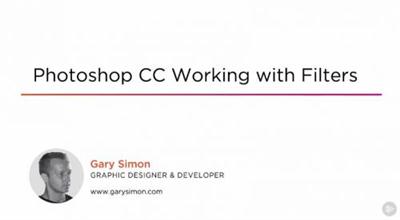
Photoshop CC: Working with Filters
September 2016 | MP4 | Video: AVC 1280x720 | Audio: AAC 44KHz 2ch | Duration: 2.5 Hours | 867 MB
Genre: eLearning | Language: English​

This course will help you gain a solid understanding of how and when to use Photoshop's most popular filters. Software required: Photoshop CC 2015.

If you've ever poked around in the filter menu within Photoshop, you probably noticed there are dozens upon dozens of filters. In this course, Photoshop CC: Working with Filters, you're going to see how filters work on a fundamental level. You will learn how to work with filters destructively and non-destructively. You'll also discover how to create amazing transformations by using multiple filters. Photoshop has several powerful filters specifically for photographers, and you're going to take a look at each one of them and how they work. You will even learn how to composite objects quickly and easily into 3D spaces. This course will also cover the filters necessary to create realistic-looking fire. By the end of this course, you will have a solid understanding of both how and when it is best to use Photoshop filters. Software required: Photoshop CC 2015.

Recommend Download Link Hight Speed | Please Say Thanks Keep Topic Live ​
 

55eb7897a211e10d75897face3b80a62.jpg

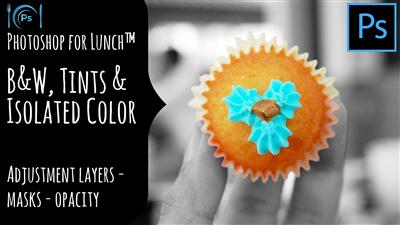
Photoshop for Lunch™ - B&W, Tints and Isolated Color Effects
Duration: 17m | Video: h264, yuv420p, 1280x720 30fps | Audio: aac, 44100 Hz, 2 ch | 81 MB
Genre: eLearning | Language: English​

Photoshop for Lunch™ is a series of short video courses you can study in bite size pieces such as at lunchtime. In this course you'll learn to apply black and white, tints and islolated color effects to a photo. You will learn how to customize a black and white using a Photoshop adjustment layer, how to mask an area of an image so it is in color while the rest of the image is in black and white and how to tint a photo. The photos used can be downloaded free of charge so you can follow along with the class. Here are the :

Recommend Download Link Hight Speed | Please Say Thanks Keep Topic Live ​
 

93f1497a2dca714a74cc00b44d7c3ef0.jpg

Photoshop for Lunch™ - Vintage Image Cutout Effect - Selections, Drop Shadows, Transparency
Duration: 29m | Video: h264, yuv420p, 1280x720 30fps | Audio: aac, 44100 Hz, 2 ch | 143 MB
Genre: eLearning | Language: English​

Photoshop for Lunch™ is a series of short video courses you can study in bite size pieces such as at lunchtime. In this course you'll learn to make a Vintage Image Cutout Effect. I'll show you how to remove the bird from its background and add a textured paper effect to it. You will see how to cut out the bird and add tape to tape it to your custom designed patterned background.

You will also learn to use drop shadows to add dimension and how to create a vignette (darkened edge) to the image. I will show you where to find and download an image to use and provide a (in the Project description) to download the paper texture.

Recommend Download Link Hight Speed | Please Say Thanks Keep Topic Live ​
 
Zurück
Oben Unten