• Regeln für den Video-Bereich:

    In den Börsenbereich gehören nur Angebote die bereits den Allgemeinen Regeln entsprechen.

    Einteilung

    - Folgende Formate gehören in die angegeben Bereiche:
    - Filme: Encodierte Filme von BluRay, DVD, R5, TV, Screener sowie Telesyncs im Format DivX, XviD und x264.
    - DVD: Filme im Format DVD5, DVD9 und HD2DVD.
    - HD: Encodierte Filme mit der Auflösung 720p oder darüber von BluRay, DVD, R5, TV, Screener sowie Telesyncs im Format x264.
    - 3D: Encodierte Filme von BluRay, die in einem 3D Format vorliegen. Dies gilt auch für Dokus, Animation usw.
    - Serien: Cartoon/Zeichentrick, Anime, Tutorials, Dokumentationen, Konzerte/Musik, Sonstiges sind demnach in die entsprechenden Bereiche einzuordnen, auch wenn sie beispielsweise im High Definition-Format oder als DVD5/DVD9/HD2DVD vorliegen. Ausnahme 3D.
    - Bereich Englisch: Englische Releases gehören immer in diesen Bereich.
    - Bereich Talk: Der Bereich, in dem über die Releases diskutiert werden kann, darf, soll und erwünscht ist.


    Angebot/Beitrag erstellen

    - Ein Beitrag darf erst dann erstellt werden, wenn der Upload bei mindestens einem OCH komplett ist. Platzhalter sind untersagt.
    - Bei einem Scenerelease hat der Threadtitel ausschließlich aus dem originalen, unveränderten Releasenamen zu bestehen. Es dürfen keine Veränderungen wie z.B. Sterne, kleine Buchstaben o.ä. vorgenommen werden. Ausnahme Serienbörse:
    - Bei einem Sammelthread für eine Staffel entfällt aus dem Releasename natürlich der Name der Folge. Beispiel: Die Simpsons S21 German DVDRip XviD - ITG
    - Dementsprechend sind also u.a. verboten: Erweiterungen wie "Tipp", "empfehlenswert", "only", "reup", usw. / jegliche andere Zusatzinformation oder Ergänzung, welche nicht in obiger Beschreibung zu finden ist.

    Aufbau des Angebots und Threadtitel

    Der Titel nach folgendem Muster erstellt zu werden. <Name> [3D] [Staffel] [German] <Jahr> <Tonspur> [DL] [Auflösung] <Quelle> <Codec> - <Group>
    Beispiel: The Dark Knight German 2008 AC3 DVDRip XviD - iND
    Beispiel: The Dark Knight 2008 DTS DL BDRip x264 - iND
    Beispiel: The Dark Knight 2008 AC3 DL BDRip XviD - iND
    Beispiel: The Dark Knight German 2008 AC3 720p BluRay x264 iND
    Beispiel: The Dark Knight 2008 DTS DL 1080p BluRay x264 iND
    Beispiel: Die Simpsons S01 German AC3 DVDRip XviD iND
    Beispiel: Die Simpsons S20 German AC3 720p BluRay x264 iND
    Beispiel: Sword Art Online II Ger Sub 2014 AAC 1080p WEBRip x264 - peppermint
    Entsprechend sind also u.a. verboten: Sonderzeichen wie Klammern, Sterne, Ausrufezeichen, Unterstriche, Anführungszeichen / Erweiterungen wie "Tipp", "empfehlenswert", "only", "reup", usw. / jegliche andere Zusatzinformation oder Ergänzung, welche nicht in obiger Beschreibung zu finden ist
    Ausnahmen hiervon können in den Bereichen geregelt sein.

    Die Beiträge sollen wie folgt aufgebaut werden:
    Überschrift entspricht dem Threadtitel
    Cover
    kurze Inhaltsbeschreibung
    Format, Größe, Dauer sind gut lesbar für Downloader außerhalb des Spoilers zu vermerken
    Nfo sind immer Anzugeben und selbige immer im Spoiler in Textform.
    Sind keine Nfo vorhanden z.B. Eigenpublikationen, sind im Spoiler folgende Dateiinformationen zusätzlich anzugeben :
    Quelle
    Video (Auflösung und Bitrate)
    Ton (Sprache, Format und Bitrate der einzelnen Spuren)
    Untertitel (sofern vorhanden)
    Hosterangabe in Textform außerhalb eines Spoiler mit allen enthaltenen Hostern.
    Bei SD kann auf diese zusätzlichen Dateiinformationen verzichtet werden.

    Alle benötigten Passwörter sind, sofern vorhanden, in Textform im Angebot anzugeben.
    Spoiler im Spoiler mit Kommentaren :"Schon Bedankt?" sind unerwünscht.


    Releases

    - Sind Retail-Release verfügbar, sind alle anderen Variationen untersagt. Ausnahmen: Alle deutschen Retail-Release sind CUT, in diesem Fall sind dubbed UNCUT-Release zulässig.
    - Im Serien-Bereich gilt speziell: Wenn ein Retail vor Abschluss einer laufenden Staffel erscheint, darf diese Staffel noch zu Ende gebracht werden.62
    - Gleiche Releases sind unbedingt zusammenzufassen. Das bedeutet, es ist zwingend erforderlich, vor dem Erstellen eines Themas per Suchfunktion zu überprüfen, ob bereits ein Beitrag mit demselben Release besteht. Ist dies der Fall, ist der bereits vorhandene Beitrag zu verwenden.
    - P2P und Scene Releases dürfen nicht verändert oder gar unter einem iND Tag eingestellt werden.


    Support, Diskussionen und Suche

    - Supportanfragen sind entweder per PN oder im Bereich Talk zu stellen.
    - Diskussionen und Bewertungen sind im Talk Bereich zu führen. Fragen an die Uploader haben ausschließlich via PN zu erfolgen, und sind in den Angeboten untersagt.
    - Anfragen zu Upload-Wünschen sind nur im Bereich Suche Video erlaubt. Antworten dürfen nur auf Angebote von MyBoerse.bz verlinkt werden.


    Verbote

    - Untersagt sind mehrere Formate in einem einzigen Angebotsthread, wie beispielsweise das gleichzeitige Anbieten von DivX/XviD, 720p und 1080p in einem Thread. Pro Format, Release und Auflösung ist ein eigener Thread zu eröffnen.
    - Grundsätzlich ebenso verboten sind Dupes. Uploader haben sich an geeigneter Stelle darüber zu informieren, ob es sich bei einem Release um ein Dupe handelt.
    - Gefakte, nur teilweise lauffähige oder unvollständige Angebote sind untersagt. Dies gilt auch für eigene Publikationen, die augenscheinlich nicht selbst von z.B. einer DVD gerippt wurden. Laufende Serien, bei denen noch nicht alle Folgen verfügbar sind, dürfen erstellt und regelmäßig geupdatet werden.
    - Untersagt sind Angebote, welche nur und ausschließlich in einer anderen Sprache als deutsch oder englisch vorliegen. Ausnahmen sind VORHER mit den Moderatoren zu klären.


    Verstoß gegen die Regeln

    - Angebote oder Beiträge, die gegen die Forenregeln verstoßen, sind über den "Melden"-Button im Beitrag zu melden.
  • Bitte registriere dich zunächst um Beiträge zu verfassen und externe Links aufzurufen.


Englische Tutorials


ab49447ac59197d798c4f860ade1c980.jpg

InfiniteSkills - Learning Autodesk Inventor 2017
Duration 11h | Video: h264, yuv420p, 1280x720 | Audio: aac, 48000 Hz, 2 ch | 2.5GB
Genre: eLearning | Language: English | Project Files Included​

The countless tools and automation features included in Autodesk Inventor allow designers to create detailed models of their ideas. Autodesk Certified Professional, Adam Cooper, will take you through the many facets of this powerful software so that you can draft your product designs with precision and efficiency. From basic sketching to designing full assemblies, this course is perfect for the beginner with an interest in 3D modeling for mechanical projects.

*Learn which tools to use, when to use them, and where to find them

*Understand basic sketching operations and best practices

*Explore and practice with Inventor's part modeling capabilities

*Learn how to use the assembly modeling tools to bring your parts together

*Make an impact with exploded views and animations of assembled designs

*Create fabrication drawings to bring your project to the physical world

*Take advantage of the newest features introduced with Inventor 2017

Recommend Download Link Hight Speed | Please Say Thanks Keep Topic Live ​

 

62528014ba7849c40be255dd9addab76.jpg

Lightroom CC/6 Slideshow Module Training
June 2016 | MP4 | Video: AVC 1280x720 | Audio: AAC 44KHz 2ch | Duration: 37M | 187 MB
Genre: eLearning | Language: English​

Learn how to create slideshows of your images using the Slideshow module in Lightroom. Required software: Lightroom CC

In this course, you'll learn how to create slideshows of your images using the Slideshow module in Lightroom. You'll take an in-depth look at creating slideshows and customizing them with text overlays, backdrops, and audio files. You'll also review how to save slideshow templates and how to export your slideshows to pdf and video file formats. Required software: Lightroom CC

Recommend Download Link Hight Speed | Please Say Thanks Keep Topic Live ​

 

5a5c8beae7a2ba61932d3f1b8e9e4d0a.jpg

Login and Registration System in PHP and MYSQL step by step
MP4 | Video: AVC 1280x720 | Audio: AAC 44KHz 2ch | Duration: 4 Hours | 919 MB
Genre: eLearning | Language: English​

Complete signup system in PHP and MYSQL, every aspect is covered and fully explained to make the system secure.

This course covers complete Login and Registration system in PHP and MYSQL from scratch.

The main functionalities that you will be learning in this course are:

1. Making Passwords and database secure.

2. Validating each and everything.

3. Giving image a unique name.

4. "Remember Me" Functionality Using cookies.

5. Change password feature.

6. Making pages to be available only for registered members.

First we will make sign up system where user will provide required values and we will process those values and validate them in PHP and after complete validation we will save those values in our MYSQL database that we will create before validation.

We will apply hash to the password so the password will be secure in the database. we will change image name on the fly and give it unique name to make it unique in our system. before image upload we will check if uploaded file is the image or not. The main feature of this system is the "keep me logged in" you may have seen that on Facebook. we will use cookies and sessions together to implement this cool feature. After logging user will go to his profile page and will make a logout button to log him/her out. on profile page change password button will be available to change the password if user wants to. More importantly we will protect the pages so that unauthorized user will not be allowed to see pages that are only for signed in users.

Recommend Download Link Hight Speed | Please Say Thanks Keep Topic Live ​
 

bf4616806173ce649de3b239472b1524.jpg

Logo Animation Series - Quick Motion Elements Reveal in After Effects
Duration: 28m | Video: h264, yuv420p, 1280x720 30fps | Audio: aac, 44100 Hz, 2 ch | 151MB
Genre: eLearning | Language: English​

Logo Animation Series™ is dedicated to teach how to make animated titles, openers and logo animations in After Effects. Each time we approach a different animation. In this class we are going to make this:

Let's use motion graphics and Adobe After Effects for our animations! Logo intros will always be perfect openers for YouTube, online courses, brand videos or any type of online presence you want to have. Enroll the class!

Recommend Download Link Hight Speed | Please Say Thanks Keep Topic Live ​
 

c793762561e63bc27f1d47ecbe72df01.jpg

Tutsplus - Mastering 3D in Adobe Photoshop
16 lessons | 1.9 hours | AVC 960x540, 30 fps | AAC 3 KHz, stereo | 993MB
Genre: eLearning | Kirk Nelson​

One of the features of Adobe Photoshop we often overlook is the 3D feature. Photoshop lets you position and animate 3D models, edit textures and lighting, and choose from several render modes. In this course, Kirk Nelson will show you some cool things you can do with Adobe Photoshop's 3D tools while creating two projects along the way.

Recommend Download Link Hight Speed | Please Say Thanks Keep Topic Live ​
 

be7df88a928df548821928e2975a9ea1.jpg

Lynda - Mirrorless Camera Fundamentals
Size: 1.28 GB | Duration: 2h 37m | Video: AVC (.mp4) 1280x720 30fps | Audio: AAC 48KHz 2ch
Genre: eLearning | Level: Beginner | Language: English​

The new generation of less cameras combines small size with DSLR-like features, such as interchangeable lenses. In this course, you'll learn about the technology that powers both less and micro four-thirds cameras. Whether you're thinking about making the transition from a DSLR or point and shoot, or have already made the jump, this course will help you understand the pros, cons, and choices involved. You'll also learn new ways of shooting to get great results, and how to adapt your existing lenses to work with a less camera.

Topics include:
* Comparing DSLR and less cameras
* Understanding sensor size and crop factor
* Exploring lens options
* Adapting lenses
* Exploring advantages: reduced cost, weight, and more
* Exploring disadvantages
* Choosing a camera body
* Shooting video on a less camera

Recommend Download Link Hight Speed | Please Say Thanks Keep Topic Live ​

 

439748e7db66726b9dbe351e8e46b7d2.jpg

Lynda - Motion Graphics Loops 01: Photoshop Techniques
Size: 290 MB | Duration: 1h 16m | Video: AVC (.mp4) 1280x720 15&30fps | Audio: AAC 48KHz 2ch
Genre: eLearning | Level: Intermediate | Language: English​

Learn how to create a looping animation for motion graphics and web design using Adobe Photoshop. Owen Lowery shows how to create animated loops in a variety of styles (including a hand-drawn look) and export them as different file types, suitable for web or video. Along the way, you'll learn how to set up a Photoshop workspace specifically for animation, animate layers in the Timeline, use onion skinning, and add color and texture to your animation. The results are exported as versatile animated GIFs and as video that can be used in other motion graphics programs such as After Effects.

Topics include:
* Working with the Photoshop Timeline panel and video layers
* Animating frame by frame in Photoshop
* Exporting animation and other media types to animated GIFs
* Preparing After Effects animation loops for Photoshop

Recommend Download Link Hight Speed | Please Say Thanks Keep Topic Live ​

 

341c3c72bd0cf18bc1c1ec7bc6ef8f5b.jpg

Lynda - Motion Graphics Loops 02: After Effects Techniques
Size: 335 MB | Duration: 1h 14m | Video: AVC (.mp4) 1280x720 15&30fps | Audio: AAC 48KHz 2ch
Genre: eLearning | Level: Intermediate | Language: English​

Learn looping animation techniques for motion graphics and web design using Adobe After Effects. Owen Lowery shows you how to create a "never-ending" animated loop comprised of multiple nested looped elements and render the results as an animated GIF. Along the way, you'll learn how to work with AE expressions, loop footage with Time Remap, and use effects such as Echo and Offset to create background loops. At the end of the project, you'll render the results as versatile animated GIFs, using Photoshop and the third-party AE Scripts plugin.

Recommend Download Link Hight Speed | Please Say Thanks Keep Topic Live ​
 

0b723750eb0c9e0927b31ab8bbc9169f.jpg

O'Reilly - Introduction to CoreOS
4 hours | MP4 | aac, 44.1KHz, stereo | h264, yuv420p, 1280x720, 15fps | 3.35 GB
English | Genre: E-learning​

In this Introduction to CoreOS training course, expert author Ross Kukulinski will teach you how to deploy, monitor, and scale containerized applications. This course is designed for users that are already familiar with running applications with containerization technologies.
You will start by learning the basics of CoreOS, then jump into learning about CoreOS subsystems. From there, Ross will teach you how to launch a development CoreOS cluster, including how to install dependencies, boot your first cluster, and troubleshoot CoreOS services. This video tutorial also covers how to deploy a database-backed web application. Finally, you will learn advanced topics, including firewalls, EC2 security groups, and building on CoreOS.
Once you have completed this computer based training course, you will have learned how to successfully deploy, monitor, and scale containerized applications. Working files are included, allowing you to follow along with the author throughout the lessons.

Recommend Download Link Hight Speed | Please Say Thanks Keep Topic Live ​
 

818707c0057f5966314cf0869308ae6f.jpg

One-Brush Digital Painting: Paint Your Pet in Photoshop
Duration: 22m | Video: h264, yuv420p, 1280x720 30fps | Audio: aac, 44100 Hz, 2 ch | 358 MB
Genre: eLearning | Language: English​

Learn digital painting with my simple technique of painting pet portraits in photoshop-using JUST ONE BRUSH! You can make sweet portraits of your pet like these from a reference picture and a quick hand-drawn sketch. In the process, you'll learn how to paint anything with Adobe Photoshop.

Photoshop is a truly powerful piece of software, with so many tools and filters that a beginning user can easily be overwhelmed: burn tool, dodge tool, smudge tool... what to use?! I'm all about keeping it simple, one brush and the erase tool is all you need! My approach is based on how I make art traditionally (like with paint, not pixels). I've found a way to closely replicate my analog way of painting in Photoshop, which allows me to stay true to my personal style. In this class, I'll share my approach, step-by-step.

Recommend Download Link Hight Speed | Please Say Thanks Keep Topic Live ​
 

f4250e85774bb3c19c2e95bbe77f6c0e.jpg

OneNote 2013/2016/365 - Like a Boss. The Definitive Course
MP4 | Video: AVC 1280x720 | Audio: AAC 44KHz 2ch | Duration: 6Hours | 699 MB
Genre: eLearning | Language: English​

Boost your productivity and value. Lessons for PC or Mac. Discover the power of OneNote; never take paper notes again.

Theres a reason it's the top OneNote course on Udemy. There's a reason for the rave reviews... sign up today to see why.

Fully updated for the most recent version, Microsoft OneNote - Like a Boss is a comprehensive course that takes students from complete newbie to guru with Microsoft's note taking and organizing software that's an integral part of the Office suite of applications.

In other words, after taking this course, students will be able to use OneNote... like a Boss.

The course includes approximately 7 hours of video instruction delivered in 100 separate lessons, making it perfect for learning the application from the ground up, or for going back to review/refresh on a specific skill.

Author and Microsoft Certified Instructor Brian Culp will give students a guided tour of the application's newest, most commonly used, and most powerful features.

Students of this course will learn how to:

create and manage OneNote notebooks
customize notebook settings and properties
manage page layout options and use templates
create To Do lists
search for contents within and across notebooks
insert screen clips and images
record audio and video notes
apply tags and search for tags
link to files and notebook pages
and much more.
Additionally, the objectives of this training will also prepare students for the Microsoft Office Specialist 74-421 Certification Exam.

By simply following along with the hands-on exercises, viewers of this course will be able to create a working notebook with multiple pages and sections, all from scratch, and all without the need to course or demo files.

What's more, the results are guaranteed!

You'll have a better understanding of projects and Microsoft OneNote than ever before, or your money back. If you need to learn OneNote, and need to learn it fast, please enroll or watch a couple of sample lessons - it might just change the way you organize your ideas, your classes, or your business.

Click Here to get more tutorials in my Blog

Recommend Download Link Hight Speed | Please Say Thanks Keep Topic Live ​

 

1ec96ba2602ddd0535b722ffdfeb19eb.jpg

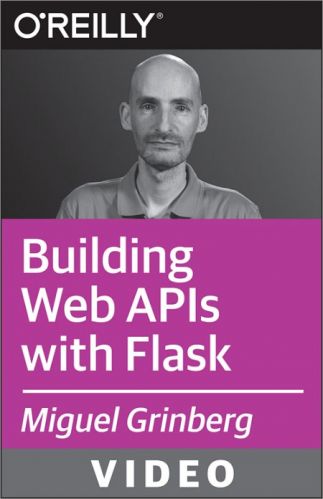
Oreilly - Building Web APIs with Flask - Techniques for Developing Modern Web Services with Python
English | .MP4 | aac, 44100 Hz, stereo | h264, yuv420p, 1280x720, 24.00 fps(r) | 1.02GB
Genre: E-learning​

If you want to build web services and APIs, this video course shows you how to do it with Flask-the popular web framework that's small, lightweight, and powerful. Using detailed examples, Miguel Grinberg shows you how to create APIs line-by-line, starting with the implementation of a basic CRUD (Create/Read/Update/Delete) service.

You'll also learn how to create APIs for internet-enabled devices, authenticate API clients, use testing techniques, and simplify advanced features such as pagination, caching, rate limiting, and asynchronous tasks. In the process, you'll become familiar with all of the core features APIs must have, including requests, responses, resources, resource representations, resource links, and error handling.

Recommend Download Link Hight Speed | Please Say Thanks Keep Topic Live ​
 
Zurück
Oben Unten