• Regeln für den Video-Bereich:

    In den Börsenbereich gehören nur Angebote die bereits den Allgemeinen Regeln entsprechen.

    Einteilung

    - Folgende Formate gehören in die angegeben Bereiche:
    - Filme: Encodierte Filme von BluRay, DVD, R5, TV, Screener sowie Telesyncs im Format DivX, XviD und x264.
    - DVD: Filme im Format DVD5, DVD9 und HD2DVD.
    - HD: Encodierte Filme mit der Auflösung 720p oder darüber von BluRay, DVD, R5, TV, Screener sowie Telesyncs im Format x264.
    - 3D: Encodierte Filme von BluRay, die in einem 3D Format vorliegen. Dies gilt auch für Dokus, Animation usw.
    - Serien: Cartoon/Zeichentrick, Anime, Tutorials, Dokumentationen, Konzerte/Musik, Sonstiges sind demnach in die entsprechenden Bereiche einzuordnen, auch wenn sie beispielsweise im High Definition-Format oder als DVD5/DVD9/HD2DVD vorliegen. Ausnahme 3D.
    - Bereich Englisch: Englische Releases gehören immer in diesen Bereich.
    - Bereich Talk: Der Bereich, in dem über die Releases diskutiert werden kann, darf, soll und erwünscht ist.


    Angebot/Beitrag erstellen

    - Ein Beitrag darf erst dann erstellt werden, wenn der Upload bei mindestens einem OCH komplett ist. Platzhalter sind untersagt.
    - Bei einem Scenerelease hat der Threadtitel ausschließlich aus dem originalen, unveränderten Releasenamen zu bestehen. Es dürfen keine Veränderungen wie z.B. Sterne, kleine Buchstaben o.ä. vorgenommen werden. Ausnahme Serienbörse:
    - Bei einem Sammelthread für eine Staffel entfällt aus dem Releasename natürlich der Name der Folge. Beispiel: Die Simpsons S21 German DVDRip XviD - ITG
    - Dementsprechend sind also u.a. verboten: Erweiterungen wie "Tipp", "empfehlenswert", "only", "reup", usw. / jegliche andere Zusatzinformation oder Ergänzung, welche nicht in obiger Beschreibung zu finden ist.

    Aufbau des Angebots und Threadtitel

    Der Titel nach folgendem Muster erstellt zu werden. <Name> [3D] [Staffel] [German] <Jahr> <Tonspur> [DL] [Auflösung] <Quelle> <Codec> - <Group>
    Beispiel: The Dark Knight German 2008 AC3 DVDRip XviD - iND
    Beispiel: The Dark Knight 2008 DTS DL BDRip x264 - iND
    Beispiel: The Dark Knight 2008 AC3 DL BDRip XviD - iND
    Beispiel: The Dark Knight German 2008 AC3 720p BluRay x264 iND
    Beispiel: The Dark Knight 2008 DTS DL 1080p BluRay x264 iND
    Beispiel: Die Simpsons S01 German AC3 DVDRip XviD iND
    Beispiel: Die Simpsons S20 German AC3 720p BluRay x264 iND
    Beispiel: Sword Art Online II Ger Sub 2014 AAC 1080p WEBRip x264 - peppermint
    Entsprechend sind also u.a. verboten: Sonderzeichen wie Klammern, Sterne, Ausrufezeichen, Unterstriche, Anführungszeichen / Erweiterungen wie "Tipp", "empfehlenswert", "only", "reup", usw. / jegliche andere Zusatzinformation oder Ergänzung, welche nicht in obiger Beschreibung zu finden ist
    Ausnahmen hiervon können in den Bereichen geregelt sein.

    Die Beiträge sollen wie folgt aufgebaut werden:
    Überschrift entspricht dem Threadtitel
    Cover
    kurze Inhaltsbeschreibung
    Format, Größe, Dauer sind gut lesbar für Downloader außerhalb des Spoilers zu vermerken
    Nfo sind immer Anzugeben und selbige immer im Spoiler in Textform.
    Sind keine Nfo vorhanden z.B. Eigenpublikationen, sind im Spoiler folgende Dateiinformationen zusätzlich anzugeben :
    Quelle
    Video (Auflösung und Bitrate)
    Ton (Sprache, Format und Bitrate der einzelnen Spuren)
    Untertitel (sofern vorhanden)
    Hosterangabe in Textform außerhalb eines Spoiler mit allen enthaltenen Hostern.
    Bei SD kann auf diese zusätzlichen Dateiinformationen verzichtet werden.

    Alle benötigten Passwörter sind, sofern vorhanden, in Textform im Angebot anzugeben.
    Spoiler im Spoiler mit Kommentaren :"Schon Bedankt?" sind unerwünscht.


    Releases

    - Sind Retail-Release verfügbar, sind alle anderen Variationen untersagt. Ausnahmen: Alle deutschen Retail-Release sind CUT, in diesem Fall sind dubbed UNCUT-Release zulässig.
    - Im Serien-Bereich gilt speziell: Wenn ein Retail vor Abschluss einer laufenden Staffel erscheint, darf diese Staffel noch zu Ende gebracht werden.62
    - Gleiche Releases sind unbedingt zusammenzufassen. Das bedeutet, es ist zwingend erforderlich, vor dem Erstellen eines Themas per Suchfunktion zu überprüfen, ob bereits ein Beitrag mit demselben Release besteht. Ist dies der Fall, ist der bereits vorhandene Beitrag zu verwenden.
    - P2P und Scene Releases dürfen nicht verändert oder gar unter einem iND Tag eingestellt werden.


    Support, Diskussionen und Suche

    - Supportanfragen sind entweder per PN oder im Bereich Talk zu stellen.
    - Diskussionen und Bewertungen sind im Talk Bereich zu führen. Fragen an die Uploader haben ausschließlich via PN zu erfolgen, und sind in den Angeboten untersagt.
    - Anfragen zu Upload-Wünschen sind nur im Bereich Suche Video erlaubt. Antworten dürfen nur auf Angebote von MyBoerse.bz verlinkt werden.


    Verbote

    - Untersagt sind mehrere Formate in einem einzigen Angebotsthread, wie beispielsweise das gleichzeitige Anbieten von DivX/XviD, 720p und 1080p in einem Thread. Pro Format, Release und Auflösung ist ein eigener Thread zu eröffnen.
    - Grundsätzlich ebenso verboten sind Dupes. Uploader haben sich an geeigneter Stelle darüber zu informieren, ob es sich bei einem Release um ein Dupe handelt.
    - Gefakte, nur teilweise lauffähige oder unvollständige Angebote sind untersagt. Dies gilt auch für eigene Publikationen, die augenscheinlich nicht selbst von z.B. einer DVD gerippt wurden. Laufende Serien, bei denen noch nicht alle Folgen verfügbar sind, dürfen erstellt und regelmäßig geupdatet werden.
    - Untersagt sind Angebote, welche nur und ausschließlich in einer anderen Sprache als deutsch oder englisch vorliegen. Ausnahmen sind VORHER mit den Moderatoren zu klären.


    Verstoß gegen die Regeln

    - Angebote oder Beiträge, die gegen die Forenregeln verstoßen, sind über den "Melden"-Button im Beitrag zu melden.
  • Bitte registriere dich zunächst um Beiträge zu verfassen und externe Links aufzurufen.


Englische Tutorials


1b68a002a566e9c3897c0855db2ca023.jpg

Personalizing Letters & Logos by Jack Davis
Duration: 1hr 20m | Video: h264, yuv420p, 1280x720 30fps | Audio: aac, 44100 Hz, 2 ch | 577 MB
Genre: eLearning | Language: English​

This special 90 minute workshop is one of many during Adobe CC Design Week on creativeLIVE

Recommend Download Link Hight Speed | Please Say Thanks Keep Topic Live ​
 

774ec5fc4aace8b5be5a1493e2b6a06b.jpg

Photography Classics: Artistic Black and White Conversion Techniques in Photoshop
Duration: 1hr 35m | Video: h264, yuv420p, 1280x720 30fps | Audio: aac, 44100 Hz, 2 ch | 638 MB
Genre: eLearning | Language: English​

Are you a black and white photography lover? So am I! Its' unique timeless beauty and cinematic look are more popular now than ever. I have created a series of 8 classes to teach you how to convert your favourite images to b&w like a pro with Photoshop.

This is the 1st class opening the series of 8 - "Photography Classics: Artistic Black and White Conversion Techniques in Photoshop." In this class you will learn the basic principles behind b&w conversions. If you've ever wanted to know "why photographers shoot in b&w" or "what does that mean to see in b&w" - take this class and I'll answer your questions!

This class sets the theory basis, next 7 classes are purely "hands-on" full edits. Original versions of all photos are provided - simply them and follow me along!

Learn whole range of the most powerful and flexible black and white conversion techniques; Starting with the 1-step techniques you'll gradually work towards the most powerful tools.
You will be working in "non-destructive" way with Adjustment Layers to massively speed up the editing work;
You will master the most effective and flexible Photoshop tool in terms of photo editing - The Curves Tool
You will learn how to blend multiple adjustments in a seamless way in one image with help of masking techniques
You will learn how to evaluate tonal range in your images with the Histogram Tool and you will be using it as a basic reference in your workflow
You will achieve stunning results with your images and develop your artistic skills

Recommend Download Link Hight Speed | Please Say Thanks Keep Topic Live ​
 

94217ec03b85ca4b452572180dac3822.jpg

Photoshop Production for Online Learning: Creating Lower Thirds
Duration: 33m | Video: h264, yuv420p, 1280x720 30fps | Audio: aac, 44100 Hz, 2 ch | 464 MB
Genre: eLearning | Language: English​

Tired of seeing your hard work met with a yawn? Do you want to create online learning content that exhilarates instead of bores? In just a few minutes you can create dynamic lower third graphics that can be used to augment your video and screencast based online learning.

In this course, using Photoshop, you'll learn the process to create great looking lower third graphics that can be used with any number of online learning content delivery methods.
You can use lower thirds....
... To make video content more interesting by offering additional information
... To provide proof to doubters by documenting sources during video lectures
... To satisfy the curious by providing URLs and other resources to learners
... To forge a reltaionship with online instructors by identifying off-camera and on-camera speakers
... To engage learners with discussion and review questions
... To create a brand by reinforcing brand elements in your design
... To set yourself apart by ad a developer by including engaging elements that aren't included in 90% of other online learning
... Much, much more

Recommend Download Link Hight Speed | Please Say Thanks Keep Topic Live ​
 

44f35c3f14a0425c927dd8081fd337a8.jpg

Pinterest Marketing: Using Pinterest for Business Growth
MP4 | Video: AVC 1280x720 | Audio: AAC 44KHz 2ch | Duration: 2.5 Hours | 285 MB
Genre: eLearning | Language: English​

Pinterest Marketing Map to Using Pinterest from scratch!

Did you know people spend MORE money on Pinterest than any other social media platform? Yes - even more than Facebook!

Wondering how to get started? What to pin? When to pin? How to get people to "follow" you?

You need more traffic and sales " not another way to waste time on social media, right?

You want someone to break it all down for you - to simplify and take you step-by-step, and ultimately.... to help you get more customers online!

Then I have you covered! This course will walk you step-by-step through how to use Pinterest for your business - no more guessing! I'll even take you outside of Pinterest, showing you how you can not only get your hands on some amazing free tools, but also how to actually USE them to optimize your Pinterest results.

Here is what just some of my 2,800+ students have to say:

" Instructor has nailed it here. She's engaging, fun to listen to, and very educational. She covers everything you can think of to get your site set up and running smoothly. LOVE the 10-day challenge at the end to get you to commit to act." - Mitch

"This course is paced well so you can digest real life examples of what to implement and execute everyday... I really appreciated the detail to keywords and hashtags. That was worth the price of admission!" - Jerry H.

"Very detailed course. The different functions of secret boards, how to find keywords and where to put them - this course covers it all!" - Anneke

" This course contains a lot of great advice on how to use Pinterest to grow your business. This instructor gives actionable information with step-by-step instructions!" - Jason

After Taking This Course, You Will:

Have your own professional-looking Pinterest for business site up and running
Gain access to my exclusive 10-day Pinterest Challenge to stay accountable in actually implementing what you've learned
Know how to use Pinterest to figure out exactly what your customers want
Learn how to optimize your Pinterest account to help your business get found in the big search engines like Google, Bing and Yahoo
Discover a simple system for creative collaboration with peers, current customers and new (potential) customers
Understand how to make the power of Pinterest work for YOUR business
Know the top œAbsolute Must-Have" boards that EVERY business owner needs on their Pinterest account
Never get stuck in a creative rut again by using this one easy exercise that will take you less than 5 minutes a day

Recommend Download Link Hight Speed | Please Say Thanks Keep Topic Live ​

 

3564ef9a435bc6ccbb7e95c516438603.jpg

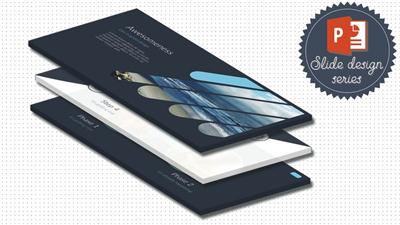
PowerPoint Slide Design - Casual Business Slides for Any Presentation!
MP4 | Video: AVC 1280x720 | Audio: AAC 44KHz 2ch | Duration: 37M | 311 MB
Genre: eLearning | Language: English | + Project Photos​

In the brand new 'PowerPoint Slide Design' series I am happy to invite you to its first release. In the #1 edition we will be designing 5 Casual Business Slides for any type of presentation! I will teach you interesting PowerPoint tricks, tell you how to lay out your slides so they are catchy and pleasant for the viewer and so much more! I will take you by hand and design the slides along with you, so you never have to worry anymore about comming up with ideas, because this class will set the tone for you to follow with even more slides afterwards! Take a short preview around the class.

Recommend Download Link Hight Speed | Please Say Thanks Keep Topic Live ​

 

90ee80f917c0b5a8ebc2cbf70c99ab5a.jpg

Lynda - Preparing for the CompTIA Security+ Exam (SY0-401)
Size: 520 MB | Duration: 0h 43m | Video: AVC (.mp4) 1280x720 30fps | Audio: AAC 48KHz 2ch
Genre: eLearning | Level: Beginner | Language: English​

Preparing for the CompTIA Security+ Exam (SY0-401)

Recommend Download Link Hight Speed | Please Say Thanks Keep Topic Live ​

 

58dcb7a24aa111f8240ca9a234d8fd86.jpg

Lynda - Print Production Essentials: Choosing Paper
Size: 1.28 GB | Duration: 1h 9m | Video: AVC (.mp4) 1280x720 30fps | Audio: AAC 48KHz 2ch
Genre: eLearning | Level: Beginner | Language: English​

Designers must know how to choose the right paper for every print job. Paper is where design leaps off of the screen and into your hands. The right weight, feel, and finish help the reader understand the purpose and importance of the design. This course helps you understand how to maximize this oh-so-important material to make your printed projects not only come out the way you envision, but also more beautiful, effective, and memorable. Chris Harrold of Mohawk Paper teaches the basics of paper, including physical attributes like color and finish, and shows how to select the right paper for a project and ensure the best results on press. Altogether, this course helps you take full advantage of one of the most important elements of any print project, and choose paper to support any type of design, from luxury packaging to short-run press projects.

Recommend Download Link Hight Speed | Please Say Thanks Keep Topic Live ​

 

5ab05b29cc865a421a3561608dbc8a63.jpg

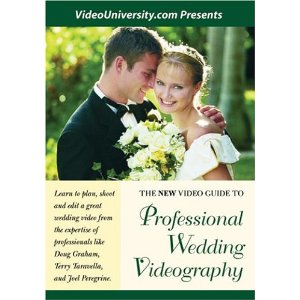
Professional Wedding Videography - Guide to Wedding Videos
Duration: 1hr 39m | Video: h264, yuv420p, 640x480 30fps | Audio: aac, 44100 Hz, 2 ch | 708 MB
Genre: eLearning | Language: English​

Watch how to shoot and edit an entertaining, fast-paced, $1700 plus wedding film on weekends. You'll get thorough instruction with stunning HD examples from some of the top wedding videographers in the U.S.

perfect for those just starting out in the exciting wedding video business. If you've already done 4 or 5 complete videos for weddings, this video is probably not for you. This video shows step-by-step how to plan, shoot, and edit a professional wedding video. Also includes 4 beautiful bonus videos from professional wedding videographers.

Recommend Download Link Hight Speed | Please Say Thanks Keep Topic Live ​
 

8a8c1efdd330338efc927cce19716809.jpg

Prototyping a Single Page Website in Photoshop from Scratch
MP4 | Video: AVC 1280x720 | Audio: AAC 44KHz 2ch | Duration: 2.5 Hours | 869 MB
Genre: eLearning | Language: English​

Learn how to design a single page in Photoshop

Do you want to design your own website for your business? Do you want to make a career as a web designer? This course will help you to achieve those goals.

Creating a single page these days is a trend. Most businesses want their website to be single page only than multiple pages. Site visitors are very impatient and want to get the information they are looking for so single page is ideal.

You Can Use either Mac or Windows
No Prior Experience
No coding or Programming
Design a Single Page Website From Scratch in Photoshop
No design or Photoshop knowledge necessary because I will teach you that
30 day money back guarantee!
This course is designed to teach you about web design. In this course you will learn not only about doing designs but also how to make a career as freelance web designer. I will teach you how to maximize your talent and build your confidence.

In this wonderful journey I will show the ways how to generate an income as a designer. This course will help you get started in designing and make some real money. I want you to apply all the knowledge you learned in real world projects.

Prepare Yourself for a New Career in Web Designing by Learning New Skills.

You Will Learn How to Use Adobe Photoshop in simple ways.
Learn the Types of Web homepages
You Will Learn How to Design websites in Photoshop from Scratch.
Finding Freelance Web Design Projects.

The skills that I'm going to teach you in this course are so valuable that will help you grow as a designer. A talent that will last a lifetime. Talent in designing is not inborn. Everybody can learn how to design.

This course will guide you from basics of web design. You don't need any background in designing because I will show you the right and proper way in designing a kickass web page.

The exercises in Adobe Photoshop are so easy. I designed them for absolute beginner because I don't want to confuse you with so many tools. All you need is a basic knowledge of the program so you can design more complex web pages and illustrations in the future.

I started from nothing now I'm a web designer. In this course I will share everything I know in web designing and making money from doing designs. If you're ready see you in the course.

Recommend Download Link Hight Speed | Please Say Thanks Keep Topic Live ​

 

785c073f1fa888a3583f38c84e666951.jpg

Quixel Suite 2.0, NDO Essentials
June 2016 | MP4 | Video: AVC 1280x720 | Audio: AAC 44KHz 2ch | Duration: 2.5 Hours | 965 MB
Genre: eLearning | Language: English​

Quixel Suite 2.0 has become an industry standard for creating normal maps, textures, and materials. This course gives you the essential knowledge of NDO for creating normal maps for your games. Required Software: Quixel Suite 2.

Have you ever wondered how to quickly create normal map details for a low-poly model without sculpting or creating the hi-poly model? If so, this course, is the perfect course for you to master all the techniques you'll need! First, you will discover NDO's UI in detail as well as how you can export your low-poly model from any 3D application to NDO for creating normal details directly on your 3D model. Next, you will learn in-depth techniques for creating various types of normal details such as wires, gauges, buttons, and extrusions for your models while performing steps practically on a low-poly 3D generator model. Finally, you will learn how to create selection IDs for texturing and quickly texture and render your model for presentation. By the end of this course, you'll know all the techniques and have the knowledge to enable you to create any type of normal map for your models. Required Software: Quixel Suite 2.

Recommend Download Link Hight Speed | Please Say Thanks Keep Topic Live ​

 

1fc650605f65ccb95d6e3d61610e6508.jpg

InfiniteSkills - Real World Docker Training Video
Duration: 4 Hours | Video: h264, yuv420p, 1280x720 30fps | Audio: aac, 44100 Hz, 2ch | 1.01 GB
Genre: eLearning | Language: English​

Feeling uncertain about how to use Docker in the real world? This course will put you at ease. Beginning with single-app deployments and managing a database all the way to building a dynamic architecture with automated service discovery, the course gives examples and code on how to build and deploy your apps in a Docker environment.

To get the most out of the class, learners will need access to the toolsets listed in the bullets below, and have a basic understanding of Docker and basic Docker commands.

Recommend Download Link Hight Speed | Please Say Thanks Keep Topic Live ​
 

3ed87a7dfe858212720396d2445c79d6.jpg

Retro VHS Effect in After Effects
Duration: 24m | Video: h264, yuv420p, 1280x720 30fps | Audio: aac, 44100 Hz, 2 ch | 415 MB
Genre: eLearning | Language: English​

In this course you'll learn how to create a retro VHS glitch effect in After Effects.

Recommend Download Link Hight Speed | Please Say Thanks Keep Topic Live ​
 
Zurück
Oben Unten