• Regeln für den Video-Bereich:

    In den Börsenbereich gehören nur Angebote die bereits den Allgemeinen Regeln entsprechen.

    Einteilung

    - Folgende Formate gehören in die angegeben Bereiche:
    - Filme: Encodierte Filme von BluRay, DVD, R5, TV, Screener sowie Telesyncs im Format DivX, XviD und x264.
    - DVD: Filme im Format DVD5, DVD9 und HD2DVD.
    - HD: Encodierte Filme mit der Auflösung 720p oder darüber von BluRay, DVD, R5, TV, Screener sowie Telesyncs im Format x264.
    - 3D: Encodierte Filme von BluRay, die in einem 3D Format vorliegen. Dies gilt auch für Dokus, Animation usw.
    - Serien: Cartoon/Zeichentrick, Anime, Tutorials, Dokumentationen, Konzerte/Musik, Sonstiges sind demnach in die entsprechenden Bereiche einzuordnen, auch wenn sie beispielsweise im High Definition-Format oder als DVD5/DVD9/HD2DVD vorliegen. Ausnahme 3D.
    - Bereich Englisch: Englische Releases gehören immer in diesen Bereich.
    - Bereich Talk: Der Bereich, in dem über die Releases diskutiert werden kann, darf, soll und erwünscht ist.


    Angebot/Beitrag erstellen

    - Ein Beitrag darf erst dann erstellt werden, wenn der Upload bei mindestens einem OCH komplett ist. Platzhalter sind untersagt.
    - Bei einem Scenerelease hat der Threadtitel ausschließlich aus dem originalen, unveränderten Releasenamen zu bestehen. Es dürfen keine Veränderungen wie z.B. Sterne, kleine Buchstaben o.ä. vorgenommen werden. Ausnahme Serienbörse:
    - Bei einem Sammelthread für eine Staffel entfällt aus dem Releasename natürlich der Name der Folge. Beispiel: Die Simpsons S21 German DVDRip XviD - ITG
    - Dementsprechend sind also u.a. verboten: Erweiterungen wie "Tipp", "empfehlenswert", "only", "reup", usw. / jegliche andere Zusatzinformation oder Ergänzung, welche nicht in obiger Beschreibung zu finden ist.

    Aufbau des Angebots und Threadtitel

    Der Titel nach folgendem Muster erstellt zu werden. <Name> [3D] [Staffel] [German] <Jahr> <Tonspur> [DL] [Auflösung] <Quelle> <Codec> - <Group>
    Beispiel: The Dark Knight German 2008 AC3 DVDRip XviD - iND
    Beispiel: The Dark Knight 2008 DTS DL BDRip x264 - iND
    Beispiel: The Dark Knight 2008 AC3 DL BDRip XviD - iND
    Beispiel: The Dark Knight German 2008 AC3 720p BluRay x264 iND
    Beispiel: The Dark Knight 2008 DTS DL 1080p BluRay x264 iND
    Beispiel: Die Simpsons S01 German AC3 DVDRip XviD iND
    Beispiel: Die Simpsons S20 German AC3 720p BluRay x264 iND
    Beispiel: Sword Art Online II Ger Sub 2014 AAC 1080p WEBRip x264 - peppermint
    Entsprechend sind also u.a. verboten: Sonderzeichen wie Klammern, Sterne, Ausrufezeichen, Unterstriche, Anführungszeichen / Erweiterungen wie "Tipp", "empfehlenswert", "only", "reup", usw. / jegliche andere Zusatzinformation oder Ergänzung, welche nicht in obiger Beschreibung zu finden ist
    Ausnahmen hiervon können in den Bereichen geregelt sein.

    Die Beiträge sollen wie folgt aufgebaut werden:
    Überschrift entspricht dem Threadtitel
    Cover
    kurze Inhaltsbeschreibung
    Format, Größe, Dauer sind gut lesbar für Downloader außerhalb des Spoilers zu vermerken
    Nfo sind immer Anzugeben und selbige immer im Spoiler in Textform.
    Sind keine Nfo vorhanden z.B. Eigenpublikationen, sind im Spoiler folgende Dateiinformationen zusätzlich anzugeben :
    Quelle
    Video (Auflösung und Bitrate)
    Ton (Sprache, Format und Bitrate der einzelnen Spuren)
    Untertitel (sofern vorhanden)
    Hosterangabe in Textform außerhalb eines Spoiler mit allen enthaltenen Hostern.
    Bei SD kann auf diese zusätzlichen Dateiinformationen verzichtet werden.

    Alle benötigten Passwörter sind, sofern vorhanden, in Textform im Angebot anzugeben.
    Spoiler im Spoiler mit Kommentaren :"Schon Bedankt?" sind unerwünscht.


    Releases

    - Sind Retail-Release verfügbar, sind alle anderen Variationen untersagt. Ausnahmen: Alle deutschen Retail-Release sind CUT, in diesem Fall sind dubbed UNCUT-Release zulässig.
    - Im Serien-Bereich gilt speziell: Wenn ein Retail vor Abschluss einer laufenden Staffel erscheint, darf diese Staffel noch zu Ende gebracht werden.62
    - Gleiche Releases sind unbedingt zusammenzufassen. Das bedeutet, es ist zwingend erforderlich, vor dem Erstellen eines Themas per Suchfunktion zu überprüfen, ob bereits ein Beitrag mit demselben Release besteht. Ist dies der Fall, ist der bereits vorhandene Beitrag zu verwenden.
    - P2P und Scene Releases dürfen nicht verändert oder gar unter einem iND Tag eingestellt werden.


    Support, Diskussionen und Suche

    - Supportanfragen sind entweder per PN oder im Bereich Talk zu stellen.
    - Diskussionen und Bewertungen sind im Talk Bereich zu führen. Fragen an die Uploader haben ausschließlich via PN zu erfolgen, und sind in den Angeboten untersagt.
    - Anfragen zu Upload-Wünschen sind nur im Bereich Suche Video erlaubt. Antworten dürfen nur auf Angebote von MyBoerse.bz verlinkt werden.


    Verbote

    - Untersagt sind mehrere Formate in einem einzigen Angebotsthread, wie beispielsweise das gleichzeitige Anbieten von DivX/XviD, 720p und 1080p in einem Thread. Pro Format, Release und Auflösung ist ein eigener Thread zu eröffnen.
    - Grundsätzlich ebenso verboten sind Dupes. Uploader haben sich an geeigneter Stelle darüber zu informieren, ob es sich bei einem Release um ein Dupe handelt.
    - Gefakte, nur teilweise lauffähige oder unvollständige Angebote sind untersagt. Dies gilt auch für eigene Publikationen, die augenscheinlich nicht selbst von z.B. einer DVD gerippt wurden. Laufende Serien, bei denen noch nicht alle Folgen verfügbar sind, dürfen erstellt und regelmäßig geupdatet werden.
    - Untersagt sind Angebote, welche nur und ausschließlich in einer anderen Sprache als deutsch oder englisch vorliegen. Ausnahmen sind VORHER mit den Moderatoren zu klären.


    Verstoß gegen die Regeln

    - Angebote oder Beiträge, die gegen die Forenregeln verstoßen, sind über den "Melden"-Button im Beitrag zu melden.
  • Bitte registriere dich zunächst um Beiträge zu verfassen und externe Links aufzurufen.


Englische Tutorials


668030d241659aeecddcded88325cdbb.jpg

Brand Building: Crafting Stories with Design
Duration: 47m | Video: h264, yuv420p, 1280x720 30fps | Audio: aac, 44100 Hz, 2 ch | 866 MB
Genre: eLearning | Language: English​


Learn to build brands through stories with Tether founder Stanley Hainsworth, former creative director at Nike, LEGO, and Starbucks. In this 45-minute class, walk through the creative process of developing brand positioning, creating visual designs, and presenting to clients. It's a case-study driven class that walks through the real process that Tether used for Awake Chocolate. The lessons are perfect for writers, marketers, designers, and storytellers looking to develop emotional connections between consumers and brands.

Recommend Download Link Hight Speed | Please Say Thanks Keep Topic Live ​
 

a2f27771003996f86de02302f123f18b.jpg

Building Applications with React and Redux in ES6
Size: 1.1 GB | Duration: 6hr 0m | Video: AVC (.mp4) 1280x720 15fps | Audio: AAC 44.1KHz 2ch
Genre: eLearning | Level: Beginner | Language: English​


React is a library with so much power, but so few strong opinions. So building something significant requires a large number of decisions and work to build the foundation. In Building Applications with React and Redux in ES6, you will learn how to use Redux, React Router, and ES6 to build powerful and fast React applications from the ground up, as well as use Webpack, Babel, ESLint, npm scripts, Mocha, Enzyme.

Finally, you will create a rapid feedback development environment that runs linting and tests, transpiles ES6 to ES5, starts up Express as a webserver, opens the application, and hot reloads changes every time you hit save and deploys with a single command. When you're finished with this course, you will have a foundational knowledge of React and Redux in ES6 that will help you as you move forward building robust, scalable React applications using a custom, rapid feedback development environment.

Recommend Download Link Hight Speed | Please Say Thanks Keep Topic Live ​
 

0aeb197096e8a19dad15c98e15c265ce.jpg

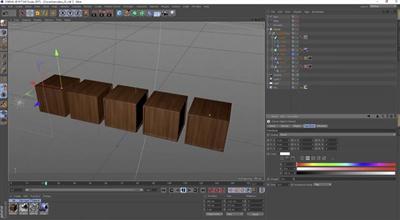
Cineversity - Cinema 4D Quick Tips
Duration: 2hr 59m | Video: h264, yuv420p, 1280x720 30fps | Audio: aac, 44100 Hz, 2 ch | 1.59 GB
Genre: eLearning | Language: English | +Project files​


In this tutorial you'll learn about several methods to render Takes in Cinema 4D Release 17. You can render all or selected takes directly to the Picture Viewer, optionally utilizing Team Render. To render via Team Render Server, Save Takes with Assets to create individual job folders for each take. There's also a -take flag for the Command Line Render interface.

Recommend Download Link Hight Speed | Please Say Thanks Keep Topic Live ​
 

8ef5454d57c09f3dd9f0b28da7feebf8.jpg

CodeSchool - Adventures in Web Animations with Alyssa Nicoll
WEBRip | English | MP4 | 1280 x 720 | AVC ~1621 kbps | 24 fps
AAC | 101 Kbps | 48.0 KHz | 2 channels | 00:42:59 | 524 MB​

Genre: Video Tutorial / Development, Programming
Join us for a sweet adventure as you use CSS to create fun, engaging web animations.

LEVEL 1
Transitions
Learn how to sweeten up your web app using CSS transitions for color, position, and visibility.

LEVEL 2
Transforms
Moving, scaling, invisibility - oh my! Open up a world of animation possibilities with transforms.

LEVEL 3
Keyframes
Use keyframe animations to create some tasty and reusable animations for our form modal and donut character.

LEVEL 4
SVG
Explore the benefits of using super-crisp SVGs and how to animate them.

Recommend Download Link Hight Speed | Please Say Thanks Keep Topic Live ​
 

5fbbb7e4db7e84d39c3d789b7078074e.jpg

CodeSchool - Breaking the Ice With Regular Expressions
WEBRip | English | MP4 | 1280 x 720 | AVC ~1500 kbps | 24 fps
AAC | 98.3 Kbps | 48.0 KHz | 2 channels | 00:40:35 | 498.6 MB​

Genre: Video Tutorial / Development, Programming
Search for text patterns using regular expressions and learn to validate emails and URLs, capture information, and use simple patterns to save development time.

LEVEL 1
The String Story
Learn what regular expressions are, and write your first expression. Discover literals, operators, character sets, modifiers, and metacharacters.

LEVEL 2
Crew Emails
Journey into validating emails with wildcards, escaping characters, groups, and anchors.

LEVEL 3
Confirmative
Take a voyage to the edge with word boundaries and creating optional variations. Negate characters within character sets, and then use the negated shorthand. Finally, match specific amounts of characters with interval expressions.

LEVEL 4
Multi-line Strings
Discover multi-line strings, and journey deeper with much larger subject strings. Search the globe and properly drop anchors with global and multi-line modifiers.

LEVEL 5
Capture Groups
Grab the loot with capture groups, and learn how to extract sections of text for reference. Also discover when it's appropriate to have groups not capture.

Recommend Download Link Hight Speed | Please Say Thanks Keep Topic Live ​
 

821252a2d8690dbbcc12dec50929cd63.jpg

CodeSchool - Try Ember with Nathaniel Bibler
WEBRip | English | MP4 | 1280 x 720 | AVC ~1500 kbps | 24 fps
AAC | 128 Kbps | 48.0 KHz | 2 channels | 01:03:43 | 731 MB​

Genre: Video Tutorial / Development, Programming
Pack your bags and help the Woodland Wanderers as you learn how to use Ember and Ember CLI to build your next ambitious web applications.

LEVEL 1
Getting Started
Learn what Ember is, who uses it, and how to create your first Ember application with Ember CLI.

LEVEL 2
Routing and Templating
Meet the Ember router and routes, and customize the presentation of your application using templates.

LEVEL 3
Models and Services
Explore services to share common features and functionality while using models to formalize your application data.

LEVEL 4
Actions
React to user events and make your application more dynamic and interesting with actions.

LEVEL 5
Properties and Components
Bring everything together for cleanliness and reuse with Ember's computed properties and components.

Recommend Download Link Hight Speed | Please Say Thanks Keep Topic Live ​
 

5c45d910dc94e0f96695e4535c3fc291.jpg

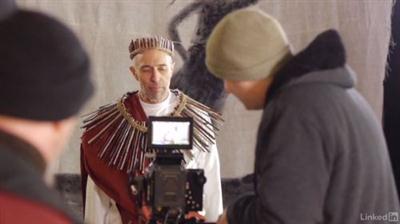
Creating a Short Film: 03 Pre-Production
MP4 | Video: AVC 1280x720 | Audio: AAC 48KHz 2ch | Duration: 2 Hours 13M | 1 GB
Genre: eLearning | Language: English​


Creating a Short Film is a 13-part training series that shows the actual struggles and challenges filmmakers have to overcome to get films made. Author Chad Perkins and his team made a short film, The Assurance, and documented the process: from writing and directing to editing and screening the film. This installment covers pre-production"because there are so many preliminary steps that go into a successful film, and they happen long before the cameras start rolling.

Learn how to prepare the assets, such as shooting scripts, storyboards, and shot lists. Discover how to schedule and budget a shoot, and keep costs down while leaving room for the creative decisions that need to be made along the way. Find out how to hire a crew, scout and secure locations for each scene, and prepare props, sets, and wardrobe for actors. Learn what you need to do to keep your people safe, and the things you can prepare ahead of time to make sure production and post-production run smoothly.

There are more filmmaking tips to be had! Make sure to watch the first installment to learn about the background of the project and to get an overview of the role of the producer. Look for the follow-up episodes to learn more about writing, directing, working with actors, editing and visual effects, and everything else that goes into filmmaking.

Recommend Download Link Hight Speed | Please Say Thanks Keep Topic Live ​
 

53cc2f14d9ce2a66da786af485cedfd6.jpg

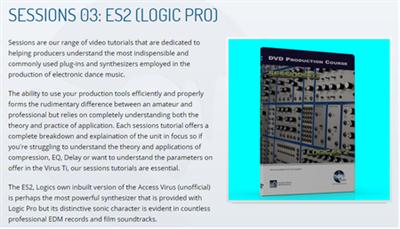
Dance Music Production - Sessions 03: ES2
WEBRip | English | MOV | 1280 x 720 | AVC ~382 kbps | 8.978 fps
AAC | 114 Kbps | 44.1 KHz | 2 channels | 03:03:50 | 794.2 MB​

Genre: Video Tutorial / Sound Processing
Sessions are our range of video tutorials that are dedicated to helping producers understand the most indispensible and commonly used plug-ins and synthesizers employed in the production of electronic dance music.

The ability to use your production tools efficiently and properly forms the rudimentary difference between an amateur and professional but relies on completely understanding both the theory and practice of application. Each sessions tutorial offers a complete breakdown and explaination of the unit in focus so if you're struggling to understand the theory and applications of compression, EQ, Delay or want to understand the parameters on offer in the Virus Ti, our sessions tutorials are essential.

The ES2, Logics own inbuilt version of the Access Virus (unofficial) is perhaps the most powerful synthesizer that is provided with Logic Pro but its distinctive sonic character is evident in countless professional EDM records and film soundtracks.
Described as a 'workhorse synthesizer' and often the "go to" instrument for many professional artists who work in Logic Pro 7, 8, 9 or X, it has been used to provide sounds for a multitude of genres from Trance to Dubstep all the way through to House, Techno and Tech House..
Due to an outstanding number of requests, for this sessions tutorial we lift the lid off the ES2 synthesizer. We examine its synthesis engine in detail, discussing the subtractive, FM and pulse width engine alongside discussing its filters, envelopes, XY, extensive modulation options and the all important "Vector Synthesis Engine". This Vector Engine is perhaps the most least understood aspect of the ES2 but also one of the most powerful sound design tools you can have in your arsenal, allowing you to automate how a timbre evolves and mutates over time.

Content:
Introduction
An introduction to the DVD

Session 01: Oscillators:: 50 minutes!
We start by dropping in at the deep end with an in depth examination of the ES2′s three Oscillators and their functions.

Session 02: The Filters: 25 minutes
For this session, we examine the filter section, including the FM and both serial and parallel configurations.

Session 03: The Envelopes: 25 Minutes.
Here, we examine the three envelopes the ES2 has on offer.

Session 04: Basic Modulation: 25 minutes
In this session we examine the LFO's, the Modulation Matrix and Routing.

Session 05: Vector Envlopes: 27 minutes
Possibly one of the most powerful features of the ES2, in this session we take a look at the Vector Envelope and how its used.

Session 06: The Output Section: 10 Minutes
This session concentrates on the output section, covering the basic effects, randomisation settings and the all important side-chain feature.

Session 07: Theory In Programming: 25 Minutes
For this final session, we run through programming a couple of timbres on the ES2 including a bass and HardStyle Kick, and show how the ES2 can produce great sounds with relative ease.

Recommend Download Link Hight Speed | Please Say Thanks Keep Topic Live ​

 

2c60bc89dad6066e7fd78583687a43a1.jpg

Documentary Photography: Photographing a Subculture
Duration: 23m | Video: h264, yuv420p, 1280x720 30fps | Audio: aac, 44100 Hz, 2 ch | 436 MB
Genre: eLearning | Language: English​


While I was in college, I took a class titled Documentary Photography and the project that I completed clued me in to what kind of photography I wanted to practice. I decided to immerse myself in a subculture that played a part in my upbringing that I had never really been able to experience completely. Now, I want to teach you what I learned during that semester, as an outsider coming into a new group.

This class is for anyone interested in getting to know more about their community or a specific subculture.
If all you have is a point and shoot camera, this class is for you!
If you have a DSLR but shoot on Auto, this class is for you, too!
If you are a Pro and shoot Manual on your Entry Level to Professional DSLR, guess what, this class is for you!
I designed this class to focus mainly on the subculture you choose not your level of knowledge of photography.

Recommend Download Link Hight Speed | Please Say Thanks Keep Topic Live ​

 

d553d50bee9a392db77ba5da59e9d3b7.jpg

Drawing and Sketching for Beginners
Duration: 3hr 30m | Video: h264, yuv420p, 1280x720 30fps | Audio: aac, 44100 Hz, 2 ch | 1.8 GB
Genre: eLearning | Language: English​


Learn the art of sketching and drawing with easy to follow videos and exercises. No experience required!

Have you ever wanted to learn to Draw? Perhaps you tried, but did not have the guidance necessary to progress your artwork? Maybe, you used to sketch a long time ago and now want to rebuild your skills? Or, if you want to capture notes more effectively? If you answered yes to any of these questions, then come join me to learn the skills you need to become an effective sketcher!
Sketching for Beginners is a course designed to guide novice students how to get started sketching and drawing. This course starts at the beginning, with understanding the role sketching can play, before leading on to practical applications and demonstration lectures.
You will not only learn how to sketch using traditional materials, but also how to incorporate this into the modern digital world. You will also see how to develop your own sketching language, how to practice sketching, how to use drawing as a means of communication and more.

What will I learn?

Draw simple objects with confidence and ease!
Learn the 5 elements of shading
How to sketch complicated object using simple shapes
Understand the role of sketching in creativity and notetaking
Learn both traditional and digital sketching techniques
How to use sketching as a means of communication
How to practice sketching
Develop a sketching language that is personal to the sketcher

Recommend Download Link Hight Speed | Please Say Thanks Keep Topic Live ​

 

00ff10d07dc7b4f3d962d441eff488c6.jpg

Filmmaking Forum: Scene Analysis
Size: 585 MB | Duration: 0h 30m | Video: AVC (.mp4) 1280x720 15&30fps | Audio: AAC 48KHz 2ch
Genre: eLearning | Level: Appropriate for all | Language: English​


Analyzing a scene helps new and seasoned filmmakers alike understand the creative and technical decisions of directors and editors. This course provides a rare opportunity to get inside the minds of video storytellers to discuss the filmmaking process-and appreciate how they arrived at the finished product. Every other Friday, Ashley Kennedy offers a new scene for discussion. Then she interviews the filmmakers about their work: their aesthetic, approach, workflow, and collaboration style. Hear from film professionals such as independent filmmaker and editor Kurt Kuenne (Dear Zachary), TV editor and documentary director Zack Arnold (Empire and Go Far: The Christopher Rush Story), feature film editor Sofi Marshall (A Teacher), professor and filmmaker Sam Kauffmann (Massacre at Murambi), and more. Get behind-the-scenes details and firsthand looks at what really happens during the course of filmmaking, in this biweekly forum.

Recommend Download Link Hight Speed | Please Say Thanks Keep Topic Live ​

 

6026e2c4c4e037b75956aabd162f549f.jpg

Google Display Network Boot Camp v2 (2016)
7 hours | M4V | 640 x 360 | AVC ~17.4 kbps | 30 fps | AAC 162 Kbps 44.1 KHz 2 ch | 500 MB
Genre: eLearning, Business, Job | Language: English​


Module 1: The Many Ways to Exploit GDN Targeting Behavioral targeting deep dive - "The future of the internet" How to use Google's newest feature 'customer match' email lists Managed placements explained & where to find them How to use the super-powerful Contextual targeting options the right way How to get clicks for pennies & CTRs over 20% (hint, it's not YouTube) How to leverage your new-found remarketing prowess in your existing search campaignsModule 2: Building Your Campaigns the Right Way from the Ground Up

The slow way
The fast way
the automatic way (the future is here!)
Bid and Budget management tips from the pros
The only 2 paid tools you'll need for ongoing GDN management
A deep dive into AdWords Editor's more profitable, traffic-pulling features

Module 3: How to Construct Your Offers, Landing Pages & Ad Design

The power of a big-ticket backend.how to leverage the power of compound interest with the Display Network
Behind the scenes of a multi-million-dollar Display Network funnel
The good, the bad and the ugly.example landing pages
Steal Mike's landing page checklist
The importance of keeping your visitors happy & why 'scent' is important
How to test different ad designs without wasting time and money
Where to 'borrow' ideas for interesting ad design
The single most important ad size

Module 4: How to Plan & Measure for Success

How to tie your display strategy to your big-picture business goals and not get mired in the quicksand of AdWords minutia
How to track conversions quickly, accurately and painlessly
The "optimum conversion rate" you must achieve.and why you'll sputter and flail to reach profitability if you don't
Steal Mike's conversion audit checklist
Google's Tag Manager. Should you use it? Why, and most importantly, how?
How to use call tracking to maximize conversions

also You can watch my other last: Business-posts

Recommend Download Link Hight Speed | Please Say Thanks Keep Topic Live ​

 
Zurück
Oben Unten