• Regeln für den Video-Bereich:

    In den Börsenbereich gehören nur Angebote die bereits den Allgemeinen Regeln entsprechen.

    Einteilung

    - Folgende Formate gehören in die angegeben Bereiche:
    - Filme: Encodierte Filme von BluRay, DVD, R5, TV, Screener sowie Telesyncs im Format DivX, XviD und x264.
    - DVD: Filme im Format DVD5, DVD9 und HD2DVD.
    - HD: Encodierte Filme mit der Auflösung 720p oder darüber von BluRay, DVD, R5, TV, Screener sowie Telesyncs im Format x264.
    - 3D: Encodierte Filme von BluRay, die in einem 3D Format vorliegen. Dies gilt auch für Dokus, Animation usw.
    - Serien: Cartoon/Zeichentrick, Anime, Tutorials, Dokumentationen, Konzerte/Musik, Sonstiges sind demnach in die entsprechenden Bereiche einzuordnen, auch wenn sie beispielsweise im High Definition-Format oder als DVD5/DVD9/HD2DVD vorliegen. Ausnahme 3D.
    - Bereich Englisch: Englische Releases gehören immer in diesen Bereich.
    - Bereich Talk: Der Bereich, in dem über die Releases diskutiert werden kann, darf, soll und erwünscht ist.


    Angebot/Beitrag erstellen

    - Ein Beitrag darf erst dann erstellt werden, wenn der Upload bei mindestens einem OCH komplett ist. Platzhalter sind untersagt.
    - Bei einem Scenerelease hat der Threadtitel ausschließlich aus dem originalen, unveränderten Releasenamen zu bestehen. Es dürfen keine Veränderungen wie z.B. Sterne, kleine Buchstaben o.ä. vorgenommen werden. Ausnahme Serienbörse:
    - Bei einem Sammelthread für eine Staffel entfällt aus dem Releasename natürlich der Name der Folge. Beispiel: Die Simpsons S21 German DVDRip XviD - ITG
    - Dementsprechend sind also u.a. verboten: Erweiterungen wie "Tipp", "empfehlenswert", "only", "reup", usw. / jegliche andere Zusatzinformation oder Ergänzung, welche nicht in obiger Beschreibung zu finden ist.

    Aufbau des Angebots und Threadtitel

    Der Titel nach folgendem Muster erstellt zu werden. <Name> [3D] [Staffel] [German] <Jahr> <Tonspur> [DL] [Auflösung] <Quelle> <Codec> - <Group>
    Beispiel: The Dark Knight German 2008 AC3 DVDRip XviD - iND
    Beispiel: The Dark Knight 2008 DTS DL BDRip x264 - iND
    Beispiel: The Dark Knight 2008 AC3 DL BDRip XviD - iND
    Beispiel: The Dark Knight German 2008 AC3 720p BluRay x264 iND
    Beispiel: The Dark Knight 2008 DTS DL 1080p BluRay x264 iND
    Beispiel: Die Simpsons S01 German AC3 DVDRip XviD iND
    Beispiel: Die Simpsons S20 German AC3 720p BluRay x264 iND
    Beispiel: Sword Art Online II Ger Sub 2014 AAC 1080p WEBRip x264 - peppermint
    Entsprechend sind also u.a. verboten: Sonderzeichen wie Klammern, Sterne, Ausrufezeichen, Unterstriche, Anführungszeichen / Erweiterungen wie "Tipp", "empfehlenswert", "only", "reup", usw. / jegliche andere Zusatzinformation oder Ergänzung, welche nicht in obiger Beschreibung zu finden ist
    Ausnahmen hiervon können in den Bereichen geregelt sein.

    Die Beiträge sollen wie folgt aufgebaut werden:
    Überschrift entspricht dem Threadtitel
    Cover
    kurze Inhaltsbeschreibung
    Format, Größe, Dauer sind gut lesbar für Downloader außerhalb des Spoilers zu vermerken
    Nfo sind immer Anzugeben und selbige immer im Spoiler in Textform.
    Sind keine Nfo vorhanden z.B. Eigenpublikationen, sind im Spoiler folgende Dateiinformationen zusätzlich anzugeben :
    Quelle
    Video (Auflösung und Bitrate)
    Ton (Sprache, Format und Bitrate der einzelnen Spuren)
    Untertitel (sofern vorhanden)
    Hosterangabe in Textform außerhalb eines Spoiler mit allen enthaltenen Hostern.
    Bei SD kann auf diese zusätzlichen Dateiinformationen verzichtet werden.

    Alle benötigten Passwörter sind, sofern vorhanden, in Textform im Angebot anzugeben.
    Spoiler im Spoiler mit Kommentaren :"Schon Bedankt?" sind unerwünscht.


    Releases

    - Sind Retail-Release verfügbar, sind alle anderen Variationen untersagt. Ausnahmen: Alle deutschen Retail-Release sind CUT, in diesem Fall sind dubbed UNCUT-Release zulässig.
    - Im Serien-Bereich gilt speziell: Wenn ein Retail vor Abschluss einer laufenden Staffel erscheint, darf diese Staffel noch zu Ende gebracht werden.62
    - Gleiche Releases sind unbedingt zusammenzufassen. Das bedeutet, es ist zwingend erforderlich, vor dem Erstellen eines Themas per Suchfunktion zu überprüfen, ob bereits ein Beitrag mit demselben Release besteht. Ist dies der Fall, ist der bereits vorhandene Beitrag zu verwenden.
    - P2P und Scene Releases dürfen nicht verändert oder gar unter einem iND Tag eingestellt werden.


    Support, Diskussionen und Suche

    - Supportanfragen sind entweder per PN oder im Bereich Talk zu stellen.
    - Diskussionen und Bewertungen sind im Talk Bereich zu führen. Fragen an die Uploader haben ausschließlich via PN zu erfolgen, und sind in den Angeboten untersagt.
    - Anfragen zu Upload-Wünschen sind nur im Bereich Suche Video erlaubt. Antworten dürfen nur auf Angebote von MyBoerse.bz verlinkt werden.


    Verbote

    - Untersagt sind mehrere Formate in einem einzigen Angebotsthread, wie beispielsweise das gleichzeitige Anbieten von DivX/XviD, 720p und 1080p in einem Thread. Pro Format, Release und Auflösung ist ein eigener Thread zu eröffnen.
    - Grundsätzlich ebenso verboten sind Dupes. Uploader haben sich an geeigneter Stelle darüber zu informieren, ob es sich bei einem Release um ein Dupe handelt.
    - Gefakte, nur teilweise lauffähige oder unvollständige Angebote sind untersagt. Dies gilt auch für eigene Publikationen, die augenscheinlich nicht selbst von z.B. einer DVD gerippt wurden. Laufende Serien, bei denen noch nicht alle Folgen verfügbar sind, dürfen erstellt und regelmäßig geupdatet werden.
    - Untersagt sind Angebote, welche nur und ausschließlich in einer anderen Sprache als deutsch oder englisch vorliegen. Ausnahmen sind VORHER mit den Moderatoren zu klären.


    Verstoß gegen die Regeln

    - Angebote oder Beiträge, die gegen die Forenregeln verstoßen, sind über den "Melden"-Button im Beitrag zu melden.
  • Bitte registriere dich zunächst um Beiträge zu verfassen und externe Links aufzurufen.


Englische Tutorials


8d64c490269a98156bf5c0d0f0029ef6.jpg

HTML CSS JavaScript : Complete web development bundle
MP4 | Video: AVC 1280x720 | Audio: AAC 44KHz 2ch | Duration: 3 Hours | 558 MB
Genre: eLearning | Language: English​


HTML CSS Javascript : A complete bundle for web development using HTML, CSS & Javascript. Learn web design from scratch.

Welcome to the complete web development training that includes full video series of HTML, CSS, and JavaScript. HTML, CSS, and JavaScript are the major languages that you must know to create static and dynamic web pages. This course will take you from no experience to professional in web development.

I have created this course with a proper mindset so that you could learn each and every concept from scratch. Each concept is explained in a very detailed manner with live examples on screen, and I tried my best in making this learning much easier.

I have divided this course into three parts for HTML, CSS, and JavaScript. We will start this course from HTML where you will come to know about tags, attributes, and other kinds of stuff. After completing HTML part, we have CSS with lots of videos that would teach you CSS in very details. We have separate videos for each property that we have in CSS so that you could get most of the course. Then comes the JavaScript part, so in this section, you will learn about scripting and how we make interactivity on dynamic web pages. Along with complete learning, I am here to provide you a full support on all possible platforms so that I could remove all your doubts as soon as they approach you. You will learn a lot more things in this course.

Recommend Download Link Hight Speed | Please Say Thanks Keep Topic Live ​

 

f1aa0ece85852466e5604a4dc85f8111.jpg

Illustrated Jewelry: Turn your Art into Wearables
Duration: 36m | Video: h264, yuv420p, 1280x720 30fps | Audio: aac, 44100 Hz, 2 ch | 542 MB
Genre: eLearning | Language: English​


In this class you will learn how to take your own illustration, piece of art or even a photo and turn it into a jewel. We will work with hand painted original artworks as well as with digital art so you can choose which one is closer to your style. You will learn 4 different ways of making jewelry from illustrations which can help you to grow a product range of your Etsy store or just create cute gifts for your friends.

Recommend Download Link Hight Speed | Please Say Thanks Keep Topic Live ​

 

4f3a7e370e4ee31deebec001fe168196.jpg

Infographic How To: Data, Design, Distribute
MP4 | Video: AVC 1280x720 | Audio: AAC 44KHz 2ch | Duration: 1 Hours | 225 MB
Genre: eLearning | Language: English​


Unlock the power of infographics and learn the recipe on how to make sweet visuals that will engage your audience.

This course will cover everything you need to know about infographics. The course starts at covering the power of infographics and why they are worth considering in your marketing and storytelling efforts. Then, the course will take you through the recipe that Lemonly, a design firm that specializes in infographics takes to make their own sweet visuals.

The course is structured in three sections: Data, Design, Distribute. Each section contains videos, screen captures, interviews and even sample documents available to to use for your infographic creation.

Take this course to build a foundation for building great infographics .

Recommend Download Link Hight Speed | Please Say Thanks Keep Topic Live ​

 

3295f27a6a468042e3cfdc30b3d04d02.jpg

Instagram for Beginners : Give Your Instagram Marketing a Perfect Start
Duration: 31m | Video: h264, yuv420p, 1280x720 30fps | Audio: aac, 44100 Hz, 2 ch | 489 MB
Genre: eLearning | Language: English​


Instagram is the next big thing. Now days it is mandatory for you and your brand to be on Instagram. It is a great tool to build your loyal customer base and grow your business. A study conducted by Business Insider shows that over 90% of the users are under the age of 35 - which might make the network an attractive place to market products for many art, fashion, entertainment and media brands. Still, if you're target group isn't in the 18-35 demographic, you shouldn't write off the social network just yet.

In this class, i have started with the fundamentals of Instagram, how you can use this platform to get success and build follower base. Whether you are new to Instagram or using it for a while you will find the class helpful in understanding the right way to use Instagram.

Recommend Download Link Hight Speed | Please Say Thanks Keep Topic Live ​

 

77368f509231b289377d43b83a1ed349.jpg

Java Multithreading Training
MP4 | Video: AVC 1280x720 | Audio: AAC 44KHz 2ch | Duration: 3 Hours | 284 MB
Genre: eLearning | Language: English​


Unveiling the mysteries of multithreading in Java. The ultimate Java multithreading course

Discover how to write effective multi-threaded code in Java; learn why problems can occur with Java multithreading and how to fix those problems.

Recommend Download Link Hight Speed | Please Say Thanks Keep Topic Live ​

 

e0464081f1c0bc455db798d1577634fe.jpg

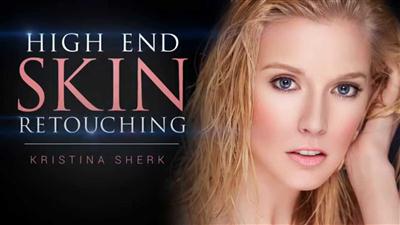
KelbyOne - High End Skin Retouching - Start to Finish
Duration: 1hr 21m | Video: h264, yuv420p, 1920x1080 30fps | Audio: aac, 44100 Hz, 2 ch | 2.9 GB
Genre: eLearning | Language: English​


Take your retouching skills to the next level with Kristina Sherk! Improving your portrait retouching skills will not only help you make your clients look their best, but they?ll want to keep coming back for all of their portrait work because no one else makes them look so good.

Kristi's approach is designed to help you understand all of the critical fundamentals of retouching, from enhancing eyes and lips to dealing with blemishes, and from there she walks you through the essentials of adding depth and dimension while smoothing skin and retaining important detail. This class has the potential to revolutionize your approach to skin retouching while increasing your understanding of the underlying principles involved.

Recommend Download Link Hight Speed | Please Say Thanks Keep Topic Live ​

 

ff7a41d1d9e74ec338ea9dc66b69e4e5.jpg

Learn Adobe Brackets Free open source code editor
MP4 | Video: AVC 1280x720 | Audio: AAC 44KHz 2ch | Duration: 1.5 Hours | 398 MB
Genre: eLearning | Language: English​


Brackets is an open source text editor this course will show you what you can do with it

Learn more about using Brackets as your code editor.

A modern, open source text editor that understands web design. Learn how to use Brackets and see all the functionality in action. Learn about top extensions and addons. Review of best setup techniques.

Learn how to use Brackets and how you can easily switch to using Brackets as your code editor.

I've been a web developer since 2000 and have used a number of code editors. I was originally using Dreamweaver in a number of my courses. I found that there were many students who wanted to have the same editor and setup that I have as they follow along with course content. I switched to several open source editors until I found Brackets. I've been using Brackets on a regular basis and found that I don't open Dreamweaver as much anymore. The best part of Brackets its free, so anyone who wants to use the same editor as I do in my courses can do so without barrier.

I decided to create this course to illustrate how to get brackets, how to set it up and some of the advanced features available in Brackets. In addition I wanted to list out top extensions to really power up your Brackets application.

I also cover my XAMPP server setup which allows me to use localhost as my webserver. XAMPP is really straight forward on getting going so most of the course is focused on using Brackets.

Recommend Download Link Hight Speed | Please Say Thanks Keep Topic Live ​
 

c569342757af924f1fa390c3b24181f6.jpg

Learn Squared - Main Title Design with Ash Thorp
Duration 12h | Video: h264, yuv420p, 1920x1080 | Audio: aac, 44100 Hz, 1 ch | 5.8GB
Genre: eLearning | Language: English | Project Files Included​


Follow along as award-winning title designer, Ash Thorp, demonstrates how to craft detailed and thoughtful main title designs. Alongside Jama Jurabaev, students will learn the core principles of successful titles, and then be challenged to put these concepts to work by creating multiple examples of their own.

Recommend Download Link Hight Speed | Please Say Thanks Keep Topic Live ​

 

dc472cedd4dcb45250bf72c3845fc412.jpg

Learn to create Surreal Photo Manipulation in Photoshop for Beginners
Duration: 1hr 8m | Video: h264, yuv420p, 1280x720 30fps | Audio: aac, 44100 Hz, 2 ch | 455 MB
Genre: eLearning | Language: English​


I designed this course for the Beginners or Intermediate Learner of Photoshop in mind, who either doesn't know how to do Photo Manipulation in Photoshop, or

a Little more experienced person in Photoshop who wants to learn how I made this 'A Journey into the Dreams' Manipulation in Photoshop.

This course is for you if :-
You're someone who's creative, interested in Photo Manipulation, and, most of all, You love to Play with different tools in Photoshop.
So now that we've covered who you are, let's get into what we'll be covering in this class?
Learn How we can Create Background from Scratch! Different methods Like using Gradient or Brush Tool.
Learn How we can Create Sky from Scratch and then How we can Convert Ground into Sea or Waterscape stuff.
Learn to Extract the Objects from the Background Quick Selection Tool in Action.
Learn How to Place the Extracted Boat & Child into our composition/composite.
Learn How to create realistic Shadows underneath objects to Make them parts of the Composite/Composition.
Learn How to create Rim Light or Light Effect to put the Realism into the scene.
Learn How to create Sun or Fake the Sun in Photoshop into our Composite/composition.
Learn How to Add Birds into the sky-using Different Layer Blend Modes to suit the Scene.
Learn How to Add Lens Vignette effect to Bring Drama to our Scene.
Learn How to Color Grade the image in Photoshop to give it a Dramatic or Cinematic Look.
Learn How to use Visual Techniques to make the images More Powerful.

Recommend Download Link Hight Speed | Please Say Thanks Keep Topic Live ​
 

2d29ac27517202192620cdf6b0917d83.jpg

Life Through a Lens by Annie Leibovitz
Duration: 1hr 19m | Video: h264, yuv420p, 720x400 30fps | Audio: aac, 44100 Hz, 2 ch | 1.3 GB
Genre: eLearning | Language: English​


The art of the camera -- and the gift of camaraderie -- revealed in aremarkable portrait of our era's most provocative imagemaker. Thisacclaimed film traces the arc of the famed photographer's life, heraspirations to artistry and the trajectory of her career.

Directed byher sister, Barbara Leibovitz, this probing and personal film depictsthe key phases that shaped Annie's life and work; including herchildhood, the tumultuous 1960s, her transition from Rolling Stone toVanity Fair as well as her most significant relationships, includingmotherhood. At its center are bountiful, insightful and even playfulinterviews with her most famous subjects, mentors and colleagues thatreveal the evolution of one of the world's most influential visualartists.

Recommend Download Link Hight Speed | Please Say Thanks Keep Topic Live ​

 

46a2d7a3994cb0c42b713bcc448ed803.jpg

Make it Rain in After Effects: A Digital Postcard
Duration: 31m | Video: h264, yuv420p, 1280x720 30fps | Audio: aac, 44100 Hz, 2 ch | 581 MB
Genre: eLearning | Language: English​


Our goal is to create the illusion of rain falling over a scenic background, using the tools available in Adobe After Effects.

The topics covered include:
Making rain with a particle emitter
Creating large and small drops on the lens of the "camera"
Adding ripples and waves in the water
Creating a layer of rolling fog over the scenery

We'll use Photoshop to turn our rainy scene into a digital postcard in the form of an animated GIF.
At the end you will be able share your rainy scene in the student gallery and send it to your friends and family by email!

Recommend Download Link Hight Speed | Please Say Thanks Keep Topic Live ​
 

058e1e4076443fba3a1876363e489d0e.jpg

Microsoft Project 2016: The MASTERCLASS
MP4 | Video: AVC 1280x720 | Audio: AAC 44KHz 2ch | Duration: 7 Hours | 1.89 GB
Genre: eLearning | Language: English​


Learn Microsoft Project 2016 HANDS-ON with 10 real life examples - 100+ project files for - Simple to Complex

This course "Microsoft Project 2016 MASTERCLASS" is intended for project managers who are just starting out, as well as experienced project managers who are new to Microsoft Project 2016.

This course is the BEST, most comprehensive, cost effective MICROSOFT PROJECT 2016 course on the entire web - or your money back.

In short, when used properly, Microsoft Project 2016 will make you a ROCKSTAR.

Microsoft Project 2016 - is a powerful Project Management tool. It automates the process of organizing, scheduling, recording, calculating, tracking, reporting, and analyzing schedule data for any project. The tool will help you achieve your project goals on time and within budget. You will learn all this and MORE in this course.

Recommend Download Link Hight Speed | Please Say Thanks Keep Topic Live ​
 
Zurück
Oben Unten