• Regeln für den Video-Bereich:

    In den Börsenbereich gehören nur Angebote die bereits den Allgemeinen Regeln entsprechen.

    Einteilung

    - Folgende Formate gehören in die angegeben Bereiche:
    - Filme: Encodierte Filme von BluRay, DVD, R5, TV, Screener sowie Telesyncs im Format DivX, XviD und x264.
    - DVD: Filme im Format DVD5, DVD9 und HD2DVD.
    - HD: Encodierte Filme mit der Auflösung 720p oder darüber von BluRay, DVD, R5, TV, Screener sowie Telesyncs im Format x264.
    - 3D: Encodierte Filme von BluRay, die in einem 3D Format vorliegen. Dies gilt auch für Dokus, Animation usw.
    - Serien: Cartoon/Zeichentrick, Anime, Tutorials, Dokumentationen, Konzerte/Musik, Sonstiges sind demnach in die entsprechenden Bereiche einzuordnen, auch wenn sie beispielsweise im High Definition-Format oder als DVD5/DVD9/HD2DVD vorliegen. Ausnahme 3D.
    - Bereich Englisch: Englische Releases gehören immer in diesen Bereich.
    - Bereich Talk: Der Bereich, in dem über die Releases diskutiert werden kann, darf, soll und erwünscht ist.


    Angebot/Beitrag erstellen

    - Ein Beitrag darf erst dann erstellt werden, wenn der Upload bei mindestens einem OCH komplett ist. Platzhalter sind untersagt.
    - Bei einem Scenerelease hat der Threadtitel ausschließlich aus dem originalen, unveränderten Releasenamen zu bestehen. Es dürfen keine Veränderungen wie z.B. Sterne, kleine Buchstaben o.ä. vorgenommen werden. Ausnahme Serienbörse:
    - Bei einem Sammelthread für eine Staffel entfällt aus dem Releasename natürlich der Name der Folge. Beispiel: Die Simpsons S21 German DVDRip XviD - ITG
    - Dementsprechend sind also u.a. verboten: Erweiterungen wie "Tipp", "empfehlenswert", "only", "reup", usw. / jegliche andere Zusatzinformation oder Ergänzung, welche nicht in obiger Beschreibung zu finden ist.

    Aufbau des Angebots und Threadtitel

    Der Titel nach folgendem Muster erstellt zu werden. <Name> [3D] [Staffel] [German] <Jahr> <Tonspur> [DL] [Auflösung] <Quelle> <Codec> - <Group>
    Beispiel: The Dark Knight German 2008 AC3 DVDRip XviD - iND
    Beispiel: The Dark Knight 2008 DTS DL BDRip x264 - iND
    Beispiel: The Dark Knight 2008 AC3 DL BDRip XviD - iND
    Beispiel: The Dark Knight German 2008 AC3 720p BluRay x264 iND
    Beispiel: The Dark Knight 2008 DTS DL 1080p BluRay x264 iND
    Beispiel: Die Simpsons S01 German AC3 DVDRip XviD iND
    Beispiel: Die Simpsons S20 German AC3 720p BluRay x264 iND
    Beispiel: Sword Art Online II Ger Sub 2014 AAC 1080p WEBRip x264 - peppermint
    Entsprechend sind also u.a. verboten: Sonderzeichen wie Klammern, Sterne, Ausrufezeichen, Unterstriche, Anführungszeichen / Erweiterungen wie "Tipp", "empfehlenswert", "only", "reup", usw. / jegliche andere Zusatzinformation oder Ergänzung, welche nicht in obiger Beschreibung zu finden ist
    Ausnahmen hiervon können in den Bereichen geregelt sein.

    Die Beiträge sollen wie folgt aufgebaut werden:
    Überschrift entspricht dem Threadtitel
    Cover
    kurze Inhaltsbeschreibung
    Format, Größe, Dauer sind gut lesbar für Downloader außerhalb des Spoilers zu vermerken
    Nfo sind immer Anzugeben und selbige immer im Spoiler in Textform.
    Sind keine Nfo vorhanden z.B. Eigenpublikationen, sind im Spoiler folgende Dateiinformationen zusätzlich anzugeben :
    Quelle
    Video (Auflösung und Bitrate)
    Ton (Sprache, Format und Bitrate der einzelnen Spuren)
    Untertitel (sofern vorhanden)
    Hosterangabe in Textform außerhalb eines Spoiler mit allen enthaltenen Hostern.
    Bei SD kann auf diese zusätzlichen Dateiinformationen verzichtet werden.

    Alle benötigten Passwörter sind, sofern vorhanden, in Textform im Angebot anzugeben.
    Spoiler im Spoiler mit Kommentaren :"Schon Bedankt?" sind unerwünscht.


    Releases

    - Sind Retail-Release verfügbar, sind alle anderen Variationen untersagt. Ausnahmen: Alle deutschen Retail-Release sind CUT, in diesem Fall sind dubbed UNCUT-Release zulässig.
    - Im Serien-Bereich gilt speziell: Wenn ein Retail vor Abschluss einer laufenden Staffel erscheint, darf diese Staffel noch zu Ende gebracht werden.62
    - Gleiche Releases sind unbedingt zusammenzufassen. Das bedeutet, es ist zwingend erforderlich, vor dem Erstellen eines Themas per Suchfunktion zu überprüfen, ob bereits ein Beitrag mit demselben Release besteht. Ist dies der Fall, ist der bereits vorhandene Beitrag zu verwenden.
    - P2P und Scene Releases dürfen nicht verändert oder gar unter einem iND Tag eingestellt werden.


    Support, Diskussionen und Suche

    - Supportanfragen sind entweder per PN oder im Bereich Talk zu stellen.
    - Diskussionen und Bewertungen sind im Talk Bereich zu führen. Fragen an die Uploader haben ausschließlich via PN zu erfolgen, und sind in den Angeboten untersagt.
    - Anfragen zu Upload-Wünschen sind nur im Bereich Suche Video erlaubt. Antworten dürfen nur auf Angebote von MyBoerse.bz verlinkt werden.


    Verbote

    - Untersagt sind mehrere Formate in einem einzigen Angebotsthread, wie beispielsweise das gleichzeitige Anbieten von DivX/XviD, 720p und 1080p in einem Thread. Pro Format, Release und Auflösung ist ein eigener Thread zu eröffnen.
    - Grundsätzlich ebenso verboten sind Dupes. Uploader haben sich an geeigneter Stelle darüber zu informieren, ob es sich bei einem Release um ein Dupe handelt.
    - Gefakte, nur teilweise lauffähige oder unvollständige Angebote sind untersagt. Dies gilt auch für eigene Publikationen, die augenscheinlich nicht selbst von z.B. einer DVD gerippt wurden. Laufende Serien, bei denen noch nicht alle Folgen verfügbar sind, dürfen erstellt und regelmäßig geupdatet werden.
    - Untersagt sind Angebote, welche nur und ausschließlich in einer anderen Sprache als deutsch oder englisch vorliegen. Ausnahmen sind VORHER mit den Moderatoren zu klären.


    Verstoß gegen die Regeln

    - Angebote oder Beiträge, die gegen die Forenregeln verstoßen, sind über den "Melden"-Button im Beitrag zu melden.
  • Bitte registriere dich zunächst um Beiträge zu verfassen und externe Links aufzurufen.


Englische Tutorials


6c210b07ae057c451ee529a9b01630a7.jpg

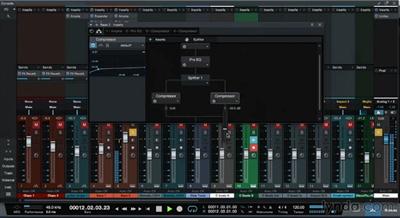
Up and Running with Studio One 3 (Updated 4/14/2016)
MP4 | Video: AVC 1280x720 | Audio: AAC 48KHz 2ch | Duration: 5 Hours | 1.49 GB
Genre: eLearning | Language: English | Skill Level: Beginner​


Studio One is an up-and-coming DAW that's a serious contender for "best DAW ever." Its speed and agility belie its powerful editing tools and rich library of sounds. In this course, author Scott Hirsch shows how to get started with Studio One 3, beginning with the Start page and device setup. He then shows how to start recording a new song with templates and Studio One's built-in loops. Next, Scott moves into editing and arranging audio and MIDI, explaining important techniques like quantizing MIDI and creating multi-instruments. He then covers automating and mixing in the console, and using Studio One's mastering and digital publishing tools to share your tracks with the world.

Topics include:
Configuring your interface and external MIDI devices
Customizing preferences
Creating a new song
Configuring and recording audio
Loop recording
Creating multi-instruments
Quantizing and editing MIDI
Conforming to the beat
Mixing in Studio One
Mastering with EQ, compression, and limiting
Exporting the final song


Up and Running with Studio One 3 (Updated 4/14/2016)

Recommend Download Link Hight Speed | Please Say Thanks Keep Topic Live
 

7f6b222eb6fee5dc909084e5053a57a7.jpg

Using Interfaces in C# Training Video
2016-04-13 | .MP4, AVC, 1000 kbps, 1280x720 | English, AAC, 64 kbps, 2 Ch | 3 hours | 691 MB
Genre: eLearning | Language: English​


In this Using Interfaces in C# training course, expert author Rod Stephens will teach you how to create and use interfaces in C#. This course is designed for users that already have a basic working knowledge of C#.

You will start with an introduction to interfaces, then jump into learning how to define interfaces. From there, Rod will teach you how to implement interfaces and use basic interfaces. Finally, this video tutorial will teach you how to implement framework interfaces, including implementing IComparable, IComparer, and IEquatable.

Once you have completed this computer based training course, you will have learned how to create and use interfaces in C#. Working files are included, allowing you to follow along with the author throughout the lessons.


Using Interfaces in C# Training Video

Recommend Download Link Hight Speed | Please Say Thanks Keep Topic Live
 

0cada2e4b6606707add311d36e61f47d.jpg

Using KOMPLETE Sounds in MASCHINE
MP4 | Video: AVC 1280x720 | Audio: AAC 48KHz 2ch | Duration: 53M | 326 MB
Genre: eLearning | Language: English | Beginner​


Native Instruments, makers of MASCHINE and the KOMPLETE suite of virtual instruments, have tightly integrated these two products. In this course, author JK Swopes will demonstrate how to use the pair for songwriting and music production, and configure your plugin preferences so you can browse, load, and use KOMPLETE sounds easily within MASCHINE. He also demonstrates how to create melodic elements, build beats, add effects, and build a song within MASCHINE using scene and pattern variations-all based on sounds from the KOMPLETE library.


Using KOMPLETE Sounds in MASCHINE

Recommend Download Link Hight Speed | Please Say Thanks Keep Topic Live
 

dd0d773b159751116fe0a8046892c92a.jpg

Video Editing Techniques for Beginners
MP4 | Video: AVC 1280x720 | Audio: AAC 44KHz 2ch | Duration: 1.5 Hours | 279 MB
Genre: eLearning | Language: English

Edit video using FREE software on a PC.


Please continue reading to see how I can help you improve your video quality for cheap in 2016.

After you watch the video above, you will see how this course will help you edit video like a pro, even if you don't have the best computer or software!

You don't have to know one drop of information about video editing or have any prior experience to get started. And to avoid information overload most of the lectures are between two and five minutes.

Aren't you interested in gaining the skills needed to:

Make quality video courses for Udemy?

Create videos for a youtube page?

Make online digital products?

Edit video for your church's media team?

Make short clips to promote products on social media?

Impress your current or future employer?

Recommend Download Link Hight Speed | Please Say Thanks Keep Topic Live
 

5e7fd5a0eae43a51b30eedbce79715b0.jpg

Web Mapping with OpenLayers 3
Size: 315 MB | Duration: 1h 37m | Video: AVC (.mp4) 1280x720 15fps | Audio: AAC 44.1KHz 2ch
Genre: eLearning | Level: Beginner | Language: English​


Interactive maps are an extremely useful feature for users on your web page. This course, Web Mapping with OpenLayers 3, introduces web developers to OpenLayers 3, the OpenGeo Suite JavaScript library that allows developers to quickly add customizable, interactive maps to web pages. You'll be introduced to the basics of mapping, including projections and scales. You'll then dive into the OpenLayers library and see how to create a map using free, publicly available geographic data, as well as using various built-in controls to interact with the map while building a fun, geography-based game. By the end of the course, you'll know how to add a detailed map to your website that users can interact with and customize for their needs.


Web Mapping with OpenLayers 3

Recommend Download Link Hight Speed | Please Say Thanks Keep Topic Live
 

22f67fa07f95e5d4dd1a2026399b099d.jpg

Website Design - Learn to Build a Website with No Experience
MP4 | Video: AVC 1280x720 | Audio: AAC 44KHz 2ch | Duration: 2 Hours | 943 MB
Genre: eLearning | Language: English​


Website Design - Learn how to build a gorgeous responsive website with no experience using Strikingly.

Website Design - If you want to learn how to build a fully mobile-responsive website for your business without touching a line code, this course is for you!

What do you get from this course?

Learn the exact 12 steps I used to build a mobile website design for my marketing and consulting business with no coding and no experience necessary.

**This course uses Strikingly website designer. You can create a free account at Strikingly dot com. Some of the lessons in this course require Strikingly Pro features, which start at $8/mo. (Still a very low price to pay for an awesome professional website).

What you will learn:

The 12 Simple Steps to Build a Mobile Website with no coding.
How to build an awesome website with no experience necessary.
Learn how to have your website designed in 1-2 hours.
Who is this course for?

Freelancers, Entrepreneurs, Business Owners, Photographers, and anyone that wants to learn to build a fully mobile-responsive website in a couple of hours.

Do I need experience with web design?

Nope. The website builder that I teach in this course, Strikingly, uses a text editor and drag and drop design to make building a website simple. I will teach you how to use it to build your website in the shortest time possible.

If you can edit a Microsoft Word document, you can build your own mobile website in 1-2 hours (not a typo :))

How is the course taught?

Screen capture video lecture which allow you to see my screen and what to click as I walk you step-by-step through building your website.

The course includes full access to all video lectures immediately and includes all future updates FREE.

I look forward to teaching you!

See you on the inside!


Website Design - Learn to Build a Website with No Experience

Recommend Download Link Hight Speed | Please Say Thanks Keep Topic Live
 

dcf4bb1351fc067d88e1dfbbd97e4d79.jpg

Wedding Videography: Complete Guide to Wedding Videography
MP4 | Video: AVC 1280x720 | Audio: AAC 44KHz 2ch | Duration: 5.5 Hours | 747 MB
Genre: eLearning | Language: English

Everything you need to know to launch your wedding videography business. Wedding photographers welcome too!


Welcome to one of Udemy's best and most in depth courses on how to become a wedding videographer. Have you ever thought about starting a wedding videography business? Taught by a wedding videographer who knows all the tricks of the trade, this course will get you started in a lucrative market. Phil went from charging $250 per wedding to over $2500 in less than 12 months! He'll teach you how to do the same!

With over 4 hours of great content, you'll learn:

How to get your first wedding.
Shooting a wedding
Editing a wedding video
Creating a wedding business website
and so much more!
The course is easy to follow in short segments. All you need is an entrepreneurial spirit! Learn at your own pace. Phil is available if you have any questions.

Recommend Download Link Hight Speed | Please Say Thanks Keep Topic Live
 

ebe73e27637bd8f545b503b2847348d1.jpg

WordPress Basics to Business: Share and Sell your Expertise
MP4 | Video: AVC 1280x720 | Audio: AAC 44KHz 2ch | Duration: 3.5 Hours | 2.63 GB
Genre: eLearning | Language: English​


Create an awesome website/blog to share your knowledge and ideas, sell appointment bookings and/or digital s

This course is for anyone who wants to learn WordPress basics, but especially for teachers, coaches and other professionals who want to share their knowledge/experience/expertise, take appointment bookings and/or sell their own able digital products (ebooks, graphics, music, etc.)

There are 6 main sections:

Setup and configuration
How to use WordPress 2016 (mini crash course)
How to give your site a unique look and feel
How to take and sell appointment bookings (online lessons, consultations, professional appointments, etc.)
How to set up an ebook or other digital store on your site
How to boost traffic and engagement
I will take you from zero to hero in less than four hours.

Let me me just deal with a couple of common objections.

COMMON OBJECTION 1: "I'm not very tech-savvy."

Well, just a few years ago I wasn't either. In fact, I don't come from a technical background. I learnt what I needed to know on my own and through working with professional developers. Which is why I'm confident that once you've completed this course you'll have more than enough knowhow to build your own unique, professional-looking website from scratch.

COMMON OBJECTION 2: "I have a very limited budget. It must cost a bit of money to build such a website, right?"

Setting up a powerful website with the tools I'm going to show you requires very minimal upfront costs. In fact this how much you'll need as a minimum:

around $100/year for hosting
around $15/year domain name registration ($18 /2 years)
And if you're going to have an appointment booking and payment service integrated with your site, you'll need $10/month (although there's a 14-day free trial).

And that is it. I may mention a few modestly-priced addons or services that will enhance your site, but that's the bare minimum.

If your budget is below this then you won't benefit from the business sections of the site, although you'll find lots of useful WordPress and marketing tools and tips in the other sections. Also, to use the e-commerce tools, you'll need to sign up for a Paypal business account, which I walk you through in section 4. So make sure that Paypal supports your country.

If you meet the above requirements and if you're ready to learn new tools and skills to diversify your income then you'll derive full benefit from the course.

Just click the 'Take this course' button to begin. And remember, Udemy offer a 30 day money back guarantee if you're not satisfied for any reason.


WordPress Basics to Business: Share and Sell your Expertise

Recommend Download Link Hight Speed | Please Say Thanks Keep Topic Live

 

c4c027bccf5ca24c8e17ce5ab9106c6a.jpg

3DMotive - Advanced C# For Unity Volume 5
14 Lessons | Video: h264, yuv420p, 1280x720 | Audio: aac, 44100 Hz, 2 ch, s16 | 2.2GB
Genre: eLearning | Language: English | Project Files​


Learn how to create believable game worlds and behaviours by scripting gameplay in C#. In this comprehensive 3DMotive course targeted at intermediate users, instructor Alan Thorn demonstrates advanced C# scripting techniques and their underlying concepts for solving real-world development problems. Understand core mathematical ideas, like Vectors and Quaternions, for making objects move, rotate and change predictably. See how to apply C# for implementing line of sight functionality, artificial intelligence, collision detection and lots more. In addition, see how to work with large amounts of data, how to understand coordinate systems and spatial problems, and how to customize the Unity editor to work the way you need it to. By the end of this course you'll have established a highly valuable foundation for coding confidently with C# to develop sophisticated games that are impressive and marketable


3DMotive - Advanced C# For Unity Volume 5

Recommend Download Link Hight Speed | Please Say Thanks Keep Topic Live

 

5faca53d544430eae3c160fd54f0af3c.jpg

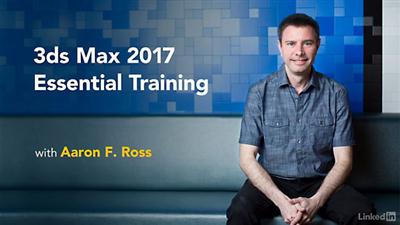
3ds Max 2017 New Features
Duration: 2hr 19 | Video: h264, yuv420p, 1280x720 30fps | Audio: aac, 44100 Hz, 2 ch | 508 MB
Genre: eLearning | Language: English​


What's new in 3ds Max 2017? The new user interface is key: flatter and faster than before. 3ds Max 2017 also introduces the Autodesk Raytracer (ART), a physically based renderer for photorealistic stills. Aaron F. Ross covers these features plus many others, explaining what to expect and how to use the new asset management, modeling, animation, materials, and rendering tools.

Topics include:
New viewport display menus
Using the standalone Asset Library
Visualizing computational fluid dynamics
Exporting to Print Studio for 3D printing
Saving models and animation with the Game Exporter
Building complex objects with new Booleans
Modeling and mapping with new TextPlus primitive
Editing keyframes with new Curve Editor tools
Applying skin weights with Voxel and Heat Map solvers
Mapping spline textures with shape maps
Simulating surfaces with Physical Material
Rendering with ART
Rendering in the cloud with A360


3ds Max 2017 New Features

Recommend Download Link Hight Speed | Please Say Thanks Keep Topic Live

 

39c9d46b3b2b661f27b35fdb7b3faac7.jpg

After Effects Video Editing: Edit Your Home Video like a Pro
Duration: 2.5 Hours | Video: h264, yuv420p, 1280x720 30fps | Audio: aac, 44100 Hz, 2 ch | 681 MB
Genre: eLearning | Language: English​


Edit Your Home Video in After Effects- Create Transitions, Add Animated Text and Motion Graphic. Produce Quality Videos

After Effects is an easier and practical program to edit your videos. You will not need to engage in complicated cuts and edits to achieve a simple yet attractive movie for your video clips.
You most probably have taken so many short videos with your camcorders, DSLR Cameras and your smart phone.
In both cases, you have all these video clips. Each clip might contain just a few seconds of watch worthy footage.

Wouldn't it be great if you could assemble all these short footages in a single movie? putting together only the most interesting or the most valuable parts.
And the last thing you want to do, is use professional and complicated programs to put together your clips. You want an easy and simple way to:
Clip and drop
Sequence clips one after the other
Add text or some graphic
Create some kind of a transition in between the clips
Maybe animate the text and the graphic, that would be nice!
Produce your movie (or Render)
Post it on the web for people to watch

What am I going to get from this course?
Over 31 lectures and 2.5 hours of content!
Create a Single movie from your home videos
Organize and Sequence your videos
Use multiple presets and techniques to create awesome transitions
Add and Animate Text and Titles to your videos
Generate a single movie to post online
Video Editing in After Effects

Recommend Download Link Hight Speed | Please Say Thanks Keep Topic Live

 

ad50e9b75ab26d1ab87bcee689dd8808.jpg

Android Studio Course - Build Apps - Android 6.0 Marshmallow
MP4 | Video: AVC 1280x720 | Audio: AAC 44KHz 2ch | Duration: 9.5 Hours | 2.51 GB
Genre: eLearning | Language: English​


Android tutorial for all level students. Learn creating different Apps from scratch. Build Apps. With captions

Coupons and updates on twitter, follow us @AntPachon.

This course will be updated with Android M as soon as there is an available version!

This is the only Android course on Udemy taught by an Android expert who makes apps full time for 5+ years for companies such as MasterCard and British Telecom. What is the benefit of this? You will not only learn Android but you will learn how to use the most popular third party libraries, what are the best coding practices, how to structure your app efficiently, tips and libraries that will save you a lot of headaches and a lot of time during the development. During +5 years of development I have learned many ways of doing the same thing, for instance there are three ways of coding a button click or there are hundred of ways and libraries to an image and display it in your app. In this course I will teach always the easier way and I will show the alternatives, sometimes I even show you the difficult way first and then the easiest way so you know what are you doing and why are you doing it.

The instructor will replicate his process to learn from beginner to professional in a way that everybody can understand, simple and efficient, working in the basics and important concepts and teaching how to solve your own problems. After completing four applications, each one a bit more complex, you will be a real Android developer!Captions has been added to all the lessons Note: All the apps developed in this course are compatible with Android L 5.0 (Lollipop) and a video explaining the key features of Android L is added. This course is for anybody who is interested in Android Development; either to create your own application, start a career or increase your current skills. We will take you from zero knowledge to the ability of creating your own apps. Knowledge of Java is not needed. The method of teaching used is 'Learn by Doing'; we're keen to get you using and becoming comfortable with Android Studio in the very first lesson. The lessons are practical and include student exercises with solutions, as well as inside knowledge and tips from your professional tutor.

On every lesson there will be some part of an App to develop, if there is any new concept not seen before we will explain it and after that we will practice with it developing that bit. Also we will realize exercises to test that knowledge, explaining it with different solutions after leaving some time for the student to try it on his own. This course has 9.5 hours of videos with four application tutorials. We promote student-tutor interaction. Have any problems? Let us know and we'll answer you as quickly and coherently as possible; either in the form of a new video or a written explanation.

- For the first application you will learn how to use the tools correctly, how to create a project and you will understand how android works internally and how the project is structured and to finish we will launch our first Application on a real device or a emulator. - We will continue with a section which will tell you how to find problems, how to understand errors and how to be self sufficient, finding and adding resources to your code so that way you can keep improving applications in your own. - The second application will be a game, called HangDroid a version of the classic hangman, here we will see Android in more depth, learning the basics about screen navigation, view creation, data persistence and much more, finishing with a game where you can play on single player mode or even multi player with another person! - The third application and more important will introduce Fragments, Tabs, Action Bar, Google Maps, Google Admob to monetize your app and will teach how to upload your App to Google Play Store

- The fourth application currently under construction is an App that displays posts from Reddit. This allow us to explain how to consume a Rest API, how to make HttpConnection, parse a JSON response and use SQLite to store the posts, being able to see them in offline mode. This course has been created from a developer who learned how to do apps during four years with more than 15 apps, and his idea is to sum up the process of learning, giving it to you with basics examples and teaching you the methodology used to keep learning on your own so at the end of the course you will not only have learned the basics but also be self sufficient on the Android Apps development. This is what our students said :

- I have recently enrolled into your course on Udemy for Android, I have to say I am loving the course and must give yourself top marks for the teaching style and presentation of the tutorials

- I tried develop in Eclipse IDE with plugin ADT. But i had much errors, not with develop application, but with Eclipse. Solve all errors take me time. And i used AVD from Eclipse, omg it take even more than 10 - 15 minutes to run project. Again waste of time.

But than i find your course. It is about 3 day ago. I switched to Android Studio, i start learning lot of about develop java android app.

You help me make "move" things. I see progress with my android develop skills.


Android Studio Course - Build Apps - Android 6.0 Marshmallow

Recommend Download Link Hight Speed | Please Say Thanks Keep Topic Live

 
Zurück
Oben Unten