• Regeln für den Video-Bereich:

    In den Börsenbereich gehören nur Angebote die bereits den Allgemeinen Regeln entsprechen.

    Einteilung

    - Folgende Formate gehören in die angegeben Bereiche:
    - Filme: Encodierte Filme von BluRay, DVD, R5, TV, Screener sowie Telesyncs im Format DivX, XviD und x264.
    - DVD: Filme im Format DVD5, DVD9 und HD2DVD.
    - HD: Encodierte Filme mit der Auflösung 720p oder darüber von BluRay, DVD, R5, TV, Screener sowie Telesyncs im Format x264.
    - 3D: Encodierte Filme von BluRay, die in einem 3D Format vorliegen. Dies gilt auch für Dokus, Animation usw.
    - Serien: Cartoon/Zeichentrick, Anime, Tutorials, Dokumentationen, Konzerte/Musik, Sonstiges sind demnach in die entsprechenden Bereiche einzuordnen, auch wenn sie beispielsweise im High Definition-Format oder als DVD5/DVD9/HD2DVD vorliegen. Ausnahme 3D.
    - Bereich Englisch: Englische Releases gehören immer in diesen Bereich.
    - Bereich Talk: Der Bereich, in dem über die Releases diskutiert werden kann, darf, soll und erwünscht ist.


    Angebot/Beitrag erstellen

    - Ein Beitrag darf erst dann erstellt werden, wenn der Upload bei mindestens einem OCH komplett ist. Platzhalter sind untersagt.
    - Bei einem Scenerelease hat der Threadtitel ausschließlich aus dem originalen, unveränderten Releasenamen zu bestehen. Es dürfen keine Veränderungen wie z.B. Sterne, kleine Buchstaben o.ä. vorgenommen werden. Ausnahme Serienbörse:
    - Bei einem Sammelthread für eine Staffel entfällt aus dem Releasename natürlich der Name der Folge. Beispiel: Die Simpsons S21 German DVDRip XviD - ITG
    - Dementsprechend sind also u.a. verboten: Erweiterungen wie "Tipp", "empfehlenswert", "only", "reup", usw. / jegliche andere Zusatzinformation oder Ergänzung, welche nicht in obiger Beschreibung zu finden ist.

    Aufbau des Angebots und Threadtitel

    Der Titel nach folgendem Muster erstellt zu werden. <Name> [3D] [Staffel] [German] <Jahr> <Tonspur> [DL] [Auflösung] <Quelle> <Codec> - <Group>
    Beispiel: The Dark Knight German 2008 AC3 DVDRip XviD - iND
    Beispiel: The Dark Knight 2008 DTS DL BDRip x264 - iND
    Beispiel: The Dark Knight 2008 AC3 DL BDRip XviD - iND
    Beispiel: The Dark Knight German 2008 AC3 720p BluRay x264 iND
    Beispiel: The Dark Knight 2008 DTS DL 1080p BluRay x264 iND
    Beispiel: Die Simpsons S01 German AC3 DVDRip XviD iND
    Beispiel: Die Simpsons S20 German AC3 720p BluRay x264 iND
    Beispiel: Sword Art Online II Ger Sub 2014 AAC 1080p WEBRip x264 - peppermint
    Entsprechend sind also u.a. verboten: Sonderzeichen wie Klammern, Sterne, Ausrufezeichen, Unterstriche, Anführungszeichen / Erweiterungen wie "Tipp", "empfehlenswert", "only", "reup", usw. / jegliche andere Zusatzinformation oder Ergänzung, welche nicht in obiger Beschreibung zu finden ist
    Ausnahmen hiervon können in den Bereichen geregelt sein.

    Die Beiträge sollen wie folgt aufgebaut werden:
    Überschrift entspricht dem Threadtitel
    Cover
    kurze Inhaltsbeschreibung
    Format, Größe, Dauer sind gut lesbar für Downloader außerhalb des Spoilers zu vermerken
    Nfo sind immer Anzugeben und selbige immer im Spoiler in Textform.
    Sind keine Nfo vorhanden z.B. Eigenpublikationen, sind im Spoiler folgende Dateiinformationen zusätzlich anzugeben :
    Quelle
    Video (Auflösung und Bitrate)
    Ton (Sprache, Format und Bitrate der einzelnen Spuren)
    Untertitel (sofern vorhanden)
    Hosterangabe in Textform außerhalb eines Spoiler mit allen enthaltenen Hostern.
    Bei SD kann auf diese zusätzlichen Dateiinformationen verzichtet werden.

    Alle benötigten Passwörter sind, sofern vorhanden, in Textform im Angebot anzugeben.
    Spoiler im Spoiler mit Kommentaren :"Schon Bedankt?" sind unerwünscht.


    Releases

    - Sind Retail-Release verfügbar, sind alle anderen Variationen untersagt. Ausnahmen: Alle deutschen Retail-Release sind CUT, in diesem Fall sind dubbed UNCUT-Release zulässig.
    - Im Serien-Bereich gilt speziell: Wenn ein Retail vor Abschluss einer laufenden Staffel erscheint, darf diese Staffel noch zu Ende gebracht werden.62
    - Gleiche Releases sind unbedingt zusammenzufassen. Das bedeutet, es ist zwingend erforderlich, vor dem Erstellen eines Themas per Suchfunktion zu überprüfen, ob bereits ein Beitrag mit demselben Release besteht. Ist dies der Fall, ist der bereits vorhandene Beitrag zu verwenden.
    - P2P und Scene Releases dürfen nicht verändert oder gar unter einem iND Tag eingestellt werden.


    Support, Diskussionen und Suche

    - Supportanfragen sind entweder per PN oder im Bereich Talk zu stellen.
    - Diskussionen und Bewertungen sind im Talk Bereich zu führen. Fragen an die Uploader haben ausschließlich via PN zu erfolgen, und sind in den Angeboten untersagt.
    - Anfragen zu Upload-Wünschen sind nur im Bereich Suche Video erlaubt. Antworten dürfen nur auf Angebote von MyBoerse.bz verlinkt werden.


    Verbote

    - Untersagt sind mehrere Formate in einem einzigen Angebotsthread, wie beispielsweise das gleichzeitige Anbieten von DivX/XviD, 720p und 1080p in einem Thread. Pro Format, Release und Auflösung ist ein eigener Thread zu eröffnen.
    - Grundsätzlich ebenso verboten sind Dupes. Uploader haben sich an geeigneter Stelle darüber zu informieren, ob es sich bei einem Release um ein Dupe handelt.
    - Gefakte, nur teilweise lauffähige oder unvollständige Angebote sind untersagt. Dies gilt auch für eigene Publikationen, die augenscheinlich nicht selbst von z.B. einer DVD gerippt wurden. Laufende Serien, bei denen noch nicht alle Folgen verfügbar sind, dürfen erstellt und regelmäßig geupdatet werden.
    - Untersagt sind Angebote, welche nur und ausschließlich in einer anderen Sprache als deutsch oder englisch vorliegen. Ausnahmen sind VORHER mit den Moderatoren zu klären.


    Verstoß gegen die Regeln

    - Angebote oder Beiträge, die gegen die Forenregeln verstoßen, sind über den "Melden"-Button im Beitrag zu melden.
  • Bitte registriere dich zunächst um Beiträge zu verfassen und externe Links aufzurufen.


Englische Tutorials


73338db051854120a4e197f52a1078e3.jpg

Architectural Families in Revit
Apr 18, 2016 | .MP4, AVC, 1000 kbps, 1280x720 | English, AAC, 64 kbps, 2 Ch | 3.5 hours | 726 MB
Instructor: Eric Wing


Revit families are an incredible feature, offering libraries of ready-made objects that can be used in CAD drawings or customized to fit any project. Families can also be modeled from scratch and shared with colleagues and clients. This course dives into Revit architectural families, a specific family type for architecture and building information modeling.

Author Eric Wing shows how to model families that help you build exactly what you need for your drawings. Eric investigates profiles such as chair rails, baseboards, doors, cabinets, and shelving, as well as adaptive components. Along the way, he introduces the reference planes, parameters, and formulas necessary to build architectural families on your own.

Topics include:

Working with family parameters
Creating a standard cover
Creating chair rails, baseboards, and crown moulding profiles
Working with in-place families
Creating doors and hardware
Creating wall cabinets
Creating interior shelving
Linking family parameters
Creating parametric arrays
Creating massing
Building adaptive components

Recommend Download Link Hight Speed | Please Say Thanks Keep Topic Live
 

06d97576624f1fee3416e5956298533b.jpg

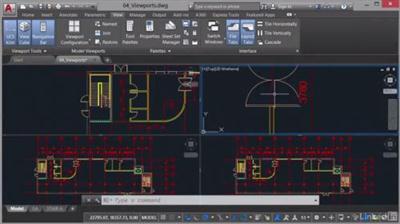
AutoCAD: Descriptionting & Publishing
MP4 | Video: AVC 1280x720 | Audio: AAC 48KHz 2ch | Duration: 2 Hours 22Min | 371 MB
Genre: eLearning | Language: English​


When it comes to CAD, "Descriptionting" refers to everything around printing and page setup, while "publishing" refers to electronic output. These techniques are intertwined in AutoCAD. The goal of both is to clearly communicate design intent to the contractors, architects, and engineers involved in the project. Watch this course to learn how to Description and publish your own drawings effectively, using the appropriate tools and settings within AutoCAD 2016. Shaun Bryant covers scaling views, customizing page setups for layouts, and assigning Description styles to change the appearance of your drawings when they go to Description or publish. He also shows how to adjust individual settings in the Description and Publish dialogs, so that you end up with smart, readable printouts, DWFs, and PDFs.


AutoCAD: Descriptionting & Publishing

Recommend Download Link Hight Speed | Please Say Thanks Keep Topic Live
 

34e697bdb9096db3f96d993aff442a4f.jpg

CBT Nuggets - Cisco Virtual Internet Routing Lab (VIRL) 1.x
HDRips | MP4/AVC, ~500 kb/s | 1280x720 | Duration: 01:43:59 | English: AAC, 64 kb/s (1 ch) | 423 MB
Genre: eLearning | Language: English​


Cisco VIRL (Virtual Internet Routing Lab) is the personal edition of Cisco Modeling Labs. VIRL is designed to provide students and network engineers with a platform to emulate various Cisco operating systems including IOS, IOS XR, and NX-OS in an easy-to-use GUI.


CBT Nuggets - Cisco Virtual Internet Routing Lab (VIRL) 1.x

Recommend Download Link Hight Speed | Please Say Thanks Keep Topic Live
 

e57d724ddd780b1f6c181f1e196d763c.jpg

CBT Nuggets - CompTIA A+ 220-902
HDRips | MP4/AVC, ~500 kb/s | 1280x720 | Duration: 08:08:57 | English: AAC, 64 kb/s (1 ch) | 1.94 GB
Genre: eLearning | Language: English​


Your journey to becoming a success in Information Technology continues with this CompTIA A+ 220-902 course - the next step after you complete the CompTIA A+ 220-901 course. The CompTIA A+ certification is your starting point for your career in IT. This engaging course from CBT Nuggets covers the most common hardware and software technologies in business today, and ensures that students can go on to support complex IT infrastructures. CompTIA A+ is one of the most powerful and recognized certifications in all of Information Technology.

This course teaches very detailed information in the five following areas:

Windows operating systems
Other operating systems and technologies
Security
Software troubleshooting
Operational procedures


CBT Nuggets - CompTIA A+ 220-902

Recommend Download Link Hight Speed | Please Say Thanks Keep Topic Live
 

420e4ea57e7b09516785dca6411c543b.jpg

CBT Nuggets - Google Cloud Platform Fundamentals
HDRips | MP4/AVC, ~500 kb/s | 1280x720 | Duration: 05:06:15 | English: AAC, 64 kb/s (1 ch) | 1,21 GB
Genre: eLearning | Language: English​


Google Cloud Platform enables developers to build, test, and deploy applications on Google's highly-scalable and reliable infrastructure - the same infrastructure Google uses internally to host their very own products such as Gmail, YouTube, and Search. Google Cloud Platform is a set of modular cloud-based services that enable you to build anything from simple to complex applications, the Google-y way!

This course introduces you to Google Cloud Platform products and services. Through a combination of presentations, demonstrations, and hands-on labs, learn the value of Google Cloud Platform and how to incorporate cloud-based solutions into business strategies. CP100 - Google Cloud Platform Fundamentals is a prerequisite to all current and future Google Cloud Platform training and certifications.


CBT Nuggets - Google Cloud Platform Fundamentals

Recommend Download Link Hight Speed | Please Say Thanks Keep Topic Live
 

1eff11a26cd06d7d065c0fc7809389c1.jpg

CBT Nuggets - Microsoft Word 2016
HDRips | MP4/AVC, ~500 kb/s | 1280x720 | Duration: 07:05:15 | English: AAC, 64 kb/s (2 ch) | 1.68 GB
Genre: eLearning | Language: English​


This Microsoft video training with Microsoft Office trainer Simona Millham covers how to use the latest version of Microsoft's word processor, with practical examples taken from a business environment.
This course will take the learner from a basic understanding of word processing to becoming a specialist user of Microsoft Word 2016. Beginning with core functionality such as working with text and files, the course progresses to more advanced techniques such as styles, mail merge, collaboration, templates, graphics, reference tools, and more, with lots of tips and tricks along the way. Be prepared to become more productive with Microsoft Word after completing this course.

Recommended Experience
Some familiarity with Microsoft Windows
Understanding of basic word processing
Recommended Equipment
Computer running Windows 7 or later
Any edition of Microsoft Office 2016 or an Office 365 plan which includes Microsoft Office
Related Certifications
None
Related Job Functions
Any
Simona Millham has been a CBT Nuggets trainer since 2015 and holds a variety of Microsoft certifications, including Microsoft Office Master, Microsoft Certified Professional qualifications in Licensing and Software Asset Management, Office Specialist 2013, and Office Specialist 2010.


CBT Nuggets - Microsoft Word 2016

Recommend Download Link Hight Speed | Please Say Thanks Keep Topic Live
 

0cdaba7673c66c036d12f130f78ebad5.jpg

CISSP® - Security and Risk Management
MP4 | Video: AVC 1280x720 | Audio: AAC 44KHz 2ch | Duration: 4 Hours | 429 MB
Genre: eLearning | Language: English​


ISC(2)'s CISSP examination is one of the most highly valued certifications in the information security profession. Take the first step towards gaining the knowledge needed to tackle the first domain of the CISSP.

If you are looking to begin your journey towards the highly respected CISSP credential, then you have come to the right place! This course covers a broad range of topics listed in ISC2's Certified Information System Security Professional (CISSP) Common Body of Knowledge (CBK) - Security and Risk Management domain. In this course, you will learn the foundations of security and risk management, including topics such as cyber crime, legal and regulatory concerns, threat modeling, and much, much more. When you are finished with this course, you will have a good security and risk management foundation that will provide you with the context and knowledge needed to be successful in the information security profession.


CISSP® - Security and Risk Management

Recommend Download Link Hight Speed | Please Say Thanks Keep Topic Live
 

3cafc363c8d70d72adfb4be2e7c0bcee.jpg

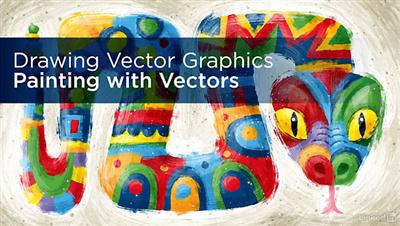
Drawing Vector Graphics: Painting with Vectors
MP4 | Video: AVC 1280x720 | Audio: AAC 48KHz 2ch | Duration: 4h 21m | 1 GB
Genre: eLearning | Language: English​


The precise, clean, and crisp shapes of digital designs work in many cases, but it is also possible to achieve a more organic aesthetic. Adobe Illustrator offers native digital brushes you can customize or expand to include your own imported, hand-painted brush strokes. Painting with vectors can produce a traditional appearance.

Graphic designer Von Glitschka appreciates the endless brush stroke freedom that real-world brushes offer, and he knows how to replicate this offering in the digital world. In this course, he shows how to create your own custom, handmade brush strokes and import them into Adobe Illustrator. Von demonstrates how to compile and use custom brush strokes to achieve both a hand-painted aesthetic and a personal touch. Whether you're a painter, a designer, or just a fan of Illustrator, this course offers instructions on how to expand your use of Illustrator.


Drawing Vector Graphics: Painting with Vectors

Recommend Download Link Hight Speed | Please Say Thanks Keep Topic Live
 

3b7c865bb90ad56dcea58a10538625f4.jpg

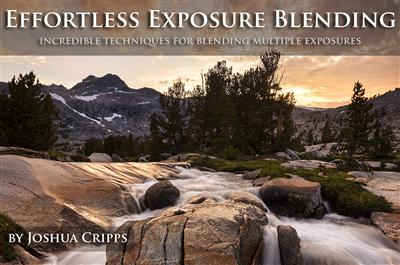
Effortless Exposure Blending - Incredible Techniques for Blending Multiple Exposures
Duration: 1hr 10m | Video: h264, yuv420p, 1280x720 30fps | Audio: aac, 44100 Hz, 2 ch | 861 MB
Genre: eLearning | Language: English​


Despite recent advances in digital camera technology it is still commonplace to encounter scenes which present more dynamic range than the camera can capture. And while graduated ND filters can help balance exposure in simple scenes they can often be problematic in complex scenes or even ineffective in scenes with extreme dynamic range. In these situations it becomes necessary to rely on digital techniques to combine multiple exposures for maximum control over dynamic range. In this tutorial you will learn techniques for effortless exposure blending in Photoshop to create seamless blends for virtually any scene.

Blend Multiple Photos Seamlessly:
Improve and increase dynamic range in your photos
Quick and easy techniques for simple blends
How to blend specific bright elements like sunbursts
Smart techniques for matching tone and color for perfect blends
Advanced techniques for easy blending of complex images
Blend highlight detail around tree branches, ridge lines, and irregular shapes
Time-saving keyboard shortcuts
And much more

6 individual chapters, each short and packed with information covering:
Basic exposure blending using layers, masks, gradients, and brushes.
Blending in specific elements like sunbursts and dealing with objects that move from exposure to exposure.
Making complex blends easily using Luminosity Masks / Alpha Channels. Learn to blend around irregular shapes and complex elements, like trees that break the horizon. Seamless highlight recovery and tone matching techniques.
Making complex blends easily using Apply Image. Learn to blend around irregular shapes and complex elements, like trees that break the horizon. Seamless highlight recovery and tone matching techniques.
Blending in complex shadow detail effortlessly.
Blending three images together for extreme dynamic range control and highlight recovery.
Over 1 hour of in-depth video content for intermediate / advanced users
Hi-res photos for you to edit along with the videos

Recommend Download Link Hight Speed | Please Say Thanks Keep Topic Live
 

3766adc7d6e6def23bf1c3b2d56ef368.jpg

Getting Started with Adobe InDesign CC 2015 Training Video
Duration: 5 Hours | Video: h264, yuv420p, 1280x720 30fps | Audio: aac, 44100 Hz, 2 ch | 1.6 GB
Genre: eLearning | Language: English​


In this Getting Started with Adobe InDesign CC 2015 training course, expert author Andy Anderson will teach you everything you need to know to design and create documents in Adobe InDesign. This course is designed for the absolute beginner, meaning no previous experience with InDesign is required.

You will start by learning about working with text, including how to generate text frames, thread text frames, and work with spell check. From there, Andy will teach you how to add images to a document, control documents, and work with strokes and fills. This video tutorial also takes you through building a brochure, including adding fonts from Typekit, setting up margins and guides, and adding images and text. You will also learn how to build a magazine cover, including how to add images, edit images externally, and apply styles. Finally, you will learn how to prep and package a document, print a booklet, and publish your document online.

Once you have completed this computer based training course, you will have learned everything you need to know to be able to design and create your own documents in Adobe InDesign. Working files are included, allowing you to follow along with the author throughout the lessons.

Recommend Download Link Hight Speed | Please Say Thanks Keep Topic Live
 

9b252746af2cddfa06965e1b66f78868.jpg

How to Use Photoshop's Smudge Tool for Digital Painting
.MP4, AVC, 1000 kbps, 1280x720 | English, AAC, 64 kbps, 2 Ch | 0.2 hours | 322 MB
Genre: eLearning | Language: English​


In this quick Coffee Break Course, digital artist Brian Lee will go over one of the most powerful tools that Adobe Photoshop has to offer, which is the Smudge Tool. You'll get a brief introduction to the tool and how to set it up. Then you'll learn how to manipulate it to achieve different types of results for your digital artworks.


How to Use Photoshop's Smudge Tool for Digital Painting

Recommend Download Link Hight Speed | Please Say Thanks Keep Topic Live
 

c99a6e5ae4db1f610ecaacf7aa340869.jpg

KelbyOne - Photoshop CS6: Brushes and Painting
WEBRip | English | MP4 | 1280 x 720 | AVC ~2638 kbps | 29.970 fps
AAC ~128 Kbps | 44.1 KHz | 2 channels | 01:16:29 | 1.41 GB​

Genre: eLearning Video / Adobe Photoshop, Painting


Being able to create artistic images with Photoshop has never been easier with the new brushes and performance delivered in CS6. With the addition of Airbrush and Erodible tips, along with the mixer brush features, you can replicate real world art media and techniques inside of Photoshop. Whether you prefer pastels and oils, or watercolor and cartooning, Pete Collins, co-host of PhotoshopUserTV, will show you how to use the tools and techniques to begin to bring your vision to life.

Chapter Topic

1. Introduction (01:11)
Welcome to an in-depth look at the brushes and their role in Photoshop CS6
2. What is in a brush: brush options (06:40)
We will look at the various options and settings that give you so much flexibility when working with brushes.
3. 5 types of brushes (05:47)
What are the different brushes and how do they work. We will give youa quick overview of each brush type to get you started with more in-depth lessons on each brush to follow.
4. Brush styles part 1: Brush tip shape and shape dynamics (05:21)
Being able to modify the characteristics of your brushes to achive the looks you want is such a powerful tool. We will look at the first two major settings in the brush styles panel.
5. Brush styles part 2: Scattering, texture and dual brushes (05:16)
Continuing our look at how to edit brushes, we see how the next three options can dramatically change the look of our brush strokes.
6. Brush styles part 3: The rest of the story (06:01)
This leasson looks at the remaining options that can supercharge your brushes and bend them to your will.
7. Creating brushes (06:36)
Now that we understand how to edit our brushes, we will look at how easy it is to create our own.
8. Making clouds and static (06:40)
Now we will learn how to make big puffy cloud brushes and also discuss the new options for the static brushes.
9. Bristle brushes (05:08)
The first brush that we will look at in-depth... these brushes look and act like artistic paint brushes.
10. Erodible tip brushes (07:03)
New for CS6, these new tips allow you to create more realistic dry media looks such as pastels and charcoal. The ability to have the tips erode as they interact with the canvas is truly wonderful.
11. Airbrushes (03:40)
The second set of brand new tips for CS6... these will look and act just like airbrushing or spray painting. Get ready to be able to make some great new looks and textures.
12. Mixer brushes (08:41)
Although not new, mixer brushes can be daunting, we are going to look at the different settings and how they work, and hopefully inspire you to see what you can do with them.
13. Organizing your brushes (08:22)
Not the most exciting lesson title, but with all the new brushes and options, being able to keep up with and access the right tool at the right time is so important. You will learn how to create and manage brush libraries as well us seeing the potential of brush tool presets.
14. Conclusion (00:26)
Thanks for watching. Hope you learned a lot.


KelbyOne - Photoshop CS6: Brushes and Painting

Recommend Download Link Hight Speed | Please Say Thanks Keep Topic Live

 
Zurück
Oben Unten