• Regeln für den Video-Bereich:

    In den Börsenbereich gehören nur Angebote die bereits den Allgemeinen Regeln entsprechen.

    Einteilung

    - Folgende Formate gehören in die angegeben Bereiche:
    - Filme: Encodierte Filme von BluRay, DVD, R5, TV, Screener sowie Telesyncs im Format DivX, XviD und x264.
    - DVD: Filme im Format DVD5, DVD9 und HD2DVD.
    - HD: Encodierte Filme mit der Auflösung 720p oder darüber von BluRay, DVD, R5, TV, Screener sowie Telesyncs im Format x264.
    - 3D: Encodierte Filme von BluRay, die in einem 3D Format vorliegen. Dies gilt auch für Dokus, Animation usw.
    - Serien: Cartoon/Zeichentrick, Anime, Tutorials, Dokumentationen, Konzerte/Musik, Sonstiges sind demnach in die entsprechenden Bereiche einzuordnen, auch wenn sie beispielsweise im High Definition-Format oder als DVD5/DVD9/HD2DVD vorliegen. Ausnahme 3D.
    - Bereich Englisch: Englische Releases gehören immer in diesen Bereich.
    - Bereich Talk: Der Bereich, in dem über die Releases diskutiert werden kann, darf, soll und erwünscht ist.


    Angebot/Beitrag erstellen

    - Ein Beitrag darf erst dann erstellt werden, wenn der Upload bei mindestens einem OCH komplett ist. Platzhalter sind untersagt.
    - Bei einem Scenerelease hat der Threadtitel ausschließlich aus dem originalen, unveränderten Releasenamen zu bestehen. Es dürfen keine Veränderungen wie z.B. Sterne, kleine Buchstaben o.ä. vorgenommen werden. Ausnahme Serienbörse:
    - Bei einem Sammelthread für eine Staffel entfällt aus dem Releasename natürlich der Name der Folge. Beispiel: Die Simpsons S21 German DVDRip XviD - ITG
    - Dementsprechend sind also u.a. verboten: Erweiterungen wie "Tipp", "empfehlenswert", "only", "reup", usw. / jegliche andere Zusatzinformation oder Ergänzung, welche nicht in obiger Beschreibung zu finden ist.

    Aufbau des Angebots und Threadtitel

    Der Titel nach folgendem Muster erstellt zu werden. <Name> [3D] [Staffel] [German] <Jahr> <Tonspur> [DL] [Auflösung] <Quelle> <Codec> - <Group>
    Beispiel: The Dark Knight German 2008 AC3 DVDRip XviD - iND
    Beispiel: The Dark Knight 2008 DTS DL BDRip x264 - iND
    Beispiel: The Dark Knight 2008 AC3 DL BDRip XviD - iND
    Beispiel: The Dark Knight German 2008 AC3 720p BluRay x264 iND
    Beispiel: The Dark Knight 2008 DTS DL 1080p BluRay x264 iND
    Beispiel: Die Simpsons S01 German AC3 DVDRip XviD iND
    Beispiel: Die Simpsons S20 German AC3 720p BluRay x264 iND
    Beispiel: Sword Art Online II Ger Sub 2014 AAC 1080p WEBRip x264 - peppermint
    Entsprechend sind also u.a. verboten: Sonderzeichen wie Klammern, Sterne, Ausrufezeichen, Unterstriche, Anführungszeichen / Erweiterungen wie "Tipp", "empfehlenswert", "only", "reup", usw. / jegliche andere Zusatzinformation oder Ergänzung, welche nicht in obiger Beschreibung zu finden ist
    Ausnahmen hiervon können in den Bereichen geregelt sein.

    Die Beiträge sollen wie folgt aufgebaut werden:
    Überschrift entspricht dem Threadtitel
    Cover
    kurze Inhaltsbeschreibung
    Format, Größe, Dauer sind gut lesbar für Downloader außerhalb des Spoilers zu vermerken
    Nfo sind immer Anzugeben und selbige immer im Spoiler in Textform.
    Sind keine Nfo vorhanden z.B. Eigenpublikationen, sind im Spoiler folgende Dateiinformationen zusätzlich anzugeben :
    Quelle
    Video (Auflösung und Bitrate)
    Ton (Sprache, Format und Bitrate der einzelnen Spuren)
    Untertitel (sofern vorhanden)
    Hosterangabe in Textform außerhalb eines Spoiler mit allen enthaltenen Hostern.
    Bei SD kann auf diese zusätzlichen Dateiinformationen verzichtet werden.

    Alle benötigten Passwörter sind, sofern vorhanden, in Textform im Angebot anzugeben.
    Spoiler im Spoiler mit Kommentaren :"Schon Bedankt?" sind unerwünscht.


    Releases

    - Sind Retail-Release verfügbar, sind alle anderen Variationen untersagt. Ausnahmen: Alle deutschen Retail-Release sind CUT, in diesem Fall sind dubbed UNCUT-Release zulässig.
    - Im Serien-Bereich gilt speziell: Wenn ein Retail vor Abschluss einer laufenden Staffel erscheint, darf diese Staffel noch zu Ende gebracht werden.62
    - Gleiche Releases sind unbedingt zusammenzufassen. Das bedeutet, es ist zwingend erforderlich, vor dem Erstellen eines Themas per Suchfunktion zu überprüfen, ob bereits ein Beitrag mit demselben Release besteht. Ist dies der Fall, ist der bereits vorhandene Beitrag zu verwenden.
    - P2P und Scene Releases dürfen nicht verändert oder gar unter einem iND Tag eingestellt werden.


    Support, Diskussionen und Suche

    - Supportanfragen sind entweder per PN oder im Bereich Talk zu stellen.
    - Diskussionen und Bewertungen sind im Talk Bereich zu führen. Fragen an die Uploader haben ausschließlich via PN zu erfolgen, und sind in den Angeboten untersagt.
    - Anfragen zu Upload-Wünschen sind nur im Bereich Suche Video erlaubt. Antworten dürfen nur auf Angebote von MyBoerse.bz verlinkt werden.


    Verbote

    - Untersagt sind mehrere Formate in einem einzigen Angebotsthread, wie beispielsweise das gleichzeitige Anbieten von DivX/XviD, 720p und 1080p in einem Thread. Pro Format, Release und Auflösung ist ein eigener Thread zu eröffnen.
    - Grundsätzlich ebenso verboten sind Dupes. Uploader haben sich an geeigneter Stelle darüber zu informieren, ob es sich bei einem Release um ein Dupe handelt.
    - Gefakte, nur teilweise lauffähige oder unvollständige Angebote sind untersagt. Dies gilt auch für eigene Publikationen, die augenscheinlich nicht selbst von z.B. einer DVD gerippt wurden. Laufende Serien, bei denen noch nicht alle Folgen verfügbar sind, dürfen erstellt und regelmäßig geupdatet werden.
    - Untersagt sind Angebote, welche nur und ausschließlich in einer anderen Sprache als deutsch oder englisch vorliegen. Ausnahmen sind VORHER mit den Moderatoren zu klären.


    Verstoß gegen die Regeln

    - Angebote oder Beiträge, die gegen die Forenregeln verstoßen, sind über den "Melden"-Button im Beitrag zu melden.
  • Bitte registriere dich zunächst um Beiträge zu verfassen und externe Links aufzurufen.


Englische Tutorials


393fe27a1c66dc8623fb34e2e0e52b86.jpg

Learning Docker Training Video
Duration: 2hr 30m | Video: h264, yuv420p, 1280x720 30fps | Audio: aac, 44100 Hz, 2 ch | 534 MB
Genre: eLearning | Language: English​


In this Learning Docker training course, expert author Rick Fast will teach you how to create, deploy, and manage Docker images and containers. This course is designed for the absolute beginner, meaning no previous experience with Docker is required.

You will start by learning about Docker containers, including how to run containers, how to run and configure containerized applications, and how to debug containers. From there, Rick will teach you about Docker images, including images on Docker Hub and web application images. This video tutorial also covers networking, volumes, and Docker Compose. Finally, you will learn about Docker extras, such as Docker Swarm, Kitematic, and overlay networks.

Once you have completed this computer based training course, you will have learned how to create, deploy, and manage Docker images and containers. Working files are included, allowing you to follow along with the author throughout the lessons.

Recommend Download Link Hight Speed | Please Say Thanks Keep Topic Live
 

9abb4eb2588b2512c78c5fe270f7f15f.jpg

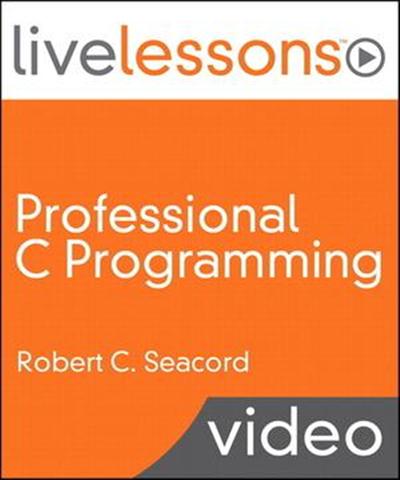
LiveLessons - Professional C Programming
English | Audio: aac, 44100 Hz, stereo | Video: h264, yuv420p, 960x540, 25.00 fps(r) | 830MB
Genre: E-learning​


15 Hours of Video Instruction

Professional C Programming LiveLessons, Part I: Writing Robust, Secure, and Reliable Code provides an in depth explanation of how to use common C language features to produce robust, secure, and reliable code.

Author, instructor and programmer, Robert C. Seacord created this video for developers who have previous experience in C language programming. In six lessons, Professional C Programming, Part I shows developers how to perform common C language programming tasks correctly while avoiding programming errors that are not always detected or reported by the compiler.

Robert C. Seacord leads the Secure Coding Initiative at CERT, located in Carnegie Mellon University's Software Engineering Institute (SEI) in Pittsburgh, PA. Seacord is an adjunct professor in both the School of Computer Science and the Information Networking Institute at Carnegie Mellon University. He is also the author of The CERT C Secure Coding Standard and Secure Coding in C and C++ as well as other books on computer security, legacy system modernization, and component-based software engineering.


LiveLessons - Professional C Programming

Recommend Download Link Hight Speed | Please Say Thanks Keep Topic Live
 

2c5ff64c3a0a9c40e5212b5984a2fa26.jpg

Managing Azure IaaS with PowerShell
MP4 | Video: AVC 1280x720 | Audio: AAC 44KHz 2ch | Duration: 2 Hours 41M | 421 MB
Genre: eLearning | Language: English​


Learn how to deploy, configure, and automate Infrastructure as a Service on Azure using PowerShell. This course starts simple but gives you the knowledge to host complex deployments in the cloud.

Hosting your infrastructure on Azure is a powerful option, but with great power comes a lot of management overhead. In this course, Managing Azure IaaS with Powershell, you'll learn how to automate IaaS setup, configuration and management on Azure with PowerShell. In this course, you'll look at moving an existing deployment composed of Linux and Windows app servers to the cloud. You'll start with a basic deployment, then move on to custom disk images, and automated deployment with PowerShell DSC and Azure Resource Manager templates. The course rounds off with some typical admin tasks, covering security, performance, and monitoring. By the end of this course, you'll be able to manage and host your infrastructure on Azure with ease.


Managing Azure IaaS with PowerShell

Recommend Download Link Hight Speed | Please Say Thanks Keep Topic Live
 

f0242c1aba873ad7f8d0edbe8e638758.jpg

Maya 2016 Extension 2 New Features
Duration: 1hr 24m | Video: h264, yuv420p, 1280x720 30fps | Audio: aac, 44100 Hz, 2 ch | 287 MB
Genre: eLearning | Language: English​


Autodesk has refined their release strategy for Maya. Instead of updates, subscribers have exclusive access to extensions, which build new tools and workflows on top of Maya's already robust toolset. Extension 1 included a 3D text tool and SVG support. Extension 2 is here and it provides even more great features.

In this course, George Maestri reviews Maya 2016 Extension 2, including the new Content Browser, camera tools, modeling enhancements (including the MASH procedural animation system), character rigging tools, Light Editor, and Render Setup window. Watch these videos to see the extension in action, and get tips to incorporate the new toolset into your Maya workflow.

Topics include:
Finding the new features
Using the Content Browser
Working with symmetry and tool improvements
Using the MASH networks
Rigging a character with Quick Rig
Animating with the Pose Editor
Lighting with the Light Editor
Rendering Render Setup layers


Maya 2016 Extension 2 New Features

Recommend Download Link Hight Speed | Please Say Thanks Keep Topic Live
 

3dad1edf191e077a323bf1c7c1dfdd96.jpg

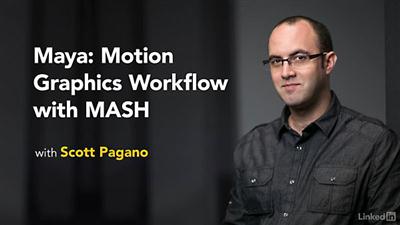
Maya: Motion Graphics Workflow with MASH
Duration: 3h 33m | Video: h264, yuv420p, 1280x720 30fps | Audio: aac, 44100 Hz, 2 ch | 902MB
Genre: eLearning | Language: English | Project Files​


Info: The MASH toolkit brings a powerful suite of procedural animation tools into Maya 2016. Procedural methodologies allow for nonlinear play and experimentation, with control networks instead of traditional keyframes. With sophisticated tools for replication, animation, controlled randomness, and instancing, MASH opens up a vast new territory for motion graphics and visual effects creation. From data visualization, to 3D type, to HUD layouts and arrays of geometric objects, Mash provides a powerful, intuitive, and engaging way to create procedural animation systems directly in Maya. Learn how to incorporate MASH in your workflow in these Maya tutorials with mograph designer Scott Pagano. Scott covers the main nodes one by one, and then steps through examples with particles and dynamic 3D type. Plus, see MASH in action in more complex projects: a futuristic UI and an elaborate city animation.


Maya: Motion Graphics Workflow with MASH

Recommend Download Link Hight Speed | Please Say Thanks Keep Topic Live
 

68fe0204bc80e63568bf363dea876162.jpg

Maya: Render Setup System
Duration: 47m | Video: h264, yuv420p, 1280x720 30fps | Audio: aac, 44100 Hz, 2 ch | 293 MB
Genre: eLearning | Language: English​


Rendering can be the rewarding final step at the end of a long 3D modeling process. Or it can be a frustrating chore. It all comes down to the right settings. Now, with Maya 2016 Extension 2, animators have access to the Render Setup dialog, which provides everything you need to manage multiple renders within a single window.

This targeted training course explores Maya's new Render Setup dialog and Light Editor. Install the extensions and get started setting up render layers and creating collections: groups of objects that you want to render on each layer. Author George Maestri helps you adjust the shading, materials, and lighting of objects in your scene and render the final results using this new tool.


Maya: Render Setup System

Recommend Download Link Hight Speed | Please Say Thanks Keep Topic Live
 

bf6a1339d1181cf0aaebde606e210023.jpg

Occasionally Connected Windows Mobile Apps: Consumer
MP4 | Video: AVC 1280x720 | Audio: AAC 44KHz 2ch | Duration: 2 Hours 9M | 375 MB
Genre: eLearning | Language: English | Project Files​


Consumers expect their app to work well both offline and online. In this course, you'll learn how to design a compelling consumer experience, and you'll also learn the patterns to build it.

Nowadays, an app's capability to work online and offline is essential to users. This course, , will teach you how to design an app that caches data while offline and keeps track of the consumer's actions. You'll also learn how to send that data to the server without user intervention when they reconnect. You'll discover how to give the server the agency to act on the user's behalf, as well as use that data to provide a continuous experience across devices. Finally, you'll be able to put all of these patterns into practice in a Universal Windows App that will get 5-star reviews. By the end of this course, you'll be able to design great apps that operate perfectly whether they're online or not.


Occasionally Connected Windows Mobile Apps: Consumer

Recommend Download Link Hight Speed | Please Say Thanks Keep Topic Live
 

0f16e682513fb4ed6195dd1b63146baf.jpg

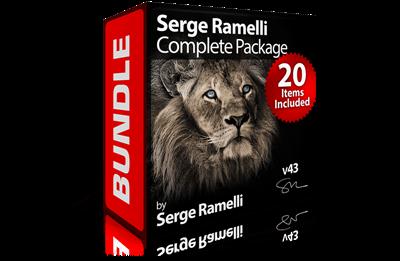
Photoserge - Serge Ramelli Complete Package Bundle
MP4 | Video: h264, yuv420p, 1280 x 720 - 1916x1184 | Audio: aac, 44100 Hz, 2 channels, s16 | 17 GB Total
21 Packages | Total Length Length: 41 Hours 38 Minutes​

Genre: eLearning | Language: English


Includes:
1. Art of Black & White - Landscapes

Shooting runtime: 16m:49s
Post-Processing runtime in Photoshop: 2h:10m:23s
Video: mp4 1920 x 1080

In this tutorial we follow Jean Michel Berts in Normandy.
Here, he shows you simple and unique techniques to get the best black and whites including: dodge and burning, avoiding common mistakes, replacing skies, simulating night, creating "high key" landscapes, and much more.

2. Art of Black & White - Lightroom

Shooting runtime: 16m:49s
Post-Processing runtime in Lightroom: 2h:08m:03s
Video: mp4 1920 x 1180

In this course, we go through 10 projects to master black & white photography with Lightroom. I will show you my full workflow for making fine art black & whites.

3. Art of Black & White - Photography

Shooting runtime: 17m:11s
Post-Processing runtime in Photoshop: 1h:24m:13s
Video: mp4 1920 x 1080

Watch Jean Michel Berts as he shoots and edits his photos and you will discover a unique way of making black and white that will change your post-processing for ever.
In this course, I interview and film Jean Michel Berts as he is taking photos for his latest book called the "Lights of Jerusalem".
We then go back to Paris where he shows you his post-processing workflow for 2 other photos and all 4 projects.
This course is a unique look at one of the best workflows you can have on black & white photography.

4. Art of Black & White - Yesterday & Today

Shooting runtime: 00m:00s
Post-Processing runtime in Lightroom: 1h:10m:49s
Video: mp4 1290 x 720

In this course I cover the ways of the master, Ansel Adams (1902), and his methodology from the past in creating gorgeous black & white photos.
I then teach you how to applythose same techniques with our modern tools and software; Lightroom 5.

5. Composition Master Class

Shooting runtime: 09m:07s
Post-Processing runtime in Lightroom & Photoshop: 1h:42m:51s
Video: mp4 1920 x 1080

In this course I go over how I find my compositions, show you behind the scenes of me finding the "right" shot and how I retouch and finalize my photos once I have figured out the correct composition for my photo's message.
I get a lot of photos from fans and photographers from around the world. I find that a lot of people master Photoshop & Lightroom very quickly but to take their photo career, as a professional or even a hobby, to that next level is how to find the right composition for their photos.
So for this training, I have done my best to really share the rules I'm using, my personal process and what can make a photo good or really great!

6. HDR Master Class

Shooting runtime: 09m:29s
Post-Processing runtime in Photomatix, Photoshop & Lightroom: 1h:58m:27s
Video: mp4 1728 x 1080

This is my full HDR shooting and retouching workflow.
I first show you how to set up your camera for HDR, then you'll see a full HDR photoshoot I did; showing you framing, setup and shooting 3 exposures.
I then teach you the detailed workflow to retouch HDR in Lightroom, Photomatix and Photoshop (including digital blending).
These 14 lessons cover 9 full photoshoots and includes 3 free Photomatix presets.
Photomatix is the standard for HDR.

7. Interior Design Photography

Shooting runtime: 23m:29s
Post-Processing runtime in Photoshop & Lightroom: 2h:27m:29s
Video: mp4 1920 x 1200

This is the complete course on how to shoot and retouch interior design.
Having made a good living from being a interior design photographer, this course will show you all my secrets, tips and tricks to create stunning photos.
First I take up shooting the interior design with live videos and then we take each project one-by-one and do the full retouching from A to Z.

8. Landscape Retouching Workflow

Shooting runtime: 00m:00s
Post-Processing runtime in Photoshop & Lightroom: 1h:49m:16s
Video: mp4 1290 x 720

In this course I cover all of my technology I use for my landscape retouching.
This course is a very in-depth course specifically on landscapes and contains simple-to-advanced techniques and contains 10 projects and many of my raw files to train with.

9. Lightroom CC Complete Training

Shooting runtime: 00m:00s
Post-Processing runtime in Lightroom CC: 6h:00m:42s
Video: mp4 1728 x 972

This course will take you through ALL of the features of Lightroom CC, from start to finish in detail!
In over 55 lessons (6 hours of training!) I take you through 9 projects using Lightroom CC.
I teach you my entire workflow in Lightroom and we explore all of the features of Lightroom CC, from the basic to the advanced - you'll learn everything about Lightroom CC!
This course includes the 22 raw source files I use in all of my lessons.

10. Long Exposure Workflow

Shooting runtime: 19m:46s
Post-Processing runtime in Lightroom & Photoshop: 1h:22m:35s
Video: mp4 1280 x 720

In this course I cover all the camera basics, techniques, advanced tricks and retouching for long exposure photography.
I will show you how and why I use long exposure. I teach you about the gear you need and how to use it. I bring you along to 4 of my shoots and show you how I took the shot and give you the raw files to retouch along with me.
Then we retouch another bonus batch of 4 photos where I teach you all about the retouching process, composition, how I got the shot and how to set up your camera to get these types of shots and effects.

11. Photoshop and Lightroom

Shooting runtime: 04m:20s
Post-Processing runtime in Lightroom & Photoshop: 1h:16m:45s
Video: mp4 640 x 360

This class is intended for anyone who likes photography, whether a beginner or advanced. I try to do all my tutorials so that anyone can follow.
In this class you will learn about compositing, Black & White panoramas, shooting without a tripod at night, daylight photography and dramatic black & white with selective colors.
This is a step by step class where you will be able to do everything yourself by following my tutorial. You will be working on several photos that I have taken. If you would like the raw files you need to subscribe to my site.

12. Photoshop for Photographers

Shooting runtime: 00m:00s
Post-Processing runtime in Photoshop: 5h:03m:54s
Video: mp4 1280 x 720

In this course I cover all the techniques a photographer needs in Photoshop.
Varying from using Camera Raw, replacing skies, digital blending, shooting into the sun, HDR, Layers, Masks and Blending Modes, Black and Whites, Panoramas, Removing elements, Special Effects and Printing.
This course includes over 5 hours of training with over 40 Raw files compatible with Photoshop CS4, CS5, CS6 & CC.

13. Photoshop Panoramas

Shooting runtime: 05m:45s
Post-Processing runtime in Photoshop: 0h:51m:33s
Video: mp4 1280 x 720

This training course will take you through all the steps for making great panoramas.
From shooting to retouching your raw files first in Camera Raw and then merging them in Photoshop CS 6. You will also find out how to make HDR panoramas with the help of Photomatix and how to correct wide lens distortions.
Get access to amazing high-res pictures (raw files) so you can follow along the retouch process and get the same results!

14. Photoshop Quickstart

Shooting runtime: 00m:00s
Post-Processing runtime in Photoshop: 1h:56m:35s
Video: mp4 1280 x 720

Learn how to use the basis of Photoshop CS 6 to get the best out of your photos in a series of 8 video tutorials.
Also, get access to amazing high-res pictures (raw files) so you can follow along the retouch process and get the same results!

15. Portrait Composites Workflow

Shooting runtime: 21m:22s
Post-Processing runtime in Lightroom & Photoshop: 4h:02m:41s
Video: mp4 1720 x 1080

I have been wanting to do this course for a long time. I think these types of photos, well done, can really help start a career as a photographer. It is a mix of portrait and landscapes. In this course you will see all the behind the scenes, the shoots, get the raw files and learn all the retouching.

16. Retouching Master Class
Previously called:"Paris in Spring Volume 1: A Journey in Light & Paris in Spring Volume 2: A Journey in Time"

Shooting runtime: 00m:00s
Post-Processing runtime in Lightroom & Photoshop: 3h:26m:59s
Video: mp4 1920 x 1072

This course covers everything from mastering the black & white workflow, getting the best results with your raw files before making them into panoramas, adding drama to photos, correctly exposing highlights and recovering drama without too much of the "HDR look", stylizing photos, bringing life to dull photos, shooting dramatic foggy photos, shooting straight into a sunset, selective clarity enhancements, how to get the best out of your night photos, recovering boring skies and much, much more.

17. Retouching Portraits with Lightroom

Shooting runtime: 00m:00s
Post-Processing runtime in Lightroom: 1h:30m:18s
Video: mp4 1280 x 720
SAnet.me/blogs/TomorrowLand

In this course I will teach you many tricks and techniques to retouching portraits.
Sometimes you might think a great expression was lost due to a poor photo, but in many cases you can recover the photo!
This course includes 11 Lightroom presets for portraits.

18. Sky Replacement Workflow

Shooting runtime: 00m:00s
Post-Processing runtime in Lightroom & Photoshop: 1h:23m:18s
Video: mp4 1280 x 720

In this tutorial I will show how to replace skies to transform boring photos into dramatic landscapes!

19. Time-Lapse Workflow

Shooting runtime: 16m:02s
Post-Processing runtime in Lightroom, Photoshop & Premiere: 1h:37m:28s
Video: mp4 1920 x 1072

Time-lapse photography is such a beautiful art, but requires a bit of training to get the result you want.
This course shows you exactly how to do it, giving you several ways to do it. Time-lapse has never been more simple!
You will learn how to: set up your camera, install Magic Lantern, shoot time lapse from day to night, retouch in Lightroom, make a time-lapse with QuickTime 7 (free), make a time-lapse with Photoshop, make a time-lapse with Premiere and make 4k time-lapse.

20. Winter Landscapes Photography

Shooting runtime: 00m:00s
Post-Processing runtime in Lightroom & Photoshop: 1h:43m:42s
Video: mp4 1280 x 720

In this tutorial I will show how to retouch your winter photos into exciting and dramatic landscapes!
Shooting and retouching in snow can be challenging, but with these easy-to-follow examples, you'll see that it is quite easy and the results are awesome!

21. Workflow From Shoot to Retouch

Shooting runtime: 24m:13s
Post-Processing runtime in Lightroom, Photoshop & Photomatix: 3h:18m:01s
Video: mp4 1280 x 720

In this training course I will take you to Paris and Israel to show you my full workflow with the settings that I use and how I find my compositions.
We will use Lightroom and Photoshop for post-processing.

Total Length Length: 41 Hours 38 Minutes

Recommend Download Link Hight Speed | Please Say Thanks Keep Topic Live

 

bf15842291c22ba0ef1bd922fb1610bd.jpg

Photoshop Action For Beginners
Duration: 15m | Video: h264, yuv420p, 1280x720 30fps | Audio: aac, 44100 Hz, 2 ch | 451 MB
Genre: eLearning | Language: English​


In this class i'll show you how you can create photoshop action in photoshop in step by step process and how you can using this action for your regular photoshop base job and save you hours of time. So Enroll the calss now.


Photoshop Action For Beginners

Recommend Download Link Hight Speed | Please Say Thanks Keep Topic Live

 

90f6bff123cfa330014aa77ff7812bff.jpg

Premiere Pro Workflows Between Creative Cloud Apps
MP4 | Video: AVC 1280x720 | Audio: AAC 44KHz 2ch | Duration: 3 Hours 20M | 2.25 GB
Genre: eLearning | Language: English | Project Files​


Premiere Pro is fantastic, especially when used with Adobe's other creative apps. You'll explore the dynamic world of interoperability between Premiere Pro and applications like Photoshop, Prelude, and more. Required software: Adobe Creative Cloud...

If you want to get the most out of Premiere Pro alongside Adobe's other creative applications, this course is perfect for you. In this course, , you'll be taken on a tour of the various Dynamic Link and roundtrip workflows available to Premiere Pro CC 2015. First, you'll look at Premiere Pro as the center of the universe and see how many of the other Adobe applications integrate with it: Photoshop, Illustrator, Prelude, Audition, SpeedGrade, and After Effects. You'll learn about importing and updating logos designed in Photoshop or Illustrator, and you'll discover how to fix a piece of audio in Audition. You'll cover color grading in SpeedGrade, and, finally, you'll even get to design text templates in After Effects. By the end of this course, you'll understand how you can use a variety of creative cloud apps to enhance your work in Premiere Pro, creating better work than ever before. Required Software: Adobe Creative Cloud CC.


Premiere Pro Workflows Between Creative Cloud Apps

Recommend Download Link Hight Speed | Please Say Thanks Keep Topic Live

 

96dea373e9ad9fe2aef60afc932c4be1.jpg

Revit 2017: Essential Training for Architecture (Imperial)
Apr 18, 2016 | .MP4, AVC, 1000 kbps, 1280x720 | English, AAC, 64 kbps, 2 Ch | 11.5 hours | 2.45 GB
Instructor: Paul F. Aubin


Learn the basics of using Revit 2017 for architectural design. This course is designed for students who have no prior Revit experience and want to work in imperial units (inches and feet). It is a beginner's course that approaches Revit from the ground up. Fundamentals and good work habits are emphasized every step of the way.

First, get comfortable with the Revit environment, and learn to set up a project and add the grids, levels, and dimensions that will anchor your design. Then author Paul F. Aubin helps you dive into modeling: adding walls, doors, and windows; using joins and constraints; creating and ing groups; linking to external assets and DWG files; and modeling floors, roofs, and ceilings.

Paul also shows advanced techniques for modeling stairs and complex walls, adding rooms, and creating schedules. Finally, discover how to annotate your drawings so all the components are clearly understood, and learn how to output sheets to DWF, PDF, or AutoCAD.

Topics include:

Touring the Revit 2017 interface
Selecting objects
Creating new Revit projects
Adding levels and grids
Modeling walls, doors, and windows
Using joins and constraints
Linking AutoCAD DWG files
Creating groups
Working with Revit links
Modeling floors, ceilings, and roofs
Adding stairs to a drawing
Creating complex walls such as curtain walls
Using view templates and custom views
Adding rooms
Creating schedules and schedule views
Annotating drawings
Creating new Revit families
Working with sheets
Descriptionting drawings

Recommend Download Link Hight Speed | Please Say Thanks Keep Topic Live

 

f3170eeaebb084626c7f8dc8657ffc64.jpg

Revit 2017: Essential Training for Architecture (Metric)
Apr 18, 2016 | .MP4, AVC, 1000 kbps, 1280x720 | English, AAC, 64 kbps, 2 Ch | 11.9 hours | 2.77 GB
Instructor: Paul F. Aubin


Learn the basics of using Revit 2017 for architectural design. This course is designed for students who have no prior Revit experience and want to work in metric units (meters, millimeters, etc.). It is a beginner's course that approaches Revit from the ground up. Fundamentals and good work habits are emphasized every step of the way.

First, get comfortable with the Revit environment, and learn to set up a project and add the grids, levels, and dimensions that will anchor your design. Then author Paul F. Aubin helps you dive into modeling: adding walls, doors, and windows; creating and ing groups; linking to external assets and DWG files; and working with floors, roofs, and ceilings.

Paul also shows advanced techniques for modeling stairs, complex walls, and partially obscured building elements, as well as adding rooms and solid geometry. Finally, discover how to annotate your drawings so all the components are clearly understood, and learn how to output sheets to DWF, PDF, or AutoCAD.

Topics include:

Understanding BIM and the Revit element hierarchy
Navigating views
Creating a new project from a template
Adding walls, doors, and windows
Adding plumbing fixtures and other components
Linking AutoCAD DWG files
Rotating and aligning Revit links
Working with footprint and extrusion roofs
Adding openings
Adding railings and extensions to stairs
Creating stacked and curtain walls
Hiding and isolating objects
Adding rooms
Creating schedule views and tags
Adding text and dimensions
Creating new families
Using reference planes, parameters, and constraints
Descriptionting and creating a PDF

Recommend Download Link Hight Speed | Please Say Thanks Keep Topic Live

 
Zurück
Oben Unten