• Regeln für den Video-Bereich:

    In den Börsenbereich gehören nur Angebote die bereits den Allgemeinen Regeln entsprechen.

    Einteilung

    - Folgende Formate gehören in die angegeben Bereiche:
    - Filme: Encodierte Filme von BluRay, DVD, R5, TV, Screener sowie Telesyncs im Format DivX, XviD und x264.
    - DVD: Filme im Format DVD5, DVD9 und HD2DVD.
    - HD: Encodierte Filme mit der Auflösung 720p oder darüber von BluRay, DVD, R5, TV, Screener sowie Telesyncs im Format x264.
    - 3D: Encodierte Filme von BluRay, die in einem 3D Format vorliegen. Dies gilt auch für Dokus, Animation usw.
    - Serien: Cartoon/Zeichentrick, Anime, Tutorials, Dokumentationen, Konzerte/Musik, Sonstiges sind demnach in die entsprechenden Bereiche einzuordnen, auch wenn sie beispielsweise im High Definition-Format oder als DVD5/DVD9/HD2DVD vorliegen. Ausnahme 3D.
    - Bereich Englisch: Englische Releases gehören immer in diesen Bereich.
    - Bereich Talk: Der Bereich, in dem über die Releases diskutiert werden kann, darf, soll und erwünscht ist.


    Angebot/Beitrag erstellen

    - Ein Beitrag darf erst dann erstellt werden, wenn der Upload bei mindestens einem OCH komplett ist. Platzhalter sind untersagt.
    - Bei einem Scenerelease hat der Threadtitel ausschließlich aus dem originalen, unveränderten Releasenamen zu bestehen. Es dürfen keine Veränderungen wie z.B. Sterne, kleine Buchstaben o.ä. vorgenommen werden. Ausnahme Serienbörse:
    - Bei einem Sammelthread für eine Staffel entfällt aus dem Releasename natürlich der Name der Folge. Beispiel: Die Simpsons S21 German DVDRip XviD - ITG
    - Dementsprechend sind also u.a. verboten: Erweiterungen wie "Tipp", "empfehlenswert", "only", "reup", usw. / jegliche andere Zusatzinformation oder Ergänzung, welche nicht in obiger Beschreibung zu finden ist.

    Aufbau des Angebots und Threadtitel

    Der Titel nach folgendem Muster erstellt zu werden. <Name> [3D] [Staffel] [German] <Jahr> <Tonspur> [DL] [Auflösung] <Quelle> <Codec> - <Group>
    Beispiel: The Dark Knight German 2008 AC3 DVDRip XviD - iND
    Beispiel: The Dark Knight 2008 DTS DL BDRip x264 - iND
    Beispiel: The Dark Knight 2008 AC3 DL BDRip XviD - iND
    Beispiel: The Dark Knight German 2008 AC3 720p BluRay x264 iND
    Beispiel: The Dark Knight 2008 DTS DL 1080p BluRay x264 iND
    Beispiel: Die Simpsons S01 German AC3 DVDRip XviD iND
    Beispiel: Die Simpsons S20 German AC3 720p BluRay x264 iND
    Beispiel: Sword Art Online II Ger Sub 2014 AAC 1080p WEBRip x264 - peppermint
    Entsprechend sind also u.a. verboten: Sonderzeichen wie Klammern, Sterne, Ausrufezeichen, Unterstriche, Anführungszeichen / Erweiterungen wie "Tipp", "empfehlenswert", "only", "reup", usw. / jegliche andere Zusatzinformation oder Ergänzung, welche nicht in obiger Beschreibung zu finden ist
    Ausnahmen hiervon können in den Bereichen geregelt sein.

    Die Beiträge sollen wie folgt aufgebaut werden:
    Überschrift entspricht dem Threadtitel
    Cover
    kurze Inhaltsbeschreibung
    Format, Größe, Dauer sind gut lesbar für Downloader außerhalb des Spoilers zu vermerken
    Nfo sind immer Anzugeben und selbige immer im Spoiler in Textform.
    Sind keine Nfo vorhanden z.B. Eigenpublikationen, sind im Spoiler folgende Dateiinformationen zusätzlich anzugeben :
    Quelle
    Video (Auflösung und Bitrate)
    Ton (Sprache, Format und Bitrate der einzelnen Spuren)
    Untertitel (sofern vorhanden)
    Hosterangabe in Textform außerhalb eines Spoiler mit allen enthaltenen Hostern.
    Bei SD kann auf diese zusätzlichen Dateiinformationen verzichtet werden.

    Alle benötigten Passwörter sind, sofern vorhanden, in Textform im Angebot anzugeben.
    Spoiler im Spoiler mit Kommentaren :"Schon Bedankt?" sind unerwünscht.


    Releases

    - Sind Retail-Release verfügbar, sind alle anderen Variationen untersagt. Ausnahmen: Alle deutschen Retail-Release sind CUT, in diesem Fall sind dubbed UNCUT-Release zulässig.
    - Im Serien-Bereich gilt speziell: Wenn ein Retail vor Abschluss einer laufenden Staffel erscheint, darf diese Staffel noch zu Ende gebracht werden.62
    - Gleiche Releases sind unbedingt zusammenzufassen. Das bedeutet, es ist zwingend erforderlich, vor dem Erstellen eines Themas per Suchfunktion zu überprüfen, ob bereits ein Beitrag mit demselben Release besteht. Ist dies der Fall, ist der bereits vorhandene Beitrag zu verwenden.
    - P2P und Scene Releases dürfen nicht verändert oder gar unter einem iND Tag eingestellt werden.


    Support, Diskussionen und Suche

    - Supportanfragen sind entweder per PN oder im Bereich Talk zu stellen.
    - Diskussionen und Bewertungen sind im Talk Bereich zu führen. Fragen an die Uploader haben ausschließlich via PN zu erfolgen, und sind in den Angeboten untersagt.
    - Anfragen zu Upload-Wünschen sind nur im Bereich Suche Video erlaubt. Antworten dürfen nur auf Angebote von MyBoerse.bz verlinkt werden.


    Verbote

    - Untersagt sind mehrere Formate in einem einzigen Angebotsthread, wie beispielsweise das gleichzeitige Anbieten von DivX/XviD, 720p und 1080p in einem Thread. Pro Format, Release und Auflösung ist ein eigener Thread zu eröffnen.
    - Grundsätzlich ebenso verboten sind Dupes. Uploader haben sich an geeigneter Stelle darüber zu informieren, ob es sich bei einem Release um ein Dupe handelt.
    - Gefakte, nur teilweise lauffähige oder unvollständige Angebote sind untersagt. Dies gilt auch für eigene Publikationen, die augenscheinlich nicht selbst von z.B. einer DVD gerippt wurden. Laufende Serien, bei denen noch nicht alle Folgen verfügbar sind, dürfen erstellt und regelmäßig geupdatet werden.
    - Untersagt sind Angebote, welche nur und ausschließlich in einer anderen Sprache als deutsch oder englisch vorliegen. Ausnahmen sind VORHER mit den Moderatoren zu klären.


    Verstoß gegen die Regeln

    - Angebote oder Beiträge, die gegen die Forenregeln verstoßen, sind über den "Melden"-Button im Beitrag zu melden.
  • Bitte registriere dich zunächst um Beiträge zu verfassen und externe Links aufzurufen.

*** Bestes IPTV *** bester Preis *** gratis Test ***


Englische Tutorials

0df7a6447e58e799c5a41a122fa37fee.jpg


Account based COPA in SAP S/4 HANA with "Margin Analysis"
Last updated 4/2023
MP4 | Video: h264, 1280x720 | Audio: AAC, 44.1 KHz, 2 Ch
Language: English | Duration: 70h 11m | Size: 29 GB

Profitability analysis in SAP S/4 HANA with "Margin Analysis" / Account based COPA


What you'll learn
S/4 HANA Account based COPA


Requirements
SAP FI & CO modules are required.


Description
Advantage of Account Based COPA

A). Prior to S/4HANA, in ECC-World, account-based CO-PA was often used to facilitate the reconciliation with the SAP General Ledger

B).The profitability segment is built out of G/L accounts and characteristics

C). Account-based CO-PA gained much more importance as well as functionality with SAP S/4HANA Finance

D). Less configuration of account based COPA comparable to costing-based COPA. No condition types, cost elements, variance as so on to value fields mapping

E). Account-based COPA easier reconciliation with the GL accounts No waiting for periodic settlement job (Say Internal Order to Settle to COPA)

F). No waiting for COPA assessment cycle run, Internal order Settle and Production Order Settle to know information in Profitability Segments.

G). Account based COPA facilitates easier reconciliation with the general ledger because at the values using the same reconciling object (i.e., general ledger account).

Topics are covered in this Course.

Creating the Operating Concern (Account Based) and its required Settings

TR generation Concept

Sales planning in Margin Analysis KEPM with Cost Element wise

Value Flows for Margin Analysis

A). Predictive Accounting: Incoming Sales Order

Creating an Extension Ledger for Profitability Analysis for Predictive Accounting: Incoming Sales Order

B). S/4 HANA Real time COPA / Margin Analysis without periodic settlement Jobs (Activate Derivation for Items without Profitability Segment)

1). Items Assigned to Cost Centers (without COPA assessment updating in ACDOCA)

2). Items Assigned to Internal Orders (without Internal Order settlement updating in ACDOCA)

3). Items Assigned to Production Orders (without Production order settlement updating in ACDOCA)

KEND-COPA Realignment

KEDR- COPA Derivation

KEU1 and KEU5 COPA Assessment Cycle

Internal order's expenses settle to COPA

This COGS Split topic already I covered in my previous Costing based COPA course (SAP COPA Controlling & Profitability Analysis S/4 HANA 1909), here also I added.

Costs of Goods Manufactured in Margin Analysis (Splitting the Cost of Goods Sold)

1). COGS Split same with GL account in OBYC GBB-VAX/VAY

2). COGS Split same with different GL account from OBYC GBB-VAX/VAY

Normally Account based COPA with margin analysis, Report painter and Profitability KE30 report will not be used by clients. Directly we can view the data in the ACDOCA table and build Z-Reports according to their requirements.

==

SAP S/4 HANA 2022 : Product Costing , Material Ledger and COPA added

Who this course is for
CPA , CMA , ACCA , CA , MBA , M Com, B Com students and Professionals, SAP FICO Consultants and End Users.


Homepage

438578381_001-internal-order-s-expenses-settle-to-copa_s.jpg


b60b135399865c565dab8c998e5cb465.png


Ultimate Ableton Live 11 Masterclass Edition (Certified Training)
Video: h264, yuv420p, 1920x1080 | Audio: aac, 22050 Hz | Duration: 37m | 21.5 GB
Genre: eLearning | Language: English

This course is "5-Star Certified" by the International Association of Online Music Educators and Institutions (IAOMEI). This course has been independently reviewed by a panel of experts and has received a stellar 5-star rating.

Are you a music maker, aspiring producer, or professional producer looking to up your game? This is the place to start.
Ableton Live can be a little intimidating. It's a powerful program, and it has some oddities that you have to get used to. But don't worry - that's what I'm here for.
Welcome to ULTIMATE ABLETON LIVE 11 Masterclass Edition: PARTS 1, 2, 3, 4, 5 and 6 Combined.

This class contains the full versions six top Ableton Live 11 classes
Ultimate Ableton Live 11, Part 1: The Interface & The Basics
Ultimate Ableton Live 11, Part 2: Recording & Warping
Ultimate Ableton Live 11, Part 3: Producing & Editing
Ultimate Ableton Live 11, Part 4: Synthesis & Sound Design
Ultimate Ableton Live 11, Part 5: Audio & MIDI Effects
Ultimate Ableton Live 11, Part 6: Mixing, Mastering, and DJing
What is this Ableton Live 11 Course all about?
In this class, we are going to learn Ableton Live 11, and every aspect of the program. We will focus on how to do everything possible in Ableton Live, and you will finish this course as an expert in Ableton Live 11. Whether you have experience in music production already or not, this is the ultimate class to learn how to use the Ableton Live 11 software for any genre of music.
If you are using an earlier version of Ableton Live, (Live 10, or Live 9) you should be able to follow along with most of the class.

Homepage

437971050_115-slice-to-new-midi-track_s.jpg


d888ef5e2bc5f41e8c22d741569b222b.jpg


The C++20 Masterclass : From Fundamentals to Advanced
Last updated 12/2023
Created by Daniel Gakwaya
MP4 | Video: h264, 1280x720 | Audio: AAC, 44.1 KHz, 2 Ch
Genre: eLearning | Language: English + srt | Duration: 584 Lectures ( 114h 47m ) | Size: 39.3 GB


Learn and Master Modern C++ From Beginning to Advanced in Plain English : C++11, C++14, C++17, C++20 and More!


What you'll learn
C++ 20
Ranges
Concepts
Modules
Coroutines
C++ 17
C++ 14
C++ 11
C++98
Operator Overlading
classes
variables and data types
Inheritance
Polymorphism
Const correctness
static variables
Class Templates
Exceptions
Move semantics
Stl containers, iterators and algorithms
Function like entities and callbacks
Lambda expressions
Character manipulation and strings
Return value optimization
And much more!

Requirements
Strong drive and willingness to learn
Access to a PC or Mac with an internet connection
I'll teach you the rest

Description
Welcome to the C++ 20 Masterclass! A course designed to teach you cutting edge modern C++ from the absolute beginning all the way to very advanced topics, the topics you need in areas where C++ is used massively in modern times. Want to be a confident game developer? High performance applications in the financial sector, how about powerful software modules on top of which server systems, network infrastructure, database systems, even operating systems themselves run on top of? Well C++ is the dominant language used in these areas and many more! C++ is the programming language even other programming languages and technologies like NodeJS, PHP, Java, JavaScript and many more are written in.By learning modern C++, you will be setting yourself up for success in writing software that runs devices ranging from bare metal embedded devices, to mainstream electronic tech products like fridges, toasters, to networking infrastructure like routers and switches, all the way to power plants, manufacturing facilities and medical equipment. C++ is simply everywhere!This course was carefully designed in a way that it will make you ready to take on technologies and industries where C++ is widely used, by teaching you Modern C++ the way it is used in industry, and you will learn and master how to use shiny new features from the latest C++ standard (C++20) like ranges, modules coroutines, concepts, the three way comparison infrastructure and many more features spread out through out chapters and lectures in the course.This course will teach you modern C++ from the absolute beginning all the way to a point where you can use advanced features like function templates, class templates, polymorphism, move semantics, functors , callbacks, STL container, iterators and algorithms, I will even show you how to build iterators for your own collection types, giving you the tools to plug into the infrastructure provided by the C++ standard library to tune it to your own needs. Here are some of the things you'll get to master through this course :C++20C++17C++14C++11C++98RangesModulesConceptsCoroutinesClassesVariables and data typesFunctionsInheritancePolymorphismConst correctnessStatic variablesStorage durationLinkageOne Definition ruleOperator OverloadingThree way comparison infrastructureFunction like entitiesMove semanticsSTL containers, iterators and algorithmsAnd much more!By the time you're done with the course, you will be ready to use modern C++ with standards C++ 11,C++14, C++17 and C++ 20, but you will also have the tools necessary to read, understand and work with older C++ code bases with C++98 and below out there, making your C++ skills valuable across a wide range of areas regardless of the C++ standard in use.The course was designed with complete beginners in mind. So if you have never programmed a computer before, don't worry, I will be with you every step of the way, showing you around, teaching you the tools, constructs and mechanisms necessary to build real C++ projects.Existing C++ developers or experienced developers from other programming languages will also get a lot of value from the course as we cover advanced topics not covered in other online courses and books as far as I can tell. These include things like building your own iterators, callback functions and many more.Now C++ is a very powerful language used by big companies like Microsoft, Apple, Google, NASA, and many more across a wide range of products and I can talk about it all day. I am privileged to have been using it in my daily work for the last decade and I am excited to share my accumulated knowledge with you in this course.If you are serious about learning and mastering cutting edge modern C++, then this course is designed with the skill, the patience and the depth needed to get there as efficiently as possible. Please check some of the preview lectures, and lets get you started with modern C++ development, using C++ 20 as our base standard.

Who this course is for
Aspiring developers
Students and researchers
Existing C++ developers willing to spice up on C++ 20


434614236_the_c-20_masterclass__from_fundamentals_to_advanced.jpg


8b4df4c0a0d2ac5f589a7be74bc0bd8e.jpg


Managerial Accounting And Finance Compilation
Published 8/2023
MP4 | Video: h264, 1280x720 | Audio: AAC, 44.1 KHz
Language: English | Size: 34.09 GB | Duration: 39h 29m

Three courses in Managerial Accounting and four courses in Corporate Finance


What you'll learn
Evaluate Managerial Accounting data into it's variable and fixed elements to make profitable business decisions
Use accounting data to reconcile company profitability under variable, absorption and standard costing methods
Evaluate capital budgeting projects using an appropriate capital structure of debt to equity finance.
Value a company based on present value concepts as well as earnings and dividend methods.
Develop and apply portfolio management and capital asset pricing models.

Requirements
The compilation of lectures in Managerial Accounting and Business Finance has been developed from ground level to advanced understanding. A basic skill in Financial Accounting is all that is required.

Description
This course covers the following -Topics in Managerial Accounting -1. Variable, Absorption and Activity Based Costing2. Cost classification, Regression, CVP analysis and Budgeting3. Standard CostingTopics in Corporate Finance1. Present value, Future value and Capital structure2. Capital Budgeting - The Investment and Financing decision3. Company valuations, Mergers and Acquisitions4. Portfolio Management and the Capital Asset pricing ModelThe Managerial Accounting topics will explain the basics for each topic all the way to the advanced level. You will also be exposed to illustrative and examination questions. The emphasis of this course is to explain the topics in a manner that you will not only understand the basics but be in a position to make business decisions. You will also learn how to read financial information in a way that will assist you to maximise exam marks when answering a question.The Corporate Finance topics have been selected to give you all the understanding that you will need to make Finance decisions as well as to value a company. Difficult topics such as Portfolio management and the Capital asset pricing model as well as Company valuations are clearly illustrated using diagrams and financial models that will simplify your learning experience.

Overview
Section 1: Variable, Absorption and Activity Based Costing

Lecture 1 Foundational example for variable and absorption costing.

Lecture 2 Change in closing stock levels and effect on the Income statement

Lecture 3 Pre-determined recovery rates under Absorption costing

Lecture 4 Analysis of different valuation methods for closing stock

Lecture 5 Reconciliation methods for Variable and Absorption costing

Lecture 6 Developing the Activity Based Costing model

Lecture 7 ABC principles illustrated

Lecture 8 Illustrative examples

Section 2: Cost classification, Regression, CVP analysis and Budgeting

Lecture 9 Cost classification and High-low cost estimation

Lecture 10 Regression analysis

Lecture 11 Learning curves

Lecture 12 Examination and tutorial questions

Lecture 13 Examination and tutorial questions - continued

Lecture 14 Examination and tutorial questions continued

Lecture 15 Examination and tutorial questions continued

Lecture 16 Cost Volume Analysis Part 1

Lecture 17 Cost Volume Analysis Part 2

Lecture 18 CVP Questions

Lecture 19 Budgeting and Budgetary control

Lecture 20 Questions on Budgeting and Budgetary control

Section 3: Standard Costing

Lecture 21 Standard costing overview

Lecture 22 Material variances

Lecture 23 Labour and variable cost variances

Lecture 24 Fixed cost variances

Lecture 25 Sales variances

Lecture 26 Tutorial Questions

Section 4: Present value, Future value and Capital structure

Lecture 27 Future value of an amount

Lecture 28 Future value of an annuity

Lecture 29 Present value of an amount

Lecture 30 Present value of an annuity

Lecture 31 Share Valuation

Lecture 32 Debt Valuation

Lecture 33 Practice Questions

Lecture 34 Capital Structure

Lecture 35 The Arbitrage process

Lecture 36 Optimal capital structure

Lecture 37 Optimal capital structure - continued

Lecture 38 Tutorial and examination questions

Lecture 39 Questions continued

Section 5: Capital Budgeting - The Investment and Financing decision

Lecture 40 Traditional methods of Investment appraisal

Lecture 41 Traditional methods of Investment appraisal continued

Lecture 42 The Investment decision

Lecture 43 Investment decision examples

Lecture 44 Investment decision examples - continued

Lecture 45 Financing using Equity vs Debt

Lecture 46 Examination Questions - Question 1

Lecture 47 Examination Questions - Question 2

Lecture 48 Examination Questions - Question 3

Section 6: Company Valuations, Mergers and Acquisitions

Lecture 49 Valuation templates

Lecture 50 Free Cash Flow valuations for all-equity financed companies

Lecture 51 Free Cash Flow valuations for debt-equity financed companies

Lecture 52 Free Cash Flow valuation questions - Part 1

Lecture 53 Free Cash Flow valuation questions - Part 2

Lecture 54 Dividend and earnings valuations - Part 1

Lecture 55 Dividend and earnings valuations - Part 2

Lecture 56 Mergers and Acquisitions - Part 1

Lecture 57 Mergers and Acquisitions - Part 2

Lecture 58 Illustrative examples

Section 7: Portfolio Management and the Capital Asset Pricing Model

Lecture 59 Introduction to Portfolio theory

Lecture 60 Portfolio Theory

Lecture 61 Portfolio Theory - continued

Lecture 62 CAPM theory and application

Lecture 63 CAPM and the Miller Modigliani model

Lecture 64 CAPM and the Miller Modigliani model continued

Lecture 65 Appendix

Lecture 66 Tutorial examples

Lecture 67 Tutorial Examples - continued

The course is intended for undergraduate, post graduate students as well managers requiring analytical tools to evaluate financial statements for decision making purposes.


435844440_managerial_accounting_and_finance_compilation.jpg


2bafc08ed07d880ffc5c664b33f45d4d.jpg


Python Programming Bootcamp
Last updated 4/2023
Duration: 61h 31m | Video: .MP4, 1280x720 30 fps | Audio: AAC, 48 kHz, 2ch | Size: 29.4 GB
Genre: eLearning | Language: English

A Complete Python Course Focused on Problem Solving that will Expand into All Python Can Do


What you'll learn
A complete understanding of Python and related technologies with a focus on problem solving

Requirements
Access to a computer and the Internet

Description
What You'll Learn
Learn the Core Python 3 Language at a Deep Level
Learn how to Solve Real Programming Problems with a Focus on Teaching Problem Solving Skills
Understand Python as an Object Oriented and Functional Programming Language
Create GUI Applications using TkInter, Kivy and soon PyQt
Create Applications that Utilize Databases
We will Expand into Algorithms, Django, Flask and Machine Learning
A Living Breathing Course that will Grow with You
Instructor has 26 Years of Professional Experience and a Decade of Experience Making Educational Videos
Course Focused on Teaching How to Solve Problems
Do you want to develop the skills required to solve real world programming problems? This course will turn you into a real Python programmer that has a complete understanding of everything Python can do!
Most tutorials are just video versions of cheat sheets. This course is different. It teaches you how to solve problems like you will have to do in the real world. It does that by making you solve ever increasingly complex problems.
Don t worry. I will be there to help along the way. I work through the solutions and also provide heavily commented code and quizzes that will turn you into a Python Master!
This course provides numerous problems followed their solutions while teaching the core language through database, GUI and soon web development.
Start Slow and Aim to Learn Everything
We start by installing Python on Windows and MacOS. The core language will then be taught. Between each main lesson I ll break down the solutions through diagrams.
This is a living breathing tutorial! I ll be adding more on Algorithms, Data Structures, PyQt, Django, Flask, Data Analysis, Scikit-learn, TensorFlow and More!
You will get lifetime access to this growing course along with all the heavily commented code, quizzes!
This course comes with a 30 day money back guarantee! If you are not completely satisfied you get your money back.
You re ready to become a Python Master and this course will get you there! Learn to solve real problems and advance your career to the next level. I ll be there to help for each step.
Who this course is for
Beginner through Advanced Python Programmers


Homepage

434601310_ultimate-python-tutorial.jpg


e48b13a2a9792243807668625c06d076.jpg


Rhino 3D- From Zero to Advanced Level- Full Course
Last updated 12/2023
Created by Amir Karami
MP4 | Video: h264, 1280x720 | Audio: AAC, 44.1 KHz, 2 Ch
Genre: eLearning | Language: English | Duration: 200 Lectures ( 46h 16m ) | Size: 35.4 GB


Mastering Design with Rhino: NURBS and Advanced Techniques for Architects and Industrial Designer in rhinoceros


What you'll learn
NURBS Modeling System
Line Drawing and Editing Techniques
Methods of Objects Replication
Types of Surface Creation
Surface Modeling Tools
Creating 2D and 3D Patterns
Modeling Executable Structures
Generating Diverse Structures
Measurement Techniques
Exporting to Other Software

Requirements
A Laptop and Rhinoceros

Description
Note: The main difference in this course compared to others is that we have not confined ourselves to explaining simple techniques. Instead, we have conveyed the subject through challenging projects and specific tricks, which are the result of numerous experiences.Do you have familiarity with Rhino software's modeling system?Do you know how complex forms that you see are modeled?Are you aware of the advantages of Rhino software compared to other programs?Rhino software is widely used by designers, especially architects and industrial designers. It employs the NURBS system for precise curve and surface calculations in computer graphics. Initially applied in the automotive industry, NURBS later expanded to various graphics fields. Rhino's surface creation is rooted in constructing curves, forming a network that transforms into surfaces. Its popularity stems from its speed, lightweight nature, and adeptness in intricate modeling. The training course aims to distill teaching experience into an accessible format, covering both mastering the software and exploring key plugins.Some of the topics covered in this course include:NURBS Modeling SystemLine Drawing and Editing TechniquesMethods of Objects ReplicationTypes of Surface Creation Surface Modeling ToolsCreating 2D and 3D Patterns Modeling Executable StructuresGenerating Diverse StructuresMeasurement TechniquesExporting to Other Software If you are currently a BIM modeler or planning to become one, it is essential not to limit yourself to any form. You should be able to manage any architectural design in the BIM process And in the end, you will be the hero of this training. Please watch this course and feel free to ask me any questions you have while watching it.

Who this course is for
Architects
BIM Modelers
3D Modelers
Industrial Designers
Engineers


434557157_rhino_3d-_from_zero_to_advanced_level-_full_course.jpg


7ca86175efbc91eaa44e814fadd0ac32.jpg


Blackjack Apprenticeship: Learn Card Counting and Bring Down The House
Colin Jones | Duration: 21:48 h | Video: H264 1920x1080 | Audio: AAC 48 kHz 2ch | 25,2 GB | Language: English

Hey! I m Colin, founder of Blackjack Apprenticeship.

I ve been playing and teaching professional blackjack for over 15 years, and have been featured in articles and documentaries for both. I ve personally won over $600,000 from card counting and and have run blackjack teams responsible for winning over $4Million at blackjack. And through Blackjack Apprenticeship, I ve helped card counters find the same success that I ve enjoyed. I m very proud of Blackjack Apprenticeship, as it has become the world s best platform for creating real-world professional blackjack players who take millions from casinos every year. I m excited to have you join our elite members area.


434582674_blackjack-apprenticeship.jpg


984a73ab14b4c1c187d7116c62cf6914.jpg


ZBrush for Character Artists
Published 8/2023
Created by Abraham Leal
MP4 | Video: h264, 1280x720 | Audio: AAC, 44.1 KHz, 2 Ch
Genre: eLearning | Language: English | Duration: 95 Lectures ( 21h 26m ) | Size: 22.8 GB


A Complete Guide to Stylized Creations


What you'll learn
The Full Character creation pipeline in Zbrush
Learn the Principles of Anatomy and Sculpting
Understand the most common tools used inside of Zbrush
Present your Sculptures with Great Renders

Requirements
Basic Knowledge of Zbrush is Recommended but not required
For the last Chapter a Basic understanding of Maya or Blender is recommended in order to generate the Renders

Description
In this class I'll walk you through everything you need to know to create your own stylized characters from start to finish. We'll start with the basics of Zbrush, the sculpting process, and the main tools you will need in this project. And then we'll move on to more advanced techniques like Sculpting Anatomy, Creating Props, Adding detail, storytelling through modelling, polypaint and finally rendering.I'm Abe Leal, and I'm a 3D artist and instructor with over 13 years of experience. I've taught thousands of students how to create characters, and I know exactly what you need to know to succeed in this journey.I'll be there every step of the way to help you overcome your challenges and create characters that you're proud of. I'll answer your questions, give you feedback, and help you stay motivated.Some of the topics we will cover are:principles of AnatomySculpting FundamentalsStylization and ExxagerationProp Modelling and SculptingPosing and PresentationRendering and ShadingWe will be following an amazing Oni concept from Max Slavsky and we will be covering every single step in real time.So what are you waiting for? This is your chance to create those characters that have been in your mind, take this opportunity and become the best 3D artist you can be

Who this course is for
Beginner level students who want to learn the procees of Creating a Stylized Character
Intermediate students who want to polish their skills and understand the perfect the process
Sculpting enthusiasts who want to create characters for 3D Printing


434556938_zbrush_for_character_artists.jpg


3bd2ab1081ab72e75570854f088f47ec.jpg


How To Get Your Customers To Buy From You Regularly
Last updated 8/2020
MP4 | Video: h264, 1280x720 | Audio: AAC, 44.1 KHz
Language: English | Size: 67.68 GB | Duration: 51h 30m

How to get your customers to come back and buy from you all the time


What you'll learn
How to keep your customers
How to get customers talking about you to friends
How to hold on to the customers you have
How to get your customers to come back
How to sell for satisfied customers
How to create relationships with your customers

Requirements
Wanting to get your customers to buy from you regularly

Description
This course is about how to get your customers to buy from you regularly. Don't just sell to the customer once and take a chance losing the customer in the long run. you want to sell to the customer time and time again. I talk about how to craft a great customer experience and stay selling to the customer on social media. How to make a sales presentation that's customer friendly that customers enjoy and that gets the customer coming back and bringing their friends and family to also buy from you. Check it out. There's lots of valuable information, over 51 hours of content, and a money back offer if not fully satisfied. So take the course, enjoy the content and apply it to your business to see results right away. Click the button and I'll see you in the course.When intending for your customer to buy from you regularly, you want to look at how satisfied the customer is. Customers who are extremely satisfied and don t feel like they could have bought a better product or a lower priced product somewhere else are the most likely to return to your shop. If the customer got anything less than the best possible product for them, they are likely to never return. Also, customers that don t stay in touch with a store that they shopped at will most likely forget about that store. You basically have to stay in touch with your customers and make sure they bought the best possible product in order to sell to them regularly. I go over this and other factors that make the biggest reasons for the customer to want to shop in a store regularly.

Overview
Section 1: Introduction

Lecture 1 Introduction

Section 2: Overview

Lecture 2 Favorite place to shop

Lecture 3 Getting the customer to bring people in to your store

Lecture 4 Getting the customer to come back

Lecture 5 Stay in touch

Lecture 6 People liking to shop with you

Lecture 7 Having the best deal

Lecture 8 Showing relevant products

Lecture 9 Sales location

Lecture 10 Traits customers like in salespeople

Lecture 11 Social media

Section 3: How to get your customers to come back

Lecture 12 Starting a sales presentation

Lecture 13 Talking to the customer

Lecture 14 Starting a relationship

Lecture 15 What needs to happen for the customer to come back

Lecture 16 Giving perks and things

Lecture 17 Have an inviting atmosphere

Lecture 18 Helping the customer choose the right product

Lecture 19 Price differences

Lecture 20 Stay connected with your customers

Lecture 21 Maintaining social media relationships

Section 4: Starting the sales interaction

Lecture 22 First impression

Lecture 23 Start a conversation

Lecture 24 Why the first impression matters

Lecture 25 Establish a good relationship

Lecture 26 Get to know the customer first

Lecture 27 Don t sell right away

Lecture 28 Know how to talk to the customer

Lecture 29 What to say in the beginning

Lecture 30 What to talk about

Lecture 31 Transition to a consultation

Lecture 32 Keep your customers engaged in the conversation

Lecture 33 Why you should socialize with the customer first

Lecture 34 No pressure sales

Lecture 35 Comfort

Lecture 36 Building relationships sell

Section 5: Consultation with the customer

Lecture 37 How to transition to a consultation

Lecture 38 Why do you have a consultation

Lecture 39 Loyal customers

Lecture 40 Aiming for satisfied customers

Lecture 41 How to have a consultation with the customer

Lecture 42 Find the best product first

Lecture 43 Matching the customer with the product

Lecture 44 Find the best product

Lecture 45 How consultations create satisfied customers

Lecture 46 Why the consultation is a great selling tool

Section 6: The sale

Lecture 47 Recommend the right product

Lecture 48 Being in a better position for the sale

Lecture 49 Selling the dream

Lecture 50 Getting their social media information

Lecture 51 How to sell to individuals

Section 7: Creating regular customers

Lecture 52 Being the best person to buy from

Lecture 53 Giving your customers the best deal

Lecture 54 Staying in touch with social media

Lecture 55 What to post on social media

Lecture 56 How to keep customers on your email list

Lecture 57 Why you should build a relationship with your customers

Lecture 58 Have a good business relationship

Lecture 59 Give free stuff

Lecture 60 What to give for free

Lecture 61 Handling social media

Lecture 62 Being present for your customers

Lecture 63 Authenticity

Lecture 64 Contacting through email

Section 8: Getting customers to come back

Lecture 65 Inviting customers in

Lecture 66 The invitation matters to the customer

Lecture 67 Relationship is the key

Lecture 68 Continue the conversation

Lecture 69 Why customers shop regularly at a store

Lecture 70 Throw parties

Lecture 71 Is the customer satisfied?

Lecture 72 Custom recommendations

Lecture 73 Being friends with your customers

Lecture 74 Get their attention

Lecture 75 Being authentic sells

Lecture 76 Honesty

Lecture 77 Do things in the customer s favor

Lecture 78 Sales structure

Section 9: The keys

Lecture 79 Grow your list of customers

Lecture 80 Find out what s important to the customer

Lecture 81 Socializing and selling

Lecture 82 Ask your customers to refer their friends

Lecture 83 Get customers to shout you out on their social media

Lecture 84 Get social media influencers to recommend you

Lecture 85 No pressure sales

Lecture 86 Remember your customers

Lecture 87 Timing

Lecture 88 Authenticity and socializing

Lecture 89 Ask questions

Lecture 90 Give free stuff

Section 10: Socializing

Lecture 91 Socializing to sell

Lecture 92 How the customer wants to approach the sale

Lecture 93 Building a relationship

Lecture 94 Keeping the conversation going

Lecture 95 The customer looks forward to talking to you

Lecture 96 How to talk to customers

Lecture 97 Real relationships

Lecture 98 Being nice to your customers

Lecture 99 Staying positive

Lecture 100 What the customer asks for or what you recommend

Lecture 101 Know your customers as good as you can

Lecture 102 How to sell

Lecture 103 Why showing the right products matters

Section 11: Traits that sell

Lecture 104 Honesty

Lecture 105 Ethics

Lecture 106 Effective conversation

Lecture 107 Talking to people you don t know

Lecture 108 Refund policy

Lecture 109 Mutual admiration

Lecture 110 Expressing traits that sell

Lecture 111 Caring about your customers

Lecture 112 The best deal

Lecture 113 Generosity

Lecture 114 Positivity

Lecture 115 Trust

Section 12: The relationship

Lecture 116 The interaction

Lecture 117 Ideal relationship

Lecture 118 Quality of relationship

Lecture 119 Maintaining a good relationship

Lecture 120 Being yourself

Lecture 121 The business relationship and personal relationship

Lecture 122 Progression

Lecture 123 Use the business relationship to enhance the personal relationship

Lecture 124 Know the customer and product

Lecture 125 Continue the relationship

Lecture 126 Get feedback

Lecture 127 How to build a relationship

Section 13: Sales and customer goals

Lecture 128 What to focus on in a sales interaction

Lecture 129 Create a great shopping experience

Lecture 130 Get contact information

Lecture 131 How to get contact information

Lecture 132 Making your customer comfortable

Lecture 133 Don t ask about private information

Lecture 134 Help the customer with whatever they ask

Lecture 135 Find what s relevant to the customer

Lecture 136 The customers will shop where there s the most value for them

Lecture 137 Create happy customers

Lecture 138 Know your customer

Lecture 139 Tell the customer what s wrong with the product

Lecture 140 Establish what the customer needs

Lecture 141 Compromise

Lecture 142 Positivity

Section 14: Selling to many people

Lecture 143 Your customer s friends

Lecture 144 Customers are different

Lecture 145 Social media content

Lecture 146 Social media shoutouts

Lecture 147 Creating content online

Section 15: Success

Lecture 148 How to succeed at anything

Lecture 149 Enjoying what you re doing

Lecture 150 Practicing sales

Lecture 151 Is customer interaction growing your business

Lecture 152 Add ons

Lecture 153 At what stage of the sale is the customer at

Section 16: Customer sales interaction

Lecture 154 Agreeing on price

Lecture 155 Showing confidence

Lecture 156 Knowledgeable people

Lecture 157 Getting a positive response

Lecture 158 Upgrading the product

Lecture 159 Showing the customer products

Lecture 160 Be flexible in your sales strategy

Lecture 161 Let the customer buy how they want

Lecture 162 Get the customer to want to buy

Lecture 163 Types of feedback

Lecture 164 It s not always about sales

Lecture 165 How to engage customers by showing them products

Lecture 166 What level of chemistry do you have with the customer

Lecture 167 Customers need to enjoy buying from the salesperson

Lecture 168 Bring your customers into a positive place

Section 17: How to have regular customers

Lecture 169 Holding up your part of the relationship

Lecture 170 Make sure your positivity is being taken the right way

Lecture 171 Create a socializing experience

Lecture 172 Recreate a positive experience for your customers

Lecture 173 Make your business better

Lecture 174 Tell the customer what you think authentically

Lecture 175 Outcompete on price and interest

Lecture 176 Be accepting to customers

Lecture 177 Being diplomatic

Lecture 178 Cheer up your customers

Lecture 179 Selling the product that s best for your customer

Lecture 180 Putting in the required effort for the sale

Lecture 181 Teach the people you work with to sell

Lecture 182 The better salespeople win

Lecture 183 How can you be better than the competition

Section 18: Social media selling

Lecture 184 Create searchable content

Lecture 185 Connecting

Lecture 186 How to get social media information

Lecture 187 Have customers leave their social media information with you

Lecture 188 YouTube

Lecture 189 Use actual footage in your store to create a web show

Lecture 190 Handling the volume of social media messages

Lecture 191 Create interactive shareable content

Lecture 192 How to create interactive shareable content

Lecture 193 Selling through social media interaction

Section 19: Positive interaction with your customers

Lecture 194 Get to know the person buying from you not the label

Lecture 195 Positivity creates a better relationship with your customers

Lecture 196 Positivity gives value

Lecture 197 Giving free stuff

Lecture 198 Find out how the customer likes to be treated

Lecture 199 Accurately describe the product

Lecture 200 Bond over music

Lecture 201 Find common interests

Lecture 202 Deepen the conversation

Lecture 203 Form a community around your business

Section 20: Putting it all together

Lecture 204 How to put on an effective sales presentation

Lecture 205 The basic essential parts

Lecture 206 Changes in the conversation

Lecture 207 Keep the customer interested

Lecture 208 Recommend the best product

Lecture 209 Super satisfy the customer

Lecture 210 Answering customer questions

Lecture 211 Talking about price

Lecture 212 Flexibility in conversation

Lecture 213 Put effort in your sale

Lecture 214 First impressions are vital

Lecture 215 Stay in touch to continue the relationship

Section 21: Growing your business

Lecture 216 Customer interaction that grows your business

Lecture 217 Make the most of your customer resource

Lecture 218 Learning about your customers

Lecture 219 Telling everyone about your business

Lecture 220 Authenticity is the only value

Lecture 221 Have a website

Section 22: Getting the customer to buy your products

Lecture 222 Overview

Lecture 223 Find customers who like and use your products

Lecture 224 Necessity and wishes

Lecture 225 Pleasant conversation

Lecture 226 Get to know the individual

Lecture 227 Try to succeed

Lecture 228 Being the best

Lecture 229 Incentivize keeping the customer

Lecture 230 People buy for solid reasons

Lecture 231 Be yourself

Section 23: Get your customer to talk about you

Lecture 232 Tell your customers to talk about you to their friends

Lecture 233 What to say to their friends

Lecture 234 How your customers can shout you out on social media

Lecture 235 People like to enter contests

Lecture 236 Invite your customers to parties

Lecture 237 Engage with customers on social media

Lecture 238 Get the customer to represent you in a positive way

Lecture 239 Post personal content on social media

Lecture 240 Collaborate with content creators

Lecture 241 Paid adds

Section 24: Getting your customers to walk in your store

Lecture 242 Talking to potential customers

Lecture 243 Create an attractive store

Lecture 244 Keep your customers in your store

Lecture 245 Giving free stuff

Lecture 246 Showing interest

Lecture 247 Leave the front door open

Lecture 248 Give incentives to customers to create sales

Section 25: How to get your customers to like talking to you

Lecture 249 Small talk

Lecture 250 What to talk about

Lecture 251 Intend on creating mutual admiration

Lecture 252 Genuine complements

Section 26: Things to do that customers like

Lecture 253 Decorate with a theme

Lecture 254 Show them the products they ask for

Lecture 255 Bargaining and discounts

Lecture 256 Tell the customer what s good and bad about the product

Lecture 257 When you run out of products that the customer is asking for

Lecture 258 Caring more about the customer than the sale

Lecture 259 Being available

Section 27: How to talk about your products

Lecture 260 Stay relevant

Lecture 261 Justify the price

Lecture 262 Why the customer should buy from you

Lecture 263 How much does your customer already know about the products

Lecture 264 Establish customer needs

Lecture 265 How your product will enhance customer experience

Section 28: What customers want

Lecture 266 What customers want to experience

Lecture 267 Buying the right product

Lecture 268 Giving suggestions

Lecture 269 Enjoy your sales presentation

Lecture 270 Honesty

Lecture 271 Talk about you

Section 29: Summary

Lecture 272 The structure of the customer interaction

Section 30: Conclusion

Lecture 273 Conclusion

Sales people,Retail sales people,Business people,Retail business people,Business students,Sales students




438789345_how_to_get_your_customers_to_buy_from_you_regularly.jpg


894d667219052e538c45b7884e2f5689.jpg


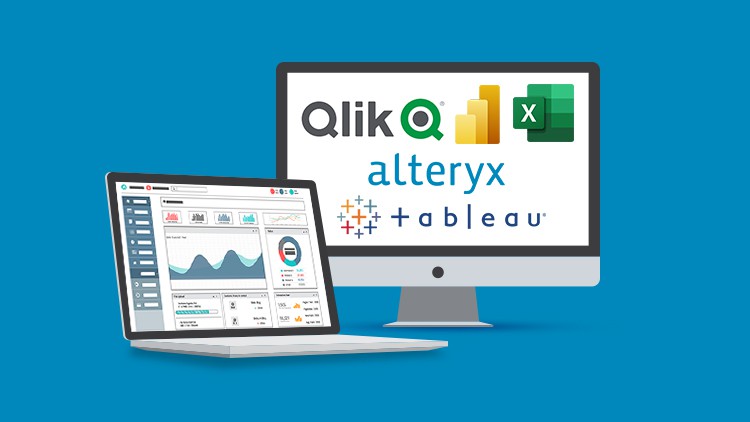
Ultimate Data Analytics and Visualization Bundle: 10 Courses
Last updated 6/2023
Created by Simon Sez IT
MP4 | Video: h264, 1280x720 | Audio: AAC, 44.1 KHz, 2 Ch
Genre: eLearning | Language: English + srt | Duration: 428 Lectures ( 53h 53m ) | Size: 26.6 GB


Tell a story with your data using Excel PivotTable, Power BI, Alteryx, Tableau, and Qlik Sense in this 10-course bundle!


What you'll learn
How to create PivotTables
Using the fields pane and adding fields and calculated fields
Formatting numbers in PivotTable
Different ways to summarize data
Creating PivotCharts and adding sparklines and slicers
Combining data from multiple worksheets for a PivotTable
How to create stunning, interactive dashboards with Power BI
How to share your analysis and dashboards using Power BI Online
Importing Excel, Text, and CSV files into Power BI Desktop and combining files
Data Modelling, relationship types, and troubleshooting relationship issues
Creating a Shared Workspace in Power BI Service
Creating reports and dashboards, pinning visualizations to the dashboard, and setting up scheduled refreshes
How to import and transform data in Power Query
Advanced Tableau charts circular, sunburst, bump, funnel, candlestick, and Sankey charts
Connect and manage data sources in Tableau
Create a dashboard in Tableau and animate your visualizations
Use calculated fields and spatial functions in Tableau
Level of Detail (LOD) expressions
Advanced filters and table calculations in Tableau
Using Alteryx workflows to cut out repetitive tasks
Data cleansing, manipulation, binning, and grouping in Alteryx
Take your apps and macros to the next level in Alteryx
Using multiple files and Calgary in Alteryx
All about Machine Learning and the Alteryx Intelligence Suite
How to become a Qlik Sense designer
All about the different charts and graphs available in Qlik Sense
How to use the Qlik Sense Geo Analytics tools (maps)

Requirements
Access to the relevant software/application is beneficial (Excel, Power BI, Tableau Desktop, Alteryx, and Qlik Sense)
Basic to intermediate knowledge of Microsoft Excel is needed
An understanding of data analytics is beneficial

Description
** This course bundle includes practice exercises and downloadable data files to work and follow along with, plus LIFETIME access!In this incredible-value, ten-course bundle, learn and master the essential tools to help turn your large complex data into meaningful visualizations that are easier to understand.If you want to start with data analytics and visualization, then this Data Storytelling course bundle is a good place to begin. This bundle includes ten full beginner and advanced courses in Excel PivotTable, Microsoft Power BI, Alteryx, Tableau, and Qlik Sense that will equip you with the best tools to master data visualization techniques.What's included?PivotTables for BeginnersHow to clean and prepare your dataCreating a basic PivotTableUsing the PivotTable fields paneAdding fields and pivoting the fieldsFormatting numbers in PivotTableDifferent ways to summarize dataGrouping PivotTable dataUsing multiple fields and dimensionThe methods of aggregationHow to choose and lock the report layoutApplying PivotTable stylesSorting data and using filtersCreate pivot charts based on PivotTable dataSelecting the right chart for your dataApply conditional formattingAdd slicers and timelines to your dashboardsAdding new data to the original source datasetUpdating PivotTables and chartsAdvanced PivotTablesHow to do a PivotTable (a quick refresher)How to combine data from multiple worksheets for a PivotTableGrouping, ungrouping, and dealing with errorsHow to format a PivotTable, including adjusting stylesHow to use the Value Field SettingsAdvanced Sorting and Filtering in PivotTablesHow to use Slicers, Timelines on multiple tablesHow to create a Calculated FieldAll about GETPIVOTDATAHow to create a Pivot Chart and add sparklines and slicersHow to use 3D Maps from a PivotTableHow to update your data in a PivotTable and Pivot ChartAll about Conditional Formatting in a PivotTableHow to create amazing-looking dashboardsPower BI for Beginner:What is Power BI and why you should be using it.To import CSV and Excel files into Power BI Desktop.How to use Merge Queries to fetch data from other queries.How to create relationships between the different tables of the data model.All about DAX including using the COUTROWS, CALCULATE, and SAMEPERIODLASTYEAR functions.All about using the card visual to create summary information.How to use other visuals such as clustered column charts, maps, and trend graphs.How to use Slicers to filter your reports.How to use themes to format your reports quickly and consistently.How to edit the interactions between your visualizations and filter at visualization, page, and report level.Power BI Intermediate:Importing and transforming data in Power QueryImporting Excel, text, and CSV files and combining filesEnabling/disabling load and report refreshResolving data import errorsData modeling, relationship types, and troubleshooting relationship issuesMeasures vs. calculated columnsCreating a date table with DAXCreating additional and conditional columnsUsing the ROUNDUP and SUMX functionsCreating quick measures and key measures tablesThe DAX - CALCULATE functionTables vs. matrix tablesFormatting visualizations and applying conditional formattingUsing column, line, and map chartsGauge and card visualizationsUsing slicers and filters and applying design elementsCreating a shared workspace in Power BI serviceBuilding reports and dashboardsPinning visualizations to the dashboardSetting up scheduled refreshesAlteryx for Beginners:Using Alteryx workflows to cut out repetitive tasksBuilding visual workflows in AlteryxHow to make the most of 'Favorite Tools' as core Alteryx building blocksFiltering data in AlteryxUsing the basic functions in Alteryx to match dataHow to dynamically rename datasetsHow to parse data in AlteryxCreating reports in Alteryx that run on demandUsing the predictive tools in Alteryx to perform data analysisBuilding a k-centroid clustering model using AlteryxCreating a logistic regression in AlteryxMaking a decision tree-based regression in AlteryxConstructing a random forest-based modelAlteryx Advanced:Using multiple files and CalgarySampling data and using wild matchesData cleansing, manipulation, binning, and groupingUsing RegEx (regular expressions) and parsing XMLWorking with In-DatabaseBlending, selecting, and summarizing dataTake your apps and macros to the next levelUsing iterative and batch macrosUnderstanding app errors and conditionsCustomizing apps and macrosAll about Machine Learning and the Alteryx Intelligence SuiteTableau for Beginners:What Tableau is and the product suiteWhat business intelligence isThe Tableau interface and its major functionsWhich data structures are suitable for TableauHow Tableau reads and categorizes dataDifferent data concepts and theoryHow to connect and manage data sources in TableauHow to navigate the Tableau workspaceHow to build a view and different chart types in TableauHow to create a dashboard in TableauHow to publish and share a workbookHow to use calculated fields in TableauHow to use numeric, string, conditional, and analytical expressions/functions in TableauTableau Advanced:parameters and sample use casesLevel of Detail (LOD) expressionsWorking with groups and setsUse of spatial functionsAdvanced filtersTable calculationsHow to add interactivity using actionsAnimating your visualizationsAdvanced Tableau charts circular, sunburst, bump, funnel, candlestick, and Sankey chartsBuilding geospatial dashboards and sales dashboardsCreating dashboards that utilize radial chartsQlik Sense for Beginners:The difference between Qlik Sense and Qlik ViewHow to load data in Qlik SenseHow to create and upload apps in Qlik SenseAll about the different charts and graphs available in Qlik SenseAll about Tables and Pivot Tables in Qlik SenseHow to create your analysis in the Story Telling tabAbout numeric and string functions in Qlik SenseHow to use the date and time formatting functionsHow to use Conditional FunctionsHow to combine tables using JOIN, KEEP and CONCATENATEHow to use different charts and tablesHow to use the Qlik Sense Geo Analytics tools (maps)Qlik Sense AdvancedHow to use system and user-defined variables effectivelyHow to use a variable s input to create dynamic dimensions and measuresTo maximize the dynamic loading feature to import data from diverse sources in numerous waysTo write powerful and elegant scripts and subroutinesHow to make the most of Qlik Sense s conditional functions, including Match and Pick and to work with the values the functions return.How to use the Alternate States feature to create and compare visualizationsTo use Cascading Style Sheets (CSS) to design highly customized visualizations and dashboardsTo use geo-analytics and spatial functions to work with location-based dataHow to layer components with functions such as the Bubble, Line, Area, Heatmap, and Geodata Layers.To transform data with Qlik s toolbox of analytical functions to perform geometric, aggregating, route-based, and look-up operations.This course bundle includes:50+ hours of video tutorials390+ individual video lecturesCertificate of completionCourse and exercise files to help you follow along

Who this course is for
Data Analysts and Data Scientists
Anyone looking to turn raw data into meaningful business visualizations
People looking to perform Data Analysis using Excel
People who are brand-new to PivotTables, Power BI, Tableau, Alteryx, or Qlik Sense
Users who have a foundation in PivotTables, Power BI, Tableau, Alteryx, or Qlik Sense and are seeking to advance their skills
Business Intelligence Analysts


438188922_ultimate_data_analytics_and_visualization_bundle_10_courses.jpg


f4f277803d390d745e2f3e010807fabc.jpg


Complet - Toutes les bases pour commencer le trading
Last updated 6/2023
Created by Pascal April
MP4 | Video: h264, 1280x720 | Audio: AAC, 44.1 KHz, 2 Ch
Genre: eLearning | Language: French + srt | Duration: 78 Lectures ( 27h 37m ) | Size: 20.8 GB


A partir de z ro, on peut apprendre les bases du trading avec un trader particulier pour parler le m me langage


What you'll learn
Connaitre les bases des march s financiers avec un langage simple
Connaitre le vocabulaire boursier pour trader et comprendre les informations
Int grer l'activit de trading dans son emploi du temps
Avoir les bonnes habitudes pour ne pas se planter d s le d but
Passer en revue les clefs pour avoir un trading viable, rentable et compatible avec sa vie priv e
Comment bien organiser sa journ e de trading
Utiliser des checklists pour suivre un journal de trading et un bilan journalier
Passer en revue les principaux indicateurs en fonction de leur type pour ne pas faire d'erreur
Savoir g rer son trading avec un money management pour viter les d bordements
Eviter les pi ges dans son plan de trading
Connaitre le bon moment pour passer l'action sur les march s (DEMO et/ou REEL)
Savoir faire des bilans, des checklists, des remises en questions, ...
Recevoir un e-book en cadeau avec 5 strat gies analyser
Avoir l'int gralit d'une strat gie simplissime avec toutes les explications et une d mo compl te

Requirements
Aucun pr requis puisque le cours s'appuie sur l'exp rience d'un trader particulier qui a fait les b tises avant vous
Le cours pr sente les outils gratuits disponibles et une grosse quantit d'informations utilisable de suite

Description
Bienvenue dans cette formation qui a t une des principales sources qui a permis des personnes comme vous et moi de d couvrir la bourse et le trading sans se faire avoir par de belles paroles.L'origine de cette formation vient d'une collaboration entre des traders professionnels et quelques d butants comme moi.Apr s avoir d coup la formation en plusieurs modules, j'ai d cid de tout regrouper pour vous donner TOUT!Dans le contenu de cette formation, j'ai cach une information qui peut vous faire progresser tr s vite avec des outils au top. Je ne vous spoile pas mais c'est dans la partie sur les bases.Cette formation va vous expliquer les tous premiers pas pour comprendre un tant soit peu le domaine boursier jusqu'au passage l'action devant les march s.Le but n est pas de vous faire suivre une formation compl te de conseiller en investissement financier mais juste vous donner les quelques bases n cessaires et suffisantes pour avancer plus sereinement dans l activit de trader particulier.Cette formation vient de la collection ESSENTIEL qui contenait 5 parties. Chaque partie couvre compl tement un domaine pour vous emmener vers une situation o vous pourrez avancer dans le trading sereinement.BASICOUTILSEFFICACIT D MOR ELLa formation ESSENTIEL BASIC est constitu e de 5 chapitres:Le premier chapitre d crit rapidement le domaine boursier avec les diff rents principaux march s. Une vision r aliste est effectu e sur le m tier d analyste des march s financiers (aussi appel Trader )Le chapitre 2 passe en revue le vocabulaire classiquement utilis par des traders ou sur les sites et vid os qui en parlent. Le but est de vous donner les bases pour comprendre ce que vous pouvez entendre.Le chapitre 3 d taille comment int grer l activit de trader en fond propre (ou trader particulier) dans sa vie quotidienne, comment et avec quoi travailler.Le chapitre 4 passe en revue des points importants pour que l activit de trading se passe le mieux possible. Souvent des banalit s mais souvent oubli es donc le rappel est important.Le chapitre 5 termine sur les clefs pour que le trading soit viable, rentable et compatible avec la vie actuelle. Ce chapitre est bas sur la r alit v cue par beaucoup de traders donc son contenu est tr s important.La formation ESSENTIEL OUTILS est constitu e de 3 chapitres:Le premier chapitre d crit avec d tails comment organiser son temps entre sa vie professionnelle, sa vie personnelle, son activit de trading. Des outils sont donn s pour offrir toutes les meilleures chances.Le chapitre 2 passe en quelques indicateurs, quelques strat gies pour comprendre les bases du chartisme et une vue rapide sur les capacit s des robots de trading disponible pour les particuliers.Le chapitre 3 explique des r gles ne jamais d roger pour toujours tre en s curit . Tout ce contenu est bas sur des faits et des situations v cus.La formation ESSENTIEL EFFICACIT est constitu e de 3 chapitres:Le chapitre 1 est la base d une r ussite aussi bien dans sa vie de trader que dans sa vie de tous les jours. La relation qu une personne a avec l argent depuis son plus jeune ge va avoir un impact consid rable avec ses possibilit s de r ussite. Se connaitre soi-m me permet de tracer des plans s rs.Le chapitre 2 va permettre de d finir des objectifs r els et faisables. Quelques points pour viter les pi ges et quelques moyens pour savoir o et comment avancer.Le chapitre 3 explique comment suivre sa progression afin de savoir au plus t t comment bien r agir.La formation ESSENTIEL D MO est constitu e de 3 chapitres:Le premier chapitre d crit l ensemble des op rations effectuer de la d tection la cl ture d une position sur un march . Chaque moment est d crit avec un ensemble de v rifications qui permettent de valider les tapes.Le chapitre 2 passe en revue les diff rents cas de figure qui peuvent se pr senter que une position est ouverte.Le chapitre 3 revoit les contr les et les motions qui peuvent tre v cus en fonction du r sultat d une op ration boursi re. Sans spoiler le chapitre, chaque cl ture de position doit d clencher un bilan d taill des op rations pour v rifier si tout a t bien effectu .La formation ESSENTIEL R EL est constitu e de 3 chapitres:Le premier chapitre fait une sorte de revue et de checklist pour valider quand il est enfin temps de passer en r el en fonction des r sultats v cus en d mo.Le chapitre 2 fait la diff rence entre ce qui est v cu en d mo et en r el. Un tr s grand chapitre d crit quelques erreurs qui peuvent mener le trader sa perte.Le chapitre 3 liste les excuses qu un trader peut trouver pour justifier un r sultat. Dans ce chapitre, on verra aussi les faux probl mes et les vraies solutions pour continuer de progresserEn bonus, je vous donne une strat gie simplissime pour donner une id e. Cette id e peut tre reprise et modifier votre guise.En super-bonus, un e-book explique 5 des meilleures strat gies utilis es par les traders particuliers avec les moyens offerts par les outils non-professionnelsCette formation est la premi re d une s rie qui s appuie sur le v cu. M me si ce n'est pas obligatoire, je vous conseille de suivre les autres parties pour vous donner le maximum de chance de r ussite.Je vous souhaite un bon visionnage et prenez bien le temps d approfondir les sujets qui vous semblent importants.Merci de votre confiance et bons trades.

Who this course is for
Toute personne qui veut d couvrir le trading sans perdre de l'argent b tement
Les personnes curieuses qui veulent d couvrir les bases avant de d cider d'aller plus loin
Les traders qui veulent faire le tri dans tous les indicateurs existants
Les traders qui ont v cu des checs et qui veulent se prot ger pour continuer avec s curit
Les traders qui veulent comprendre les r actions motionnelles possibles rencontr es face aux march s financiers


438176800_complet_-_toutes_les_bases_pour_commencer_le_trading.jpg


7fb0d9ccfa15144f486c490d85a21879.jpg


Complete SQL Megacourse: Beginner to Expert
Last updated 6/2023
Created by Creativity Unleashed
MP4 | Video: h264, 1280x720 | Audio: AAC, 44.1 KHz, 2 Ch
Genre: eLearning | Language: English + srt | Duration: 204 Lectures ( 60h 7m ) | Size: 30.2 GB


Unlock the Full Potential of Data Management with the Ultimate SQL Mastery Course


What you'll learn
Understand the fundamental concepts of SQL
The different databases commonly used in SQL, and how to choose and work with the appropriate database for your project
Overview of the history of SQL and its architecture and understand what a RDBMS is and how it works
Explore the different attributes and concepts in SQL, including data types, operators, keys, NULL values, and data integrity
SQL commands and expressions, including creating tables, dropping tables, selecting data, inserting data, updating data, and more
Understand aggregate functions, the HAVING clause, and how to use them to summarize data
Explore string and date/time functions in SQL and how to use them to manipulate data
How to use advanced SQL features such as views, indexes, and windows functions

Requirements
No previous knowledge of SQL required
A desire to learn!
A positive attitude!

Description
Unleash the Power of SQL to Manage Data, Optimize Performance, and Streamline Your Workflow!Boost Your Efficiency and Productivity by Mastering SQL Skills!"Have you ever wanted to work in an IT related field? In the era of digital technology, we are all looking to enhance our careers and grow. Maybe you want to help a company manage their data, or fix the imperfections in the data they maintain. Whether you're an experienced IT professional or hoping to make a career out of it, we're here to show you the way.We are here to teach you SQL, the language of the database that allows you to operate databases and facilitate data effectively for a company.In this course, you ll learn everything about the fundamentals of using SQL to manage data in a Relational Database Management System. You're going to learn how to build objects like tables to expand your database, from adding records and fields to applying access restrictions, running queries and managing memory within your database. You'll even learn how to use specific clauses in your queries to return more complex result-sets.Our instructors have years of experience not only in Data Management and SQL, but also in teaching, and the expertly-crafted syllabus is designed to be easy to follow and thorough. We ve even included plenty of interactive exercises and curated content for you to study. That s why this is the only SQL course you'll ever need to master the essential skills to manage and manipulate data, optimize database performance, and automate tasks.Start exploring the power of SQL today!After taking this course, you will be able to:Create and manage databases using SQL syntax and commands.Use different types of SQL operators, including arithmetic, comparison, and logical operators.Work with different SQL data types and understand their uses and limitations.Utilize SQL functions and expressions to extract and manipulate data.Write complex SQL queries using subqueries and joins to retrieve and analyze data from multiple tables.Implement data integrity constraints to ensure data consistency and accuracy.Optimize database performance using indexes and advanced SQL techniques.Understand and implement advanced SQL concepts such as schema structures and window functions.

Who this course is for
Anyone who wants to learn SQL from scratch - no prior experience required!
Professionals who want to enhance their productivity and efficiency with data management and automation
Anyone who is currently working with data and wants to expand their knowledge of SQL to optimize database performance and streamline their workflow
Students who are interested in pursuing a career in data management, business intelligence, or data analytics


438182179_complete_sql_megacourse_beginner_to_expert.jpg


Zurück
Oben Unten