• Regeln für den Video-Bereich:

    In den Börsenbereich gehören nur Angebote die bereits den Allgemeinen Regeln entsprechen.

    Einteilung

    - Folgende Formate gehören in die angegeben Bereiche:
    - Filme: Encodierte Filme von BluRay, DVD, R5, TV, Screener sowie Telesyncs im Format DivX, XviD und x264.
    - DVD: Filme im Format DVD5, DVD9 und HD2DVD.
    - HD: Encodierte Filme mit der Auflösung 720p oder darüber von BluRay, DVD, R5, TV, Screener sowie Telesyncs im Format x264.
    - 3D: Encodierte Filme von BluRay, die in einem 3D Format vorliegen. Dies gilt auch für Dokus, Animation usw.
    - Serien: Cartoon/Zeichentrick, Anime, Tutorials, Dokumentationen, Konzerte/Musik, Sonstiges sind demnach in die entsprechenden Bereiche einzuordnen, auch wenn sie beispielsweise im High Definition-Format oder als DVD5/DVD9/HD2DVD vorliegen. Ausnahme 3D.
    - Bereich Englisch: Englische Releases gehören immer in diesen Bereich.
    - Bereich Talk: Der Bereich, in dem über die Releases diskutiert werden kann, darf, soll und erwünscht ist.


    Angebot/Beitrag erstellen

    - Ein Beitrag darf erst dann erstellt werden, wenn der Upload bei mindestens einem OCH komplett ist. Platzhalter sind untersagt.
    - Bei einem Scenerelease hat der Threadtitel ausschließlich aus dem originalen, unveränderten Releasenamen zu bestehen. Es dürfen keine Veränderungen wie z.B. Sterne, kleine Buchstaben o.ä. vorgenommen werden. Ausnahme Serienbörse:
    - Bei einem Sammelthread für eine Staffel entfällt aus dem Releasename natürlich der Name der Folge. Beispiel: Die Simpsons S21 German DVDRip XviD - ITG
    - Dementsprechend sind also u.a. verboten: Erweiterungen wie "Tipp", "empfehlenswert", "only", "reup", usw. / jegliche andere Zusatzinformation oder Ergänzung, welche nicht in obiger Beschreibung zu finden ist.

    Aufbau des Angebots und Threadtitel

    Der Titel nach folgendem Muster erstellt zu werden. <Name> [3D] [Staffel] [German] <Jahr> <Tonspur> [DL] [Auflösung] <Quelle> <Codec> - <Group>
    Beispiel: The Dark Knight German 2008 AC3 DVDRip XviD - iND
    Beispiel: The Dark Knight 2008 DTS DL BDRip x264 - iND
    Beispiel: The Dark Knight 2008 AC3 DL BDRip XviD - iND
    Beispiel: The Dark Knight German 2008 AC3 720p BluRay x264 iND
    Beispiel: The Dark Knight 2008 DTS DL 1080p BluRay x264 iND
    Beispiel: Die Simpsons S01 German AC3 DVDRip XviD iND
    Beispiel: Die Simpsons S20 German AC3 720p BluRay x264 iND
    Beispiel: Sword Art Online II Ger Sub 2014 AAC 1080p WEBRip x264 - peppermint
    Entsprechend sind also u.a. verboten: Sonderzeichen wie Klammern, Sterne, Ausrufezeichen, Unterstriche, Anführungszeichen / Erweiterungen wie "Tipp", "empfehlenswert", "only", "reup", usw. / jegliche andere Zusatzinformation oder Ergänzung, welche nicht in obiger Beschreibung zu finden ist
    Ausnahmen hiervon können in den Bereichen geregelt sein.

    Die Beiträge sollen wie folgt aufgebaut werden:
    Überschrift entspricht dem Threadtitel
    Cover
    kurze Inhaltsbeschreibung
    Format, Größe, Dauer sind gut lesbar für Downloader außerhalb des Spoilers zu vermerken
    Nfo sind immer Anzugeben und selbige immer im Spoiler in Textform.
    Sind keine Nfo vorhanden z.B. Eigenpublikationen, sind im Spoiler folgende Dateiinformationen zusätzlich anzugeben :
    Quelle
    Video (Auflösung und Bitrate)
    Ton (Sprache, Format und Bitrate der einzelnen Spuren)
    Untertitel (sofern vorhanden)
    Hosterangabe in Textform außerhalb eines Spoiler mit allen enthaltenen Hostern.
    Bei SD kann auf diese zusätzlichen Dateiinformationen verzichtet werden.

    Alle benötigten Passwörter sind, sofern vorhanden, in Textform im Angebot anzugeben.
    Spoiler im Spoiler mit Kommentaren :"Schon Bedankt?" sind unerwünscht.


    Releases

    - Sind Retail-Release verfügbar, sind alle anderen Variationen untersagt. Ausnahmen: Alle deutschen Retail-Release sind CUT, in diesem Fall sind dubbed UNCUT-Release zulässig.
    - Im Serien-Bereich gilt speziell: Wenn ein Retail vor Abschluss einer laufenden Staffel erscheint, darf diese Staffel noch zu Ende gebracht werden.62
    - Gleiche Releases sind unbedingt zusammenzufassen. Das bedeutet, es ist zwingend erforderlich, vor dem Erstellen eines Themas per Suchfunktion zu überprüfen, ob bereits ein Beitrag mit demselben Release besteht. Ist dies der Fall, ist der bereits vorhandene Beitrag zu verwenden.
    - P2P und Scene Releases dürfen nicht verändert oder gar unter einem iND Tag eingestellt werden.


    Support, Diskussionen und Suche

    - Supportanfragen sind entweder per PN oder im Bereich Talk zu stellen.
    - Diskussionen und Bewertungen sind im Talk Bereich zu führen. Fragen an die Uploader haben ausschließlich via PN zu erfolgen, und sind in den Angeboten untersagt.
    - Anfragen zu Upload-Wünschen sind nur im Bereich Suche Video erlaubt. Antworten dürfen nur auf Angebote von MyBoerse.bz verlinkt werden.


    Verbote

    - Untersagt sind mehrere Formate in einem einzigen Angebotsthread, wie beispielsweise das gleichzeitige Anbieten von DivX/XviD, 720p und 1080p in einem Thread. Pro Format, Release und Auflösung ist ein eigener Thread zu eröffnen.
    - Grundsätzlich ebenso verboten sind Dupes. Uploader haben sich an geeigneter Stelle darüber zu informieren, ob es sich bei einem Release um ein Dupe handelt.
    - Gefakte, nur teilweise lauffähige oder unvollständige Angebote sind untersagt. Dies gilt auch für eigene Publikationen, die augenscheinlich nicht selbst von z.B. einer DVD gerippt wurden. Laufende Serien, bei denen noch nicht alle Folgen verfügbar sind, dürfen erstellt und regelmäßig geupdatet werden.
    - Untersagt sind Angebote, welche nur und ausschließlich in einer anderen Sprache als deutsch oder englisch vorliegen. Ausnahmen sind VORHER mit den Moderatoren zu klären.


    Verstoß gegen die Regeln

    - Angebote oder Beiträge, die gegen die Forenregeln verstoßen, sind über den "Melden"-Button im Beitrag zu melden.
  • Bitte registriere dich zunächst um Beiträge zu verfassen und externe Links aufzurufen.


Englische Tutorials


35f7dc05e01d1a32f3fd7b1da9ab2b70.jpg

CBT Nuggets - EC Council Certified Ethical Hacker v9.0 (video training course)
MP4 | English | 1280 x 720 | 500 kb/s / 500 kb/s | 15.000 fps | AAC 64.0 kb/s | 4.67 GB
Genre: Training​

CBT Nuggets - EC Council Certified Ethical Hacker v9.0 video training course free download. This Certified Ethical Hacker (CEH) v9.0 video tutorial course teaches you the ethical hacking tools and techniques needed to improve your network's security posture. CBT Nuggets trainer Keith Barker walks you through building your own practice lab, including using evaluation software, and encourages you to not only watch and enjoy the videos, but practice everything hands-on in your own lab environment.

For individuals interested in certification, watching and practicing the techniques taught in this course prepares you for EC-Council Certified Ethical Hacker (CEH) exam. Please visit the EC Council website for their requirements and procedures for taking the exam.

Keith Barker has been a CBT Nuggets trainer since 2012 and working with networking and security since 1985. Keith holds several security-related certifications including Cisco CCIE Security, Palo Alto CNSE, Check Point CCSA, CISSP and more.

Course Outline

1. Welcome (4 min)
2. Building a LAB: Concepts (6 min)
3. Building a LAB: Networking (9 min)
4. Deploy a Kali Linux VM (14 min)
5. Adding Metasploitable to Your Lab (11 min)
6. Adding Windows to Your Lab (14 min)
7. Configure a Static IP on Kali (5 min)
8. Windows Evaluations (7 min)
9. Deploy Windows 8.1 (15 min)
10. Deploy Windows 2012 (11 min)
11. Deploy Windows 10 (7 min)
12. Deploy Windows 2016 (7 min)
13. Ethics and Hacking (10 min)
14. Hacking Vocabulary (6 min)
15. InfoSec Concepts (5 min)
16. Attack Categories, Types, and Vectors (5 min)
17. 5 Phases of Hacking (5 min)
18. Footprinting and Reconnaissance Concepts (11 min)
19. Search Engine Tools (8 min)
20. Hacking using Google (12 min)
21. Website Recon Tools (13 min)
22. Metagoofil Metadata Tool (3 min)
23. Email Headers for Footprinting (5 min)
24. Using WHOIS for Recon (4 min)
25. DNS Tools (12 min)
26. Network Scanning Overview (3 min)
27. Network Scanning Methodology (9 min)
28. Port Discovery (11 min)
29. Network Scanning Tools (3 min)
30. Stealth Idle Scanning (10 min)
31. OS and Application Fingerprinting (10 min)
32. Vulnerability Scanning (8 min)
33. Network Mapping Tools (5 min)
34. Proxy Servers (8 min)
35. Using Public Proxy Services (6 min)
36. Enumeration Concepts (5 min)
37. NetBIOS Enumeration (11 min)
38. SNMP Enumeration Concepts (10 min)
39. SNMP Enumeration Tools (10 min)
40. LDAP Enumeration Concepts (5 min)
41. LDAP Enumeration Example (7 min)
42. NTP Enumeration (7 min)
43. SMTP Enumeration (8 min)
44. System Hacking Overview (9 min)
45. Password Cracking Concepts (10 min)
46. Password Attack Example: MITM and Sniffing (13 min)
47. Rainbow Crack Lab Setup (8 min)
48. Rainbow Crack Demonstration (8 min)
49. Password Reset Hacking (8 min)
50. DHCP Starvation (10 min)
51. Remote Access (15 min)
52. Spyware (9 min)
53. NTFS Alternate Data Streams Exploit (9 min)
54. Steganography with OpenPuff (7 min)
55. Steganography with SNOW (5 min)
56. Covering Tracks (7 min)
57. Malware Overview (10 min)
58. Trojan Overview (10 min)
59. Creating a Trojan (11 min)
60. Virus Overview (13 min)
61. Virus Creation (8 min)
62. Detecting Malware (17 min)
63. Malware Analysis (10 min)
64. Hash File Verification (8 min)
65. Sniffing Overview (12 min)
66. CAM Table Attack and Port Security (10 min)
67. DHCP Snooping (14 min)
68. Dynamic ARP Inspection (DAI) (14 min)
69. Social Engineering (15 min)
70. Denial of Service (DoS) Attacks (19 min)
71. Session Hijacking (18 min)
72. Hacking Web Servers (10 min)
73. Buffer Overflow (13 min)
74. OWASP Broken Web Application Project (13 min)
75. Shellshock (6 min)
76. SQL Introduction (9 min)
77. SQL Injection (16 min)
78. Web App Vulnerabilities: WordPress (10 min)
79. Wireless Hacking (18 min)
80. Using an Android VM (4 min)
81. Malware for Mobile (11 min)
82. Mobile Device Risks and Best Practices (13 min)
83. Firewall Evasion (19 min)
84. Firewall ACL Example (15 min)
85. NAT and PAT fundamentals (11 min)
86. IDS/IPS Evasion (17 min)
87. Honeypots (12 min)
88. Cloud Computing (23 min)
89. CIA: Confidentiality, Integrity, and Availability (3 min)
90. Policies (9 min)
91. Quantifying Risk (6 min)
92. Separation of Duties (13 min)
93. Symmetrical Encryption Concepts (14 min)
94. Asymmetrical Encryption Concepts (16 min)
95. Control Types (11 min)
96. Multifactor Authentication (12 min)
97. Centralized Identity Management (13 min)
98. Kerberos and Single Sign On (SSO) (17 min)
99. Backups and Media Management (9 min)
100. Operations Security Controls (14 min)
101. Physical Security Controls (11 min)
102. Incident Response (12 min)
103. VPNs (21 min)
104. Disaster Recovery Planning (13 min)
105. Pen Testing Tips (10 min)

Recommend Download Link Hight Speed | Please Say Thanks Keep Topic Live ​

 

666710f45fdd764cc65276acf19f2fca.jpg

Compiled Data Binding Fundamentals in UWP Using XAML (2016)
August 2016 | MP4 | Video: AVC 1280x720 | Audio: AAC 44KHz 2ch | Duration: 2 Hours 46M | Lec: | 549 MB
Genre: eLearning | Language: English​

Compiled data bindings with x:Bind are faster than classical data bindings created with the Binding markup extension. This course will teach you the basics of x:Bind, including converting with functions, binding events and more.

At the core of developing a great performing Universal Windows Platform app with MVVM is a thorough knowledge of compiled data bindings. In Compiled Data Binding Fundamentals in UWP with XAML, you will learn the skills to build high-quality and fast responding apps. You will learn how to create compiled data bindings with the x:Bind markup extension, how to use the different binding modes, how to convert values with functions, how to cast values directly in XAML, how to use compiled data bindings in Data Templates, and finally how to replace the ICommand-properties of a ViewModel by binding events directly to methods of your ViewModel. When you're finished with this course, you will have a foundational knowledge of compiled data bindings with the x:Bind markup extension that will help you immensely as you move forward to create your own high-quality Universal Windows Platform app.

Recommend Download Link Hight Speed | Please Say Thanks Keep Topic Live ​

 

42019dbecbfcc5e303ea874d405fb09a.jpg

Content Marketing 101: Your Guide to Effective Blogging
MP4 | Video: AVC 1280x720 | Audio: AAC 44KHz 2ch | Duration: 2 Hours | Lec: 38 | 328 MB
Genre: eLearning | Language: English​

A thorough course made for DIY marketers to better understand and execute content marketing tactics that actually work.

This course teaches you the most important aspects of content marketing. The course goes well beyond simply concepts. It provides you with the best practices for researching, creating, distributing, and measuring content. There are 38 lessons (mostly video and detailed text), bonus resources. You will also have access to the marketing mind of teacher Miguel Bravo, founder of New Content Collective.

I strongly believe that content about your brand should be the centerpiece to your digital marketing efforts. We also believe that you should have affordable access to pro-level content marketing resources. That's why we packed this course with as much value as we could.

Recommend Download Link Hight Speed | Please Say Thanks Keep Topic Live ​
 

72e487ed401b2f418a69e07d013bb239.jpg

Cracking the Coding Interview - Unscripted Videos
MP4 | English | 490 x 360 | 265 kb/s | 29.970 fps | AAC 96.0 kb/s | 809.67 MB
Genre: E-Learning​

The Cracking the Coding Interview Videos are unscripted videos showing you what happens in a real technical interview. Watch Gayle L. McDowell, the founder and CEO of CareerCup, interview a candidate, just like she did over 100 times for big companies like Google and Microsoft. Watch how candidates face a new problem, dissect it, and code it on the white board.

In the Cracking the Coding Interview series, Danny is put through a full technical interview, including one behavioral and two technical questions: Watch as Danny designs a solution to these problems. Mid-video pop-ups will help you understand how Danny is doing and what the interviewer is thinking. These videos are 100% authentic; the candidates had no idea what would be asked.

What do we mean by "unscripted?"
Exactly what it sounds like. The candidates were not told what to say when, or how to solve the question. They didn't even know what they would be asked until the cameras were rolling! In other words, what you are watching is 100% true-to-life.
These videos will:
Expose you to what a real Google / Microsoft / Amazon interview is like.
Show you how to handle questions when you don't know the answer.
Show you, via mid-video pop-ups, what is going well and what the interviewer is thinking about.
Teach you what Google, Microsoft and Amazon look for in an interview.

The Full Interview Video is a video that shows you what an interview is like, from start to end. The contents include:
- Overview of what companies like Google, Microsoft and Amazon look for.
- Discussion of the candidate's resume, to show you how to discuss your resume and what you're likely to be asked.
- Two coding and algorithms questions (including white-boarding coding). This candidate didn't know the answers, so you can learn how to handle this situation.
Great For: General / Resume Questions. Algorithms and Whiteboard Coding. Understanding what a real interview is like.

About the Author
Gayle Laakmann McDowell's interviewing expertise comes from vast experience on both sides of the desk. She has completed Software Engineering interviews with - and received offers from - Microsoft, Google, Amazon, Apple, IBM, Goldman Sachs, Capital IQ, and a number of other firms.

Of these top companies, she has worked for Microsoft, Apple and Google, where she gained deep insight into each company's hiring practices.

Most recently, Gayle spent three years at Google as a Software Engineer and was one of the company's lead interviewers. She interviewed over 120 candidates in the U.S. and abroad, and led much of the recruiting for her alma mater, the University of Pennsylvania.

Additionally, she served on Google's Hiring Committee, where she reviewed each candidate's feedback and made hire / no-hire decisions. She assessed over 700 candidates in that role, and evaluated hundreds more resumes.

In 2005, Gayle founded CareerCup to bring her wealth of experience to candidates around the world. Launched first as a free forum for interview questions, CareerCup now offers a book, a video and mock interviews.

Gayle graduated from the University of Pennsylvania with a bachelor's and a master's degree in Computer Science.

Recommend Download Link Hight Speed | Please Say Thanks Keep Topic Live ​

 

b1660a09c041e009d6f7d0da79dcbce4.jpg

Designing/Deploying Exchange 2016 (70-345): Client Access (2016)
August 2016 | MP4 | Video: AVC 1280x720 | Audio: AAC 44KHz 2ch | Duration: 3.5 Hours | 541 MB
Genre: eLearning | Language: English​

This course is designed to help you prepare for the Microsoft 70-345 exam, and covers the objectives related to planning, deploying, managing and troubleshooting client access on Exchange 2016.

This course will prepare you for the Exchange Server 2016 70-345 certification exam, specifically the objectives related to administering client access on Exchange 2016. You'll learn how to design and deploy client access namespaces, manage SSL certificates, configure high availability and load balancing, manage mobile devices, and perform troubleshooting. By the end of this course, you'll have a solid understanding of client access considerations with Exchange 2016, and you'll be better prepared to take your Exchange 2016 certification exam.

Recommend Download Link Hight Speed | Please Say Thanks Keep Topic Live ​

 

c73a79e5b782fb5196b0496a27759afd.jpg

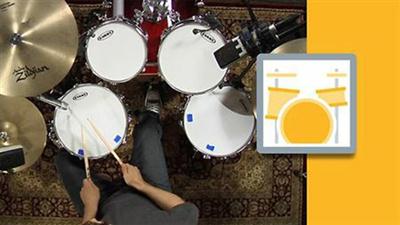
Lynda - Drum Set Instruction: On The Beaten Path
Duration: 5h 0m | Video: AVC (.mp4) 1280x720 30fps | Audio: AAC 48KHz 2ch | 2.47 GB
Genre: eLearning | Level: Beginner | Language: English​

Learn how to play the drums using popular drum beats and fills played by some of the best drummers on some of the world's most famous songs. This collection combines the entire three-level series On the Beaten Path-the acclaimed method that teaches you how to play drums using carefully selected legendary beats from the songs that shaped modern music. The initial chapters start you off with a wide selection of basic rock beats and fills by drummers including John Bonham (Led Zeppelin), Tré Cool (Green Day), Dave Grohl (Nirvana), and many more. Next, expand your drum vocabulary with dozens of blues and jazz beats and fills by drummers-including Chris Layton (Stevie Ray Vaughan), Max Roach (Miles Davis), Buddy Rich, and many more-to unlock the coordination and syncopation skills that you need to master. Then fortify your drumming knowledge with reggae, country, funk, and Latin beats by legendary drummers including Carlton Barrett (Bob Marley), Joseph "Zigaboo" Modeliste (The Meters), and many more. Award-winning instructor Rich Lackowski weaves in concepts like time and tempo manipulation, time signature, and a ton of key drumming tools. By the time you complete this course, you'll understand all the essentials of being a good drummer: from reading and writing music to playing with healthy technique to keep you drumming for a lifetime-along with a well-rounded vocabulary of over 140 famous beats and fills that you can use to create your own music and start playing in bands

Topics include:
* Setting up your drums
* Basic hand and foot technique
* Reading music
* Playing basic beat and fills in a variety of styles
* Playing in 3/4, 5/4, and 7/8 time and more

Recommend Download Link Hight Speed | Please Say Thanks Keep Topic Live ​
 

f2cb6b71e913ac88d3ef9ec074372e3a.jpg

Electron Fundamentals Training Video
Duration: 1h 50m | Video: h264, yuv420p, 1280x720 | Audio: aac, 44100 Hz, 2 ch | 357 MB
Genre: eLearning | Language: English | Project Files Included​

Previously, creating an desktop application may have been hard or would use some foreign technology. Now, using Electron, it is easy, straightforward, and fun. In this course, Electron Fundamentals, you're going to learn all about Electron and how it can help you create desktop applications, using the web tech skills you already possess. First, you'll going to learn all about the features and the APIs Electron offers and see how you can make them work for you. Next, you'll bring everything you know and have learned together by creating a project that you can turn into a compelling desktop application. Finally, you'll learn how to package up what you've made and share it with others. By the end of this course, you'll feel comfortable starting your own Electron project and using its features to bring your ideas to life.

Recommend Download Link Hight Speed | Please Say Thanks Keep Topic Live ​
 

f5fa3748db79777d8bd7c54c2a5123eb.jpg

Encryption Training Video
2016-06-08 | .MP4, AVC, 1000 kbps, 1280x720 | English, AAC, 125 kbps, 2 Ch | 7.25 hours | 1.92 GB
Genre: eLearning | Language: English​

Software developers world-wide place a great deal of trust in the encryption technologies used to protect privacy and sensitive data. What could go wrong? Plenty, says security and encryption expert Brian Sletten in this wide ranging overview of the history, methods, technologies, goals, and perhaps most importantly, limitations of encryption. The video offers a high level discussion of the theories behind encryption as well as a lower level detailed explanation of the technologies and methods used in encryption today.

- Receive a comprehensive overview of the history, methods, technologies, goals, and limitations of encryption
- Learn to make practical reasoned choices regarding the forms of encryption to avoid and the forms to deploy
- Explore stream ciphers, block ciphers, authenticated encryption systems, and symmetric key encryption
- Discover why the widely used MD-5 hashing algorithm should no longer be used for most encryption purposes
- Familiarize yourself with Transport Level Security (TLS), the most widely-used Internet encryption mechanism
- Learn to deploy DHKE, the asymmetric key exchange protocol for establishing encrypted Internet channels
- Understand RSA, the encryption features it enables, and why it's the standard for digitally-signing electronic documents
- Learn to recognize encryption attacks and why government demands for backdoors might cripple modern cryptography

Recommend Download Link Hight Speed | Please Say Thanks Keep Topic Live ​
 

f5f7ca71a63e462dc78d0839c9cab088.jpg

Excel 2013 Fundamentals Training Video
MP4 | AVC 412kbps | English | 1024x768 | 15fps | 5h 34mins | AAC stereo 128kbps | 1.3 GB
Genre: Video Training | Language: English​

This course covers everything you need to know to get started in Excel 2013. Starting with an overview of how to navigate in Excel using both the mouse and keyboard shortcuts, Heather Ackmann dives into popular topics including writing formulas and expressions, popular functions, sorting and filtering, conditional formatting, PivotTables and PivotCharts, and more.

Table of contents:
Introduction to Excel 201333m 10s
Navigating, Selecting, and Entering Data27m 40s
Working with Rows, Columns, and Worksheets21m 9s
Introduction to Formulas32m 4s
Introduction to Functions and 3D Formulas26m 15s
Sorting and Filtering Data29m 23s
Introduction to Formatting45m 35s
Introduction to Charts44m 53s
Introduction to PivotTables and PivotCharts38m 22s
Introduction to Printing31m 49s
Conclusion3m 44s

Recommend Download Link Hight Speed | Please Say Thanks Keep Topic Live ​
 

e00a362903226009144c5841208ae6f5.jpg

Geographic Information System for Beginners (2016)
MP4 | Video: AVC 1280x720 | Audio: AAC 44KHz 2ch | Duration: 44M | Lec: 9 | 478 MB
Genre: eLearning | Language: English​

Learn the fundamental concepts of GIS with example data from NASA and Google Earth.

INTRODUCTION TO GIS FOR BEGINNERS: Learn both the theoretical knowledge and practical skills of the latest GIS technologies with easy to follow video lectures and laboratory exercises.

This course provides an introduction to GIS, sources of GIS data, GIS data structure and and hands-on practical exercises to processing, downloading, and visualizing large volume of geospatial data in Google Earth Engine platform. Specifically we will cover:

Introduction to GIS
GIS data structure
Sources of GIS data
Earth observation data
GIS data access
No prior experience required. All are tailored such that anyone can follow them easily.

To date the ability to have skills in GIS technologies is key to various decision makings. This course will provide you the necessary skills on how to manipulate and utilize a GIS data for your own purpose.

In my course, I will give you the tools and skills through a step-by-step lecture and lab exercises. You will understand the fundamentals of GIS and gain skills on manipulating earth observation data. Students will learn the different concepts in a GIS including sources of GIS data, GIS data structure, functions of a GIS and applications to GIS. Example earth observation satellite data will be used through out the course.

Recommend Download Link Hight Speed | Please Say Thanks Keep Topic Live ​

 

606e5a45aeb962e92937f0d0c191eb15.jpg

Getting started with jMock (2016)
MP4 | Video: AVC 1280x720 | Audio: AAC 44KHz 2ch | Duration: 35M | Lec: 8 | 113 MB
Genre: eLearning | Language: English​

Learn to use jMock in day to day testing

In this course you will learn about jMock, a mocking test framework. Mocking test frameworks are fairly common standard across all software companies as it allows you to simulate all dependencies without making network calls and even when dependencies are not ready. The focus is on testing the code you have written as fast as possible and with all possible permutations and combinations. Show you boss that you mean business when you write powerful and robust tests to defend your code and catch bugs before customer sees them.
Here are objectives of this course

What is iMock?
Why do we need to use mock?
What is dependency injection or Invetsion of Control (IOC)
Learn how to set up jMock.
Live example of wrting jMock tests
Advanced features
At the end of this course a student will be able kickstart writing jMock tests immediately and prove to his peer about new robust and efficient way of writing unit tests.

Recommend Download Link Hight Speed | Please Say Thanks Keep Topic Live ​

 

d01f761373896d74fa0fcd1f4cdf1301.jpg

Government Project Management
MP4 | Video: AVC 1280x720 | Audio: AAC 48KHz 2ch | Duration: 1h 6m | 500 MB
Genre: eLearning | Language: English​

Want to transition from managing corporate projects to government project management? Learn the nuances of managing government projects-a subset of project management with tougher deadlines, tighter budgets, and stricter requirements. Certified PMP® Oliver Yarbrough reviews the government project lifecycle from obtaining a government contract to executing the project and ultimately closing it out.

Learn the best practices and terminology for working with the government, including documentation such as subsidiary plans, RFPs, PWSs, and SOOs. Walk through the three phases of contract negotiation-pre-award, award, and post-award-and common challenges as well as solutions for bidding on government contracts and getting projects authorized.

Recommend Download Link Hight Speed | Please Say Thanks Keep Topic Live ​

 
Zurück
Oben Unten