• Regeln für den Video-Bereich:

    In den Börsenbereich gehören nur Angebote die bereits den Allgemeinen Regeln entsprechen.

    Einteilung

    - Folgende Formate gehören in die angegeben Bereiche:
    - Filme: Encodierte Filme von BluRay, DVD, R5, TV, Screener sowie Telesyncs im Format DivX, XviD und x264.
    - DVD: Filme im Format DVD5, DVD9 und HD2DVD.
    - HD: Encodierte Filme mit der Auflösung 720p oder darüber von BluRay, DVD, R5, TV, Screener sowie Telesyncs im Format x264.
    - 3D: Encodierte Filme von BluRay, die in einem 3D Format vorliegen. Dies gilt auch für Dokus, Animation usw.
    - Serien: Cartoon/Zeichentrick, Anime, Tutorials, Dokumentationen, Konzerte/Musik, Sonstiges sind demnach in die entsprechenden Bereiche einzuordnen, auch wenn sie beispielsweise im High Definition-Format oder als DVD5/DVD9/HD2DVD vorliegen. Ausnahme 3D.
    - Bereich Englisch: Englische Releases gehören immer in diesen Bereich.
    - Bereich Talk: Der Bereich, in dem über die Releases diskutiert werden kann, darf, soll und erwünscht ist.


    Angebot/Beitrag erstellen

    - Ein Beitrag darf erst dann erstellt werden, wenn der Upload bei mindestens einem OCH komplett ist. Platzhalter sind untersagt.
    - Bei einem Scenerelease hat der Threadtitel ausschließlich aus dem originalen, unveränderten Releasenamen zu bestehen. Es dürfen keine Veränderungen wie z.B. Sterne, kleine Buchstaben o.ä. vorgenommen werden. Ausnahme Serienbörse:
    - Bei einem Sammelthread für eine Staffel entfällt aus dem Releasename natürlich der Name der Folge. Beispiel: Die Simpsons S21 German DVDRip XviD - ITG
    - Dementsprechend sind also u.a. verboten: Erweiterungen wie "Tipp", "empfehlenswert", "only", "reup", usw. / jegliche andere Zusatzinformation oder Ergänzung, welche nicht in obiger Beschreibung zu finden ist.

    Aufbau des Angebots und Threadtitel

    Der Titel nach folgendem Muster erstellt zu werden. <Name> [3D] [Staffel] [German] <Jahr> <Tonspur> [DL] [Auflösung] <Quelle> <Codec> - <Group>
    Beispiel: The Dark Knight German 2008 AC3 DVDRip XviD - iND
    Beispiel: The Dark Knight 2008 DTS DL BDRip x264 - iND
    Beispiel: The Dark Knight 2008 AC3 DL BDRip XviD - iND
    Beispiel: The Dark Knight German 2008 AC3 720p BluRay x264 iND
    Beispiel: The Dark Knight 2008 DTS DL 1080p BluRay x264 iND
    Beispiel: Die Simpsons S01 German AC3 DVDRip XviD iND
    Beispiel: Die Simpsons S20 German AC3 720p BluRay x264 iND
    Beispiel: Sword Art Online II Ger Sub 2014 AAC 1080p WEBRip x264 - peppermint
    Entsprechend sind also u.a. verboten: Sonderzeichen wie Klammern, Sterne, Ausrufezeichen, Unterstriche, Anführungszeichen / Erweiterungen wie "Tipp", "empfehlenswert", "only", "reup", usw. / jegliche andere Zusatzinformation oder Ergänzung, welche nicht in obiger Beschreibung zu finden ist
    Ausnahmen hiervon können in den Bereichen geregelt sein.

    Die Beiträge sollen wie folgt aufgebaut werden:
    Überschrift entspricht dem Threadtitel
    Cover
    kurze Inhaltsbeschreibung
    Format, Größe, Dauer sind gut lesbar für Downloader außerhalb des Spoilers zu vermerken
    Nfo sind immer Anzugeben und selbige immer im Spoiler in Textform.
    Sind keine Nfo vorhanden z.B. Eigenpublikationen, sind im Spoiler folgende Dateiinformationen zusätzlich anzugeben :
    Quelle
    Video (Auflösung und Bitrate)
    Ton (Sprache, Format und Bitrate der einzelnen Spuren)
    Untertitel (sofern vorhanden)
    Hosterangabe in Textform außerhalb eines Spoiler mit allen enthaltenen Hostern.
    Bei SD kann auf diese zusätzlichen Dateiinformationen verzichtet werden.

    Alle benötigten Passwörter sind, sofern vorhanden, in Textform im Angebot anzugeben.
    Spoiler im Spoiler mit Kommentaren :"Schon Bedankt?" sind unerwünscht.


    Releases

    - Sind Retail-Release verfügbar, sind alle anderen Variationen untersagt. Ausnahmen: Alle deutschen Retail-Release sind CUT, in diesem Fall sind dubbed UNCUT-Release zulässig.
    - Im Serien-Bereich gilt speziell: Wenn ein Retail vor Abschluss einer laufenden Staffel erscheint, darf diese Staffel noch zu Ende gebracht werden.62
    - Gleiche Releases sind unbedingt zusammenzufassen. Das bedeutet, es ist zwingend erforderlich, vor dem Erstellen eines Themas per Suchfunktion zu überprüfen, ob bereits ein Beitrag mit demselben Release besteht. Ist dies der Fall, ist der bereits vorhandene Beitrag zu verwenden.
    - P2P und Scene Releases dürfen nicht verändert oder gar unter einem iND Tag eingestellt werden.


    Support, Diskussionen und Suche

    - Supportanfragen sind entweder per PN oder im Bereich Talk zu stellen.
    - Diskussionen und Bewertungen sind im Talk Bereich zu führen. Fragen an die Uploader haben ausschließlich via PN zu erfolgen, und sind in den Angeboten untersagt.
    - Anfragen zu Upload-Wünschen sind nur im Bereich Suche Video erlaubt. Antworten dürfen nur auf Angebote von MyBoerse.bz verlinkt werden.


    Verbote

    - Untersagt sind mehrere Formate in einem einzigen Angebotsthread, wie beispielsweise das gleichzeitige Anbieten von DivX/XviD, 720p und 1080p in einem Thread. Pro Format, Release und Auflösung ist ein eigener Thread zu eröffnen.
    - Grundsätzlich ebenso verboten sind Dupes. Uploader haben sich an geeigneter Stelle darüber zu informieren, ob es sich bei einem Release um ein Dupe handelt.
    - Gefakte, nur teilweise lauffähige oder unvollständige Angebote sind untersagt. Dies gilt auch für eigene Publikationen, die augenscheinlich nicht selbst von z.B. einer DVD gerippt wurden. Laufende Serien, bei denen noch nicht alle Folgen verfügbar sind, dürfen erstellt und regelmäßig geupdatet werden.
    - Untersagt sind Angebote, welche nur und ausschließlich in einer anderen Sprache als deutsch oder englisch vorliegen. Ausnahmen sind VORHER mit den Moderatoren zu klären.


    Verstoß gegen die Regeln

    - Angebote oder Beiträge, die gegen die Forenregeln verstoßen, sind über den "Melden"-Button im Beitrag zu melden.
  • Bitte registriere dich zunächst um Beiträge zu verfassen und externe Links aufzurufen.


Englische Tutorials


3fba66dec2832518e6cb3b0e32921c27.jpg

Puppet 4: Working with Modules and Classes (2016)
August 2016 | MP4 | Video: AVC 1280x720 | Audio: AAC 44KHz 2ch | Duration: 3 Hours 13M | 335 MB
Genre: eLearning | Language: English​

Puppet is and has been the de-facto configuration management in Linux and Unix systems, and with Puppet 4, it is even bigger and stronger. This course teaches you how to create the best streamlined Puppet code onto Classes and Modules.

Organizing your code into modules and classes will make it more usable and maintainable, which will make you more employable. In this course, Puppet 4: Working with Modules and Classes, you'll learn how to organize your code better than ever before. First, you'll learn to transform an NTP manifest into a more usable application, in the form of a module containing classes and defined types. You'll also learn how to create code once and reuse it. Finally, you'll discover how to validate input to parameterized classes. By the end of this course, you'll know how to refactor monolithic, flat Puppet manifests into streamlined modules.

Recommend Download Link Hight Speed | Please Say Thanks Keep Topic Live ​
 

4ae0e7ae53c872863beb54ac083234b9.jpg

Putting ITIL® Into Practice: Problem Management Techniques
MP4 | Video: AVC 1280x720 | Audio: AAC 48KHz 2ch | Duration: 2 Hours | 292 MB
Genre: eLearning | Language: English | Skill Level: Intermediate​

Problem management is about preventing and resolving the problems underlying interruptions of IT services. A set of shared techniques can make the difference between success and failure. ITIL® mentions a set of techniques as best practice, but does not cover how to apply them. This course bridges the gap for IT pros, giving them a concise introduction to the seven problem management techniques endorsed by ITIL®, including:

Brainstorming
Ishikawa diagrams
Kepner-Tregoe root cause analysis
Fault tree analysis
Component failure impact analysis
Service outage analysis
Post-implementation and major problem review

Recommend Download Link Hight Speed | Please Say Thanks Keep Topic Live ​
 

32736b4c0495cab7d18879371e44cc8b.jpg

QTP Tutorial: Identifying Objects Easily and Quickly
MP4 | Video: AVC 1280x720 | Audio: AAC 44KHz 2ch | Duration: 1.5 Hours | Lec: 17 | 327 MB
Genre: eLearning | Language: English​

The most advanced guide to identifying objects with QTP/UFT. Everything you will need to learn to identify objects.

Are you just starting to learn QTP/UFT? Are you having issues recognizing objects using this tool? Then this course is for you. It is taught by skilled professionals with 1000s of hours of Automation experience. Once you master these concepts, you will be 1000s of hours ahead of your peers. At the end of the course, you will be able to:

1. Understand how QTP/UFT identifies objects

2. Interact with any object that you desire to automate your test cases

3. Correctly configure your QTP/UFT for your application to make object identification easy

4. When UFT isn't recognizing objects, use the correct methods to fix these issues

5. Understand how applications work in the 'computer world' and how to interact with those applications.

This course is quick, easy, and a must when first starting with QTP/UFT. When we first learned these automation tools, we spent hundreds of hours on identifying the same objects that currently take us less than a minute to identify. We don't want you to go through the same trouble. We want to save you time by giving you all of the tips and tricks we learned to get around the issues of identifying objects with QTP/UFT. This course is absolutely FREE because we believe you will full benefit from it!

Recommend Download Link Hight Speed | Please Say Thanks Keep Topic Live ​
 

6fa0d0a56e12e4cec0cffc87719f9591.jpg

Shayna McHugh - American English Pronunciation Course.
29 DVD , 31 eBooks , 29 Audio CD
WMA | English | 640 x 480 | WMV3 1 900 kb/s | 30.000 fps | WMA 160 kb/s | 1.18 GB​

The American English Pronunciation Course will help you reach your goal of speaking clear, confident, and correct English. In the American English Pronunciation Course, you will learn: All the sounds of American English, with lots of practice exercises. How to master the difference between similar sounds, and fix pronunciation errors. It's important to correct mistakes before they become bad habits! How to make your spoken English more connected, fluid, and natural with lessons on reductions, linking, and intonation.

Did you know that one of the FIRST things other people notice about your English is your pronunciation?

People often make instant assumptions about the level of your English, based on how good (or bad) your pronunciation is.

If you make a lot of pronunciation mistakes - or if you just have a strong accent - then it will be harder for you to communicate.

Even if you have good grammar and vocabulary... other people might not know what you're saying simply because of your pronunciation.

confusedOne of the worst experiences as a language learner (and I've experienced this myself!) is when you say something and other people don't understand you.

They just look at you in confusion... or they might frown and say, "What?"

This is VERY embarrassing!

What's worse, it makes you lose confidence in your own English. You begin to doubt yourself, and then it will be even more difficult to speak the next time, because you'll be worrying about whether or not people will understand you.

Now, imagine yourself speaking English clearly, confidently, and correctly.

Imagine native speakers understanding you perfectly and even complimenting you on your English!

Does that sound good to you?

The American English Pronunciation Course and the NEW "Shadowing with Shayna" accent training will help you reach your goal of speaking clear, confident, and correct English.

Course Outline

Lesson 1: SEAT / SIT / SET
Lesson 2: MAT / MET / MATE
Lesson3: NOT / NOTE
Lesson 4: LAW / LOW
Lesson 5: POT / PART
Lesson 6: CAR / CARE
Lesson 7: STEER / STIR / STORE
Lesson 8: BUT / FOOT / BOOT
Lesson 9: NIGHT / NOISE / NOW
Lesson 10: PACK / BACK
Lesson 11: CAME / GAME
Lesson 12: TO / DO
Lesson 13: 6 Different Sounds of T
Lesson 14: THIN / THIS
Lesson 15: FAN / VAN
Lesson 16: SIP / ZIP
Lesson 17: SHEER / CHEER / JEER
Lesson 18: LIGHT / RIGHT
Lesson 19: SUM / SUN / SUNG
Lesson 20: HELL / WELL / YELL
Lesson 21: Syllables and Word Stress
Lesson 22: Word Stress and Prefixes and Suffixes
Lesson 23: Introduction to Sentence Stress
Lesson 24: Reductions - Part 1
Lesson 25: Reductions - Part 2
Lesson 26: Sentence Stress - Special Emphasis
Lesson 27: Linking - Part 1
Lesson 28: Linking - Part 2
Lesson 29: Intonation
Lesson 30: Evaluation

Recommend Download Link Hight Speed | Please Say Thanks Keep Topic Live ​
 

f0d989cf5ec3821acd774c05e2f7f121.jpg

The Color Management 101 For Design, Photography & Web
MP4 | Video: AVC 1280x720 | Audio: AAC 44KHz 2ch | Duration: 1 Hours | 154 MB
Genre: eLearning | Language: English​

FGHOW Series, a series of video to guide you to master various topics. Created by Faris Ghazali, this series often featuring other tutor to lead on the class. This time around we have The Color Management: Basic Guide For Design, Photography & Web presented by John McGeeney.

Having a reliable color management work process can help you precisely get prints that match the picture on your screen. In this course, take after alongside with me as I will takes you through the nuts and bolts of color management for design, photography and the web.

To begin with, you'll find out about the diverse color spaces (CMYK, ColorMatch, and sRGB) and how they impact your color work flow, and the tools you have to accomplish exact color. Then figure out how and why to align your camera and your screen, design the color settings in applications, for example, the Adobe Creative Suite and Aperture, and pick the best printer and paper for your style of work of art.Along the way, I will takes you into a regular studio setup for lessons on the gear you requirement for at-home calibration and printing.

Recommend Download Link Hight Speed | Please Say Thanks Keep Topic Live ​
 

1a3b66be386f81092990b575d8e77c8b.jpg

The Complete Web Developer Masterclass: Beginner To Advanced
51 hours | .MP4, AVC, 690 kbps, 672x480 | Audio: aac, 44100 Hz, 2 ch | | 4.6 GB
Genre: eLearning | Language: English​

In this complete masterclass course students will learn how to build their very own website from scratch through example

Here Is Everything You Will Learn In Our Complete Course
This course is our most current, in-depth and exciting web development course to date.

This course is designed for you no matter where you are in your web development journey! We put you in the fast lane and get you working with real world examples from scratch!

We've left no stone unturned in our Masterclass course!

I guarantee, this is the biggest, most thorough, and up-to-date coding course available anywhere - or you can get your money back - no questions asked!

Whether you're an expert developer or novice coder - here you'll find everything you need to get up and creating beautiful interactive websites-fast.

This course is one perfectly-packaged, super-convenient online solution.

Here are all of the Frameworks you will learn in our Master Class Course!

HTML & CSS
HTML5 and CSS3
Bootstrap, Bootstrap3, and Bootstrap4
JavaScript
jQuery
PHP & MySQL
Wordpress
AJAX
NodeJS
AngularJS
EMMET
HTML5 Canvas
And So Much More!
__________________________________________________________________________

What else makes our course different?

We'll take you from beginner to professional developer in only 55 hours!
You can ask any question you would like directly in our course dashboard!
This is the biggest course on web development anywhere online!
You may also take this course at your own pace! Whatever suits you!

Don't be the one getting left behind.

This offer wont last forever!

It's Time To Take Action!
__________________________________________________________________________

With the right mindset, understanding, and application of the teachings in this course, you will instantly begin to move towards mastering creating your very own amazing websites from scratch using more than 15+ frameworks!

When we learn something new, I add it to the course - at no additional cost to you! This is a course that will continue to add more and more to every aspect of your life.

In addition to the Udemy 30-day money back guarantee, you have my personal guarantee that you will love what you learn in this course. If you ever have any questions please feel free to message us directly and we will do our best to get back to you as soon as possible!

__________________________________________________________________________

What I can't do in this Course..

I can't guarantee your success - this course does take work on your part. But You Can Do It!

I am also not responsible for your actions. You are responsible for 100% of the decisions and actions you make while using this course.

Sincerely,

Joe Parys & Shahzaib Kamal

__________________________________________________________________________

What are the requirements?

An Internet Connection and Computer
Please Download The Editor of Your Choosing To Practice Coding Right Along With Us
An Open Mind and Willingness To Learn More About Web Development and Creating Your Own Website
An Awesome Attitude!

What am I going to get from this course?

By the end of our course Students will be able to Create beautiful interactive websites from scratch using the framework of their choice!
Students will also be able to help teach others coding and use their skills to help them get a job in the real world!
Student will continue to learn and grow as a developer, long after the course concludes
Students will become experts using HTML, CSS, WordPress, Bootstrap, PHP, AJAX, jQuery, And So Much More!

Recommend Download Link Hight Speed | Please Say Thanks Keep Topic Live ​
 

f702ccd647867fc8db98846d5246ae51.jpg

The Copywriting Academy - The $200 Million Copywriting Blueprint
Duration: 00:48:43 | Video: mpeg4, yuv420p, 960x540 | Audio: aac, 44100 Hz, 2 ch | 596.48 MB
Genre: eLearning | Language: English​

Webinar from The Copywriting Academy by Ray Edwards
A 3-Day immersive event where you get Ray's personal assistance with creating your compelling sales copy. You walk in with a blank page-you walk out with your copy done!
Writing copy that sells without seeming "salesy" can be tough, but is an essential business skill. It's for everyone who needs to write copy that brings in cash-including copywriters, freelancers, and entrepreneurs.

Recommend Download Link Hight Speed | Please Say Thanks Keep Topic Live ​
 

d3319c912dc925f28b7c7bcf14254465.jpg

Tintype Photography at New York's Penumbra Foundation
MP4 | Video: AVC 1280x720 | Audio: AAC 48KHz 2ch | Duration: 19m | 359 MB
Genre: eLearning | Language: English | Skill Level: Beginner​

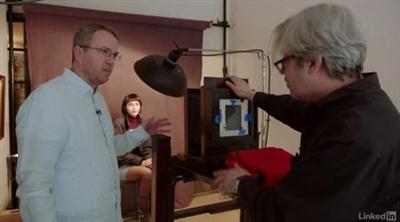
- So today, we are at Penumbra studios, in their Matthew Brady style tintype studio, this is a real treat. We're going to see the overall process for how we can create a portrait with this type of vintage equipment. We'll actually see the process in another lesson, of creating, making that plate ready to use, and actually developing, creating the actual final photo, one frame at a time, which I think is absolutely fascinating. With me here is Jeffrey at the Penumbra Foundation. So, Jeffrey, first of all, what is this? - Well, this is called a sentry studio camera, five by seven, even though we usually prefer five by seven and four by five, we're going to be shooting four by five tintype on it.

Recommend Download Link Hight Speed | Please Say Thanks Keep Topic Live ​
 

507408bc6a99f0ad11ccd3aa5bb72da6.jpg

Torre Dell Terror by Ted Gore - Post Processing Tutorial
Duration: 1hr 30m | Video: h264, yuv420p, 1920x1080 30fps | Audio: aac, 44100 Hz, 2ch | 1.4 GB
Genre: eLearning | Language: English​

This video will cover the story behind the image, thoughts on the composition, color theory and capture, and the processing from start to finish. Particular techniques covered in the processing of this video are focal length blending, focus stacking, dealing with color disparities, and adding interest to clear skies.

*Includes a downsized project file to follow along with.

Home Page -

Recommend Download Link Hight Speed | Please Say Thanks Keep Topic Live ​
 

ede6239759c2535ef3877fdae08345e8.jpg

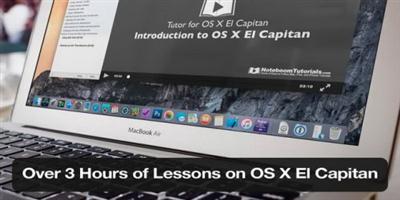
Tutor for (Mac OSX) El Capitan
MPEG-4 | English | 1600 x 900 | 651 kb/s | 30.000 fps | AAC 118 kb/s | 1.62 GB
Genre: Tutorial​

Learn how to use Apple's latest operating system OS X El Capitan with our tutorial which includes 75 easy-to-follow video lessons on Apple's operating system version 10.11. We start out by looking at a few OS X terms and then go into the Finder, Dock, and Menu Bar. From there we look at getting around your Mac and setting up your Mac with the System Preferences. We also look at working with applications including what's new with El Capitan, and how we work with documents and folders in El Capitan.

With our videos, we not only tell you about OS X El Capitan, but we also show you how to use the major features of OS X.

* 76 Easy-to-Follow Videos
* Over three hours of training though Video Tutorials
* No Internet Connection Required
* Tutorials are Divided into Short Chapters
* Full-Screen Mode and Air-Play Enabled
* Tutorials are Highly Rated World-Wide
* Low-Cost Solution to Comprehensive Training
* With our Notes Feature, you can take notes while watching the tutorial

Lessons include:

Tutor for OS X El Capitan Introduction
Getting to Know your Mac
* OS X Terminology
* OS X Folder Hierarchy
* Migrating from Windows
Getting to Know the Finder
* Working with the Finder and Finder Windows
* Finder Window Toolbar
* Finder Window Sidebar
* Working with Tabs in a Finder Window
* Changing the Finder Preferences
Getting to Know the Dock
* Working with the Dock
* Dock Options for Applications
* Dock Options for Folders and Documents
* Changing the Dock Preferences UPDATED
* Getting to Know the Menu Bar UPDATED IN EL CAPITAN
* Accessing the Apple Menu in the Menu Bar
* Accessing Application Menus and Menu Extras NEW FEATURE
Getting Around your Mac
* Switching Applications
* Using the Contextual Menu for Actions
* Searching with Spotlight UPDATED IN EL CAPITAN
* Using Mission Control UPDATED IN EL CAPITAN
* Using the Dashboard
* Viewing the Notification Center and Today View
* Using Spring Loaded Folders
Setting Up your Mac Introduction
* System Preferences View Options
* Setting General Preferences
* Changing your Desktop & Screensaver
* Changing Language and Region Preferences
* Setting Security and Privacy Preferences
* Changing Displays Preferences
* Changing Energy Saver Preferences
* Changing Keyboard Preferences
* Changing Mouse Preferences
* Changing Trackpad Preferences
* Adding Printers and Scanners
* A Quick Look at Sound Preferences
* Setting up iCloud
* Adding Internet Accounts
* Enabling Extensions
* A Quick Look at Network Preferences
* A Quick Look at Bluetooth Preferences
* Sharing Options for your Mac
* Adding Users and Groups
* Adding a Guest Account
* Setting up Parental Controls
* Software Update and the App Store
* Using Dictation and Text to Speech
* Setting Date & Time and the Startup Disk
* Backing Up with Time Machine
* A Quick Look at Accessibility Options
Working with Applications Introduction
* Accessing the Application Folder
* Using Launchpad to Open and Organize Apps
* Installing Applications
* Uninstalling Applications
* Using Applications in Full Screen
* Using Split View NEW IN EL CAPITAN
What's New in El Capitan Applications
* Mail UPDATED IN EL CAPITAN
* Safari UPDATED IN EL CAPITAN
* Notes UPDATED IN EL CAPITAN
* Photos UPDATED IN EL CAPITAN
* Maps UPDATED IN EL CAPITAN
Working with Documents and Folders Introduction
* Saving and Autosaving Documents
* Selecting Documents and Folders
* Restoring Previously Saved Documents
* Moving, Copying, and Grouping Documents
* Tagging Folders and Documents
* Deleting Files and Emptying the Trash
* Compressing or Archiving Files and Folders

Recommend Download Link Hight Speed | Please Say Thanks Keep Topic Live ​

 

ccf2199f522a3e905453c7350e9f2afb.jpg

Udemy - JavaScript for Beginning Web Developers
MP4 | Video: AVC 1280x720 | Audio: AAC 44KHz 2ch | Duration: 4.5 Hours | Lec: 31 | 0.98 GB
Genre: eLearning | Language: English​

Learn JavaScript from the ground up. Perfect for beginners and experienced developers alike.

JavaScript is one of the most popular programming languages in the world because it's easy to learn, and it can do amazing things. If you're interested in web development, it's also a language that you simply must learn to be effective.

This course is aimed at complete beginners, but is great for those who need a brush up on their JavaScript skills.

You will learn the very basics of JavaScript programming, then move on to more complex programming skills. Along the way, you'll have projects to create using the skills you've learned in this course.

Source codes are included in the course materials.

Recommend Download Link Hight Speed | Please Say Thanks Keep Topic Live ​

 

a150959e961044f07c41e44c1f615a68.jpg

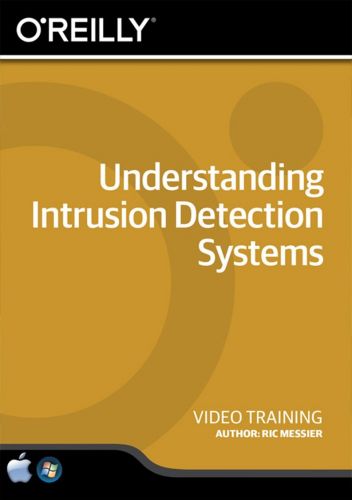
Understanding Intrusion Detection Systems Training Video
2016-07-15 | SKU: 02385 | .MP4, AVC, 1000 kbps, 1280x720 | English, AAC, 125 kbps, 2 Ch | 2.75 hours | 0.99 GB
Genre: eLearning | Language: English​

An outsider might be inside your network and ready to release attack traffic. A disgruntled employee might be inside your system and ready to delete files. You're a systems or network admin and it's your job to prevent these types of malicious events.

Where do you begin? A good start is knowing with some certainty that the attackers are even present and a good intrusion detection system will do just that. In this video, security expert Ric Messier explains why intrusion detection systems are necessary, what they do, how they work, where to find them, and how to implement them.

* Understand intrusion detection: Its meaning, its value, and how to implement it
* Master the workings of host-based and network-based intrusion detection systems
* Learn about network captures, cryptographic hashes, alerting, incident response, and more
* Gain awareness of anomaly based and signature based intrusion detection systems
* Learn to use open source intrusion detection systems like Snort, Suricata, and Bro
* Understand how to perform file integrity checks using Tripwire and Samhain
* Review multiple forms of built-into-the-OS IDS systems

Recommend Download Link Hight Speed | Please Say Thanks Keep Topic Live ​

 
Zurück
Oben Unten