• Regeln für den Video-Bereich:

    In den Börsenbereich gehören nur Angebote die bereits den Allgemeinen Regeln entsprechen.

    Einteilung

    - Folgende Formate gehören in die angegeben Bereiche:
    - Filme: Encodierte Filme von BluRay, DVD, R5, TV, Screener sowie Telesyncs im Format DivX, XviD und x264.
    - DVD: Filme im Format DVD5, DVD9 und HD2DVD.
    - HD: Encodierte Filme mit der Auflösung 720p oder darüber von BluRay, DVD, R5, TV, Screener sowie Telesyncs im Format x264.
    - 3D: Encodierte Filme von BluRay, die in einem 3D Format vorliegen. Dies gilt auch für Dokus, Animation usw.
    - Serien: Cartoon/Zeichentrick, Anime, Tutorials, Dokumentationen, Konzerte/Musik, Sonstiges sind demnach in die entsprechenden Bereiche einzuordnen, auch wenn sie beispielsweise im High Definition-Format oder als DVD5/DVD9/HD2DVD vorliegen. Ausnahme 3D.
    - Bereich Englisch: Englische Releases gehören immer in diesen Bereich.
    - Bereich Talk: Der Bereich, in dem über die Releases diskutiert werden kann, darf, soll und erwünscht ist.


    Angebot/Beitrag erstellen

    - Ein Beitrag darf erst dann erstellt werden, wenn der Upload bei mindestens einem OCH komplett ist. Platzhalter sind untersagt.
    - Bei einem Scenerelease hat der Threadtitel ausschließlich aus dem originalen, unveränderten Releasenamen zu bestehen. Es dürfen keine Veränderungen wie z.B. Sterne, kleine Buchstaben o.ä. vorgenommen werden. Ausnahme Serienbörse:
    - Bei einem Sammelthread für eine Staffel entfällt aus dem Releasename natürlich der Name der Folge. Beispiel: Die Simpsons S21 German DVDRip XviD - ITG
    - Dementsprechend sind also u.a. verboten: Erweiterungen wie "Tipp", "empfehlenswert", "only", "reup", usw. / jegliche andere Zusatzinformation oder Ergänzung, welche nicht in obiger Beschreibung zu finden ist.

    Aufbau des Angebots und Threadtitel

    Der Titel nach folgendem Muster erstellt zu werden. <Name> [3D] [Staffel] [German] <Jahr> <Tonspur> [DL] [Auflösung] <Quelle> <Codec> - <Group>
    Beispiel: The Dark Knight German 2008 AC3 DVDRip XviD - iND
    Beispiel: The Dark Knight 2008 DTS DL BDRip x264 - iND
    Beispiel: The Dark Knight 2008 AC3 DL BDRip XviD - iND
    Beispiel: The Dark Knight German 2008 AC3 720p BluRay x264 iND
    Beispiel: The Dark Knight 2008 DTS DL 1080p BluRay x264 iND
    Beispiel: Die Simpsons S01 German AC3 DVDRip XviD iND
    Beispiel: Die Simpsons S20 German AC3 720p BluRay x264 iND
    Beispiel: Sword Art Online II Ger Sub 2014 AAC 1080p WEBRip x264 - peppermint
    Entsprechend sind also u.a. verboten: Sonderzeichen wie Klammern, Sterne, Ausrufezeichen, Unterstriche, Anführungszeichen / Erweiterungen wie "Tipp", "empfehlenswert", "only", "reup", usw. / jegliche andere Zusatzinformation oder Ergänzung, welche nicht in obiger Beschreibung zu finden ist
    Ausnahmen hiervon können in den Bereichen geregelt sein.

    Die Beiträge sollen wie folgt aufgebaut werden:
    Überschrift entspricht dem Threadtitel
    Cover
    kurze Inhaltsbeschreibung
    Format, Größe, Dauer sind gut lesbar für Downloader außerhalb des Spoilers zu vermerken
    Nfo sind immer Anzugeben und selbige immer im Spoiler in Textform.
    Sind keine Nfo vorhanden z.B. Eigenpublikationen, sind im Spoiler folgende Dateiinformationen zusätzlich anzugeben :
    Quelle
    Video (Auflösung und Bitrate)
    Ton (Sprache, Format und Bitrate der einzelnen Spuren)
    Untertitel (sofern vorhanden)
    Hosterangabe in Textform außerhalb eines Spoiler mit allen enthaltenen Hostern.
    Bei SD kann auf diese zusätzlichen Dateiinformationen verzichtet werden.

    Alle benötigten Passwörter sind, sofern vorhanden, in Textform im Angebot anzugeben.
    Spoiler im Spoiler mit Kommentaren :"Schon Bedankt?" sind unerwünscht.


    Releases

    - Sind Retail-Release verfügbar, sind alle anderen Variationen untersagt. Ausnahmen: Alle deutschen Retail-Release sind CUT, in diesem Fall sind dubbed UNCUT-Release zulässig.
    - Im Serien-Bereich gilt speziell: Wenn ein Retail vor Abschluss einer laufenden Staffel erscheint, darf diese Staffel noch zu Ende gebracht werden.62
    - Gleiche Releases sind unbedingt zusammenzufassen. Das bedeutet, es ist zwingend erforderlich, vor dem Erstellen eines Themas per Suchfunktion zu überprüfen, ob bereits ein Beitrag mit demselben Release besteht. Ist dies der Fall, ist der bereits vorhandene Beitrag zu verwenden.
    - P2P und Scene Releases dürfen nicht verändert oder gar unter einem iND Tag eingestellt werden.


    Support, Diskussionen und Suche

    - Supportanfragen sind entweder per PN oder im Bereich Talk zu stellen.
    - Diskussionen und Bewertungen sind im Talk Bereich zu führen. Fragen an die Uploader haben ausschließlich via PN zu erfolgen, und sind in den Angeboten untersagt.
    - Anfragen zu Upload-Wünschen sind nur im Bereich Suche Video erlaubt. Antworten dürfen nur auf Angebote von MyBoerse.bz verlinkt werden.


    Verbote

    - Untersagt sind mehrere Formate in einem einzigen Angebotsthread, wie beispielsweise das gleichzeitige Anbieten von DivX/XviD, 720p und 1080p in einem Thread. Pro Format, Release und Auflösung ist ein eigener Thread zu eröffnen.
    - Grundsätzlich ebenso verboten sind Dupes. Uploader haben sich an geeigneter Stelle darüber zu informieren, ob es sich bei einem Release um ein Dupe handelt.
    - Gefakte, nur teilweise lauffähige oder unvollständige Angebote sind untersagt. Dies gilt auch für eigene Publikationen, die augenscheinlich nicht selbst von z.B. einer DVD gerippt wurden. Laufende Serien, bei denen noch nicht alle Folgen verfügbar sind, dürfen erstellt und regelmäßig geupdatet werden.
    - Untersagt sind Angebote, welche nur und ausschließlich in einer anderen Sprache als deutsch oder englisch vorliegen. Ausnahmen sind VORHER mit den Moderatoren zu klären.


    Verstoß gegen die Regeln

    - Angebote oder Beiträge, die gegen die Forenregeln verstoßen, sind über den "Melden"-Button im Beitrag zu melden.
  • Bitte registriere dich zunächst um Beiträge zu verfassen und externe Links aufzurufen.


Englische Tutorials


9c2abde2991e867ece38ce809f204314.jpg

Adobe Camera Raw and Lightroom for Lunch - Create Mood & Light in Early Evening Photos
MP4 | Video: AVC 1280x720 | Audio: AAC 44KHz 2ch | Duration: 26M | 123 MB
Genre: eLearning | Language: English​

Adobe Camera Raw and Lightroom for Lunch™ is a series of short video courses you can study in bite size pieces such as at lunchtime. In this course you'll learn to create mood and light in an image shot in early evening. You will learn to do this in both Lightroom and Adobe Camera Raw. This is the before and after for one of the two images we will be working on:

Recommend Download Link Hight Speed | Please Say Thanks Keep Topic Live ​
 

a76ad05c3b91f13df816db734ce7bd20.jpg

Android Fundamentals: SharedPreferences
Duration: 1h 38m | Video: h264, yuv420p, 1280x720 | Audio: aac, 44100 Hz, 2 ch | 422MB
Genre: eLearning | Language: English | Project Files Included​

SharedPereferences is an API that allows you to save a small collection of data persistently. This course, Android Fundamentals: SharedPreferences, is all about basics and fundamental concepts of SharedPreferences. First, you'll get an introduction to Android storage options. Next, you'll see how saving and retrieving data from SharedPreferences works. Finally, you'll use GSON to save and retrieve non-primitive data types. After completing this course, you'll know how to save, retrieve, and modify data both at the activity level and application level through your illustrative demo application.

Recommend Download Link Hight Speed | Please Say Thanks Keep Topic Live ​
 

efde47366647d5202a7359f47527a163.jpg

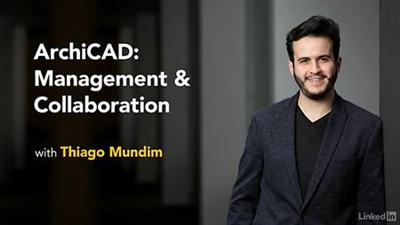
Lynda - ArchiCAD: Management & Collaboration
Duration: 1h 17m | Video: AVC (.mp4) 1280x720 15&30fps | Audio: AAC 48KHz 2ch | 1.14 GB
Genre: eLearning | Level: Advanced | Language: English​

Great architecture is a team effort. ArchiCAD is an award-winning tool for BIM professionals the world over, and it comes with a host of collaboration tools that make it easy to share work and collaborate on designs. ArchiCAD: Management & Collaboration covers everything that an advanced user should know when using ArchiCAD on large projects and in large teams. It's designed to replicate all the tasks of a BIM manager or a BIM coordinator, while optimizing the workflow and performance of your ArchiCAD setup. Join Thiago Mundim, as he shows how to implement BIM Server to network projects with simultaneous access, monitor file size, use Hotlinked Modules to reference external ArchiCAD files, create reusable templates, and import IFC files from other CAD systems.

Topics include:
* Implementing BIM Server
* Managing file size
* Using Hotlink modules
* Managing project attributes
* Creating ArchiCAD templates
* Importing and mapping IFC files

Recommend Download Link Hight Speed | Please Say Thanks Keep Topic Live ​
 

575d4e6355a1ba49eb117d82639dd45a.jpg

Article Arbitrage: Learn How To Sell Spun Articles
MP4 | Video: AVC 1280x720 | Audio: AAC 44KHz 2ch | Duration: 2.5 Hours | Lec: 19 | 908 MB
Genre: eLearning | Language: English​

Guide to running an online business on autopilot.

Course Summary:
Make Money Online: How I Make $20,000 Per Month With Article Arbitrage teaches you how you can easily create an online income stream by selling articles that you don't have to write yourself.
This course teaches you the exact steps I personally use to generate a decent income online every month.
"Live, watch over my shoulders" videos are also included in the course.
This make money online video tutorial consists of a bunch of power packed videos offering close to 3 hours of video content (166.75 minutes) and a bunch of resources in the form of PDFs that you will need to kick start this system and make money online.
What You Will Learn:

You will learn how to find private clients in two different niches who might be interested in buying high paying content from you.
You will learn how to communicate with your potential clients and get them to hire you for your content writing and blog creation services.
You will learn how to negotiate prices with them.
You will learn how to take the orders from them and then outsource the same for just a fraction of what you get paid by your clients.
You will learn how to communicate with those clients who don't show interest in your services the first time.
You will learn how to set up a blog on your clients' sites for a premium fee and help them rank better on search engines.
You will learn how I personally make money through the "watch over my shoulders" live screencast videos.
What You Will Need:
You will need:

An Internet Connection And Computer
A Writer Portfolio Website (The Tutorial shows you how to get one for super cheap)
Basic English communication skills
One free email account
One Paypal account for collecting payments from customers.

This has nothing to do with outsourcing articles on Freelance sites or Fiverr.

Recommend Download Link Hight Speed | Please Say Thanks Keep Topic Live ​

 

ea8cff27d6d1c46d169c246885144a98.jpg

Lynda - AutoCAD Facilities Management: Space Management
Duration: 2h 17m | Video: AVC (.mp4) 1280x720 15&30fps | Audio: AAC 48KHz 2ch | 391 MB
Genre: eLearning | Level: Appropriate for all | Language: English​

Once you have measured the available area in your facility, the next step in computer-aided facilities management (CAFM) is to develop it into specific spaces with assigned uses: offices, bathrooms, labs, electrical closets, etc. This course shows how to use AutoCAD, Autodesk's flagship CAD platform, for space management. Follow along with Shaun Bryant as he guides you step-by-step through a real-world CAFM project, allowing you to learn at your own pace, developing your skills as you go. He shows how to set up drawings, define spaces with polylines, set up space tables to house your data, and annotate drawings with that data. By the end of the course, you'll be able to export the space management information to applications such as Microsoft Excel, so you can analyze the data in a tabular format.

Topics include:
* Managing spaces with AutoCAD
* Setting up a facilities drawing
* Managing XREF layers
* Adjusting settings such as units, limits, and fills
* Creating polylines
* Defining space areas
* Annotating spaces
* Setting up a space table style
* Exporting space table data

Recommend Download Link Hight Speed | Please Say Thanks Keep Topic Live ​

 

753ee1c5b2f5f88c781c769acba52ea2.jpg

Automate Siebel & MainframeAS400 Applications with UFT (2016)
MP4 | Video: AVC 1280x720 | Audio: AAC 44KHz 2ch | Duration: 43M | Lec: 8 | 128 MB
Genre: eLearning | Language: English​

Hands-on learning guide to automate Mainframe/AS400 application using UFT along with Siebel applications.

Read to add some extra ordinary automation skills on this competitive market? Finally, a course that will present video tutorials on automating live AS400 (mainframe) and Siebel applications using UFT. These skills are currently hot in the market and it can help you seal your next QA job. The highlights of this course includes AS400 automation with QTP, Siebel Automation using QTP and AS400 terminal emulator settings.UFT tutorial videos and UFT basics have made easy by QAEversity. HP Unified Functional Testing (UFT) does cost a fortune but it's still a market leader in the automation testing industry. Nowadays, many open source and low-cost automation tools came into play but QTP and UFT are still popular for their advanced features and controls. UFT provides a better control over our automation process and it came up with many advanced and useful features QTP did not have. It is suitable for both people with non-programming and programming backgrounds. UFT supports VB script for customization and better control which is easy to learn. However, it has been difficult to find a end-to-end UFT training solution for basic and advanced UFT features including. It is essential to have UFT skills to be able to gain competitive advantages in today's market. QAEversity is committed to provide a unique learning experience for delivering UFT training online throughout our award-winning UFT training videos. In this course, we cover all the important aspects of UFT starting from the very basics to the most advanced level concepts. This course treats every student as a freshman and explains each and every single step thoroughly. It can be a great source to brush up a specific topic or master the entire course. Our set of UFT training videos cover basic and advanced topics including, new features in UFT 12.0 and UFT 12.02, new features in UFT, VB scripting, checkpoints, output values, descriptive programming, object repositories, and last but not the least Mainframe/AS400 application automation and Siebel application automation using UFT. It has not been easy to learn AS400 automation with QTP, and Siebel Automation using QTP or UFT, so here we are to make it easy for you.

Recommend Download Link Hight Speed | Please Say Thanks Keep Topic Live ​

 

b911784c3d9add7d61c5be11ab7a2978.jpg

Benefits of Thinking Mobile First Future of Website Design
MP4 | Video: AVC 1280x720 | Audio: AAC 44KHz 2ch | Duration: 1.5 Hours | Lec: 20 | 630 MB
Genre: eLearning | Language: English​

How to start thinking about mobile and why you should create your website with mobile in mind.

A growing number of users are now mobile only, if your website can't accommodate them you are losing potential clients. In April 2015 Google implemented one of its biggest changes yet to the search algorithm, and its all about mobile. If you are not thinking mobile you could be hurting your Search rankings. Social media sites are not visited by more mobile devices than desktop computers. If you get traffic from social then you need to have a mobile ready website. With varying screen sizes from mobile devices, televisions, and a multitude of various devices accessing your website have a proper website design is becoming ever more important.

The shift is happening, mobile thinking is one of the most important consideration when its comes to doing business online.

Recommend Download Link Hight Speed | Please Say Thanks Keep Topic Live ​

 

9faf8e5f881864eb53e13560e7c11563.jpg

Lynda - Bluegrass Guitar Lessons with Bryan Sutton: Feel and Crosspicking
Duration: 2h 45m | Video: AVC (.mp4) 1280x720 30fps | Audio: AAC 48KHz 2ch | 1.43 GB
Genre: eLearning | Level: Beginner | Language: English​

The bluegrass style is one of the most rewarding and technically demanding ways to play guitar. Once you've mastered the basics, you can play most songs. But becoming a great bluegrass guitarist has a lot to do with feel and dexterity-skills you can only master with the help of a great teacher. Bryan Sutton is arguably the best flatpick guitarist since the late great Doc Watson. In this course, part 4 of Bluegrass Guitar Lessons, he shares his Grammy-winning techniques with you. Learn how to maintain flatpicking flow-consistent tone, groove, and musicality. Find out how to play along role-oriented lines, and find more musical opportunities. In chapters 3, 4, and 5, Bryan shows how to apply what you've learned to intermediate versions of popular bluegrass tunes. Each lesson helps you add a challenging new dimension to your sound, and improve your overall musicality.
Topics include:
* Adding feel
* Developing groove
* Crosspicking
* Playing intermediate bluegrass tunes

Recommend Download Link Hight Speed | Please Say Thanks Keep Topic Live ​

 

b6b012bcf607f1f93d6a0fcf040c02a5.jpg

Lynda - Bluegrass Guitar Lessons with Bryan Sutton: Picking, Fretting, and Chords
Duration: 3h 3m | Video: AVC (.mp4) 1280x720 30fps | Audio: AAC 48KHz 2ch | 1.63 GB
Genre: eLearning | Level: Beginner | Language: English​

The bluegrass style is one of the most rewarding and technically demanding ways to play guitar. Unlike acoustic guitar, it concentrates on rhythm, groove, and playing as part of an ensemble-the skills Grammy-winning flatpicker Bryan Sutton emphasizes in his series, Bluegrass Guitar Lessons. Part 1 concentrates on the fundamentals of bluegrass guitar: picking and fretting, posture, and flatpicking flow. Bryan covers everything from holding the guitar and pick to strumming, fingering the fretboard, and using downstrokes, upstrokes, and repetition to reproduce popular picking patterns. He also helps you develop a sense of rhythm, muscle memory, and consistent sound and tone, and breaks down a selection of popular bluegrass tunes that are important for the repertoire of any bluegrass guitarist. Note: This course was recorded and produced by ArtistWorks. We are honored to host this training in our library

Recommend Download Link Hight Speed | Please Say Thanks Keep Topic Live ​

 

f509e3c57b79a659f2a2bf4e87ed9555.jpg

Lynda - Bluegrass Guitar Lessons with Bryan Sutton: Rhythm and Voicings
Size: 1.50 GB | Duration: 2h 54m | Video: AVC (.mp4) 1280x720 30fps | Audio: AAC 48KHz 2ch
Genre: eLearning | Level: Beginner | Language: English​

(acoustic guitar music) - Here in Course Three we're going to talk a little bit more about the big picture. We've covered a lot of the basic fundamentals to this point. We're going to continue to expand with that. A deeper look at hammer ons, pull offs, slides, as far as embellishment and really creating kind of personality to the sound. On the more technical side, mechanical side, the true sync between the fretting hand and picking hand, looking at chord voicings, looking at playing scales up the neck.

More intermediate versions of some of these tunes, adding a little bit of challenge. And so, other sort of just musicality kind of conversations and good things to get into as we put a lot of fundamentals together. Now looking at how to really make a personal sound here for your own bluegrass guitar playing. So have fun with that.

Recommend Download Link Hight Speed | Please Say Thanks Keep Topic Live ​

 

3db0292eb5b531d16b0b95151473628d.jpg

Lynda - Bluegrass Guitar Lessons with Bryan Sutton: Scales, Walking Bass, Hammer-Ons, and Pull-Offs
Duration: 3h 2m | Video: AVC (.mp4) 1280x720 30fps | Audio: AAC 48KHz 2ch | 1.59 GB
Genre: eLearning | Level: Beginner | Language: English​

The bluegrass style is one of the most rewarding and technically demanding ways to play guitar. Learn how to play bluegrass guitar or improve your current flatpicking and fretting skills in this course-part 2 of the Bluegrass Guitar Lessons series with Grammy-winning flatpicker Bryan Sutton. Learn how to build strength and fingerboard awareness, and expand what you can do with the rhythm guitar with "walking bass" movement and advanced scales. Find out how to create more expressive sounds and play more efficiently with hammer-ons and pull-offs, and how to use a capo and slide. Watch at your own pace; start and stop where and when you need. Everything that Bryan breaks down he puts back together in chapters 4 and 5, where he shows how to apply what you've learned to a selection of popular bluegrass tunes that are important for the repertoire of any bluegrass guitarist. Note: This course was recorded and produced by ArtistWorks. We are honored to host this training in our library.

Recommend Download Link Hight Speed | Please Say Thanks Keep Topic Live ​
 

1b55fcc2afdab347b3c52f67548fedd0.jpg

Building Scalable APIs with GraphQL (2016)
August 2016 | MP4 | Video: AVC 1280x720 | Audio: AAC 44KHz 2ch | Duration: 2 Hours 10M | 389 MB
Genre: eLearning | Language: English​

GraphQL is a query language and runtime that can provide a common interface between client and server applications for fetching and manipulating data. This course will show you how to build and consume GraphQL APIs with real-world examples.

Want to get up and running with building and consuming GraphQL APIs? In this course, Building Scalable APIs with GraphQL, you'll learn what separates GraphQL from other languages and API runtimes, as well as what problems GraphQL solves, and how to use it for declarative data communication. This course is a great place to start for learning GraphQL, but to get the most from this course, you should have some experience with JavaScript and with NoSQL databases, including MongoDB or PostgreSQL. You'll learn how to create a GraphQL schema and how to use it via any interface, including an HTTP-based one. Next, you'll learn to use multiple types of databases with GraphQL, including PostgreSQL and MongoDB, and how to use caching and batching via tools like Dataloader to avoid extra queries to the database. Finally, you'll learn how to work with mutations, union types, and how to model GraphQL fields using database views. By the end of this course, you'll know how to build and consume a GraphQL API, and how to do so efficiently.

Recommend Download Link Hight Speed | Please Say Thanks Keep Topic Live ​
 
Zurück
Oben Unten