• Regeln für den Video-Bereich:

    In den Börsenbereich gehören nur Angebote die bereits den Allgemeinen Regeln entsprechen.

    Einteilung

    - Folgende Formate gehören in die angegeben Bereiche:
    - Filme: Encodierte Filme von BluRay, DVD, R5, TV, Screener sowie Telesyncs im Format DivX, XviD und x264.
    - DVD: Filme im Format DVD5, DVD9 und HD2DVD.
    - HD: Encodierte Filme mit der Auflösung 720p oder darüber von BluRay, DVD, R5, TV, Screener sowie Telesyncs im Format x264.
    - 3D: Encodierte Filme von BluRay, die in einem 3D Format vorliegen. Dies gilt auch für Dokus, Animation usw.
    - Serien: Cartoon/Zeichentrick, Anime, Tutorials, Dokumentationen, Konzerte/Musik, Sonstiges sind demnach in die entsprechenden Bereiche einzuordnen, auch wenn sie beispielsweise im High Definition-Format oder als DVD5/DVD9/HD2DVD vorliegen. Ausnahme 3D.
    - Bereich Englisch: Englische Releases gehören immer in diesen Bereich.
    - Bereich Talk: Der Bereich, in dem über die Releases diskutiert werden kann, darf, soll und erwünscht ist.


    Angebot/Beitrag erstellen

    - Ein Beitrag darf erst dann erstellt werden, wenn der Upload bei mindestens einem OCH komplett ist. Platzhalter sind untersagt.
    - Bei einem Scenerelease hat der Threadtitel ausschließlich aus dem originalen, unveränderten Releasenamen zu bestehen. Es dürfen keine Veränderungen wie z.B. Sterne, kleine Buchstaben o.ä. vorgenommen werden. Ausnahme Serienbörse:
    - Bei einem Sammelthread für eine Staffel entfällt aus dem Releasename natürlich der Name der Folge. Beispiel: Die Simpsons S21 German DVDRip XviD - ITG
    - Dementsprechend sind also u.a. verboten: Erweiterungen wie "Tipp", "empfehlenswert", "only", "reup", usw. / jegliche andere Zusatzinformation oder Ergänzung, welche nicht in obiger Beschreibung zu finden ist.

    Aufbau des Angebots und Threadtitel

    Der Titel nach folgendem Muster erstellt zu werden. <Name> [3D] [Staffel] [German] <Jahr> <Tonspur> [DL] [Auflösung] <Quelle> <Codec> - <Group>
    Beispiel: The Dark Knight German 2008 AC3 DVDRip XviD - iND
    Beispiel: The Dark Knight 2008 DTS DL BDRip x264 - iND
    Beispiel: The Dark Knight 2008 AC3 DL BDRip XviD - iND
    Beispiel: The Dark Knight German 2008 AC3 720p BluRay x264 iND
    Beispiel: The Dark Knight 2008 DTS DL 1080p BluRay x264 iND
    Beispiel: Die Simpsons S01 German AC3 DVDRip XviD iND
    Beispiel: Die Simpsons S20 German AC3 720p BluRay x264 iND
    Beispiel: Sword Art Online II Ger Sub 2014 AAC 1080p WEBRip x264 - peppermint
    Entsprechend sind also u.a. verboten: Sonderzeichen wie Klammern, Sterne, Ausrufezeichen, Unterstriche, Anführungszeichen / Erweiterungen wie "Tipp", "empfehlenswert", "only", "reup", usw. / jegliche andere Zusatzinformation oder Ergänzung, welche nicht in obiger Beschreibung zu finden ist
    Ausnahmen hiervon können in den Bereichen geregelt sein.

    Die Beiträge sollen wie folgt aufgebaut werden:
    Überschrift entspricht dem Threadtitel
    Cover
    kurze Inhaltsbeschreibung
    Format, Größe, Dauer sind gut lesbar für Downloader außerhalb des Spoilers zu vermerken
    Nfo sind immer Anzugeben und selbige immer im Spoiler in Textform.
    Sind keine Nfo vorhanden z.B. Eigenpublikationen, sind im Spoiler folgende Dateiinformationen zusätzlich anzugeben :
    Quelle
    Video (Auflösung und Bitrate)
    Ton (Sprache, Format und Bitrate der einzelnen Spuren)
    Untertitel (sofern vorhanden)
    Hosterangabe in Textform außerhalb eines Spoiler mit allen enthaltenen Hostern.
    Bei SD kann auf diese zusätzlichen Dateiinformationen verzichtet werden.

    Alle benötigten Passwörter sind, sofern vorhanden, in Textform im Angebot anzugeben.
    Spoiler im Spoiler mit Kommentaren :"Schon Bedankt?" sind unerwünscht.


    Releases

    - Sind Retail-Release verfügbar, sind alle anderen Variationen untersagt. Ausnahmen: Alle deutschen Retail-Release sind CUT, in diesem Fall sind dubbed UNCUT-Release zulässig.
    - Im Serien-Bereich gilt speziell: Wenn ein Retail vor Abschluss einer laufenden Staffel erscheint, darf diese Staffel noch zu Ende gebracht werden.62
    - Gleiche Releases sind unbedingt zusammenzufassen. Das bedeutet, es ist zwingend erforderlich, vor dem Erstellen eines Themas per Suchfunktion zu überprüfen, ob bereits ein Beitrag mit demselben Release besteht. Ist dies der Fall, ist der bereits vorhandene Beitrag zu verwenden.
    - P2P und Scene Releases dürfen nicht verändert oder gar unter einem iND Tag eingestellt werden.


    Support, Diskussionen und Suche

    - Supportanfragen sind entweder per PN oder im Bereich Talk zu stellen.
    - Diskussionen und Bewertungen sind im Talk Bereich zu führen. Fragen an die Uploader haben ausschließlich via PN zu erfolgen, und sind in den Angeboten untersagt.
    - Anfragen zu Upload-Wünschen sind nur im Bereich Suche Video erlaubt. Antworten dürfen nur auf Angebote von MyBoerse.bz verlinkt werden.


    Verbote

    - Untersagt sind mehrere Formate in einem einzigen Angebotsthread, wie beispielsweise das gleichzeitige Anbieten von DivX/XviD, 720p und 1080p in einem Thread. Pro Format, Release und Auflösung ist ein eigener Thread zu eröffnen.
    - Grundsätzlich ebenso verboten sind Dupes. Uploader haben sich an geeigneter Stelle darüber zu informieren, ob es sich bei einem Release um ein Dupe handelt.
    - Gefakte, nur teilweise lauffähige oder unvollständige Angebote sind untersagt. Dies gilt auch für eigene Publikationen, die augenscheinlich nicht selbst von z.B. einer DVD gerippt wurden. Laufende Serien, bei denen noch nicht alle Folgen verfügbar sind, dürfen erstellt und regelmäßig geupdatet werden.
    - Untersagt sind Angebote, welche nur und ausschließlich in einer anderen Sprache als deutsch oder englisch vorliegen. Ausnahmen sind VORHER mit den Moderatoren zu klären.


    Verstoß gegen die Regeln

    - Angebote oder Beiträge, die gegen die Forenregeln verstoßen, sind über den "Melden"-Button im Beitrag zu melden.
  • Bitte registriere dich zunächst um Beiträge zu verfassen und externe Links aufzurufen.

*** Bestes IPTV *** bester Preis *** gratis Test ***


Englische Tutorials

Web Design Studio Accelerator 2.0 by John D Saunders

9d304ba2ca80857c3d3c27b74b562378.jpg

John D Saunders - Web Design Studio Accelerator 2.0 | 2.61 GB
I launched my FIRST course 4 years ago on Udemy, not knowing what to expect.

Marked As Spam***
It went on to be one of the BEST SELLING courses on the platform with more than 2,000+ students and 50+ 4.8-star reviews. Since then, I've launched two more courses, hitting 7-figures in the process and hosted workshops and masterminds in South Florida, San Francisco and New York City.
***Marked As Spam***
At the same time, I've been running a THRIVING web design studio ALL with a small remote team from my home office.
So, why am I telling you this?
***Marked As Spam***
I believe in order to be a great teacher, you HAVE to be an active practitioner, especially in the realm of branding and web design. There have been a TON of changes to web design and branding and the 'SLAP a SITE UP" strategy just doesn't cut it for high level clients. The Web Design Studio Accelerator isn't just a course, it's a DETAILED and PERSONALIZED training program built on regularly updated Standard Operating Procedures built from the ground up with video training EVERY step of the way.

The Curriculum
Module 1 - Introduction
Module 2 - Web Design Studio Setup
Module 3 - The web design agency process
Module 4 - Design and Development strategy
Module 5 - Gaining paying clients
Module 6 - The business (profit first strategy)
Module 7 - an intro to Webflow
Module 8 - Building no-code template websites in Webflow
Module 9 - Webflow QA
Website critiques: Critiques from the Slack group
Private group questions: Responses to questions to the private Facebook group

HOmepage:

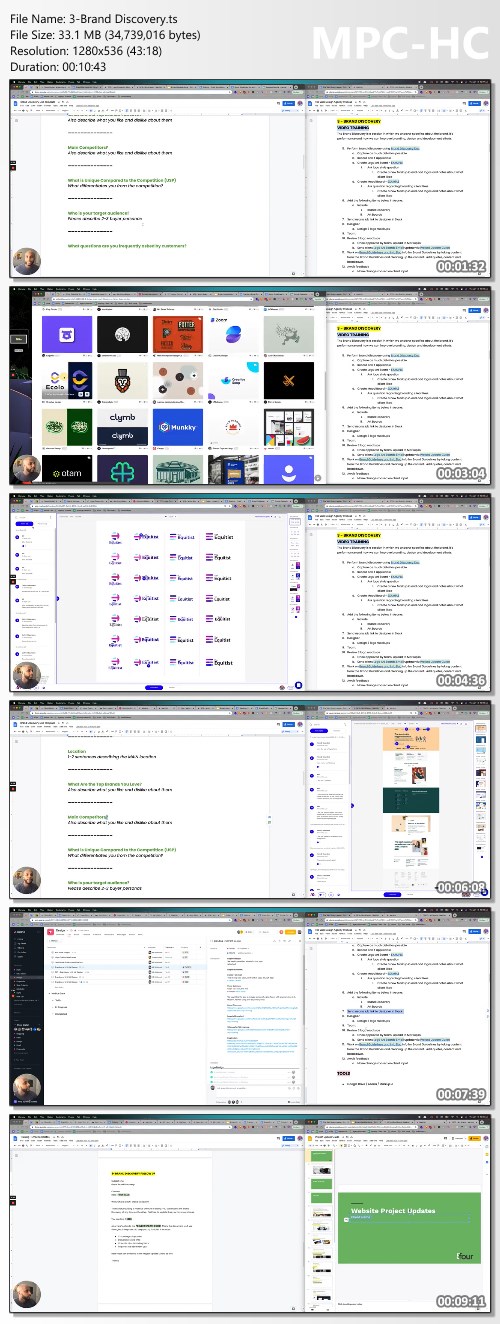
Screenshots
c5bafc1ceea3088a728612badb4b1038.jpg


Link Download
Extract files with WinRar 5 or Latest !
 
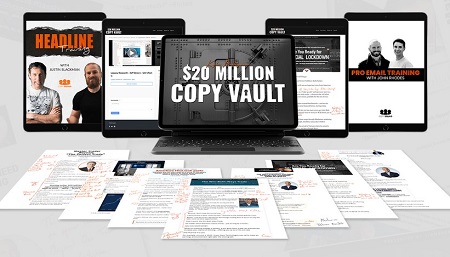
Kyle Milligan's $20 Million Copy Vault

f0de4168b7fc94b10d6ce14fdee66706.jpg

Kyle Milligan - $20 Million Copy Vault | 23.4 GB
What You Get:
Kyle Milligan's
$20 Million Copy Vault
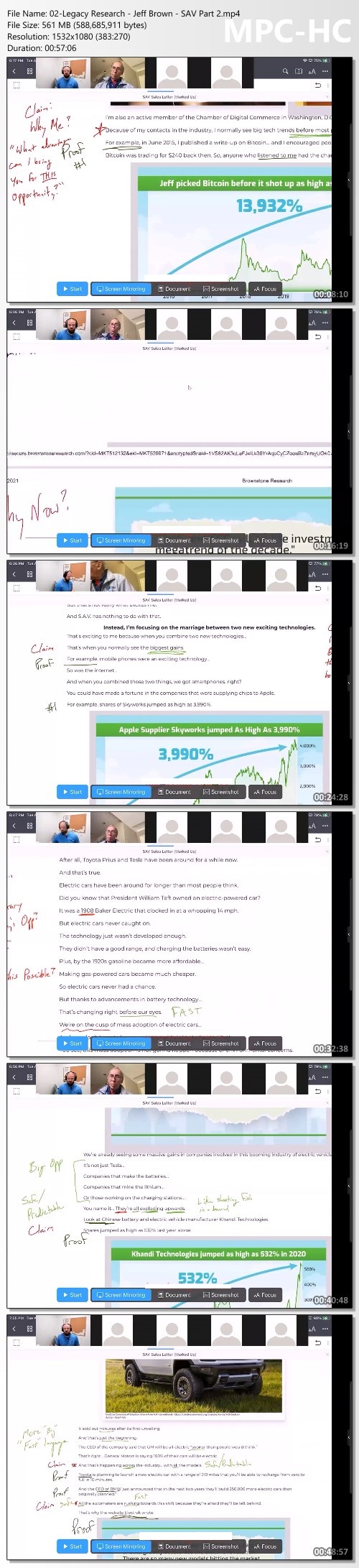
This is every MILLION dollar promo I broke down in 2021. Including Oxford Club's Win Both Ways Promo.

Jeff Brown's SAV Promo. Banyan Hill's Digitarium. And much, much more! Many of these promos are no longer running and therefore cannot be found in the wild. You can only get access to each one - plus, over 9+ hours of video where I go over every lesson and insight each one taught me - when you fill out the form on the next page and open the vault.
Kyle's Secret Formula
The "Beats of a Sales Letter"

The million-dollar sales structure (that every single control beating promo follows) will emerge right before your eyes. You'll see exactly when to tease the "Mechanism." What's so important about having a "Force of Nature." Why you're leaving money on the table without a "Winter is Coming" section. How to think about the "Catalyst." And so much more. This is the first time this structure has ever been made available to the public.
ADDED BONUSES
2 Exclusive Trainings

And in addition to insights and secrets and 9+ hours of recordings you get from the $20 Million Copy Vault, you'll also receive two FREE bonus lessons!

The first is a 48 minute video guide with me and Justin Blackman from Pretty Fly Copywriting (AKA The 10,000 Headlines Guy) showing you exactly how to generate countless amazing headlines on command. You'll never wonder what to put at the top of your promo ever again!

And the second is and in-depth Email Training series with John Rhodes that reveals the 3 ways to make money with email, how to sell a "buying frenzy," his secret email set-ups, how to pocket hundreds of dollars per hour writing emails, 4 email swipe formulas, and much more!

Homepage:

Screenshots
958a3af603dcdcda31f4183b70b3454a.jpg


Link Download
Extract files with WinRar 5 or Latest !
 
YouTube Ads For High Ticket Funnels by Kyle Sulerud

7e7c9f806ac6ed5787fb19aa7d30a933.jpg

Kyle Sulerud - YouTube Ads For High Ticket Funnels | 6.66 GB
YouTube Ads For High Ticket Funnels - Kyle Sulerud: This isn't a 12 week course or a program filled with 100+ hours of content.
You can implement the RFA method for your business tomorrow. Because all you need is 3 hours to learn my entire system.

Heck, if you're feeling ambitious. you can have the entire RFA method implemented by the end of the video, because I walk you through it step-by-step.

Of course we'll also give you some bonuses to go with it. You'll see those later on. And this is the first time I'm offering this training to the public. Before, it was only available for clients of Dan Henry's high end program - Digital Millionaire Coaching. (A 5 figure investment)

Not only that, Dan has since closed off his program to the public. So you can't even get the training there anymore unless you're an existing client of Dan's.

And if you're wondering whether or not this strategy will become outdated like many other strategies we see in our space.

I've been using this same strategy for years for my agency clients. Unless Google completely removes all their targeting from their platform, the RFA Method will live.

And unlike Facebook who's removing targeting options, Google is always adding more. So the core training of YouTube Ads For High Ticket Funnels falls into 3 parts:

Here is some summary information about YouTube Ads For High Ticket Funnels , if you want to read more about YouTube Ads For High Ticket Funnels , please scroll down to the product homepage!

Part I: Creative
This is where most people's YouTube scaling dreams fall flat. The creative is the electricity powering the sales factory we're creating here.
And if you slack on this part, then you've got an abandoned factory. Maybe once in a while, a sale will come out. but it definitely won't make up for the ad spend bill.
So I'm going to walk you through our process to consistently create high converting YouTube ad creatives.
Part II: Scaling
This is where the magic happens. The heart of the RFA Method beats here.
Now that you've got some strong ad creatives, here's where we'll turn those creatives into sales reps for your business. Plus, we're only going to put them in front of highly targeted prospects.
RFA stands for Ready, Fire, Aim. And this is exactly how we're going to create scalable YouTube campaigns at record speed.
Part III: The Walkthrough
Welcome to the last part of the training. You've got some killer creatives. You know how we're going to methodically approach our campaigns. Now this is where the rubber meets the road.
Here's where I'll walk you through Google Ads on how to set up your campaign from scratch.
Pro tip: It's extremely helpful if you create a mock campaign while following along. Just so you have all the settings and whatnot.
And above are 3 parts in YouTube Ads For High Ticket Funnels
AND OF COURSE, HERE ARE THE BONUSES

Bonus #1 - Google Retargeting Mastery ($997 Value)
Bonus #2 - Placement Exclusion List ($997 value)
Bonus #3 - Ad Scripting Workshop Recordings ($2500 value)
Bonus #4 - Targeting Workshop Recordings ($2500 Value)
Bonus #5 - YouTube Ad Madness ($197 Value)
Bonus #6 - Lighting And Cameras Session ($497)

HOmepage:

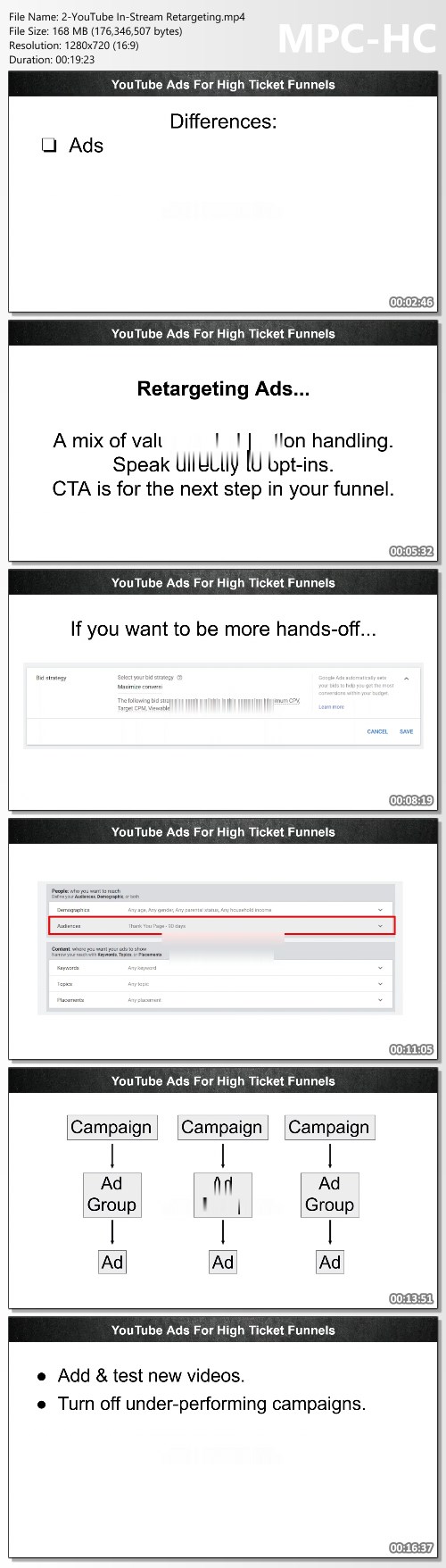
Screenshots
d1daecd4f6f0e3bf3be71c2e259840b8.jpg


Link Download
Extract files with WinRar 5 or Latest !
 
Instagram Secrets By Limo Oueslati

46cbb9e179b8bc8d6f6db06c4637e2a0.png

Limo Oueslati - Instagram Secrets | 8.33 MB
Instagram is the platform where men decide if you're worthy of respect. And where women decide if you're attractive
The right Instagram presence will help you be perceived as attractive, high-status, in demand. Ths has to be accompanied by great Texting Skills as well.

Inside Instagram Secrets, I will teach you:
- How to find and connect with attractive girls in your city
- How to have thousands of followers on your account
- How to display high value and gain respect from women and other men
- The Exact System to consistently get 2-3 dates a week using Instagram.
- I'll teach you what pictures to take, how to take them and how to make women answer your DM's.
- I'll teach you the most important Texting Principles and will give you access to 10 examples of conversations I've had and how I conducted them.
- I'll show you exactly how many DM's you should send to get your desired number of dates per week and how to create a routine for that.

After reading it, you'll know exactly how to get at least 3 dates per week with beautiful women in your city.
Not only that, you'll know how to display High-Value and Respect through online platforms.
I've taught men from 5 continents how to correctly use Instagram for maximum engagement and unlimited dates with women.
My methods work EVERYWHERE like clockwork.
No matter if you're 18 or 50 years old. No matter if you're from Kenya or New York.
I've been traveling the world for the past 2 years (even during Covid) and had extraordinary results with Instagram.
Many times, I got more dates than I could handle.

HOmepage:

Link Download
Extract files with WinRar 5 or Latest !
 
LP Trading Program Course

ef1bfd05e4fb413685ad15c5acd7be60.jpg

LP Trading Program Course | 6.6 GB
Are you struggling to get funded or make any money with trading?
- Are you always in the red no matter what trades you take?
- You can find good trades but still can't make a profit at the end of the month?
- Can't figure out how people get funded and make money every month?

Trading is challenging, but it should not be painful and depressing.
- Imagine knowing what you are looking for in the market and trading one method profitably.
- Getting funded is challenging, but keeping the account is even more difficult. We work on getting withdrawals consistently.
- Getting a 4-5 figure payout every 1-2 months may not be much for some, but this can be life-changing for you if you mean business.

This strategy course is for you if:
Do you have experience in the Forex market but can't make profits?
Already learned everything you thought you could but missing a profitable strategy and the mindset to make it work.
Are you trying to get funded or your first payout but can't?
Not only will you learn the strategy and the mindset part. You will also be able to take advantage of the entire funding series that is dedicated to solving this issue.
Can't seem to break past break-even?
I put the pieces to this strategy together and went from break-even to $30k a month and being interviewed by FTMO. You can blast past break even with a good risk to reward rule-based strategy.

HOmepage:

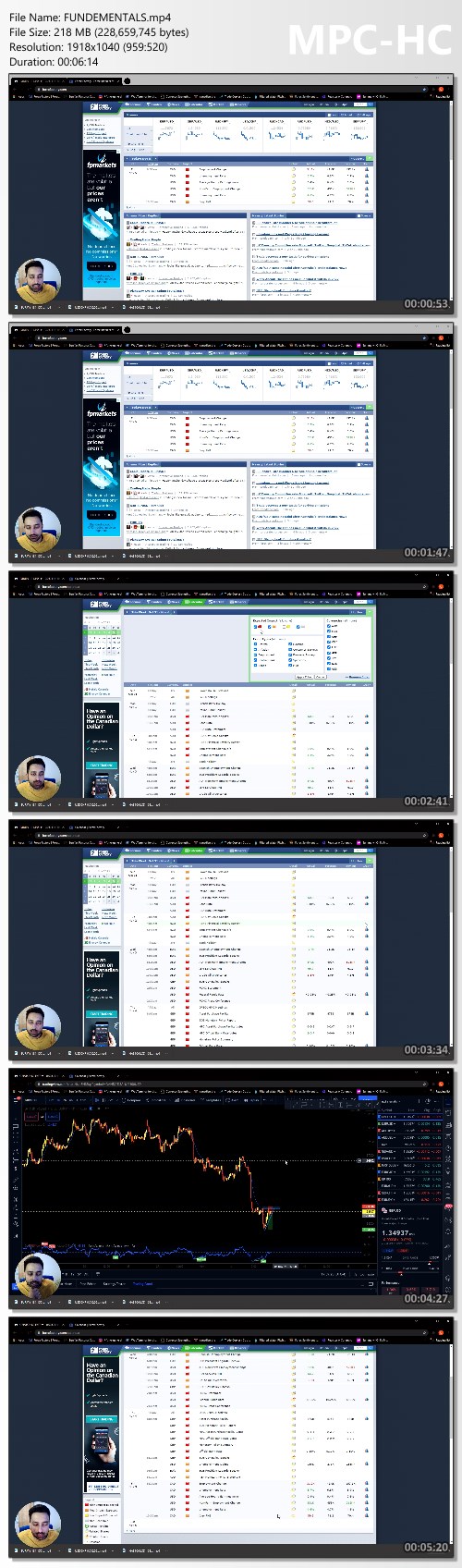
Screenshots
2a3cca9bc1e9e68cba0bec0dc1778039.jpg


Link Download
Extract files with WinRar 5 or Latest !
 
Lynk Trading - WillssFX Mentorship Courses

7dd5e8c018b77b32b86a55c955e4406f.jpg

Lynk Trading - WillssFX Mentorship Courses | 6.26 GB
This offers a complete package for you to become a profitable trader.
The in-depth mentorship program will enable you to level up your trading performance.

Homepage:

Screenshots
34d131538c64a6d1514fbc983d4b6314.jpg


Link Download
Extract files with WinRar 5 or Latest !
 
Music Production + Composition In Fl Studio - Complete Guide

lr1xx5nofci6etdurxgqty4cu9.jpg


Music Production + Composition In Fl Studio - Complete Guide
Published 10/2022
MP4 | Video: h264, 1280x720 | Audio: AAC, 44.1 KHz
Language: English | Size: 17.80 GB | Duration: 21h 34m

Become a master at using FL Studio | Learn Music Production, Composition & Arrangement | Build 3 Complete Tracks


What you'll learn
Create 3 Professional Music Productions in 3 separate genres (House, Techno, Future Bass)
Learn How To Make Music from scratch in FL Studio
Learn Working with FL Studio in a Quick and Easy Way
Learn Music Theory and the Art of Song Writing/Composition
Learn the Art of Mixing and Mastering
Upgrade your EDM production skills to a professional level

Requirements
Computer with FL Studio installed
Serum (Wavetable Synthesizer). Available via Splice on a rent to own plan
You Want To Learn How To Create Electronic Music from scratch
No prior music production knowledge required
Must be willing to learn!

Description
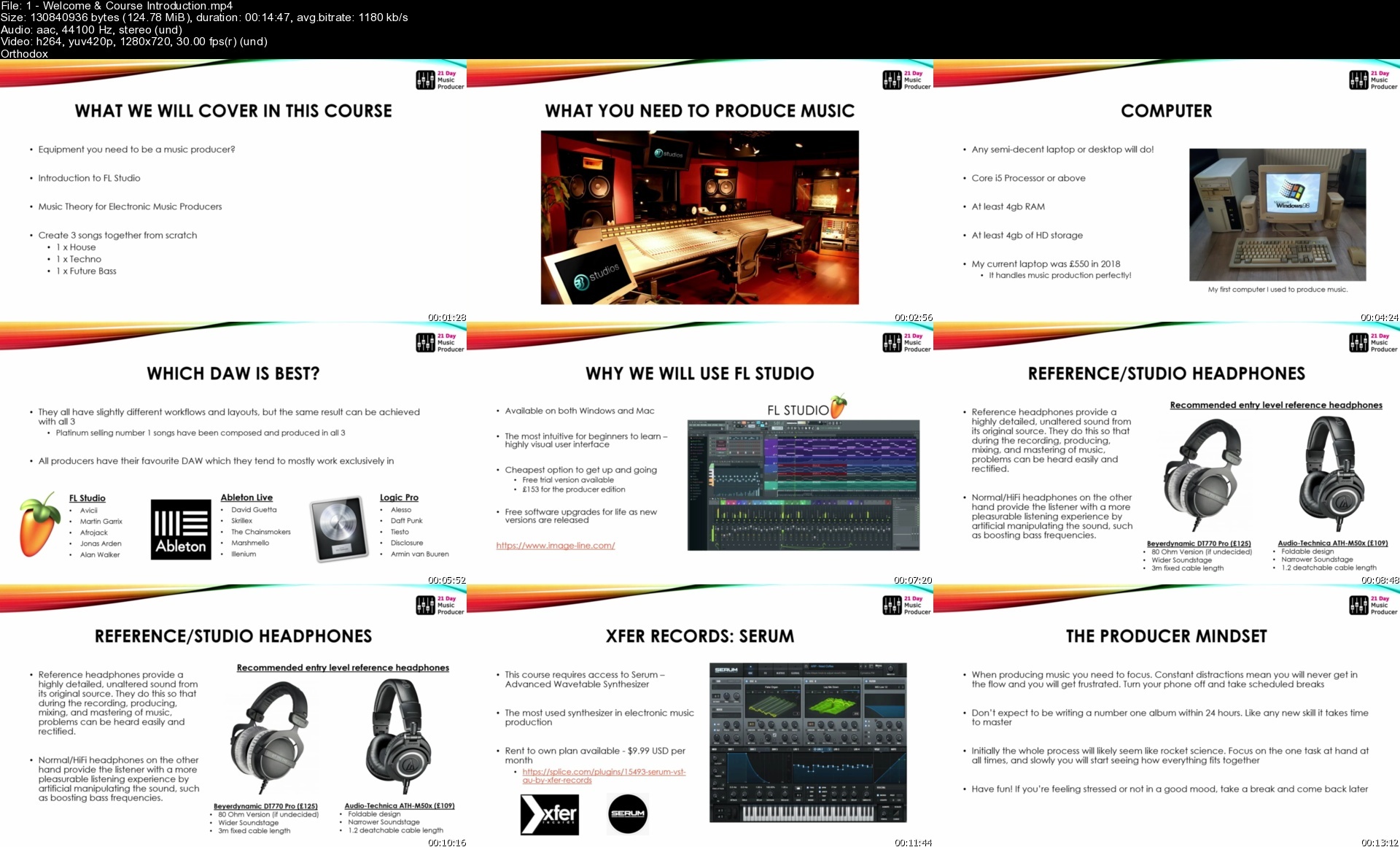
Ever wanted to produce Electronic Dance Music?Start your journey in music production with this complete hands on course.Learn the fundamentals of music making and build 3 complete tracks from scratch.Absolutely no prior music production experience necessary!In this course we cover the process of making electronic music in full - from the core fundamentals of music theory and melody writing, right through to building 3 complete tracks together in 3 different styles (House, Techno & Future Bass).Many new producers have taken this course and accelerated their careers in music production. Somehave gone on to release music through various labels and play live in large & established venues.What's Included:Over 21 hours of video lessonsComprehensive introduction to FL StudioIntroduction to the core elements of relevant music theory for EDM (Electronic Dance Music)3 x full song walkthroughs in 3 different genres - House, Techno & Future Bass3 x sample packs for each track.All relevant synth presets (Serum) for each trackGo From Beginner EDM Producer to Advanced. You'll go from beginner to advanced quickly and learn how to be confident in your production skills while enjoying the entire process.The course is very easy to follow and everything is explained in full detail without being boring or difficult to understand.How it works - Course Structure:Introduction to FL StudioDive straight in and get to grips with FL Studio - the music production software of choice for some of the biggest EDM producers today! (we're talking Martin Garrix, Porter Robinson & Avicii - RIP).Music Theory BasicsDon't worry, we won't spend hours and hours in this section. We'll focus on the main core elements that you need to know in order to effectively make consistently good EDM tracks.Project Walkthrough'sHere is where we will spend the majority of time in this course - building 3 complete tracks together! It will be as if we are in the studio together side by side as we focus on each individual element of building electronic music together.Course Requirements:Computer with FL Studio installedXfer Records Serum - one of the most popular synths used by many of today's biggest producersRent to own plan is available for $9.99 per month on the splice websiteGood pair of headphones is strongly recommendedFAQ:I have no prior musical experience. Is this course for me?Yes, this course is designed for complete beginners and covers all of the fundamentals of music making, including music theory and project walk throughs from scratch.What is the format of the course?The course consists of online videos, split into various modules and classes. The first modules will get you quilkly familiar with the FL Studio software and music theory fundamentals. The following modules will put this into practice by building 3 complete tracks together spanning different genres. All samples & presets in each class are also provided as individual downloads.I already have another DAW such as Ableton or Logic. Can I still take this course?If you already have some experience with the workflow of another DAW such as Ableton or Logic, you should be able to adapt to this course as many of the plugins execute in the same way, although will likely look different.If you are a complete beginner we strongly recommend sticking with FL Studio, as you will find it much easier to follow along in the course.Are all the samples used royalty free?Yes! All sounds and samples supplied in this course are royalty free, and yours to use in the future.What happens once I enrol?After enrolment you will have full, lifetime access to the course - including all online videos, project files, synth presets and samples.

Overview

Section 1: Introduction

Lecture 1 Welcome & Course Introduction

Section 2: Introduction to FL Studio

Lecture 2 Welcome to FL Studio

Lecture 3 The Browser

Lecture 4 The Channel Rack

Lecture 5 The Piano Roll

Lecture 6 Sample View

Lecture 7 The Playlist

Lecture 8 The Mixer

Lecture 9 Summary & Making a Loop

Section 3: Music Theory for EDM

Lecture 10 Introduction to Music Theory for EDM

Lecture 11 Rhythm Basics

Lecture 12 Notes of the Piano

Lecture 13 Octaves

Lecture 14 The Perfect Fifth

Lecture 15 Being in Key

Lecture 16 The Major Scale

Lecture 17 The Minor Scale

Lecture 18 Thirds

Lecture 19 Building Triad Chords

Lecture 20 Chord Progressions

Lecture 21 Chord Inversions

Lecture 22 7th Chords

Lecture 23 Adding a Bass Line

Lecture 24 Adding a Melody & Leads

Lecture 25 Synthesis & Sound Design

Section 4: How to Install Serum & Sample Packs

Lecture 26 How to Install Serum & Sample Packs

Section 5: Let's Make a House Track

Lecture 27 House Project - Introduction & Full Track Play Through

Lecture 28 FL Studio Setup & Project Downloads

Lecture 29 Adding Vocals & Full Song Structure

Lecture 30 Processing Vocals

Lecture 31 Verse Chords

Lecture 32 Verse Bass & Pads

Lecture 33 Adding Foley & Verse FX

Lecture 34 Verse Drums

Lecture 35 Adding Chorus Drums

Lecture 36 Processing Chorus Drums

Lecture 37 Drop Bass

Lecture 38 Adding Sidechain Compression

Lecture 39 Drop Chords

Lecture 40 Drop Melody

Lecture 41 Drop FX

Lecture 42 Drop Vocals

Lecture 43 Verse 2

Lecture 44 Adding the Break & Build

Lecture 45 Drop 2

Lecture 46 Outro

Lecture 47 Mixing & Automation

Lecture 48 Mastering & Export

Section 6: Let's Make a Techno Track

Lecture 49 Techno Project - Introduction & Full Track Play Through

Lecture 50 FL Studio Setup & Project Downloads

Lecture 51 Drums - Kick & Clap

Lecture 52 Drums - Hats

Lecture 53 Drums - Percussion 1

Lecture 54 Drums - Percussion 2

Lecture 55 Gluing the Drums Together

Lecture 56 Main Bass

Lecture 57 Adding More Bass

Lecture 58 Adding Sidechain

Lecture 59 Main Lead

Lecture 60 Orchestral Elements

Lecture 61 Auxiliary Reverb

Lecture 62 From Loop to Song 1

Lecture 63 From Loop to Song 2

Lecture 64 Lead Noise Automation

Lecture 65 Adding FX

Lecture 66 Bass Automation

Lecture 67 Final Mixing

Lecture 68 Mastering & Export

Section 7: Let's Make a Future Bass Track

Lecture 69 Future Bass Project - Introduction & Full Track Play Through

Lecture 70 FL Studio Setup & Project Downloads

Lecture 71 Where to Find Samples

Lecture 72 Drums - Kick & Snare

Lecture 73 Drums - Hi-Hats

Lecture 74 Verse Guitar

Lecture 75 Verse Chords

Lecture 76 Verse Bass

Lecture 77 Verse Pad

Lecture 78 Humanizing the Piano

Lecture 79 Verse Drums

Lecture 80 Adding an Arp

Lecture 81 Adding an Intro & Verse FX

Lecture 82 Break Section

Lecture 83 Making the Build

Lecture 84 Saw Bass

Lecture 85 Warm Rough Bass

Lecture 86 Sub Bass

Lecture 87 Sidechaining the Bass

Lecture 88 Drop Super Saw

Lecture 89 Drop Super Saw High

Lecture 90 Additional Super Saw's

Lecture 91 Adding Guitar to the Drop

Lecture 92 Adding a Pad & Strings to the Drop

Lecture 93 Adding Synth FX

Lecture 94 Managing CPU Overload

Lecture 95 Synth Bus FX & Side Chain

Lecture 96 Drop FX

Lecture 97 Reverse Reverb

Lecture 98 Verse 2

Lecture 99 Break & Build 2

Lecture 100 Drop 2

Lecture 101 The Bridge

Lecture 102 Drop 3

Lecture 103 Outro

Lecture 104 Where to Find a Vocalist

Lecture 105 Adding Vocals

Lecture 106 Final Mixing

Lecture 107 Mastering & Export

If You've Been Using FL Studio And Want To Learn a New Way Of Creating Music,If You're a Beginner and Never Used FL Studio,If You're a DJ and Want To Create Your Own Tracks

Homepage


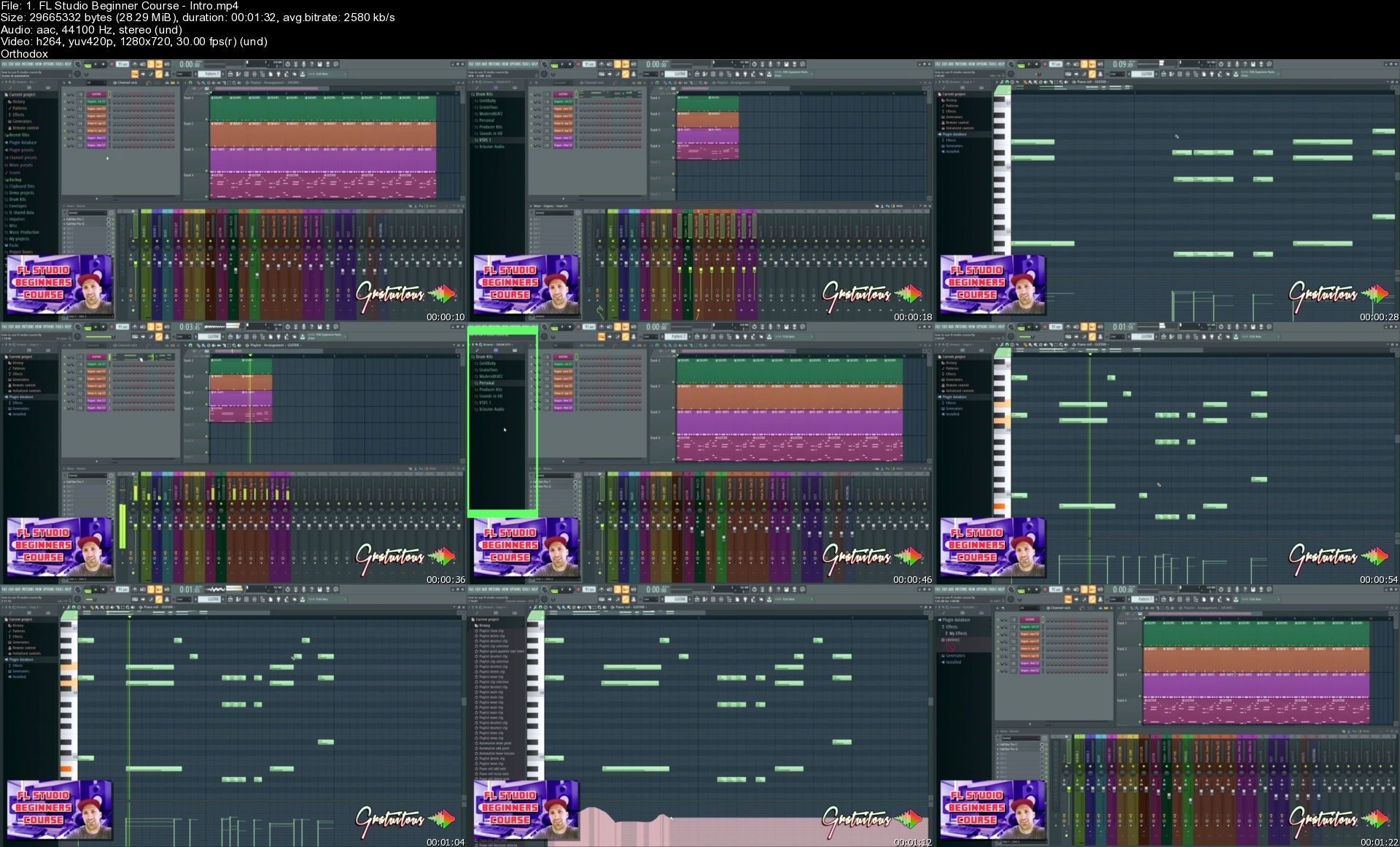
1welcomecourseintrodu1metn.jpg


FL Studio Beginners Course [Learn FL Studio 20 Basics]

238591206222kudg3.jpg


FL Studio Beginners Course [Learn FL Studio 20 Basics]
$194.99 | Created by Riley Weller | Last updated 6/2019
Duration: 4.5 hours | Video: h264, 1280x720 | Audio: AAC, 44 KHz, 2 Ch | 3.9 GB
Genre: eLearning | Language: English + Sub | 22 lectures


What you'll learn

Learn the basics of FL Studio and fundamentals

How to Produce Music on a Computer

How to create a beat from scratch in FL Studio

Learn the main windows and powerful keyboard shortcuts to speed up your workflow.

Get the best performance out of FL Studio (ASIO Drivers, and other settings)

How to add and use third-party sounds into FL Studio 20

How to use FL Studio's Step Sequencer

How to use the FL Studio Mixer (signal flow and audio signal routing)

Learn the absolute best way to use FL Studio 20 in this course.

Edit MIDI notes and quantize for easy editing

Arrange and structure a song and tips to speed up your song building process


Requirements

No prior knowledge of music production is required. This course teaches you FL Studio and music production from the beginning.
Must have the trial (free to download from Image-Line's website) or full version of FL Studio
Do not need to know any music theory. Everything is explained from a beginner's perspective.


Description

If you're looking for a course to teach you THE RIGHT WAY on how to use FL Studio, you've finally found it!
This is THE COURSE to take in regards to FL Studio Beginner Courses!
Hey! - I'm GratuiTous. I've been producing music for over 10 years, and have released over 150+ tutorials on YouTube about FL Studio and music production. (I've also released 16 premium FL Studio music courses!)
After teaching 13,000 students here on Udemy, and receiving AMAZING reviews, I am a very well-trusted source in regards to teaching FL Studio!
I have been actively involved in this music industry by writing TONS of audio articles, creating many videos, and answering thousands of students questions over the years.
Here's your opportunity to learn FL Studio with BEST PRACTICES!
Some of the most popular feedback I receive from students is that:
"My courses are so easy to understand. I'm able to break down complex topics to simple terminology!"
Are you ready to learn with a PRO?! (I've worked with a GRAMMY-Nominated artist!)
In this FL Studio Beginner Music Production Course we will be covering everything necessary to make high-quality beats and get you up-and-running as a producer.
I reveal TONS of shortcuts to speed you up and make editing MIDI notes, creating patterns, arranging your song, and mixing your music WAY FASTER!
So here's what we cover:
How use FL Studio, and how music production works in general (all DAWs are very similar - a DAW is your music program: Digital Audio Workstation.)
Setting Up FL Studio to get the BEST PERFORMANCE out of the software and your computer!
Getting the absolute BEST EXPORT SETTINGS out of FL Studio when exporting a .WAV or .MP3 to release to the world. (Or online distribution like Spotify, iTunes, etc!)
Learning an amazing workflow with the Step Sequencer, Playlist, Piano Roll, and Mixer (and secrets to set them up to be efficient)
Discovering the difference between Sounds vs. VSTs and why to NEVER buy construction kits.
How to organize your plugins with the plugin database and protect yourself from FL Studio updates overwriting your organization!
How to PROPERLY BACKUP your songs in FL Studio to keep your music safe for the long-term!
Setting up snaps within the FL Browser to keep your beatmaking workflow super minimal and organized!
Creating an FL Studio Template to speed up your productions every time you begin making a beat!
How to build a beat from the beginning to the end (step-by-step you see how I compose a beat with MIDI notes, editing, and a quick arrangement.)
How to record yourself with a microphone, or use Edison to record sound effects inside of FL Studio within the mixer.
Using automation clips to give your music life and control various parameters while your music plays such as filters (EQ), volume, panning, or various other types of parameters you can automate!
You'll also learn the best ways to copy and paste all throughout FL Studio. This VERY important information to know as it will speed up your beat creation!
\n
We cover A LOT in this beginner music production course based on FL Studio 20.
Even though this course is for brand-new producers wanting to learn music production, intermediate producers will greatly value from this course as it will be a confirmation to clarify if what they are doing is correct, or they will discover shortcuts to complete certain tasks even faster.
I've been producing music for MANY years now, have worked with a GRAMMY-Nominated artist, and love teaching.
Enroll into this FL Studio Beginner Music Course and learn to create high-quality beats today!


Who this course is for:

Brand-new students wanting to learn FL Studio and get up and running
For producers who already have a little bit of a knowledge, but want to solidify the basics. (This course teaches you the right way.)
Producers who want to learn how to create a beat from beginning to end.

1.flstudiobeginnercouh0ixu.jpg


Microsoldering: Everything You Need To Know To Get Started

uyxkepqw4tlmu2wxgufp9xgerz.jpg


Microsoldering: Everything You Need To Know To Get Started
Last updated 2/2020
MP4 | Video: h264, 1280x720 | Audio: AAC, 44.1 KHz
Language: English | Size: 3.25 GB | Duration: 4h 56m

A Beginner's Guide


What you'll learn
How to make money in your repair shop with common microsoldering repairs
How to fix a customer's phone that was damaged after a general repair
How to diagnose and troubleshoot common logic board problems
How to separate the iPhone X logic board and put them back together
The basics of data recovery via microsoldering

Requirements
Experience with iPhone disassembly.
Basic soldering experience would be helpful.
Basic electronics troubleshooting would be helpful.

Description
Please note that this course is mainly geared toward BEGINNERS looking to get into the world of microsoldering. This course is not for those that have been in the business for a while now. Our aim to help repair technicians and hobbyists get a better understanding of how to get started with their microsoldering journey.In this course, we will teach you all of the skills needed for iPhone logic board repair. The course is comprised of 4 standalone courses combined into one full curriculum. The course is roughly 4.5 hours of online video content. You will learn everything that you need to get started with microsoldering. You will get access to this content for life. We will periodically update this course with new repairs and information regarding microsoldering.The BasicsThe basics of iPhone logic board repair.How a logic board works and how its components operate.The most important tools required for logic board problems.Complete list of tools and equipment needed for iPhone logic board repair.The most important reasons for logic board damage and the most common problems resulting from that damage. The core of this business and how to get the most from iPhone logic board repair.How to troubleshoot a damaged logic board. How to test components.Examples of how a typical repair goes in a real world example from A to Z. The first case is a water damaged iPhone not powering on. And the second case is an iPhone 6/6+ with a bad touchscreen.How to setup and use some of your tools and equipment.How to setup your hot air rework station.How to setup and use your micro pencil and tweezers.How to setup your dc power supply for powering up an iPhone without a battery.How to use diode mode on your digital multimeter to diagnose and troubleshoot problems quickly.ZXW ToolsHow to use ZXW tools dongle for troubleshooting and repairing iPhone logic boards.The different functions the tool offers.How to find the circuit lines.How to test lines for problems.How to repair a missing pad.How to repair long screw damage on an iPhone.How to determine the type and value of components.Where to source components.How to get images of these components within the software.No Backlight, No Touch, No Charge, Audio IC/Loop Disease, & iPhone X Logic Board SeparationHow to repair the most common iPhone logic board problems: no backlight, no touch, no charge & audio ic/loop disease.How to separate the iPhone X logic boards and put them back together.How each system operates.Discuss the functions of each component within each system. List all of the relevant system components.Discuss the most important reasons for these logic board problems.Teach you how to diagnose and troubleshoot which components are responsible these issues.Teach you how to perform each repair.Discuss how to tackle the complications that may arise post repair.Data RecoveryList the most common reasons for "no boot".List some ideas on how to make a dead iPhone power up again.Provide a 10 step approach on how to revive a dead iPhone.Discuss in detail the steps required to repair a dead device.How to diagnose whether a device is actually dead or not.Provide hands on examples of how to do the repairs.Which circuits are important for data recovery.How to test important circuits.How to repair software issues.How to solve complications post repair.We will use the iPhone 6 as a model. But our approach will be translatable to other iPhone models as well. This course will be periodically updated with more common repairs.

Overview

Section 1: Welcome

Lecture 1 Introduction

Section 2: The Logic Board

Lecture 2 Introduction: The Basics

Lecture 3 How a Logic Board Operates

Lecture 4 The Building Blocks

Lecture 5 The Basics Explained

Section 3: The Tools

Lecture 6 Tools Needed for Repair

Lecture 7 Tools for Testing

Lecture 8 Schematics

Lecture 9 List of Tools and Equipment

Section 4: Defects

Lecture 10 The Most Common Reasons for Defects

Section 5: Troubleshooting

Lecture 11 Determining a Logic Board Defect

Lecture 12 Testing a Dead Device

Lecture 13 Testing for a Specific Problem

Lecture 14 Recap

Section 6: Repair

Lecture 15 Water Damage Repair

Lecture 16 Touch Repair

Section 7: How to Setup and Use your Tools and Equipment

Lecture 17 Hot Air Rework Station: Setup and Use

Lecture 18 Micro Soldering Pencil and Tweezers: Setup and Use

Lecture 19 DC Power Supply: Setup and Use

Lecture 20 How to use Diode Mode to Diagnose Problems

Section 8: Introduction

Lecture 21 ZXW Tools Promo

Lecture 22 ZXW Tools - Introduction

Lecture 23 ZXW Tools - Functions

Lecture 24 How to Find iPhone Circuit Lines

Lecture 25 iPhone Circuit Lines Between IC's

Lecture 26 How to Test iPhone Circuit Lines

Lecture 27 Logic Board Fundamentals

Section 9: How to Repair Missing Pads

Lecture 28 How to Repair Missing Pads

Section 10: How to Repair Long Screw Damage

Lecture 29 How to Repair Long Screw Damage

Section 11: Find Information About Components

Lecture 30 Find Information About Components

Section 12: New ZXW Tools Functions

Lecture 31 New ZXW Tools Functions

Section 13: Introduction

Lecture 32 Introduction: Backlight, Touch and Charge

Section 14: Backlight Repair

Lecture 33 Introduction

Lecture 34 Circuit

Lecture 35 Damage

Lecture 36 Troubleshooting

Lecture 37 Repair

Section 15: Touch Repair

Lecture 38 Introduction

Lecture 39 Circuit

Lecture 40 Damage

Lecture 41 Troubleshooting

Lecture 42 Repair

Lecture 43 Complications

Section 16: Charge Repair

Lecture 44 Introduction

Lecture 45 Circuit

Lecture 46 Damage

Lecture 47 Troubleshooting

Lecture 48 Repair

Section 17: Audio IC / Loop Disease Repair

Lecture 49 Introduction

Lecture 50 Audio IC / Loop Disease Circuit

Lecture 51 Audio IC / Loop Disease Repair

Lecture 52 Audio IC / Loop Disease Complications

Section 18: iPhone X Logic board Separation

Lecture 53 Introduction

Lecture 54 Logic board Separation Technique

Section 19: Introduction

Lecture 55 Introduction: Data recovery, Dead iPhone

Section 20: Background and Inspection

Lecture 56 Background and Inspection

Lecture 57 The Booting Process

Section 21: Testing with a DC Power Supply

Lecture 58 Testing with a DC Power Supply

Section 22: Main Power Lines and Repairing Shorts

Lecture 59 VCC_MAIN and BATT_VCC

Lecture 60 Short Removal VCC_MAIN

Section 23: Battery Line and Tristar Area

Lecture 61 Battery line and Tristar Area

Lecture 62 Tristar Replacement

Section 24: Power Management IC (PMIC) Power Lines and Replacement

Lecture 63 PMIC Power Lines

Lecture 64 PMIC Replacement

Section 25: Data Lines

Lecture 65 Data Lines

Section 26: Software Repair

Lecture 66 Software Repair

Section 27: Nand IC

Lecture 67 Nand IC

Section 28: Chip-off

Lecture 68 Chip-off

Section 29: Image and Touch

Lecture 69 No Image

Lecture 70 No Touch

Section 30: Course Guide

Lecture 71 Course Guide

Beginners looking to get a better understanding of microsoldering,Hobbyists looking to expand their knowledge of logic board repair,Cell phone repair techs looking to fix a customer's phone that they damaged,Cell phone repair shops looking to expand their business

Homepage


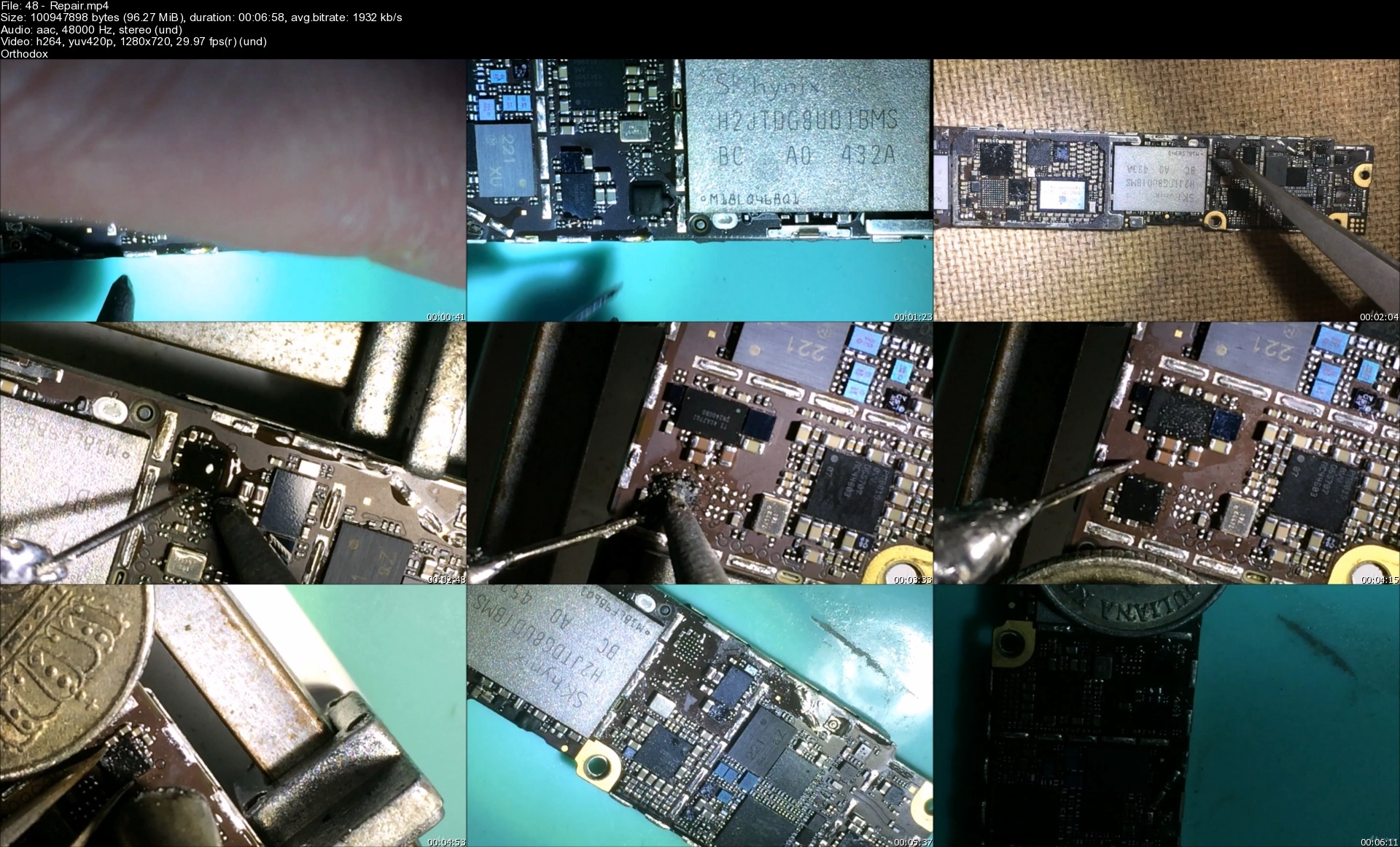
48repairscwcwk.jpg


CBTNuggets - Secure Design and Architecture Fundamentals for Enterprise Environments Training

keithbarkerapiwy.jpg


CBTNuggets - Secure Design and Architecture Fundamentals for Enterprise Environments Training
Released 02/2021
MP4 | Video: h264, 1920x1080 | Audio: AAC, 44.1 KHz, 2 Ch
Genre: eLearning | Language: English | Duration: 125 Lessons (14h 41m) | Size: 8.8 GB


This entry-level Secure Systems Design and Architecture training prepares learners to design and plan an enterprise network that incorporates cutting-edge security technologies, tools and concepts into the physical and digital architecture

Keeping a network of any size secure takes foresight and planning. But as the size of the network expands, that foresight and planning expands at a faster rate. Once you hit enterprise-scale networks, the rules of how to plan a secure design look familiar but are much more complex than the rules for small, local networks.
This Secure Systems Design and Architecture training explains the security tools, technologies and concepts that a network engineer must be familiar with before setting out to design an enterprise network's architecture. From physical to digital, cloud to on-prem, learn the fundamentals of keeping an enterprise secure with this training.
For anyone who manages their security training, this security training can be used to onboard new network engineers, curated into individual or team training plans, or as a network security reference resource.
Secure Systems Design and Architecture: What You Need to Know
This Secure Systems Design and Architecture training has videos that cover topics including
Providing managed virtualization and cloud compute solutions
Managing secure application development, deployment and automation
Designing and implementing authentication and authorization technologies
Planning and implementing cybersecurity resilience strategies
Understanding physical security, cryptographic and embedded system concepts
Who Should Take Secure Systems Design and Architecture Training?
This Secure Systems Design and Architecture training is considered professional-level security training, which means it was designed for network engineers. This security network design skills course is designed for network engineers with three to five years of experience with network design principles.
New or aspiring network engineers. If you're a brand new network engineer, you have a career ahead of you of trying to balance speed, availability, cost and security requirements with your enterprise network designs. With this Secure Systems Design and Architecture training, you'll learn what security fundamentals you should start with and make sure are incorporated with all the other requirements you'll have to plan for and accommodate in your network designs.
Experienced network engineers. This Secure Systems Design and Architecture training is ideal for network engineers who've been working for several years already but haven't had to focus on security concepts or technologies so far. If your career has focused on compute, storage or delivery concepts at the enterprise level, this training can show you how enterprise-level security concepts can get woven in with what you already know.


securedesignandarchit17ecs.jpg


Download from RapidGator


Download from Keep2Share


Download from NitroFlare

 
Learn Python Data Analysis with Pandas and Make a Unity Game

8eopea4tkypc902ghxfn4q8cm1.jpg


Learn Python Data Analysis With Pandas And Make A Unity Game
Last updated 3/2018
MP4 | Video: h264, 1280x720 | Audio: AAC, 44.1 KHz
Language: English | Size: 5.51 GB | Duration: 39h 10m

*Includes FREE book and webinar! ​Make dataframes & a Marlo Bros game with C# and art in Photoshop. Learn data science!


What you'll learn
Code in the Python 3.5 programming language
Make games with Python
Create dataframes with pandas
Read and write data from and to CSV
Recognize analytical approaches to data
Build a Classic 2D Marlo Bros game in Unity®
Learn game design fundamentals
Create game art in Photoshop
Code in C#
Add sound effects to the game!

Requirements
Download Anaconda 4.2.0, the free data science platform by Continuum, which contains Python 3.5.2 and pandas 0.19.2.
Otherwise, you can download and install Python 3.5.2 and pandas 0.19.2 for free online.
Pandas deals with NumPy, so please install that as well.
Topics involve intermediate math, so familiarity with university-level math is very helpful.
Download and install Unity® 2017.2.0f3 and Adobe Photoshop CC 2017.
This course was recorded on a Mac, but you can use a PC.

Description
This course was funded by a #1 project on*Kickstarter.
Part 1
You*will*learn how to use Python -*a popular coding language used for websites like YouTube and Instagram. You*will*learn the basics of programming,*data structures,*loops and MORE!
We*will*apply our knowledge to build a fully functional tic-tac-toe game.*We will*make an additional Blackjack game! You will*learn how to solve errors that can occur when you work as a programmer.
Part 2
You will take your Python knowledge and apply it to the*pandas framework.
We will delve deep into using pandas, an*open source library with high-performance and easy-to-use data structures and data analysis tools written for Python.
Part 3
You will learn to make a 2D platform runner game. You'll design and implement power-ups, enemies, game characters*and backgrounds.*We interweave theory with practical examples so that you*learn by doing.
Glauco Pires from Mammoth Interactive will*teach*you*how to build a Super MARLO Runner*game with*Unity®.*We will*teach you the fundamentals of designing, coding, and fine-tuning a game.
First you will*design the game*and its functionality in Unity®.*You will*learn how to code in C# and build video game levels.*Don't worry if you've never coded before. We start simple and add more to the game as the course goes on!
Part 4
Kevin Liao will teach*you everything you need to know about*Photoshop to*make game art. We will integrate the art we make, along with sound, into our Marlo game!
Learning how to code is a great way to jump in a new career or enhance your current career. Coding is the new math!
Learning to code will propel you forward for any situation. Learn it today and get a head start for tomorrow. People who can master technology will rule the future.Included in this course is material for beginners to get comfortable with the interfaces. Please note that we reuse this content in similar courses because it is introductory material. You can find some material in this course in the following related courses
Data Science & Analysis: Make DataFrames in Pandas & PythonThe Complete Unity and Artificial Intelligence MasterclassComplete Unity® From Scratch: Make A Classic Marlo Bros Game
Bonus
Also included is the*webinar*How To Master Anything*by Mammoth Interactive founder John Bura. Being able to master a skill quickly is an essential in modern industries because the world changes so rapidly.
In this webinar, you will learn*what you need to become a professional in your field.*John*will tell you the secrets on how to get good at anything fast.
Learn what you can do to make yourself stand out in your career!
Reviews
"An easily understood course, with*detailed instruction*and good explanation of the concepts involved in making this clone game. A very well done tutorial, especially fro someone like me is just now learning how to write code."*☆☆☆☆☆
"I really like the approach the presenter takes - not just the technical details, but also the very*human, personal development information and recommendations*he provides."*☆☆☆☆☆
"The instructor is very good at teaching. He teaches at a*great pace*and covers anything a beginner would need to understand (every little detail). I am already learning a lot and I just started yesterday."*☆☆☆☆☆
Enroll now to join the Mammoth community
Overview
Lecture 1 Course Trailer
Section 1: Introduction to Python
Lecture 2 Download Python (Free)
Lecture 3 What We'll Learn About Python
Section 2: Basics of Programming with Python
Lecture 4 Variables
Lecture 5 Functions
Lecture 6 If Statements
Section 3: Lists (Python Fundamentals)
Lecture 7 Introduction to Lists
Section 4: Loops (Python Fundamentals)
Lecture 8 Introduction to For Loops (with Examples)
Lecture 9 Getting Familiar with While Loops
Lecture 10 Breaking and Continuing In Loops
Lecture 11 Making Shapes with Loops
Lecture 12 Nested Loops and Printing a Tic-Tac-Toe Field
Section 5: Sets and Dictionaries (Python Fundamentals)
Lecture 13 Understanding Sets and Dictionaries
Lecture 14 Example: Inventory List
Section 6: Input and Output (Python Fundamentals)
Lecture 15 Introduction and Implementation of Input and Output
Lecture 16 Introduction to and Integrating File Input and Output
Lecture 17 Example: Tic-Tac-Toe Game
Lecture 18 Example: Tic-Tac-Toe Game (Continued)
Lecture 19 Example: Writing Participant Data to File
Lecture 20 Example: Reading Participant Data from File
Lecture 21 Statistics with Participant Data from File
Section 7: Classes (Python Fundamentals)
Lecture 22 Introduction to Classes
Lecture 23 Inheritance and Classes
Lecture 24 Classes Example: Pets
Lecture 25 Classes Example: Dogs
Lecture 26 Classes Example: Cats
Lecture 27 Adding Humans to the Pets Example!
Section 8: Importing (Python Fundamentals)
Lecture 28 Introduction to Importing and the Random Library
Lecture 29 Another Way to Import and Use Lists with Random
Lecture 30 How to Use the Time Library
Lecture 31 Introduction to the Math Library
Lecture 32 Example: Creating a User-Guessing Game with Random
Lecture 33 Making our Computer Guess a Random Number
Section 9: Example: Making a Blackjack Game (Python Fundamentals)
Lecture 34 Creating and Shuffling the Deck
Lecture 35 Creating the Player Class
Lecture 36 Expanding the Player Class
Lecture 37 Implementing a Bet and Win
Lecture 38 Implementing Player Moves
Lecture 39 Running the Game (Final)
Section 10: Error Handling (Python Fundamentals)
Lecture 40 Getting Started with Error Handling
Section 11: Setting up Pandas
Lecture 41 Installing Pandas
Lecture 42 Setting up Pandas
Section 12: Datastructures
Lecture 43 Creating a DataFrame
Lecture 44 Sorting and Series
Lecture 45 Expanding a Dataframe
Section 13: Manipulating DataFrames
Lecture 46 Getting Values and dealing with NaN Values
Lecture 47 Dropping Rows and Columns
Section 14: Reading and Writing Data
Lecture 48 Reading from CSV
Lecture 49 Writing to CSV
Section 15: Analytical Approaches to data
Lecture 50 Starting with an analysis
Lecture 51 Locating data by labels
Lecture 52 Statistical description of data
Lecture 53 Histogram plots in pandas
Lecture 54 Starting an analysis of all our data
Lecture 55 Continuing an analysis of all our data
Section 16: How to Navigate Unity
Lecture 56 Introduction
Lecture 57 Unity® Editor
Lecture 58 Moving a Cube
Lecture 59 Materials
Lecture 60 Lights
Lecture 61 Particle System
Lecture 62 Applying Physics
Lecture 63 Assets Store
Section 17: Coding (Introduction to Unity)
Lecture 64 Introduction
Lecture 65 Variables
Lecture 66 Methods
Lecture 67 if Blocks
Lecture 68 Loops
Section 18: Inputs (Introduction to Unity)
Lecture 69 Introduction
Lecture 70 Key Presses
Lecture 71 Moving a Player
Lecture 72 Jumping
Lecture 73 Moving Foward
Lecture 74 Cycling Camera
Section 19: Prefabs (Introduction to Unity)
Lecture 75 Introduction
Lecture 76 Introduction to Prefabs
Lecture 77 FAQ on Instantiating Objects
Lecture 78 Random Angles
Lecture 79 FAQ on Destroying Objects
Lecture 80 Explosion Effect
Lecture 81 Adding Explosion Effects
Section 20: Let's Make a Unity Game!
Lecture 82 Organizing the Project
Lecture 83 Preparing the Player
Lecture 84 Walking and Jumping
Lecture 85 Raycasting
Lecture 86 Raycast Precision
Lecture 87 Camera follow
Lecture 88 Coins
Lecture 89 User Interface
Lecture 90 Events
Lecture 91 Simple Enemy
Lecture 92 Enemy Walking Paths
Lecture 93 Jumping Over Enemies
Lecture 94 Shell Enemy
Lecture 95 Shell Bouncing
Lecture 96 Pipe Enemy
Lecture 97 Blocks
Lecture 98 Powerups
Lecture 99 Powerup Feedback
Lecture 100 Win and Lose the Game
Section 21: Introduction to Photoshop
Lecture 101 Build a New file
Lecture 102 Navigational Controls
Lecture 103 Basic Tools Rundown
Lecture 104 Basic Tools Usage
Lecture 105 Basic Secondary Tools
Lecture 106 Basic Layers
Lecture 107 Painting Sample
Lecture 108 Adjustment Layers (Part 1)
Lecture 109 Adjustment Layers (Part 2)
Lecture 110 Adjustment Layers (Part 3)
Lecture 111 Transform Tool
Lecture 112 Transform Tool (Cont'd)
Lecture 113 Colour Range Select
Lecture 114 Image Settings
Lecture 115 Image Adjustment
Lecture 116 Photoshop fun
Lecture 117 Photoshop fun ( Cont'd)
Lecture 118 Ruler Usage
Section 22: How to Make Art for the Game in Photoshop
Lecture 119 Old and New Project Interface
Lecture 120 Project Set-Up
Lecture 121 Brick Block Asset
Lecture 122 Coin Block Asset
Lecture 123 Pipe Asset
Lecture 124 Background Objects
Lecture 125 Checkpoint Flag
Lecture 126 End House
Lecture 127 Castle
Lecture 128 Power Blocks
Lecture 129 Foundation Block
Lecture 130 Shell Enemy
Lecture 131 Shroom Enemy
Lecture 132 Power-Up Shroom
Lecture 133 Plant Enemy
Lecture 134 Marlo
Section 23: How to Animate Art for the Game in Photoshop
Lecture 135 Animation Setup
Lecture 136 Shroom Animation
Lecture 137 Shell Enemy Animation
Lecture 138 Marlo Idle
Lecture 139 Marlo Running Animation
Lecture 140 Marlo Running Animation (Cont'd)
Section 24: Finishing the Game in Unity
Lecture 141 Importing Art
Lecture 142 Background Setup
Lecture 143 Infinite Background
Lecture 144 Game Element
Lecture 145 Integrating Blocks
Lecture 146 Adjustments
Lecture 147 Finish Line
Lecture 148 Enemy Animation
Lecture 149 Player Animation
Lecture 150 Block Collision Adjustment
Section 25: Finalizing Features in Unity
Lecture 151 Physics Adjustment
Lecture 152 Audio - Integrating Sounds Effects
Lecture 153 Challenge Time!
Section 26: Unity Game Resources
Lecture 154 ($2000 value) Art Assets and Source Code
Lecture 155 Please leave us a rating
Lecture 156 Bonus Lecture: Free $200 Webinar
Absolute beginners who want to learn to code for the web and make games in the popular Python programming language.,Beginners who want to learn data analysis.,People who want to make games.


learnpythondataanalyseni1w.jpg


Download from RapidGator


Download from Keep2Share


Download from NitroFlare

 
ITProTV - CompTIA IT Fundamentals+ (FC0-U61)

5cebc3b6f83c48b48172143d1n.png


ITProTV - CompTIA IT Fundamentals+ (FC0-U61)
MP4 | Video: h264, 1280x720 | Audio: AAC, 44.1 KHz, 2 Ch
Genre: eLearning | Language: English | Duration: 38 Lessons (18h 9m) | Size: 5.9 GB

Foundational skills for anyone starting out in IT

The CompTIA IT Fundamentals+ Certification is an entry level certification designed to introduce users to basic computer principles. It covers basic IT literacy and ensures one understands the different terminology and the various concepts involved In the IT industry. It also serves as a great starting point if you are just getting started in computers and is designed to be the first step on your way to pursuing the CompTIA A+ certification or others similar. Topics covered include hardware basics, troubleshooting, software installation, security and networking.

Homepage


21.storagehardwaresl3fu3.jpg


Zurück
Oben Unten