• Regeln für den Video-Bereich:

    In den Börsenbereich gehören nur Angebote die bereits den Allgemeinen Regeln entsprechen.

    Einteilung

    - Folgende Formate gehören in die angegeben Bereiche:
    - Filme: Encodierte Filme von BluRay, DVD, R5, TV, Screener sowie Telesyncs im Format DivX, XviD und x264.
    - DVD: Filme im Format DVD5, DVD9 und HD2DVD.
    - HD: Encodierte Filme mit der Auflösung 720p oder darüber von BluRay, DVD, R5, TV, Screener sowie Telesyncs im Format x264.
    - 3D: Encodierte Filme von BluRay, die in einem 3D Format vorliegen. Dies gilt auch für Dokus, Animation usw.
    - Serien: Cartoon/Zeichentrick, Anime, Tutorials, Dokumentationen, Konzerte/Musik, Sonstiges sind demnach in die entsprechenden Bereiche einzuordnen, auch wenn sie beispielsweise im High Definition-Format oder als DVD5/DVD9/HD2DVD vorliegen. Ausnahme 3D.
    - Bereich Englisch: Englische Releases gehören immer in diesen Bereich.
    - Bereich Talk: Der Bereich, in dem über die Releases diskutiert werden kann, darf, soll und erwünscht ist.


    Angebot/Beitrag erstellen

    - Ein Beitrag darf erst dann erstellt werden, wenn der Upload bei mindestens einem OCH komplett ist. Platzhalter sind untersagt.
    - Bei einem Scenerelease hat der Threadtitel ausschließlich aus dem originalen, unveränderten Releasenamen zu bestehen. Es dürfen keine Veränderungen wie z.B. Sterne, kleine Buchstaben o.ä. vorgenommen werden. Ausnahme Serienbörse:
    - Bei einem Sammelthread für eine Staffel entfällt aus dem Releasename natürlich der Name der Folge. Beispiel: Die Simpsons S21 German DVDRip XviD - ITG
    - Dementsprechend sind also u.a. verboten: Erweiterungen wie "Tipp", "empfehlenswert", "only", "reup", usw. / jegliche andere Zusatzinformation oder Ergänzung, welche nicht in obiger Beschreibung zu finden ist.

    Aufbau des Angebots und Threadtitel

    Der Titel nach folgendem Muster erstellt zu werden. <Name> [3D] [Staffel] [German] <Jahr> <Tonspur> [DL] [Auflösung] <Quelle> <Codec> - <Group>
    Beispiel: The Dark Knight German 2008 AC3 DVDRip XviD - iND
    Beispiel: The Dark Knight 2008 DTS DL BDRip x264 - iND
    Beispiel: The Dark Knight 2008 AC3 DL BDRip XviD - iND
    Beispiel: The Dark Knight German 2008 AC3 720p BluRay x264 iND
    Beispiel: The Dark Knight 2008 DTS DL 1080p BluRay x264 iND
    Beispiel: Die Simpsons S01 German AC3 DVDRip XviD iND
    Beispiel: Die Simpsons S20 German AC3 720p BluRay x264 iND
    Beispiel: Sword Art Online II Ger Sub 2014 AAC 1080p WEBRip x264 - peppermint
    Entsprechend sind also u.a. verboten: Sonderzeichen wie Klammern, Sterne, Ausrufezeichen, Unterstriche, Anführungszeichen / Erweiterungen wie "Tipp", "empfehlenswert", "only", "reup", usw. / jegliche andere Zusatzinformation oder Ergänzung, welche nicht in obiger Beschreibung zu finden ist
    Ausnahmen hiervon können in den Bereichen geregelt sein.

    Die Beiträge sollen wie folgt aufgebaut werden:
    Überschrift entspricht dem Threadtitel
    Cover
    kurze Inhaltsbeschreibung
    Format, Größe, Dauer sind gut lesbar für Downloader außerhalb des Spoilers zu vermerken
    Nfo sind immer Anzugeben und selbige immer im Spoiler in Textform.
    Sind keine Nfo vorhanden z.B. Eigenpublikationen, sind im Spoiler folgende Dateiinformationen zusätzlich anzugeben :
    Quelle
    Video (Auflösung und Bitrate)
    Ton (Sprache, Format und Bitrate der einzelnen Spuren)
    Untertitel (sofern vorhanden)
    Hosterangabe in Textform außerhalb eines Spoiler mit allen enthaltenen Hostern.
    Bei SD kann auf diese zusätzlichen Dateiinformationen verzichtet werden.

    Alle benötigten Passwörter sind, sofern vorhanden, in Textform im Angebot anzugeben.
    Spoiler im Spoiler mit Kommentaren :"Schon Bedankt?" sind unerwünscht.


    Releases

    - Sind Retail-Release verfügbar, sind alle anderen Variationen untersagt. Ausnahmen: Alle deutschen Retail-Release sind CUT, in diesem Fall sind dubbed UNCUT-Release zulässig.
    - Im Serien-Bereich gilt speziell: Wenn ein Retail vor Abschluss einer laufenden Staffel erscheint, darf diese Staffel noch zu Ende gebracht werden.62
    - Gleiche Releases sind unbedingt zusammenzufassen. Das bedeutet, es ist zwingend erforderlich, vor dem Erstellen eines Themas per Suchfunktion zu überprüfen, ob bereits ein Beitrag mit demselben Release besteht. Ist dies der Fall, ist der bereits vorhandene Beitrag zu verwenden.
    - P2P und Scene Releases dürfen nicht verändert oder gar unter einem iND Tag eingestellt werden.


    Support, Diskussionen und Suche

    - Supportanfragen sind entweder per PN oder im Bereich Talk zu stellen.
    - Diskussionen und Bewertungen sind im Talk Bereich zu führen. Fragen an die Uploader haben ausschließlich via PN zu erfolgen, und sind in den Angeboten untersagt.
    - Anfragen zu Upload-Wünschen sind nur im Bereich Suche Video erlaubt. Antworten dürfen nur auf Angebote von MyBoerse.bz verlinkt werden.


    Verbote

    - Untersagt sind mehrere Formate in einem einzigen Angebotsthread, wie beispielsweise das gleichzeitige Anbieten von DivX/XviD, 720p und 1080p in einem Thread. Pro Format, Release und Auflösung ist ein eigener Thread zu eröffnen.
    - Grundsätzlich ebenso verboten sind Dupes. Uploader haben sich an geeigneter Stelle darüber zu informieren, ob es sich bei einem Release um ein Dupe handelt.
    - Gefakte, nur teilweise lauffähige oder unvollständige Angebote sind untersagt. Dies gilt auch für eigene Publikationen, die augenscheinlich nicht selbst von z.B. einer DVD gerippt wurden. Laufende Serien, bei denen noch nicht alle Folgen verfügbar sind, dürfen erstellt und regelmäßig geupdatet werden.
    - Untersagt sind Angebote, welche nur und ausschließlich in einer anderen Sprache als deutsch oder englisch vorliegen. Ausnahmen sind VORHER mit den Moderatoren zu klären.


    Verstoß gegen die Regeln

    - Angebote oder Beiträge, die gegen die Forenregeln verstoßen, sind über den "Melden"-Button im Beitrag zu melden.
  • Bitte registriere dich zunächst um Beiträge zu verfassen und externe Links aufzurufen.

*** Bestes IPTV *** bester Preis *** gratis Test ***


Englische Tutorials

Quasar V1: Cross-Platform Apps (With Vue 2, Vuex & Firebase)
buqoal7p4wogs6ouv4wmf2efxq.jpg


Quasar V1: Cross-Platform Apps (With Vue 2, Vuex & Firebase)
Last updated 3/2022
MP4 | Video: h264, 1280x720 | Audio: AAC, 44.1 KHz
Language: English | Size: 6.67 GB | Duration: 15h 27m

Use Quasar V1, Vue JS 2, Vuex & Firebase to build a Cross Platform App for Web, iOS, Android, Mac & Windows


What you'll learn
How to create a real-world, cross-platform app for web, iOS, Android, Mac and Windows using Quasar Framework V1 and Firebase
How to manage the state of your app using Vuex
How to create a back-end for the app using Firebase Realtime Database - including user authentication, reading and writing data
All the essentials of Quasar Framework V1 and VueJS 2

Requirements
Basic HTML and CSS knowledge is required
Basic JavaScript knowledge is beneficial but not required
Basic VueJS knowledge is beneficial but not required
A Mac for development is preferred

Description
In this course I'll show you how to use Quasar Framework V1 (along with Vue JS 2, Vuex & Firebase) to create real-world, cross-platforms apps using a single Vue JS codebase; and get these apps production-ready and deployed to all the major platforms - Web, iOS, Android, Mac & Windows.Throughout this course we'll create a real-world app called Awesome Todo. In this app we can add, edit or delete tasks and mark them as completed. We can also sort tasks by name or date and search through tasks using a search bar.It's also going to have a Settings page, with 2 real settings which change the way the app works - and which persist when app is closed and restarted (or the browser reloaded on the web version). It will also have a help page, a "visit our website" link and an "email us" link.The app will have its own back-end created using a Firebase Realtime Database. Users can register, log in and see their data sync in realtime across all of their devices.We'll get the app production ready for all the different platforms - web, iOS, Android, Mac & Windows.You'll learn all of the basics of Quasar Framework, including the Quasar CLI, Quasar Components, Quasar Plugins, Quasar Directives, Platform Detection, Layouts, Theming & various Quasar Utilities.I'll also show you all of the basics of Vue.js, including Data Binding, Events, Computed Properties, Components, Directives, Filters, Lists & Lifecycle Hooks.You'll learn how to manage the state of your app using Vuex, where I'll cover State, Mutations, Actions & Setters.I'll cover all of the basics of Firebase, including Authentication, Reading data, Writing data & protecting your data with Database Rules.By the end of this course, you will be able to create your own real-world apps, with real back-ends which work on all the different platforms.NOTE: This course is for Quasar V1 (with Vue 2). Quasar V2 (with Vue 3) is not covered in this course.

Overview

Section 1: Introduction

Lecture 1 Introduction & Course App: Awesome Todo

Lecture 2 What is Quasar?

Lecture 3 What is Vue.js?

Section 2: Getting started

Lecture 4 Module Introduction

Lecture 5 Install Node.js and Quasar CLI

Lecture 6 Create & launch a new Quasar Project in the Browser

Lecture 7 Update: Quasar V1 Documentation

Lecture 8 Auto-import Components & Directives

Lecture 9 Folder structure - Layouts, Pages, Routes & more

Section 3: Vue.js Basics

Lecture 10 Module Introduction

Lecture 11 Anatomy of a Vue Single File Component

Lecture 12 Binding Data to the View

Lecture 13 Two-way Data Binding with v-model

Lecture 14 Events & Methods - Click

Lecture 15 Events - Keyboard & more

Lecture 16 Showing and Hiding Elements - v-show

Lecture 17 Conditional Rendering - v-if & v-else

Lecture 18 Computed Properties

Lecture 19 Filters

Lecture 20 Directives

Lecture 21 Binding to Attributes & CSS

Lecture 22 Lifecycle Hooks - Introduction

Lecture 23 Lifecycle Hooks - In Action

Lecture 24 Refs

Section 4: Vue.js Lists and Components

Lecture 25 Module Introduction

Lecture 26 Displaying Lists with v-for

Lecture 27 Displaying more details

Lecture 28 Child Components

Lecture 29 Passing Data to Child Components - Props

Lecture 30 Passing Data to Child Components - Slots

Lecture 31 Keys

Section 5: Start building the Awesome Todo app

Lecture 32 Module Introduction

Lecture 33 Pages and Routes

Lecture 34 Add Page Navigation to Sidebar (Drawer)

Lecture 35 Tab Navigation for Mobile

Lecture 36 Consolidating Navigation Data

Lecture 37 Only show Drawer on Desktop, Tabs on Mobile

Lecture 38 Adding some Style to the Layout

Lecture 39 Add SCSS support

Lecture 40 Customise Theme with Theme Builder

Lecture 41 Module Code

Section 6: Create the List of Tasks

Lecture 42 Module Introduction

Lecture 43 Display a List of Tasks

Lecture 44 Add Due Date and Time

Lecture 45 Add some Style to the List of Tasks

Lecture 46 Module Code

Section 7: Vuex - State Management - Setting Up

Lecture 47 Introduction to Vuex

Lecture 48 Setup a Vuex Store

Lecture 49 Add Tasks Data to the Vuex Store / Vue Devtools Chrome Extension

Lecture 50 Create a Getter for the Tasks Data

Lecture 51 Change Tasks Array into an Object Structure

Lecture 52 Put Task into a Child Component

Lecture 53 Module Code

Section 8: Vuex - Actions & Mutations

Lecture 54 Module Introduction

Lecture 55 Set Completed Status in Vuex Store

Lecture 56 Delete Task - Add Delete Button & Confirm Dialog

Lecture 57 Delete Task - Delete the Task from the State

Lecture 58 Module Code

Section 9: Add Task - Forms, Fields & Validation

Lecture 59 Module Introduction

Lecture 60 Add Task - Button & Modal

Lecture 61 Add Task - Customize the Modal

Lecture 62 Add the Fields

Lecture 63 Form Validation & Submission

Lecture 64 Vuex - Add Task when Form Submitted

Lecture 65 A Few Improvements

Lecture 66 Module Code

Section 10: Edit Task - Child Components in-depth, Update and Sync, Slots

Lecture 67 Module Introduction

Lecture 68 Add Task - Reusable Components (1/5): Modal Header

Lecture 69 Add Task - Reusable Components (2/5): Task Name

Lecture 70 Add Task - Reusable Components (3/5): Due Date

Lecture 71 Add Task - Reusable Components (4/5): Due Time

Lecture 72 Add Task - Reusable Components (5/5): Buttons

Lecture 73 Edit Task - Add the Button & Show the Modal

Lecture 74 Edit Task - Customise & Setup the Modal

Lecture 75 Module Code

Section 11: Split Tasks into "Todo" and "Completed" Sections

Lecture 76 Module Introduction

Lecture 77 Create Getters for Todo and Completed Tasks

Lecture 78 Display Todo and Completed Tasks in Separate Lists

Lecture 79 Add Headings to the Task Lists

Lecture 80 Make the Heading Background Color Adjustable

Lecture 81 Conditionally Show & Hide the Task Lists

Lecture 82 Add a "No tasks to do today!" Banner

Lecture 83 Use Global Event Bus to fix the "No tasks" Banner Button

Lecture 84 Module Code

Section 12: Add a Search Bar

Lecture 85 Module Introduction

Lecture 86 Add the Search Bar Markup

Lecture 87 Connect Search Bar to Vuex State with mapState

Lecture 88 Use a Computed Property Setter to set the Vuex search value

Lecture 89 Setup an Action & Mutation to set the search property

Lecture 90 Filter the Tasks based on Search Value

Lecture 91 Display "No search results" & Hide the "No tasks today" Banner

Lecture 92 Module Code

Section 13: Add a Sort Dropdown (to sort Tasks by Name / Due Date)

Lecture 93 Module Introduction

Lecture 94 Add Sorting Getter to Vuex Store

Lecture 95 Make the Sort Criteria Configurable

Lecture 96 Add a Sort Dropdown Component to the Page

Lecture 97 Sort Dropdown - Configure the Options

Lecture 98 Link the Sort Dropdown to the Vuex Store State

Lecture 99 Module Code

Section 14: Improve the app with Transitions, Directives, Filters, Mixins & Scroll Area

Lecture 100 Module Introduction

Lecture 101 Custom Directive - Select All Text in Input when Clicked

Lecture 102 Custom Directive - Make it Global!

Lecture 103 Clear the Search Field when Esc pressed

Lecture 104 Click and Hold a Task to Edit with v-touch-hold Directive

Lecture 105 Filter - Format the Date Nicely

Lecture 106 Filter - Highlight the Search Query on Matching Tasks

Lecture 107 Mixin - Combine Duplicated Code on Add / Edit Task into Mixin

Lecture 108 Transitions - Animate the Showing & Hiding of Components

Lecture 109 Add a Scroll Area

Lecture 110 Enable clicking beside the Add Task button

Lecture 111 Module Code

Section 15: Settings Page

Lecture 112 Module Introduction

Lecture 113 Add a "Show 12 hour time format" Setting

Lecture 114 Vuex - Create a Settings Store

Lecture 115 Add a Computed Getter & Setter

Lecture 116 Format the Time with a Computed Property

Lecture 117 Add a "Show tasks in one list" Setting

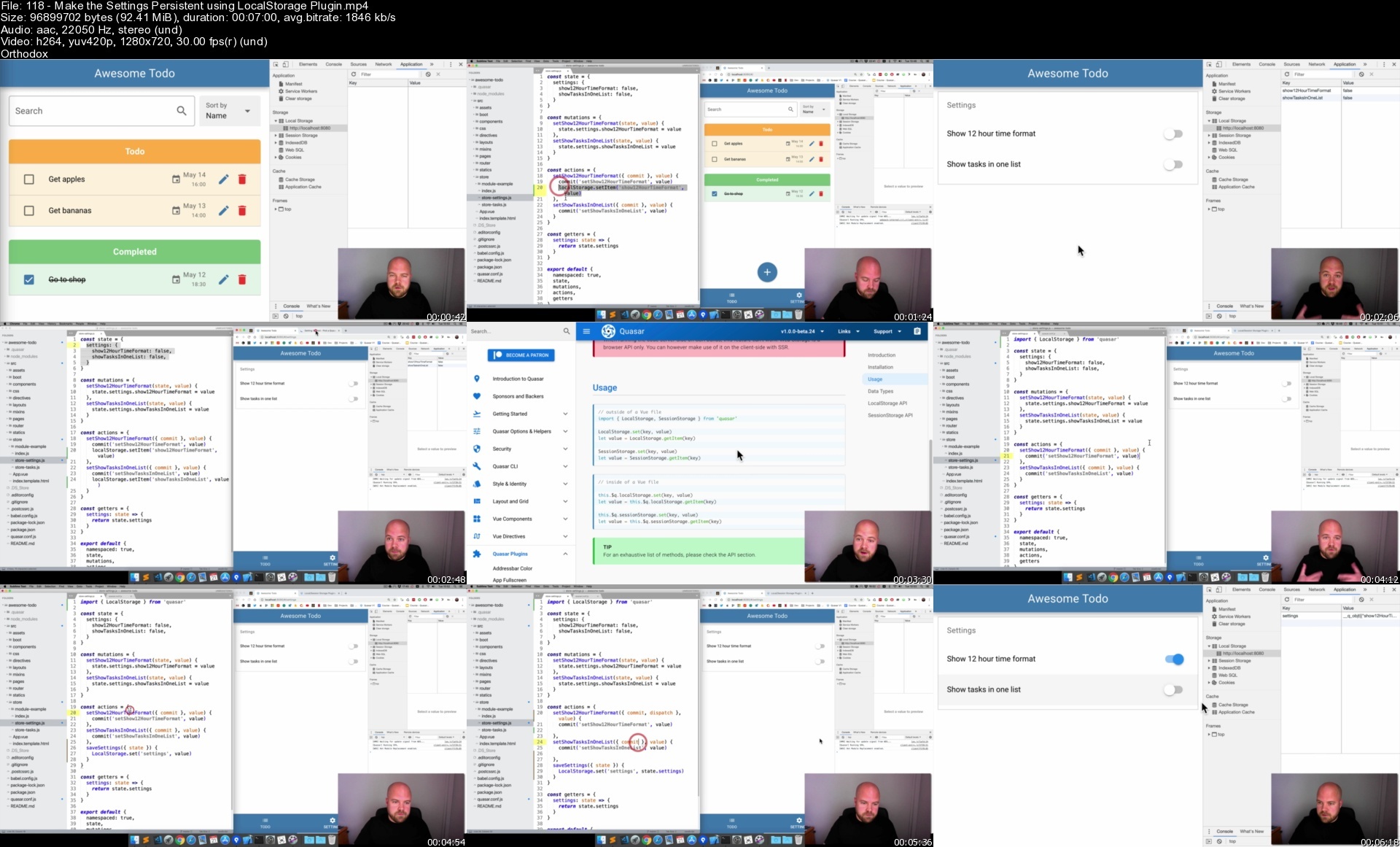
Lecture 118 Make the Settings Persistent using LocalStorage Plugin

Lecture 119 Get & Apply the LocalStorage Settings on App Load

Lecture 120 Add a "More" Section and a Help Page

Lecture 121 Add a "Visit our website" Link with openURL Utility

Lecture 122 Add an "Email us" Link

Lecture 123 Module Code

Section 16: Create a Login & Register Page

Lecture 124 Module Introduction

Lecture 125 Create a Login & Register Page (and Route)

Lecture 126 Create Tab Panels for Login & Register

Lecture 127 Register - Create Component & Add a Banner

Lecture 128 Register - Add Email/Password Fields & Button

Lecture 129 Register - Form Validation

Lecture 130 Register - Submit Form if Valid

Lecture 131 Login - Reuse the Register Component

Lecture 132 Login / Register - Customise the Banner

Lecture 133 Module Code

Section 17: Firebase - Introduction

Lecture 134 Introduction to Firebase

Lecture 135 How we're going to use Firebase

Lecture 136 Create a Firebase Project

Lecture 137 Setup Authentication

Section 18: Firebase - Authentication

Lecture 138 Module Introduction

Lecture 139 Add Firebase to the Project using Boot File

Lecture 140 Vuex - Create an Auth Store

Lecture 141 Register User

Lecture 142 Login User

Lecture 143 Add Logout Button - Show only when User Logged In

Lecture 144 Logout Button - Log the User Out

Lecture 145 Redirect on Log In / Log Out

Lecture 146 Fix the NavigationDuplicated error

Lecture 147 Navigation Guards - Protect Routes when Logged Out

Lecture 148 Navigation Guards - Create a Boot File

Lecture 149 Handling Errors

Lecture 150 Show a Loading Overlay when Logging In

Lecture 151 Module Code

Section 19: Firebase - Setup the Data Structure

Lecture 152 Module Introduction

Lecture 153 Data Structure - Design

Lecture 154 Data Structure - Add to Firebase using Import

Section 20: Firebase - Reading Data

Lecture 155 Module Introduction

Lecture 156 Read Data when user Logs In

Lecture 157 Connect to the Database

Lecture 158 Read Data - When Task Added

Lecture 159 Read Data - When Task Updated

Lecture 160 Read Data - When Task Deleted

Lecture 161 Module Code

Section 21: Firebase - Writing Data

Lecture 162 Module Introduction

Lecture 163 Write Data - When Task Added

Lecture 164 Write Data - When Task Updated

Lecture 165 Write Data - When Task Deleted

Lecture 166 Module Code

Section 22: Firebase - Improve The Loading Experience

Lecture 167 Module Introduction

Lecture 168 Add a Loading View for the Todo Page

Lecture 169 Make the Loading View Pretty

Lecture 170 Hide Loading View when Tasks Downloaded

Lecture 171 Module Code

Section 23: Firebase - Multiple Users & Database Rules

Lecture 172 Module Introduction

Lecture 173 Clear the State after User Logs Out

Lecture 174 Update the Firebase Database Rules

Lecture 175 Module Code

Section 24: Firebase - Handle Errors & Show Notifications

Lecture 176 Module Introduction

Lecture 177 Handle Write Errors

Lecture 178 Handle Read Errors

Lecture 179 Add Notifications

Lecture 180 Module Code

Section 25: Platforms - Web

Lecture 181 Module Introduction

Lecture 182 Icon Genie - Introduction & Installation

Lecture 183 Create the Source Icon (or just download it)

Lecture 184 Generate Icons with Icon Genie

Lecture 185 Create an NPM Script for our Command

Lecture 186 Build and Deploy App to the Web

Lecture 187 Module Code

Section 26: Platforms - Mac (Electron)

Lecture 188 READ THIS If you don't have a Mac

Lecture 189 Module Introduction

Lecture 190 Add the Mac Platform

Lecture 191 Fix Style Issues

Lecture 192 Electron Main Process file & Tidying Up

Lecture 193 Customise Browser Window Settings

Lecture 194 Make Menu Customizable with a Menu Template

Lecture 195 Put the Menu Template into a Separate File

Lecture 196 Menu - Add a Settings Option

Lecture 197 Menu - Listen to Settings Option with IPC Receive / Platform Detection

Lecture 198 Add a Keyboard Shortcut to the Settings Menu Option

Lecture 199 Add a Quit Button to the Drawer with IPC send

Lecture 200 Listen for the Quit Event and Quit the App

Lecture 201 Removing App Data (LocalStorage etc)

Lecture 202 Add an App Icon

Lecture 203 Build for Production

Lecture 204 Security concerns for Electron apps

Lecture 205 Module Code

Section 27: Platforms - Windows (Electron)

Lecture 206 READ THIS If you're developing on a Windows Computer

Lecture 207 Module introduction

Lecture 208 Install VirtualBox

Lecture 209 Install Windows 10 Virtual Machine

Lecture 210 Setup Virtual Machine - Enable File Sharing

Lecture 211 How to work on the Windows version of your app

Lecture 212 Build the Windows version

Lecture 213 Menu - Add File Menu with Settings option

Lecture 214 Generate your Windows Icon with Icon Genie

Lecture 215 Module Code

Section 28: Platforms - iOS (Cordova)

Lecture 216 Module Introduction

Lecture 217 Install Cordova and Xcode

Lecture 218 Launch the app on iOS Simulator for Development

Lecture 219 src-cordova folder

Lecture 220 Add iOS Statusbar and Footer Padding / Safari Dev Tools

Lecture 221 Fix the Email Input

Lecture 222 Fix the Task List

Lecture 223 Auto Focus - Fix Auto Focus issue on Add / Edit Task Modals

Lecture 224 Auto Focus - config.xml - Enable Automatic Input Focussing

Lecture 225 Auto Focus - Limit the Focus Delay to only Cordova Platform

Lecture 226 Auto Focus - Make the Delay Period Configurable

Lecture 227 Cordova Plugins - InAppBrowser

Lecture 228 Generate Icons & Splashscreens with Icon Genie

Lecture 229 Simulator - Run on Different iOS Devices

Lecture 230 Develop on a Real iOS Device

Lecture 231 Build the App for Production

Lecture 232 Module Code

Section 29: Platforms - Android (Cordova)

Lecture 233 Module Introduction

Lecture 234 Install Android Studio & SDK

Lecture 235 Setup Virtual Device

Lecture 236 Add Android to your Path

Lecture 237 Launch on Android Simulator

Lecture 238 Generate your Android Icon & Splashscreen with Icon Genie

Lecture 239 Build the App for Production

Lecture 240 Module Code

Section 30: Course Round Up

Lecture 241 Course Round Up

Lecture 242 Update: Quasar V2, Vue 3 & Composition API

Section 31: Bonus Lectures

Lecture 243 More Content from Me!

Lecture 244 My VSCode Extension - "Split HTML Attributes"

Section 32: ARCHIVE: 25 Platforms - Web

Lecture 245 Download all Icons and Splashscreens

Lecture 246 How I Created the Icon in Sketch (optional)

Lecture 247 Add the Icons to Awesome Todo

Lecture 248 Icon Genie - Generate Icons & Splashscreens Instantly!

Section 33: ARCHIVE: 26 Platforms - Mac (Electron)

Lecture 249 ARCHIVE: Make Menu Customizable with a Menu Template

Lecture 250 ARCHIVE: Put the Menu Template into a Separate File

Lecture 251 ARCHIVE: Add an App Icon

Lecture 252 ARCHIVE: Icon Genie - Generate Icons & Splashscreens Instantly!

Section 34: ARCHIVE: 27 Platforms - Windows (Electron)

Lecture 253 ARCHIVE: Add Icon

Lecture 254 ARCHIVE: Icon Genie - Generate Icons & Splashscreens Instantly!

Section 35: ARCHIVE: 28 Platforms - iOS (Cordova)

Lecture 255 ARCHIVE: Add App Icons

Lecture 256 ARCHIVE: Splashscreen - Create (optional)

Lecture 257 ARCHIVE: Splashscreen - Add to App

Lecture 258 ARCHIVE: Icon Genie - Generate Icons & Splashscreens Instantly!

Section 36: ARCHIVE: 29 Platforms - Android (Cordova)

Lecture 259 ARCHIVE: Add App Icons

Lecture 260 ARCHIVE: Icon Genie - Generate Icons & Splashscreens Instantly!

Lecture 261 ARCHIVE: Splashscreen - Create (optional)

Lecture 262 ARCHIVE: Splashscreen - Add to App

Anyone who wants to create real-world, cross platform apps using a single VueJS codebase.,Web Developers who want to use their existing skills to create a real-world app on many different platforms (Web, iOS, Android, Mac & Windows)

Homepage

118makethesettingspercodju.jpg


Practical Macos Bootcamp: Learn To Code & Build Useful Apps!

amaepe4yrpm8ethjkkamc0sdzj.jpg


Practical Macos Bootcamp: Learn To Code & Build Useful Apps!
Last updated 4/2019
MP4 | Video: h264, 1280x720 | Audio: AAC, 44.1 KHz
Language: English | Size: 6.08 GB | Duration: 11h 9m

Learn Xcode 9, Swift 4 and build your first apps for the Apple Mac computer now. Anyone can create for the App Store!


What you'll learn
Learn how to add elements to a layout to create the framework of your app
Build calculator apps for your Mac and the App Store
Position, size, and align elements with constraints
Understand View Controller life cycle
Learn about inheritance, one of the core concepts of object oriented programming
Use refactoring
And more!

Requirements
A Mac computer or MacOS Virtual Machine software
Xcode (Apple's FREE developer tool to build applications for the iPhone, iPad, Mac, Apple Watch, and Apple TV)

Description
Follow along with us to make your first Mac apps today!*You will gain the tools and knowledge to build any app you can imagine. By starting today with this course, the app you make could get featured on Apple's store. The possibilities are endless.Xcode 9.3 includes Swift 4.1 and the SDK for macOS High Sierra 10.13. Learn how to add elements to a layout to create the*framework*of your app. Together we'll*build*calculator apps*for your Mac and the App Store. We'll take you from installing the necessary software to opening a new project and starting to build.Learn how to position, size, and align elements with constraints. Learn about the*View Controller life cycle. Learn about*inheritance, one of the core concepts of object oriented programming. You'll also learn all about*refactoring. There is so much we cover in this course! It's all compacted into 5 hours so*not a minute is wasted. Go at your own pace, and*share the apps you build with us and the entire Mammoth Interactive community.If you have zero experience as an app developer, we've included sections to introduce you to Xcode and Swift. If you already have made iOS apps or other Apple projects, you can skip directly to the section on MacOS UI elements. Here we begin with a complete overview of the most popular user interface elements that make up every Apple Mac app.About Your InstructorHello, my name is Kevin Tai. I am your instructor for this macOS development course. I have studied programming as far back as 20 years ago in Pascal language and have experience coding in both Microsoft and Apple environments.I have experience tutoring college students on introduction to programming in Visual Basic. Also, I have mentored junior colleagues as an SDK Support Analyst in one of the largest privately owned companies in the world. As well, I have used my coding skills to automate processes for staff members.
I have 7 years of experience as a software tester and hold an international certification for software testing. This gives me a keen awareness for creating high quality applications as a developer.
I have developed a passion for developing apps in Apple's ecosystem and have completed highly intensive training to do so in Swift and Objective-C languages.Enroll now*to*become an app developer
Overview
Section 1: Introduction to MacOS
Lecture 1 Meet Me! Your Instructor Kevin Tai
Lecture 2 How to Get Started with MacOS
Lecture 3 Don't Have a Mac Computer?
Section 2: Fulfill Your Course Requirements Here
Lecture 4 MacOS Course Requirements
Lecture 5 Introduction to Xcode
Lecture 6 Understanding the Xcode Interface
Lecture 7 Files System
Lecture 8 ViewController
Lecture 9 Storyboard File
Lecture 10 Connecting Outlets and Actions
Lecture 11 Running an Xcode Application
Lecture 12 Debugging an Xcode Application
Lecture 13 {FILES} Source Code
Section 3: Introduction to Swift Coding
Lecture 14 What We Will Learn In This Section
Lecture 15 Variables, Operators and Tuples
Lecture 16 {FILES} Variables Source Code
Lecture 17 Collection Types
Lecture 18 {FILES} Collection Types Source Code
Lecture 19 Control Flow
Lecture 20 {FILES} Control Flow Source Code
Lecture 21 Functions
Lecture 22 {FILES} Functions Source Code
Lecture 23 Classes, Scope and Properties
Lecture 24 Inheritance, Structs and Enums
Lecture 25 {FILES} Classes, Structs, Enums Source Code
Section 4: MacOS UI Elements Explained
Lecture 26 Different Meanings of View
Lecture 27 Outline
Lecture 28 Label
Lecture 29 Text Field
Lecture 30 Button
Lecture 31 Pop up Button
Lecture 32 Slider
Lecture 33 Image
Lecture 34 {FILES} Source Code
Section 5: Project 1 - Setting Up a Calculator
Lecture 35 Calculator Intro
Lecture 36 Calculator Getting Started
Lecture 37 Tab View Controller
Section 6: Build a Tax Calculator
Lecture 38 Tax UI Elements
Lecture 39 Tax UI Outlets
Lecture 40 Tax View Controller Code
Lecture 41 Tax View Controller Testing
Section 7: Project 2 - Tip Calculator
Lecture 42 Tip UI Elements
Lecture 43 Tip Outlets
Lecture 44 Tip View Controller Code
Lecture 45 {FILES} Source Code
Section 8: View Controller Lifecycle
Lecture 46 View Controller Introduction
Lecture 47 Life-Cycle
Lecture 48 Adjusting Code for View Controller Life
Lecture 49 {FILES} Source Code
Section 9: Constraints
Lecture 50 Position Constraints
Lecture 51 Size Constraints
Lecture 52 Align Constraints
Section 10: Coding Constraints
Lecture 53 Tip View Controller Additional Outlets
Lecture 54 Auto Resizing Mask into Constraints
Lecture 55 Tip View Controller Constraints (Part 1)
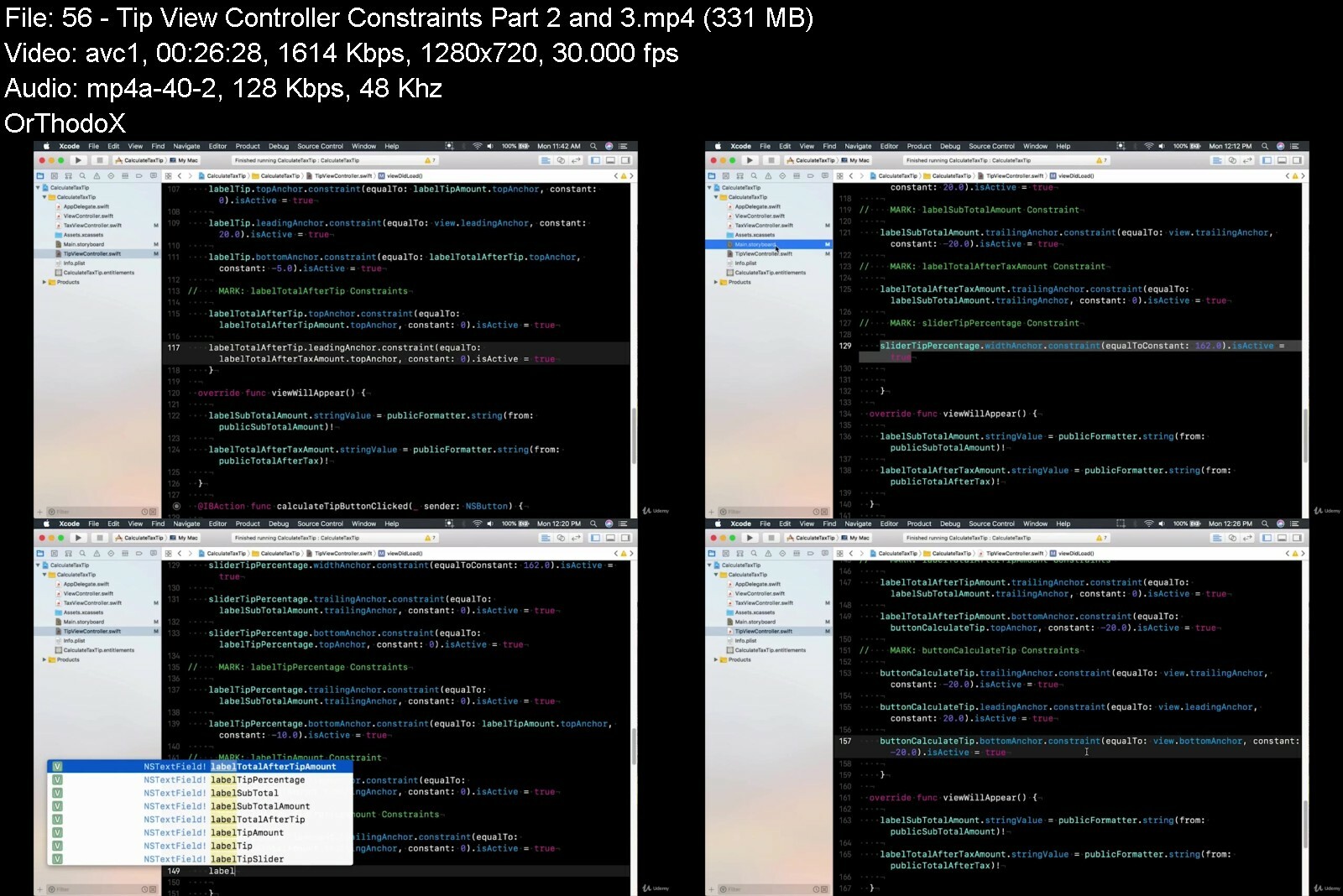
Lecture 56 Tip View Controller Constraints (Part 2 and 3)
Lecture 57 {FILES} Source Code
Section 11: Refactor
Lecture 58 Refactor Tax View Controller
Lecture 59 Refactor Tips View Controller Alignment
Lecture 60 Refactor Tip View Controller Auto-Resizing
Lecture 61 Refactor Tip View Controller Constraints
Lecture 62 Refactor Tip View Controller Constraints (Cont'd)
Lecture 63 {FILES} Source Code
Lecture 64 Bonus Lecture: Coupon
If you have zero experience as an app developer, we've included sections to introduce you to Xcode and Swift.,If you already have made iOS apps or other Apple projects, you can skip directly to the section on MacOS UI elements. Here we begin with a complete overview of the most popular user interface elements that make up every Apple Mac app.


practicalmacosbootcamq9ewn.jpg


Download from RapidGator


Download from Keep2Share


Download from NitroFlare

 
Javascript For Beginners - The Complete Intro Course [2022]

9aym5vgusiwwzn4onllifd8c9p.jpg


Javascript For Beginners - The Complete Intro Course [2022]
Published 8/2022
MP4 | Video: h264, 1280x720 | Audio: AAC, 44.1 KHz
Language: English | Size: 6.54 GB | Duration: 13h 9m

Learn Core JavaScript Concepts (Execution Context, Memory, Call Stack, etc.) I Build Projects I No Experience Needed


What you'll learn
Get a mature understanding of what a programming language is
What is an application and a program and how they are used
Understand "under the hood" workings of how code actually runs on our computer
Become an expert in JavaScript (Execution context, memory, call stack, and thread of execution)
Learn how to diagram and effectively technically communicate through your code
Learn the foundational skills from first principles that will better set you up for success in development world today

Requirements
Any computer with Internet and Chrome or Firefox browsers.
No prior programming experience is needed. A basic understanding of JavaScript is a plus, but not a must.
No paid software is required.

Description
Welcome to the JavaScript for Beginners course - the most comprehensive beginner course on the most popular programming language used by Software Engineers today, Javascript.This introductory JavaScript course will be very impactful for you especially if you are early on in your engineering journey.In this course, you will follow along with other beginner developers as we lead them through the units and will learn a multitude of important concepts starting with what a programming language even is in the first place, and how the internet works giving you a full general picture of the industry to build our knowledge apon.Then we're going to move into specific JavaScript concepts like: Variables and Control flow. We'll learn how we create and store data in our applications and make those applications more dynamic.We will end the course with Functional Programming and Native Methods, like the Array Push Method and the Object Keys Method which are important built-in features of the language that will be vital to your understanding of becoming an engineer.You will get access to over 16 hours of instruction, coding challenges, pair programming, and diagramming Javascript code under the hood. We will dig into truly understanding these concepts at a deep level so you can grasp not only how JavaScript works under the hood, but also allow you draw parallels to how other programming languages work and why, making you an even more versatile and adaptive Software Engineer.In addition to this, you'll get the support you need from mentors and your peers in our CSX Slack community. A community of over 10,000 beginner and experienced engineers from all over the world who will challenge you and be there to help push you through the tough engineering blocks and help you to achieve your dream career in tech.By the end of the course, you will have the knowledge that you need in order to accelerate your future in Software Engineering.
Overview
Section 1: Introduction
Lecture 1 Introduction to JavaScript for Beginners
Section 2: Introduction to Programming
Lecture 2 Introduction to Programming
Section 3: How the Web Works
Lecture 3 Introduction to How the Web Works
Lecture 4 Diagramming How the Web Works
Lecture 5 How the Web Works: Q&A
Section 4: Fundamentals of JavaScript-Variables
Lecture 6 Introduction to JavaScript Fundamentals
Lecture 7 Variables Basics
Lecture 8 Variable Declaration, Assignment and Reassignment
Lecture 9 JavaScript Keywords
Lecture 10 JavaScript Gotchas
Lecture 11 Variables Q&A
Section 5: Fundamentals of JavaScript-Data Types
Lecture 12 Introduction to Data Types and Handy Developer Tools
Lecture 13 Data Types
Lecture 14 Array Diagramming
Lecture 15 Objects Diagramming
Lecture 16 Data Types Q&A
Section 6: Introduction to Pair Programming
Lecture 17 What is Pair Programming?
Lecture 18 Join CSX Slack to Find Pair Programming Partners
Lecture 19 What is CSBIN?
Lecture 20 Variables & Data Types Pair Programming Challenge
Lecture 21 Solution Video: Variables & Data Types Pair Programming Challenge
Section 7: Control Flow
Lecture 22 Introduction to Control Flow
Lecture 23 Comparison Operators
Lecture 24 Logical Operators
Lecture 25 Logical Operators Actually
Lecture 26 Comparison & Logical Operators Q&A
Lecture 27 Conditional Statements
Lecture 28 Control Flow Q&A
Lecture 29 Operators & Control Flows Pair Programming Challenge
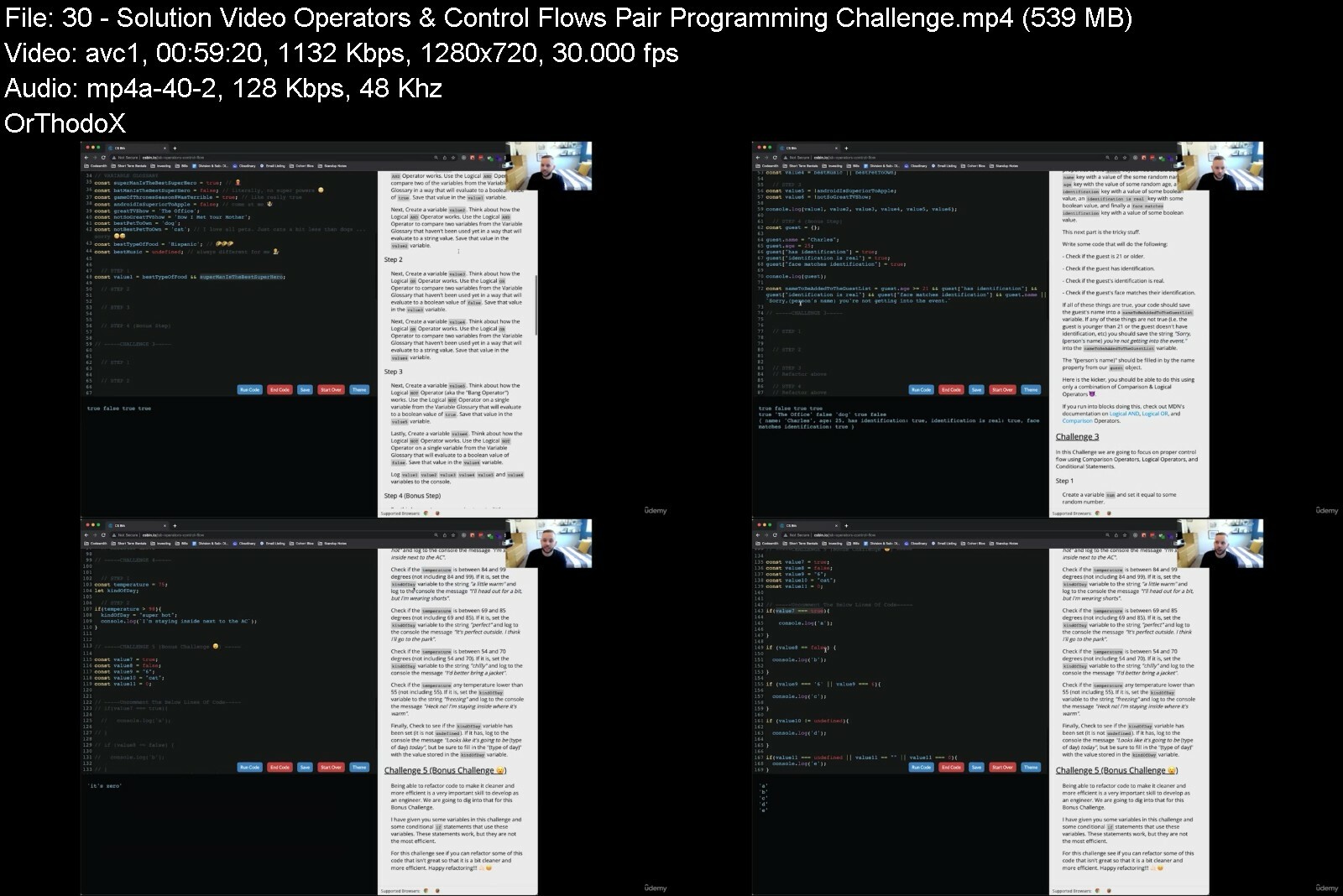
Lecture 30 Solution Video: Operators & Control Flows Pair Programming Challenge
Section 8: JavaScript Loops
Lecture 31 Introduction to Loops
Lecture 32 While Loops
Lecture 33 For Loops
Lecture 34 Loops Q&A
Lecture 35 Loops Pair Programming Challenge
Lecture 36 Solution Video: Loops Pair Programming Challenge
Section 9: Introduction to Functional Programming
Lecture 37 Introduction to Functional Programming
Lecture 38 Functions and Execution Contexts
Lecture 39 Parameters and Arguments Part 1
Lecture 40 Parameters and Arguments Part 2
Lecture 41 Return vs Console Log
Lecture 42 Functional Programming Q&A
Lecture 43 Functions Part 1 Pair Programming Challenge
Lecture 44 Solution Video: Functions Part 1 Pair Programming Challenge
Section 10: Native JavaScript Features
Lecture 45 Introduction to Native JavaScript Features and ECMA
Lecture 46 Function Expressions
Lecture 47 Arrow Functions
Lecture 48 JavaScript Array Methods
Lecture 49 JavaScript Object Methods
Lecture 50 Putting It All Together
Lecture 51 Native JavaScript Features Q&A
Lecture 52 Functions Part 2 Pair Programming Challenge Continued
Lecture 53 Solution Video: Functions Part 2 Pair Programming Challenges
Lecture 54 Congratulations! You completed JavaScript for Beginners!
This course is for anyone who wants to learn about programming, regardless of previous experience. It's perfect for complete beginners with no JavaScript or coding experience as well as for anyone who does have some familiarity with JavaScript concepts.


javascriptforbeginner6gdji.jpg


Download from RapidGator


Download from Keep2Share


Download from NitroFlare

 
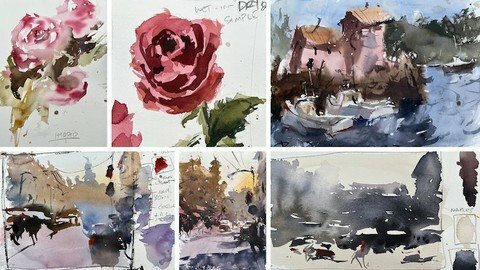
Wash Your Way To Awesome Watercolor Art

fqy8qsc08yvgn76jazquo22ci6.jpg


Wash Your Way To Awesome Watercolor Art
Published 8/2022
MP4 | Video: h264, 1280x720 | Audio: AAC, 44.1 KHz
Language: English | Size: 5.55 GB | Duration: 4h 40m

Discover easy tips that will help you paint amazing watercolors using various washes


What you'll learn
Basic watercolor washes
Intermediate wash techniques
Advanced washes
Apply washes to any subject
How to work into wet surface
Wash layering tips
Intermediate and advanced variegated washes
Value gradation wash
Much more....

Requirements
Must be self motivated and willing to put in the work
Have basic supplies

Description
WELCOME TO WASH*YOUR*WAY*TO*AWESOME*WATERCOLOR*ARTThis class will introduce you to some the basic techniques and how to get the most out of watercolors. If you have used the medium you know it can be very difficult to get good results. That's usually because artists like to control it too much! This will ruin the spontaneous, carefree look that's so beautiful and unique from other mediums.Watercolor painting is all about knowing when to get out of the way so the paint can create some magic, and when to step in with some finesse so your paintings have depth and believability.What you will love about this class - Assignments with critiques! I have chosen some students art and shared thoughts and tips on how to solve common issues.CLASS OVERVIEWBeginner module - here we will cover my materials, workspace setup, brushwork techniques, wet-in-wet washes, layering basics and an assignment.Exploring washes & layering - you will dive deeper into understanding washes and more advanced methods for achieving different results. These ideas will loosen you up and get you away from trying to over-control the medium.Add value to your art - learn how value will enhance your art. Once you have these skills under your belt you will no longer struggle with weak paintings.Advanced gradations and value techniques - dive a lot deeper into various ideas for combining gradations and values.Explore subjects - how to apply the techniques to various subjects so you can easily use these ideas on your ownRefined demos and projects - Grab your brushes and paint along with me as we create finished art that infuses all the lovely watercolor washes you learned along the way.WHO IS THIS CLASS FOR?This is a beginner-friendly class! We will start with the basics and move to intermediate ideas. It's also a great class for anyone that's been around watercolors for a while and wants a good refresher. The last few sections of the class are intermediate and advanced ideas, so something for everyone.
Overview
Section 1: Introduction
Lecture 1 Workspace Setup
Lecture 2 Materials & Downloadable Asset Files
Lecture 3 Brushwork Techniques
Lecture 4 Wet-in-wet basics
Lecture 5 Layering basics
Lecture 6 Layering basics II
Lecture 7 Assignment
Section 2: Simple Application Projects
Lecture 8 Wet in wet building
Lecture 9 Wet in wet buildings II
Lecture 10 Wet in wet building III
Lecture 11 Simple wet-in-dry building
Lecture 12 Simple wet-in-dry building II
Lecture 13 Easy value gradations
Lecture 14 Complex value gradations
Lecture 15 Student critiques
Lecture 16 Simple wet-in-dry rose
Lecture 17 Simple wet-in-wet rose
Lecture 18 Hybrid wash with rose
Section 3: Refined Wash Projects
Lecture 19 Intro
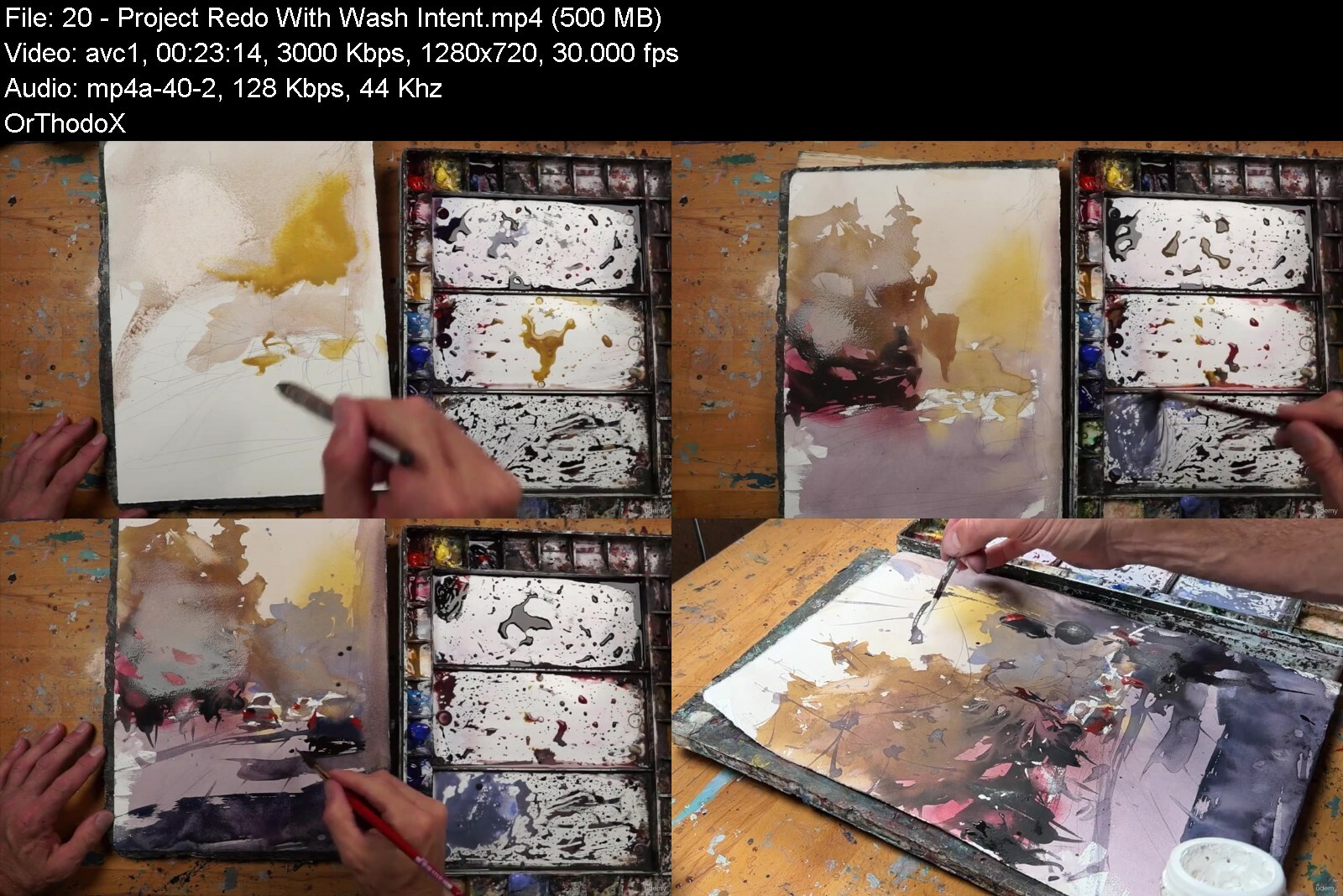
Lecture 20 Project: Redo With Wash Intent
Lecture 21 Project: Two Layer Magic
Lecture 22 Project: Wet-in-Wet Magic
Lecture 23 Final Critiques
Lecture 24 Final Critiques II
Lecture 25 Recap
Beginner and aspiring watercolor artists


washyourwaytoawesomewqmfs1.jpg


Download from RapidGator


Download from Keep2Share


Download from NitroFlare

 
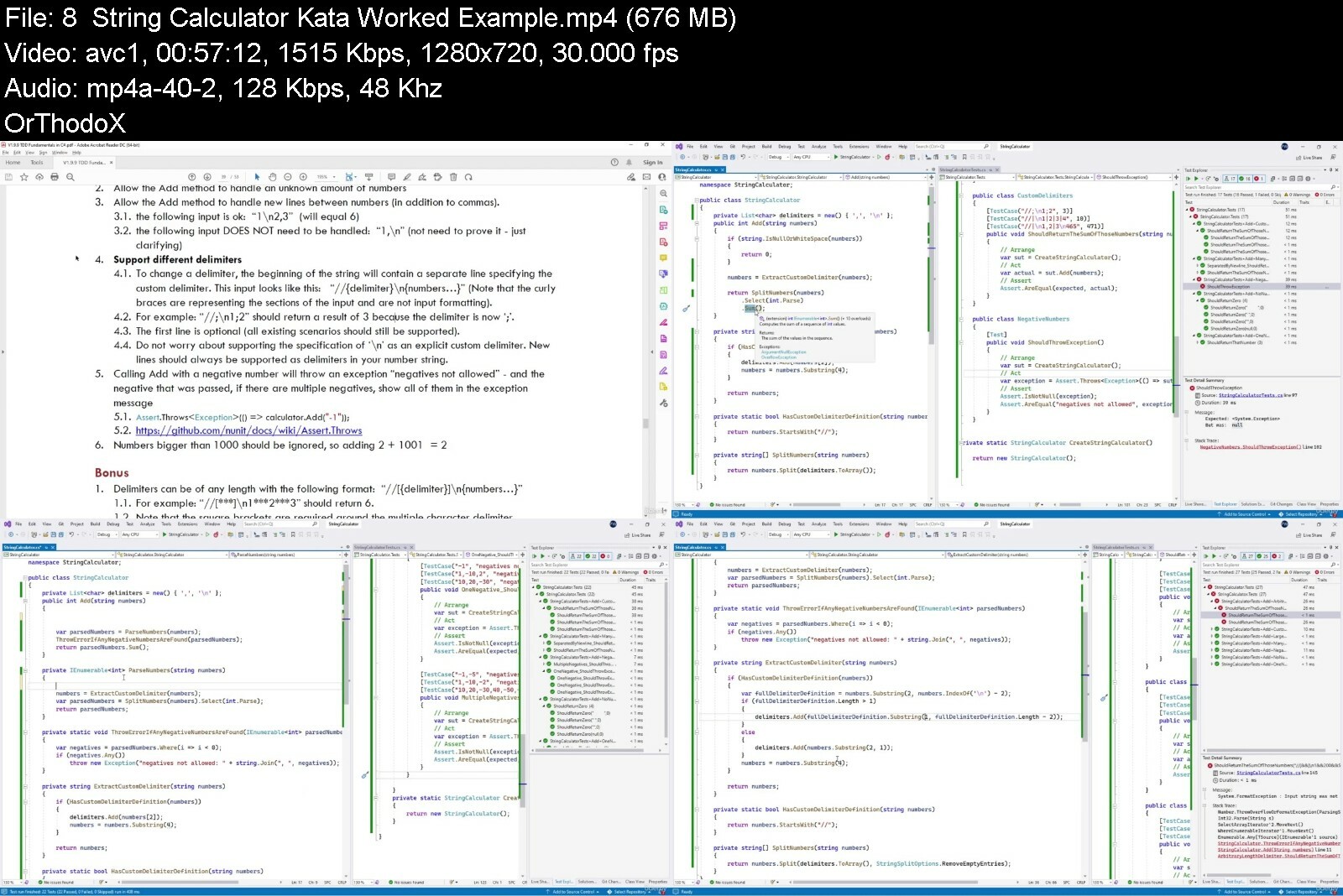
TDD Fundamentals in C#

474795035272s9d89.jpg


TDD Fundamentals in C#
Published 08/2022
MP4 | Video: h264, 1280x720 | Audio: AAC, 44.1 KHz, 2 Ch
Genre: eLearning | Language: English + srt | Duration: 73 lectures (10h 15m) | Size: 5.6 GB


This course covers the fundamentals of Test Driven Development using C# as the language of practice


What you'll learn
Structure a unit test (Understand the anatomy of a good test)
Structure Test Classes and projects
Understand Testing Strategies and approaches
Identify Boundaries and Equivalence Partitions
Name a Test
Break dependencies with Test Doubles
Grow a requirement using TDD
Balance high level design with TDD practice
Recognize the Flow/Cadence/Rhythm of TDD
Understand how bad tests show high code coupling and how good tests show low coupling
Requirements
Developers must be able to code in C#
Visual Studio
Description
TDD stands for Test-Driven Development. It is a software development process for developing an application by using automated tests as the primary tool for development. These tests are written before coding and are the primary unit of quality ensuring that coding is correct, reliable and bug-free.
TDD has become widely accepted by the .NET developer community as an essential skill in today's world of web applications, service-oriented architectures and desktop application development. The TDD Fundamentals in C# course is a step-by-step C# programme designed to make you a more proficient C# Developer by teaching you the skill of TDD. It covers the fundamentals of Test-Driven Development enabling you to get up to speed quickly within the practice of TDD in C#.
The TDD Fundamentals in C# course is very hands-on: you will spend your time learning the practice of Test Driven Development through a sequence of coding exercises interspersed with theory. This course has been run in person dozens of times with a variety of groups, and through this process we have honed the process of teaching and learning TDD.
Target outcomes
Understand what TDD is and why you would want to practice it
Understand the anatomy of a test, and how to write good unit tests
Understand and use the flow of Test-Driven Development and to use a toolbox of tools and techniques on what to do if they are not experiencing this rhythm.
Understand how high-level design and TDD work together to achieve great designs
Write Unit Tests for a reasonably complex solution that are maintainable into the future.
Take a requirement (User Story/Use Case) and implement the relevant tests and code.
Write far more loosely coupled code by using the appropriate Test Doubles.
Use the appropriate mocking framework for dynamically creating the appropriate test doubles
Who this course is for
Software developers who have at least two years production programming experience with C#.


tddfundamentalsincvhdza.jpg


Download from RapidGator


Download from Keep2Share


Download from NitroFlare

 
Learn About Game Development Kits With Arkit And Spritekit!

fyen1dxi0uzz1jrii4b1piricj.jpg


Learn About Game Development Kits With Arkit And Spritekit!
Last updated 11/2018
MP4 | Video: h264, 1280x720 | Audio: AAC, 44.1 KHz
Language: English | Size: 47.57 GB | Duration: 85h 26m

Learn to use SpriteKit and ARKit to build 2D games and AR Games respectively.


What you'll learn
Build 2D games in SpriteKit.
Create AR Games with ARKit
Navigate Xcode's interface.
Organize your project and animate sprites
Code in Swift.
Plan, design, and develop games from scratch.

Requirements
To follow along in Xcode 9, you must have a Mac computer or MacOS software
Blender (we show you how to import a model for AR)
You will need SpriteKit, Apple's free framework for making 2D games.

Description
"I am learning the basics of SpriteKit and XCode. Great teacher." - James M, Mammoth studentWe at Mammoth Interactive value input from students like you. Feel free to leave us your feedback.Why SpriteKit?SpriteKit is the framework for making 2D games for Apple products. It's ​free​​! You can make cool games, from super simple to more complex, in SpriteKit. SpriteKit provides support for cool special effects and physics. It's a ​fun​​ interface to express your creativity. Before you know it, you could see a game you built in SpriteKit in the App Store!To give a game functionality, you add code to your game's objects in Xcode. Xcode is a user-friendly programming language that is easy to understand. Anyone can use SpriteKit. In this course, you learn how to make simple 2D games using Apple's SpriteKit. You build the following games: Breakout Clone, Pong Clone, and Space Invaders. This course is unique because we make ​both the code and the design ​​for the games from scratch. Other tutorials only show you how to make the functionality or design of a game. We at Mammoth Interactive show you how to do both. Don't worry if you've never coded before. We ​start simple​​ and add more to the game as the course goes on. This course begins with an introduction to SpriteKit for those who have never used it before. You will learn how to navigate SpriteKit's interface.Why Should I Learn Xcode?Xcode is Apple's ​FREE ​​software for app development. Xcode is ​so convenient to use. We love it, and you will, too! Xcode allows you to make complex and creative apps. At the same time, it is accessible for beginners who want to make simple apps. Swift 4.0 is ​the programming language to learn if you want to make apps for Apple products.Is this course for me?Even if you're not an artist, you can design basic games. You may have heard of Axiom Verge and Stardew Valley. These games are million-dollar successes. But did you know that only one person made each?Usually it takes a whole team of people to build a game. But creators Thomas Happ and Eric Barone developed and designed their games by themselves. Now they're millionaires. You can do it, too.By taking this course, you will gain the tools you need continue improving yourself in the field of game development. You will be able to apply what you learned to further experiment in SpriteKit or any other game development framework.Let's get started!Also, now included in this course are bonus courses of other related topics, such as C# and Java! You get more content at a great price!Enroll now to join the Mammoth community!

Overview

Section 1: Introduction to Xcode

Lecture 1 Downloading and Installing Xcode

Lecture 2 Exploring XCode's Interface

Section 2: Xcode Fundamentals

Lecture 3 Intro and Demo

Lecture 4 General Interface

Lecture 5 Files System

Lecture 6 ViewController

Lecture 7 Storyboard File

Lecture 8 Connecting Outlets and Actions

Lecture 9 Running an Application

Lecture 10 Debugging an Application

Lecture 11 Source Code and Art Assets

Section 3: Introduction to ARKit

Lecture 12 Introduction to ARkit

Lecture 13 Talking About the View Controller and Scenes

Lecture 14 Talking about Scenes and Object Properties

Lecture 15 Moving Around the Scene

Lecture 16 Adding Primitives to your scene

Lecture 17 Adding Primitives to your Scenes

Lecture 18 Adding Primitives to your Scenes (cont'd)

Lecture 19 Adding Nodes and Primitives Programmatically

Lecture 20 Adding other Primitives

Section 4: Intro to SpriteKit

Lecture 21 Intro and Demo

Lecture 22 Learning Goals

Lecture 23 Intro to SpriteKit Interface

Lecture 24 Intro to SKView

Lecture 25 Intro to SKScene

Lecture 26 Intro to SKNode

Lecture 27 Accessing Nodes via Swift File

Lecture 28 Node Section Wrap up

Lecture 29 Intro to SKActions

Lecture 30 Attaching Actions to Nodes Through Code

Lecture 31 Intro to Physics Bodies

Lecture 32 Modifying Physics Body Attributes Through Code

Lecture 33 Fixing Contact Collision Problem with Physics Bodies

Lecture 34 Intro to Field Nodes

Section 5: Breakout Game Tutorial

Lecture 35 Intro and Demo

Lecture 36 Learning Goals

Lecture 37 Setting up the Main Game Scene

Lecture 38 Initializing Scene Variables and Creating a Boundary

Lecture 39 Implementing Player Movement and Brick Removal

Lecture 40 Implementing Game Over Logic

Lecture 41 Fixing Collision Issues

Lecture 42 Summary

Section 6: Pong Clone Tutorial

Lecture 43 Intro and Demo

Lecture 44 Learning Goals

Lecture 45 Building Scene in sks File

Lecture 46 Finishing Set up in GameScene.swift

Lecture 47 Implementing Player and Opponent Movement

Lecture 48 Adding a Scoring System

Lecture 49 Fixing Slow Moving Collision Issues

Lecture 50 Summary

Lecture 51 Bonus - Modded Paddle Collision

Section 7: Space Invaders

Lecture 52 Intro and Demo

Lecture 53 Learning Goals

Lecture 54 Setting up the Scene

Lecture 55 Finishing Set up in Swift File

Lecture 56 Implementing Player and Alien Movement

Lecture 57 Spawning and Firing Bullets

Lecture 58 Implementing Bullet Contact

Lecture 59 Implementing End Game Logic

Lecture 60 Pixelart Scene Setup

Lecture 61 Pixelart UFO

Lecture 62 Pixelart Spacecraft

Lecture 63 Pixelart Resize and Exporting

Lecture 64 Space Background

Lecture 65 Adding Textures and Summary

Lecture 66 Bonus Features

Section 8: Source Code

Lecture 67 Intro to SpriteKit

Lecture 68 Breakout Clone Tutorial

Lecture 69 Pong Clone Tutorial

Lecture 70 Space Invaders Clone Tutorial

Section 9: Sketch

Lecture 71 Course Intro and Sketch Tools

Lecture 72 Sketch Files - Sketch Tools

Lecture 73 Sketch Basics and Online Resources

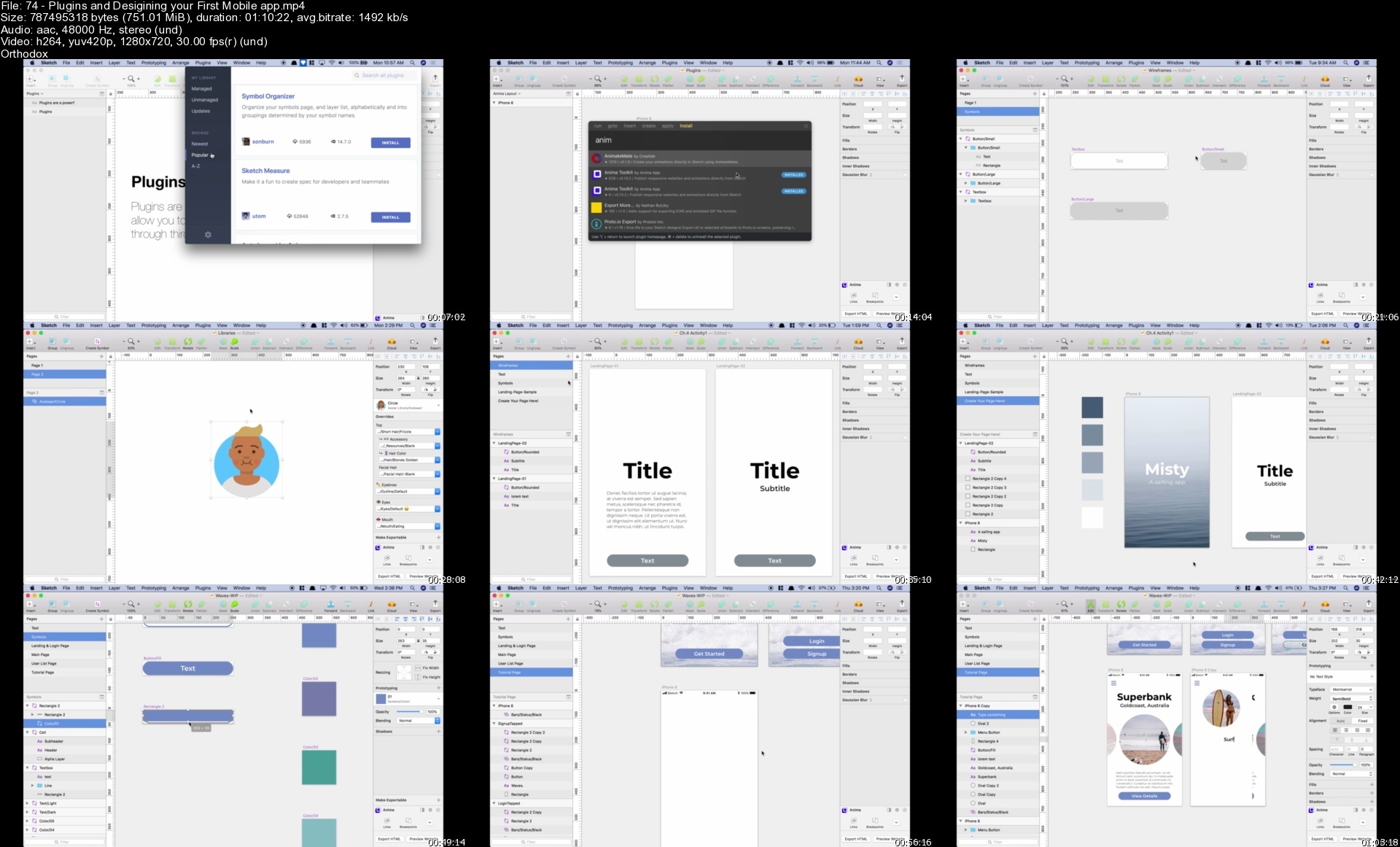
Lecture 74 Plug-ins and Desigining your First Mobile app

Lecture 75 Your First Mobile App Continued

Lecture 76 Sketch Files - Your First Mobile App

Lecture 77 Shortcuts and Extra tips

Lecture 78 Sketch Files - Shortcuts by Mammoth Interactive

Section 10: Learn to Code in HTML

Lecture 79 Intro to HTML

Lecture 80 Writing our first HTML

Lecture 81 Intro to Lists and Comments

Lecture 82 Nested Lists

Lecture 83 Loading Images

Lecture 84 Loading Images in Lists

Lecture 85 Links

Lecture 86 Images as Link

Lecture 87 Mailto Link

Lecture 88 Div Element

Section 11: Learn to Code in CSS

Lecture 89 Introduction

Lecture 90 Introducing the Box Model

Lecture 91 Writing our First CSS

Lecture 92 More CSS Examples

Lecture 93 Inheritance

Lecture 94 More on Type Selectors

Lecture 95 Getting Direct Descendents

Lecture 96 Class Intro

Lecture 97 Multiple Classes

Lecture 98 id Intro

Lecture 99 CSS Specificity

Lecture 100 Selecting Multiple Pseudo Classes and Sibling Matching

Lecture 101 Styling Recipe Page

Lecture 102 Loading External Stylesheet

Section 12: D3.js

Lecture 103 Introduction to Course and D3

Lecture 104 Source Code

Lecture 105 Handling Data and Your First Project

Lecture 106 Source code

Lecture 107 Continuing your First Project

Lecture 108 Understanding Scale

Lecture 109 Source Code

Lecture 110 Complex charts, Animations and Interactivity

Lecture 111 Source Code

Section 13: Introduction to PyCharm

Lecture 112 Downloading and Installing Pycharm and Python

Lecture 113 Support for Python Problems or Questions

Lecture 114 Exploring Pycharm

Lecture 115 Learning Python with Mammoth Interactive

Section 14: Python Language Basics

Lecture 116 Intro to Variables

Lecture 117 Variables Operations and Conversions

Lecture 118 Collection Types

Lecture 119 Collections Operations

Lecture 120 Control Flow If Statements

Lecture 121 While and For Loops

Lecture 122 Functions

Lecture 123 Classes and Objects

Section 15: Flask

Lecture 124 Setting Up and Basic Flask

Lecture 125 Setting up Terminals on Windows 7 and Mac

Lecture 126 Terminal basic commands and symbols

Lecture 127 Source Code - Setting up Flask

Lecture 128 Source Code - Basic Flask HTML & CSS

Lecture 129 Basic Flask Database

Lecture 130 Source Code - Basic Flask Database

Lecture 131 Flask Session and Resources

Lecture 132 Source Code - Flask Session

Lecture 133 Flask Digital Ocean

Lecture 134 Flask Digital Ocean Continued

Section 16: Swift 4 Language Basics

Lecture 135 Language Basics Topics List

Section 17: Variable and Constants

Lecture 136 Learning Goals

Lecture 137 Intro to Variables and Constants

Lecture 138 Primitive types

Lecture 139 Strings

Lecture 140 Nil Values

Lecture 141 Tuples

Lecture 142 Type Conversions

Lecture 143 Assignment Operators

Lecture 144 Conditional Operators

Lecture 145 Variables and Constants Text.playground

Section 18: Collection Types

Lecture 146 Topics List and Learning Objectives

Lecture 147 Intro to Collection Types

Lecture 148 Creating Arrays

Lecture 149 Common Array Operations

Lecture 150 Multidimensional Arrays

Lecture 151 Ranges

Lecture 152 Collection Types Text.playground

Section 19: Control flow

Lecture 153 Topics List and Learning Objectives

Lecture 154 Intro to If and Else Statements

Lecture 155 Else If Statements

Lecture 156 Multiple Simultaneous Tests

Lecture 157 Intro To Switch Statements

Lecture 158 Advanced Switch Statement Techniques

Lecture 159 Testing for Nil Values

Lecture 160 Intro to While Loops

Lecture 161 Intro to for...in Loops

Lecture 162 Intro to For...In Loops (Cont'd)

Lecture 163 Complex Loops and Loop Control statements

Lecture 164 Control Flow Text.playground

Section 20: Functions

Lecture 165 Intro to Functions

Lecture 166 Function Parameters

Lecture 167 Return Statements

Lecture 168 Parameter Variations - Argument Labels

Lecture 169 Parameter Variations - Default Values

Lecture 170 Parameters Variations - InOut Parameters

Lecture 171 Parameter Variations - Variadic Parameters

Lecture 172 Returning Multiple Values Simultaneously

Lecture 173 Functions Text.playground

Section 21: Classes, Struct and Enums

Lecture 174 Topics List and Learning Objectives

Lecture 175 Intro to Classes

Lecture 176 Properties as fields - Add to Class Implementation

Lecture 177 Custom Getters and Setters

Lecture 178 Calculated Properties

Lecture 179 Variable Scope and Self

Lecture 180 Lazy and Static Variables

Lecture 181 Behaviour as Instance Methods and Class type Methods

Lecture 182 Behaviour and Instance Methods

Lecture 183 Class Type Methods

Lecture 184 Class Instances as Field Variables

Lecture 185 Inheritance, Subclassing and SuperClassing

Lecture 186 Overriding Initializers

Lecture 187 Overriding Properties

Lecture 188 Overriding Methods

Lecture 189 Structs Overview

Lecture 190 Enumerations

Lecture 191 Comparisons between Classes, Structs and Enums

Lecture 192 Classes, Structs, Enums Text.playground

Section 22: Practical MacOS BootCamps

Lecture 193 Introduction and UI Elements

Lecture 194 Calculator Setup and Tax Calculator

Lecture 195 Calculate Tax And Tip - Mammoth Interactive Source Code

Lecture 196 Tip Calculator and View Controller

Lecture 197 View Controller - Mammoth Interactive Source Code

Lecture 198 Constraints

Lecture 199 Constraints - Mammoth Interactive Source Code

Lecture 200 Constraints Code

Lecture 201 Refactor

Lecture 202 Refactor - Mammoth Interactive Source Code

Lecture 203 MacOsElements - Mammoth Interactive Source Code

Section 23: Data Mining With Python

Lecture 204 Data Wrangling and Section 1

Lecture 205 Project Files - Data Mining with Mammoth Interactive

Lecture 206 Project Files - Data Wrangling with Mammoth Interactive

Lecture 207 Data Mining Fundamentals

Lecture 208 Project Files - Data Mining fundamentals with Mammoth Interactive

Lecture 209 Framework Explained, Taming Big Bank with Data

Lecture 210 Project Files - Frameworks with Mammoth Interactive

Lecture 211 Mining and Storing Data

Lecture 212 Project Files - Mining and Storing with Mammoth Interactive

Lecture 213 NLP (Natural Language Processing)

Lecture 214 Project Files - NLP with Mammoth Interactive

Lecture 215 Summary Challenge

Lecture 216 Conclusion Files - Mammoth Interactive

Section 24: Introduction to Video Editing

Lecture 217 Introduction to the Course

Lecture 218 Installing Camtasia

Lecture 219 Exploring the Interface

Lecture 220 Camtasia Project Files

Section 25: Setting Up a Screen Recording

Lecture 221 Introduction and Tips for Recording

Lecture 222 Creating a Recording Account

Lecture 223 Full Screen vs Window Mode

Lecture 224 Setting the Recording Resolution

Lecture 225 Different Resolutions and their Uses

Lecture 226 Tips to Improve Recording Quality and Summary

Section 26: Camtasia Recording

Lecture 227 Introduction and Workflow

Lecture 228 Tools Options Menu

Lecture 229 Your First Recording

Lecture 230 Viewing your Test

Lecture 231 Challenge - VIDEO GAME NARRATION

Lecture 232 Mic Etiqutte

Lecture 233 Project - Recording Exercise

Lecture 234 Webcam, Telprompter, and Summary

Section 27: Camtasia Screen Layout

Lecture 235 Introduction and Tools Panel

Lecture 236 Canvas

Lecture 237 Zoom N Pan

Lecture 238 Annotations

Lecture 239 Yellow Snap Lines

Lecture 240 TimeLine Basics, Summary and Challenge

Section 28: Camtasia Editing

Lecture 241 Introduction and Importing Media

Lecture 242 Markers

Lecture 243 Split

Lecture 244 Working with Audio

Lecture 245 Clip Speed

Lecture 246 Locking and Disabling tracks

Lecture 247 Transitions

Lecture 248 Working with Images

Lecture 249 Voice Narration

Lecture 250 Noise Removal

Lecture 251 Smart Focus

Lecture 252 Summary and Challenge

Section 29: Advance Editing Introduction

Lecture 253 Advance Editing Introduction

Lecture 254 Zooming Multiple Tracks

Lecture 255 Easing

Lecture 256 Animations

Lecture 257 Behaviors

Lecture 258 Color Adjustment

Lecture 259 Clip Speed

Lecture 260 Remove a Color

Lecture 261 Device Frame

Lecture 262 Theme Manager

Lecture 263 Libraries

Lecture 264 Media and Summary

Section 30: Camtasia Resources and Tips

Lecture 265 Resources and Tips Introduction

Lecture 266 Masking

Lecture 267 Extending Frames

Lecture 268 Working with Video

Section 31: Exporting a Project for Youtube

Lecture 269 Exporting a Project for Youtube

Section 32: Code with C#

Lecture 270 Introduction to Course and Types

Lecture 271 Operator, Classes , and Additional Types

Lecture 272 Statements & Loops

Lecture 273 Arrays, Lists, and Strings

Lecture 274 Files, Directories, and Debugs

Lecture 275 Source code

Section 33: Learn to Code with R

Lecture 276 Intro to R

Lecture 277 Control Flow and Core Concepts

Lecture 278 Matrices, Dataframes, Lists and Data Manipulation

Lecture 279 GGplot and Intro to Machine learning

Lecture 280 Conclusion

Lecture 281 Source Code

Section 34: Advanced R

Lecture 282 Course Overview and Data Setup

Lecture 283 Source Code - Setting Up Data - Mammoth Interactive

Lecture 284 Functions in R

Lecture 285 Source Code - Functions - Mammoth Interactive

Lecture 286 Regression Model

Lecture 287 Source Code - Regression Models - Mammoth Interactive

Lecture 288 Regression Models Continued and Classification Models

Lecture 289 Source Code - Classification Models - Mammoth Interactive

Lecture 290 Classification Models Continued, RMark Down and Excel

Lecture 291 Source Code - RMarkDown And Excel - Mammoth Interactive

Lecture 292 Datasets - Mammoth Interactive

Section 35: Learn to Code with Java

Lecture 293 Introduction and setting up Android Studio

Lecture 294 Introduction - Encryption Source Code

Lecture 295 Setting up Continued

Lecture 296 Java Programming Fundamentals

Lecture 297 Source Code - Java Programming Fundamentals

Lecture 298 Additional Java fundamentals

Lecture 299 Source Code - Additional fundamentals

Lecture 300 Classes

Lecture 301 Source Code - Classes

Lecture 302 Please rate this course

Lecture 303 Bonus Lecture - Mammoth Interactive Deals

Anyone who wants to learn to use SpriteKit,Anyone who wants to learn game development.,This course is targeted towards complete beginners.,Complete beginners who want to learn to code,Beginners who want to be iOS developers,If you're an experienced coder, you can use this course to learn AR,Mobile developers who want an introduction to Swift 4 and Xcode 9

Homepage


74pluginsanddesigininpgecq.jpg


Build 4 Unity® Games: Best 2D, 3D And Multiplayer Tutorials

qcwamvk8txmsbfkmkv51bdscoa.jpg


Build 4 Unity® Games: Best 2D, 3D And Multiplayer Tutorials
Last updated 12/2018
MP4 | Video: h264, 1280x720 | Audio: AAC, 44.1 KHz
Language: English | Size: 54.13 GB | Duration: 69h 11m

A runaway success of a Kickstarter funded this course. Improve your C sharp and code architecture. Full game scale.


What you'll learn
Learn to code for game development in Unity C#
Create your own unique Battle Royale system.
Learn the fundamentals of game design.
Create game art in Blender.
Build game assets in Illustrator.
Make game pieces in Photoshop.
Navigate the Unity® editor.
Design large environments for your character to explore in.
Build 3D models for the game in Blender.
Integrate the art from Blender into Unity®.


Requirements
Unity® and Blender are free to download. Please download and install Unity® and Blender before purchasing this course
Adobe Photoshop
Illustrator or a free program like Gimp (to make 2D art)
This course was recorded on a Mac computer, but you can use Unity® and Blender on a PC.


Description
Build 4 huge games in Unity® and C#. Complete your first Unity games for web, Mac & PC. Learn all about game development more efficiently YouTube tutorials. You will learn:Game development & design. Learn how to use Unity® in C#Build a 2D game like Flappy Bird in UnityMake an Angry Birds game from scratchBuild an air hockey game with C#Learn what Photoshop is used for in game developmentThe game development process step by step for beginnersMake your own shooter game in UnityBuild a battle royale game like FortniteAdd multiplayer functionality to game programmingLearn the foundations of Blender 3DThe best coding program online. Beginner's guide for aspiring game developers. Learn C# and programming fundamentals. Create epic 2D and 3D games using Unity® and Blender! This course is unique because we make both the code and the art for the game from scratch. ​We teach you the fundamentals of designing, coding, and modeling a 3D game.First you design the game and its functionality in Unity®. You learn how to code in C# and build video game levels. Don't worry if you've never coded before. We start simple and add more to the game as the course goes on.Best Unity Course: Build Multiple Games in FullUnity® is one of the most popular platforms in game development. You can use Unity® to build 2D and 3D games. Unity® is cross-platform, which means it is easy to use with other platforms.Then you create the 3D models for the game in Blender. You build all the art assets for the game. You learn how to integrate your art from Blender into Unity®.Foundations of Blender and Adobe Illustrator TutorialsBlender, like Unity®, is a popular production suite that is free to download. Blender is a revolutionary tool for making 3D art digitally. With Blender, you can make art assets for games, like we do in this course.Watch the free lectures and amazing trailer, then jump right in and start participating with the Mammoth community.

Overview
Section 1: Intro to Unity

Lecture 1 Introduction

Lecture 2 Unity Editor

Lecture 3 Moving a Cube

Lecture 4 Materials

Lecture 5 Lights

Lecture 6 Particle System

Lecture 7 Applying Physics

Lecture 8 Asset Store

Section 2: Intro to Coding

Lecture 9 Introduction

Lecture 10 Variables

Lecture 11 Methods

Lecture 12 If Blocks

Lecture 13 Loops

Section 3: Intro to Inputs

Lecture 14 Introduction

Lecture 15 Key Presses

Lecture 16 Moving a Player

Lecture 17 Jumping

Lecture 18 Moving Forward

Lecture 19 Cycling Cameras

Section 4: Intro to Prefabs

Lecture 20 Introduction

Lecture 21 Introduction to Prefabs

Lecture 22 Random Angles

Lecture 23 Explosion Effects

Lecture 24 Adding explosion effects

Section 5: Intro to VR

Lecture 25 Introduction

Lecture 26 Activating VR

Lecture 27 Building a Castle

Lecture 28 Lowering the Door

Lecture 29 Triggering

Lecture 30 Interface

Lecture 31 UPDATE - Using the Unity Package with Unity 5.6

Section 6: Let's Make a Game - 2D Flappy Bird

Lecture 32 Introduction

Lecture 33 Project Setup

Lecture 34 Player Structure

Lecture 35 Player Movement

Lecture 36 Camera Follow

Lecture 37 Screen Limits

Lecture 38 Creating an Obstacle

Lecture 39 Instantiating Obstacles

Lecture 40 Obstacle Positioning

Lecture 41 Infinite Game

Lecture 42 Interface

Lecture 43 Score Areas

Lecture 44 Score Events

Lecture 45 Canvas Concerns

Lecture 46 Game Over

Lecture 47 Small Gameplay Adjustments

Section 7: Photoshop Intro

Lecture 48 Build a New File

Lecture 49 Navigational Controls

Lecture 50 Basic Tools Rundown

Lecture 51 Basic Tools Usages

Lecture 52 Basic Secondary Tools

Lecture 53 Basic Layers

Section 8: Creating Assets (Photoshop Project)

Lecture 54 Pixel Setup

Lecture 55 Pipe Asset

Lecture 56 Creating the Floor

Lecture 57 Background Clouds

Lecture 58 Background Buildings

Lecture 59 Creating Flappy

Lecture 60 Background Sky

Lecture 61 Exporting Art

Section 9: Finishing the Game (Unity Project)

Lecture 62 Integrating Fonts

Lecture 63 Background & SFX

Lecture 64 Adding Pipes

Lecture 65 Adding the Background

Lecture 66 Foreground Parallax

Lecture 67 Size Adjustments

Lecture 68 Remaining Layers

Lecture 69 Flapping animation

Lecture 70 Changing Skins

Lecture 71 Creating Buttons

Lecture 72 Adjusting Game flow

Lecture 73 Rotating the Player

Lecture 74 Challenge Time

Section 10: Source and Assets - Flappy Bird

Lecture 75 Source and Assets

Section 11: Introduction to Illustrator

Lecture 76 Introduction

Lecture 77 New File and Navigation

Lecture 78 General Directions

Lecture 79 Pen Tool

Lecture 80 Line Segments

Lecture 81 Shape Tools

Lecture 82 Colour Filling

Lecture 83 Paintbrushes

Lecture 84 Pencil Tools

Lecture 85 Rotation and Reflection

Lecture 86 Scale Tools

Lecture 87 Width Tool

Lecture 88 Shape Builder (Part 1)

Lecture 89 Shape Builder (Part 2)

Lecture 90 Shape Buidler (Part 3)

Lecture 91 Free Transform

Lecture 92 Perspective Tool

Lecture 93 Mesh Tool

Lecture 94 Gradient Tool

Lecture 95 Symbol Sprayer

Lecture 96 Graphing Tools

Lecture 97 Layers

Lecture 98 Illustrator Fun (Part 1)

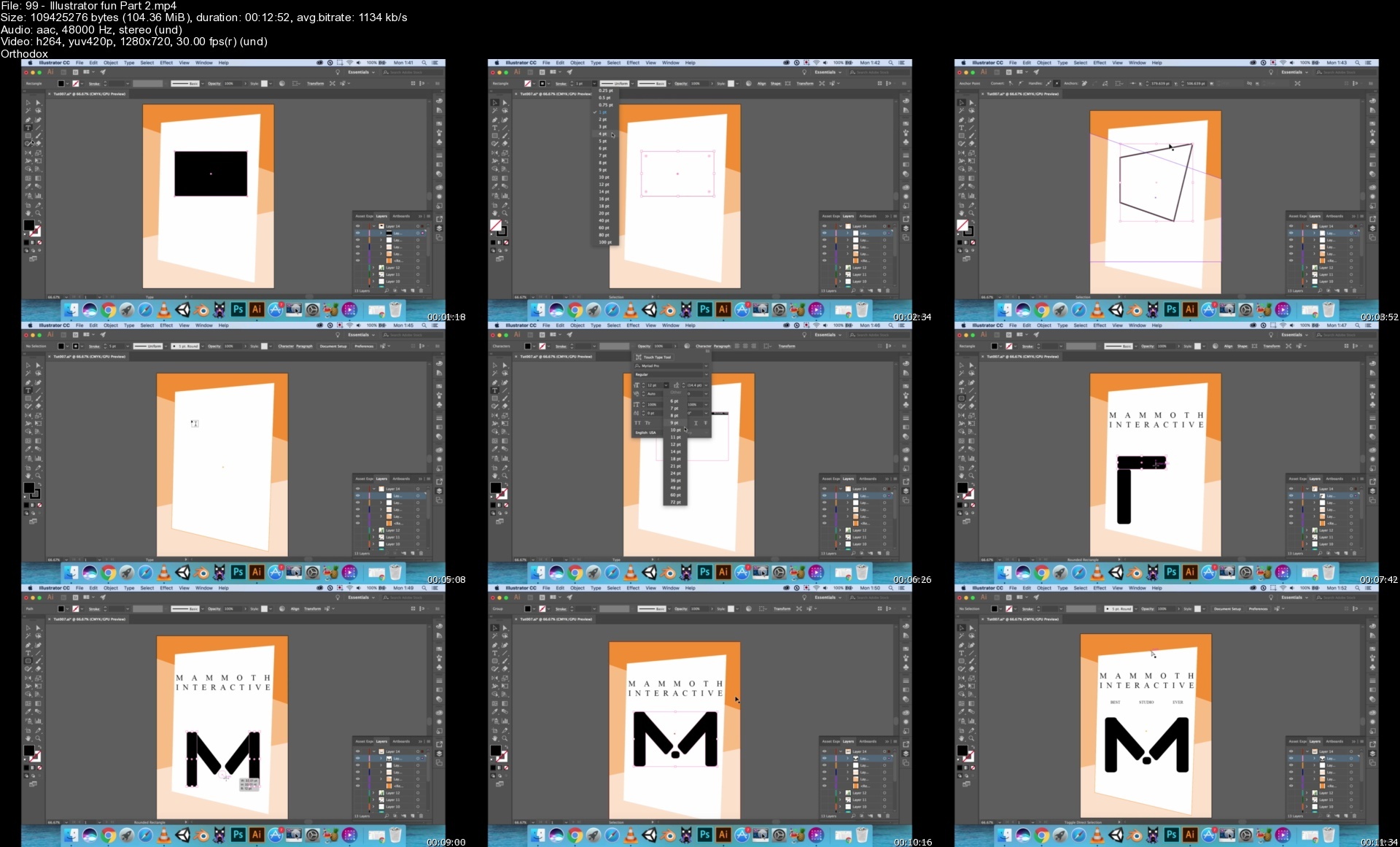
Lecture 99 Illustrator fun (Part 2)

Lecture 100 Illustrator fun (Part 3)

Section 12: Creating the Art Assets - Angry Birds (Illustrator Projects)

Lecture 101 Drawing Angry Bird

Lecture 102 Painting the Bird

Lecture 103 Bird Shape Edit

Lecture 104 Making the Box

Lecture 105 Making the Logs

Lecture 106 Making the Slingshot

Lecture 107 Enemy Characters

Lecture 108 Exporting and Renaming Assets

Section 13: Creating the Game (Unity Project)

Lecture 109 Introduction

Lecture 110 Project Setup

Lecture 111 Activating Physics

Lecture 112 Preparing to Launch

Lecture 113 Launching Logic

Lecture 114 Dragging Feedback

Lecture 115 Smoothing the Launch

Lecture 116 Physics Materials

Lecture 117 Obstacles

Lecture 118 Prefabs

Lecture 119 Targets

Lecture 120 Dynamically Adding a Bird

Lecture 121 Events

Lecture 122 Interface

Lecture 123 Multiple Birds

Lecture 124 Win and Lose

Lecture 125 Scoring Logic

Lecture 126 Level Design

Lecture 127 Bird Airtime Adjustments

Lecture 128 Slingshot

Lecture 129 Sounds Effects

Lecture 130 Challenge

Section 14: Source Code and Art Assets - Angry Birds

Lecture 131 Source Code and Art Assets

Section 15: Introduction to Blender

Lecture 132 Download and Install Blender

Lecture 133 Setting Up Blender

Lecture 134 Camera Controls

Lecture 135 Emulated Numbpad Camera

Lecture 136 Basic Object Manipulation

Lecture 137 Frequently Used Tools

Lecture 138 Mirror Modifier

Section 16: Creating Assets - Air Hockey

Lecture 139 Air Hockey Paddle

Lecture 140 Air Hockey Puck

Lecture 141 Air Hockey Table

Lecture 142 Asset Exporting

Section 17: Unity Project - Air Hockey

Lecture 143 Introduction

Lecture 144 Project Setup

Lecture 145 Setting Up Physics

Lecture 146 Paddle Movement

Lecture 147 Game Bounds

Lecture 148 Bounciness

Lecture 149 Decelaration

Lecture 150 Collisions

Lecture 151 Scoring

Lecture 152 Player 2

Lecture 153 Interface

Lecture 154 Restarting the Game

Lecture 155 Sounds Effects

Lecture 156 Challenge Time

Section 18: Source Code and Art Assets - Air Hockey

Lecture 157 Source Code and Art Assets

Section 19: Unity

Lecture 158 Downloading and Installing Unity

Lecture 159 Starting Your Project

Lecture 160 Unity Interface - View the Game

Lecture 161 Unity Interface - Hierarchy and Game Objects

Lecture 162 Unity Interface - Project and Console

Section 20: Coding

Lecture 163 Intro to Coding

Lecture 164 The Basic Script

Lecture 165 Hello World

Lecture 166 Variables

Lecture 167 Access Modifiers

Lecture 168 Boolean Values

Lecture 169 Loops

Lecture 170 Checkpoint

Section 21: Input

Lecture 171 Input

Lecture 172 Player Parameters

Lecture 173 Player Movement

Lecture 174 Update vs. Fixed Update

Lecture 175 Player_s Input

Lecture 176 Third Person Character

Lecture 177 Camera Look

Lecture 178 Camera Move

Lecture 179 Checkpoint

Lecture 180 Cursor Lock Mode

Lecture 181 Mouse Look

Lecture 182 Animation Movement

Lecture 183 Strafing in the Animator

Lecture 184 Side Look

Lecture 185 Changing the Focal Point Side

Lecture 186 Focal Smoothness

Lecture 187 Vertical Look

Lecture 188 Rotation Point

Lecture 189 Camera Improvement

Lecture 190 Camera Improvements

Section 22: Battle Arena

Lecture 191 Level Design Basics

Lecture 192 Center Zone

Lecture 193 Sniping Tower

Lecture 194 Reward Vs. Punishment

Lecture 195 Simple House

Lecture 196 Opening Door

Lecture 197 Raycasts

Lecture 198 Interacting with Doors

Lecture 199 Villa

Lecture 200 Terrains

Lecture 201 Creating an Interesting Terrain

Lecture 202 Grass

Lecture 203 Terrain Bounds

Lecture 204 Checkpoint

Lecture 205 Canvas

Lecture 206 Anchors and Pivots

Lecture 207 Text

Lecture 208 Updating Resources Text

Lecture 209 Tool Selection Interface

Lecture 210 Tool Switching

Lecture 211 Tool Selector Improvements

Lecture 212 Resource Objects

Lecture 213 Collection Cooldown

Lecture 214 Smooth Collection Animations

Lecture 215 Checkpoint

Lecture 216 Adding Obstacle Tools to List

Lecture 217 Obstacle Prefabs

Lecture 218 Cycling Between Obstacles

Lecture 219 Preserving the Obstacle Rotation

Lecture 220 Placing Obstacles in the Screen

Lecture 221 Using Resources

Lecture 222 Obstacles Transparency

Lecture 223 Checkpoint

Section 23: Weapons

Lecture 224 Weapon Base Class

Lecture 225 Inheritance

Lecture 226 Abstract Classes

Lecture 227 Item Box

Lecture 228 Awarding Ammunition

Lecture 229 Weapon Inventory

Lecture 230 Weapon Interface

Lecture 231 Selecting Weapons

Lecture 232 Checkpoint

Lecture 233 Player-Weapon Communication

Lecture 234 Shooting Logic

Lecture 235 Reloading Logic

Lecture 236 Reload Bars

Lecture 237 Adding New Weapons

Lecture 238 Shooting Raycasts

Lecture 239 Correct Shooting Rays

Lecture 240 Weapon Accuracy

Lecture 241 Destroying Obstacles

Lecture 242 Shotgun

Lecture 243 Checkpoint

Lecture 244 Improving the Aim Variation

Lecture 245 Sniper

Lecture 246 Zoom Interface

Lecture 247 Rocket Launcher

Lecture 248 Make The Rocket Fly

Lecture 249 Explosion

Lecture 250 Damaging Things

Lecture 251 Checkpoint

Section 24: Targets

Lecture 252 Static Enemy

Lecture 253 Flying Enemies

Lecture 254 Searching for a Player

Lecture 255 Chasing Logic

Lecture 256 Hitting the Player

Lecture 257 Destroying the Player

Lecture 258 Game Over Screen

Lecture 259 Reloading the Scene

Lecture 260 Reloading with the Scene Controller

Lecture 261 Checkpoint

Section 25: Multiplayer

Lecture 262 Networking Intro

Lecture 263 Player Prefab

Lecture 264 Spawning Adjustments

Lecture 265 Start Positions

Lecture 266 Syncing Player Positions

Lecture 267 Fixing Network Conflicts

Lecture 268 Syncing Animations

Lecture 269 Networked Obstacles

Lecture 270 Spawning Items

Lecture 271 Collecting Boxes

Lecture 272 Network Player Hit

Lecture 273 Network Player Destroy

Lecture 274 Obstacle and Resource Health

Lecture 275 Network Collecting Resources

Lecture 276 Syncing Rockets

Lecture 277 Checkpoint

Lecture 278 Syncing Explosions

Lecture 279 Checkpoint

Section 26: Melee Weapons

Lecture 280 Pickaxe

Lecture 281 WoodCutter Axe

Lecture 282 Fireman's Axe

Lecture 283 Throwing Axe

Section 27: Deagle

Lecture 284 Placing Image Reference

Lecture 285 Deagle Basic Block (Keystroke)

Lecture 286 Deagle Trigger Guard (Keystrokes)

Lecture 287 Deagle Main Body Tweaks

Lecture 288 Deagle Back Grip

Lecture 289 Deagle Hammer

Lecture 290 Deagle Sights

Lecture 291 Deagle Profile

Lecture 292 Deagle Gun Barrel

Lecture 293 Deagle Hand Hold

Lecture 294 Deagle Trigger

Lecture 295 Deagle Materials

Section 28: Revolver

Lecture 296 Revolver Start

Lecture 297 Revolver Trigger Guard

Lecture 298 Revolver Sights

Lecture 299 Guard to Handle Fix

Lecture 300 Revolver Handle Basic

Lecture 301 Revolver Handle Fix

Lecture 302 Revolving Body Thinning

Lecture 303 Revolver Main Body Fixes

Lecture 304 Bullet Wheel

Lecture 305 Gun Mid Profile

Lecture 306 Revolver Front Sights

Lecture 307 Revolver Trigger Hammer

Lecture 308 Revolver Trigger

Lecture 309 Revolver Materials

Section 29: M40 Sniper

Lecture 310 M40 Reference

Lecture 311 Sniper Trigger

Lecture 312 Sniper Main Body

Lecture 313 Sniper Barrel

Lecture 314 Sniper Scope

Lecture 315 Sniper Scope Details

Lecture 316 Sniper Materials and Fix

Section 30: Rocket Launcher

Lecture 317 RPG Basic Block

Lecture 318 Rocket Sights

Lecture 319 Rocket Handles

Lecture 320 RPG Trigger

Lecture 321 RPG Materials

Lecture 322 Rocket Pieces

Section 31: AR Scar

Lecture 323 Scar Body

Lecture 324 Scar Railings

Lecture 325 Scar Barrel

Lecture 326 Scar Front Sights

Lecture 327 Scar Back Sights

Lecture 328 Scar Back Stock

Lecture 329 Scar Materials

Section 32: HK MP5

Lecture 330 MP5 Start

Lecture 331 Weapon Reorganization

Lecture 332 MP5 Main body

Lecture 333 MP5 Front Sights

Lecture 334 MP5 Front Sight (Part 2)

Lecture 335 MP5 Top Rails

Lecture 336 MP5 Back Sights

Lecture 337 MP5 Back Stock

Lecture 338 MP5 Materials and Finishing

Section 33: UMP

Lecture 339 MP5 to UMP

Lecture 340 Weapon Reshaping

Lecture 341 UMP Top Railing

Lecture 342 UMP Mid Body

Section 34: Battle Royale Basic Character

Lecture 343 Character Setup

Lecture 344 Character Head

Lecture 345 Character Body Base

Lecture 346 Character Legs

Lecture 347 Character Arms

Lecture 348 Flow Cleanups

Lecture 349 Characters Bones

Lecture 350 Setup For Textures

Lecture 351 Character UVing

Lecture 352 Texturing Setup

Lecture 353 Texture Painting

Section 35: Art and Sounds

Lecture 354 Art Intro

Lecture 355 Showing The New Level

Lecture 356 Checkpoint

Lecture 357 Changing Prefab Art

Lecture 358 Obstacle Art

Lecture 359 Particle Effects

Lecture 360 Rocket Sounds

Lecture 361 Interface Sounds

Lecture 362 2D vs 3D Sounds

Lecture 363 Weapons Sounds

Lecture 364 Shooting through the Network

Lecture 365 Network Authority for Audio

Lecture 366 Footstep Setup

Lecture 367 Networking Footstep Sounds

Lecture 368 Hit Sounds

Lecture 369 Checkpoint

Lecture 370 Integrating new Characters

Lecture 371 Animation Mask

Lecture 372 Animation Layering

Lecture 373 Integrating Top animations

Lecture 374 Checkpoint

Lecture 375 Adding Weapon Models

Lecture 376 Showing Models

Lecture 377 Syncing Animation Triggers

Lecture 378 Syncing Weapon Equip

Lecture 379 Initial Weapon Equip

Lecture 380 Checkpoint

Section 36: Improvements

Lecture 381 Energy State

Lecture 382 Script Control Of The Energy Ball

Lecture 383 Energy Spawning Logic

Lecture 384 Adjusting The Movement Speed

Lecture 385 Syncing The Energy Mode

Lecture 386 Server Screen

Lecture 387 Server Screen Integration

Lecture 388 Client Screen

Lecture 389 Allowing Client To Move

Lecture 390 Storm Manager

Lecture 391 Storm Visuals

Lecture 392 Storm Shrinking Logic

Lecture 393 Storm Damage

Lecture 394 Storm Details

Lecture 395 Checkpoint

Lecture 396 Storm Alert

Lecture 397 Minor Adjustments

Lecture 398 Spreading Weapons

Lecture 399 Checkpoint

Lecture 400 Player Adjustments

Lecture 401 Outside Terrain

Lecture 402 Post Processing

Lecture 403 Outside Lightning

Lecture 404 Custom Fonts

Lecture 405 Lock Tool Switching While Spawning

Lecture 406 Update Bounds

Lecture 407 Network Bullets

Lecture 408 Weapon Difficulty Adjustments

Lecture 409 Checkpoint

Section 37: Flat Map

Lecture 410 New Train Setup

Lecture 411 Adding Mountains

Lecture 412 Adding Resources

Lecture 413 Checking the New Map

Lecture 414 Checkpoint

Lecture 415 Spreading Weapons

Lecture 416 Checkpoint

Lecture 417 Course Wrap Up

Section 38: Assets

Lecture 418 Assets

Lecture 419 Please rate this course

Lecture 420 Bonus Lecture - Mammoth Interactive Deals

Anyone who wants their start at making 3D or 2D video games.,People that want to create their own Battle Royale.,Anyone who wants to learn game development.,Beginners who want to learn how to use Blender.,Even if you have never coded before, you can use these lessons to get a headstart in the game-making realm! This course is targeted towards beginners to immediate.

Homepage


99illustratorfunpart2qtdfz.jpg


Build 43 Models & A 3D Runner Game In Unity® With C# Code

ohvewldxhmu9f8vpxrap70ge8t.jpg


Build 43 Models & A 3D Runner Game In Unity® With C# Code
Last updated 3/2018
MP4 | Video: h264, 1280x720 | Audio: AAC, 44.1 KHz
Language: English | Size: 5.73 GB | Duration: 25h 30m

*Includes FREE book & 6 webinars!* Make your first game and epic art. Not just simple blocks! Make professional assets.


What you'll learn
Make a Super Marlo Runner Clone in Unity.
Make coins, bricks, characters, enemies, flags, mushrooms and plants for the game
Learn game design, including object consistency, game development fundamentals and best practices.
Set up the menu, user interface, and game instructions.
Add COOL effects like power-ups and blinking.
3D Model 32 low poly buildings in Blender.
And more!

Requirements
Download the free programs Unity® 5.5.0f3 and Blender v2.77.
Download Photoshop, its free trial or a free program like Gimp (for 2D art and some texturing).
This course was recorded on a Mac computer, but you can use these programs on a PC.

Description
This course was funded by a wildly successful Kickstarter
Make a Super Marlo Runner clone in Unity! Make low poly models in Blender & Photoshop.
Make Professional Game Code & Art
Design a 3D game, including all source code & art assets in Unity, Blender & PhotoshopMake parallaxes, layers & moving backgroundsChange gravity, make super smooth collisions & adjust jumping styles of playersActivate physics & learn to solve problems with a positive attitudeMake multiple levels with logical progressionLearn how to let the user save a levelCheck for errors & handle problems in code with efficiencyIntegrate art & learn to swap background artMake small fine-tunings to the game to make it stand out even more with simple but significant improvementsGet an eBook & 6 webinars FOR FREE as a bonus giftAbsolutely no risk - you get full lifetime access to all
Not your ordinary course
Come learn how to make a 3D game entirely from scratch. Learn to code the fun way (in C#).
We use Unity® 5.5.0f3 to make a fully-fledged, market-ready game in this course. Unity® 5.5.0f3 is free & accessible to everyone. Unity is arguably the top platform IN THE WORLD for game development. You can use Unity® to build 2D & 3D games. It is cross-platform, which means it is easy to use with other platforms.
Make jaw-dropping 3D models
Blender is a 3D computer graphics software toolkit that allows you to make professional digital art for games, house design, 3D printing & MORE. You will learn everything you need to know about Blender v2.77 to make low poly art.
With Blender's incredible tools, you can make your projects stand out from the rest of the crowd. Don't be intimidated by the initially complex interface - anyone can learn to use Blender.Included in this course is material for beginners to get comfortable with the interfaces. Please note that we reuse this content in similar courses because it is introductory material. You can find some material in this course in the following related courses
Ultimate Guide to Blender & Unity: Game Design & DevelopmentMake a Fully Featured Game: Code in C#, Make Low Poly ModelsMake a Unity Platform Game & Low Poly Characters in BlenderMake Games and Web Apps: Unity, React and Redux MasterclassBuild and model a Super MARLO runner clone in UnityMake a 3D Unity® Action Game & Low Poly Buildings in BlenderMake Your 1st 3D Unity® Game & 40 Low Poly Models in Blender3D Model 32 Low Poly Buildings in Blender for BeginnersExperience hands-on learning

In this course you will build projects alongside us, Glauco & Kevin from Mammoth Interactive, your instructors. All source code for projects we make is included in this course.
Watch over the shoulder of experts
We've made over 155 courses to 400'000 students, so we know how to explain topics clearly at a logical pace. We don't just teach you theory - we make projects you can put directly into your portfolio.Testimonials
"An easily understood course, with detailed instruction & good explanation of the concepts involved in making this clone game. A very well done tutorial, especially fro someone like me is just now learning how to write code."
"I really like the approach the presenter takes - not just the technical details, but also the very human, personal development information & recommendations he provides."
"The instructor is very good at teaching. He teaches at a great pace & covers anything a beginner would need to understand (every little detail). I am already learning a lot & I just started yesterday."
As a gift you will get 6 webinars on the following topics (normally $64)
Intro to Kotlin: Java's Replacement for Android App DevelopmentIntro to Android Studio and JavaCore Data: Learn to Use Xcode's DatabaseGoogle Maps and Xcode: Build a Maps-Focused ProjectParse JSON Data: Build a Weather AppIntro to SpriteKit Games: Build a Simple Pong Clone
Buy now to meet Kevin & Glauco

Overview

Section 1: Introduction to the Course

Lecture 1 Course Trailer

Lecture 2 Gameplay for the Game We'll Build

Lecture 3 How to Get the Free Programs Blender and Unity

Section 2: Introduction to Unity

Lecture 4 Introduction to Unity (Part 1)

Lecture 5 Introduction to Unity (Part 2)

Section 3: Building Movement in Unity

Lecture 6 Movement (Part 1)

Lecture 7 Movement (Part 2)

Lecture 8 Movement (Part 3)

Section 4: Making Blocks in Unity

Lecture 9 Blocks (Part 1)

Lecture 10 Blocks (Part 2)

Section 5: Making Speed Blocks and Enemies in Unity

Lecture 11 Speed Blocks and Enemies (Part 1)

Lecture 12 Speed Blocks and Enemies (Part 2)

Lecture 13 Speed Blocks and Enemies (Part 3)

Section 6: Making More Enemies in Unity

Lecture 14 More Enemies (Part 1)

Lecture 15 More Enemies (Part 2)

Section 7: Making the Power-Up and Finish Line in Unity

Lecture 16 Power-Up and Finish Line (Part 1)

Lecture 17 Power-Up and Finish Line (Part 2)

Section 8: Making the Game Background and Interface in Unity

Lecture 18 Background and Interface (Part 1)

Lecture 19 Background and Interface (Part 2)

Lecture 20 Background and Interface (Part 3)

Section 9: Fine-Tuning the Game in Unity

Lecture 21 Fine-Tuning the Game (Part 1)

Lecture 22 Fine-Tuning the Game (Part 2)

Lecture 23 Fine-Tuning the Game (Part 3)

Section 10: Designing the Level in Unity

Lecture 24 Level Design (Part 1)

Lecture 25 Level Design (Part 2)

Section 11: Introduction to Blender

Lecture 26 Introduction to Blender

Section 12: An In-Depth Overview of Blender

Lecture 27 Introduction and Setting Changes

Lecture 28 Camera Controls

Lecture 29 Emulated Numbpad Camera

Lecture 30 Basic Object Manipulation

Lecture 31 Frequently Used Tools

Lecture 32 Mirror Modifier

Section 13: Making Artwork in Blender

Lecture 33 Artwork in Blender (Part 1)

Lecture 34 Artwork in Blender (Part 2)

Lecture 35 Artwork in Blender (Part 3)

Lecture 36 Artwork in Blender (Part 4)

Lecture 37 Artwork in Blender (Part 5)

Section 14: Integrating Art from Blender into Unity

Lecture 38 Integrating Art (Part 1)

Lecture 39 Integrating Art (Part 2)

Lecture 40 Integrating Art (Part 3)

Section 15: Finishing the Game in Unity

Lecture 41 Integrating the Character

Lecture 42 Adding Model to Player

Lecture 43 Jumping and Running

Lecture 44 Movement Stutter

Lecture 45 Wall Jumping

Lecture 46 Power-Up

Lecture 47 Swapping Background Art

Lecture 48 Background Adjustments

Lecture 49 Transparency Order

Lecture 50 Challenge Time!

Section 16: Marlo Resources and Free Stuff

Lecture 51 ($2000 value!) Art Assets and Source Code

Lecture 52 FREE BOOK (normally $32.79)

Section 17: 3D Modeling 32 Low Poly Buildings in Blender

Lecture 53 Low Poly Tent

Lecture 54 Low Poly Windmill

Lecture 55 Low Poly Modern Windmill

Lecture 56 Medieval Styled Low Poly House

Lecture 57 Medieval Styled Low Poly House Continued

Lecture 58 Low Poly Colosseum

Lecture 59 Low Poly CN Tower

Lecture 60 Freestyle Moon Base

Lecture 61 Freestyle Space Station

Lecture 62 Pyramids of Giza

Lecture 63 Low Poly Leaning Tower of Pisa

Lecture 64 Arc De Triomphe

Lecture 65 Maya Temple

Lecture 66 Shinto Shrine Gate

Lecture 67 Low Poly Big Ben

Lecture 68 Great Wall of China

Lecture 69 Forbidden City Main Building

Lecture 70 Parthenon

Lecture 71 Greek Amphitheater

Lecture 72 Renaissance-Themed Building

Lecture 73 Empire State Building

Lecture 74 Greek Building

Lecture 75 London Bridge

Lecture 76 White House

Lecture 77 Peace Arch

Lecture 78 Washington Monument

Lecture 79 Gateway Arch

Lecture 80 Cattedrale Di Santa Maria Del Fiore

Lecture 81 Basilica Di San Lorenzo

Lecture 82 Basilica Di Santa Croce

Lecture 83 Palazzo Pitti

Lecture 84 Saint Peter's Basilica

Section 18: More Resources and Free Stuff

Lecture 85 ($1000 Value) Source Files

Lecture 86 Please leave us a rating.

Lecture 87 Bonus Lecture: ($64 value) Free Gift: 6 Webinars

ZERO digital art or coding experience necessary - we'll teach you everything you need to know.,All you need to take this course is a curiosity to learn new things in the ever-growing worlds of computer modeling and game making!,Absolute beginners who love to play games but want to make the jump from consumer to creator.,Beginners who enjoy making simple games or art and want to diversify their portfolio.,Intermediates with programming experience who want to add more platforms and the C# coding language to their toolbox.,Advanced developers who want a refresher on the fundamentals of the creative process, Unity or Blender.,Any game developers who want to learn to make professional 2D and 3D art from nothing.

Homepage


24leveldesignpart1s08eho.jpg


Software Libraries Explained Python Programming for All

sczqqli6qwmq0lsbv7obq6kfun.jpg


Software Libraries Explained - Python Programming For All
Last updated 5/2018
MP4 | Video: h264, 1280x720 | Audio: AAC, 44.1 KHz
Language: English | Size: 24.21 GB | Duration: 32h 13m

Learn to program and use Matplotlib and NumPy! Make 2D and 3D graphs with math. Make predictions with data with analysis


What you'll learn
Code in the web's most popular programming language: Python
Create basic line and scatter plots with Matplotlib 1.5
Read finance data directly from Yahoo
Customise our graphs with visuals, a title, labels, text and a legend
Organize data into histograms, pie charts, and box and whisker plots
Perform calculations, functions and statistics with NumPy
And so much more in this massive life-changing course

Requirements
The free data science platform Anaconda 4.2.0
Otherwise, you can download and install Python, Matplotlib, and NumPy online
Topics involve intermediate math, so familiarity with university-level math is very helpful.

Description
Graphing & Programming for Everyone: Math & Computer ScienceDon't miss out on this epic course of web programming and using the latest technology for prediction and data analysis. Enroll now to learn Python, Matplotlib, and NumPy - three massive topics in one straightforward course.This course was funded by a wildly successful Kickstarter.Do you want to learn how to visualize data? Enroll in this course to learn how to do so directly in code.*This course is suitable for coding beginners because we begin with a complete introduction to coding. Then we delve deep into using Matplotlib,*a Python 2D plotting library.
Learn how to use Python, a popular coding language used for websites like YouTube and Instagram.*You learn the basics of programming, including topics like variables, functions, and if statements. You learn about data structures such as lists, dictionaries, and sets. We cover how to use for and while loops, how to handle user input and output, file input and output.*We apply our knowledge to build a fully functional tic-tac-toe game. You learn classes, methods, attributes, instancing, and class inheritance. We make an additional Blackjack game! You learn how to solve errors that can occur when you work as a programmer.Take your Python knowledge and apply it to Matplotlib.*We go over many cool features of Matplotlib that we can use for data visualization.*We show you how to make line plots, scatter plots, candlestick plots. You learn how to customize the visuals of your graph and to add text and annotate graphs. And much more!Go through every step you need*to create and shape NumPy and 2D arrays.*Learn how to resize, format, and sort arrays. Then we cover how to perform calculations within NumPy arrays. You learn about math functions, statistics, and polynomials with NumPy.*Choose this course today*We prioritize learning by doing. We blend theory with practical projects to ensure you get a*hands-on experience*by building projects alongside your instructor. Our experienced instructors know how to explain topics clearly at a logical pace. Check out our*huge catalog of courses for more content."The Instructor goes very*in-depth*about everything. This is very helpful to remember all these different things!" - KingSloth_GameStudio*on*The Ultimate iOS 11 Course"I really like the approach the presenter takes - not just the technical details, but also the very*human, personal development information and recommendations*he provides." - Michael*on*The Ultimate iOS 11 Course"The instructor is very good at teaching. He teaches at a*great pace*and covers anything a beginner would need to understand (every little detail). I am already learning a lot and I just started yesterday. - Mike on*Build 30 Mini Virtual Reality Games in Unity3D from ScratchEnroll now to join the Mammoth community!
Overview
Lecture 1 Course Trailer
Section 1: Introduction to Python
Lecture 2 Python Introduction
Section 2: Basic of Programming
Lecture 3 Variables
Lecture 4 Functions
Lecture 5 If Statements
Section 3: Introduction to Lists
Lecture 6 Lists
Section 4: Introduction to Loops
Lecture 7 Using For Loops (with Examples)
Lecture 8 Introduction to While Loops
Lecture 9 Breaking and Continuing In Loops
Lecture 10 Making Shapes with Loops
Lecture 11 Nest Loops, Printing & Tic Tac Toe
Section 5: Introduction to Sets and Dictionaries
Lecture 12 Sets and Dictionaries
Lecture 13 EXAMPLE: Inventory List
Section 6: Introduction to Input and Output
Lecture 14 Implementing Input and Output
Lecture 15 Integrating File Input and Output
Lecture 16 EXAMPLE: Tic Tac Toe (Part 1)
Lecture 17 EXAMPLE: Tic Tac Toe (Part 2)
Lecture 18 EXAMPLE: Writing Participant Data to File
Lecture 19 EXAMPLE: Reading Participant Data to File
Lecture 20 EXAMPLE: Simple Statistics with Data from File
Section 7: Introduction to Classes
Lecture 21 A First Look at Classes
Lecture 22 Inheritance and Classes
Lecture 23 EXAMPLE: Classes Using Pets
Lecture 24 EXAMPLE: Classes Using Dogs
Lecture 25 EXAMPLE: Classes Using Cats
Lecture 26 EXAMPLE: Adding Humans to Pets Class
Section 8: Introduction to Importing
Lecture 27 Importing and the Random Library
Lecture 28 Another Way to Import and Use Lists with Random
Lecture 29 Using the Time Library
Lecture 30 Introduction to the Math Library
Lecture 31 EXAMPLE: Make a Random Guessing Game
Lecture 32 EXAMPLE: Make Computer Guess a Number
Section 9: PROJECT: Python Blackjack Game
Lecture 33 Creating and Shuffling a Deck
Lecture 34 Creating a Player Class
Lecture 35 Expanding the Player Class
Lecture 36 Implementing a Bet and Win
Lecture 37 Implementing Player Moves
Lecture 38 Running the Game
Section 10: Introduction to Error Handling
Lecture 39 Error Handling
Section 11: Challenge! Python Coding Exercises
Section 12: Introduction to Matplotlib
Lecture 40 Installing Matplotlib
Lecture 41 Introduction to Matplotlib
Section 13: Basics of Matplotlib
Lecture 42 Setup and Installation
Lecture 43 Creating our First Scatter Plot
Lecture 44 Line Plots
Section 14: Graph Customization
Lecture 45 Labels, Title and Legend
Lecture 46 Changing the Axis Ticks
Lecture 47 Adding Text to a Graph
Lecture 48 Annotating a Graph
Lecture 49 Changing Figure Size and Saving
Lecture 50 Changing Axis Scales
Section 15: Advanced Plots in Matplotlib
Lecture 51 Creating Histograms (Part 1)
Lecture 52 Creating Histograms (Part 2)
Lecture 53 Changing Histogram Types
Lecture 54 Bar Plots
Lecture 55 Stack Plots
Lecture 56 Pie Charts
Lecture 57 Box and Whisker Plots
Section 16: Finance Graphs
Lecture 58 Creating Figures and Subplots
Lecture 59 Getting and Parsing CSV Data for Plotting
Lecture 60 Creating a Candlestick Plot
Lecture 61 Setting Dates for our Candlestick Plot
Lecture 62 Reading Data directly from Yahoo
Lecture 63 Customizing our OHLC Graph
Section 17: Advanced Graph Customization
Lecture 64 Adding Grids
Lecture 65 Tick Labels
Lecture 66 Customizing Grid Lines
Lecture 67 Live Graphs
Lecture 68 Styles and rc Parameters
Lecture 69 Sharing an X-axis between Two Plots
Lecture 70 Setting Axis Spines
Lecture 71 Creating Multiple Axes in a Figure (Part 1)
Lecture 72 Creating Multiple Axes in a Figure (Part 2)
Lecture 73 Plotting into Multiple Axes (Part 1)
Lecture 74 Plotting into Multiple Axes (Part 2)
Section 18: 3D Plotting with Matplotlib
Lecture 75 Introduction to 3D Plotting
Lecture 76 Surface Plots and Colormaps
Lecture 77 Wireframes and Contour Plots
Lecture 78 Stacks of Histograms and Text for 3D Plotting
Section 19: Introduction to NumPy
Lecture 79 NumPy Introduction
Section 20: NumPy Arrays
Lecture 80 Create and Reshape NumPy Arrays
Lecture 81 Create Standard NumPy Arrays
Lecture 82 Create Standard 2D Arrays
Lecture 83 Attributes on NumPy Arrays
Lecture 84 Resizing Arrays
Section 21: Manipulating NumPy Arrays
Lecture 85 Write an Array to File and Format Strings
Lecture 86 Random Numbers
Lecture 87 Sorting in NumPy
Section 22: Calculations and Math
Lecture 88 Calculations within NumPy Arrays
Lecture 89 Math Functions with NumPy
Lecture 90 Integrating with NumPy
Lecture 91 Statistics with NumPy
Lecture 92 Polynomials (Part 1)
Lecture 93 Polynomials (Part 2)
Section 23: Bonus
Lecture 94 Please rate this course
Lecture 95 Bonus Lecture
Anyone who wants to learn to code for the web in the popular Python programming language.,Experienced programmers who want to learn a 2D plotting library for Python.,Beginners who want to learn to code for the web and make games in the popular Python programming language.


softwarelibrariesexplstenz.jpg


Download from RapidGator


Download from Keep2Share


Download from NitroFlare


Make A Unity® Platform Game & Low Poly Characters In Blender

2hcypfz8rrx1incffjeahgnf5i.jpg


Make A Unity® Platform Game & Low Poly Characters In Blender
Last updated 12/2017
MP4 | Video: h264, 1280x720 | Audio: AAC, 44.1 KHz
Language: English | Size: 8.22 GB | Duration: 31h 27m

Includes FREE book and access to 6 webinars! Beginner's guide to making a complete game in Unity® & 3D models in Blender


What you'll learn
Code in Unity®.
Know the foundations of 3D model-making in Blender.
Unwrap UV's and perform simple texturing of 3D art assets.
Build a simple game that is easy to expand on.
Navigate Blender.
Create 5 3D models of different types of characters.
Put the art you make in this course into your portfolio.

Requirements
To follow along with these tutorials, you will need the following programs: Blender (for 3D modeling), Photoshop or a free program like Gimp (for 2D art/texturing), and Unity® (for coding).
The tutorials were recorded on a Mac, but Blender, Photoshop, and Unity® can be used with a PC.
Please download and install Unity® and Blender before purchasing this course.

Description
Learn to make games and 3D art! In this course, you build a 2D platform game from scratch and learn how to make 5 different game characters. ⭐ ⭐ ⭐ ⭐ ⭐ Sign up now to learn a skill no one can take away from youThis course does not assume any prior knowledge and is perfect for beginners. In fact, we begin with an introduction to Unity® for those who have never used it before. Our course is unique because you will learn how to make your own 3D art, models, and textures in Blender. We will show you how to integrate the art into Unity®.Included in this course is material for beginners to get comfortable with the interfaces. Please note that we reuse this content in similar courses because it is introductory material. You can find some material in this course in the following related courses:Make a Unity Platform Game & Low Poly Characters in BlenderMake a Fully Featured Game: Code in C#, Make Low Poly Models Make Games and Web Apps: Unity, React and Redux MasterclassBuild and model a Super MARLO runner clone in UnityBuild 43 Models & a 3D Runner Game in Unity® with C# Code Ultimate Guide to Blender & Unity: Game Design & DevelopmentCreate Low Poly Game Characters in Blender3DEverything You Need To Make Your Own GamesWe take you through all the steps to designing a game from start to finish. This course covers topics including:MovementBlocksSpeed blocks and enemiesPower-ups and finish linesBackground and interfaceFine-tuningLevel designEnroll now to join the Mammoth community

Overview

Section 1: Introduction to the Course

Lecture 1 Gameplay from the Marlo Game

Section 2: Introduction to Unity

Lecture 2 Introduction

Lecture 3 Unity Editor

Lecture 4 Hello world!

Lecture 5 Variables

Lecture 6 Methods

Lecture 7 Loops

Lecture 8 Movement

Section 3: Movement for a Super Marlo Runner Game (Unity Project)

Lecture 9 Movement

Lecture 10 Acceleration

Lecture 11 Camera follow

Lecture 12 Jumping

Lecture 13 Jump higher

Lecture 14 Jumping Area

Lecture 15 Multiple Jumps

Lecture 16 Wall Jumping

Lecture 17 Materials

Lecture 18 Sticking to the wall

Section 4: Blocks (Unity Project)

Lecture 19 Coins

Lecture 20 Score

Lecture 21 User interface

Lecture 22 Bricks

Lecture 23 Coin brick

Lecture 24 Pause block

Section 5: Speed blocks and enemies (Unity Project)

Lecture 25 Arrow design

Lecture 26 Prefabbing the speed area

Lecture 27 Speed area collision

Lecture 28 Changing the player's movement speed

Lecture 29 Property attributes

Lecture 30 Long jump block

Lecture 31 Simple enemy

Lecture 32 Killing the player

Lecture 33 Restarting the game

Section 6: More enemies (Unity Project)

Lecture 34 Killing enemies

Lecture 35 Designing the shell enemy

Lecture 36 Shell

Lecture 37 Shell movement

Lecture 38 Designing the plant enemy

Lecture 39 Plant movement

Section 7: Power up and Finish line (Unity Project)

Lecture 40 Adjusting shell collision

Lecture 41 Designing a powerup

Lecture 42 Powerup collection effect

Lecture 43 Invincibility

Lecture 44 Blinking effect

Lecture 45 Different player models

Lecture 46 Finish line

Section 8: Background and interface (Unity Project)

Lecture 47 Background elements

Lecture 48 Building the parallax logic

Lecture 49 Mountain parallax

Lecture 50 Cloud layer

Lecture 51 Moving backgrounds

Lecture 52 *We adjust the jumping area in the following lecture.

Lecture 53 Jumping area adjustment

Lecture 54 Main menu

Lecture 55 UI Anchors

Lecture 56 Game instructions

Section 9: Fine Tuning (Unity Project)

Lecture 57 Smoothing box collisions

Lecture 58 Changing the gravity

Lecture 59 Wall jumping speed

Lecture 60 Brick jumping

Lecture 61 Shell collisions

Lecture 62 Destroying the shell

Lecture 63 Enemy jumping speed

Lecture 64 Shell physics

Lecture 65 Shell gravity

Lecture 66 Horizontal shell adjustment

Lecture 67 Horizontal shell adjustment continued

Section 10: Level Design (Unity Project)

Lecture 68 Singleton

Lecture 69 Saving current level

Lecture 70 Level progression

Lecture 71 Object consistency

Lecture 72 Level 1-1

Lecture 73 Level 1-2

Lecture 74 Level 1-3

Lecture 75 Maximum level

Section 11: Overview of Blender

Lecture 76 Introduction and Setting Changes

Lecture 77 Camera Controls

Lecture 78 Emulated Numbpad Camera

Lecture 79 Basic Object Manipulation

Lecture 80 Frequently Used Tools

Lecture 81 Mirror Modifier

Section 12: Making Game Art (Blender Projects)

Lecture 82 Cube Block Unwrapping

Lecture 83 Texture Brick Block

Lecture 84 Textures Coin Block

Lecture 85 Textures Direction Blocks

Lecture 86 Grass Block

Lecture 87 Coin

Lecture 88 Pipe

Lecture 89 Flag

Lecture 90 Mushroom

Lecture 91 Plant Enemy001

Lecture 92 Plant Enemy002

Lecture 93 Shroom Enemy Model

Lecture 94 Shroom Enemy Unwrap 001

Lecture 95 Shroom Enemy Texture

Lecture 96 Shroom Enemy Display

Lecture 97 Shell Enemy Hat

Lecture 98 Shell Enemy Hat Unwrap

Lecture 99 Shell Enemy Body

Lecture 100 Shell Enemy Body Unwrap

Lecture 101 Shell Enemy Texture

Lecture 102 Background Parallax Images

Lecture 103 Background Parallax Images Upgrade

Lecture 104 Marlo Basic Model 001

Lecture 105 Marlo Basic Model 002

Lecture 106 Marlo UV Unwrapping

Lecture 107 Marlo Texture

Lecture 108 Marlo Rigging

Section 13: Integrating Art (Unity Project)

Lecture 109 Importing the art

Lecture 110 Coins

Lecture 111 Finish line

Lecture 112 Grass block

Lecture 113 Plant enemies

Lecture 114 Walls

Lecture 115 Enemies

Lecture 116 Patrolling rotation

Lecture 117 Long jump and speed areas

Lecture 118 Brick and pause block

Lecture 119 Coin bricks

Lecture 120 Background

Section 14: Finishing Art (Unity Project)

Lecture 121 Integrating the character

Lecture 122 Adding model to player

Lecture 123 Jumping and running

Lecture 124 Movement stutter

Lecture 125 Wall jumping

Lecture 126 Power up

Lecture 127 Swapping background art

Lecture 128 Background adjustments

Lecture 129 Transparency order

Lecture 130 Challenge time

Section 15: Super Marlo Runner Game Resources

Lecture 131 ($2000 value!) Source Files

Lecture 132 ($32.79 value) FREE BOOK

Section 16: Making Character Models (Projects!)

Lecture 133 Low Poly Character Models

Lecture 134 Low Poly Character Continued

Lecture 135 Character Base Build

Lecture 136 Military Character Clothes

Lecture 137 Military Character Basic Rig

Lecture 138 Spartan Character Base Build

Lecture 139 Spartan Character Clothes

Lecture 140 Spartan Character Cloth Effects

Lecture 141 Female Body Build

Lecture 142 Female Spartan Clothes

Lecture 143 Spartan Pose

Lecture 144 Spartan Clothes Fix

Lecture 145 Female Spartan Bones

Lecture 146 Female Spartan Bones Continued

Lecture 147 Crusader Body (Part 1)

Lecture 148 Crusader Body (Part 2)

Lecture 149 Crusader Body (Part 3)

Lecture 150 Samurai Body (Part 1)

Lecture 151 Samurai Body (Part 2)

Lecture 152 Samurai Body (Part 3)

Lecture 153 Samurai Body (Part 4)

Lecture 154 Samurai Soldier Cone-hat

Lecture 155 Samurai Soldier Top Knot

Section 17: Character Models Resources

Lecture 156 Source Files

Lecture 157 Please leave us a rating.

Lecture 158 Bonus Lecture: ($64 value) Updated Free Access to 6 Webinars!

Even if you have never coded before, you can use these lessons to get a headstart in the game-making realm! This course is targeted towards beginners to immediate.,Beginners who want to learn 3D modelling.,Beginners who want to learn how to use Blender.,Game developers who need art assets for a game.

Homepage


34killingenemiess5eex9.jpg


SQL BootCamp - Learn MySQL for Data Analysis

395434824ac3hbdw9.jpg


SQL BootCamp - Learn MySQL for Data Analysis
Last Updated 04/2021
MP4 | Video: h264, 1280x720 | Audio: AAC, 44.1 KHz, 2 Ch
Genre: eLearning | Language: English + srt | Duration: 98 lectures (14h 48m) | Size: 5.8 GB


Learn SQL using MySQL the most popular SQL software. Land that Data Analyst job with this course


What you'll learn
Start using MySQL - the #1 Database Management System
Boost your resume by learning an in-demand skill
Prepare for SQL developer, Database administrator, Data Analyst, and Business Intelligence job opportunities
Develop business intuition while solving tasks with big data
Tons of exercises that will solidify your knowledge
Requirements
No Prerequisites.
Description
Do you want to be able to gain insights from your data? Will you like to have a competitive advantage over your peers? Do you want to be work with Databases but do not know where to start? If your answer is Yes! then this course is for you.
This mega course offers over 14 hours of content and teaches you all you need to Land that SQL data analyst Job. SQL is one of the most in demand skills of Data analysts and with this course you will learn the foundations of SQL, Database concepts and practice writing SQL queries. I have also provided quizzes after every section to help you hone your skills.
Course Outline
1. Introduction
In this section we introduce SQL and what we are going to learn
2. Environment Setup
Here we install all the tools we will use (MySQL and all the sample databases)
3. All about select
Select is the backbone of SQL. Here we practice writing select queries and also different clauses in SQL
4. Functions
Here we discuss in detail MySQL in-built functions like Date Functions, Null functions etc
5. Joins
We discuss how you can join two different tables
6. Set Operators
Here we talk about the different set operators SQL handles
7. Advanced select statements
We look in More detail at the SQL select statements
8. Modifying Data
We talk about how you can modify existing data using SQL
9. Creating Databases and Tables
Here we look at how you can create your own Databases and Tables
10. Other DDL commands
We look into Other DML commands like Drop, Truncate etc
11.Advanced SQL
Here we look at Stored procedures, Indexes, views etc
12. Bonus Section
Here I give any important information that has helped me in the field. I will always be updating this for your benefit.
This is an exciting Journey that I hope you take with me. I am not expecting you to know anything at all about SQL and will start from scratch.
Cheers!
Sandra
Who this course is for
Beginners Interested in Business Intelligence
Anyone interested in Learning SQL
Beginners interested in Data Analysis


sqlbootcamplearnmysqlu3c57.jpg


Download from RapidGator


Download from Keep2Share


Download from NitroFlare

 
Master Python Programming: The Complete Python Bootcamp 2022

20148200b3519onelz.jpg


Master Python Programming: The Complete Python Bootcamp 2022
Last Updated 07/2022
MP4 | Video: h264, 1280x720 | Audio: AAC, 44.1 KHz, 2 Ch
Genre: eLearning | Language: English + srt | Duration: 356 lectures (22h 39m) | Size: 5.13 GB


Python for Beginners, 100% Hands-on, Hundreds of Python Coding Challenges and Quizzes, Complete Python E-Book


What you'll learn
You will MASTER all the Python 3 key concepts starting from Scratch. No prior Python knowledge is required.
For each Key Concept you'll get a Hi-Quality Video, a Coding Section, an E-Book companion, a quiz, a practice exercise and slides.
Build a complete understanding of Python 3 from the ground. Write professional PYTHONIC code using best practices.
Learn to work with Python control flow structures: if, for, while, break, continue, pass, exceptions, try-except-else-finally blocks etc.
Master all the Python data structures: strings, lists, tuples, sets, dictionaries.
Learn to work efficiently with Text and CSV files (including using Pandas).
Master Network Automation using SSH, Paramiko, Netmiko, Telnet or Serial Connections.
Learn to work with Pip and Python Modules: Sys, Os, Subprocess, Shutil, Random, Decimal.
Learn how to send Emails with Python (SMTPLIB)
Acquire an In-Depth Understanding of how to use Multithreading and Multiprocessing in Python.
Acquire a good Understanding of Async IO and how to build Asynchronous Applications in Python
Learn to use HTTP Requests Library and BeautifulSoup and create an automated web scraping application.
Learn to work with SQL Databases in Python.
Learn to efficiently work with Excel Files and automate spreadsheet-related tasks.
Learn to Analyse Data with Pandas.
Learn to Create Interactive Charts with Plotly
Acquire the prerequisite Python Skills to move into specific branches: AI, Machine Learning, Data Science, Network Automation, Web.
Acquire an In-Depth Understanding of Decorators, Inner Functions and Closures.
Requirements
A computer (Windows, Mac, or Linux) with an Internet connection.
Very basic PC Skills such as downloading and installing a program, opening a terminal etc
No prior Python knowledge is required. You will learn everything from scratch!
Your time and enthusiasm to learn.
Description
***Fully updated for 2022*** This Python course covers every major Python topic, including Object-Oriented Programming, Decorators, Working with Excel, Working with Databases, Web Scraping, Data Science with Pandas, Data Visualization with Plotly, Network Automation, and many more!
Course Updates
Update: November 2021 - Updates to be 2022 ready.
Update: July 2021 - Updates to the latest libraries.
Update: July 2020 - NEW Section: Sending Emails with Python (SMTPLIB).
Update: June 2020 - NEW Section: Async IO in Python (async/await, aiohttp, aiofiles, asyncssh).
Update: April 2020 - FIVE NEW Sections of Coding Challenges with Solutions: Data Structures, Flow Control, Functions, Working with Text, CSV, and Excel Files.
Update: November 2019 - NEW Section: Decorators In-Depth (one hour of videos, coding sections, and a Quiz).
Update: October 2019 - NEW Section: Data Serialization and Deserialization in Python (Pickle, JSON, and REST APIs).
Update: June 2019 - NEW Section: Interactive Data Visualization with Plotly (2 hours of videos, coding sections, a Project, and a Quiz).
Update: May 2019 - NEW Section: Data Analysis with Pandas (2 hours of videos, coding sections, and a Quiz).
Update: May 2019 - NEW Lectures: Jupyter Notebook (Installing and How to Use).
Update: April 2019 - NEW Section: Massive Section of Coding Challenge Exercises (over 25 coding exercises directly in Udemy Platform), Quiz Updates, NEW Videos about List, Set, and Dictionary Comprehension.
Closed and Exclusive FB Learning Group Created: March 30, 2019.
Course Launch: March 20, 2019.
This course IS NOT like any other Python Programming course you can take online. At the end of this course, you will MASTER all the Python 3 key concepts starting from scratch and you'll be among the top Python Programmers.
Welcome to this practical Python Programming course for learning Python, the most in-demand programming language across the job market in 2022.
I am constantly updating the course to be the most comprehensive, yet straightforward, Python Programming course on the planet Earth!
2022 Upcoming Course Updates
Building Web-Based Analytics Applications with Dash
Python GUI Programming with Tkinter
Python Web Development with Flask
GUI Automation with Selenium
Other Useful Python Built-in Modules (time, datetime, zip, pdf, etc)
Generators In Depth
★★★★★ "This is the only course you need in order to MASTER every key aspect of Python. Don't look for other Python courses because it's a waste of time." by Daniel A.
★★★★★ "This Python course, though I am still halfway through, is the best I have seen so far, that is why I am giving it a 5 star. I am enrolled in two more Python courses in Udemy, and this is the most useful. Keep it up!" by Malvin Arceo
★★★★★ "This is an excellent course for anyone who wants to learn Python from scratch or just do a refresher of a language. Everything is well explained and lots of quizzes and coding exercises are very helpful. Highly recommended :)" by Tomaso
★★★★★ "Overall a great Python course, with lots of extra details added, to make it as comprehensive as possible. At the moment, I consider it the best Python course for anybody who wants to learn more about this subject." by Racz Tamas
This course, taught by a Senior Software Engineer and Professional Trainer, is the only one you need in order to become a complete professional Python Programmer. After this course, you'll have an in-depth knowledge of core and advanced Python 3 and can move into specific branches: Artificial Intelligence (AI), Machine Learning, Data Science, Network Automation, or Web Development.
Why this Python Programming course?
This Python course is a unique experience on Udemy. There are tons of existing Python courses you can choose from, but this course is completely different.
For every Python key concept, you'll get NOT ONLY a video but also
1. A complete E-Book companion (250 pages)
2. Quizzes
3. Practice Exercises directly in the Udemy platform
4. Coding section full of examples (some of them ready to be used)
5. Slides
6. You'll have access to my closed and exclusive Group in order to provide you with improved, faster and better support for your course-related questions. I am always available to guide you personally and answer any questions you might have.
★★★★★ "Exactly what is required for someone who is familiar with programming languages. Andrei dives into basics and explains very well. Assignments are helpful. Highly recommend it for someone who is interested in learning Python." by Nara
★★★★★ "What can I say, it's a great course. Well explained, quizzes, and code exercises. It's up to date and I'm having a blast learning Python. No regrets!" by Adam Leo
Have you ever programmed before? Just starting out with Python Programming and have the desire to learn the employers' most requested skills of 2021 in a practical way? Perfect. Then, this course is the right one for you. This Python course will help you go from beginner to pro in Python. You'll boost your career with hands-on Python Programming Skills!
Or maybe you are coming from other programming languages such as Java or C++ and want to learn Python? I'm here to help you and we'll put all the pieces together. This Python Programming course has everything you need to know to become a proficient Python Developer.
You'll have lifetime access and you can return and look for a specific Python library or example anytime you want. And let's not forget, if you don't like the course, you are covered by a 30-day money-back guarantee, full refund, no questions asked!
In this course, you'll learn the best practices of Python programming language and how to write code the "Pythonic" way. Together we will go deeper into Python and you will understand every key concept of Python deeply. Then, after taking this course, you will be able to code on your own.
This course is based on Python 3 and doesn't require prior Python Programming Knowledge. Everything is included in the course. This Python for beginners course teaches you the Python Language fast.
Why should you learn from me?
I'm a Practitioner and an Enthusiast. Welcome to the real world! I have almost 20 years of experience as a Full Stack Developer. Since I've started with Programming and Networking in the early 2000s, I've been using or studying technology almost on a daily basis. I also have a bunch of certifications in the area of Programming or Networking: Python Institute Instructor, Cisco CCNP Routing & Switching, CCNP Security, CCNP Service Provider, Certified Instructor, etc
I'm an Educator and I know how to make a Syllabus. For the last 10 years, I've trained thousands of people on Programming and Networking
You'll learn not only general Python Programming but also advanced concepts for real-world projects. After this course, you'll MASTER all the Python 3 key concepts.
★★★★★ " "This is actually one of the best courses around regarding Python. Andrei is taking the students from the basic stages all the way to advanced ones ." by Alex Pascu
The topics covered in this Complete Python Programming Bootcamp are
Installing Python 3 on Windows, Mac, and Linux
Running Python code at the console, IDLE or PyCharm
Variables, Constants, and Comments in Python
Math, Comparison, Identity, and Logical Operators
Built-in Types, Dynamically vs. Statically Typed Languages
Strings in Python
Lists in Python
Tuples in Python
Sets and Frozensets in Python
Dictionaries in Python
List, Set, and Dictionary Comprehension
Flow Control
User-defined Functions
Inner Functions and Closures
Decorators
Working with Text Files in Python
Error and Exception Handling
Object-Oriented Programming: Classes and Objects
Working with Python Modules. Installing modules using pip
Very Useful Python Built-in Modules: Sys, Os, Shutil, Random, Decimal, Subprocess, etc
Learn how to send Emails with Python (SMTPLIB)
Working with CSV Files in Python
Working with Excel Files in Python
Working with SQL Databases in Python
Requests and Web Scraping with Python
Installing and Using Jupyter Notebook
Data Analysis with Pandas
Pandas Series, Pandas DataFrames, Filtering Pandas Data
Interactive Plotly Charts: Scatter Plots, Line Charts, Bar Charts, Pie Charts, and Histograms
Parallel Programming In-Depth: Multithreading and Multiprocessing in Python
Async IO in Python (asyncio, async/await, aiohttp, aiofiles, asyncssh)
Network Automation with Python (Telnet, SSH, Paramiko, Netmiko)
Every topic includes many live examples in Python, a complete E-Book companion, a coding section, tens of quizzes, slides, and practice tests.
At the end of this Python Course, you'll also have acquired the prerequisite Python skills to move into specific branches: Artificial Intelligence (AI), Machine Learning, Data Science, Network Automation, or Web Development using frameworks like Django, Flask, or Pyramid.
If you want to take ONE COURSE to master Python Programming you should choose this one and you'll have no regrets!
Who this course is for
Beginners with no previous programming experience.
Programmers switching languages to Python.
Programmers who know Python basics and want to master Python.
This course should not be attended by senior Python developers.


masterpythonprogrammiv0fht.jpg


Zurück
Oben Unten