• Regeln für den Video-Bereich:

    In den Börsenbereich gehören nur Angebote die bereits den Allgemeinen Regeln entsprechen.

    Einteilung

    - Folgende Formate gehören in die angegeben Bereiche:
    - Filme: Encodierte Filme von BluRay, DVD, R5, TV, Screener sowie Telesyncs im Format DivX, XviD und x264.
    - DVD: Filme im Format DVD5, DVD9 und HD2DVD.
    - HD: Encodierte Filme mit der Auflösung 720p oder darüber von BluRay, DVD, R5, TV, Screener sowie Telesyncs im Format x264.
    - 3D: Encodierte Filme von BluRay, die in einem 3D Format vorliegen. Dies gilt auch für Dokus, Animation usw.
    - Serien: Cartoon/Zeichentrick, Anime, Tutorials, Dokumentationen, Konzerte/Musik, Sonstiges sind demnach in die entsprechenden Bereiche einzuordnen, auch wenn sie beispielsweise im High Definition-Format oder als DVD5/DVD9/HD2DVD vorliegen. Ausnahme 3D.
    - Bereich Englisch: Englische Releases gehören immer in diesen Bereich.
    - Bereich Talk: Der Bereich, in dem über die Releases diskutiert werden kann, darf, soll und erwünscht ist.


    Angebot/Beitrag erstellen

    - Ein Beitrag darf erst dann erstellt werden, wenn der Upload bei mindestens einem OCH komplett ist. Platzhalter sind untersagt.
    - Bei einem Scenerelease hat der Threadtitel ausschließlich aus dem originalen, unveränderten Releasenamen zu bestehen. Es dürfen keine Veränderungen wie z.B. Sterne, kleine Buchstaben o.ä. vorgenommen werden. Ausnahme Serienbörse:
    - Bei einem Sammelthread für eine Staffel entfällt aus dem Releasename natürlich der Name der Folge. Beispiel: Die Simpsons S21 German DVDRip XviD - ITG
    - Dementsprechend sind also u.a. verboten: Erweiterungen wie "Tipp", "empfehlenswert", "only", "reup", usw. / jegliche andere Zusatzinformation oder Ergänzung, welche nicht in obiger Beschreibung zu finden ist.

    Aufbau des Angebots und Threadtitel

    Der Titel nach folgendem Muster erstellt zu werden. <Name> [3D] [Staffel] [German] <Jahr> <Tonspur> [DL] [Auflösung] <Quelle> <Codec> - <Group>
    Beispiel: The Dark Knight German 2008 AC3 DVDRip XviD - iND
    Beispiel: The Dark Knight 2008 DTS DL BDRip x264 - iND
    Beispiel: The Dark Knight 2008 AC3 DL BDRip XviD - iND
    Beispiel: The Dark Knight German 2008 AC3 720p BluRay x264 iND
    Beispiel: The Dark Knight 2008 DTS DL 1080p BluRay x264 iND
    Beispiel: Die Simpsons S01 German AC3 DVDRip XviD iND
    Beispiel: Die Simpsons S20 German AC3 720p BluRay x264 iND
    Beispiel: Sword Art Online II Ger Sub 2014 AAC 1080p WEBRip x264 - peppermint
    Entsprechend sind also u.a. verboten: Sonderzeichen wie Klammern, Sterne, Ausrufezeichen, Unterstriche, Anführungszeichen / Erweiterungen wie "Tipp", "empfehlenswert", "only", "reup", usw. / jegliche andere Zusatzinformation oder Ergänzung, welche nicht in obiger Beschreibung zu finden ist
    Ausnahmen hiervon können in den Bereichen geregelt sein.

    Die Beiträge sollen wie folgt aufgebaut werden:
    Überschrift entspricht dem Threadtitel
    Cover
    kurze Inhaltsbeschreibung
    Format, Größe, Dauer sind gut lesbar für Downloader außerhalb des Spoilers zu vermerken
    Nfo sind immer Anzugeben und selbige immer im Spoiler in Textform.
    Sind keine Nfo vorhanden z.B. Eigenpublikationen, sind im Spoiler folgende Dateiinformationen zusätzlich anzugeben :
    Quelle
    Video (Auflösung und Bitrate)
    Ton (Sprache, Format und Bitrate der einzelnen Spuren)
    Untertitel (sofern vorhanden)
    Hosterangabe in Textform außerhalb eines Spoiler mit allen enthaltenen Hostern.
    Bei SD kann auf diese zusätzlichen Dateiinformationen verzichtet werden.

    Alle benötigten Passwörter sind, sofern vorhanden, in Textform im Angebot anzugeben.
    Spoiler im Spoiler mit Kommentaren :"Schon Bedankt?" sind unerwünscht.


    Releases

    - Sind Retail-Release verfügbar, sind alle anderen Variationen untersagt. Ausnahmen: Alle deutschen Retail-Release sind CUT, in diesem Fall sind dubbed UNCUT-Release zulässig.
    - Im Serien-Bereich gilt speziell: Wenn ein Retail vor Abschluss einer laufenden Staffel erscheint, darf diese Staffel noch zu Ende gebracht werden.62
    - Gleiche Releases sind unbedingt zusammenzufassen. Das bedeutet, es ist zwingend erforderlich, vor dem Erstellen eines Themas per Suchfunktion zu überprüfen, ob bereits ein Beitrag mit demselben Release besteht. Ist dies der Fall, ist der bereits vorhandene Beitrag zu verwenden.
    - P2P und Scene Releases dürfen nicht verändert oder gar unter einem iND Tag eingestellt werden.


    Support, Diskussionen und Suche

    - Supportanfragen sind entweder per PN oder im Bereich Talk zu stellen.
    - Diskussionen und Bewertungen sind im Talk Bereich zu führen. Fragen an die Uploader haben ausschließlich via PN zu erfolgen, und sind in den Angeboten untersagt.
    - Anfragen zu Upload-Wünschen sind nur im Bereich Suche Video erlaubt. Antworten dürfen nur auf Angebote von MyBoerse.bz verlinkt werden.


    Verbote

    - Untersagt sind mehrere Formate in einem einzigen Angebotsthread, wie beispielsweise das gleichzeitige Anbieten von DivX/XviD, 720p und 1080p in einem Thread. Pro Format, Release und Auflösung ist ein eigener Thread zu eröffnen.
    - Grundsätzlich ebenso verboten sind Dupes. Uploader haben sich an geeigneter Stelle darüber zu informieren, ob es sich bei einem Release um ein Dupe handelt.
    - Gefakte, nur teilweise lauffähige oder unvollständige Angebote sind untersagt. Dies gilt auch für eigene Publikationen, die augenscheinlich nicht selbst von z.B. einer DVD gerippt wurden. Laufende Serien, bei denen noch nicht alle Folgen verfügbar sind, dürfen erstellt und regelmäßig geupdatet werden.
    - Untersagt sind Angebote, welche nur und ausschließlich in einer anderen Sprache als deutsch oder englisch vorliegen. Ausnahmen sind VORHER mit den Moderatoren zu klären.


    Verstoß gegen die Regeln

    - Angebote oder Beiträge, die gegen die Forenregeln verstoßen, sind über den "Melden"-Button im Beitrag zu melden.
  • Bitte registriere dich zunächst um Beiträge zu verfassen und externe Links aufzurufen.


Englische Tutorials


d96c6fe6606ef9c01dc63aef57b52c9e.jpg

PMP® Certification PMP® Project Selection Methods in DETAIL
MP4 | Video: AVC 1280x720 | Audio: AAC 44KHz 2ch | Duration: 34M | Lec: 9 | 67 MB
Genre: eLearning | Language: English​

PMP® Exam Prep: PMP® Project Selection Methods Training for PMI's PMP® Certification Exam. (PMBOK5® Compliant)

In this detailed course, our aim is to teach you all the concepts needed for project selection methods for PMP® exam. We will especially concentrate on economic models¦ Such as Internal Rate of Return, Payback Period, Cost Benefit Analyisis, Present Value and Net Present Value.

In the course, there are lots of examples so that you understand all the concepts very easily.

At the end of the course, there are sample questions. These questions are aimed to solidify your knowledge about Project Selection Methods concept.

This course includes:

Internal Rate of Return
Payback Period
Cost Benefit Analysis
Present Value
Net Present Value
Accounting Terms To Know

Disclaimer: PMI, PMBOK, PMP and CAPM are registered trademarks of Project Management Institute

Recommend Download Link Hight Speed | Please Say Thanks Keep Topic Live ​
 

00601b53d9a5c929e2f8e9dfa3ac29f1.jpg

Lynda - Premiere Pro Guru: LUTs and Look Files
Duration: 1h 30m | Video: AVC (.mp4) 1280x720 30fps | Audio: AAC 48KHz 2ch | 1.18 GB
Genre: eLearning | Level: Appropriate for all | Language: English​

Lookup tables (LUTs) and look files provide precise formulas for color correction. You can recover details, shadows, and highlights and match specific color spaces, and easily share settings with colleagues. So how do LUTs and looks complement your workflow? In this course, author Richard Harrington walks you through what LUTs and looks are, how they save time, how they make collaboration with others easier, and how to use them in Adobe Premiere Pro. Learn how to apply corrective and creative color corrections, build your own custom LUTs, and share LUTs between other Creative Cloud applications and third-party software. Rich also shows how to manage LUTs in Premiere Pro and exchange LUTs with After Effects.

Topics include:
* What is a lookup table?
* Applying corrective LUTs
* Applying LUTs for style
* Creating custom LUTs
* Working with LUTs in cross-application workflows
* Managing your LUT library and presets

Recommend Download Link Hight Speed | Please Say Thanks Keep Topic Live ​
 

14b294ec48772a7c8c8367da963bd5af.jpg

Pro Photoshop Tutorial - Photoshop 201
Duration: 8 Hours | Video: h264, yuv420p, 1280x720 30fps | Audio: aac, 44100 Hz, 2ch | 604 MB
Genre: eLearning | Language: English​

Now that you have some basic experience working with Photoshop, it's time to take your knowledge and ability to the next level. Prepare to dive in head first and tackle some of Photoshop's most powerful tools. Discover best practices for that every photographer and retoucher will benefit from. Never look at layers and their endless amount of adjustments the same way again. Take your knowledge to an intermediate level in Photoshop with this tutorial.

Recommend Download Link Hight Speed | Please Say Thanks Keep Topic Live ​
 

d7c90408a44f000510be7ab091607d50.jpg

Productivity Masterclass for Freelancers
MP4 | Video: AVC 1280x720 | Audio: AAC 44KHz 2ch | Duration: 3.5 Hours | Lec: 27 | 616 MB
Genre: eLearning | Language: English​

Productivity: get more done and have more leisure and more life! A simple 7 steps program to more productivity

I will show you in 7 simple steps how also you can bring clarity to your inner and outer chaos!

This course helps all entrepreneurs

to get ahead of their every day to dos
and have clear priorities on what to do
and to develop a simple system in order to see the greater picture
and thus to work efficiently on the most important task (at any time)
A clear desktop and a clear mind are the direct consequences of this simple system!

- and lead to more leisure time and improved usage of all resources

This course addresses entrepreneurs but will also be of great help for employees or students and the like.

No previous knowledge necessary.

Recommend Download Link Hight Speed | Please Say Thanks Keep Topic Live ​
 

4cfd5cd27dead32f1eadbd81616e1afc.jpg

Scared of Java Programming .. Try Java for Software Testers
MP4 | Video: AVC 1280x720 | Audio: AAC 44KHz 2ch | Duration: 3.5 Hours | Lec: 20 | 814 MB
Genre: eLearning | Language: English​

Basic to Advance

JAVA is a most popular programming language for developer as well as testers.

On testers point of view, we can use it in Selenium, Appium, Robotium, Jmeter and many other automation tools.

If you're new to programming and want to enter either of these fields, this course is a great place to get started.

In today's competitive environment, Java is prerequisite in Automation Testing carrier.

In this course we prepare student for all automation challenges, it gives coverage of almost all basic and advance concepts of java which are required to work on different automation tool.

Here you will cover basic concepts like Class, Object, String, Loop and advance concepts like File Handling, working with Excel, Database connectivity, Collection API.

After completing this course, you will be very much comfirtable to start automation and face automation interviews

Also you gonna get our instructor support to clear you queries asap.

Its a continuous grooming course which will give you in depth knowledge of theory as well as practical concepts

Recommend Download Link Hight Speed | Please Say Thanks Keep Topic Live ​
 

e04262c692c49560d3d236c9a153247e.jpg

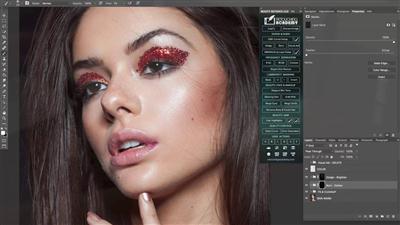
Setting up The Contrasts - Beauty Retouching Part 3
Duration: 21m | Video: h264, yuv420p, 1280x720 30fps | Audio: aac, 44100 Hz, 2 ch | 155 MB
Genre: eLearning | Language: English​

In this Class I am going to show You best methods of setting up contrasts of Your portrait images.

Contouring doesn't has to be difficult and time taking, by using different kind of selections You can easily define highlights and shadows of Your portrait images which makes contouring portraits just simple!
I am going to show two main methods I am using these days with one optional which allows You do do Your own experiments and finding Your own ways in the future.

Recommend Download Link Hight Speed | Please Say Thanks Keep Topic Live ​
 

f1f36f18b63664a7991d2c5c6e66d75c.jpg

Lynda - Shooting and Processing Panoramas
Duration: 4h 5m | Video: AVC (.mp4) 1280x720 30fps | Audio: AAC 48KHz 2ch | 1.42 GB
Genre: eLearning | Level: Intermediate | Language: English​

When one photo doesn't do justice to a scene, take several-and then stitch them together them into a panorama. In this course, Rich Harrington details every step in the panoramic photography process, from shooting to post-processing. The course begins with a look at the concepts and technical details for getting great shots: how to choose a shooting format and size, how to properly mount the camera on a tripod, how to overlap each shot, which lenses deliver best results, and more. Plus, learn about optional hardware like the GigaPan system and sliders, and a variety of mobile apps for capturing 360-degree panoramas with an iPhone. After shooting a variety of panoramas, Rich processes them using various software tools, from Lightroom to Adobe Camera Raw and Photoshop. The course concludes with advice on refining stitched panoramas and on saving them for a variety of destinations, from print to the web.

Topics include:
* Choosing your gear
* Compensating for the nodal point
* Stitching in camera
* Leveling the camera platform
* Locking exposure and focus
* Shooting with the GigaPan system
* Shooting HDR panoramas
* Shooting with an iPhone
* Managing data from a panorama shoot
* Reducing noise and removing dust with Camera Raw
* Initiating the Photomerge command
* Blending the photos
* Refining highlights and shadows
* Saving panoramas for print and the web

Recommend Download Link Hight Speed | Please Say Thanks Keep Topic Live ​
 

f463d2039b062674dc819d47868b068a.jpg

Simplified .NET Background Tasks with Hangfire
August 2016 | MP4 | Video: AVC 1280x720 | Audio: AAC 44KHz 2ch | Duration: 2 Hours 46M | 460 MB
Genre: eLearning | Language: English​

Need a solution for long running/scheduled background .NET jobs? Hangfire is a framework that can be used to reliably create, process, and manage asynchronous .NET background jobs. In this course, learn how to use Hangfire in your .NET applications.

Reliable asynchronous background jobs are a common requirement that .NET developers inevitably need to implement at some point. In this course, Simplified .NET Background Jobs with Hangfire, you will learn all about using Hangfire as a framework to help you fulfill this requirement. First, you'll learn all about creating, processing, and managing these long running tasks. Next, you'll learn about how Hangfire lets you run these long tasks. Finally, you'll learn how to manage these jobs, by using Hangfire's excellent dashboard. By the end of this course, you'll how to install Hangfire and the Hangfire dashboard, and how to create the different types of background jobs that Hangfire supports.

Recommend Download Link Hight Speed | Please Say Thanks Keep Topic Live ​
 

532b2ce54aaf098da595c305b4c3ceda.jpg

Sketch Esentials: How to Use Sketch & Design Your Own App
MP4 | Video: AVC 1280x720 | Audio: AAC 44KHz 2ch | Duration: 2 Hours 41M | 1.35 GB
Genre: eLearning | Language: English​

Explore how Michael Lemma teaches you the most popular application today for designers; Sketch! Forget photoshop or illustrator. Learn the industry's new standard program!

You'll learn a step by step process on how to use the application from Basics to designing your own app! This class is perfect for designers who are looking to use a new quick program to design/develop apps, websites, logos, icons, or people who are looking to pick up a program quickly to get their foot in the door. By the end you'll be able to create your own app or website with ease.

Learn how to:

Create a New Document
Use all Tools
Work with Symbols
How to use the Widget Template Library
Edit Documents
Create Artboards
Create Pages
Apply all teachings to real world projects!
Design your own App or Website!
And Much More!

Recommend Download Link Hight Speed | Please Say Thanks Keep Topic Live ​
 

26b94e1d7c2304a6cb0b2281b123e6aa.jpg

3D in After Effects
Duration: 2hr 21m | Video: h264, yuv420p, 1280x720 30fps | Audio: aac, 44100 Hz, 2 ch | 539 MB
Genre: eLearning | Language: English​

Learn the concepts, tools, methods and properties that you need to create stunning 3D animations within Adobe After Effects.

3D is essential to creating animations. Many avoid 3D all together thinking it is difficult and hard to work with.
The Truth: it is Not.
3D elements are excellently introduced in this organized and unique course and are easy to learn and practice.

Learn the important methods and properties in After Effects 3D:
Master Cameras: Styles, Presets, Modes, Parameters
Work with Lights and understand their effects
Optimize Orthographic Views
Create Shadows using the elements that make shadows appear
Learn Multi-planning within the 3D space - an essential concept to using 3D

Recommend Download Link Hight Speed | Please Say Thanks Keep Topic Live ​
 

efed6cf115df34e4ebe7ba142685f952.jpg

Snapchat Marketing Grow Your Brand & Reach More Followers
MP4 | Video: AVC 1280x720 | Audio: AAC 44KHz 2ch | Duration: 2 Hours | Lec: 24 | 455 MB
Genre: eLearning | Language: English​

Learn Everything about Snapchat marketing including, using Snapchat for business to grow your following & increase sales

*****BRAND NEW AND UP TO DATE SNAPCHAT MARKETING COURSE 2016*****

Snapchat at first was an app not to many people were using however since launching in September 2011 the app has blowup, so many people are using Snapchat but using it to benefit your business and grow your following is another thing.

With an impressive 200 million monthly active user and a crazy 7+ billions views per days Snapchat is the hottest social media app trending and you should be super happy and excited to learn how you can take advantage of this amazing app and help increase sales, spread brand awareness, and so much more!

Snapchat is very unique but yet highly effective and I can assure you after learning some of these strategies you will be well on your way.

Learn how you can leverage your existing social media to increase your follower count and increase brand awareness
Understand how you can attract new friends to your snapchat
Learn what content and contests to run on your Snapchat to grow your account x10
Learn how to connect and engage with your audience
Learn how you can leverage your new customer and sell your products or services

Quick course overview + what you will learn:

This Snapchat course is designed to help you grow your brand, increase your following and grow your business. Snapchat is unique in a way from other forms of social media like Instagram, Facebook and even Twitter but that being said it opens up a whole new world in terms of marketing and person to person interaction.

This course has been designed for one reason only and that is to help YOU understand Snapchat marketing in order to increase your following, increase brand awareness, and grow your business. By the end of my course you will have a full understanding on Snapchat marketing and how you can use those skills to benefit yourself and your business.

We will be sure to not leave any rocks unturned and you will have complete confidence when marketing on Snapchat. We will be going in depth and giving you real life examples that will give you an inside unclose look on how to use Snapchat.

Having your brand on all social media platforms is very important especially an app as important as Snapchat. Being on Snapchat will open up another opportunity to show more people your products or services, the unique thing about snapchat is that you can seamlessly show all sides of your business and even marketing and set yourself up for success on terms of people buying your product or service just from Snapchat traffic. I am super excited to be sharing with you all of this amazing content that you can apply to grow your business and bring you more success

Snapchat for business

Snapchat for the everyday user

Snapchat for an entrepreneur

Snapchat for a small, medium, and large size business

Everyone can take advantage of this course and learn the hottest social media app currently out!

With Snapchat you can reach a new customer base for your business, or persoanl brand
Learn how you can connect and build relationships with your followers
You will be taught how to convert your new followers into email addresses so you can later market and sell your products or services.

Recommend Download Link Hight Speed | Please Say Thanks Keep Topic Live ​

 

2d77e615f6e0f341be30f46c542ccc70.jpg

Study Guide for LPIC-2 Exams 201 and 202 Training Video
2016-07-06| SKU: 02376 | .MP4, AVC, 1000 kbps, 1280x720 | English, AAC, 125 kbps, 2 Ch | 11.5 hours | 2.66 GB
Instructor: John Meister​

Linux power users who want to become Linux system administrators, junior level Linux administrators seeking to learn more about their trade, and especially those individuals studying to pass the LPIC-2 Certification exams will appreciate this comprehensive overview of Linux systems administration.

Linux master John Meister draws from his twenty-five years of real world experience - working scripts and configuration files, and including, as he puts it: "some of the dumb things I've done" - to provide a detailed examination of the day-to-day tasks and decision-making performed by senior level Linux system administrators.

* Learn to install, analyze, configure, troubleshoot, modify, deploy, and support Linux systems
* Understand the file system, processes, and toolsets used in Linux system administration
* Understand the Linux philosophy and how it affects commands and tools
* Master the command line vi editor, BASH scripting, and five essential Linux commands
* Become versed in Linux networking, file sharing, and security practices
* Explore all the topics covered in the LPIC-2 certification exams
* Learn to administer SUSE, RedHat/Centos, Mint, Ubuntu, Debian, and other popular distributions

More Info

Recommend Download Link Hight Speed | Please Say Thanks Keep Topic Live ​

 
Zurück
Oben Unten