• Regeln für den Video-Bereich:

    In den Börsenbereich gehören nur Angebote die bereits den Allgemeinen Regeln entsprechen.

    Einteilung

    - Folgende Formate gehören in die angegeben Bereiche:
    - Filme: Encodierte Filme von BluRay, DVD, R5, TV, Screener sowie Telesyncs im Format DivX, XviD und x264.
    - DVD: Filme im Format DVD5, DVD9 und HD2DVD.
    - HD: Encodierte Filme mit der Auflösung 720p oder darüber von BluRay, DVD, R5, TV, Screener sowie Telesyncs im Format x264.
    - 3D: Encodierte Filme von BluRay, die in einem 3D Format vorliegen. Dies gilt auch für Dokus, Animation usw.
    - Serien: Cartoon/Zeichentrick, Anime, Tutorials, Dokumentationen, Konzerte/Musik, Sonstiges sind demnach in die entsprechenden Bereiche einzuordnen, auch wenn sie beispielsweise im High Definition-Format oder als DVD5/DVD9/HD2DVD vorliegen. Ausnahme 3D.
    - Bereich Englisch: Englische Releases gehören immer in diesen Bereich.
    - Bereich Talk: Der Bereich, in dem über die Releases diskutiert werden kann, darf, soll und erwünscht ist.


    Angebot/Beitrag erstellen

    - Ein Beitrag darf erst dann erstellt werden, wenn der Upload bei mindestens einem OCH komplett ist. Platzhalter sind untersagt.
    - Bei einem Scenerelease hat der Threadtitel ausschließlich aus dem originalen, unveränderten Releasenamen zu bestehen. Es dürfen keine Veränderungen wie z.B. Sterne, kleine Buchstaben o.ä. vorgenommen werden. Ausnahme Serienbörse:
    - Bei einem Sammelthread für eine Staffel entfällt aus dem Releasename natürlich der Name der Folge. Beispiel: Die Simpsons S21 German DVDRip XviD - ITG
    - Dementsprechend sind also u.a. verboten: Erweiterungen wie "Tipp", "empfehlenswert", "only", "reup", usw. / jegliche andere Zusatzinformation oder Ergänzung, welche nicht in obiger Beschreibung zu finden ist.

    Aufbau des Angebots und Threadtitel

    Der Titel nach folgendem Muster erstellt zu werden. <Name> [3D] [Staffel] [German] <Jahr> <Tonspur> [DL] [Auflösung] <Quelle> <Codec> - <Group>
    Beispiel: The Dark Knight German 2008 AC3 DVDRip XviD - iND
    Beispiel: The Dark Knight 2008 DTS DL BDRip x264 - iND
    Beispiel: The Dark Knight 2008 AC3 DL BDRip XviD - iND
    Beispiel: The Dark Knight German 2008 AC3 720p BluRay x264 iND
    Beispiel: The Dark Knight 2008 DTS DL 1080p BluRay x264 iND
    Beispiel: Die Simpsons S01 German AC3 DVDRip XviD iND
    Beispiel: Die Simpsons S20 German AC3 720p BluRay x264 iND
    Beispiel: Sword Art Online II Ger Sub 2014 AAC 1080p WEBRip x264 - peppermint
    Entsprechend sind also u.a. verboten: Sonderzeichen wie Klammern, Sterne, Ausrufezeichen, Unterstriche, Anführungszeichen / Erweiterungen wie "Tipp", "empfehlenswert", "only", "reup", usw. / jegliche andere Zusatzinformation oder Ergänzung, welche nicht in obiger Beschreibung zu finden ist
    Ausnahmen hiervon können in den Bereichen geregelt sein.

    Die Beiträge sollen wie folgt aufgebaut werden:
    Überschrift entspricht dem Threadtitel
    Cover
    kurze Inhaltsbeschreibung
    Format, Größe, Dauer sind gut lesbar für Downloader außerhalb des Spoilers zu vermerken
    Nfo sind immer Anzugeben und selbige immer im Spoiler in Textform.
    Sind keine Nfo vorhanden z.B. Eigenpublikationen, sind im Spoiler folgende Dateiinformationen zusätzlich anzugeben :
    Quelle
    Video (Auflösung und Bitrate)
    Ton (Sprache, Format und Bitrate der einzelnen Spuren)
    Untertitel (sofern vorhanden)
    Hosterangabe in Textform außerhalb eines Spoiler mit allen enthaltenen Hostern.
    Bei SD kann auf diese zusätzlichen Dateiinformationen verzichtet werden.

    Alle benötigten Passwörter sind, sofern vorhanden, in Textform im Angebot anzugeben.
    Spoiler im Spoiler mit Kommentaren :"Schon Bedankt?" sind unerwünscht.


    Releases

    - Sind Retail-Release verfügbar, sind alle anderen Variationen untersagt. Ausnahmen: Alle deutschen Retail-Release sind CUT, in diesem Fall sind dubbed UNCUT-Release zulässig.
    - Im Serien-Bereich gilt speziell: Wenn ein Retail vor Abschluss einer laufenden Staffel erscheint, darf diese Staffel noch zu Ende gebracht werden.62
    - Gleiche Releases sind unbedingt zusammenzufassen. Das bedeutet, es ist zwingend erforderlich, vor dem Erstellen eines Themas per Suchfunktion zu überprüfen, ob bereits ein Beitrag mit demselben Release besteht. Ist dies der Fall, ist der bereits vorhandene Beitrag zu verwenden.
    - P2P und Scene Releases dürfen nicht verändert oder gar unter einem iND Tag eingestellt werden.


    Support, Diskussionen und Suche

    - Supportanfragen sind entweder per PN oder im Bereich Talk zu stellen.
    - Diskussionen und Bewertungen sind im Talk Bereich zu führen. Fragen an die Uploader haben ausschließlich via PN zu erfolgen, und sind in den Angeboten untersagt.
    - Anfragen zu Upload-Wünschen sind nur im Bereich Suche Video erlaubt. Antworten dürfen nur auf Angebote von MyBoerse.bz verlinkt werden.


    Verbote

    - Untersagt sind mehrere Formate in einem einzigen Angebotsthread, wie beispielsweise das gleichzeitige Anbieten von DivX/XviD, 720p und 1080p in einem Thread. Pro Format, Release und Auflösung ist ein eigener Thread zu eröffnen.
    - Grundsätzlich ebenso verboten sind Dupes. Uploader haben sich an geeigneter Stelle darüber zu informieren, ob es sich bei einem Release um ein Dupe handelt.
    - Gefakte, nur teilweise lauffähige oder unvollständige Angebote sind untersagt. Dies gilt auch für eigene Publikationen, die augenscheinlich nicht selbst von z.B. einer DVD gerippt wurden. Laufende Serien, bei denen noch nicht alle Folgen verfügbar sind, dürfen erstellt und regelmäßig geupdatet werden.
    - Untersagt sind Angebote, welche nur und ausschließlich in einer anderen Sprache als deutsch oder englisch vorliegen. Ausnahmen sind VORHER mit den Moderatoren zu klären.


    Verstoß gegen die Regeln

    - Angebote oder Beiträge, die gegen die Forenregeln verstoßen, sind über den "Melden"-Button im Beitrag zu melden.
  • Bitte registriere dich zunächst um Beiträge zu verfassen und externe Links aufzurufen.

*** Bestes IPTV *** bester Preis *** gratis Test ***


Englische Tutorials

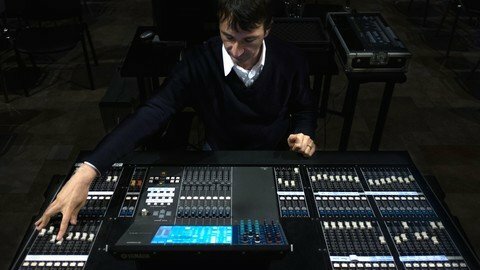
The Sound Kitchen - Great Sound Made Easy
enrfpvpiskkuzsizz7lep4ucd7.jpg


The Sound Kitchen - Great Sound Made Easy
Last updated 5/2021
MP4 | Video: h264, 1280x720 | Audio: AAC, 44.1 KHz
Language: English | Size: 17.21 GB | Duration: 13h 46m

Sound Engineering course for musicians, volunteers, professionals. For both beginners and people with some knowledge


What you'll learn
Be inspired like never before to pursuit great sound
Understand sound better in a musical, scientific and philosophical sense
Connect the language of music to the technical language of sound
Form the mindset of the greats behind sound production (for both live and recording)
Learn to select and use / position the right microphone for a given source
Understand and practise electronic matching
Learn to select and use / position the right microphone for a given source
Use the equalizer with in-depth understanding
Use the mixer correctly
Learn to choose and use the correct PA for a given room
Control feedback
Build a mix
Bring balance and beauty to a song

Requirements
Great passion for music and sound (that is the first and main requirement)
A DAW program is required, however a demo software is provided
Preferably a decent pair of headphones
Some basic understanding of math
Optional (a small mixer for the mixer session)

Description
The Sound Kitchen is a sound engineering course aimed at anyone who is passionate about sound and wants to learn the how-to's of great sound. The course uses lots of music and it is both inspirational*and technical; but make no mistake, you will have more than your money's worth of technical insight and input.The instruction is music based. Therefore there are always audio examples (there is also a lesson that will help you develop your hearing skills with audio clips you can download). We use a Digital Audio Workstation so that you can immediately put into practice the concepts expressed in some of the lessons, ending up making music (better) rather than just hearing someone talk about it. Furthermore, if you wanted to, you will be able to use the DAW (within the licensed time period) to exercise some sound engineering routines by yourself independently from the course.The course is very practical and the terminology is not overly technical (again do not assume that this is a shortfall, as often seasoned engineers have learned a great deal from the course approach and teachings). At the end of the course, you will be able to plan a sound production, choose well-suited equipment, set up a PA, and with practice, mix a production/song (live or in your home studio)."Ears before gear": is a sentence I coined to embody the idea that the most important piece of equipment to achieve great sound is the engineer. Ultimately great gear will sound poorly if the engineer cannot use it well. The opposite is also true that average gear in the right hands will sound great. This mindset is thematic across the entire course.The numbersA total of almost 14 hours of video tuition 69 video clips Manually entered Captions, so that everyone can understand every word9 sections9 quizzes (to help you review each section)89 audio clips (to download) used for hearing training 2 DAW program available (PC and MAC) each with a tailor-made sessionMulti-track songs performed by top South African musicians, recorded in a high-end studio in Cape Town, South AfricaPlenty of brain-stretching and ear developing DAW exercises I am confident that you will learn a great deal and will enjoy doing so. I look forward to seeing you among my new students. Ciao. Tim
Overview
Section 1: Introduction
Lecture 1 Course overview
Lecture 2 Before you start
Section 2: Definitions
Lecture 3 Definitions: Section overview
Lecture 4 Defining sound
Lecture 5 Defining sound engineering
Lecture 6 Defining a sound system; 3 qualities of a great engineer
Lecture 7 Laws of perceptions
Section 3: 3 Distinctive Characters of Sound
Lecture 8 3 Distinctive Characters of Sound: Section overview
Lecture 9 Pitch
Lecture 10 Intensity part A
Lecture 11 Intensity part B
Lecture 12 Intensity: clarification
Lecture 13 Timbre 1 part A
Lecture 14 Timbre 1 part B
Lecture 15 Timbre 2 part A
Lecture 16 Timbre 2 part B
Lecture 17 Hearing training preface
Lecture 18 Hearing Training
Section 4: Sound Control
Lecture 19 Sound Control: Section overview
Lecture 20 Sound Production Architecture
Lecture 21 Sound Production Architecture - observations
Lecture 22 Sound Manipulation part A
Lecture 23 Sound Manipulation part B
Lecture 24 Sound Isolation part A
Lecture 25 Sound Isolation part B
Section 5: Cables & D.I. Box
Lecture 26 Cables & D.I. Box: Section overview
Lecture 27 Cables 1
Lecture 28 Cables 2
Lecture 29 D.I. Boxes
Lecture 30 D.I. Box part B
Section 6: Microphones
Lecture 31 Microphones: Section overview
Lecture 32 Microphones 1
Lecture 33 Microphones 2
Lecture 34 Microphones 3
Lecture 35 Microphones 4
Section 7: Equalizer
Lecture 36 Equalizer: Section overview
Lecture 37 Equalizer section preface VERY IMPORTANT
Lecture 38 PC DAW overview
Lecture 39 MAC DAW overview
Lecture 40 Signal processing
Lecture 41 Introduction to the Equalizer
Lecture 42 Band types
Lecture 43 Band "shapes" 1, 2 & 3
Lecture 44 Band "shapes" 4 & 5
Lecture 45 Tone processing steps & practical tips part A
Lecture 46 Tone processing steps & practical tips part B
Lecture 47 Tone processing steps & practical tips part C
Lecture 48 Tone processing steps & practical tips part D
Section 8: Mixer
Lecture 49 Mixer: Section overview
Lecture 50 Basic mixer architecture logic
Lecture 51 Routing 1
Lecture 52 Metering
Lecture 53 Gain structure
Lecture 54 Level setting
Lecture 55 Routing 2 part A: output types
Lecture 56 Routing 2 part B: most common routing types
Lecture 57 Routing 3: channel to masters patching
Section 9: Loudspeakers
Lecture 58 Loudspeakers: Section overview
Lecture 59 Defining a loudspeaker
Lecture 60 The Crossover System
Lecture 61 6 important aspects of a speaker part A
Lecture 62 6 important aspects of a speaker part B
Lecture 63 6 important aspects of a speaker part C
Lecture 64 Setting up in a room: speaker choice
Lecture 65 Setting up in a room: speaker placement
Lecture 66 Feedback part A
Lecture 67 Feedback part B
Section 10: Mix
Lecture 68 Mix: Section overview
Lecture 69 Basic mixing principles
Lecture 70 Musical components part A
Lecture 71 Musical components part B
Lecture 72 Fundamental and filler sounds
Lecture 73 The masking principle
Lecture 74 What can I drop?
The course is suitable for people with different knowledge and skill levels, ranging from people with no knowledge to people that work in this field.,Musicians who want to understand sound engineering better,Sound engineers,Sound volunteers in churches/school,People with some background knowledge that want to expand their understanding of sound engineering


thesoundkitchengreatsbwert.jpg


Download from RapidGator


Download from DDownload


Archive Password: "Name of the Old Continent" [First Letter Capital]

 
The Ultimate NFT Course: Buy, Sell NFTs & Create collections

xq8fgzc7gu4nnjyd3tpvarxejk.jpg


The Ultimate NFT Course: Buy, Sell NFTs & Create collections
Published 08/2022
Genre: eLearning | MP4 | Video: h264, 1280x720 | Audio: AAC, 48.0 KHz
Language: English | Size: 8.24 GB | Duration: 63 lectures • 9h 40m


What you'll learn
Create your own 1000 NFT collection - No code
Setup your own NFT smart contract - No code
Setup your own NFT minting website using WordPress
Understand how to buy, create and sell your own NFTs
Learn how to setup a Metamask and Phantom wallet and how to use them for trading crypto and NFTs
Learn how to create an NFT Discord server from scratch
Learn how to setup your own Open Sea profile and link your NFT collection
Learn how to buy and sell on Open Sea and Magic Eden
Understand everything to do with NFTs and this space
Learn how to be the first to discover upcoming NFT projects
Learn how to create an NFT from scratch

Requirements
No prerequisite knowledge required; the only thing you need is a computer and an internet connection.
No Prior Experience Required.
No coding required.

Description
No Prior Experience Required
No coding required.
Build an NFT collection, smart contract and minting website from scratch step by step. My job is to help you build an amazing NFT project, very easily!
Learn how to buy and sell NFTs and more
The aim of this course is to teach you everything you need to know about NFT's and how you can build your own NFT collection, smart contract, minting website and buying and selling NFT's on different platforms.
This course does not just assist on how to build an amazing NFT project. A key focus is to help people make a success within the NFT space, whether it be buying and selling NFT's to make money or to build your own NFT business, I am going to teach you everything you need to know to do it all within in this space without using a drop of code. I take it further by going through a step by step on how to build a beautiful, mobile friendly WordPress based minting website!
The lecturer Robbie has over 12 years' experience in the digital web space and has helped hundreds of people succeed online. He succeeded in getting his business to the top of Google organically within South Africa without paying a single cent. This makes him very comfortable within the digital space. Because of his passion within the digital design space, he starting getting into the NFT and crypto space, which he has been mastering for over 2 years. Based on his experience within the digital space you can trust this course will teach you more than you can expect!
Robbie will take you through, step by step on how to create a 1000 NFT collection with all its metadata without using any code. He will also take you through how to setup a smart contract on the polygon network and setup your collection on the blockchain.
Robbie will then take you through how to setup certain things within your smart contract such as whitelists, airdrops and so on. Once the NFT project has been setup he will take you through how to connect the project to Open Sea which is the biggest NFT market in the NFT space.
From there he will show you step by step on how to build a WordPress based minting website and connect the website to a MetaMask wallet so people my mint your collection via this website.
He will also take you through how to setup your own crypto wallet and how to buy and sell NFT's within Open Sea and Magic Eden. He will also give you some tips on how to find good NFT projects to buy into and hopefully make you a good investment.
Robbie will also go through different social media platforms to help grow your NFT following and will go through how to setup an NFT Discord server.
This course is for beginners and also for professionals in this field that are looking to learn more.
You will learn how to setup an NFT project. As simple as 1,2,3!
By the end of this course, you will have a beautiful, professional-looking WordPress minting website, that is mobile friendly, your own NFT collection on the blockchain, a detailed NFT Discord server and everything you will need to know to make a huge success within the NFT space. The best way to learn something is by doing it with someone guiding you. You won't go wrong by signing up for this course.
Who this course is for
This course is for anyone looking to learn everything about the NFT space as well as create a smart contract and NFT collection
No coding required.
No prior experience required.


theultimatenftcoursebnldva.jpg


Download from RapidGator


Download from DDownload


Archive Password: "Name of the Old Continent" [First Letter Capital]

 
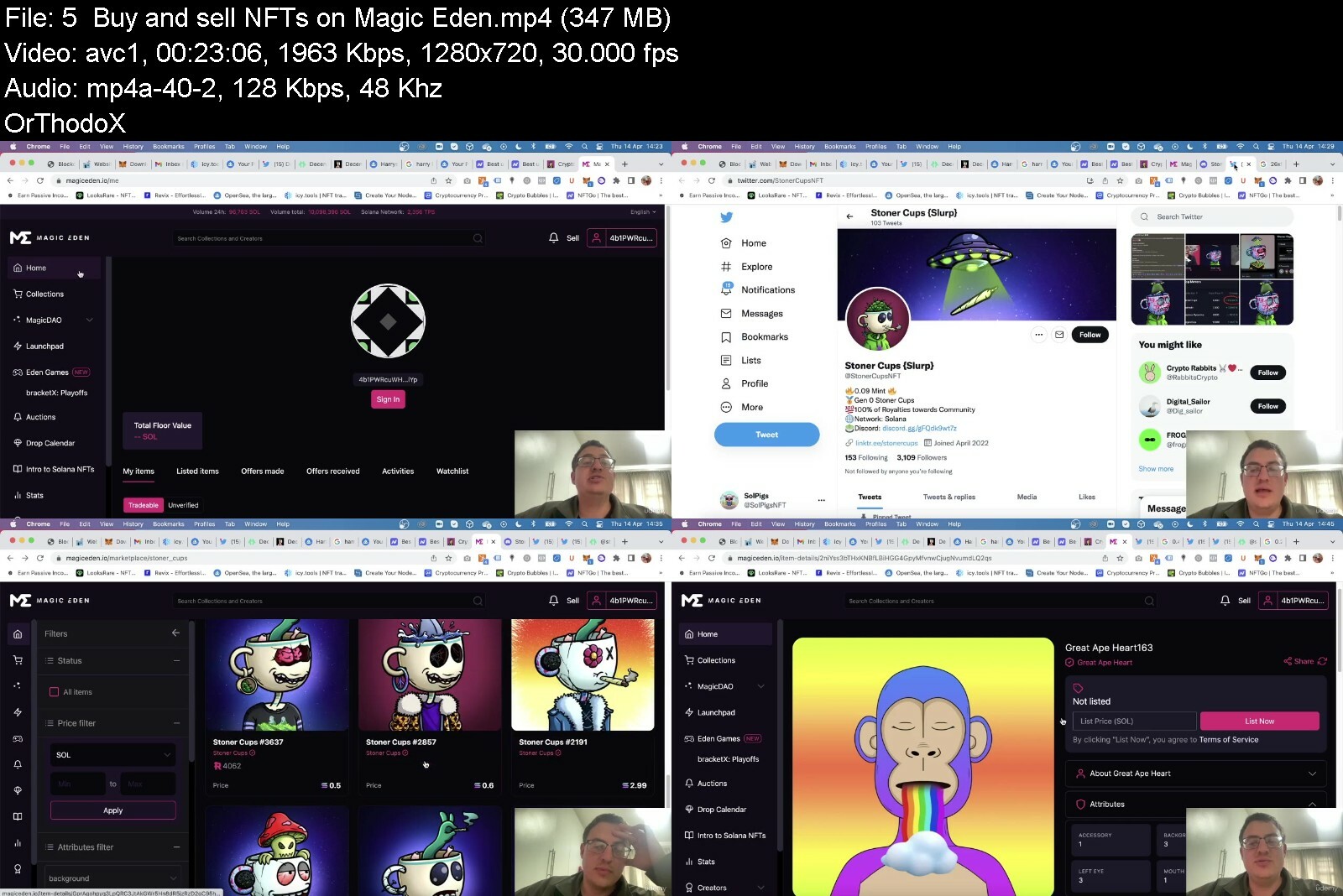
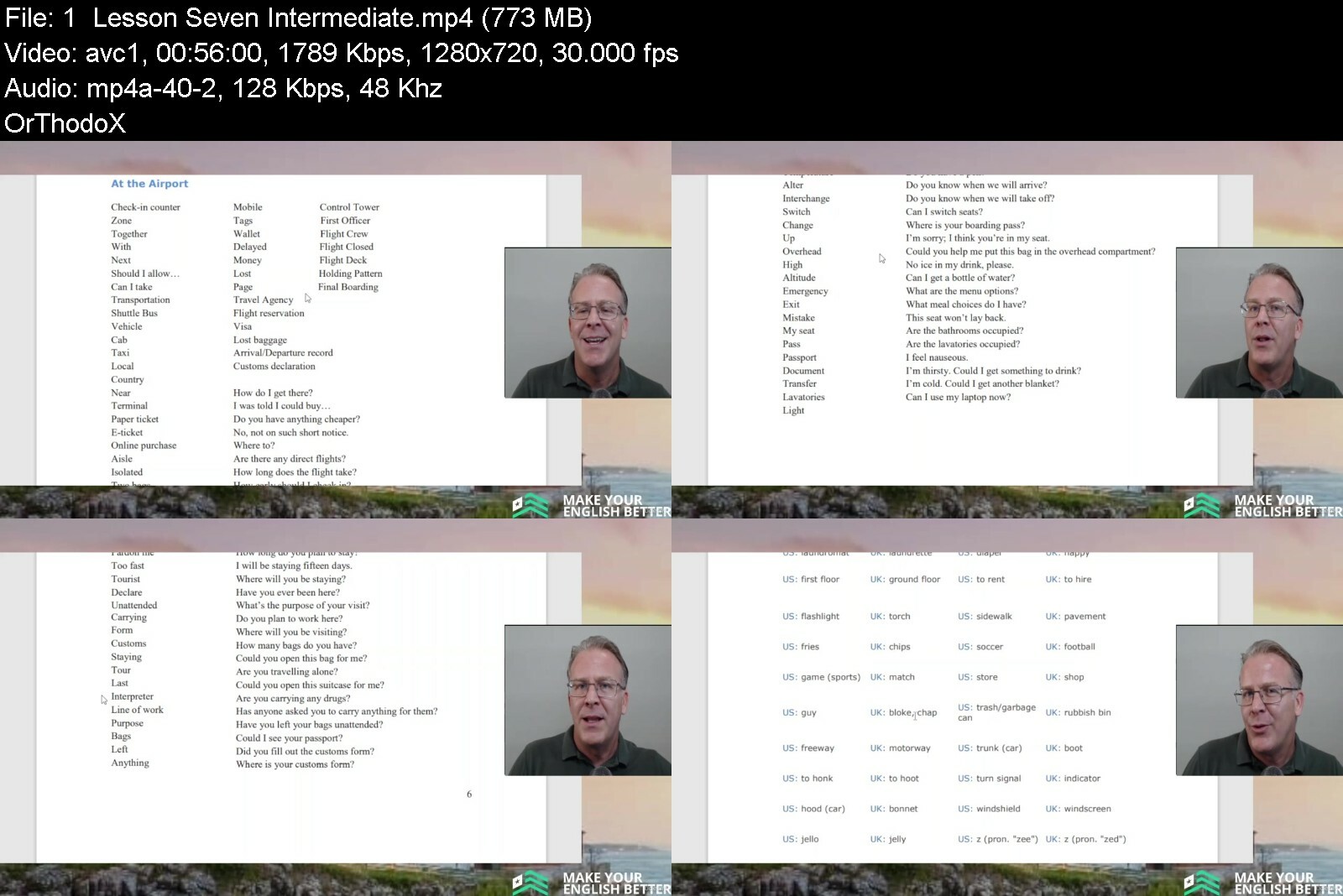
Make Your English Better Intermediate Lessons

48397366bc621pfzl.jpg


Make Your English Better Intermediate Lessons
Published 08/2022
MP4 | Video: h264, 1280x720 | Audio: AAC, 44.1 KHz, 2 Ch
Genre: eLearning | Language: English | Duration: 62 lectures (17h 42m) | Size: 14.5 GB


Intermediate Lessons


What you'll learn
Goal #1: We aim to build overall knowledge of the English language.
Goal #2: We aim to integrate professional conversation with everyday conversation.
Goal #3: We aim to build confidence through video learning, material learning, improved listening skills and outside the box thinking.
Goal #4: We aim to help you provide a benefit for yourself so that you can attract better opportunities.
Requirements
You need to be at least an Intermediate English level of B-1 to gain the most from these lessons.
Description
These lessons will put you in a position to see where you want to go with your newly acquired abilities. The Intermediate level gives you the ability to enter into a conversation, negotiate, travel, learn and enjoy international culture. Affordable English learning without sacrificing quality. These lessons do more than just teach English, they help improve the person learning from them. You have the opportunity to expand and English is a principal tool for that to occur in this connected world. We have seen many students pass through our program and have fine-tuned the lessons over the years to make this possible. Individual results may vary, but you are giving yourself the green light to prosper and to find success. This is not a new concept, but it is a new angle, and these lessons and videos can help you to retain what you have worked so hard to learn and take you even further in your knowledge of the English language. Non-native English-speakers face the challenge of keeping their English up to date and fresh. Make Your English Better can deliver the opportunity to help make this possible. At your convenience, you can work towards thriving in an English environment with your newly acquired skills.
Who this course is for
These lessons will put you in a position to see where you want to go with your newly acquired abilities. The Intermediate level gives you the ability to enter into a conversation, negotiate, travel, learn and enjoy international culture.


makeyourenglishbetterm6e6o.jpg


Download from RapidGator


Download from DDownload


Archive Password: "The Old Continent" [First Letter Capital]
 
Robotics and ROS - Learn by Doing! Manipulators

nk5wxlwdwni9svyq2jjslcrfcv.jpg


Robotics and ROS - Learn by Doing! Manipulators
Published 08/2022
Genre: eLearning | MP4 | Video: h264, 1280x720 | Audio: AAC, 48.0 KHz
Language: English | Size: 5.08 GB | Duration: 89 lectures • 14h 25m


What you'll learn
Create a real robot
Mastering ROS, the Robot Operating System
Robotics Theory
Use Alexa to actuate the Robot
Programming Arduino for Robotics Applications
Create a Digital Twin
Simulate the robot in Gazebo
Robot Kinematics
Trajectory Planning with MoveIt!

Requirements
Basic knowledge of Python or C++
Basic knowledge of Linux
No prior knowledge of ROS required
No prior knowledge of Robotics theory required
No hardware required. All the course can be followed also using only the PC

Description
Would you like to learn ROS, the Robot Operating System by building a real robot?
The philosophy of this course is the Learn by Doing and quoting the american writer and teacher Dale Carnegie
Learning is an Active Process. We learn by doing, only knowledge that is used sticks in your mind.
In order for you to master the concepts covered in this course and use them in your projects or, why not, also in your future job, I will guide you throught the learning of all the functionalities of ROS both from the theoretical and practical point of view.
Each section is composed od three parts
Theoretical explanation of the concept and functionality
Usage of the concept in a simple Practical example
Application of the functionality in a real Robot
I almost forgot! We need one more, essential and exciting part of this course for your active learning!
Experiment, Develop and Test your ideas in the Robot (real or simulated in your PC)
In each Section of the course, I'll introduce you a new concept and then we will use it to add new functionalities to the robot
Introduction to the Course
Setup the Environment: Install Ubuntu and ROS Noetic
Introduction to ROS: What is ROS and why is so important in Robotics.
Create the first ROS node
ROS Publisher/Subscriber
Digital Twin: Use a simulator to develop and test the functionalities of the robot without the needs of any hardware device
URDF
Gazebo
ROS Parameter Server
RViz
ROS Launch Files
Control: How to create a Control System for Robot actuators
ROS Timer
ROS Services
ros_control
Kinematics: Use the package MoveIt! for the Trajectory Planning
TF
MoveIt!
Application: Interface and make available all the functionalities of the robot to other softwares to create more complex applications and functionalities
ROS Actions
Alexa: Use the Alexa Voice Assistant to actuate the robot with the voice
Build the Robot: Build the real robot and migrate all the functionalities from a simulated robot to a real one
rosserial_arduino
Conclusion and Summary of the course
To facilitate your learning and help you join the robotic world, the code lessons are available both in C++ and in Python and you can decide wich language to use during the course.
Anyway, I would suggest you to follow both in order to complete your Robotics Software Developer profile!
Who this course is for
Makers and Hobbists keen on robotics
Software developers taht wants to learn ROS and Robotics
Students or Engineers that wants to learn how to buid a robot from scratch
Developers that already knows ROS and that want to use it in a real world application


roboticsandroslearnbyeydie.jpg


Download from RapidGator


Download from DDownload


Archive Password: "Name of the Old Continent" [First Letter Capital]
 
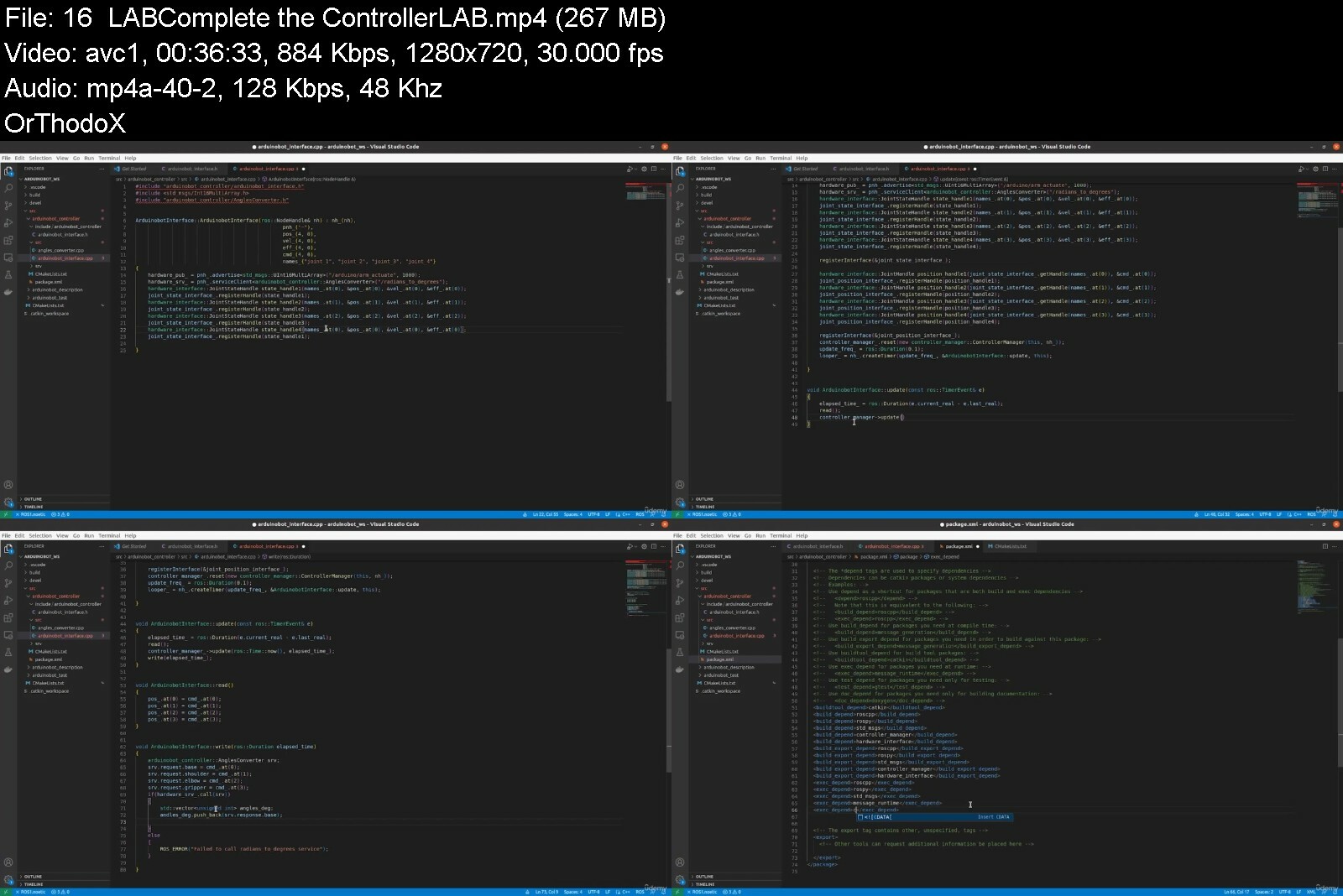
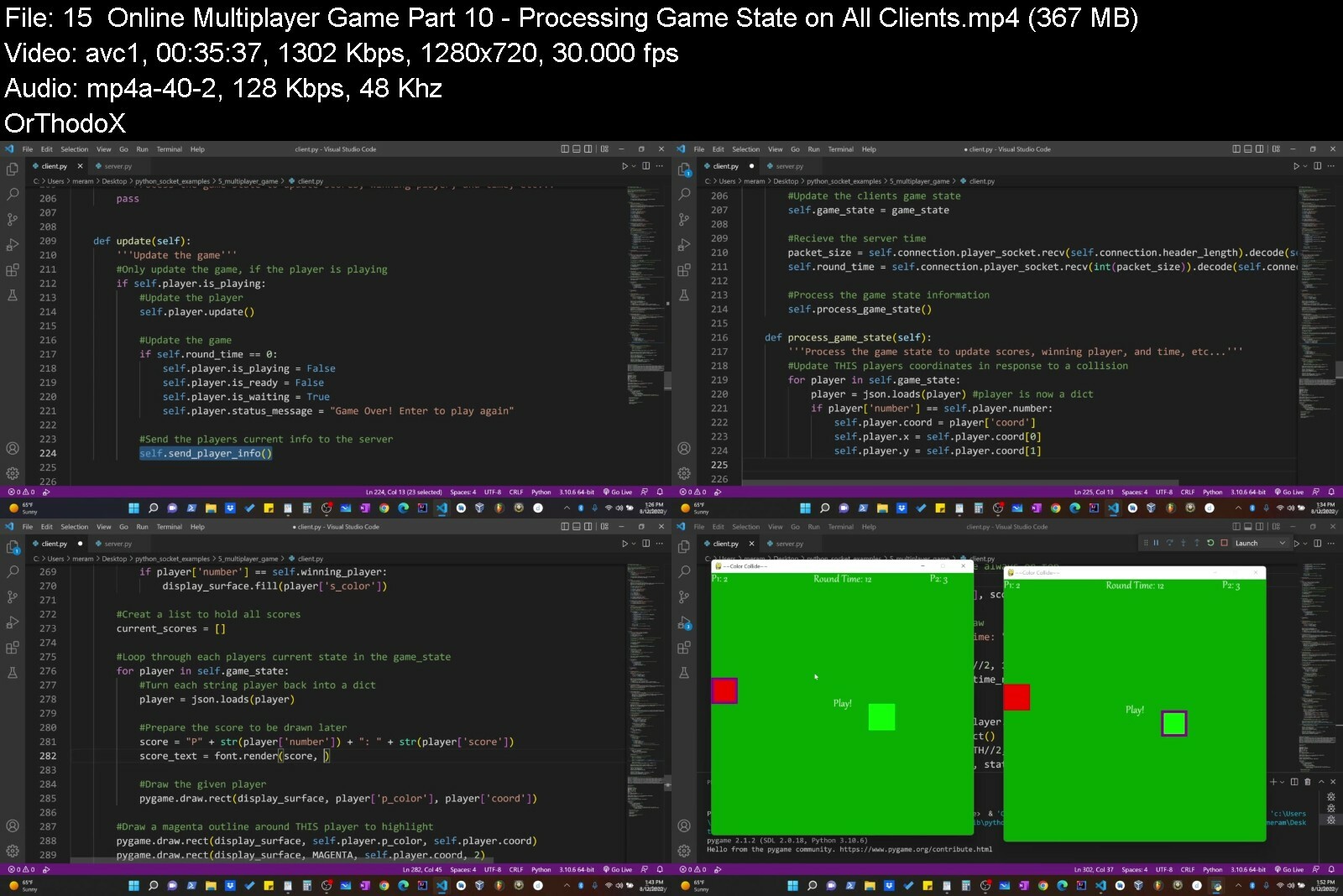
The Art of Doing: Python Network Applications with Sockets!

459844849c3cie5c.jpg


The Art of Doing: Python Network Applications with Sockets!
Published 08/2022
MP4 | Video: h264, 1280x720 | Audio: AAC, 44.1 KHz, 2 Ch
Genre: eLearning | Language: English + srt | Duration: 61 lectures (14h 30m) | Size: 7.6 GB


Create an online multiplayer game, AOL style chat room, and more! Learn the socket, threading, json, Pygame modules!


What you'll learn
Networking Fundaments such as IP and port addresses, IPV4, TCP, and UDP protocols.
How to set up your own home network with static IP addresses and port forwarding so anyone can connect to your programs over the internet.
How to use the socket module to create a basic two way chat in the terminal.
How to use the threading module to create a basic chat room in the terminal.
How to use tkinter module to make a GUI chat room like the old AOL chat rooms.
How to use the Json module to create an advanced GUI chat room with and admin window.
How to use the Pygame module to make your own online multiplayer game.
Requirements
Students should have a working knowledge of Python and fundamental programming principles
Students should be comfortable with functional programming and object oriented programming as the course will utilize both towards the second half.
Familiarity with various python modules will be beneficial but I will take the time to teach what you need to know to build the programs in this course.
Description
Have you ever wanted to build your own online multiplayer game that you and your friends could play? How about wanting to build your own chat room like the golden AOL chat rooms from the 1990's that you and your friends could "hang out" it. Want to learn the underlying principles of how programs like these work - how they can communicate and send data back and forth from one computer to the next over the internet? If the answer is yes, then please consider taking this course!
I know in my own journey with Python and computer science, once I got past the basics...the fundamentals...the whole "this is a for loop. Can you print the first 100 even numbers?" type exercises, the doors really opened up. There was only one problem: the doors opened up to a HUGE space, with very little guidance. Python is great because you can do so much with it, especially when you start to bring in new modules and libraries that give added functionality. While there are ample beginner resources out there willing to hold your hand and guide you through the learning, I felt there were significantly less targeting this intermediate audience...The audience that has learned the basics and are now looking for something more...
In this course, I decided to focus my intermediate projects around networking applications; I wanted to write programs that could talk to each other online, both across my local area network and across the internet as a whole. With this in mind, I asked myself what are some fun and engaging projects students would enjoy learning with and what external modules and libraries should we know to accomplish these projects. In this course we will complete the following
A two-way terminal based chat introducing the socket module
A terminal based chat room introducing the threading module
A GUI chat room introducing the Tkinter module
How to configure your router to allow communication from an external network
An advanced GUI chat room with admin window introducing the json/pickle modules
An online multiplayer game introducing the Pygame module
Each project builds on the knowledge gained during the previous projects. In our culminating project, when we attempt to create our own online multiplayer game, we will be generating IPV4/TCP sockets to connect computers to a server running on a machine with a static IP and port forwarding enabled, creating various threads to run processes concurrently on our machines, we'll use json to serialize python objects such as our game state and game players, and have a full interactive GUI interface using Pygame.
By the end of this course you will have multiple projects you can share with friends or family, have them run a client script from their house, connect to your server script, and show off all you learned.
Who this course is for
I would consider this to be an intermediate course for those who have a firm understanding of python basics and are looking for ways to create new and exciting projects using various python modules.
Anyone who is interested in learning how to write programs that can work over a network and communicate with one another.
Anyone who likes online multiplayer GAMES!!!


theartofdoingpythonne0tcjz.jpg


Download from RapidGator


Download from DDownload


Archive Password: "Name of the Old Continent" [First Letter Capital]
 
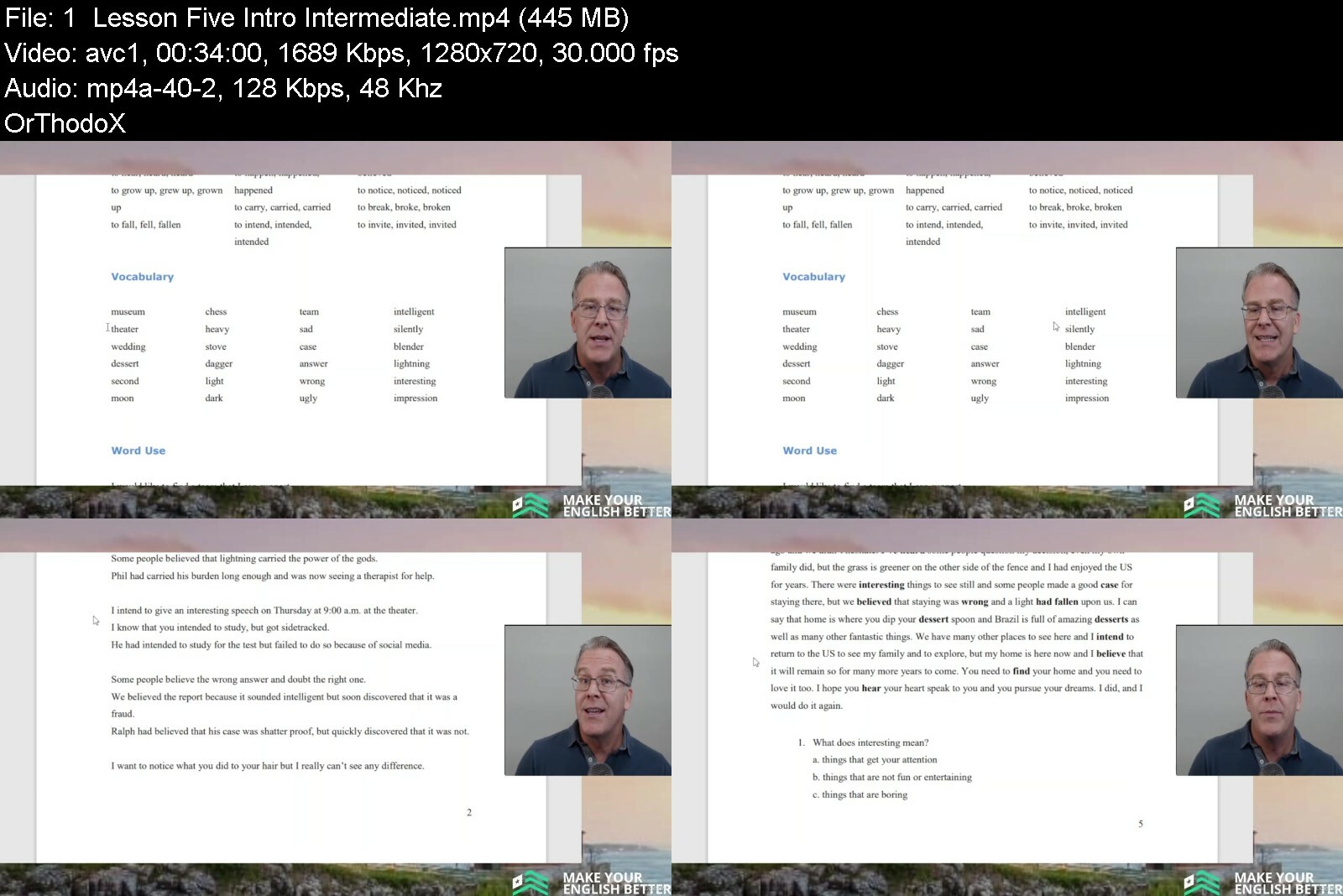
Make Your English Better Intro Intermediate Lessons

4837366f3bd3yzcox.jpg


Make Your English Better Intro Intermediate Lessons
Published 08/2022
MP4 | Video: h264, 1280x720 | Audio: AAC, 44.1 KHz, 2 Ch
Genre: eLearning | Language: English | Duration: 53 lectures (14h 57m) | Size: 12.1 GB


Improve your English and make yourself more confident at your convenience.


What you'll learn
Goal #1: We aim to build overall knowledge of the English language.
Goal #2: We aim to integrate professional conversation with everyday conversation.
Goal #3: We aim to build confidence through video learning, material learning, improved listening skills and outside the box thinking.
Goal #4: We aim to help you provide another benefit for your life so that you can attract better opportunities.
Requirements
You must have a basic knowledge of English at the A-1 or A-2 level to fully enjoy and learn from these lessons.
Description
Each lesson is set up to help you advance with confidence. These programs use your past knowledge, add to it and move you forward into the future. The English language is a tool to take advantage of opportunities and we all need to make our English better. These lessons will help you to retain what you have worked so hard to learn and build upon that foundation. Your inventory of words will grow and exercises to reinforce their usage will help you communicate with others in a confident way. Growing up in the United States, I was always interested in communicating with others and looking to expand my contacts. Specifically paying attention to History and English, I knew that knowledge opened doors and the world was full of opportunities in many areas and for many people. Access to areas like social media, travel, education and careers has broadened the importance of preparation and opportunity. As a foreigner living in Brazil, I have seen how important communication is and have felt welcomed here. In 2010, the door opened for me to begin teaching English classes to friends and neighbors. I have developed my material and my presentation over the years and would now like to share it with you.
Who this course is for
Students that want to build upon their English foundation and improve their overall English skills.


makeyourenglishbettervuei6.jpg


Download from RapidGator


Download from DDownload


Archive Password: "The Old Continent" [First Letter Capital]
 
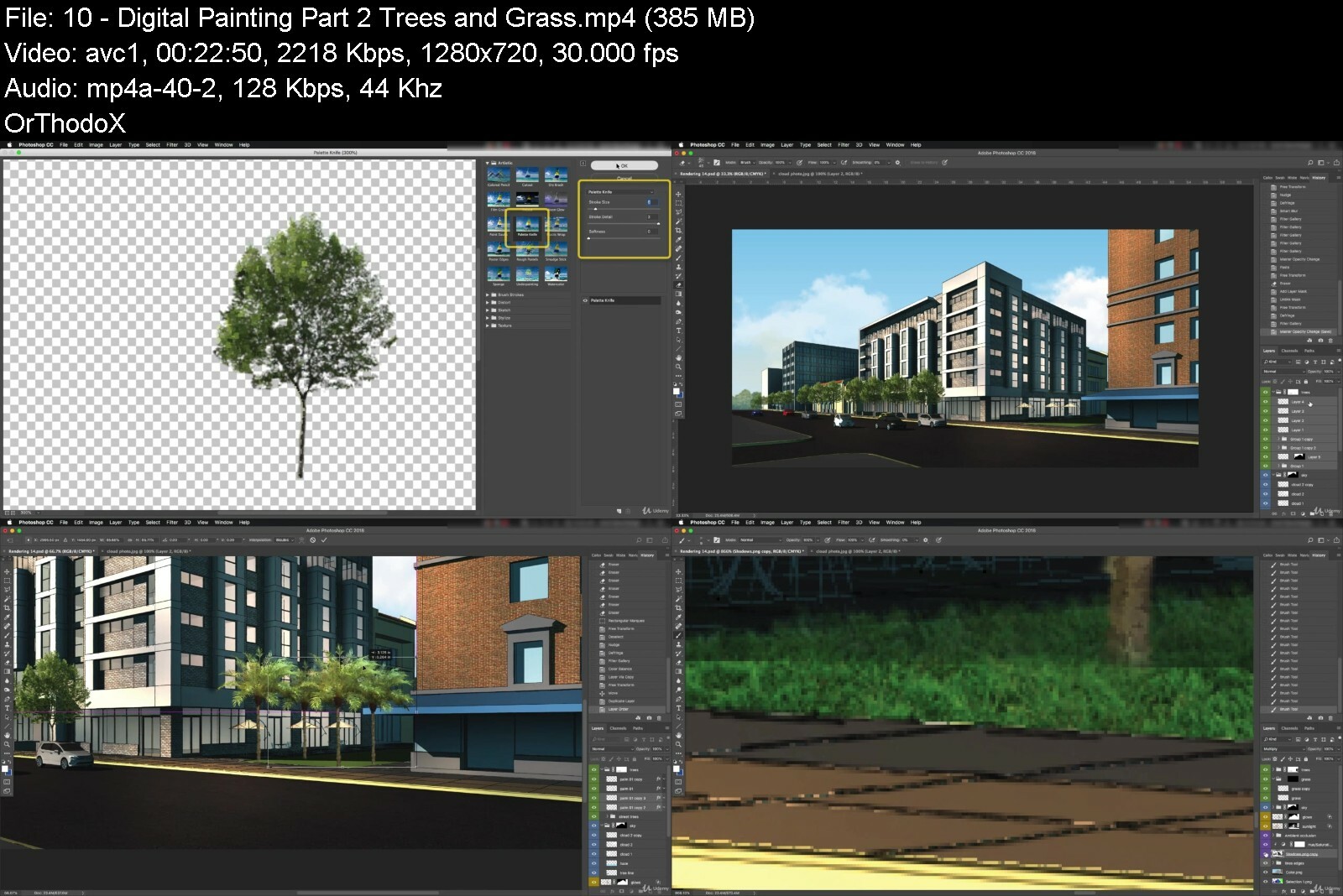
Sketchup + Photoshop: Digital Watercolor Renderings In 3 Hrs

drsvpdhs1cglbzi2g9ket4pcyg.jpg


Sketchup + Photoshop: Digital Watercolor Renderings In 3 Hrs
Last updated 10/2019
MP4 | Video: h264, 1280x720 | Audio: AAC, 44.1 KHz
Language: English | Size: 5.30 GB | Duration: 3h 27m

Render your SketchUp models quickly and with a great digital watercolor technique using a SketchUp to Photoshop workflow


What you'll learn
Be able to quickly create compelling architectural illustrations using only SketchUp & Photoshop.
The instructor will show not only show you how to use these techniques, but explain why to use them - giving you a deep understanding of the illustration process.
Use the provided SketchUp file or follow along with your 3d model to create a "digital watercolor" in just a few hours.
All additional 2D and 3D assets and entourage are provided so you have everything you need to get started.

Requirements
Software needed: SketchUp & Photoshop
Working knowledge of both SketchUp & Photoshop is needed

Description
Are you ready to start creating beautiful and engaging watercolor renderings from your SketchUp models using simple Photoshop techniques? If so, this is the only course for you on Udemy.Check out the course details below for more information.What You Will Do In The CourseCreate a "digital watercolor" in just a few hours! Arch Viz professional, Scott Baumberger, walks through the process of how to make effective and beautiful architectural visualizations utilizing only SketchUp and Photoshop to produce a simulated watercolor technique. The course will cover setting up a SketchUp model for efficient exporting, lighting, layer management, digital painting, and composition techniques, as well as strategies for incorporating feedback and revisions efficiently. The course is hands-on, walking you through the workflow from start to finish.You can either utilize the SketchUp model and entourage provided, or you can follow along with your own 3D model. Why Use This Technique?Sometimes our clients are not ready for photorealism. Maybe it is because the design is still in the conceptual phase, or just out of personal preference. This kind of technique can also be more conducive to quick iterations. Perhaps you are already an expert in SketchUp and just need a quick, easy and cheap way to add some life to your models. Whatever the reason, Scott offers the definitive course on how to take your SketchUp models from a basic modeling look, to a stunning watercolor rendering that is sure to engage the viewer.Notes On The CourseInstructor and co-Instructor will be available to answer questions in the Q&A section of the course as quickly as possible.The project files are available for download, so this course is very hands on (plus, free models for you!!!)Satisfaction Guarantee - This course has a 30 day money back guarantee. You can seek refund through Udemy for any reason during that time.InstructorsScott BaumbergerScott has been doing renderings for over 20 years, and in the design and architecture industry even longer. He is the founder and owner of Baumberger Studio and has done renderings for many of the biggest architectural firms in the country. He has also been been featured prominently on many important industry websites (cgarchitect, ronenbekerman, etc.) teaching his unique approach and workflow to arch viz. In addition to photorealistic renderings, Scott has also become known for his trademark digital watercolor technique (also known as NPR, or non-photorealistic) as shown in this course.Adam ZollingerAdam has been an arch viz professional for 15 years, in addition to several years as a draftsman and designer in the architectural industry. He is the founder of learnArchViz, a website dedicated to educating aspiring arch viz artists in the techniques and software that they need to succeed in the industry. As of this year, Adam has been able to teach about 70,000 students from all over the world with his digital learning courses. He has successful training courses in 3ds Max, V-Ray, Photoshop, Unreal Engine, After Effects, Lumion and more, all specifically catered to the needs of the arch viz community.
Overview
Section 1: Introduction
Lecture 1 Introduction and a little background
Section 2: SketchUp
Lecture 2 Review goals of the rendering and steps involved
Lecture 3 Setting up the SketchUp model for exporting
Lecture 4 Adding 3D entourage to the SketchUp model
Lecture 5 Exporting from SketchUp to Photoshop
Section 3: Photoshop
Lecture 6 Getting started in Photoshop
Lecture 7 Render the building in Photoshop - Part 1
Lecture 8 Render the building in Photoshop - Part 2
Lecture 9 Digital Painting Part 1- Sky
Lecture 10 Digital Painting Part 2 - Trees and Grass
Lecture 11 Digital Painting Part 3 - Glass
Lecture 12 Digital Painting Part 4 - People
Lecture 13 Adding cast shadows
Lecture 14 The "wet street" effect in Photoshop
Lecture 15 Add watercolor washes and textures
Lecture 16 Final adjustments
Section 4: Incorporating Revisions
Lecture 17 Strategies for incorporating changes to the illustration
Architects, landscape architects, planners, and students


sketchupphotoshopdigildekh.jpg


Download from RapidGator


Download from DDownload


Archive Password: "Name of the Old Continent" [First Letter Capital]
 
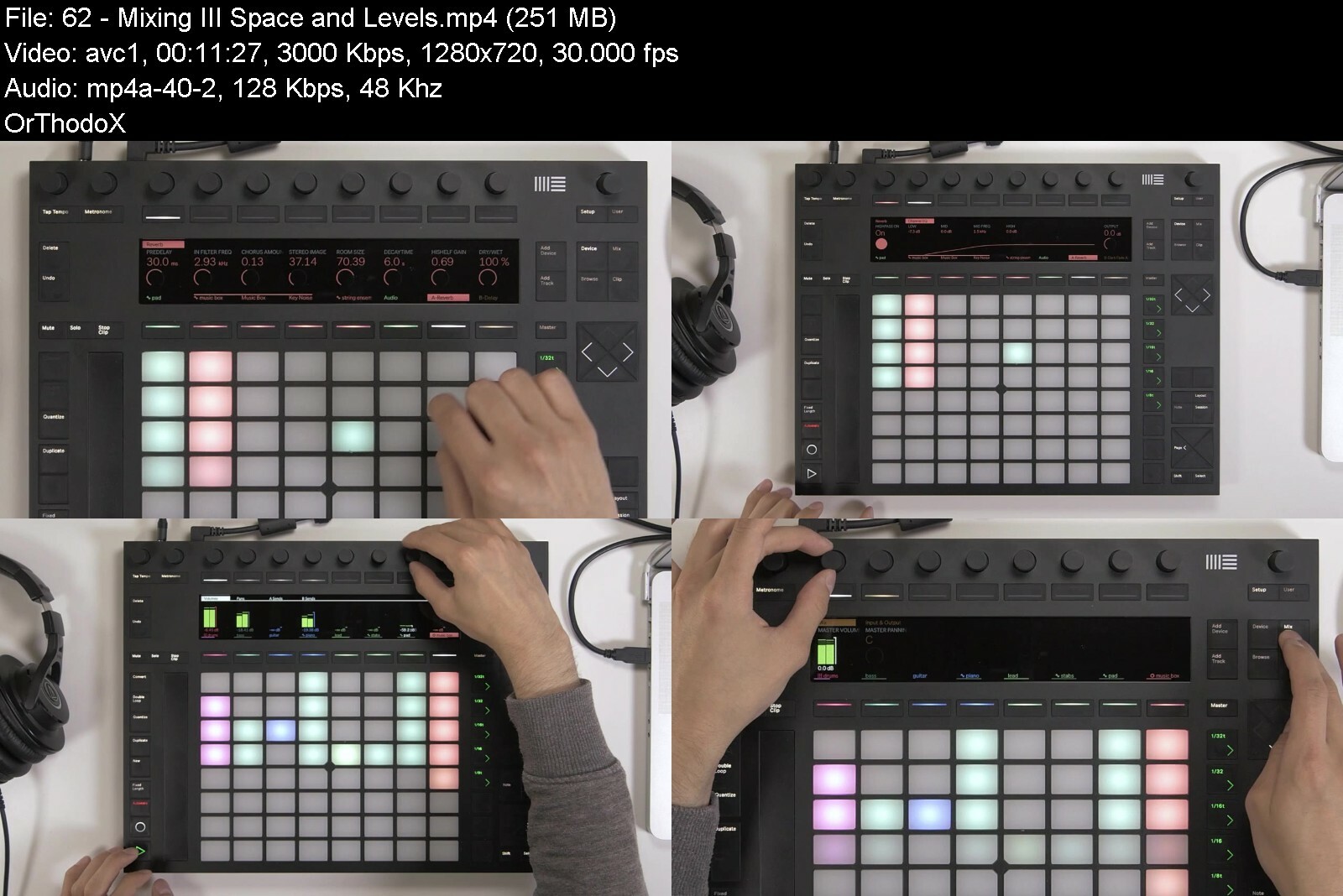
Ableton Push - Workflow And Production

usqarjg97rkuzeh2pcxup5me8u.jpg


Ableton Push - Workflow And Production
Last updated 9/2019
MP4 | Video: h264, 1280x720 | Audio: AAC, 44.1 KHz
Language: English | Size: 7.14 GB | Duration: 6h 6m

Learn Push workflow and production techniques with Ableton Certified Trainer Mitch Lee. UPDATED FOR LIVE 10.1


What you'll learn
Program Drums
Play melodies, chords and scales
Sample
Record and Loop Audio
Arrange
Mix

Requirements
A basic to intermediate understanding of Ableton Live 9.5 or 10
Having a good understanding of Session View is a big help

Description
UPDATED FOR LIVE 10.1Learn Push workflow and production techniques from Ableton Certified trainer and award winning producer Mitch Lee.Learn to create and produce with the Ableton PushDrum ProgrammingNotes, Chords and ScalesSampling WorkflowRecording AudioArranging and MixingUnderstand production workflow*The Ableton Push has changed the way Ableton users produce and perform. Workflow is everything and understanding how best to maximize this instrument is what this course is all about.Content and OverviewDrum ProgrammingDrum programming is one of the many strengths of the Ableton Push. You will learn how to program drums 3 different ways. We start with finger/pad drumming techniques and explain how to setup your loop lengths and quantize settings for best results. Then we create a house beat while explaining step sequencing with the Push. Finally we conclude with the Hybrid Technique of finger/pad drumming and step sequencing. The main workflow technique we showcase through all three methods is Subtractive Drum Programming.Notes, Chords and ScalesThe isometric keyboard on the Push allows users to create melodies with ease. The scale function creates a fast way to create melody or bass lines in any key or scale you desire. Learning a few different chord shapes will allow you to play many chords in any scale. The melodic step sequencer is another creative tool for creating baselines and melodic lines you might not normally make.Sampling WorkflowWith the latest 9.5 release of Live, Ableton has completely changed the sampling game for Push users. The upgrade to the simpler instrument has taken the sampling process on the Push to an incredible new level. Offering a number of new tools inside of simpler along with the ability to warp samples allows us to time stretch instantly and manipulate samples any way we please. Chopping samples is just the beginning, learn to sample fast, from vinyl and other formats.Recording AudioThere are a number of Push users who also play other instruments like guitar and bass. Understanding how to record and loop with the Push is a real mystery for some users. Learn to how to use a foot pedal to punch in and out and record live instruments with the Push. Mitch also explains how to connect a hardware synth and control it with the Push.Arranging and MixingThe Push is an incredible arrangement tool. Learn how to setup your clips in Ableton and learn Mitch's macro arrangement technique with the Push. Take your ideas and loops and make them into sections of your tracks fast and*efficiently. Learn what mixing facilities are available to Push users. Being*able to meter on the Push 2 has made it much easier to get your mixes to a place where you can fine tune and make your tracks sit properly. The Push turns into a tactile tool for adjusting and tweaking your tracks while processing and working with plugins and*vsts.Live PerformanceA case study following artist Sergio Levels as he walks through his live performance setup and tricks and tips for integrating other hardware and devices.ShortcutsOver 15min of quick hitting shortcuts to make your workflow lightening fast.Updates and Bonus SectionBrand new content for the Live 10.1 update added. Learn to make an incredible Selektor Drum Rack and watch how this workflow is a game changer. What am I going to get from this course?Over 40*lessons and over 6*hours of content!Learn the Ableton Push from Ableton Certified Trainer and award winning producer Mitch LeeProject files, drum racks and sample packs to help you follow along with the lessonsCreated for beginners and Intermediate Push usersWorkflow is at the heart of every lesson
Overview
Section 1: Course Overview
Lecture 1 Ableton Push - Workflow and Production - Course Overview
Section 2: Drum Programming
Lecture 2 Finger / Pad Drumming - part 1
Lecture 3 Finger / Pad Drumming - part 2
Lecture 4 Finger / Pad Drumming - part 3
Lecture 5 Finger / Pad Drumming - part 4
Lecture 6 Step Sequencing - part 1
Lecture 7 Step Sequencing - part 2
Lecture 8 Hybrid Drum Programming - part 1
Lecture 9 Hybrid Drum Programming - part 2
Section 3: 64 Pad Jamming
Lecture 10 Stank Pack Demo
Lecture 11 Stank Pack Walkthru - Part 1
Lecture 12 Stank Pack Walkthru - Part 2
Lecture 13 Stank Pack Walkthru - Part 3
Section 4: Sampling Workflow
Lecture 14 Creating a Loop from Vinyl - part 1
Lecture 15 Creating a Loop from Vinyl - part 2
Lecture 16 Creating a Loop from Vinyl - part 3
Lecture 17 Chopping Drums - part 1
Lecture 18 Chopping Drums - part 2
Lecture 19 Chopping Drums - part 3
Lecture 20 Sampling from your computer - part 1
Lecture 21 Sampling from your computer - part 2
Lecture 22 Creating an Instrument from a Sample - part 1
Lecture 23 Creating an instrument from a Sample - part 2
Lecture 24 Sampling a vocal
Lecture 25 Live 9.7 New Push Features Part 1
Lecture 26 Live 9.7 New Push Features Part 2
Lecture 27 Live 9.7 New Push Features Part 3
Section 5: Notes, Chords and Scales
Lecture 28 Notes
Lecture 29 Chords
Lecture 30 Chord Progressions
Lecture 31 Melodic Step Sequencer part 1
Lecture 32 Melodic Step Sequencer part 2
Lecture 33 Aftertouch / Mod Touch Strip
Lecture 34 Fixed On
Lecture 35 In Key / Chromatic
Lecture 36 Build a Beat from scratch
Section 6: Recording Audio
Lecture 37 Guitars
Lecture 38 Drums
Lecture 39 Bass
Lecture 40 Hardware Synth
Lecture 41 Vox
Section 7: Arranging and Mixing
Lecture 42 Arranging
Lecture 43 Arranging part 2
Lecture 44 Making the beat
Lecture 45 Mixing concepts
Lecture 46 Mixing part 1
Lecture 47 Mixing part 2
Section 8: Live Performance - Case Study
Lecture 48 1 - Hardware Setup
Lecture 49 Setup - MIDI
Lecture 50 Philosophy
Lecture 51 Audio Clips
Lecture 52 Live Mix 1
Lecture 53 Roland TR8
Lecture 54 Ableton Template 1
Lecture 55 Ableton Template 2
Lecture 56 Live Mix 2
Section 9: Live 10.1 Update
Lecture 57 Live 10.1 Update - Intro
Lecture 58 Capture
Lecture 59 Sequencer + 32 Notes
Lecture 60 Mixing I - Frequency
Lecture 61 Mixing II - Dynamics
Lecture 62 Mixing III - Space and Levels
Section 10: BONUS: Creating a Selector Kit - AKA 128's
Lecture 63 Selector Kit - part 1
Lecture 64 Selector Kit - part 2
Lecture 65 Selector Kit - part 3
Lecture 66 Selector Kit - part 4
Lecture 67 Selector Kit - part 5
Section 11: Shortcuts
Lecture 68 Shortcuts - Sequencer
Lecture 69 Shortcuts - Automation
Lecture 70 Shortcuts - Push Hardware Navigation
Lecture 71 Shortcuts - Clips, Samples and Recording
Ableton Push users,Producers new to Push,Beginner to advanced Push users


abletonpushworkflowan34d78.jpg


Download from RapidGator


Download from DDownload


Archive Password: "Name of the Old Continent" [First Letter Capital]
 
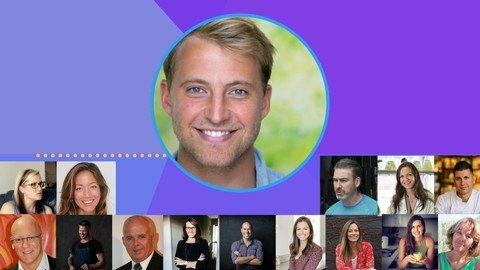
The Gut Summit | Microbiome Health & Science Series

bxhcdta0595ucehevviwo5ad2x.jpg


The Gut Summit | Microbiome Health & Science Series
Last updated 3/2019
MP4 | Video: h264, 1280x720 | Audio: AAC, 44.1 KHz
Language: English | Size: 19.16 GB | Duration: 14h 1m

A complete dive into the world of gut health & the microbiome with the world's best experts.


What you'll learn
The role of the microbiome in our health
Practical ways to engage a healthy microbiome
Comprehensive, easy to understand lectures from the world's best practitioners on gut health

Requirements
None.

Description
Do you feel overwhelmed with the whole 'gut health' thing at the moment? We do, too. Sometimes, you don't know who to listen to, which magazine or blog to trust & finally which foods to eat to look after yourself! It can be a nightmare.The Gut Summit Online Series promises to clear away the confusion.With an emphasis on comprehensive, entertaining & actionableinformation, The Gut Summit brings Australia's greatest gut health experts to the screen for a one-time only event to give you the real deal on every day gut health.
Overview
Section 1: Introduction
Lecture 1 Your host, Kale Brock, shares what to expect from this course.
Section 2: Expert Lectures
Lecture 2 Kale Brock | Healing & Sealing The Gut Lining
Lecture 3 Dr. Damian Kristof | The Gut From Birth
Lecture 4 Helen Padarin, ND | Gut Health From Toddlers To Teens
Lecture 5 Dr. Andrea Huddleston | The Gut Hormone Connection
Lecture 6 John Ellerman, bSc | Groundbreaking Probiotic Research
Lecture 7 Scott Gooding | Reality In Food
Lecture 8 Olivia Kaplan | Mood Food
Lecture 9 Louise Macartney | Longevity & Gut Health
Lecture 10 Dr. Peter Dingle | Gut Ecology
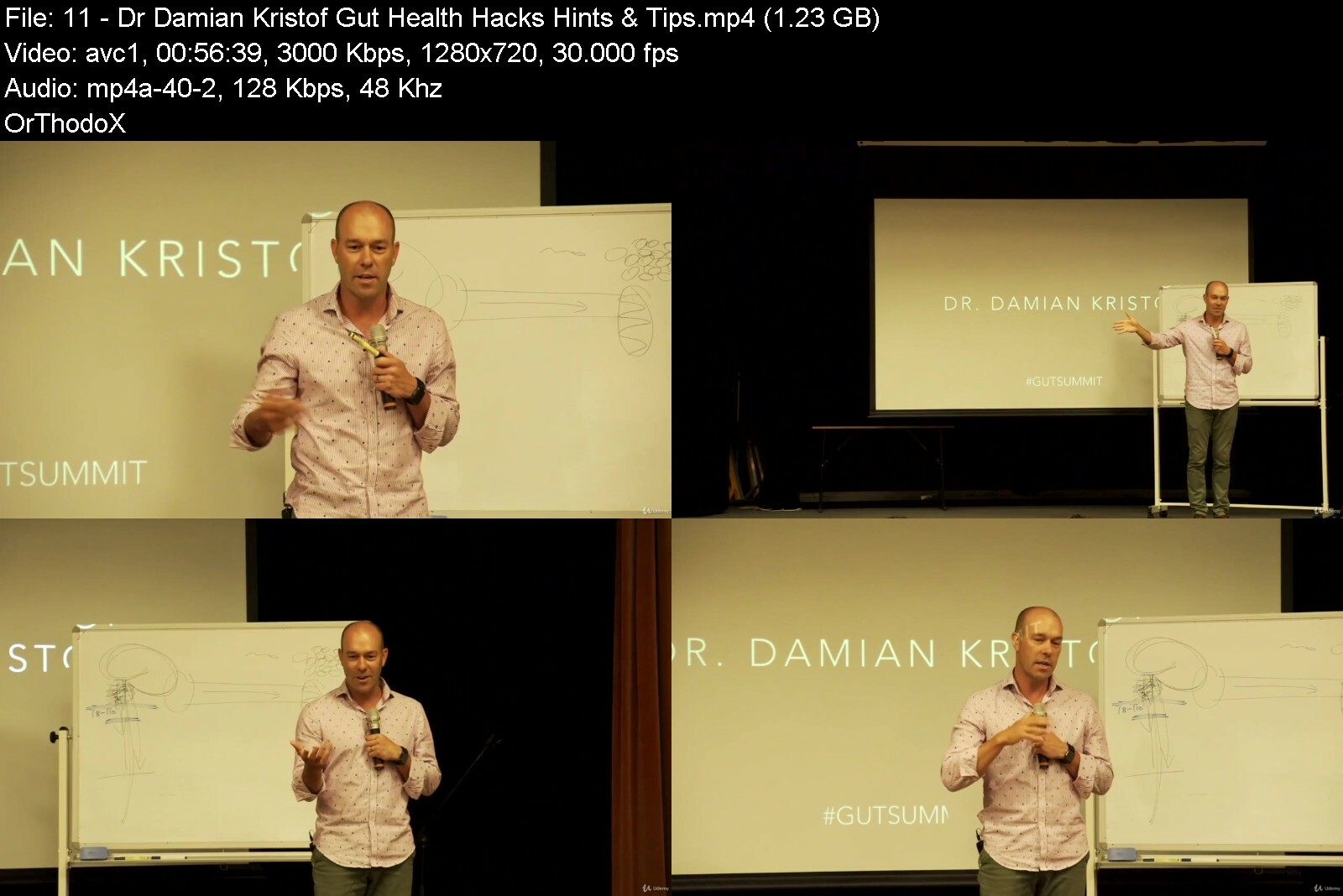
Lecture 11 Dr. Damian Kristof | Gut Health Hacks, Hints & Tips
Lecture 12 Kale Brock | The Childhood Health Crisis
Section 3: Interviews
Lecture 13 Dr. Laura Lum | Depression & Gut Health; An Integrated Approach
Lecture 14 Dr. Pia Winberg: Seaweed, The Gut Health Superfood
Lecture 15 Practitioner Roundtable Q&A | Gut Health
Lecture 16 Donal Carr | Digestive Exercise Stimulation
Lecture 17 Amanda Ledwith | Testing Your Microbiome; How & Why
Lecture 18 Danielle Elliott | SIBO & IBS
Lecture 19 Kasey Willson, ND | Pregnancy Nutrition & Gut Health
Lecture 20 Dr. Damian Kristof | The Allergy Solution
Lecture 21 Dr. Peter Dingle | Gut Health Hints, Hacks & Tips
Section 4: Recipe Tutorials
Lecture 22 Kale Brock | The Best Green Smoothie In The World
Lecture 23 Anthony Milotic | The Whole Chook
Section 5: Q&A's
Lecture 24 John Ellerman | Probiotics In Application
Lecture 25 Dr. Andrea Huddleston | Period Pain, Hormonal Challenges & More.
Lecture 26 Danielle Elliott | SIBO, IBS Treatments & More
Lecture 27 Kasey Willson, ND | Fertility & More
Section 6: What Next?
Lecture 28 Your host, Kale Brock, wraps up the series with further resources & guidance!
Those looking to take back control of their health & take their knowledge of the gut & microbiome to the next step.


thegutsummitmicrobiommqfl0.jpg


Download from RapidGator


Download from DDownload


Archive Password: "Name of the Old Continent" [First Letter Capital]
 
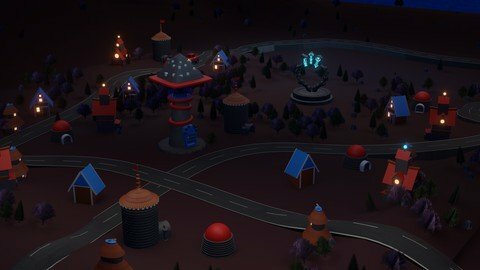
The Complete 2022 Epic 3D Metaverse And Nft Designing

5dbbntk0m5odc8stxcmufdni6k.jpg


The Complete 2022 Epic 3D Metaverse And Nft Designing
Published 8/2022
MP4 | Video: h264, 1280x720 | Audio: AAC, 44.1 KHz
Language: English | Size: 5.49 GB | Duration: 6h 38m

Design 3D NFTs and METAVERSE Projects, Learn to Design Profitable Epic, Fantastic NFT & Metaverse Art With Blender 3D


What you'll learn
3D modeling tips.
3D coloring tips
How to improve 3D Modelling ability
Blender 3D practical use
Creating 3d models suitable for METAVERSE technology
Creating 3d models in accordance with NFT technology
Designing 3D NFT Art

Requirements
Standard computer
Blender program installed on your computer (you can download it for free from the blender official website.)

Description
Hello my dear students, In this course, we will model an amazing 3D fantasy land with you. We will get to know the Blender 3D program, then we will make perfect models. This course is an excellent resource for anyone who loves to learn and wants to improve their 3D modeling field. 3D modeling is mainly used in animation movies, games, VFX (Visual Effects) creation, NFT collections and Metaverse Projects. Blender, on the other hand, is one of the incredible software that can do excellent work in all these areas. Plus Blender is completely FREE!In this course, we will create models for NFT and Metaverse projects with Blender 3D, one of the 3D modelling programs.Now, if you are ready, let's move on to the most frequently asked questions.What is NFT?The technology known as NFT, that is, Non-Fungible Token, proves the belonging of a picture, video, the sound or physical entity it represents. In other words, it helps us to own all virtual content. As a matter of fact, this technology is not so new, NFTs, whose foundations were laid in Ethereum in 2017, have become one of the most popular topics in the crypto money industry in 2021.After completing this course, you will receive a certificate of attendance for completing the course!So what is the difference between NFTs?Friends, NFTs cannot be divided, reproduced or repeated. In other words, content produced and sold in this way cannot be thousands like cryptocurrencies. Every NFT is special and therefore carries great meaning. The uniqueness of NFTs makes them much, much more meaningful. For example, cryptocurrencies such as BTC and ETH can be transferred by dividing them into fractions, while NFT is bought and sold alone as a whole.So how are NFTs produced?As it is known, NFTs are produced according to the ERC-721 token standard prepared by Ethereum developers. NFT trading can be carried out on special platforms established for NFTs by avoiding the intense code complexity of the IT world.NFT is a digital asset so you need a digital blockchain wallet for that. For this, the widely used METAMASK wallets can be preferred. We have covered the METAMASK wallet setup in detail in our courses. We invite everyone who does not want to miss the train on NFTs to our platform. After you upload the file you want to print as NFT to the IPFS system via these platforms, you need to provide some information for this NFT. You should write information such as NFT sales price, name, number. Once the transaction is complete, your content is transferred to the relevant wallet and saved on your preferred blockchain network.How can I get NFT?You can buy and sell NFTs on special platforms prepared for this.What are NFT sales types?NFTs are usually sold as eth. Some NFT manufacturers sell their NFTs by auction, while others set a direct selling price for the new one.In which sectors is NFT used?In almost all current technologies, a place is reserved for NFT content. NFTs are sometimes used as a ticket when registering, when logging in, and sometimes as a reward or tool in games. In fact, some NFT communities may impose an obligation to buy NFT as a condition to help each other, so people who want to help by joining the community and get support from people who are more experienced than themselves can pay comfortably for only 1 NFT up to 20 thousand dollars.Is NFT an investment?I think absolutely yes because in one way or another you are paying for a digital piece of art. You can buy and sell this work on the NFT marketplace. The rarity of the piece in your hand multiplies its value.What impact will NFTs have on the Future?NFTs are a technology focused on solving the intellectual property problem. As you know, the future is built on the Blockchain network, and we can say that this network is the ground floor of the world of the future. The systems established years ago on this ground now enrich this field by bringing the technology of ownership. Just as there are land sales in METAVERSE technologies, the importance of immutable tokens in this field is proven exponentially day by day.With its programmable feature, the first producer of the work on all platforms can determine the royalty fee from each purchase and sale while the work is in circulation. In this way, the fee determined when the sale is made can be transferred directly to the seller's account.What are the most notable sales of recent times?Beeple (Mike Winkelmann) has sold a collage of his works for $69.4 million at auction by the auction house Christie's. Lebron James' slam dunk video NFT sold for $77,000 via the NBA Top Shot app. Twitter CEO Jack Dorsey's tweet was bought by a Turkish person for $2.9 million.There are millions of sales transactions like this. The basic stages of NFT projects are quality information, quality content, quality marketing and proper function. It is the quality that sets it apart from the others that pave the way for an NFT to find buyers. This is where we step in. We enable you to gain expertise by teaching you the 3D basics. In this way, you will be able to create quality works with the knowledge and skills you have acquired.What will we add to you?Our courses will not only give you NFT training but also provide 3D modelling training. In this way, you can easily use it in animation movies, games, NFTs, and Metaverse projects.
Overview
Section 1: Introduction
Lecture 1 Intro
Section 2: Blender Quick Start
Lecture 2 Let's Download Blender Software For Free
Lecture 3 Blender Quick Start
Section 3: Modelling Fantastic Portal
Lecture 4 Designing Base Object
Lecture 5 Stone Sculpting Part 1
Lecture 6 Stone Sculpting Part 2
Lecture 7 Stone Sculpting Part 3
Lecture 8 body
Lecture 9 Modelling Stand
Lecture 10 Circle Part 1
Lecture 11 Circle Part 2
Section 4: Modelling
Lecture 12 Modelling Tower Part1
Lecture 13 Modelling Tower Part2
Section 5: Modelling More Object
Lecture 14 Modelling Hatchet
Lecture 15 Modelling Wood
Lecture 16 Modelling Fire
Section 6: Modelling Second Tower
Lecture 17 Second Tower Part 1
Lecture 18 Second Tower Part 2
Lecture 19 Second Tower Part 3
Section 7: Home Modelling
Lecture 20 Modelling Home Part 1
Lecture 21 Modelling Home Part 2
Lecture 22 Modelling Home Part 3
Lecture 23 Modelling Home Part 4
Section 8: Modelling Second Home
Lecture 24 Modelling Second Home
Section 9: Modelling Third Home
Lecture 25 Modelling Third Home Part 1
Lecture 26 Modelling Third Home Part 2
Lecture 27 Modelling Third Home Part 3
Lecture 28 Modelling Third Home Part 4
Section 10: Modelling More
Lecture 29 Tree
Lecture 30 Lamp
Section 11: Coloring Part
Lecture 31 Coloring
Section 12: Export & Import
Lecture 32 Export & Import
Section 13: Continue to build excellent models
Lecture 33 Modelling Land
Lecture 34 Modelling Mountain
Lecture 35 Modelling Grass
Section 14: Modelling 3D Hut
Lecture 36 Hut Modelling Part 1
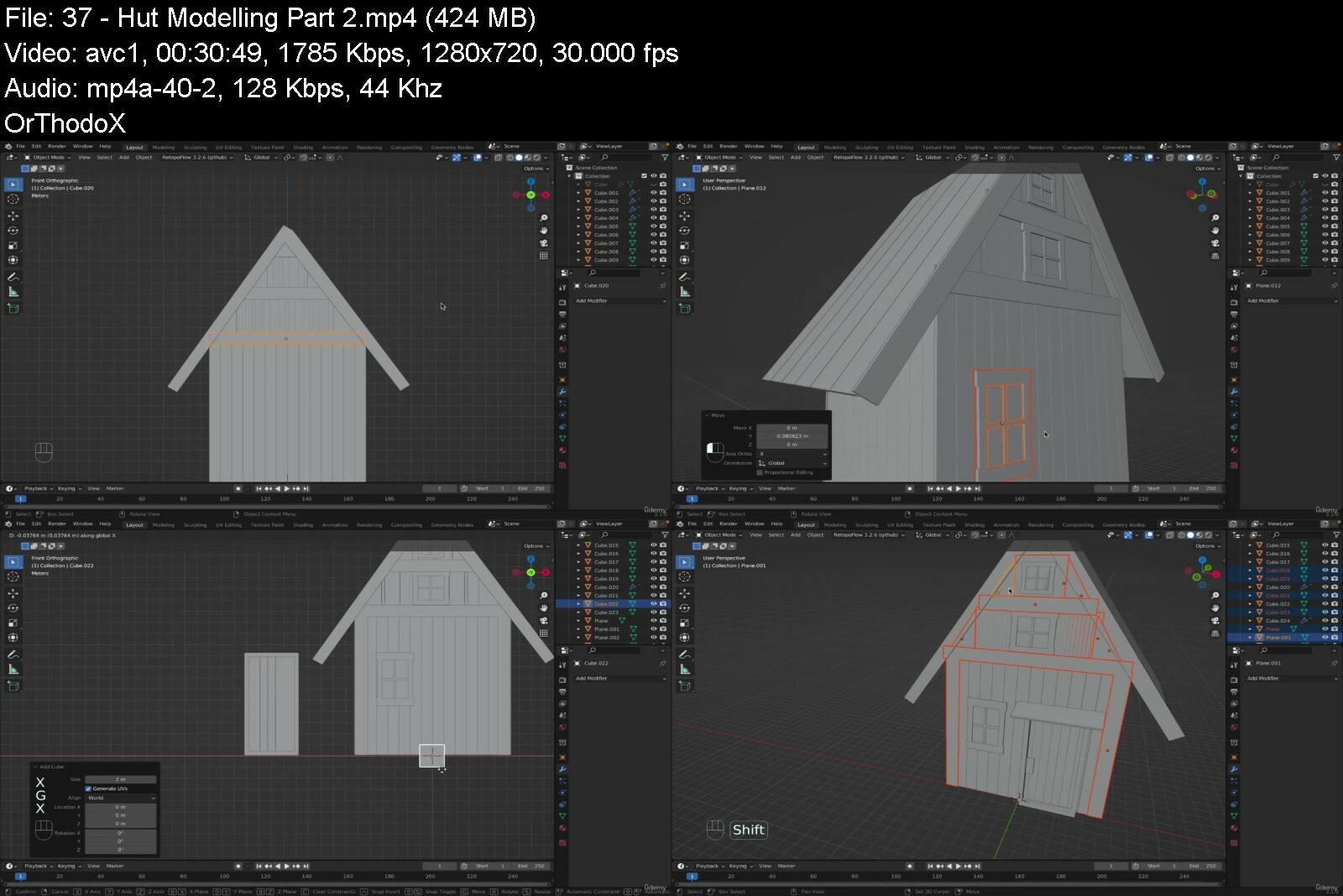
Lecture 37 Hut Modelling Part 2
Section 15: Blender Tricks for you
Lecture 38 Practical object duplication
Lecture 39 Perfect camera setup
Lecture 40 Rendering animation
Section 16: MetaMask Setup
Lecture 41 MetaMask Setup
Section 17: Publish NFT Project
Lecture 42 Publish NFT Project
Anyone interested in modelling,Those who want to model their dream fairy tale world,Those who want to take their 3D modeling skills to the next level.,Beginners to 3D modeling with Blender,Those who want to create 3d models suitable for NFT technology,Those who want to create 3d models suitable for METAVERSE technology,Those who are interested in NFT art.,Those who are interested in NFT project.,Those who are interested in Digital Art.,Those who are interested in Metaverse.,Those who are interested in creating NFT tokens,Those who are interested in Trend NFTs.


thecomplete2022epic3dcbcby.jpg


Download from RapidGator


Download from DDownload


Archive Password: "Name of the Old Continent" [First Letter Capital]
 
Ielts: The Complete Ielts Preparation Course

nlxuyqf9khmpzzeqqqyftyrf17.jpg


Ielts: The Complete Ielts Preparation Course
Published 8/2022
MP4 | Video: h264, 1280x720 | Audio: AAC, 44.1 KHz
Language: English | Size: 9.40 GB | Duration: 9h 18m

Get Band 7+ in IELTS tests by learning Speaking, Listening, Reading and Writing from this course


What you'll learn
Understanding the format and marking system of all the modules of the exam
Understand the necessity and validity of the exam
Understanding the requirements of the exam
Understand the different types of questions in each module and how to deal with the questions?
Identify the key points from the extract as well as the question in Reading and Listening
All dos and don'ts of each module
Know the traps of the module and also know how to overcome them successfully
Know to paraphrase and use connective devices, especially in Speaking and Writing
Strategies for time management
Know how to skim and scan and extract information
Know the best way to present the answers while Writing and Speaking

Requirements
Person with an understanding of English who is able to read, write and speak in a neutral accent.
Has the tenacity to learn and understand Cambridge 11 to 16( books that would be used during explanation). NB *We do not provide them but recommend using these books.
Ability to give their best to achieve 7+ band

Description
Any language testing system tests you in all 4 skills namely, Listening, Reading, Writing (Commonly known as LRW), and Speaking. In IELTS 7+ bands as been a dream or target of every aspirant but to make this dream come true, this course will be the best choice. This course will guide you through both Academic Module and General module.The uniqueness of this course is the teaching method fits all types of learners. It is organized logically step by step. Every need of the learner is taken care of. To illustrate, each section of all modules is dealt in depth with examples so that the student gets the feel of a real exam. The course is curated by experienced trainers keeping in mind the difficulties and confusion faced by the students during taking the course and for the exam. Not only this the course creator has used simple language to make things simpler for the learners.The course creators and the trainers have a good number of experiences in this field. All are certified trainers and are adept in their field. They have record of students who have achieved acceptable scores. You can see a distinct metamorphosis in terms of understanding, The mentoring and guidance will help you to answer the questions asked in IELTS easily.The attractive part of this course is the speaking module which is planned not just to answer a set of questions but to train your brain to think more about the relevant questions. This will also be helpful in the future.
Overview
Section 1: Introduction to IELTS
Lecture 1 Introduction to IELTS
Lecture 2 IELTS - Introduction
Section 2: IELTS Speaking
Lecture 3 IELTS SPEAKING TEST | Speaking Tips, Format & Criteria for Marking in IELTS
Lecture 4 ✔IELTS Speaking Tips and Tricks | Speaking Test IELTS BAND 7
Lecture 5 ✔IELTS Speaking Part- 1 | IELTS Mock Interview Speaking Test
Lecture 6 ✔IELTS Speaking Part- 2 | IELTS Speaking Cue Cards
Lecture 7 IELTS Speaking Cue Cards | IELTS Speaking about Places
Lecture 8 IELTS Speaking with Cue Cards for Band 7 Score | IELTS Speaking about THINGS
Section 3: IELTS Writing Skills
Lecture 9 How to Improve your IELTS Writing Skills? | IELTS Writing Tips for Band 8 Score
Lecture 10 All About IELTS | Where to Start? | Age Limit | Test Preparation & Format
Lecture 11 IELTS Writing Test | IELTS Writing Test Tips and Format
Lecture 12 IELTS Letter Writing | Formal & Informal Letters
Lecture 13 Task 1: Pie chart
Lecture 14 Task 1: line graph
Lecture 15 IELTS Writing - Bar Graph
Lecture 16 Task 1: Table
Lecture 17 Task 1: Life cycle
Lecture 18 Task 1: Process
Lecture 19 Task 1: Maps
Lecture 20 Task 2 -Type 2Advantage Disadvantage
Lecture 21 Task 2-Type 3 Discussion Type
Lecture 22 Task 2: Type 1 Agree Disagree
Lecture 23 Task 2-Type 4 Problem and Solution
Lecture 24 Task 2-Type 5 Two question
Lecture 25 Essay Structure
Section 4: Reading
Lecture 26 Overall
Lecture 27 Question Types
Lecture 28 IELTS Reading - Types of Passage
Lecture 29 Type 1 True /False/Not Given
Lecture 30 Type 2 Yes/No/Not Given
Lecture 31 Type 3 Short Type answer
Lecture 32 IELTS Reading - Type 5 - Matching Headings
Lecture 33 Type 6 Sentence Completion
Lecture 34 Type 7 Matching Information
Lecture 35 Type 8 Summary completion
Lecture 36 Type 9 Label Completion
Lecture 37 Type 10 Matching features
Lecture 38 Type 11 Note Completion
Lecture 39 Type 12 Matching sentence completion
Lecture 40 Type 13 Table completion
Section 5: Listening
Lecture 41 Overall
Lecture 42 Types of question
Lecture 43 Section 1
Lecture 44 Section 2 (Part-1)
Lecture 45 Section 2 (Part-2)
Lecture 46 Section 3
Lecture 47 Section 4
This course is for students aspiring to study in 11,000 above organizations across the world in 140 countries or more,Candidates who are willing to work in these countries majorly UK, US, Canada, New Zealand, Australia, Ireland, and many more,Candidates seeking PR for well-known countries,Candidates planning to improve their Reading and Comprehending skills,Candidates planning to improve their Listening skills and has willingness to get acceptable scores in IELTS and such related exams,Candidates willing to know how to write an effective essay according to IELTS Academic format and others will find this course helpful,Candidates willing to improve their writing skills and willing to avoid common mistakes will certainly go for this course,This course will be to a great asset for the candidates who would like to know the essential requirement for IELTS General letter writing,Speaking skills have also been given a special emphasis in this course. So, any candidate with hesitation to speak English will find it useful as it not only provides sample answers but gives you some starters and guess questions that will help to train your brain to tackle any type of question that come across,Of course, this course will guide you to improve your scores


ieltsthecompleteieltsf8i1v.jpg


Download from RapidGator


Download from DDownload


Archive Password: "Name of the Old Continent" [First Letter Capital]
 
Electronic Music Production - Synthesis

mwc5cnq51mpja84whshm5jif6l.jpg


Electronic Music Production - Synthesis
Last updated 9/2019
MP4 | Video: h264, 1280x720 | Audio: AAC, 44.1 KHz
Language: English | Size: 14.14 GB | Duration: 15h 1m

Learn Modern Synthesis - Hardware and Software for any genre


What you'll learn
Synthesis for Music Production
How to navigate and create your own sounds on hardware synths
How to navigate and create your own sounds on software synths
What each component on a synthesizer does
Hear a sound and know how to re create it on a soft synth or hardware synth

Requirements
A beginner level of Ableton Live

Description
Have you always wanted to approach a hardware synth like a Moog or a software synth like Massive and understand how to program it? Well this course is for you. The goal of this course is to provide students with a fundamental understanding of how synthesizers work and how to manipulate them to create the sounds they've always wanted to make.Learn essential synth elements such as oscillators, filters, and envelopes: what they do, how they work together, and how to go about creating sounds beyond the manufacturer's pre-set patches.UPON FINISHING THIS COURSE YOU WILL KNOW:How to identify just about any synthesizer by type, old or new, and how to use itHow to create any sound of your own concept using a hardware or software synthesizerHow to incorporate synthesizers and synth-style processing techniques into DAW programs like Ableton LiveHow to distinguish where your favourite "retro" synth sounds come from along with other classic sounds like those made by Moog, ARP and OberheimTOPICS COVEREDSignal Generators and Signal ModifiersTypes of Synthesis (subtractive, additive, FM, wavetable etc.)Synthesizer modules - (VCO, VCF, VCA, CV processors, LFO, Wave Shapers)Common synthesizer layoutsIncorporating synth elements into audio productionHardware vs. software - finding the right synth for youWHAT YOU WILL NEEDWe cover all the Ableton Live Synths so Ableton Live would be helpful but not mandatory. We cover Native Instruments FM8 and Massive. Again not mandatory but helpful.
Overview
Section 1: Introduction
Lecture 1 How Sound is Made
Lecture 2 What is a Synthesizer
Lecture 3 Hardware vs Software
Section 2: Hardware Synth Overview
Lecture 4 Moog Model D
Lecture 5 Moog Model D Jam
Lecture 6 Novation - Bass Station II
Lecture 7 Bass Station II Jam
Lecture 8 Roland System I
Lecture 9 Roland System I Jam
Lecture 10 Native Instrument FM8
Section 3: Types of Synthesis
Lecture 11 Types of Synthesis
Section 4: Software Synth Overview
Lecture 12 Software Synth Intro
Lecture 13 Ableton Operator
Lecture 14 Serum
Lecture 15 Geography of Analog I
Lecture 16 Geography of Analog II
Lecture 17 Loading and Saving Presets
Lecture 18 Hot Swap
Section 5: Components of a Synthesizer
Lecture 19 Oscillators Part 1
Lecture 20 Osciallators Part 2
Lecture 21 Filters
Lecture 22 Modulation
Lecture 23 Samplers and Envelopes
Lecture 24 Retriggering
Section 6: LFO's
Lecture 25 What is an LFO
Lecture 26 Operators LFO's
Lecture 27 Make a Dubstep Wobble
Lecture 28 Max For Live
Section 7: Frequency Modulation Synthesis
Lecture 29 What is FM Synthesis?
Lecture 30 FM - Part 1
Lecture 31 FM - Part 2
Lecture 32 FM - Part 3
Lecture 33 FM - Part 4
Lecture 34 Mapping and Sound Design
Lecture 35 Making an FM Arp Sound
Lecture 36 Making an FM Piano Patch
Section 8: Types of Sounds and Analysis
Lecture 37 Types of Sounds
Lecture 38 Analysis of Sound
Lecture 39 Reverse Engineering Part 1
Lecture 40 Reverse Engineering Part 2
Section 9: Physical Modelling Synthesis - Ableton Live
Lecture 41 Electric - Ableton Live
Lecture 42 Collision - Ableton Live
Lecture 43 Tension - Ableton Live
Section 10: Sampling Synthesis - Ableton Live
Lecture 44 Simpler - Ableton Live
Lecture 45 Sampler - Ableton Live
Lecture 46 Instrument Racks - Ableton Live
Section 11: Native Instruments
Lecture 47 Intro to Massive
Lecture 48 Massive Patch Excercises
Lecture 49 Intro to FM8
Section 12: How to make a Future Pad
Lecture 50 Future Pad Tutorial
Beginner and Intermediate Music Producers,Music Producers who are wanting to create their own sounds,Music Producers who want to understand synthesis,Music Producers interested in how music is made and what sounds they are hearing in their favorite tracks


electronicmusicproduccsd68.jpg


Download from RapidGator


Download from DDownload


Archive Password: "Name of the Old Continent" [First Letter Capital]
 
Zurück
Oben Unten