• Regeln für den Video-Bereich:

    In den Börsenbereich gehören nur Angebote die bereits den Allgemeinen Regeln entsprechen.

    Einteilung

    - Folgende Formate gehören in die angegeben Bereiche:
    - Filme: Encodierte Filme von BluRay, DVD, R5, TV, Screener sowie Telesyncs im Format DivX, XviD und x264.
    - DVD: Filme im Format DVD5, DVD9 und HD2DVD.
    - HD: Encodierte Filme mit der Auflösung 720p oder darüber von BluRay, DVD, R5, TV, Screener sowie Telesyncs im Format x264.
    - 3D: Encodierte Filme von BluRay, die in einem 3D Format vorliegen. Dies gilt auch für Dokus, Animation usw.
    - Serien: Cartoon/Zeichentrick, Anime, Tutorials, Dokumentationen, Konzerte/Musik, Sonstiges sind demnach in die entsprechenden Bereiche einzuordnen, auch wenn sie beispielsweise im High Definition-Format oder als DVD5/DVD9/HD2DVD vorliegen. Ausnahme 3D.
    - Bereich Englisch: Englische Releases gehören immer in diesen Bereich.
    - Bereich Talk: Der Bereich, in dem über die Releases diskutiert werden kann, darf, soll und erwünscht ist.


    Angebot/Beitrag erstellen

    - Ein Beitrag darf erst dann erstellt werden, wenn der Upload bei mindestens einem OCH komplett ist. Platzhalter sind untersagt.
    - Bei einem Scenerelease hat der Threadtitel ausschließlich aus dem originalen, unveränderten Releasenamen zu bestehen. Es dürfen keine Veränderungen wie z.B. Sterne, kleine Buchstaben o.ä. vorgenommen werden. Ausnahme Serienbörse:
    - Bei einem Sammelthread für eine Staffel entfällt aus dem Releasename natürlich der Name der Folge. Beispiel: Die Simpsons S21 German DVDRip XviD - ITG
    - Dementsprechend sind also u.a. verboten: Erweiterungen wie "Tipp", "empfehlenswert", "only", "reup", usw. / jegliche andere Zusatzinformation oder Ergänzung, welche nicht in obiger Beschreibung zu finden ist.

    Aufbau des Angebots und Threadtitel

    Der Titel nach folgendem Muster erstellt zu werden. <Name> [3D] [Staffel] [German] <Jahr> <Tonspur> [DL] [Auflösung] <Quelle> <Codec> - <Group>
    Beispiel: The Dark Knight German 2008 AC3 DVDRip XviD - iND
    Beispiel: The Dark Knight 2008 DTS DL BDRip x264 - iND
    Beispiel: The Dark Knight 2008 AC3 DL BDRip XviD - iND
    Beispiel: The Dark Knight German 2008 AC3 720p BluRay x264 iND
    Beispiel: The Dark Knight 2008 DTS DL 1080p BluRay x264 iND
    Beispiel: Die Simpsons S01 German AC3 DVDRip XviD iND
    Beispiel: Die Simpsons S20 German AC3 720p BluRay x264 iND
    Beispiel: Sword Art Online II Ger Sub 2014 AAC 1080p WEBRip x264 - peppermint
    Entsprechend sind also u.a. verboten: Sonderzeichen wie Klammern, Sterne, Ausrufezeichen, Unterstriche, Anführungszeichen / Erweiterungen wie "Tipp", "empfehlenswert", "only", "reup", usw. / jegliche andere Zusatzinformation oder Ergänzung, welche nicht in obiger Beschreibung zu finden ist
    Ausnahmen hiervon können in den Bereichen geregelt sein.

    Die Beiträge sollen wie folgt aufgebaut werden:
    Überschrift entspricht dem Threadtitel
    Cover
    kurze Inhaltsbeschreibung
    Format, Größe, Dauer sind gut lesbar für Downloader außerhalb des Spoilers zu vermerken
    Nfo sind immer Anzugeben und selbige immer im Spoiler in Textform.
    Sind keine Nfo vorhanden z.B. Eigenpublikationen, sind im Spoiler folgende Dateiinformationen zusätzlich anzugeben :
    Quelle
    Video (Auflösung und Bitrate)
    Ton (Sprache, Format und Bitrate der einzelnen Spuren)
    Untertitel (sofern vorhanden)
    Hosterangabe in Textform außerhalb eines Spoiler mit allen enthaltenen Hostern.
    Bei SD kann auf diese zusätzlichen Dateiinformationen verzichtet werden.

    Alle benötigten Passwörter sind, sofern vorhanden, in Textform im Angebot anzugeben.
    Spoiler im Spoiler mit Kommentaren :"Schon Bedankt?" sind unerwünscht.


    Releases

    - Sind Retail-Release verfügbar, sind alle anderen Variationen untersagt. Ausnahmen: Alle deutschen Retail-Release sind CUT, in diesem Fall sind dubbed UNCUT-Release zulässig.
    - Im Serien-Bereich gilt speziell: Wenn ein Retail vor Abschluss einer laufenden Staffel erscheint, darf diese Staffel noch zu Ende gebracht werden.62
    - Gleiche Releases sind unbedingt zusammenzufassen. Das bedeutet, es ist zwingend erforderlich, vor dem Erstellen eines Themas per Suchfunktion zu überprüfen, ob bereits ein Beitrag mit demselben Release besteht. Ist dies der Fall, ist der bereits vorhandene Beitrag zu verwenden.
    - P2P und Scene Releases dürfen nicht verändert oder gar unter einem iND Tag eingestellt werden.


    Support, Diskussionen und Suche

    - Supportanfragen sind entweder per PN oder im Bereich Talk zu stellen.
    - Diskussionen und Bewertungen sind im Talk Bereich zu führen. Fragen an die Uploader haben ausschließlich via PN zu erfolgen, und sind in den Angeboten untersagt.
    - Anfragen zu Upload-Wünschen sind nur im Bereich Suche Video erlaubt. Antworten dürfen nur auf Angebote von MyBoerse.bz verlinkt werden.


    Verbote

    - Untersagt sind mehrere Formate in einem einzigen Angebotsthread, wie beispielsweise das gleichzeitige Anbieten von DivX/XviD, 720p und 1080p in einem Thread. Pro Format, Release und Auflösung ist ein eigener Thread zu eröffnen.
    - Grundsätzlich ebenso verboten sind Dupes. Uploader haben sich an geeigneter Stelle darüber zu informieren, ob es sich bei einem Release um ein Dupe handelt.
    - Gefakte, nur teilweise lauffähige oder unvollständige Angebote sind untersagt. Dies gilt auch für eigene Publikationen, die augenscheinlich nicht selbst von z.B. einer DVD gerippt wurden. Laufende Serien, bei denen noch nicht alle Folgen verfügbar sind, dürfen erstellt und regelmäßig geupdatet werden.
    - Untersagt sind Angebote, welche nur und ausschließlich in einer anderen Sprache als deutsch oder englisch vorliegen. Ausnahmen sind VORHER mit den Moderatoren zu klären.


    Verstoß gegen die Regeln

    - Angebote oder Beiträge, die gegen die Forenregeln verstoßen, sind über den "Melden"-Button im Beitrag zu melden.
  • Bitte registriere dich zunächst um Beiträge zu verfassen und externe Links aufzurufen.

*** Bestes IPTV *** bester Preis *** gratis Test ***


Englische Tutorials

Video Editing Masterclass - Adobe Premiere Pro Cc

yyiyupkdgwqjlqozvs9qoeye0x.jpg


Video Editing Masterclass - Adobe Premiere Pro Cc
Last updated 6/2022
MP4 | Video: h264, 1280x720 | Audio: AAC, 44.1 KHz
Language: English | Size: 9.65 GB | Duration: 17h 26m

The course provided overview of how to create, edit, stylize video editing works using Adobe Premiere Pro


What you'll learn
Instagram Reel Creation using Adobe Premiere Pro
Voyage images Slide Show Video using Adobe Premiere Pro
YouTube Video Editing using Adobe Premiere Pro
Song Editing Work using Adobe Premiere Pro
Multi-Characters Clone Editing using Adobe Premiere Pro
Wedding Video Edit using Adobe Premiere Pro

Requirements
Computer or Laptop
Adobe Premiere Pro CC
Internet Connection if possible
Interest to Learn

Description
Welcome to the course 'Video Editing Masterclass - Adobe Premiere Pro CC'. In this class, You will learn, Many Video Editing Techniques which are highly helpful for beginners and learners of Video Editing. Adobe Premiere Pro is one of the best software for creating all kinds of video editing Works.Through this class, you will learn the following lessons:Introduction to Video EditingNew Project Setup with Premiere ProOverview of WorkspaceImportance of Project Panel and Media PanelWorking with Source MonitorNew Sequence CreationTimeline in DetailProgram MonitorTools in Adobe Premiere ProEffects Control in Premiere ProEssential Effects PanelAssemble the multimedia elementsMarkers in ActionTrim a VideoRipple Delete FunctionMove your Video SegmentsQuick Export as VideoLabel ColourCustomize the Clip SpeedFrame Hold OptionScale to Frame SizeCustomizing the Keyboard FunctionsMake New Colour MatteImport your Image SequenceLoad Images into TimelineBasic Transformation AttributesOpacity AdjustmentFit all Images within the Sequence DimensionSet Duration of ImagesMost Wanted Time RemappingAdd Rectangle and EllipseGraphics in TimelineModify the GraphicsBrowse Essential GraphicsAdd Graphics TemplateEdit Graphics Template AttributesGraphics TransformationsTime of GraphicsRolling the GraphicsCrucial Graphics GroupDifferent ways to create Text from ScratchHandle the Text in Program WindowAdd Paragraph Text in Premiere ProText Alignment and TransformationText Appearance AdjustmentWorking with StylesText Engine and Hindi DigitsFont ReplacementSound in Audio InterfaceAudio GainChannels of AudioEdit your AudioAudio Clip MixingAudio Track MixerVoice Over Record in Adobe Premiere ProDialogue in Essential SoundMusic, SFX, AmbianceAudio Effects - Amplitude, Delay, and EchoFilter EQ and ModulationNoise ReductionReverb and SpecialStereo Imagery Time and PitchApplying Audio TransitionsApplying Video TransitionExploring Various Video TransitionsWhat is Default Transition? Why it is?Apply Default Transition for SelectionTransition Adjustments in TimelineAdjust Transition Effect PropertiesReplacing Existing TransitionsApplying Graphic Template TransitionEdit Graphic TransitionApplying Video EffectCustomize Video EffectsPresets - Bevel Edges and BlursConvolution Kernel EffectsLens Distortion Mosaics and SolarizesTwirls in ActionLumetri Presets - CinematicFilmstocks and MonochromeSpeedLooks and TechnicalEssential AdjustmentsBlur and SharpenDistort your FootageGenerate Artificial ElementsNoise and GainPerspective AdjustmentVarious Stylize EffectsThe Magical TimeTransform EffectsTransition Utility and VideoVideo Clip inside the Specific ShapeAdd Rectangle and Ellipse MaskCreate Freeform Shape mask using Pen ToolAlpha Adjustment, Color Key EffectLuma Key in Premiere ProUltra Key for Keying FunctionSet Animation for ImagesAdd animation for Text and GraphicsAnimate Video EffectsInterpolation Controls for AnimationNature of Rotation in AnimationManual Motion TrackingTracking in Premiere ProFundamentals of Colour WheelPrimary, Secondary, and Tertiary ColoursWarm Colours and Cool ColoursTint, Shade, and ToneHue, Saturation, and LightColour Correction EffectsImage Control Effects for Colour CorrectionObsolete - Auto AdjustmentsBlue, Green Screen Key, Color BalanceDust Scratch, Fast Blur Colour CorrectorGhosting and Luma AdjustmentsNoise, Paint Bucket, and RGB AdjustmentsMiscellaneous Obsolete EffectsExciting Adjustment LayerExport the Sequence as Video FileExport Single FrameExport Media from Project PanelEssential Adobe Media EncoderTime to fly with Premiere Pro
Overview
Section 1: Introduction to Adobe Premiere Pro
Lecture 1 Introduction to Video Editing
Lecture 2 New Project Setup with Premiere Pro
Lecture 3 Overview of Workspace
Lecture 4 Importance of Project Panel and Media Panel
Lecture 5 Working with Source Monitor
Lecture 6 New Sequence Creation
Lecture 7 Timeline in Detail
Lecture 8 Program Monitor
Lecture 9 Tools in Adobe Premiere Pro
Lecture 10 Effects Control in Premiere Pro
Lecture 11 Essential Effects Panel
Section 2: Basic Editing in Adobe Premiere Pro
Lecture 12 Assemble the multimedia elements
Lecture 13 Markers in Action
Lecture 14 Trim a Video
Lecture 15 Ripple Delete Function
Lecture 16 Move your Video Segments
Lecture 17 Quick Export as Video
Section 3: Additional Editing Tools
Lecture 18 Label Colour
Lecture 19 Customize the Clip Speed
Lecture 20 Frame Hold Option
Lecture 21 Scale to Frame Size
Lecture 22 Customizing the Keyboard Functions
Lecture 23 Make New Colour Matte
Section 4: Images in Premiere Pro
Lecture 24 Import your Image Sequence
Lecture 25 Load Images into Timeline
Lecture 26 Basic Transformation Attributes
Lecture 27 Opacity Adjustment
Lecture 28 Fit all Images within the Sequence Dimension
Lecture 29 Set Duration of Images
Lecture 30 Most Wanted Time Remapping
Section 5: Essential Graphics in Premiere Pro
Lecture 31 Add Rectangle and Ellipse
Lecture 32 Graphics in Timeline
Lecture 33 Modify the Graphics
Lecture 34 Browse Essential Graphics
Lecture 35 Add Graphics Template
Lecture 36 Edit Graphics Template Attributes
Lecture 37 Graphics Transformations
Lecture 38 Time of Graphics
Lecture 39 Rolling the Graphics
Lecture 40 Crucial Graphics Group
Section 6: Text Manipulation in Premiere Pro
Lecture 41 Different ways to create Text from Scratch
Lecture 42 Handle the Text in Program Window
Lecture 43 Add Paragraph Text in Premiere Pro
Lecture 44 Text Alignment and Transformation
Lecture 45 Text Appearance Adjustment
Lecture 46 Working with Styles
Lecture 47 Text Engine and Hindi Digits
Lecture 48 Font Replacement
Section 7: Basics of Audio Editing
Lecture 49 Sound in Audio Interface
Lecture 50 Audio Gain
Lecture 51 Channels of Audio
Lecture 52 Edit your Audio
Lecture 53 Audio Clip Mixing
Lecture 54 Audio Track Mixer
Lecture 55 Voice Over Record in Adobe Premiere Pro
Lecture 56 Dialogue in Essential Sound
Lecture 57 Music, SFX, Ambiance
Lecture 58 Audio Effects - Amplitude, Delay and Echo
Lecture 59 Filter EQ and Modulation
Lecture 60 Noise Reduction
Lecture 61 Reverb and Special
Lecture 62 Stereo Imagery Time and Pitch
Section 8: Applying Audio and Video Transitions
Lecture 63 Applying Audio Transitions
Lecture 64 Applying Video Transition
Lecture 65 Exploring Various Video Transitions
Lecture 66 What is Default Transition? Why it is?
Lecture 67 Apply Default Transition for Selection
Lecture 68 Transition Adjustments in Timeline
Lecture 69 Adjust Transition Effect Properties
Lecture 70 Replacing Existing Transitions
Lecture 71 Applying Graphic Template Transition
Lecture 72 Edit Graphic Transition
Section 9: Introduction to Video Effects
Lecture 73 Applying Video Effect
Lecture 74 Customize Video Effects
Lecture 75 Presets - Bevel Edges and Blurs
Lecture 76 Convolution Kernel Effects
Lecture 77 Lens Distortion Mosaics and Solarizes
Lecture 78 Twirls in Action
Lecture 79 Lumetri Presets - Cinematic
Lecture 80 Filmstocks and Monochrome
Lecture 81 SpeedLooks and Technical
Section 10: Advanced Video Effects
Lecture 82 Essential Adjustments
Lecture 83 Blur and Sharpen
Lecture 84 Distort your Footage
Lecture 85 Generate Artificial Elements
Lecture 86 Noise and Gain
Lecture 87 Perspective Adjustment
Lecture 88 Various Stylize Effects
Lecture 89 The Magical Time
Lecture 90 Transform Effects
Lecture 91 Transition Utility and Video
Section 11: Masking Techniques in Premiere Pro
Lecture 92 Video Clip inside the Specific Shape
Lecture 93 Add Rectangle and Ellipse Mask
Lecture 94 Create Freeform Shape mask using Pen Tool
Lecture 95 Alpha Adjustment, Color Key Effect
Lecture 96 Luma Key in Premiere Pro
Lecture 97 Ultra Key for Keying Function
Section 12: Animation in Premiere Pro
Lecture 98 Set Animation for Images
Lecture 99 Add animation for Text and Graphics
Lecture 100 Animate Video Effects
Lecture 101 Interpolation Controls for Animation
Lecture 102 Nature of Rotation in Animation
Lecture 103 Manual Motion Tracking
Lecture 104 Tracking in Premiere Pro
Section 13: Colour Corrections and Grading
Lecture 105 Fundamentals of Colour Wheel
Lecture 106 Primary, Secondary, and Tertiary Colours
Lecture 107 Warm Colours and Cool Colours
Lecture 108 Tint, Shade, and Tone
Lecture 109 Hue, Saturation, and Light
Lecture 110 Colour Correction Effects
Lecture 111 Image Control Effects for Colour Correction
Lecture 112 Obsolete - Auto Adjustments
Lecture 113 Blue, Green Screen Key, Color Balance
Lecture 114 Dust Scratch, Fast Blur Colour Corrector
Lecture 115 Ghosting and Luma Adjustments
Lecture 116 Noise, Paint Bucket and RGB Adjustments
Lecture 117 Miscellaneous Obsolete Effects
Lecture 118 Exciting Adjustment Layer
Section 14: Export your Video Project
Lecture 119 Export the Sequence as Video File
Lecture 120 Export Single Frame
Lecture 121 Export Media from Project Panel
Lecture 122 Essential Adobe Media Encoder
Lecture 123 Time to fly with Premiere Pro
People who want to learn Adobe Premiere Pro CC,People who want to learn Video Editing,Video Editor,Video Editing Freelance Artist,YouTube Video Editing,Any interested learner


videoeditingmasterclazqi8s.jpg


Download from RapidGator


Download from DDownload



Certified Om Master Meditation Practitioner| Accredited

upwcizebaxgq4ajvycghi51ef4.jpg


Certified Om Master Meditation Practitioner| Accredited
Last updated 9/2022
MP4 | Video: h264, 1280x720 | Audio: AAC, 44.1 KHz
Language: English | Size: 8.27 GB | Duration: 6h 31m

Learn skills in mindfulness, wisdom, positive psychology, healing meditation techniques and awakening your higher self


What you'll learn
INTERNATIONALLY CERTIFIED & ACCREDITED
How to honor yourself and your survival armour
How to be content in life when you aren't
How to accept change
How to heal using love & gratitude
How to love yourself as a whole person
How to understand your triggers and move into insight
How to breathe and relax
How to release your surroundings and meditate
How to be at peace
The art of being neutral

Requirements
All Levels Welcome

Description
INTERNATIONALLY CERTIFIEDThis course was taken directly from livestream sessions with a private group in lecture and meditation, on stillness and mindfulness. In this course, I*share wisdom through Zen Meditation and relaxation on spiritual matters that everyday people, healers, and those who work in service of others, deal with. On a weekly basis I*had classes where whatever I saw myself, clients or students going through collectively, I would discuss it in class in general terms and discuss the perspective of healing and enlightenment, and how to love ourselves through our healing in a non-judgmental way. With over twenty years in healing, and being a spiritual teacher, I have seen how empathy and compassion for self often gets left out of our analysis as we move to grow, develop and master our lives. In each class, love for self is the driving force in every message. We end each class with a few minutes of Zen Meditation and stillness through guided and non-guided meditation, relaxation of breath. I*ask the class to focus on the intention set in discussion, intuition, or on whatever you the student would like to focus on. Each 30-minute class is filled with wisdom and peace that you could learn and grow from. I do hope you enjoy this class of daily lecture and stillness. See the companion course to this one called, Certified Healer| Spiritual Healing & Mindfulness PractitionerAll Courses Are Accredited Through International Association of Therapists (IAOTH)
Overview
Section 1: Introduction
Lecture 1 Getting Ready for Class
Lecture 2 Recommended Reading List
Section 2: New Strength, New Day, New Thoughts
Lecture 3 New Strength, New Day, New Thoughts
Section 3: Flutter Without Incident
Lecture 4 Flutter Without Incident
Section 4: When the World is Ending, Become a Butterfly
Lecture 5 When the World Is Ending Become A Butterfly
Section 5: Counting &Feeling the Gold of Our Lives
Lecture 6 Counting & Feeling the Gold of Our Lives
Section 6: How to Be Content If You're Not
Lecture 7 How to be Content If You're Not
Section 7: Your Second Bloom
Lecture 8 Your Second Bloom & Honoring Your Armour
Section 8: What Is Your Pot of Gold?
Lecture 9 What Is Your Pot of Gold?
Section 9: The Difference Between a Soul Song & a Mantra
Lecture 10 The Difference Between a Soul Song & Mantra
Section 10: The Art of Being Neutral
Lecture 11 The Art of BeEing Neutral
Section 11: Love & Gratitude's Role in Healing
Lecture 12 Love & Gratitude's Role in Healing
Section 12: Loving Yourself As a Whole Person
Lecture 13 Loving Yourself As a Whole Person
Section 13: Know Your Triggers & Move Into Insight
Lecture 14 Know Your Triggers & Move Into Insight
Section 14: Adapting to Change
Lecture 15 Adapting to Change
Section 15: All Three Courses
Lecture 16 All Three Courses
Section 16: How Do I Get My Certificate?
Lecture 17 How Do I Get My Certificate?
Lecture 18 The Group
Everyday People,Those Seeking Healing,Those Seeking Peace & Stress Relief,Spiritual Teachers and Healers,Lightworkers, Energy Workers, Energy Medicine Workers,Counsellors, Psychologists, Therapists,Psychics and Tarot Readers,Nurses, Coaches, Meditation Teachers,Zen Practitioners,Reiki Healers,Practitioners, Healers, Alternative Healers, Positive Psychologists


certifiedommastermediikfrl.jpg


Download from RapidGator


Download from DDownload



Visual Merchandising Basics

q5tf9il1juz3sr3cp0mt036cq7.jpg


Visual Merchandising Basics
Last updated 5/2021
MP4 | Video: h264, 1280x720 | Audio: AAC, 44.1 KHz
Language: English | Size: 5.40 GB | Duration: 4h 24m

A comprehensive visual merchandising course for aspiring interior designers and retailers


What you'll learn
1. Introduction to visual merchandising
2. How to attract customers to your store
3. How to select themes, styles, lighting, materials, and understanding retail layouts
4. Branding and budgeting in visual merchandising
5. Key attributes of a stunning retail store

Requirements
Open to all learners

Description
Has it ever happened that you come across a shop in a mall or an independent building, some elements in the window of a store like a mannequin or any other design captures your attention, you take a peek inside and enter the store?It has happened with nearly all of us. Have you ever noticed what led you to the store in the first place? The Visual Merchandising basics course is strategically designed to make you aware about such elements.The course is categorised into four main sections which are explained in 12 independent topics. The four categories are -Introduction to Visual MerchandisingElements of Visual MerchandisingBranding and SignageBudgeting and PreparationThe first section introduces you to the concept of visual merchandising, its importance, its history, roles and responsibilities of a visual merchandiser, and principles of design in VM. The second section covers different elements of VM that will help you elevate the appearance of a store like themes, style, props,materials, lighting, mannequin styling, and layout. This section will guide you through the same.The third section will help you understand key details and significance of branding and signage. Case studies of national and international brands have been provided to make learners understand the importance of different elements in VM.One of the most vital aspects in any field is budgeting. The last and the fourth section throws light on the same.The purpose of this course is to acquaint amateur, aspiring, and professional individuals, retailers, entrepreneurs, and interior designers with practical and theoretical insights on visual merchandising.
Overview
Section 1: Introduction
Lecture 1 Introduction and Overview
Lecture 2 Introduction to Visual Merchandising
Lecture 3 History of Visual Merchandising
Lecture 4 Role of a Visual Merchandiser
Lecture 5 Principles of Design and Composition in VM
Lecture 6 Themes and Styles
Lecture 7 Layouts and Elevation in VM
Lecture 8 Materials
Lecture 9 Mannequin Styling
Lecture 10 Lighting
Lecture 11 Branding and Signage
Lecture 12 Case Studies
Lecture 13 Budget, Sourcing and Preparation
1. Anyone who wants to learn a new skill,2. Retailers who want to update their team on visual merchandising,3. Anyone who wants to know how to attract customers to their retail store through visual merchandising,4. Aspiring and professional artists, students, interior designers and retailers,5. Enthusiasts who want to pursue a career in different domains of Interior Design


visualmerchandisingba1ofn4.jpg


Download from RapidGator


Download from DDownload


 
Mastering Css Grid: Become Expert With Real Website 2022

e51soatmwx0o3jmuytp14xnimj.jpg


Mastering Css Grid: Become Expert With Real Website 2022
Published 9/2022
MP4 | Video: h264, 1280x720 | Audio: AAC, 44.1 KHz
Language: English | Size: 5.23 GB | Duration: 11h 22m

Learn CSS Grid and from 0 to Expert Level


What you'll learn
Learning CSS Grid from dummy to professional level.
Take your HTML and CSS skills to the next level.
How to draw raw sketch layouts with CSS Grid.
Learning all CSS Grid properties, units and functions.
How to apply CSS Grid easily on real life scenarios.
Learning CSS Grid Terminology.
How to build regular layouts in CSS Grid.
The go-to resource for everyone who want to learn the best practices of creating real-world layouts and websites with the most up-to-date techniques.
Hand demanding and modernized website template designs.

Requirements
Basic knowledge of HTML and CSS
Highly recommend Visual Studio Code text editor

Description
Welcome to Mastering CSS Grid and Become an Expert from 0 to Professional level with hands-on real-life website (2022)I am really excited to present to you this comprehensive and real-world strategy for website layout with its advanced tactics.Have you been trying to develop any website layout and you find it difficult to do, this course is here to solve does difficulties, the module this course covers consists of basic, advanced, and real-life practical demonstrations to help you achieve your goal of becoming an expert when it comes to website layout creation. The course will help in the following ways:1 Learning CSS Grid from dummy to professional.2. Take your HTML and CSS skills to the next level.3. How to draw raw sketch layouts with CSS Grid.4. Learning all CSS Grid properties, units, and functions.5. How to apply CSS Grid easily in real-life scenarios.6. Learning CSS Grid Terminology.7. How to build regular layouts in CSS Grid.8. The go-to resource for everyone who wants to learn the best practices of creating real-world layouts and websites with the most up-to-date techniques.9. High-demanding and modernized website template designs.This course is a product of years of research and experience that will teach you all the ins and outs, all the secrets and tips of becoming a web designer and web developer master.In this course, we take you deep into how to build a variety of different layouts in CSS Grid. We cover the following:-Grid Container.Grid Item.Grid Alignment (Vertical and horizontal adjustment).Grid gaps (column gap, row gap, gap).Grid Justify Content.Nested Grid.Grid line (column line, row lines).Advance Grid Wireframe Tactics.Real-world Website demonstration with Grid Tactics.So what you are waiting for? enroll now and see you there.
Overview
Section 1: Welcome and Introduction
Lecture 1 Welcome and Introduction to Mastering Grid module
Section 2: 02: Grid Container Module
Lecture 2 Learn Everything you need to know about Grid Container
Section 3: 03: Grid Item Module
Lecture 3 Get pure insight about grid item and its functions
Section 4: 04: Nested Grid
Lecture 4 Learn about Nested Grid
Section 5: 05: Advance Grid Wireframe Technics
Lecture 5 How to implement a raw sketch of grid for real life website creation
Section 6: 06: Real Life Practical Project
Lecture 6 Practical Demonstration 1
Section 7: 07: Real Life Practical Project
Lecture 7 Practical Demonstration 2
Section 8: 08: Real Life Practical Project
Lecture 8 Practical Demonstration 3
Section 9: 09: Real Life Practical Project
Lecture 9 Practical Demonstration 4
Section 10: 10: Real Life Practical Project
Lecture 10 Practical Demonstration 5
Section 11: 11: Real Life Practical Project
Lecture 11 Practical Demonstration 6
Section 12: 12: Real Life Practical Project
Lecture 12 Practical Demonstration 7
Section 13: Conclusion
Lecture 13 Congratulation
UI/UX Designers who coding HTML & CSS,Web Developers,Web Designers,User Experience Designers,Full Stack Developers


masteringcssgridbecom5jfr2.jpg


Download from RapidGator


Download from DDownload

 
World History - History Of Architecture

fheufjce63zvltcpj69pykceg4.jpg


World History - History Of Architecture
Last updated 4/2021
MP4 | Video: h264, 1280x720 | Audio: AAC, 44.1 KHz
Language: English | Size: 6.82 GB | Duration: 5h 36m

Learn about the evolution of art and architecture in different countries and the elements that inspired the interior des


What you'll learn
World History of Interior Designing - Greek Architecture, Gothic Architecture, Chinese Architecture, etc
Evolution of Art and Architecture through different eras
The Emergence of Indian Architecture
Architecture of Temples - Jain, Mughal, Dravidian, etc.
How Mughal Emperors Shaped Architecture that includes Famous Monuments in India like Fatehpur Sikri and Taj Mahal

Requirements
No Requirement

Description
Different countries, different eras, different architecture. Every style, era, and country has some distinct elements that separate them from the rest. The course highlights such details thoroughly.The course gives you access to the necessary resources, industry competent skills and knowledge you need to design a space according to different client requirements.In this course, you will learn about different architectural trends in the world - right from Chinese Architecture, Gothic Architecture, Greek Architecture to eras or periods known to bring revolution in the field of architecture like the French Renaissance, Italian Renaissance, English Renaissance to inception of Indian architecture and the factors that influenced them.Indian temples and monuments are popularly known for their structure and architecture. This course covers intricately designed Jain Style and Dravidian Style Temples. Although the design style is different of one from the other, there are some key elements that make each type of architecture magnificent. It also covers the influence of Mughal Emperors like Shah Jahan, Akbar, and Jahangir on architecture.This course also covers tons of practical information on what defines these particular trends in a particular era and country - materials, colors, tools, and accessories.Any individual who wants to know about the different history of architecture of some of the most prominent eras, periods, and other popular elements that define them must enroll in this course.
Overview
Section 1: Introduction
Lecture 1 Introduction and Overview
Lecture 2 Introduction to World History
Lecture 3 Chinese Architecture
Lecture 4 Egyptian Architecture
Lecture 5 Greek and Roman Architecture
Lecture 6 Gothic Architecture
Lecture 7 Italian Renaissance
Lecture 8 French Renaissance
Lecture 9 English Renaissance
Lecture 10 English Baroque
Lecture 11 Queen Anne Period
Lecture 12 Georgian Period
Lecture 13 Architectural Marvels - Temples
Lecture 14 Dravidian Style
Lecture 15 Jain Architecture
Lecture 16 Mughal Architecture
Lecture 17 Contribution of Emperor Akbar to Mughal Architecture
Lecture 18 Contribution of Emperor Jahangir to Mughal Architecture
Lecture 19 Contribution of Emperor Shah Jahan to Mughal Architecture
Lecture 20 The Emergence of Indo-Saracenic Architecture
1. Anyone who wants to learn about world history of interior designing,2. Aspiring and professional artists, students, architects, interior designers, and set designers,3. Enthusiasts who want to pursue a career in different domains of Interior Design and Architecture,4. Anyone who wants knowledge about architecture from different eras,5. For all entry level to advanced Interior Designers and Architects


worldhistoryhistoryofyhfvg.jpg


Download from RapidGator


Download from DDownload


NLP Advanced Course, Certified IANLP trainer

48531688f68m1fdd.jpg


NLP Advanced Course, Certified IANLP trainer
Published 09/2022
MP4 | Video: h264, 1280x720 | Audio: AAC, 44.1 KHz, 2 Ch
Genre: eLearning | Language: English | Duration: 36 lectures (9h 20m) | Size: 5.82 GB


Mind Design Accredited™ - NLP Advanced Practitioner Certification


What you'll learn
Increase Your understanding of NLP Principles
NLP Advanced Therapy Techniques
Setting & Achieving Your Goals
Understanding Your Clients and helping them achieve their goals
Advanced Reframing Skills
Therapeutical principles of the mind
How to use and apply NLP Techniques to create an immediate positive change for yourself and others
How to apply your learnings in your day-to-day life
How to be an exceptional NLP coach and get amazing results with your clients
How to identify opportunities for your individual growth
How to grow from current obstacles toward your outcomes
Requirements
NLP Beginner Practitioner Course by MindDesign
Description
Throughout this advanced NLP course, you are going to learn new NLP Techniques and gain in-depth knowledge that will assist you in making changes you want to see in your life.
I'll help you form the perfect scenario for any goal you desire to achieve - be it finances, career, weight loss, relationships or your general well-being, so that you can not only achieve your goals, but also help other people achieve theirs. This advanced NLP course will help you understand how neurology is organised in your brain. You'll be able to shift through the techniques, mixing the ingredients and achieving your own methods in working with NLP principles. Some of the advanced techniques that you are about to learn are: Alignment, Re-imprint, Trauma resolution, the famous Timeline technique, Creativity and Motivation strategies, Parts negotiation and creation, Relationships resolution and many more.
Apart from the techniques, I did my best to help you understand how unconscious principles work in practice, so you will learn about the root problem and emotions, how to become keenly aware of them and promptly spot them through a lot of exercises and practice. This is very important because you can learn 300 NLP techniques, but they won't do miracles if you don't know where exactly to apply them. The core of this course is designed in such a way that you can comprehend all layers of our awareness and gain a sophisticated understanding of how to deal with them to create change.
This is why I introduced a separate chapter on hypnosis as well. You will learn how to induce hypnotic states and how to make your own hypnotic script.
This course puts the emphasis on your reframing skills, a crucial part for leading a fruitful conversation in any kind of therapy, coaching, business or other fields. You'll learn about the Sleigh of Mouth reframing patterns so you can win any negotiation. We'll go more in depth about personalities, and I'll teach you the META Programs that will help you understand others, where their problems come from and what they really want in advance - even before they actually share any information with you.
The last chapter is the application of NLP, and I would suggest everybody go through this final chapter - those who are or would like to become coaches, and those who would just like to learn about NLP. There are still many learnings for you to learn from the chapter on coaching.
If you are new to NLP, then I suggest you do the NLP Beginner Course first, as then you'll be able to follow along easily. Even if you did some other amazing NLP online courses out there, still, since now it is very affordable to purchase online courses with tons of values inside of them, I would urge you to take our beginner course.
I'm very excited to share this second journey with you, with our goal always straight ahead.
Since I know that everyone could benefit from more quality and balance in life these days, I strongly believe that we are all better off having a personal NLP coach. This is why I recommend this course to everyone struggling emotionally, feeling stuck, having a lack of clarity, confidence, self-esteem, limitations of sorts and those who want to achieve goals that now seems impossible - there is almost nothing NLP can't help you with.
So, if you are ready to absorb all that excellence and integrate it on every level, then let's step aboard our ferry, and once again dive in the magic world of NLP...
Who this course is for
Teachers and educators that want to improve their skills
Human Resources
Psychologists
People in need for personal development
Life Coaches
Coaches
Managers
Leaders
Entrepreneurs
Anyone working with other people
Anyone wanting to achieve greater success


nlpadvancedcoursecert6xiqd.jpg


Download from RapidGator


Download from DDownload


Ultimate Guide To Digital Slr Photography For Beginners

zxyaunyklgef2qbrpiwcq7qc99.jpg


Ultimate Guide To Digital Slr Photography For Beginners
Last updated 10/2019
MP4 | Video: h264, 1280x720 | Audio: AAC, 44.1 KHz
Language: English | Size: 8.48 GB | Duration: 7h 36m

Looking for a photography course for beginners & learn your camera, nature, portraits, flash, action, Lightroom, more?


What you'll learn
You will gain a full understanding of your camera, its functions and features
You will learn to see the light by recognizing amazing outdoor light
You will learn to create amazing landscapes, beautiful outdoor portraits, and much more
You will be able to process and optimize your photos in Lightroom

Requirements
This course is designed for the absolute beginner
No understanding of photography is required
No expensive photo gear is required: just a camera and lens
A computer or tablet with the ability to process photos

Description
2020 Updates:*Video lectures on Winter Photography tips, Using bounce flash at a family gatheringAre you new to digital SLR*photography and looking for some great photography tips and techniques? Are you unhappy with your photography results?This online photography course will teach you how to create amazing photos with your digital SLR camera in ONLY A FEW HOURS.Whether you have a lot of experience, or are just getting started with a new camera, this online course will take you from novice to advanced photographer.*You will learn professional techniques to develop and advance your photography skills.*This online course covers the fundamentals of photography including everything on how the camera and lenses work as well as the technical aspect of photography like exposure, focus, depth, lighting, and more. The creative aspects of photography are covered in-depth and include lighting, composition, vision, depth of field, flash, and much more.*You will learn:*Photography fundamentals*Creative photography techniques*Outdoor PortraitsFlash photography*Action photography*Fun Photo Techniques*Night Photograph*Motion Photography*Creative White BalanceProcessing your digital images in LightroomAnd more..*Become a great photographer! No matter how much experience you have, this course will jump start you on a path to becoming an amazing photographer.*If you have been frustrated with the results of your photography so far, then the first step is to join this course where you will learn to master your camera and develop a vision for your own personalized photography style.*Whatever your passion in life, this course will provide you techniques to improve your photography no matter the subject. You will learn to compose your subject to tell the story you want and how to see and understanding what the best light is for your subject. Did you know that camera settings are usually different in a nature photograph vs. a portrait photograph? You will gain the knowledge to master the settings on your camera, guiding you to choosing the best settings for your subject, whether it's a nature photo or an outdoor portrait.*Take your photography to the next level!The mission of this course is to stop letting the camera control you by providing you the knowledge that shows you how to take control of the camera. Are you ready to discover simple and easy-to-follow strategies for creating beautiful photographs that I have used for 30 years in my professional business?*Want to learn more about this course?*Click to watch the video above.Enroll today! Just*click*Take This Course*now so you can get started right away!*And you can review this course for FREE!*Did you also know that if you don't like the course, you can get a 100% refund, meaning there is NO RISK TO YOU!____________________________________________________________________________________________________________________________Who's the Instructor?*There are many courses on how to be an amazing photographer, but how many are taught by true professionals who have a career and worked as a photographer? I was formally trained at Brooks Institute in the 1980's and have worked every day since. I have photographed for Fortune 500 companies, been published in countless magazines (you've probably heard of), and photographed Hollywood actors, pro athletes, politicians, hotels, top brand products, architecture, corporate and industry, and more people, places, and things, than I can recall. I have taught over 30,000 photography enthusiasts including photo workshops across the USA and Middle East. Founded two stock photo agencies, and sold thousands of stock photos. I love to teach and want to insure you succeed and help you learn to love photography. Also know that if you have questions, you can trust me to answer them in 24-48 at the most. You can trust me to teach you photography! ____________________________________________________________________________________________________________________________Charlie Borland is one of Udemy's best selling and*most highly rated instructors:1. I decided to join the course already feeling quite comfortable with many topics that it covers, but I still found things new and interesting to me. Charlie is an awesome and charismatic photography teacher who won't intimidate you with his experience but rather encourage you to improve your skills. 2. I think the course is perfect for people who just bought their first DSLR. You're getting a nice introduction to using the camera's different functions: there are many pictures and videos with all the buttons, triggers and wheels - that will be very helpful. There're also sections about exposition, lighting, composition, and tips on photographing specific subjects (nature, landscape, people). The advantage of the tutorials is numerous example photographs that help to visualize the theory. 3. There's this section about Lightroom - very practical and focused on the most important module (Develop). This part is detailed and will give you the idea how to post-process any picture you import to your computer. So to sum up: this a great starter pack for a beginner photographer. 4. PS. It turns out that Charlie photographed Katee Sackhoff (Starbucks from "Battlestar Galactica" - uh huh, her) when she was a teenager, probably back in the 90's - a couple of her portraits are shown in one of the lectures :)-Pawel C.*This was by far the best course I have taken! - Joe C.Better than ever expected. This course has taken me from zero knowledge to understanding how a huge amount of work goes into even one promo shot in a catalogue. This course does not hold back or sugar coat the work behind the great photos or give you constant reassurance - it honestly teaches all areas of the experience from taking better photos for your own benefit through to what the most professional client would require. I'm very grateful for Charlie Borland to be so helpful and present in such a lovely manner it makes the experience very rewarding and easy. -Michelle C.Hi Charlie,
I'm not quite finished getting through all of the video but what a tremendous amount of work you have gone through for this course!
Not to mention all of the content. It's simply a staggering variety of such valuable, insightful and important information.
I wold have been bumbling about forever without your course, what a difference it will make as I begin and go forward from here.
Thank you for all of your time and effort and for sharing your knowledge so generously, it is greatly appreciated!!!
-Angela P."I have never seen such a detailed and comprehensive set of lessons in all my online experiences and I have been taking courses since 2005. The detail and explicit directions are just what the newbie needs. I have not engaged in architectural photography before and so this was a added bonus for me. I have previously taken courses with Charlie, and he is my ace when it comes to flash, but now also when I wish to learn more about photographing buildings and homes. Don't look any further!" -Fran S.
Overview
Section 1: What Makes Great Photography?
Lecture 1 What Makes Great Photography?
Section 2: Master the Camera and Lenses
Lecture 2 Exploring the dSLR Camera
Lecture 3 Understanding Focus and Auto-Focus
Lecture 4 A Close-Up Look at the LCD Panel
Lecture 5 Camera Shooting and Scene Modes
Lecture 6 Exploring Camera Menus
Lecture 7 Camera Resolution and Sensor Size
Lecture 8 Looking at Lenses
Lecture 9 Accessories: Things You Might Want in Your Camera Bag
Lecture 10 More Accessories: Things You Might Want in Your Camera Bag
Lecture 11 Even More Accessories: Things You Might Want in Your Camera Bag
Lecture 12 Practice Exercise: Lenses
Section 3: Photo Fundamentals 101
Lecture 13 Mastering Shutter Speed
Lecture 14 Using Shutter Speed for Creative Effects
Lecture 15 Shutter Speed Controls How Your Subject is Captured
Lecture 16 Mastering the Aperture
Lecture 17 Digging Deep into Depth of Field
Lecture 18 Expanding on Depth of Field Techniques
Lecture 19 Pushing Depth of Field to the Limit
Lecture 20 RAW vs Jpeg. What to Shoot?
Lecture 21 Understanding White Balance
Lecture 22 Practice Exercise: Shutter Speed
Lecture 23 Practice Exercise: White Balance
Section 4: The Exposure Triangle
Lecture 24 Introduction to the Exposure Triangle
Lecture 25 How to Get a Perfect Exposure
Lecture 26 Histograms: A Beginners Guide
Lecture 27 Practice Exercises: Exposure Triangle
Lecture 28 Practice Exercises: Exposure
Lecture 29 Practice Exercises: Histogram
Section 5: The Creative Photographer
Lecture 30 Intro to Photographic Composition
Lecture 31 Exploring Compositional Guidelines
Lecture 32 Creative Techniques for Winning Compositions
Lecture 33 Photography is All About Light
Lecture 34 How to Master Lighting
Lecture 35 Practice Exercise: Composition
Lecture 36 Practice Exercise: Lighting
Section 6: Flash Photography
Lecture 37 Introduction to Flash
Lecture 38 Flash Concepts and Techniques
Lecture 39 Applying LIght From a Flash
Lecture 40 Using Flash for a Variety of Subjects
Lecture 41 Quick Tip: Using Bounce Flash at a Family Gathering
Lecture 42 Practice Exercise: Flash
Lecture 43 Free Download: Flash Pocket Guide
Section 7: The Nature Photographer
Lecture 44 Intro to Landscape and Nature Photography
Lecture 45 Composition and Lighting for Nature Photography Pt 2
Lecture 46 Composition and Lighting for Nature Photography Pt 3
Lecture 47 Composition and Lighting for Nature Photography Pt 4
Lecture 48 Composition and Lighting for Nature Photography Pt 5
Lecture 49 Waterfall Photography
Lecture 50 Winter Photography Tips 1
Lecture 51 Winter Photography Tip 2
Lecture 52 Practice Exercise: Landscape and Nature
Section 8: The Portrait Photographer
Lecture 53 Introduction to Portraits and People Outdoors
Lecture 54 Techniques for Portraits and People Outdoors
Lecture 55 Practice Exercise: Portraits
Section 9: The Travel Photographer
Lecture 56 Travel Photography Tips
Lecture 57 Travel Photography Tips 2
Section 10: The Digital Darkroom
Lecture 58 Introduction to the Lightroom Program
Lecture 59 Lightroom Overview
Lecture 60 importing Files Into Lightroom
Lecture 61 Lightroom Keywords and Metadata
Lecture 62 Lightroom Naming Conventions
Lecture 63 Introduction to the the Develop Module
Lecture 64 The Develop Module in Action
Lecture 65 Develop Module Techniques
Lecture 66 The Hue, Saturation, Luminosity Features
Lecture 67 Sharpening Images
Lecture 68 Transform and Lens Correction
Lecture 69 Adjustment Brush and Grad Filter
Lecture 70 Processing some Colorado Landscapes
Lecture 71 The GPS Module in Lightroom
Section 11: Digital Darkroom Processing
Lecture 72 Processing the Waterfall in Lightroom Pt 1
Lecture 73 Processing the Waterfall in Lightroom Pt 2
Section 12: Conclusion
Lecture 74 Course Wrap-Up
Lecture 75 BONUS LECTURE: Private Workshops and More Excellent Learning Opportunities
The absolute beginner with no experience,The amateur photographer looking for a refresher course,Anyone excited to explore the joy of photography,Any photographer wishing to learn from a pro photographer with 35+ years experience


ultimateguidetodigitarfdcg.jpg


Download from RapidGator


Download from DDownload


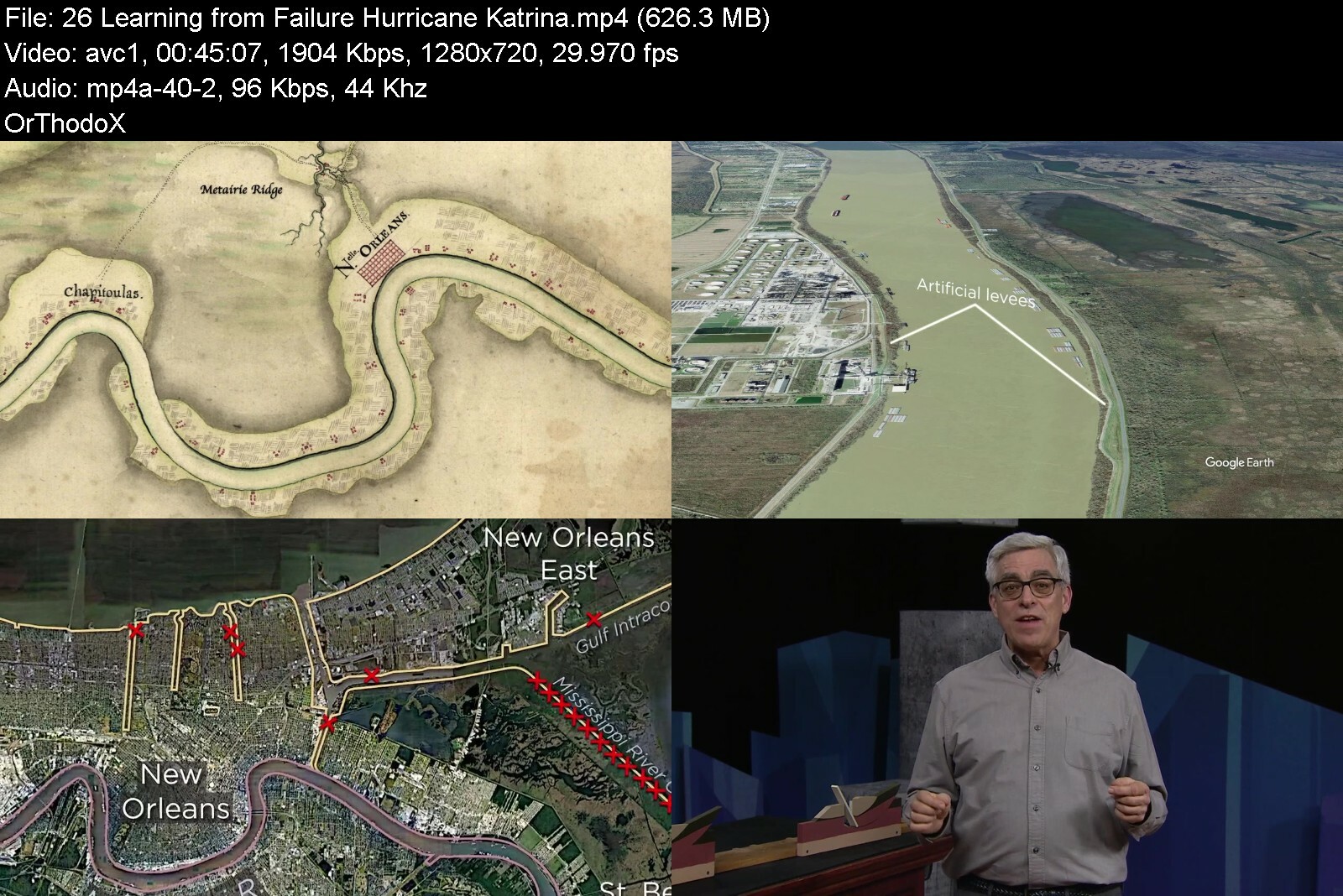
TTC - Epic Engineering Failures and the Lessons They Teach

rhqin3b0ibk6fbii0.jpeg


TTC - Epic Engineering Failures and the Lessons They Teach
Released 09/2022
MP4 | Video: h264, 1280x720 | Audio: AAC, 44.1 KHz, 2 Ch
Genre: eLearning | Language: English | Duration: 26 Lessons (15h 24m) | Size: 13.1 GB


When a structure fails, the fallout can be frightening, disruptive, and even deadly. And yet, these disasters also teach us valuable lessons about the possibilities of engineering-and how to make our future projects safer. In the same way that a military defeat might provoke strategic changes and new approaches, engineering...

When a structure fails, the fallout can be frightening, disruptive, and even deadly. And yet, these disasters also teach us valuable lessons about the possibilities of engineering-and how to make our future projects safer. In the same way that a military defeat might provoke strategic changes and new approaches, engineering failures pave the way for improvement in the ways that we design, build, and maintain our technological systems. But first, we must figure out what went wrong.
On the evening of Friday, July 17, 1981, a band was playing in the atrium of the Kansas City Hyatt Regency Hotel. About 1,600 people had gathered for that night's popular tea dance. Women in elegant dresses and men in pressed suits danced on the atrium floor, while observers admired the festivities from walkways suspended above. Suddenly, the highest walkway tore loose and, along with the walkway two levels below, crashed to the atrium floor. Over 100 people were killed, and many others were injured.
Speculation began immediately as to the cause of this tragedy, which remains to this day one of the worst structural failures in US history. In the aftermath of the accident, United Press International sent word to its thousands of news outlets that "foot-tapping revelers" might have touched off a rhythmic vibration which caused the walkways to collapse. The New York Times story was headlined: "Before Hotel Disaster, Walkway Swayed to the Rhythm of Dancers." Some officials were quoted as saying the walkways might have been overcrowded and unable to bear the combined stressors of weight and movement.
None of that turned out to be true. In Epic Engineering Failures and the Lessons They Teach, you will go behind the scenes of painstaking and captivating investigations that not only reveal what actually caused the tragedy in the Hyatt Regency that night, but also explore the catalysts for more than 24 other epic engineering failures. Your professor, civil engineer and award-winning educator Stephen Ressler, PhD, reveals the story behind each disaster by demonstrating the scientific and engineering issues involved with easy-to-follow explanations accompanied by fascinating videos, live demonstrations, and hundreds of custom-made models and graphics. Professor Ressler also examines the less technical and more human components of error-the individual personalities and sometimes dysfunctional organizations that led to catastrophe. In addition, he asks a startling question: Can we move forward as a civilization without these engineering failures?
Engineering Basics
Professor Ressler is fascinated with engineering and our built environment-and with his clear explanations and demonstrations, you'll find his fascination contagious. In Epic Engineering Failures and the Lessons They Teach, you will learn about the functional aspects of the built environment that you see every single day but may never have questioned. Consider the building you're in right now: How is that building supported on the ground? How does your local highway bridge carry tens of thousands of vehicles every day and how is that immense weight distributed? Even if you live in an area without any waterways, certainly you've seen pictures of majestic suspension bridges. How do those suspension cables really work?
As you study each of the engineering failures presented in this course, you'll have an opportunity to learn about the principles involved in the design and destruction of these systems, including
Load is a force applied to an object. Load is a factor in many engineering failures, including the Hyatt Regency walkway collapse.
Resonance is an uncontrollable oscillation that occurs when a periodically applied force amplifies the natural vibration of a structure. Resonance played a role in the Loma Prieta earthquake disaster, as your professor will demonstrate.
Corrosion is the degradation of a metal caused by a chemical reaction with its environment. It was corrosion that contributed to the collapse of the Silver Bridge in West Virginia.
Standard Procedure-For a Reason
In a general sense, engineering is the process of creating technological solutions to fulfill human needs. And whenever engineers design a structure-from a bridge to a floodwall to a space station-they follow a standard six-phase process: developing a design concept, estimating the loads, analyzing the structural response, choosing the configuration and material used for each element, building the structure, and then operating and maintaining it. Engineering failures generally occur when one or more of these phases go awry, either immediately or decades into the future. For this reason, Professor Ressler has used this six-phase process as the organizing framework for the course. For example
Phase One. The Dee Bridge disaster was caused primarily by a major flaw in the design concept itself.
Phase Three. The collapse of the Tacoma Narrows Bridge was caused by an unanticipated structural response.
Phase Five. The collapse of the Senior Road Tower wouldn't have happened if the general contractor had fulfilled their supervisory obligations during construction.
By analyzing engineering disasters in the context of these phases, we can focus more clearly on the causes of failure and the corrective actions needed to prevent future failures from happening.
Personalities Galore
While engineers certainly use math, physics, and technology in their development of designs and in construction, it is people who make decisions, people who approve plan changes, and people whose bosses might have goals different than their own. As your professor explains, engineering always comes down to the people involved. In this course, you'll meet the medieval builders who constructed the tallest man-made structure on Earth-for four years, until its collapse. You'll meet present-day engineers who work to understand why structures sometimes experience unexpected movements. You'll meet several capable engineers from previous centuries who did their best to create safe structures with the limited scientific tools of their day.
But you'll also meet some engineers and designers who were a bit more self-interested. For example
Amasa Stone, a prominent 19th-century entrepreneur and self-taught bridge engineer. He decided to build an iron bridge in Ohio-at least in part to generate business for his brother, who operated an iron-rolling mill. But he used a structural system that had been developed for wood, not iron, and his Ashtabula Bridge collapsed in 1876, killing 92 people.
Helmut Jahn, a 20th-century architect whose design for Kansas City's Kemper Arena was so innovative that he won an Honor Award from the American Institute of Architects. When a 43,000-square-foot area of the roof collapsed three years later, Jahn insisted that the fault could have nothing to do with the structure itself. As you will see, he was wrong.
Anatoly Dyatlov, the deputy chief engineer of the Chernobyl Nuclear Power Plant. An electrical-not nuclear-engineer, he was the senior person in the control room on the night of the Reactor 4 explosion. Until his death, he maintained that the explosion was caused by the flawed reactor design, not by any of the poor decisions he made that night.
Is there any way we can move forward without continuing to make mistakes that cost so many lives, from the astronauts lost in the Challenger disaster due to bureaucratic dysfunction to the more than 1,800 lives lost due to the ineffective hurricane protection system in New Orleans? There is one way we could reduce the likelihood of such epic failures in the future-stop innovating, and only use the same design concepts and the same materials repeatedly. But that's just not who we are. If we continue to act on our very human desire for technological progress, then we will sometimes reach beyond our abilities. As shown in this course, however, we can and do learn from our mistakes, ultimately, making the world a safer place.
What Will You Learn?
Go behind the scenes of painstaking and captivating investigations of more than 24 epic engineering faiures, including the flooding of New Orleans during Hurricane Katrina, the Hyatt Regency walkway collapse, the nuclear accident at Chernobyl, and more
Examine the six phases of the engineering design process and see how even though this process relies on math and science, most engineering designs are at least as strongly influenced by social, political, and economic considerations as well
Explore how engineering failures of the past have led to the development of new knowledge, tools, and standards aimed at preventing similar failures, strengthening the engineering design process and enabling further technological advances


epicengineeringfailurkgiwg.jpg


Download from RapidGator


Download from DDownload


Pattern Making For Beginners

wwranasnaxbwo9x00lxbfntiwd.jpg


Pattern Making For Beginners
Last updated 9/2021
MP4 | Video: h264, 1280x720 | Audio: AAC, 44.1 KHz
Language: English | Size: 5.34 GB | Duration: 4h 28m

Learn how to take measurements and draft necklines, sleeves, blouse, and a variety of other patterns


What you'll learn
Introduction to Pattern Making
How to take measurements
How to draft necklines, sleeves, and blouse
How to draft a variety of trousers and skirts
How to draft a cape
How to draft anarkali and a variety of trousers

Requirements
Nothing

Description
You have so many ideas. You translate those ideas on paper. But how do you transform an idea to garment? The process that takes you from ideating to implementation is drafting or pattern making.Pattern making is an important aspect of learning garment construction. Pattern making is not something which is required only before the execution of a product but is equally essential post the production. If you find certain issues with the final product, drafting methods will help you identify and fix those shortcomings with ease.As an aspiring or a professional designer, stylist or enthusiast must be familiar with the different tools, terminologies, techniques, and other essentials of drafting. Crucially, an individual must know the purpose of drafting. This includes having sound knowledge of tools required for drafting to learn how to take measurements to drafting a variety of garments.The course is strategically designed divided into a series of topics for better understanding. Drafting is explained in detail through demos in the video lectures.This course covers -Introduction to toolsDrafting necklines, sleeves, and blouseDrafting a variety of ethnic wear like basic kurta with sleeve and anarkaliDrafting a variety of trousers like salwar, chudidar, patiala, and palazzoDrafting a pleated skirt with yolk and circular skirtDrafting cape
Overview
Section 1: Introduction
Lecture 1 Introduction and Overview
Lecture 2 Introduction to Pattern Making
Lecture 3 How to Take Measurements
Lecture 4 Tools for Drafting
Lecture 5 How to Draft Basic Kurta
Lecture 6 Necklines
Lecture 7 Basic sleeve block Curriculum Description
Lecture 8 How to draft basic salwar
Lecture 9 How to Draft Basic Chudidar Salwar
Lecture 10 How to Draft Basic Patiyala Salwar
Lecture 11 Drafting a Palazzo
Lecture 12 Basic Skirt with waistband Curriculum Description
Lecture 13 Pleated skirt with a yoke.
Lecture 14 How to draft a Circular Skirt.
Lecture 15 Draft a Cape
Lecture 16 Drafting Anarkali
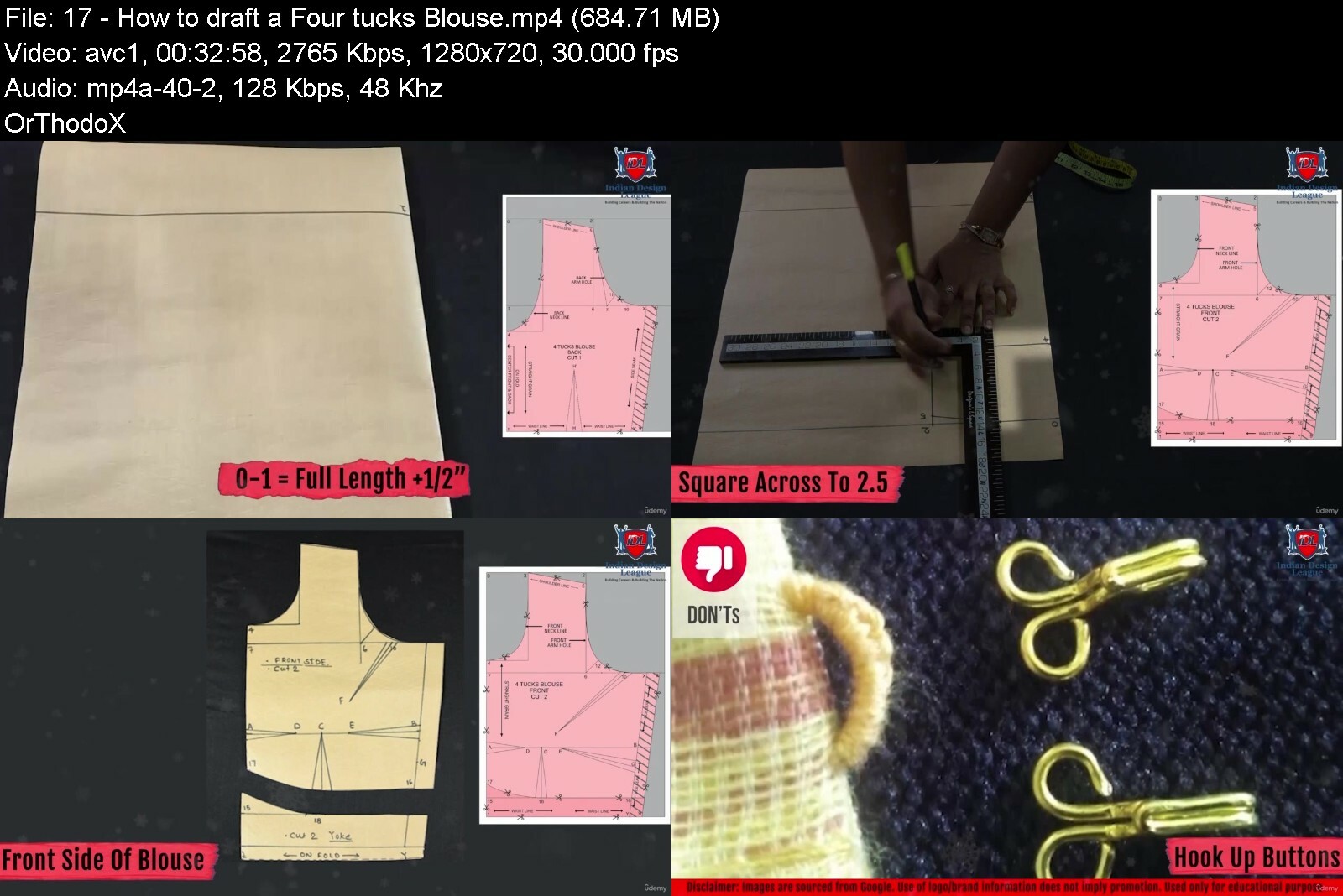
Lecture 17 How to draft a Four tucks Blouse
Anyone who wants to learn pattern making,Anyone who wants to learn a new skill,Aspiring and professional artists, students, and fashion designers, fashion stylists, fashion managers, and fashion bloggers,Enthusiasts who want to pursue a career in different domains of Fashion Design


patternmakingforbeginocekv.jpg


Download from RapidGator


Download from DDownload


 
How To Master Your Online Interview Skills - Complete Guide

rwdarvasglknzocdgpntq0cfj4.jpg


How To Master Your Online Interview Skills - Complete Guide
Last updated 9/2021
MP4 | Video: h264, 1280x720 | Audio: AAC, 44.1 KHz
Language: English | Size: 6.07 GB | Duration: 4h 43m

Learn how to present yourself in a confident, positive and professional way during your next Online Interview


What you'll learn
How to prepare for an online job interview
How to manage your equipment set up
How to answer the 17 most popular interview questions
How to craft and tell a compelling story
How to sell yourself and make a great first impression
Things to avoid during an online interview

Requirements
An open mind and the willingness to learn something new
You want to become an online job interview expert

Description
Congratulations on picking my class!According to one study, 92 percent of adults have job interview anxiety. Virtual or physical, we'll still worry whether we're dressed right, sound right, and giving off the right vibes. And, lack of preparation is the main cause of interview failures!Many interviews are now taking place virtually, especially in the early stages of the talent search. In recent years, online job interviews have become more popular and many companies. While online interviews are similar to traditional, in-person meetings, they have some major differences that candidates should be prepared for.Job interviews are tricky things, that goes especially for all the questions which are being asked during an interview. If you don't know how to answer these questions in a confident, positive, and professional way, the chances for you to be selected are extremely tiny.What do you say if the recruiter asks you: "What are your weaknesses?" or "What is your leadership style?" What do you say if the interviewer wants to know: "Where do you see yourself in five years?"See, you want to know exactly how to answer these questions correctly to sell your personality, skills, and expertise to the interviewer or recruiter.In short: if you want to ace your next online job interview and increase your chances of getting hired then you will love this course!Going through an online job interview for the first time can be scary, but I am here to help! "How To Master Your Online Interview Skills" will help you succeed! Eventually, you will get the job you want and earn more money!So, let's get started!What is this course about?In this 4hr 43 minutes course, I am going to teach you in 69 lectures everything you need to know about how to master your online interview skills. Everything that I am teaching in this class is also suitable for face-to-face interviews!Here is what Udemy students say about this course:"Amazing course which goes into a lot of the nitty-gritty of job interviews. But focusing on the details is very important. I liked that the trainer explained in great length all the different interview questions including answers. That was really interesting and helpful. I now know what to say in my next interview." - Muhammad Goh"Okay so to begin with, it asked me for a rating right after the first video so I rated it with a 4 star. But now that I am done with the whole course I want to give it more than 5 stars because it was such a beautiful and well-explained lecture on how to do well. These helped me understand what I should be ready for, I'll probably have my interviews next year and I know I'll be very nervous during the interviews but being prepared beforehand with the help of all the resources you provided us, I think I can do well with confidence. Thank you" - Lakshmi Prasanthi KommuruFor whom is this course for?This course is for everyone who is preparing for his/her next online job interview.You will learn a ton of new things including:The purpose and typical structure of a job interviewWhy you need to prepare for your next interview accordinglyHow to prepare for your next interview and what to consider including:How to research the companyWhy you need to pay attention to your grooming and clothingHow to manage your equipment setupHow to handle and answer the 17 most popular interview questionsHow to sell yourself in a confident and professional wayMany useful tips for what you need to pay attention to during your interviewHow to craft and tell a compelling story. You are going to learn the S.O.A.R. techniqueWhat you must do after your interviewAdditional resources include sample Q&A sheets, an action, a keyword list to use in your pitch, and more!I share many of my personal stories and examples which you can use as a guidelineYour Goal is to make a great and professional first impression and to improve your chances to land that next jobHow and where can you apply the new knowledge?You can apply this knowledge in your next job interview to stand out and drastically increase your chances of being selected.How will you benefit?This course will prepare you for your next online job interview. After finishing this course, you will have increased your interview skills significantly. You will be more knowledgeable and feel more confident and secure in presenting yourself to the recruiter. You will learn how to emphasize your strengths. You will stand out over other applicants and increase your chances to make it to the next round.
Overview
Section 1: Intro
Lecture 1 Here are 2 quick Wins for you!
Lecture 2 Intro
Lecture 3 What is the Purpose of a Job Interview?
Lecture 4 This was my toughest Job Interview ever!
Section 2: Why it is so important to research a Company before an Interview
Lecture 5 Tips for researching the Company
Lecture 6 Tips for researching the Recruiter
Lecture 7 My Example - Here is what I do
Section 3: Essential Steps to prepare for your Interview
Lecture 8 Why you need to pay attention to your grooming and clothing - Part 1
Lecture 9 Why you need to pay attention to your grooming and clothing - Part 2
Section 4: Proven Tips for your next Online Interview
Lecture 10 Privacy, Water & Cigarettes
Lecture 11 Check your Internet Connection!
Lecture 12 Look into the Camera
Lecture 13 Test your Audio and Video
Lecture 14 About Backgrounds and Note Pads
Lecture 15 Have your CV ready!
Section 5: Here are the most famous Interview Questions & Answers - Part 1
Lecture 16 1. Tell me a little bit about yourself!
Lecture 17 2. Why have you applied for this Role? - Mix and match your Job Description
Lecture 18 2.1 Why have you applied for this Role? - Are you ready to sell yourself?
Lecture 19 2.2 Why have you applied for this Role? - My Example - Here is what I say
Lecture 20 3. What are your Strengths?
Lecture 21 3.1 What are your Strengths? - Rambling on...
Lecture 22 3.2 What are your Strengths? - My Example - Here is what I say
Lecture 23 4. What are your Weaknesses? - Why it is ok to share your Weaknesses
Lecture 24 4.1 What are your Weaknesses? - My Example - Here is what I say - Video 24
Lecture 25 4.2 What are your Weaknesses? - The most important Thing you want to communicate
Lecture 26 5. Where do you see yourself in five Years from now?
Lecture 27 5.1 Where do you see yourself in five Years from now? - My Example
Lecture 28 6. How would you describe your Management Style?
Lecture 29 6.1 How would you describe your Management Style? My Example-Here is what I say
Lecture 30 7. Are you a Team Player?
Lecture 31 7.1 Are you a Team Player? - My Example - Here is what I say
Lecture 32 8. Why are you leaving your current Job?
Lecture 33 8.1 Why are you leaving your current Job? - My Example - Here is what I say
Lecture 34 9. Describe a challenging Situation with one of your Co-Workers
Lecture 35 9.1 My Example - Here is what I say
Lecture 36 9.2 Why you need to use the Word "WE"
Lecture 37 10. What would your Ex-Boss say about you?
Lecture 38 10.1 What would your Ex-Boss say about you? - My Example - Here is what I say...
Section 6: More famous Interview Questions & Answers - Part 2
Lecture 39 11. Tell me about a Time you failed
Lecture 40 11.1 Tell me about a Time you failed - My Example - Here is what I say
Lecture 41 11.2 Tell me about a Time you failed? - Keep a positive Attitude
Lecture 42 12. What motivates you?
Lecture 43 13. What makes you unique?
Lecture 44 13.1 What makes you unique? - My Example - Here is what I say
Lecture 45 14. What do you consider your greatest professional Accomplishment)
Lecture 46 15. What do you do to improve your Knowledge?
Lecture 47 15.1 What do you do to improve your Knowledge - Great Attitude is everything!
Lecture 48 15.2 What do you do to improve your Knowledge - A little Detour
Lecture 49 16. Inconsistencies in your CV
Lecture 50 16.1 Inconsistencies in your CV - My Example - Here is what I say
Lecture 51 17. Do you have any Questions?
Lecture 52 17.1 Do you have any Questions? - Conclusion
Section 7: Essential Interview Tips
Lecture 53 Here are my most essential Interview Tips!
Lecture 54 Imagine you are on a Date...
Lecture 55 How to tell a good Story - Part 1
Lecture 56 Here is the Story of a disrespectful Team Member
Lecture 57 Do not ramble on too long!
Lecture 58 Why you should exaggerate
Lecture 59 Use the Interviewer's Name
Lecture 60 Smile and look into the Camera
Lecture 61 Don't interrupt!
Lecture 62 A Word about Body Language
Lecture 63 After your Interview: What are the next Steps?
Section 8: Conclusion
Lecture 64 Prepare - but expect the unexpected!
Lecture 65 Get ready for some Job related Questions
Lecture 66 Why you should evaluate yourself
Lecture 67 Frustrating Things can happen
Lecture 68 Keep going, stay patient and improve!
Lecture 69 Bonus Lecture! :)
Students 18+


howtomasteryouronline53dl2.jpg


Download from RapidGator


Download from DDownload


Fundamentals Of Fashion Styling

6yuxewhlai45cmslpuljcppdhk.jpg


Fundamentals Of Fashion Styling
Last updated 3/2022
MP4 | Video: h264, 1280x720 | Audio: AAC, 44.1 KHz
Language: English | Size: 6.61 GB | Duration: 5h 36m

Discover fundamentals of Fashion Design and styling for different body shapes; get styling industry outlook.


What you'll learn
Introduction to Styling - Insights about Different types of Styles
Styling Career & Industry Outlook
Basics of Styling Matrimony
Introduction to Body Shapes & Dressing Ideas - Pear, Inverted Triangle, Rectangle, Hourglass & insights about dressing as per particular body shape.
Developing your own Signature Look
Challenges in Styling Career

Requirements
Open to all Learners

Description
Understanding the fundamentals of fashion styling will enhance your profession as a "Stylist". Any individual who wants to start their career as a fashion stylist, fashion manager, or fashion blogger should be well-versed about different types of styles, Styling Career & Industry Outlook, understanding basics of Styling Matrimony, Introduction to Body shapes & their dressing ideas, developing your signature look as well as challenges in Styling Career.Introduction to Styling - This particular topic focuses on the basics, significance, types, and concepts of styling in the fashion industry. It will also teach you the basic difference between fashion designing and fashion styling. Laying brick is the foundation of the building, similarly, the basics of styling will enhance your fundamentals as well as provide deeper insights into this domain.Styling Career & Industry Outlook - To succeed in the field of Fashion Styling, one must have a thorough understanding of the fashion industry, market trends, designer labels, as well as marketing and advertising. This section will help you improve your abilities as a professional stylist in the rapidly growing fashion industry.Basics of Styling Matrimony - This section is based on the idea of the "5 wives-1 husbands" Rule. This particular topic will enhance your profile-building skills as per the client's requirements, occasion, body type you will learn the fundamentals of curating a client's look appropriately.Introduction to Body Shapes & Dressing Ideas - This section will introduce you to a variety of body shapes as well as ideate dressing as per body requirements. The topic focuses on various body shapes such as Pear, Inverted Triangle, Apple, Rectangle & Hourglass with adequate dressing ideas.Developing your Signature Look - Working as a fashion stylist offers a fascinating opportunity to express your enthusiasm for style with many interesting individuals right from working with celebrity clients to styling models for photoshoot. This curriculum is created to help you develop your signature look while also broadening your creative and innovative perspectives.Challenges in Styling Career - In this section, we'll understand the various problems that come along with a Styling Career, as well as how to overcome them.This course is strategically designed so that the students who want to learn the basics of styling will experience the ease of understanding and will be able to consume through the flow of topics. Additionally, various live and trendy examples have also been given to make the topic more interesting.
Overview
Section 1: Introduction
Lecture 1 Introduction & Overview
Lecture 2 Introduction to Styling
Lecture 3 Styling Career & Industry Outlook
Lecture 4 Value the Appropriate Look
Lecture 5 Styling for Your Skin Tone
Lecture 6 Basics of Styling Matrimony
Lecture 7 Introduction of Body Shapes
Lecture 8 Body Shape - Pear Shape & Its Dressing Ideas
Lecture 9 Inverted Triangle (Strawberry) Shape & Its Dressing Ideas
Lecture 10 Apple Shape & It's Dressing Ideas
Lecture 11 Rectangle Shape & It's Dressing Ideas
Lecture 12 Hourglass Shape & It's Dressing Ideas
Lecture 13 ABCs of Styling
Lecture 14 Different Types of Styles
Lecture 15 Develop Your Signature Look
Lecture 16 Challenges in Styling Career
1. Anyone who wants to learn about Fashion Styling.,2. Aspiring and professional artists, students, and fashion stylists, fashion managers, and fashion bloggers.,3. Enthusiasts who want to pursue a career in different domains of Fashion Styling.,4. Anyone who wants knowledge about Introduction to Styling, Basics of Styling Matrimony, Introduction to Body Shape & Dressing Ideas and many more.,5. For all entry level to advanced Fashion Stylists.


fundamentalsoffashionkuccj.jpg


Download from RapidGator


Download from DDownload



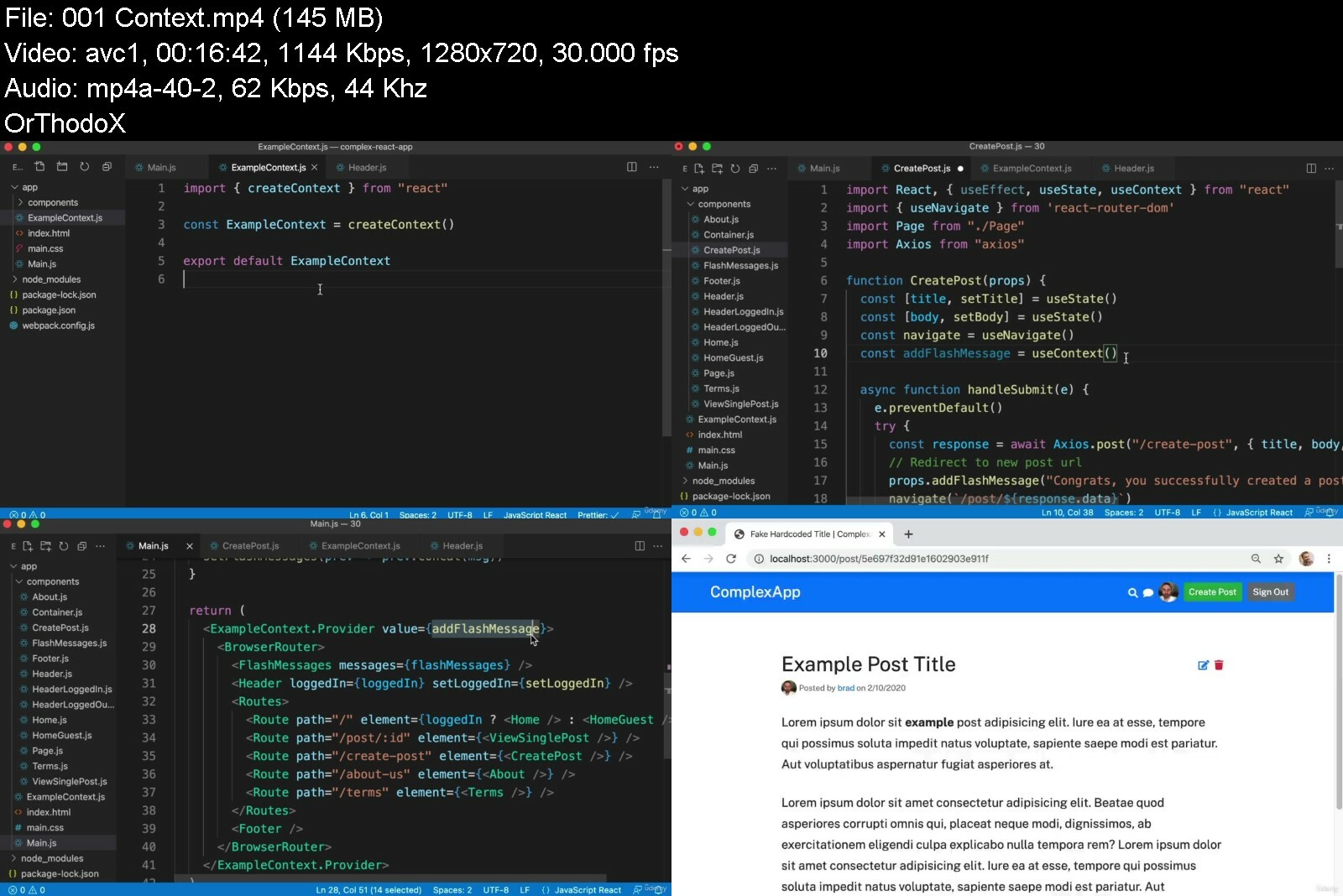
React For The Rest Of Us

1439744ba205m1ew1.jpg


React For The Rest Of Us
Last updated 8/2022
MP4 | Video: h264, 1280x720 | Audio: AAC, 44.1 KHz, 2 Ch
Genre: eLearning | Language: English | Duration: 89 lectures (16h 24m) | Size: 5.65 GB


Learn React JS to create Single Page Applications (SPA) using modern practices like Context, Reducer, Suspense and more


What you'll learn
The problem React solves and *why* we should use it (aside from "because it's popular")
How to create Single Page Applications with React
The ability to keep your code organized and manageable
How to seamlessly pull real and dynamic data into your front-end
Requirements
A basic understanding of HTML (e.g. "p" is for paragraph, "h1" is for headline, etc...)
You could likely work through this course even without any JavaScript experience given the reasonable pace of lessons, but at least a tiny bit of JavaScript familiarity is recommended and will result in a much more enjoyable experience
No CSS knowledge required (although it helps to understand that CSS is used to add style & design to a page)
Description
Learn the world's most popular library for creating user interfaces!
What makes this course different is we take the time to understand *why* we're doing what we're doing. We begin by asking an important question that so many other React courses skip entirely; What problem does React solve?
Once we understand what React is and isn't, we spend the remainder of the course together building the front-end for a real world social media app where you can post, follow other users and even hop into a live chatroom. Along the way we will
Understand what "state" is in React and how to bring our interfaces to life
Use the modern "hook" approach with Function Components
Leverage React Router to create a Single Page Application with shareable URLs
See the power of Context, Reducer, and Immer and create an ideal way of working with state
Run code at the perfect moments by understanding the power of useEffect()
Use async HTTP requests to communicate with APIs so that our app feels meaningful by working with real data
Deploy our app up onto the web so you can share it with your friends and family
This course may be brand new, but this isn't my first time teaching. I've led training sessions for Fortune 500 companies and I've already helped over 98,000 people on Udemy and received the following feedback
"Brad definitely has some of the best techniques to embed the lesson into your mind. hands down these are the best tutorials I have had the opportunity to view."
"Presentation is concise without being tedious. you honestly feel that you have a thorough understanding of the subject."
".[Brad] explained the process. Not memorize this or that, he explained the process. If you're looking to take a course to understand the foundations of creating websites, look no further."
Become highly valuable and relevant to the companies that are hiring front-end developers; in one convenient place alongside one instructor. If you're ready to begin building with React - I'll see you on the inside!
Who this course is for
Anyone who wants to create user interfaces using the most popular and in-demand library in the world today.


reactfortherestofusikfce.jpg


Download from RapidGator


Download from DDownload

 
Zurück
Oben Unten