• Regeln für den Video-Bereich:

    In den Börsenbereich gehören nur Angebote die bereits den Allgemeinen Regeln entsprechen.

    Einteilung

    - Folgende Formate gehören in die angegeben Bereiche:
    - Filme: Encodierte Filme von BluRay, DVD, R5, TV, Screener sowie Telesyncs im Format DivX, XviD und x264.
    - DVD: Filme im Format DVD5, DVD9 und HD2DVD.
    - HD: Encodierte Filme mit der Auflösung 720p oder darüber von BluRay, DVD, R5, TV, Screener sowie Telesyncs im Format x264.
    - 3D: Encodierte Filme von BluRay, die in einem 3D Format vorliegen. Dies gilt auch für Dokus, Animation usw.
    - Serien: Cartoon/Zeichentrick, Anime, Tutorials, Dokumentationen, Konzerte/Musik, Sonstiges sind demnach in die entsprechenden Bereiche einzuordnen, auch wenn sie beispielsweise im High Definition-Format oder als DVD5/DVD9/HD2DVD vorliegen. Ausnahme 3D.
    - Bereich Englisch: Englische Releases gehören immer in diesen Bereich.
    - Bereich Talk: Der Bereich, in dem über die Releases diskutiert werden kann, darf, soll und erwünscht ist.


    Angebot/Beitrag erstellen

    - Ein Beitrag darf erst dann erstellt werden, wenn der Upload bei mindestens einem OCH komplett ist. Platzhalter sind untersagt.
    - Bei einem Scenerelease hat der Threadtitel ausschließlich aus dem originalen, unveränderten Releasenamen zu bestehen. Es dürfen keine Veränderungen wie z.B. Sterne, kleine Buchstaben o.ä. vorgenommen werden. Ausnahme Serienbörse:
    - Bei einem Sammelthread für eine Staffel entfällt aus dem Releasename natürlich der Name der Folge. Beispiel: Die Simpsons S21 German DVDRip XviD - ITG
    - Dementsprechend sind also u.a. verboten: Erweiterungen wie "Tipp", "empfehlenswert", "only", "reup", usw. / jegliche andere Zusatzinformation oder Ergänzung, welche nicht in obiger Beschreibung zu finden ist.

    Aufbau des Angebots und Threadtitel

    Der Titel nach folgendem Muster erstellt zu werden. <Name> [3D] [Staffel] [German] <Jahr> <Tonspur> [DL] [Auflösung] <Quelle> <Codec> - <Group>
    Beispiel: The Dark Knight German 2008 AC3 DVDRip XviD - iND
    Beispiel: The Dark Knight 2008 DTS DL BDRip x264 - iND
    Beispiel: The Dark Knight 2008 AC3 DL BDRip XviD - iND
    Beispiel: The Dark Knight German 2008 AC3 720p BluRay x264 iND
    Beispiel: The Dark Knight 2008 DTS DL 1080p BluRay x264 iND
    Beispiel: Die Simpsons S01 German AC3 DVDRip XviD iND
    Beispiel: Die Simpsons S20 German AC3 720p BluRay x264 iND
    Beispiel: Sword Art Online II Ger Sub 2014 AAC 1080p WEBRip x264 - peppermint
    Entsprechend sind also u.a. verboten: Sonderzeichen wie Klammern, Sterne, Ausrufezeichen, Unterstriche, Anführungszeichen / Erweiterungen wie "Tipp", "empfehlenswert", "only", "reup", usw. / jegliche andere Zusatzinformation oder Ergänzung, welche nicht in obiger Beschreibung zu finden ist
    Ausnahmen hiervon können in den Bereichen geregelt sein.

    Die Beiträge sollen wie folgt aufgebaut werden:
    Überschrift entspricht dem Threadtitel
    Cover
    kurze Inhaltsbeschreibung
    Format, Größe, Dauer sind gut lesbar für Downloader außerhalb des Spoilers zu vermerken
    Nfo sind immer Anzugeben und selbige immer im Spoiler in Textform.
    Sind keine Nfo vorhanden z.B. Eigenpublikationen, sind im Spoiler folgende Dateiinformationen zusätzlich anzugeben :
    Quelle
    Video (Auflösung und Bitrate)
    Ton (Sprache, Format und Bitrate der einzelnen Spuren)
    Untertitel (sofern vorhanden)
    Hosterangabe in Textform außerhalb eines Spoiler mit allen enthaltenen Hostern.
    Bei SD kann auf diese zusätzlichen Dateiinformationen verzichtet werden.

    Alle benötigten Passwörter sind, sofern vorhanden, in Textform im Angebot anzugeben.
    Spoiler im Spoiler mit Kommentaren :"Schon Bedankt?" sind unerwünscht.


    Releases

    - Sind Retail-Release verfügbar, sind alle anderen Variationen untersagt. Ausnahmen: Alle deutschen Retail-Release sind CUT, in diesem Fall sind dubbed UNCUT-Release zulässig.
    - Im Serien-Bereich gilt speziell: Wenn ein Retail vor Abschluss einer laufenden Staffel erscheint, darf diese Staffel noch zu Ende gebracht werden.62
    - Gleiche Releases sind unbedingt zusammenzufassen. Das bedeutet, es ist zwingend erforderlich, vor dem Erstellen eines Themas per Suchfunktion zu überprüfen, ob bereits ein Beitrag mit demselben Release besteht. Ist dies der Fall, ist der bereits vorhandene Beitrag zu verwenden.
    - P2P und Scene Releases dürfen nicht verändert oder gar unter einem iND Tag eingestellt werden.


    Support, Diskussionen und Suche

    - Supportanfragen sind entweder per PN oder im Bereich Talk zu stellen.
    - Diskussionen und Bewertungen sind im Talk Bereich zu führen. Fragen an die Uploader haben ausschließlich via PN zu erfolgen, und sind in den Angeboten untersagt.
    - Anfragen zu Upload-Wünschen sind nur im Bereich Suche Video erlaubt. Antworten dürfen nur auf Angebote von MyBoerse.bz verlinkt werden.


    Verbote

    - Untersagt sind mehrere Formate in einem einzigen Angebotsthread, wie beispielsweise das gleichzeitige Anbieten von DivX/XviD, 720p und 1080p in einem Thread. Pro Format, Release und Auflösung ist ein eigener Thread zu eröffnen.
    - Grundsätzlich ebenso verboten sind Dupes. Uploader haben sich an geeigneter Stelle darüber zu informieren, ob es sich bei einem Release um ein Dupe handelt.
    - Gefakte, nur teilweise lauffähige oder unvollständige Angebote sind untersagt. Dies gilt auch für eigene Publikationen, die augenscheinlich nicht selbst von z.B. einer DVD gerippt wurden. Laufende Serien, bei denen noch nicht alle Folgen verfügbar sind, dürfen erstellt und regelmäßig geupdatet werden.
    - Untersagt sind Angebote, welche nur und ausschließlich in einer anderen Sprache als deutsch oder englisch vorliegen. Ausnahmen sind VORHER mit den Moderatoren zu klären.


    Verstoß gegen die Regeln

    - Angebote oder Beiträge, die gegen die Forenregeln verstoßen, sind über den "Melden"-Button im Beitrag zu melden.
  • Bitte registriere dich zunächst um Beiträge zu verfassen und externe Links aufzurufen.


Englische Tutorials


20f60d73e665678d580ae0877cd8c40c.jpg

Revit 2017: Essential Training for MEP (Imperial)
Apr 18, 2016 | .MP4, AVC, 1000 kbps, 1280x720 | English, AAC, 64 kbps, 2 Ch | 3.9 hours | 855 MB
Instructor: Eric Wing


MEP (mechanical, electrical, and plumbing) design is one of the major components of the BIM chainâ€"and Revit is the design tool of choice for many MEP engineers. This course focuses on the MEP features of Revit 2017, the latest version of the software. It's designed for the novice user who prefers to work in imperial units (inches and feet).

The videos are broken down into trades, as follows:

Electrical
Mechanical
Plumbing
Fire protection
General MEP workflows and trade coordination

You can dive into a specific trade, or take the entire course to learn about all aspects of the vast Revit MEP ecosystem. Upon completion, you'll know how to create basic floor plans, design electric circuits and lighting systems, model air intake and exhaust systems, create plumbing plans, and design fire alarm and sprinkler systems, and document your designs for construction and fabrication.

Topics include:

Touring the Revit interface
Linking to other models
Creating floor plans
Adding electrical panels, circuits, lighting, switches, conduit, and cables
Creating a mechanical project
Adding air terminals and ducting
Sizing and tagging ducts
Creating a plumbing view
Adding supply piping and sanitary piping
Creating fire protection fire alarm systems
Adding sprinklers
Importing CAD models in Revit 2017
Working with text and dimensions
Modeling fabrication parts

Recommend Download Link Hight Speed | Please Say Thanks Keep Topic Live

 

c19fef068cd0b7a295b627981c7dbbcf.jpg

Revit 2017: Essential Training for MEP (Metric)
Apr 18, 2016 | .MP4, AVC, 1000 kbps, 1280x720 | English, AAC, 64 kbps, 2 Ch | 4.8 hours | 1.47 GB
Instructor: Eric Wing


MEP (mechanical, electrical, and plumbing) design is one of the major components of the BIM chainâ€"and Revit is the design tool of choice for many MEP engineers. This course focuses on the MEP features of Revit 2017, the latest version of the software. It's designed for the novice user who prefers to work in metric units (meters, centimeters, etc.). The videos are broken down into trades, as follows:

Electrical
Mechanical
Plumbing
Fire protection
General MEP workflows and trade coordination

You can dive into a specific trade, or take the entire course to learn about all aspects of the vast Revit MEP ecosystem. Upon completion, you'll know how to create basic floor plans, design electric circuits and lighting systems, model air intake and exhaust systems, create plumbing plans, and design fire alarm and sprinkler systems, and document your designs for construction and fabrication.

Topics include:

Touring the Revit interface
Linking to other models
Creating floor plans
Adding electrical panels, circuits, lighting, switches, conduit, and cables
Creating a mechanical project
Adding air terminals and ducting
Sizing and tagging ducts
Creating a plumbing view
Adding supply piping and sanitary piping
Creating fire protection fire alarm systems
Adding sprinklers
Importing CAD models in Revit 2017
Working with text and dimensions
Modeling fabrication parts

Recommend Download Link Hight Speed | Please Say Thanks Keep Topic Live

 

78aae8964186f2df1d1de6293c9ce783.jpg

Revit 2017: Essential Training for Structure (Imperial)
Apr 18, 2016 | .MP4, AVC, 1000 kbps, 1280x720 | English, AAC, 64 kbps, 2 Ch | 4.9 hours | 1.58 GB
Instructor: Eric Wing


Revit 2017 is a great program for structural engineering, offering cutting-edge tools for creating design alternatives, building simulations, and publishing clear, easy-to-share documentation. This training course focuses on the major components of Revit used for structural design and is designed for the user who prefers to work in imperial units (inches and feet).

Starting with referencing an architectural model, you'll learn how to add foundations, rebar, and framing; set up views and drawings; model slabs and trusses; and build a whole lot more. This course is designed for members with no Revit experience, or for more advanced users who want to jump to a topic and start from there. Either way, this comprehensive course will teach you what you need to know to be dangerous in Revit structure.

Topics include:

Linking architecture
Creating levels
Creating view templates
Adding and placing steel columns
Creating foundations, with footings, piers, pilasters, and slabs
Designing retaining walls
Adding beam systems
Tagging steel framing
Creating a slab floor
Cantelivering slab edges
Reinforcing with rebar
Adding brace frames
Creating stairs and ramps
Detailing and annotating drawings
Inserting AutoCAD geometry
Creating schedules
Adding and attaching trusses
Descriptionting and sharing files

Recommend Download Link Hight Speed | Please Say Thanks Keep Topic Live
 

277f15d51bbab352ac3e640527206537.jpg

Revit 2017: New Features for Architecture
Apr 18, 2016 | .MP4, AVC, 1000 kbps, 1280x720 | English, AAC, 64 kbps, 2 Ch | 1.4 hours | 358 MB
Instructor: Paul F. Aubin


Welcome to Revit 2017: New Features for Architecture. In this course, you'll explore the new and enhanced features in Revit 2017 for architectural design. If you have been using Revit for a while and want to get up and running with the latest features right away, this is the place to start. Each video in the course is self-contained, focusing on a single feature or enhancement, such as the improved text editor and global parameters. After completing this training, you will find the new tools in Revit 2017 as familiar as many of your old favorites.

Topics include:

Editing in 3D
Using tags
Modeling stairs and railings
Rendering in Revit 2017
Working with the Family Editor
Using global parameters
Adjusting elevation depth
Exploring the new text editor

Recommend Download Link Hight Speed | Please Say Thanks Keep Topic Live
 

abf2302886f14e8831c74be139821720.jpg

Social Media Domination: How to Use the Power of Social Media to Build Your Business
Duration: 1hr 9m | Video: h264, yuv420p, 1280x720 30fps | Audio: aac, 44100 Hz, 2 ch | 1.2 GB
Genre: eLearning | Language: English​


How To Dominate Your Niche Using The Power of Social Media And Build An Audience That Will Love Your Brand.

In This Course, You'll Discover The Steps, Methods And Techniques To Setting Yourself Up For Success On The Top Social Media Platforms!
Social media marketing is an incredibly powerful tool and these days it is one of the single biggest factors that a marketer can use to build their digital empire.
In fact, social media is often what really makes the difference between having a website and having such an 'empire'.
A website on its own can make you money and it can promote your business - but it takes more than that to build a brand and to have that ubiquitous presence that can help you to drive the maximum amount of traffic to your monetization systems.

Social Media Does More Than Build Brand Awareness
The first thing to recognize about your social media efforts is that your objectives should go beyond simply getting more people to follow you and to see your brand.
Here are just some of the things you can do once you've learned to master your social media presence...

Get Feedback and Survey Your Audience
Networking and Influencer Marketing
Contact Management
In-House Communication
Leads and Direct Sales
Enhancing Your Service


Social Media Domination: How to Use the Power of Social Media to Build Your Business

Recommend Download Link Hight Speed | Please Say Thanks Keep Topic Live
 

8a9285d0026e8e1bcff1b828e8c96c07.jpg

The Art of HDR Photography
.MP4, AVC, 1145 kbps, 1280x720 | English, AAC, 128 kbps, 2 Ch | 3.5 hours | + TIF, JPG | 3.26 GB
Genre: eLearning | Language: English​


Is It Time For Your HDRs To Be Wowing Audiences?

Create stunning images that will grip your audience
Master Photomatix to make your HDRs pop!
Create powerfully realistic & surreal images
Gain a large audience of eager followers
Instantly videos to watch any time
Work at your own pace
Learn the techniques of Jimmy McIntyre, experienced photographer and trainer
Work through 10 full workflows with the original files

You will learn to...

Create stunning HDR imagery
Control halos
Control noise
Remove ghosts
Make your images pop
Create beautiful interior shots
Create realistic HDR
Create surreal HDR
Understand how to use light to create mood in your images
Remove Chromatic Aberration
Use Layer masks
Add a few extra tricks to your photos to give them a kick


The Art of HDR Photography

Recommend Download Link Hight Speed | Please Say Thanks Keep Topic Live

 

0ead8bc1e780598462e01fc59739b257.jpg

Topography & Design: Create Your Own Vector Topo Map
Duration: 24m | Video: h264, yuv420p, 1280x720 30fps | Audio: aac, 44100 Hz, 2 ch | 452 MB
Genre: eLearning | Language: English​


Designing with topographical (topo) maps has a lot of power in the design world - especially if you're working for an outdoor, adventure, or nature-based client. With this class, you'll learn all of my topo secrets and walk away with your very own vector topo map to use for any design project you'll ever have.

My name is John Coleman, I am a designer / illustrator and not only do I love topo maps I have found they are very effective and add a really cool aesthetic to tons of design projects. However, not many people are familiar with topo maps nor do they know how to get their hands on an authentic vector version of one. In this class, I'm going to teach you what to look for on a topo map, how to design your own version, and for our class project we will translate that in to a live vector design.
Whether you are an established designer looking to add another skill to your tool belt, a designer-on-the-rise looking for an edge over the competition, or just someone who loves adventure and is looking for a fun personal project - this class is for you. I look forward to seeing you in class!

Recommend Download Link Hight Speed | Please Say Thanks Keep Topic Live

 

a5359c0b8cdc9afa1d60842be1be387e.jpg

TutsPlus - Create a REST API With Phalcon
Duration: 0.8 Hrs | Video: h264, yuv420p, 1280x720 30fps | Audio: aac, 44100 Hz, 2 ch | 469 MB
Genre: eLearning | Language: English​


Phalcon is a full-stack PHP framework packed with the same features as all the rest, but with one important difference: Phalcon is the fastest PHP framework ever built! Instead of being written in PHP and loaded dynamically by your application, Phalcon is a C-language extension that loads in your RAM as a PHP module, which makes it blazing fast.

In this course, Envato Tuts+ instructor Manish Kumar will teach you how to get started with the Phalcon PHP framework by building a simple REST API. You'll learn how to set up a development environment, how to define a database schema and API endpoints, and how to implement create, read, update and delete (CRUD) operations to persist data to an SQL database.

Recommend Download Link Hight Speed | Please Say Thanks Keep Topic Live

 

35ecf2dfc8dfb1e1afb73157c5c51041.jpg

Understanding Perspective Drawing in Illustrator
Duration: 2hr 35m | Video: h264, yuv420p, 1280x720 30fps | Audio: aac, 44100 Hz, 2 ch | 628 MB
Genre: eLearning | Language: English​


In this series of lessons we'll be focusing on Understanding Perspective Drawing in Illustrator. We'll begin this process by taking some time to learn how to enable and configure our perspective grid. Next we'll learn some basic workflows for creating artwork with perspective and transforming objects in perspective.

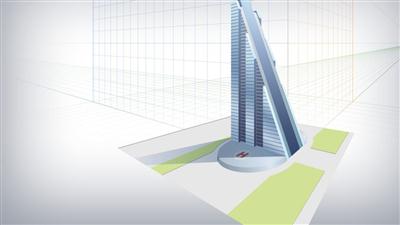
Once we are familiar with this process, we'll dive in and begin drawing our skyscraper concept based on a simple orthographic drawing. Throughout this process we'll learn how to precisely control the placement of perspective objects. We'll learn how to apply perspective to objects that don't fit on a perspective plane and we'll learn how to use several time saving features such as automatic plane positioning. After working through this series of lesson, you will have a good understanding of how perspective drawing in Illustrator works.


Understanding Perspective Drawing in Illustrator

Recommend Download Link Hight Speed | Please Say Thanks Keep Topic Live

 

1d0b65609ed11711321afebabfdbe853.jpg

Video Post Production for Low-Budget Films
MP4 | Video: AVC 1280x720 | Audio: AAC 48KHz 2ch | Duration: 1 Hours | 1.21 GB
Genre: eLearning | Language: English​


Retaining the integrity of the story you filmed while keeping costs low can be a challenge. Deciding which post-production solutions are necessary can also be challenging when so many new options emerge daily. If you're planning to create an ultra-low-budget film, or if you've already filmed one, you want to ensure you allocate funds to the most essential solutions.

Emmy-winning director Eduardo Angel knows filmmakers can be overwhelmed by the amount of post-production options. In this course, he takes you behind the scenes, sharing insights to help you maximize your post-production process while minimizing the impact to your budget. Eduardo focuses on the essential post-production steps and how to implement technical and creative solutions that help accomplish your vision. He shows you an entire post-production process, including planning, editing your film, working with a composer, adding audio, working with color, and distributing your project.


Video Post Production for Low-Budget Films

Recommend Download Link Hight Speed | Please Say Thanks Keep Topic Live
 

1fe8876952d6c1a5583246457f580eff.jpg

Advanced SEO and Inbound Marketing with Google and YouTube!
MP4 | Video: AVC 1280x720 | Audio: AAC 44KHz 2ch | Duration: 7 Hours | 2.11 GB
Genre: eLearning | Language: English​


Take this course to unlock the SEO and inbound marketing system I use with Google + YouTube to make millions of clicks!

⇉ Watch the promo video to see how millions of people have found me in Google and YouTube search since 2013! Know when you watch it that you can be looking at these numbers yourself after taking this course!

⇉ Join 15,000+ students using this 2015 advanced SEO and inbound marketing course to discover the most effective methods for getting traffic to a WordPress website, YouTube channel, and products online!

⇉ The SEO strategies I share with you WORK FAST and WILL ALWAYS WORK! Nearly all of my search traffic has come within the last year and everything I show you is based on creating excellent videos as fast as possible!

⇉ You can skip trying to learn SEO the hard way like I did and just learn what works! For 3 years, I struggled to have any success with search engine optimization and made nearly every mistake you could make! In 2014, I started learning about SEO and realized all I had to do was make awesome videos, upload them to YouTube, get them transcribed, and put the words plus the video together on my WordPress website to get Google to give me nearly unlimited visitors!

⇉ Enjoy both PRACTICAL and INSPIRATIONAL lectures! You get everything you need in this course to build your website and/or your YouTube channel into consistent growth towards numbers you would never have believed possible for yourself!

⇉ Act on your feelings of LOVE, HOPE, and FAITH to enroll in this course now! Get lifetime access to the information that took me nearly 3 years to learn on my own backed by a 30 day no questions asked money back guarantee!


Advanced SEO and Inbound Marketing with Google and YouTube!

Recommend Download Link Hight Speed | Please Say Thanks Keep Topic Live

 

cea0582986ba7a3283aa481adbc2be6f.jpg

Content is King: How to Write Killer Content for the Web
MP4 | Video: AVC 1280x720 | Audio: AAC 44KHz 2ch | Duration: 2.5 Hours | 451 MB
Genre: eLearning | Language: English​


Master the Art of Writing Online Content for eBooks, Websites and Blogs from Brainstorming Content Ideas to Copywriting

Welcome to Content is King - How to Writer Killer Content for the Web.

Just like the title says, this course is going to teach you how to write killer content for the web so you can:

Win an audience
Attract more traffic
Make more money with your writing
My name is Steve McDonald and I make my living from online content. My claim to fame is that I have published over 115 Kindle and print books on a wide variety of topics. If there is anything I know, it is that Content is King.

In this course you're going to learn:

Where to Find Killer Content Ideas
How to Develop Those Ideas so you can create even more related content
How to Understand Your Audience so you're writing to them specifically
Three Ways to Make Your Content Absolutely Killer
How to Edit Your Content to make it even better
In addition to learning how to create Killer Content we'll look at how to use keywords, headings, titles and descriptions to help your content attract and keep readers, and to be found in search results.

This course is for:

Website developers
Content marketers
Self-published writers
Freelance writers
Anyone who wants to attract readers or make money using words.
Whether you are creating eBooks, websites or blogs, or writing freelance articles, Content is King will lay the foundation for attracting traffic and keeping that traffic coming back.

Are you ready to take your content writing to the next level?

Click on the Take the Course button and let me show you how.

Or check out one of the FREE Preview lectures to learn some valuable writing strategies you can put to use right now.


Content is King: How to Write Killer Content for the Web

Recommend Download Link Hight Speed | Please Say Thanks Keep Topic Live

 
Zurück
Oben Unten