• Regeln für den Software-Bereich:


    Allgemeines:

    - In erster Linie sind unsere Boardregeln zu beachten, zu finden HIER.
    - Software zur Audiobearbeitung sollte ausschließlich im Unterforum "Audio" eingestellt werden.
    - Für Cracks, Keygens oder sonstige Freischaltungssoftware gibt es das Unterforum "Freischaltung".
    - Portable Software bitte im entsprechenden Unterforum "Portable Software" eintragen.
    - Diskussionen zur Installation und anderen Problemen mit der Software, bitte im enstprechenden Unterforum "Talk" führen.
    - Bei Unklarheiten und Fragen zu den Regeln bitte die Moderatoren kontaktieren.


    Angebot erstellen

    - Die Struktur des Threadtitels muss wie folgt umgesetzt werden: Herstellername - Softwarename - Versionsnummer
    - Unnötige Zusätze im Threadtitel wie "HOT", "NEW" oder Punkte zwischen den Wörtern sind nicht erlaubt.
    - Achtet darauf immer nur die Hauptversion und deren Updates in einem Thread zusammenfassen, konkretes Beispiel: SoftwareXY v3.12 gehört in den selben Thread mit SoftwareXY v3.13; SoftwareXY v.4.1 gehört in einen neuen eigenen Thread. Ausgenommen hiervon sind Sammelthreads und Dauerangebote.
    - Bei nicht bekannten Herstellern oder Angebote einer privaten Software, ist die Programmbezeichnung + Versionsnummer ausreichend.
    - Besondere Beachtung gilt für den ersten Beitrag eines Angebots. Dort muss eine kurze Beschreibung der Software in deutscher Sprache angegeben werden. Für offizielle Releases ist es Pflicht die NFO im Beitrag einzustellen(Spoiler, siehe nächster Punkt).
    - Weitere Informationen wie NFOs oder Changelogs, versteckt ihr bitte in einem Spoiler.


    Software Suche

    - Für Suchanfragen haben wir das Unterforum "Suche" erstellt.
    - Auch hier sollte vorher die Suchfunktion benutzt werden, um Doppelthreads vorzubeugen. Sollte es bereits eine Suchanfrage geben, könnt ihr den Thread gerne mit einem "Danke" pushen.


    Trojaner- und Virusalarm

    - Falls Euer Virenscanner bei einem Angebot Alarm schlägt, solltet ihr zunächst Ruhe bewahren. Viele Virenscanner erkennen Cracks/Keygens oft fälschlicherweise als Bedrohung.
    - Prüft die verdächtige Datei zuerst mit http://virustotal.com , sollte es sich hierbei wirklich um eine Bedrohung handeln, meldet den Beitrag und/oder wendet euch mit dem Bericht von VirusTotal.com an einen Moderator.


    Unerwünschte Angebote

    - Keylogger, Spionagetools, alles rund ums Thema Hacking/Cracking ist nicht erwünscht.
  • Bitte registriere dich zunächst um Beiträge zu verfassen und externe Links aufzurufen.

*** Bestes IPTV *** bester Preis *** gratis Test ***


[Dauerangebot] Microsoft Windows 11 Integrated und Modified


Windows 11 24H2 build 26100.3476 x64 12in1 incl Office 2024 No-TPM Preactivated March 2025

d837d7ca106cc09bef9bbeea907d80f5.jpg


Windows 11 Enterprise/IOT Enterprise 24H2 Build 26100.3613 (No TPM Required) Preactivated Multilingual March 2025

Windows x64 | Language: English, Russian | File Size: 5.6 GB


6 editions of Windows 11 with updates, based on the original distribution and integrated system libraries + 6 of the same editions with built-in MS Office LTSC 2024 Pro Plus (you can choose whether to install Office). The language of the office depends on the selected OS language. In Windows itself, nothing has been changed or cut.

Assembly advantages
- There is a "Setup installation" during unpacking of OS files.
- Total Commander, Paragon Hard Disk Manager, Acronis True Image, etc. are integrated into the 64-bit installer (boot.wim).
- UEFI/GPT support. There is no possibility to install/update from under Windows! Installation only by booting the computer from a disk or flash drive (from BIOS).
- Changes compared to the original images
- Integrated .NET Framework 3.5, .NET Framework 4.8, RuntimePack (includes Microsoft Visual C++ 2005-2019) and DirectX 9.0c
- Cleaned WinSxS\Backup folder
- Cleaned WinSxS\ManifestCache folder

List of editions
- Windows 11 Home Single Language (64-bit)
- Windows 11 Home (64-bit)
- Windows 11 Professional (64-bit)
- Windows 11 Enterprise (64-bit)
- Windows 11 Enterprise LTSC (64-bit)
- Windows 11 Enterprise IoT LTSC (64-bit)
- Windows 11 Home Single Language (64-bit) + Office LTSC 2024 Pro Plus
- Windows 11 Home (64-bit) + Office LTSC 2024 Pro Plus
- Windows 11 Professional (64-bit) + Office LTSC 2024 Pro Plus
- Windows 11 Enterprise (64-bit) + Office LTSC 2024 Pro Plus
- Windows 11 Enterprise LTSC (64-bit) + Office LTSC 2024 Pro Plus
- Windows 11 Enterprise IoT LTSC (64-bit) + Office LTSC 2024 Pro Plus

What's New
Homepage
microsoft.com


Screenshot

29ae2ca2f16311979cc6efbda8632dcc.jpg


Hoster:
RapidGator.net | DDownload.com


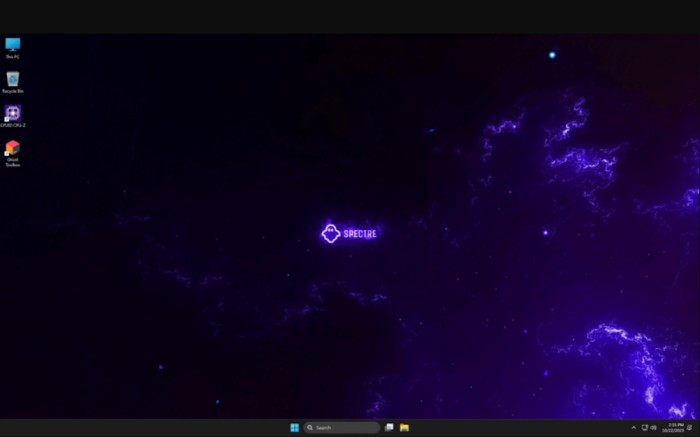
Windows 11 Pro Lite 23H2 Build 22631.5039 x64 March 2025 Ghost Spectre
c8b23d5b5ac7244f2e6430c722398993.jpg


Windows 11 Pro Lite 23H2 Build 22631.5039 x64 March 2025 Ghost Spectre

WPE+ Bootable | Language: English | File Size: 4.2 GB

At a time when the PC is playing a more central role in our lives, Windows 11 is designed to bring you closer to what you love.
This is the latest version of Windows OS releases, with new interface and other new features like new Microsoft Store, a new personalized feed powered by AI and best-in-class browser performance from Microsoft Edge, Chat from Microsoft Teams integrated in the taskbar and many more!

OS build: 22631.5039
Edition: PRO SUPERLITE + SE + COMPACT + DEFENDER + W/O DEFENDER
Version: 23H2
Arch: x64
Lang: en-US

Features
– Improve DirectX12
– Compact Integrated + LZX (algorithm)
– Bloatware FREE!!
– Optimized Pagefile/Services/Scheduled/Search Indexer
– Privacy Optimizations & Performante mode!
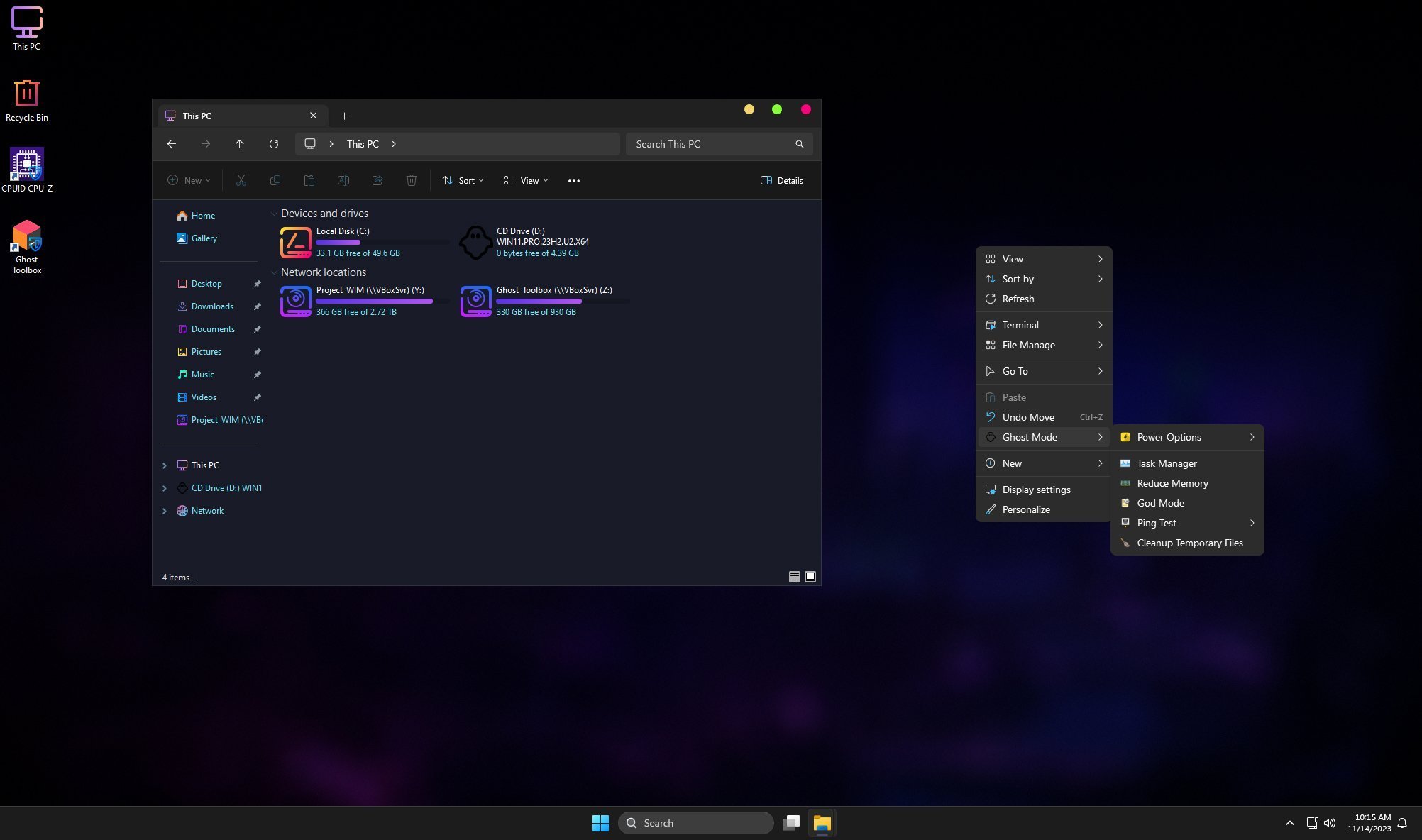
– Ghost Toolbox! (Add or Remove Windows Store and Much More!)
– Support any Other Language & Keyboard
– Support UWP Games / UWP Apps (ex. Forza/GOW/etc etc)
– Updatable (can update to latest build windows 11!)
– Window update can be paused until 2077!
– With custom Icons packs / Windows Themes pack!
– GHOST CUSTOM BOOTABLE! (WPE)
– GHOST NORMAL BOOTABLE SV2
– Built-in TPM or Without TPM

Removable Options
– Removes Windows Apps and System Apps
– Removes Windows Security / Defender / Smartscreen
– Disable Remote Desktop / Tablet keyboard / NFC / Clipboard / Focus Assist – (Superlite only)
– Disable Print spooler (If you need printers please set Auto in Services)
– Removes OneDrive (can get it back using ghost toolbox)
– Disable Action Center / Notifications – (Superlite only)
– Disable Telemetry – (Superlite only)
– Removes Errors reports – (Superlite only)
– Disable UAC (Never notify)
– Removes WinSxS backup

What's New
- Update OS 22621.5039
- Update .NET Framework
- Update Startmenu for SE

Homepage
ghostspectre.the-ninja.jp

Hoster:
RapidGator.net | DDownload.com

 

Windows 11 Pro Lite 22H2 Build 22621.5039 x64 March 2025 Ghost Spectre

c8b23d5b5ac7244f2e6430c722398993.jpg


Windows 11 Pro Lite 22H2 Build 22621.5039 x64 March 2025 Ghost Spectre

WPE+ Bootable | Language: English | File Size: 3.4 GB

At a time when the PC is playing a more central role in our lives, Windows 11 is designed to bring you closer to what you love.
This is the latest version of Windows OS releases, with new interface and other new features like new Microsoft Store, a new personalized feed powered by AI and best-in-class browser performance from Microsoft Edge, Chat from Microsoft Teams integrated in the taskbar and many more!

OS build: 22621.5039
Edition: PRO SUPERLITE + SE + COMPACT + DEFENDER + W/O DEFENDER
Version: 22H2
Arch: x64
Lang: en-US

Features
- Compact Integrated + LZX (algorithm)
- Bloatware FREE!!
- Optimized Pagefile/Services/Scheduled/Search Indexer
- Privacy Optimizations & Performance mode!
- Ghost Toolbox! (Add or Remove Windows Store and Much More!)
- Support any Other Language & Keyboard
- Support UWP Games / UWP Apps (ex. Forza/GOW/etc, etc)
- Updatable (can update to the latest build of Windows 11!)
- Window updates can be paused until 2077!
- With custom Icons, packs / Windows Themes pack!
- GHOST CUSTOM BOOTABLE! (WPE)

Removable Options
- Windows Apps And System Apps
- Windows Security/Defender/Smartscreen
- Remote Desktop/ Focus Assist/ NFC / Clipboard – (Superlite Only)
- Print Spooler
- OneDrive
- Action Centre/Notifications – (Superlite Only)
- Telemetry – (Superlite Only)
- Error Reports – (Superlite Only)
- UAC (Never Notify)
- WinSxS backup
- Winre

What's New
- Update OS 22621.5039
- Update .NET Framework
- Update Startmenu for SE

Homepage
ghostspectre.the-ninja.jp


Hoster
RapidGator.net DDownload.com


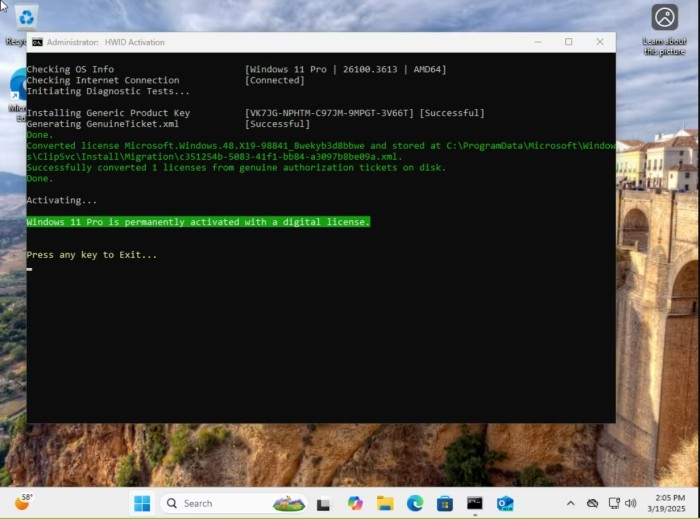
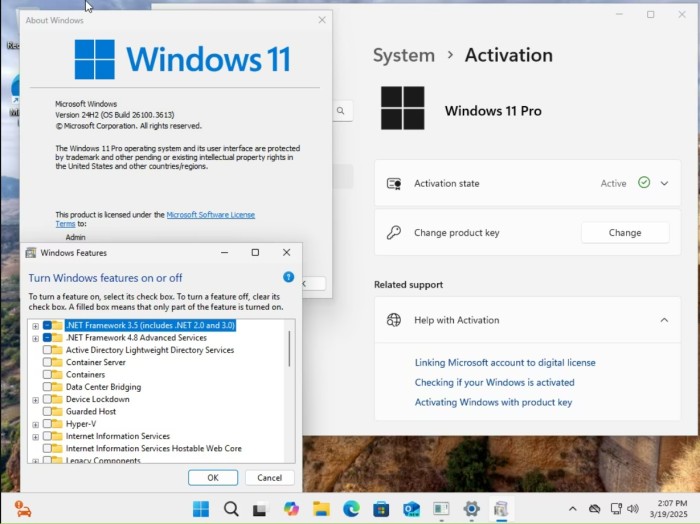
Windows 11 Pro 24H2 Build 26100.3613 (No TPM Required) Preactivated Multilingual March 2025

5b3769c9c83863041dc702366a495c38.jpg


Windows 11 Pro 24H2 Build 26100.3613 (No TPM Required) Preactivated Multilingual March 2025

Windows (x64) | Languages:Arabic,English,German,Greek,French,Spanish,Italian,Portuguese-Portuguese,Portuguese-Brazil,Turkish,Dutch,Czech | File Size: 5.38 GB

Windows 11, version 24H2, also known as the Windows 11 2024 Update, is now available through Windows Server Update Services (WSUS) and Windows Update for Business.

Today marks the start of 36 months of support for Enterprise and Education editions of Windows 11, version 24H2. We recommend that you begin a targeted deployment in your organization now to validate that your apps, devices, and infrastructure work as expected with the new release. To help you plan, this post outlines some of the features and enhancements that help you power exceptional experiences while helping secure your corporate data, apps, and people on any device.
Windows 11, version 24H2 includes all the features and capabilities delivered as part of continuous innovation to Windows 11, now enabled by default. These include
Windows Local Administrator Password Solution (LAPS) policy improvements and new automatic account management feature
Personal Data Encryption (PDE) so that known Windows folders (Documents, Desktop, and Pictures) are protected using user authenticated encryption
App Control for Business (formerly Windows Defender Application Control) to better protect your digital property from malicious code
Windows protected print mode, eliminating the need to rely on third-party software installers for Morpia certified printers
Local Security Authority (LSA) protection to help protect against the theft of secrets and credentials used for logon
Support for Wi-Fi 7
Bluetooth® LE audio support for assistive devices
New controls to help manage which apps have access to the list of Wi-Fi networks around you
Rust in the Windows kernel
SHA-3 support
With Windows 11, version 24H2, we've also introduced numerous Server Message Block (SMB) protocol changes. These include firewall rule changes, support for blocking NTLM, dialect management, alternative network port connections, SMB over QUIC (an alternative to TCP and RDMA), and changes to SMB signing and encryption.
This scoped release also features enhancements designed to improve your overall experience with Windows 11, such as
A scrollable list (vs. single pane) of Quick Settings in the system tray that can be arranged in the way that makes sense for how you work best
Text labels to the cut, copy, rename, share, and delete actions available at the top of the File Explorer context menu
Support for creating 7-zip and TAR archives
Energy saver, an easy way to extend battery life and reduce energy use that can be configured to run automatically or toggled on and off manually via Quick Settings
Extended adaptive brightness control[3] on laptops and 2-in-1s even when they are plugged in
Expanded availability of Voice Clarity, which cancels echo, suppresses background noise, and reduces reverberation in real-time
We've also added new capabilities to control audio presets, ambient sounds, and more for Bluetooth® LE Audio. We made it so that people can adjust audio presets for their hearing aids from Settings or Quick Settings.

Whats New

Screenshot
bd48b4dd522aa4e09afef711ca808860.jpg

23cb303b675d9f0a28e65cf222d87435.jpg

f744a477722edfe2aacf16f94520f274.jpg


System Requirements
Processor: 2 gigahertz (GHz) or faster.
RAM: 2 gigabyte (GB).
Free space on hard disk: 25 gigabytes (GB).
Graphics card: DirectX 9 graphics device or a newer version.
Additional requirements to use certain features.
To use touch you need a tablet or monitor that supports multitouch.
To access the Windows store to download and run apps, you need an active Internet connection and a screen resolution of at least 1024 x 768 pixels

Homepage


Hoster:
RapidGator.net | DDownload.com

 
Microsoft Windows 11 AiO 24H2 Build 26100.3624

Deutsch // Originale Microsoft Dateien // 100% Clean // 64-Bit

Diese Windows Version ist 100% Original und wurde nicht modifiziert!


47545712jr.jpg


Beschreibung:


Diese ISO enthält folgende Versionen:

Windows 11 24H2 Home
Windows 11 24H2 Home N
Windows 11 24H2 Pro
Windows 11 24H2 Pro N
Windows 11 24H2 Enterprise
Windows 11 24H2 Education
Windows 11 24H2 Pro Education
Windows 11 24H2 Pro for Workstations
Windows 11 24H2 Enterprise N
Windows 11 24H2 Education N
Windows 11 24H2 Pro Education N
Windows 11 24H2 Pro N for Workstations
Windows 11 24H2 Home Single Language
Windows 11 24H2 Enterprise for Virtual Desktops
Windows 11 24H2 IoT Enterprise
Windows 11 24H2 IoT Enterprise Subscription

_________________________________________________

Größe: 5.60 GB
Sprache: Deutsch
Format: RAR/ISO
Plattform: Windows 11 24H2 (64-Bit)
Hoster: RapidGator|Ddownload|Katfile
________________________________________


Windows 11 24H2 Build 26100.3476 ConsumerBusiness Edition English March 2025 MSDN (x64)

J4eowc0Tx4M9yDnAVChpyEX7t6MjdvNl.png


Windows 11 24H2 Build 26100.3476 ConsumerBusiness Edition English March 2025 MSDN (x64)

English | File Size: 6.5/6.4 GB

At a time when the PC is playing a more central role in our lives, Windows 11 is designed to bring you closer to what you love. This is the latest version of Windows OS releases, with new interface and other new features like new Microsoft Store, a new personalized feed powered by AI and best-in-class browser performance from Microsoft Edge, Chat from Microsoft Teams integrated in the taskbar and many more!

Consumer edition includes
- Windows 11 Home
- Windows 11 Home N
- Windows 11 Home Single Language
- Windows 11 Education
- Windows 11 Education N
- Windows 11 Pro
- Windows 11 Pro N
- Windows 11 Pro Education
- Windows 11 Pro Education N
- Windows 11 Pro for Workstations
- Windows 11 Pro N for Workstations

Business edition includes
- Windows 11 Education
- Windows 11 Education N
- Windows 11 Enterprise
- Windows 11 Enterprise N
- Windows 11 Pro
- Windows 11 Pro N
- Windows 11 Pro Education
- Windows 11 Pro Education N
- Windows 11 Pro for Workstation
- Windows 11 Pro N for Workstation

What's new in Windows 11
- Windows 11 will receive a completely new design. Microsoft clearly needs a good reason to reverse its past claims and still ditch Windows 10 by introducing a new operating system number. And a completely new design is great for that. The Redmond giant has long been preparing a redesign for an update with the code name Sun Valley ("Sun Valley") - apparently, under this naming it was Windows 11. The Sun Valley project flashed on the network for a long time - Microsoft regularly disclosed details of the new interface style, insiders shared the unknown previously information, and popular designers in their circles drew realistic concepts based on all this data.
- Start and system elements will float above the bottom bar. Start is the calling card and face of every recent version of Windows. Not surprisingly, in Windows 11, developers will transform it again, but not so much in functional as in visual terms - the Start window will hover above the bottom bar. We have to admit that this small change makes the appearance of the system much fresher. Judging by information from the network, Microsoft will not radically change the "insides" of this menu - the innovations will affect only the design of the window itself. The control panel will also float, and its design will be exactly the same as that of the "Start". The action center will be combined with the control buttons together - a similar one has long been used in some other operating systems. Almost all mentions of this new menu indicate that it will be island - the control buttons will be located on one separate panel, notifications will be on another, and specific elements (like a player) on another separate one.
- Right angles will disappear, they will be replaced by fillets. In truth, insiders and concept designers disagree on this point - some are confident that Microsoft will not change its traditions and will keep right angles, while others are convinced that in 2021 Microsoft will follow the fashion for fillets. The latter fits better with the definition of "completely new Windows" - just hovering menus are not enough for a new design to be considered truly new. Fillets are expected to affect virtually everything in the system, from context menus and system panels to all application windows. True, even on this issue, the opinions of concept designers differ - some draw fillets in all possible interface elements, others combine them with right angles.
- There will be a translucent background with blur everywhere. There is disagreement on the web about the island style of displaying windows, the design of the corners and the levitation effect of the menu, but almost everyone is unanimous about the transparency of the windows. The vast majority of leaks and design renders show transparency and blur in all windows, be it at least the Start menu or Explorer. Moreover, these effects are even in the assembly of the canceled Windows 10X operating system, which Microsoft was developing for devices with two screens and weak gadgets in parallel with the Sun Valley project. The so-called acrylic transparency implies the use of new effects when hovering over elements, as well as increased spacing between elements - those areas of the interface with which the user interacts will certainly become larger, and page titles will be thickened.
- New font that has already been shown. Windows 11 will most likely use the default responsive Segoe UI Variable font, which has already appeared in Windows 10 Build 21376 for Insiders. Its advantage is that it is equally well suited for small texts and large inscriptions. This distinguishes it from standard fonts, which are initially created for either small size or large size. For example, the stable version of Windows 10 currently uses the Segoe UI font, designed for 9pt. In smaller inscriptions, it becomes poorly legible, and in large inscriptions it looks expressionless.
- Windows 11 will have new icons, and Windows 95 icons will disappear. Yes, they are still in use today. Microsoft will finally transform the icons that are used throughout the system. It's not just about shortcuts to folders, trash cans and other icons found in Explorer. We are talking about all the icons available in the Shell32 directory. There are still icons from the days of Windows 95, and only recently Microsoft updated their design in one of the insider assemblies - of course, they will migrate to Windows 11.
- Windows 11 will have functional innovations - there are many of them, but they are all small. Much less is known about the features of the upcoming update than about its design. But since Windows 11 and Windows 10X (the canceled OS for weak and foldable devices, the image of which has leaked to the network) were developed in parallel, we can safely assume that all the functions from the latter will appear in Windows 11. For example, Windows 11 will show when the camera is in use computer - the corresponding indicator will be displayed in the system tray.

What's New

Homepage


Hoster:
RapidGator.net | DDownload.com

Download from DDOWNLOAD:


Download from RapidGator:


zNMMUD.th-ka1o8kugpPdU3zXrlA1yG4z82BRd5Zqq.png


Windows 11 AIO 16in1 24H2 Build 26100.3613 (No TPM Required) Preactivated (64-Bit) Multilingual March 2025


Plattform: windows 11 (64-Bit)
Größe: 6.16 GB
Sprache(n) -> multi / deutsch / englisch
Format: rar / iso
Hoster: rapidgator / ddownload / nitroflare


Windows 11, Version 24H2, auch bekannt als Windows 11 2024 Update, ist jetzt über Windows Server Update Services (WSUS) und Windows Update for Business verfügbar.Heute beginnt der 36-monatige Support für die Enterprise und Education-Editionen von Windows 11, Version 24H2.Wir empfehlen Ihnen, jetzt mit einer gezielten Bereitstellung in Ihrer Organisation zu Infrastruktur mit der neuen Version wie erwartet funktionieren.Um Ihnen bei der Planung zu helfen, werden in diesem Beitrag einige der Funktionen die Ihnen helfen, außergewöhnliche Erfahrungen zu ermöglichen Apps und Personen auf jedem Gerät zu schützen.Windows 11, Version 24H2, enthält alle Funktionen die im Rahmen der kontinuierlichen Innovation für Windows 11 bereitgestellt wurden und jetzt standardmäßig aktiviert sind.

Editionen enthalten
1. „Windows 11 Home“
2. „Windows 11 Home N“
3. „Windows 11 Pro“
4. „Windows 11 Pro N“
5. „Windows 11 Home Single Language“
6. „Windows 11 Enterprise“
7. „Windows 11 IoT Enterprise“
8. „Windows 11 IoT Enterprise Subsption“
9. „Windows 11 Enterprise Multi-Session“
10. „Windows 11 Education“
11. „Windows 11 Pro Education“
12. „Windows 11 Pro für Workstations“
13. „Windows 11 Enterprise N“
14. „Windows 11 Education N“
15. „Windows 11 Pro Education N“
16. „Windows 11 Pro N für Workstations“ Was ist neu


Sprachen: Arabisch, Englisch, Deutsch, Griechisch, Französisch, Spanisch, Italienisch, Portugiesisch-Portugiesisch, Portugiesisch-Brasilien, Türkisch, Niederländisch, Tschechisch


Download:
jndlpic.gif


Microsoft Windows 11 Enterprise 24H2 LTSC Build 26100.3624

Deutsch // Originale Microsoft Dateien // 100% Clean // 64-Bit

Diese Windows Version ist 100% Original und wurde nicht modifiziert!


48865821im.png


Beschreibung:


Diese ISO enthält folgende Versionen:

Windows 11 Enterprise LTSC x64
Windows 11 Enterprise N LTSC x64
Windows 11 IoT Enterprise LTSC x64
Windows 11 IoT Enterprise Subscription LTSC x64

_________________________________________________

Größe: 4.75 GB
Sprache: Deutsch
Format: RAR/ISO
Plattform: Windows 11 LTSC 24H2 (64-Bit)
Hoster: RapidGator|Ddownload|Katfile
________________________________________


Windows 11 Pro Lite 24H2 Build 26100.3476 x64 March 2025 Ghost Spectre

MKyc.png


Windows 11 Pro Lite 24H2 Build 26100.3476 x64 March 2025 Ghost Spectre

WPE+ Bootable | Language: English | File Size: 4.45 GB

At a time when the PC is playing a more central role in our lives, Windows 11 is designed to bring you closer to what you love.
This is the latest version of Windows OS releases, with new interface and other new features like new Microsoft Store, a new personalized feed powered by AI and best-in-class browser performance from Microsoft Edge, Chat from Microsoft Teams integrated in the taskbar and many more!

Features
- Compact Integrated + LZX (algorithm)
- Bloatware FREE!!
- Optimized Pagefile/Services/Scheduled/Search Indexer
- Privacy Optimizations & Performance mode!
- Ghost Toolbox! (Add or Remove Windows Store and Much More!)
- Support any Other Language & Keyboard
- Support UWP Games / UWP Apps (ex. Forza/GOW/etc, etc)
- Updatable (can update to the latest build of Windows 11!)
- Window updates can be paused until 2077!
- With custom Icons, packs / Windows Themes pack!
- GHOST CUSTOM BOOTABLE! (WPE)

Removable Options
- Windows Apps And System Apps
- Windows Security/Defender/Smartscreen
- Remote Desktop/ Focus Assist/ NFC / Clipboard - (Superlite Only)
- Print Spooler
- OneDrive
- Action Centre/Notifications - (Superlite Only)
- Telemetry - (Superlite Only)
- Error Reports - (Superlite Only)
- UAC (Never Notify)
- WinSxS backup
- Winre

Screen:
KVsc.jpg


What's New
- Update OS 26100.3476 / 26100.1742 (First-Edition-V6)
- Update .NET Framework
- Update Startmenu for SE
- Update Bootable Driver
- ISO Based on The Official FEB Update

Homepage


Hoster:
RapidGator.net | DDownload.com
DDOWNLOAD Links:


Download from RapidGator


Microsoft Windows 11 24H2 Build 26100.3476 9in1

Multilingual/Deutsch // Voraktiviert // Originale Microsoft Dateien // 100% Clean // 64-Bit


1dc587e31dce94448564b8fe8cd97501.jpg


Beschreibung:


Diese ISO enthält folgende Versionen:

Windows 11 Pro
Windows 11 SE
Windows 11 Pro Education
Windows 11 Pro for Workstations
Windows 11 Pro Single Language
Windows 11 Education
Windows 11 Enterprise
Windows 11 Enterprise multi-session
Windows 11 IoT Enterprise
Windows 11 IoT Enterprise Subsc.ription


Größe: 5.29 GB
Sprache: Multilingual/Deutsch
Format: RAR/ISO
Plattform: Windows 11 (64-Bit)
Hoster: Rapidgator/Ddownload

Download:


Microsoft Windows 11 AIO 16in1 24H2 Build 26100.3476

Multilingual/Deutsch // Voraktiviert // Originale Microsoft Dateien // 100% Clean // 64-Bit


1dc587e31dce94448564b8fe8cd97501.jpg


Beschreibung:


Diese ISO enthält folgende Versionen:

1. "Windows 11 Home"
2. "Windows 11 Home N"
3. "Windows 11 Pro"
4. "Windows 11 Pro N"
5. "Windows 11 Home Single Language"
6. "Windows 11 Enterprise"
7. "Windows 11 IoT Enterprise"
8. "Windows 11 IoT Enterprise Subsc.ription"
9. "Windows 11 Enterprise multi-session"
10. "Windows 11 Education"
11. "Windows 11 Pro Education"
12. "Windows 11 Pro for Workstations"
13. "Windows 11 Enterprise N"
14. "Windows 11 Education N"
15. "Windows 11 Pro Education N"
16. "Windows 11 Pro N for Workstations"


Größe: 6.06 GB
Sprache: Multilingual/Deutsch
Format: RAR/ISO
Plattform: Windows 11 (64-Bit)
Hoster: Rapidgator/Ddownload

Download:


Zurück
Oben Unten