• Regeln für den Video-Bereich:

    In den Börsenbereich gehören nur Angebote die bereits den Allgemeinen Regeln entsprechen.

    Einteilung

    - Folgende Formate gehören in die angegeben Bereiche:
    - Filme: Encodierte Filme von BluRay, DVD, R5, TV, Screener sowie Telesyncs im Format DivX, XviD und x264.
    - DVD: Filme im Format DVD5, DVD9 und HD2DVD.
    - HD: Encodierte Filme mit der Auflösung 720p oder darüber von BluRay, DVD, R5, TV, Screener sowie Telesyncs im Format x264.
    - 3D: Encodierte Filme von BluRay, die in einem 3D Format vorliegen. Dies gilt auch für Dokus, Animation usw.
    - Serien: Cartoon/Zeichentrick, Anime, Tutorials, Dokumentationen, Konzerte/Musik, Sonstiges sind demnach in die entsprechenden Bereiche einzuordnen, auch wenn sie beispielsweise im High Definition-Format oder als DVD5/DVD9/HD2DVD vorliegen. Ausnahme 3D.
    - Bereich Englisch: Englische Releases gehören immer in diesen Bereich.
    - Bereich Talk: Der Bereich, in dem über die Releases diskutiert werden kann, darf, soll und erwünscht ist.


    Angebot/Beitrag erstellen

    - Ein Beitrag darf erst dann erstellt werden, wenn der Upload bei mindestens einem OCH komplett ist. Platzhalter sind untersagt.
    - Bei einem Scenerelease hat der Threadtitel ausschließlich aus dem originalen, unveränderten Releasenamen zu bestehen. Es dürfen keine Veränderungen wie z.B. Sterne, kleine Buchstaben o.ä. vorgenommen werden. Ausnahme Serienbörse:
    - Bei einem Sammelthread für eine Staffel entfällt aus dem Releasename natürlich der Name der Folge. Beispiel: Die Simpsons S21 German DVDRip XviD - ITG
    - Dementsprechend sind also u.a. verboten: Erweiterungen wie "Tipp", "empfehlenswert", "only", "reup", usw. / jegliche andere Zusatzinformation oder Ergänzung, welche nicht in obiger Beschreibung zu finden ist.

    Aufbau des Angebots und Threadtitel

    Der Titel nach folgendem Muster erstellt zu werden. <Name> [3D] [Staffel] [German] <Jahr> <Tonspur> [DL] [Auflösung] <Quelle> <Codec> - <Group>
    Beispiel: The Dark Knight German 2008 AC3 DVDRip XviD - iND
    Beispiel: The Dark Knight 2008 DTS DL BDRip x264 - iND
    Beispiel: The Dark Knight 2008 AC3 DL BDRip XviD - iND
    Beispiel: The Dark Knight German 2008 AC3 720p BluRay x264 iND
    Beispiel: The Dark Knight 2008 DTS DL 1080p BluRay x264 iND
    Beispiel: Die Simpsons S01 German AC3 DVDRip XviD iND
    Beispiel: Die Simpsons S20 German AC3 720p BluRay x264 iND
    Beispiel: Sword Art Online II Ger Sub 2014 AAC 1080p WEBRip x264 - peppermint
    Entsprechend sind also u.a. verboten: Sonderzeichen wie Klammern, Sterne, Ausrufezeichen, Unterstriche, Anführungszeichen / Erweiterungen wie "Tipp", "empfehlenswert", "only", "reup", usw. / jegliche andere Zusatzinformation oder Ergänzung, welche nicht in obiger Beschreibung zu finden ist
    Ausnahmen hiervon können in den Bereichen geregelt sein.

    Die Beiträge sollen wie folgt aufgebaut werden:
    Überschrift entspricht dem Threadtitel
    Cover
    kurze Inhaltsbeschreibung
    Format, Größe, Dauer sind gut lesbar für Downloader außerhalb des Spoilers zu vermerken
    Nfo sind immer Anzugeben und selbige immer im Spoiler in Textform.
    Sind keine Nfo vorhanden z.B. Eigenpublikationen, sind im Spoiler folgende Dateiinformationen zusätzlich anzugeben :
    Quelle
    Video (Auflösung und Bitrate)
    Ton (Sprache, Format und Bitrate der einzelnen Spuren)
    Untertitel (sofern vorhanden)
    Hosterangabe in Textform außerhalb eines Spoiler mit allen enthaltenen Hostern.
    Bei SD kann auf diese zusätzlichen Dateiinformationen verzichtet werden.

    Alle benötigten Passwörter sind, sofern vorhanden, in Textform im Angebot anzugeben.
    Spoiler im Spoiler mit Kommentaren :"Schon Bedankt?" sind unerwünscht.


    Releases

    - Sind Retail-Release verfügbar, sind alle anderen Variationen untersagt. Ausnahmen: Alle deutschen Retail-Release sind CUT, in diesem Fall sind dubbed UNCUT-Release zulässig.
    - Im Serien-Bereich gilt speziell: Wenn ein Retail vor Abschluss einer laufenden Staffel erscheint, darf diese Staffel noch zu Ende gebracht werden.62
    - Gleiche Releases sind unbedingt zusammenzufassen. Das bedeutet, es ist zwingend erforderlich, vor dem Erstellen eines Themas per Suchfunktion zu überprüfen, ob bereits ein Beitrag mit demselben Release besteht. Ist dies der Fall, ist der bereits vorhandene Beitrag zu verwenden.
    - P2P und Scene Releases dürfen nicht verändert oder gar unter einem iND Tag eingestellt werden.


    Support, Diskussionen und Suche

    - Supportanfragen sind entweder per PN oder im Bereich Talk zu stellen.
    - Diskussionen und Bewertungen sind im Talk Bereich zu führen. Fragen an die Uploader haben ausschließlich via PN zu erfolgen, und sind in den Angeboten untersagt.
    - Anfragen zu Upload-Wünschen sind nur im Bereich Suche Video erlaubt. Antworten dürfen nur auf Angebote von MyBoerse.bz verlinkt werden.


    Verbote

    - Untersagt sind mehrere Formate in einem einzigen Angebotsthread, wie beispielsweise das gleichzeitige Anbieten von DivX/XviD, 720p und 1080p in einem Thread. Pro Format, Release und Auflösung ist ein eigener Thread zu eröffnen.
    - Grundsätzlich ebenso verboten sind Dupes. Uploader haben sich an geeigneter Stelle darüber zu informieren, ob es sich bei einem Release um ein Dupe handelt.
    - Gefakte, nur teilweise lauffähige oder unvollständige Angebote sind untersagt. Dies gilt auch für eigene Publikationen, die augenscheinlich nicht selbst von z.B. einer DVD gerippt wurden. Laufende Serien, bei denen noch nicht alle Folgen verfügbar sind, dürfen erstellt und regelmäßig geupdatet werden.
    - Untersagt sind Angebote, welche nur und ausschließlich in einer anderen Sprache als deutsch oder englisch vorliegen. Ausnahmen sind VORHER mit den Moderatoren zu klären.


    Verstoß gegen die Regeln

    - Angebote oder Beiträge, die gegen die Forenregeln verstoßen, sind über den "Melden"-Button im Beitrag zu melden.
  • Bitte registriere dich zunächst um Beiträge zu verfassen und externe Links aufzurufen.

*** Bestes IPTV *** bester Preis *** gratis Test ***


Englische Tutorials

62b60835ffd01717d4ebbe0272bcd1c8.jpg


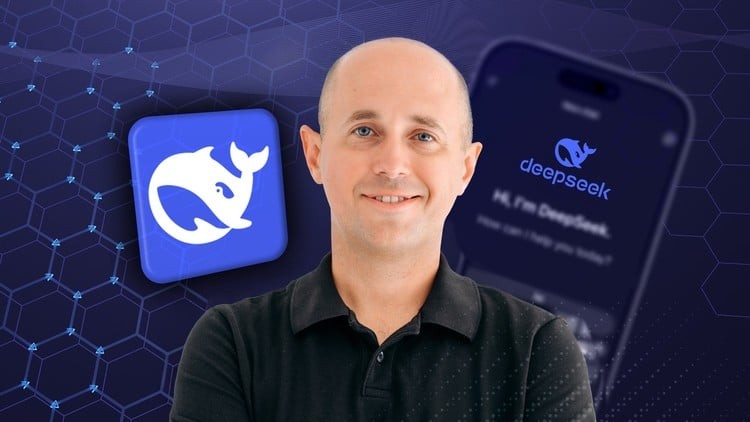
DeepSeek AI: The Complete Guide to DeepSeek and 20+ AI Tools
Last updated 5/2026
MP4 | Video: h264, 1920x1080 | Audio: AAC, 44.1 KHz
Language: English | Size: 43.47 GB | Duration: 53h 12m

Leverage DeepSeek R1's Advanced AI Capabilities. Transform Business Growth with DeepSeek/ChatGPT/Perplexity/Claude etc


What you'll learn
Understand the basics of DeepSeek and how it compares to tools like ChatGPT
Set up and navigate your DeepSeek account
Master the 7 key questions for building a strong digital marketing strategy
Use DeepSeek for SWOT analysis, mission research, and competitor analysis
Create effective email campaigns and optimize cold email outreach
Build user personas and develop audience-specific content with AI
Compare DeepSeek's capabilities to other AI tools for better decision-making

Requirements
Basic knowledge of AI technology
Your wish to keep up with the trends and understand how AI can help you in work life

Description
This course contains the use of artificial intelligence.

In the fast-evolving world of artificial intelligence, DeepSeek R1 stands out as a powerful tool to help businesses and marketers streamline their operations, generate transformative ideas, and engage audiences with maximum impact. This comprehensive course walks you through the fundamentals and advanced features of DeepSeek R1, guiding you step by step on how to deploy AI-driven insights to optimize marketing campaigns, customer engagement, and overall business strategy.

One of the standout features of the DeepSeek AI Course is its emphasis on hands-on experience. Learners get to apply their knowledge in practical projects. These projects are designed to provide real-world relevance, ensuring that the skills acquired are immediately applicable.

By the end of this course, you'll have a robust understanding of how to use DeepSeek R1 to

Automate and Optimize Marketing Tactics: Discover how AI-powered insights can boost your campaigns, content strategy, lead generation, and audience targeting.

Drive Smarter Business Decisions: Learn to transform vast data sets into actionable recommendations, giving you a competitive edge and higher ROI.

Create Engaging Customer Experiences: Use DeepSeek R1's natural language generation to build meaningful communication with potential clients and stakeholders.

Streamline Workflows: Save time and resources by integrating DeepSeek R1 into your existing marketing processes, from data analysis to campaign deployment.

Staying Current: The AI landscape is constantly evolving. This course ensures you stay up-to-date with the latest advancements in AI and machine learning, keeping your skills relevant and competitive.

The skills acquired from the DeepSeek AI Course are designed to be highly applicable in real-world scenarios. For instance, the techniques learned can be used in commercial projects, enhancing their practical significance in the AI industry. This broad applicability makes the course valuable for professionals across various fields.

Whether you're a digital marketer, business owner, entrepreneur, or strategist, this course offers practical knowledge and hands-on exercises to ensure you can confidently integrate DeepSeek R1 into your day-to-day operations.

Join us and unlock the future of AI-driven marketing and business growth!

What Students Will Gain

Practical AI Skills: Confidently navigate DeepSeek R1 and integrate its features into marketing and business strategies.

Strategic Mindset: Learn how to interpret AI-generated insights to refine marketing campaigns, product roadmaps, and customer engagement efforts.

Hands-On Experience: Work through real-life examples and capstone projects that simulate real-world marketing and business scenarios.

Ongoing Support: Access a supportive community of marketers and business owners working with AI-driven tools.

Who Is This Course For?

Marketers

Business Owners and Entrepreneurs

Marketing Teams and Consultants

AI Developers

Data scientists

Anyone Curious About AI

The course aims to cater to various expertise levels, focusing on both beginners eager to gain foundational knowledge and experienced professionals looking to enhance their AI skills.

The course also accommodates professionals looking to expand their expertise in AI technologies. The mix of basic and advanced content ensures learners from all backgrounds can benefit. This inclusive approach is one of DeepSeek's standout features, making it accessible to a broad audience curious about AI.

Frequently Asked Questions

Who is the DeepSeek AI Course designed for?

The DeepSeek AI Course is designed for data scientists, AI developers, and marketers, business owners, making it suitable for both beginners and advanced learners in the field.

How long does it take to complete the DeepSeek AI Course?

The DeepSeek AI Course can be completed in 3 hours, offering a concise yet thorough introduction to AI.

What certification do I receive upon completing the course?

Upon completing the course, you will receive a certification from Udemy, enhancing your career prospects in AI-related roles.

Do you need to be concerned?

This course comes with a 30-day money-back guarantee.

Join our course today to learn how to streamline your workflow with AI!

This course contains a promotion.

Who this course is for
Marketers who want to leverage AI to boost campaign performance and audience outreach.
Business Owners and Entrepreneurs seeking data-driven ways to scale their operations efficiently.
Marketing Teams and Consultants looking to optimize workflows and improve ROI with AI insights.
Anyone Curious About AI and its practical applications in modern business settings.


751565354_112_-_how_ai_is_transforming_analytics.jpg


Premium Links


Download from RapidGator



b520dcd678f5c28368696854f5b4e3f5.jpg


Cartoon Character Modeling for 3D Animation in Blender
Published 6/2026
Created by Cisco Raya
MP4 | Video: h264, 1920x1080 | Audio: AAC, 44.1 KHz, 2 Ch Level: All Levels | Genre: eLearning | Language: English | Duration: 612 Lectures ( 48h 13m ) | Size: 56.6 GB

Learn the steps for creating 3D cartoon characters in Blender: modeling, texturing, rigging, posing, and rendering


What you'll learn
⚡ You will learn to bring your own 3D cartoon character to life from start to finish, created solely in Blender.
⚡ You will study polygonal modeling techniques, for a clean and functional topology for animation.
⚡ You will create UV maps for the application of materials and textures, such as fabrics and skin.
⚡ You will create a skeleton, with controls that will allow you to give body movement and expressiveness to our character.
⚡ You will learn to create cameras, move them, perform framing, and you will prepare the lighting, to finally make striking renders.
⚡ You will publish your final work on a digital portal in the animation and video games sector, prominent worldwide.

Requirements
❗ It is not essential to have prior 3D knowledge, although having basic notions is recommended.
❗ No prior knowledge of Blender is required.
❗ A computer with Windows or macOS that is capable of running Blender.

Description

This course contains the use of artificial intelligenceNote:The English audio in this Blender course is AI-dubbed from the instructor's original Spanish recording. All content, pacing, and explanations are based on the original narration.

In this course you will discover what the process of creating 3D cartoon style characters for animation is, using all the tools thatBlenderprovides us.

You will start by getting to know the Blender interface and, once you have familiarized yourself with the program, you will study a base character as an introduction, with the aim of knowing therulesof topology and body and facial loops.

You willmodel the body of our character, using design guide images, creating a clean base topology optimal for rigging and animation.

Next, you willmodelall theclothesand accessories that will give personality to the character, always thinking of a design that fits within an animation movie.

You will learn the character'sunwrappingprocess by unfolding the UV maps for the application of materials and textures, such as fabrics and skin.

Once you reach this point, you will be ready to give mobility to the character, creating askeletonusingRigify, a complete human skeleton made of: rig of legs, arms, torso, hands, and head.

As well as the creation offacial expressions, both by shape keys and by rigging.

You will create severaldynamic and striking posesbringing our character to life, studying the line of action, a very useful element to give solidity to our character.

You will configurecamerasand implementlightingto obtain high-quality renders.

You will create an immersiveenvironmentthat reinforces the theme in the style of a 3D animationmovie.

Finally, you will be able to create adigital portfolio, publishing the renders on a famous digital portal, specialized in the 3D animation and video game sector.

The course consists of43 sections and more than 48 hours.

The duration of each video is approximately between 5 and 10 minutes, with the purpose of keeping us focused and so they can be studied in short intervals. They are recorded at normal speed.

The final objective of the course is that the next cartoon character project you carry out, you will be able to face it alone, having assimilated thecomplete workflow.

Who this course is for
⭐ To artists, designers, or anyone who is interested in getting started in the creation of 3D cartoon characters.
⭐ Junior artists who wish to level up, learn, or reinforce techniques for character creation.
⭐ Senior artists who wish to make the move to Blender, learn its workflow, tools, and interface.


751565677_544-_touch-ups.jpg


Premium Links


Download from RapidGator



61133516b13408e0eb3085d4e536a478.jpg


Curso Integral PLC HMI Scada en Tia Portal
Published 6/2026
Created by Franco Ulloa
MP4 | Video: h264, 1920x1080 | Audio: AAC, 44.1 KHz, 2 Ch Level: Expert | Genre: eLearning | Language: Spanish | Duration: 17 Lectures ( 30h 29m ) | Size: 32 GB

TIA Portal Integral: Programación de PLC, Lazos PID, Pantallas HMI, SCADA Avanzado y Redes Modbus, Profibus y Profinet.


What you'll learn
⚡ Dominar los fundamentos de PLCs Siemens y el entorno de ingeniería TIA Portal para el desarrollo de proyectos avanzados.
⚡ Programar lógica de bits, temporizadores (Timers) y sistemas secuenciales tipo LIFO en TIA Portal y Factory IO.
⚡ Configurar el conteo de objetos y realizar el escalamiento profesional de señales analógicas de instrumentación.
⚡ Implementar lazos de control PID para la regulación precisa de nivel de líquidos en plantas virtuales 3D.
⚡ Desarrollar programación estructurada, control proporcional e interfaces HMI dinámicas para la operación en planta.
⚡ Configurar sistemas de seguridad industrial mediante la gestión de alarmas, usuarios y contraseñas protegidas.
⚡ Diseñar Faceplates avanzados en WinCC y configurar recetas de producción automatizadas en TIA Portal.
⚡ Establecer comunicaciones industriales reales usando protocolos Modbus RTU, PROFIBUS y redes PROFINET con variadores VFD.
⚡ Desarrollar arquitecturas HMI avanzadas y SCADA completos incorporando sistemas DataLogger para el registro de datos.

Requirements
❗ Manejo básico de computadoras bajo entorno Windows para la instalación y uso fluido de los entornos de simulación.
❗ Nociones elementales de electricidad o automatización, aunque todo el ecosistema de control se explica desde cero.
❗ Disponer de una PC apta para ejecutar las simulaciones conjuntas de TIA Portal, WinCC y los entornos 3D del curso.

Description
¡Bienvenido alCurso Integral de PLC, HMI y SCADA en TIA Portal, la especialización definitiva que transformará tu perfil técnico y te abrirá las puertas al mercado industrial de élite! En la actualidad, las empresas no buscan programadores comunes; demandanexpertos integradores capaces de tomar el control total de la pirámide de automatización: desde la lógica interna del PLC hasta la supervisión en tiempo real y las comunicaciones de red. ¡Y en este curso aprenderás exactamente cómo lograrlo!

Hemos diseñado una ruta de aprendizaje $100\%$ práctica, visual e inmersiva. Iniciaremos desde losFundamentos de PLC y TIA Portal, dominando el control de bits y temporizadores. ¡Pasaremos de inmediato a la acción real conectando tu código con simuladores 3D de última generación mediante prácticas delSistema LIFO en Factory IO! Aprenderás a dominar elconteo de objetos, escalamiento de señales analógicas y la implementación de un robustoControl PID de nivel de líquido.

¡Lleva tus diseños al siguiente nivel! Te enseñaremos las reglas de oro de laprogramación estructurada, el uso de lenguajes clave comoFUP y AWL, y el diseño de interfacesHMI y SCADA Avanzados. Aprenderás trucos exclusivos de ingeniería como lacreación de Faceplates personalizados en WinCC, configuración derecetas automatizadas, administración de usuarios con contraseñas y el despliegue deDataLoggers para almacenar el historial de producción de la planta.

El verdadero poder de un integrador está en la conectividad, por eso este programa incluye un bloque masivo de redes industriales

✨Comunicación MODBUS Serial uniendo un PLC S7-1200 (con CB1241) y un variador PowerFlex 525.

✨Teoría y práctica de redes PROFIBUS para buses de campo.

✨Control PROFINET completo y creación de Faceplates específicos para el variadorSINAMICS G120C.

¡No importa si empiezas desde cero o si ya estás en el sector! No necesitas ser un ingeniero experimentado para triunfar aquí; si tienesmuchos deseos de aprender y superarte, nuestra metodología te guiará paso a paso hacia el éxito. ¡Inscríbete hoy mismo, domina el software industrial más potente del planeta y prepárate para liderar los proyectos de automatización del futuro! ¡Nos vemos en clase!

Who this course is for
⭐ Técnicos, estudiantes e ingenieros que busquen dominar la integración completa de control, visualización y redes Siemens.
⭐ Profesionales de mantenimiento que necesiten actualizar sus competencias en configuraciones SCADA y comunicación de variadores.
⭐ Cualquier persona que no necesariamente sea técnico o ingeniero pero sí tener muchos deseos de aprender automatización.


751563505_13-_teoria_y_practicas_de_comunicacion_profibus.jpg


Premium Links


Download from RapidGator



e46a28d260c77fa1bfac406d90a9ad05.jpg


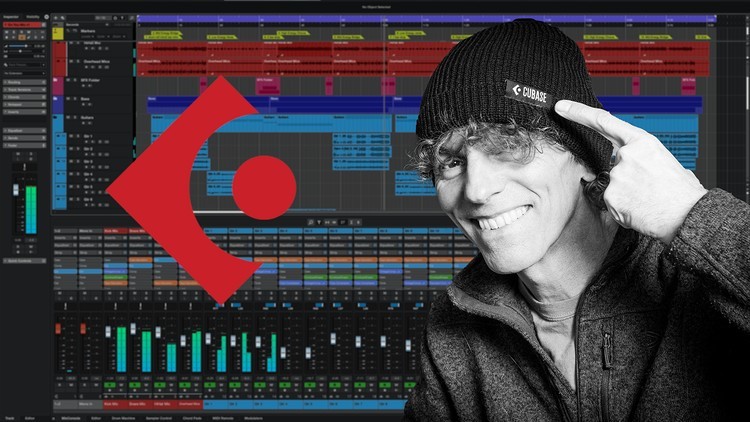
Cubase Essentials
Published 6/2026
Created by John Walden
MP4 | Video: h264, 1920x1080 | Audio: AAC, 44.1 KHz, 2 Ch Level: Beginner | Genre: eLearning | Language: English | Duration: 154 Lectures ( 38h 41m ) | Size: 56.4 GB

The essentials tools for recording, editing, arranging and mixing your music projects within Steinberg's Cubase DAW


What you'll learn
⚡ Learn what makes Cubase a powerful Digital Audio Workstation (DAW) platform for music production
⚡ Learn how to configure Cubase on your computer system for smooth operation
⚡ Learn how to configure a Cubase project
⚡ Learn how to record audio and MIDI performances within the Cubase project window
⚡ Learn how to edit and arrange audio and MIDI recordings to optimise the performances within your song or composition
⚡ Learn how to perfect your project's mix using the Cubase MixConsole
⚡ Learn how to export your finished mix for playback elsewhere or distribution
⚡ Learn how Cubase supports music-to-picture work
⚡ Reinforce all these learning objectives through detailed walkthroughs of example projects

Requirements
❗ No prior knowledge of Cubase or other DAW software is assumed

Description

Cubase Essentials: the essentials tools for recording, editing, arranging and mixing your own music projects within Cubase
Cubase, Steinberg's powerful digital audio workstation software, provides an amazing array of tools for music production, giving anyone access to a fully-featured virtual recording studio environment on their own computer.

From recording your initial ideas as audio or MIDI performances, through refining them via powerful editing and arranging features, to crafting and then exporting your finished mix, Cubase has all you need to turn your song or composition ideas into finished tracks.

This course will give you the Cubase skills you need to do just that. The ability to record your own music can be incredibly satisfying experience. If you have always wanted to capture the very best versions of your songs or compositions in a recorded form, hopefully, with a little help from this course, you will soon be able to do just that within Cubase.

What you'll learn
The Cubase Essentials allows you to learn about

✨ The essential features that make Cubase a powerful recording studio in software

✨ How to install and configure Cubase on your computer

✨ The main elements of the Cubase user interface and what each of them allows you to do

✨ The essential Cubase features for recording your audio and MIDI performances

✨ The essential Cubase features for editing and arranging your audio and MIDI recordings to create the best performances you can and to perfect the structure/arrangement of your song or composition project

✨ The essential Cubase features that allow you to craft and refine the mix of your project and then export it for playback elsewhere or distribution

✨ The essential Cubase features for working with video for composing music-to-picture for applications such as film, TV, adverts or video games.

✨ Via a number of example projects in different musical genres, learn how your Cubase essential knowledge and skills can be used to take a project from an initial musical idea through to a finished mix

Are there any prerequisites required to take the course?
Just a desire to learn how to use Cubase's powerful features; no previous experience of Cubase, other digital audio workstation software or multitrack recording, is assumed.

Who is this course aimed at?
Anyone looking to expand their knowledge of Steinberg's Cubase so that they can make full use of it's feature set in the production of their own musical projects. I had in three main audiences in mind when I was designing the course.

✨ Those who may have been using Cubase for a little while but know you need to expand your knowledge to fully exploit what Cubase has to offer.

✨ Those who perhaps have some experience with another digital audio workstation but haven't quite gelled with that and are now wanting to see if Cubase will be a better fit.

✨ Those who have never used multitrack recording software, and Cubase perhaps represents their very first experience with digital recording.

If you can relate to any one of those groups, then this Cubase Essentials course is designed to take you from initially installing the software right through to exporting the very best mixes from your musical projects that you possibly can.

Meet your instructor
My name is John Walden, and I will be your instructor for this course. I have used Cubase in my own music production work for over 25 years. Since 2007, I have written techniques articles on the use of Cubase for Sound On Sound magazine (you can check these out on the Sound On Sound website if you want more Cubase content) and I have a teaching background within the higher education sector.

I can still learn something new about Cubase every time I use it but I hope that, in this course, I'll be able draw on knowledge and experience I've gained with the software to help you on your own learning journey with Steinberg's brilliant Cubase software.

Who this course is for
⭐ Anyone who is still in the early stages of their journey with Cubase and appreciates there is still lots more to learn to fully exploit the software's potential
⭐ Those without any previous experience of using a DAW and for whom Cubase is their first computer-based recording platform
⭐ Those who have used another DAW but, for whatever reason, now want to see if Cubase is a good fit for them


751598674_141-_project_walkthrough_and_deconstruction.jpg


Premium Links


Download from RapidGator



5984d1ec4cc2a737b9cc2f4b8678a7c6.jpg


Complete Digital Marketing Course in English
Published 6/2026
MP4 | Video: h264, 1920x1080 | Audio: AAC, 44.1 KHz, 2 Ch Language: English | Duration: 39h 1m | Size: 67.19 GB

Learn SEO, Meta Ads, WordPress, WhatsApp Marketing, & Lead Generation from Scratch


What you'll learn
Master Digital Marketing fundamentals including SEO, Social Media Marketing, Content Marketing, and Online Branding.
Create and manage high-converting Meta Ads (Facebook & Instagram Ads) campaigns from scratch.
Build professional WordPress websites, optimize them for SEO, and generate organic traffic and leads.
Learn WhatsApp Marketing, Google My Business, Analytics, and lead generation strategies.

Requirements
No prior digital marketing experience is required. This course is designed for complete beginners and covers everything step-by-step.
A computer or laptop with an internet connection is recommended for practical implementation and assignments.

Description
Welcome to the Complete Digital Marketing Course in English, a practical and beginner-friendly training program designed to help you build strong digital marketing skills from scratch.

This course is ideal for students, business owners, freelancers, entrepreneurs, and anyone who wants to grow online using modern digital marketing techniques.

Throughout the course, you will learn Search Engine Optimization (SEO), Meta Ads (Facebook & Instagram Advertising), WordPress Website Designing, Social Media Marketing, WhatsApp Marketing, Google My Business (GMB), Google Analytics, Content Marketing, and Lead Generation strategies.

The training is designed in a simple step-by-step format so that even complete beginners can easily follow along and implement the concepts in real-world projects.

Inside this course, you will learn

• Digital Marketing Fundamentals
• Search Engine Optimization (SEO)
• Facebook & Instagram Advertising (Meta Ads)
• WordPress Website Designing
• Social Media Marketing
• WhatsApp Marketing for Business Growth
• Google My Business (GMB) Optimization
• Google Analytics Basics
• Content Marketing Strategies
• Lead Generation Techniques
• Marketing Tools and Practical Implementation

By the end of this course, you will be able to build websites, run Meta Ads campaigns, improve search visibility, generate quality leads, manage social media marketing activities, and promote businesses effectively online.

No prior experience is required. Whether you want to start a career in digital marketing, grow your business, or become a freelancer, this course will provide you with the practical skills needed to succeed.

Who this course is for
This course is ideal for beginners, students, business owners, freelancers, job seekers, entrepreneurs, and marketing professionals who want to learn Digital Marketing, run successful ad campaigns, build websites, generate leads, and grow businesses online using modern marketing strategies.


Homepage

751563477_170_-_how_to_write_a_blog_post_on_wordpress_step_by_step.jpg


Premium Links


Download from RapidGator



2db2a04ed878d74b162caf32f5f39026.jpg


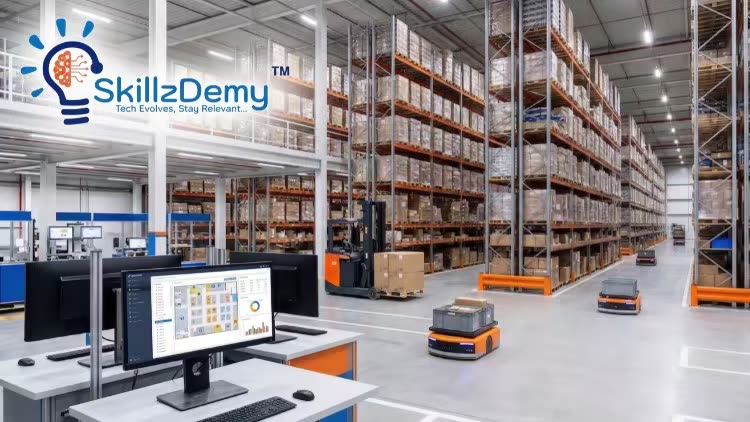
SAP S/4HANA-Extended Warehouse Management: Level-1(Beginner)
Published 6/2026
MP4 | Video: h264, 1920x1080 | Audio: AAC, 44.1 KHz, 2 Ch Language: English | Duration: 71h 57m | Size: 41.23 GB

Master core SAP EWM functional processes: Org Structure, Inbound/Outbound operations, and the RF Framework. No coding!


What you'll learn
Understand SAP and Warehouse Management Fundamentals
Master Core SAP EWM Processes Step-by-Step
Learn SAP EWM in a Simple & Practical Way
Gain Real-Time Project Understanding

Requirements
A willingness to learn SAP EWM concepts from a practical and business process perspective. This course is designed for beginners to Intermediary Level
No prior SAP knowledge is required.

Description

Welcome to SAP EWM Level-1 (Beginner): Your Foundation in Extended Warehouse Management!
Are you ready to build a strong, future-proof career in SAP logistics? This basic-level course is specifically designed for aspiring SAP functional consultants, supply chain professionals, and beginners looking to thoroughly understand warehouse operations. We focus entirely on functional business processes and system configurations. This means absolutely no programming, ABAP, or coding background is required to succeed!

We break down complex warehouse logistics into practical, easy-to-understand modules. You will start with the essentials, mastering the SAP EWM organizational structure and how it integrates seamlessly with SAP ERP. From there, we dive into day-to-day warehouse execution. You will learn step-by-step how to configure and execute Simple Inbound and Outbound processes, define Putaway Rules, and manage Internal Movements.

Furthermore, we cover crucial tracking and optimization tools, including Handling Unit (HU) management, Batch Management, and Physical Inventory. You will also discover how to optimize the warehouse floor using Resource Management and the Radio Frequency (RF) Framework, before wrapping up with a clear introduction to POSC & LOSC for inbound flows.

By the end of this course, you will have a rock-solid foundation to confidently navigate SAP EWM and be perfectly prepared for advanced warehouse scenarios. Enroll today and start your functional consulting journey!

Who this course is for
Fresh graduates or job seekers, who wants to start a strong career in SAP and who want to transition into SAP EWM.
Warehouse, logistics, or supply chain professionals who want to understand how warehouse processes work in SAP systems.


Homepage

751772534_26_-_stock_types__posting_changes_execution.jpg


Premium Links


Download from RapidGator


c8c0b2571d851858b84953ddf52bb613.jpg


GenAI And Other Software Testing Tools Every QA Should Know
Last updated 6/2026
Created by Mark Shrike, Andrii Kuchyrenko, Viсtoria N
MP4 | Video: h264, 1920x1080 | Audio: AAC, 44.1 KHz, 2 Ch Level: Beginner | Genre: eLearning | Language: English + subtitle | Duration: 181 Lectures ( 35h 13m ) | Size: 20.7 GB

Explore Generative AI (ChatGPT, Cursor AI) and more Software Testing tools for QA Engineer


What you'll learn
⚡ Overview of the main AI tools for Software testing
⚡ Overview of the main categories of Manual Software Testing tools with the corresponding tools for each category
⚡ Learn Generative AI GenAI (ChatGPT/Cursor AI) and other AI tools with which you can assist with Software testing
⚡ Learn 7 of the most popular Manual Software Testing Tools with which you can test WEB, Mobile, API, Performance and Networking testing
⚡ A video review of each tool includes an overview of the main navigation component of the tool for those who launch it for the first time
⚡ A video review of each tool includes demonstrating several basic practical functions that testers can use in their work
⚡ Learn how to use GenAI (ChatGPT/Cursor AI) for Automation Software Testing
⚡ Learn how a Manual QA Engineer can Automate work with the help of GenAI (ChatGPT/Cursor AI) in a short period of time
⚡ Learn how to create and run JavaScript/Playwright test script for Login, My Account, End-to-Eng purchase flow
⚡ Learn how to create and run Selenium/Java test script for Search, Sorting, Navigation, Form Submission, Report, Verification
⚡ Each video for the Automation Testing includes source code and practical example, which you can use to practise on our website
⚡ Understand the fundamentals of accessibility testing, including its purpose, key principles, and why it's essential for creating inclusive digital products
⚡ Learn how to use NVDA to test web accessibility on Windows, focusing on how screen readers interpret content and identify compatibility issues
⚡ Understand how to use VoiceOver on macOS for testing accessibility, including gestures and navigation commands on Apple devices
⚡ Gain experience testing mobile accessibility on iOS devices using VoiceOver, focusing on touch gestures and mobile-specific navigation
⚡ Discover how to use TalkBack on Android for testing accessibility, including gesture navigation and feedback interpretation on Android devices
⚡ Master testing keyboard navigation to ensure focus order, tab functionality, and overall keyboard operability for web interfaces
⚡ Use tools like WAVE to evaluate color contrast on web pages, ensuring visual elements meet accessibility standards for users with visual impairments

Requirements
❗ A cup of coffee or other favorite drink should be prepared in advance
❗ It is better for "Larks" people to take this course in the morning, for "Owl" people - in the evening, respectively

Description
Hi everyone. This course is about Manual Software Testing tools, tools that do not include automation, but help to improve the work of a manual tester.
The course will be useful for testers

1. Absolute beginners in Software Testing who want to learn the most popular software testing tools that every QA uses to work.
2. Experienced software testers who want to recall the basic usage of Software Testing Tools, and learn something new in this topic.
3. Experienced Manual Software Testers who want to learn how to automate test cases with the help of Generative AI (ChatGPT/CursorAI) in a short time
4. Anyone who wants to take the first steps in Software Automation Testing with the help of ChatGPT/CursorAI

The main task of the course is to deepen knowledge about manual testing tools and to assist testers in different aspects and needs of their work.

For that reason, we prepared 4 things:

1. An overview of the main tools for Manual Software testing by category, such as:

✨ AI Tools for Manual Software Testing

✨ Web Testing Tools

✨ Automation Testing Tools with the help of ChatGPT

✨ Automation Testing Tools with the help of CursorAI

✨ Mobile Testing Tools

✨ API Testing Tools

✨ Accessibility Testing Tools

✨ Capture Networking Traffic Tools

2. Explanation of several tools for each category, such as:

✨ ChatGPT, CursorAI, Gemini AI, Bing AI, and Chatsonic AI for Software testing;

✨ Chrome dev tools and BrowserStack for Web testing;

✨ TestRail as a Test Management tool;

✨ NVDA, Voice Over, TalkBack, WAVE, Accessibility Insights for accessibility testing;

✨ Playwright/JavaScript with the help of ChatGPT for Automation Software Testing;

✨ Selenium/Java with the help of ChatGPT for Automation Software Testing;

✨ Android Studio and Xcode for Mobile testing;

✨ Postman and JMeter for API testing;

✨ Wireshark for Networking testing;

3. Demonstrating several basic practical functions that testers can use in their work using ChatGPT, Cursor AI, Chrome Dev Tools, BrowserStack, TestRail, Android Studio, Xcode, Postman, JMeter, Wireshark, NVDA, Voice Over, TalkBack, WAVE, Accessibility Insights, GitHub, Visual Studio Code, IntelliJ IDEA, Playwright, Selenium.

4. Demonstrating how the Manual QA Engineer can start the automation journey by creating and running Selenium/Java test scripts for the different website functions, such as Filters, Sorting, Navigation, Minicart, etc., with the help of ChatGPT.
Each lecture for the Automation part is shown on our website, where we created separate components to show everything in practice. For each of our lessons, we created a separate class in the IntelliJ IDEA Integrated Development Environment. So it will be easier for you to find the code you need in the future. The final code will be available in the lecture materials and on our website. We can open our webpage, run it, and check the results using this code.

5. Demonstrating how the Manual QA Engineer can start the automation journey by creating and running JavaScript/Playwright test scripts for the different functions on the website, such as Login, Login Negative Scenarios, My Account, and End-to-End purchase flow with the Help of ChatGPT. Each lecture for the Automation part is shown on our website, where we created separate components to show everything in practice. We created a separate class in Visual Studio Code for each of our lessons. So it will be easier for you to find the code you need in the future. The final code will be available in the lecture materials, on our website, and on GitHub. We can open our webpage, run it, and check the results using this code.

6. Demonstrating how the Manual QA Engineer can start the automation journey by creating and running JavaScript/Playwright test scripts for the different functions on the website, such as Login, Login Negative Scenario, with the Help of Cursor AI. Each lecture for the Automation part is shown on our website, where we created separate components to show everything in practice. We created a separate class in Cursor for each of our lessons. So it will be easier for you to find the code you need in the future. The final code will be available in the lecture materials on our website. We can open our webpage, run it, and check the results using this code.

We hope you will enjoy the course, and feel free to write reviews and opinions on which tools you would like to review next. We will prioritize and add them to the full version of the course.

Prepare a cup of coffee or another favorite drink and enjoy the course!

Hope to see you in the first lecture!

Who this course is for
⭐ QA Engineers
⭐ Software Testers
⭐ Absolute beginners in Software Testing
⭐ Experienced software testers who want to recall the basic knowledge of software testing theory
⭐ Anyone who wants to take the first steps in using Manual Software Testing Tools
⭐ Anyone who likes to watch videos about Software Testing and want to improve your testing


751656785_77-_008_-_javascript_playwright_end-to-end_purchase_flow_optimization_with_xpath.jpg


Premium Links


Download from RapidGator


4b0d06f15494953f6ee222cd3a0c1e02.jpg


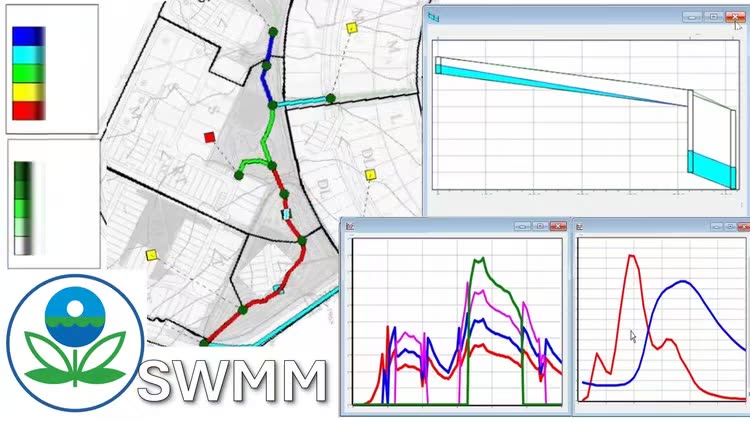
EPA-SWMM (Lessons + Exercises)
Published 6/2026
MP4 | Video: h264, 1920x1080 | Audio: AAC, 44.1 KHz, 2 Ch Language: English | Duration: 29h 15m | Size: 56.12 GB

Mastering EPA-SWMM: Structured Videos Lessons and Exercises


What you'll learn
Create stormwater and collection system models using subcatchments, junctions, conduits, and storage units.
Assign rainfall data, watershed characteristics, and infiltration parameters to simulate runoff generation.
Run simulations to evaluate system performance during storm events, and between storm events.
Define and apply infiltration methods, hydraulic routing options, and low impact development (LID) controls.
Implement pump operations and control rules to automate system behavior under varying conditions.
Analyze runoff, flow rates, water surface elevations, surcharge conditions, and flooding.
Perform water quality simulations including pollutant buildup, washoff, transport, and treatment processes.
Calibrate models using observed data improve parameter estimation, and hence model accuracy and reliability.

Requirements
This course is designed for individuals with a basic understanding of water resrouces engineering. Prior experience with hydraulics and water modeling software would be helpful, but not necessary. No prior experience with EPA-SWMM is necessary. We'll start with the fundamentals and build from there.

Description
** All videos are downloadable **

Learn how to model urban stormwater and wastewater collection systems using EPA SWMM (Storm Water Management Model), the U.S. Environmental Protection Agency's widely used software for simulating rainfall-runoff processes, drainage networks, and hydraulic system performance. Whether you're completely new to SWMM or looking to strengthen your existing modeling skills, this course provides a step-by-step approach to building, analyzing, and understanding models that represent real-world stormwater infrastructure. You'll begin with the fundamentals, including how to define subcatchments, rain gages, junctions, conduits, outfalls, storage units, pumps, and control structures, assign hydrologic parameters, and run simulations.

As you progress, you'll explore more advanced capabilities such as infiltration modeling, low impact development (LID) controls, hydraulic routing methods, and pump operations. You'll learn how rainfall is transformed into runoff, how flow moves through drainage systems, and how to evaluate model results under a variety of storm and system conditions. The course also introduces water quality modeling concepts, including pollutant buildup and washoff, and treatment processes, helping you understand and analyze water quality impacts throughout a watershed. Exercise videos reinforce each concept, giving you hands-on practice building and modifying models from scratch.

Throughout the course, you'll gain experience using the EPA SWMM interface to visualize drainage networks, review hydrographs and system performance results, and perform sensitivity analysis, parameter estimation and calibration. Each lesson and exercise video is practical, focused, and aligned with tasks encountered in consulting, municipal stormwater management, watershed planning, and engineering analysis. No prior experience with EPA SWMM is required, though a basic understanding of hydrology, hydraulics, and water resources engineering will be helpful.

By the end of the course, you'll be able to independently build, run, and refine EPA SWMM models, evaluate system performance, and apply your skills to real-world stormwater and collection system challenges, including drainage design, flood analysis, infrastructure planning, and regulatory compliance studies.

Who this course is for
This course is ideal for beginners new to water systems modeling, professionals looking to expand their skills in EPA-SWMM, and experienced users seeking a practical refresher on both basic and advanced topics.


Homepage

751391223_10_-_viewing_results_-_graphs_and_tables.jpg


Premium Links


Download from RapidGator



382119c4b92840abfec8065e9813a4b1.jpg


Investire in borsa con metodo e autonomia
Published 6/2026
Created by Primalto Investimenti
MP4 | Video: h264, 1920x1080 | Audio: AAC, 44.1 KHz, 2 Ch Level: All Levels | Genre: eLearning | Language: Italian | Duration: 36 Lectures ( 27h 19m ) | Size: 26.6 GB

Impara a creare e gestire ricchezza sui mercati finanziari


What you'll learn
⚡ investire in autonomia sui mercati finanziari
⚡ creare un portafoglio di investimento
⚡ comprendere le logiche che governano i mercati finanziari
⚡ raggiugere i propri obiettivi finanziari

Requirements
❗ Non è necessario nessun prerequisito

DescriptionInvestire in Borsa con Metodo e Autonomia è il percorso formativo di Primalto Investimenti pensato per chi vuole costruire un portafoglio solido e prendere decisioni di investimento in piena autonomia, senza affidarsi a consulenti, copiare portafogli trovati online o seguire mode del momento.

Il corso si articola in5 moduli e 36 lezioni per oltre26 ore di video, supportate da più di 800 slide e materiale pratico scaricabile. I contenuti coprono tutto il percorso: dalle fondamenta dei mercati finanziari alla pianificazione degli obiettivi, dalla costruzione del portafoglio core alle strategie avanzate basate su fattori di rischio, fino alla tassazione, ai costi degli strumenti e ai principi per creare una rendita nel lungo periodo.

Il programma è strutturato per accompagnare lo studente passo dopo passo, con un approccio progressivo che elimina incertezze e decisioni improvvisate. Non si tratta di nozioni teoriche fini a sé stesse: ogni concetto è collegato a scelte concrete che puoi applicare direttamente al tuo portafoglio. Al termine del percorso saprai definire un piano di investimento coerente con il tuo orizzonte temporale, comprendere il ruolo di ogni asset class all'interno di una strategia complessiva e costruire un portafoglio pensato per durare nel tempo.

Che tu parta da zero o investa già da qualche anno senza una logica chiara, il percorso ti fornisce gli strumenti per smettere di improvvisare e iniziare a operare con metodo con una visione di lungo periodo e la consapevolezza di ogni scelta che fai.

Who this course is for
⭐ Persone che vogliono investire sui mercati finanziari nel lungo periodo con un metodo chiaro


751563491_21-_rischio_e_rendimento.jpg


Premium Links


Download from RapidGator



Zurück
Oben Unten