• Regeln für den Video-Bereich:

    In den Börsenbereich gehören nur Angebote die bereits den Allgemeinen Regeln entsprechen.

    Einteilung

    - Folgende Formate gehören in die angegeben Bereiche:
    - Filme: Encodierte Filme von BluRay, DVD, R5, TV, Screener sowie Telesyncs im Format DivX, XviD und x264.
    - DVD: Filme im Format DVD5, DVD9 und HD2DVD.
    - HD: Encodierte Filme mit der Auflösung 720p oder darüber von BluRay, DVD, R5, TV, Screener sowie Telesyncs im Format x264.
    - 3D: Encodierte Filme von BluRay, die in einem 3D Format vorliegen. Dies gilt auch für Dokus, Animation usw.
    - Serien: Cartoon/Zeichentrick, Anime, Tutorials, Dokumentationen, Konzerte/Musik, Sonstiges sind demnach in die entsprechenden Bereiche einzuordnen, auch wenn sie beispielsweise im High Definition-Format oder als DVD5/DVD9/HD2DVD vorliegen. Ausnahme 3D.
    - Bereich Englisch: Englische Releases gehören immer in diesen Bereich.
    - Bereich Talk: Der Bereich, in dem über die Releases diskutiert werden kann, darf, soll und erwünscht ist.


    Angebot/Beitrag erstellen

    - Ein Beitrag darf erst dann erstellt werden, wenn der Upload bei mindestens einem OCH komplett ist. Platzhalter sind untersagt.
    - Bei einem Scenerelease hat der Threadtitel ausschließlich aus dem originalen, unveränderten Releasenamen zu bestehen. Es dürfen keine Veränderungen wie z.B. Sterne, kleine Buchstaben o.ä. vorgenommen werden. Ausnahme Serienbörse:
    - Bei einem Sammelthread für eine Staffel entfällt aus dem Releasename natürlich der Name der Folge. Beispiel: Die Simpsons S21 German DVDRip XviD - ITG
    - Dementsprechend sind also u.a. verboten: Erweiterungen wie "Tipp", "empfehlenswert", "only", "reup", usw. / jegliche andere Zusatzinformation oder Ergänzung, welche nicht in obiger Beschreibung zu finden ist.

    Aufbau des Angebots und Threadtitel

    Der Titel nach folgendem Muster erstellt zu werden. <Name> [3D] [Staffel] [German] <Jahr> <Tonspur> [DL] [Auflösung] <Quelle> <Codec> - <Group>
    Beispiel: The Dark Knight German 2008 AC3 DVDRip XviD - iND
    Beispiel: The Dark Knight 2008 DTS DL BDRip x264 - iND
    Beispiel: The Dark Knight 2008 AC3 DL BDRip XviD - iND
    Beispiel: The Dark Knight German 2008 AC3 720p BluRay x264 iND
    Beispiel: The Dark Knight 2008 DTS DL 1080p BluRay x264 iND
    Beispiel: Die Simpsons S01 German AC3 DVDRip XviD iND
    Beispiel: Die Simpsons S20 German AC3 720p BluRay x264 iND
    Beispiel: Sword Art Online II Ger Sub 2014 AAC 1080p WEBRip x264 - peppermint
    Entsprechend sind also u.a. verboten: Sonderzeichen wie Klammern, Sterne, Ausrufezeichen, Unterstriche, Anführungszeichen / Erweiterungen wie "Tipp", "empfehlenswert", "only", "reup", usw. / jegliche andere Zusatzinformation oder Ergänzung, welche nicht in obiger Beschreibung zu finden ist
    Ausnahmen hiervon können in den Bereichen geregelt sein.

    Die Beiträge sollen wie folgt aufgebaut werden:
    Überschrift entspricht dem Threadtitel
    Cover
    kurze Inhaltsbeschreibung
    Format, Größe, Dauer sind gut lesbar für Downloader außerhalb des Spoilers zu vermerken
    Nfo sind immer Anzugeben und selbige immer im Spoiler in Textform.
    Sind keine Nfo vorhanden z.B. Eigenpublikationen, sind im Spoiler folgende Dateiinformationen zusätzlich anzugeben :
    Quelle
    Video (Auflösung und Bitrate)
    Ton (Sprache, Format und Bitrate der einzelnen Spuren)
    Untertitel (sofern vorhanden)
    Hosterangabe in Textform außerhalb eines Spoiler mit allen enthaltenen Hostern.
    Bei SD kann auf diese zusätzlichen Dateiinformationen verzichtet werden.

    Alle benötigten Passwörter sind, sofern vorhanden, in Textform im Angebot anzugeben.
    Spoiler im Spoiler mit Kommentaren :"Schon Bedankt?" sind unerwünscht.


    Releases

    - Sind Retail-Release verfügbar, sind alle anderen Variationen untersagt. Ausnahmen: Alle deutschen Retail-Release sind CUT, in diesem Fall sind dubbed UNCUT-Release zulässig.
    - Im Serien-Bereich gilt speziell: Wenn ein Retail vor Abschluss einer laufenden Staffel erscheint, darf diese Staffel noch zu Ende gebracht werden.62
    - Gleiche Releases sind unbedingt zusammenzufassen. Das bedeutet, es ist zwingend erforderlich, vor dem Erstellen eines Themas per Suchfunktion zu überprüfen, ob bereits ein Beitrag mit demselben Release besteht. Ist dies der Fall, ist der bereits vorhandene Beitrag zu verwenden.
    - P2P und Scene Releases dürfen nicht verändert oder gar unter einem iND Tag eingestellt werden.


    Support, Diskussionen und Suche

    - Supportanfragen sind entweder per PN oder im Bereich Talk zu stellen.
    - Diskussionen und Bewertungen sind im Talk Bereich zu führen. Fragen an die Uploader haben ausschließlich via PN zu erfolgen, und sind in den Angeboten untersagt.
    - Anfragen zu Upload-Wünschen sind nur im Bereich Suche Video erlaubt. Antworten dürfen nur auf Angebote von MyBoerse.bz verlinkt werden.


    Verbote

    - Untersagt sind mehrere Formate in einem einzigen Angebotsthread, wie beispielsweise das gleichzeitige Anbieten von DivX/XviD, 720p und 1080p in einem Thread. Pro Format, Release und Auflösung ist ein eigener Thread zu eröffnen.
    - Grundsätzlich ebenso verboten sind Dupes. Uploader haben sich an geeigneter Stelle darüber zu informieren, ob es sich bei einem Release um ein Dupe handelt.
    - Gefakte, nur teilweise lauffähige oder unvollständige Angebote sind untersagt. Dies gilt auch für eigene Publikationen, die augenscheinlich nicht selbst von z.B. einer DVD gerippt wurden. Laufende Serien, bei denen noch nicht alle Folgen verfügbar sind, dürfen erstellt und regelmäßig geupdatet werden.
    - Untersagt sind Angebote, welche nur und ausschließlich in einer anderen Sprache als deutsch oder englisch vorliegen. Ausnahmen sind VORHER mit den Moderatoren zu klären.


    Verstoß gegen die Regeln

    - Angebote oder Beiträge, die gegen die Forenregeln verstoßen, sind über den "Melden"-Button im Beitrag zu melden.
  • Bitte registriere dich zunächst um Beiträge zu verfassen und externe Links aufzurufen.

*** Bestes IPTV *** bester Preis *** gratis Test ***


Englische Tutorials

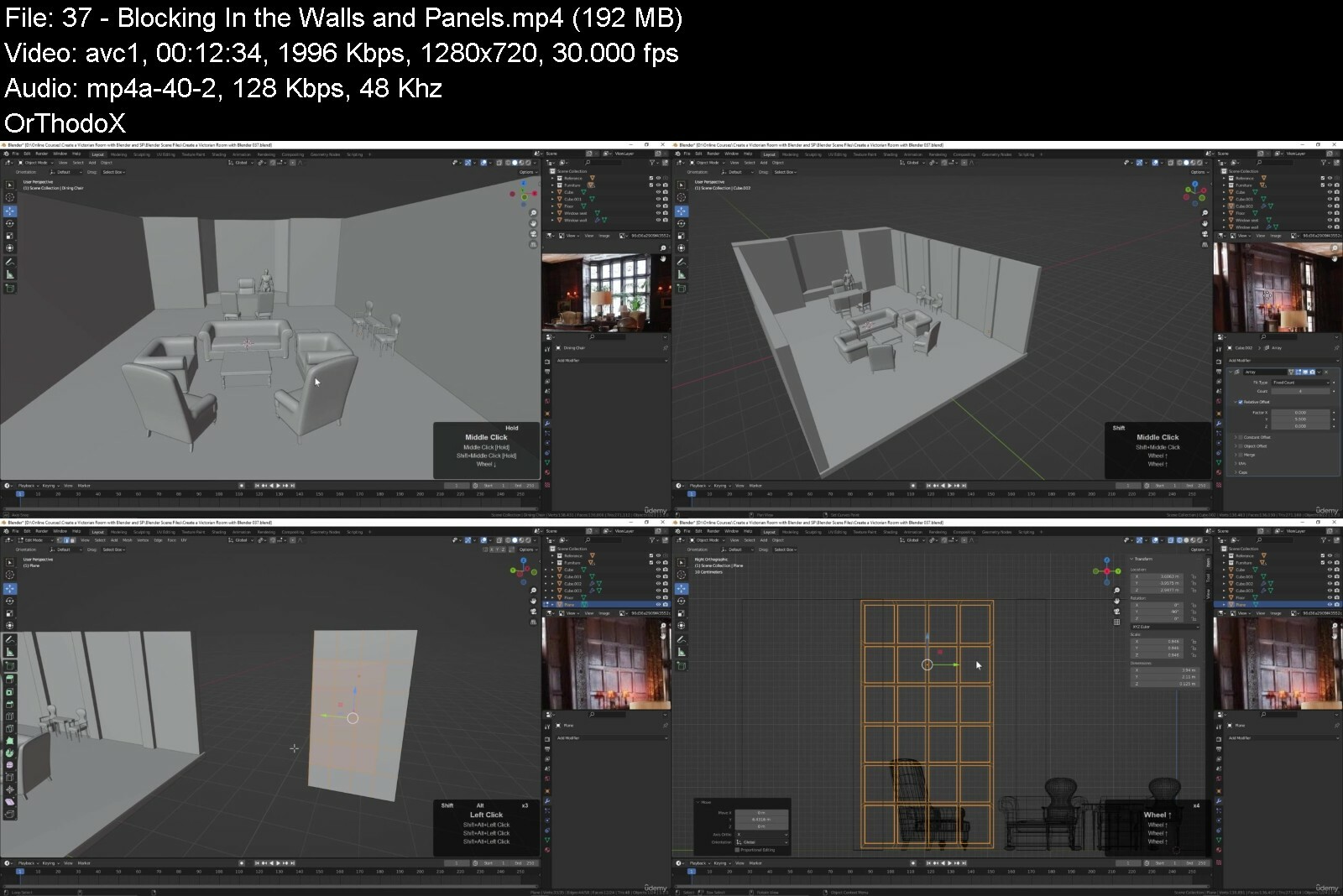
Create a Victorian Room with Blender and Substance Painter

kmaxytbmtmmckiaapfrl49eish.jpg


Create A Victorian Room With Blender And Substance Painter
Published 7/2022
MP4 | Video: h264, 1280x720 | Audio: AAC, 44.1 KHz
Language: English | Size: 13.92 GB | Duration: 18h 33m

Learn Blender while creating a detailed environment suitable for animation or games.


What you'll learn
Model 3D objects in Blender
Texture 3D models in Substance Painter
Render an animation using Blender's Cycles render engine
Edit a video with Blender's Video Sequence Editor

Requirements
Blender and Substance Painter are used in this course. The free paint program, Krita, is used briefly to edit images.

Description
In this course you ll learn how to create a detailed interior scene using tools and techniques that apply equally to both animation and video games. We ll use Blender to create the 3D models of the furniture, accessories, and the structure of the room. And then we ll work on UV mapping all of the 3D objects, getting them ready for export, and taking them into Substance Painter for texturing. You ll learn how to use layer masks in Substance Painter to quickly create realistic textures for your 3D objects.We ll set up a Blender export template in Substance Painter, and export our texture maps so that we can use Blender s Node Wrangler to easily apply the textures to our scene. Next we ll work on lighting the scene, and rendering using Blender s Cycles render engine. We ll animate the camera and use Blender s Video Sequence Editor to edit our rendered shots together. We ll even add some music and then render it all out to a single mp4 video file.If you re interested in creating environments for animation or video games, then this course is for you. You ll learn how to create a realistic, detailed scene from the first polygon to the final render. So join me as we Create a Victorian Room with Blender and Substance Painter.

Overview

Section 1: Introduction

Lecture 1 Introduction to the Course

Lecture 2 Setting Up a Reference Figure

Section 2: Modeling the Furniture

Lecture 3 Beginning the Coffee Table

Lecture 4 Continuing the Coffee Table

Lecture 5 Finishing the Coffee Table

Lecture 6 Modeling the Round End Table

Lecture 7 Completing the Round End Table

Lecture 8 Starting the Arm Chair

Lecture 9 Refining the Shape of the Arm Chair

Lecture 10 Creating the Legs of the Chair

Lecture 11 Using the Path Tool

Lecture 12 Creating the Front Panels of the Arm Chair

Lecture 13 Finishing the Arm Chair

Lecture 14 Starting the Dining Chair

Lecture 15 Creating the Legs of the Dining Chair

Lecture 16 Modeling the Back of the Dining Chair

Lecture 17 Completing the Dining Chair

Lecture 18 Beginning the Chesterfield Sofa

Lecture 19 Finishing the Chesterfield Sofa

Lecture 20 Creating the Chesterfield Chair

Lecture 21 Beginning the Desk

Lecture 22 Adding the Drawers to the Desk

Lecture 23 Finishing the Desk

Lecture 24 Beginning the Desk Chair

Lecture 25 Creating the Cushions of the Desk Chair

Lecture 26 Modeling the Legs of the Desk Chair

Lecture 27 Finishing the Desk Chair

Lecture 28 Beginning the Wall Table

Lecture 29 Creating the Drawers and Legs of the Wall Table

Lecture 30 Finishing the Wall Table

Lecture 31 Beginning the Side Chair

Lecture 32 Working on the Legs of the Side Chair

Lecture 33 Finishing the Side Chair

Lecture 34 Starting the End Table

Lecture 35 Completing the End Table

Section 3: Modeling the Room

Lecture 36 Using Walk Navigation

Lecture 37 Blocking In the Walls and Panels

Lecture 38 Modeling the Mantel of the Fireplace

Lecture 39 Continuing the Fireplace

Lecture 40 Using the Boolean Modifier

Lecture 41 Placing the Fireplace in the Room

Lecture 42 Creating the Door Opening and Hallway

Lecture 43 Modeling the Door Panels

Lecture 44 Working on the Wall Details

Lecture 45 Adding the High Windows

Lecture 46 Finishing the Wood Panels

Lecture 47 Finishing the Window Frames

Section 4: UV Mapping the Furniture

Lecture 48 The Basic Tools of UV Mapping

Lecture 49 UV Mapping the Coffee Table

Lecture 50 Testing and Organizing the UV Map

Lecture 51 UV Mapping the Round Table

Lecture 52 Beginning the UV Map for the End Table

Lecture 53 Finishing the End Table

Lecture 54 UV Mapping the Wall Table

Lecture 55 UV Mapping the Dining Chair

Lecture 56 UV Mapping the High Back Chair

Lecture 57 Finishing the High Back Chair

Lecture 58 UV Mapping the Arm Chair

Lecture 59 UV Mapping the Desk Chair

Lecture 60 UV Mapping the Desk

Lecture 61 Finishing the Desk

Lecture 62 UV Mapping the Sofa

Lecture 63 UV Mapping the Chesterfield Chair

Section 5: Texturing the Furniture with Substance Painter

Lecture 64 Possible Issues When Exporting

Lecture 65 Possible Issues when Baking

Lecture 66 Aligning the Wood Grain of the Coffee Table

Lecture 67 Exporting Texture Maps from Substance Painter

Lecture 68 Using Blender's Vertex Paint Tool

Lecture 69 Adding Textures Based on a Color ID Map

Lecture 70 Setting Vertex Colors for the Dining Chair

Lecture 71 Texturing the Dining Chair

Lecture 72 Using Materials Instead of Vertex Colors

Lecture 73 Using Paint Layers in Substance Painter

Lecture 74 Finishing the Wall Table

Lecture 75 Texturing the Desk Chair

Lecture 76 Blender's Two Sculpting Methods

Lecture 77 Sculpting the Wrinkles of the Desk Chair

Lecture 78 Baking a Normal Map in Blender

Lecture 79 Using the Baked Normal Map in Substance Painter

Lecture 80 Using a Custom UV Test Pattern

Lecture 81 Texturing the Desk in Substance Painter

Lecture 82 Texturing the Arm Chair

Lecture 83 Texturing the End Table

Lecture 84 Preparing the Sofa for Export

Lecture 85 Texturing the Chesterfield Sofa

Lecture 86 Painting Out Problem Areas in the Normal Map

Lecture 87 Using Smart Materials in Substance Painter

Lecture 88 Texturing the Small Round Table

Section 6: UV Mapping the Room

Lecture 89 Beginning to UV Map the Room

Lecture 90 UV Mapping the Fireplace

Lecture 91 UV Mapping the Walls

Lecture 92 Finishing the Room UV Maps

Section 7: Texturing the Room

Lecture 93 Exporting and Baking the Room

Lecture 94 Texturing the Room

Lecture 95 Applying Textures to the Room

Lecture 96 Exporting the Room Textures

Lecture 97 Applying the Room Textures in Blender

Section 8: Creating Accessories and Trim

Lecture 98 Creating the Rugs

Lecture 99 Modeling the Crown Molding

Lecture 100 UV Mapping the Crown Molding

Lecture 101 Texturing the Crown Molding

Lecture 102 Using Krita to Texture the Paintings

Lecture 103 Creating the Bookshelves

Lecture 104 Creating Antique Books

Lecture 105 Using Blender's Physics Engine to Drape a Blanket

Lecture 106 Modeling the Leaded Glass Windows

Section 9: Lighting and Rendering the Scene

Lecture 107 Render Settings and Emissive Materials

Lecture 108 Practical Lights and Camera Settings

Lecture 109 Creating the Window Glass Material

Lecture 110 Adding Lights to the Scene

Lecture 111 Creating Volumetric Lighting

Lecture 112 Render Settings and Light Properties

Lecture 113 Creating a Quick Fire Simulation

Lecture 114 Setting Up the Scene for Rendering

Lecture 115 Rendering an Animation

Lecture 116 Using Blender's Video Sequence Editor

Lecture 117 Animating the Rotating Record Player

Lecture 118 Adding Transitions and Rendering

Lecture 119 Adding Music

Lecture 120 Thank You!

Beginner Blender users who would like to learn environment creation.

Say Thank You


createavictorianroomwa1fm3.jpg


Siemens Solid Edge Essential Training

b3jdcqkxdc9jucgg5pgstdlfzh.jpg


Siemens Solid Edge Essential Training
Last updated 6/2022
MP4 | Video: h264, 1280x720 | Audio: AAC, 44.1 KHz
Language: English | Size: 7.67 GB | Duration: 13h 58m

Siemens Solid Edge Essential Training


What you'll learn
You will understand CAD concept and the most used operation of Siemens SOLID EDGE .
Work independently on any Part in any version of Siemens Solid Edge.
Learn from an Author who is an Industrial Expert and mentor with Over 15 years of Experience.
How to import the part file from any CAD software.
Confidently list your Solid Edge skills in your resume.
Use Solid Edge to design/draft your next innovation.

Requirements
You will need to download the free Siemens Solid Edge Academic Version. You can do this with a simple web search: Solid Edge Academic - Software for Students and Teacher
No prior knowledge. You just need the desire to learn and create awesome stuff.

Description
DescriptionIn this "Siemens Solid Edge Essential Training" program you will experience a unique successful method with hands on for practice.This course is designed for individuals who are new to Solid Edge as well as working in any company who had learned any CAD course long time ago and just want a brush up on the tools and operation quickly and use in their projects immediately.Even if you presently know nothing about 3D Design and Siemens Solid Edge this course is geared to accelerate you professional development and validate your skills by preparing you to pass the Solid Edge Level 1 certification exam with confidence. This course is not a shortcut to certification. To pass you will need to cover all the course material and spend time using and experimenting with Solid Edge and get industry recognized credentials.Solid Edge with Synchronous Technology is a computer-aided design (CAD) system for mechanical assembly, part modeling, drawing production, and simulation. Solid Edge boosts essential CAD user productivity by capturing engineers' solid modeling design intentions through inference logic and decision-management concepts. Synchronous technology makes it possible to modify the design of any model, without having to know how it was constructed.About this course:With this course, you will get:Full, free lifetime access to all lectures (increasing over time).All future extra lectures and upgrades will always be free.Unconditional Udemy 30 days money-back guarantee - We are sure you would love the course though Today, you can start your journey to becoming a Solid Edge professional with ZERO prior experience!I stress that you need no prior experience and there is nothing to buy or pay for!!! You will only need Solid Edge itself.You will learn:How to navigate through the Solid Edge interface.How to sketch with different sketch commands.How to define sketches using relations or distances.How to use more than 10 different features to create 3D models. (extruded boss and cut, fillet, chamfers, revolved boss and cut, swept boss and cut, lofted boss and cut)How to create additional reference planes.How to modify given parts to match design needs.How to explore different materials for your models.How to design sheet metal parts.How to assemble different parts into an assembly file.How to generate drawings from parts and models.How to work with surface models.How to generate drafting of any model.Who this course is for:Students - Engineers Hobbyists: Interested in 3D Mechanical Design? - Want to improve their job skills? Pass the Solid Edge Certified Associate Level 1 Exam. Students interested in 3D Printing.

Overview

Section 1: Introduction

Lecture 1 Introduction

Section 2: SKETCHER

Lecture 2 1. SKETCH (LINE)

Lecture 3 2. SKETCHER (FREE SKETCH, POINT)

Lecture 4 3. RECTANGLE & POLYGON

Lecture 5 4. CIRCLE & ELLIPSE

Lecture 6 5. ARC ALL OPTIONS

Lecture 7 6. CURVE & CONIC

Lecture 8 7. FILLET & CHAMFER

Lecture 9 8. SPLIT & EXTEND TO NEXT

Lecture 10 9. TRIM & TRIM CORNER

Lecture 11 10. OFFSET & SYMMETRIC OFFSET

Lecture 12 11. MOVE & ROTATE

Lecture 13 12. MIRROR, SCALE & STRETCH

Lecture 14 13. CONSTRUCTION & CREATE AS CONSTRUCTION

Lecture 15 14. CONVERT TO CURVE & FILL

Lecture 16 15. EXERCISE 1.0

Lecture 17 16. GRID ALL OPTIONS

Lecture 18 17. RELATE ALL OPTIONS

Lecture 19 18. IntelliSketch all options

Lecture 20 19. Dimension All Options

Lecture 21 20. EXERCISE 1.2

Lecture 22 21. EXERCISE 1.3

Section 3: SOLID MODELING

Lecture 23 22. SOLID MODELING INTRODUCTION

Lecture 24 23. EXTRUDE

Lecture 25 24. EXTRUDE CUT

Lecture 26 25. REVOLVE

Lecture 27 REVOLVE EXERCISE

Lecture 28 26. REVOLVE CUT

Lecture 29 27. HOLE

Lecture 30 28. THREAD

Lecture 31 29. SLOT

Lecture 32 30. EXERCISE 1.3

Lecture 33 31. EXERCISE 1.4

Lecture 34 32. ROUND ALL OPTIONS

Lecture 35 33. CHAMFER ALL OPTIONS

Lecture 36 34. DRAFT ALL OPTIONS

Lecture 37 35. EXERCISE 1.6

Lecture 38 36. THIN WALL

Lecture 39 37. THIN REGION

Lecture 40 38. RIB

Lecture 41 RIB EXERCISE

Lecture 42 39. WEB NETWORK

Lecture 43 40. LIP

Lecture 44 41. VENT

Lecture 45 42. MOUNTING BOSS

Lecture 46 43. EMBOSS

Lecture 47 44. PLANES

Lecture 48 PLANE EXERCISE

Lecture 49 PLANE EXERCISE 2

Lecture 50 SWEEP

Lecture 51 SWEEP EXERCISE

Lecture 52 SWEEP CUTOUT

Lecture 53 SOLID SWEEP

Lecture 54 SOLID SWEEP CUTOUT

Lecture 55 HELIX

Lecture 56 HELIX CUTOUT

Lecture 57 LOFT

Lecture 58 LOFT EXERCISE

Lecture 59 LOFT CUTOUT

Lecture 60 NORMAL

Lecture 61 NORMAL CUTOUT

Lecture 62 ENCLOSURE

Lecture 63 UNION SUBTRACT INTERSECT

Lecture 64 SPLIT

Lecture 65 SCALE BODY

Lecture 66 RECTANGULAR PATTERN

Lecture 67 CIRCULAR PATTERN

Lecture 68 PATTERN BY TABLE

Lecture 69 ALONG CURVE PATTERN

Lecture 70 MIRROR COPY FEATURE

Lecture 71 SOLID MODELING EXERCISE

Lecture 72 MIRROR COPY PART

Lecture 73 MOVE FACES

Lecture 74 ROTATE FACES

Lecture 75 OFFSET FACES

Lecture 76 DELETE FACES

Lecture 77 RESIZE HOLES

Lecture 78 RESIZE ROUND

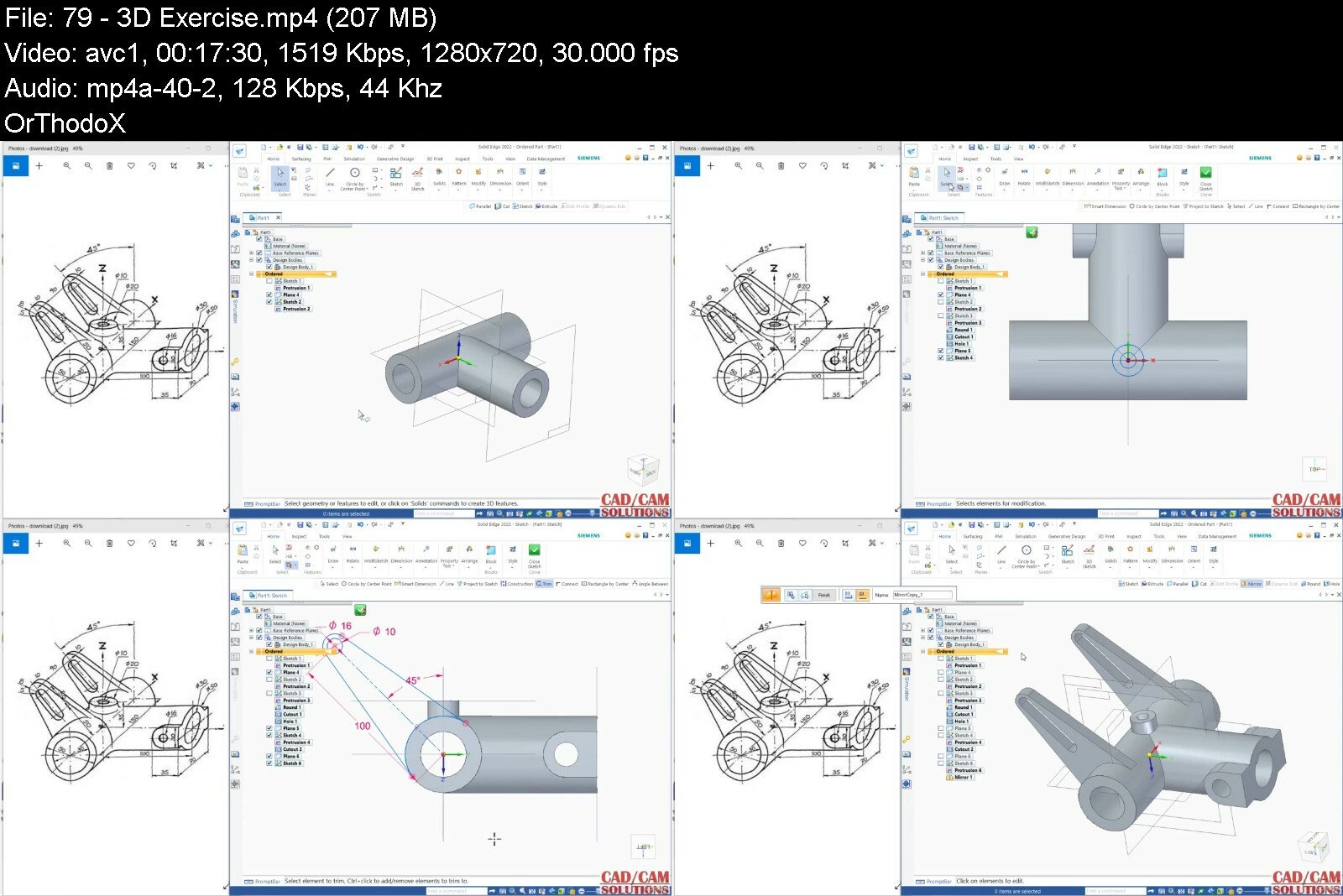
Lecture 79 3D Exercise

Lecture 80 Solid Exercise

Lecture 81 Solid Exercise

Lecture 82 Solid Exercise

Lecture 83 Solid Exercise

Lecture 84 Solid Exercise

Lecture 85 Solid Exercise

Lecture 86 Solid Exercise

Section 4: SHEET METAL

Lecture 87 Base feature (TAB)

Lecture 88 Contour Flange

Lecture 89 Lofted Flange

Lecture 90 2 BEND CORNER

Lecture 91 BEND

Lecture 92 Convert To Sheetmetal

Lecture 93 CROSS BREAK

Lecture 94 DIMPLE

Lecture 95 DRAWN CUTOUT

Lecture 96 ETCH

Lecture 97 FLANGE

Lecture 98 GUSSET

Lecture 99 HEM

Lecture 100 JOG

Lecture 101 LOUVER

Lecture 102 Multi-Edge Flange

Lecture 103 NORMAL CUTOUT

Lecture 104 RIP

Lecture 105 SLOT

Lecture 106 Thin feature to sheet metal

Lecture 107 UNBEND REBEND

Section 5: SURFACE DESIGN

Lecture 108 EXTRUDE SURFACE

Lecture 109 REVOLVE SURFACE

Lecture 110 REVOLVE EXERCISE

Lecture 111 SWEPT SURFACE

Lecture 112 BLUESURF

Lecture 113 BLUESURF EXERCISE

Lecture 114 BLUESURF EXERCISE 2

Lecture 115 BOUNDED SURFACE

Lecture 116 OFFSET SURFACE

Lecture 117 COPY SURFACE

Lecture 118 BLANK SURFACE

Lecture 119 REDEFINE SUFACE

Lecture 120 RULED SURFACE

Lecture 121 INTERSECT SURFACES

Lecture 122 INTERSECT CREATE DESIGN BODY

Lecture 123 TRIM SURFACE

Lecture 124 EXTEND SURFACE

Lecture 125 REPLACE FACE

Lecture 126 CONTOUR CURVE

Lecture 127 CROSS CURVE

Lecture 128 CROSS CURVE EXERCISE

Lecture 129 DERIVED CURVE

Lecture 130 HELICAL CURVE

Lecture 131 INTERSECTION CURVE

Lecture 132 PROJECT CURVE

Lecture 133 WRAP SKETCH

Lecture 134 SPLIT & INTERSECTION POINT

Lecture 135 SPLIT SURFACE

Lecture 136 STITCHED SURFACE

Lecture 137 Surface Exercise

Lecture 138 Surface exercise

Section 6: ASSEMBLY DESIGN & MOTION

Lecture 139 INTRODUCTION TO ASSEMBLY

Lecture 140 FLASHFIT RELATIONSHIP

Lecture 141 AXIAL ALIGN RELATIONSHIP

Lecture 142 CENTER-PLANE RELATIONSHIP

Lecture 143 INSERT RELATIONSHIP

Lecture 144 MATE RELATIONSHIP

Lecture 145 PARALLEL RELATIONSHIP

Lecture 146 PLANAR ALIGN RELATIONSHIP

Lecture 147 TANGENT RELATIONSHIP

Lecture 148 BUTTERFLY VALVE ASSEMBLY

Lecture 149 CAM RELATIONSHIP

Lecture 150 CYLINDER CRANK ASSEMBLY

Lecture 151 PATH RELATIONSHIP

Lecture 152 REPLACE PART

Lecture 153 BEANCH VICE ASSEMBLY

Lecture 154 CREATE PART IN-PLACE

Lecture 155 GEAR RELATIONSHIP

Lecture 156 BLOWER ASSEMBLY

Section 7: DRAFTING

Lecture 157 DRAFTING VIEW WIZARD

Lecture 158 PRINCIPAL VIEW

Lecture 159 AUXILIARY VIEW

Lecture 160 BROKEN VIEW

Lecture 161 DETAIL VIEW

Lecture 162 SECTION VIEW

Lecture 163 BROKEN-OUT VIEW

Lecture 164 TABLES

Lecture 165 DIMENSION

Designers, Engineers, Makers, and Hobbyist

Say Thank You


siemenssolidedgeessenqyi9w.jpg


Autopilot Affiliate Marketing Success With 20 Minutes a Day

oykbugeryjfeebhg9ual94cisu.jpg


Autopilot Affiliate Marketing Success With 20 Minutes A Day
Last updated 10/2021
MP4 | Video: h264, 1280x720 | Audio: AAC, 44.1 KHz
Language: English | Size: 9.69 GB | Duration: 16h 52m

Detailed super affiliate marketing strategy used by top affiliate marketers to earn Clickbank commissions quickly


What you'll learn
Successfully earn affiliate commissions using a high-converting promotion strategy used by super affiliates
Create easy to implement affiliate funnels to generate high quality leads and high ticket sales
Create a promotion system that can be used to promote any affiliate product without any trouble
Watch as a Clickbank super affiliate builds his promotion campaign from start to the finish in details never shown before
How to build a valuable list of customers to keep earning commissions as an affiliate

Requirements
A little bit of time to watch all videos of the course in order to learn a proven strategy from a super affiliate
A computer and an internet connection
Ask questions when you're stuck so I can help you move forward faster

Description
Access the most detailed and the best affiliate marketing course on the platform, with over 16 hours of detailed training by a super affiliate and dozens of Done For You resources and dedicated coaching to help you build a successful affiliate marketing business in no time.Are you struggling with your first affiliate commission or have been spending time and money on affiliate marketing but not getting any results? Does it seem like everyone is earning commissions but not you? Would you like to know how super affiliates actually promote affiliate products using a system that can be used to promote anything in minutes?Here's a tip from a super affiliate: the best way to become successful in affiliate marketing is to sell your own low-priced products and use the existing buyer list you've generated to generate affiliate sales. This is how super affiliates like me are earning massive commissions on a daily basis without too much advertising or work.What makes this even better is this: You don't need to be in front of a camera or be an affiliate marketing expert to build a business like this. You can simply license products for a few dollars and set up your affiliate funnel in minutes and promote affiliate products like a super affiliate!A Plug and Play Affiliate Strategy:When you use a strategy like this, you can eventually promote any new products using your existing funnels. You can simply add the new product to your existing funnel and it will sell like a hot cake!"Autopilot Affiliate Marketing By a Clickbank Super Affiliate" is a detailed course dedicated to this strategy. You will learn from Sean Bagheri, a Clickbank super affiliate to build a high converting affiliate funnel like this and promote the way super affiliates do.The course will also provide detailed training on multiple effective traffic sources to use for your funnels so, besides the fact that you'll see the details of an amazing affiliate promotion strategy, you will also find out how super affiliates drive targeted traffic to their offers.Details Are Important:If you're new to affiliate marketing or you have been struggling to get results, one thing that can help you take everything to the next level is a course that provides details. In this course, you'll follow me as I do everything in front of you and will set up a powerful funnel. This means that the training you're about to get is in action and you can simply follow every step and build your own affiliate campaigns and promote Clickbank products very quickly.Done For You Templates:I understand that the beginnings of affiliate business are always the hardest. It took me years to achieve success and it can take you many years as well if you don't follow my instructions in this course. In this course, besides my top affiliate strategy, I have also provided templates for you to download and use, so you won't have to build everything from scratch and can get a head start in your business.Coaching to Make it Even Easier:Almost all of your questions are answered in the course videos but in case if you have any more questions (which happens), you can always send me a message. I will respond with a detailed message explaining the best ways to solve your problems.This means that you won't have to spend your time researching your answers on Google which means your business will start faster, and you will save money and valuable time.Advanced Traffic Training:This incredible course contains detailed training to drive targeted traffic from free strategies such as search engines and paid traffic, such as Facebook, YouTube Ads, Google Search Ads, and Google Display Ads. Everything that you'll ever need to learn is included in details you've never seen before.Each traffic module of this course can be a separate course by itself and it's going to take your traffic generation knowledge to the next level.The Sooner You Learn, the Better!Don't wait anymore. Every minute you wait, you lose the chance of building your business faster by learning from a Clickbank super affiliate. This course is designed to be easy to follow and implement and is one of the best ones on the platform with details you've never seen. If you're ready to take it to the next level, enroll in the course and join my group of students. I look forward to seeing you inside!

Overview

Section 1: How to Get The Most Out of This Course

Lecture 1 Welcome to this course!

Section 2: Getting Started with Basics

Lecture 2 Introduction

Lecture 3 The Strategy

Lecture 4 Why It Works & Examples

Lecture 5 Hosting & Domain

Lecture 6 Payment Processing

Lecture 7 Alternative Payment Processing Option

Lecture 8 Autoresponders

Lecture 9 Product Delivery Strategies

Lecture 10 Video Hosting

Section 3: Building the Basics of Your Business

Lecture 11 Introduction

Lecture 12 Affiliate Networks

Lecture 13 Choosing The Right Product

Lecture 14 Important Note & Clickfunnels Domain

Lecture 15 Your DNS Settings

Lecture 16 How to Install WordPress

Lecture 17 Installing Required Plugins

Lecture 18 Autoresponder & Payment Processor Integration

Lecture 19 Introduction to Wishlist Member Plugin

Lecture 20 Introduction to Thrive Architect Plugin

Lecture 21 Introduction to Payment Gateways

Lecture 22 Introduction to Clickfunnel Payment Gateways

Section 4: Setting Up Your Product

Lecture 23 Introduction

Lecture 24 PLR Websites

Lecture 25 Creating your Product

Lecture 26 Membership Website Design

Lecture 27 Uploading Your Product Files

Lecture 28 Creating Your Product s Members Area

Lecture 29 Creating Your Product s Members Area - Part 2

Lecture 30 Creating Your Product s Members Area - Part 3

Lecture 31 Creating Your Product s Members Area - Part 4

Lecture 32 Creating Your Buyer List

Lecture 33 Creating Your Buyer List - Part 2

Lecture 34 Creating Your Buyer List - Part 3

Lecture 35 Creating Your Purchase Form

Lecture 36 Creating Your Sales Page

Section 5: The Buyer Funnel

Lecture 37 Introduction

Lecture 38 The Strategy

Lecture 39 Understanding Automatic Followups

Lecture 40 The Welcome Email

Lecture 41 Bonus Emails

Lecture 42 Sequential Upgrade

Lecture 43 The Main Tease Email

Lecture 44 Preselling

Lecture 45 The Two Day Pitch

Lecture 46 The Two Day Pitch - Part 2

Section 6: Optimizing for Maximum Conversions

Lecture 47 Introduction

Lecture 48 Optimizing Your Sales Page

Lecture 49 Sales Page Template

Lecture 50 Sales Video Template

Lecture 51 Creating a Sales Video

Lecture 52 A/B Testing Your Pages

Lecture 53 Multi-Product Websites

Lecture 54 Using Hotjar

Lecture 55 Using Affiliates

Lecture 56 Optimizing Your Presell Page

Lecture 57 Optimizing Your Presell Page - Part 2

Section 7: Getting Traffic From YouTube Ads

Lecture 58 Introduction

Lecture 59 Staging Accounts

Lecture 60 YouTube Ads Page Rules

Lecture 61 Introduction to Google Ads Dashboard

Lecture 62 Conversion Tracking

Lecture 63 Video Ads Formula

Lecture 64 Video Ads Formula - Part 2

Lecture 65 Starting an In-stream ad

Lecture 66 Starting a discovery ad

Lecture 67 Remarketing

Lecture 68 Custom Affinity Audiences

Lecture 69 Advanced Strategies

Section 8: Getting Free Traffic From Search Engines

Lecture 70 Introduction

Lecture 71 Basics of Blogging

Lecture 72 Basics of a Good Article

Lecture 73 Topic and Headline Research

Lecture 74 Content Optimization Tips & Tools

Lecture 75 Introduction to Backlinks

Lecture 76 Guest Publishing

Lecture 77 Native Ads

Section 9: Getting Traffic From Bing Ads

Lecture 78 Introduction

Lecture 79 Introduction to Bing Ads Dashboard

Lecture 80 Getting Started

Lecture 81 Conversion Tracking

Lecture 82 Advanced Strategies and Tips

Lecture 83 Click Filtering

Lecture 84 Syndicated Networks

Section 10: Getting Traffic From Facebook Ads

Lecture 85 Introduction

Lecture 86 Understanding Facebook Ads Traffic

Lecture 87 Facebook Audience Insights

Lecture 88 Installing Your Facebook Tracking Pixel

Lecture 89 Creating a Quiz for Your Product

Lecture 90 Creating a Facebook Page

Lecture 91 Starting Your First Ad

Lecture 92 Facebook Retargeting

Section 11: Getting Traffic From Solo Ads

Lecture 93 Introduction

Lecture 94 What s a Solo Ad

Lecture 95 Solo Ad Sources

Lecture 96 How to Track Solo Ads

Lecture 97 How to Write The Perfect Solo Ad Copy

Lecture 98 Live Solo Ads Purchase From Udimi

Section 12: Getting Traffic From Google Search & Display Ads

Lecture 99 Introduction

Lecture 100 Keyword Research

Lecture 101 Ad Consistency

Lecture 102 Starting Your First Search Ad

Lecture 103 Starting Your First Display Ad

Lecture 104 Custom Audience and Retargeting

Lecture 105 Custom Placements

Lecture 106 Optimization Strategies and Tricks

Section 13: Bonus Training

Lecture 107 A New and Free Way to Build Your Entire Online Business

People who want to find out how true super affiliates earn commissions,People who don't have any prior marketing, web or sales experience and want to build a successful affiliate marketing business,People who have been struggling with affiliate marketing on Clickbank or any other affiliate network,People who are getting started and want to learn the most effective method to start so they don't waste their time or money on other things

Say Thank You


autopilotaffiliatemarbyfja.jpg


Scale Your Marketing Agency with Extreme Momentum

bwgbddylnwqmyzojllscr2xi9d.jpg


Scale Your Marketing Agency With Extreme Momentum
Last updated 6/2022
MP4 | Video: h264, 1280x720 | Audio: AAC, 44.1 KHz
Language: English | Size: 19.68 GB | Duration: 17h 2m

Learn the exact formula on how to scale your agency with Dash University!


What you'll learn
We teach agencies the fundamentals of what's needed to scale your business with extreme momentum
Fundamentals of scaling your marketing agency
Understand what is takes to turn your business into a 6 or 7 figure business
Hear from industry leaders on how they were able to scale their business to 6, 7 figures

Requirements
No experience needed

Description
Dash University is an online training university built specifically for agency owners. We teach agencies the fundamentals of what's needed to scale your business with extreme momentum. Find our what works, what doesn t and everything in between.Created by Chad Kodary who found and built two 7 figure marketing companies and accumulated over 10 years experience in the industry.Dash University is designed by agency owners for agency owners and consists of time tested methods and strategies that will scale your agency to the moon!Many times, agency owners overlook the fundamentals because they want instant results.. If you skip the fundamentals, you will fail and spend years wasting time.We eliminate years of wasted time and give you a complete roadmap on how to scale your marketing agency.We will show you what works and what doesn t work. We can show you this because we have spend thousands to testing so you don t have to.If you are a marketing agency owner that hit a glass ceiling in revenue and Can t create a predictable prospecting strategyCan t fill up your calendarCan t close dealsCan t retain clientsCan t get past a certain MRR amount Dash University is the right course for your to achieve what you thought was not possible.

Overview

Section 1: Welcome To Dash University

Lecture 1 Welcome to Dash University

Section 2: Mastering Your Services

Lecture 2 Understanding The Essentials Of Every Digital Marketing Service In Order To Sell

Lecture 3 Agency Spotlight with Gavin Taylor

Lecture 4 Identifying the right services to offer specific niches and lowest Hanging Fruit

Lecture 5 Mastering Your Services To Get Clients Like Clockwork - with Alex Schlinsky

Section 3: Identifying Your Niche

Lecture 6 How To Identify Your Ideal Niche and Run With It

Lecture 7 Agency Spotlight with Joseph Ruiz

Lecture 8 The Riches Are In The Niches - Generalist Vs. Specialist

Lecture 9 How To Niche Down Your Agency So You Can Scale With Massive Momentum - Influence

Section 4: Finding Opportunities & Prospecting

Lecture 10 Exact Lead Generation Blueprint That Got Me To 7-Figures in Digital Marketing

Lecture 11 Agency Spotlight with Jimmy Rutkowsky

Lecture 12 How To Predict Your Results: Mastering Your Pipeline

Lecture 13 Proven Tactics to Fill Your Pipeline With High Ticket Clients with Robb Quinn

Section 5: Making Sales

Lecture 14 Setting Proper Expectations

Lecture 15 Agency Spotlight with Andrew Pabia

Lecture 16 Right Fit Solution To Decrease Your Prospects Fear And Increase Your Profits!

Lecture 17 How to Close Prospects in 5 Simple Steps with Ryan Stewman

Beginner agency owners,Advanced agency owners,People who want to start their own business

Say Thank You


scaleyourmarketingagehiehv.jpg


Learn WhatsApp Marketing From Scratch

krjhwqvzvhijnmmie0qv450dd9.jpg


Learn Whatsapp Marketing From Scratch
Published 7/2022
MP4 | Video: h264, 1280x720 | Audio: AAC, 44.1 KHz
Language: English | Size: 5.56 GB | Duration: 5h 57m

Learn How To Send Bulk WhatsApp Messages To Accelerate Your Sales And Reach to your own audience with a high open rate


What you'll learn
12+ Modules and 41 Video Lessons to make you master Whatsapp Marketing
Send Automatic Follow-up based on Events & Triggers with Automation
Manage Customers, Create Tickets ,Tags, Assign Agents & Much More with Whatsapp CRM
Simple drag and drop interface to build chatbots without tech help or coding and sell it as a premium service to your clients
Engage Customers 24 x 7 through Whatsapp with Smart Replies
Send Bulk Messages & Generate Leads and Sales with Broadcast
Build an intelligent WhatsApp Chatbot & make it handle sales & support queries on WhatsApp
Learn to Send Images, PDFs, Audio, Videos and Much more on Whatsapp in Bulk

Requirements
Basic knowledge of Marketing
Have a WhatsApp enabled mobile device

Description
Attention: Digital Marketers, Agency Owners, Coaches, Freelancers and Consultants"Want To Learn How To Send Bulk WhatsApp Messages Toi Increase Your Sales And Reach to your own audience?"Then this course is for you!!What Will You Learn In This Course?12+ Modules and 41 Video Lessons to make you master WhatsApp MarketingSend Automatic Follow-up based on Events & Triggers with AutomationManage Customers, Create Tickets ,Tags, Assign Agents & Much More with WhatsApp CRMSimple drag and drop interface to build chatbots without tech help or coding and sell it as a premium service to your clientsEngage Customers 24 x 7 through WhatsApp with Smart RepliesSend Bulk Messages & Generate Leads and Sales with BroadcastBuild an intelligent WhatsApp Chatbot & make it handle sales & support queries on WhatsAppLearn to Send Images, PDFs, Audio, Videos and Much more on WhatsApp in BulkThis Course will help you build Your own Business Assistant to Acquire, Engage & Support Customers 24 7 without complaining..!!What's waiting for you when you enroll?Introduction to WhatsApp MarketingWhatsApp Official API OverviewSetting Up Official APISetting Up WhatsApp ToolWhatsApp Contact ManagementTemplates Approval & BroadcastsTeams & Agent FeaturesAutomations - Reply MaterialAutomations - Default ActionAutomations - Keyword ActionChatbot OperationsUse-cases & Complete AutomationWhy Use WhatsApp Marketing?Send Smart RepliesSmart Replies are answer bots which help businesses to give automatic replies to users queries through WhatsApp, SMS & Websites without deploying any employees at backend and It s future of friction less and instant business communication.Sequences to convert Prospects to CustomersSequences or Drip campaign is all about engaging customers through a series of automated messages which are relevant and personalized to each customer. It s a must have tool to nurture a lead.Send Mass Messages to Nurture LeadsStart Engaging With Your Prospects through Broadcaster. Reach Mass Audience with Personalized Messaging via Social Messaging & SMSCreate your own Flow BuilderBuild Advances Chatbots with No Coding Skills using our advanced drag and drop flow builder. Build Once and deploy to all Social Messaging Channels & Website.The course has easy to follow case studies and examples that allow you to take immediate action so that you can get started quickly! Ultimately his course will teach you not just to see WhatsApp as a common messaging platform, but a formidable marketing tool that has the potential to explode your business and bring you tons of credible customers.Don't miss the opportunity to jump on this platform while your competitors aren't there yet!

Overview

Section 1: Introduction to WhatsApp Marketing

Lecture 1 Introduction to Whatsapp

Section 2: Whatsapp Official API Overview

Lecture 2 Whatsapp API

Lecture 3 Three Types of Whatsapp Products

Lecture 4 Is Official Whatsapp Apt for you?

Lecture 5 BIC vs UIC

Lecture 6 Quick Recap

Section 3: Setting Up Official API

Lecture 7 Setting up official API + Business Manager

Lecture 8 Apply for FB Business Verification

Lecture 9 How to enable Start Verification Button

Lecture 10 Complete Process

Section 4: Setting Up Whatsapp Tool

Lecture 11 Which Tool to Go for?

Lecture 12 Tools Dashboard Overview

Lecture 13 The QR code generator

Lecture 14 Setup Chat Widget in Website

Lecture 15 Pre-Filled Templates

Section 5: Whatsapp Contact Management

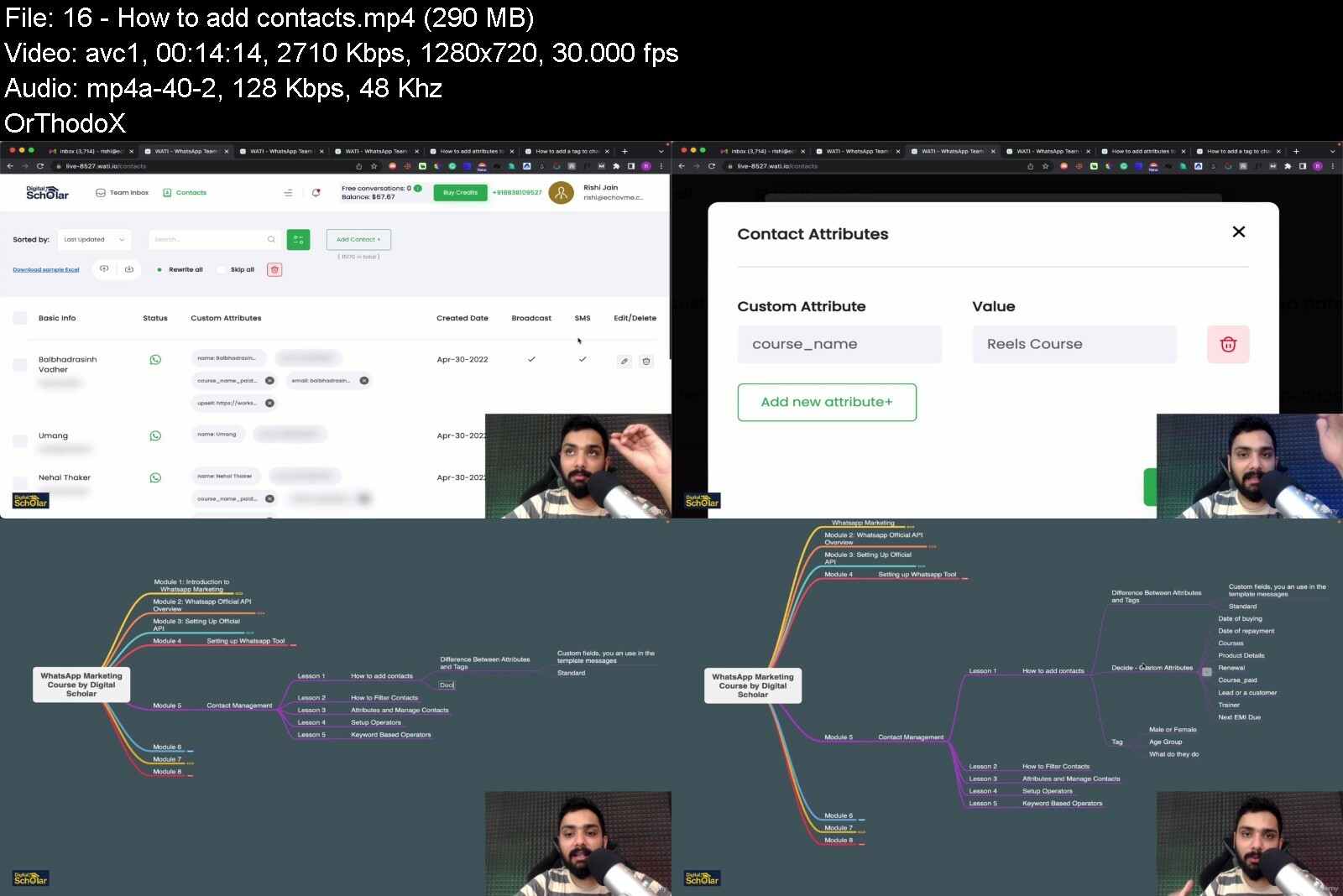
Lecture 16 How to add contacts

Lecture 17 Bulk Upload and Filter

Lecture 18 Operator Management

Lecture 19 Keyword Based Operator

Section 6: Templates Approval and Broadcasts

Lecture 20 All About Templates

Lecture 21 Text Based Templates

Lecture 22 How to Get Approved Faster

Lecture 23 Rich Media Approval

Lecture 24 How to Avoid Rejections

Lecture 0 Team Inbox Dashboard Walk-through

Lecture 0 Assign Operators and Tickets

Lecture 0 Reply Material - Text, Image, Video, Stickets, Document

Lecture 0 Reply Material - Flows

Lecture 0 Sequences

Lecture 0 Contact Attributes and Templates

Lecture 0 Default Action - Out of office working hours

Lecture 0 New Chat and User type random keyword

Lecture 0 Agent Busy During working hours, Type 4

Lecture 0 Keyword Action - Fuzzy Matching

Lecture 0 Exact Matching Type

Lecture 0 Contains + Priority Matching

Lecture 0 Flows - Send a Message

Lecture 0 Conditions Flow

Lecture 0 Buttons and Lists

Lecture 0 All operators

Lecture 0 Facebook Lead Ads Forms to Whatsapp

Lecture 0 Facebook Lead Ads Forms to Whatsapp

Lecture 0 Facebook Lead Ads Forms to Whatsapp

Freelancers - Who wants to increase their revenue-generation opportunities, acquire bigger clients by lending WhatsApp as a service,Coaches - who want to send whatsapp reminders for webinars and workshops and increase the turnout ratio by atleast 30%,D2C Companies - Ecommerce Specialists Who want to have a 24x7 Answering Machine so that you can send your order updates, upsells, shipping details and much more to your customers and increase your sales.,Agency Owners - Who want to grow their clients using WhatsApp Marketing,Mid-Level Digital Marketing Professionals - Who wants to be part of a growing community of some of the best minds in the industry,SaaS Companies, B2B and B2C Companies - Who want to dive into Whatsapp Marketing to grow their audience, Retain Customers and Upsell new products.


learnwhatsappmarketinwsdyp.jpg


Email Marketing: Grow Your Email List And Learn Copywriting

fjdpouswzqd1qugxytwv9tmi9v.jpg


Email Marketing: Grow Your Email List And Learn Copywriting
Published 7/2022
MP4 | Video: h264, 1280x720 | Audio: AAC, 44.1 KHz
Language: English | Size: 7.25 GB | Duration: 6h 41m

Using these strategies, you can grow your Email List, set up your automated sequences and witness instant results!


What you'll learn
Build a simple and easy Email System in just 2 weeks! Then just do maintenance!
Refresh yourself with the most successful email marketing strategies of 2022
Learn Copywriting the fun and easy way
Design compelling landing pages, lead magnets, and calls-to-action that convert to sales
Turn your tribe of ideal clients into raving fans by speaking their language and understanding their motivations

Requirements
No prior knowledge is required, this is a complete Email Marketing course
An email marketing account (on ActiveCampaign or any other email marketing platform)

Description
Why Email Marketing Is the Most Powerful Sales Channel?Over 85% of people use email daily, and 74% are willing to open marketing emails. Email is an almost free marketing channel that you can fully automate to generate an endless sales stream for your business.Compared to paid advertising on Facebook and Google, email is the only channel entirely in your hands. No fear of algorithm changes, rising costs, and ad account rejections.Why Should I Care About Email Marketing?With the increasing number of subscribers coming to businesses through email communications, it s no wonder that even a small business can generate over 6-figures each year from their own email marketing strategy.How Do I Use Email for Marketing?With email marketing, you have to set up your automated sequences just once, and your money-printing machine is ready to generate passive income for you.There are hundreds of free and easy-to-use email automation software tools around.All you have to do is start building your list and keep your subscribers happy with engaging emails. With a solid system, you will turn your leads into paying customers in days.The #1 Mistake That Most People Do With Email MarketingEmail marketing is extremely important in keeping your brand top of mind and bringing customers back to your website.However, it can also be quite complex due to the sheer amount of variables that affect it. When open rates and click-throughs aren t what you expect, we start to ask ourselves questions like: Did they receive it but didn t open it? Did they open it but didn t like it? Why are they unsubscribing? lots of others as well. The most common mistake I have seen people doing is not following a proper roadmap.Follow A RoadmapYou see, there is a roadmap behind every successful email marketing campaign. And this roadmap will help you to learn in order to get the max out of your email marketing. And if you re missing even just one step from this roadmap, you run the risk of getting Unsubscribed by your audience.So, what if you had a set of step-by-step instructions of initiating successful email marketing campaigns from scratch? Imagine if you could follow these steps with EVEN if you know nothing about Email marketing!No More Ending up in spam or promotions!No More Fear Of People Unsubscribing you!No more wasting time or money!Imagine for just a moment...Once you get the game & the rules, you never have to stress on it ever again, right? Once it s done it s done! Every perfect email sent will give you crazy ROI and engagement.In fact, we use the exact same exact strategies for growing our email lists and here we are with over 200K Subscribers! Isn t it great to build something once and get it to work for you for years?Wouldn t that be nice?Well, you don t have to imagine any longer. Because it s here.Introducing Email Marketing Course which is a simple step-by-step, tried-and-tested system for getting the best out of your email marketing campaigns!Using the strategies shared in the course, I was able to:Grown my email list to 200,000 subscribersConverted 5% more leads for my agency"Sold my exclusive courses without even spending a penny on advertisingAnd I did this on complete AutomationWhat's waiting for you inside once you enroll?Why Email is your most Important channel?Getting started with Email MarketingLead magnets to grow your list 100xEmail marketing tool set-upMarketing automationList clean-upEmail warming-up strategySo, if you re an entrepreneur, an influencer, a business owner, a professional or any type of organization that wants to learn email marketing inside out, then this course is for you!It s time to give your Email Campaigns the high-performing makeover it deserves!Anyone who enrolls in this course will also have direct access to me through Udemy's messaging platform and by email.See you on the other side!

Overview

Section 1: What No Guru Has Told You Before

Lecture 1 Three Rs of Email Marketing

Lecture 2 Why Email is Your Most Important Marketing Channel

Lecture 3 Jargons of Email Marketing

Lecture 4 How to Craft an Email that Converts

Section 2: Getting Started with Your Email Marketing System

Lecture 5 Choose Your Sales Vehicle

Lecture 6 Setting Up Your Email Marketing Tool

Lecture 7 Adding Address to Your Tool

Lecture 8 Quick Dashboard Tour of the Most Powerful Platform

Lecture 9 Hostinger Complete Process

Lecture 10 SPF, DKIM and DMarc Setup

Lecture 11 Blacklist, Get Delisted and Checking for Verified Records

Section 3: Lead Magnets to Grow Your List 100x

Lecture 12 Grow Your List Using Targeted Audience - Landing Page

Lecture 0 Use Native Forms instead of Google Forms to Grow Email List

Lecture 0 Automated Webinar System that Grows and Nurture Lists

Lecture 0 Referral Campaigns - Increase your Emails by 100x

Lecture 0 Craft Your Ebooks in less than 10 minutes - Lead Magnet

Lecture 0 Introduction to IP warming

Lecture 0 AI Driven Warming Up on Complete Automation

Lecture 0 Manual Warm-Up Strategy

Lecture 0 Lists Vs Tags - Important Nomenclature

Lecture 0 Powerful Email Editor and Design

Lecture 0 How To Test Spammyness of Your Emails - Tools

Lecture 0 Magic Variables to Make it Easy

Lecture 0 Marketing Automations Walkthrough

Lecture 0 Marketing Automations - If Else Walkthrough

Lecture 0 Marketing Automations - Contacts Updates

Lecture 0 Introduction to List Clean-Up Process

Lecture 0 Using the Native Platform to Clean Lists Once In a Week

Lecture 0 Deliver Your Email to The Right Inbox. Every Time.

Lecture 0 Real-Time: Verify and Validate Customer Emails Directly at the Point of Entry

This course is for anyone who wants to start with Email Marketing,Marketers who are looking forward to make more sales using Email Marketing,Course creators,Freelancers,Entrepreneurs,Email Marketing Agencies


emailmarketinggrowyouj0dhr.jpg


Cours De Marketing De Contenu (Content Marketing Course)

pegiqotygevwplxyjibnlajfho.jpg


Cours De Marketing De Contenu (Content Marketing Course)
Derni re mise jour : 4/2021
MP4 | Video: h264, 1280x720 | Audio: AAC, 44.1 KHz
Language: Fran ais | Size: 5.13 GB | Duration: 5h 25m

Utilisez le marketing de contenu moderne pour d velopper votre entreprise et votre marque!


What you'll learn
Apprenez utiliser le marketing de contenu pour d velopper votre entreprise
Cr ez des entonnoirs marketing simples qui fonctionnent r ellement, transformant les trangers en clients r guliers
Obtenez plus de followers, d'abonn s et de clients potentiels
D veloppez un syst me d'id ation et de cr ation de contenu qui ne vous br le pas
Comprenez qui est votre public cible pour cr er un meilleur contenu
Publiez du contenu au bon format et au bon endroit pour votre public cible
Utilisez les r seaux sociaux comme Facebook, Instagram, Pinterest et Twitter pour diffuser et promouvoir votre contenu
Mesurez les r sultats de votre marketing de contenu et it rez pour r ussir

Requirements
Aucune connaissance pr alable du marketing de contenu n'est requise.
Vous apprendrez toutes les bases du contenu, c'est donc le cours id al pour les d butants.

Description
Bienvenue dans le seul cours dont vous avez besoin pour apprendre utiliser le marketing de contenu pour d velopper votre entreprise et votre marque.De la cr ation de bonnes id es de contenu la cr ation d'entonnoirs de marketing qui transforment r ellement des trangers en clients, ce cours couvre tout.Apr s avoir suivi ce cours, vous conna trez les tapes exactes de la cr ation, de la publication et de la promotion de contenu pour atteindre l'un de vos objectifs. Voici quelques exemples de ce que vous pouvez faire avec le marketing de contenu:Obtenir plus d'abonn sAugmenter le trafic du site WebD velopper une liste de diffusionFaire plus de venteset bien plus!Ce cours de marketing de contenu est bas sur la propre exp rience de l'instructeur en utilisant le marketing de contenu pour d velopper sa propre entreprise 7 chiffres. Ce que vous apprenez sera exploitable, r aliste et facile d marrer sur n'importe quel budget pour tout type d'entrepriseQu'allez-vous apprendre?Bases du marketing de contenu: D couvrez pourquoi le marketing de contenu est important pour toute entreprise moderne, les meilleurs formats et plates-formes utiliser et comment tout cela s'int gre dans un entonnoir de marketing num rique.L'image de marque de votre entreprise: Comprenez vraiment quels sont vos objectifs commerciaux et comment le marketing de contenu peut vous aider les atteindre.Public cible: Cr ez des personnalit s client bas es sur des donn es d mographiques pour am liorer la fa on dont vous cr ez du contenu qui aide votre client id al.Id e de contenu: Trouvez des id es de contenu incroyables et d veloppez un syst me pour ne jamais manquer de contenu que votre public aime.Formats de marketing de contenu: Comprenez les diff rents types de contenu et ceux qui conviennent le mieux votre entreprise.Cr ation de votre contenu: D couvrez les meilleures pratiques pour r diger de bons articles et cr er un excellent contenu visuel, audio et vid o.Publication de votre contenu: Connaissez les meilleures plates-formes pour diff rents types de contenu et des conseils pour r utiliser facilement le contenu sur plusieurs plates-formes.Promouvoir votre contenu: Obtenez plus de vues et d'engagement avec les m dias sociaux, le marketing par e-mail et d'autres formes de marketing traditionnel.Entonnoirs marketing: Cr ez des entonnoirs de marketing num rique qui transforment les clients potentiels en clients fid les avec votre contenu.Mesurer vos r sultats: Apprenez utiliser les analyses sur les sites Web, YouTube et les m dias sociaux pour am liorer la cr ation de votre contenu et mieux atteindre vos objectifs.Ce cours de marketing de contenu couvre tout, et si vous mettez en pratique toutes les techniques enseign es dans le cours, vous devriez avoir un syst me de marketing professionnel qui aide votre entreprise se d velopper. Vous pouvez galement utiliser ces comp tences pour obtenir un emploi dans l'espace en plein essor du marketing num rique.Notre garantie de bonheurSi vous n' tes pas satisfait du cours, nous avons une garantie de remboursement de 30 jours 100%. Si vous n' tes pas satisfait, vous pouvez obtenir un remboursement complet.Nous faisons toujours de notre mieux pour vous aider, r pondre vos questions en temps opportun et mettre jour le cours si vous avez besoin de quelque chose.Qu'est-ce que tu attends?Commencez utiliser des m thodes de marketing de contenu modernes d s aujourd'hui! Je vous aiderai laborer une strat gie de marketing de contenu part enti re pour vous aider d velopper votre entreprise.Rendez-vous en classe!Phil

Overview

Section 1: Introduction au cours de marketing de contenu

Lecture 1 REMARQUE IMPORTANTE AVANT DE COMMENCER LE COURS

Lecture 2 Bienvenue dans le cours de marketing de contenu

Lecture 3 T L CHARGER: Le guide ultime du marketing de contenu

Lecture 4 Conseils pour am liorer votre exp rience de prise de cours

Section 2: Bases du marketing de contenu

Lecture 5 Qu'est-ce que le marketing de contenu et pourquoi est-ce important?

Lecture 6 T L CHARGER: Top 10 des id es de marketing de contenu

Lecture 7 Un bref aper u des formats de contenu et des plates-formes

Lecture 8 Comment fonctionne un entonnoir de marketing de contenu?

Section 3: D finissez votre marque et votre objectif

Lecture 9 T L CHARGER: Feuille de travail sur la marque

Lecture 10 Quel est le but de votre marque?

Lecture 11 Comment positionner votre marque

Lecture 12 Quelle est votre proposition de vente unique?

Lecture 13 Choisissez la personnalit de votre marque

Section 4: D finissez votre public cible

Lecture 14 Qui est votre public cible? Cr ez du contenu pour eux!

Lecture 15 Comprenez les points faibles de votre public pour am liorer votre contenu

Lecture 16 O votre public vit-il en ligne?

Lecture 17 Cr er des personnalit s client et cr er du contenu pour eux

Section 5: Proposez d'excellentes id es de marketing de contenu

Lecture 18 Cr ez un syst me d'id ation pour acc l rer la cr ation de votre contenu

Lecture 19 tude de cas de marketing de contenu: brainstorming d'id es

Lecture 20 tude de cas de marketing de contenu: recherche d'id es

Lecture 21 Demandez votre public d'obtenir d'excellentes id es de marketing de contenu

Section 6: Formats de marketing de contenu

Lecture 22 Quels sont les formats de marketing de contenu?

Lecture 23 tude de cas de marketing de contenu: r daction / articles

Lecture 24 tude de cas de marketing de contenu: visuels / photographie

Lecture 25 tude de cas de marketing de contenu: vid o

Lecture 26 tude de cas de marketing de contenu: audio / podcasts

Lecture 27 tude de cas de marketing de contenu: m dias sociaux

Lecture 28 R affecter votre contenu pour gagner du temps et vous simplifier la vie

Section 7: Cr ez un contenu incroyable pour commercialiser votre entreprise

Lecture 29 Introduction cette section

Lecture 30 R digez un excellent contenu | Conseils pour am liorer

Lecture 31 Cr ez un excellent contenu vid o | Conseils pour am liorer

Lecture 32 Cr ez un excellent contenu visuel | Conseils pour am liorer

Lecture 33 Cr ez un excellent contenu audio | Conseils pour am liorer

Lecture 34 Cr ez un excellent contenu sur les r seaux sociaux | Conseils pour am liorer

Section 8: Publiez votre contenu

Lecture 35 T L CHARGER: Liste de contr le des m dias sociaux

Lecture 36 Cr er un plan marketing et un calendrier de contenu

Lecture 37 T L CHARGER: Exemple de calendrier de marketing de contenu

Lecture 38 O devriez-vous publier des articles?

Lecture 39 O devriez-vous publier du contenu vid o?

Lecture 40 O devriez-vous publier du contenu audio?

Lecture 41 O devriez-vous publier du contenu visuel?

Section 9: Entonnoirs de marketing de contenu

Lecture 42 Cr er un entonnoir de marketing de contenu

Lecture 43 tude de cas de marketing de contenu: entonnoir de marketing par e-mail

Lecture 44 tude de cas de marketing de contenu: entonnoir de marketing d'article

Lecture 45 tude de cas de marketing de contenu: entonnoir de marketing vid o

Lecture 46 tude de cas de marketing de contenu: entonnoir de marketing des m dias sociaux

Section 10: Faites la promotion de votre contenu

Lecture 47 Introduction cette section

Lecture 48 T L CHARGER: Exemple de calendrier de promotion du marketing de contenu

Lecture 49 Boostez l'engagement des m dias sociaux

Lecture 50 Promouvoir le contenu par e-mail

Lecture 51 Promouvoir le contenu par le bouche oreille

Lecture 52 Promouvoir le contenu avec des techniques de marketing traditionnelles

Lecture 53 Promouvoir le contenu avec des collaborations

Lecture 54 Promouvoir le contenu avec la publicit payante

Section 11: Mesurer vos r sultats de marketing de contenu

Lecture 55 Quelles analyses devriez-vous regarder?

Lecture 56 tude de cas de marketing de contenu: analyse de site Web

Lecture 57 tude de cas sur le marketing de contenu: YouTube Analytics

Lecture 58 tude de cas de marketing de contenu: analyse des m dias sociaux

Lecture 59 Ajustez et am liorez votre marketing de contenu

Section 12: Conclusion du cours

Lecture 60 Vid o de remerciement

Section 13: Bonus de l' cole vid o

Lecture 61 Conf rence bonus: en savoir plus sur Phil + Video School

Quiconque cherche d velopper une entreprise avec le marketing de contenu,Entrepreneurs, sp cialistes du marketing num rique, pigistes, cr ateurs de cours en ligne, YouTubers, influenceurs des m dias sociaux,Les d butants commencent peine avec une strat gie de marketing num rique en ligne,Toute personne souhaitant d velopper une entreprise avec des techniques de vente honn tes qui d veloppent un public qui vous aime, vous conna t et vous fait confiance, ainsi que votre entreprise


coursdemarketingdeconm4dxc.jpg


How to Market Yourself as a Coach or Consultant

d9pltefytajmlpicv5mytrodw6.jpg


How To Market Yourself As A Coach Or Consultant
Last updated 4/2022
MP4 | Video: h264, 1280x720 | Audio: AAC, 44.1 KHz
Language: English | Size: 5.20 GB | Duration: 4h 48m

Learn a Proven, Step-by-Step Process You Can Use to Package, Brand, Market, & Sell Your Coaching or Consulting Services


What you'll learn
Identify who your Ideal Clients are so you know exactly who to market and sell to
Uncover your ideal Niche based on your experience, expertise, skills, and the clients you can best help
Learn how to create a Signature Program so you can stop selling your time or creating spec proposals
Learn how to develop a Core Marketing Message so you know exactly what to say in your marketing to attract your ideal clients
Learn how to write Compelling Marketing Copy you can use to attract your ideal clients
Learn how to create a Unique, Authentic, and Compelling Brand that will set you apart from everyone else who does what you do
Learn how to create a Financially Viable Business and understand exactly what it will take to reach your financial goals
Learn how to Generate Leads Online and Build an Email List of interested prospects
Learn How to comfortably and confidently Sell your services using Free Consultations
Learn how to Track and Fine-tune your marketing so it continues to work better and better the longer you're in business
Learn how to easily create your own Wordpress Coaching or Consulting Website
Understand when is the best time to Add Services or Diversify your business

Requirements
Experience, expertise, training and/or certification that qualifies you to be an independent coach or consultant.

Description
ALL NEW APRIL 2022! The entire course has been completely updated and re-recorded to ensure it's current and covers everything I believe is important to successfully market an independent coaching or consulting business.------------------------------------------------------------------------------------------------------------Are you an independent Coach or Consultant who is just starting out in business?Or perhaps you've been in business for awhile but you're not attracting enough clients or making enough money?There's a lot that goes into building a successful Coaching or Consulting business.In this course, I'll teach you exactly what you need to KNOW and DO to successfully market yourself as an independent coach or consultant.Hi, I'm Debbie LaChusa, and I've been in business on my own as an independent coach, consultant, and online teacher since 1998 - that's 24 years!When I started out I was probably a lot like you... I didn't have any experience running or marketing my own business. The one advantage I did have was that I had studied marketing in college and I'd spent 13 years working in the marketing industry. It was very different marketing my own business, but over time I figured out how to translate my corporate marketing experience into a process that worked for marketing my own business. It worked so well I started coaching other coaches and consultants, and ultimately began teaching online.Since 1998, I've built and run a 6-figure consulting business, a 6-figure coaching business, and a 6-figure online course business.This course is based on the same 4-step process I used to market my own businesses, and that I used for years with my one-on-one coaching clients.It's a process that's been proven in the real world... has stood the test of time... and just plain works!If you'd like to learn how to...Package Your Services... so you can stop selling your time or creating spec proposalsBrand Yourself and Your Business... so you stand out from everyone else who does what you doMarket Your Services... so you attract more of your ideal clients, more easilySell Your Services... in a way that doesn't feel like selling and works better than free coaching sessionsThen this course is for you!In this course I walk you through each of these 4 steps with...Extensive Virtual Coaching (including real world examples, stories, and instruction based on years of experience)Worksheets & Handouts (the same worksheets and handouts I used with my private clients)Demo Videos (to demonstrate how to do the technical work I teach in this course)Suggested Resources (to help you quickly implement what you're learning in this course)All to help you apply my 4-step process to your coaching or consulting business. I've been teaching this content online for 9 years and more than 11,000 coaches and consultants have learned how to Package, Brand, Market, and Sell their services using my proven, proprietary process.Course Content Updated and Completely Re-Recorded in 2022 - Here's What's ChangedThis re-recording of the original course I created in 2013 includes changes based on my additional 9 years of online business experience. I've streamlined my 4-Step Package-Brand-Market-Sell Process, updated my recommendations on Branding, and added all new sections on Website Development and Adding Services/Diversifying.Here's what a few students in the original version of this course had to say..."I took this course after her signature program course and it is already yielding gems. She is BRILLIANT, knows her stuff, actually understands the PSYCHOLOGY of her client and how important it is to create a business you like. As a serial entrepreneur, I can truly see her personal experience coming through in understanding that knowing her client is the way to craft a business they will be successful at because they love what they are doing...this is very different from many people selling marketing courses. Really happy I found her.""After decades in the travel industry, the pandemic forced me to pivot and this course has been invaluable in realistically redefining my scope, branding, and marketing. If you are in the same boat or at the start of a new business, this course is a must! Simply follow the steps, complete them as you go along and you'll have an actionable business plan by the end of it. Good luck!"Be sure to watch the Free Preview videos to get a better idea of my teaching style and what this course covers. I look forward to seeing you in class and helping you market your coaching or consulting business!

Overview

Section 1: Introduction

Lecture 1 Introduction

Lecture 2 Before We Dive In - Please Don't Skip This Lesson!

Section 2: Building Your Business & Marketing Foundation

Lecture 3 Inventory Your Skills, Experience & Expertise

Lecture 4 Identify Your Ideal Client

Lecture 5 Identify What You're Really Selling: The Pain-Promise Exercise

Lecture 6 Choose Your Niche

Section 3: Packaging Your Services

Lecture 7 Design Your Signature Program

Lecture 8 Confidently Promise Your Clients Results

Lecture 9 Price Your Signature Program

Lecture 10 Determine if Your Signature Program is Financially Viable

Lecture 11 Create Cash Flow Projections

Section 4: Branding Yourself & Your Business

Lecture 12 Using Your Given Name vs. Creating a Brand Name

Lecture 13 Brand Discovery

Lecture 14 Brand Brainstorming Introduction

Lecture 15 3 Ways to Brand Yourself as a Coach or Consultant

Lecture 16 Brand Brainstorming Techniques

Lecture 17 Brand Research

Lecture 18 Brand Protection

Lecture 19 Brand Implementation

Section 5: Marketing Message Development

Lecture 20 Marketing Yourself Introduction

Lecture 21 Create Your Core Marketing Message

Lecture 22 Develop Your Marketing Copy: Pain Copy Points

Lecture 23 Develop Your Marketing Copy: Promise Copy Points

Lecture 24 Develop Your Marketing Copy: Supporting Copy Points

Lecture 25 Develop Your Marketing Copy: Call-to-Action

Section 6: Getting Clients: Objectives & Strategies

Lecture 26 Objective 1: Client Attraction

Lecture 27 Objective 2: Relationship Building

Lecture 28 Client Attraction & Relationship Building Examples

Lecture 29 Objective 3: Engagement

Section 7: Marketing Yourself Online: Website Development

Lecture 30 Website Development Introduction

Lecture 31 Finding Wordpress Themes

Lecture 32 Website Development Steps

Lecture 33 Register Your Domain & Get Hosting

Lecture 34 Create a New Website & Install Wordpress

Lecture 35 Install a Wordpress Theme & Starter Template

Lecture 36 Customize Your Website - Content

Lecture 37 Customize Your Website - Menus, Pages, Footer

Lecture 38 Coach and Consultant Website Examples

Section 8: Marketing Implementation: Create a 90-Day Marketing Plan

Lecture 39 Create Your 90-Day Marketing Plan

Section 9: Selling Your Services

Lecture 40 The Free Consultation: An Introduction

Lecture 41 Free Consultation Process: Part 1

Lecture 42 Free Consultation Process: Part 2

Lecture 43 How to Generate Free Consultations

Lecture 44 How to Track Free Consultations & Identify Your Sales Closing Ratio

Section 10: Adding Services & Diversifying

Lecture 45 When to Add Services & Diversify

Section 11: Conclusion

Lecture 46 A Few Final Words of Encouragement & Motivation

Section 12: Resources Referenced in this Course

Lecture 47 Resource List

Section 13: Course Q&A

Lecture 48 Student Questions & Instructor Answers

Section 14: Bonus Section

Lecture 49 Is There Anything You'd Like to See Added to this Course?

Independent coaches and consultants who are not reaching their business goals, or who do not know how to best market themselves.,Individuals who are considering starting an independent coaching or consulting business and are unsure how to set up the business or market themselves effectively.

Say Thank You


howtomarketyourselfasahfu7.jpg


Salesforce Marketing Cloud Expert Training

4756666ae3446qfl5.jpg


Salesforce Marketing Cloud Expert Training
Published 07/2022
MP4 | Video: h264, 1280x720 | Audio: AAC, 44.1 KHz, 2 Ch
Genre: eLearning | Language: English + srt | Duration: 23 lectures (19h 38m) | Size: 10.1 GB


This course will help you to clear Salesforce Marketing Cloud Email Specialist, Admin and Consultant exams


What you'll learn
Salesforce Marketing Cloud Admin
Salesforce Marketing Cloud Email Studio
Salesforce Marketing Cloud Consultant
Salesforce Marketing Cloud Developer

Requirements
No prior experience is required
No Programming experience needed

Description
PeopleWoo s salesforce marketing cloud training helps you master the skill sets to work on salesforce products. We cover the fundamentals of Salesforce to leverage your skills in marketing. Salesforce marketing cloud training by PeopleWoo helps you gain industry-specific skill sets that can improve your career prospects. You can clear various Marketing Cloud Certifications by Salesforce after completing this course.

Our subject matter experts have curated an industry-oriented curriculum to help you gain the in-demand skills of Salesforce Marketing. PeopleWoo s trainers opt for an SFMC-oriented curriculum to help you clear the certification exams. You can learn all SFMC-related concepts at your own pace with PeopleWoo s Salesforce marketing cloud training.

Our Salesforce Marketing Cloud Training course aims to deliver quality training that covers solid fundamental knowledge on core concepts with a practical approach. Such exposure to the current industry use-cases and scenarios will help learners scale up their skills and perform real-time projects with the best practices.

Harshit Suri is PeopleWoo s best-certified trainer for helping trainees cover the fundamentals of Salesforce Marketing. He has over 5+ years of expertise training about 150+ students on the essentials of Salesforce Marketing. Harshit has the industry s best knowledge of salesforce marketing that can help you advance your career.

Who this course is for
Marketing Automation Enthusiast
Salesforce Marketing Cloud Learners
Salesforce Marketing Cloud Email Marketing


salesforcemarketingclrddu7.jpg


Automation In Digital Marketing: Complete A To Z Course

16a7fyy9ox94rxz391s7fx1e2g.jpg


Automation In Digital Marketing: Complete A To Z Course
Published 7/2022
MP4 | Video: h264, 1280x720 | Audio: AAC, 44.1 KHz
Language: English | Size: 9.53 GB | Duration: 9h 1m

Learn To Automate Emails, SMS, Successful & Failed Payments And A Lot More!


What you'll learn
Automate your work across 10,000+ apps so you can move forward, faster
Learn About Various Operators to Delay, Format, Route Data Across Different apps so that you can Automate Nurturing Sequence throughout Entire Customer Journey
Learn to Create a full-blown CRM system just by using the automation system and without coding
Learn to Automate Failed and Successful Payments from Razorpay, Instamojo, Cashfree and others to increase your conversions by 30% guaranteed
Learn to Automate Clickfunnels, Swipe-Pages, Elementor Pages and any other landing page builder to send them Emails, SMS, Create your own CRM and much more
Automate Facebook and Google Lead Ads to send them Emails, SMS, CRM Automation and WhatsApp so that you don't waste nurturing a single lead

Requirements
No prior experience required.
Many Digital Marketing tools are taught in the course. Some tools may be free and some may be paid. You can leverage any tool here to suit the standard requirement that you may have.
Suitable for all types of businesses (digital product, physical product, service, B2B, B2C).

Description
The #1 Mistake That Most People DoMarketing Automation are extremely important in keeping your brand top of the mind of your potential customers, and improving user experience.However, it can also be quite complex due to various factors. When sales and click-throughs aren t what you expect, we start to ask ourselves questions like: Did they face any challenges in the sales journey? Did I made any mistake? Why are they not buying? lots of others as well. The most common mistake I have seen people making is not following a proper roadmap.Setting up random workflows that lacks personlization, using too many promotional words, ending up in the spam/promotional tab of your audience, getting worse CTR than expected are the worst scenerios that can happen to you.Now the most important question that people often ask me is- What should i do to make my system foolproof? The answer to this is quite simple!Follow A RoadmapYou see, there is a roadmap behind every successful marketing campaign. And this roadmap consists of 30 Lessons that you need to learn in order to get the max out of your marketing automation. And if you re missing even just one step from this roadmap, you run the risk of burning money and spamming your audience.So, what if you had a set of step-by-step instructions of initiating successful marketing campaigns from scratch on complete autopilot? Imagine if you could follow these steps with EVEN if you know nothing about marketing automation!No More Doing Repetitive Manual Work!No More Fear Of Messing it up!No more wasting time or money!Imagine for just a moment...Once you get the game & the rules, you never have to stress on it ever again, right? Once it s done it s done! Every system will give you crazy ROI and engagement. Isn t it great to build something once and get it to work for you for years? Wouldn t that be nice? Well, you don t have to imagine any longer. Because it s here.This one course on Marketing Automation will help you stay in touch with your customers wherever they are, on autopilot! In this course you will majorly learn:Email Marketing - Deliver valuable content straight to your audience's inboxesSMS Marketing - Reach your prospects on their mobile phones while they re on the goConversion Ads Automation - Nurture your leads in real time from the conversion ads campaignsWhy do you need Marketing Automation in Your Business?360 Automation - By setting up automated email flows paired with chatbots and SMS to advance leads from stage to stage of your sales process and close more deals.Transactional Emails - Sending automated emails triggered by user behavior to deliver valuable information to your customers at key moments of their journey (failed & successful payments).Enhance Customer Satisfaction - Make every customer feel special with personalized messages and lightning-fast responses.Say No To Repetitive Tasks - Using automation to keep time-consuming tasks on autopilot and get the time you need to focus on high-value work.Why is this course different?No need to get separate courses for different Marketing Automation needs. From lead gen to customer emails, This course will help you manage your entire funnel so you get more conversions and less chaos. Just one course will cater to all the Automation needed in your business. It will be a completely power-packed course which will be easy to follow, informative and definitely practical in approach.Enroll now for this course and give your Marketing Campaigns the high-performing makeover it deserves! See you inside the course.

Overview

Section 1: Marketing Automation

Lecture 1 Why and What to Automate?

Lecture 2 Automation Basic Concept

Lecture 3 Tools in the Market

Lecture 4 Webhooks Vs Polling

Lecture 5 Which Tool to Buy

Lecture 6 Pabbly Connect Dashboard

Section 2: Life Changing Operators

Lecture 7 Filter Operator

Lecture 8 Delay Operator

Lecture 9 Number Formatter

Lecture 10 Router Operator

Lecture 11 Text Formatter

Lecture 12 Email Parser

Section 3: SMS Marketing

Lecture 13 DLT registration

Lecture 14 Header Registration

Lecture 15 Template Approval

Lecture 16 Buy a SMS tool

Section 4: Email Marketing

Lecture 17[Intro] Jargons of Email Marketing

Lecture 18 Choose Your Sales Vehicle

Lecture 19 Setting Up Your Email Marketing Tool

Lecture 20 Adding Address to Your Tool

Lecture 21 Quick Dashboard Tour of the Most Powerful Platform

Lecture 22 Complete Contacts Walkthrough - Ways to Add Email List

Lecture 23 Lists Vs Tags - Important Nomenclature

Lecture 24 Powerful Email Editor and Design

Lecture 25 How to Test Deliverability of the Emails

Lecture 26 Magic Variables

Section 5: Facebook Lead Ads Complete Automation

Lecture 27 Facebook Lead Ads Form Setup

Lecture 28 All about operators and round-robin basis

Lecture 29 Pushing Round-Robin Into Excel Sheet

Lecture 30 Facebook Lead Ad Straight-Forward Integrations

Lecture 31 Facebook to Clickup Process - Final

Section 6: Conversion Ads / Landing Page Complete Automation

Lecture 32 SwipePages to SMS to Email to Google Sheets

Lecture 33 Clickfunnels to SMS to Email to Google Sheets

Section 7: Failed And Successful Payments Automations

Lecture 34 Razorpay - Failed and Successful Payment Automations

Lecture 35 Instamojo - Failed and Successful Payments Automations

Section 8: Really Cool Automations

Lecture 36 Send Personalised Images - Complete Automation

Lecture 37 Google My Business Automation

Lecture 38 Real Time Email List Cleaning Using Pabbly Connect

Lecture 39 Increase Sales Using Instagram Automations

Lecture 40 Instagram Automation to Get Leads and Sales

Lecture 41 Keys to Set Instagram Automations

Lecture 42 How To Set Up Instagram Automations

Lecture 43 Story Mentions

Lecture 44 Post Comments

Lecture 45 DM - Chatbot Automations

Lecture 46 Post Comment - Ideas and Strategies

Lecture 47 Case-Studies of Brands Using Instachamp

Lecture 48 Story Mentions - Ideas and Strategies

Beginners to digital marketing who want to learn and explore new-age digital marketing tools and concepts with Automation enabled.,Mid-level Digital Marketers, Business Owners, Coaches and Consultants,Anyone who is interested to learn about automation tools in the field of digital marketing


automationindigitalmaceftz.jpg


Hubspot For Small Businesses 2022 - Fast Track Course

wsiyhinjpse5adexcfqct2mipm.jpg


Hubspot For Small Businesses 2022 - Fast Track Course
Last updated 7/2022
MP4 | Video: h264, 1280x720 | Audio: AAC, 44.1 KHz
Language: English | Size: 5.36 GB | Duration: 5h 39m

Everything you need to know about HubSpot. This is an overview from major sections and features!


What you'll learn
Master all HubSpot features relevant to Small Businesses
Fully understand and work with the HubSpot CRM
Work with basic and advanced HubSpot sales & marketing features
Manage a team using HubSpot

Requirements
No prerequisites. You also DON'T NEED to have a HubSpot account prior to this course (we will create a free account together)

Description
Are you a Small Business Owner or work at a small business using HubSpot?Or a professional who simply wants to have a comprehensive overview of everything that HubSpot has to offer?If you want a HubSpot fast-track training experience, this course is for you!This course was thought for Small to Medium-Sized Businesses founders and professionals (who typically need to work with all sections inside of a HubSpot account). This is to say that we are not focusing on a specific HubSpot section such as the Sales or the Marketing Hub here We simply cover all of them!Yep, you read that right! This course talks about all of HubSpot's most relevant features. This includes everything you need to know about:HubSpot CRM & PropertiesThe HubSpot Sales section The Marketing sectionThe Customer Support sectionReporting, Settings, and Integrations! And plus an entire section about how to implement your HubSpot account by yourself from scratch!Important: Differently from other courses out there, here you will learn all the features you can use BOTH inside of a FREE HubSpot account, as well as a PAID HubSpot account. This means that if you only have access to a FREE HubSpot account, you can skip the lessons about paid features.At the end of the course you will be able to:Effectively use the HubSpot CRM (add contacts to your HubSpot account, work with HubSpot properties to save info about your contacts, create custom properties, create lists to organize your database, and much more!)Implement your HubSpot account from scratch & by yourself (connecting calendar and email inboxes, installing the Tracking Code The entire setup checklist!)Communicate with your potential clients and customers by using emails, calls, and videoconferencesCreate high converting emails for marketing and salesBuild effective HubSpot forms and embed them into your website to collect leads straight into the CRMCreate beautiful landing pagesKeep track of your sales by using HubSpot Deals & Deal DashboardsBuild simple and effective sales proposals by using HubSpot QuotesManage your team efficiently by using tasks & tasks listsProvide amazing customer support through TicketsManage your team's account access the way you wantBuild comprehensive reporting dashboards to monitor your business performanceConnect HubSpot with other tools you useHave an overview of HubSpot AutomationThis course is quite intensive. Please note that the course duration you see here includes the OPTIONAL videos I added (they complement what you ll learn, but you can skip them if you are in a rush). Also, you don't need a paid HubSpot account for this course, but you need at least a free account. In the first section of the course, there's a lecture explaining how you can get a free account just so that you can at least follow along with the course (in case you don't have one yet).I am a certified HubSpot expert providing HubSpot account management services to companies from all over the world. I have 12 years of experience in Digital Marketing (4 workings exclusively with HubSpot) and love helping businesses and professionals grow by learning how to use smart automation systems such as HubSpot.This is one of my client testimonials:I just completed the course - and my only reaction is: WOW! Super valuable for entrepreneurs, consultants (such as myself), and small businesses. Thalita successfully managed to transfer her rich knowledge in a meticulous manner. This course is easy to comprehend and incorporate into your business strategy. I honestly never knew what were the actual possibilities of the HubSpot platform and now I finally do! Thank you so much for this course! Tamara Biljman, Content Strategist- Feel free to check out my website for more testimonials.I take pride in assisting my students and coaching clients throughout the learning journey, so feel free to ask me any questions at any time during the course.--ThalitaThis course is an independently developed course offered by Thalita Milan and has not been created, endorsed, or verified by HubSpot, Inc. HubSpot, Inc. shall not have any liability with respect to this course offered by me, Thalita Milan.

Overview

Section 1: Introduction

Lecture 1 Introduction

Lecture 2 READ THIS before you start

Lecture 3 What HubSpot does

Section 2: Intro to HubSpot - Objects, Properties & CRM (All lessons for FREE & PAID)

Lecture 4 The 4 HubSpot objects you must know about

Lecture 5 What are HubSpot Properties

Lecture 6 Where are Properties located? Quick look at a Contact's Profile

Lecture 7 The difference between Default & Custom Properties

Lecture 8 How to create a custom property to save specific info about your contacts

Section 3: HubSpot CRM Basics - All lessons for FREE & PAID HubSpot Users

Lecture 9 How to add a contact to your HubSpot CRM

Lecture 10 How to create a Company and add it to your database

Lecture 11 Why associating contacts with other objects is important!

Lecture 12 How to import a list of contacts to your HubSpot CRM

Lecture 13 How to import a list of contacts & companies

Lecture 14 Creating and using HubSpot lists to organize your contacts

Section 4: HubSpot Implementation - Get your account set up and ready

Lecture 15 FREE & PAID HubSpot Users - Intro to HubSpot implementation

Lecture 16 FREE & PAID - Connect your inbox to HubSpot to be able to send emails to people

Lecture 17 FREE & PAID - Enabling HubSpot to fully track with sales extension

Lecture 18 FREE & PAID - Connect your calendar to HubSpot to arrange and log meetings

Lecture 19 PAID FEATURE - Connect your phone number to HubSpot

Lecture 20 PAID FEATURE - Connect your domain to HubSpot to publish content

Lecture 21 PAID FEATURE - Connect your email sending domain to avoid spam filters!

Lecture 22 FREE & PAID - Add your email signature

Lecture 23 FREE & PAID - Install the HubSpot Tracking Code to monitor website traffic

Section 5: How to send emails to people using HubSpot - All lessons for FREE & PAID users

Lecture 24 Intro to HubSpot emails

Lecture 25 How to send a 1-1 email with HubSpot

Lecture 26 How to save time with emails - Templates

Lecture 27 How to save time with emails - Snippets

Lecture 28 Intro to Marketing Emails

Lecture 29 Creating your Marketing Email

Lecture 30 How to edit a footer

Lecture 31 A few words on subscription types

Lecture 32 Sending your marketing email

Lecture 33 A few words on HubSpot Automation and Creating an Automated Email

Lecture 34 Why HubSpot Automation might be exactly what you need to save time in your biz

Section 6: Grab your audience s attention with HubSpot - Marketing Stuff

Lecture 35 FREE & PAID - Create Forms to capture leads and add them straight to your CRM

Lecture 36 FREE & PAID - Create a landing page from scratch

Lecture 37 PAID FEATURE - Create website and blog posts

Lecture 38 FREE & PAID - Run ad campaigns from inside of HubSpot

Section 7: Make Sales with HubSpot - Sales Stuff - All lessons for FREE & PAID users

Lecture 39 How Deals can help you track sales and revenue

Lecture 40 OPTIONAL - What deals have to do with your business funnel

Lecture 41 Create your first HubSpot Deal

Lecture 42 Customize your deal dashboard

Lecture 43 Create your first Quote

Lecture 44 HubSpot calculates how much money you are going to make - learn how!

Lecture 45 Add company info to Quotes

Section 8: Manage your business better with HubSpot

Lecture 46 FREE & PAID - Create tasks for you and other team members

Lecture 47 FREE & PAID - Use the tasks dashboard to organize work

Lecture 48 FREE & PAID - How to use Tickets to manage customer help requests

Lecture 49 FREE & PAID - Invite someone to join your account and choose their permissions

Lecture 50 FREE & PAID - Give someone access to everything - The Super Admin role

Lecture 51 PAID FEATURE - Control how other users create deals, contacts and other objects

Section 9: Track your team s performance! Use HubSpot Reports

Lecture 52 FREE & PAID - Create a full reports dashboard with just a few clicks

Lecture 53 PAID FEATURE - Learn how to customize your reports

Lecture 54 PAID FEATURE - Create a basic report from scratch!

Section 10: Connect HubSpot with other tools - Integrations - All lessons for FREE & PAID

Lecture 55 The easiest way to integrate HubSpot with another tool

Lecture 56 2 tips about integrating HubSpot with other tools

Lecture 57 Sometimes HubSpot creates properties for integrations

Lecture 58 Example of a HubSpot CRM sync

Lecture 59 Alternative to app integrations - Zapier and similar services

Lecture 60 Worst case scenario - Transferring a contacts list via manual import

Lecture 61 2 issues you might encounter when sending contacts from other tools to HubSpot

Section 11: HubSpot important settings - Handy quick hacks - All lessons for FREE & PAID

Lecture 62 How to block HubSpot from tracking specific email conversations

Lecture 63 Get notified ONLY about what you want

Lecture 64 A few key Account default settings

Lecture 65 Data Privacy & Consent settings

Section 12: BONUS Section

Lecture 66 BONUS lecture

Small Business Owners getting started with HubSpot,Anyone considering using HubSpot for their business,Anyone looking to get an overview of what HubSpot does,Current HubSpot customers


hubspotforsmallbusineanfmj.jpg


Hubspot Marketing Advanced - Workflows & Reporting - 2022

pxhygsakbyy1auh7nqelsuxfyh.jpg


Hubspot Marketing Advanced - Workflows & Reporting - 2022
Last updated 7/2022
MP4 | Video: h264, 1280x720 | Audio: AAC, 44.1 KHz
Language: English | Size: 5.54 GB | Duration: 5h 51m

A deep dive into HubSpot Workflows, Reporting & Advanced features for Marketing professionals


What you'll learn
Build simple Workflows for email sequences, managing internal processes and other purposes
Build complex Workflows with Conditional Segmentation for lead segmentation and more
Create a complete Reporting Dashboard to measure business performance
Fully use Advanced features such as Lead Scoring, Tracking (UTM) links, Campaigns, and others

Requirements
You need to know your way around the HubSpot CRM (adding contacts to HubSpot, creating lists, emails, and forms)
You need access to Workflows and Reporting in your HubSpot account

Description
Are you looking to use HubSpot Automation (Workflows) and HubSpot Reporting? If you re familiar with the HubSpot basics and know your way around the HubSpot CRM, it s now time to take things to the NEXT LEVEL. This course covers HubSpot Advanced Marketing features with a special focus on Automation and Reporting.At the end of the course you will be able to:1) Plan, draft, build, and publish Workflows from scratch by yourselfBuild simple Workflows to automate email sequences or manage business internal processes betterBuild complex Workflows with Conditional Segmentation (using Branches to segment your audience into different groups based on specific conditions you define)Improve your own Marketing Automation Strategy thanks to our real-world examples2) Measure the performance of your Marketing efforts with HubSpot Reporting:Create simple reports with just a few clicksCreate Advanced-level reports such as funnels and attribution reports to measure marketing ROIPut together a dashboard containing many different reports in a matter of minutes3) Use other Advanced-level HubSpot Marketing features:Build and implement Lead ScoringSet up a Campaign from scratchSet up Tracking (UTM) links inside of HubSpotAnd more!ATTENTION:This course is NOT an introduction to HubSpot - If you need a HubSpot intro or a refresher course, check out my Instructor Profile. I have a course called HubSpot for Marketing Professionals - this one will be more suitable for you!This course requires access to HubSpot Automation (Workflows) and Reporting - If you don t have this, I can help you get access to a 14-day FREE trial for a HubSpot paid Account - just so that you can at least complete this course. Check out Lesson 2 inside of Section 1 for more info.I am a certified independent HubSpot expert providing HubSpot account management and training services to companies and professionals from all over the world. I have 13+ years of experience in Digital Marketing (4 working exclusively with HubSpot) and love helping businesses and professionals grow by learning HubSpot.This is one of my student testimonials:I just completed the course - and my only reaction is: WOW! Super valuable for entrepreneurs, consultants (such as myself), and small businesses. Thalita successfully managed to transfer her rich knowledge in a meticulous manner. This course is easy to comprehend and incorporate into your business strategy. I honestly never knew what were the actual possibilities of the HubSpot platform and now I finally do! Thank you so much for this course! Tamara Biljman, Content Strategist- Feel free to check out my website for more testimonials.I take pride in assisting my students and coaching clients throughout the learning journey, so feel free to ask me any questions at any time during the course.--ThalitaThis course is an independently developed course offered by Thalita Milan and has not been created, endorsed, or verified by HubSpot, Inc. HubSpot, Inc. shall not have any liability with respect to this course offered by me, Thalita Milan.

Overview

Section 1: Before we start...

Lecture 1 Introduction

Lecture 2 You need access to HubSpot Workflows and Reporting for this course

Lecture 3 READ THIS BEFORE YOU START

Section 2: Understand HubSpot Automation - Intro to HubSpot Workflows

Lecture 4 What is Automation and what are we going to learn in this course

Lecture 5 Intro to workflows & a workflow example

Lecture 6 Overview of the workflows tab

Lecture 7 Workflow enrollment and unenrollment

Lecture 8 Creating a Workflow from scratch

Lecture 9 The 2 main elements of a Workflow - Triggers & Actions

Section 3: Select your Workflow Triggers

Lecture 10 Using Triggers based on Actions that your audience takes

Lecture 11 Using Triggers based on Information stored as HubSpot Properties

Lecture 12 Using other types of Triggers

Lecture 13 A few words on what we learned so far

Lecture 14 Use multiple triggers at once - The filters AND & OR

Lecture 15 Advanced hacks for multiple triggers

Section 4: Choose your Workflow Actions

Lecture 16 Actions to manage External Communications

Lecture 17 Add Delays between Actions

Lecture 18 Actions to manage Internal Communications

Lecture 19 Assign leads (or other records) to specific Owners in the team

Lecture 20 Create tasks for you and other team members

Lecture 21 Add leads to lists in an automated way

Lecture 22 Get HubSpot to create records for you

Lecture 23 Add people to ads audiences

Lecture 24 Property management actions part 1

Lecture 25 Property management actions part 2

Lecture 26 Some clarification on setting people as Marketing Contacts

Section 5: Publish your first Workflow

Lecture 27 Define Workflow Settings

Lecture 28 Choose Goals for your Workflow

Lecture 29 Edit Re-enrollment criteria

Lecture 30 Test your Workflow before it goes live

Lecture 31 Publish your Workflow :D

Lecture 32 Watch me create a basic Workflow from beginning to end

Lecture 33 How to manually unenroll people from a Workflow

Lecture 34 How to manually enroll people in a Workflow

Section 6: Build Advanced & Conditional Workflows

Lecture 35 Intro to Advanced Workflows

Lecture 36 Start a Workflow on specific day in the calendar - Advanced triggers

Lecture 37 Use Advanced Workflow Actions - Webhook, Custom code, Format data & Enrollment

Lecture 38 Split paths in a workflow based on different conditions- The VALUE equals branch

Lecture 39 Quick image to clarify the last Lecture

Lecture 40 How to find out it which branch a contact was redirected to

Lecture 41 Split paths in a workflow based on different conditions - The IF/THEN branch

Lecture 42 Create Workflows for objects other than Contacts

Lecture 43 Choosing a trigger based on a property different than the object enrolled

Lecture 44 OPTIONAL - An alternative solution to last lecture s "problem"

Lecture 45 MIX & MATCH properties for your triggers!

Lecture 46 Quick hack to save time - The GO TO action

Lecture 47 Watch me create a Conditional Workflow from beginning to end

Section 7: Measure the performance of your Marketing efforts with HubSpot Reporting

Lecture 48 Intro to HubSpot Reporting & a quick look at Analytics Tools

Lecture 49 The easiest way to create a dashboard - Use a template

Lecture 50 Create a report with a template with just a few clicks

Lecture 51 Understand the 2 main elements of a report

Lecture 52 Customize a report from a template

Lecture 53 Okay... One more example! :) This time, customizing a report based on deals!

Lecture 54 Create a single object report from scratch

Lecture 55 And guess what? Another example ;) Let's create a Deal-based report this time!

Lecture 56 Create a funnel report to see the progress of contacts or deals

Lecture 57 Create an Attribution report to measure ROI of your campaigns

Lecture 58 Create an Attribution report from scratch

Section 8: Use other Advanced Marketing features inside of HubSpot

Lecture 59 Set up Lead scoring inside of HubSpot

Lecture 60 Trigger a workflow from Lead Scoring

Lecture 61 Upcoming Campaigns? Get your Analytics all in one place

Lecture 62 Create UTM links using HubSpot

Lecture 63 Use your UTM links inside of Attribution reports

Section 9: BONUS Section

Lecture 64 BONUS lecture

Anyone looking to learn HubSpot Workflows and Reporting,Marketing professionals using HubSpot


hubspotmarketingadvanf9fct.jpg


Zurück
Oben Unten