• Regeln für den Video-Bereich:

    In den Börsenbereich gehören nur Angebote die bereits den Allgemeinen Regeln entsprechen.

    Einteilung

    - Folgende Formate gehören in die angegeben Bereiche:
    - Filme: Encodierte Filme von BluRay, DVD, R5, TV, Screener sowie Telesyncs im Format DivX, XviD und x264.
    - DVD: Filme im Format DVD5, DVD9 und HD2DVD.
    - HD: Encodierte Filme mit der Auflösung 720p oder darüber von BluRay, DVD, R5, TV, Screener sowie Telesyncs im Format x264.
    - 3D: Encodierte Filme von BluRay, die in einem 3D Format vorliegen. Dies gilt auch für Dokus, Animation usw.
    - Serien: Cartoon/Zeichentrick, Anime, Tutorials, Dokumentationen, Konzerte/Musik, Sonstiges sind demnach in die entsprechenden Bereiche einzuordnen, auch wenn sie beispielsweise im High Definition-Format oder als DVD5/DVD9/HD2DVD vorliegen. Ausnahme 3D.
    - Bereich Englisch: Englische Releases gehören immer in diesen Bereich.
    - Bereich Talk: Der Bereich, in dem über die Releases diskutiert werden kann, darf, soll und erwünscht ist.


    Angebot/Beitrag erstellen

    - Ein Beitrag darf erst dann erstellt werden, wenn der Upload bei mindestens einem OCH komplett ist. Platzhalter sind untersagt.
    - Bei einem Scenerelease hat der Threadtitel ausschließlich aus dem originalen, unveränderten Releasenamen zu bestehen. Es dürfen keine Veränderungen wie z.B. Sterne, kleine Buchstaben o.ä. vorgenommen werden. Ausnahme Serienbörse:
    - Bei einem Sammelthread für eine Staffel entfällt aus dem Releasename natürlich der Name der Folge. Beispiel: Die Simpsons S21 German DVDRip XviD - ITG
    - Dementsprechend sind also u.a. verboten: Erweiterungen wie "Tipp", "empfehlenswert", "only", "reup", usw. / jegliche andere Zusatzinformation oder Ergänzung, welche nicht in obiger Beschreibung zu finden ist.

    Aufbau des Angebots und Threadtitel

    Der Titel nach folgendem Muster erstellt zu werden. <Name> [3D] [Staffel] [German] <Jahr> <Tonspur> [DL] [Auflösung] <Quelle> <Codec> - <Group>
    Beispiel: The Dark Knight German 2008 AC3 DVDRip XviD - iND
    Beispiel: The Dark Knight 2008 DTS DL BDRip x264 - iND
    Beispiel: The Dark Knight 2008 AC3 DL BDRip XviD - iND
    Beispiel: The Dark Knight German 2008 AC3 720p BluRay x264 iND
    Beispiel: The Dark Knight 2008 DTS DL 1080p BluRay x264 iND
    Beispiel: Die Simpsons S01 German AC3 DVDRip XviD iND
    Beispiel: Die Simpsons S20 German AC3 720p BluRay x264 iND
    Beispiel: Sword Art Online II Ger Sub 2014 AAC 1080p WEBRip x264 - peppermint
    Entsprechend sind also u.a. verboten: Sonderzeichen wie Klammern, Sterne, Ausrufezeichen, Unterstriche, Anführungszeichen / Erweiterungen wie "Tipp", "empfehlenswert", "only", "reup", usw. / jegliche andere Zusatzinformation oder Ergänzung, welche nicht in obiger Beschreibung zu finden ist
    Ausnahmen hiervon können in den Bereichen geregelt sein.

    Die Beiträge sollen wie folgt aufgebaut werden:
    Überschrift entspricht dem Threadtitel
    Cover
    kurze Inhaltsbeschreibung
    Format, Größe, Dauer sind gut lesbar für Downloader außerhalb des Spoilers zu vermerken
    Nfo sind immer Anzugeben und selbige immer im Spoiler in Textform.
    Sind keine Nfo vorhanden z.B. Eigenpublikationen, sind im Spoiler folgende Dateiinformationen zusätzlich anzugeben :
    Quelle
    Video (Auflösung und Bitrate)
    Ton (Sprache, Format und Bitrate der einzelnen Spuren)
    Untertitel (sofern vorhanden)
    Hosterangabe in Textform außerhalb eines Spoiler mit allen enthaltenen Hostern.
    Bei SD kann auf diese zusätzlichen Dateiinformationen verzichtet werden.

    Alle benötigten Passwörter sind, sofern vorhanden, in Textform im Angebot anzugeben.
    Spoiler im Spoiler mit Kommentaren :"Schon Bedankt?" sind unerwünscht.


    Releases

    - Sind Retail-Release verfügbar, sind alle anderen Variationen untersagt. Ausnahmen: Alle deutschen Retail-Release sind CUT, in diesem Fall sind dubbed UNCUT-Release zulässig.
    - Im Serien-Bereich gilt speziell: Wenn ein Retail vor Abschluss einer laufenden Staffel erscheint, darf diese Staffel noch zu Ende gebracht werden.62
    - Gleiche Releases sind unbedingt zusammenzufassen. Das bedeutet, es ist zwingend erforderlich, vor dem Erstellen eines Themas per Suchfunktion zu überprüfen, ob bereits ein Beitrag mit demselben Release besteht. Ist dies der Fall, ist der bereits vorhandene Beitrag zu verwenden.
    - P2P und Scene Releases dürfen nicht verändert oder gar unter einem iND Tag eingestellt werden.


    Support, Diskussionen und Suche

    - Supportanfragen sind entweder per PN oder im Bereich Talk zu stellen.
    - Diskussionen und Bewertungen sind im Talk Bereich zu führen. Fragen an die Uploader haben ausschließlich via PN zu erfolgen, und sind in den Angeboten untersagt.
    - Anfragen zu Upload-Wünschen sind nur im Bereich Suche Video erlaubt. Antworten dürfen nur auf Angebote von MyBoerse.bz verlinkt werden.


    Verbote

    - Untersagt sind mehrere Formate in einem einzigen Angebotsthread, wie beispielsweise das gleichzeitige Anbieten von DivX/XviD, 720p und 1080p in einem Thread. Pro Format, Release und Auflösung ist ein eigener Thread zu eröffnen.
    - Grundsätzlich ebenso verboten sind Dupes. Uploader haben sich an geeigneter Stelle darüber zu informieren, ob es sich bei einem Release um ein Dupe handelt.
    - Gefakte, nur teilweise lauffähige oder unvollständige Angebote sind untersagt. Dies gilt auch für eigene Publikationen, die augenscheinlich nicht selbst von z.B. einer DVD gerippt wurden. Laufende Serien, bei denen noch nicht alle Folgen verfügbar sind, dürfen erstellt und regelmäßig geupdatet werden.
    - Untersagt sind Angebote, welche nur und ausschließlich in einer anderen Sprache als deutsch oder englisch vorliegen. Ausnahmen sind VORHER mit den Moderatoren zu klären.


    Verstoß gegen die Regeln

    - Angebote oder Beiträge, die gegen die Forenregeln verstoßen, sind über den "Melden"-Button im Beitrag zu melden.
  • Bitte registriere dich zunächst um Beiträge zu verfassen und externe Links aufzurufen.

*** Bestes IPTV *** bester Preis *** gratis Test ***


Englische Tutorials

Watercolor Pen And Ink: Venice Architecture Sketching Class

bbdmmobgdmm8bvwerry04wzf9j.jpg


Watercolor Pen And Ink: Venice Architecture Sketching Class
Last updated 9/2021
MP4 | Video: h264, 1280x720 | Audio: AAC, 44.1 KHz
Language: English | Size: 6.16 GB | Duration: 4h 45m

Learn How to Draw and Paint 6 different Venice Landscapes


What you'll learn
Materials - what paints, paper, brushes and pens you will need
The correct use of values in painting
How to sketch a subject easily by simplifying a landscape into basic shapes
Understanding the basics of perspective, angles and simplifying buildings
Using essential watercolour techniques such as wet-in-wet and wet-on-dry

Requirements
No requirements - however check materials list.

Description
Looking for a straight forward way to tackle complex subjects?Enroll in this class, and I will share all my knowledge to help you draw and paint some beautiful Venetian landscapes in line and wash. By the end of this class, you should have the confidence to tackle any landscape scene.This is Part 2 of the Venice Line and Wash series which focuses on more complex buildings and scenes, and showing you how to take your time to sketch and reduce a scene down to basic shapes and values.This Watercolor Line and Wash course is designed for Beginners to Intermediate learners with a desire to learn the essentials of Line and Wash Watercolors. This class focuses more on drawing and painting buildings, water and street scenes.This class is the second part of a series of Venice themed travel sketching classes, where you will learn how to draw and paint some beautiful Venice landscapes. Join me on a virtual sketching trip of Venice! Buildings drawn/painted in this class are of a higher complexity, and is an excellent challenge for beginners to understand perspective and simplification of a subject.In this class, I will show you the FUN and EASY way to enter into the world of watercolors, and turn your holiday photographs or any reference picture into simple, yet beautiful paintings. By the end of this course, you will have a firm understanding of the processes and techniques of turning any photograph into a pen and wash painting!This class is split into two main parts; 'Drawing Lessons 1-2' - Turning a photograph into a sketch, and 'Painting Lessons 1-6' - using watercolors to add color and value. I will walk you through how to complete each painting step by step!In this Watercolor Painting - Venice Line and Wash course, I will cover basics such as:Materials - what paints, paper, brushes and pens you will needThe correct use of values in paintingHow to sketch a subject easily by simplifying a landscape into basic shapesUnderstanding the basics of perspective, angles and simplifying buildingsUsing essential watercolor techniques such as wet-in-wet and wet-on-dryAdditional Information:For this course, I always complete the drawing before the watercolour. You can use a pencil to sketch the basic shapes of the buildings, people, then go over the top of the pencil with the pen if that helps. Erase the pencil after. I draw with pen first these days but that's because I've done it for a while now.Materials:Use any permanent black ink pens, watercolour paper, and brushes you have available. I recommend:1) Lightfast/Permanent ballpoint LIQUID ink pen (0.5mm nib). I use a set of Uniball eye pens (0.38, 0.5, 0.7mm). You can also use a set of Lightfast/Permanent 'Pigment Liners' or 'Microns' which are similar but have a softer felt tip and a lighter touch, which produced a slightly broken line as times as it skips over areas of the paper. I used both types of pens in this course. You can get them easily at any office supply store.2) 100% cotton watercolour paper or sketchbook (A4 - A5 sized, COLD-PRESS or MEDIUM texture). The cotton content/medium texture is important to create smooth, even watercolour washes.3) Watercolour Brushes - mop brush and a variety of round and flat brushes. A synthetic brush set works well.I hope this information helps, let me know if you have more questions. -Darren

Overview

Section 1: Introduction and Class Instructions

Lecture 1 Introduction

Lecture 2 Class Instructions & Projects

Section 2: Part 1: Drawing with Ink

Lecture 3 Drawing Lesson: Sketching St Marks Square

Lecture 4 Drawing Lesson: Sketching the Santa Maria Della Salute

Section 3: Part 2: Painting with Watercolor

Lecture 5 Painting Lesson: St Mark's from the Ferry

Lecture 6 Painting Lesson: St Mark's Square

Lecture 7 Painting Lesson: Grand Canal

Lecture 8 Painting Lesson: Campo San Barnaba (Part 1)

Lecture 9 Painting Lesson: Campo San Barnaba (Part 2)

Lecture 10 Painting Lesson: Venetian Cafe

Lecture 11 Painting Lesson: Venetian Canal Scene (Part 1)

Lecture 12 Painting Lesson: Venetian Canal Scene (Part 2)

Students seeking to learn watercolour painting,Students looking to learn how to draw with ink/pen,Students interested in learning Line and Wash,Students interested in Travel Journaling

Homepage
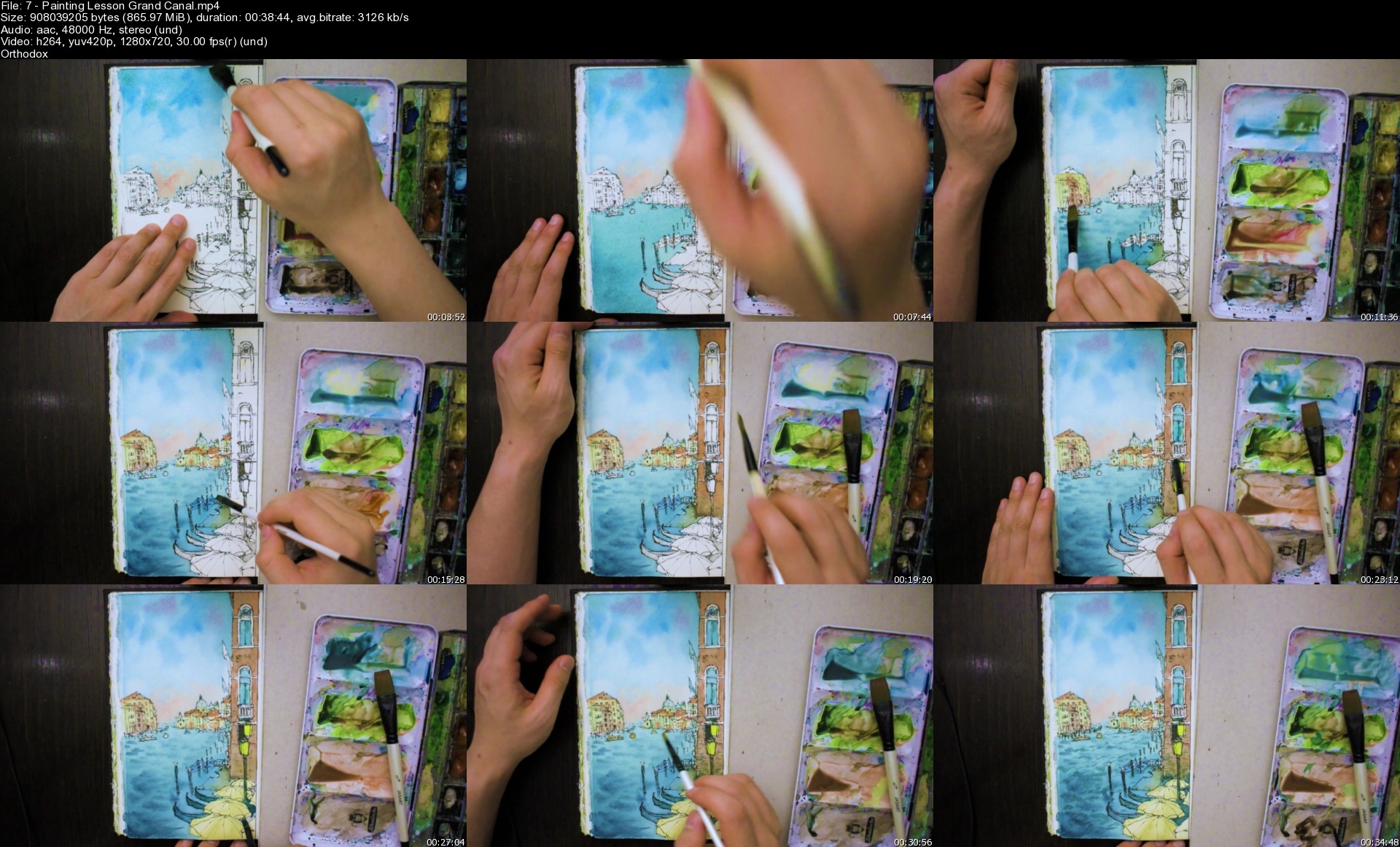

7paintinglessongrandclwdkd.jpg


CBTNuggets - Microsoft 365 Certified: Modern Desktop Administrator Associate-MD-100

jamesconrad21024x575bveuc.jpg


CBTNuggets - Microsoft 365 Certified: Modern Desktop Administrator Associate-MD-100-MD-101-Microsoft Certification Training
Released 11/2019
MP4 | Video: h264, 1280x720 | Audio: AAC, 44.1 KHz, 2 Ch
Genre: eLearning | Language: English | Duration: 242 Lessons (32h 21m) | Size: 15.5 GB

This intermediate Microsoft Desktop Administrator Associate training covers the objectives in the MD-100 and MD-101 exams, which are the two exams required to earn the Microsoft 365 Certified: Modern Desktop Administrator Associate certification

Microsoft updated the exam associated with this course. This course will be updated to reflect the recent changes
No matter the size, if a company or organization uses modern Microsoft products, they need a certified administrator - it's as simple as that. Because while the Microsoft 365 suite of products are powerful and dynamic tools that boost efficiency and effectiveness, without a trained expert on-hand to troubleshoot errors or handle unexpected problems, a company might as well not pay the subscription cost to Microsoft. The Microsoft 365 Certified: Modern Desktop Administrator Associate certification covers everything needed to deploy, manage, configure, monitor and upgrade any program, setting or tool in Windows 10. With this training, you'll learn the inner workings of them all and be prepared to test

For IT managers, this Microsoft training can be used for MD-100 and MD-101 exam prep, onboarding new systems administrators, individual or team training plans, or as a Microsoft reference resource.

Desktop Administrator Associate: What You Need to Know
For any systems administrator using this training for exam preparation, our Microsoft 365 Certified: Modern Desktop Administrator Associate course maps to the Microsoft MD-100 and MD-101 exam objectives, and covers topics such as

Deploying and recovering Windows 10
Managing Windows security with UAC Windows Defender Firewall, and encryption
Configuring remote management and remote desktop access
Configuring and analyzing event logs
Configuring user profiles and syncing settings
Implementing, managing, and planning device compliance policies and device profiles

Who Should Take Desktop Administrator Associate Training?
This Desktop Administrator Associate training is considered associate-level Microsoft training, which means it was designed for systems administrators. This Windows 10 skills course is valuable for new IT professionals with at least a year of experience with Microsoft operating system and experienced systems administrators looking to validate their Microsoft skills.

New or aspiring systems administrators. If you're considering starting a career as a systems administrator, starting with a certification as a Microsoft 365 Administrator Associate is a no-brainer. That's because a career as a systems administrator builds on a foundation of general knowledge about systems, networks, programs and devices -- that's exactly what this training and the certification give you. Prepare yourself to administer any Microsoft desktop and make yourself invaluable to any company that runs Windows 10 with this training.

Experienced systems administrators. If you've been working as a systems administrator for a few years, but you haven't made the time to get an associate-level certification, you might want to slow down and shore up the foundations of your knowledge and experience. Get this training to round out any rough edges you might've accumulated over the last few years and prepare to move forward in your career with a well-respected industry certification in Microsoft 365 administration.

Homepage


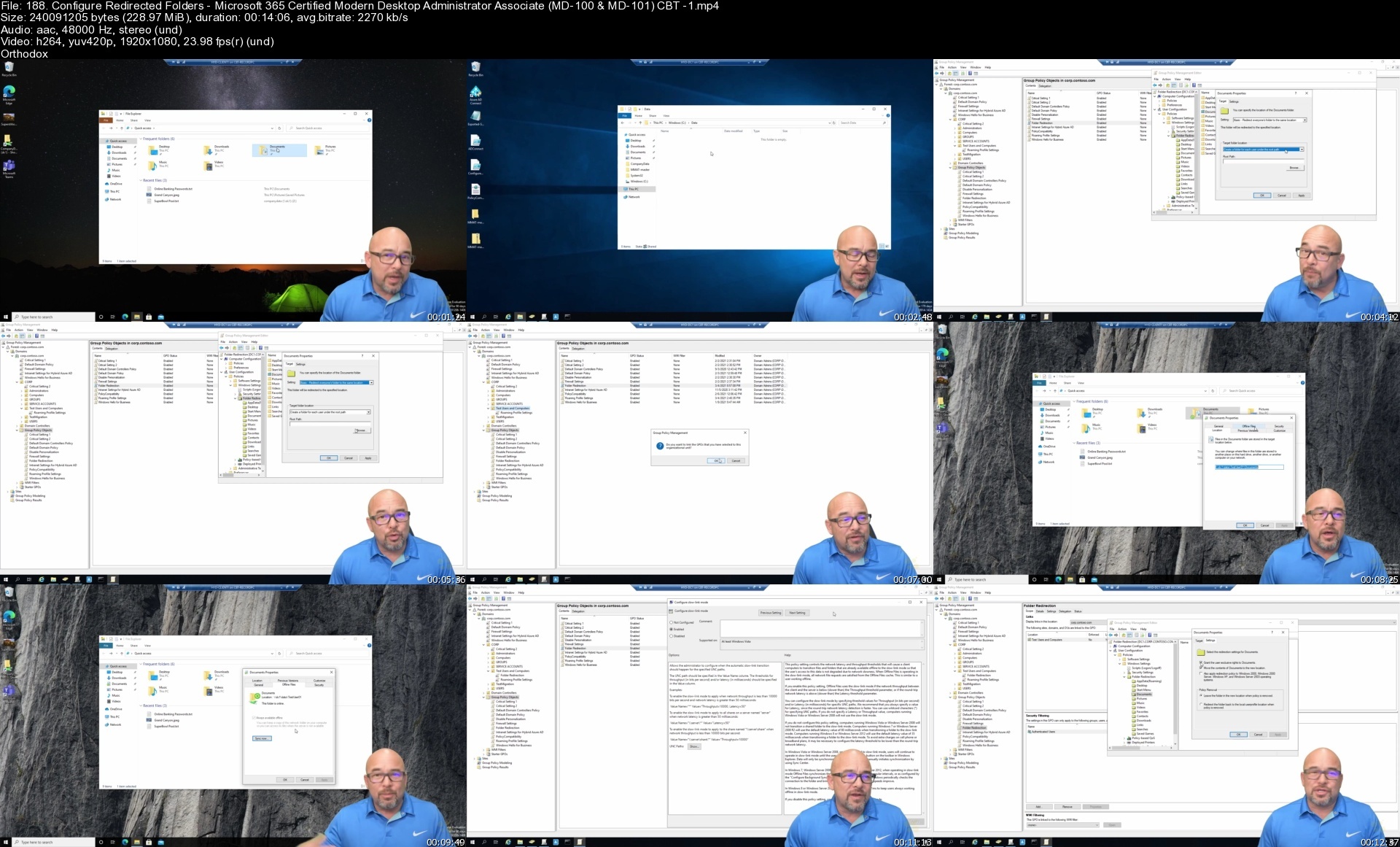
188.configureredirectkedzg.jpg


How To Start A Reselling Business On Facebook Marketplace

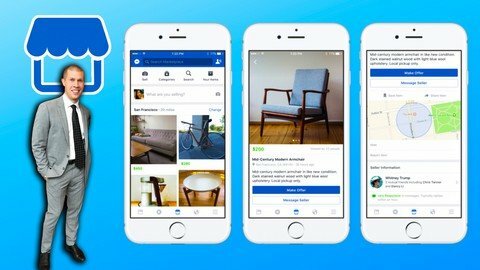
bjgn9tucdvzzmioqdrj3bljfpv.jpg


How To Start A Reselling Business On Facebook Marketplace
Last updated 7/2022
MP4 | Video: h264, 1280x720 | Audio: AAC, 44.1 KHz
Language: English | Size: 19.97 GB | Duration: 22h 33m

How to Make Quick Money Flipping Products to Facebook's Billions of Users & How to Sell More Online on Many Other Sites


What you'll learn
How to Use Facebook Marketplace to Sell Products Online
How to List Products on Facebook Marketplace
Why You Should Sell Everywhere (Not Just Facebook Marketplace)...and How
How to Sell More on Amazon
How to Sell More on eBay
How to Sell More on Poshmark
How to Sell More on Mercari
How to Sell More in Your eCommerce Business
Software and Other Things that Will Make Reselling Easier and More Profitable
How to Ship Products into Amazon FBA
How to Automate Your Amazon Prices to Sell More with Software
How to Make More Money when Selling Online
How to Start a Business, form an LLC, and Make More Money Online by Paying Less Taxes
How and Where to Get Free Products to Resell Online
How and Where to Get Cheap Products to Resell Online for a Profit
How to Resell Liquidation Products to Make Money Online
Sales Tips to Sell More from Your eCommerce Listings
Copywriting Tips to Write Better eCommerce Listings that Sell
Answers to the Most Frequently Asked Reselling Questions
Why You Shouldn't Bother Selling on Facebook Shops (Different than Facebook Marketplace)
and much much more! (check out the course curriculum)

Requirements
Internet Access
A desire to learn how to sell on Facebook Marketplace

Description
Facebook marketplace is one of the best up and coming places to sell your products profitably online.If you already have products to sell, then great. You should be listing them on Facebook marketplace.If you don't already have products to sell, then great. This course will show you how to acquire cheap and free products first.then you can sell them on Facebook marketplace.Places like Amazon, Poshmark, eBay, and Mercari are great marketplaces to sell on..and I honestly suggest that you do sell on them too (this course will also cover those to give you more tools for your "reselling tool belt").But Facebook marketplace (unlike the more established platforms) is still relatively new, doesn't have EVEN CLOSE to the competition you'll face on other platforms, and literally has BILLIONS of people on it every day you can put your products in front of.Learning how to use Facebook marketplace to your advantage to sell products is a no brainer.Enroll today and carve out your piece of the Facebook Marketplace pie now while it's still early!Overview of What You'll LearnHow to Use Facebook Marketplace to Sell Products OnlineHow to List Products on Facebook MarketplaceWhy You Should Sell Everywhere (Not Just Facebook Marketplace)How to Sell More on AmazonHow to Sell More on eBayHow to Sell More on PoshmarkHow to Sell More on MercariHow to Sell More in Your eCommerce BusinessSoftware and Other Things that Will Make Reselling Easier and More ProfitableHow to Ship Products into Amazon FBAHow to Automate Your Amazon Prices to Sell More with SoftwareHow to Make More Money when Selling OnlineHow and Where to Get Free Products to Resell OnlineHow and Where to Get Cheap Products to Resell Online for a ProfitHow to Resell Liquidation Products to Make Money OnlineSales Tips to Sell More from Your eCommerce ListingsCopywriting Tips to Write Better eCommerce Listings that SellAsk Bryan - Frequently Asked Reselling QuestionsAnd much much more! (Check out the Course Curriculum)

Overview

Section 1: How to Use Facebook Marketplace to Sell Products Online

Lecture 1 How to Use Facebook Marketplace to Sell Products Online

Section 2: How to List Products on Facebook Marketplace

Lecture 2 How to List on Facebook Marketplace Overview

Lecture 3 How to List Products on Facebook Marketplace

Lecture 4 Facebook Marketplace Dropshipping + Arbitrage Tutorial

Lecture 5 How to Dropship on Facebook Marketplace Directly

Lecture 6 Tips for Facebook Marketplace Sellers

Lecture 7 Avoid Canceling Orders on Facebook Marketplace

Lecture 8 How to Also Dropship on Offerup Just Like Facebook Marketplace

Lecture 9 How to List on Offerup from the Computer

Lecture 10 How to Also Dropship on Poshmark like Facebook Marketplace (Part 1)

Lecture 11 How to Also Dropship on Poshmark like Facebook Marketplace (Part 2)

Lecture 12 A Game Changer Chrome Exension for Poshmark Dropshipping

Lecture 13 Best Facebook Marketplace Dropshipping Tips for Beginners

Lecture 14 Edit and Update Your Facebook Marketplace Listings

Lecture 15 How to Keep Track of Your Facebook Price and Inventory

Lecture 16 Convert Amazon TBA Tracking to Fedex Tracking for Facebook Marketplace Buyers

Lecture 17 NEVER Cancel an Order on Facebook Marketplace - Do This Instead

Lecture 18 8 Things I Learned Going from $0 to 1K Dropshipping on Facebook Marketplace

Lecture 19 What to Do if You Don't Have Shipping on Facebook Marketplace

Lecture 20 6 Ways to Find Hot Selling Items for Facebook Marketplace

Lecture 21 How to Keep Track of All Dropshipping Orders with an AutoCaluclating Spreadsheet

Lecture 22 11 Tips to Sell More on Facebook Marketplace

Lecture 23 How to Find Hot Selling Products to Dropship on Facebook[Free Method]

Lecture 24 How to Find Hot Selling Products to Dropship on Facebook with Software

Lecture 25 How to Deal with a Dropshipping Customer Getting an Invoice in their Box

Lecture 26 The Best Marketplaces to Dropship on

Lecture 27 How to Get Inventory to Sell on Facebook Marketplace

Lecture 28 Sellhound for Product Research on Item Listings & Prices Across Platforms

Lecture 29 How to Never Pay Taxes on Amazon as a Buyer (When you Use Amazon as a Supplier)

Lecture 30 Join Our Private eCommerce Facebook Group to Network with Other eCom Sellers

Section 3: Why You Should Sell Everywhere (Not Just Facebook Marketplace)

Lecture 31 Why You Should Sell Everywhere (Not Just Facebook Marketplace)

Lecture 32 Marketplaces to Resell on

Lecture 33 How to List on Poshmark eBay Mercari & Etsy all at Once with List Perfectly

Lecture 34 Take Perfect Product Pictures & Add White Background with this Free App

Section 4: How to Sell More on Amazon

Lecture 35 How to Sell More on Amazon

Lecture 36 5 Tips to Sell More Units on Amazon this Q4

Lecture 37 How to Read a Keepa Chart so You Can Avoid Losing Money on Bad Products

Lecture 38 How to Remove Negative Feedback

Lecture 39 Inventory Optimization

Lecture 40 Free Google Chrome Plug in to Help Prevent IP Claims on Amazon

Lecture 41 How Amazon Shares the Buybox & How to Get it More Often

Lecture 42 How to Create a Free Shipping Template When Selling Amazon FBM

Section 5: How to Sell More on eBay

Lecture 43 How to Sell More on eBay

Lecture 44 5 Tips to Sell More on eBay

Lecture 45 How to Do Product Research on eBay

Lecture 46 How to List Products on eBay to Get More Sales

Lecture 47 How to Block a Problem Buyer on eBay

Section 6: How to Sell More on Poshmark

Lecture 48 How to Sell More on Poshmark

Lecture 49 5 Poshmark Tips to Get More Sales & Grow Your Closet

Lecture 50 6 Tips You Can Implement Today to Sell More on Poshmark

Lecture 51 5 Things You Should do EVERYDAY

Lecture 52 Sharing & Followers

Lecture 53 Make Offers to Likers to Drive More Sales on Poshmark

Lecture 54 Overpricing & Patience

Lecture 55 How to Sell More When You Don't Have a lot of Followers

Lecture 56 Sharing from Live & Past Parties

Lecture 57 Automate Your Poshmark Closet to Sell More

Section 7: How to Sell More on Mercari

Lecture 58 How to Sell More on Mercari

Lecture 59 5 Tips to Sell More on Mercari

Lecture 60 Verification Badge

Lecture 61 Ranking Your Account in the Beginning vs. Selling for Profit

Lecture 62 SEO in Your Listings to Increase Sales

Lecture 63 How to Do Product Research on Mercari When Listing Products

Lecture 64 How to Promote on Mercari for More Sales

Lecture 65 Relisting Your Items for More Sales

Lecture 66 How to Get Cheap Shipping on Mercari

Lecture 67 Should You Use Smart Pricing on Mercari

Section 8: How to Sell More in Your eCommerce Business - General Tips

Lecture 68 How to Sell More in Your eCommerce Business - General Tips

Lecture 69 Tips to Scale Your Reselling Business

Lecture 70 How to Handle Return Requests

Lecture 71 How I Run a Profitable Reselling Business[2 Main Strategies Combined]

Lecture 72 Importance of Ranking Your Accounts & Getting Reviews

Lecture 73 SEO in Your Listings

Lecture 74 How to Get Free Shipping Boxes

Lecture 75 How to Find a Good Prep Center

Section 9: Things that Will Make Reselling Easier and More Profitable

Lecture 76 Things that Will Make Starting this Exponentially Easier (Part 1)

Lecture 77 The Supplies that Will Help You Start & Scale Your Reselling Business

Lecture 78 How to Get Extra Free Money with Your Reselling Business (Part 1)

Lecture 79 How to Get Extra Free Money with Your Reselling Business (Part 2)

Lecture 80 How to Get Extra Free Money with Your Reselling Business (Part 3)

Section 10: How to Ship Products into Amazon FBA

Lecture 81 How to Shipping Products into Amazon FBA Section

Lecture 82 How to Ship Products into Amazon FBA[Full Tutorial Part 1]

Lecture 83 How to Ship Products into Amazon FBA[Full Tutorial Part 2]

Lecture 84 Why Send to Amazon FBA

Section 11: How to Automate Your Amazon Prices to Sell More with Software

Lecture 85 How to Automate Your Amazon Prices to Sell More with Software

Lecture 86 Repricing Software

Lecture 87 How to Setup Repriceit in Under 30 Minutes for Amazon Sellers

Lecture 88 Bqool Repricing Tutorial

Lecture 89 Why You Should Put Minimum Prices on Your Repriced Inventory

Section 12: How to Make More Money when Selling Online

Lecture 90 How to Make More Money when Selling Online

Lecture 91 Forming an LLC

Lecture 92 Software to Track Your Business Revenue Expenses & Profit

Lecture 93 What You Can Write Off on Your Business to Keep More Profit

Lecture 94 Keep More of the Money You Make by Paying Less Taxes

Lecture 95 Save Yourself Money on Your Business's Biggest Expense

Lecture 96 How to Keep & Multiply the Money You Make

Section 13: How and Where to Get Free Products to Resell Online

Lecture 97 How to Make Money with this Business Model

Lecture 98 List of Cashback Websites

Lecture 99 How to Get Free Money with This Business Model

Lecture 100 How to Handle Writing a lot of Amazon Reviews

Lecture 101 Website Tutorial #1

Lecture 102 Website Tutorial #1[Part 2]

Lecture 103 Website Tutorial #1[Part 3]

Lecture 104 Website Tutorial #2

Lecture 105 Website Tutorial #3

Lecture 106 Website Tutorial #3[Part 2]

Lecture 107 Website Tutorial #4

Lecture 108 Website Tutorial #5

Lecture 109 Website Tutorial #6

Lecture 110 Website Tutorial #6[Part 2]

Lecture 111 Website Tutorial #7

Lecture 112 Website Tutorial #7[Part 2]

Lecture 113 Website Tutorial #8

Lecture 114 Website Tutorial #9

Lecture 115 Website Tutorial #10

Lecture 116 Website Tutorial #11

Lecture 117 Website Tutorial #11[Part 2]

Lecture 118 Website Tutorial #11[Part 3]

Lecture 119 How to Do this if You Live Outside the US

Section 14: How and Where to Get Cheap Products to Resell Online for a Profit

Lecture 120 How and Where to Get Cheap Products to Resell Online for a Profit Overview

Lecture 121 Coupon Sites and How to Use Them

Lecture 122 4 Great Websites You Can Get Very Cheap Products at a Discount to Resell

Lecture 123 Where to Resell these Products

Lecture 124 Website Tutorial #1

Lecture 125 Website Tutorial #2

Lecture 126 Website Tutorial #3

Lecture 127 Website Tutorial #4

Lecture 128 Website Tutorial #5

Lecture 129 What to Do if Amazon Restricts Your Use of Codes

Lecture 130 How to Do this from Outside the United States

Section 15: How to Resell Liquidation Products to Make Money Online

Lecture 131 How to Resell Liquidation Products to Make Money Online

Lecture 132 List of Liquidation Sites

Lecture 133 How to Apply for a Resellers Permit

Lecture 134 How to Turn Liquidation Pallets into Profit

Lecture 135 Website Tutorial #1

Lecture 136 Website Tutorial #1[Part 2]

Lecture 137 Website Tutorial #2

Lecture 138 Website Tutorial #3

Lecture 139 Website Tutorial #3[Part 2]

Lecture 140 Website Tutorial #3[Part 3]

Lecture 141 Liquidation Profit Breakdown #1

Lecture 142 Liquidation Profit Breakdown #2

Lecture 143 Extra Sourcing Tutorial & Profit Update

Lecture 144 How to List Items from Your Pallets & Take the Product Pictures & Listings from

Lecture 145 Receiving & Listing an Example Liquidation Pallet

Section 16: Sales Tips to Sell More from Your eCommerce Listings

Lecture 146 Sales Tips Welcome

Lecture 147 Restore Your Powerbase

Lecture 148 Don't Ignore Customer Complaints

Lecture 149 Always Agree with the Customer

Lecture 150 Validate Your Claims to the Customer in Writing

Lecture 151 Your Customer Service

Lecture 152 The Issue is NOT Your Price

Lecture 153 The Easiest Sale You Will Ever Make

Lecture 154 We're All in the People Business

Lecture 155 Good Quality Questions

Lecture 156 Problems are Opportunities

Lecture 157 Find Common Ground

Lecture 158 The Greeting Process

Lecture 159 Give to Get

Lecture 160 Move Right Past Objections

Lecture 161 Ways I Move Past Objections in My Business

Lecture 162 Ways to Handle Price Objections

Lecture 163 Sell Yourself First

Lecture 164 When the Customer Declines your Pitch

Lecture 165 Frame Your Customer

Lecture 166 Get Your Customer to Contact You

Lecture 167 Put the Responsibility Back on the Customer

Lecture 168 Don't Fail the Customer

Lecture 169 Urgency & Scarcity

Lecture 170 Differentiate from Other Sales People

Lecture 171 What Does the Customer REALLY Want

Lecture 172 How Will Your Product Make the Customer FEEL

Lecture 173 Biggest Mistake Sales People Make

Lecture 174 Prequalify Customers First

Lecture 175 Using Pricing Choices to Sell More

Lecture 176 Cost of NOT Purchasing

Lecture 177 The Perfect Elevator Pitch

Lecture 178 Statement of Intentions

Lecture 179 4 Things to NEVER Say to Customers

Lecture 180 I Can't Afford it

Lecture 181 Supply & Demand

Lecture 182 Congratulate Your Customers

Lecture 183 Belief in Your Product

Lecture 184 Sell Emotion

Lecture 185 The Perfect Close

Section 17: Copywriting Tips to Write Better eCommerce Listings that Sell

Lecture 186 Top 5 Copywriting Tips for Beginners that Will Make the Most Difference

Lecture 187 How to Market & Write Copy Properly

Lecture 188 3 Common Copywriting Mistakes You Don't Know You're Making

Lecture 189 Do This Before You Ever Write a Sentence

Lecture 190 Practical Copywriting Tip to Implement Immediately

Section 18: Ask Bryan - Frequently Asked Reselling Questions

Lecture 191 Amazon's New Inventory Performance Index Policy and What it Means for Sellers

Lecture 192 Best Reselling Business Model[Wholesale vs. Online Arbitrage]

Lecture 193 Can You Ship Multiple Item SKUs into Amazon FBA in the Same Shipment

Lecture 194 Do You Need Shipment Insurance if You Sell on Amazon

Lecture 195 Due to Limited Account Activity Your Ability to Create Listings has been Disable

Lecture 196 How to Buy & Sell from Reatil Websites if You Live Outside the U.S

Lecture 197 How to Collect Sales Tax on Amazon

Lecture 198 How to Find More Profitable Wholesale Products

Lecture 199 How to Get a Reseller's Permit to Sell Online in Mexico

Lecture 200 How to Get Approved When Applying to New Wholesale Suppliers

Lecture 201 How to Get Cheap Shipping on Mercari

Lecture 202 How to Get the Cheapest Shipping When Selling Online

Lecture 203 How to Grow a Poshmark Closet Quickly WITHOUT Spending Hours on it Daily

Lecture 204 Is Selling on Wish the Next Big Opportunity for Resellers

Lecture 205 Is Source Mogul Better than Tactical Arbitrage for Online Arbitrage Sourcing

Lecture 206 List Perfectly vs. Vendoo[Best eCommerce Selling Software]

Lecture 207 Online Arbitrage vs. Wholesale[What's the Best Business to Start]

Lecture 208 Should You Pre-order Products from Wholesale Suppliers before they are released

Lecture 209 Should You Try to Time the Market When Selling Wholesale on Amazon

Lecture 210 Should You Use Smart Pricing on Mercari

Lecture 211 Tactical Arbitrage vs. Sourcemogul[Which Online Arbirage Software is Better]

Lecture 212 The Key to Getting Past Bogus IP Claims on Amazon

Lecture 213 The Only 5 Ways to Get Ungated on Amazon

Lecture 214 Top 3 Tips to Deal with Problem Buyers on Poshmark, Mercari, and eBay

Lecture 215 What are GTIN Exemptions on Amazon and How to Deal with Them

Lecture 216 What to Do When Amazon FBA Splits Your Shipment

Lecture 217 What's the Best Category to Sell in for New Wholesale Sellers

Lecture 218 Where to Get Boxes & Shipping Supplies in Bulk

Lecture 219 Why You SHOULD Use Poshmark Automation & Take Calculated Risks in Your Business

Section 19: Now it's up to You

Lecture 220 Now it's up to You

Lecture 221 Bonus Lecture

Anyone that wants to learn how to sell on Facebook Marketplace,Anyone that wants to learn multi-channel selling,Anyone that wants to learn how to find cheap and free products to resell,Anyone that wants to learn how to start and scale a profitable reselling business from home,Anyone that wants to learn how to sell products online,Anyone that wants to grow their business online and learn to sell more products,Anyone that wants to learn how to sell more on Amazon,Anyone that wants to learn how to sell more on Facebook,Anyone that wants to learn how to sell more on eBay,Anyone that wants to learn how to sell more on Poshmark,Anyone that wants to learn how to sell more on Mercari

Homepage


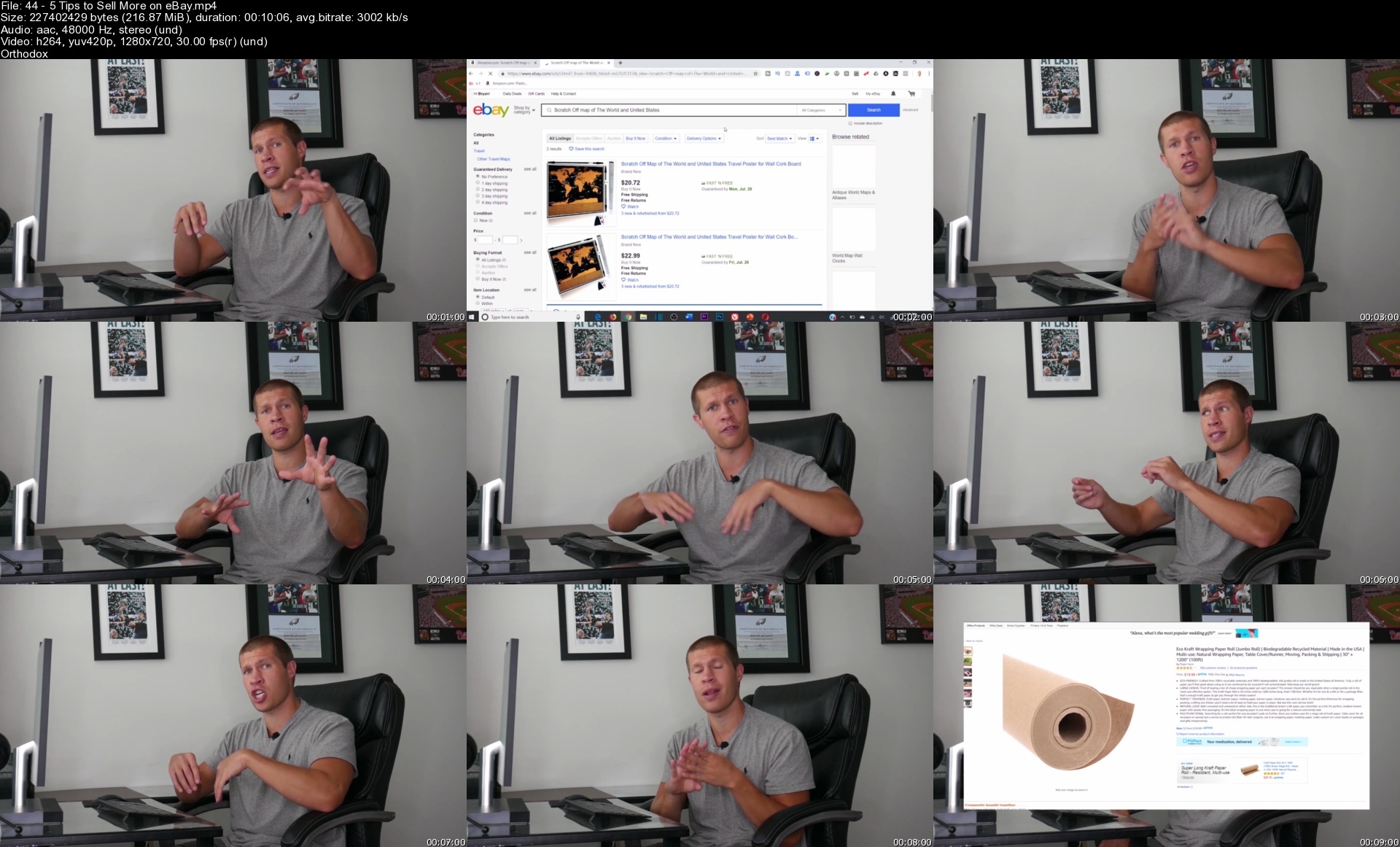
445tipstosellmoreoneb8oct9.jpg


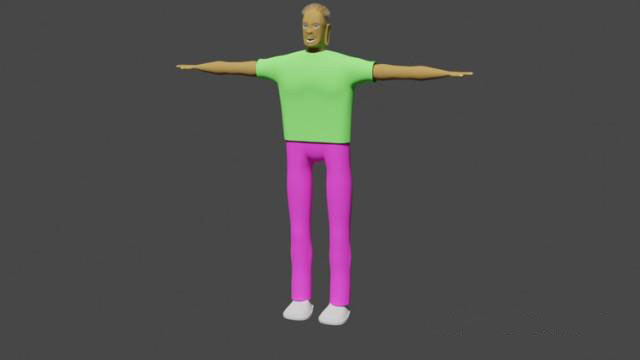
Character Building in Blender

characterbuildinginbl5wfbz.jpg


Character Building in Blender
Published 09/2022
MP4 | Video: h264, 1280x720 | Audio: AAC, 44.1 KHz, 2 Ch
Genre: eLearning | Language: English | Duration: 25 lectures (14h 33m) | Size: 7 GB

How to build, rig, and add hair to a character.


What you'll learn
Building the mesh
UV Mapping
Texture painting
Rigging
Hair
Shape keys


Requirements
Must be comfortable using blender
Blender 2.8 and above
A pc or laptop less than 10 years old


Description
This course is intended for people who want to learn how to build a character from start to finish.

We start by building the main mesh, starting with the face. We then progress to growing and shaping the head and neck. We then move on to growing the shoulders. Once we have the should width right, we then grow and shape the torso. Next, we add the arms, then the legs. Once the limbs are in place, we add the eyes. Then we grow the mouth sack, adding teeth and nostrils to the main mesh. Once we've built the main mesh, we will progress to adding clothes.

Once we have built all the meshes, we then move on to rigging the meshes so that we can pose the character and, therefore, animate with it. First we build the armature then we slowly bind the meshes to it.

Once we have rigged the character, I then discuss the various methods of adding hair to the character and take the student through how to add hair through the particle system method.

Finally, we turn our attention to shape keys. I discuss the advantages disadvantages of using shape keys verses rigging the face.

Who this course is for
3d Animation enthusiasts who want to learn how to build their own characters.
Hobbyists

Homepage


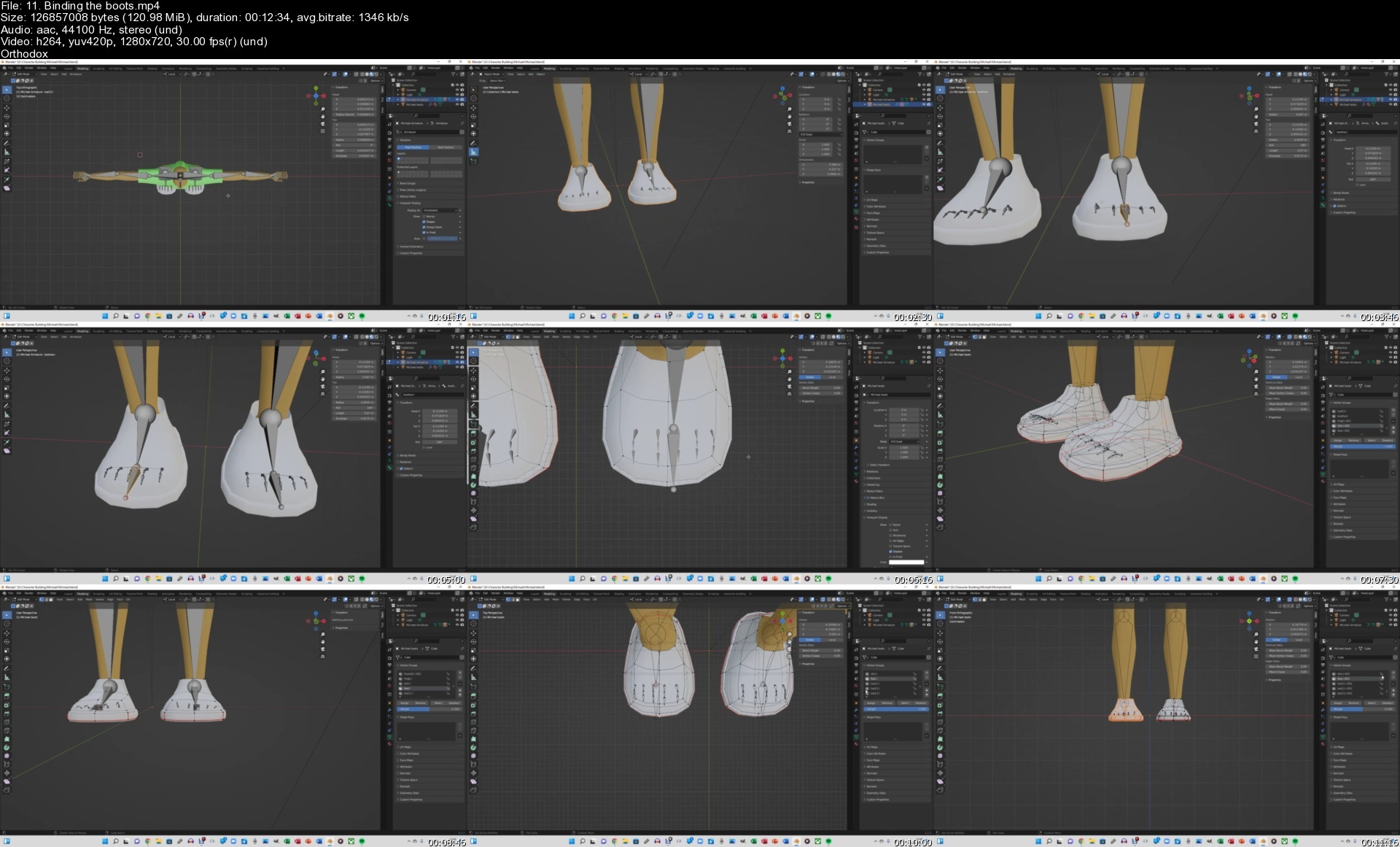
11.bindingthebootss1vcev.jpg


House And Building Portraits: Line And Wash Essentials

wfjri6klgdkhqeztjscuhsgena.jpg


House And Building Portraits: Line And Wash Essentials
Last updated 8/2021
MP4 | Video: h264, 1280x720 | Audio: AAC, 44.1 KHz
Language: English | Size: 9.62 GB | Duration: 7h 25m

Learn how to draw and paint a portrait of any building. Included: 6 full demonstrations with narrated instructions.


What you'll learn
How to paint a portrait of a building. Learn how to draw and paint any building from a reference photo or plein air.
How to draw simple to complex buildings with a pen, and how to use watercolor to imply light, shade and mood with a variety of colors.
Learn how to hold your pen for different effects, draw basic lines and shapes, how to create depth and light/darkness in your drawing.
How to decide on colors, and how to use complementary colors for increased vibrancy in your paintings.
Understanding light sources and how to paint realistic shadows.
How to sketch a subject easily by simplifying a landscape into basic shapes, and using a combination of loose and accurate drawing styles.
How to carry out essential watercolor techniques such as wet-in-wet and wet-on-dry.
How to paint skies, buildings, land, figures, trees and shrubs, and other objects.

Requirements
No prerequisites - you only need a few simple materials: a black ink pen, watercolour or sketch paper, watercolour paints and brushes.
Additional materials are included under the 'Materials Required' section - scans, reference photos and tracing templates.

Description
Hi, I'm Darren from Watercolor Mentor, and welcome to House and Building Portraits: Line and Wash Essentials. Line and wash was one of my first introductions to watercolor. It combines the benefits of both mediums and it is a great way to learn the basics of drawing and painting. Buildings and especially homes evoke emotions, a sense of place and belonging as well as deeply personal memories. In this class, you will learn how to create portraits of various homes and buildings using pen and watercolor. You'll learn how to apply drawing and painting techniques to create portraits of any building.There were so many things that I wish someone had walked me through when I was learning line and wash. I want to share these essential tips and skills with you so that by the end of this course, you'll be able to show off some beautiful line and wash illustrations to your friends and family!This class is aimed towards beginners with 6 line and wash demonstrations which I'll help guide you through step-by-step. There are scans, drawing, and tracing templates included as well for each demonstration to help you transfer your drawing over quickly and easily. You also have the option to follow along with my real-time drawing and narration videos for each scene.I take a different approach from other instructors by narrating my demonstrations in real-time. I explain every technique I use in the context of the painting, such as using watercolor to paint shadows on a building. I'll be going over the basics of pen and wash sketching. I'll talk about what materials you'll need, your options, and which ones I use and recommend. If you have a pen, some watercolor paints, and paper, then you're set to go.Additional materials including original painting scans, drawing/tracing templates, and reference photographs are included under the 'Materials Required' lecture. I'll show you how to sketch with a pen quickly and accurately using a variety of techniques including drawing lines in segments, hatching, and using different sized nibs to your advantage. I also demonstrate essential watercolor techniques you can use over and over again for any painting. In this course, I will cover basics such as:• how to draw simple to complex buildings with a pen, and how to use watercolor to imply light, shade, and mood with a variety of colors.• Materials - what paints, paper, brushes, and pens you will need.• Hands-on pen sketching techniques - follow along and sketch with me. Learn how to hold your pen for different effects, draw basic lines and shapes, how to create depth and light/darkness in your drawing through the use of 'hatching'.• Understanding light sources and how to paint realistic shadows.• How to sketch a subject easily by simplifying a landscape into basic shapes, and using a combination of loose and accurate drawing styles.• Hands-on lessons on essential watercolor techniques such as wet-in-wet and wet-on-dry.• How to paint skies, buildings, land, figures, trees and shrubs, and other objects.So join me in this class - I'm excited to show you how to create beautiful drawings and paintings that you can be proud of!Course Project:For the class project, refer to each demonstration video and sketch 2 or more of the featured landscapes in pen. You can also refer to the drawing and tracing templates which simplify the details to basic lines and elements. Practicing drawing is an important step in improving your painting skills. This provides you with an opportunity to compose and plan your painting. Once you've finished the drawing, use the watercolor steps and processes included to complete your painting.If you've finished the 6 landscapes featured in this class, pick a royalty-free photograph or perhaps one of your own landscape photographs. Using the processes and techniques described, create your own unique painting.Finally, upload your painting(s)! If you have questions or would like feedback on your work, let me know and I will get back to you.

Overview

Section 1: Introduction

Lecture 1 Introduction

Lecture 2 Materials Required

Section 2: Exercises

Lecture 3 Line and Wash Warm-up Sketch

Lecture 4 Pen Drawing Techniques and Tips

Section 3: Paint Along Lessons

Lecture 5 Baraboo Shops, Wisconsin - Drawing Part 1

Lecture 6 Baraboo Shops, Wisconsin - Drawing Part 2

Lecture 7 Baraboo Shops, Wisconsin - First Wash

Lecture 8 Baraboo Shops, Wisconsin - Details and Shadows

Lecture 9 Curcao Shops - Drawing Part 1

Lecture 10 Curcao Shops - Drawing Part 2

Lecture 11 Curcao Shops - Painting

Lecture 12 New England House - Drawing

Lecture 13 New England House - First Wash

Lecture 14 New England House - Details and Shadows

Lecture 15 Rural House - Drawing

Lecture 16 Rural House - First Wash

Lecture 17 Rural House - Details and Shadows

Lecture 18 Victorian House - Drawing

Lecture 19 Victorian House - First Wash

Lecture 20 Victorian House - Details and Shadows

Lecture 21 Washington DC Townhouses - Drawing

Lecture 22 Washington DC Townhouses - First Wash

Lecture 23 Washington DC Townhouses - Details and Shadows

Lecture 24 Course Project

Students learning loose watercolor painting,Students learning line and wash,Students learning how to sketch and draw,Students learning how to draw and paint buildings in pen and watercolor

Homepage


3lineandwashwarmupskerzeqc.jpg


Powershell In-Depth - Udemy

lan8ji5ggpwyio1ry01cwf6exw.jpg


Powershell In-Depth - Udemy
Last updated 10/2020
MP4 | Video: h264, 1280x720 | Audio: AAC, 44.1 KHz
Language: English | Size: 5.83 GB | Duration: 13h 13m

Concepts and Methodologies required for Automation of your Environment using Powershell


What you'll learn
Powershell scripting with all the concepts explained In-Depth
Coding approach

Requirements
Basic computer knowledge

Description
In this course, we explained the below concepts.-Windows PowerShell Architecture-setting up the scripting environment-Language fundamentals1. Variables, Arrays, and Hash Tables2. Pipeline3. objects4. conditional logic, loops, functions, and filters-script blocks and error handling-Regular expressions,XML-User management-Creating new cmdlets and extensions.-I/O and error handling-PowerShell providers- snapins- session objects- remoting-Files and REgistry-Services, process monitoring, and event logging-working with AD using ADSI-WMI

Overview

Section 1: Introduction

Lecture 1 Introduction

Lecture 2 Intrduction part 2

Lecture 3 Assignment Details

Section 2: Powershell Environment

Lecture 4 Windows Terminal to launch multiple powershell tabs

Lecture 5 Powershell Installation on Linux-Ubuntu

Lecture 6 Powershell Environment

Lecture 7 Execution Policy

Lecture 8 Bypass policy

Section 3: Language Fundamentals

Lecture 9 Variables,environment variables,Noun-Verb syntax,Aliases

Lecture 10 Variable commandlets, Scope of Variables

Lecture 11 Objects oriented concepts,Formatting,process,output

Lecture 12 Services,Extensions(Snap-Ins,Modules),PSDrives,PSProviders,Saving commands,get-m

Lecture 13 Pipeline and calling dotnet libraries

Section 4: Object Oriented Concepts

Lecture 14 Custom object creation and its members,$host object,Loading COM objects

Lecture 15 Interacting with VirtualBox as a COM-object and executable

Section 5: Pipeline explained

Lecture 16 Pipeline, conditional statements,Switch,where-object,loops like foreach

Lecture 17 Difference between foreach and foreach-object,aliases,functions

Lecture 18 Functions,filters and serialization

Section 6: Powershell Reporting and Remoting

Lecture 19 Process,service and eventlog reporting with more details

Lecture 20 Powershell Remoting - PSSession

Lecture 21 Powershell Remoting - Invoke command

Section 7: FileSystem, Registries and WMI. AD concepts with ADSI

Lecture 22 File System In-Depth

Lecture 23 File System Continued and Registries

Lecture 24 WMI and ADSI

Section 8: Assignments

Anyone who are eager to learn

Homepage


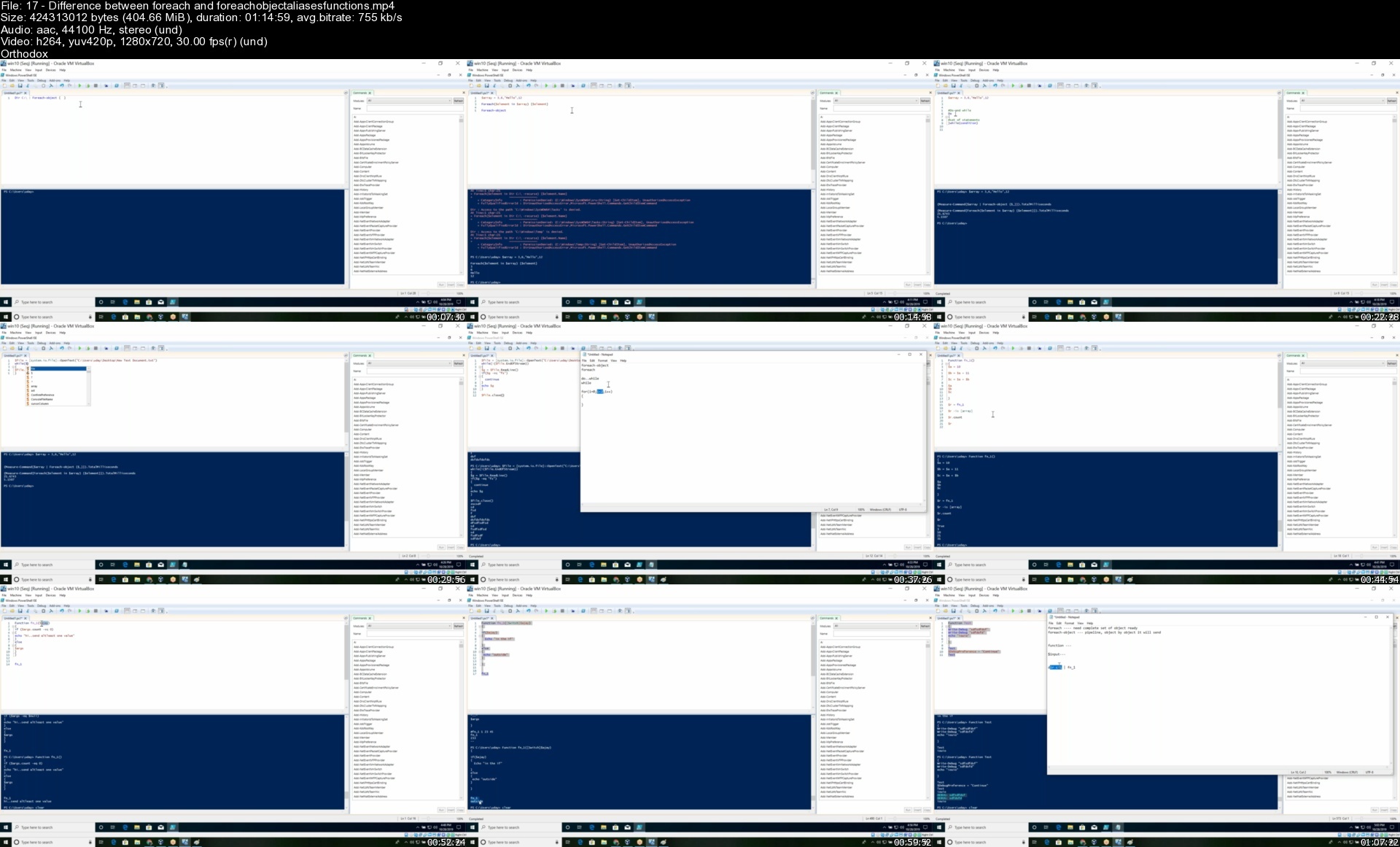
17differencebetweenfooni1b.jpg


How To Start And Scale A Shopify Dropshipping Store Quickly

fkqr2wkvlxdw7yk0uklyvrpe7i.jpg


How To Start And Scale A Shopify Dropshipping Store Quickly
Last updated 7/2022
MP4 | Video: h264, 1280x720 | Audio: AAC, 44.1 KHz
Language: English | Size: 16.69 GB | Duration: 21h 57m

Learn to Sell Other People's Products from Your Own Website - No Inventory, Start up Money, or Experience Needed at all!


What you'll learn
How to Start an Scale a Shopify Dropshipping Store Quickly
How to pick a niche that is emotionally charged so you get more customers quickly
How to pick products that sell
How to optimize product listings and your Shopify store
How to master Shopify Dropshipping
How to Run Facebook Ads to your Shopify Store to Get More Customers
How to Run Retargeting Ads to Website Visitors to Grow Your Business
Sales Tips to Sell More Products to the Current Customer
Copywriting Tips to Write Better eCommerce Listings that Sell
Instagram Growth Tips to build a brand on Instagram, get customers from it, and build your Shopify store with organic traffic
Everything you need to know about Building Email Lists with Landing Pages so you can stay in front of your customers and continue to sell them future products and let them know about future sales (increased life time value of your customers)
Landing Page Hacks to optimize your landing page and build your email list faster (more customers for your dropshipping store)
How to master email marketing to sell more products via email
Alternative Ways to Get Traffic to Your Shopify Website
How to master dropshipping on eBay
How to master dropshipping on Coupon Websites
How to master dropshipping on Poshmark
How to master dropshipping on Amazon
How to Make More Money when Selling Products Online by paying less in taxes
and much much more! (check out the Course Curriculum for a full breakdown of exactly what's in the Course)

Requirements
Want to learn dropshipping
Internet access

Description
The Dropshipping Model has taken off. There's a reason for that. People want a business that can generate an income for them while they sleep, while they spend time with family, and while they're busy doing the things they love. Who wouldn't?Dropshipping is upselling the consumer to make a profit. As the "dropshipper," you help facilitate the sale of certain items from a wholesaler to a customer in a different market place. The customer usually doesn't know they aren't actually buying from you. From this you can shave money off the top and make a profit on each product you sell.This business model is so popular because there is very minimal risk involved. You don't need much start up at all. In fact, I'll show you how to get start for Free for up to 2 Months.On top of that, you don't need any warehouses, you don't need any merchandise, and you will never actually handle any products you sell.I'll take you through the step by step process of setting up a dropshipping site with Shopify 100% Free. Then I'll show you how to pick a niche that buyers won't be able to resist, pick products that sell, and optimize your listings and site for conversions.We'll then set up the process to be semi-automated and as hands off as possible with software that will manage your store and fulfill your products for you. Finally, I'll even show you how to drive traffic to your site and really scale it up.Enroll today. Become the next Shopify Drop Ship Master tomorrow.Major Updates - The second version of this Course has just launched with over 20 more hours of video tutorials, sourcing strategies, dropshipping methods, etc... Here's a brief overview of what's covered: How to Start and Scale a Shopify Dropshipping Store QuicklyThe complete first version of this Course (Shopify Dropship Mastery)How to Run Facebook Ads to your Shopify Store to Get More CustomersHow to Run Retargeting Ads to Website Visitors to Grow Your BusinessSales Tips to Sell More Products to the Current CustomerCopywriting Tips to Write Better eCommerce Listings that SellInstagram Growth Tips to build a brand on Instagram, get customers from it, and build your Shopify store with organic trafficEverything you need to know about Building Email Lists with Landing Pages so you can stay in front of your customers and continue to sell them future products and let them know about future sales (increased life time value of your customers)Landing Page Hacks to optimize your landing page and build your email list faster (more customers for your dropshipping store)How to master email marketing to sell more products via emailAlternative Ways to Get Traffic to Your Shopify WebsiteHow to master dropshipping on eBayHow to master dropshipping on Coupon WebsitesHow to master dropshipping on PoshmarkHow to master dropshipping on AmazonHow to Make More Money when Selling Products Online by paying less in taxesand much much more! (check out the Course Curriculum for a full breakdown of exactly what's in the Course)

Overview

Section 1: How to Start an Scale a Shopify Dropshipping Store Quickly

Lecture 1 How to Start an Scale a Shopify Dropshipping Store Quickly

Lecture 2 What is Dropshipping

Lecture 3 How to Slow a Lecture Down on Udemy

Section 2: Shopify Dropship Mastery

Lecture 4 Shopify Dropship Mastery

Lecture 5 Shopify Free Trial and Extension

Lecture 6 Getting Started 100% Free for Up to 2 Months

Lecture 7 Picking the Right Niche that Will Get Sales

Lecture 8 Initial Welcome Page

Lecture 9 Picking Your Store's Theme

Lecture 10 Customizing Your Theme

Lecture 11 Installing the Automated Plug in and Picking Products

Lecture 12 Optimizing Product Listings for Conversions and More Sales

Lecture 13 How Product Pages Will Look and Modifying Product Listings

Lecture 14 Setting Auto Updates

Lecture 15 Setting Up Product Collections

Lecture 16 Key Settings to Make Sure Your Store is Running Smoothly

Lecture 17 Successful Dropshipping Business Models You Can Use to Improve Conversions

Lecture 18 Adding Pages and Depth to Your Drop Shipping Site

Lecture 19 Setting Up Your Navigation Menu

Lecture 20 Getting a Domain Name for Your Site

Lecture 21 Removing the Password and Accepting Orders

Lecture 22 Fulfilling an Order Once You Get One

Lecture 23 Generating Sales Using Instagram

Lecture 24 Generating Sales Using Facebook

Lecture 25 Generating Sales Using Google

Lecture 26 3 Tips to Sell More with Your Shopify Drop Shipping Store

Lecture 27 5 Innovative Ways to Promote Your Shopify Store and Make More Sales

Lecture 28 How to Get 2 Day Shipping for Your Store

Lecture 29 How to Purchase Pre-built Stores Really Cheap

Lecture 30 Top 3 Mistakes Most Drop Shippers Make When the Start their Shopify Store

Lecture 31 The Complete Advertising Guide[4 Different Ad Strategies That Work]

Lecture 32 5 Ways to Dropship other than Shopify

Lecture 33 Join Our Private eCommerce Facebook Group to Network with Other eCom Sellers

Section 3: How to Run Facebook Ads to Get More Customers

Lecture 34 How to Run Facebook Ads to Get More Customers

Lecture 35 How to Setup Your Ads Account

Lecture 36 Create a Facebook Page and an Instagram Page to Run Ads From

Lecture 37 Managing Your Facebook Ads on the Go

Lecture 38 Boosting Posts vs. Running Ads

Lecture 39 What is a Pixel and What's it's Purpose for Advertising

Lecture 40 How to Setup Your Facebook Pixel in Ads Manager

Lecture 41 The Different Ad Objectives and When to Use Each

Lecture 42 How to Create Custom Audiences and Lookalike Audiences

Lecture 43 How to Setup a Custom Conversion

Lecture 44 How to Setup and Run a Facebook Ad[Full Detailed Walk Through]

Lecture 45 Using Multiple Ad Creatives

Lecture 46 The Different Levels of Your Ads

Lecture 47 How to Structure Your Ad Account

Lecture 48 Filtering Your Ads Manager and Customizing Your Information

Lecture 49 Everything You Need to Know about Facebook Advertising Policies

Lecture 50 Requesting Reviews on Ads that Get Rejected

Lecture 51 Spying on Your Competitors and Modeling their Ads with Page Transparency

Lecture 52 Why You Should Never Overcomplicate Your Ads

Lecture 53 2 Simple Optimizations that Will Make Your Ads More Profitable

Lecture 54 How to Build Trust with the Facebook Ad Algorithm

Lecture 55 The Secret to Scaling Up Your Facebook Ads[Sideways Scaling]

Lecture 56 Including and Excluding Certain Groups and Locations

Lecture 57 Using the Analytics from Your Pixels and Your Pages to Run More Profitable Ads

Lecture 58 Using the Audience Insights Data to Your Advantage

Lecture 59 Minimum Recommended Test Time and Minimum Recommend Budget for an Ad

Lecture 60 Using Your Ad Charts to Optimize Your Ads

Lecture 61 Scaling Your Ads Across Countries

Lecture 62 The Best Ad Placements for Your Ads Specifically

Lecture 63 How to Master the Bias of the Facebook Advertising Algorithm

Lecture 64 Facebook Algorithm Engagement Bias

Lecture 65 Facebook Advertising Secret - People Don't Like Ads

Lecture 66 Lexical Analysis to Improve Your Ad Copy

Lecture 67 Graphical Analysis for the Pictures and Creatives in Your Ads

Lecture 68 The Financial Bias of the Facebook Algorithm

Lecture 69 Consistency Bias of the Facebook Algorithm

Section 4: How to Run Retargeting Ads to Website Visitors to Grow Your Business

Lecture 70 How to Run Retargeting Ads to Website Visitors to Grow Your Business

Lecture 71 What is a Pixel

Lecture 72 Setting Up Your Pixels on Facebook Business Manager and Google Adwords

Lecture 73 Driving Traffic to Your Website to Collect Emails and Pixel Data

Lecture 74 How Retargeting Will 10X Your Business's ROI and Ad Spend Profit

Lecture 75 Why Email Marketing is Vital to Any Business

Lecture 76 Simple Example of a Great Email Marketing Auto Response Sequence

Lecture 77 The Secret to 100X Your Business Revenue with Email Marketing

Lecture 78 Good Ads are Built

Lecture 79 4 Effective Remarketing Strategies You Can Use Today

Lecture 80 Creating Custom Audiences for Facebook Ads and Google Adwords

Lecture 81 Creating an Ad with Your Custom Audiences

Section 5: Sales Tips to Sell More Products to the Current Customer

Lecture 82 Sales Tips to Sell More Products to the Current Customer

Lecture 83 Sales Tips Welcome

Lecture 84 Restore Your Powerbase

Lecture 85 Don't Ignore Customer Complaints

Lecture 86 Always Agree with the Customer

Lecture 87 Validate Your Claims to the Customer in Writing

Lecture 88 Your Customer Service

Lecture 89 The Issue is NOT Your Price

Lecture 90 The Easiest Sale You Will Ever Make

Lecture 91 We're All in the People Business

Lecture 92 Good Quality Questions

Lecture 93 Problems are Opportunities

Lecture 94 Find Common Ground

Lecture 95 The Greeting Process

Lecture 96 Give to Get

Lecture 97 Move Right Past Objections

Lecture 98 Ways I Move Past Objections in My Business

Lecture 99 Ways to Handle Price Objections

Lecture 100 Sell Yourself First

Lecture 101 When the Customer Declines your Pitch

Lecture 102 Frame Your Customer

Lecture 103 Get Your Customer to Contact You

Lecture 104 Put the Responsibility Back on the Customer

Lecture 105 Don't Fail the Customer

Lecture 106 Urgency and Scarcity

Lecture 107 Differentiate from Other Sales People

Lecture 108 What Does the Customer REALLY Want

Lecture 109 How Will Your Product Make the Customer FEEL

Lecture 110 Biggest Mistake Sales People Make

Lecture 111 Prequalify Customers First

Lecture 112 Using Pricing Choices to Sell More

Lecture 113 Cost of NOT Purchasing

Lecture 114 The Perfect Elevator Pitch

Lecture 115 Statement of Intentions

Lecture 116 4 Things to NEVER Say to Customers

Lecture 117 I Can't Afford it

Lecture 118 Supply and Demand

Lecture 119 Congratulate your Customers

Lecture 120 Belief in your Product

Lecture 121 Sell Emotion

Lecture 122 The Perfect Close

Section 6: Copywriting Tips to Write Better eCommerce Listings that Sell

Lecture 123 Copywriting Tips to Write Better eCommerce Listings that Sell

Lecture 124 Top 5 Copywriting Tips for Beginners that Will Make the Most Difference

Lecture 125 How to Market and Write Copy Properly

Lecture 126 3 Common Copywriting Mistakes You Don't Know You're Making

Lecture 127 Why Your Customers Write the Best Copy

Lecture 128 Do This Before You Ever Write a Sentence

Lecture 129 Practical Copywriting Tip to Implement Immediately

Section 7: Instagram Growth Tips

Lecture 130 Instagram Growth Tips

Lecture 131 Instagram Marketing Growth Tips

Lecture 132 Stop Trying to Game the System

Lecture 133 Consistency is Key

Lecture 134 How to Implement the $1.80 Strategy to Grow

Lecture 135 Gary Vee's $1.80 Strategy 2.0

Lecture 136 Rotate Hashtags

Lecture 137 The Benefits of Stories

Lecture 138 Do Niche Research

Lecture 139 Originality is Overrated

Lecture 140 Descriptions and Captions

Lecture 141 Post Timing

Lecture 142 Aspect Ratio

Lecture 143 Shoutouts

Lecture 144 How to Use Link Tree to Get Multiple Bio Links on Instagram

Lecture 145 How to Get Verified on Instagram

Lecture 146 Tips to Grow on Instagram[Part 1]

Lecture 147 Tips to Grow on Instagram[Part 2]

Lecture 148 The Key to Instagram Growth is to Have a Page that's WORTH FOLLOWING

Lecture 149 Engage with Related Pages

Lecture 150 PROOF Follow Unfollow STILL WORKS 6 Month Split Test Results

Lecture 151 Use Other Social Media to Funnel Traffic to Your Instagram Page

Lecture 152 How to Monetize Your IGTV Videos

Lecture 153 Do You Need to Create Vertical Videos

Lecture 154 How to Upload a Video to IGTV

Lecture 155 How to Format IGTV Thumbnails

Lecture 156 Mass Uploading Drafts and Sharing to Your Story

Lecture 157 Target Following Hashtags Automatically to Gain Exposure

Lecture 158 How to Monetize Your IGTV Videos

Section 8: Building Email Lists with Landing Pages

Lecture 159 Building Email Lists with Landing Pages

Lecture 160 How to Entice People to Submit their Email

Lecture 161 Building A Landing Page (Part 1)

Lecture 162 Building A Landing Page (Part 2)

Lecture 163 Building A Landing Page (Part 3)

Lecture 164 Driving Traffic (Part 1)

Lecture 165 Driving Traffic (Part 2)

Lecture 166 Driving Traffic Recap

Section 9: Landing Page Hacks

Lecture 167 Landing Page Hacks

Lecture 168 Why Your Business's Landing Page is SO Important

Lecture 169 How Increasing Your Opt-in Rate Will Increase Your Profit

Lecture 170 Keep it Simple and Eat Pepperoni Pizza

Lecture 171 Creating the Right Bait to Get Sign Ups

Lecture 172 Landing Page Hacks and Conversion Psychology

Lecture 173 The Best Landing Page Software with Everything Built in

Section 10: Email Marketing Made Simple with Wix

Lecture 174 Email Marketing Made Simple with Wix

Lecture 175 Wix Email Marketing (Full Course Overview and What to Expect)

Lecture 176 How to Setup a Form on a Landing Page to Capture Emails

Lecture 177 Setting Up Email Autoresponses and How to Create an Autoresponse Sequence

Lecture 178 Overview of an Autoresponse Sequence

Lecture 179 Email Autoresponse Sequence Example (Part 1)

Lecture 180 Email Autoresponse Sequence Example (Part 2)

Lecture 181 Email Autoresponse Sequence Example (Part 3)

Lecture 182 Email Autoresponse Sequence Example (Part 4)

Lecture 183 Email Autoresponse Sequence Example (Part 5)

Lecture 184 Example of a Welcome Video on Your Email Autoresponse

Lecture 185 Send Email Shoutouts to Your List

Lecture 186 Email Statistics and Tracking to Improve Future Emails

Lecture 187 How to Add Other People to Grow Your Email List

Section 11: Alternative Ways to Get Traffic to Your Website

Lecture 188 Alternative Ways to Get Traffic to Your Website

Lecture 189 Optimizing Your Website for Search Engines

Lecture 190 Using Facebook Groups

Lecture 191 Using Instagram to Generate Traffic

Lecture 192 Using Instagram to Generate Traffic (Part 2)

Lecture 193 Using Reddit to Generate Traffic

Lecture 194 Using Bloggers and YouTube to Generate Traffic

Section 12: eBay Dropshipping Innovation

Lecture 195 eBay Dropshipping Innovation

Lecture 196 Course Welcome and Overview

Lecture 197 Selling-Your-First-Products-to-Remove-the-Payment-Hold

Lecture 198 Removing-Listing-Limitations-on-Your-Seller-Account

Lecture 199 Fast-Drop-Shipping-from-Ali-Express

Lecture 200 Drop-Shipping-from-Ali-Express-Emaple-2

Lecture 201 Drop-Shipping-from-Walmart-to-eBay

Lecture 202 Drop-Shipping-from-Target-to-eBay

Lecture 203 How to Ban a Buyer on eBay Block Problem eBay Buyers

Section 13: Dropshipping 2.0

Lecture 204 Dropshipping 2.0

Lecture 205 Course Welcome

Lecture 206 What You Need to Get Started

Lecture 207 How Your Dropshipping Products Appear to Consumers

Lecture 208 How to Pick Products to Dropship

Lecture 209 How to Set Up Your Product Listing and Calculate Your Profit Margin

Lecture 210 Finalizing Your Listing

Lecture 211 How to Change Your Shipping Settings and Handling Time

Lecture 212 Setting Up Jumpsend and Generating Coupon Codes

Lecture 213 Setting Up Jumpsend and Generating Coupon Codes (Part 2)

Lecture 214 Finalizing Your Jumpsend Listing and Imputing Your Coupon Codes

Lecture 215 Receiving Amazon Orders and Ordering the Product for the Customer

Section 14: How to Retail Dropship on Poshmark

Lecture 216 How to Retail Dropship on Poshmark

Lecture 217 How to Dropship on Poshmark Properly

Lecture 218 How to Get Free Shipping Boxes to Increase Your Profit Margins

Lecture 219 Websites You Can Source Products from

Lecture 220 How to Pick the Best Product Niches for Retail Dropshipping

Lecture 221 Maximizing Profit with a Cashback Credit Card

Lecture 222 Example Run Through of Setting up a Dropshipped Product on Poshmark

Lecture 223 Retail Dropshipping on Poshmark Full Tutorial

Lecture 224 How to Use Automation to Sell More on Poshmark

Lecture 225 How to Scale this Business

Lecture 226 5 Poshmark Tips that Will Help You Sell More

Lecture 227 6 Tips You Can Implement Today to Sell More on Poshmark

Lecture 228 5 Things You Should do EVERYDAY

Section 15: Amazon Dropship Mastery

Lecture 229 Amazon Dropship Mastery

Lecture 230 Picking-Your-Niche-Optimizing-Your-Home-Page-For-Conversions

Lecture 231 Differentiating-Factors-Amazon-Drop-Shipping

Lecture 232 Step-by-Step-Amazon-Product-Listing-on-Site

Lecture 233 Website-Overview-Simplicity

Lecture 234 Free-Instagram-Traffic

Lecture 235 Instagram-DM-Method

Lecture 236 Instagram Automation

Lecture 237 Facebook Ads

Lecture 238 Free YouTube Traffic

Lecture 239 How-to-Rank-Youtube-Videos-to-Generate-More-Organic-Sales

Lecture 240 SEO Overview

Lecture 241 Keyword-Identifier-Trick-Outsourcing-SEO

Lecture 242 More-SEO-Ideas-Course-Wrap-Up

Section 16: How to Make More Money when Selling Products Online

Lecture 243 How to Make More Money when Selling Products Online

Lecture 244 Software to Track Your Business Revenue Expenses and Profit

Lecture 245 What You Can Write Off on Your Business to Keep More Profit

Lecture 246 Keep More of the Money You Make by Paying Less Taxes

Lecture 247 Save Yourself Money on Your Business's Biggest Expense

Lecture 248 How to Keep and Multiply the Money You Make

Lecture 249 Forming an LLC

Section 17: Now it's up to You

Lecture 250 Now it's up to You

Lecture 251 Bonus Lecture

Anyone that wants to learn how to dropship,Anyone looking to learn how to make money online,Anyone that wants to learn how to make money selling products on Shopify,Anyone that wants to learn how to work for themselves,Anyone that wants to learn how to run facebook ads,Anyone that wants to learn how to sell more products online,Anyone that wants to learn Shopify Dropshipping,Anyone that wants to learn eBay Dropshipping,Anyone that wants to learn Amazon Dropshipping,Anyone that wants to learn Poshmark Dropshipping

Homepage


147tipstogrowoninstagyai7k.jpg


Sacred Healing Techniques

vtdhygrtyr7dvwnftvr5jydfdm.jpg


Sacred Healing Techniques
Published 9/2022
MP4 | Video: h264, 1280x720 | Audio: AAC, 44.1 KHz
Language: English | Size: 6.26 GB | Duration: 4h 53m

Practical tools and guidelines to heal yourself and others


What you'll learn
How to create the right setting for healing
The importance of a sacred space
How to active a 12th dimensional shield of light around you
How to relate to Source for a Healing session
How to heal with the power of Divine Grace
How to heal with colors
How to heal with the elements
How to heal with the Golden Ray of Illahi Noor
How to heal with symbols
How to heal with your hands
How to heal with your breath
How to heal with sound waves
How to practice Quantum Healing
How to use DNA codes to enhance your healing channel
How to use healing frequencies for the different bodies (physical, emotional, mental and spiritual)
A coherent basic and intermediate protocol for healing session
How to support healing integration
How to support your healee client

Requirements
No prerequisite for this class but it is related to Illahi Noor, Energy testing techniques and Energetic Diagnostics classes on Udemy

Description
SACRED HEALING TECHNIQUESPractical tools and guidelines to heal yourself and othersEveryone is a healer. Every healing journey is a self-healing experience.Each of us has the ability to heal as this is our birth´s right.In this class, we will learn how to become the healer that we are. Based on my 20+ years' experience of giving healing sessions in presence and remotely, I want to offer some practical easy tools and techniques that will support your healing journey. These are open-source healing channels that are non-religious and non-dogmatic.If you have taken my Energetic Diagnostics class, this is the logical sequel, but this class can be taken separately.Any healing technique can be used for yourself and for healing others.What will you learn:· What is actually healing· How to create the right set up for a safe and powerful healing session· How to shield yourself up for integrity and protection· How to involve Spirit and Source in your healing space· The power of your intention· How to heal with the power of Divine Grace· How to heal with colors· How to heal with the Elements· How to heal with the Golden Ray of Illahi Noor· How to do hands on healing· How to practice Quantum Healing· How to use symbols for healing· How to use sound waves for healing· DNA codes to enhance your healing potential· How to heal with your breath· How to practically heal the physical, emotional, mental bodies· How to clear the astral and karmic body· How to deal with ancestral lineages· How to work with obsolete vows· How to deal with entities· A basic protocol for coherent and safe healing· Clues to evolve your skills as a healer· Integration grids· How to follow up with a client and advice themThis class will give you enough tools and guidelines to get started on your own healing journey and once you get enough confidence will allow you to hold a healing space for others.Healing is not much about the techniques used, it is about the alignment and coherence of our intentions and actions.Do you feel ready and excited about this healing journey?Join us!BlessingsDemian Haye
Overview
Section 1: Introduction
Lecture 1 Introduction
Lecture 2 Definition of Healing
Section 2: Creating the right setting for Healing
Lecture 3 Creating a sacred space
Lecture 4 Shield up! Protection and integrity techniques
Lecture 5 12D Light Shield technique practice
Lecture 6 Surrendering to Source: Triangulation set up
Lecture 7 Set a clear intention
Lecture 8 Ethics and Values
Section 3: Tuning in and using Healing Frequencies and Channels
Lecture 9 Definitions : Energy-Frequency-waves-grids etc...
Lecture 10 Healing with the Power of Divine Grace
Lecture 11 Healing with color frequencies
Lecture 12 Healing with the Elements
Lecture 13 Healing with the Golden Ray of Illahi Noor
Lecture 14 Quantum healing: shifting timelines and informational fields
Lecture 15 Hands on Healing techniques
Lecture 16 Healing with Symbols and Codes
Lecture 17 Healing with Sound Waves
Lecture 18 DNA codes to facilitate healing
Lecture 19 Healing with the breath
Lecture 20 Bringing Magical Structures in your healing session
Section 4: Practical Applications of Healing Frequencies
Lecture 21 Diagnostic tips
Lecture 22 Healing the Physical Body
Lecture 23 Healing the Emotional Body
Lecture 24 healing the Mental Body
Lecture 25 Healing the astral body
Lecture 26 Healing ancestral lineages
Lecture 27 Clearing obsolete vows and oaths
Lecture 28 Dealing with Entities
Lecture 29 Healing the karmic Body
Section 5: Guidelines, Protocols and Integration
Lecture 30 General guidelines for Healing Sessions
Lecture 31 The importance of grounding
Lecture 32 What about remote healing?
Lecture 33 The importance of Integration
Lecture 34 Basic Level healing Protocols
Lecture 35 Intermediate Level Healing Protocol
Lecture 36 Healing a client: debriefing and advices, follow up.
Lecture 37 Asking the 4 essential questions
Section 6: Conclusion
Lecture 38 Conclusion
Anyone who wants to deepen their healing knowledge and abilities,Anyone who wants to heal themselves,Anyone who wants to learn how to heal others in a safe way,Anyone who wants to bring more tools to their healing practice,Anyone who is curious about what healing actually is,Anyone who wants to be sovereign in their own ability to transform and grow!


sacredhealingtechniqufmc9p.jpg


Download from RapidGator


Download from DDownload


Life Coaching Essentials, 12+ Best Ever Life Coaching Models

rbv4qg01mdydiqzesuo4ut8dj0.jpg


Life Coaching Essentials, 12+ Best Ever Life Coaching Models
Published 9/2022
MP4 | Video: h264, 1280x720 | Audio: AAC, 44.1 KHz
Language: English | Size: 24.24 GB | Duration: 18h 30m

All the Life Coaching Models you'll ever need or want. Plus How to make your own custom Life Coaching Model and more...


What you'll learn
What a Life Coach is and is NOT
What a Life Coaching model is, why it is important and needed
What best available approaches used by Life Coaches
The Break down of over a Dozen of the most effective Models used by Life Coaches
How to build a custom model
How and When to plug in a Modality like ACT, CBT, NLP and more, into a Life Coaching Model
You'll have access to a student support group to practice using the models taught in this course

Requirements
A desire to help oneself or others
Some understanding of Life Coaching is suggested but not required
Some understanding of Helping modalities like ACT, CBT, NLP, ect is suggested but not required

Description
Are you in search of the most innovative and impactful method of helping yourself and others?Are you in search of a proven step by step process of helping yourself/others with a 40+ year track record? Are you looking for simplicity?Maybe Comprehensive is more what you want?Then what you want is a SUCCESS process, a method.a MODEL.You want the BEST model. Truth is there are many Good Models.The one you like the BEST is the one you want.Why not learn about ALL of the BEST MODELS so you can pick one you want to use?Come join me Coach Hall as I take you on a journey of learning that compares to no other.Learn about the most powerful and effective Life Coaching models known to the world.Models that help peopleAchieve better Personal LivesHealthy and Fulfilling RelationshipsBetter Physical, Mental and Emotional HealthAdvancements in Education and CareerWealth Management &*GrowthEmpowermentProblem and/or Conflict ResolutionParentingSchool College University PrepTechnical &*Skills TrainingBusiness PlansMarketing PlansOperational PlansSports Strategy and TacticsElderly Careand so much moreRegardless of the topic, an ACTION PLAN developed from a Great MODEL*is the Tried and True method to achieve improving or bettering any current situation. Improvement in any area of life is accomplished with a Great MODEL to guide the way. Life Coaches use Models help their clients to achieve that desire.From the time before the idea of a Life Coaching model was coined, there have been methods used, to succeed. A formula of "to do" steps is used to help people move from their current condition to the condition they desire. This process is a.k.a. the A2B journey. Or as known in the business world as a SUCCESS process.Different kinds of companies used different SUCCESS processes. These were secrets to only those needing to know. BUT over time a couple of these SUCCESS processes became uniformed and simplified. Thus they became models. A model is used to scale up into a building or system an acts much like a map does for a traveller.Life Coaching/Success Models are used toResolve ProblemsDetermine ObjectivesEstablish Goals with a means to achieve them.Brainstorming and Creativity and more...The Course begins with the first models that sprung forth in the 1980's. GROW and SMART, crossed over from the business world into other areas, such as sports and personal development. Since then many more successful models have emerged.In this course you'll get a break down of each step of each Model and the Objective of each step of each model. You'll get this, Once "Secret" information, from over a dozen of the most effective models used in the world.The list of Models both taught in this course and practiced in the Student Support Group include.SMARTGROWARROWACHIEVECIGARCOACH (Hall)COACH (Webb)COACH (ATD)CLEAROSCAROSKARSTEPPATGROWGROWTHSMARTERThe LANE ModelThe A2B ModelEverything you'll ever need to help yourself or someone else is covered in this course.Plus.We will look at the origins and history of theses models and break down all of their components.We will compare them.Look at the Pro's and the Con's of each modelWe will Look at the Whole C2C relationship (Coach to Client)When to bring in the modelWhen to bring in a Modality like ACT, CBT, NLP etc.Plus.We will find all the important elements required for the most effective Life Coaching Model and show you how to CONSTRUCT your OWN model.We will look at three distinct Life Coaching Approaches.How each of these models fit with these approaches.How they fit with various Modalities like ACT, CBT, NLP, etc.Plus.There are many Extras in the Extras section of this MEGA course.IncludingIdeas for keywords for constructing your now custom Model39 templates to use with the Models broken down in this course14 more Models.once you have finished this course you'll have a great idea as to what the breakdown of these other models would entail. Extra models to play around with and to help you get additional ideasMy Goal is to create a ONE COURSE to fulfill all of your LIFE COACHING needs.Your resources include:FULL COLOR course book preloaded with over a dozen models. PDF availableB/W Course Workbook. PDF, Ready and printer friendlyCourse Notebook to save paper and to keep notes in an orderly way.Audio files to accompany each video lectureOnce completed well over 200 video lectures will be available to you, forever.Entry into LLE , your student support and practice group. To help you Launch what you are learning from this course.Get the most comprehensive Life Coaching Course available, join today!
Overview
Section 1: What is...?
Lecture 1 What is Life Coaching Essentials?
Lecture 2 Who is your Instructor?
Lecture 3 What is the best way to take this course?
Lecture 4 What and Where are my resources?
Lecture 5 Course Terminology and Pace
Section 2: Life Coaching Defined
Lecture 6 What is a Life Coach?
Lecture 7 A Life Coach is not.
Lecture 8 WTF is a Life Coach?
Lecture 9 The Grey Area of Life Coaching
Lecture 10 Reconciling Life Coaching Definitions
Lecture 11 Coach Hall's take on what a Life Coach is.
Section 3: LC Models Overview
Lecture 12 Download your Resources
Lecture 13 Models What & Why
Lecture 14 Common Themes of Models
Lecture 15 Different themes of Models
Lecture 16 Life Coaching Essentials Overview
Section 4: Coaching Approach
Lecture 17 Answers
Lecture 18 A note about Approaches
Lecture 19 Life Line Approach
Lecture 20 Feeling Empowered Approach
Lecture 21 Academy Training Approach
Lecture 22 Mixed Approach
Lecture 23 What will be your Approach?
Section 5: Model Basics
Lecture 24 More What & Why of Models
Lecture 25 A2B and How a Model Works
Lecture 26 More on the "A" point of A2B
Lecture 27 More on the "B" point of A2B
Lecture 28 More on the "2" point of A2B
Lecture 29 Model Flow and Details
Lecture 30 Recapping the Basics
Section 6: Assignment
Lecture 31 Assignment
Section 7: LC Models SMART
Lecture 32 SMART History
Lecture 33 SMART Evolution
Lecture 34 SMART General Idea
Lecture 35 SMART "S"
Lecture 36 SMART "M"
Lecture 37 SMART "A"
Lecture 38 SMART "R"
Lecture 39 SMART "T"
Lecture 40 SMART A2B Flow
Lecture 41 SMART Looks
Lecture 42 SMART Pros and Cons
Lecture 43 SMARTER
Lecture 44 Evaluate Objective
Lecture 45 Review Objective
Section 8: GROW
Lecture 46 GROW History
Lecture 47 GROW Evolution
Lecture 48 GROW General Idea
Lecture 49 GROW "G"
Lecture 50 GROW "R"
Lecture 51 GROW "O"
Lecture 52 GROW "W"
Lecture 53 GROW A2B Flow
Lecture 54 GROW Looks
Lecture 55 GROW Pros & Cons
Lecture 56 TGROW
Lecture 57 Topic Target Objective
Lecture 58 GROWTH
Lecture 59 Tactics Objective
Lecture 60 Habits Objective
Section 9: ARROW
Lecture 61 ARROW History
Lecture 62 ARROW General Idea
Lecture 63 ARROW "A"
Lecture 64 ARROW "R"
Lecture 65 ARROW "R" (second)
Lecture 66 ARROW "O"
Lecture 67 ARROW "W"
Lecture 68 ARROW A2B Flow
Lecture 69 ARROW looks
Lecture 70 ARROW Pros & Cons
Section 10: ACHIEVE
Lecture 71 ACHIEVE History
Lecture 72 ACHIEVE General Idea
Lecture 73 ACHIEVE "A"
Lecture 74 ACHIEVE "C"
Lecture 75 ACHIEVE "H"
Lecture 76 ACHIEVE "I"
Lecture 77 ACHIEVE "E"
Lecture 78 ACHIEVE "V"
Lecture 79 ACHIEVE "E" (second)
Lecture 80 ACHIEVE A2B Flow
Lecture 81 ACHIEVE Looks
Lecture 82 ACHIEVE Pros & Cons
Lecture 83 ACHIEVE Another version
Lecture 84 COURSE NOTICE
Section 11: Matching LC Models
Lecture 85 Remember this?
Lecture 86 Process
Lecture 87 Purpose
Lecture 88 Perspective
Lecture 89 The A2B of the Lane Model
Lecture 90 Current Situation
Lecture 91 Skirting the Current Situation
Lecture 92 SMART CLEAR COACH Situation
Lecture 93 Action Plan and Goal
Lecture 94 Uniqueness
Lecture 95 The Human Element
Lecture 96 Follow up for Success
Section 12: Building a Model
Lecture 97 Putting them all Together
Lecture 98 First Step
Lecture 99 Second Step Option 1
Lecture 100 Second Step Option 2
Lecture 101 Second Step Option 3
Lecture 102 Breaking up the first three Steps
Lecture 103 Step 4
Lecture 104 Step 5
Lecture 105 Step 6
Lecture 106 Steps 7 & 8
Section 13: Matching LC Models with Approaches
Lecture 107 Will all approaches work with all models?
Lecture 108 Which model works best with the Lifeline Approach?
Lecture 109 Which model works best with the Feeling Empowered Approach?
Lecture 110 Capture Grow Release
Lecture 111 Which model works best with the Academy Training Approach?
Lecture 112 Final Thoughts on Approaches
Section 14: Matching LC Models with Modalities
Lecture 113 I am Certified in NLP .
Lecture 114 I am Certified in CBT .
Lecture 115 I Am Certified in ACT .
Lecture 116 Let's Look at ACHIEVE
Lecture 117 Let's Looks at CLEAR
Lecture 118 Let's Looks at COACH WEBB
Lecture 119 Let's Looks at STEPPA
Lecture 120 Let's Looks at the rest
Section 15: LC Model Decision
Lecture 121 What will be my Approach
Lecture 122 What Model should I choose?
Lecture 123 Should I create my Own Model?
Lecture 124 Do I want to plug in a Modality?
Lecture 125 Have you received Everything the course Promised?
Lecture 126 Where can I go to get Practice & Help answering these questions?
Section 16: Extras
Lecture 127 What does a Life Coach Make? (Salary)
Lecture 128 Discovery Session
Lecture 129 Bonus Letters
Lecture 130 Life Coaching Essential Templates
Lecture 131 14 more models
Self Help Practitioners, Life Coaches, Counselors, Personal Development Trainers, Students entering Senior High School or College


lifecoachingessentiale9ilb.jpg


Download from RapidGator


Download from DDownload


The Complete Digital Advertising Course for Local Businesses

480888212002ipe3v0edeq.jpg


The Complete Digital Advertising Course for Local Businesses
Published 09/2022
MP4 | Video: h264, 1280x720 | Audio: AAC, 44.1 KHz, 2 Ch
Genre: eLearning | Language: English | Duration: 132 lectures (22h 18m) | Size: 13 GB


All in 1 Guide: Google Ads, YouTube Ads, Bing Ads, Facebook Ads, Instagram Ads, Messenger Ads, LinkedIn Ads, Retargeting


What you'll learn
Learn Facebook Ads, Instagram Ads & Messenger Ads. Learn How to Setup Meta Pixel & Conversion API. Use Custom & Lookalike Audiences. Learn Dynamic Ads.
Find more Converting Customers Across all of Google's Channels Like YouTube, Display, Search, Discover, Gmail, & Maps. Drive Performance Based on your Goals.
Learn Digital Advertising. Learn Efficient Ad Strategies for Google, YouTube, Facebook, Instagram, Messenger, LinkedIn & Bing Ads. Learn Modern Re-Engagement.
Setup your Google Ads Account. Use Google Coupon. Write your Google Ad Copy. Create Your First Campaign. Get your Advertising Up & Running in 90 Minutes.
Learn How to Write & Create Ads that Have the Power to Convert Searchers into Buyers. Learn How to Persuade & Overcome Customer Objections. Simply Sell More.
Use the Power of Google Discovery Campaigns. Maximise your Efficiency with Google Max Performance Campaigns. Learn the Latest Google Ads Trends.
Learn Bing Ads. Learn Auction and Delivery. Understand Common Terms & Keywords. Import your Google Ads into Bing. Easily Navigate in Bing Ads Interface.
Learn How to Quickly & Efficiently Setup YouTube Skippable Ads & YouTube Non-Skippable Ads. Use your Videos to Promote your Products & Brand on YouTube.
Requirements
An Internet Connection. No Previous Knowledge of PPC is Required at All. Only Determination and a Hunger to Learn. We will Teach you the Rest.
Description
This Digital Advertising Course is your Complete All in One Guide for Local Businesses. Learn Google Ads, YouTube Ads, Gmail Ads, Bing Ads, Facebook Ads, Instagram Ads, Messenger Ads, Dynamic Ads, Retargeting Ads, Re-Engagement Ads, Copywriting for Advertising & Meta for Business. This Digital Advertising Course is full of Hands-On Screen Recordings & Face2Face Explanations. It has been Filled with Interactive Quizzes Making Learning Fun. After Completing this Digital Advertising Course you will be able to Confidently Setup, Lead & Optimise Campaigns on Google & Meta Platforms for Local Businesses. Learn Digital Advertising Today. From Zero to Hero in a Couple of Days.
Setup your Google Search & Display Campaign Today
Google Ads are a great way to boost your brand profile, generate more leads and traffic, and gain more sales. The Google Ads platform focuses on Pay Per Click (PPC) ads, where advertisers pay per impression on an ad. PPC marketing is a tailorable, affordable form of web marketing, but to succeed, and not waste money, you must take the right approach. Typically it takes many years of experience to gain the in-depth knowledge necessary to get the most out of your PPC campaign.
With this Google Ads course, we aim to get you on the road to success faster, and as long as you are willing to put the work in, and apply our techniques and strategies, you'll be well equipped with everything you need to succeed. The strength of advertising with Google lies in its massive market reach and the ability it gives you to create highly targeted campaigns. With Google Ads you can drive quality traffic to your brand, garnered from people searching Google for products and services, similar to the ones you're offering.
To boost your reach, ads from Google often feature across other platforms, including YouTube, Blogger, and the Google Display Network. Another great feature of Google Ads is the Google Ads Analytics dashboard, which allows you to monitor the performance of your ads over time. This helps you hone the effectiveness of your Google Ads and adjust your content and target audience for a more optimal return on your investment. It's definitely worth investing in Google Ads, as even if you're ranking well organically, your results are likely to appear lower than those who have paid to promote.
Write Google Ads Copy that People Love to Click On
If you want maximum click throughs, you must use copywriting strategies that evoke strong emotion and are targeted to your ideal reader. The best type of Ad Copies are short and punchy, with enough impact to arouse curiosity, or provoke a reaction. Incorporating numbers is a great way to make Ad Copies sound more specific.
Find & Choose the Right Keywords for your Local Business
Search for words or phrases related to your products or services. The keywords you choose are used to show your ads to people. Select high-quality, relevant keywords for your ad campaign to help you reach only the most interested people, who are more likely to become your customers.
Optimise your Google Ads Targeting for your Local Business
Targeting ads is an essential part of a successful advertising campaign. You may have designed the perfect ad, but you'll need to show it to the right people at the right time to better reach your goal. Google Ads offers different ways of targeting your ads.
Learn New Keywords Matching Options for your Local Business
Keywords are words or phrases that are used to match ads with the terms people are searching for. The keyword match types dictate how closely the keyword needs to match with the user's search query in order for the ad to be considered for the auction. So you could use broad match to serve your ad on a wider variety of user searches or you could use exact match to hone in on specific user searches.
Use Efficiently Negative Keywords for your Local Business
Negative keywords let you exclude search terms from your campaigns and help you focus on only the keywords that matter to your customers. Better targeting can put your ad in front of interested users and increase your return on investment (ROI).
Understand everything about new search terms reports
Use the search terms report to identify new search terms with high potential, and add them to your keyword list. Look for search terms that aren't as relevant to your business, and add them as negative keywords. This can help you avoid spending money showing your ad to people who aren't interested in it.
Use Auction Insights to Compare Performance for your Local Business
The auction insights report lets you compare your performance with other advertisers who are participating in the same auctions that you are. This information can help you make strategic decisions about bidding and budgeting by showing you where you're succeeding and where you may be missing opportunities for improved performance. The auction insights report is available for both Search and Shopping campaigns.
Determine a Bid strategy Based on your Goals
Google Ads offers several bid strategies that are tailored to different types of campaigns. Depending on which networks your campaign is targeting, and whether you want to focus on getting clicks, impressions, conversions, or views you can determine which strategy is best for you. In this article, we'll describe how to use your advertising goals to choose your bid strategy.
Improve your Google PPC Quality Score for your Local Business
Google uses your PPC Quality Score (QS) to decide how your ad should rank. The higher your quality score, the better your position will be. This score factors in how relevant your landing page and ads are to the keywords you've selected and also assesses your expected clickthrough rate.
Make use of Ad Extensions for your Local Business
Ad Extensions let you supplement your Google ad with one of five additional features for no extra cost. You can select from a Sitelink, Call button, Location info, or App download link, or can choose to showcase an Offer instead.
Use the Power of Google Discovery Ads for your Local Business
You can use Discovery campaigns to help reach up to 3 billion customers across Google feeds to achieve your performance goals in Google Ads. Thanks to Google's audience and customer intent signals, this campaign type helps you deliver highly visual, inspiring personalized ad experiences to people who are ready to discover and engage with your brand-all through a single Google Ads campaign.
Maxime your Efficiency with Google Max Performance Ads for your Local Business
Performance Max is a new goal-based campaign type that allows performance advertisers to access all of their Google Ads inventory from a single campaign. It's designed to complement your keyword-based Search campaigns to help you find more converting customers across all of Google's channels like YouTube, Display, Search, Discover, Gmail, and Maps.
Performance Max helps you drive performance based on your specified conversion goals, delivering more conversions and value by optimizing performance in real-time and across channels using Smart Bidding. Performance Max combines Google's automation technologies across bidding, budget optimization, audiences, creatives, attribution, and more. They're all empowered by your specific advertising objective (for example, if you have a CPA or ROAS target) and the creative assets, audience signals, and optional data feeds you provide.
Learn Google Ads Retargeting for your Local Business
Retargeting is a way to connect with people who previously interacted with your website or mobile app. It allows you to strategically position your ads in front of these audiences as they browse Google or its partner websites, thus helping you increase your brand awareness or remind those audiences to make a purchase.
Learn how to Efficiently Setup YouTube Ads for your Local Business
YouTube connects you to the people who matter most to your business. Turn viewers into customers, on any budget. YouTube Ads uses Google data to match your message to the right people at the right moment. YouTube Ads make it easy for people to choose your business. Get more purchases, subscribers, website visits, and more. Anyone can make a YouTube ad that gets results.
Learn how to Quickly Import & Setup Bing Ads from your Google Ads Account
Create deeper customer relationships with Microsoft Advertising. Deliver relevant, personalized experiences to a wider audience that's ready to engage and purchase online. Reach people where and when they're ready to act. Access 724 million monthly unique searchers on the Microsoft Search Network and 250 million unique users through native advertising on brand-safe experiences.
Understand Customer Journey on Social Media
The customer journey on social media is very similar to real life.
Awareness - In the real world it would be giving you a leaflet with an invitation into the store.
Consideration - In the real world it would be visiting the shop and trying the product.
Conversion - In the real world it would be going to the cashier and paying for the product.
Learn Meta Ads Objectives for your Local Business
Before you create an ad, first consider what your business goals are. It's important to know what you want to achieve in order to choose the right objective. Your advertising objective is what you want people to do when they see your ads. For example, if you want to show your website to people interested in your business, you can create ads that encourage people to visit your website. As your business grows, your campaign goals will change. First, your campaigns may focus on building awareness and acquiring new customers. Later, you may encourage people to make a purchase or sign up for an event.
Learn How to Use Facebook Ads Library
Facebook Ads Library was designed to give anyone and everyone accesses to advertising taking place on Facebook. This approach is to promote transparency sharing as much information as possible. You have access to a collection of all advertisements running from across Facebook Products, including Instagram.
Learn How to Setup & Use Meta Business Manager
The purpose of Facebook Business Manager is to help you "manage ad accounts, Facebook pages, and the people who work on them - all in one place." Business Manager is more or less the hub for accessing all of your Facebook marketing needs, including ad accounts, catalogs, pixels, and business pages.
Learn How to Proceed Domain Verification for your Local Business
Apple has announced changes with iOS 14 that impact how Facebook receives and processes conversion events from business tools like the Facebook pixel. Domain verification helps Facebook ensure that only the rightful parties can edit link previews that direct to your content. Once you have verified your domain, you can assign specific Pages editing permissions for your ads. Pages associated with your Business Manager that do not have editing permissions won't be able to make changes to your ads.
It's free to verify your domains. There are 3 domain verification methods
Add a meta tag to your domain's home page
Upload an HTML file to your web directory and confirm ownership of your domain in Business Manager
Add a DNS TXT entry to your DNS record to confirm ownership of your domain
Learn How to Easily Setup Meta Pixel & Conversion API on WordPress
When you use the Conversions API along with our other Facebook Business Tools, you can gain additional insights into the people who interact with your business. Best practice is to use the Conversions API in addition to the Facebook pixel to help maximize the effectiveness of your website events.
The Conversions API is designed to create a direct and reliable connection between marketing data (such as website events and offline conversions) from your server, website platform or CRM to Facebook. This marketing data helps power ad personalization, optimization and measurement on Facebook so that your ads are shown to people who are more likely to be interested in them. There are several options you can use to set up the Conversions API. Many integrations don't require a developer, and if you use a commerce platform such as Shopify you can set up the Conversions API in just a few clicks.
The Conversions API can help you to
Reduce your cost per action as a result of improved connectivity. Data from the Conversions API is less impacted than the pixel by browser loading errors, connectivity issues and ad blockers. When you use the Conversions API alongside the pixel, it creates a more reliable connection that helps the delivery system decrease your cost per action.
Optimize ads for actions that happen later in the customer's journey. Examples of these events include actions that happen after a purchase (such as subscriptions), actions that happen in stores, or even customer scores. This information helps Facebook show your ads to customers who are more likely to be profitable and generate value for your business.
Improve measurement. The Conversions API can help you better measure ad performance and attribution across your customer's full journey, from discovery to conversion. This helps you better understand how digital advertising impacts both online and offline results.
Reduce your cost per action as a result of increased event matching. Your marketing data is most effective when it can be matched with accounts on Facebook apps and services. With the Conversions API, you can include additional customer information parameters that help increase matched events and your Event Match Quality score.
Increase data control. When implemented separately from the pixel, the Conversions API gives you more control over what you share and when you share it.
Learn How to Use & Setup Meta Pixel Events. Learn How to Use Meta Events Manager.
Facebook uses marketing data to show ads to people who are likely to be interested in them. One type of marketing data is website events, which are actions that people take on your website. For example, making a purchase or adding an item to their cart. As people interact with your business, integration methods like the Conversions API and Facebook pixel share those events with Facebook. Events help power your Facebook ads so you can reach a more relevant audience, provide a more personalized ad experience and optimize your ad campaigns towards better business outcomes. Events take place either as a result of Facebook ads (paid) or organic reach (unpaid).
Learn How to Use, Setup & Optimise Meta Aggregated Events
Facebook's Aggregated Event Measurement is a protocol that allows for measurement of web events from iOS 14 users. Aggregated Event Measurement limits domains to 8 conversion events that can be prioritized for conversion optimization. So, please, learn with me Facebook Ads & Instagram Ads for 2022. If you optimize your ads for non-prioritized events, your ads won't deliver to and report on people who are opted-out of tracking on their Facebook or Instagram apps on an iOS 14.5 or later device. Facebook solution is analogous to Apple's Private Click Measurement, but it is designed to solve for key advertiser use cases not addressed by Apple's proposal.
Learn Reach Ads for your Local Business
The reach objective maximizes the number of people who see your ads and how often they see them. Choose this objective if you want to build brand awareness, change brand perception or show your ad to as many people in your audience as possible. With this objective, you can choose to maximize your reach or impressions for the entire duration of your campaign. You can set frequency controls for how many times a person sees your ad and the minimum number of days between each time they see it. For example, let's say you want your ads to reach a large proportion of your target audience to help increase sales. You can also tailor your reach with location targeting to reach people within a certain radius of your business location. You can simply choose the reach objective to show ads to a larger portion of your audience.
Learn Facebook & Instagram Traffic Ads for your Local Business
The traffic objective is designed to drive people to your website or app. With traffic as your objective, you can create ads that
Send people to a destination such as a website, app, phone call or Messenger conversation (Website Clicks)
Increase the number of people going to your mobile or desktop app (App Engagement)
Learn Detailed Targeting on Facebook & Creating your Persona
Define your audience for smarter ad targeting.With Core Audiences, you set the rules for where your ads are delivered. Adjust your target audience to be as broad or well-defined as you like, based on the following criteria
Location.Advertise in the cities, communities and countries where you want to do business.
Demographics. Choose your audience based on age, gender, education, job title and more. You can keep track of the types of people your ads are reaching, but Facebook will never share personally-identifiable information about them.
Interests. Add interests and hobbies of the people you want your ad to reach - from organic food to action films - and make your targeted ads more relevant.
Behaviour. Target your ads based on consumer behaviours such as prior purchases and device usage.
Connections. Choose to include people who are connected to your Facebook Page or event, or exclude them to find new audiences.
Learn How to Create Attractive Video Carousels for Facebook Ads & Instagram Ads
The carousel format lets you show 2 or more images and/or videos in a single ad, each with its own headline, description, link and call to action. To scroll through a carousel, people swipe on their mobile device or click the arrows on their computer screen.
You can use carousel ads to
Feature multiple products that link to different landing pages. Give customers more options and help raise your clickthrough rate.
Highlight multiple features of a single product. Show different product angles or details to better educate customers.
Tell a story. Use images and/or videos in succession to illustrate a compelling narrative.
Explain a process. Walk people through how your business works step by step.
Sell the benefits. If your business is in the service industry, use images and/or videos to show the benefits to new customers.
Learn about the Power of Engagement. Create Powerful Custom & Lookalike Audiences from Engagement.
Nobody knows more about us than our mother, our wife, and Facebook. So it's very easy for Facebook to create an exact lookalike audience for you. For example, Facebook can create a very similar audience to people that have been already engaging with your content.
Learn Engagement Ads for your Local Business
The engagement objective is designed to get more people to see and engage with your Facebook post or Page. With engagement as your objective, you can create ads that
Boost your posts (Post Engagement)
Promote your Page (Page Likes)
Raise attendance at an event on your Page (Event Responses)
Learn Meta Lead Generation Ads for your Local Business
Lead generation is the process of building interest in a business's products or services. On Facebook, you can create campaigns using a lead generation objective that allows consumers to fill out a form, called an "Instant Form," with their contact information.
Learn How to Use Custom & Lookalike Audiences to Get Better Results
A Custom Audience is an ad targeting option that lets you find your existing audiences among people who are on Facebook. A lookalike audience is a way your ads can reach new people who are likely to be interested in your business because they share similar characteristics to your existing customers.
Learn Conversion Ads & Commerce Manager for your Local Business
The Facebook Website Conversion objective helps you to grow business on your website. Whether you want page visits, sales or another action, website conversion ads encourage people to go to your website and do something.
Grow sales. Get people to complete transactions on your website.
Prompt an action. Define the action that you want people to take - from visiting your site, to adding something to their basket.
Increase traffic. Encourage people to visit a specific page or explore your whole website.
Conversion ads are special kinds of ads where Facebook, Messenger and Instagram are trying their best to drive audiences to your website that are more likely to buy your products or give you a lead. For these ads you often have to retarget with custom and lookalike audiences. You mainly retarget your website visitors and already engaged people from your Facebook business page and Instagram profile. As every business is different, you can also test standard targeting based on age, interests, location and income.
When you enrol, you also get
Course materials and tuition worth at least $2.200 - you get it all - for a tiny fraction of the cost!!!
Handy PDF & MP3 packed with useful and Free Extra Resources you can download from our Resource Centre
Lifetime access & Lifetime updates
Udemy certificate of completion - ready for download
30-day money back guarantee
Fast & friendly support in the Q&A section - ask me a question anytime
Interactive quizzes making learning Fun
Online PPC Advertising has become one of the most in-demand skills of 2022. In fact, online PPC Advertising jobs can pay upwards of $100k per year. Why? Every business can benefit from someone who creates great Google ads campaigns. From startups to fortune 500s and everything in between, online advertising can make or break the success of an organisation.
We really hope you will love learning all about advertising and how to make it efficient!
Ing. Tomas Moravek, Hazel Owens & Team,
Internet Efficiency Awarded Digital Marketing Expert
Who this course is for
For You
For Local Businesses
For the Marketers of Local Businesses
For the Owners of Local Businesses


thecompletedigitaladvx4dlg.jpg


Download from RapidGator


Download from DDownload


Most Complete Teaching Of Mpls Traffic Engineering (Te)

islsm1sdoirxmaycaqg0b4pe0e.jpg


Most Complete Teaching Of Mpls Traffic Engineering (Te)
Published 9/2022
MP4 | Video: h264, 1280x720 | Audio: AAC, 44.1 KHz
Language: English | Size: 12.50 GB | Duration: 28h 4m

MPLS Traffic Engineering (TE)


What you'll learn
MPLS-TE Fundamental
MPLS-TE Basic Configuration and Verification
MPLS-TE Explicit Tunnel[ OSPF ]
MPLS-TE OSPF Opaque LSA Type-10 and RSVP Concepts
MPLS-TE Explicit Tunnel[ IS-IS ]
MPLS-TE ISIS-TE Extension
MPLS-TE Multiple Explicit Tunnel[ ISIS ]
MPLS-TE Multiple Explicit Tunnel using PBR[ OSPF ]
MPLS-TE Dynamic Tunnel[ OSPF ]
MPLS-TE Semi-Dynamic Tunnel Using Exclude Address[ ISIS ]
MPLS-TE Semi-Dynamic Tunnel with Loose Next-Hop[ ISIS ]
MPLS-TE Auto Bandwidth
MPLS-TE Affinity-Attribute-Flag
MPLS-TE Administrative Weight
MPLS-TE Setup and Hold Priority
MPLS-TE Reoptimization
MPLS-TE Autoroute Announce and Metric
MPLS-TE Forwarding Adjacency
MPLS-TE Class Based Tunnel Selection[ CBTS ]
MPLS-TE AToM Tunnel Selection
MPLS-TE Cost Calculation
MPLS-TE Equal Cost Load Sharing
MPLS-TE Unequal Cost Load Sharing
MPLS-TE Adjusting the Cost Calculation
MPLS-TE RSVP , Labels , RSVP Messages
MPLS-TE RSVP Messages Details
MPLS-TE Link Manager
MPLS-TE Fast ReRoute[FRR] - Link Protection
MPLS-TE Fast ReRoute[FRR] - Node Protection
MPLS-TE Fast ReRoute[FRR] - Multiple Backup Tunnel[NNHOP]
MPLS-TE Fast ReRoute[FRR] - Multiple Backup Tunnel[NHOP,NNHOP]
MPLS-TE Fast ReRoute[FRR] - Multiple Backup Tunnel[SRLG]
MPLS-TE Fast ReRoute[FRR] - Multiple Backup Tunnel[Backup Bandwidth - Promotion]
MPLS-TE Path Protection
MPLS-TE and MPLS VPN - PE-to-PE Tunnel
MPLS-TE and MPLS VPN - VRF-to-PE Tunnel
MPLS-TE and MPLS VPN - PE-to-P Tunnel
MPLS-TE and MPLS VPN - PE-to-P - Targeted Tunnel
MPLS-TE Inter-Area TE Tunnel[ OSPF ]
MPLS-TE Inter-Area TE Tunnel[ IS-IS ]

Requirements
CCNA , CCNP Route 300-101 or ENARSI 300-410 , MPLS Fundamentals , QoS Fundamentals

Description
MPLS TE Training covers all the aspects of the MPLS Traffic Engineering capabilities and principals.MPLS TE is the process of steering traffic across to the backbone to facilitate efficient use of available bandwidth between a pair of routers. MPLS TE Training also covers deploying MPLS Traffic Engineering designs. It focuses on the features of most of available routers as well as advanced technologies. It also covers network design, system configuration and troubleshooting.MPLS Te training is a self-paced training provides attendees with in-depth knowledge and skills needed to implement MPLS Traffic Engineering: topics include introduction to Open Shortest Path First- Traffic Engineering (OSPF-TE), Resource Reservation Protocol (RSVP) and features such as Fast Re-route. Advanced topics include administrative groups, LSP primary/ Secondary path selection, and troubleshooting.MPLS Traffic Engineering Training Course covers many important aspects of MPLS TE including:MPLS Traffic Engineering PrincipalsBenefits and RestrictionsWhy Use MPLS Traffic Engineering?How MPLS Traffic Engineering WorksTraffic Engineering Techniques in MPLS MPLS Traffic Engineering Mapping Traffic into TunnelsMPLS Traffic Engineering Special Cases and ExceptionsMPLS Traffic Engineering Configuration case StudiesMPLS Traffic Engineering Related Features and TechnologiesUpon completion of this course, you 'll learn:What MPLS Traffic Engineering is and why it is usedMPLS Traffic Engineering benefits and restrictionsHow MPLS Traffic Engineering worksMPLS peer-to-peer architecture, label definition and allocation, routing update distribution, and packet forwarding modelHow MPLS implements traffic engineering and constraint-based path and routesHow to Configure, monitor, and troubleshoot MPLS Carrier including MPLS Traffic Engineering architectureHow to configure, monitor, and troubleshoot Layer 2 services over MPLSConfiguring RSVP-based TunnelsConfiguring IS-IS and OSPF for MPLS Traffic EngineringConfiguring an MPLS Traffic Engineering TunnelConfiguring an MPLS Traffic Engineering Tunnel to be Used by an IGPExample of an MPLS Traffic Engineering Tunnel Configuration
Overview
Section 1: MPLS-TE Fundamental
Lecture 1 MPLS-TE Fundamental - ArashDeljoo
Section 2: MPLS-TE Basic Configuration
Lecture 2 MPLS-TE Basic Configuration and Verification - ArashDeljoo
Section 3: MPLS-TE Explicit Tunne
Lecture 3 MPLS-TE Explicit Tunnel[ OSPF ] - ArashDeljoo
Lecture 4 MPLS-TE OSPF Opaque LSA Type-10 and RSVP Concepts - ArashDeljoo
Lecture 5 MPLS-TE Explicit Tunnel[ IS-IS ] - ArashDeljoo
Lecture 6 MPLS-TE ISIS-TE Extension - ArashDeljoo
Lecture 7 MPLS-TE Multiple Explicit Tunnel[ ISIS ] - ArashDeljoo
Lecture 8 MPLS-TE Multiple Explicit Tunnel using PBR[ OSPF ] - ArashDeljoo
Section 4: MPLS-TE Dynamic Tunnel
Lecture 9 MPLS-TE Dynamic Tunnel[ OSPF ] - ArashDeljoo
Section 5: MPLS-TE Semi-Dynamic Tunnel
Lecture 10 MPLS-TE Semi-Dynamic Tunnel Using Exclude Address[ ISIS ] - ArashDeljoo
Lecture 11 MPLS-TE Semi-Dynamic Tunnel with Loose Next-Hop[ ISIS ] - ArashDeljoo
Section 6: MPLS-TE Auto Bandwidth
Lecture 12 MPLS TE Auto Bandwidth - ArashDeljoo
Section 7: MPLS-TE Affinity-Attribute-Flag
Lecture 13 MPLS-TE Affinity-Attribute-Flag - ArashDeljoo
Section 8: MPLS-TE Administrative Weight
Lecture 14 MPLS-TE Administrative Weight - ArashDeljoo
Section 9: MPLS-TE Setup and Hold Priority
Lecture 15 MPLS-TE Setup and Hold Priority - ArashDeljoo
Section 10: MPLS-TE Reoptimization
Lecture 16 MPLS-TE Reoptimization - ArashDeljoo
Section 11: MPLS-TE Autoroute Announce and Metric
Lecture 17 MPLS-TE Autoroute Announce and Metric - ArashDeljoo
Section 12: MPLS-TE Forwarding Adjacency
Lecture 18 MPLS-TE Forwarding Adjacency - ArashDeljoo
Section 13: MPLS-TE Class Based Tunnel Selection[ CBTS ]
Lecture 19 MPLS-TE Class Based Tunnel Selection[ CBTS ] - ArashDeljoo
Section 14: MPLS-TE AToM Tunnel Selection
Lecture 20 MPLS-TE AToM Tunnel Selection - ArashDeljoo
Section 15: MPLS-TE Cost
Lecture 21 MPLS-TE Cost Calculation - ArashDeljoo
Lecture 22 MPLS-TE Equal Cost Load Sharing - ArashDeljoo
Lecture 23 MPLS-TE Unequal Cost Load Sharing - ArashDeljoo
Lecture 24 MPLS-TE Adjusting the Cost Calculation - ArashDeljoo
Section 16: MPLS-TE RSVP Messages
Lecture 25 MPLS-TE RSVP , Labels , RSVP Messages - ArashDeljoo
Lecture 26 MPLS-TE RSVP Messages Details - ArashDeljoo
Section 17: MPLS-TE Link Manager
Lecture 27 MPLS-TE Link Manager - ArashDeljoo
Section 18: MPLS-TE Fast ReRoute[FRR]
Lecture 28 MPLS-TE Fast ReRoute[FRR] - Link Protection - ArashDeljoo
Lecture 29 MPLS-TE Fast ReRoute[FRR] - Node Protection - ArashDeljoo
Lecture 30 MPLS-TE Fast ReRoute[FRR] - Multiple Backup Tunnel[NNHOP] - ArashDeljoo
Lecture 31 MPLS-TE Fast ReRoute[FRR] - Multiple Backup Tunnel[NHOP,NNHOP] - ArashDeljoo
Lecture 32 MPLS-TE Fast ReRoute[FRR] - Multiple Backup Tunnel[SRLG] - ArashDeljoo
Lecture 33 MPLS-TE Fast ReRoute[FRR] - Multiple Backup Tunnel[Backup Bandwidth - Promotio
Section 19: MPLS-TE Path Protection
Lecture 34 MPLS-TE Path Protection - ArashDeljoo
Section 20: MPLS-TE and MPLS VPN
Lecture 35 MPLS-TE and MPLS VPN - PE-to-PE Tunnel
Lecture 36 MPLS-TE and MPLS VPN - VRF-to-PE Tunnel - ArashDeljoo
Lecture 37 MPLS-TE and MPLS VPN - PE-to-P Tunnel - ArashDeljoo
Lecture 38 MPLS-TE and MPLS VPN - PE-to-P - Targeted Tunnel - ArashDeljoo
Section 21: MPLS-TE Inter-Area TE Tunnel
Lecture 39 MPLS-TE Inter-Area TE Tunnel[ OSPF ] - Arash Deljoo
Lecture 40 MPLS-TE Inter-Area TE Tunnel[ IS-IS ] - ArashDeljoo
MPLS VPN and MPLS TE designers and architect, Pre- and post-sales technical support engineers, testers, and anyone else involved in validating and verifying advanced MPLS services (QoS, transport, security) in the Service Provider backbones.


mostcompleteteachingo1of1w.jpg


Download from RapidGator


Download from DDownload


Rhino 3D Certification

m4cvnzuxwabfu6nol4s4sxadzo.png


Rhino 3D Certification
MP4 | Video: h264, 1280x720 | Audio: AAC, 44.1 KHz
Language: EngLish | Size: 12.13 GB | Duration: 7h 56m

This is a palceholder text for the course outline


What you'll learn

Description
ThinkParametric Certification
Rhinoceros 3D
This Rhino Certification Course will cover the 3D modeling software Rhinoceros 3D, from the very beginning to advanced use. It doesn't matter if you are someone who has no prior knowledge of 3D modeling and want to start learning from the start.
Alternatively, if you're already somewhat experienced, and you want to know methods to enhance your design workflows we also cover advanced techniques to model complex shapes or how to automate tasks.
Why is it important to know 3D Modeling?
Being able to translate your idea into a digital representation is a fundamental skill in today's design toolkit. Whether you are an architectural student, a junior designer or a senior manager at a large firm, knowing how to 3D model and understand what the possibilities and benefits of having a digital representation of your design are, is a valuable skill to acquire.
What is Rhinoceros 3D and why is this software a good fit for me?
Rhino is an open free-form 3D modeling software developed by Robert McNeel and associates. It is a versatile, powerful 3D modeling software and its used to design and engineer products ranging from jewelry and furniture to architecture, marine design and automotive design. In other words, it's like a swiss army knife. In architecture, it used in the schematic design phases, to quickly and accurately design options - all the way to assist in the process of creating construction documents.
What will I learn in this certification course?
In the first Module of the Rhino Certification Course, we cover the basics of Rhino. You'll go over the Rhino interface and how to set-up, navigate, and organize your model. You'll understand the different types of geometry objects that exist in Rhino and their most common uses. You'll know you how to create and edit objects and understand how they are used in everyday situations. You'll understand how to create simple construction drawings and how to export and import to other software programs. After this course, you will know the basics of Rhino, and become confident to start modeling your first project.
In the second Module, you start with importing the floor plans and sections from the Barcelona pavilion. This exercise is comparable with future sketches you make and want to transform into a digital 3D model. We continue by setting up a 2D base layer consisting of curves and lines from which we'll derive the 3D shape of the pavilion. You use the various techniques and workflows from the first part to do this, and you'll learn some new ones in the process. When you have modeled the pavilion, we look at how we can annotate and document our project. We also take a look at some visualization methods to create a diagrammatic image of the pavilion. This exercise is helpful for you to print out and start sketching on top to create various options quickly or to show to a client.
In the third and final module, you'll learn more advanced methods, commands, and workflows of Rhino. We'll go more in-depth on how to create, edit, and transform any free form shape. We start by getting a better understanding of the inner workings of NURBS geometry and how to perform various analysis methods to check curves and surfaces for their smoothness and continuity. We'll 3D model the roof of the London Aquatics Centre from Zaha Hadid Architects using NURBS geometry, Polygon Meshes and also a newer type of geometry called Subd and we'll take a look at the differences between both. We'll go over some exciting options to enhance Rhino with the help of some useful plugins and other tools. As you know, time is always an essential factor when designing your project, so we spend time understanding best practices to model fast and efficient without losing accuracy and control over your project. We'll look at repetitive tasks and ways to automate those and how to create a set-up to model like a pro.
Overview
Lecture 1 Fundamentals of Rhino
Lecture 1 Introduction and Interface
Lecture 2 Selecting and Navigating
Lecture 3 Accurate Modeling
Lecture 4 The Different Rhino Objects Explained
Lecture 5 Creating and Editing 2D Geometry
Lecture 6 Creating 3D Geometry
Lecture 7 Editing 3D Geometry
Lecture 8 Transforming Geometry
Lecture 9 Organizing your Document
Lecture 10 Annotation and Documentation of your Project
Lecture 2 Modeling your First Project
Lecture 1 Importing your Sketches
Lecture 2 Drawing our 2D Lines - pt1
Lecture 3 Drawing our 2D Lines - pt2
Lecture 4 Converting our Lines into 3D Objects - pt1
Lecture 5 Converting our Lines into 3D Objects - pt2
Lecture 6 Creating Annotations for our Model
Lecture 7 Visualizing our Model
Lecture 3 Advanced Rhino Techniques
Lecture 1 NURBS Geometry Explained - Curves
Lecture 2 NURBS Geometry Explained - Surfaces
Lecture 3 Modeling the London Aquatics Centre - pt1
Lecture 4 Modeling the London Aquatics Centre - pt2
Lecture 5 Modeling the London Aquatics Centre - pt3
Lecture 6 Mesh and Subd Geometry Types
Lecture 7 Automation Methods Explained - pt1
Lecture 8 Automation Methods Explained - pt2
Lecture 29 Visualization
Lecture 1 Introduction to visualization in Rhino
Lecture 2 Environment and lights
Lecture 3 Camera
Lecture 4 Materials - part 1
Lecture 5 Materials - part 2
Lecture 6 Materials - part 3
Lecture 7 Materials - part 4
Lecture 8 Preparing our scene for rendering - part 1
Lecture 9 Preparing our scene for rendering - part 2
Lecture 10 Preparing our scene for rendering - part 3
Lecture 11 Importing Substance materials in Rhino
Lecture 30 SubD Modeling
Lecture 1 Introduction to SubD modeling in Rhino
Lecture 2 Basic principles
Lecture 3 Subd toolbar commands and workflows - part 1
Lecture 4 Subd toolbar commands and workflows - part 2
Lecture 5 Subd toolbar commands and workflows - part 3
Lecture 6 Subd toolbar commands and workflows - part 4
Lecture 7 Modeling a coffee mug
Lecture 8 Modeling a Storm Trooper helmet - part 1
Lecture 9 Modeling a Storm Trooper helmet - part 2
Lecture 10 Modeling a Storm Trooper helmet - part 3
Lecture 11 Modeling a Storm Trooper helmet - part 4
Lecture 12 Modeling a facade detail - part 1
Lecture 13 Modeling a facade detail - part 2
Lecture 14 Modeling a facade detail - part 3

rhino3dcertificationv5dbp.jpg


Download from RapidGator


Download from DDownload


Zurück
Oben Unten