• Regeln für den Video-Bereich:

    In den Börsenbereich gehören nur Angebote die bereits den Allgemeinen Regeln entsprechen.

    Einteilung

    - Folgende Formate gehören in die angegeben Bereiche:
    - Filme: Encodierte Filme von BluRay, DVD, R5, TV, Screener sowie Telesyncs im Format DivX, XviD und x264.
    - DVD: Filme im Format DVD5, DVD9 und HD2DVD.
    - HD: Encodierte Filme mit der Auflösung 720p oder darüber von BluRay, DVD, R5, TV, Screener sowie Telesyncs im Format x264.
    - 3D: Encodierte Filme von BluRay, die in einem 3D Format vorliegen. Dies gilt auch für Dokus, Animation usw.
    - Serien: Cartoon/Zeichentrick, Anime, Tutorials, Dokumentationen, Konzerte/Musik, Sonstiges sind demnach in die entsprechenden Bereiche einzuordnen, auch wenn sie beispielsweise im High Definition-Format oder als DVD5/DVD9/HD2DVD vorliegen. Ausnahme 3D.
    - Bereich Englisch: Englische Releases gehören immer in diesen Bereich.
    - Bereich Talk: Der Bereich, in dem über die Releases diskutiert werden kann, darf, soll und erwünscht ist.


    Angebot/Beitrag erstellen

    - Ein Beitrag darf erst dann erstellt werden, wenn der Upload bei mindestens einem OCH komplett ist. Platzhalter sind untersagt.
    - Bei einem Scenerelease hat der Threadtitel ausschließlich aus dem originalen, unveränderten Releasenamen zu bestehen. Es dürfen keine Veränderungen wie z.B. Sterne, kleine Buchstaben o.ä. vorgenommen werden. Ausnahme Serienbörse:
    - Bei einem Sammelthread für eine Staffel entfällt aus dem Releasename natürlich der Name der Folge. Beispiel: Die Simpsons S21 German DVDRip XviD - ITG
    - Dementsprechend sind also u.a. verboten: Erweiterungen wie "Tipp", "empfehlenswert", "only", "reup", usw. / jegliche andere Zusatzinformation oder Ergänzung, welche nicht in obiger Beschreibung zu finden ist.

    Aufbau des Angebots und Threadtitel

    Der Titel nach folgendem Muster erstellt zu werden. <Name> [3D] [Staffel] [German] <Jahr> <Tonspur> [DL] [Auflösung] <Quelle> <Codec> - <Group>
    Beispiel: The Dark Knight German 2008 AC3 DVDRip XviD - iND
    Beispiel: The Dark Knight 2008 DTS DL BDRip x264 - iND
    Beispiel: The Dark Knight 2008 AC3 DL BDRip XviD - iND
    Beispiel: The Dark Knight German 2008 AC3 720p BluRay x264 iND
    Beispiel: The Dark Knight 2008 DTS DL 1080p BluRay x264 iND
    Beispiel: Die Simpsons S01 German AC3 DVDRip XviD iND
    Beispiel: Die Simpsons S20 German AC3 720p BluRay x264 iND
    Beispiel: Sword Art Online II Ger Sub 2014 AAC 1080p WEBRip x264 - peppermint
    Entsprechend sind also u.a. verboten: Sonderzeichen wie Klammern, Sterne, Ausrufezeichen, Unterstriche, Anführungszeichen / Erweiterungen wie "Tipp", "empfehlenswert", "only", "reup", usw. / jegliche andere Zusatzinformation oder Ergänzung, welche nicht in obiger Beschreibung zu finden ist
    Ausnahmen hiervon können in den Bereichen geregelt sein.

    Die Beiträge sollen wie folgt aufgebaut werden:
    Überschrift entspricht dem Threadtitel
    Cover
    kurze Inhaltsbeschreibung
    Format, Größe, Dauer sind gut lesbar für Downloader außerhalb des Spoilers zu vermerken
    Nfo sind immer Anzugeben und selbige immer im Spoiler in Textform.
    Sind keine Nfo vorhanden z.B. Eigenpublikationen, sind im Spoiler folgende Dateiinformationen zusätzlich anzugeben :
    Quelle
    Video (Auflösung und Bitrate)
    Ton (Sprache, Format und Bitrate der einzelnen Spuren)
    Untertitel (sofern vorhanden)
    Hosterangabe in Textform außerhalb eines Spoiler mit allen enthaltenen Hostern.
    Bei SD kann auf diese zusätzlichen Dateiinformationen verzichtet werden.

    Alle benötigten Passwörter sind, sofern vorhanden, in Textform im Angebot anzugeben.
    Spoiler im Spoiler mit Kommentaren :"Schon Bedankt?" sind unerwünscht.


    Releases

    - Sind Retail-Release verfügbar, sind alle anderen Variationen untersagt. Ausnahmen: Alle deutschen Retail-Release sind CUT, in diesem Fall sind dubbed UNCUT-Release zulässig.
    - Im Serien-Bereich gilt speziell: Wenn ein Retail vor Abschluss einer laufenden Staffel erscheint, darf diese Staffel noch zu Ende gebracht werden.62
    - Gleiche Releases sind unbedingt zusammenzufassen. Das bedeutet, es ist zwingend erforderlich, vor dem Erstellen eines Themas per Suchfunktion zu überprüfen, ob bereits ein Beitrag mit demselben Release besteht. Ist dies der Fall, ist der bereits vorhandene Beitrag zu verwenden.
    - P2P und Scene Releases dürfen nicht verändert oder gar unter einem iND Tag eingestellt werden.


    Support, Diskussionen und Suche

    - Supportanfragen sind entweder per PN oder im Bereich Talk zu stellen.
    - Diskussionen und Bewertungen sind im Talk Bereich zu führen. Fragen an die Uploader haben ausschließlich via PN zu erfolgen, und sind in den Angeboten untersagt.
    - Anfragen zu Upload-Wünschen sind nur im Bereich Suche Video erlaubt. Antworten dürfen nur auf Angebote von MyBoerse.bz verlinkt werden.


    Verbote

    - Untersagt sind mehrere Formate in einem einzigen Angebotsthread, wie beispielsweise das gleichzeitige Anbieten von DivX/XviD, 720p und 1080p in einem Thread. Pro Format, Release und Auflösung ist ein eigener Thread zu eröffnen.
    - Grundsätzlich ebenso verboten sind Dupes. Uploader haben sich an geeigneter Stelle darüber zu informieren, ob es sich bei einem Release um ein Dupe handelt.
    - Gefakte, nur teilweise lauffähige oder unvollständige Angebote sind untersagt. Dies gilt auch für eigene Publikationen, die augenscheinlich nicht selbst von z.B. einer DVD gerippt wurden. Laufende Serien, bei denen noch nicht alle Folgen verfügbar sind, dürfen erstellt und regelmäßig geupdatet werden.
    - Untersagt sind Angebote, welche nur und ausschließlich in einer anderen Sprache als deutsch oder englisch vorliegen. Ausnahmen sind VORHER mit den Moderatoren zu klären.


    Verstoß gegen die Regeln

    - Angebote oder Beiträge, die gegen die Forenregeln verstoßen, sind über den "Melden"-Button im Beitrag zu melden.
  • Bitte registriere dich zunächst um Beiträge zu verfassen und externe Links aufzurufen.

*** Bestes IPTV *** bester Preis *** gratis Test ***


Englische Tutorials

_e5504296bbec72e43c4d164c1ffc82ac.jpeg


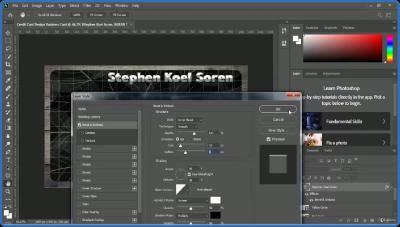
UDEMY.Professional.Adobe.Photoshop.CC.Course.With.Advance.Training.
Language: English
Files Type:mp4, sfv, nfo| Size:6.86 GB
Video:10:41:02 | 1280X720 | 1775 Kbps
Audio:mp4a-40-2 | 128 Kbps | AAC
Genre:eLearning


Videos Files :
1. Introduction.mp4 (35.86 MB)
10. Adding Background.mp4 (95.45 MB)
11. Use of Liquify Fat Cutter and Muscle Builder.mp4 (67.28 MB)
12. We Need Your Feedback.mp4 (7.66 MB)
14. Class Project 01 Make Background Blur.mp4 (43.27 MB)
15. How to Create Printable Business Card.mp4 (436.83 MB)
16. How to Create Credit Card Design Business Card.mp4 (466.8 MB)
17. How to Create Creative Google Search Engine Business Card Front Part.mp4 (217.33 MB)
18. How to Create Creative Google Search Engine Business Card Back Part.mp4 (181.03 MB)
19. How to Create Bird Logo.mp4 (294.55 MB)
20. Green Vegetable Logo.mp4 (224.02 MB)
21. Information Technology Logo.mp4 (178.46 MB)
22. Photography Logo.mp4 (168.96 MB)
23. Class Project 02 Bird Logo.mp4 (22.58 MB)
24. She Wolf T Shirt Design.mp4 (105.11 MB)
25. Elephant Image T Shirt Design.mp4 (185.31 MB)
26. Car and Building T Shirt Design.mp4 (148.36 MB)
27. I am Jimmy T Shirt Design.mp4 (99.84 MB)
28. Class Project 03 T Shirt Design.mp4 (21.49 MB)
29. GIF Creation With Still Image.mp4 (167.58 MB)
3. Need Help Have Question During Learning.mp4 (19.61 MB)
30. Cloud GIF.mp4 (89.42 MB)
31. Heart Shape Mug Design.mp4 (250.77 MB)
32. Happy Birth Day Mug Design.mp4 (194.62 MB)
33. Bottle Print Design.mp4 (132.49 MB)
34. Class Project 04 Bottle Print Design.mp4 (17.07 MB)
35. Modern Resume Part 1.mp4 (382.92 MB)
36. Modern Resume Part 2.mp4 (337.87 MB)
37. One Page Calendar.mp4 (335.53 MB)
38. 3D Glass Mockup.mp4 (120.08 MB)
39. Social Media Cover Design.mp4 (217.17 MB)
4. Need Your Feedback.mp4 (12.08 MB)
40. Class Project 05 Cover Design.mp4 (27.1 MB)
41. How To Earn Money By Graphics Design Work.mp4 (129.32 MB)
42. Spot Healing.mp4 (34.05 MB)
43. Removing Nose Ring.mp4 (35.11 MB)
44. Eye Retouching.mp4 (100.68 MB)
45. Liquify Face Tool.mp4 (192.7 MB)
46. Resource For Learning.mp4 (57.63 MB)
5. Remove Fence From Image.mp4 (210.22 MB)
6. Island Inside Rounded Glass Bottle.mp4 (235.75 MB)
7. Perspective Selection.mp4 (211.36 MB)
8. How to Make Background Blur.mp4 (188.76 MB)
9. Removing Background.mp4 (320.75 MB)

 
_267fd4952d2e781bec40850edbd46675.jpeg


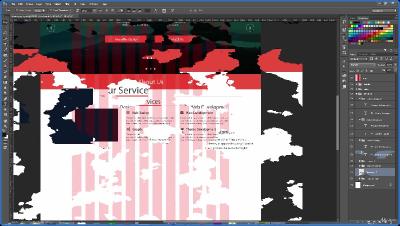
UDEMY.The.Ultimate.Web.Designing.Course.in.Photoshop.
Language: English
Files Type:mp4, sfv, nfo| Size:6.03 GB
Video:09:17:54 | 1920X1080 | 2327 Kbps
Audio:mp4a-40-2 | 128 Kbps | AAC
Genre:eLearning


Videos Files :
1. The Ultimate Web Designing Course in Photoshop.mp4 (50.32 MB)
10. Custom Shape Tool.mp4 (11.87 MB)
100. Minimal Footer.mp4 (89.27 MB)
101. Modifying Hosting 1.0.mp4 (143.22 MB)
108. Introduction.mp4 (10.2 MB)
109. How to Design a Portfolio Website.mp4 (13.99 MB)
11. Move Tool.mp4 (12.1 MB)
110. Planning Typography , Colors and Grid.mp4 (20.96 MB)
111. Designing Homepage (Header).mp4 (57.86 MB)
112. Designing Homepage (Slider Section).mp4 (56.84 MB)
113. Designing Homepage (About Us).mp4 (232.97 MB)
114. Designing Homepage (Portfolio).mp4 (120.64 MB)
115. Designing Homepage (Testimonial).mp4 (65.87 MB)
116. Designing Homepage (Minimal Footer).mp4 (64.27 MB)
117. Portfolio Page.mp4 (177.5 MB)
118. About Page.mp4 (119.33 MB)
119. Contact Page.mp4 (192.07 MB)
12. Alignment.mp4 (14.75 MB)
125. Introduction.mp4 (4.59 MB)
126. Step1 Growing Skill.mp4 (17.22 MB)
127. Step2 Build Portfolio.mp4 (5.67 MB)
128. Step3 Showcase Your Portfolio.mp4 (4.94 MB)
129. Step4 Reach Out to Clients.mp4 (5.99 MB)
13. Type Tool and Character Panel.mp4 (46.42 MB)
130. Introduction.mp4 (3.77 MB)
131. Way1 Design Awesome PSD Template and Sell Online.mp4 (10.79 MB)
133. Way2 Freelancing.mp4 (6.11 MB)
135. Way3 Participate in Crowdsourcing Contests.mp4 (8.91 MB)
137. Way4 Partner up with a Programmer.mp4 (6.97 MB)
138. Way5 Fiverr.mp4 (16.33 MB)
14. Eye Dropper Tool.mp4 (12.03 MB)
15. Swatches.mp4 (17.81 MB)
16. Layers.mp4 (23.15 MB)
17. Layer Styles.mp4 (79.17 MB)
18. Fun Project.mp4 (50.38 MB)
19. Rectangular Marquee Tool.mp4 (23.39 MB)
2. Introduction.mp4 (26.9 MB)
20. Direct Selection Tool.mp4 (15.42 MB)
21. Gradient Tool.mp4 (67.32 MB)
22. Pen Tool.mp4 (35.73 MB)
23. Introduction.mp4 (4.78 MB)
24. Simple Navigation.mp4 (72.13 MB)
25. Gradient Navigation.mp4 (37.45 MB)
26. Corporate Navigation.mp4 (38.06 MB)
27. Awesome Glossy Button.mp4 (112.4 MB)
28. Simple Call to Action Button.mp4 (22.99 MB)
29. Awesome Call to Action Buttons.mp4 (98.89 MB)
3. How to get full advantage of this course.mp4 (5.87 MB)
30. Contact Form.mp4 (113.45 MB)
31. Pricing Table.mp4 (118.83 MB)
32. Slider.mp4 (92.72 MB)
33. Progress Bar.mp4 (44.09 MB)
35. Introduction.mp4 (5.37 MB)
36. Step1 Get the Details.mp4 (5.88 MB)
37. Step2 Inspiration.mp4 (5.44 MB)
38. Step3 Wireframing.mp4 (5.44 MB)
39. Step4 Implementation.mp4 (8.43 MB)
4. Introduction.mp4 (4.72 MB)
40. Introduction.mp4 (5.18 MB)
41. Grid.mp4 (15.41 MB)
42. Techniques of Improving Images.mp4 (68.03 MB)
44. Selecting Best Colors.mp4 (24.99 MB)
45. Selecting Best Fonts.mp4 (17.22 MB)
49. Working Efficiently with FontAwesome (Increasing or Decreasing ThicknessHeight).mp4 (23.11 MB)
5. Rectangle Tool.mp4 (12.38 MB)
50. Introduction.mp4 (4.83 MB)
52. Images.mp4 (26.7 MB)
55. Patterns and Backgrounds.mp4 (6.69 MB)
58. Brushes.mp4 (4.99 MB)
6. Rounded Rectangle Tool.mp4 (22.76 MB)
60. Styles and Gradients.mp4 (6.58 MB)
62. Custom Shapes.mp4 (5.33 MB)
64. Icons.mp4 (7.19 MB)
66. Web Design Inspiration.mp4 (13.5 MB)
68. Introduction.mp4 (10.74 MB)
69. How to Design a Corporate Website.mp4 (13.83 MB)
7. Ellipse Tool.mp4 (12.66 MB)
70. Planning Typography , Colors and Grid.mp4 (68.95 MB)
71. Header.mp4 (116.82 MB)
72. Slider.mp4 (136.05 MB)
73. Services.mp4 (225.48 MB)
74. Works.mp4 (190.47 MB)
75. Team.mp4 (116.44 MB)
76. Testimonial.mp4 (217.41 MB)
77. Blog.mp4 (211.03 MB)
78. Contact Form.mp4 (131.33 MB)
79. Footer (Part1).mp4 (170.23 MB)
8. Polygon Tool.mp4 (14.16 MB)
80. Footer (Part2).mp4 (108.83 MB)
82. Introduction.mp4 (14.09 MB)
83. Improving Slider.mp4 (124.44 MB)
84. Hover Effect on Projects.mp4 (84 MB)
85. Hover Effect on Team Members.mp4 (170 MB)
87. Introduction.mp4 (10.15 MB)
88. How to Design a Hosting Website.mp4 (15.35 MB)
89. Planning Typography , Colors and Grid.mp4 (24.35 MB)
9. Line Tool.mp4 (14.79 MB)
90. Preplaring Blur Background.mp4 (24.66 MB)
91. Preparing Slider Image.mp4 (73.96 MB)
92. Preparing Features Image.mp4 (18.62 MB)
93. Header.mp4 (95.97 MB)
94. Slider.mp4 (145.76 MB)
95. Services.mp4 (149.6 MB)
96. Features.mp4 (150.25 MB)
97. Pricing Table.mp4 (79 MB)
98. Testimonial.mp4 (102.4 MB)
99. Contact Us.mp4 (131.59 MB)

 
_948ad2c15e716116f0c832a2aeb00ec4.jpeg


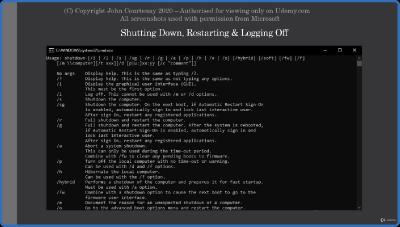
UDEMY.Windows.Command.Line.Cmd.and.Batch.Script.Management.
Language: English
Files Type:mp4, sfv, nfo| Size:127.13 MB
Video:00:31:07 | 1280X720 | 691 Kbps
Audio:mp4a-40-2 | 127 Kbps | AAC
Genre:eLearning


Videos Files :
1. Introduction.mp4 (3.09 MB)
10. Disk Management with Diskpart Part 2.mp4 (11.12 MB)
11. Gpupdate Command.mp4 (8.32 MB)
12. Gpresult Command.mp4 (12.53 MB)
13. Formatting Disk Drives.mp4 (9.12 MB)
14. Shutting Down, Restarting and Logging Off.mp4 (15.44 MB)
15. Creating Batch Files.mp4 (8.25 MB)
16. WMIC Command Overview.mp4 (7.75 MB)
2. Command Prompt Overview.mp4 (6.76 MB)
3. Creating Files and Directories.mp4 (5.41 MB)
4. Renaming & Moving Files & Directories.mp4 (4.14 MB)
5. Deleting Files and Directories.mp4 (4.16 MB)
6. File Systems and Directory Navigation.mp4 (5.48 MB)
7. Viewing Directory Structures with DIR & TREE.mp4 (8.97 MB)
8. Setting Date and Time.mp4 (5.34 MB)
9. Disk Management with Diskpart Part 1.mp4 (11.25 MB)

 
_98abb1771352c1444a6a1d5251abf7a4.jpeg


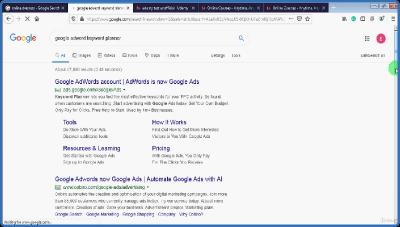
UDEMY.Work.From.Home.Job.Start.a.Video.Tutoring.Online.Career.
Language: English
Files Type:mp4, sfv, nfo| Size:398.05 MB
Video:01:14:37 | 1280X720 | 924 Kbps
Audio:mp4a-40-2 | 128 Kbps | AAC
Genre:eLearning


Videos Files :
1. Introduction to this course and the income from this online teaching job.mp4 (19.17 MB)
10. Learn how to use screen recorder.mp4 (17.27 MB)
11. Get Free Video editing software.mp4 (8.37 MB)
12. Learn how to use camtasia studio.mp4 (44.89 MB)
14. Learn publishing your courses.mp4 (43.43 MB)
16. Strategies for making more sales of your course.mp4 (5.86 MB)
17. Strategies for how to increase Organic sales.mp4 (20.74 MB)
18. Doing SEO of your course to get more organic sale.mp4 (48.57 MB)
19. How to make sales through your own promotions.mp4 (15.26 MB)
2. Choosing the right topic to teach.mp4 (17.62 MB)
20. Strategy of sending Promotional Emails to your existing students.mp4 (22.36 MB)
21. Strategy 1 for gaining high rating and reviews.mp4 (27.58 MB)
22. Strategy 2 for gaining high rating and reviews.mp4 (10.84 MB)
23. Strategy 3 for gaining high rating and reviews.mp4 (3.42 MB)
24. Strategy 4 for gaining high rating and reviews.mp4 (3.81 MB)
3. Marketplace insight tool for topic research.mp4 (17.47 MB)
4. Polishing your topic to create a course on.mp4 (18.58 MB)
5. What to do if you don't know anything to teach.mp4 (7.99 MB)
6. Producing high quality courses strategies.mp4 (14.29 MB)
7. Importance of the Numbers of the courses.mp4 (1.96 MB)
8. Learn scripting and outlining your course to make it very easy.mp4 (20.17 MB)
9. Get Free Screen Recording Software.mp4 (8.39 MB)

 
_e929e4a9150530c683c8a0883da547c9.jpeg


UDEMY.The.Email.Etiquette.Course.Business.Writing.With.Class.
Language: English
Files Type:mp4, sfv, nfo| Size:8.24 GB
Video:07:20:00 | 1280X720 | 3000 Kbps
Audio:mp4a-40-2 | 128 Kbps | AAC
Genre:eLearning


Videos Files :
1. Introduce Yourself To Others in The Course.mp4 (7.35 MB)
10. When Writing Emails, You are Always Leaving a Trail.mp4 (33.38 MB)
100. Your Stories Will Make Your Ideas Unforgettable.mp4 (145.94 MB)
101. Your PowerPoint Will Create Engagement, Not Slumber.mp4 (144.05 MB)
102. Building an Ethical Cheat Sheet Just for You.mp4 (119.27 MB)
103. This Is The Do Or Die Moment For Your Speaking Improvement.mp4 (120.88 MB)
104. There Is a Perfect Test for Your Speech Or Presentation.mp4 (109.16 MB)
105. I Will give You a Personalized Professional Presentation Critique Right Here.mp4 (47.71 MB)
106. Continuing Your Path of Public Speaking and Presentation Skills Improvement.mp4 (63.37 MB)
107. Establishing Your Job Interview Goals.mp4 (53.82 MB)
108. Research and Preparation for the Job Interview.mp4 (116.44 MB)
109. How to Dress for the Interview.mp4 (86.82 MB)
11. Before sending that Email, Check your P's and Q's.mp4 (55.18 MB)
110. How to Make Small Talk.mp4 (58.22 MB)
111. Tell Me About Yourself.mp4 (213.76 MB)
112. The Proper Job Interview Mindset.mp4 (113.88 MB)
113. The Strategy Memo.mp4 (94.88 MB)
114. Rehearse Your Interview on Video.mp4 (134.95 MB)
115. Ask for the Job.mp4 (77.2 MB)
116. How to Speak Up at Meetings Overview.mp4 (95.58 MB)
117. Asking Questions the Right Way.mp4 (51.01 MB)
118. Using Notes Effectively In Meetings.mp4 (56.16 MB)
119. Risk Assessment.mp4 (48.97 MB)
12. Be sure to Follow up with Emails.mp4 (45.67 MB)
120. Be Conversational.mp4 (61.69 MB)
121. Exude Confidence.mp4 (137.65 MB)
122. Conclusion.mp4 (41.4 MB)
123. How to Deliver Criticism in the Workplace Intro.mp4 (21.8 MB)
124. Start with Praise.mp4 (219.22 MB)
125. Isolate Exactly What is Wrong.mp4 (110.49 MB)
126. Give Highly Specific Advice.mp4 (144.18 MB)
127. End with Positive Context.mp4 (76.71 MB)
128. Workplace Video Rehearsal.mp4 (86.86 MB)
129. Criticism in the Workplace Conclusion.mp4 (18.51 MB)
13. Using Your Calendar as a Way to Stay in Touch.mp4 (36.59 MB)
130. One Last Chance to Make This Course Better for Your Permanent Learning Library.mp4 (39.71 MB)
131. Quick Wins The Cell Phone Secret to Good Listening Skills.mp4 (34.19 MB)
132. Stacking the Listening Environment in Your Favor.mp4 (93.19 MB)
133. The Telephone Listening Trap Will Never Catch You Again.mp4 (37.36 MB)
134. Housekeeping Note Sometimes You should Turn OFF Your Listening Skills.mp4 (32.15 MB)
135. Setting Just One Agenda Item Listening.mp4 (58.1 MB)
136. It Is Incredibly Easy to See How Well You Are Listening Test.mp4 (28.33 MB)
137. It's Even Easier to Listen When You Do This....mp4 (93 MB)
138. Technology Will Eat Your Brain Unless You Do This.mp4 (105.38 MB)
139. Using Your Most Effective Body Language Tool.mp4 (69.34 MB)
14. Avoid using PS Unless You're Writing a Marketing Email.mp4 (5.1 MB)
140. The Best Listening Body Language From the Neck Down.mp4 (79.85 MB)
141. Reading the Speaker's Body.mp4 (81.57 MB)
142. Connecting At the Emotional Level with Your Colleague To Hear All.mp4 (42.27 MB)
143. Mastering the Art Of NOT Interrupting.mp4 (51.24 MB)
144. Asking for Clarification Is A Great Form Of Listening.mp4 (37.5 MB)
145. Engaging In Conversation At Just the Right Time.mp4 (63.68 MB)
146. Strong Listening Creates Strong Reactions From You.mp4 (26.03 MB)
147. Honing Your Sense of Timing and Judgment to Make You a Great Listener.mp4 (53.42 MB)
148. Using The Magic of Pen and Paper Tools To Your Advantage.mp4 (84.89 MB)
149. Summarizing the Conversation Is Great for You and Your Colleague.mp4 (90.68 MB)
15. How to Introduce Colleagues to Each other.mp4 (5.1 MB)
150. The One Page Email Memo Summary Aces the Listening Skills Test Every Time!.mp4 (69.34 MB)
151. Your New Reputation As a Great Listener!.mp4 (64.74 MB)
16. How to Reintroduce Yourself to Someone You have met in the Past.mp4 (5.15 MB)
17. How to Open with a Greeting for Individuals and Organizations.mp4 (8.4 MB)
18. What is email prospecting.mp4 (46.75 MB)
19. What is a cold email.mp4 (53.88 MB)
2. Introduction to the Gmail Interface.mp4 (11.04 MB)
20. What is a warm email.mp4 (32.57 MB)
21. Spell out all the words you say in email (don't use casual langauge).mp4 (28.53 MB)
22. Keep emails short and readable.mp4 (35.01 MB)
23. use the return key as often as necessary.mp4 (33.01 MB)
24. Spell out Everything in Email.mp4 (25.46 MB)
25. using bulleted and numbered lists.mp4 (50.21 MB)
26. Working with different timezones doesn't have to be confusing.mp4 (39.11 MB)
27. Establish what timezone you will follow early on.mp4 (32.46 MB)
28. Establishing whose Timezone you will follow According to the relationship.mp4 (55.34 MB)
29. How to set the default timezone in Business Relation emails.mp4 (45.95 MB)
3. Good Vs. Bad Names (and How to Change your Name).mp4 (14.31 MB)
30. Don't be Overly euphamistic.mp4 (49.21 MB)
31. Use this simple Website to make sure your appointment dates match.mp4 (39.63 MB)
32. Having Colleagues look over your email pros and cons.mp4 (46.06 MB)
33. Having Friends look over emails Pros and Cons.mp4 (42.03 MB)
34. Having Family Memebrs look over Business Communications Pros and Cons.mp4 (52.65 MB)
35. Having Your Boss Look over Your Emails Pros and Cons.mp4 (37.8 MB)
36. Using Voice to Text Software Pros and Cons.mp4 (64.96 MB)
37. Sending Voice Recordings Pros and Cons.mp4 (64.84 MB)
38. Sending Prerecorded videos Pros and Cons.mp4 (101.65 MB)
39. How to Get Good at Writing Emails (Practice, Practice, Practice!).mp4 (52.98 MB)
4. What is Email Anxiety (and how to overcome it).mp4 (46.31 MB)
40. Using a Kind Vs Confrontative Tone.mp4 (7.87 MB)
41. Using Different Punctuation marks for the Salutation Line.mp4 (4.89 MB)
42. How to Explain to Someone How you Received Their Email.mp4 (12.1 MB)
43. Don't Use Gendered Titles with a New Contact (Here's Why).mp4 (10.83 MB)
44. What to Do if You are Addressing a Team or Don't Know an Individual's Name.mp4 (5.11 MB)
45. Working with Accent Marks and Spot the Mistakes.mp4 (20.21 MB)
46. How You can Explain How you Received Someone's Introduction.mp4 (12.1 MB)
47. Correcting Chris Richard's Proposal.mp4 (12.71 MB)
48. Write the Subject Line for the Recipient, Not Yourself.mp4 (6.26 MB)
49. How to Understand the Preview Plane.mp4 (8.96 MB)
5. Don't worry twice about Emails that you Send.mp4 (74.97 MB)
50. Asking For A Quick Favor.mp4 (2.83 MB)
51. How to be more Specific with Your Subject Line.mp4 (3.8 MB)
52. Using Colons in the Subject Line Like a Book Title.mp4 (18.55 MB)
53. How to Motivate the Recipient When Requesting Challenging Tasks.mp4 (6.09 MB)
54. How to Narrow Down Your Requests to One Single Line.mp4 (13.44 MB)
55. How to Set a Deadline in a Business Email Request.mp4 (12.64 MB)
56. How to Summarize Requests When you have Multiple Requests.mp4 (13.48 MB)
57. Laying Out Requests Step by Step to Improve Comprehension.mp4 (7.02 MB)
58. How to Apologize for a Late Response.mp4 (5.91 MB)
59. How to Respond to a Request for Information.mp4 (17.01 MB)
6. You are only a Stranger Once*--*Getting over the first contact.mp4 (38.58 MB)
60. How to Respond to Someone's Message Using Quotations.mp4 (10.46 MB)
61. How to Thank Someone for Reaching Out to You.mp4 (5.11 MB)
62. Apologizing for Creating an Inconvenience.mp4 (10.6 MB)
63. Following up to a Last Email Response for a Request.mp4 (13.31 MB)
64. How to Give an Explanation of Why they Need to Followup.mp4 (8.65 MB)
65. How to Remind Someone of an Important Deadline.mp4 (8.73 MB)
66. How to Remind Someone of a Deadline by Following up wiht the Original Email.mp4 (8.88 MB)
67. How to Set a new Deadline for a Request.mp4 (11.11 MB)
68. How to Ask for Constructive Feedback for a Business Document.mp4 (4.71 MB)
69. How to Ask someone to Review a Document.mp4 (7.73 MB)
7. Don't Be afraid to write that email (no matter how intimidating).mp4 (96.55 MB)
70. How to Followup when Receiving Harsh Criticism.mp4 (11.29 MB)
71. How to Write Constructive Feedback for a Colleague's Work Document.mp4 (5.82 MB)
72. Quick Wins! The High Tech Way to Perfect Communication.mp4 (36.71 MB)
73. Listening is Key (and why this isn't just a public speaking course).mp4 (72.47 MB)
74. Become part of the top 1 of communicators right now!.mp4 (75.92 MB)
75. Good news, the problems we think we have, aren't real.mp4 (124.28 MB)
76. Communications skills are the most important skills for success.mp4 (60.9 MB)
77. Direct versus indirect communication.mp4 (63.12 MB)
78. Let's hop in with something new. Big Business Communications.mp4 (34.96 MB)
79. Communicate your message to companies, big and small, to get them to take action.mp4 (32.65 MB)
8. Thinking about the Worst Case Scenario A stoic Exercise.mp4 (58.75 MB)
80. One person can get a huge corporation to pay attention and make things right.mp4 (73.1 MB)
81. This video ruined the weekend of Executives at a major Phone Company.mp4 (112.61 MB)
82. Here's what really happened..mp4 (202.65 MB)
83. Never Let Any Company Have the Final Word with you again.mp4 (48.59 MB)
84. Here is how you get Exactly Want you Want.mp4 (69.24 MB)
85. Master the Key to Motivation and Persuasion.mp4 (109.58 MB)
86. Nobody Cares About You, and That's OK.mp4 (88.53 MB)
87. See It, Taste It, Touch It, Feel It, Be It Selling with Your Story.mp4 (80.2 MB)
88. The Ultimate in Confidence builder Seeing is believing.mp4 (217.45 MB)
89. It's Easy to pass a Test when the Answer Is right in front of you.mp4 (121.99 MB)
9. Punctuate yourself when Emailing Colleagues.mp4 (58.42 MB)
90. You Are Normal to Fear Communicating In Some Circumstances.mp4 (65.04 MB)
91. The Power of the Positive.mp4 (112.03 MB)
92. Debunking the Myth of Charisma.mp4 (63.82 MB)
93. Never Fall for These Communication Gimmicks Again!.mp4 (124.18 MB)
94. Here is where You decide if You are serious about improving your skills.mp4 (44.8 MB)
95. Here is How to Get the Most Out of The rest of this course.mp4 (73.86 MB)
96. Quick Wins! The Secret to Using Speaker Notes Effectively.mp4 (30.97 MB)
97. Avoiding The Initial Wrong Turn Most Speakers and Presenters Make.mp4 (51.8 MB)
98. Developing Expert Judgment for Your Public Speaking and Presenting Opportunities.mp4 (24.44 MB)
99. The Radical Yet Simple Solution To Finding Great Messages.mp4 (72.23 MB)


 
_b0ebfdd62d75ff43ff73efd76815b704.jpeg


UDEMY.Write.Winning.Proposals.For.Freelance.Job.A.Ultimate.Guide.
Language: English
Files Type:mp4, sfv, nfo| Size:1017.41 MB
Video:02:24:37 | 1280X720 | 1337 Kbps
Audio:mp4a-40-2 | 128 Kbps | AAC
Genre:eLearning


Videos Files :
1. Introduction.mp4 (60.41 MB)
10. Always Try To Be Specific About Your Price.mp4 (41.1 MB)
11. Thank The Employer.mp4 (39.93 MB)
12. Top Tips To Follow While Writing A Proposal Part 1.mp4 (13.06 MB)
13. Top Tips To Follow While Writing A Proposal Part 2.mp4 (20.18 MB)
14. Top Tips To Follow While Writing A Proposal Part 3.mp4 (19.11 MB)
15. Top Tips To Follow While Writing A Proposal Part 4.mp4 (36.13 MB)
16. Top Tips To Follow While Writing A Proposal Part 5.mp4 (37.55 MB)
17. Top Tips To Follow While Writing A Proposal Part 6.mp4 (31.47 MB)
18. Top Tips To Follow While Writing A Proposal Part 7.mp4 (33.31 MB)
19. Samples Of Project Proposals Part 1.mp4 (109.24 MB)
2. What Is A BidProposal.mp4 (29.94 MB)
20. Samples Of Project Proposals Part 2.mp4 (109.15 MB)
21. Samples Of Project Proposals Part 3.mp4 (109.17 MB)
22. Sample Snapshot Proposal Taken From Web Part 1.mp4 (39.79 MB)
23. Sample Snapshot Proposal Taken From Web Part 2.mp4 (13.96 MB)
24. Sample Snapshot Proposal Taken From Web Part 3.mp4 (8.38 MB)
26. Proposal Mistakes.mp4 (71.62 MB)
27. Keep Polishing Your Proposal Skills.mp4 (26.62 MB)
3. What A Buyer Looks For In A Bid.mp4 (137.88 MB)
4. Check That Your Profile Is Current And Professional.mp4 (64.38 MB)
5. Find The Right Job.mp4 (76.14 MB)
6. Making A Strong Entrance.mp4 (113.24 MB)
7. Selling Your Strengths.mp4 (89.67 MB)
8. Anticipating And Answering Questions.mp4 (75.66 MB)
9. Selecting And Including Relevant Samples.mp4 (83.49 MB)

 
_2c38a98e6a487f098d5cdc55632fb8b5.jpeg


UDEMY.YouTube.Live.Masterclass.1.YouTube.Live.Creates.Revenue.
Language: English
Files Type:mp4, sfv, nfo| Size:2.59 GB
Video:03:15:33 | 1280X720 | 1711 Kbps
Audio:mp4a-40-2 | 128 Kbps | AAC
Genre:eLearning


Videos Files :
1. Why YouTube Live.mp4 (69.14 MB)
10. Live Stream with A Webcam Part 1.mp4 (73.34 MB)
11. Live Stream with a Webcam Part 2.mp4 (68.88 MB)
12. YouTube Video Editor.mp4 (51.66 MB)
13. Setting Up Zoom As an Encoder.mp4 (61.24 MB)
14. Using Zoom As an Encoder Part 2.mp4 (65.93 MB)
15. Direct Connecting from Zoom To YouTube Live.mp4 (47.7 MB)
16. Scheduling a Live Stream With Zoom Part 1.mp4 (62.67 MB)
17. Connecting Zoom to the Scheduled Session.mp4 (52.12 MB)
18. Connecting on the Date Scheduled.mp4 (37.03 MB)
19. Other Cloud Based Encoders.mp4 (44.9 MB)
2. Course Introduction.mp4 (99.59 MB)
20. Desktop Software OBS.mp4 (57.13 MB)
21. Using Multi Streaming.mp4 (48.14 MB)
22. Scheduling Using Restream.mp4 (47.77 MB)
23. Broadcast A Recorded Video Live.mp4 (49.82 MB)
24. Live Streaming On Mobile.mp4 (55.97 MB)
25. Conclusion.mp4 (37.36 MB)
26. Live Stream Embed To Website.mp4 (54.18 MB)
27. Directing People to Your Website.mp4 (51.64 MB)
28. Segregate Content Into A Playlist.mp4 (73.87 MB)
29. Starting a New Connected Channel.mp4 (48.39 MB)
3. Instructor Introduction.mp4 (97.17 MB)
30. The Channel Branding Process Part 1.mp4 (84.4 MB)
31. The Channel Branding Process Part 2.mp4 (78.18 MB)
32. The Channel Branding Process Part 3.mp4 (85.39 MB)
33. Post Video Processing Part 1.mp4 (87.44 MB)
34. Post Video Processing Part 2.mp4 (66.74 MB)
35. Post Video Processing Part 3.mp4 (75.67 MB)
36. Promote Your Live Streams Part 1.mp4 (75.78 MB)
37. Promote Your Live Streams Part 2.mp4 (72.96 MB)
38. Promote Your Live Streams Part 3.mp4 (51.55 MB)
39. Repurpose the Live Stream Content Part 1.mp4 (60.61 MB)
4. Your Introduction.mp4 (35.83 MB)
40. Repurpose the Live Stream Content Part 2.mp4 (112.85 MB)
41. Conclusion.mp4 (49.77 MB)
5. YouTube Live Overview.mp4 (42.63 MB)
6. Minimum Viable Equipment.mp4 (98.32 MB)
7. YouTube Channel Settings Part 1.mp4 (81.07 MB)
8. YouTube Channel Settings Part 2.mp4 (62.65 MB)
9. YouTube Channel Settings Part 3.mp4 (75.74 MB)

 
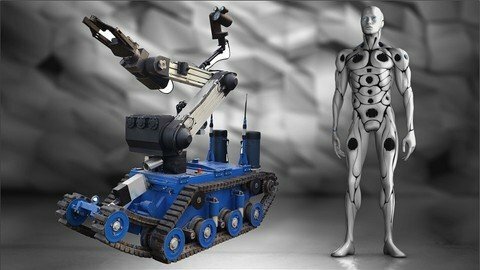
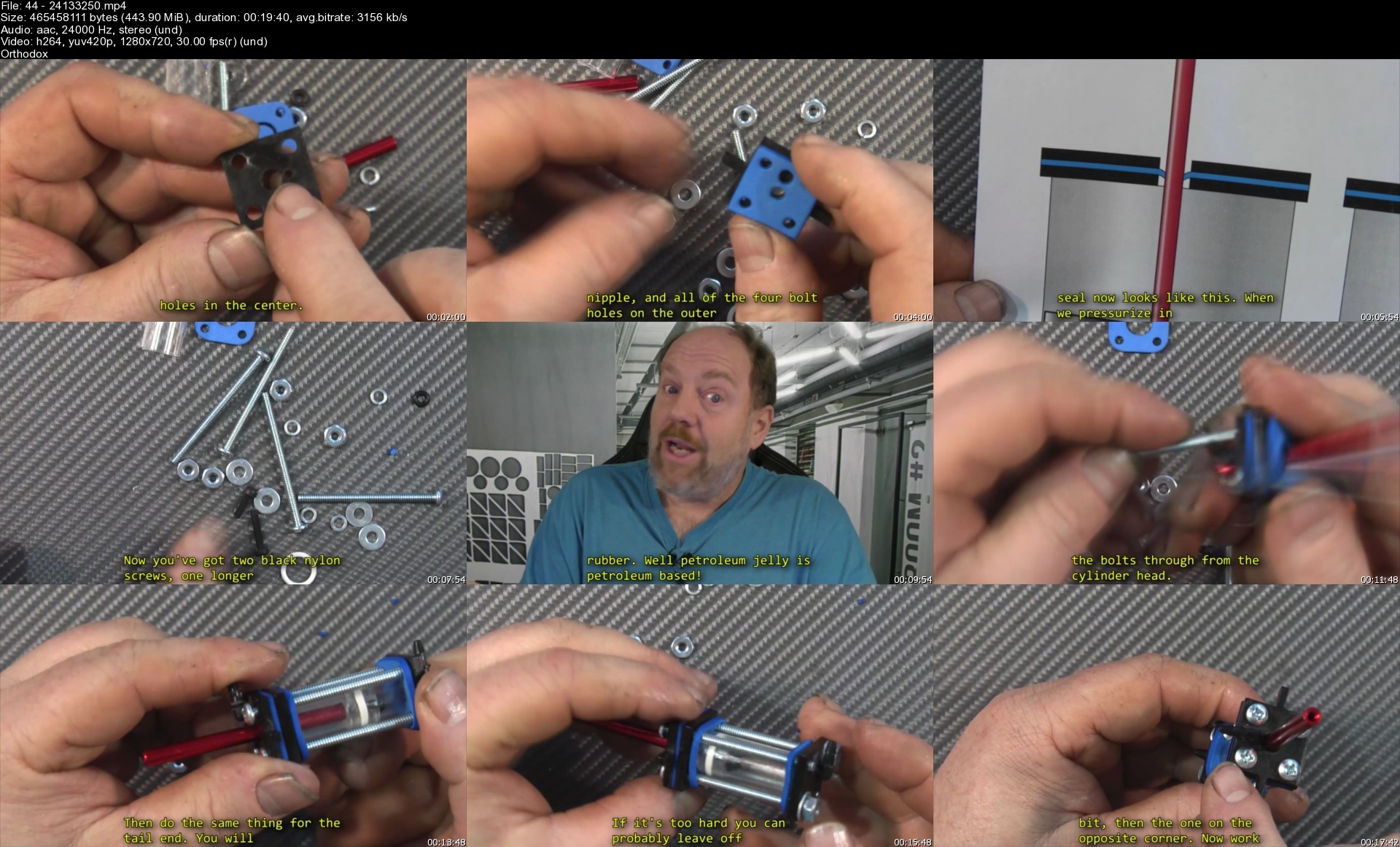
Robotic Drives & Physics: Robotics, Learn By Building Iii

mz0hxthmb9p3dbal455wluzexk.jpg


Robotic Drives & Physics: Robotics, Learn By Building Iii
Last updated 8/2021
MP4 | Video: h264, 1280x720 | Audio: AAC, 44.1 KHz
Language: English | Size: 11.37 GB | Duration: 10h 18m

New, 3rd course with over 38,000 enrolled in the first two courses, and over a 4.5 star rating!


What you'll learn
How do we make a robot move? What kind of ways are there to power our robots and how can we use even tiny motors to move a substantial load? How can we make things like robotic, bionic arms? These are the things we'll explore with first hand application and practical experiments that you can perform at home to get you one step closer to designing and building robots and robotic systems.
Requirements
Fulfillment of courses 1 & 2 in the series, or a good knowledge of electricity, analog and digital electronics.

Description
Please note: Content is being uploaded through November/December. This is a new course. Thanks for your patience!Building on the knowledge you gained in the Analog Electronics and Digital Electronics modules, you'll open even more doors to diverse careers and hobbies by learning how to physically move robots and mechatronics. Robotic drives and physics are intimately intertwined - almost the same topic in fact. And think about all the things around you that are moved or operated automatically: from the furnace and air handlers in your office building, to so many functions in your car, and then the booming robotics field in industry, mass production, even entertainment! People are needed who understand how those robots work in order to design, install, program and maintain those robots. Maybe you're interested in building a submarine robot to dive to shipwrecks or places normally unreachable by humans. We'll actually look at a real-world case study and use our new-found knowledge of physics to design a submarine robot to operate at depths of 600 meters or more. Or perhaps you are just interested in competition robotics like the gladiator-style battle robots which go head-to-head to destroy each other. 3D printers (of which we design and build one in course 4) are essentially robots! All of these topics involve a good understanding of robotic drive systems and physics which you will learn in this course.With over 38,000 students enrolled in the first two courses in the "Robotics: Learn by building" series, more than 2,000 five star ratings in the first course alone, students aged 8 to 60+ have enjoyed the course series and its projects.No prior knowledge of mechanics, physics or robotics is needed. You will need a good understanding of electricity & electronics and digital control and some basic math. If you have completed course 1 "Electricity and Electronics" and course 2 "Digital Electronics" you have the background you need as we will be using those skills in this course to drive different kinds of electric motors. All courses have captions for the hearing impaired. Course materials:You will need the analog electronic parts and a breadboard, which you can purchase as an accompanying kit (i.e., the Analog Electronics Kit from module I) or provide your own, as well as the parts from the digital electronics kit (i.e., the Digital Electronics Kit from module II) or provide your own Arduino controller board and some logic-level, high power MOSFET's.You will also need the Robotic Drives & Physics Experimenter's kit which again you can purchase as an accompanying kit or provide your own parts. The first lesson is a walk-through of what is in the kit and acts as a parts list for this module.This series of "Robotics: Learn by building" modules has an end-goal focus on the diverse field of robotics. In module I we learned the basics of electricity and electronics. In this module II you further developed your knowledge and skills to include digital electronics and practice your skills on real-life digital components. In this third course you will learn physics principles (from simple to very complex) with a specific goal of understanding and even designing your own drive systems for robots. You will learn details about different robotic drive systems you will see in commercial, industrial robots like how timing belt drives work and why they are so important in robotics, as well as the more esoteric drives like the harmonic drive - what it is an how that amazing system works.We will even look at a real-life case study as we design a submarine robot, remotely operated and able to withstand the bone-crushing operating depths of over 600 meters minimum. The unique challenges we will face will build up your knowledge so that you too can design sea-floor robots facing harsh environments to perform inspection, welding or maintenance on submarine pipes or cables.This course is the prerequisite for the module IV course where you'll learn prototyping skills, and gain a wide variety of knowledge and skills so you can actually build your own robots and manufacture your own parts. In module IV, you'll culminate all you've learned so far as you build a 3D printer from scratch, hook it up to a desktop computer and make your own plastic parts. The 3D printer is, in effect, a robot which you can then use to make parts for your other robot designs. In module V you can take your robot design and construction skills to the next level with a hands-on approach to autonomous robotic systems: learning about various sensors to know where you are and what your robot is doing, GPS navigation, basic artificial intelligence, powerful microchips known as FPGA's where you literally design a custom circuit on the chip, vision systems and more.Lesson overview:In this course we'll be covering:Simple machines (which all come into play in surprising ways you probably haven't seen before)Designing an arm robotThe toggle mechanism (again, comes into play in a ridiculous number of surprising ways you probably haven't seen before)harmonic drives, cycloidal drives, epicyclic drives, traction drivesstrength of materials & construction challengecase study: design challenges of a deep-submarine, remotely operated vehiclehydraulics & pneumatics (including building your own)air & hydraulic muscles, muscle wire servos (speed, pressure, force, position, etc...)DC motors, BLDC motors, BLDC servo motors, stepper motors, AC motors, AC servo motors, single and three phase power, electrical generationfrequency drives, PWM AC signal generationregenerative / rheostatic / dynamic braking, looking at electric vehicle design and locomotive designcounter-force systems you will encounter in industrial robotssafety around robot systems, in industry and hobbyrobot designs: articulated arm, gantry, spine, collaborativecase study: combat robotsand more!

Overview

Section 1: Introduction

Lecture 1 Whatcha gonna need: explanation of parts in the kit

Lecture 2 Physics kit table assembly

Lecture 3 Simple machines: Levers and why they are important

Lecture 4 Gears, compound gears & mechanical advantage

Lecture 5 Building our experimental gear drive

Lecture 6 Mechanical Mayhem challenge #1

Lecture 7 Strap Drives

Lecture 8 Arm robot design challenge #1, part 1

Lecture 9 Arm robot design challenge #1, part 2

Lecture 10 Backlash: The nemesis of robotics

Lecture 11 The Wedge / threads / ball screw drive

Lecture 12 Anti-backlash gears

Lecture 13 DC brushed motors

Lecture 14 Exploring real world DC motors on a forklift

Lecture 15 Back EMF

Lecture 16 Toggle mechanism and building a robot gripper

Lecture 17 Electrical generation & 3 Phase AC power

Lecture 18 Regenerative braking

Lecture 19 Regenerative braking II: A practical application

Lecture 20 Servos and feedback, part 1

Lecture 21 Servos and feedback, part 2

Lecture 22 Stepper motors

Lecture 23 Stepper Motors II: Driving them around

Lecture 24 Brushless DC (BLDC) motors

Lecture 25 Building our 3 phase H-bridge to drive a BLDC

Lecture 26 Driving BLDC in closed loop with hall effect sensors

Lecture 27 PWMAC - simulating an AC wave using PWM

Lecture 28 Hardware hacking a BLDC into an AC servo motor, part 1

Lecture 29 Hardware hacking a BLDC into an AC servo motor, part 2

Lecture 30 Submarine Robot Case Study, part 1

Lecture 31 Submarine Robot Case Study, part 2: Buoyancy Control

Lecture 32 Submarine Robot Case Study, part 3: Density and Buoyancy

Lecture 33 Submarine Robot Case Study, part 4: Pressure Vessels

Lecture 34 Strain Wave Drive, aka Harmonic Drive

Lecture 35 Robot safety & interlockings

Lecture 36 AC motors, part I

Lecture 37 AC motors, part II: Synchronous & Asynchronous

Lecture 38 DC dynamic brakes

Lecture 39 AC dynamic brakes

Lecture 40 Safety with air and fluid power

Lecture 41 Physics kit backboard assembly, part 1

Lecture 42 Physics kit backboard assembly, part 2

Lecture 43 Air tank assembly

Lecture 44 Assembling power cylinders

Lecture 45 Extra parts with power cylinders

Lecture 46 Homebuilt Power cylinder tear-down

Lecture 47 Power cylinder physics

Lecture 48 Solenoids

Lecture 49 Using our pneumatic system

Lecture 50 Measuring force from our power cylinders

Lecture 51 Air muscles

Lecture 52 Springs and animatronics

Lecture 53 Resolvers: And introduction

Those interested in robotics, electronics and electro-mechanical devices such as 3D printers (which really is a type of robot).

Homepage


4424133250sjqcp4.jpg


Master Spring Data JPA with Hibernate

469651406f679f1c.jpg


Master Spring Data JPA with Hibernate
Published 06/2022
MP4 | Video: h264, 1280x720 | Audio: AAC, 44.1 KHz, 2 Ch
Genre: eLearning | Language: English + srt | Duration: 140 lectures (14h 47m) | Size: 8.5 GB

Learn Spring Data JPA Features and Learn to Build Domain Model Relationships for E-Commerce Project Using Hibernate ORM


What you'll learn
Learn How to Use Spring Data JPA in the Spring Boot Application
Build Domain Model Relationships for E-commerce Project Using Hibernate ORM Framework
Learn How to Use JPA Annotations to Create an Entity and Map to a Database Table
Learn 4 Types of Primary key Generation Strategies - AUTO, IDENTITY, SEQUENCE, and TABLE
Learn How to Use the Lombok Library to Reduce a Boilerplate Code
Learn Spring Data JPA Repository Interfaces and Its Hierarchy
Learn Steps to Use Spring Data JPA Repository
Learn Important Spring Data JPA Repository Methods (CRUD Operations)
Learn How to Create Query Methods or Finder Methods Using Method Names
Learn How to Create JPQL and Native SQL Queries Using @Query Annotation
Learn How to Create JPQL and Native SQL Queries With Named Queries
Learn How to Implement Pagination and Sorting Using Spring Data JPA
Learn JPA/Hibernate One to One Mapping Using Spring Data JPA
Learn JPA/Hibernate One to Many Mapping Using Spring Data JPA
Learn JPA/Hibernate Many to Many Mapping Using Spring Data JPA
Learn JPA Cascade Types and Fetch Types (EAGER and LAZY)
Learn to implement Search/Filter Functionality
Learn Transaction Management with Spring Data JPA and Spring Boot
Unit Testing Spring Data JPA Repository using @DataJpaTest annotation

Requirements
Java
Good to know Spring Boot Basics
Basic Understanding of JPA and Hibernate
Basic Understanding of SQL


Description
In this course, you will learn how to use Spring Data JPA and its features to reduce a lot of boilerplate code.

Throughout this course, we will build domain model entities (Product, ProductCategory, Order, OrderItems, User, Roles) and repositories for a simple e-commerce application.

Problem

In typical three-layer Spring boot application architecture, we create three layers - Controller, Service, and DAO/Repository layer.

If we use JPA/Hibernate and then write a lot of coding while implementing DAO/Repository layer - We repeat the same code again and again so what will be the solution to reduce the boilerplate code.

Solution

Spring Data JPA provides a solution to reduce a lot of boilerplate code.

We can use Spring Data JPA to reduce the amount of boilerplate code required to implement the data access object (DAO) layer.

Spring Data JPA is not a JPA provider. It is a library/framework that adds an extra layer of abstraction on the top of our JPA provider (like Hibernate). Spring Data JPA uses Hibernate as a default JPA provider.


What you'll learn

Learn How to Use Spring Data JPA in the Spring Boot Application

Learn How to Use JPA Annotations to Create an Entity and Map to a Database Table

Learn 4 Types of Primary key Generation Strategies - AUTO, IDENTITY, SEQUENCE, and TABLE

Learn How to Use the Lombok Library to Reduce a Boilerplate Code

Learn Spring Data JPA Repository Interfaces and Its Hierarchy

Learn Steps to Use Spring Data JPA Repository

Learn Important Spring Data JPA Repository Methods (CRUD Operations)

Learn How to Create Query Methods or Finder Methods Using Method Names

Learn How to Create JPQL and Native SQL Queries Using @Query Annotation

Learn How to Create JPQL and Native SQL Queries With Named Queries

Learn How to Implement Pagination and Sorting Using Spring Data JPA

Learn JPA/Hibernate One to One Mapping Using Spring Data JPA

Learn JPA/Hibernate One to Many Mapping Using Spring Data JPA

Learn JPA/Hibernate Many to Many Mapping Using Spring Data JPA

Learn JPA Cascade Types and Fetch Types (EAGER and LAZY)

Learn building domain model relationships for e-commerce projects using Hibernate ORM framework

Learn to implement Search/Filter functionality

Learn Transaction Management with Spring Data JPA and Spring Boot

Unit Testing Spring Data JPA Repository using @DataJpaTest annotation

Tools and Technologies used

Technologies

- Java 11+

- Spring Boot

- Spring Data JPA

- Hibernate

- Lombok

- Maven

- JUnit framework

IDE

- Intellij IDEA

Database

- MySQL database

Who this course is for
Anyone who wants to learn the features of Spring Data JPA using Hibernate and use in Spring boot application
Any Java programmer can take this course to learn everything about Spring Data JPA to reduce boilerplate code in Spring boot application.
This course is very helpful for those who completed my other two popular courses ( Building Real-Time REST APIs with Spring Boot and Testing Spring Boot Application with JUnit and Mockito).

Homepage


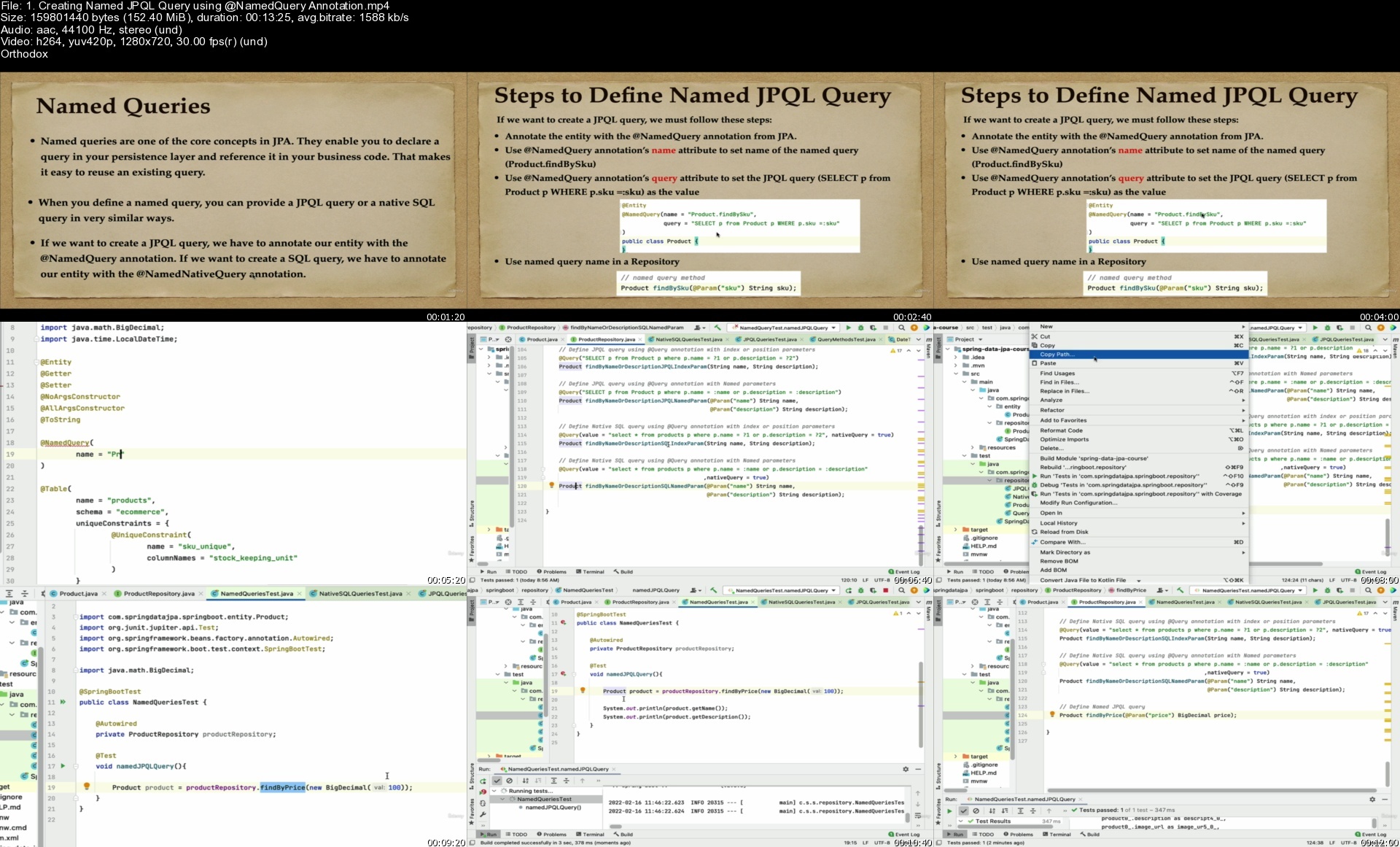
1.creatingnamedjpqlqugmfzk.jpg


8Th Dimension Academy

113fed4c61d4f9909c99ffbc8d1df7d2.jpg

8Th Dimension Academy | 1.69 GB
Change your life, and gain the freedom you deserve by following a unique and systematic trading approach that will have you profitable in no time!

At 8d Trading Academy, our priority is to build profitable, self-sufficient forex traders from novice level to advanced level traders with our simple systematic trading style. We strive to make 8d Trading Academy your last stop; become another one of our profitable traders, and enjoy the freedom you've always wanted.
8D Trading was born with the purpose of creating a small group of elite traders to take their trading to the next level. Created by SamadhiFx & Rightness Trading, who have spent many years perfecting a systematic, simple and effective strategy, and finally will be shared with students in a short concise package.
8th Dimension is the systematic approach to trading, allowing you to follow a step-by-step process towards your trading success.
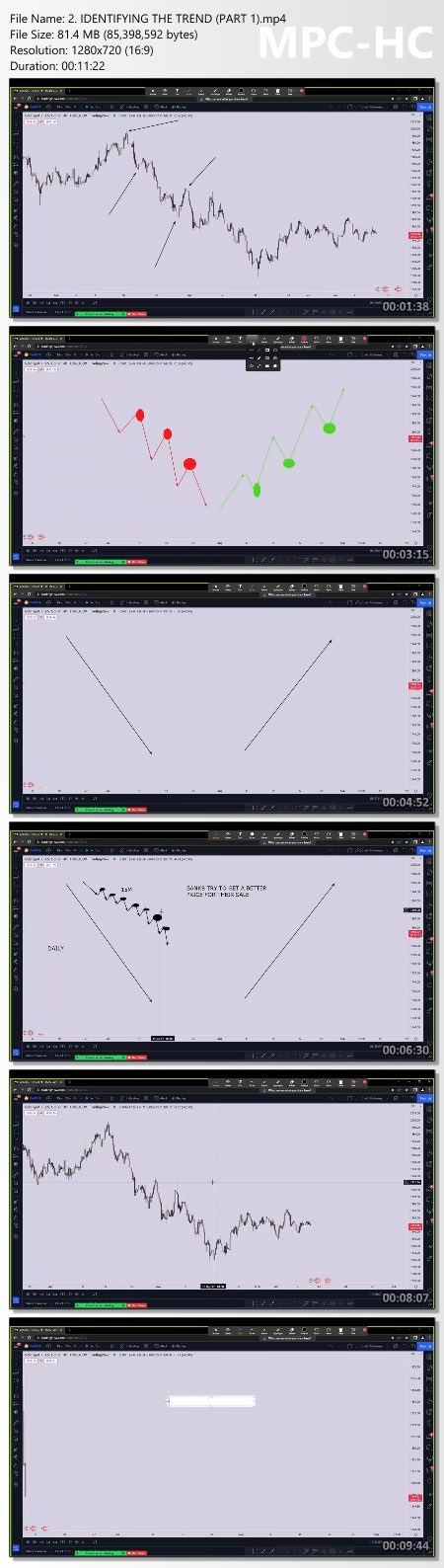
Market structure
understanding the orderflow of the market, the true trend of the market on multiple timeframes without confusion.
Supply and demand
With supply, there must be demand,vice-versa. We display how
we identify valid zones,invalid zones, and strong hidden zones
Liquidity
buy orders and sell orders that drive the market. It's important to be on the correct side of the market, to maximize profits when liquidity presents.
Execution
As a new trader, it's frightening to execute a trade. We present different entry models and methods to execute without any fear and doubt.

Homepage:

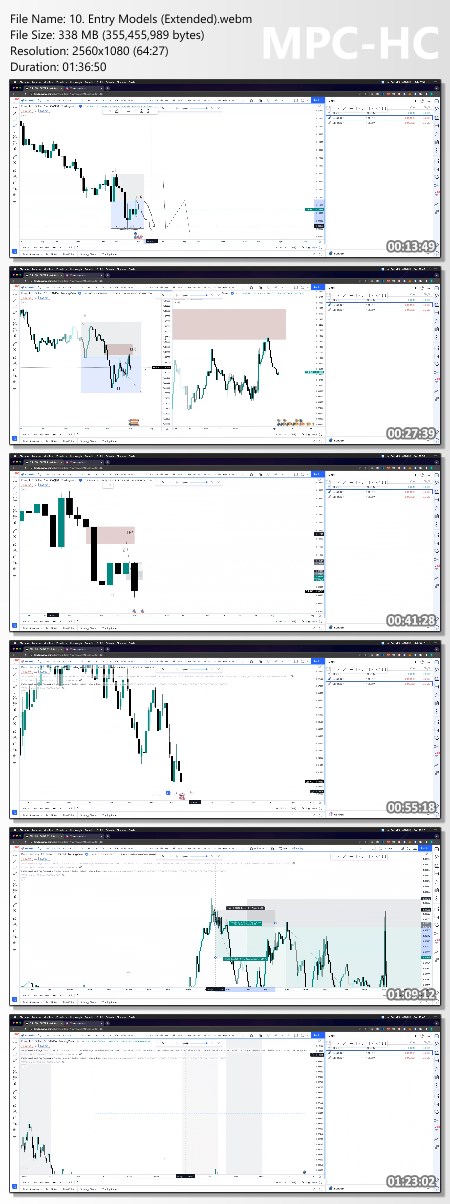
Screenshots
2d3d3a7b13473ee7e0a1caa1ee736868.jpg


Link Download
Extract files with WinRar 5 or Latest !
 
Madcharts Trading Academy

7cad89db5e567dbb8ccf279cb7147fff.jpg

MadCharts Academy | 6.75 GB
All The Tools You Need To Become a Successful Trader
When you enroll at MadCharts Trading Academy, you get all the educational material you need to become profitable in the markets, based on MadCharts' trading style.

MadCharts Academy offers a step-by-step program to teach you how to trade on a complete online educational platform. MadCharts Academy goes over technical analysis training, psychological training, risk management and how to get you fully set up with all the resources you need.
You will also have access to monthly webinars, regular check-ins and Q&A webinars to ensure that you are on the right track.
MadCharts Academy strives to be different. After each educational section that members complete, they partake in assignments and practical exercises to ensure they understand the content.

Homepage:

Screenshots
0d2d00342a2ed9687e288db8ab36ce97.jpg


Link Download
Extract files with WinRar 5 or Latest !
 
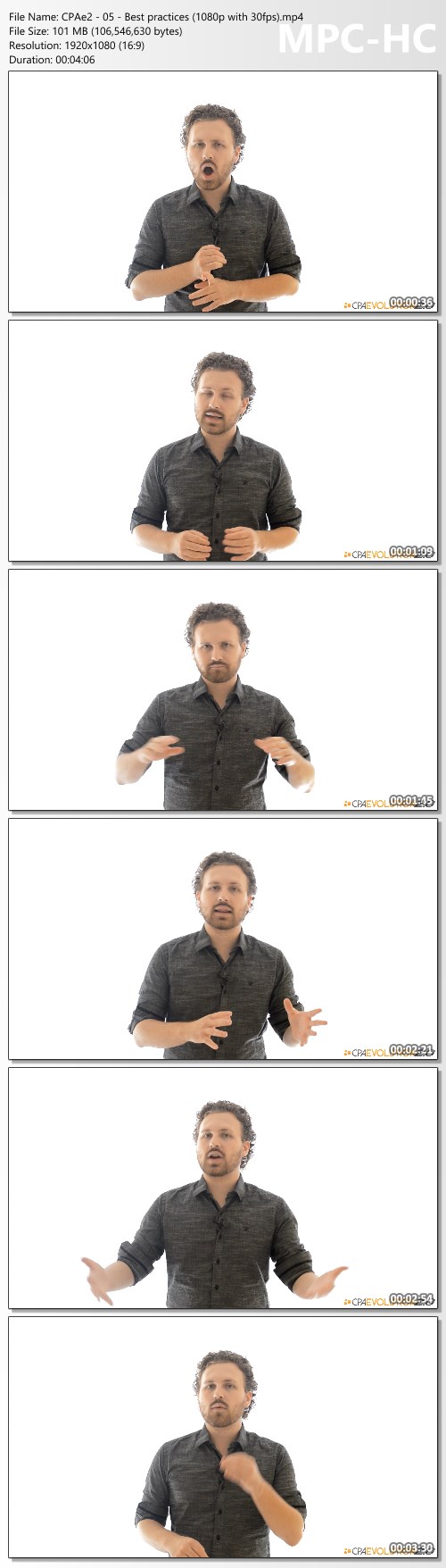
CPA Evolution 3.0 by William Souza

f5058586c27f7206bcc96af0c1739a41.jpg

William Souza - CPA Evolution 3.0 | 5.61 GB
CPA Evolution 3.0 - Join My Team Of Super Affiliates And Learn How To Build Campaigns That Generate Results 24h A Day, 7 Days A Week!

We are an elite group of super affiliates and this is an unique opportunity to become part of our team..
CPAE3.0 is not available to the general public and this special invitation won't last long.

So, if you truly want to change your life and business, take action and say YES to this once-in-a-lifetime opportunity before it's too late.

Over the shoulder videos covering the steps to set up winning affiliate campaigns with little effort and a low investment. or no investment at all!

Complete case studies revealing real life campaigns that have generated huge amounts of commissions for other affiliates (updated regularly).

Supportive community of like-minded marketers that will help you overcome obstacles and stay motivated while you create your first successful campaigns.

100% newbie friendly strategies that are proven to generate massive results for marketers of all levels, including people with no technical skills or prior experience.

Tested and proven blueprints that will allow you to take the maximum out of the training and achieve results in a short period of time.

Bonus #1: Value $2,997
Submit unlimited campaign analysis requests with no daily, weekly or monthly limits. you can literally get all your campaigns reviewed!
Complete reports with suggestions and recommendations that will help you rapidly improve your results.
Exclusive webinars that will help you take the maximum out of the Accelerated program, implement everything and avoid distractions.

Bonus #2: Value $997
Create high-converting landing pages with a few clicks of the mouse and don't waste your time trying to figure out how to use Photoshop, Dreamweaver and other complex (and expensive) tools.
Use tested and proven templates that won't require a lot of testing (and a boat load of money) to start producing results.
Never spend money on freelancers again, just use the software to create awesome pages in literally 5 minutes or less.

Bonus #3: Value $997
Create professionally designed banners with absolutely no technical skills and in less than 5 minutes (absolutely anyone can create killer banners with this tool).
Use tested and proven templates that will crush your competitors on any traffic source and boost the performance of your campaigns.
Forget hiring designers, you will use the templates created by my team of professional designers and that are guaranteed to produce good results.

HOmepage:

Screenshots
e88d79705726e6db1a96e59477470624.jpg


Link Download
Extract files with WinRar 5 or Latest !
 
Zurück
Oben Unten