



• Regeln für den Video-Bereich:

    In den Börsenbereich gehören nur Angebote die bereits den Allgemeinen Regeln entsprechen.

    Einteilung

    - Folgende Formate gehören in die angegeben Bereiche:
    - Filme: Encodierte Filme von BluRay, DVD, R5, TV, Screener sowie Telesyncs im Format DivX, XviD und x264.
    - DVD: Filme im Format DVD5, DVD9 und HD2DVD.
    - HD: Encodierte Filme mit der Auflösung 720p oder darüber von BluRay, DVD, R5, TV, Screener sowie Telesyncs im Format x264.
    - 3D: Encodierte Filme von BluRay, die in einem 3D Format vorliegen. Dies gilt auch für Dokus, Animation usw.
    - Serien: Cartoon/Zeichentrick, Anime, Tutorials, Dokumentationen, Konzerte/Musik, Sonstiges sind demnach in die entsprechenden Bereiche einzuordnen, auch wenn sie beispielsweise im High Definition-Format oder als DVD5/DVD9/HD2DVD vorliegen. Ausnahme 3D.
    - Bereich Englisch: Englische Releases gehören immer in diesen Bereich.
    - Bereich Talk: Der Bereich, in dem über die Releases diskutiert werden kann, darf, soll und erwünscht ist.


    Angebot/Beitrag erstellen

    - Ein Beitrag darf erst dann erstellt werden, wenn der Upload bei mindestens einem OCH komplett ist. Platzhalter sind untersagt.
    - Bei einem Scenerelease hat der Threadtitel ausschließlich aus dem originalen, unveränderten Releasenamen zu bestehen. Es dürfen keine Veränderungen wie z.B. Sterne, kleine Buchstaben o.ä. vorgenommen werden. Ausnahme Serienbörse:
    - Bei einem Sammelthread für eine Staffel entfällt aus dem Releasename natürlich der Name der Folge. Beispiel: Die Simpsons S21 German DVDRip XviD - ITG
    - Dementsprechend sind also u.a. verboten: Erweiterungen wie "Tipp", "empfehlenswert", "only", "reup", usw. / jegliche andere Zusatzinformation oder Ergänzung, welche nicht in obiger Beschreibung zu finden ist.

    Aufbau des Angebots und Threadtitel

    Der Titel nach folgendem Muster erstellt zu werden. <Name> [3D] [Staffel] [German] <Jahr> <Tonspur> [DL] [Auflösung] <Quelle> <Codec> - <Group>
    Beispiel: The Dark Knight German 2008 AC3 DVDRip XviD - iND
    Beispiel: The Dark Knight 2008 DTS DL BDRip x264 - iND
    Beispiel: The Dark Knight 2008 AC3 DL BDRip XviD - iND
    Beispiel: The Dark Knight German 2008 AC3 720p BluRay x264 iND
    Beispiel: The Dark Knight 2008 DTS DL 1080p BluRay x264 iND
    Beispiel: Die Simpsons S01 German AC3 DVDRip XviD iND
    Beispiel: Die Simpsons S20 German AC3 720p BluRay x264 iND
    Beispiel: Sword Art Online II Ger Sub 2014 AAC 1080p WEBRip x264 - peppermint
    Entsprechend sind also u.a. verboten: Sonderzeichen wie Klammern, Sterne, Ausrufezeichen, Unterstriche, Anführungszeichen / Erweiterungen wie "Tipp", "empfehlenswert", "only", "reup", usw. / jegliche andere Zusatzinformation oder Ergänzung, welche nicht in obiger Beschreibung zu finden ist
    Ausnahmen hiervon können in den Bereichen geregelt sein.

    Die Beiträge sollen wie folgt aufgebaut werden:
    Überschrift entspricht dem Threadtitel
    Cover
    kurze Inhaltsbeschreibung
    Format, Größe, Dauer sind gut lesbar für Downloader außerhalb des Spoilers zu vermerken
    Nfo sind immer Anzugeben und selbige immer im Spoiler in Textform.
    Sind keine Nfo vorhanden z.B. Eigenpublikationen, sind im Spoiler folgende Dateiinformationen zusätzlich anzugeben :
    Quelle
    Video (Auflösung und Bitrate)
    Ton (Sprache, Format und Bitrate der einzelnen Spuren)
    Untertitel (sofern vorhanden)
    Hosterangabe in Textform außerhalb eines Spoiler mit allen enthaltenen Hostern.
    Bei SD kann auf diese zusätzlichen Dateiinformationen verzichtet werden.

    Alle benötigten Passwörter sind, sofern vorhanden, in Textform im Angebot anzugeben.
    Spoiler im Spoiler mit Kommentaren :"Schon Bedankt?" sind unerwünscht.


    Releases

    - Sind Retail-Release verfügbar, sind alle anderen Variationen untersagt. Ausnahmen: Alle deutschen Retail-Release sind CUT, in diesem Fall sind dubbed UNCUT-Release zulässig.
    - Im Serien-Bereich gilt speziell: Wenn ein Retail vor Abschluss einer laufenden Staffel erscheint, darf diese Staffel noch zu Ende gebracht werden.62
    - Gleiche Releases sind unbedingt zusammenzufassen. Das bedeutet, es ist zwingend erforderlich, vor dem Erstellen eines Themas per Suchfunktion zu überprüfen, ob bereits ein Beitrag mit demselben Release besteht. Ist dies der Fall, ist der bereits vorhandene Beitrag zu verwenden.
    - P2P und Scene Releases dürfen nicht verändert oder gar unter einem iND Tag eingestellt werden.


    Support, Diskussionen und Suche

    - Supportanfragen sind entweder per PN oder im Bereich Talk zu stellen.
    - Diskussionen und Bewertungen sind im Talk Bereich zu führen. Fragen an die Uploader haben ausschließlich via PN zu erfolgen, und sind in den Angeboten untersagt.
    - Anfragen zu Upload-Wünschen sind nur im Bereich Suche Video erlaubt. Antworten dürfen nur auf Angebote von MyBoerse.bz verlinkt werden.


    Verbote

    - Untersagt sind mehrere Formate in einem einzigen Angebotsthread, wie beispielsweise das gleichzeitige Anbieten von DivX/XviD, 720p und 1080p in einem Thread. Pro Format, Release und Auflösung ist ein eigener Thread zu eröffnen.
    - Grundsätzlich ebenso verboten sind Dupes. Uploader haben sich an geeigneter Stelle darüber zu informieren, ob es sich bei einem Release um ein Dupe handelt.
    - Gefakte, nur teilweise lauffähige oder unvollständige Angebote sind untersagt. Dies gilt auch für eigene Publikationen, die augenscheinlich nicht selbst von z.B. einer DVD gerippt wurden. Laufende Serien, bei denen noch nicht alle Folgen verfügbar sind, dürfen erstellt und regelmäßig geupdatet werden.
    - Untersagt sind Angebote, welche nur und ausschließlich in einer anderen Sprache als deutsch oder englisch vorliegen. Ausnahmen sind VORHER mit den Moderatoren zu klären.


    Verstoß gegen die Regeln

    - Angebote oder Beiträge, die gegen die Forenregeln verstoßen, sind über den "Melden"-Button im Beitrag zu melden.
  • Bitte registriere dich zunächst um Beiträge zu verfassen und externe Links aufzurufen.

*** Bestes IPTV *** bester Preis *** gratis Test ***


Englische Tutorials

e2098f61c484effce9ad8bf65b074a3c.jpg

Learn to Play Moonlight Sonata on the Piano (1st Movement)
Published 05/2022
MP4 | Video: h264, 1280x720 | Audio: AAC, 44.1 KHz, 2 Ch
Genre: eLearning | Language: English + srt | Duration: 15 lectures (3h 35m) | Size: 4.83 GB


Beginner Piano Lesson
What you'll learn
Play Moonlight Sonata on the piano
Learn to play the first movement of Moonlight Sonata
Learn the proper fingers to use when playing Moonlight Sonata
Learn to play Moonlight Sonata measure by measure
Requirements
None
Description
This course consists of 15 videos that will teach you how to play the first movement of Beethoven's Moonlight Sonata in its entirety.
The first movement of the Moonlight Sonata is a great song choice for beginners for the following reasons
The first movement is very easy to play. Even if you have never touched a piano before, you can learn the first movement of the Moonlight Sonata without too much difficulty.
Even if you can only practice for a few minutes each day, you can learn the first movement of the Moonlight Sonata in just a couple months.
Despite being very basic, the first movement of the Moonlight Sonata is very popular.
This course is broken into 15 videos.
Here are some of the reasons why you would want to choose this course over other courses that teach the same song
There are no prerequisites for this course. This course will teach you how to play the first movement of the MOonlght Sonata even if you have NEVER touched a piano.
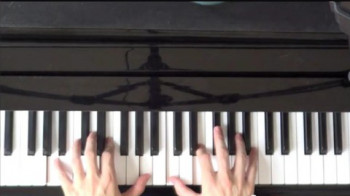
The video is filmed from directly overhead, making it very easy to see exactly which notes need to be hit.
The panning and zooming during the video make it very easy to follow exactly where your fingers need to be placed.
The emphasis is on learning to play the song. You will not be overburdened with theory.
Ideally, it's best if you learn the song on a piano, but a keyboard can also be used. If you use a keyboard, it will sound best if you have a pedal.
At the end of this course, you will be able to play the first movement of the Moonlight Sonata in its entirety. And with some practice, you will be able to play the song flawlessly.
Who this course is for
Anyone who wants to play Moonlight Sonata on the piano
Homepage










 
13254dbd618b9dac3cc25e13d1dd16e5.jpg

Learning Bitcoin and Other Cryptocurrencies (2022)
Released 05/2022
MP4 | Video: h264, 1280x720 | Audio: AAC, 44.1 KHz, 2 Ch
Skill Level: Beginner | Genre: eLearning | Language: English + srt | Duration: 1h 12m | Size: 430.9 MB

Bitcoin is a form of money that only exists online. It's making headlines around the world, but many people don't really understand how bitcoin and other cryptocurrencies work. In this course, Tom Geller demystifies bitcoin, revealing the promise and perils of the crypto economy. First, Tom explains what bitcoin is, how it creates an unchangeable ledger, how it compares to traditional money, and how to contextualize the energy expended in keeping bitcoin secure. Next, he explains how to get started by creating a cryptocurrency wallet, buying and selling cryptocurrency, and protecting your transactions. He discusses other top cryptocurrencies and the full-featured programming languages behind some cryptocurrency networks, then explains how derivative assets such as NFTs figure into the landscape. Finally, Tom covers how to track a cryptocurrency payment's passage precisely, examines threats to cryptocurrency, and goes over connecting with others in cryptocurrency communities.
Homepage


8038ae88-4afe-44f5-912c-2b4e53ae0047.png

Mclaren 650s Gt3 Tutorial ( Modeling, Texturing, Lighting )
FlippedNormals
Instructors: Milad Kambari
Duration: 17h 40m • 23 Lessons
Video: MP4 1920x1042 44 KHz | English
Size: 4.6789 GB​

ABOUT MCLAREN TRAINING COURSE
Welcome to McLaren tutorial, in this tutorial we are going to model and render a McLaren 650S in 17 hours and 40 minutes. This tutorial includes the steps of preparing a reference, pre-modeling the body of a McLaren car, adding car details, Unwrap and UV, texturing and material, and lighting with the Vray and Corona rendering engine in 3Ds max.
INCLUDES
23 Full HD Video Files
Duration: 17hrs 40 min video MP4 format with full audio commentary in English
FIRST STEP, SETUP REFERENCE
In this step, we check our images and references, and setup our references in 3ds Max, and prepare the file for start modeling phase.
SECOND STEP, START FIRST PHASE OF MODELING
We start our work inside 3ds Max with the simplest method of modeling, and we model the car body piece by piece. At first, we only model the general form of the McLaren to arrive at a correct initial form. All these steps are done inside the 3Ds Max without using any special plugins or scripts. For modeling steps, a method has been considered that can be understood and used by all levels.
THIRD STEP, ADDING FINE DETAIL
In this Step of the training, we will examine all the parts of the Mclaren part by part and add the details according to the references. In this section, we create a high-detail model using the TurboSmooth method in 3Ds Max. In this part of the tutorial, we will use one of the advantages and strengths of 3Ds Max in modeling and learn how to use the stack modifier. After adding the details and finalizing our model, we move on to the next part.
FOURTH STEP, UV AND UNWRAP
In this part, we use a wonderful software in UV discussion called Rizom Lab. The reason for this choice is the weakness of 3ds Max's Unwrap Modifier, which disrupts the work process, especially high-poly models. And along with all these cases, the various features of the software greatly help us in the work process. We enter the model of the car into the software part by part and follow the unwrap process. After these steps, we continue our way in Substance Pinter.
FIFTH STEP, TEXTURING AND MATERIAL
This part is divided into 2 parts, in the first part we start making the textures that we need to make the material in Corona and Vray. In addition to Substance Pinter, we will also use Photoshop. In this section, you can use my method, or you can use any other resource or method. For this section, I have tried to consider a very practical method to use the excellent software in the field of texturing, Substance Painter, with the least knowledge. In the second part, we will learn how to create shaders in another software, which is 3ds Max here, from the textures we created in Substance Painter.
SIXTH STEP, SHADERING, LIGHTING, AND RENDERING
This part also has 2 separate parts from zero to hero. All stages of shader construction, lighting and rendering are done in 2 rendering engines, Vray and Corona. You can use almost all the steps in this section, especially the use of textures made in Substance Pinter, and the rules and methods of lighting in any rendering engine.
WHAT ARE THE REQUIREMENTS?
It is recommended to follow the course with the same software we use throughout the tutorial: 3Ds Max for Modeling, RizomLab for UV and Unwrap, Substance Painter for Creating Texture, Vray or Corona for Rendering. However, you can use all the methods used in your own software.
WHO IS THE TARGET AUDIENCE?
the McLaren tutorial is aimed at beginners and intermediates. You should know at least basic knowledge of 3ds max, Vray, Corona, Substance Painter, and Rizom Lab.
Screenshots


th_Y5WquhoaesrI6FCzmlPlqg8avsGMz58F.jpg

Microsoft Excel: Formulas for Beginners
Published 05/2022
MP4 | Video: h264, 1280x720 | Audio: AAC, 44.1 KHz, 2 Ch
Genre: eLearning | Language: English + srt | Duration: 13 lectures (30m) | Size: 225.3 MB


VLOOKUP, IF, SUM, AVERAGE, COUNT, MIN, MAX, CONCAT, LEN, REPLACE
What you'll learn
Master Common Excel Formulas: If Statement, Vlookup, Index Match, SumIf, and CountIf
Requirements
Microsoft Excel
Description
Requirements
· No Prior Excel Knowledge Required
· Microsoft Excel 2007, 2010, 2013, 2013, 2019 or Microsoft 365 Excel Loaded on Computer to Follow Along with Instructor Lectures is Recommended
Description
Microsoft Excel: Formulas for Beginners
This Microsoft Excel course will teach you the foundational excel formulas in record time! Below are the formulas that you will learn
· VLOOKUP
· IF
· SUM
· AVERAGE
· COUNT
· MIN
· MAX
· CONCAT (Replaced CONCATENATE in 2016)
· LEN
· REPLACE
Topics covered in this course apply to Excel 2007, 2010, 2013, 2016, 2019 (Microsoft/Office 365)
Whether you have been struggling with a specific formula or you have just started your excel journey, this course will walk you through the basic excel formulas in an easily to understand and approachable format. I've designed this course to be as short as possible to cut the fluff and to allow you to ingest the information quickly and effectively. My goal is to have you fluent in these formulas and use this as a booster to your excel learning expedition.
Who this course is for
· This Microsoft Excel courses will take you through all of the most common formulas that you need to be successful in excel.
· This course is designed for the beginner, but the intermediate user will still benefit from the content.
Who this course is for
Microsoft Excel Users


0edec234-91b2-4c0a-9c3e-b1a2aa03eda4.png

NMAP and SQLMAP FOR ETHICAL HACKERS
Genre: eLearning | MP4 | Video: h264, 1280x720 | Audio: AAC, 44.1 KHz
Language: English | Size: 1.80 GB | Duration: 54 lectures • 4h 53m
Cybersecurity tools nmap, sqlmap and nikto

What you'll learn
Lean how to use namp and sqlmap and nikto tools
scan networks and systems by using nmap and scan website vulnerabilities
Scan databases vulnerabilities by using SQLMAP.
Preform SQL injection with SQLMAP.
Be able to use most required security tools
Requirements
NO Requirements or prerequisites needed.
Description
In This course, students will learn how to use three cybersecurity tools namp , sqlmap and nikto. These tools very important and very necessary for ethical hackers. They are open source tools and for free to use. Students will start learn networks basics and learn how to build the required cyber security lab. Then, they will learn some necessary and essential systems commands. After that, will start with nmap. In nmap section, students will learn to do the following
fingerprinting OS services running on target host.
discovering hosts with TCP SYN ping scan
Discovering hosts with UDP SYN ping scan
Os detection in verbose mode.
Discovering hosts with IP, ICMP and ARP ping scan.
Aggressive mode scan os guessing
intense scan
discovering host names by brute-forcing DNS records.
getting information from whois record.
reason scan
scan an entire subnet.
HTTP Enumeration
FTP Enumeration
DNS Enumeration
SSH Enumeration
SMB Enumeration
SMTP Enumeration
MYSQL Enumeration
IP address geolocation
Trace out geolocation.
Then start with sqlmap and they learn and do the following
Access Databases names
Access databases tables
Access databases columns
dump data from data bases columns
Access passwords and passwords hashes from databases.
Access information schema of databases.
In the last part, students will learn Nikto and do the following
Nikto basic scan
scan specific port with Nikto.
scan domain with SSL enabled
scan multiple targets with nikto
output nikto scan result.
Who this course is for
beginners.
Screenshots


5d8795a0-0212-43e0-902d-7361df9493bc.png

Oracle PL/SQL Fundamentals with Case Study (OCI)
Published 05/2022
MP4 | Video: h264, 1280x720 | Audio: AAC, 44.1 KHz, 2 Ch
Genre: eLearning | Language: English + srt | Duration: 43 lectures (4h 29m) | Size: 2.82 GB


Build Oracle PL/SQL expertise using Oracle Cloud Autonomous DB (OCI). Built-in case study to make understanding better
What you'll learn
Oracle PL/SQL Programming
Provisioning Oracle Cloud Autonomous Database with Oracle Cloud Infrastructure(OCI)
Connecting to Cloud Autonomous Database using SQL Developer client.
Case study to make understanding of PL/SQL better
Requirements
Basic understanding of Oracle SQL statements.
Oracle Database Access through SQL OR Request / provision Autonomous Oracle Cloud Autonomous Database in OCI free tier
Description
The big question is - is SQL & PLSQL still relevant and should you learn it? Well, the answer is: Yes.
SQL & PL/SQL has established itself as the de-facto data access language used across many different industries, that's available in the database.
This means that SQL & PL/SQL is no longer just used by developers, but folks from many different parallel technical fields that need to store, manipulate, and access large volumes of data - analyse it with slice and dice concept to derive meaningful business information so as to have the business in competitive edge.
For this reason, SQL and PL/SQL isn't going anywhere. Its stable in popularity and still dwarfs NoSQL databases on a side by side comparison.
The advantage of PLSQL is
PL/SQL allows sending an entire block of statements to the database at one time. This reduces network traffic and provides high performance for the applications.
PL/SQL gives high productivity to programmers as it can query, transform, and update data in a database.
Applications written in PL/SQL are fully portable.
With this course, you can learn how to provision the latest Oracle Cloud Autonomous Database 19c which is provided on
Oracle cloud infrastructure as always free tier , utilize it to learn SQL (not covered in detail in this course ) and PL/SQL, which is covered in details.
The PL/SQL topics covered in this course are
Different Oracle DB environment to Learn & Practice.
How to get access to Oracle Cloud Free tier.
An Overview about all new Oracle Autonomous Cloud Database.
Provisioning Oracle Autonomous Database on OCI
Accessing the Oracle Cloud Autonomous DB for SQL - web and client version - SQL Developer.
What is PLSQL?
Oracle PLSQL programming approach
Naming conventions and formatting.
Scope of variable declaration & nested block
Using PLSQL to interact with Oracle DB
Cursors in PLSQL.
Control Statement in PLSQL
Handling Exceptions in PLSQL
Subprograms & Composite data type
Database triggers.
Case study in SQL & PLSQL
Business case & problem statement provided in document format for the learner to work upon & provided solution.
Solutions presentation in detail to validate your solution.
Happy Learning!!
Who this course is for
IT Analyst
IT Developer looking for career in Oracle PLSQL
Students in IT / Engineering / Management
Any one who have knowledge on SQL and wish to learn PLSQL
Homepage


89907f07-de63-48c1-9883-54e19f8a1189.png

PEP8 Guidelines: Python Clean Coding
Published 05/2022
MP4 | Video: h264, 1280x720 | Audio: AAC, 44.1 KHz, 2 Ch
Genre: eLearning | Language: English + srt | Duration: 34 lectures (4h 3m) | Size: 2.7 GB


Learn PEP8 guidelines and write your Python code professionally
What you'll learn
Write Python code that conforms to PEP 8
Understand the reasoning behind the guidelines laid out in PEP 8
Set up your development environment so that you can start writing PEP 8 compliant Python code
Follow the correct naming conventions for packages, modules, objects, classes variables and more.
Implement the appropriate whitespacing between Python code components
Develop full scale professional Python projects
Learn the best clean code practices in Python
Requirements
Basic understanding of any programming language
Prior Python experience is not required
Desire to learn PEP 8 guidelines and write Clean Code
Description
The Complete PEP8 Professional Python Coding Course covers the PEP 8 document that provides guidelines and best practices on how to write Python code. The primary focus of PEP 8 is to improve the readability and consistency of Python code.
PEP 8 exists to improve the readability of Python code. But why is readability so important? Why is writing readable code one of the guiding principles of the Python language?
As Guido van Rossum said, "Code is read much more often than it is written." You may spend a few minutes, or a whole day, writing a piece of code to process user authentication. Once you've written it, you're never going to write it again. But you'll definitely have to read it again. That piece of code might remain part of a project you're working on. Every time you go back to that file, you'll have to remember what that code does and why you wrote it, so readability matters.
If you're new to Python, it can be difficult to remember what a piece of code does a few days, or weeks, after you wrote it. If you follow PEP 8, you can be sure that you've named your variables well. You'll know that you've added enough whitespace so it's easier to follow logical steps in your code. You'll also have commented your code well. All this will mean your code is more readable and easier to come back to. As a beginner, following the rules of PEP 8 can make learning Python a much more pleasant task.
Following PEP 8 is particularly important if you're looking for a development job. Writing clear, readable code shows professionalism. It'll tell an employer that you understand how to structure your code well.
If you have more experience writing Python code, then you may need to collaborate with others. Writing readable code here is crucial. Other people, who may have never met you or seen your coding style before, will have to read and understand your code. Having guidelines that you follow and recognize will make it easier for others to read your code.
By the end of this course, you'll be able to
Write Python code that conforms to PEP 8
Understand the reasoning behind the guidelines laid out in PEP 8
Set up your development environment so that you can start writing PEP 8 compliant Python code
Follow the correct naming conventions for packages, modules, objects, classes variables and more.
Implement the appropriate whitespacing between Python code components
Develop full scale professional Python projects
Who this course is for
Software Engineers that wish to improve their coding efficiency
Computer Science students that want to code professionally
Anyone with a desire to learn Python and PEP8
Homepage


84ae2fe1-7dba-4cbb-8c98-1af2d87e790d.png

Perspective Drawing with Aaron Blaise
Video: MPEG4 Video (H264) 1920x1080 23.976fps 797kbps | Audio: AAC 48000Hz stereo 64kbps
Genre: eLearning | Duration: 5hrs+ | Language: English | File size: 410 MB​

In this brand new course with 5 hours of video content, Oscar™ nominated director, animator and artist Aaron Blaise teaches you his approach to perspective drawing.

Watch as Aaron demonstrates multiple techniques for linear perspective drawing and explains his thought process & approach in an easy to follow manner.
Topics include
1 Point Perspective Drawing
2 Point Perspective
3 Point Perspective
Projection Perspective Drawing
Drawing repeating shapes in perspective.
Drawing spaceships
Working with vanishing points
Shadows & Reflections
& Much More!
PLUS you'll also get a bundle of bonus material including
High-Res Copies of images that Aaron creates in the course.
Additional Images & Assets
Aaron has an engaging, entertaining and approachable teaching style that people really love. If you want to know how to do linear perspective drawing with ease. This is the course for you! Whether you are a beginner or an experienced artist these fun and engaging videos will teach you something new!
Homepage


70ee0fda-58fc-485e-99db-e873ecd0943d.png

Practical Cybersecurity for IT Professionals
Released 05/2022
MP4 | Video: h264, 1280x720 | Audio: AAC, 44.1 KHz, 2 Ch
Skill Level: Beginner | Genre: eLearning | Language: English + srt | Duration: 2h 26m | Size: 370 MB

Learn how to protect your network from cyberattacks through practical, hands-on demonstrations. In this course, Malcolm Shore shows how to use the latest tools to discourage and combat hackers, phishers, and snoops attempting to infiltrate your Windows and Linux systems. Learn what forms cyberattacks can take, as well as the two most common types of protection you can build into your system: Antivirus protection and firewalls. Then, learn how to scan your network for suspicious files, check what services are exposed on your systems, and identify vulnerabilities at the host level with Nessus scans. Malcolm also shows how to combat application-level threats, identify weak points in your web applications, and monitor packet-level activity on your network.
Homepage


6eddcad8cddbb5d23eb31c597c9c4b64.jpg

Professional Logo design in Adobe Illustrator
Duration: 23m | Video: .MP4, 1280x720, 30 fps | Audio: AAC, 48 kHz, 2ch | Size: 102 MB
Genre: eLearning | Language: English​

Logos are a critical part of the modern visual landscape. To learn how to create your own, it's important to be able to identify the components and design techniques behind the most successful Logos. In this course, we will be deconstructing Challenging logos in order to explain why and how they work, and offers a methodical approach to creating a logo in Illustrator. These tutorials combine theory with nuts-and-bolts techniques that emphasize simplicity and readability: the principles that ground the best logo designs.
Topics include
Choosing the right typefaceDesigning with simple shapesAdding shine, texture, beveled edges, and transparencyDesigning with negative spaceChoosing logo colorsPreparing final files.
No logo design experience is required; however, you should have a full or free trial version of Adobe Illustrator, even though you don't need prior knowledge working in this program.
Upon completion of this course. You'll know how to create unique symbols, add elements to a word, use geometric shapes and initials, and position text properly.
Students will nail the basics of Illustrator, and create logos in color, black and white, and in different formats. All of these skills will make you a more valuable designer or allow you to use your creativity to make your own logos.
What you'll learn:-
Design a Professional LogoDesign a logo that stand out from the croudDesign a new logo for a real clientFine-tuning a design after client selectionUnderstand the techniques used in logo creationApply various new techniques to your own workAre there any course requirements or prerequisites?Have a Basic knowledge about illustrator, as this course is little advanced
.Who this course is for:This course is for those how want to learn how to design a logoWant to know how different logos are design and what are the techniques used in their creation.Want to learn how to fine-tune your logo design
Homepage
Screenshots


09ebf6a5-e9b9-49df-8bbe-b4acac2d3aff.png

Redis Database Tutorial
Instructors: Frank Anemaet
1 section • 9 lectures • 35m total length
Video: MP4 1280x720 44 KHz | English + Sub
Updated 8/2021 | Size: 155 MB​

redis commands for beginners
What you'll learn
How to install Redis
How to configure Redis
How to use the Redis database
How to use the Redis-cli
<h
Requirements
Have a Linux computer available
Description
The Redis database is a networked, in-memory, key-value database. It uses a different paradigm than the commonly use SQL;database systems.
The Redis database can store diverse kinds of data (strings, hashes, lists, sets, sorted sets, bitmaps), and support different kinds of operations (hashes, lists, sets, sorted sets, bitmaps) on the data.
It is written in ANSI C and can be used on all major operating systems. The Redis database has been running since December 2007 and in the last 5 years it has been downloaded more than 1.5 million times.
As a developer, I have used Redis on a number of projects. It is an excellent choice for projects that require ultra-fast data access. Redis is in-memory, which means that it stores all its data in memory, so writing to Redis is fast. Since memory is so much faster than disk access, this means that Redis' data access is very efficient.
In this course you will learn how to use the Redis database, how to install it, and many other options. It is a course for beginners, no prior knowledge about databases is required. You will learn how to use the redis command line interface and a lot more.
Who this course is for:Developers that want to learn to use the Redis databaseDevelopers that want to learn a new paradigm besides SQL databases

Homepage
Screenshots


e01568ac-da57-4913-ad5e-8129913b740e.png

SEO Foundations (2022)
LinkedIn Learning
Duration: 1h 32m | .MP4 1280x720, 30 fps(r) | AAC, 48000 Hz, 2ch | 1.08 GB
Genre: eLearning | Language: English​

Modern consumers navigate the world through search. From laptops, smartphones, tablets, and more, they search the wild and wondrous internet for the products and services they need. By mastering and leveraging the fundamentals of search engine optimization (SEO), you can ensure that your business pops up in these all-important search results. Join instructor David Booth as he covers how to make improvements that boost your website's visibility on search engines, attracting the right kind of traffic to the right pages on your site.
Explore the basics of SEO, including how to read a results page and see how rankings affect businesses large and small. Discover how to implement foundational optimization strategies and techniques, including how to conduct keyword research, build internal and external links, optimize your pages and content, measure your successes and progress, and plan for a long-term SEO strategy. Additionally, learn specific SEO tips for ecommerce, local search, and mobile audiences to expand your reach.
Homepage
Screenshots


Zurück
Oben Unten