• Regeln für den Video-Bereich:

    In den Börsenbereich gehören nur Angebote die bereits den Allgemeinen Regeln entsprechen.

    Einteilung

    - Folgende Formate gehören in die angegeben Bereiche:
    - Filme: Encodierte Filme von BluRay, DVD, R5, TV, Screener sowie Telesyncs im Format DivX, XviD und x264.
    - DVD: Filme im Format DVD5, DVD9 und HD2DVD.
    - HD: Encodierte Filme mit der Auflösung 720p oder darüber von BluRay, DVD, R5, TV, Screener sowie Telesyncs im Format x264.
    - 3D: Encodierte Filme von BluRay, die in einem 3D Format vorliegen. Dies gilt auch für Dokus, Animation usw.
    - Serien: Cartoon/Zeichentrick, Anime, Tutorials, Dokumentationen, Konzerte/Musik, Sonstiges sind demnach in die entsprechenden Bereiche einzuordnen, auch wenn sie beispielsweise im High Definition-Format oder als DVD5/DVD9/HD2DVD vorliegen. Ausnahme 3D.
    - Bereich Englisch: Englische Releases gehören immer in diesen Bereich.
    - Bereich Talk: Der Bereich, in dem über die Releases diskutiert werden kann, darf, soll und erwünscht ist.


    Angebot/Beitrag erstellen

    - Ein Beitrag darf erst dann erstellt werden, wenn der Upload bei mindestens einem OCH komplett ist. Platzhalter sind untersagt.
    - Bei einem Scenerelease hat der Threadtitel ausschließlich aus dem originalen, unveränderten Releasenamen zu bestehen. Es dürfen keine Veränderungen wie z.B. Sterne, kleine Buchstaben o.ä. vorgenommen werden. Ausnahme Serienbörse:
    - Bei einem Sammelthread für eine Staffel entfällt aus dem Releasename natürlich der Name der Folge. Beispiel: Die Simpsons S21 German DVDRip XviD - ITG
    - Dementsprechend sind also u.a. verboten: Erweiterungen wie "Tipp", "empfehlenswert", "only", "reup", usw. / jegliche andere Zusatzinformation oder Ergänzung, welche nicht in obiger Beschreibung zu finden ist.

    Aufbau des Angebots und Threadtitel

    Der Titel nach folgendem Muster erstellt zu werden. <Name> [3D] [Staffel] [German] <Jahr> <Tonspur> [DL] [Auflösung] <Quelle> <Codec> - <Group>
    Beispiel: The Dark Knight German 2008 AC3 DVDRip XviD - iND
    Beispiel: The Dark Knight 2008 DTS DL BDRip x264 - iND
    Beispiel: The Dark Knight 2008 AC3 DL BDRip XviD - iND
    Beispiel: The Dark Knight German 2008 AC3 720p BluRay x264 iND
    Beispiel: The Dark Knight 2008 DTS DL 1080p BluRay x264 iND
    Beispiel: Die Simpsons S01 German AC3 DVDRip XviD iND
    Beispiel: Die Simpsons S20 German AC3 720p BluRay x264 iND
    Beispiel: Sword Art Online II Ger Sub 2014 AAC 1080p WEBRip x264 - peppermint
    Entsprechend sind also u.a. verboten: Sonderzeichen wie Klammern, Sterne, Ausrufezeichen, Unterstriche, Anführungszeichen / Erweiterungen wie "Tipp", "empfehlenswert", "only", "reup", usw. / jegliche andere Zusatzinformation oder Ergänzung, welche nicht in obiger Beschreibung zu finden ist
    Ausnahmen hiervon können in den Bereichen geregelt sein.

    Die Beiträge sollen wie folgt aufgebaut werden:
    Überschrift entspricht dem Threadtitel
    Cover
    kurze Inhaltsbeschreibung
    Format, Größe, Dauer sind gut lesbar für Downloader außerhalb des Spoilers zu vermerken
    Nfo sind immer Anzugeben und selbige immer im Spoiler in Textform.
    Sind keine Nfo vorhanden z.B. Eigenpublikationen, sind im Spoiler folgende Dateiinformationen zusätzlich anzugeben :
    Quelle
    Video (Auflösung und Bitrate)
    Ton (Sprache, Format und Bitrate der einzelnen Spuren)
    Untertitel (sofern vorhanden)
    Hosterangabe in Textform außerhalb eines Spoiler mit allen enthaltenen Hostern.
    Bei SD kann auf diese zusätzlichen Dateiinformationen verzichtet werden.

    Alle benötigten Passwörter sind, sofern vorhanden, in Textform im Angebot anzugeben.
    Spoiler im Spoiler mit Kommentaren :"Schon Bedankt?" sind unerwünscht.


    Releases

    - Sind Retail-Release verfügbar, sind alle anderen Variationen untersagt. Ausnahmen: Alle deutschen Retail-Release sind CUT, in diesem Fall sind dubbed UNCUT-Release zulässig.
    - Im Serien-Bereich gilt speziell: Wenn ein Retail vor Abschluss einer laufenden Staffel erscheint, darf diese Staffel noch zu Ende gebracht werden.62
    - Gleiche Releases sind unbedingt zusammenzufassen. Das bedeutet, es ist zwingend erforderlich, vor dem Erstellen eines Themas per Suchfunktion zu überprüfen, ob bereits ein Beitrag mit demselben Release besteht. Ist dies der Fall, ist der bereits vorhandene Beitrag zu verwenden.
    - P2P und Scene Releases dürfen nicht verändert oder gar unter einem iND Tag eingestellt werden.


    Support, Diskussionen und Suche

    - Supportanfragen sind entweder per PN oder im Bereich Talk zu stellen.
    - Diskussionen und Bewertungen sind im Talk Bereich zu führen. Fragen an die Uploader haben ausschließlich via PN zu erfolgen, und sind in den Angeboten untersagt.
    - Anfragen zu Upload-Wünschen sind nur im Bereich Suche Video erlaubt. Antworten dürfen nur auf Angebote von MyBoerse.bz verlinkt werden.


    Verbote

    - Untersagt sind mehrere Formate in einem einzigen Angebotsthread, wie beispielsweise das gleichzeitige Anbieten von DivX/XviD, 720p und 1080p in einem Thread. Pro Format, Release und Auflösung ist ein eigener Thread zu eröffnen.
    - Grundsätzlich ebenso verboten sind Dupes. Uploader haben sich an geeigneter Stelle darüber zu informieren, ob es sich bei einem Release um ein Dupe handelt.
    - Gefakte, nur teilweise lauffähige oder unvollständige Angebote sind untersagt. Dies gilt auch für eigene Publikationen, die augenscheinlich nicht selbst von z.B. einer DVD gerippt wurden. Laufende Serien, bei denen noch nicht alle Folgen verfügbar sind, dürfen erstellt und regelmäßig geupdatet werden.
    - Untersagt sind Angebote, welche nur und ausschließlich in einer anderen Sprache als deutsch oder englisch vorliegen. Ausnahmen sind VORHER mit den Moderatoren zu klären.


    Verstoß gegen die Regeln

    - Angebote oder Beiträge, die gegen die Forenregeln verstoßen, sind über den "Melden"-Button im Beitrag zu melden.
  • Bitte registriere dich zunächst um Beiträge zu verfassen und externe Links aufzurufen.

*** Bestes IPTV *** bester Preis *** gratis Test ***


Englische Tutorials

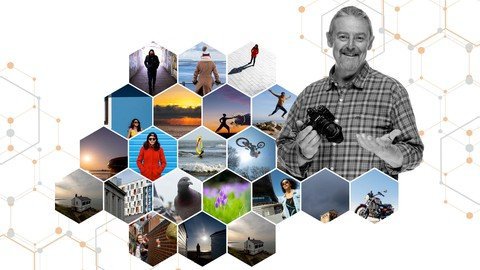
A Masterclass in Photography - Be A Confident Photographer
nn06sblrllpwaxrqb4ggnymji4.jpg


A Masterclass in Photography - Be A Confident Photographer
Genre: eLearning | MP4 | Video: h264, 1280x720 | Audio: AAC, 48.0 KHz
Language: English | Size: 10.3 GB | Duration: 8h 37m


What you'll learn
You will be able to make beautiful photos you're proud of and people around you admire
You will be confident with any genre of photography from landscapes to portraits, street photography, still life, abstract and more
You will understand your camera, be able to get the best from it & be friends with it
You will know which settings I used in lessons - and why I used them
You will be able to use creative superpowers hidden in exposure settings and lens choice (focal length)
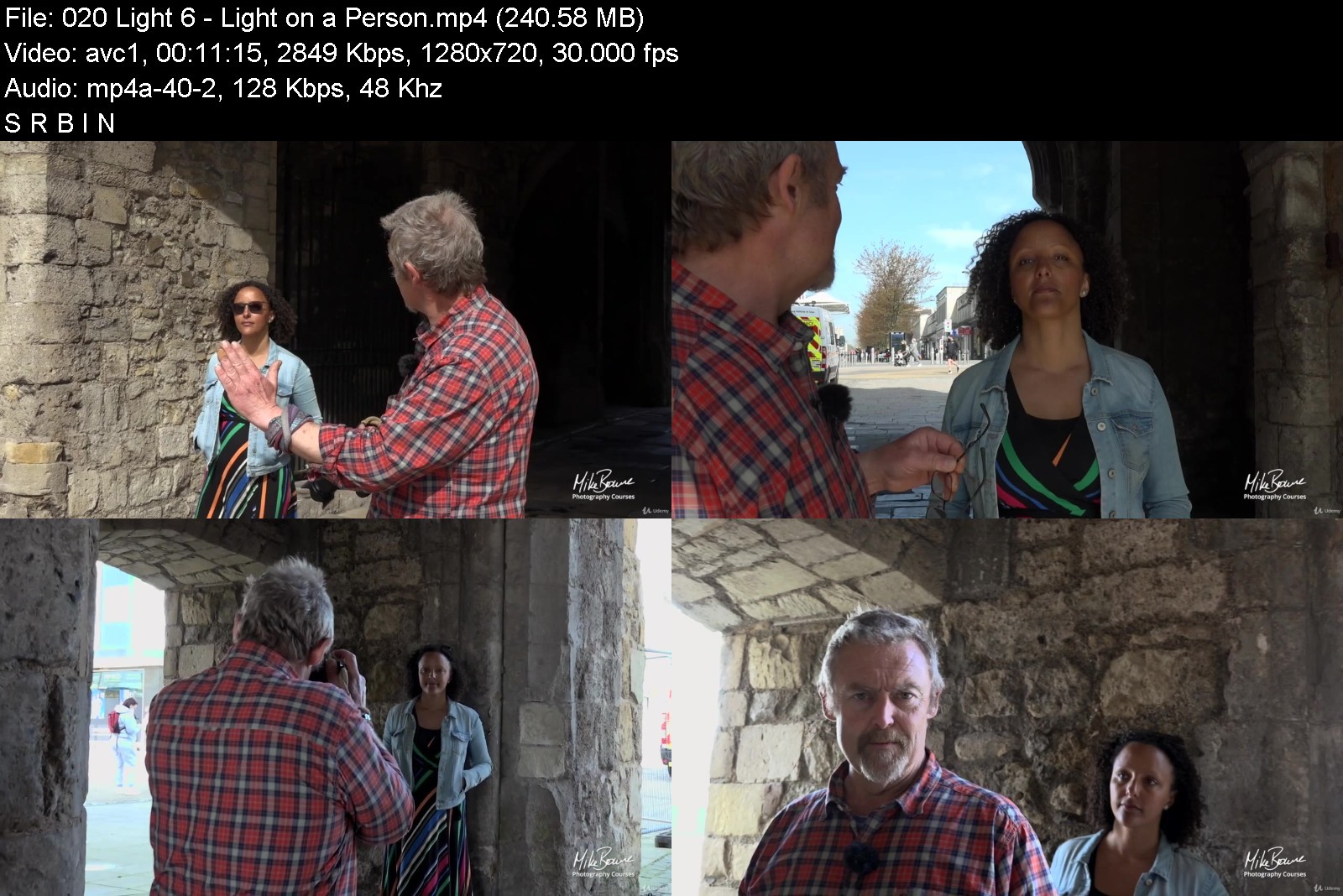
You will be able to see and understand qualities of light to bring photos to life
You will be able to 'see' and compose photos beautifully
You will be able to take pin sharp pictures every time
You will know about colours and white balance
You will be competent and feel confident as a photographer
Requirements
You are committed and excited enough about photography to dedicate time to mastering it
You look forward to doing the exercises and gaining experience. Photography's fun right?
No special (or expensive) camera kit is needed
A DSLR, Mirrorless or Bridge camera with settings

Description
An online photography course where you'll learn to see and take amazing photos with a mirrorless, DSLR or bridge camera.
**The good news is, you only need 5 camera controls to be a competent and confident photographer.**
Most photography courses concentrate on gear and tech, but cameras don't take pictures! You take pictures and you are often overlooked in favour of the latest gadget or upgrade.
There are only 5 camera controls you need. This comprehensive photography course is specifically designed to make them effortless and easy to use and combine with creative ideas for all levels of photographer from beginner to advanced.
If you've been photographing for years but still have lingering doubts about any of these things, Masterclass will bring them together and replace confusion with clarity and confidence
If you've just got your first camera, you'll have clarity from the start and confidence will quickly follow - you'll shortcut years of trial and error
What Will You Learn?
You'll see through my camera's viewfinder in 95% of lessons so you can see the settings used live - as I explain and demonstrate...
How a camera works so you can creatively exploit it to the max
Menus and feature setups you need
Camera and kit you need - and what you don't
Why manual settings are vital and how simple they are to use for creative eye catching photography
Why I chose camera settings for each image in the course
What auto modes do, how to control them and why they're great
Why, when and how to argue with your camera's recommended exposure
How to use hidden creative superpowers of shutter speed and aperture settings
How to compose beautiful photos and why you should break the 'rules'
How exploit focal length (zoom) and bring a new dimension to your compositions
How to see and use qualities of light appropriately
The thought process behind settings, techniques, composition and light.
Everything above in real world situations
How to Be A Competent And Confident Photographer
Techniques
Manual exposure settings
Semi auto exposure settings
Depth of field (it's more than just apertures)
Capturing movement in a photo
Creative use of focal length
Auto focus modes
White balance
Composition
Qualities of light
This course is applicable for...
Portrait photography
Long exposure / low light photography
Landscape photography
Action photography
Street photography
Architecture photography
Family photography
Wedding photography
Animal photography
Night photography
DSLR photography
Mirrorless photography
And all other photography genres because the fundamentals of photography are the same for all subjects
How Will I learn it?
Photography is not as complex as some make out. It's a bit of knowledge and a lot of practise - which is great news because you already love taking pictures...
First you'll master the 3 exposure controls so you'll know what they do, why they do it and be able to choose which settings to use. Exposure is not rocket science. It's just 3 controls and if you can get online and enrol on a course you can easily master 3 camera settings.
Exposure settings have creative superpowers too and the next step is learning what they are and how to choose settings for creative reasons. Every photo you take is your photo and Masterclass will put you in control of how you want it to look.
Manual mode is pretty simple TBH, and it's vital because cameras can't think for themselves and sometimes get it wrong. Ever taken a photo of bright snow or a white sand beach in sunshine? Did it come out dark and dull looking? - That's what I mean.
Once you've mastered manual exposure, know why cameras get it wrong and what to do about it, you can effectively use auto / semi auto if you like. It's just another way to achieve the same result. You'll learn how to control these modes - even though they have the word 'auto' in the name.
Next you'll learn how to be creative. How to 'see' and find photos, composition, lighting, how to add mood and feeling to a photo, give it meaning and be more than just a pretty picture.
In the majority of lessons you will see actual settings, composition etc live in the camera's viewfinder as techniques are explained and demonstrated in both home and real life on-location environments.
Which Camera Do I Need For This Course?
This photography course is designed for cameras that have settings. DSLR, Mirrorless and Bridge cameras. Though there are benefits for compact camera and phone photographers, it is not designed for these.
Cameras don't take pictures - you use a camera to make pictures, in the same way a musician plays an instrument or an artists uses a brush.
The camera is your instrument. First you learn how to play it, then how to make beautiful music with it - and there are only five controls you need to do that.
Great photographers of the past took stunning photos on the most basic of cameras with only three controls. They understood the creative relationship between settings, composition and light - the bedrock upon which great photos are built. If they could do it with their clunky old cameras, there's no reason why you can't too.
Commit to this course and 28 days from now your frustrations will have melted away, because you my friend, will be camera competent, feeling confident and looking at your world like a photographer.
If you don't agree I'll give you your money back no quibbles. Far enough?
Mike
Who this course is for
You've been photographing for years but still have lingering doubts about any of the topics above, Masterclass will bring them together and replace confusion with clarity and confidence
Just got your first camera? You'll have clarity from the start and confidence will quickly follow - you'll shortcut years of trial and error
All levels of photographer from beginner and intermediate to more advanced


amasterclassinphotogrc5kkh.jpg


Download from RapidGator


Download from Keep2Share



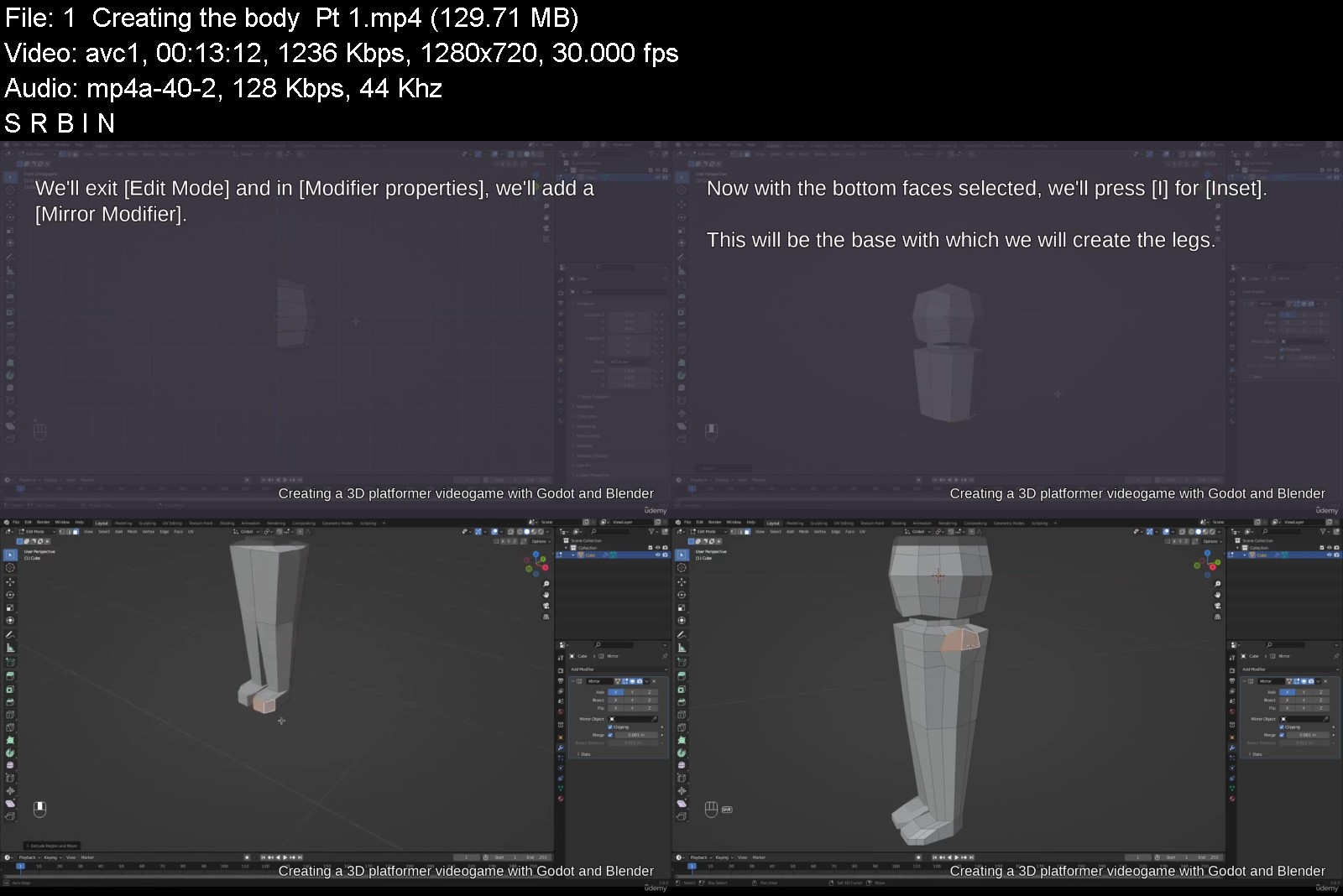
Creating a 3D platformer videogame with Godot and Blender

4601318174c6p4jvw.jpg


Creating a 3D platformer videogame with Godot and Blender
MP4 | Video: h264, 1280x720 | Audio: AAC, 44.1 KHz, 2 Ch
Genre: eLearning | Language: English + srt | Duration: 212 lectures (9h 41m) | Size: 5.12 GB

Step by step 3D videogame with Godot and Blender


What you'll learn
Create 3D models in Blender.
Rigging
Create Actions and Animations Using Blender's Action Editor and Key Frame Editor.
Store multiple animations as Non Linear Actions.
Export the 3D model so that it can be used in different applications.
Create a 3D Video Game in Godot
Import 3D assets and customize them.
Creating a user interface to help the player
Read and save files in Godot.
Programing with GDScript
Requirements
Basic understanding of Blender
Basic understanding of Godot
Basic understanding of GDScript / Python
Description
Hello and welcome.
If you are a developer or designer who is interested in creating 3D video games and use your own resources, this course is for you.
In this course, we will focus on using Blender to create models that can be used in Godot to design a 3D platformer video game.
We also cover the creation of a basic user interface to improve the user experience in the game by using multiple elements that you can find in Godot.
We will create each of the models step by step, we will create animations that are going to be used and we will export each one of the files and import them into Godot.
In this course you will learn
Create 3D models in Blender.
Rigging.
Create Actions and Animations Using Blender's Action Editor and Key Frame Editor.
Store multiple animations as Non Linear Actions.
Export the 3D model so that it can be used in different applications.
Create a 3D Video Game in Godot
Import 3D assets and customize them.
Creating a user interface to help the player
Read and save files in Godot.
Programing with GDScript
By acquiring the course, you will get access to the resources created through the lessons.
12 3D models (4 with animations)
Godot project
Link to external resources
I hope that the content of this course to be useful to you and that you can use it to your personal projects.
Have fun and happy learning.
Who this course is for
Software developers that want to create a video game
3D designer that want to create a video game and use their own assets


creatinga3dplatformerwykj8.jpg


Download from RapidGator


Download from Keep2Share



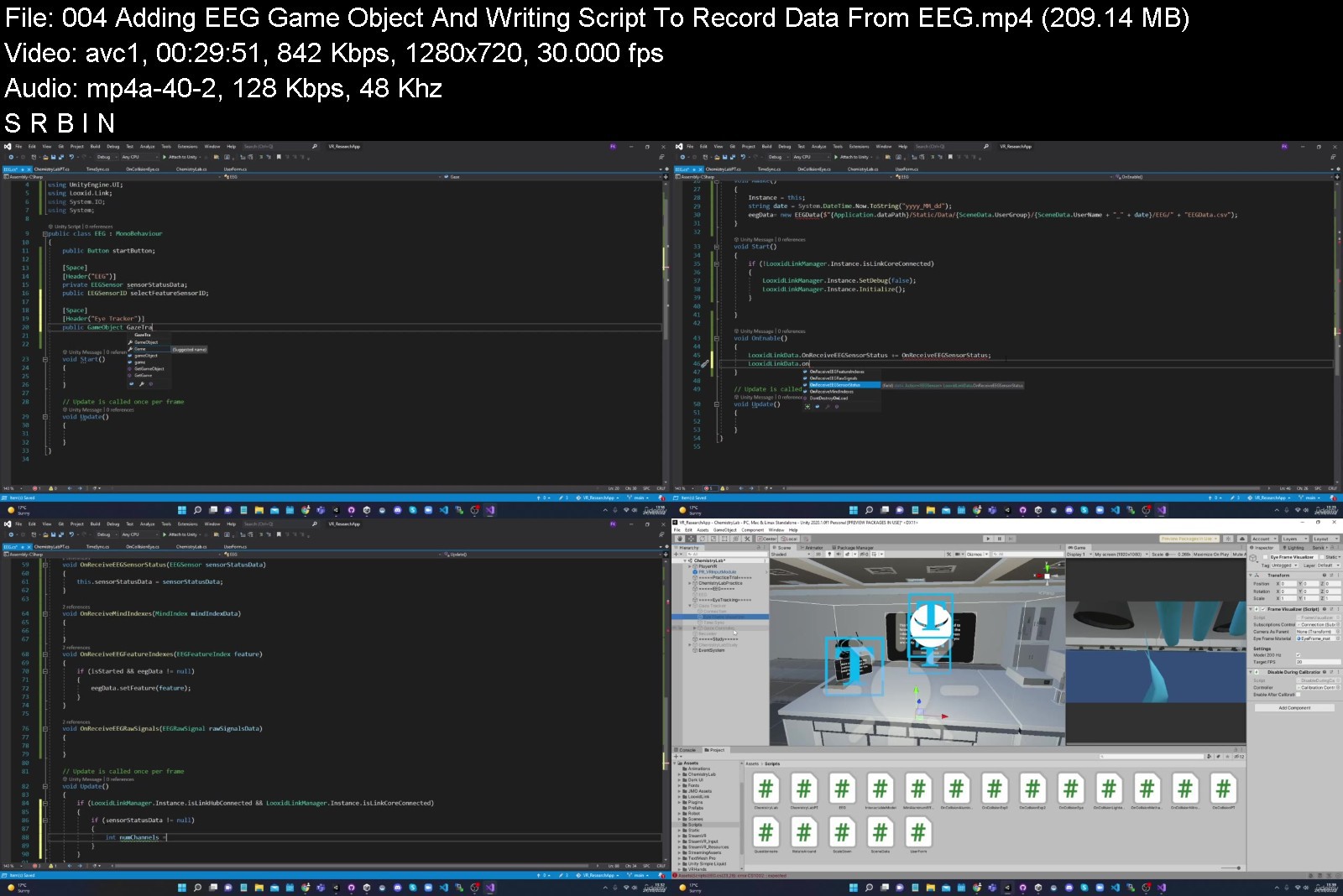
Build Complete VR App in Unity with Eye Tracking & EEG

ydyabmsqdnmgshzdsledegpj3o.jpg


Build Complete VR App in Unity with Eye Tracking & EEG
Genre: eLearning | MP4 | Video: h264, 1280x720 | Audio: AAC, 48.0 KHz
Language: English | Size: 8.36 GB | Duration: 15h 15m


What you'll learn
Build VR App in Unity from scratch for research using C# programming language
Integrate Eye Tracking, calibration processes and EEG Neurofeedback
Save data in csv files from unity for research purposes including users demographics, questionnaire, Eye tracking and EEG
Learn how to clean eye tracking data using python
Learn how to convert eye tracker timestamps in unix timestamps for research using python
Learn how to save data into online database with php programming language
Learn Unity scene transitions in different ways, how to arrange and create more advance codes, how to backup project using Github and Github desktop
Requirements
No programming language is needed.
Unity knowledge is not required.
You will learn everything from scratch.

Description
In this course, you will learn how to build in Unity a VR App, learn how to create interactions in VR, how to include shaders and effects and how to integrate Eye Tracking, EEG and Neurofeedback for your research project. You will learn many methods to transition between scenes, you will learn more advanced codes and methods in Unity to correctly write the scripts and you will also learn how to back up your project into the GitHub server using the GitHub desktop. After this course, you will be able to collect data in Unity into CSV files from users' demographic information, from questionnaires, eye tracking and EEG. This course will also cover two additional programming languages including Python and PHP. We will use python to clean data collected from the eye tracker and PHP to connect Unity with an online server and post the data into our online database. From this course, you will be able to learn the fundamental codes that will help you develop your own app for your research study. No coding and knowledge experience in Unity is required and no technological devices are required to follow this course. The aim of this course is to help you learn how to best utilize Unity for your own research project.
Who this course is for
This course is for anyone interested to create applications in Unity and save data for research purposes
People with no coding experience who want to create apps in Unity


buildcompletevrappinutokc7.jpg


Download from RapidGator


Download from Keep2Share


Civil Estimation & Costing of Affordable Housing Township

cfdti62tyac5sdfmyhajvhmjj6.jpg


Civil Estimation & Costing of Affordable Housing Township
MP4 | Video: h264, 1280x720 | Audio: AAC, 44.1 KHz
Language: English | Size: 5.81 GB | Duration: 6h 2m

Learn Civil Estimation & Costing of Township Project (Site area - 46 acres) using Excel & AutoCAD from ground zero.


What you'll learn
Estimation & Quantity take-off using Excel & AutoCAD
3D Walkthrough of entire site for clear visualization
Costing calculation of estimated materials
Construction Estimation of different materials/services
Abstract sheet preparation along with specifications
Understanding the site plan & areas with 3D walkthrough
Download the Excel files & AutoCAD files used in the project
Understanding the format of Estimation sheet
Requirements
Basic use of AutoCAD
Basic use of MS Excel

Description
This is a complete guide to Construction Estimation, Costing & Quantity Surveying of a complete Township Project.
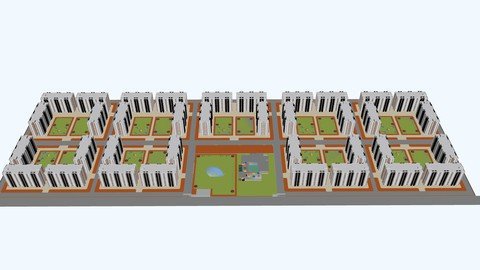
In this course, we will go through the estimation of our Affordable Housing Township project having 4320 Apartments with a site area of 46 acres along with a 3D walkthrough of our site for clear understanding.
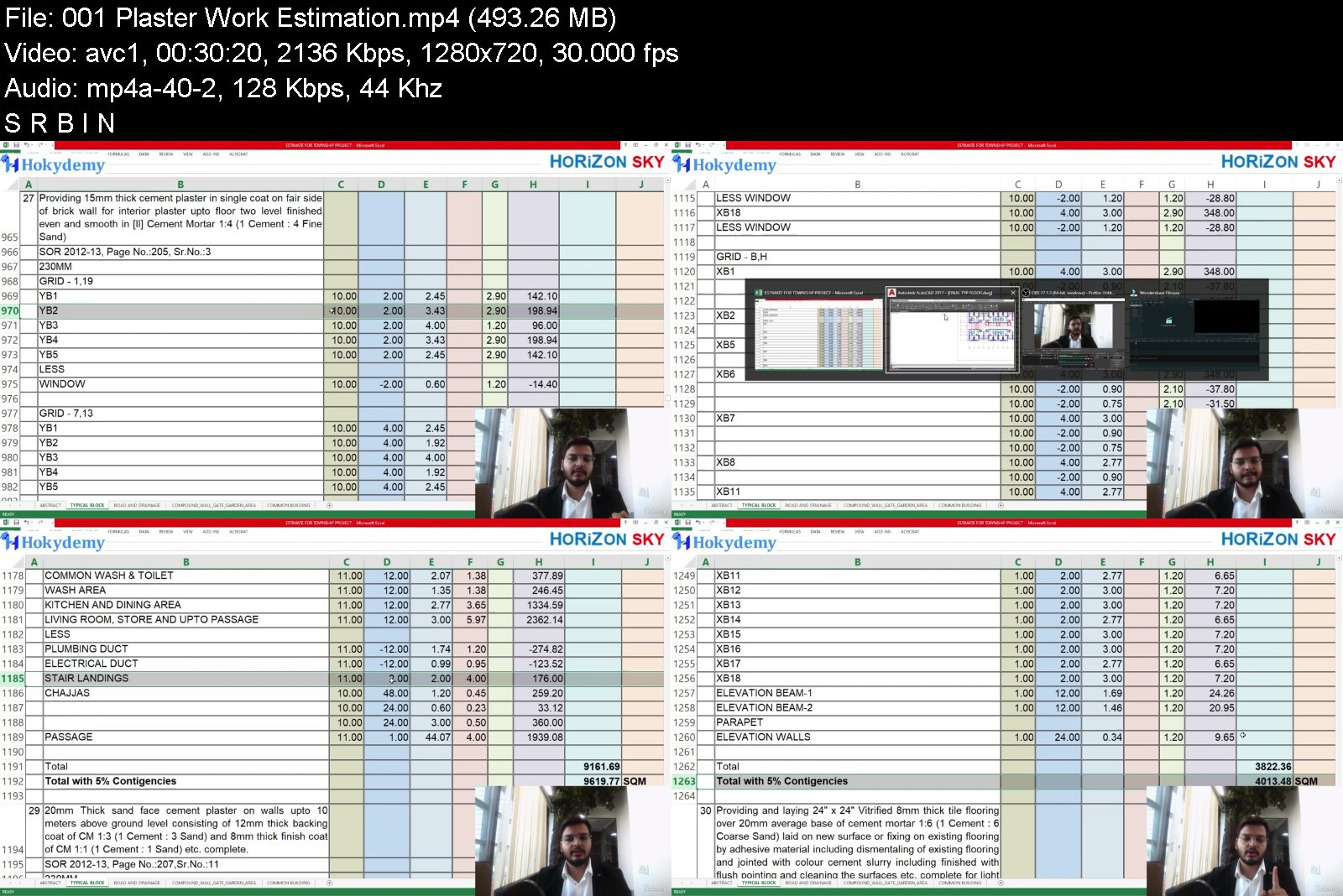
We will go through AutoCAD drawings as well as Excel sheet for calculating the quantities.
This course contains the estimate of a Township whose Master Planning is already covered in one of our courses. So we have also included the architectural drawings and 3D walkthrough of our site and master planning.
This course contains the following topics
Site Cleaning / Soil Filling
Sand Filling Estimation
Excavation Estimation
P.C.C. & Anti-termite Estimation
R.C.C. Estimation
Reinforcement & Formwork Quantity
Brickwork Quantity
Half Brick Masonry (Partition Wall)
Plaster Quantity Estimation
Flooring Estimation
Roads & Drainage work Estimation
Compound Wall Estimation
Abstract Sheet (Costing)
Downloads / Resources
You will get a lifetime access to all these lectures, AutoCAD drawings and Excel Sheets whenever you want to revisit!
You can also check out another of our courses where we have covered the architecture planning and design of this Affordable Housing Township Project in detail. You can also download the excel file of the estimation with all working formulas for reference or for other projects.
So what are you waiting for? Join the course now and start doing the Estimation, Costing & Quantity Surveying of various projects!!
Who this course is for
Civil Engineers
Quantity Surveyors
Estimation Engineers
Architects intending to learn civil estimation
Interior Designers intending to learn material estimation


civilestimationcostin7yjqr.jpg


Download from RapidGator


Download from Keep2Share


WordPress for beginners Best WordPress and marketing course

bev8twwit72jsg9dq9hfbocjem.jpg


WordPress for beginners Best WordPress and marketing course
Genre: eLearning | MP4 | Video: h264, 1280x720 | Audio: AAC, 48.0 KHz
Language: English | Size: 16.6 GB | Duration: 19h 50m


What you'll learn
Setup of affordable hosting, domain and daily backups.
Setup of free SSL certificate and security using Cloudflare.
Setup of free professional business email accounts.
Setup and configure the most customisable WordPress theme on the market.
Installing WordPress from scratch on your host.
Installing The7 theme and plugins and briefly running through them.
Showing you how to install professional pre made websites to get your website up and running quickly.
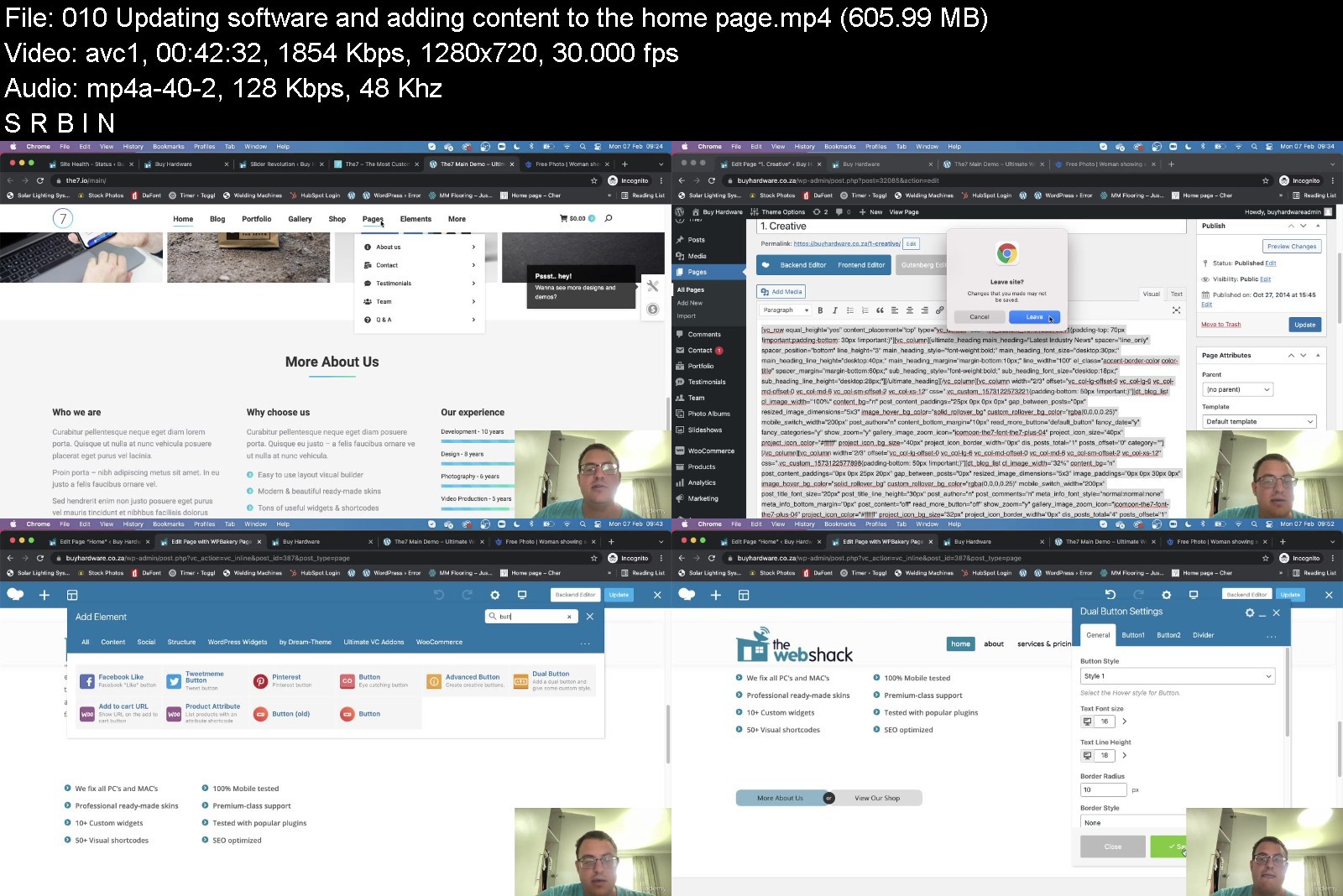
An overview of all the ins and outs of WordPress and The7 theme and how you can have full control over your website design.
An overview of how to use WooCommerce a powerful eCommerce plugin which you can sell your products or services online.
Educating on how to setup a professional WordPress website step by step from scratch. This will result in a full workable website with eCommerce functionality.
Teaching the student how to SEO a WordPress website and show them some secret SEO techniques to help them rank successfully on Google.
Together we will go through how to advertise on Google using Google Ads in an easy and affordable way.
Guiding the student through Social Media platforms to help them with Google ranking and then going through how to advertise on Facebook and Instagram.
Setting up 'subscribe to newsletter call to action' on the website and assisting how email marketing can benefit your business.
Requirements
No prerequisite knowledge required; the only thing you need is a computer and an internet connection.
I am here to help people that own small businesses or those that are just looking to learn with out any knowledge in this area at all. Let me help you make a success online!

Description
No Prior Experience Required
Build a professional website from scratch and easily advertise it online step by step. My job is to help you succeed online!
A small Initial investment to get you started (But don't worry you won't regret it and you will thank me later)
The aim of this course is to equip small business owners looking to gain an online presence through learning web design without any knowledge in this field and without any coding.
This course does not just assist on how to build a beautiful, responsive and SEO friendly website. A key focus is to help people make a success online and grow their businesses with the only expense being your time. We take it further by going through a step by step on how to SEO their websites and make a product that doesn't just look amazing but also a product that sells!
The lecturer Robbie has over 12 years' experience in this industry and has helped hundreds of people succeed online. He suceeded in getting his business to the top of Google organically within South Africa without paying a single cent. This is testement to the fact that he really knows what he is talking about when it comes to SEO and online marketing.
Robbie will take you through how to advertise on Google and Facebook in a very easy and affordable way. By following Robbie's simple steps on how to do this advertising he is sure you'll find the results you are looking for as well as gain the knowledge you require.
The course ends off on how to get more newsletter follows and how to setup your email marketing and grow your client base. Robbie has a heart for helping people and is very passionate about teaching people and seeing people succeed.
I will teach you how to build a WordPress website from scratch. We will build everything step by step, so all you have to do is follow me exactly and you will learn a phenomenal amount of information. You will also have the most beautiful website once we are done. Without writing a single line of code. Awesome right!
Instead of paying thousands of dollars to a web designer and online marketer, you can easily do it yourself.
This course is for beginners and also for professionals in this field that are looking to learn more.
You will learn how to install WordPress and all the ins and outs of WordPress. Learning about theme options, plugins, pages, blog posts and so on to name a few. Once you are done with this course you will know what you need to know about WordPress and how to use it.
You will learn how to do WordPress on page SEO and off page SEO. As simple as 1,2,3!
By the end of this course, you will have a beautiful, professional-looking WordPress website, that is SEO friendly and that is marketed using the best online marketing techniques out there. The best way to learn something is by doing it with someone guiding you. You won't go wrong by signing up for this course.
Who this course is for
This course is for anyone looking to create a beautiful website and market it online using SEO, Google Ads, Social Media and Email Marketing.
No coding required.
No prior experience required.


wordpressforbeginnersfujcj.jpg


Download from RapidGator


Download from Keep2Share



English Tenses and Verb Structures (2022)

45968848d963b0jea.jpg


English Tenses and Verb Structures (2022)
MP4 | Video: h264, 1280x720 | Audio: AAC, 44.1 KHz, 2 Ch
Genre: eLearning | Language: English + srt | Duration: 26 lectures (4h 19m) | Size: 5 GB

Tense at First Sight!


What you'll learn
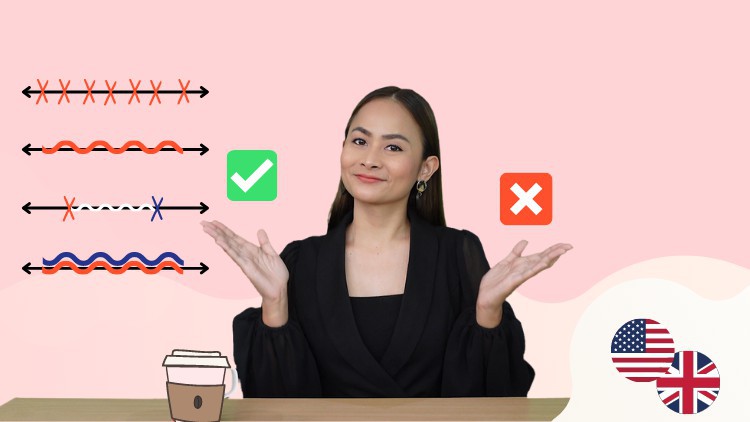
Understand when to use the correct English Tense.
Practice English Tense questions.
Improve your English language grammar.
Memorize and practice speaking Verb 1, 2 and 3.
Learn subject, verb, and how to agree between them.
Build complete and perfect sentences in the English language.
Learn 12 tenses structures in English.
Helping verbs (Auxiliary verbs) when forming Negative and Question sentences.
Learn how to identify the correct tense with "Time Markers"
Follow along in the Student Book (77 pages) and do the exercises inside.
Requirements
A minimum of A2 (Beginner) on the Common European Framework Reference (CEFR)
Can read and understand basic English.
Description
Dear students, welcome to a really special English tense course.
Why is this course for me?
We want you to look at any sentence and say, "I know this tense!"
This is why we call the course, Tense at First Sight.
How is this course different?
We focus a lot on student engagement!
This means, we learn together in a fun way.
There are many different scenes, animations, and materials, so you won't get bored.
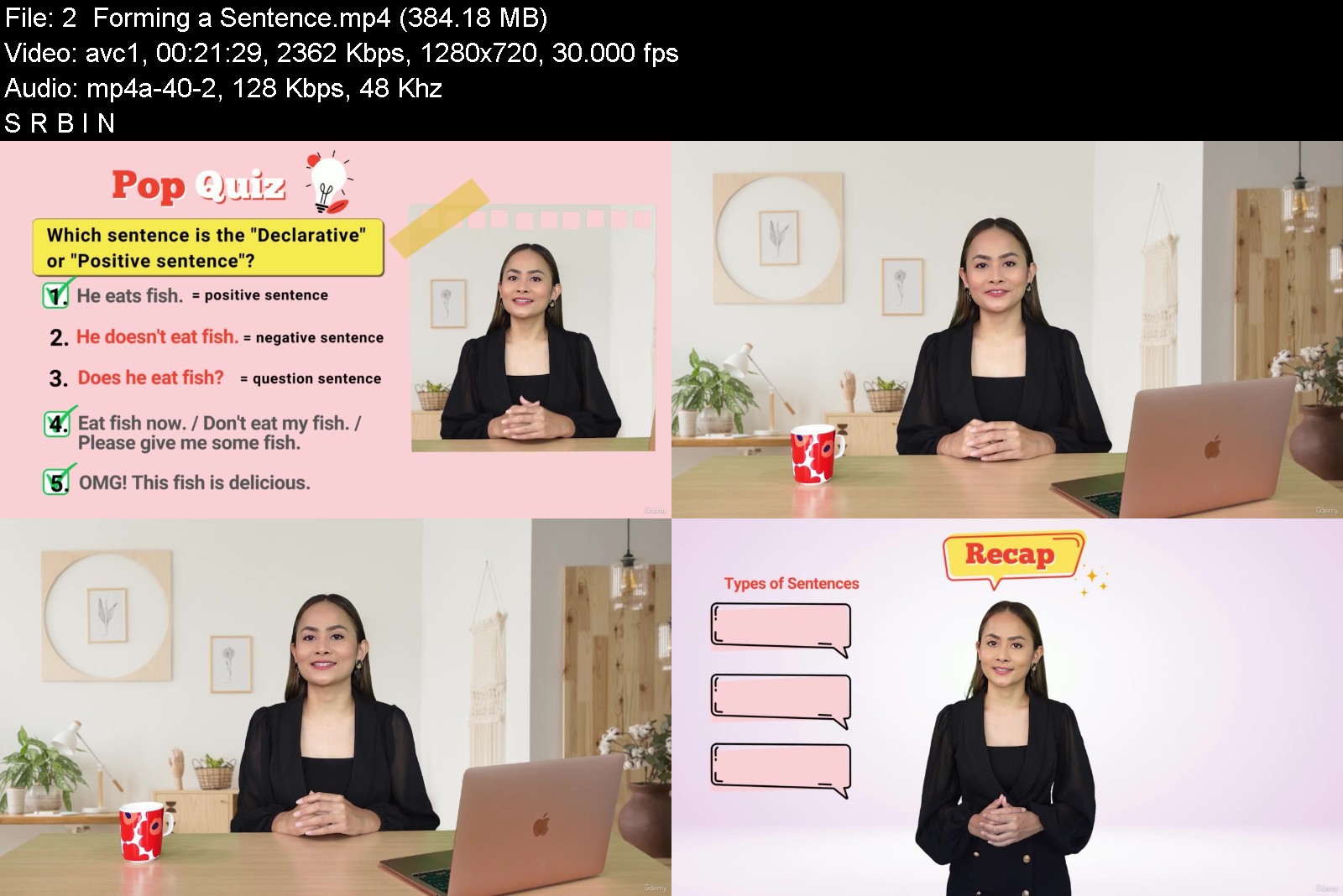
We start every lesson with a Pop Quiz. Can you guess the right answer?
Then we focus on Tips & Tricks to really understand each tense. Follow along in the free student book if you want.
Have fun watching Role-play scenes to see where you can use the tense in real-life situations.
In the student book you can practice more exercises,
and test your ability at the end of this course.
Do I learn only tenses?
Even more. It is important to start with a strong English sentence structure foundation.
To identify the correct tense, you must also learn
how to identify the Helping Verbs (Verb to Be, Verb to Do & Verb to Have),
how to form Positive / Negative / Question sentences, and Wh-questions correctly.
tips and tricks on how to form each type of sentences.
What can I expect?
Clear and simple definitions for each tense
Basic formulas you can memorize
Clear timeline explanations
A summary of each lesson, and have extra exercises in your student book
Test yourself at the end of the course to see your growth (post test included)
What else will I improve?
→ Increase your confidence
By practicing and revising your grammar, you will feel more comfortable with English.
→ Upgrade your overall English
Understanding tenses helps with speaking, listening and writing skills. Awesome right!
Which tenses will I learn?
The 12 Tenses that you will learn is
Present Simple, Present Continuous
Present Perfect, Present Perfect Continuous
Past Simple, Past Continuous
Past Perfect, Past Perfect Continuous
Future Simple, Future Continuous
Future Perfect, Future Perfect Continuous
***Please have a look at some of our "preview lessons" to see if the course is what you are looking for.
Hope to see you in the course :)
Who this course is for
English language students who want to improve on their English tenses.
Learners who need to use English writing skills in their daily life such as email writing.
For learners who want to review the English tenses and grammar points.


englishtensesandverbs41ku8.jpg


Download from RapidGator


Download from Keep2Share


th_qGBmps75k18rgzpisRNRsDOspRUODuiV.jpg

A-Z Harmonic Chart Patterns - Trading Crash Course 2022
Published 04/2022
MP4 | Video: h264, 1280x720 | Audio: AAC, 44.1 KHz, 2 Ch
Genre: eLearning | Language: English + srt | Duration: 14 lectures (1h 21m) | Size: 905.7 MB


Harmonic Chart Patterns, Harmonic Trading Strategies, Fibonacci Level Trading For Stock, Forex, Crypto, Commodities
What you'll learn
What are Harmonic Chart Patterns
Harmonic Chart Patterns Trading Strategies
How to correctly identify and trade all Harmonic Patterns
How to become a professional technical analyst by using Harmonic patterns
Managing risk using Harmonic charts concepts
Fibonacci Trading Stategies
How to enter and exit in trade with tight stop loss and risk management
6 Bullish Harmonic Charts
6 Bearish Harmonic Charts
Requirements
Basic know-how of technical analysis
Free trading view account for practice
Description
Harmonic chart patterns trading is one of the most complex parts of technical analysis. But in this class, we are going to cover harmonic chart patterns trading in detail with a very simple step-by-step procedure for any financial market. After going through this course you will learn modern techniques and strategies, which can be applied to any financial market whether it's Stocks, Forex, Options, Cryptocurrencies Commodities, etc.
In this class you will learn;
Introduction to Harmonic Trading
How to correctly identify and trade all Harmonic Patterns
Bullish Harmonic Chart Patterns
Bullish BAT Harmonic Pattern
Bullish Crab Harmonic Pattern
Bullish Gartley Harmonic Pattern
Bullish Cypher Harmonic Pattern
Bullish Shark Harmonic Pattern
Bullish Butterfly Harmonic Pattern
Bearish Harmonic Chart Patterns
Bearish BAT Harmonic Pattern
Bearish Crab Harmonic Pattern
Bearish Gartley Harmonic Pattern
Bearish Cypher Harmonic Pattern
Bearish Shark Harmonic Pattern
Bearish Butterfly Harmonic Pattern
How to become a professional technical analyst by using Harmonic patterns
Managing risk using Harmonic charts concepts
Fibonacci Trading
And many more
Requirement
Basic know-how of technical analysis
Free trading view account for practice
Disclaimer
Kindly note that any action you take upon the information from this course is strictly upon your own risk and I will not be responsible and liable for the losses and damages in connection with this content.
About Author
Basit Khan is one of the top-rated sellers on Fiverr as a Crypto Expert. He is also a Cryptocurrency and Blockchain expert on Coinbox Finance. Apart from that, he is a Cryptocurrency consultant & Trainer on Extreme Commerce. Being a crypto enthusiast and a seasoned expert, he has a strong grip over the technicalities and fundamentals of this space. He has four years of experience in trading and investing in cryptocurrency as a full-time day trader as well as an investor. With diligence and meticulous efforts of those past 4 years, he has amassed tons of experience in the convoluted field of crypto. This includes technical and fundamental research, market psychology, strategic trading risk management, financial services, Portfolio management, and buying and selling legit meme coins. With these fine skills and expertise, he has taught thousands of students the complex art of cryptocurrency worldwide.
Who this course is for
Anyone who wants to become a professional technical trader
Homepage


c8600fa891bcf77a52f330b77a342ccd.png

Animation Mentor - AN01 - Animation Basics
Video: h264, 1280x720, 2504 kb/s, 30.00 fps | Audio: aac, 48000 Hz, 2 channels, 235 kb/s
Genre: eLearning | Duration: 12 weeks | Language: English | File size: 8.9 GB​

In Animation Basics, you'll go beyond software to learn how to realistically convey weight, motion and follow through - critical skills on your journey to become a character animator. You'll start the course by learning how to animate a bouncing ball, and then evolve that bouncing ball through the creation of both "vanilla" and "personality" walk cycles.
Screenshots

Learn How to
- Understand critical principles of animation like weight and overlapping action
- Convey emotions like joy, devastation and concern through sketchbook and posing exercises with our Stu rig
- Go beyond the bouncing ball by learning to express different weights
- Understand overlapping action by animating motion and follow through using Squirrels, Monster Ball or Bird Ball
- Animate a simple and straightforward "vanilla" walk cycle
- Create a stylized walk cycle to showcase personality and emotion
Homepage


th_DDePCZNVeZz5RK3LABi1SEpfGiBQFlHU.jpg

Blender: Tesla Cybertruck Forge
Published 04/2022
MP4 | Video: h264, 1280x720 | Audio: AAC, 44.1 KHz, 2 Ch
Genre: eLearning | Language: English + srt | Duration: 84 lectures (23h 15m) | Size: 19.2 GB


Tesla Cybertruck creation from start to finish with Marwan Hussein
What you'll learn
Learn how to setup the scene and add the blueprints images using easy method
Learn how to use Blender modeling tools to model the truck without any plugin from outside
Learn how to get clean nice modeling results by fixing any shading issues
Learn how to use Shrinkwrap modifier as modeling technique to get clean sharp geometry looking
Learn how to use displace modefier to create the tire tread, very nice and quick method to create complex tire tread for your car
Learn how to use armature to rig the truck we will create the most important controllers to control the truck
Learn how to create constraint for the bones to rig the truck in efficient accurate way
We will give each bone a specific shape to make the rig looks clean and understandable
Learn how to use shader editor to create realistic materials to the truck from start to finish
Learn how to create simple environment for the truck as a background, we will create 2 environments
Learn how to use cycles to render the scene and get realistic render results
Learn how to use Eevee to render the truck
Learn how to make post-processing for the final render
Requirements
Download Blender and get yourself familiar with interface and how to move objects
Description
Hello everyone, I'm Marwan Hussein, I'm a 3D artist I have been in the 3D field for 10 years now.
I love to create cars I find that fun for me, and I love to share my knowledge with people that like to learn some cool stuff in Blender.
In this course I decided to create Tesla Cybertruck from start to finish, I like the idea of this truck it comes with a new idea that makes the Tesla Cybertruck stand out from the rest of the trucks around the world.
In this course we will learn how to model the truck from start to finish, the modeling section was challenging because there are too many details and I tried as much as I could to add all the details ( the exterior details ) to make the truck looks realistic.
In my nature, I like to care about details, but caring about details comes with its cost, it makes the course a little bit longer, especially the modeling section, but that's not bad because if you do modeling a lot you will master the modeling eventually because of that modeling section take a big portion of the cake.
In the modeling section, we will learn a lot, new technics help to speed your workflow, fixing a surface problem when we get bad surface shading, learning new ways to achieve complicated geometry, learning new shortcuts new modifiers new skills, etc......
When the modeling section is finished we will rig the truck, rigging is a very fun part, I like when I create a car and have the ability to animate it as I want, because of that learning how to use armature inside Blender is something very important, anyway, we will learn how to rig the front and the back tire group, we will learn how to open and closed the back cover door of the truck.
We will learn how to give the bones specific shapes so we can understand them in case we want to animate the truck or send it to an animator.
The materials section is fun as well, in this section we will learn how to use the shader editor and how to create our materials from start to finish step by step, there is a lot of stuff there I don't want to get into details but I'm sure you will find it useful and fun.
Rendering section, first we will use Cycles to render the truck and we will learn how to create an environment to put the truck inside it, we will create 2 environments you can see in the intro video.
After using Cycles we will use Eevee as well, and we will try to get nice beautiful realistic render results with Eevee, not just that, we will switch to the compositor to add the final touch, it is called post-processing.
I divided the course into sections, each section I give a name, for example, the Modeling section, Materials section, Rigging section, etc...
I will add a section for the project folder, before you start you should download the project folder, and I will add 2 Blueprints, you can download them both.
I will add the Blueprints that I used in the course and a Blueprints of the final result of the course, you have the choice to decide what you want to use, but as advice I advise you to use the Blueprints 2 because it will be 100% accurate as compared with the first one,
you will find all of that in the project folder section.
Who this course is for
This course for student want to learn how to create and rig cars
This course is for the student who wants to create 3D models and sell them and make some money.
This course is for students who want to develop their knowledge in Blender to learn something new
Homepage


TEz1JR8zoGZSHAgUAYEmRsG4HU8AORfi.jpg

Blogging & Content Writing Course - Start A Profitable Blog
Genre: eLearning | MP4 | Video: h264, 1280x720 | Audio: AAC, 44.1 KHz
Language: English | Size: 3.43 GB | Duration: 108 lectures • 8h 10m
Content writing for blogging, sales content writing, SEO content writing to become a blogger, WordPress blog writing

What you'll learn
Content writing for a blog
Blogging for SEO and sales copywriting
How to make money blogging and content writing that sells
Freelancing or agency services doing content writing or blog writing
Attract readers by writing exciting headlines
Content creation with a show (beyond just blogging)
Requirements
N/A
Description
Learn to create blog and website content that is at the same time
SEO friendly
Grabs attention of readers with good sales copywriting
Contains interesting writing
Upsells your products or services
DIFFERENCE BETWEEN SALES COPYWRITING AND BLOG CONTENT WRITING
There is a separate field called Sales Copywriting. It deals with attracting buyers or making people click on your headlines. This is a marketing field and it's an important one for getting more traffic. We cover this in the course.
But your marketing can't be all sales copywriting. When people click on your blog posts, those posts must contain actual interesting writing. We cover that in the course as well.
This way, you get the best of both worlds because it's not enough to just get traffic. You must provide a lot of value to your website visitors so they like your content, trust you, subscribe to what you are offering, and eventually buy from you.
ADDING SEO CONTENT WRITING TO YOUR BLOGGING
For many blogs, the biggest source of traffic is from SEO (Search Engine Optimization) when people search for something related to the blog. So it's not just enough to write content, we must also research SEO keywords and do SEO content writing to bring traffic via search. We will cover that in the course as well.
WHAT YOU WILL BE ABLE TO DO AFTER YOU COMPLETE THE COURSE
You will be able to write solid blog posts, each of which is optimized for SEO while grabbing and holding the reader's interest. Each post will also be a part of your bigger content strategy, which you will also learn to create in this course.
HOW TO START A WORDPRESS BLOG - JUST CONTENT WRITING - NOT WEBSITE BUILDING
This course does not teach technical website development and WordPress development. The assumption is that you would already have a website and a blog set up by yourself or a freelancer. This course only focuses on content creation and content writing when you start a blog.
MAKE MONEY BLOGGING
After you attract readers, get to come back regularly, and engage with your content, I'll show you how to make money blogging. You can make money blogging by publishing ads, selling product, selling services, and more.
Invest in your future. Enroll today.
Who this course is for
New bloggers
New digital marketers
Screenshots


th_kyJmCya6MOUbBfTab2uulg0tQxpT1PqK.jpg

Cyber Security for Absolute Beginners: Essential Concepts
Published 04/2022
MP4 | Video: h264, 1280x720 | Audio: AAC, 44.1 KHz, 2 Ch
Genre: eLearning | Language: English + srt | Duration: 77 lectures (4h 1m) | Size: 1.6 GB


Learn Vital Cyber Security Concepts: Understanding Hackers & Cyber Threats, Cyber Security Countermeasures & Much More!
What you'll learn
Understand the Fundamentals of Cyber Security Threats & Countermeasures
Have a Strong Fundamental Understanding of Cyber Security
Be Prepared for More Advanced Cyber Security Courses
Better Protect Your Business & I.T. Infrastructure
Requirements
Understand the Fundamentals of Cyber Security Threats & Countermeasures
Have a Strong Fundamental Understanding of Cyber Security
Be Prepared for More Advanced Cyber Security Courses
Better Protect Your Business & I.T. Infrastructure
Description
LEARN CYBER SECURITY FUNDAMENTALS FROM ONE OF UDEMY'S TOP IT INSTRUCTORS
Are you looking to learn the basics of cyber security? Are you an aspiring IT professional that needs to better understand how cybersecurity works? If so, this is the perfect course for you!
In this 4-hour course, I'll show you step-by-step, the fundamentals of cyber security, teaching you essential cyber security core principles you need to know, as well as enlightening you about the various types of cyber threats we face.
If you're looking to advance or begin your career in Information Technology (IT), this course is a must!
WHAT YOU'LL RECEIVE IN THIS COURSE
4 Hours of Lecture & Live Demonstration Videos
37-Page Course Companion Study Guide eBook
2 Real-Life Business Case Studies
Edited Closed Caption Subtitles and Video Transcripts
Downloadable Course Videos for Offline Viewing with Udemy Mobile App
KEY COURSE TOPICS
Introduction to Cybersecurity
Understanding Hackers
Networking 101
Malware Threats
Additional Threats & Vulnerabilities
Social Engineering & Email Based Threats
Core Cyber Security Principles
Fundamental Threat Countermeasures
Cyber Security in the Workplace
Once you complete this course, you'll understand the core principles of cyber security to help you better protect your IT and business infrastructure!
SO WHAT ARE YOU WAITING FOR ENROLL TODAY!
PREVIEW OVER 30 MINUTES OF THIS COURSE THROUGH MY 12 FREE LECTURES, JUST SCROLL DOWN BELOW AND CLICK THE BLUE PREVIEW BUTTONS.
Who this course is for
Non-Techies Wanting to Learn About Cyber Security
Business & IT Managers Needing a Working Knowledge of Cyber Security
Aspiring & Inexperienced IT Professionals
Homepage


th_sycqDN4k6if3yZEFIebdLhpnyGmRsxX9.jpg

Database/API Driven Call Center Solution With Asterisk
Published 04/2022
MP4 | Video: h264, 1280x720 | Audio: AAC, 44.1 KHz, 2 Ch
Genre: eLearning | Language: English + srt | Duration: 58 lectures (8h 6m) | Size: 4.73 GB


Building Database/api Driven Call Center Solution Using Asterisk
What you'll learn
Have a good foundation of Asterisk PBX
Deploy a robust enterprise Call Center Solution with little or no cost(Configure Automatic Call Distribution (ACD) using Queue (Database Driven & Config File)
Build a working Interactive Voice Response (IVR)
Make HTTP request (API call: Post & Get) to the external system to fetch data during call session (Active Channel)
Integrate Asterisk to MySQL Database, MSSQL, or any database of your choice
Basic Troubleshooting in Asterisk PBX
Secure your asterisk PBX
Requirements
Asterisk Knowledge: Yes (Not a show-stopper with focus and follow the course as outlined )
Basic Knowledge on Network and Linux: Yes (Not a show-stopper with focus and and follow the course as outlined)
Description
The tutorial is about learning how to Build a Database/API-driven Call Center Solution/PBX using asterisk PBX. You will learn the following
In-depth Knowledge of Asterisk PBX.
How to setup Trunk to any provider of your choice using chan PJSIP (Config File & Database Table
How to work with Asterisk dial plan to implement different business scenarios
How to setup Interactive Voice Response (IVR) System with Time-based call routing
How to setup PBX for Organization using Asterisk
How to setup Automatic Call Distribution amount the Agents (Database and Configuration file driven approach)
Integrate Asterisk with Any Database of your Choice (MySQL, SQLite, PostgreSQL, MSSQL)
Setup MySQL Database in Linux environment and integrate it with Asterisk PBX
Working with Musiconhold (Config File & Database table)
Make API call in your dial plan to an external system in real-time
Secure Your PBX
After learning the basics of Asterisk, We are going to implement Call Center Solution for a fictitious Hospital(The Great Hospital) that has an Online Medical Consulting Service with the following requirements
Prompt
1 => Consulting
2=> Customer Service
3 => Self-Service ( 1 .Book Appointment 2.Cancel Appointment 3.Confirm Appointment 4.Check Outstanding Bill)
User Story (Implementation Requirement)
Consulting Unit: Working Hours: 8 AM - 9 PM, Call Outside the working hours should be routed to the customer service unit
Access to the Consultant is based on appointment and registered client (Validation via API call)
Booking of Appointment should be logged in the database and email notification sent to Customer Service
All calls (Inbound and outbound) must be recorded for Quality Assurance. Any missed call should trigger a mail to the supervisor/monitoring email group for quality assurance.
Who this course is for
VoIP Engineers, System Administrator, Programmer and anyone Interest in learning Asterisk PBX
Homepage


Zurück
Oben Unten