• Regeln für den Video-Bereich:

    In den Börsenbereich gehören nur Angebote die bereits den Allgemeinen Regeln entsprechen.

    Einteilung

    - Folgende Formate gehören in die angegeben Bereiche:
    - Filme: Encodierte Filme von BluRay, DVD, R5, TV, Screener sowie Telesyncs im Format DivX, XviD und x264.
    - DVD: Filme im Format DVD5, DVD9 und HD2DVD.
    - HD: Encodierte Filme mit der Auflösung 720p oder darüber von BluRay, DVD, R5, TV, Screener sowie Telesyncs im Format x264.
    - 3D: Encodierte Filme von BluRay, die in einem 3D Format vorliegen. Dies gilt auch für Dokus, Animation usw.
    - Serien: Cartoon/Zeichentrick, Anime, Tutorials, Dokumentationen, Konzerte/Musik, Sonstiges sind demnach in die entsprechenden Bereiche einzuordnen, auch wenn sie beispielsweise im High Definition-Format oder als DVD5/DVD9/HD2DVD vorliegen. Ausnahme 3D.
    - Bereich Englisch: Englische Releases gehören immer in diesen Bereich.
    - Bereich Talk: Der Bereich, in dem über die Releases diskutiert werden kann, darf, soll und erwünscht ist.


    Angebot/Beitrag erstellen

    - Ein Beitrag darf erst dann erstellt werden, wenn der Upload bei mindestens einem OCH komplett ist. Platzhalter sind untersagt.
    - Bei einem Scenerelease hat der Threadtitel ausschließlich aus dem originalen, unveränderten Releasenamen zu bestehen. Es dürfen keine Veränderungen wie z.B. Sterne, kleine Buchstaben o.ä. vorgenommen werden. Ausnahme Serienbörse:
    - Bei einem Sammelthread für eine Staffel entfällt aus dem Releasename natürlich der Name der Folge. Beispiel: Die Simpsons S21 German DVDRip XviD - ITG
    - Dementsprechend sind also u.a. verboten: Erweiterungen wie "Tipp", "empfehlenswert", "only", "reup", usw. / jegliche andere Zusatzinformation oder Ergänzung, welche nicht in obiger Beschreibung zu finden ist.

    Aufbau des Angebots und Threadtitel

    Der Titel nach folgendem Muster erstellt zu werden. <Name> [3D] [Staffel] [German] <Jahr> <Tonspur> [DL] [Auflösung] <Quelle> <Codec> - <Group>
    Beispiel: The Dark Knight German 2008 AC3 DVDRip XviD - iND
    Beispiel: The Dark Knight 2008 DTS DL BDRip x264 - iND
    Beispiel: The Dark Knight 2008 AC3 DL BDRip XviD - iND
    Beispiel: The Dark Knight German 2008 AC3 720p BluRay x264 iND
    Beispiel: The Dark Knight 2008 DTS DL 1080p BluRay x264 iND
    Beispiel: Die Simpsons S01 German AC3 DVDRip XviD iND
    Beispiel: Die Simpsons S20 German AC3 720p BluRay x264 iND
    Beispiel: Sword Art Online II Ger Sub 2014 AAC 1080p WEBRip x264 - peppermint
    Entsprechend sind also u.a. verboten: Sonderzeichen wie Klammern, Sterne, Ausrufezeichen, Unterstriche, Anführungszeichen / Erweiterungen wie "Tipp", "empfehlenswert", "only", "reup", usw. / jegliche andere Zusatzinformation oder Ergänzung, welche nicht in obiger Beschreibung zu finden ist
    Ausnahmen hiervon können in den Bereichen geregelt sein.

    Die Beiträge sollen wie folgt aufgebaut werden:
    Überschrift entspricht dem Threadtitel
    Cover
    kurze Inhaltsbeschreibung
    Format, Größe, Dauer sind gut lesbar für Downloader außerhalb des Spoilers zu vermerken
    Nfo sind immer Anzugeben und selbige immer im Spoiler in Textform.
    Sind keine Nfo vorhanden z.B. Eigenpublikationen, sind im Spoiler folgende Dateiinformationen zusätzlich anzugeben :
    Quelle
    Video (Auflösung und Bitrate)
    Ton (Sprache, Format und Bitrate der einzelnen Spuren)
    Untertitel (sofern vorhanden)
    Hosterangabe in Textform außerhalb eines Spoiler mit allen enthaltenen Hostern.
    Bei SD kann auf diese zusätzlichen Dateiinformationen verzichtet werden.

    Alle benötigten Passwörter sind, sofern vorhanden, in Textform im Angebot anzugeben.
    Spoiler im Spoiler mit Kommentaren :"Schon Bedankt?" sind unerwünscht.


    Releases

    - Sind Retail-Release verfügbar, sind alle anderen Variationen untersagt. Ausnahmen: Alle deutschen Retail-Release sind CUT, in diesem Fall sind dubbed UNCUT-Release zulässig.
    - Im Serien-Bereich gilt speziell: Wenn ein Retail vor Abschluss einer laufenden Staffel erscheint, darf diese Staffel noch zu Ende gebracht werden.62
    - Gleiche Releases sind unbedingt zusammenzufassen. Das bedeutet, es ist zwingend erforderlich, vor dem Erstellen eines Themas per Suchfunktion zu überprüfen, ob bereits ein Beitrag mit demselben Release besteht. Ist dies der Fall, ist der bereits vorhandene Beitrag zu verwenden.
    - P2P und Scene Releases dürfen nicht verändert oder gar unter einem iND Tag eingestellt werden.


    Support, Diskussionen und Suche

    - Supportanfragen sind entweder per PN oder im Bereich Talk zu stellen.
    - Diskussionen und Bewertungen sind im Talk Bereich zu führen. Fragen an die Uploader haben ausschließlich via PN zu erfolgen, und sind in den Angeboten untersagt.
    - Anfragen zu Upload-Wünschen sind nur im Bereich Suche Video erlaubt. Antworten dürfen nur auf Angebote von MyBoerse.bz verlinkt werden.


    Verbote

    - Untersagt sind mehrere Formate in einem einzigen Angebotsthread, wie beispielsweise das gleichzeitige Anbieten von DivX/XviD, 720p und 1080p in einem Thread. Pro Format, Release und Auflösung ist ein eigener Thread zu eröffnen.
    - Grundsätzlich ebenso verboten sind Dupes. Uploader haben sich an geeigneter Stelle darüber zu informieren, ob es sich bei einem Release um ein Dupe handelt.
    - Gefakte, nur teilweise lauffähige oder unvollständige Angebote sind untersagt. Dies gilt auch für eigene Publikationen, die augenscheinlich nicht selbst von z.B. einer DVD gerippt wurden. Laufende Serien, bei denen noch nicht alle Folgen verfügbar sind, dürfen erstellt und regelmäßig geupdatet werden.
    - Untersagt sind Angebote, welche nur und ausschließlich in einer anderen Sprache als deutsch oder englisch vorliegen. Ausnahmen sind VORHER mit den Moderatoren zu klären.


    Verstoß gegen die Regeln

    - Angebote oder Beiträge, die gegen die Forenregeln verstoßen, sind über den "Melden"-Button im Beitrag zu melden.
  • Bitte registriere dich zunächst um Beiträge zu verfassen und externe Links aufzurufen.

*** Bestes IPTV *** bester Preis *** gratis Test ***


Englische Tutorials

th_7qURgm4QZQ2eLCwmPFY7WUDPKuZYuDvH.jpg
[
Learn HTML, CSS, Javascript & Bootstrap 5 Basics
Published 04/2022
MP4 | Video: h264, 1280x720 | Audio: AAC, 44.1 KHz, 2 Ch
Genre: eLearning | Language: English | Duration: 23 lectures (2h 7m) | Size: 954.7 MB


Learn to build websites from scratch
What you'll learn
HTML
CSS
Javascript Basics
Bootstrap 5 basics
Requirements
No Progarmming skills needed
Anyone can learn it from scratch
Description
In this course, students will learn, HTML, CSS, Javascript, CSS grid & Flex box
The HyperText Markup Language or HTML is the standard markup language for documents designed to be displayed in a web browser. It can be assisted by technologies such as Cascading Style Sheets and scripting languages such as JavaScript.
Cascading Style Sheets is a style sheet language used for describing the presentation of a document written in a markup language such as HTML. CSS is a cornerstone technology of the World Wide Web, alongside HTML and JavaScript.
JavaScript, often abbreviated JS, is a programming language that is one of the core technologies of the World Wide Web, alongside HTML and CSS. Over 97% of websites use JavaScript on the client-side for web page behavior, often incorporating third-party libraries.
CSS grid In Cascading Style Sheets, CSS grid layout or CSS grid creates complex responsive web design grid layouts more easily and consistently across browsers.
Flexbox layout commonly known as Flexbox is a CSS 3 web layout model. It is in the W3C's candidate recommendation stage. The flex layout allows responsive elements within a container to be automatically arranged depending upon screen size.
Bootstrap 5 Bootstrap is a free and open-source CSS framework directed at responsive, mobile-first front-end web development. It contains HTML, CSS, and JavaScript-based design templates for typography, forms, buttons, navigation, and other interface components.
Who this course is for
Beginners in Web Development
Homepage


dfc5d516-6e57-4f3f-9593-9e540f4275ac.png

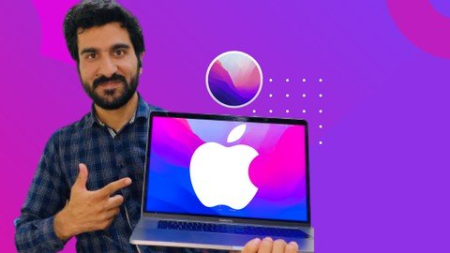
Learn MacOS Monterey 2022
MP4 | Video: h264, 1280x720 | Audio: AAC, 44.1 KHz
Language: English | Size: 966 MB | Duration: 58m​

New to the Mac? Exchanging over from Windows? We'll help you the fundamental abilities to acquire and utilize your Mac!!
What you'll learn
Use Mac in fingertips
Use Mac in your fingertips
you will be able to teach
you will be able to diagnose the Mac
Requirements
No Experience needed for this course It design to start from scratch
Description
I am Saeed Ur rehman, and I am an Apple Certified Mac Technician & Technology Trainer and have been a macOS proficient for north than 14 years.
In this course we are discussing everything Mac, explicitly macOS System Preferences! Whether you as of now have a Mac, contemplating getting one, or taking a gander at exchanging away from Windows, we'll assist you with getting everything rolling, giving you an outline on everything Mac.
In this course, we'll cover incorporate -
Setting up Apple ID
Family Sharing
Users and Groups
Accessibility
Sharing in Mac
Remotely Access Mac
Security and Privacy
Network
Printer
Sound
languages
Touch ID
Mission Control
Dock
Menu bar
Spotlight
Date and Time
Displays
Keyboard/ Mouse/ Trackpad
Should I be a specialist?
This course is intended for individuals who may never have utilized a Mac, or individuals who have quite recently begun. You shouldn't be a specialist. And those candidates who want to pass ACMT Exams.
What programming do I really want?
Preferably a Mac running macOS. We'll demo most highlights on macOS Monterey which was delivered towards the finish of 2022, however on the off chance that you are running an alternate adaptation of macOS, that is fine as well.
Why this course?
This course will be straightforward and is extraordinary in light of the fact that it will be hands-on, so you can without much of a stretch track if possible.
We'll be giving you the establishments and fundamental abilities on utilizing a Mac, however, from here your Mac learning venture has just barely begun!
You'll before long begin to see the reason why such countless individuals love Macs and why they are so well known!
Who this course is for
This course specially designed for those who are new in Mac or who want to switch from windows to Mac, also this course for Mac Basics to intermediate. It will help if the candidate want to become Apple Certified Mac Technician or prepare ACMT Exam.
Screenshots


0af52818-486c-41b9-959f-7eb3b996b7f1.png

Learn Oracle NetSuite : Bank Reconciliation
Published 04/2022
MP4 | Video: h264, 1280x720 | Audio: AAC, 44.1 KHz, 2 Ch
Genre: eLearning | Language: English + srt | Duration: 5 lectures (1h 30m) | Size: 758.1 MB


Learn Bank Reconciliation and became a NetSuite Expert
What you'll learn
Bank Reconciliation In NetSuite
Generate Bank Reconciliation Manually
Generate Bank Reconciliation Using Imports
Reconciliation Matching Rules
Banking Import History
Requirements
NetSuite Basics
Description
Highlights
Bank reconciliation is the process by which the bank account balance in an entity's books of account is reconciled to the balance reported by the financial institution in the most recent bank statement. ​Bank statements are commonly routinely produced by the financial institution and used by account holders to perform their bank reconciliations.
To assist in reconciliations, many financial institutions now also offer direct downloads of financial transaction information into the account holder
Overview Of Bank Reconciliation ​
2-Advantage ​
3-Bank Reconciliation In Netsuite ​
4-Generate Bank Reconciliation Manually ​
5-Reconciling Your Bank Statement​
6-Reports​
7-Generate Bank Reconciliation Using Imports ​
8-Reconciliation Matching Rules ​
9-Create Bank Matching Rule​
10-Create Import Data Template ​
11-Banking Import History ​
12-Create Journal Entry ​
13-Matching Bank Data ​
14-Closing Statement ​
Bank reconciliation is the process by which the bank account balance in an entity's books of account is reconciled to the balance reported by the financial institution in the most recent bank statement. ​
Bank statements are commonly routinely produced by the financial institution and used by account holders to perform their bank reconciliations. To assist in reconciliations, many financial institutions now also offer direct downloads of financial transaction information into the account holders accounting method, typically using the csv file format.​
The reconciliation statement helps identify differences between the bank balance and book balance.​
Reconcile your bank statement against your bank account register to keep your NetSuite account accurate.​
You can also enter new transactions while reconciling.​
Bank Reconciliation can do in two ways: ​
Bank Reconciliation Generate Manually.​
Bank Reconciliation Generate using Imports.
Who this course is for
If you are IT professionals, System Administrator, ERP domain and Cloud Developer, this course will help you to become NetSuite Professional.
Homepage


e39bd9a3-d50c-48d6-ba82-8e6093bb4c74.png

Learn the Essential Basics in Electrical Wiring
Updated 01/2022
MP4 | Video: h264, 1280x720 | Audio: AAC, 44.1 KHz, 2 Ch
Genre: eLearning | Language: English + srt | Duration: 50 lectures (3h 24m) | Size: 2.53 GB


Learn How to Wire Power Sockets, Light Bulb to Switches also How to Read Electrical Plans (House Wiring)
What you'll learn
At the end of this course you will be able to wire a group of lights, switches and power sockets.
Also you will be able to apply for a job to work as a site and a designer electrical engineer.
Moreover you will be able to read and understand electrical drawings and load schedules.
Requirements
Familiar with ohm's law and power relation law
Patient and to focus in each lecture
Bring note book to write down specific notes
Description
***Note: This course is based on 220 v, the difference between the 110 v system and the 220 v system is only the number which means the same rules and laws are used to calculate the loads, on the other hand the concept of the wiring among lights and power sockets are the same for both systems.
***Note: The videos in section 3 which are written as (Ex-Application) you can skip it if you want, because its only to show you the wiring in reality.
If you are a beginner, a fresh graduate or an electrical engineer student and you are interested to learn about the electrical system (the essential basics) in the houses and buildings, so this course will be a good choice for you because of what listed below
1) This course will let you understand how the electrical wiring is done in our houses, buildings such as offices and so on.
2) You will learn how to wire several light bulbs to switches, also how to wire power sockets and a fan.
3) How to calculate the loads (current and power) for each equipment you would fix it.
4) How to read electrical drawings and plans such as light layout, power layout, single line diagram and load schedule.
5) Circuit breakers will be considered in this course (MCB and MCCB).
6) Types of wires and cables will be considered also.
7) What is the meaning of 3-phase and single phase in our real life.
8) What's the real benefit for earthing and why do we use earth leakage circuit breaker.
9) Moreover I will show you types of switches and power sockets.
At the end of the course you will be familiar with wiring (lights with switches and power sockets) and you will have the courage to read and understand the electrical plans for buildings, but of course you must understand the basics wiring in section 3 to be able to move to section 4 and section 5.
Meanwhile if you have a curious to learn about electrical wiring in houses, this course will give you a good experience, in addition at the end of this course you will be able to apply or to work as a site electrical engineer, or an electrical engineer designer or both.
Please before joining the course watch the free videos in section 1, 2 and 3 to get a clear idea about the course and about my way in teaching. I wish you to like my course and my teaching's strategy.
I request you also don't judge the course before finishing section 3.
Good luck
Who this course is for
Electrical Engineer students or fresh graduate Engineers
Any one who has curious to learn about wiring that is found in houses and buildings
If you are interested to know how to read electrical drawing for a building
Homepage


2adf3107-d881-450d-9dc0-87318fa0c61a.png

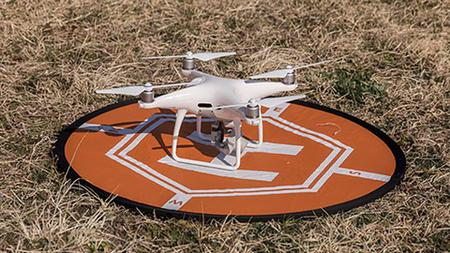
Learn to Assemble a Basic Drone using KK Flight Controller
Updated 04/2022
MP4 | Video: h264, 1280x720 | Audio: AAC, 44.1 KHz, 2 Ch
Genre: eLearning | Language: English + srt | Duration: 56 lectures (2h 10m) | Size: 2.7 GB


DIY Drone
What you'll learn
Learn about the basic parts used in drones
Learn about KK Flight Controller
Learn how to assemble a drone in general
Build your first drone from scratch and make it fly
Requirements
No Programming Needed.
Description
In this course, we will build a drone and fly it. This course is intended for complete beginners and will ensure that you have a working drone at the end which will actually fly. Do note that you will need to buy all the components required in this course separately.
We will start by knowing the different components and tools which is required for a drone assembly.
Then we will build a drone that can be modified later at will as most of the parts used are present in all the drones made.
For this specific course, we will focus on KK flight controller which will act as the brain of the drone and the control system logic defined in this will actually make the drone fly with stability.
The reason for choosing this flight controller is that it is easy to use and has an onboard display and buttons, so one can configure and test it without actually the need of connecting it to a laptop. In the future, one can replace this flight controller with any other advanced or custom flight controller keeping all other components the same.
In this course, I have tried to keep the length of the videos as small as possible to make learning more efficient and to offer an effortless learning and DIY experience.
Who this course is for
drone entusiasts and learners who want to build there own manual drone and make it fly easily
Homepage


d80f82af-4680-471b-84ae-a7e4e484c475.png

Learn to paint Fireworks with watercolors
MP4 | Video: h264, 1280x720 | Audio: AAC, 44.1 KHz
Language: English | Size: 737 MB | Duration: 33m
In this course, you will learn two easy techniques how to paint fireworks with watercolours.
What you'll learn​

new and fun watercolor techniques
paint fireworks with watercolors
use imagination and creative skills
color and composition
Requirements
This is a beginner friendly course
Description
In this course, you will learn two easy techniques how to paint fireworks with watercolours. This class is suitable for beginner to intermediate watercolourists. All you need is a curious mind and the will to learn.
These techniques are also suitable for children under adult supervision.
Materials you will need. I have also listed the brands I use.
- Watercolours (Windsor & Newton)
- Gold and Bronze paint (Viva, Inca-series)
-Thick watercolour paper, at least 300g (hahnemühle)
- Flatbrusth (Handover series 2 size 3/4)
-two jars of water
-masking fluid (Schmick)
-straws
Our class project is to finish two sets of paintings of fireworks using these techniques. Great projects for New Year or fourth of July decorations.
1. Follow the video instructions and blow the paint drops onto the plain to create a firework effect.
2. Follow the video instructions and start by filling the paper with colours. Once the paint is dry, mix masking fluid and water. Drop mixture to the paper and use the straw to create fireworks. Once you have covered the paper with the masking fluid splashes let them dry. Once the masking fluid is completely dry, paint flat wash over the paper with the colour of your choosing. Once the paint is dry, rub the masking fluid away with your hands.
Who this course is for
people interested on watercolor painting and art techniques
Screenshots


854d254d-534e-4055-9c7b-8bf2f6420117.png

Learning Windows Subsystem for Linux (2022)
Released 04/2022
MP4 | Video: h264, 1280x720 | Audio: AAC, 44.1 KHz, 2 Ch
Skill Level: Intermediate | Genre: eLearning | Language: English + srt | Duration: 1h 30m | Size: 207 MB

Windows Subsystem for Linux provides a Linux environment for developers inside of Windows. Rather than starting a virtual machine or relying on a remote Linux machine for development, WSL provides a Linux kernel and enables you to install various distros within the Windows environment. In this course, Scott Simpson walks you through the basics of WSL, as well as common tasks and procedures for developing with Linux. Scott explains different versions of WSL, then goes over installing a Linux distribution, using the Windows Terminal interface, accessing files, using network services, and more. He shows you how to manage software in Linux, then dives into controlling processes and services, defining automated tasks, tools for software development, and accessing a WSL network service. After covering GUI apps in WSL2, Scott finishes up with useful tips on how to customize and troubleshoot your Linux environments.


maxresdefault.jpg

MasterClass - Mariah Carey Teaches the Voice as an Instrument
Published 04/2022
MP4 | Video: h264, 1920x1080 | Audio: AAC, 44.1 KHz, 2 Ch
Genre: eLearning | Language: English + srt | Duration: 9 Lessons (1h 44m) | Size: 4.63 GB


Mariah Carey invites you into her studio to share her process. Learn how she uses her iconic voice to create, collaborate, and express a vision
With a five-octave range and soaring whistle tones, Mariah Carey reigns as the "Songbird Supreme." Now, for the first time, she's opening up her studio to show you her creative process. Learn how she uses her iconic voice to write songs, collaborate, and produce-and discover how some of her biggest hits were made. Draw inspiration from Mariah's journey and connect with the power of your own voice and vision.
Homepage


008f2479-medium.jpg

Play Guitar With This One Course Guaranteed
Published 04/2022
MP4 | Video: h264, 1280x720 | Audio: AAC, 44.1 KHz, 2 Ch
Genre: eLearning | Language: English + srt | Duration: 165 lectures (3h 25m) | Size: 1.22 GB


The "OnlyWayToPlay" Open Tuning Guitar Method For the Rhythm Guitarist, Singer/Songwriter & Worship Leader Alike
What you'll learn
Why we teach our open tuning guitar method to beginner rhythm guitarists, singer-songwriters and/or worship leaders alike to get them playing guitar ASAP
How you can play guitar using our unique yet simple guitar chords while only using a few fingers at a time which gets rid of fatigue and boosts your confidence
What our chords & scales look like which will include custom clips and all the instructional materials you'll ever need to be productive and stay motivated
How to become a confident guitarist while playing songs, learning new music, jamming with friends, writing your first big hit and playing guitar onstage
Requirements
Acoustic and/or Electric Guitar
Guitar Pick
Tuner (Standalone Device and/or App on Your Smartphone)
Desire to Learn :)
But No Experience Is Necessary
Description
At OnlyWayToPlay Inc., we know you want to become a confident guitarist. The problem is, the traditional methods of learning often require expensive lessons and/or take up too much of your time. This can make you feel embarrassed, frustrated or even confused before you can play your first chord - let alone your first song. We believe there's a better way! The key to our course's success comes down to three words . . ."Ease of Use!" Simply put, it takes what normally should require months and months of practice and streamlines it into playing guitar with just a few fingers at a time while also transporting you musically into sounding just like a seasoned guitarist. Whether you've never played guitar before in your life, you're a new guitarist who has struggled with standard tuning, you're a singer/songwriter wanting to pick up an instrument to write your first big hit, you're a worship leader who needs to lead songs at Sunday services and/or you're a professional guitarists looking for a new open tuning to master, the prospects of our course are endless. So, what are you waiting for?! Stop doubting yourself as a guitarist and quickly become one today with our Open Tuning Guitar Method.
Who this course is for
Anyone young to old who wants to learn guitar for the very first time
Beginner guitarists who has struggled with the standard tuning of guitar
Singer-Songwriters wanting to play/write their own music
Worship Leaders wanting to accompany themselves on-stage
Professional Guitarists looking tor a new open tuning to master
Homepage


48a3e62b-978c-4385-8a4e-45a990344e92.png

Practical Linux Command Line 2.0
MP4 | Video: h264, 1280x720 | Audio: AAC, 44.1 KHz
Language: English | Size: 1.59 GB | Duration: 3h 38m​

Get started quickly with the Linux Command Line - Step by step, with concrete Linux terminal examples.
What you'll learn
Master the basics of Linux command line
Be confident when using a Linux terminal
Be able to work on any project which requires the use of Linux
Navigate in the Linux file system
Create, remove, copy files and folders
Edit files in the terminal with the Nano text editor
Manage files and users permissions
Install and update Linux packages
Monitor processes and resources
Network basics
Remotely connect to a Linux terminal with SSH
Use terminal shortcuts to go faster
Work with multiple terminal windows at the same time
Differences between Ubuntu, Debian, CentOS, and MacOS
Apply best practices right from the start
Learn by doing with hands-on lessons
Requirements
A computer and a strong will to learn, that's it!
Description
You are learning how to use the Linux command line, but you're feeling lost?
Or, you're already a Linux user and want a quick refresher of the basics?
And you prefer to learn by doing, with teaching material inspired from real life experience? → This Linux command line course 2.0 is for you.
No need to know anything about Linux to get started. I will start from zero and even provide instructions to install a Linux OS on a virtual machine, if you don't have access to a Linux machine yet.
This course works on any Linux system: Debian, Ubuntu, CentOS, Fedora, and. MacOS! Yes, MacOS is actually based on Linux. The core concepts are the same for all Linux versions, with maybe just a few differences in the commands that I'm going to explain.
→ Why this course?
Well, learning the Linux command line can be quite confusing at best. I experienced that on my own, when I got my first Linux lessons in school. I just didn't get it, and I just didn't see the point of using all those complicated commands to complete exercises that I wasn't going to use in real life anyway.
At first I was lost and kind of demotivated about it. But after a few professional experiences (web/mobile development, server administration and automation, robotics), I started to get a good grasp on the Linux terminal, and more importantly, I started to really understand why I need it and why it's super powerful. Now, whenever I use a Linux OS, I just remove almost all graphical tools and open the terminal for everything.
So here, I've put all my years of Linux experience into this course, with a strong focus on understanding what you're doing, and why you're doing it - basically what was lacking in my own education.
My goal is that you can get a strong Linux command line foundation quickly, in just a few hours, and maybe avoid being confused for a few months/years before really "getting it".
This Linux command line foundation will help you for anything IT related: web or software development, data science, machine learning, robotics, system administration, etc. This is the building block you need to go in any other direction.
And there are many things that look fancy but are a waste of time, especially when you begin. So I'm going to teach you what I really use personally. No need to learn 150 commands to get started. With just a few ones and a good understanding, you can go a long way.
→ How do I teach?
Step by step: each section, each lesson, is built on top of the previous one, in a clean and ordered way. 1 lesson = 1 small step towards your mastery of the Linux command line.
Keep things simple: as an engineer I know it's tempting to make things over complicated to show you I know a lot of stuff. My philosophy for almost anything is: the simpler the better. By keeping things simple you won't feel overwhelmed.
Hands-on: no complicated theoretical explanations, I directly write commands and explain at the same time. And I encourage you to also write the commands on your own.
To the point: if I can explain something in 5 minutes, I don't produce a 15 minutes video to make the course look longer.
Practical: I teach you what you really need to know about Linux using concrete examples, to do stuff you really need to do. I also give you some additional exercises to practice on the key concepts you're going to use a lot.
→ What will you learn/do in the course?
First, if you don't have access to a Linux OS, I will show you step by step how to install Ubuntu on a virtual machine, with a minimal and clean setup.
Once you have your Linux OS ready to be used, we will directly jump in and learn how to
Navigate and understand the Linux file system
Create and manage your own files and folders
Write into files using a command line text editor (Nano)
Change files and users permissions
Install and update software
Monitor Linux processes and computer resources
Remotely connect to a Linux machine using SSH
Bonus: on top of all that, you will also learn how to improve your efficiency with the terminal, using auto-completion, pipes, search tools, keyboard shortcuts, multi-terminal setup, etc.
And I'm going to give you all the best practices I got from my own experience, so you can start off on the right foot.
→ Enroll today
You also get a 30 days money-back guarantee if you're not fully satisfied. So just get started now, and if I don't deliver on what I said, please do get the refund.
See you in the course! :)
Who this course is for
Complete beginners who want to really understand what they do and want to get the "why" behind the Linux command line.
Linux users who want a quick and to-the-point refresher.
Anyone who wants to work in IT, because well, Linux command line is everywhere and you can't just ignore it.
Screenshots





 
4604608-ca4e-2.jpg

Programming Techniques using Core Python
Updated 04/2022
MP4 | Video: h264, 1280x720 | Audio: AAC, 44.1 KHz, 2 Ch
Genre: eLearning | Language: English + srt | Duration: 161 lectures (10h 44m) | Size: 5.5 GB


Have fun with python programming
What you'll learn
No programming experience needed
Requirements
No programming experience needed
Description
This course is specially designed for those learners looking to switch to python language by learning all the concepts in a simplified manner which will be aided by topic-by-topic explanation. The main objective of designing this course is to clear the concepts from basic to advanced levels of learning python for beginners in a very simple way. This course has all the details and basic needs that a python programmer should know. A learner can understand very easily and practice it to sharpen their skills so that they can cement their position in this area in various multinational companies. The level of the course is up to the mark and it is guaranteed that the learners will no longer be requiring any other course for learning the concepts. The learner's confidence will be at the highest level after going through this course and we assure you that all the minute details have been taken into consideration while delivering the contents. So polish your career and get acquainted with yourself by learning and doing practice on python programming. The highlighted score of this course is the coverage of the basics of python, python decision-making and flow control, and python functions. The learners will also get the opportunity to practice objective questions for preparing for different certification exams.
Who this course is for
A must for python seekers, beginners and professionals who wants to learn python. Covered basics of python in much detailed manner.
Homepage


96b28005-1722-426f-877b-cae056e4783d.png

SUSE: Linux Administration Step-by-Step to Boost your Career
MP4 | Video: h264, 1280x720 | Audio: AAC, 44.1 KHz
Language: English | Size: 781 MB | Duration: 2h 48m
Administrating SUSE Linux Enterprise Server or OpenSUSE Server. Level 1
What you'll learn​

Get to Know YaST
Manage the Network Configuration Information from YaST
Install Software Packages
Manage Repositories
Access and Use man Pages
Use info Pages
Access Release Notes and White Papers
Use GUI-Based Help
Manage Users and Groups from the Command Line
Manage Users and Groups from YaST
And more...
Requirements
A wish to acquire or to refresh your skills on SUSE Linux administration
Description
This course is aimed to IT Pros or people who want to get familiar with Linux. And it's supposed to give the viewer the information they need to know to get started with Command Line and how to manage SUSE Linux with YaST. The goal is to provide coverage of basic tasks including topics like Network Configuration with YaST, Software and Repositories Management with YaST, Using Man pages, Using Info pages, Help and Release Notes.
The course is targeted to help to automate and script daily tasks. There are lots of live demonstrations how to use BASH commands. I hope it will help to do your job more efficiently.
Who this course is for
It's good for all who want to use and administer SUSE Linux
Linux Users
IT Specialists
System Administrators
DevOps Technicians
Screenshots


Zurück
Oben Unten